

Section 179 for IT Equipment: What a Small Business Can Deduct in 2026
Can you deduct laptops, network gear or software in 2026? Check the Section 179 limits, the December 31 deadline and what to record for your accountant.

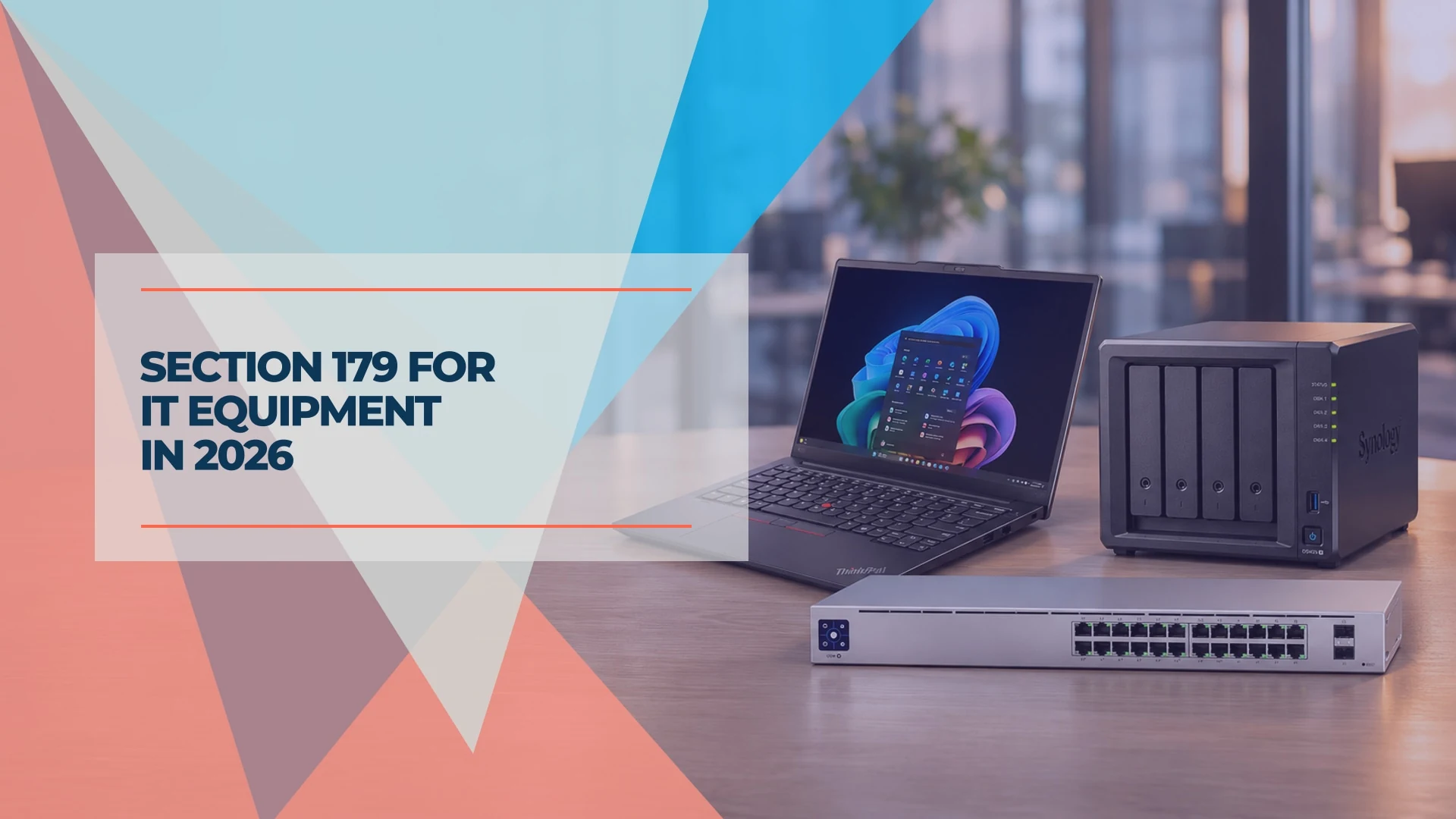
A U.S. small business can generally elect to deduct the eligible business cost of laptops, network gear and off-the-shelf software under Section 179. For a calendar-year business, the equipment has to be ready and available for its intended business use by December 31, 2026. A December invoice alone doesn't establish that date. The rules below come from IRS Publication 946, How To Depreciate Property, unless noted.
For tax years beginning in 2026, the federal Section 179 maximum is $2,560,000. It drops dollar for dollar once the total cost of Section 179 property placed in service exceeds $4,090,000. These figures come from IRS Revenue Procedure 2025-32. The amount you can claim also depends on business use and taxable income. If you're scheduling a purchase now, start with the year-end worksheet.
Scope of this guide
This guide covers U.S. federal rules. I work in IT consulting. Ask your accountant how the rules apply to your return and whether your state follows the federal treatment.
Affiliate Disclosure: This article contains affiliate links. If you make a purchase through these links, we may earn a small commission at no extra cost to you. As an Amazon Associate, iFeelTech earns from qualifying purchases.
What IT equipment qualifies for Section 179?
Eligible property generally has to be bought for use in an active trade or business. A new or refurbished laptop from an unrelated seller can qualify under the same rules; IRS Publication 225 notes that new or used equipment acquired by purchase qualifies. Gifts and purchases from certain related parties fall outside the IRS definition of a purchase.
| What you're buying | What to check |
|---|---|
| Laptops, desktops, monitors and docks | Purchased computers and peripherals can qualify. Record the business-use share for devices that double as personal equipment. |
| Switches, gateways, Wi-Fi access points, UPS units and NAS appliances | These generally fit the IRS category for machinery and equipment. Record when the hardware is ready for the specific job it was bought to do. |
| Standalone cameras and recorders | Separate the equipment from any building work on the quote. Certain improvements to nonresidential property, including eligible security systems, can have their own Section 179 treatment. |
| Off-the-shelf software | Software can qualify if the public can buy it, the license is nonexclusive and it has no substantial modifications. Keep the license terms and activation record. |
| Cloud subscriptions and prepaid software plans | List recurring services separately from purchased licenses. Give your accountant the contract and billing period to determine the deduction and its timing. |
| In-wall network cabling | Ask your accountant to classify the work. Request separate lines for equipment, cabling and labor so they can see what the contractor installed. |
For a mixed-use purchase, business use has to exceed 50% in the year the item goes into service for Section 179. For example, an eligible laptop with a hypothetical cost of $1,500 and 80% business use has a $1,200 business share before the deduction limits. A deduction reduces taxable income. The tax savings depend on the return. If business use later falls to 50% or less during the recovery period, you may have to report part of the prior deduction as income.
Financing or leasing. A financed purchase can qualify if your business is treated as the purchaser and the other Section 179 rules are met. Under a true lease, payments may instead be deductible as rent. The federal tax treatment depends on the agreement and circumstances. Send the contract to your accountant if ownership is unclear. The IRS explains the difference in its FAQ on equipment leases and conditional sales contracts.
What must be ready by December 31?
The IRS calls equipment placed in service when it is “ready and available for a specific use.” Actual use can start later. An item ready for its intended job on delivery can qualify that day. Equipment that still needs installation generally goes into service once that work is complete. The following examples apply that test to common office purchases; they illustrate the wording and are not IRS rulings.
| Situation at year-end | How to apply the test |
|---|---|
| Laptops arrive December 28 and are configured and available to staff December 30 | December 30 is the likely in-service date if the laptops are ready for the staff's work. |
| A laptop is still boxed on January 2 | Check what setup was required. If it needed configuration before anyone could use it for work, use the date that setup was completed. |
| A switch arrives in December and needs a cabling contractor in January | The switch generally goes into service in January, when it can run the intended network. |
| Wi-Fi access points are mounted, adopted into the controller and serving the intended network | Save the commissioning ticket or configuration record that shows when the network was ready. |
| A NAS is configured in December and the file migration is scheduled for January | Check whether users could access the intended shares and use the NAS for its assigned job in December. Document what remained and ask your accountant if the date is unclear. |
| A purchased license is activated in December | Activation is one step. Record when the software was installed or provisioned and available for its intended work. |
| An order is paid for in December and remains back-ordered into January | The equipment will generally go into service the following tax year if it becomes ready then. |
Schedule the work before placing the order
For an office deployment, I would start with the date someone can finish setup and verify the equipment works. Allow time for the work that applies to your purchase, such as enrolling laptops, testing a switch after hours or checking file-share permissions.
Year-end IT purchases
Work back from the setup date
- 1
1
Book the setup
Identify who will install the equipment and when they can verify it works for the office.
- 2
2
Confirm the delivery window
Check stock, drives or other parts, and allow time for an exchange if something arrives damaged.
- 3
3
Record when it was ready
Save a dated setup ticket, handoff record or other evidence alongside the invoice.
Section 179 vs. bonus depreciation
Both can accelerate a federal deduction. Section 179 lets you choose how much to expense on each qualifying asset, subject to its limits. Additional first-year (bonus) depreciation applies to eligible depreciable cost that remains after any Section 179 deduction. Regular depreciation may apply to any cost left after both.
| Section 179 | Bonus depreciation | |
|---|---|---|
| 2026 federal rule | Up to $2,560,000 for tax years beginning in 2026, with a phaseout above $4,090,000 of qualifying property placed in service | 100% for qualified property acquired and placed in service after January 19, 2025 |
| Income limit | Limited to taxable income from active trades or businesses. Amounts disallowed by that limit can generally carry forward. | The Section 179 income limit does not apply. Other limits can affect how much benefit you get in a low-income or loss year. |
| How it is claimed | Elect the amount for the selected assets on Form 4562. | Report on Form 4562. An election to opt out generally applies to an entire class of property for that tax year. |
Both are reported on IRS Form 4562. For an individual, the Section 179 income calculation can include employee wages. Ask your accountant to apply the rules to your entity and return.
Ask about the de minimis safe harbor for smaller purchases. A business without an applicable financial statement can generally elect to expense qualifying tangible items costing up to $2,500 per invoice or per item as substantiated by the invoice. It must have an expensing procedure in place at the start of the tax year and follow it in its books. The election is made annually with the timely filed original federal return, including extensions. Check the policy before assuming a dock, monitor or laptop can be expensed this way. The IRS sets out the conditions in its tangible property regulations FAQ.
For a broader look at these methods, including expense tracking for tax season, see our business tech tax guide.
Year-end IT purchase worksheet
Use these columns in a spreadsheet and make a row for each asset. Record the model and an asset tag or serial number if you have one. The laptop and dollar amount below are an example. Send the list to your accountant with the invoices and setup records.
| Need and item | Invoice cost | Ordered | Delivered | Ready for use | Evidence | Business use | CPA note |
|---|---|---|---|---|---|---|---|
| Replace one failing staff laptop | $1,500 | Dec 10 | Dec 28 | Dec 30 | Setup and handoff ticket | 80% | To confirm |
- Keep itemized invoices and related charges. Note freight, installation, service plans and subscriptions separately where possible. Your accountant can decide which costs belong in the equipment basis.
- Record what was ready. A dated ticket can show which staff member could sign in, when a switch passed its checks or when a file share became available.
- Flag anything that may affect the deduction. Note personal use, financed purchases, lease terms, deposits on back orders and work that spans December and January.
- Keep the records with the purchase. If your books are in QuickBooks Online or Xero, attach the invoice and the setup record to the purchase entry, so your accountant finds the in-service evidence where the cost is recorded.
How this looks in a small office
The tax treatment can affect when you recover the cost, but it works best on purchases the office already needs. Start with equipment that already belongs in your IT budget or hardware refresh plan.
Replacing four laptops. In a Windows office, the ThinkPad E14 Gen 7 is an example. Confirm the exact configuration and Windows edition before ordering. For a team already set up to manage Macs, the 13-inch MacBook Air (M5) is an alternative. Set aside time for enrollment and verify that each user can sign in and open their work apps. Our laptop deployment guide covers the setup and management choices.
Replacing an aging switch and adding battery backup. For a small UniFi network, the UniFi Standard 24 PoE has 24 gigabit Ethernet ports, 16 with PoE+, and a 95 W total PoE budget. Compare those limits with your access points and cameras before ordering. For battery backup, the APC Back-UPS Pro BR1500MS2 is a 900 W tower unit; if the network sits in a rack, the APC Smart-UPS SMC1500-2UC is a 2U rackmount model. Size either one for the actual load and the runtime you need; our UPS guide covers sizing and clearance. Book time to test the network after the cutover.
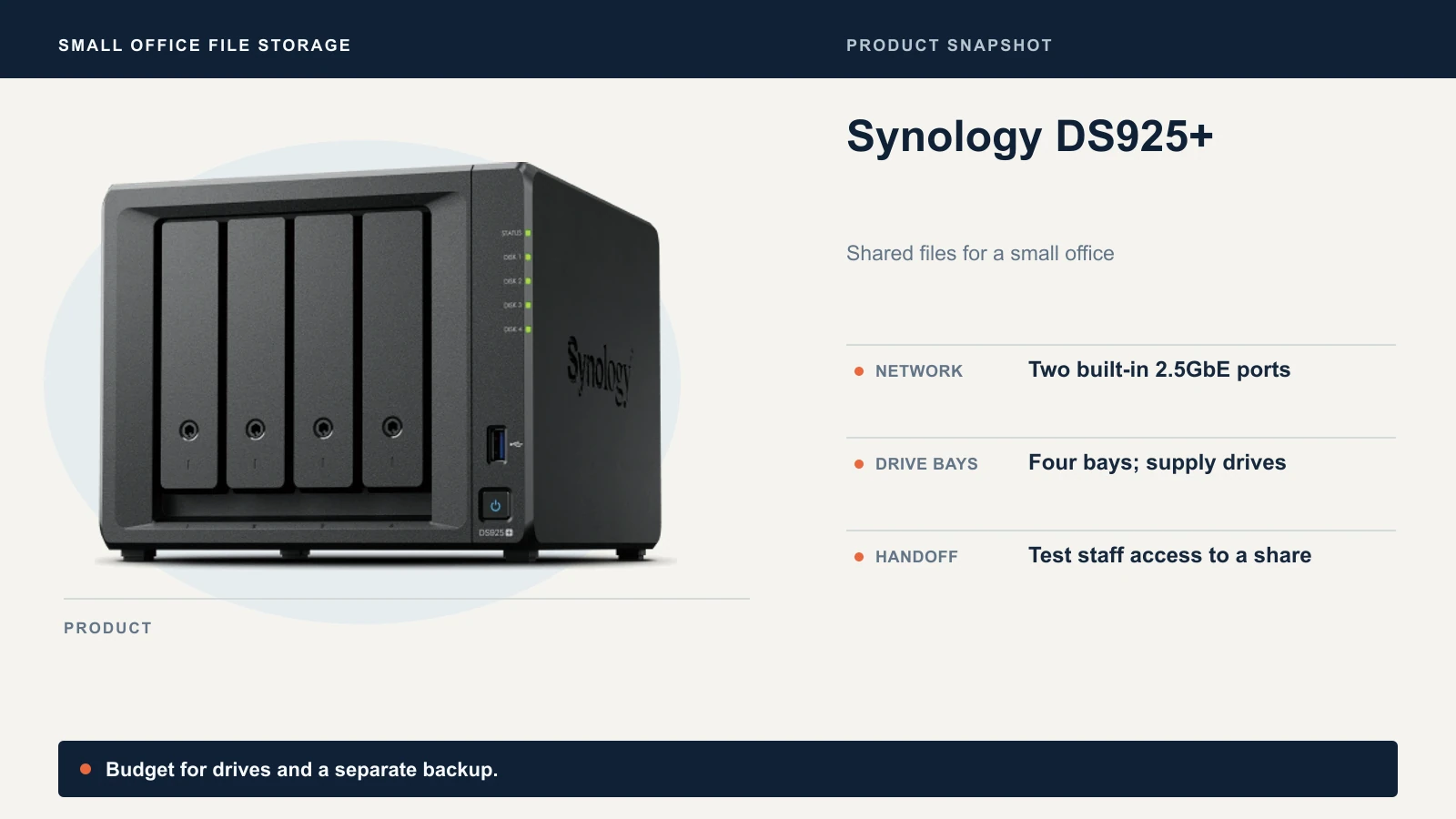
Moving shared files to a NAS. The Synology DS925+ is a four-bay appliance with two built-in 2.5GbE ports. Plan for drives if you buy the diskless unit. Before handoff, test whether staff can reach the intended shares with the right permissions and set up a separate backup.
The UGREEN DXP4800 Plus is another four-bay model, with one 10GbE and one 2.5GbE port, for a network that can use the faster link. Compare software and backup support in the small-business NAS guide and use the restore testing guide to verify you can recover a file.
Questions to bring to your accountant
- Which purchases should we expense under Section 179, bonus depreciation or the de minimis safe harbor? Should we depreciate any of them over time?
- How much Section 179 can we use this year under the income limit, and does our state follow the federal rules?
- How should we record any mixed use, in-wall cabling, prepaid subscriptions or lease agreements?
- Which invoices and setup records do you need, and when do you need them?
Related Resources
- Business tech tax guide: filing 2025 and planning 2026 — Section 179, bonus depreciation and the de minimis election compared, with expense tracking for tax season.
- Best time to buy a laptop in 2026 — Pricing, buying events and lease-versus-buy for business laptops.
- Where small businesses waste their IT budget — Why replacement should follow performance and support status, not the calendar.
- Small business IT roadmap — How this year's purchases fit a plan from a few people to twenty.
Frequently Asked Questions
Related Articles
More from IT Guides
Microsoft 365 Scan to Email: What Changes in December 2026
Microsoft 365 turns off SMTP Basic authentication by default in December 2026. Check how your scanner signs in, fix failed scans, and pick a route that fits.
9 min read
How to Set Up Business Email With Your Own Domain
Set up business email on your own domain with Google Workspace, Microsoft 365 or Proton: the order of work, the DNS records each asks for, and a cutover plan.
13 min read
Windows Server 2016 End of Support: Four Options for Small Offices
Windows Server 2016 reaches end of life on January 12, 2027. Compare ESU, a direct upgrade to 2025, migration, and retirement, then plan your next step.
12 min read