

Business Tech Tax Guide: Filing 2025 & Planning 2026
Filing 2025 taxes or planning 2026 purchases? Compare Section 179 limits ($2.5M vs $2.56M), bonus depreciation rules, and new R&D expensing opportunities.


Are you filing your 2025 tax return or planning purchases for 2026? The rules—and the limits—are different for each.
The "One Big Beautiful Bill Act" (OBBBA) introduced inflation adjustments and policy restorations that create a distinct split between last year and the current year. Understanding which limits apply to your situation helps ensure accurate reporting.
Filing 2025 vs. Planning 2026: The Cheat Sheet
| Tax Provision | Filing 2025 Return (Now) | Planning 2026 Purchases |
|---|---|---|
| Section 179 Limit | $2,500,000 | $2,560,000 |
| Purchase Cap | $4,000,000 | $4,090,000 |
| Bonus Depreciation | 60% (Full Year) | 100% (Restored post-Jan 19, 2025) |
| R&D Expensing | 5-Year Amortization | Immediate (Domestic Only) |
Affiliate Disclosure: This article contains affiliate links. If you make a purchase through these links, we may earn a small commission at no extra cost to you. As an Amazon Associate, iFeelTech earns from qualifying purchases.
Not Tax Advice
We're IT consultants, not CPAs or tax professionals. This article provides general educational information about technology-related business deductions based on our research and experience helping clients organize their IT expenses. Tax laws are complex and your situation is unique—always consult with a qualified tax professional or CPA before making tax-related decisions.
2026 Planning: New Limits & Rules
For businesses looking forward, 2026 offers expanded opportunities for immediate expensing.
What Is the Section 179 Limit for 2026?
The Section 179 deduction limit for 2026 effectively increases to $2,560,000, with a spending cap of $4,090,000 before the deduction phases out.
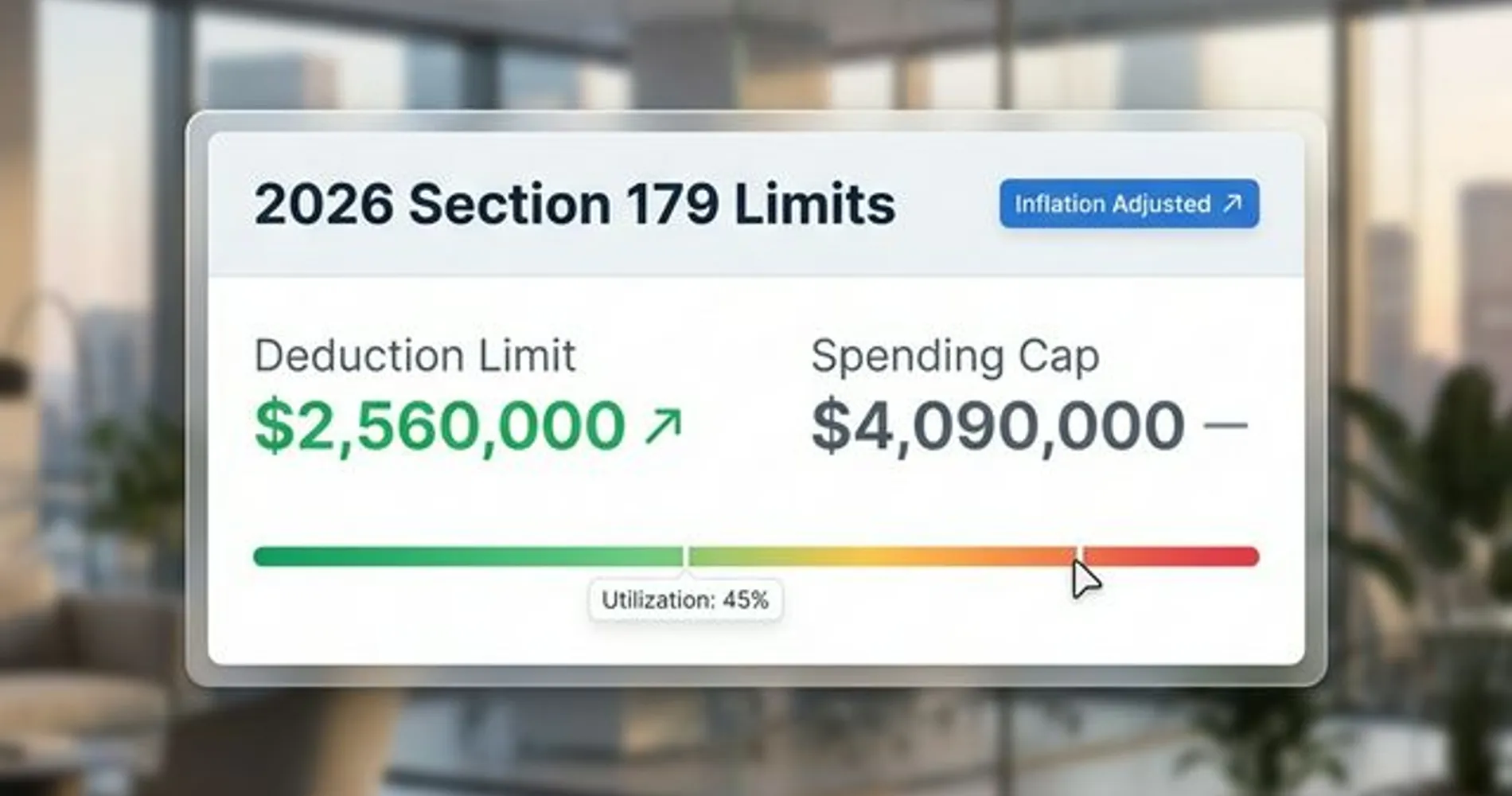
Equipment must be placed in service by December 31, 2026, to qualify for the 2026 tax year. This deduction applies to tangible goods like servers, workstations, and off-the-shelf software. The equipment must be used more than 50% for business purposes and actually operational (not just purchased) by year-end.
Is 100% Bonus Depreciation Available in 2026?
Yes, 100% bonus depreciation is permanently available for qualified property acquired after January 19, 2025.
Note: If you are filing 2025 taxes, property acquired before January 19, 2025, may be limited to lower bonus depreciation rates (review with your CPA).
Unlike Section 179, bonus depreciation has no spending cap and can create a Net Operating Loss (NOL) for tax carry-forwards. It applies to assets with a recovery period of 20 years or less, covering most IT infrastructure and software. This is the preferred method for businesses exceeding the $4.09M Section 179 spending threshold.
State Tax Conformity
Many states—notably California, New York, and New Jersey—do not conform to federal bonus depreciation rules. You may write off equipment federally but still need to depreciate it over 5-7 years on your state returns. Consult your CPA about your state's conformity status to avoid surprises.
Can I Deduct Software Development Costs in 2026?
Domestic software development costs can be immediately expensed under Section 174A, while foreign research costs must be amortized over 15 years.
The OBBBA reversed the previous 5-year amortization requirement for U.S.-based R&D.
Critical Distinction: "Domestic" means research physically conducted in the U.S., not just by a U.S. company.
- Domestic (Immediate Expensing): Developers working in Seattle.
- Foreign (15-Year Amortization): The same developers working remotely from Vancouver, Canada.
This is a common audit trap. Even short-term contractors outside the U.S. can trigger the 15-year amortization rule for that portion of your expenses.
Digital Nomad Trap
A U.S. citizen contractor coding from Bali on a Digital Nomad visa counts as Foreign R&D for tax purposes. The physical location of the work—not the citizenship of the worker—determines the tax treatment. Segregate these expenses carefully.
Retroactive Opportunity: If you filed under the old amortization rules, the OBBBA restoration allows for amended returns or catch-up claims. Ask your tax professional about amending 2024 or 2025 returns to recapture missed deductions.
Tech Expenses You Can Write Off Immediately
When planning IT infrastructure, businesses purchase a wide range of technology that typically qualifies for business deductions. Here's a breakdown of the major categories, based on common qualifying criteria. Remember, your tax advisor will determine which specific expenses qualify for your business.
Hardware and Equipment
Computer hardware and related equipment generally qualify for immediate expensing under Section 179 or bonus depreciation:
Computers and Mobile Devices
- Desktop computers and workstations
- Laptops and notebooks
- Tablets used for business purposes
- Smartphones (business use portion)
- Monitors and displays
Network Infrastructure
- Routers and switches
- WiFi access points and mesh systems
- Network cables (Cat6, Cat6a, fiber optic)
- Patch panels and network racks
- Firewalls and security appliances
For businesses investing in professional-grade networking equipment like UniFi systems, these expenses typically qualify for immediate deduction when used exclusively for business purposes.
Security Systems
- Security cameras and NVR/DVR systems
- Access control systems
- Biometric authentication devices
- Environmental monitoring equipment
Office Equipment
- Printers and multifunction devices
- Scanners and document management hardware
- Conference room equipment (cameras, microphones, displays)
- Phone systems and VoIP hardware
Software and Subscriptions
Software expenses fall into different categories depending on whether they're one-time purchases or ongoing subscriptions:
Purchased Software (One-Time) Software that you purchase outright with a perpetual license generally qualifies for Section 179 deduction:
- Windows Pro licenses
- Microsoft Office perpetual licenses
- Industry-specific applications (CAD, design, etc.)
- Server software and operating systems
Software Subscriptions (Recurring) Monthly or annual software subscriptions are typically treated as ordinary operating expenses, deductible in the year incurred:
- Microsoft 365 or Google Workspace subscriptions
- Accounting software like QuickBooks or Xero
- Project management tools like Monday.com or Asana
- Customer relationship management platforms
- Cloud storage services
- Cybersecurity software subscriptions
Development and Custom Software Custom software development costs may qualify for R&D tax credits if they involve creating new or improved functionality. Consult with your tax professional about whether your software projects meet R&D criteria.
Cloud Services and Infrastructure
Many modern businesses rely heavily on cloud services:
- Website hosting and domain registration
- Cloud backup and disaster recovery services
- VoIP and business phone services
- Email services and spam filtering
- Content delivery networks (CDN)
- Virtual private servers (VPS) or dedicated hosting
These recurring service expenses are generally deductible as ordinary business expenses in the year they're paid.
What Typically Doesn't Qualify
It's equally important to understand what technology expenses may not qualify or require special handling:
- Personal use portion: If equipment is used for both business and personal purposes, only the business percentage typically qualifies
- Equipment not placed in service: Purchased but not yet installed or operational by December 31, 2026
- Entertainment systems: TVs, gaming consoles, and similar items unless demonstrably required for your business
- Software for personal use: Even if purchased by the business, software without legitimate business purpose
| Category | Typical Examples | Deduction Method |
|---|---|---|
| Hardware | Computers, servers, network equipment, phones | Section 179 or Bonus Depreciation |
| One-Time Software | Perpetual licenses, OS licenses | Section 179 or Bonus Depreciation |
| Software Subscriptions | Microsoft 365, QuickBooks, security software | Operating expense (year incurred) |
| Cloud Services | Hosting, backup, VoIP, cloud storage | Operating expense (year incurred) |
| Custom Development | Internal software projects | May qualify for R&D credit |
The distinction between capital expenses (hardware, perpetual software) and operating expenses (subscriptions, services) matters for tax planning. Your accounting software and tax professional can help categorize these correctly.
Choosing the Right Deduction Method
When you purchase qualifying technology equipment, you typically have two primary options: Section 179 deduction or bonus depreciation. Businesses often ask which approach makes more sense. The answer depends on your specific situation.
Section 179: Common Choice for Small Businesses
Section 179 allows you to immediately deduct the cost of qualifying equipment, up to the $2,560,000 limit for 2026. Here's when businesses often choose this approach:
Advantages:
- Straightforward to apply and track
- Well-understood by most accounting professionals
- Can be elected on a per-asset basis
- Reduces taxable income in the purchase year
Limitations:
- Limited to your business taxable income for the year (can't create a loss)
- Begins phasing out after $4,090,000 in total equipment purchases
- Must recapture if business use drops below 50%
- Not available for property acquired from related parties
Bonus Depreciation: For Larger Investments
The 100% bonus depreciation restored in 2025 offers an alternative approach:
Advantages:
- No dollar limit on qualifying property
- Can create or increase a net operating loss
- No phase-out based on total purchases
- Applies to both new and used equipment
Limitations:
- Must be applied to entire asset class (can't pick and choose)
- Must be MACRS property with ≤20-year recovery period
- More complex to calculate and track
- May have state tax implications (some states don't conform)
Example: $80,000 Technology Purchase
Let's look at a realistic scenario many businesses face. Suppose your company purchases:
- 10 new laptops: $25,000
- Network upgrade (switches, access points, cabling): $35,000
- Server and storage: $20,000
- Total investment: $80,000
Section 179 Approach:
- Deduct full $80,000 in 2026 (assuming sufficient taxable income)
- At 25% tax rate: approximately $20,000 tax savings
- Simple to document and track
Bonus Depreciation Approach:
- Deduct full $80,000 in 2026 (no income limitation)
- At 25% tax rate: approximately $20,000 tax savings
- Can create/increase net operating loss if business has low income
Combination Strategy: Some businesses use both methods strategically:
- Apply Section 179 to equipment with higher recapture risk
- Use bonus depreciation for larger purchases or when income is limited
- Optimize based on current and projected future income
| Factor | Section 179 | Bonus Depreciation |
|---|---|---|
| Maximum Deduction | $2,560,000 | Unlimited |
| Income Limitation | Limited to taxable income | Can create/increase NOL |
| Choice per Asset | Yes, elective | No, applies to class |
| Phase-out | Begins at $4.09M purchases | None |
| Common Use Case | Small to mid-sized businesses | Large capital investments |
The choice between these methods often comes down to your business income, total equipment purchases, and long-term tax strategy. This is exactly the type of decision where your CPA can provide valuable guidance—they can model both scenarios and recommend the optimal approach for your specific situation.
What Is the De Minimis Safe Harbor Election?
The de minimis safe harbor allows businesses to immediately expense items costing $2,500 or less per item (as listed on the invoice) without using Section 179 limits.
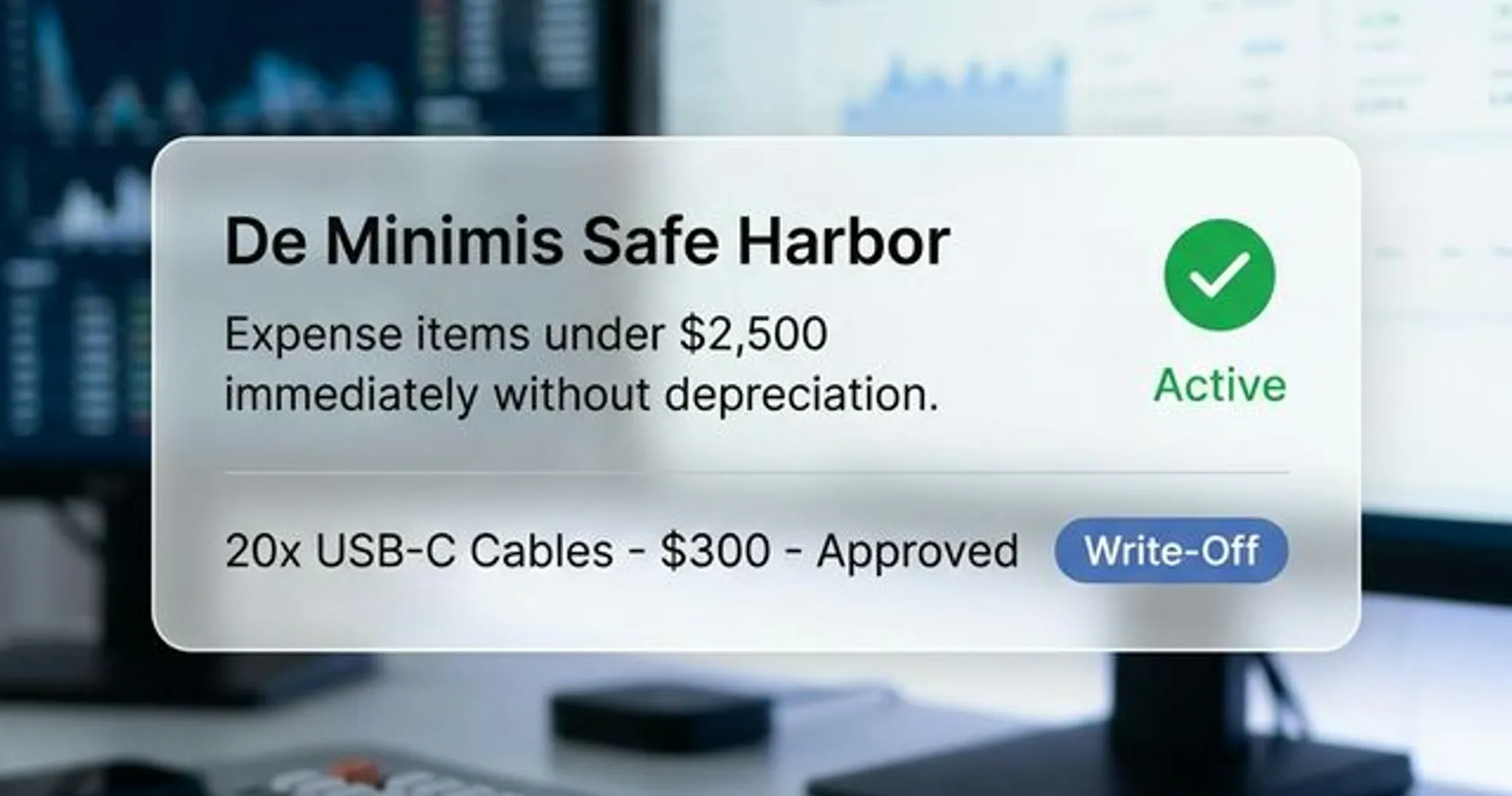
This IRS provision simplifies tax treatment for lower-cost business purchases. If your business has an applicable financial statement (audited financials), the threshold increases to $5,000. The election is made via your tax return (IRS Form 4562) and applies annually.
Why It Matters:
- Keyboards, mice, cables, and basic peripherals (under $2,500) can be expensed immediately
- No Section 179 deduction limits used
- Avoids tracking depreciation on small items
- Simplifies record-keeping for minor tech purchases
Example: If you buy 20 USB cables at $15 each ($300 total invoice), you can expense it immediately. If you buy 10 monitors at $200 each ($2,000 per monitor), each monitor can be expensed under de minimis if purchased on separate invoices.
Discuss with your CPA whether making the annual de minimis election makes sense for your business based on your typical purchase patterns.
Your Tech Expense Tracking System
Good expense tracking makes tax preparation easier, provides documentation if ever needed, and helps ensure you don't miss legitimate deductions. Accounting software helps organize expense data in ways that tax professionals need:
- Business use justification: Why was this equipment necessary for business operations?
- Placed in service date: When was the equipment actually operational?
- Business vs personal use: What percentage is used exclusively for business?
- Supporting documentation: Receipts, invoices, and proof of payment
How to Track Expenses with QuickBooks
QuickBooks is commonly used to track technology expenses because it integrates well with how businesses actually operate. Here's how businesses organize their tech expenses:
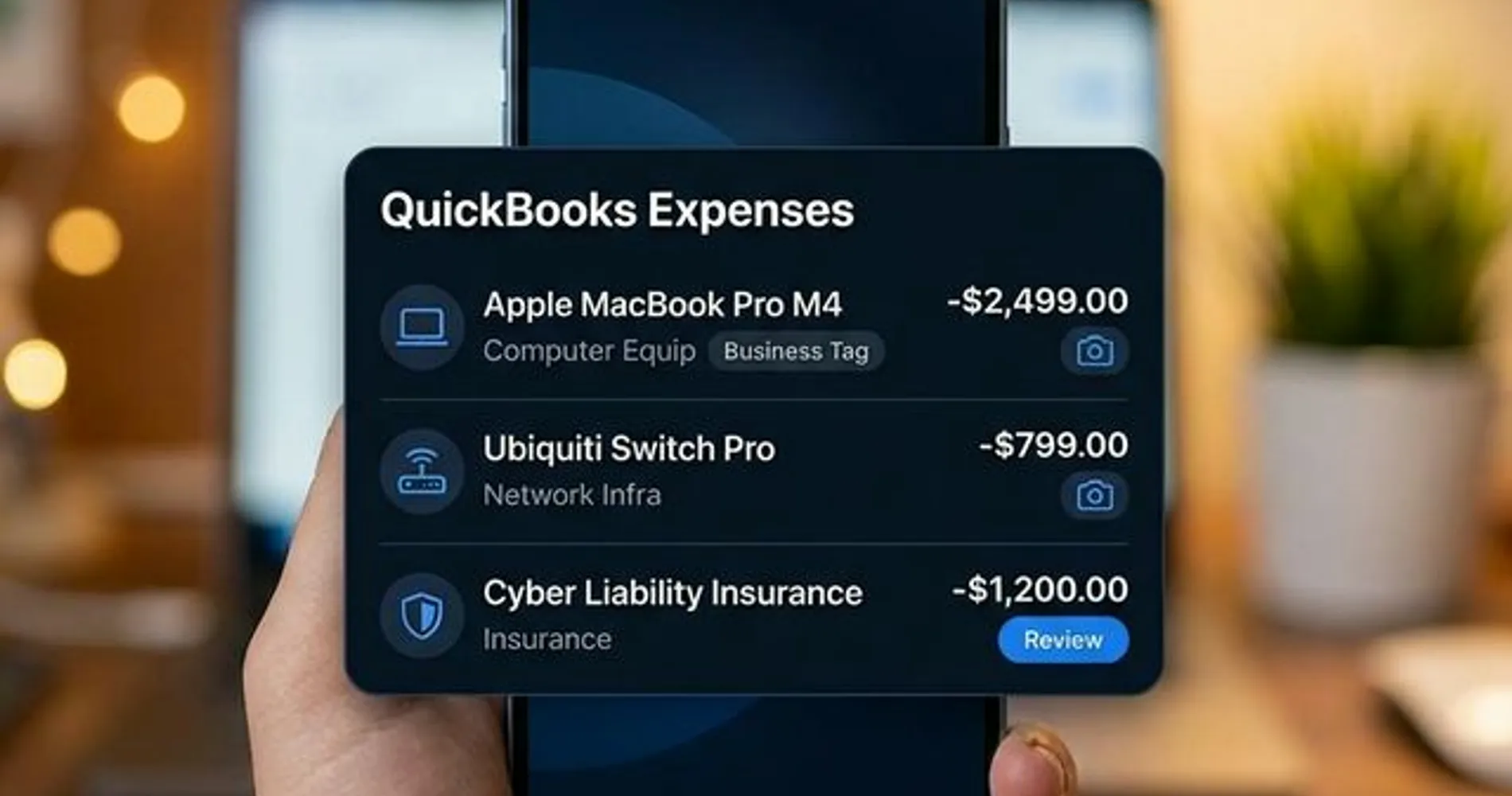
1. Set Up Expense Categories
Create specific categories that help separate tech expenses from other business costs:
- Computer Equipment
- Network Infrastructure
- Software Subscriptions
- IT Services
- Cloud Services & Hosting
This organization helps when your CPA needs to identify which expenses qualify for Section 179, which are operating expenses, and which might need special handling.
2. Capture Receipts as You Go
QuickBooks' mobile app lets you photograph receipts immediately after purchase. This keeps documentation in one place rather than hunting through email or filing cabinets during tax season. Many businesses photograph the receipt right in the store or immediately after online purchase.
3. Add Context with Notes
For larger purchases, adding notes helps provide context your accountant will appreciate:
- "10 laptops for new marketing team"
- "Network upgrade - placed in service March 15, 2026"
- "50% business use (home office laptop)"
These details make it easier for your tax professional to determine proper treatment.
4. Run Year-End Reports
QuickBooks can generate expense reports by category, giving your accountant organized data rather than a shoebox of receipts. Most CPAs appreciate receiving:
- Expense reports by category
- Asset purchase lists with dates
- Receipts organized by transaction
5. Share Access with Your Accountant
QuickBooks allows you to give your accountant or bookkeeper access to view (or edit) your accounts. Many tax professionals can then pull the information they need directly, rather than requesting spreadsheets and receipt scans.
QuickBooks Plans for Expense Tracking
Different QuickBooks plans offer different features for organizing expenses. Here's what we commonly see clients using:
| Feature | Simple Start | Essentials | Plus |
|---|---|---|---|
| Price | From $38/mo | From $75/mo | From $115/mo |
| Expense Tracking | ✓ | ✓ | ✓ |
| Receipt Capture | ✓ | ✓ | ✓ |
| Custom Categories | ✓ | ✓ | ✓ |
| Accountant Access | ✓ | ✓ | ✓ |
| Multi-User Access | ✗ | Up to 3 users | Up to 5 users |
| Bill Management | ✗ | ✓ | ✓ |
| Project Tracking | ✗ | ✗ | ✓ |
Many businesses find the Plus plan helpful when they need multiple team members to enter expenses or want to track technology projects separately. However, even Simple Start handles basic expense organization that makes tax prep easier.
Organizing for Your CPA
These tracking tools help organize your data—your tax professional will determine which expenses qualify for deductions and how to report them properly. Think of this as creating an organized filing system rather than tax advice.
Alternative Accounting Software
QuickBooks isn't the only option. We also see clients successfully using:
- Xero: Popular with businesses that have international operations or prefer a different interface. Offers similar receipt capture and expense categorization features.
- FreshBooks: Often chosen by freelancers and service-based businesses. Strong project-based expense tracking.
- Wave: Free accounting software that covers basic expense tracking needs, though with fewer advanced features. See our Wave Accounting review for a detailed breakdown of what the free and paid plans include.
The "best" choice depends on your business structure, industry, and what your accountant prefers to work with. Many CPAs have preferences based on which systems make their work easier.
Strategic Timing for Tech Investments
Understanding when to make technology purchases can help you maximize the tax benefits while managing cash flow effectively. Timing matters more than many business owners realize.
Why Q1 2026 Planning Matters
We're currently in the February/March window—an interesting time for tax planning:
For 2025 Returns (Current Tax Season):
- If you made qualifying tech purchases in 2025 but didn't claim them properly, you may be able to amend your return
- Talk to your tax professional about whether amending makes sense based on your 2025 deductions
For 2026 Planning (Current Tax Year):
- Any qualifying equipment placed in service by December 31, 2026 can be deducted on your 2026 return
- Spreading larger purchases across quarters can help manage cash flow while still capturing deductions
- Early planning gives you time to research, budget, and implement technology improvements properly
The "Placed in Service" Requirement
This is one of the most commonly misunderstood aspects we encounter. Equipment must be "placed in service" (installed, configured, and operational) by December 31st to qualify for that year's deduction.
Placed in Service Examples:
✅ Qualifies for 2026:
- Laptops purchased in December, delivered and set up for employees by Dec 31
- Network equipment purchased in Q4, fully installed and operational by year-end
- Server ordered in November, delivered, installed, and running by Dec 31
- Software purchased in December, installed and available for use by Dec 31
❌ Doesn't Qualify for 2026:
- Equipment purchased in December but still in boxes on Dec 31
- Software licenses bought but not yet installed or configured (simply purchasing a license key without installation may not qualify)
- Network upgrade paid for but installation scheduled for January 2027
Pro Tip: The Box Test
If it's in the box, it's not a write-off. Turn it on, plug it in, and put it to work before December 31st.
The purchase date matters less than the operational date. This is why we often recommend planning large IT projects to finish with buffer time before year-end rather than scrambling in late December.
Quarterly Purchase Strategy
Rather than making all tech purchases at year-end, consider spreading investments across the year:
Q1 (January-March): Plan and budget
- Review technology needs with your IT consultant
- Get quotes for planned upgrades
- Discuss tax implications with your CPA
- Current window: Good time for planning 2026 investments
Q2 (April-June): First wave of improvements
- Implement planned upgrades with long lead times
- Order equipment that may have supply chain delays
- Test and refine before peak business seasons
Q3 (July-September): Second wave
- Additional equipment as needs clarify
- Refresh cycles for existing infrastructure
- Prepare for Q4 business needs
Q4 (October-December): Final additions and adjustments
- Last-minute additions based on business performance
- Accelerate planned 2027 purchases if tax situation warrants
- Leave enough time for proper installation (avoid Dec 31 scrambles)
This approach helps manage cash flow while ensuring equipment is properly implemented and tested.
Upgrade vs. New Purchase Decisions
When considering technology improvements, the tax treatment can influence timing:
Equipment Replacement: If you're replacing existing equipment, the new purchase typically qualifies for Section 179 or bonus depreciation. The old equipment disposal may have tax implications your accountant should consider.
Upgrades and Add-ons: Adding components to existing systems (RAM upgrades, additional storage, network expansion) generally qualifies, but proper categorization matters. Document these as business improvements.
Repair vs. Improvement: Regular maintenance and repairs are typically expensed immediately as operating costs. Significant improvements that extend equipment life or capability may qualify for depreciation or Section 179. Your CPA can help determine the proper treatment.
| Month | Planning Activity | Tax Consideration |
|---|---|---|
| Feb-Mar | Review 2025 returns, plan 2026 investments | Amend 2025 if needed, set 2026 budget |
| Apr-Jun | Implement planned upgrades | Document placed-in-service dates |
| Jul-Sep | Second-wave improvements | Track business use percentages |
| Oct-Nov | Evaluate year-to-date, plan final purchases | Coordinate with CPA on tax strategy |
| Dec | Complete installations with buffer time | Ensure operational by Dec 31 |
The key is planning ahead rather than rushing purchases at year-end. Work with both your IT consultant and tax advisor to time investments optimally.
Tech Deduction Traps That Cost Business Owners
Through working with many clients on IT infrastructure, we've seen common mistakes that create headaches during tax season. Here are pitfalls to watch for:
Not Documenting Business Use Percentage
The Problem: Purchasing a laptop, tablet, or smartphone that gets used for both business and personal purposes without tracking the business percentage.
The Impact: The IRS requires documentation of business use percentage for mixed-use equipment. Without records, your tax professional may have to make conservative assumptions, reducing your deduction.
Better Approach: For mixed-use items, keep a log for a representative period (30-60 days) showing business vs personal use. Your CPA can use this to justify the business percentage claimed.
Assuming 100% Business Use When It's Not
The Problem: Claiming 100% business deduction for equipment that clearly has personal use (home office laptop, smartphone, tablet).
The Impact: This is a common audit trigger. If questioned, you'd need to substantiate 100% business use, which is difficult for devices that leave the office.
Better Approach:
Be realistic about business use percentages. Most tax professionals recommend conservative estimates for mixed-use items. It's better to claim 75% business use that you can defend than 100% that invites scrutiny.
Missing the Placed-in-Service Deadline
The Problem: Purchasing equipment in December with the assumption it counts for that tax year, but never actually getting it installed and operational before January.
The Impact: The deduction gets pushed to the following year, potentially missing a year when you needed the deduction more or when rates were more favorable.
Better Approach: For Q4 purchases, plan implementation time into your schedule. If equipment can't be placed in service before year-end, consider whether the purchase should wait until Q12027 or whether you need to accelerate installation.
Poor Receipt and Documentation Tracking
The Problem: Knowing you bought equipment but having inadequate records—missing receipts, unclear vendor invoices, no proof of payment.
The Impact: Your tax professional can't claim deductions they can't document. Missing documentation means missing deductions.
Better Approach: Implement a receipt capture system (like QuickBooks mobile) and use it immediately after each purchase. Digital records are easier to organize and harder to lose than paper receipts.
Confusing Subscriptions with Capital Purchases
The Problem: Treating all software purchases the same way, regardless of whether they're perpetual licenses (capital) or subscriptions (operating expenses).
The Impact: Misclassification can lead to incorrect depreciation schedules or missed deductions. Different treatment applies to each category.
Better Approach: When entering expenses in accounting software, note whether software is:
- One-time purchase with perpetual license (may qualify for Section 179)
- Annual or monthly subscription (operating expense)
- Custom development (may qualify for R&D credit)
Common Documentation Mistakes
The most expensive mistake isn't buying the wrong equipment—it's failing to document legitimate purchases properly. A $50,000 server upgrade with poor documentation is worth less (tax-wise) than a $30,000 upgrade with complete records.
These pitfalls are avoidable with proper systems and professional guidance. Organizing expenses properly from the start saves time and money compared to reconstructing records during tax season.
Power Moves for Tech-Heavy Businesses
For businesses making larger technology investments or involved in software development, there are additional strategies worth discussing with your tax professional.
R&D Tax Credit for Software Development
If your business develops custom software, mobile apps, or complex technology solutions, you may qualify for R&D tax credits beyond standard equipment deductions.
Activities That May Qualify:
- Developing new software products or features
- Creating custom integrations between business systems
- Engineering solutions to technical challenges
- Improving performance, reliability, or security of existing systems
The R&D credit can be valuable, and the recently restored immediate expensing for R&D expenditures makes this especially helpful for 2026. However, claiming R&D credits requires specific documentation of qualifying activities, costs, and technological uncertainty.
Not DIY Territory: R&D tax credits are complex enough that many businesses work with specialists who focus specifically on identifying and documenting qualifying activities. If your business invests heavily in technology development, this is worth exploring with your tax advisor.
Home Office Equipment Allocation
For businesses operating from home offices or supporting remote employees, technology expenses require careful allocation.
Direct Home Office Expenses: Equipment used exclusively in your home office (desktop computer that never leaves, office printer, dedicated phone line) typically qualifies for the full business deduction.
Shared Equipment: Laptops, tablets, and phones used in multiple locations need business use percentage documentation, as discussed earlier.
Employee Home Offices: Equipment provided to employees working from home is generally 100% deductible as business expense, since it's provided for business purposes. Document that equipment is company property issued to employees.
Vehicle Technology and Fleet Management
Business vehicles increasingly contain significant technology features:
Qualifying Vehicle Technology:
- Fleet tracking and GPS systems
- Dashcams and vehicle security cameras
- In-vehicle communication systems
- Professional diagnostic equipment
- Mobile device mounts and charging systems
These technology additions typically qualify for deduction separate from vehicle depreciation. The equipment itself can often be expensed under Section 179, even if the vehicle is being depreciated.
Fleet Management Software: Subscriptions for fleet tracking, maintenance scheduling, and route optimization generally qualify as operating expenses.
Cybersecurity as Business Protection
Cybersecurity investments typically qualify for deduction as necessary business protection:
Qualifying Security Investments:
- Firewall hardware and security appliances
- Endpoint protection software
- Network security monitoring systems
- VPN services for remote workers
- Security awareness training
- Vulnerability assessment tools
- Backup and disaster recovery systems
- Cyber liability insurance premiums (increasingly important as rates rise in 2026)
The IRS generally views cybersecurity as necessary business expense similar to physical security systems. Both capital investments (hardware, perpetual software) and operating expenses (subscriptions, monitoring services) typically qualify.
Insurance Consideration: Many cyber insurance policies now require specific security measures. Technology investments to meet insurance requirements strengthen the business-necessity argument for deductions. Document the insurance requirement when making these purchases.
These advanced strategies become more valuable as your technology investments increase. The common thread is proper documentation—working with professionals who understand both the technology and tax implications helps maximize legitimate deductions while maintaining proper compliance.
Make the Most of Your Tech Investments
Technology expenses represent one of the largest deductible categories for modern businesses. Between Section 179 deductions, 100% bonus depreciation, and R&D tax credits, the current tax environment offers multiple options to offset the cost of necessary technology improvements.
The key insights from our IT perspective:
Stay Organized: Investment in accounting software to track expenses properly pays for itself many times over during tax season. The few hours spent organizing expenses throughout the year saves days of scrambling later.
Plan with Your CPA: Technology decisions often have tax implications. Discussing planned purchases with your tax professional helps optimize timing and approach. They can model whether Section 179 or bonus depreciation makes more sense for your situation.
Document Everything: Business use justification, placed-in-service dates, and supporting receipts matter more than most business owners realize. Develop systems to capture this information when purchases happen, not months later.
Think Beyond December: While year-end tax planning is common, spreading technology investments across the year often makes more sense for both cash flow and proper implementation. Early planning prevents rushed December installations.
Action Steps for 2026
-
Review Your Current Tech Expenses: Look through bank and credit card statements to identify technology purchases from recent months. Are they properly categorized in your accounting system?
-
Consider Organizing Software: If you're not already using accounting software, now is a good time to start. QuickBooks, Xero, and similar platforms make expense tracking much easier.
-
Schedule a Tax Planning Session: Before making major technology purchases, discuss your plans with your CPA. They can help determine optimal timing and approach based on your overall tax situation.
-
Plan Q2-Q4 Technology Needs: Rather than rushing purchases at year-end, identify technology needs now and create a quarterly implementation plan.
-
Review IRS Form 4562 Requirements: Section 179 and bonus depreciation elections are made on IRS Form 4562 (Depreciation and Amortization). Your tax professional will complete this form, but understanding that formal election is required helps you provide the right documentation.
Educational Information Only
Remember, this is educational information from our IT perspective. Your tax professional will help you navigate the specifics for your business. We help clients implement technology; certified tax professionals help them optimize the tax implications of those investments.
Technology investments should serve your business operations first, with tax benefits as a valuable secondary consideration. Make decisions based on business needs, then work with your tax professional to maximize the deductions available from those necessary investments.
Frequently Asked Questions
What technology purchases are tax deductible in 2026?
Most business technology purchases qualify for deductions, including computers, servers, network equipment, business software, cybersecurity tools, and cloud services. Hardware and perpetual software licenses typically qualify for Section 179 or bonus depreciation, while software subscriptions and cloud services are generally deductible as operating expenses. The key requirement is that technology must be used for legitimate business purposes. Consult your tax professional about specific purchases.
Can I write off software subscriptions for my business?
Yes, software-as-a-service (SaaS) subscriptions are typically deductible as ordinary business operating expenses in the year they're paid. This includes productivity suites like Microsoft 365, accounting software like QuickBooks or Xero, project management tools, CRM systems, and similar subscription services. Unlike perpetual software licenses that may require depreciation, subscriptions are generally expensed immediately.
What's the Section 179 limit for 2026?
The Section 179 deduction limit for 2026 is $2,560,000. This deduction begins to phase out when total equipment purchases exceed $4,090,000 and fully phases out at $6,650,000 in total equipment purchases. For most small and medium businesses, these limits are high enough to deduct the full cost of qualifying technology purchases.
Should I use Section 179 or bonus depreciation?
The choice depends on your specific situation. Section 179 works well for most small businesses and can be elected per asset, but is limited to your taxable income for the year. Bonus depreciation (100% for 2026) has no dollar limit and can create or increase a net operating loss, but must be applied to entire asset classes. Your CPA can model both scenarios and recommend the optimal approach based on your income, total equipment purchases, and long-term tax strategy.
How do I track tech expenses for taxes?
Many businesses use accounting software like QuickBooks, Xero, or FreshBooks to organize technology expenses. Set up specific expense categories (computer equipment, network infrastructure, software subscriptions), capture receipts using mobile apps, add notes about business use and placed-in-service dates, and share access with your accountant. Organized records make tax preparation easier and ensure you don't miss legitimate deductions. When it's time to file, see our tax software comparison for small businesses to choose the right filing tool for your entity type.
Can I deduct QuickBooks subscription costs?
Yes, accounting software subscriptions like QuickBooks are typically deductible as ordinary business operating expenses. These subscriptions serve a legitimate business purpose (financial record-keeping and tax preparation), making them deductible in the year paid. The same applies to other business software subscriptions.
What qualifies as "placed in service" for Section 179?
Equipment is considered "placed in service" when it's installed, configured, and operational for business use. Simply purchasing equipment isn't enough—it must be ready for its intended use by December 31 to qualify for that year's deduction. For example, laptops must be delivered and set up for employees, servers must be installed and running, and network equipment must be fully operational—not sitting in boxes.
Do I need receipts for all tech purchases?
Yes, maintaining receipts and supporting documentation is essential for claiming deductions. The IRS requires substantiation for business expenses, and this becomes especially important for larger purchases or if your return is ever questioned. Digital receipt capture through accounting software helps organize and preserve this documentation. Beyond receipts, note the business purpose, placed-in-service date, and business use percentage for mixed-use items.
Planning to upgrade your business network or infrastructure in 2026? Don't let a bottleneck slow down your new hardware. Contact iFeelTech for a pre-purchase compatibility audit and strategic IT planning.
Related Articles
More from IT Guides

Small Office IT Checklist: Your Annual 12-Stop Walk-Through
A small office IT checklist with 12 stops, from UPS battery and power strips to Wi-Fi and backups. Rate each one and print your own fix list.
14 min read
Where Should Your Business Files Actually Live?
A NAS, Google Drive, and Proton Drive solve three different problems. Which one your files belong in depends on four questions — here they are.
14 min read
Your Business Files Are Everywhere. Here's How to Get Them Under Control.
Build a usable company file system without buying more storage first. Follow a folder template, assign owners and move files safely in a small pilot.
11 min read