

Where Small Businesses Waste Their IT Budget (And Where They're Underspending)
The real IT budget mistakes small businesses make: zombie SaaS subscriptions, redundant tools, skipped backup, and weak network infrastructure. Real numbers, real patterns.


Last year, we audited the software environment of a 22-person professional services firm in Miami. They were paying for 34 active SaaS subscriptions. Eleven had fewer than two active users in the past 90 days. Three were duplicates — the same function covered by two different tools, both still billing monthly. The annual waste came to $14,400.
The same audit found they had no verified backup of their Microsoft 365 environment. Their file server backed up nightly, but nobody had tested a restore in two years. When we ran one, it failed.
This is not unusual. In fact, it's close to typical. The pattern across small businesses — regardless of industry, regardless of size — is the same: money leaking slowly out of the IT budget in categories nobody's watching, while the categories that actually protect the business are either underfunded or just assumed to be fine.
This article documents both sides of that pattern. Where the waste is. Where the gaps are. And what a well-run IT environment at your company size should actually cost, line by line.
The Two Problems Nobody Talks About Together
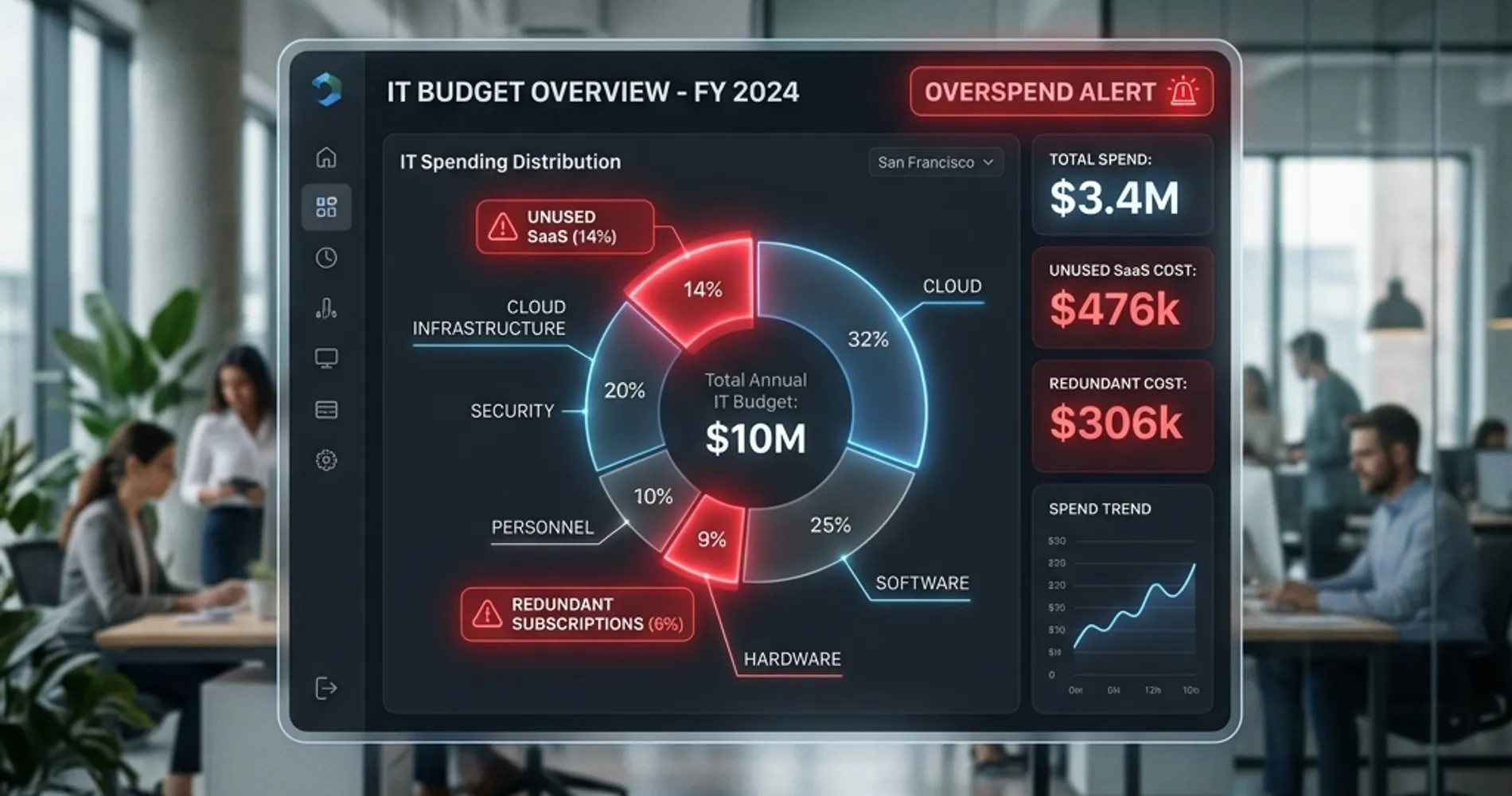
Most IT budget conversations focus on one side of the problem. Cost-cutting articles tell you to cancel subscriptions and negotiate vendor contracts. Security articles tell you to spend more on protection. Rarely does anyone address both in the same conversation, which is why the same mistakes persist year after year.
The reality is that overspending and underspending happen simultaneously in the same budget. A company paying $800/month for software nobody uses while running a $0/month backup verification program is not an edge case — it is the default state for most small businesses we work with across South Florida.
The Pattern We See Repeatedly
According to Zylo's 2026 SaaS Management Index, 46% of provisioned SaaS licenses go completely unused in a given 30-day period. For the typical 15–30 person business, that translates to 3–5 subscriptions that haven't been actively used in 90 days — and at least one pair of redundant tools billing for the same function.
Understanding both sides matters because fixing one without the other leaves money on the table or risk on the books. The waste you recover in Section 2 of this article is often more than enough to fund the gaps identified in Section 3.
Where the Money Leaks: The Overspending Side
These five categories account for the majority of IT budget waste we find during client audits. They escalate from nearly universal to situation-specific.
Zombie SaaS Subscriptions
Every business accumulates them. An employee signs up for a project management tool during a busy quarter. The project ends. The subscription doesn't. Multiply that across a few years and a few dozen employees, and the pile of idle subscriptions adds up to real money.
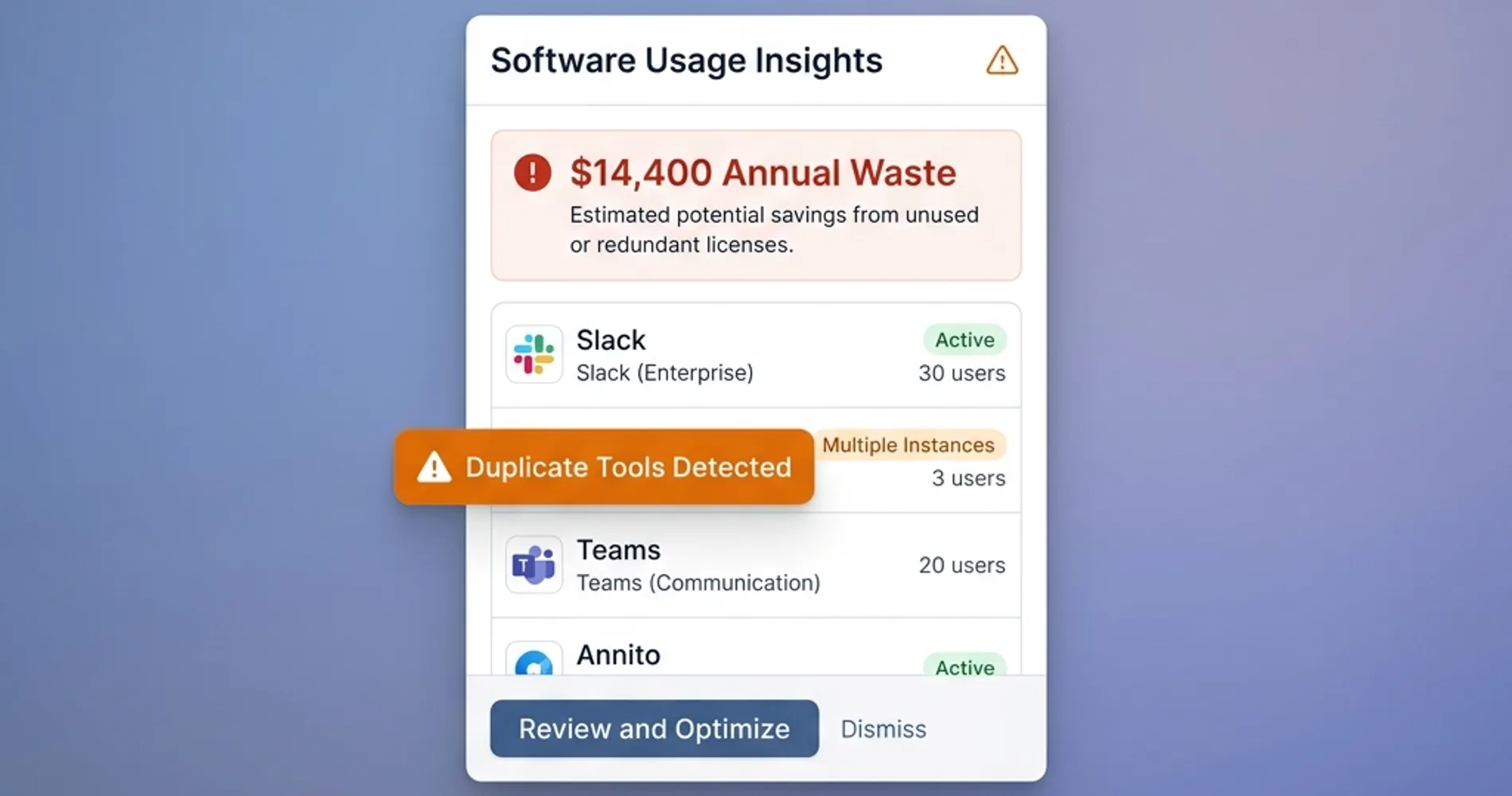
The fix is not complicated, but it does require a habit: a quarterly software audit. Block 30 minutes, pull your credit card and bank statements, and cross-reference every recurring charge against actual usage. Most SaaS tools have admin dashboards that show last login dates — if nobody has logged in for 90 days, cancel it. For a benchmark on what a complete software stack should actually cost a small business, see our breakdown of a full business software stack under $250/month.
The hard part is not the audit itself. It's remembering to do it. Put it on the calendar quarterly and assign it to someone specific.
One driver that makes zombie subscriptions harder to control than they look: the absence of a standardized employee offboarding process. When departing employees aren't systematically removed from all systems, their accounts and subscriptions stay active indefinitely. The SaaS audit and the access revocation checklist are two sides of the same problem.
Redundant Tools Running in Parallel
This is different from zombie subscriptions. These tools are actively used — just by different groups doing the same thing. The most common overlaps we see: Microsoft Teams and Slack running simultaneously. Zoom and Teams Phone both active. Google Drive and Dropbox in parallel across departments.
This happens when tools get adopted department by department without a company-wide decision. Marketing picks Slack because a contractor uses it. Operations stays on Teams because it came with Microsoft 365. Neither side switches, and the company pays for both.
Each redundant pair costs $15–$40/user/month for the duplicate. For a 20-person team, that's $3,600–$9,600/year in overlap — money that buys nothing except the organizational debt of not making a decision. The fix is a decision, not a product. Pick one tool per function and enforce it company-wide.
Hardware Replaced on Schedule Instead of on Performance
The "we refresh every three years" policy sounds disciplined. In practice, it means replacing laptops that are running fine and keeping machines that are costing employees 15 minutes a day in slow boot times and application lag — because the refresh cycle hasn't hit yet.
The right trigger for replacement is not the calendar. It's performance: boot time over two minutes, battery life under three hours, or visible productivity loss. A $1,200 laptop that lasts five years costs less per year than the same laptop replaced at year three because a policy said so. Performance-based replacement also means you can reallocate the savings from machines that didn't need replacing to the ones that do.
The Windows 11 Exception
The one legitimate calendar-based trigger right now is Windows 11 hardware compatibility. Windows 10 support ended on October 14, 2025 — machines that cannot run Windows 11 no longer receive security updates unless enrolled in Microsoft's paid Extended Security Updates (ESU) program at $61/device for year one, doubling to $122 in year two. For most businesses, replacing incompatible hardware is cheaper than paying escalating ESU fees. But verify actual compatibility before assuming replacement is needed — many machines purchased in 2020–2021 are fully Windows 11 compatible. Run the Windows 11 compatibility checker before adding hardware to the refresh list.
Support Tiers Scaled for Enterprises
Software vendors are excellent at upselling support packages. A 12-person company does not need the enterprise support tier on their CRM. Premium tiers are engineered for organizations with hundreds of seats — the features they bundle (dedicated account management, priority onboarding, SLAs measured in hours) are simply irrelevant at small business scale.
Run this check: pull the support tier on each of your major software subscriptions and ask when you last opened a support ticket that couldn't have been resolved by the standard tier. If the answer is "never" or "I don't remember," downgrade. Across three or four subscriptions, that typically saves $100–$300/month with zero operational impact.
MSP Contracts Mismatched to Actual Needs
Managed service provider contracts are often signed at the point of maximum anxiety — right after a security incident, a sudden hire of ten people, or a rapid growth period. The contract scope gets written for that moment and then never revisited.
Contracts that include 24/7 monitoring, dedicated vCIO services, and advanced threat hunting are the right fit for some businesses and overkill for others. The standard practice in the industry is an annual contract review, but it rarely happens unless the client initiates it. If you haven't reviewed your MSP scope in 18 months or more, start there. The services you needed two years ago may not match what you need today — in either direction. When you do review it, our managed IT pricing guide has a checklist for comparing your current contract against a new quote.
Where the Gaps Are: The Underspending Side
These are the categories where spending too little has a specific, eventual cost — and that cost is almost always higher than what the protection would have been.
Verified Backup (Not "Backup")
This is the most consequential gap we find. Most businesses that say "we have backup" have never tested a restore. There is a meaningful difference between a backup system that runs and a backup system that works.
A 2025 study found that 73% of small business backup systems failed or could not recover data in a timely manner during actual recovery situations. Sophos's research on ransomware outcomes shows that when attackers successfully compromise backups — which they attempt in 94% of attacks — recovery costs run eight times higher than when backups are intact and verified.
Backup That Hasn't Been Tested Isn't Backup
The minimum viable backup strategy for a business under 30 people costs $20–$80/month — a combination of local NAS storage and offsite cloud backup following the 3-2-1 backup rule. But the cost is not the problem. The problem is verification. Schedule a quarterly restore test: one file, 30 minutes, proof it works. If your business runs on Microsoft 365, you need dedicated M365 backup — Microsoft's native retention is not a backup strategy. For a full comparison of cloud backup options, see our best cloud backup for small business guide.
Network Infrastructure
The consumer router running a 25-person office is a $200 purchase that costs thousands in downtime, slow file transfers, dropped video calls, and security exposure over its life. We see this constantly — a business that spent $15,000 on laptops and $200 on the network that connects them.
Business-grade networking for a 10–25 person office costs $800–$2,500 in hardware as a one-time purchase. A Ubiquiti UniFi deployment — a UCG-Max gateway (~$279), a managed PoE switch, and a pair of UniFi U7 Pro access points — covers a 25-person space reliably and typically lands in the middle of that range. For a full hardware and configuration walkthrough, the UniFi office network blueprint covers what a properly designed business network looks like at each scale. Amortized over a 5–7 year lifespan, the per-month cost is essentially zero. The ROI is measured in the IT troubleshooting hours, remote work frustration, and security incidents that don't happen. If you're unsure whether your current network setup is adequate, a network security audit takes less time than you'd expect and gives you a concrete answer.
Patch Management
This one costs nothing to do properly. It's almost never done consistently.
Unpatched systems are the most common attack vector for small business breaches — not sophisticated zero-day exploits, but the patch that has been sitting in the update queue for three months while someone clicks "remind me later." The fix is a scheduled monthly maintenance window — two hours, after business hours — and a designated person responsible for confirming it happened.
The cost is time, not money. The cost of not doing it is documented: the typical breach timeline for a small business, from initial compromise to full incident response, runs into hundreds of thousands of dollars and weeks of disruption. A monthly patch cycle prevents the most common entry point.
Identity and Access Management
Most small businesses manage user access the way they manage their junk drawer — things go in, nothing comes out. Accounts get created when someone joins. When someone leaves, their accounts sit active across email, cloud storage, CRM, and internal tools until someone notices — or until a security incident forces the question.
The benchmark is straightforward: every departure should trigger a same-day access review across all systems. Every quarterly review should check for dormant accounts and excessive permissions. Password managers with centralized admin — like 1Password Business at $7.99/user/month — partially solve this by giving you visibility into who has access to what. But the policy matters as much as the tool. If you're still managing credentials in a spreadsheet, the real cost of that approach goes beyond inconvenience.
What a Well-Run IT Environment Actually Costs by Company Size
The sections above help you identify where money is leaking and where gaps exist. This section gives you the benchmark to measure against. These ranges are based on actual client environments we manage — not analyst surveys or vendor marketing.
10-Person Company
| Category | Monthly Cost | Notes |
|---|---|---|
| Productivity suite | $60–$125 | M365 Business Basic at $6/user or Standard at $12.50/user |
| Endpoint security | $30–$60 | Bitdefender GravityZone or equivalent, $3–$6/endpoint |
| Backup (local + cloud) | $30–$50 | NAS + cloud backup (iDrive or similar) |
| Password manager | $40–$80 | 1Password Business at $7.99/user or Bitwarden at $4/user |
| Network hardware (amortized) | $15–$25 | $900–$1,500 one-time ÷ 60 months |
| IT support (MSP) | $1,000–$1,750 | Basic managed services, $100–$175/user |
| Contingency/refresh reserve | $100–$200 | Hardware failures, emergency replacements |
| Total | $1,275–$2,290 | $128–$229/employee/month |
25-Person Company
| Category | Monthly Cost | Notes |
|---|---|---|
| Productivity suite | $150–$315 | M365 Business Basic at $6/user to Standard at $12.50/user |
| Endpoint security | $75–$150 | Volume pricing, $3–$6/endpoint |
| Backup (local + cloud) | $60–$100 | Expanded NAS + iDrive Business or equivalent |
| Password manager | $100–$200 | 1Password at $7.99/user or Bitwarden at $4/user |
| Network hardware (amortized) | $25–$40 | $1,500–$2,500 one-time ÷ 60 months |
| IT support (MSP) | $3,125–$5,000 | Full managed services, $125–$200/user |
| Contingency/refresh reserve | $250–$400 | Hardware refresh + emergency budget |
| Total | $3,785–$6,205 | $151–$248/employee/month |
50-Person Company
| Category | Monthly Cost | Notes |
|---|---|---|
| Productivity suite | $300–$625 | M365 Business Basic to Standard |
| Endpoint security | $150–$250 | Volume pricing, $3–$5/endpoint |
| Backup (local + cloud) | $100–$200 | Multi-site NAS + enterprise cloud backup |
| Password manager | $200–$400 | 1Password at $7.99/user or Bitwarden at $4/user |
| Network hardware (amortized) | $40–$70 | $2,500–$4,000 one-time ÷ 60 months |
| IT support (MSP or in-house) | $6,250–$10,000 | MSP at $125–$200/user, or hybrid with part-time in-house |
| Contingency/refresh reserve | $400–$700 | Larger fleet = higher reserve |
| Total | $7,440–$12,245 | $149–$245/employee/month |
Two line items not in these tables that increasingly show up in well-run environments: AI productivity tools (Microsoft 365 Copilot at $18–$30/user/month, Google Gemini tiers at similar costs) and security awareness training (KnowBe4 or equivalent at $1.50–$3/user/month). Not every role needs an AI license — budget these per role and pilot before broad deployment. Security training, on the other hand, pays for itself across the board: phishing simulations and training programs are among the cheapest ways to close the human error gap that endpoint security alone cannot cover.
If your actual spend is more than 30% above these ranges in any category, you're paying for something — find out what. If you're below them in backup or security, that's the category to address first. For a deeper look at when MSP support makes more sense than in-house IT, and how to evaluate that decision by company size, we've covered the full framework separately.
If you're in South Florida, our SMB IT Cost Report takes these same categories and adds local market rates, Miami connectivity pricing, and the regional cost factors — glass-office access point density, power conditioning, coastal equipment lifespan — that national benchmarks leave out.
The 15-Minute Audit You Can Run Today
You don't need a consultant or a full IT review to find the biggest problems. These five questions surface the highest-probability issues in any small business IT environment:
-
Pull your credit card and bank statements from the last two months. List every recurring SaaS charge. How many do you recognize? How many are actively used by more than two people?
-
Ask when the last backup restore test was. Not when the backup last ran — when someone actually tested restoring a file from it. If the answer is "I don't know" or "never," that's your first priority.
-
Check for orphaned user accounts. List every active user account across your email, CRM, cloud storage, and any other system with login credentials. Cross-reference against your current employee roster. Former employees with active accounts are both a security risk and a cost.
-
Look for duplicate tools. Are any two tools in your stack doing the same job? Video conferencing, file storage, project management, and team chat are the most common overlap categories.
-
Check your network hardware purchase date. If your primary router, switch, or access points are more than five years old — or if they're consumer-grade products — you're running a business on infrastructure designed for a household.
These five questions won't replace a comprehensive IT assessment, but they'll tell you where the urgent problems are. Once you know where you stand, here's how to build the plan to fix what you find.
Related Resources
- IT Budget Planning for Small Business: Where to Invest in 2026 — The companion planning guide: once you've diagnosed your budget, this is how to rebuild it.
- Complete Business Software Stack Under $250/Month — A benchmark for what a full software stack should cost a lean business.
- The 3-2-1 Backup Rule Guide — The foundational backup framework every small business should follow.
- What Happens When a Business Gets Hacked — The real timeline and cost of a small business breach.
- When to Stop DIY IT — The decision framework for in-house vs. managed IT support.
- Small Business Network Security Audit Guide — How to assess whether your current network infrastructure is adequate.
- South Florida SMB IT Cost Report — These benchmarks applied to the Miami market, with local rates and regional cost factors.
Frequently Asked Questions
Related Articles
More from IT Guides

IT Budget Planning for Small Business: Where to Invest in 2026
Plan your 2026 IT budget with this strategic guide for small businesses. Learn budget benchmarks, allocation frameworks, and where to invest across cybersecurity, cloud, hardware, and network infrastructure.
13 min read
Windows 11 System Requirements, NPU Needs & Windows 10 ESU Pricing (2026)
Windows 11 hardware requirements, which PCs need an NPU for Copilot+ features, and Windows 10 Extended Security Updates pricing ($30 one-time for consumers, $61 per device in Year 1 for businesses).
17 min read

Managed IT Services Pricing: Per-User Costs and What to Budget in 2026
Budget $125 to $250 per user for managed IT using our South Florida estimates. Compare pricing models, exclusions, setup costs and quotes in this 2026 guide.
12 min read