

Reolink vs Lorex for a Small Office: Choosing a PoE Camera System
Compare current Reolink and Lorex PoE camera systems for an office: recording, app workflow, storage, compatibility and business purchasing checks.

Both brands can serve a small office when the cameras, recorder, storage and network design fit the job. Reolink is our practical starting preference based on the systems we encounter, but compare it with current Lorex Connect hardware rather than an older Lorex interface. Judge the daily workflow and complete system, not the logo or the megapixel count. Our primary work is network infrastructure, and we regularly encounter Reolink and Lorex systems.
Affiliate Disclosure: This article contains affiliate links. If you make a purchase through these links, we may earn a small commission at no extra cost to you. As an Amazon Associate, iFeelTech earns from qualifying purchases.
Reolink vs Lorex: the short answer
Quick Verdict
Fresh install: start with Reolink, then price a current Lorex Connect kit beside it. Use the test in the app section to confirm the choice for your office.
Working Lorex system: keep it unless a specific gain justifies the change, such as a workflow you need, a missing feature, compatibility or lifecycle.
Either brand: buy the whole system. That means recorder, cameras, a drive sized for your retention, cable, mounting and power protection.
In our experience Reolink feels more modern, while some Lorex interfaces have felt dated and less straightforward. Both generally fit into the networks we support. That is our impression of the systems we have met, not a verdict on every current Lorex model. Our recommendations combine deployment and support experience with manufacturer documentation.
Reolink vs Lorex: current systems compared
Compare complete systems of equal size: three 8 MP PoE cameras and an eight-channel recorder on each side. Lorex sells several app and recorder generations, and its compatibility page warns that not all of them work together.
| Reolink example | Lorex example | |
|---|---|---|
| System | RP-PN8 recorder plus three RP-PCT8M cameras, bought as parts | Connect V-series kit AZN301A-3CN301ATB |
| Camera image | 8 MP, up to 25 fps, fixed 2.8 mm F1.6 lens | 8 MP (4K), 15 fps, fixed 2.8 mm F1.6 lens |
| Camera view | 105° horizontal, 125° diagonal | 126° diagonal; horizontal not listed |
| Night | Infrared to 30 m, plus spotlight color mode | Infrared to 25 m (82 ft), plus color night vision |
| Backlit scenes | HDR: no | WDR supported |
| Recorder | RP-PN8: 8 PoE ports, gigabit LAN port | RN301A: 8 PoE ports, 57 W total PoE budget, LAN port listed as 10/100 |
| Storage in this example | Planned 2 TB drive, bought separately; recorder takes up to 32 TB | 1 TB included; one bay, up to 10 TB |
| Recorded-video search | Person, vehicle and animal event filtering in playback, depending on recording settings; no descriptive AI Video Search on the RP-PCT8M | Smart Search and person/vehicle event filtering |
| App | Reolink App and Client | Lorex Connect |
Compare the exact configuration you can buy. The RP-PN8 on the linked Amazon listing is diskless, so the 2 TB drive is a separate purchase, while Reolink's direct store sells the recorder with 2 TB and Lorex's kit includes 1 TB.
Reolink: RP-PN8 plus three RP-PCT8M
The RP-PN8 gives you eight wired PoE camera ports and SATA plus eSATA storage up to 32 TB total. The RP-PCT8M is a plain 8 MP turret without descriptive AI Video Search. Buying parts lets you swap a camera later; our Reolink kit guide covers parts versus kit.
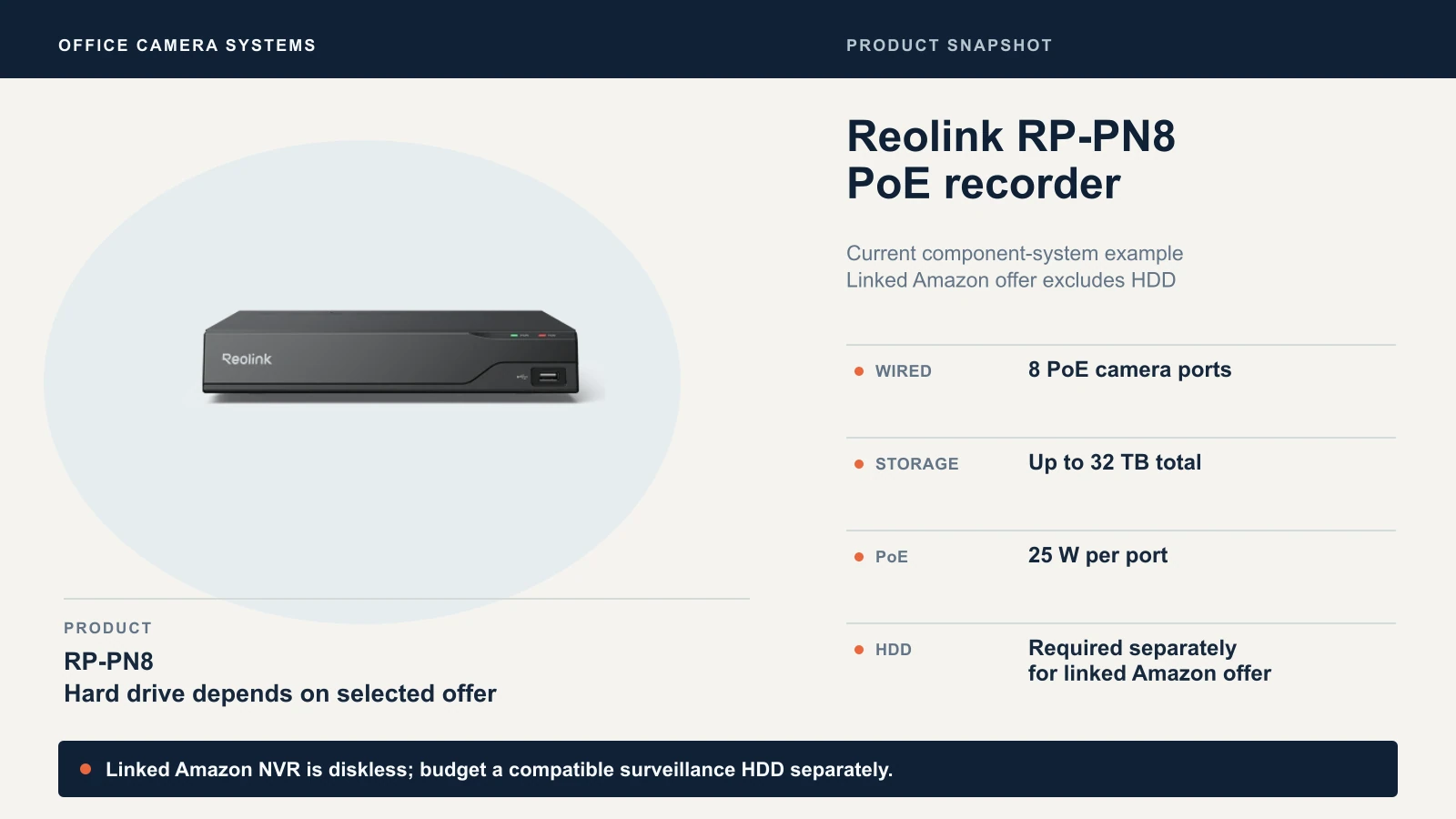
Check the current RP-PN8 listing (HDD not included)
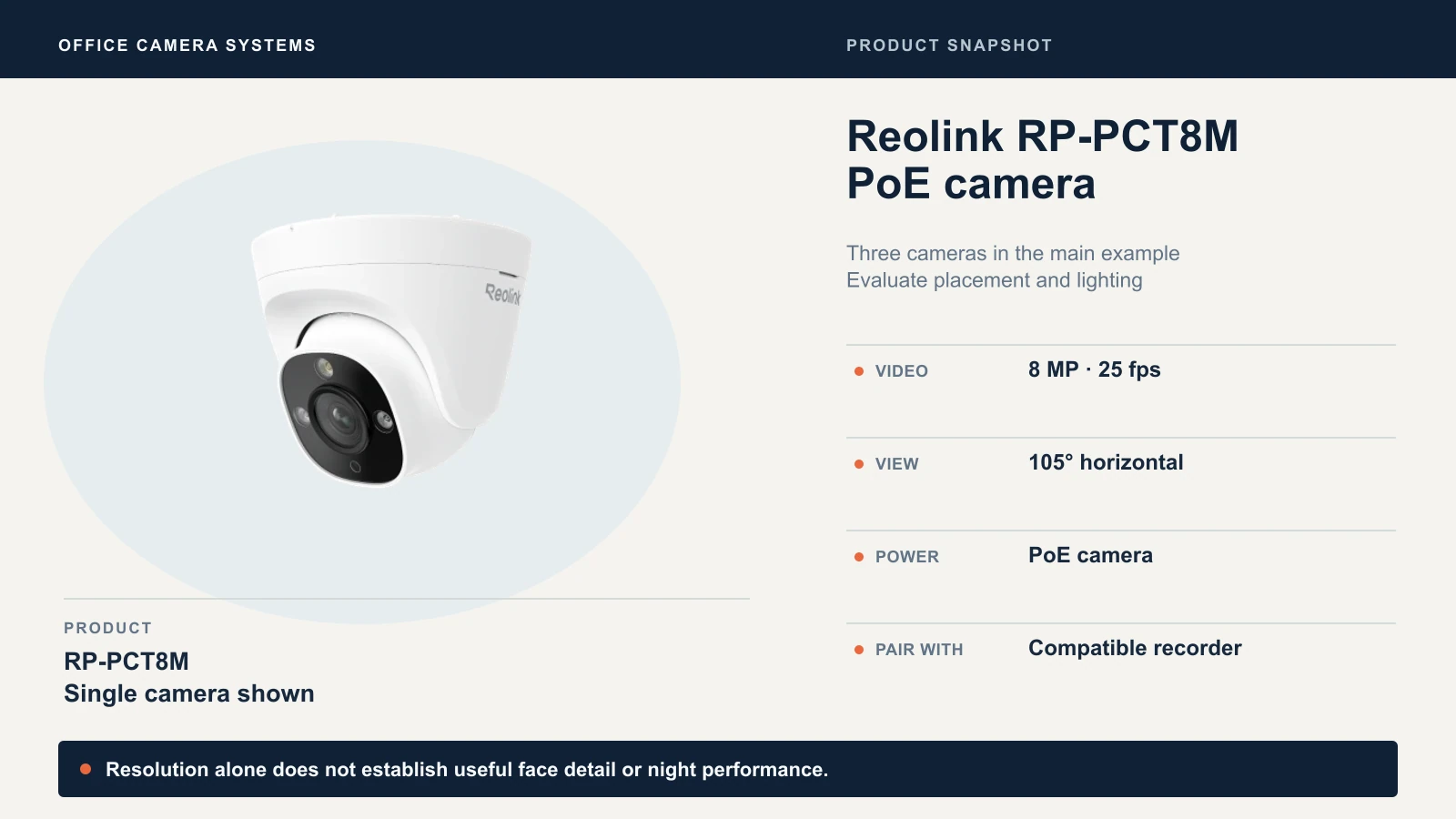
Check the current RP-PCT8M listing
Lorex: Connect V-series kit
The Lorex example is a complete boxed kit: three black 4K turret cameras, the RN301A recorder with 1 TB and the Lorex Connect app. Choose the variant by SKU: AZN301A-3CN301ATB is the turret kit, and the bullet kit has a different SKU. Lorex's navigation describes its X Series as the professional-grade business line, so price that tier too if your needs are large or growing.
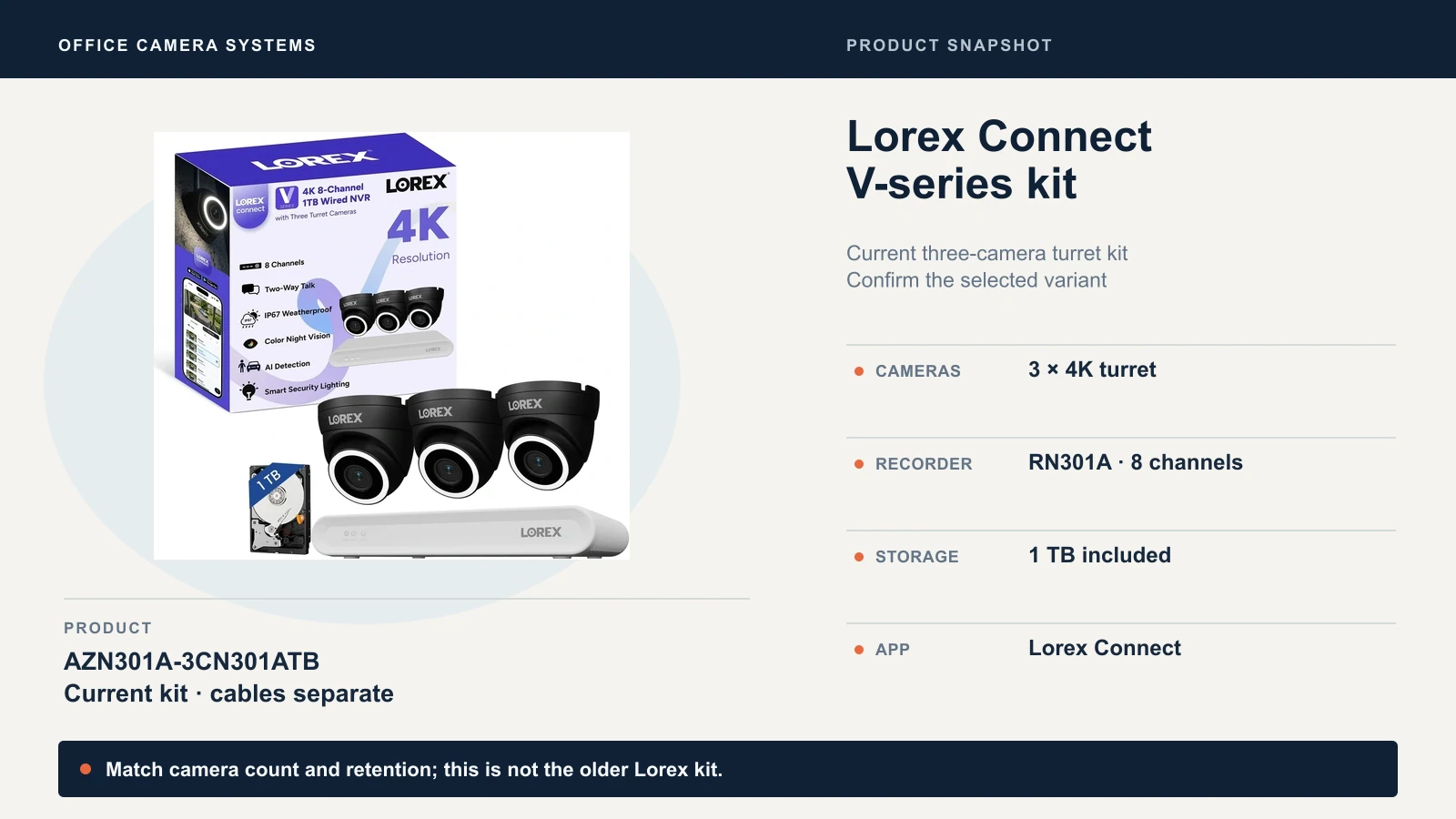
Check the three-camera Lorex kit on Amazon
Does the camera cover the entrance and the office?
A camera covers an entrance only if it captures the detail you need at that spot, so write down the job of each position first. "Cover the front door" and "identify a face at the front door at 8 p.m." are different purchases, and the second is the one that matters after an incident.
- Lens and view. Both examples use a fixed 2.8 mm F1.6 lens. Reolink lists 105° horizontal and 125° diagonal. Lorex lists 126° diagonal only. A diagonal figure always looks wider than a horizontal one, so never compare one against the other.
- Backlit entrances. A glass storefront in afternoon Miami sun is a demanding backlit scene. Lorex lists WDR for its camera and Reolink lists no HDR for the RP-PCT8M. Those are specifications, not measured image quality, so check that view on site.
- Motion. The Lorex camera is listed at 15 fps at 4K, the Reolink camera at up to 25 fps. 25 fps samples motion more often than 15 fps, but a sharp frame of a moving subject also depends on exposure, lighting and compression, so test moving subjects under your actual lighting. Retention follows the recorded bitrate. A lower frame rate can reduce storage at comparable quality settings, but it does not by itself guarantee it.
- Night. Both offer infrared and a color night mode with added light. The ranges are manufacturer figures under ideal conditions. Test at the lighting you will actually leave on.
- Audio and privacy. Both cameras have a microphone and speaker. Lorex notes that audio recording is off by default and that recording without consent is illegal in some jurisdictions, so check the rules for your state before you enable it. Use privacy masks where a camera sees a neighbor or a restroom door.
More megapixels do not fix a camera mounted too high or a lens too wide for the distance. Our kit guide covers the 12 MP RP-PCT12M, a different camera class.
Recording, retention and recovery
Retention comes from bitrate, camera count and drive size, not from the brand. Here is the arithmetic for three cameras recording continuously at an illustrative 4 Mbps each: that is 12 Mbps combined, or 129.6 GB a day. A 1 TB drive holds about 7.7 days and a 2 TB drive about 15.4 days.
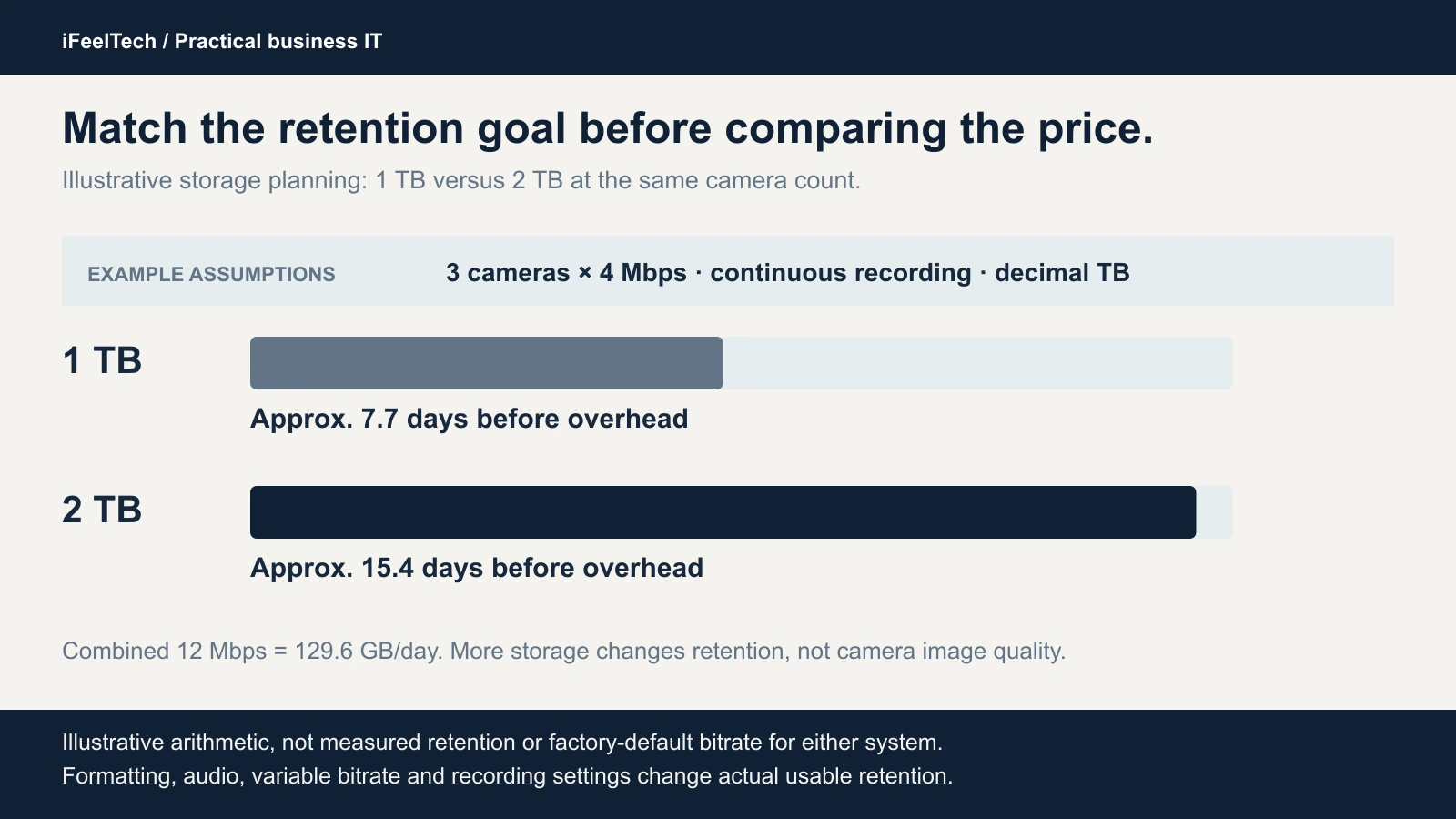
Constant-bitrate arithmetic before overhead. Actual retention varies with recording settings and usable capacity.
These are calculations, not measured runtimes, and 4 Mbps is not a factory default. Reolink lists the RP-PCT8M's default main stream at 7,168 Kbps, which for three cameras is about 232 GB a day and roughly 8.6 days on 2 TB. We found no default bitrate on the Lorex pages, so measure it on the installed system.
A 1 TB system and a system specified with 2 TB are not equal-retention configurations. Decide how many days you need, then quote the drive on both sides before you compare prices. Our storage planning guide walks through the retention math for any recorder.
Recovery matters as much as retention:
- Recording mode. Continuous recording uses the most storage. Event recording stretches retention, but you only get what the rules caught. Lorex lists continuous, motion and AI motion recording per channel.
- Export. Lorex lists USB flash drive backup on the RN301A. Test export on whichever system you buy, and play the exported file on a computer that has no vendor software.
- Protection. Reolink lists encrypted video files for the RP-PN8, which require a password for playback. If you enable that, store the password with your recovery notes.
- Theft and drive failure. Mount the recorder out of reach and copy key clips elsewhere.
App workflow and usability
Current Lorex Connect is a different platform from the older Lorex Classic app systems, and Lorex still lists both apps. Judge Connect by what it does, not by an older interface.
Use this checklist during commissioning, and run the same steps on each system:
- Find an incident. Pick a time yesterday and locate the event. Note how many taps it takes and whether you can filter by person or vehicle. Both platforms document event filtering; Reolink's descriptive AI Video Search is a separate feature that needs a supported camera. Judge the interfaces on the same task with real footage, and check multi-camera playback too: the RP-PN8 sheet limits playback at 8 MP or higher to one channel.
- Export a clip. Save a clip with a timestamp and open it elsewhere.
- Add a restricted staff user. Reolink lists one admin plus 19 user accounts. Confirm on each system what a limited user can and cannot see or change.
- Review alerts. Turn on person and vehicle alerts for one camera and see how many you get in a day.
- Recover after an outage. Unplug the internet, then power. Confirm the recorder restarts, keeps recording and returns to the app without anyone resetting it.
Network integration and security
PoE simplifies power and cabling, but it does not prove that parts from different brands work together. Verify the exact recorder, camera and firmware pairing for each function you need. Lorex answers a customer question by saying the RN301A works only with CN301 cameras, and Reolink says not to use the RP-PCT8M with third-party recorders for best compatibility. The RP-PCT8M lists ONVIF, but the RP-PN8 recorder lists RTSP, not ONVIF, so do not assume a third-party camera will work with either recorder.
Power and network details differ between the two:
- PoE budget. Lorex lists a 57 W total budget for the RN301A and 9.5 W maximum per camera, or 28.5 W for three. Reolink lists 25 W per port and no total camera budget for the RP-PN8, so ask before you fill all eight ports. Our Power over Ethernet guide shows how to total it.
- Recorder uplink. Reolink lists a gigabit LAN port. Lorex lists a 10/100 LAN interface for the RN301A. Treat that as the external network limit unless Lorex confirms otherwise; its separately listed 320 Mbps network bitrate does not establish a gigabit uplink. Ask Lorex if the recorder will stream or upload heavily over your LAN.
Then secure the system. Put the cameras and recorder on their own network (our VLAN guide shows how), allow only the devices and people that need access, turn off UPnP on the router and do not casually forward ports. Segmentation controls what can reach the recorder, but you still need a deliberate remote-access method, such as the vendor app or a VPN, with staff permissions verified. Update firmware on a schedule and keep one owner-controlled admin account.
Support, warranty and full installed cost
As checked October 15, 2026, ReolinkDirect's Amazon offers for the RP-PN8 and three RP-PCT8M cameras were $249.99 plus 3 × $129.99, or $639.96 before a drive. The linked black three-camera Lorex kit was $531.99 on Amazon, sold by Lorex Technology Inc. and shipped by Amazon, with 1 TB included. That is $107.97 below the diskless Reolink component subtotal at these observed prices. Lorex's direct-store kit was $759.99, so compare the actual supplier offer rather than list price. These are different storage configurations, not an equal-retention or image-quality comparison. Quote these before you decide:
- A compatible surveillance drive for the Reolink recorder, and for the Lorex recorder if you want the longer retention.
- Cable runs and terminations. Lorex's kit page says cables are sold separately, and neither brand's box gets cable to a ceiling. Our business network wiring guide covers cost and code questions.
- Mounting hardware, junction boxes and weatherproofing.
- A UPS for the recorder and any PoE switch. See our battery backup guide.
- Installation and acceptance testing labor.
Subscriptions. Neither system needs one for local recording. Lorex's kit page says "No subscriptions required," and Reolink's RP-PCT8M FAQ says its smart detection and storage features work without subscription fees. Optional cloud services are separate: Lorex's Cloud+ page says it is currently for Lorex Connect Wi-Fi products, with recorder support listed as coming soon. Remote viewing needs internet. Lorex recommends at least 6 Mbps of upload for the RN301A, and Reolink documents that with a router but no internet, local live view and playback keep working while remote access and push alerts do not.
Get written warranty and return terms for the exact model and seller, whether that is Reolink direct, an Amazon seller or Lorex. Reolink's own pages state different warranty terms in different places, so we name no warranty winner. We have not established a support response time or RMA speed for either brand, so ask how a failed recorder gets replaced.
Procurement limits for government-related purchases
Federal or policy-constrained purchases
If your deployment involves government contracting, restricted end uses or organization-specific purchasing rules, check the exact SKU and requirements before you buy.
Lorex states its products are designed for consumer and business use and not for U.S. federal governments, federally funded projects or contractors subject to NDAA. Its FCC notice also limits marketing of some Lorex-branded products for uses such as public safety, government facilities and critical infrastructure, and it links a SKU list; check the exact SKU you plan to buy against it. Reolink's Section 889 statement is a vendor claim, not an independent certification, and FAR 52.204-25 governs the contract side. A brand name alone does not establish compliance.
Who should choose each
| Your situation | Reasonable choice | Why | Check first |
|---|---|---|---|
| Fresh install, a few fixed views | Reolink RP-PN8 plus cameras | Our starting preference, and you can swap a camera later | Drive size, exact pairing, AI features you need |
| You want one boxed kit | Lorex Connect V-series kit | One kit, one app and one vendor | Variant, cable, drive upgrade, warranty terms |
| You already run a working Lorex fleet | Keep it | A switch needs a tangible gain | Whether it uses the Connect app or an older generation |
| You already run Reolink | Keep it, add matching models | Fewer moving parts | Hardware revision and feature support |
| Fast incident retrieval | Test both systems | Compare person/vehicle filters, timeline navigation and export | Run the same task on real footage |
| Government-adjacent or restricted purchase | Resolve procurement first | Product and use limits apply | Contract language, exact SKU |
Choose Reolink for a fresh install when its current workflow and the exact camera and recorder pairing fit. Choose Lorex when its current Connect workflow, or an existing compatible fleet, fits how you support the system. For a wider view that includes UniFi Protect, see our UniFi Protect vs. Reolink vs. TP-Link comparison.
If you want someone to survey the building, run the cable and test the system, we handle camera infrastructure across Miami and South Florida.
Sources
Specifications are manufacturer data, reviewed October 14 and 15, 2026. Prices and availability change, so confirm the exact seller, condition and delivery to your address at checkout.
- Reolink current model specifications: RP-PN8 and RP-PCT8M.
- Lorex Connect specifications: V-series kit, RN301A recorder and CN301A camera.
- Manufacturer compatibility guidance: Lorex compatibility page.
- Procurement notices: Lorex compliance page, Reolink NDAA statement and FAR 52.204-25.
Product photographs come from the manufacturers. The cover image is editorial artwork, not a photo of an installation.
Related Resources
- Reolink PoE Kit vs. Separate Cameras — Kit versus components, drives and cabling for Reolink.
- UniFi Protect vs. Reolink vs. TP-Link Cameras — The wider ecosystem decision.
- Power over Ethernet Guide — Total PoE budgets before you fill every port.
- UniFi Protect Storage Planning Guide — Retention math that applies to any recorder.
- Business Network Wiring Installation Guide — Cost and code questions for camera cable runs.
- Battery Backup for Modem and Router — Keep the network and recorder up through an outage.
- VLANs Explained for Small Business — Keep cameras on their own network.
Frequently Asked Questions
Related Articles
More from Business Hardware
APC vs CyberPower UPS for a Small Office: How to Choose
APC or CyberPower for your office? Compare suitable UPS models by load, battery-backed outlets, runtime, replacement batteries and monitoring.
9 min read

Business PC Buying Guide 2026: How to Avoid Bad Laptop and Desktop Purchases
Most business PC guides rank products. This one explains the procurement framework — Windows Pro, lifecycle planning, standardization, and the buying mistakes we see every month.
13 min read

Paperless Office Reality Check: Why Some Businesses Print Everything and Others Don't
After 25 years in IT, I've seen offices with 1.2 printers per person and others with one shared home printer. Here's why — and how to figure out where your business should land.
12 min read