

APC vs CyberPower UPS for a Small Office: How to Choose
APC or CyberPower for your office? Compare suitable UPS models by load, battery-backed outlets, runtime, replacement batteries and monitoring.

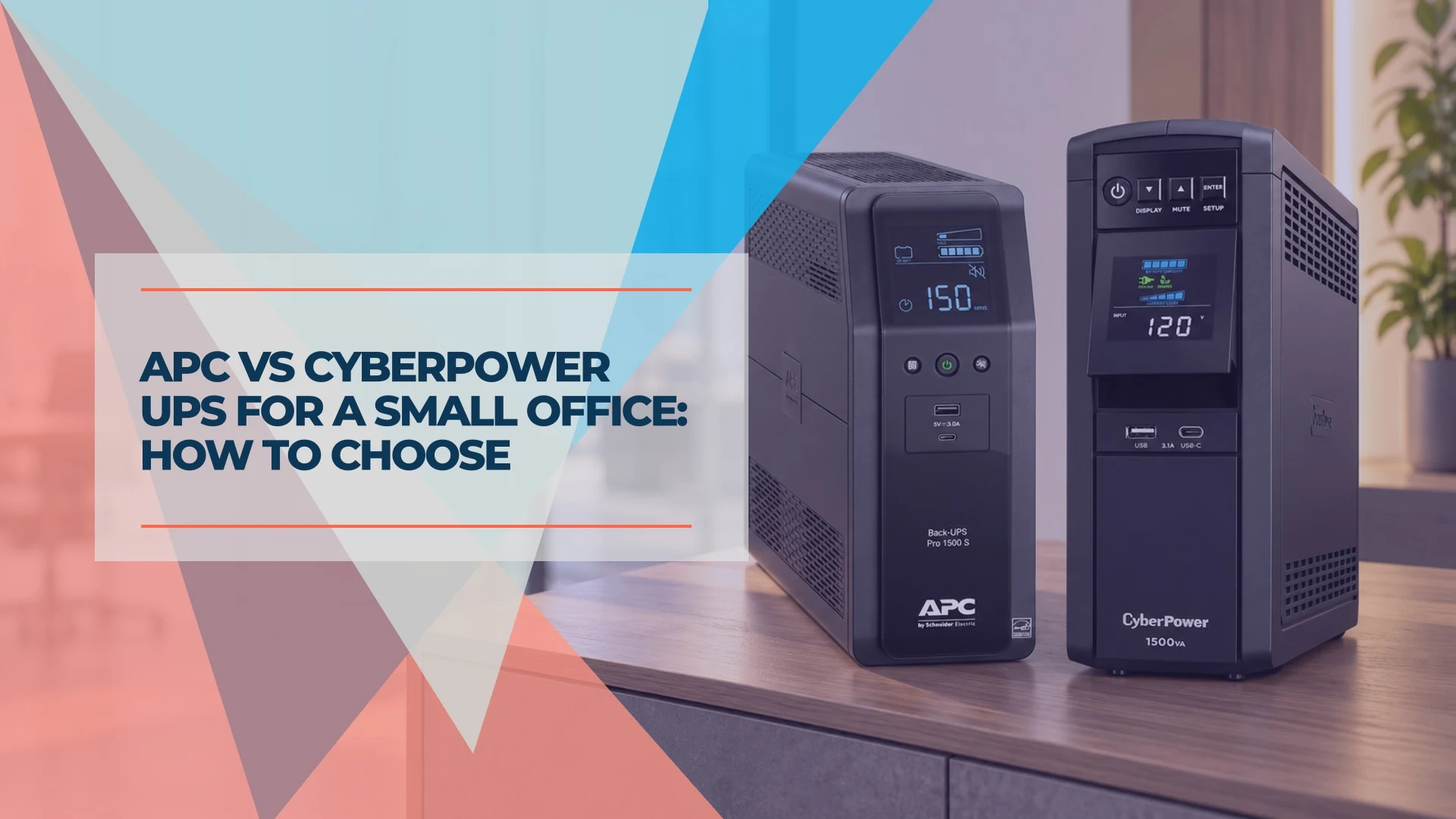
APC and CyberPower both make sensible small-office UPS options. Pick the model that carries your actual load, runs long enough at that load, has enough battery-backed outlets and fits the space, then buy it from a trusted seller. Our team installs both brands, and once a unit suits the job, availability from a seller we trust often decides which one we order. A brand name alone does not establish runtime, battery condition or whether a particular listing is a good one. Below: a fair comparison of two current 1500VA towers, the checks that decide the purchase, and where the answer changes.
Affiliate Disclosure: This article contains affiliate links. If you make a purchase through these links, we may earn a small commission at no extra cost to you. As an Amazon Associate, iFeelTech earns from qualifying purchases.
The short answer: both can be a sensible choice
Neither brand wins outright for every office. We regard APC and CyberPower as established options, and we install both. Our recommendations combine deployment and support experience with manufacturer documentation, and we draw no brand-wide reliability conclusion from either.
Quick Verdict
On price and headroom, the CyberPower CP1500PFCLCD is the stronger buy. At our October 14 check it cost about $60 less than the APC BR1500MS2 and carried a 100 W higher rating, with the same six battery-backed outlets. That holds only if its runtime and monitoring fit your need.
The APC BR1500MS2 is the better call when your office already standardizes on APC, your support routine is built around it, or it is the unit in stock from a seller you trust.
Before either: measure your watts, set a runtime target, and count the outlets you must keep powered.
APC BR1500MS2 vs CyberPower CP1500PFCLCD: a fair tower comparison
You are choosing between two US 120 V towers that look alike on a shelf: same VA, same waveform, same number of battery-backed outlets. These are the manufacturer figures that separate them, plus what Amazon.com listed when we checked.
| Decision factor | APC BR1500MS2 | CyberPower CP1500PFCLCD |
|---|---|---|
| Rating | 1500VA / 900 W | 1500VA / 1000 W |
| Battery output | Sine wave | Sine wave |
| Battery-backed outlets | 6 | 6 |
| Surge-only outlets | 4 | 6 |
| Total outlets | 10 | 12 |
| Form | Tower | Mini-tower |
| Replacement battery | APCRBC163 | RB1290X2 or RB1280X2B, by serial number |
| Warranty | 3 years | 3 years |
| Local monitoring (USB) | PowerChute Serial Shutdown | PowerPanel software |
| Network management | None listed; USB and serial data port only | Optional RMCARD205 card |
| Amazon.com, new, October 14 | $299.99 | $239.95 |
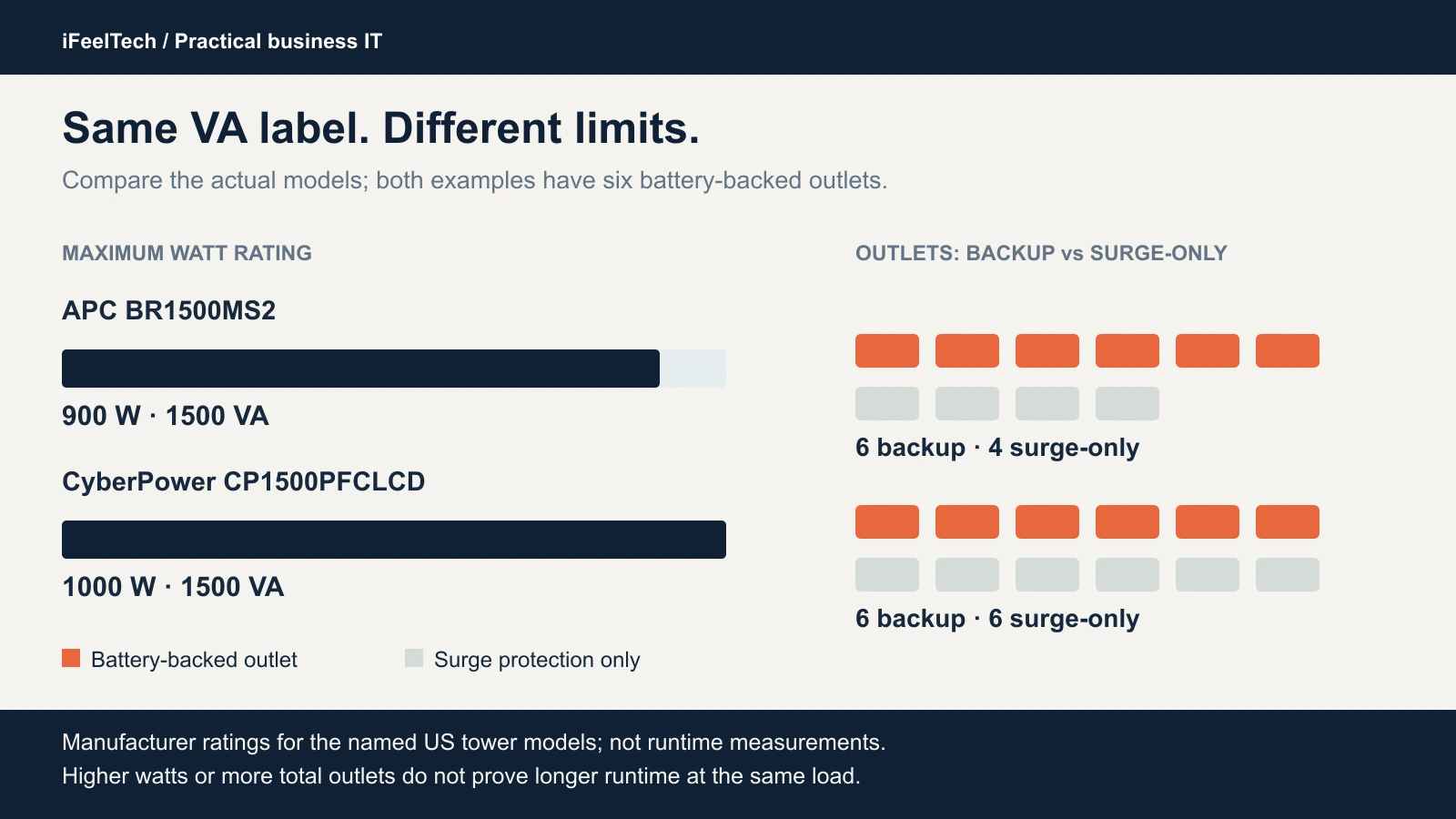
Manufacturer ratings for these exact towers, not runtime measurements.
The CyberPower offers 100 W more headroom, two more total outlets and a lower price. Its extra outlets are surge-only, so they do not provide battery power. The APC's case is standardization, a familiar support workflow and availability. Its single-cartridge battery lookup is a convenience, but it does not account for the price difference by itself. If your measured load and runtime target fit both, the rating gap should not decide anything. Confirm the listing before you buy, because prices and stock move.
Both units have automatic voltage regulation (AVR). APC documents boost and trim, while CyberPower lists single-boost AVR. Both also output a sine wave on battery. CyberPower calls out sine wave for equipment that needs active power-factor-correction (PFC) compatibility. Neither is an online double-conversion UPS: both transfer to battery in milliseconds.
APC Back-UPS Pro BR1500MS2
APC's manual lists sine-wave output on battery, six battery-backed outlets with four surge-protected outlets, and the APCRBC163 replacement cartridge. It is a sensible tower for a desk or front office when your load and runtime needs fit.
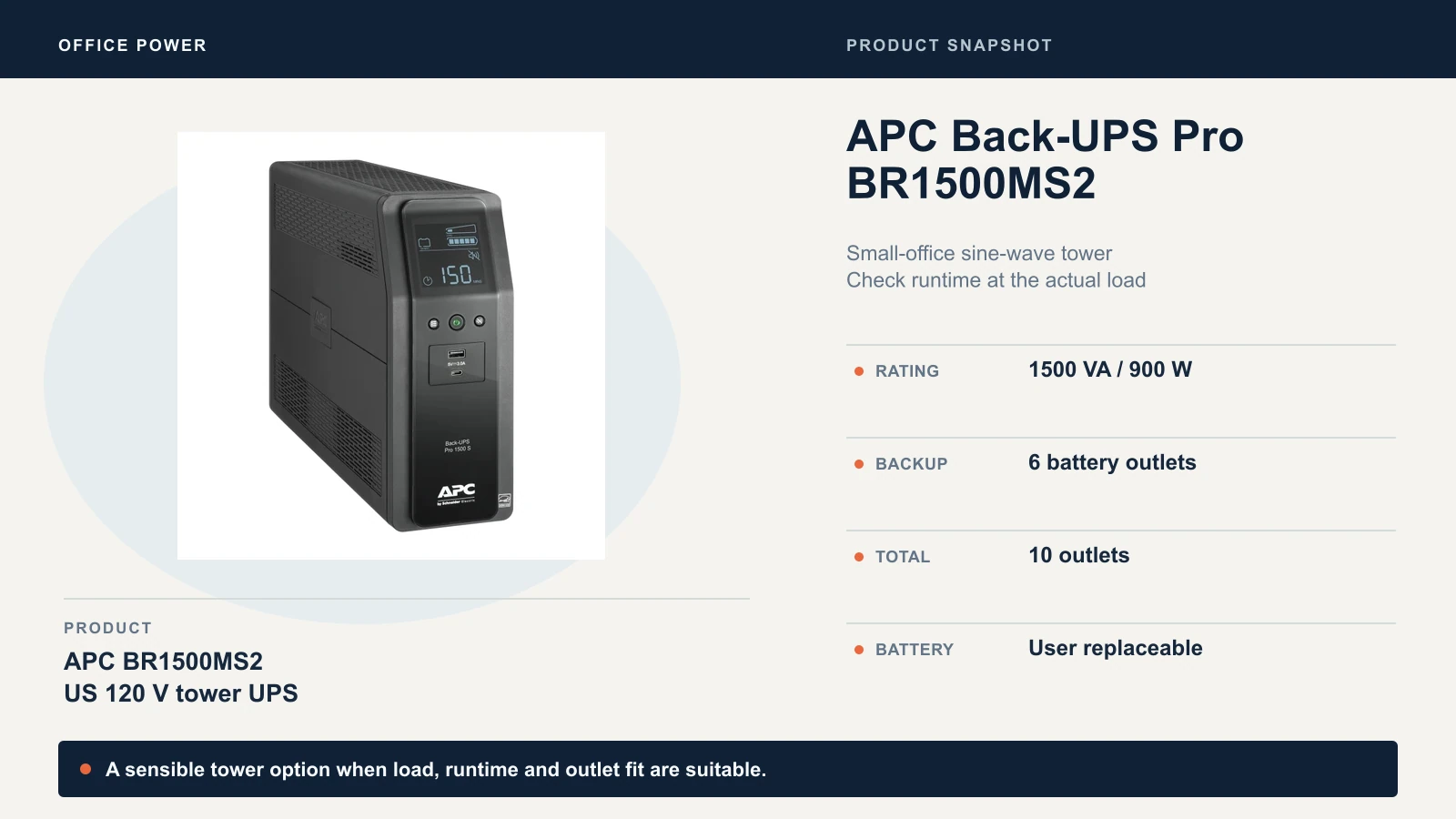
Match the model number exactly. The BR1500MS2 is not the cheaper BX1500M, which is a different unit with different specifications.
Check the current BR1500MS2 listing
CyberPower CP1500PFCLCD
CyberPower's current documentation lists 1500VA/1000 W, sine-wave output on battery, six battery-backed and six surge-only outlets, and a color LCD that tilts for easy viewing when the unit sits low under a desk. It suits an office that wants the extra watt headroom and the lower price, provided the unit you receive matches that documentation.
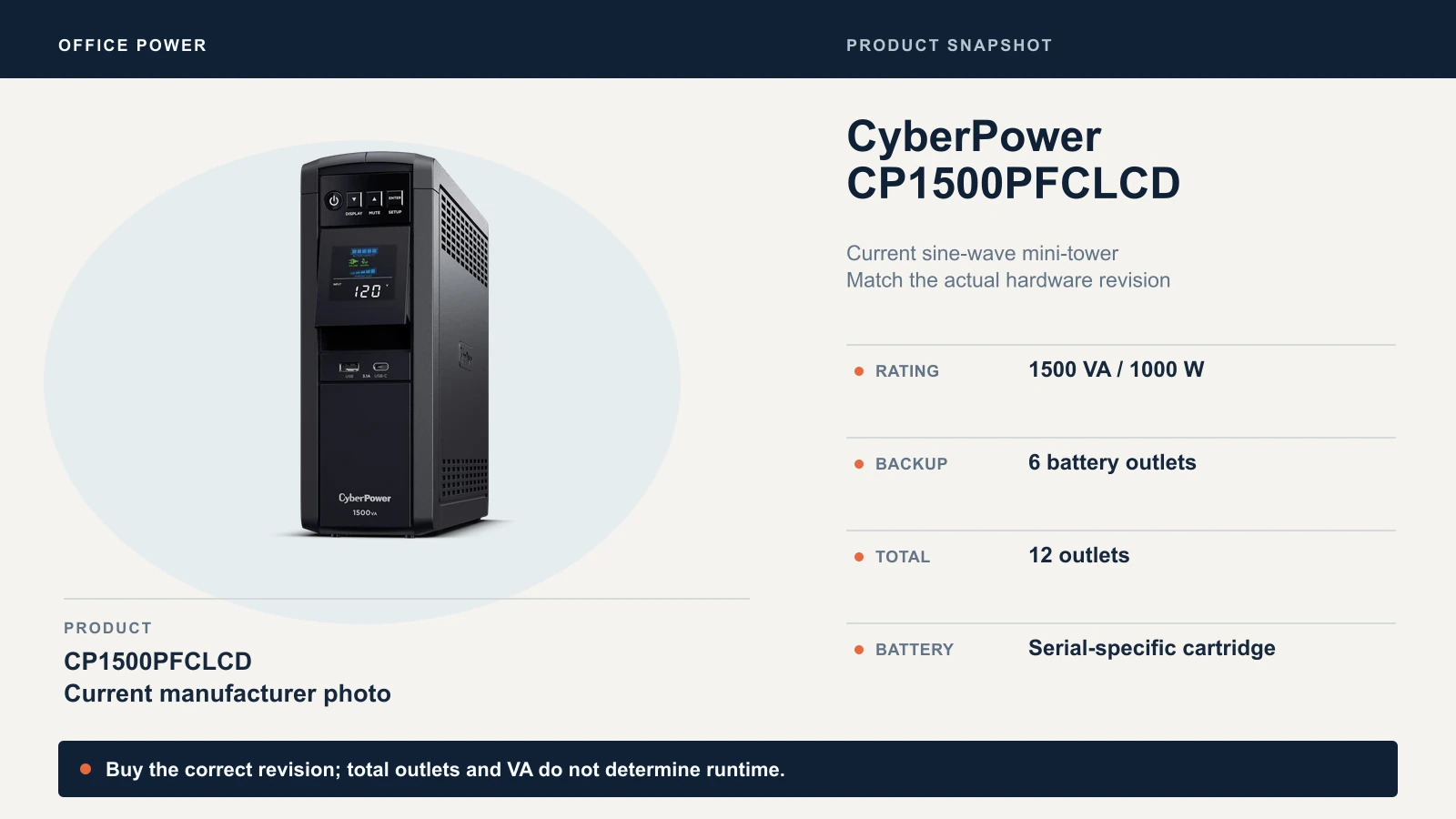
Check the manufacturer's CP1500PFCLCD specifications for the current listing.
Check the current CP1500PFCLCD listing
Five checks before you choose a small-office UPS
1. Load in watts and VA. Measure what you will plug into the battery-backed outlets with a plug-in power meter that reports both watts and VA. A power supply's printed capacity is not what the computer draws. Keep the total under both ratings, with headroom for startup surges and growth. A 1500VA label says nothing about the watts behind it: these two towers share the label and differ by 100 W.
2. Target runtime at that load. Decide the job. Saving work and shutting down cleanly is a different target from riding through a brownout, and South Florida's summer storms produce plenty of short outages. Set the minutes you need before you compare models.
3. Battery-backed outlets and plug clearance. Only some outlets stay powered when the grid drops. The rest are surge-only. Bulky power adapters can also block the neighboring outlet, so check how your actual plugs sit.
4. Placement. A tower under a desk, on a shelf or on a closet floor needs cord reach, airflow and a visible display. Equipment closets in Miami can run warm, and heat shortens battery life.
5. Battery replacement and alerts. Confirm the battery is user-replaceable, that you can identify the exact replacement cartridge, and that the unit will alert you when something is wrong. Both towers have audible alarms and USB monitoring.
Protect the whole internet path, not only the computer. If the modem or ONT, router, switch and access points sit on wall power, the office loses connectivity when the grid drops. Our battery backup guide for a modem and router shows how to total that load, and the Power over Ethernet guide explains PoE-powered devices. A UPS cannot fix an ISP upstream failure.
Here is how the checks play out in three illustrative offices. The loads are examples, so replace them with measurements.
- Front desk, one PC, a monitor and a router. Once the measured load and runtime target fit both towers, the 900 W versus 1000 W gap does not matter. Choose on price and stock.
- Owner's desk with a workstation, two monitors and a NAS. Total watts and startup peaks start to matter. Measure under a realistic workload, then check headroom against both ratings.
- A network closet. Count the switch's own draw plus its powered devices, once. In the hypothetical 80 W example from our modem and router guide (an 8 W ONT, a 12 W gateway and a 60 W switch including its PoE devices), the load sits far under either rating. Runtime and shutdown behavior decide it.
Runtime: compare watts, not the 1500VA label
VA is apparent power and does not tell you minutes. Neither does a bigger watt rating. How long a battery runs depends on your load, the unit's inverter, battery age, room temperature and cutoff behavior.
The headline runtime figures use different loads. APC lists 3 minutes 12 seconds at its maximum load of 900 W. CyberPower lists 10 minutes at half load and 2.5 minutes at full load, which is 500 W and 1000 W. Half of the APC's 900 W is 450 W, so equal percentages are not equal watts. Both manufacturers publish fuller runtime graphs: APC links one from the BR1500MS2 product page, and CyberPower has a runtime tool. We have not matched the two at one realistic load, so we do not name a runtime winner.
To check your own result, read the exact model's runtime graph at your measured wattage. After installation, follow each model's documented self-test procedure. A self-test checks battery condition; it does not measure your full runtime. Then verify graceful shutdown in a planned maintenance window with current backups. If you need an extended discharge test, follow the manufacturer's procedure with noncritical loads. Avoid running production equipment down to empty. For small-load runtime figures on rack units, see our modem and router guide.
Monitoring, revision and rack fit
Mounting format and monitoring capability are separate decisions. A tower can support network management, and a rack UPS does not automatically include it.
Software. Schneider has replaced PowerChute Personal Edition, which the BR1500MS2 manual still names, with PowerChute Serial Shutdown, which supports USB communication with Back-UPS. Check operating-system support before you buy: Schneider lists Windows versions and does not support macOS for it. CyberPower's own pages name different PowerPanel editions, so follow its current download guidance for your unit.
Network management. CyberPower documents an optional RMCARD205 card for the CP1500PFCLCD. Older units and reviews under the same name can differ from current documentation, so confirm the rear expansion slot, the included documentation and the serial number on the unit you receive before you buy a card. The APC lists USB and a serial data port only.
Shutdown. Keeping a router powered is different from shutting a PC or NAS down gracefully. USB covers the one computer it connects to, and a NAS needs its own compatibility check. Our UniFi UNAS Pro 4 review notes it has no USB port for a conventional third-party UPS.
Rack. If the equipment lives in a rack, look at the CyberPower CP1500PFCRM2U or APC SMC1500-2UC in our modem and router guide, and larger racks in Best UPS for UniFi Rack. APC's SmartConnect on the SMC is cloud monitoring, not a SmartSlot for a card, so verify entitlements and subscription costs before you budget.
Buy a serviceable unit and keep it serviceable
A UPS is a battery product, and the battery wears out. Buy it new from a trusted seller with clear return terms, because a used or unknown-condition unit can arrive with a tired battery. Both towers plug into a standard 15 A outlet; give them a circuit not shared with heavy loads such as space heaters, and leave airflow around the case.
Know your replacement battery before you need it. APC's manual identifies the BR1500MS2 cartridge as APCRBC163 and says the battery typically lasts 3 to 5 years, less with frequent outages or elevated temperatures. CyberPower's cartridge depends on the serial number: RB1290X2 for serials beginning with CXX, and RB1280X2B for serials beginning with CR9, CXF or CQC. Check the label on your unit rather than ordering by model name. Follow the exact manual for replacement intervals, write the install date on the unit, and replace on schedule. Our office tech walk-through checklist covers how to check battery age and heat in a closet.
Keep laser printers off the battery-backed outlets. Their power draw can overload a small UPS, and the APC manual points to the surge-only outlets for printers and scanners that do not need battery backup.
Our recommendation
Either suitable tower is acceptable. Buy the CyberPower when upfront price and watt headroom matter and its runtime, revision and monitoring fit your office. Buy the APC when you standardize on it, your support workflow expects it, or it is the one available from a trusted seller. Neither choice earns a reliability claim from specifications alone.
Move to a rack or managed tier only when the office needs rack mounting, centralized monitoring across several UPS units, or shutdown across several hosts. If you want help sizing a UPS, planning power for a network closet or installing it, talk to our team.
Sources
Specifications and runtime figures are manufacturer data, reviewed October 14, 2026.
- APC Back-UPS Pro BR1500MS2 product page — Rating, outlets, battery backup and full-load runtime.
- APC BR1500MS2 user guide — Sine-wave output, self-test, replacement battery and warranty.
- CyberPower CP1500PFCLCD product page — Current specifications and optional management card.
- CyberPower CP1500PFCLCD datasheet — Outlets, battery cartridges and runtime.
- Schneider Electric: PowerChute Serial Shutdown replaces Personal Edition — Current APC software for Back-UPS over USB.
Product photographs come from the manufacturers. Amazon.com prices and stock were checked October 14, 2026; confirm the current offer, seller and delivery to your address at checkout.
Related Resources
- Battery Backup for a Modem and Router — Total your network load and compare rack and tower UPS runtime at small loads.
- Best UPS for UniFi Rack — Rack, UniFi and managed-shutdown guidance for larger network racks.
- Power over Ethernet Guide — Count PoE-powered devices before you total UPS watts.
- Office Tech Walk-Through Checklist — Check battery age, heat and alarms during a routine walk-through.
- Small-Business IT Handover Checklist — Record battery dates and service history.
- UniFi Network Installation in Miami — Network design and installation, including power planning for your closet or rack.
Frequently Asked Questions
Related Articles
More from Business Hardware
Battery Backup for a Modem and Router: Business UPS Guide
Choose a battery backup for your modem and router. Compare six business UPS models by runtime at small loads, rack fit, circuit needs and monitoring.
19 min read
Best UPS for UniFi Rack (2026): Protecting UDM Pro & Active PFC Gear
Compare UPS options for UniFi using verified battery capacity, manufacturer runtime figures, form factor, and shutdown support. Size protection to your measured load.
7 min read
Reolink vs Lorex for a Small Office: Choosing a PoE Camera System
Compare current Reolink and Lorex PoE camera systems for an office: recording, app workflow, storage, compatibility and business purchasing checks.
12 min read