

Reolink PoE Kit vs. Separate Cameras: Small-Office Buying Guide
Compare a Reolink Professional kit with separate cameras and an NVR for a small office: matched prices, PoE limits, storage and install costs to budget for.


A Reolink PoE camera system for a small office comes as a boxed kit or as a recorder plus cameras you choose one by one. This guide covers Reolink's current Professional Series, not its standard kits, which we compare below. The four-camera Professional kit, an RP-PN8 recorder with a built-in 2TB drive and four RP-PCT12M cameras, was $1,036.99 on October 12, 2026.
The kit suits an office where four fixed views can share the same fixed lens and viewing angle, and it is only $0.98 below the same recorder with two PCT12M two-packs. The bigger saving is the lower-cost RP-PCT8M: the same four-camera layout costs $917.97 with two PCT8M two-packs, $119.02 under the kit, in exchange for lower resolution and no AI video search. Cabling, retention and acceptance testing deserve separate planning on every route.
Quick Verdict
Buy the kit when four positions can share one fixed 100° lens. Buy separately when the jobs differ (a tighter entrance, a night view in color, a panorama) or you need fewer than four cameras. Use the RP-PCT8M where AI video search is not a requirement. Choose the RP-PN16 when you expect more than eight powered cameras or prefer its storage arrangement.
Affiliate Disclosure: This article contains affiliate links. If you make a purchase through these links, we may earn a small commission at no extra cost to you. As an Amazon Associate, iFeelTech earns from qualifying purchases.
Our deployment perspective
Our team actively deploys and supports Reolink camera systems in business environments. This guide combines that field experience with current model specifications and support documentation, focusing on the decisions that matter during an installation: camera placement, wiring, storage, access and footage export.
Model specifications come from Reolink's product pages and documentation. Comparison prices are the direct-store US prices displayed on October 12, 2026, before tax, shipping or discounts. Storage figures are planning estimates. Use the acceptance checklist to confirm the selected configuration performs as required at your site.
Buying on Amazon: The component links below go to ReolinkDirect's Amazon listings. The RP-PN8 and RP-PN16 offers are diskless: HDD not included. The kit, included-drive configurations and two-pack prices in our comparison are Reolink direct-store offers; they are not the same Amazon purchases. Add a compatible surveillance drive and compare the complete total.
Which setup fits your site?
Write down what each camera position must do first. "Cover the back door" and "read a face at the back door at 8 p.m." are different purchases.
| Your situation | Buy | Why | Watch for |
|---|---|---|---|
| Four general views at similar distances | RP-PN8 + 4 × RP-PCT12M kit | One order, matching cameras, 2TB drive included | The same fixed lens and viewing angle must suit all four positions |
| Four standard views, AI video search not required | RP-PN8 + two RP-PCT8M two-packs | $917.97, $119.02 below the kit | Lower resolution, no AI video search |
| Different jobs: entrance close-up, night color, wide room | RP-PN8 plus cameras chosen per view | You pay only for the lens and features each spot needs | Our example costs $76.97 to $82.96 more than the kit |
| One to three cameras | RP-PN8 plus the cameras | The kit is fixed at four | The recorder alone is $409.99 |
| More than eight powered cameras planned | RP-PN16 plus cameras | Sixteen wired-camera ceiling, 4TB drive included | Ports are not a power budget |
Why this guide covers the Professional Series
Reolink also sells standard PoE kits, and a basic four-camera system costs less. One example is the RLK8-800B4, listed at $699.99 on Reolink's US system page on October 12. Here is what the extra $337.00 for the Professional kit changes:
| Standard kit RLK8-800B4 | Professional kit | |
|---|---|---|
| Recorder | RLN8-410 | RP-PN8 |
| Cameras | 4K/8MP, up to 20fps, 87° horizontal | 12MP, up to 25fps, 100.4° horizontal |
| Included drive | 2TB; up to 8TB per drive | 2TB; up to 16TB per drive, 32TB total |
| Network cables in the box | Four 18 m and one 1 m | Five 1 m |
| Warranty | 2-year limited | 3-year limited |
The Professional kit's documented differences are its three-year warranty term, a higher storage ceiling and 12MP cameras at up to 25fps. People counting and crowd monitoring need selected compatible cameras. Reolink's Customer Flow Analysis guide lists the RP-PCV8MZ (plus models outside this guide) with the RP-PN8 or RP-PN16 on firmware v3.6.4 or later, and requires a microSD card in each camera. The RP-PCT12M is not listed, so do not assume this bundle includes them. Choose a standard kit when basic recording at a lower price is enough.
Compare four-camera hardware costs
A kit only counts as cheaper when you price the same cameras the other way. The comparison below uses Reolink direct-store configurations and prices, including the stated recorder drives, from October 12, 2026. Amazon component offers below may have different contents.
| Four-camera configuration | Arithmetic | Hardware subtotal | Versus kit |
|---|---|---|---|
| Professional kit | RP-PN8 + 4 × RP-PCT12M, 2TB included | $1,036.99 | n/a |
| RP-PN8 + two PCT12M two-packs | $409.99 + 2 × $313.99 | $1,037.97 | $0.98 more |
| RP-PN8 + two PCT8M two-packs | $409.99 + 2 × $253.99 | $917.97 | $119.02 less |
| RP-PN8 + four PCT12M singles | $409.99 + 4 × $159.99 | $1,049.95 | $12.96 more |
| Mixed: 2 PCT8M, PCV8MZ, PCB8MX (single-camera prices) | $409.99 + 2 × $129.99 + $209.99 + $239.99 | $1,119.95 | $82.96 more |
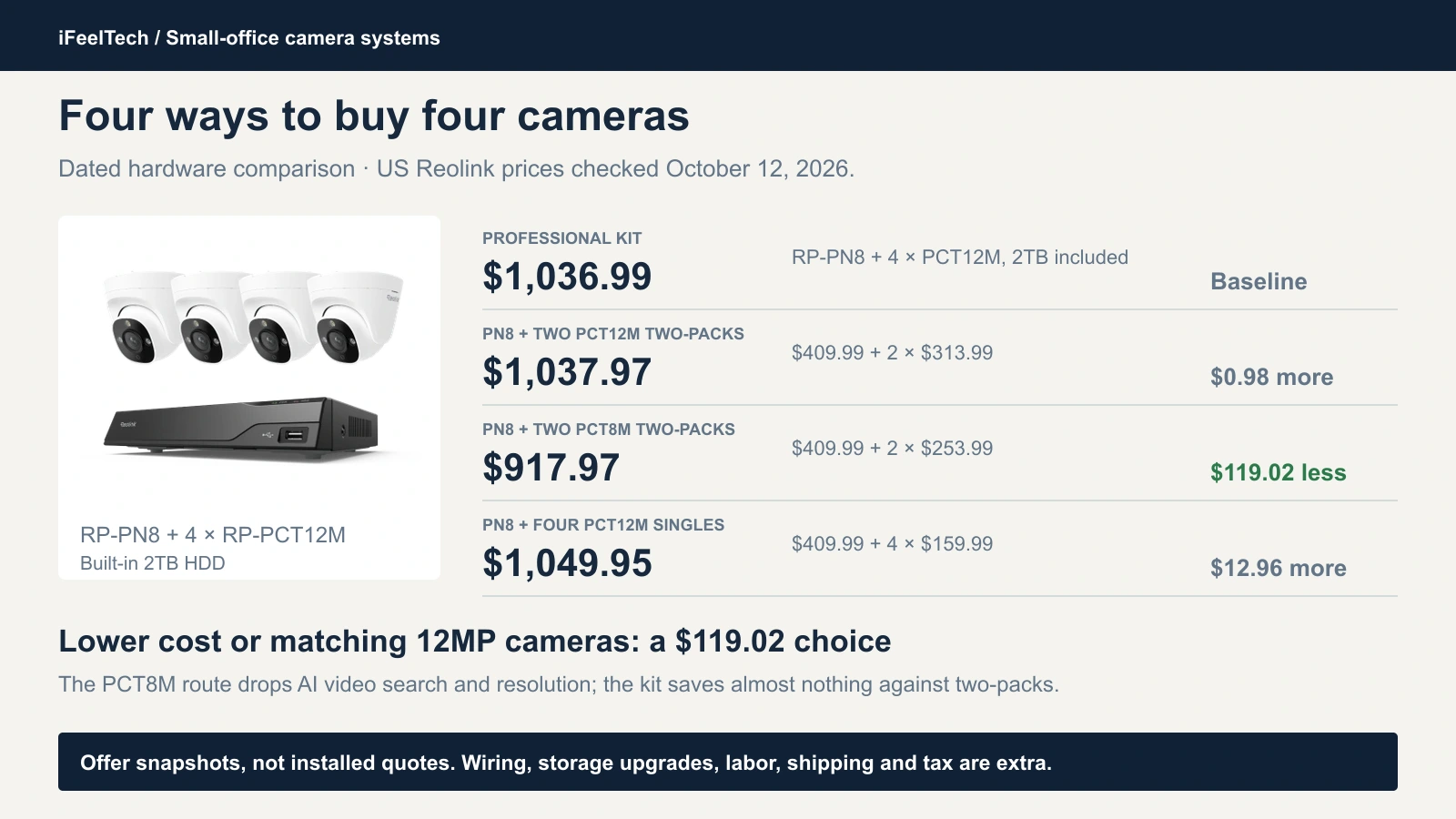
That gives three real choices: lower cost (PCT8M), matching 12MP cameras (the kit or two-packs) or specialized views (the mixed build). Buying the mixed build's two PCT8M cameras as a two-pack lowers its subtotal to $1,113.96, or $76.97 above the kit. Promotions, shipping, tax and accessory boxes can change any of these, so recheck on the day you buy.
What the current four-camera Reolink kit includes
The offer is Reolink's 4-Cam Bundle (White): one RP-PN8 recorder with a built-in 2TB hard drive and four RP-PCT12M turret cameras. The store sells other bundle sizes, and a camera page can suggest an RLN8-410 bundle with an older recorder, so confirm the cart shows the RP-PN8 and four cameras before you pay.
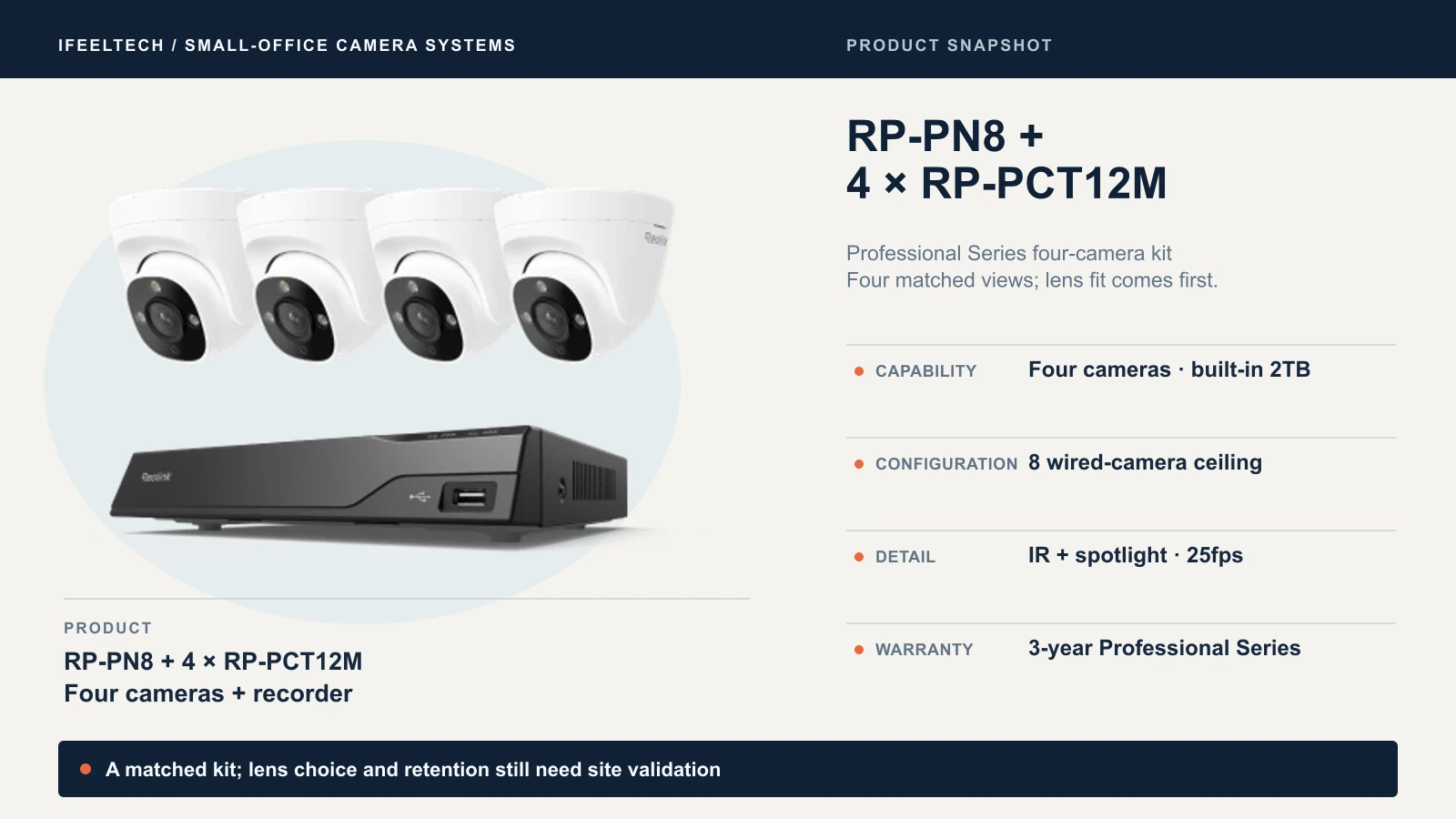
Reolink's box artwork shows four RP-PCT12M cameras, the RP-PN8 with its 2TB drive, the recorder's power adapter, an HDMI cable, a USB mouse and five 1 m network cables.
Those cables are for the bench, not the building
A 1 m cable lets you power the system up on a desk. It does not reach a ceiling. Every camera needs its own run from the recorder or PoE switch, with terminations, and weatherproof connections or junction boxes where the run leaves the building. Reolink's standard RLK8-800B4 lists four 18 m cables; this kit's artwork shows none.
Installation, cabling and storage can materially increase the hardware subtotal. Leave these marked "quote required" until you have a survey: cable runs and terminations, mounts and junction boxes (the box artwork shows none), a larger drive if your retention needs it, a UPS and any PoE switch, a monitor and export media you do not own, installation and an acceptance visit, shipping and tax. The cameras document a microSD slot of up to 512GB, but the artwork shows no card.
Not every Reolink kit camera works the same way. Reolink's guide to add-on and standalone cameras says add-on cameras have no UID, typically no SD slot, and support PUSH, RTSP and ONVIF only when connected to an NVR. Do not treat all older kits alike. The RP-PCT12M is a separately sold model whose own specification page documents a microSD slot and ONVIF support, but record the model number and revision that actually arrives.
View four-camera kit details at Reolink.
Choose cameras for the view, not the megapixels
These five models address several common small-office requirements. First, a limit on AI features: Reolink's AI Video Search guide describes a local, English-keyword search of recordings triggered by AI alarm events, such as "a person carrying a package." It does not search all continuous footage or take time words like "yesterday," and it needs a supported camera and recorder pair. Treat it as optional: worth paying for only if searching by description is part of the job.
| Camera | Price | Image | Horizontal view | Night | AI video search | Housing |
|---|---|---|---|---|---|---|
| RP-PCT8M | $129.99 | 8MP, up to 25fps, fixed 2.8mm lens | 105° | IR + spotlight | No | IP67 |
| RP-PCT12M | $159.99 | 12MP, up to 25fps, fixed 4mm lens | 100.4° | IR + spotlight | Yes | IP67 |
| RP-PCV8MZ | $209.99 | 8MP, up to 30fps, 5× optical zoom | 108° to 32° | IR + spotlight | Yes | IK10, IP67 |
| RP-PCB8MX | $239.99 | 8MP, up to 30fps, F1.0 lens | 93.2° | Color only, no IR | Yes | IP67 |
| RP-PCT16MD | $289.99 | 16MP panorama, 7680 × 2160, up to 25fps | 180° | IR + spotlight | Yes | IP67 |
All five use active IEEE 802.3af PoE and carry Reolink's three-year Professional Series warranty. View angles are horizontal, because the diagonal figures vendors quote look larger.
RP-PCT8M: the lower-cost standard view
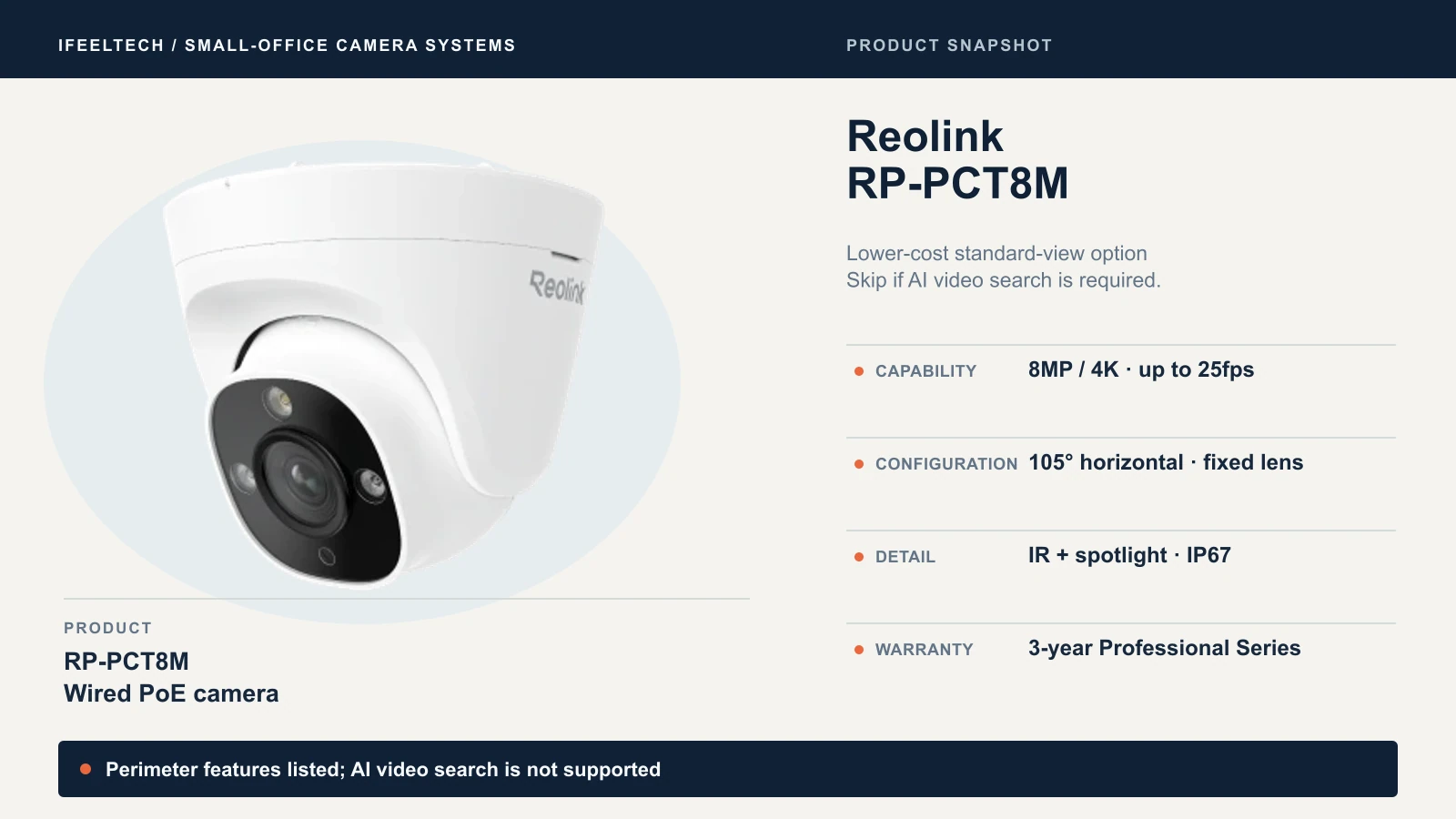
The PCT8M is a 4K turret with a fixed 2.8mm lens and a 105° horizontal view, at $129.99. It lists line-crossing, zone-intrusion and zone-loitering alerts, but no AI video search, and its specification lists no HDR. That is a $30 saving per camera where you review footage by time and event. Skip it if searching by description is part of the job.
View RP-PCT8M on Amazon
RP-PCT12M: the kit camera, sold separately
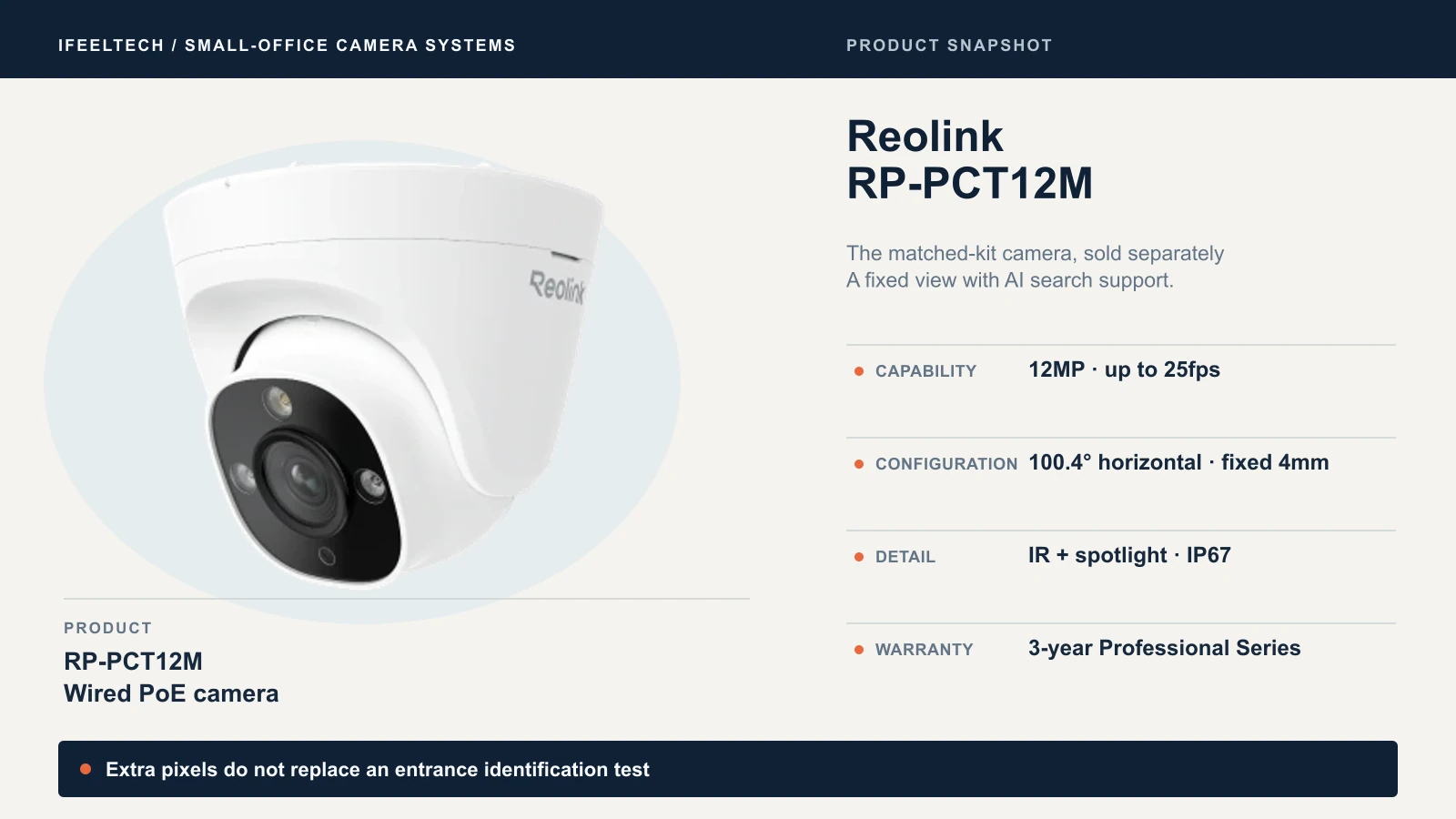
The PCT12M is the camera in the kit: 12MP at up to 25fps, a fixed 4mm lens and a 100.4° horizontal view, with AI video search supported and no HDR listed. Against the PCT8M it costs $30 more and has 17.5% more horizontal pixels (4,512 against 3,840) over a view 4.6° narrower. That is about 23% more pixels per degree on paper. Identification distance and night-motion detail also depend on lens choice, placement, lighting and recording settings; assess the actual view during commissioning. At Reolink's default bitrates the PCT12M also needs more storage (see the storage section). The two-pack was $313.99 on October 12.
View RP-PCT12M on Amazon
RP-PCV8MZ: adjustable framing for an entrance
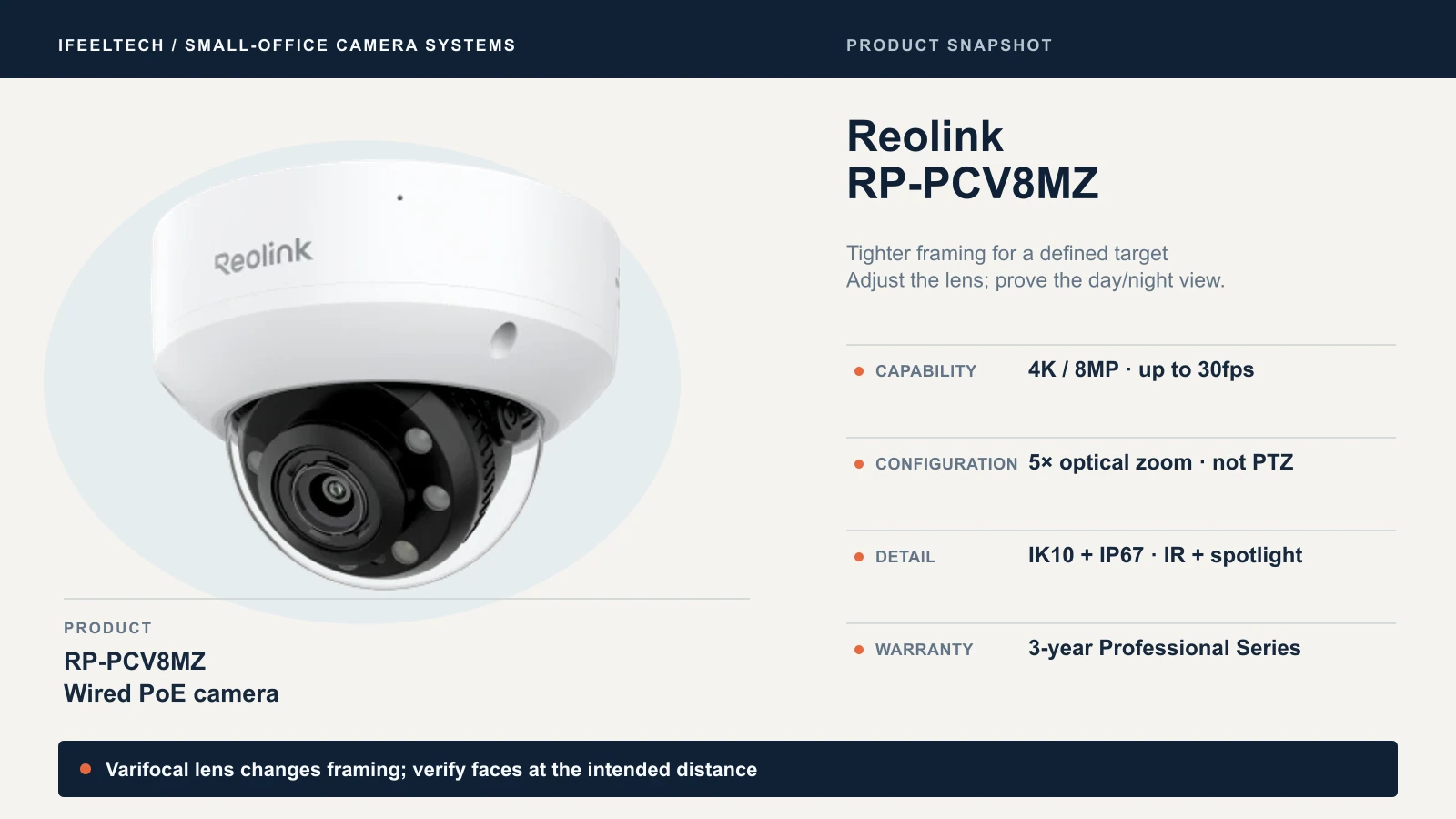
The PCV8MZ is a dome with a 2.7–13.5mm lens: 5× optical zoom, which swings the horizontal view from 108° down to 32°. It records up to 30fps, carries IK10 and IP67 ratings, supports AI video search and, unlike the two turrets, lists HDR. You set the zoom during installation; it is not a pan-tilt-zoom camera that follows people. Use it at a front door or counter where a fixed turret would waste pixels on pavement and sky, and check glare off glass and the night image.
View RP-PCV8MZ on Amazon
RP-PCB8MX: color at night, if there is light
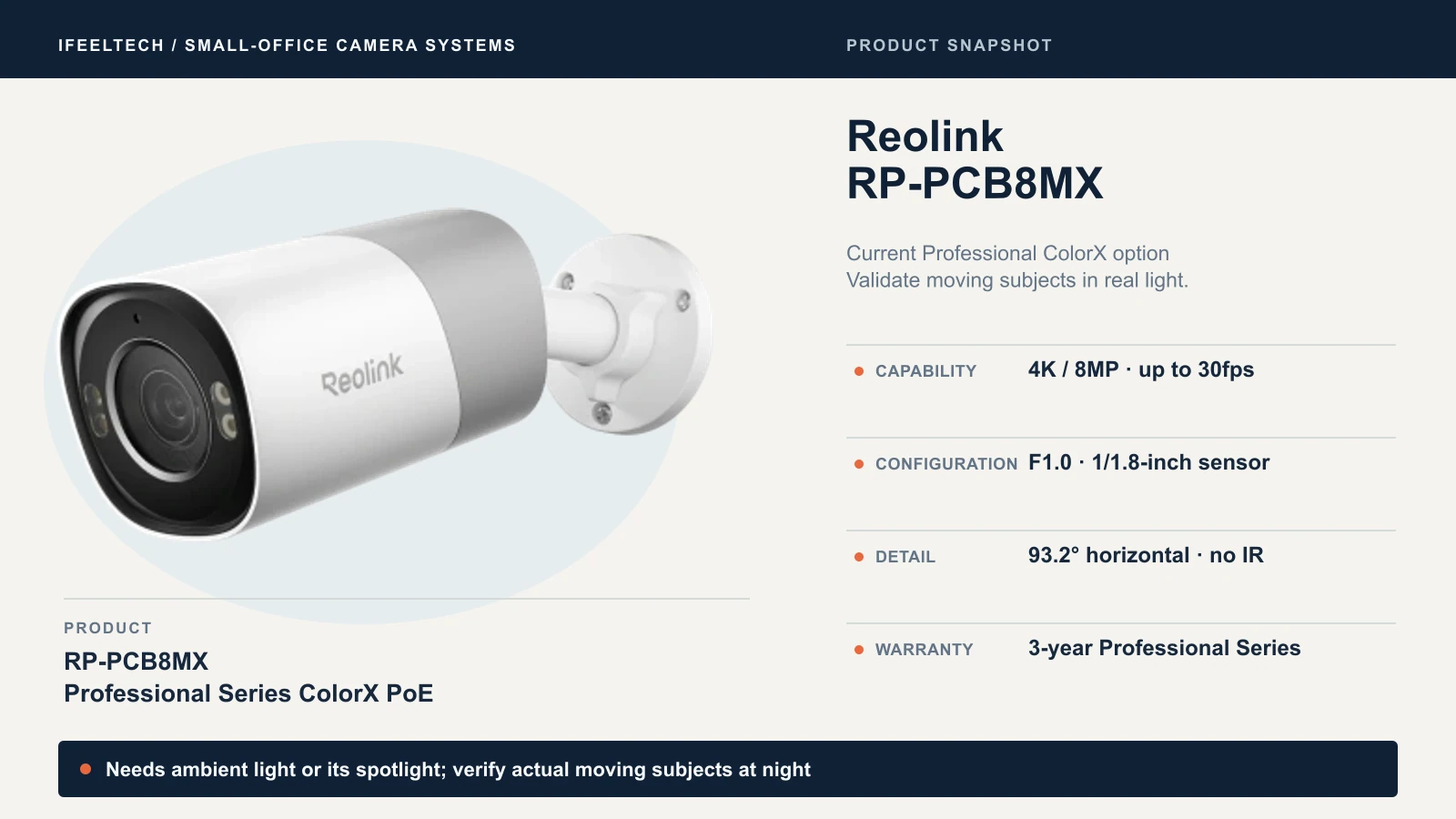
The PCB8MX is Reolink's current Professional ColorX camera: 8MP at up to 30fps, an F1.0 lens, a 1/1.8-inch sensor and a 93.2° horizontal view, with AI video search. It has no infrared LEDs. Its color night view depends on ambient light or its own spotlight. Pick it for a loading area or entrance where some night lighting is acceptable and color matters. Skip it where a scene must stay completely dark; an infrared camera is the safer choice there. Do not rely on vendor low-light claims for moving subjects; test at your site.
View RP-PCB8MX details at Reolink.
RP-PCT16MD: a panorama for overview
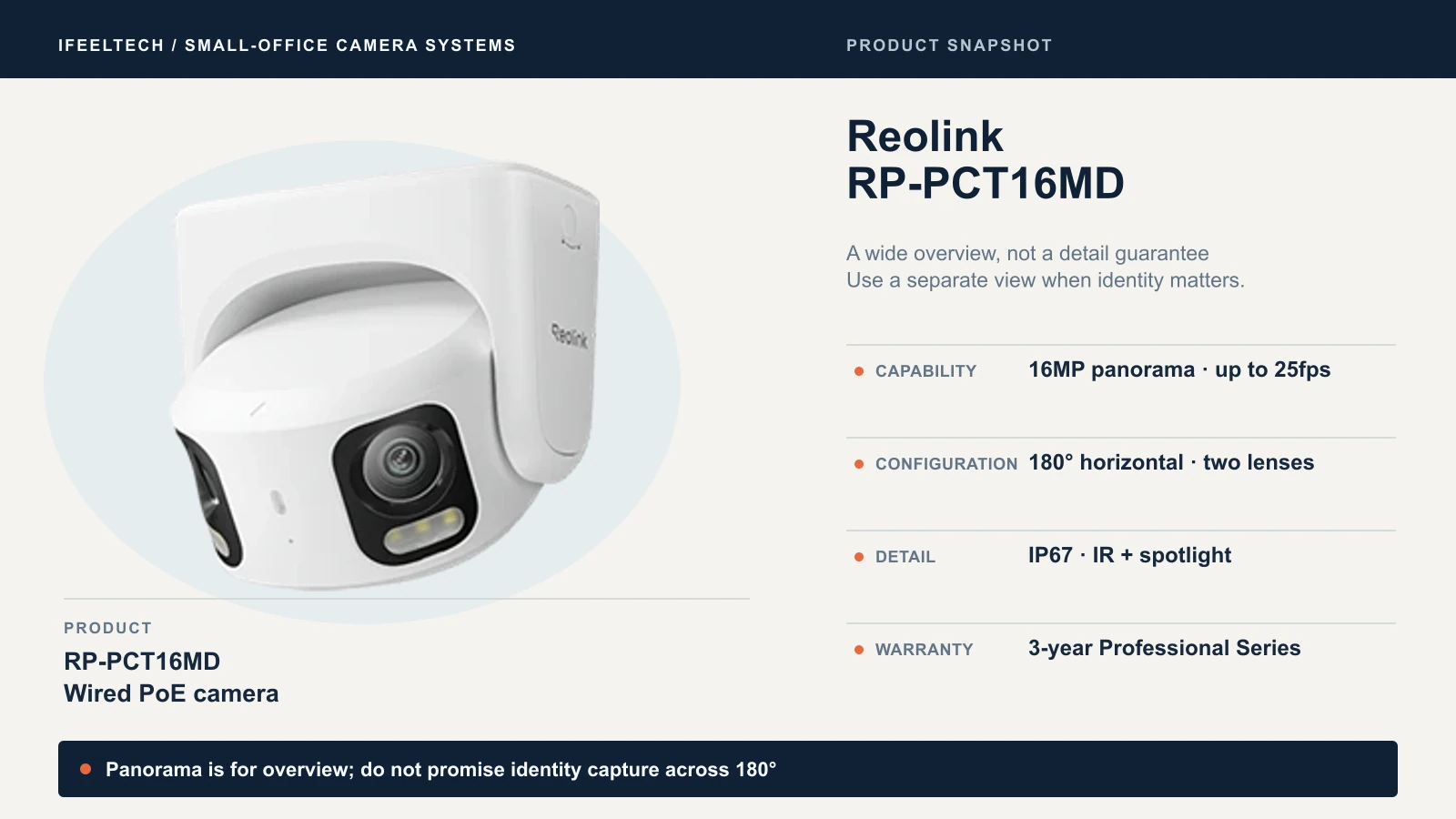
The PCT16MD stitches two lenses into one 7680 × 2160 image with a 180° horizontal view at up to 25fps. It covers a reception area or stock room in one frame. Identification depends on distance, placement, lighting, motion and recorded detail, and the pixels spread across that width, so keep a dedicated camera on any entrance where identity matters. It is IP67, not IK10, with no optical zoom. Swapping one PCT8M in the mixed build for it adds $160 at single-camera prices.
View RP-PCT16MD on Amazon
Recorder for your Reolink PoE camera system: eight or sixteen cameras
Both recorders advertise more channels than they accept wired cameras. The comparison table uses Reolink's direct-store versions with drives. Both linked Amazon recorder offers exclude the HDD.
| Specification | RP-PN8 | RP-PN16 |
|---|---|---|
| Price, October 12, 2026 | $409.99 | $539.99 |
| PoE ports | 8 | 16 |
| Maximum wired cameras | 8 | 16 |
| Headline channel count | 12 | 24 |
| Included drive | 2TB | 4TB |
| Drive connections | 1 SATA + 1 eSATA | 2 SATA |
| Capacity | Up to 16TB per drive, 32TB total | Up to 16TB per drive, 32TB total |
| Incoming / outgoing bandwidth | 240Mbps | 400Mbps |
| Warranty | 3-year limited | 3-year limited |
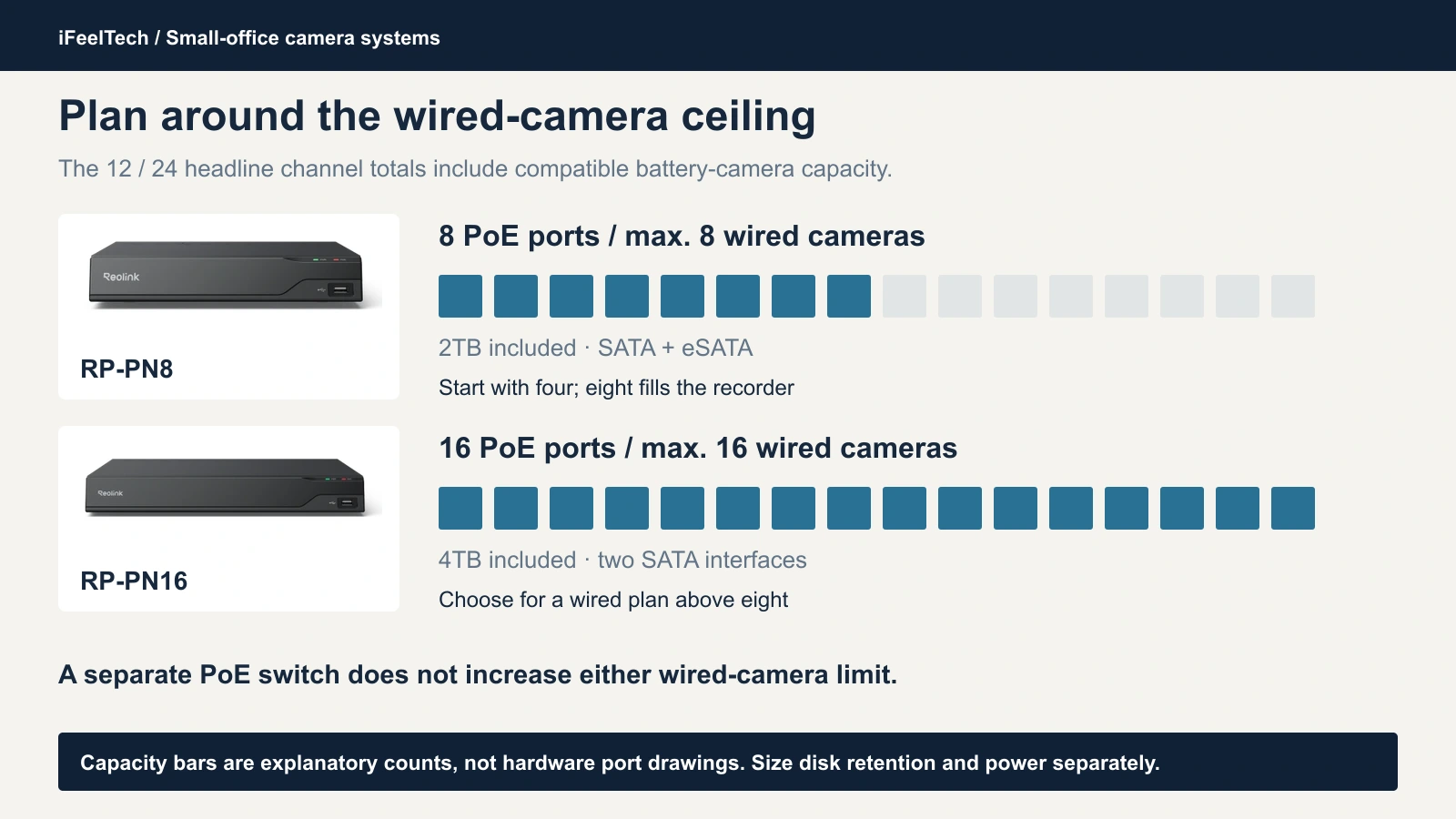
The 12 and 24 totals include compatible battery-powered Wi-Fi cameras. The RP-PN8 page counts plug-in Wi-Fi cameras among its eight, so only battery models use the extra slots, and a separate PoE switch does not lift the cap. Both recorders' specifications list synchronous playback of one to four channels but only one channel at 8MP or higher, which covers every camera here. Verify playback behavior on your firmware.
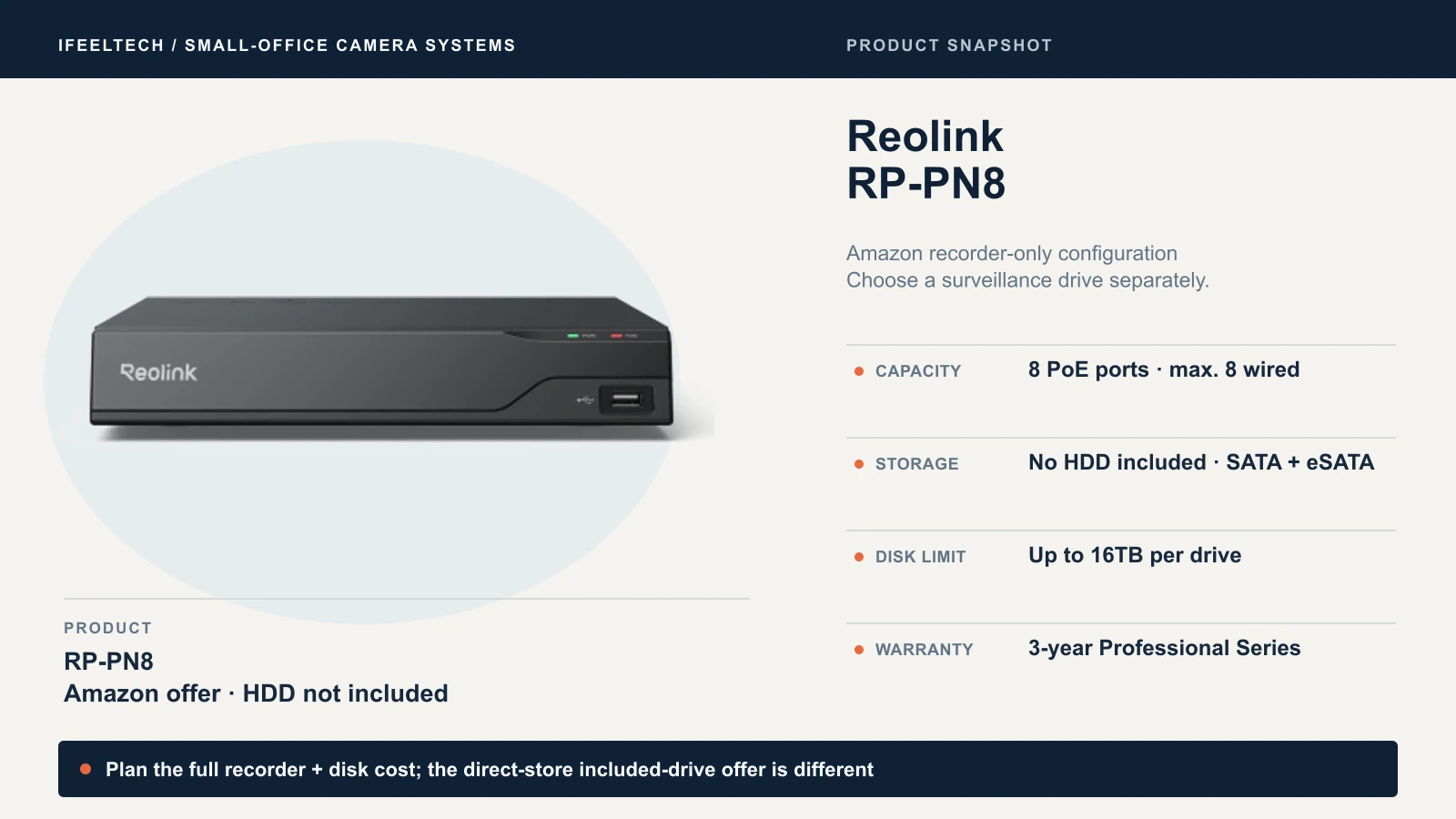
Choose the RP-PN8 for four to eight wired cameras. It is the kit's recorder and where we would start for most small offices. The Amazon offer below is the recorder without a hard drive, so budget a compatible surveillance HDD separately.
View RP-PN8 on Amazon (HDD not included)
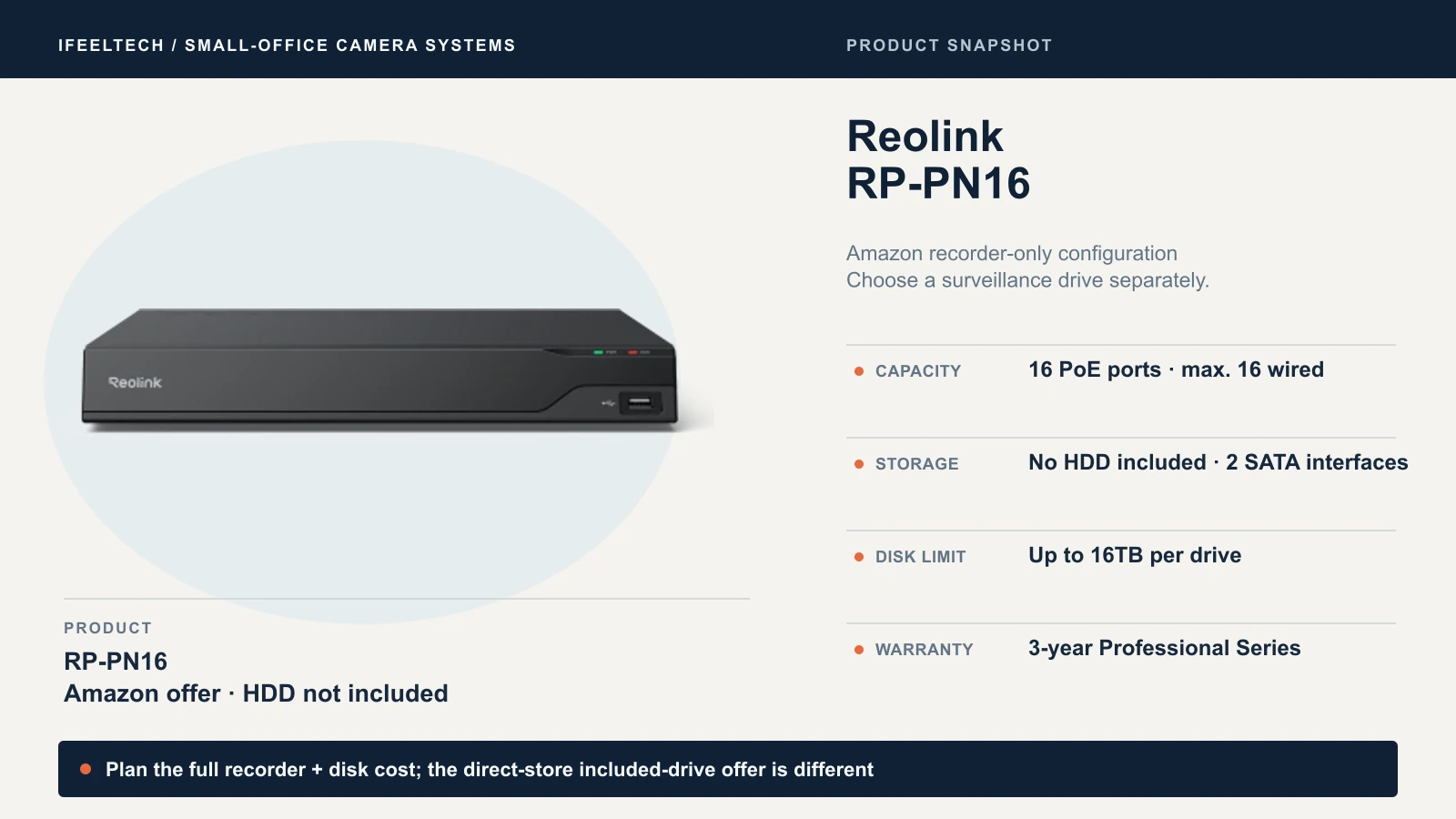
Choose the RP-PN16 when you expect more than eight powered cameras or prefer its storage arrangement. In the direct-store comparison, its extra $130 buys eight more wired-camera slots, a 4TB drive in place of 2TB and a second internal drive connection. The Amazon offer below excludes the HDD; that included-drive comparison does not describe this Amazon purchase. With the same cameras and bitrate, the larger drive roughly doubles nominal retention at the same camera count and average bitrate. Doubling the camera count consumes that advantage. RAID or mirrored recording is not documented on its product page. For scale: the kit plus two more PCT12M two-packs later is $1,664.97 for eight cameras on the RP-PN8, and the same eight cameras on an RP-PN16 total $1,795.95.
View RP-PN16 on Amazon (HDD not included)
Ports are not a power budget
Each PoE port is rated up to 25W, but that does not mean a recorder powers every port at full load at once. Both recorder pages list the same DC 52V/2.3A power input, roughly 120W on the nameplate, and that supply also runs the recorder and drive. That figure does not establish a usable camera power budget. Confirm the total PoE budget with Reolink before planning a full sixteen-camera system. Cable loss and a PoE switch change the answer.
Direct to the recorder or through a PoE switch
Reolink's connection guide is written with RLN8-410 and RLN16-410 examples and says it applies to Reolink PoE NVRs, so confirm the behavior on your recorder. It describes three layouts:
- Cameras on the recorder's own PoE ports get addresses from the recorder and cannot be reached as separate devices in the app.
- Cameras on a PoE switch connected to the same router as the recorder get router addresses, can be added to the recorder over the LAN and, except add-on kit cameras, can also be reached separately.
- A switch connected to a camera-facing PoE port on the recorder, with the recorder's LAN port going to the router, gets recorder addresses for its cameras. The guide's illustrated arrangement limits that switch to eight cameras by the recorder's port bandwidth. That figure belongs to the illustrated recorder, so confirm the limit for the RP-PN8 or RP-PN16 in Reolink's manual before relying on it.
Direct connection is simplest, but every cable ends at the recorder, the one failure point for recording. A switch lets runs end in a nearer closet but adds a device to power, document and put on the UPS. The cameras' microSD slots could provide a second recording path; confirm a card records while the recorder is in use, and test restoring footage from it.
If you already own a Reolink recorder or cameras
Reolink's feature compatibility table lists the RLN8-410 and RLN16-410 only for specific hardware versions, requires a separate AI Video Search install on them, and needs both camera and recorder to support the feature. The PCT8M is not on the AI Video Search list. Check the hardware version before buying a Professional camera for an old recorder, then confirm in the app's device settings after a firmware update.
Local recording, subscriptions and the internet
The PoE systems covered here do not require a subscription for local recording, and Reolink's subscription overview says recording to a microSD card or your own NVR carries no monthly fee. Supported local AI video search carries no additional fee. Optional cloud services are separate and depend on model and region. Reolink also documents local operation without internet: with power and camera connections intact, local live view and playback keep working, while remote access, push notifications and email alerts do not. If the cameras connect to the recorder with no router at all, you cannot add the recorder to the phone app or PC client. The guide's recording line covers SD cards, so confirm recorder recording, playback and export during a simulated outage before accepting the installation; step 7 below covers it.
How much recording storage do you need?
The included drive is a starting point, not a retention promise. Retention comes from bitrate, camera count and drive size, and you can estimate it before buying.
Daily storage in decimal gigabytes equals cameras × average Mbps × 10.8. Divide by 1,000 for terabytes. The table assumes continuous recording at a constant average rate, the conservative case, and excludes audio, overhead and reserve.
| Cameras | Average per camera | GB per day | 14 days (TB) | 30 days (TB) | Nominal days on the included drive |
|---|---|---|---|---|---|
| 4 | 8Mbps, illustrative | 345.6 | 4.84 | 10.37 | 5.79 (2TB) |
| 4 | 7.168Mbps, PCT8M main-stream default | 309.7 | 4.34 | 9.29 | 6.46 (2TB) |
| 4 | 9.216Mbps, PCT12M main-stream default | 398.1 | 5.57 | 11.94 | 5.02 (2TB) |
| 8 | 8Mbps, illustrative | 691.2 | 9.68 | 20.74 | 5.79 (4TB) |
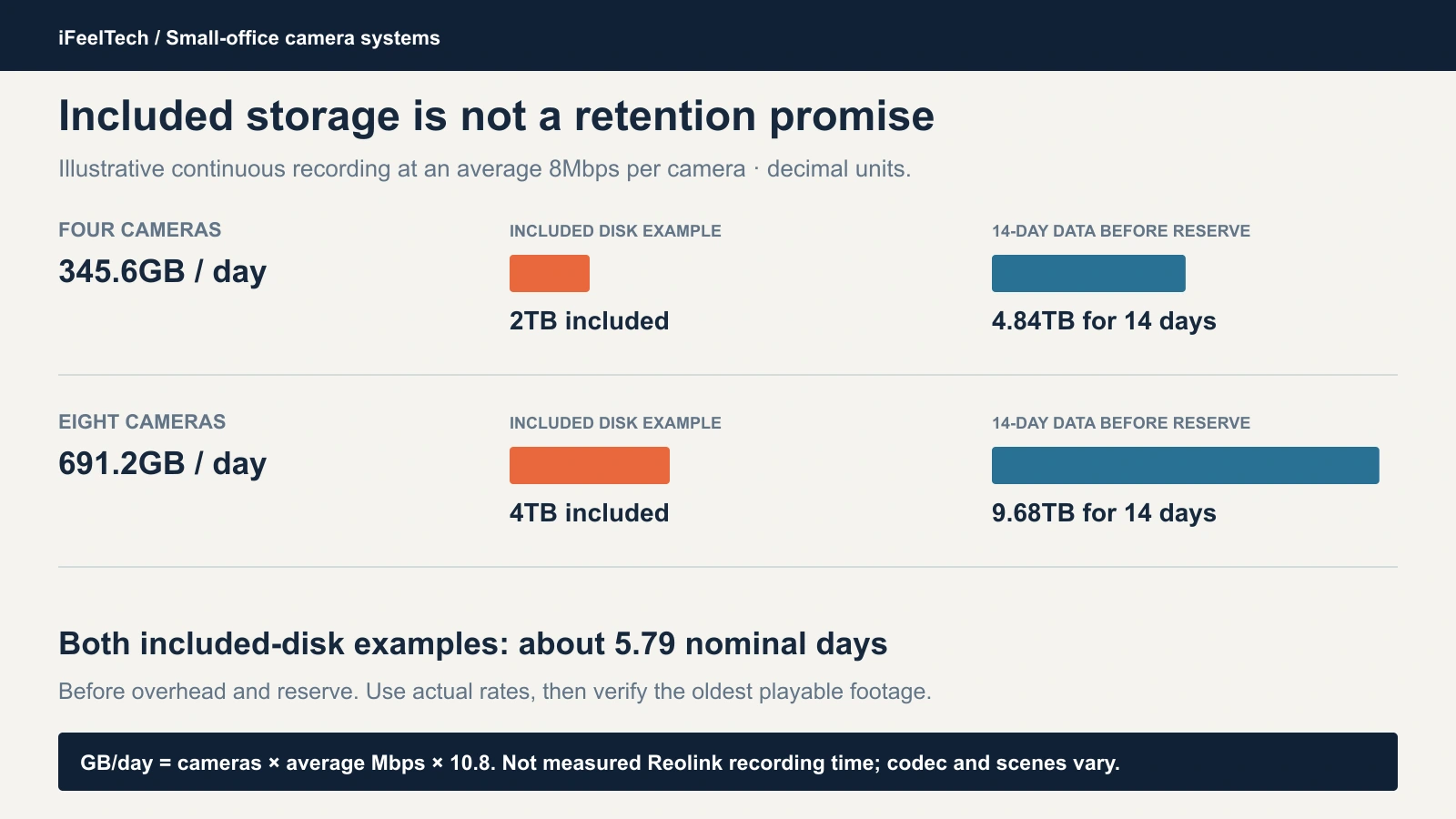
- The kit's own default is the third row. Reolink lists the PCT12M's default main-stream bitrate as 9,216Kbps, adjustable up to 12,288Kbps. At the default, the included 2TB is about five days of continuous recording from four cameras. At the published default bitrates, the PCT12M needs about 29% more storage than the PCT8M's 7,168Kbps.
- These are planning estimates. Scenes, codec, frame rate, audio and intelligent encoding affect actual storage use. Quiet scenes may use less storage with variable or intelligent encoding; confirm usage on the installed system.
- Eight cameras need twice the disk for the same days.
Decide how many days you need, pick a realistic rate, multiply, then add margin. A 14-day target at the 8Mbps example needs a drive comfortably above 4.84TB, so plan to replace or add to the included 2TB. Reolink's drive guide lists tested Seagate and Toshiba surveillance and enterprise drives. Other models can work if they are surveillance or enterprise class and the recorder supports their capacity. The RP-PN8 has one internal SATA bay and an eSATA port: an external drive needs its own power and the eSATA port, not USB. The RP-PN16 lists two internal SATA connections and no external drive port.
Check retention after the target period has passed, or once the disk fills and overwriting begins; the oldest playable footage is your real retention. A week of recording can only show you the daily rate. Reolink publishes a storage calculator with its own assumptions. Our UniFi Protect storage guide uses a UniFi estimator that does not apply here, but its retention-days and reserve logic carries over.
Test the installation before accepting it
Whether you buy the kit or the pieces, the system is finished only when it passes a test you can repeat. Start on the bench: before any cable is pulled, connect the recorder and cameras on a desk, update firmware, set the clock and accounts, and confirm each camera appears. Bench testing can catch faults before mounting and cabling.
Then run this on site:
- Record what you received. Camera model numbers and hardware revisions, recorder model and revision, firmware versions, and the drive's model and capacity.
- Prove the views. Walk a person through each field at the distance that matters: daylight, night, backlit and under the lighting you will actually leave on. A Florida afternoon through a glass storefront is a hard backlight test, and the PCT8M and PCT12M list no HDR. Check blind spots and set privacy masks where a camera sees a neighbor or a restroom door.
- Verify the features you paid for. Run AI video search or perimeter alerts on the exact camera and recorder pair. "Professional" in the name does not prove a feature; the PCT8M has no AI video search.
- Fix time and recording. Set the time zone and clock, choose continuous or event recording on purpose, and watch footage land at the right timestamps.
- Export a clip. Play the exported file in a player that is not Reolink's software, so you know it works when you hand it to someone else.
- Separate access. Keep an owner account only you control and a separate admin account. Give staff User accounts, but check what that role can do on your exact model; Reolink's account guide says permissions can vary slightly by camera. Write down account recovery, and keep camera management off guest and customer networks.
- Test the failure paths. Unplug the internet and confirm the recorder still records and you can play back and export locally. Test your remote-access method. Interrupt power to the UPS-protected path and confirm everything restarts cleanly; cameras belong on that path, and our battery backup guide covers sizing the whole chain.
- Protect the recorder and the evidence. Mount the recorder where a thief cannot take it with the footage. The RP-PN8 page says it supports encrypted video files that need a password for playback even after a factory reset; if you enable that, store the password with your recovery notes. Copy important clips off the recorder, because local storage alone does not survive theft or a failed drive.
- Write down who owns what. Who applies updates, who to call when a camera fails, where the spare is, and the actual return deadline on the hardware.
Ethernet runs for PoE top out at 100 m (328 ft). Our business network wiring guide covers cost and code questions, and the Ethernet cable guide explains which cable to pull. Keep an owner-controlled copy of the recorder's admin credentials, and hand it over properly if you change IT providers; our IT handover checklist covers that.
When your requirements need another platform
If your office must have single sign-on, an auditable access model, a guaranteed support response time, a written firmware support lifecycle or evidence-grade recording, you need a system that provides those in writing. The Professional Series name does not. A three-year warranty does not establish an SLA, SSO support or a firmware-support commitment. If you are still weighing brands, our UniFi Protect vs. Reolink vs. TP-Link comparison covers that decision, and our Reolink vs. Lorex comparison for a small office compares a current Reolink system with a Lorex Connect kit.
Which Reolink setup should you buy?
Buy the kit if four matching views fit the site. Buy the RP-PN8 and cameras separately when the entrance, the night view or the room's shape needs a different lens, and use the PCT8M wherever AI video search is not needed. Buy the RP-PN16 when you expect more than eight powered cameras. Size the drive to your days, quote the cables separately and pass the test above before accepting the installation. If you would rather have someone survey the building and pull the cable, our network cabling team handles that for South Florida offices.
Sources
Specifications and direct-store comparison prices come from Reolink's pages, retrieved October 10 to 12, 2026. Amazon component listings were matched through the Reolink Amazon US product catalog and checked against the Amazon API on October 12; seller, availability and price can change. Retention examples are calculated from the stated camera counts and bitrates; confirm actual retention after installation. Reolink support articles are linked where they are used above.
- Kit and recorders: RP-PN8 + RP-PCT12M kit, RP-PN8 and RP-PN16
- Cameras: RP-PCT8M, RP-PCT12M, RP-PCV8MZ, RP-PCT16MD and RP-PCB8MX
- Standard kit comparison: RLK8-800B4
Product photography is from Reolink's product pages.
Related Resources
- UniFi Protect vs. Reolink vs. TP-Link Cameras — Choose the brand before you choose the kit.
- Reolink vs. Lorex for a Small Office — Compare a Reolink system with a current Lorex Connect kit.
- UniFi Protect Storage Planning Guide — Retention-planning logic that applies to any recorder.
- Business Network Wiring Installation Guide — Cost and code questions for cable runs.
- Small-Business IT Handover Checklist — Keep owner access to recorders and cameras.
- Network Cabling Services — Surveys and installation across South Florida.
Frequently Asked Questions
Related Articles
More from Business Hardware
RAID 0 vs 1 vs 5 vs 6 vs 10: Which Fits Your Business NAS?
What each RAID level does, how many drives can fail, how much space you keep, and why RAID is not a backup. Covers SHR, rebuilds and drive failures.
10 min read
Reolink vs Lorex for a Small Office: Choosing a PoE Camera System
Compare current Reolink and Lorex PoE camera systems for an office: recording, app workflow, storage, compatibility and business purchasing checks.
12 min read
APC vs CyberPower UPS for a Small Office: How to Choose
APC or CyberPower for your office? Compare suitable UPS models by load, battery-backed outlets, runtime, replacement batteries and monitoring.
9 min read