

Best Firewall for Small Business in 2026: No Annual Subscription Required
The best firewalls for small businesses in 2026 — UniFi, Firewalla, Omada, and Aruba — with honest TCO comparisons against Meraki, SonicWall, and Fortinet.


Affiliate Disclosure: This article contains affiliate links. If you make a purchase through these links, we may earn a small commission at no extra cost to you. As an Amazon Associate, iFeelTech earns from qualifying purchases.
You bought a firewall. You paid $400 for the hardware, it shipped in a box, and the problem felt solved. Then twelve months later an email arrived: renew your subscription to keep threat signatures active. Another $400. Then next year, another $400.
That's the licensing model behind many of the firewalls in "best SMB firewall" roundups — and the ongoing costs aren't always obvious during the initial purchase. The hardware cost is the visible number; the annual license is where the long-term spend adds up.
We install and maintain networks for small businesses across South Florida, and the subscription renewal conversation comes up regularly. Sometimes it's a client's firewall flagging that threat protection has lapsed. Sometimes it's an MSP quoting a network refresh where the 3-year renewal on the existing firewall approaches the cost of new hardware from a different vendor.
This guide covers the firewalls that work without an annual license: what they can and can't do, which business sizes they suit, and where the exceptions are — because sometimes a subscription firewall is the right answer, and we'll cover exactly when that's the case.
How Does Firewall Subscription Licensing Work?
Most enterprise firewalls require an active annual subscription to receive threat signature updates, web filtering, and intrusion detection rules.
Enterprise-grade firewalls are sold in two parts: the hardware appliance and the security subscription. The appliance handles traffic routing and basic packet filtering indefinitely. The subscription covers the components that address modern threats — threat signature updates, URL filtering databases, intrusion detection rules, SSL/TLS inspection, antivirus scanning, and in many cases the management dashboard itself.
When you buy a SonicWall TZ370, you're typically buying a hardware bundle that includes a 1-year or 3-year Advanced Protection Service Suite (APSS) subscription. The hardware alone lists around $600. A 3-year APSS bundle brings the total to approximately $1,397 at list price. When that subscription expires, the device continues to pass traffic, but threat signature updates halt, URL filtering categories freeze, and advanced DPI features go dormant. The result is a firewall running on threat intelligence frozen at the point the subscription lapsed.
Fortinet operates similarly. A FortiGate 40F with 1-year UTM protection runs around $753 at CDW (list $981). The 3-year UTM bundle runs $1,249. Renewal-only pricing after the bundle expires adds approximately $400–$500 per year for a comparably sized deployment.
Cisco Meraki works differently from the others listed here. When a Meraki device's license expires, Cisco provides a 30-day grace period during which the hardware continues to pass traffic using the last active configuration — but you lose access to the cloud dashboard, meaning you cannot push configuration changes, view traffic logs, or modify firewall rules. After the 30-day grace period, the device stops forwarding traffic entirely. Meraki is designed as a cloud-first subscription platform — the license is integral to the product functioning, not an optional add-on.
Zyxel and SonicWall follow a similar pattern — core routing continues, but security features lapse. The Meraki approach is different in kind, and it's worth understanding before committing to the platform. If you're currently on Meraki and evaluating a move, see our Meraki to UniFi migration guide for a step-by-step comparison.
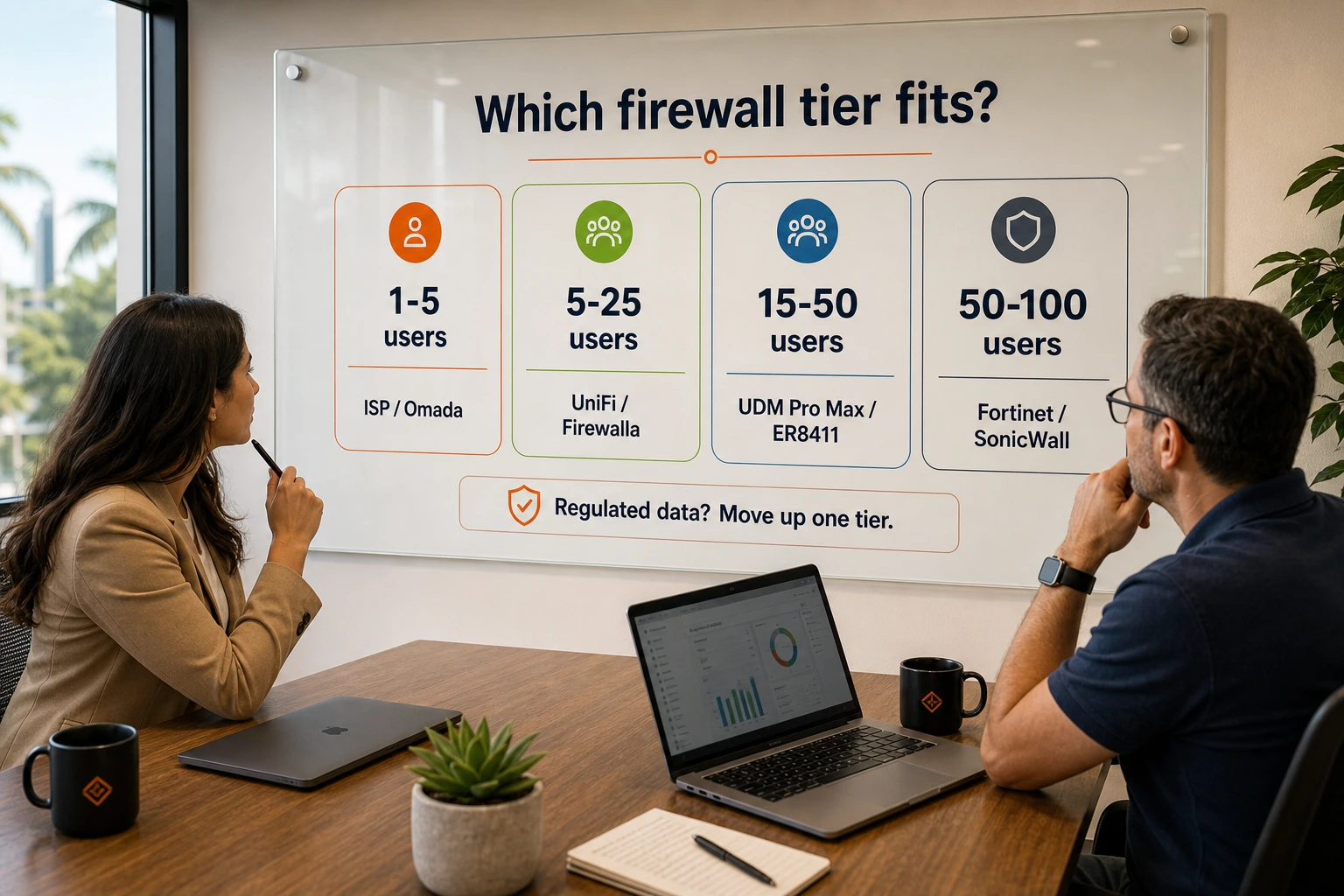
Which Firewall Category Fits Your Business?
The right firewall depends on your employee count, network complexity, and whether you self-manage IT or use an MSP.
| Business Size | Profile | Recommended Approach |
|---|---|---|
| 1–5 employees | No on-prem servers, cloud apps only, low regulatory exposure | ISP security bundle (Comcast SecurityEdge, AT&T Dynamic Defense) or entry Omada router |
| 5–25 employees | Mix of on-prem and cloud, guest WiFi, remote workers | UniFi Cloud Gateway Max ($199) or Firewalla Gold Pro ($929) |
| 15–50 employees | Multiple VLANs, multi-WAN redundancy, site-to-site VPN | UniFi Dream Machine Pro Max ($599) or TP-Link Omada ER8411 ($400) |
| 50–100 employees | Compliance requirements, MSP-managed, multi-site | SonicWall TZ series or Fortinet FortiGate (subscription justified) |
Use this table as a starting point. If your business is in the first row but handles any regulated data (HIPAA, PCI, SOC 2), move yourself up one tier.
Are ISP Security Bundles Enough for a Small Business?
DNS-layer security services from Comcast and AT&T provide baseline threat protection for micro-businesses without additional hardware.
For the smallest business categories — a 3-person accounting office, a boutique retail shop, a local medical practice with no on-prem data — Comcast BusinessEdge SecurityEdge and AT&T Dynamic Defense are worth understanding before spending on dedicated hardware.
Comcast Business SecurityEdge is a DNS-layer security service added to a Comcast Business Internet plan. It blocks known malicious domains, filters botnet traffic, and provides a web-based dashboard for threat visibility. SecurityEdge Preferred runs approximately $40/month. Setup requires no hardware — it's applied at the DNS resolver level for all devices on the connection.
AT&T Dynamic Defense operates similarly for AT&T Business Fiber customers — DNS-layer protection included or available as an add-on, covering the entire network connection without additional equipment.
Neither product provides VLAN segmentation, internal traffic inspection, IDS/IPS running on the wire, or any visibility into traffic between devices on the same network. They are perimeter DNS filters, not firewalls in the full sense.
For businesses that meet this profile — cloud-first, no remote workers, no guest network requirements, no on-prem servers — an ISP security bundle is a reasonable starting point. There's no need to spend $300 on a hardware firewall if a DNS-layer service already covers your actual threat surface. Consider stepping up to dedicated hardware when your network complexity grows — remote workers, guest WiFi, VLANs, or on-prem data.
Best No-Subscription Hardware Firewalls for Small Business (2026)
No-Subscription Firewall Specs at a Glance
| Spec | UCG Max | UDM Pro Max | UDM Beast | Firewalla Gold Pro | Omada ER8411 | Aruba SG1004 |
|---|---|---|---|---|---|---|
| Price | $199–$279 | $599 | $1,499 | $929 | about $400 | about $430 |
| IDS/IPS Throughput | 2.3 Gbps | 5 Gbps | 25 Gbps | >10 Gbps | N/A (SPI only) | about 940 Mbps |
| WAN Ports | 1× 2.5G | 1× 10G SFP+ + 1× 2.5G | 1× 25G SFP28 + 1× 10G SFP+ | 2× 10G + 2× 2.5G | 2× 10G SFP+ | 1× 1G + 1× 1G |
| LAN Ports | 4× 2.5G | 8× 1G + 2× 10G SFP+ | 8× 10G | 2× 10G + 2× 2.5G | 8× 1G + 1× SFP | 3× 1G |
| Max Devices | 30+ | 200+ | 750+ | Unlimited | 1,000+ clients | N/A |
| Form Factor | Desktop | 1U Rack | 1U Rack | Desktop | 1U Rack | Desktop |
| Built-in WiFi | No | No | No | No | No | No |
| Camera/NVR | Yes (NVMe) | Yes (RAID HDD) | Yes (RAID HDD) | No | No | No |
| Subscription | None | None | None | None | None | None |
A note on IDS/IPS throughput: Advertised firewall speeds (e.g., "10 Gbps") refer to raw packet forwarding. When IDS/IPS inspection is enabled — which is the entire point of a security appliance — throughput drops significantly. The IDS/IPS column above reflects real-world throughput with full threat detection active. Always compare IDS/IPS-enabled speeds, not raw forwarding rates, when evaluating firewall performance.
UniFi Gateways: Best No-Subscription Firewalls for Self-Managed SMBs
Ubiquiti UniFi gateways provide zone-based firewalling, IDS/IPS, and VLAN segmentation with no recurring license fees.
UniFi is the default recommendation for the majority of small businesses that need real hardware firewall capabilities without ongoing license costs. The platform gives you zone-based firewall rules, IDS/IPS threat detection, VLAN segmentation, site-to-site VPN, and a unified management dashboard — all included with the hardware purchase. There is no annual license or renewal requirement.
The current UniFi gateway lineup is deep — Ubiquiti sells everything from a $129 entry-level gateway to a $1,499 enterprise-class machine with 25 Gbps IDS/IPS. For this guide, the three models that matter for SMB firewall buyers:
UniFi Cloud Gateway Max — $199 (no storage) or $279 (512GB NVMe). This is the strongest recommendation for most small business deployments up to 30 users. It's a compact, fanless, wired-only gateway with four 2.5GbE LAN ports, 2.3 Gbps IDS/IPS throughput, and full zone-based firewall. The 512GB variant doubles as a UniFi Protect NVR for security cameras. It does not include WiFi or PoE — pair it with separate UniFi access points and a PoE switch. We've deployed it across dozens of client sites and it has nearly two years of proven stability.
UniFi Dream Machine Pro Max — $599. The rack-mounted gateway for offices that need higher throughput, high device counts, or surveillance storage. It delivers 5 Gbps IDS/IPS with all security features enabled, supports 200+ managed UniFi devices and 2,000+ clients, includes dual 10G SFP+ ports, and has two 3.5-inch HDD bays with RAID 1 for redundant Protect camera footage. Shadow Mode (VRRP) allows a second Pro Max to serve as an automatic failover unit. This has been our default rack gateway recommendation for mid-size offices for over two years.
UniFi Dream Machine Beast — $1,499. Released April 2026, the Beast is Ubiquiti's new flagship — an octa-core ARM Neoverse N2 processor delivering 25 Gbps IDS/IPS throughput, 750+ managed device capacity, 7,500+ clients, and a built-in 8-port 10GbE LAN switch. Most small businesses won't need this level of capacity, but it's the right choice if you're building a 10G network, running 20+ surveillance cameras without a separate NVR, or approaching the Pro Max's device ceiling.
If you need built-in WiFi in a single device, the Dream Router 7 ($279) is an all-in-one WiFi 7 gateway with SFP+ WAN, built-in camera storage, and the full UniFi application suite — it's a solid option for small offices under 15 users that want to avoid buying separate APs.
UniFi optional subscriptions: Some features do require a paid subscription — Teleport VPN (easy remote access for non-technical users), CyberSecure (DNS-layer threat filtering via Proofpoint), and some advanced threat intelligence modules. The core security stack — zone-based firewall, IDS/IPS with 55,000+ signatures, VLAN segmentation, site-to-site VPN, and traffic analytics — runs subscription-free indefinitely on every gateway from the $199 Cloud Gateway Max to the $1,499 Beast. If you're using standard WireGuard or OpenVPN remote access, it's included. Check our VPN guide for small businesses for setup guidance.
For a full breakdown of every gateway model, see our UniFi gateway comparison guide. For recent platform updates including WiFi 7 support and object-based networking, see our 2025 UniFi platform update guide.
Firewalla Gold Pro: Best No-Subscription Firewall for Mixed-Vendor Networks
If you're not building inside the UniFi ecosystem — or if you need to add firewall functionality to an existing network that uses a mix of vendors — the Firewalla Gold Pro is the strongest no-subscription option available.
The Gold Pro retails for $929 (Firewalla's site currently shows it discounted from $999). For that price, you get two 10G SFP+ ports and two 2.5G RJ45 ports, an 8-core Intel 12th-gen processor, 8 GB RAM, IDS/IPS, VLAN segmentation, a well-designed mobile app for network management, and fully subscription-free operation — no license needed, ever. Firewalla's business model is hardware-focused, which means the security features continue to receive updates without requiring a separate renewal.
The Gold Pro sits inline with your existing router/ISP modem and adds a security layer in front of everything. This makes it uniquely useful in scenarios where replacing the primary router isn't an option — a leased building with ISP-provided CPE, a multi-tenant office where the uplink is shared infrastructure, or a mixed environment where IT manages some devices but not others.
The tradeoff compared to UniFi is ecosystem scope. UniFi gives you a unified platform from the gateway to switches to access points. Firewalla covers the gateway and firewall layer — you'd still select and manage switches and APs from other vendors. For businesses with an existing network that works well, this flexibility is a genuine advantage. For businesses building a new network from scratch, UniFi's integrated ecosystem is typically the simpler path.
See our UniFi Cloud Gateway alternatives guide for a deeper comparison.
TP-Link Omada: Best Budget Firewall for Small Business
TP-Link's Omada ecosystem offers solid hardware firewall capabilities at lower price points than UniFi, with no annual license requirements.
The ER605 (about $60) is the entry point — a 1G multi-WAN router with SPI firewall, adequate for very small offices with basic routing needs. The ER707 (about $90) adds 2.5G WAN and improved throughput for multi-gig internet connections.
For larger deployments, the ER8411 (about $400 on Amazon) is a 10G enterprise-grade multi-WAN gateway supporting up to 10 WAN interfaces, 1,000+ concurrent clients, dual redundant power supplies, and 300 IPsec VPN tunnels. It integrates cleanly with the Omada SDN platform — the same controller manages the gateway alongside Omada switches and APs.
One consideration worth naming directly: Omada's firewall is SPI-based rather than stateful deep packet inspection with active IPS/IDS signatures. That's appropriate for most SMB use cases but isn't at the same threat-detection level as UniFi's IDS/IPS engine or Firewalla's inline inspection. For businesses with advanced threat detection requirements, UniFi or Firewalla is the better fit. For businesses that need robust routing, multi-WAN failover, and network segmentation on a tight budget, Omada delivers real value.
For a detailed comparison of UniFi and Omada for business WiFi deployments, see our UniFi vs Omada guide.
Aruba Instant On: HPE-Backed Secure Gateway for SMBs
Aruba's Instant On line is HPE's SMB-focused networking platform. The current secure gateway lineup includes the SG1004 — a 4-port 1G wired gateway (about $430) — and the SG2505P — a 5-port 2.5G gateway with 60W PoE+ built in. Both launched in 2025 and are designed specifically for small businesses.
The Secure Gateways provide hardware-accelerated stateful firewall inspection, IPS/IDS threat protection, VPN gateway functionality (IPsec site-to-site), and VLAN segmentation — no subscription required for core features. Management is through the Aruba Instant On cloud portal or mobile app, which is straightforward and covers the essential configuration needs for most small offices.
The SG1004 is competitive with the UniFi Cloud Gateway Max at a similar price point. The SG2505P adds 2.5G multi-gig WAN and built-in PoE for powering access points directly — a useful convenience if you want fewer devices in your network closet. Aruba Instant On benefits from HPE's enterprise support infrastructure and brand recognition, which can be a factor in industries where vendor pedigree matters in compliance conversations (financial services, healthcare).
The tradeoff is ecosystem breadth. Aruba Instant On has a more focused selection of compatible switches and APs compared to UniFi or Omada, and the community support and documentation resources are not as extensive. For businesses already using HPE/Aruba equipment or who value the vendor relationship, Instant On is a capable and well-supported option.
What about pfSense and OPNsense? Open-source firewalls running on Netgate or Protectli hardware are the original "no subscription" option and remain a strong choice for technically advanced teams. They offer enterprise-grade packet inspection, VPN, and traffic shaping with no licensing cost — but they require Linux/BSD administration skills and have no vendor support ecosystem comparable to UniFi or Firewalla. If you have the expertise, pfSense in particular is worth evaluating. See our pfSense vs UDM Pro comparison for a detailed breakdown of where open-source makes sense versus an integrated platform.
When Is a Subscription Firewall Worth the Cost?
Subscription firewalls are a strong fit for businesses with strict compliance requirements, MSP-managed IT, or multi-site SD-WAN needs.
There are three scenarios where the annual cost is a worthwhile investment.
Regulated industries under active compliance requirements. HIPAA, PCI-DSS, and SOC 2 audits frequently ask for evidence of active threat signature updates, detailed traffic logging with retention policies, and audit trails of firewall rule changes. Meraki's dashboard and FortiGate's security fabric generate this kind of evidence cleanly. A UniFi setup can be configured to meet many of these requirements, but it requires more manual work and isn't designed for compliance reporting out of the box. If your auditor is going to ask for a firewall vendor report, paying $400–$600/year for a platform that generates that report automatically is often justified by the time savings alone.
MSP-managed networks with bundled licensing. If you're paying a managed service provider $150–$300/month for network management, that MSP almost certainly has volume licensing agreements with Fortinet, SonicWall, or Cisco. The subscription cost at list price is often significantly higher than what the MSP pays through volume licensing. In that context, a Meraki MX or FortiGate managed by your MSP may have a total cost lower than self-managing an equivalent UniFi deployment with occasional contractor support. Ask your MSP what the actual per-device licensing cost is — the number is often not what the list price suggests.
Multi-site deployments at 75+ seats. Cisco Meraki's Auto VPN is genuinely better than DIY site-to-site VPN configuration for non-technical operators managing multiple locations. Fortinet's Security Fabric and SD-WAN capabilities are best-in-class for businesses growing toward Zero Trust architecture. At the point where you're running 3+ locations with a dedicated IT team, the management tooling in commercial NGFW platforms justifies the cost. See our pfSense vs UDM Pro comparison for context on where the DIY/prosumer line gets crossed.
How Much Does a Small Business Firewall Cost Over 3 Years?
No-subscription firewalls range from $199 to $929 upfront with no recurring fees; subscription models run $1,450–$2,000+ over 36 months.
The table below shows realistic TCO for a 20-person office deployment over 36 months. Hardware prices reflect current list pricing (May 2026). Subscription costs are at list price — MSP volume pricing will differ.
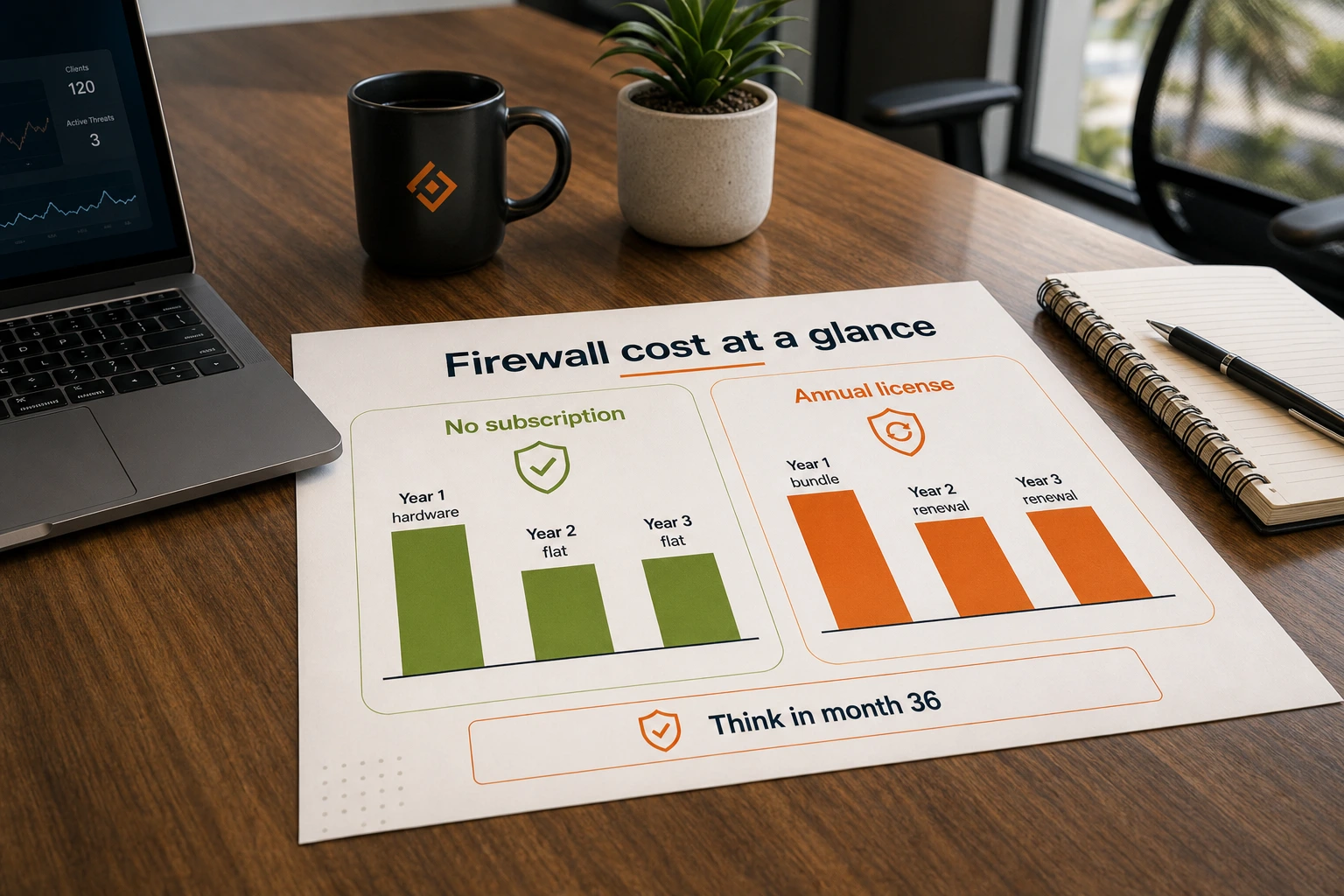
All prices are current list pricing as of May 2026. Street pricing and MSP volume discounts can vary significantly, particularly for Meraki and Fortinet. Use these numbers for relative comparison and order-of-magnitude planning, not exact budget forecasting.
| Product | Hardware Cost | Yr 1 License | Yr 2 License | Yr 3 License | 36-Month Total | Management |
|---|---|---|---|---|---|---|
| UniFi Cloud Gateway Max | $199 | $0 | $0 | $0 | $199 | Self-managed |
| UniFi Dream Machine Pro Max | $599 | $0 | $0 | $0 | $599 | Self-managed |
| Firewalla Gold Pro | $929 | $0 | $0 | $0 | $929 | Self-managed |
| TP-Link Omada ER8411 | $400 | $0 | $0 | $0 | $400 | Self-managed |
| Cisco Meraki MX67 | about $500 | about $500 | about $500 | about $500 | about $2,000 | Dashboard/MSP |
| SonicWall TZ370 (APSS) | about $600 | about $465 | about $465 | about $465 | about $2,000 | Self-managed or MSP |
| Fortinet FortiGate 40F (UTM) | about $400 | about $350 | about $350 | about $350 | about $1,450 | Self-managed or MSP |
A few notes on the table:
The SonicWall 3-year APSS bundle (hardware + 3 years) lists at approximately $1,397. Breaking this into hardware (about $600) and subscription (about $265/year) is an approximation — SonicWall bundles these together and year-2 and year-3 renewal pricing via APSS runs independently. The all-in 3-year number is the more reliable figure.
The Fortinet FortiGate 40F 3-year UTM bundle (hardware + 3 years UTM) lists at $1,249 at CDW. Hardware alone is approximately $400; the subscription component runs roughly $280/year across the bundle. Standalone annual UTM renewal pricing after the initial bundle varies.
The Meraki MX67 hardware pricing varies significantly by channel. A 1-year Enterprise license runs approximately $300–$500 at market rates. We've used the midpoint for this comparison.
The no-subscription options have a fixed 36-month cost equal to the hardware price. The subscription options vary depending on renewal channel, bundle terms, and whether your MSP has volume pricing — so treat the subscription figures as list-price estimates rather than exact numbers.
A note on high availability (HA) costs: If your business requires a redundant failover firewall, the TCO gap widens further. UniFi's Shadow Mode requires purchasing a second gateway unit ($599 for a second Pro Max) but carries zero additional licensing. With Fortinet or SonicWall, a redundant pair typically requires a second hardware unit plus a separate HA license or full subscription renewal — effectively doubling the subscription line items. Meraki HA requires two fully licensed appliances. For businesses where uptime is critical, factor redundancy into the total comparison.
Which Firewall Should You Buy? Our Recommendation by Business Type
For most small businesses (5–25 employees, self-managed, no compliance requirements): Start with the UniFi Cloud Gateway Max. At $199 (or $279 with 512GB storage for camera recording), it's the best value in hardware firewalls for a self-managed deployment — zone-based firewall, 2.3 Gbps IDS/IPS, VLAN segmentation, and four 2.5GbE ports in a fanless, silent device. Pair it with a UniFi switch and one or two access points and you have a complete business network — see our small business network setup guide for a full walkthrough. We've deployed it in medical spas, law offices, and multi-location retail across South Florida and it handles these environments comfortably. If you ever need to hand the network off to a new IT contractor, UniFi is the ecosystem they're most likely to know. For offices that want built-in WiFi without separate APs, the Dream Router 7 ($279) is the all-in-one alternative with WiFi 7.
For businesses that can't replace their existing network (Firewalla use case): If you're in a space with ISP-provided CPE that can't be replaced, a mixed-vendor network inherited from a previous IT setup, or a situation where you need to add security capabilities without rebuilding the whole stack, the Firewalla Gold Pro is a strong choice. At $929, it's a meaningful upfront investment, but it's a one-time cost with no renewal exposure. Install it inline between your modem and switch and your network gains IDS/IPS and VLAN segmentation without replacing any existing equipment.
For growing offices that need rack-mount security (15–50 employees, server closet, multi-VLAN): The UniFi Dream Machine Pro Max at $599 is our standard recommendation. It gives you 5 Gbps IDS/IPS, 200+ managed devices, dual 10G SFP+ ports for multi-gig internet or high-speed backbone connections, RAID storage for surveillance footage, and Shadow Mode failover if downtime is a business risk. We've been deploying it across law firms, medical practices, and tech companies for over two years. The $599 hardware cost is the total — no recurring fees. If your deployment is pushing past 200 devices or you're building a 10G backbone, the new Dream Machine Beast ($1,499) is the next step up. See our Pro Max vs Beast comparison.
For price-sensitive deployments or multi-WAN requirements: The TP-Link Omada ER8411 at about $400 is hard to beat when the requirement is multi-WAN load balancing, maximum concurrent sessions, and no annual cost. We'd pair it with Omada managed switches and APs and run the free Omada software controller on a small VM or NAS. It won't match UniFi's IDS/IPS depth, but it delivers enterprise-grade routing and segmentation at a lower price point than most alternatives in this guide. For a 20-person office where the primary requirements are WAN redundancy and network visibility rather than advanced threat detection, Omada is a strong fit.
Related Resources
- UniFi Cloud Gateway Max Review
- UniFi Dream Machine Pro Max Review
- Dream Machine Beast vs Pro Max
- Dream Router 7 Review
- UDR7, UX7, and UCG Fiber Compared
- UniFi Gateway Comparison Guide
- UniFi Cloud Gateway Alternatives
- Meraki to UniFi Migration Guide
- UniFi vs Omada for Business WiFi
- pfSense vs UDM Pro: When to Go Open Source
- Best Cybersecurity Software for Small Business
- Small Business Network Setup Guide
- Best VPN for Small Business Privacy
Frequently Asked Questions
Related Articles
More from Cybersecurity
Why No-Name Networking Gear Raises Security Risk for Small Businesses
Unknown hardware is not always malicious, but unsupported firmware, unclear ownership, and poor visibility create avoidable risk. Here is how we vet it.
17 min read
Best VPN for Small Business Privacy in 2026: What Actually Keeps Your Data Safe
A practical guide for small business owners and IT managers on choosing a VPN that genuinely protects business data. Covers no-log audits, jurisdiction, 5/9/14 Eyes, and real business privacy requirements.
20 min read

Are We Being Hacked or Are Our Computers Just Slow? A Business Owner's Diagnostic Guide
Learn to distinguish between normal computer performance issues and cybersecurity incidents. Systematic diagnostic framework with checklists, warning signs, and guidance on when to call professionals.
20 min read