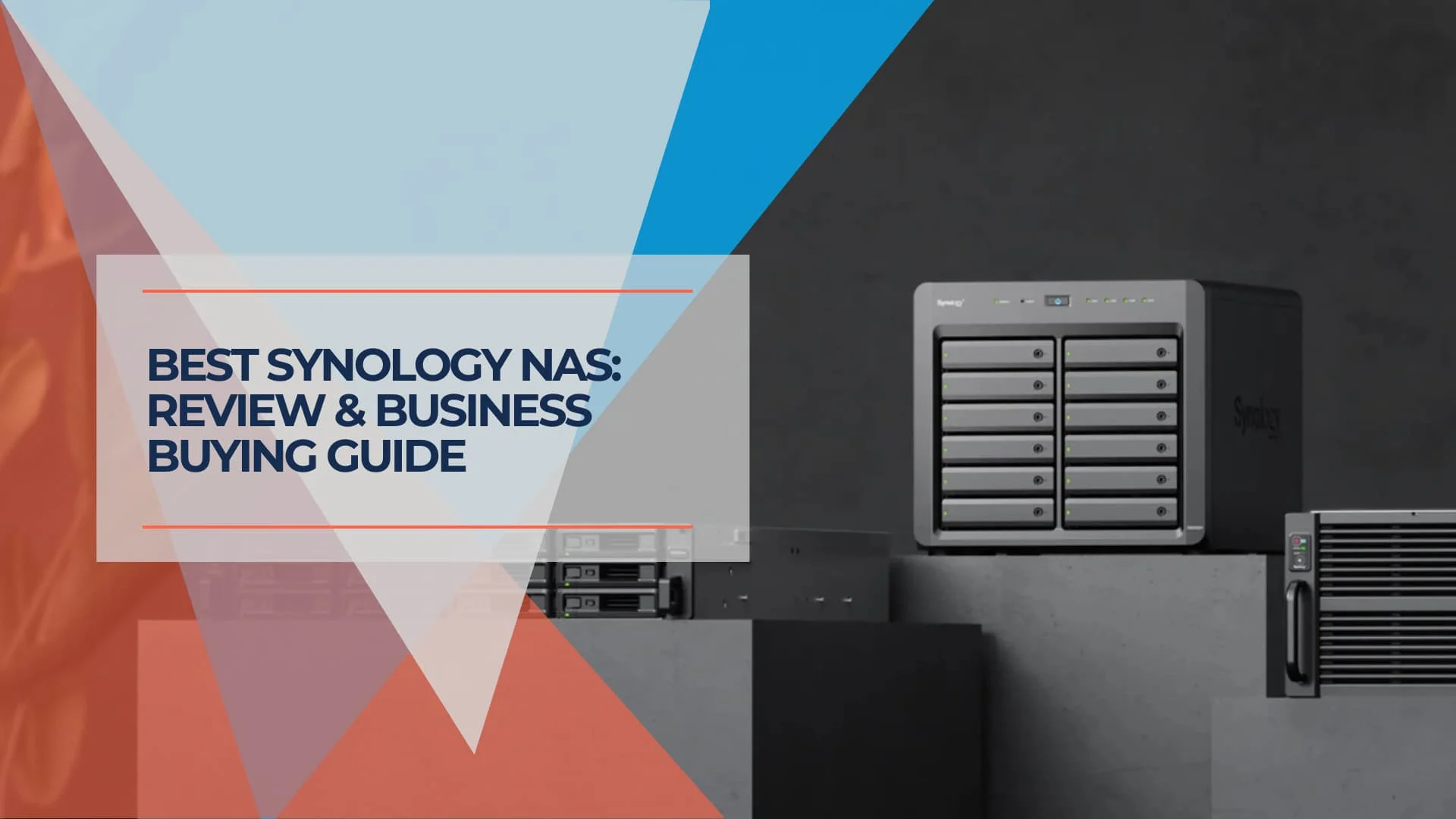
Synology NAS Review 2026: Best Models for Small Business Storage
Synology NAS review for small business in 2026. Compare DS925+, DS1525+, DS1825+ specs, DSM 7.4 features, drive policy changes, and alternatives.

Key Takeaway
Synology remains the software leader in small business NAS, while competitors have closed much of the hardware gap. The DS925+ (about $640), DS1525+ (about $800), and DS1825+ (list around $1,300; street price often lower) now run DSM 7.4 (June 2026), but use a 2018-era processor, and the DS925+ drops the 10GbE upgrade option. After user feedback, Synology reversed its drive policy in DSM 7.3 (October 2025)—you can now use third-party 3.5" HDDs and 2.5" SATA SSDs. Our rating: 4/5 stars.
Synology is still a strong NAS choice when software reliability matters more than the newest hardware. Its 2026 lineup presents a clear trade-off: mature DSM software paired with aging hardware specifications. After reviewing the DS925+ specifications, current DSM changes, and small-business deployment requirements, this review examines whether Synology remains the best fit for small business storage in an increasingly competitive market.
The DS925+ continues using the AMD Ryzen V1500B processor from 2018 and drops the 10GbE expansion slot found in its predecessor. The newer 5-bay DS1525+ restores a modular 10GbE option, and Synology has reversed its drive compatibility restrictions, now supporting standard third-party drives.
This review provides detailed analysis to help businesses of all sizes—from five-person startups to 50-employee organizations—make informed storage investment decisions based on their specific requirements and budget constraints.
Verified June 2026:
| Item | Source |
|---|---|
| DS925+ specs | Synology product page |
| DS1525+ specs | Synology product page |
| DS1825+ specs | Synology product page |
| DSM 7.4 (current) | Synology DSM 7.4 release announcement |
| DSM 7.3 drive policy | Synology DSM 7.3 release announcement |
| Current pricing | B&H Photo, Newegg, Amazon — checked June 2026 |
| Aspect | Details |
|---|---|
| Best Models | DS925+ (about $640) for small offices, DS1525+ (about $800) for growing teams, DS1825+ (list around $1,300) for larger storage |
| Major Change | Drive policy reversed Oct 2025—third-party 3.5" HDDs and 2.5" SATA SSDs now supported |
| Key Upgrade | Dual 2.5GbE networking replaces legacy 1GbE; DS1525+ adds optional 10GbE module |
| Main Limitation | DS925+ drops the 10GbE upgrade option found on the DS923+ |
| Hardware Note | Same AMD Ryzen V1500B processor from 2018 across the 2022-2026 Plus lineup |
| Our Rating | 4/5 – Mature software, with hardware that now trails newer rivals |
This article contains affiliate links. If you purchase through our links, we may earn a commission at no additional cost to you. See disclosure at the bottom of this page.
At a Glance
Our Verdict: Synology NAS systems deliver comprehensive business storage with mature DSM 7.4 software and extensive features, making them a strong fit for growing companies that need more than basic file storage. The trade-off is dated hardware: 2018-era processors, and a DS925+ that drops 10GbE expansion, leave Synology behind newer rivals on raw specifications.
Pros and Cons
Pros:
- Mature, feature-rich DiskStation Manager (DSM) software
- Comprehensive business applications suite
- Strong security features and compliance tools
- Wide package ecosystem (Active Backup, Drive, Snapshot Replication, Surveillance Station, Hyper Backup, LDAP/AD support)
- Reliable performance and long-term support
- 2.5GbE networking in the latest models
Cons:
- Dated CPU performance (same 2018 chip as 2022 models)
- DS925+ drops the 10GbE upgrade option found on the DS923+
- Slower for large-scale AI photo indexing than newer Intel-based rivals
- Steeper learning curve than basic storage needs require
- Premium pricing compared to alternatives
- M.2 NVMe drives still restricted to Synology-validated models for storage pools and caching
Quick Specifications
| Model | Bays | Price | Networking | Best For |
|---|---|---|---|---|
| DS925+ | 4-bay | ~$640 | Dual 2.5GbE | Small offices |
| DS1525+ | 5-bay | ~$800 | Dual 2.5GbE + optional 10GbE module | Growing businesses |
| DS1825+ | 8-bay | ~$1,300 list | Dual 2.5GbE + 10/25GbE expansion | Larger storage and backup |
| DS1823xs+ | 8-bay | ~$2,000+ | Built-in 10GbE + out-of-band mgmt | Performance-focused |
Other Current Synology Plus Models
The DS925+, DS1525+, and DS1825+ are the main business recommendations, but Synology's full 2025/2026 Plus lineup includes additional options:
| Model | Bays | CPU | RAM | Networking | Note |
|---|---|---|---|---|---|
| DS225+ | 2-bay | Intel Celeron J4125 | 2GB | 2.5GbE + 1GbE | Entry-level; not ideal as a primary business file server |
| DS425+ | 4-bay | Intel Celeron J4125 | 2GB | 2.5GbE + 1GbE | Budget 4-bay; useful for smaller offices that do not need ECC RAM or 10GbE |
| DS725+ | 2-bay | AMD Ryzen R1600 | 4GB ECC | 2.5GbE + 1GbE | Compact 2-bay with DX525 expansion support; awkward value vs DS925+ |
The DS425+ is worth noting as a lower-cost 4-bay alternative to the DS925+ for very small offices where ECC RAM and the Ryzen V1500B are not required. It launched alongside the DS725+ in May 2025.
New for 2026: Synology FS200T (FlashStation)
The FS200T is not a DiskStation Plus model — it is a compact FlashStation designed for all-flash SSD-only deployments. It has 6 × 2.5-inch SATA SSD bays, an Intel Celeron J4125, 4GB non-ECC RAM, one 2.5GbE port, one 1GbE port, and measures just 121 × 151 × 175 mm with a rated noise level of 21.3 dB(A). It is not the best default pick for most small businesses because capacity per dollar is lower than HDD-based DiskStation models, but it may fit quiet office, edge, or compact all-flash use cases where silence and responsiveness matter more than raw storage capacity.
What Is Synology NAS?
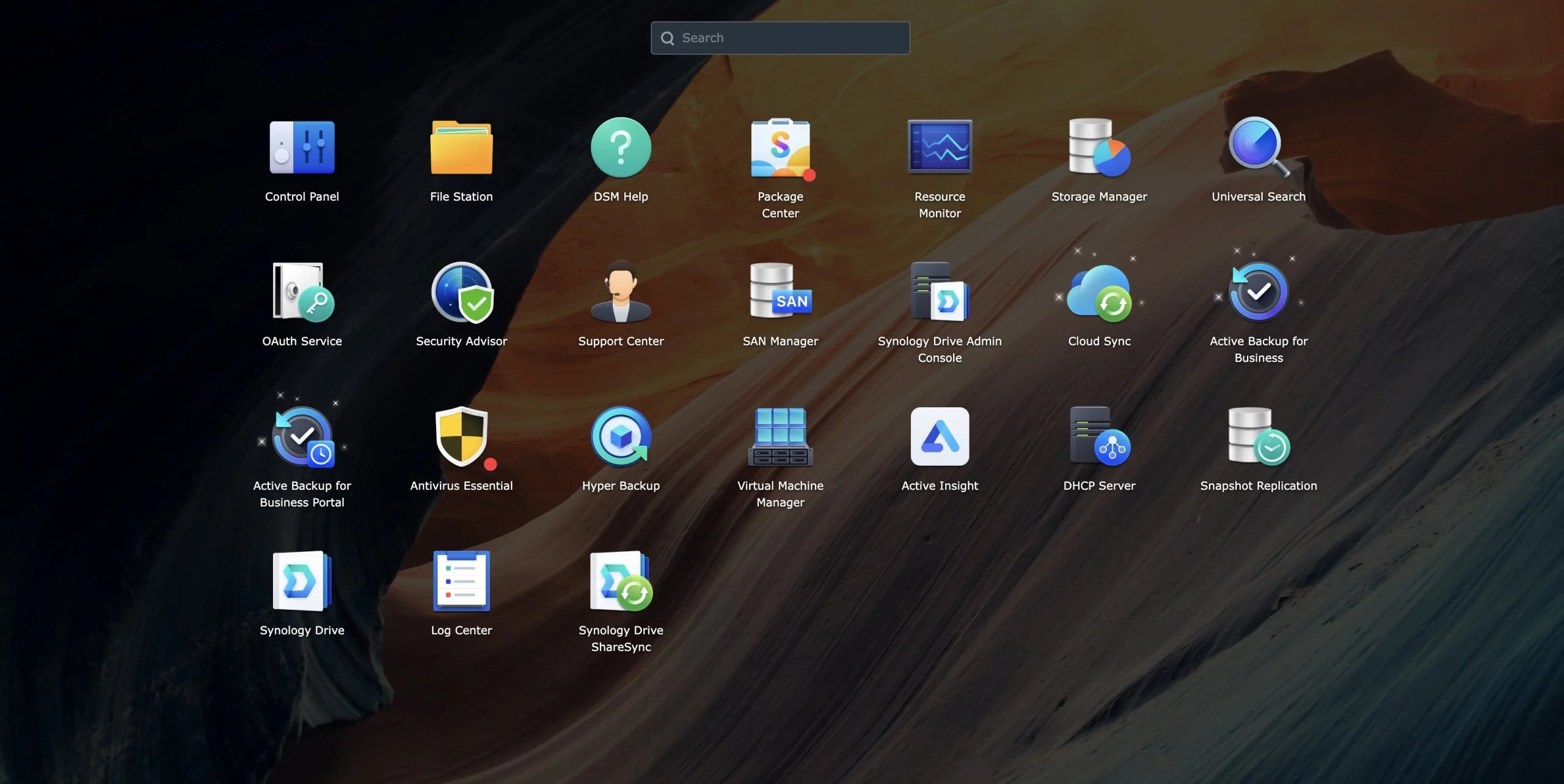
Synology Network Attached Storage (NAS) systems are centralized storage devices that go far beyond simple file sharing. Built around the company's DiskStation Manager (DSM) operating system, these devices offer file storage, backup services, collaboration tools, and virtualization capabilities through a unified web interface.
Unlike basic external drives or simple network storage, Synology NAS devices provide a comprehensive suite of business applications accessible through any web browser. This includes everything from automated backup solutions and file synchronization to video surveillance management and email servers.
The platform simultaneously addresses multiple business needs: centralizing file storage across teams, automating data backup and recovery, enabling secure remote access, and providing collaboration tools that rival cloud-based services. For businesses outgrowing basic storage solutions but not ready for enterprise-level infrastructure, Synology effectively bridges this gap.
For organizations considering their broader business software strategy, NAS systems represent a crucial component in maintaining data sovereignty while reducing cloud dependency. Businesses evaluating NAS options for small business should understand how these systems fit into their overall IT infrastructure.
Understanding DSM: The Heart of Synology
DiskStation Manager (DSM) is Synology's operating system, and it remains the primary reason businesses choose Synology over hardware-stronger competitors. DSM 7.4 is the current release (June 16, 2026), while DSM 7.3 (October 2025) remains important because it restored third-party SATA drive support on 2025 DiskStation models.
DSM 7.4 (current — released June 16, 2026):
DSM 7.4 is available now. Some headline features are rolling out later in 2026 depending on feature and system support:
- DSM Agent: AI-guided management that automates routine NAS administration tasks (available Q3 2026)
- Synology ChatPlus & Meet: On-premises team communication and video meetings (available Q4 2026)
- AI Search: Intelligent file search for GPU-supported systems (available Q4 2026)
- HDD-Based Post-Processing Deduplication & Compression: Reduces storage footprint on supported configurations (requires Synology hard drives; available now)
- RBAC and Logging Improvements: Enhanced role-based access control and audit capabilities (available now)
DSM 7.3 (October 2025 — still relevant for drive policy):
- Third-Party Drive Flexibility: Restored support for non-validated 3.5" HDDs and 2.5" SATA SSDs on 2025 Plus, Value, and J series models
- Storage Tiering: Policy-based movement between configured hot and cold volumes; this is distinct from M.2 SSD caching. Check current Tiering requirements.
- Enhanced Security: Stronger hardening, improved firewall rules, and updated vulnerability scanning
Key built-in applications include:
- Active Backup for Business: Backup for Windows, Mac, Linux, physical servers, file servers, VMware, and Hyper-V
- Active Backup for Microsoft 365: Exchange, OneDrive, SharePoint, and Teams backup with no per-user license fee
- Synology Drive: File synchronization and collaboration with real-time editing capabilities
- Surveillance Station: Video management with motion detection and recording. Advanced AI analytics depend on camera model, package tier, and hardware; the DS925+/DS1525+ handle basic detection well but are not optimized for large-scale AI video analysis. For Synology's dedicated security hardware like the DVA1622, see our flagship comparison guide.
- MailPlus: Self-hosted email server with advanced security features
- Synology Chat: Team communication platform with file sharing integration
Design and Build Quality
The DS925+ fits a small office desk; the DS1525+ adds a fifth bay and 10GbE path without getting much larger.
Synology's 2025 hardware lineup maintains the company's reputation for solid build quality while introducing modest improvements to address longstanding connectivity limitations.
Hardware Evolution
The DS925+, Synology's latest 4-bay model, features a compact design measuring 166 × 199 × 223 mm (approximately 6.5 × 7.8 × 8.8 inches) and weighing 2.26 kg (about 5.0 lb) without drives. The unit's tool-free drive installation system allows easy maintenance and expansion, while the external power supply design lowers internal temperatures and reduces noise levels.
The Processor:
The DS925+ uses the same AMD Ryzen V1500B quad-core processor (2.2GHz, 4 cores/8 threads) found in the 2022 DS923+ and the 2021 DS1621+. This chip dates to 2018, making it roughly eight years old in a 2026 product. Competitors like UGREEN's NASync series and newer QNAP models use Intel N100, i3, or i5 processors that deliver stronger transcoding performance, VM headroom, and power efficiency. For businesses planning to run Plex, Docker containers, or virtual machines, this is the main hardware limitation to weigh.
The Networking:
The DS925+ adds dual 2.5GbE ports (replacing legacy 1GbE), but Synology dropped the proprietary 10GbE expansion slot that made the DS923+ popular with power users. For businesses with 10GbE infrastructure, the DS925+ caps at 2.5GbE. The newer 5-bay DS1525+ addresses this with a modular 10GbE slot that accepts the approximately $110 E10G22-T1-Mini module, so 10GbE no longer requires the much pricier DS1823xs+. For more on network speed planning, see our 10-gigabit Ethernet guide.
Networking Note
The DS925+ omits the 10GbE expansion slot found on the DS923+. If your workflow needs 10GbE, the 5-bay DS1525+ (about $800) plus an approximately $110 module is the affordable path; the DS1823xs+ ($2,000+) ships with 10GbE built in.
Connectivity and Expansion
DS925+ ports:
- Dual 2.5GbE RJ-45 ports with link aggregation support
- 2 × USB-A 3.2 Gen 1 ports for external storage
- 1 × USB-C expansion port (for DX525 expansion unit)
- 2 × M.2 2280 NVMe slots (cache or storage pools)
- Expansion via DX525 units for additional storage
DS1525+ ports:
- Dual 2.5GbE RJ-45 ports with link aggregation support
- 2 × USB-A 3.2 Gen 1 ports for external storage
- 2 × USB-C expansion ports (for DX525 expansion units)
- Gen3 ×2 network upgrade slot for E10G22-T1-Mini 10GbE module
- 2 × M.2 2280 NVMe slots (cache or storage pools)
Neither model includes eSATA. The M.2 NVMe slots support SSD caching or dedicated storage pools when using Synology-compatible/HCL-approved NVMe drives, improving performance for frequently accessed files. (Unlike the DSM 7.3 reversal for SATA drives, M.2 NVMe restrictions remain — see the Drive Compatibility section below.)
Is the DS925+ Better Than the DS923+?
The DS925+ adds 2.5GbE but removes the DS923+'s 10GbE upgrade slot.
| Feature | DS923+ | DS925+ |
|---|---|---|
| Networking | 1GbE + 10GbE expansion slot | Dual 2.5GbE (no 10GbE slot) |
| CPU | AMD Ryzen V1500B | AMD Ryzen V1500B (same) |
| RAM | 4GB DDR4 ECC (expandable) | 4GB DDR4 ECC (expandable) |
| M.2 slots | 2 × NVMe | 2 × NVMe |
| Expansion | eSATA (DX517) | USB-C (DX525) |
Choose the DS925+ if you want a simple 2.5GbE small-office NAS and do not need 10GbE.
Keep or buy the DS923+ if you specifically need 10GbE on a 4-bay Synology (while stock remains available).
Choose the DS1525+ if 10GbE matters — it retains a supported 10GbE upgrade path in a compact 5-bay desktop format.
Features and Performance
Storage Management and RAID Options
Synology Hybrid RAID (SHR) is one of DSM's most practical features. It automatically optimizes storage efficiency when using drives of different sizes, which is helpful for small businesses that add storage incrementally over time.
Traditional RAID options (0, 1, 5, 6, 10) remain available for businesses with specific performance or redundancy requirements. The system supports 3.5-inch and 2.5-inch SATA drives, providing flexibility for capacity and performance optimization.
Performance benchmarks for the DS925+ (official Synology figures):
- Sequential read: Up to 522 MB/s
- Sequential write: Up to 565 MB/s
These speeds are adequate for most small business file-serving workloads. The improvement over the DS923+ is primarily in networking (2.5GbE vs 1GbE), not CPU. Real-world performance depends heavily on network infrastructure and drive selection.
Business Applications Suite
Backup and Data Protection
Synology offers two complementary backup packages:
- Active Backup for Business protects Windows, Mac, Linux, physical servers, file servers, VMware, and Hyper-V environments with agentless backup, flexible scheduling, and retention policies. See our Active Backup for Business setup guide for deployment steps.
- Active Backup for Microsoft 365 covers Exchange, OneDrive, SharePoint, and Teams with granular item-level recovery and no per-user license fee — one of Synology's strongest competitive advantages.
Organizations using Google Workspace should review our Google Workspace backup guide for additional protection strategies. For a broader view of backup architecture, see our small business disaster recovery guide.
File Sharing and Collaboration
Synology Drive offers real-time collaboration features comparable to Google Drive or Microsoft OneDrive, but with complete data control. Teams can edit documents simultaneously, track version history, and sync files across devices while maintaining local data sovereignty.
Security and Access Control
Advanced user management supports Active Directory integration, two-factor authentication, and granular permission systems. The Security Advisor continuously scans for vulnerabilities and provides actionable recommendations for improving system security. For comprehensive security planning, see our small business network security audit guide.
Virtualization Capabilities
Virtual Machine Manager allows businesses to run multiple operating systems on a single NAS unit, effectively consolidating server infrastructure. This capability proves particularly valuable for testing environments, legacy application support, or running specific business applications.
Docker support enables container-based application deployment, expanding the platform's capabilities through thousands of available container applications.
Drive Compatibility: The Policy Reversal Story
DSM 7.3 restored third-party SATA drive support, but M.2 NVMe restrictions still remain.
June 2026 Update
Synology introduced a drive lock-in policy in early 2025 but reversed course in October 2025 following sustained user feedback. As of DSM 7.3, 2025 DiskStation Plus, Value, and J series models support installation and storage pool creation with third-party 3.5" HDDs and 2.5" SATA SSDs. M.2 NVMe drives remain the exception — they still require models on Synology's hardware compatibility list for storage pools and caching on 2025 models.
What Happened
Early 2025: Synology announced that new Plus series models (DS925+, DS1825+, etc.) would require proprietary or certified drives for full functionality. This would have limited popular options like Seagate IronWolf and WD Red drives, raising effective storage costs for buyers using third-party media.
User Feedback: The policy drew criticism from long-time Synology users and the broader NAS community. Concerns centered on vendor lock-in and increased storage costs, while competitors like QNAP and UGREEN highlighted their unrestricted drive compatibility.
October 2025 Reversal: Synology released DSM 7.3 and quietly walked back the policy. The company issued a statement acknowledging "customer feedback" and restored compatibility for standard 3.5" HDDs and 2.5" SATA SSDs.
Current Drive Compatibility (June 2026)
✅ Supported for installation and storage pool creation:
- 3.5" SATA HDDs (third-party: Seagate IronWolf, WD Red, Toshiba N300, etc.)
- 2.5" SATA SSDs (third-party)
- Existing drives migrated from older Synology units
⚠️ Still requires Synology's Hardware Compatibility List (HCL):
- M.2 NVMe drives require HCL-validated models (SNV3410, SNV3510 series) for storage pools and caching on 2025 Plus models. The DSM 7.3 reversal applied to SATA HDDs and SSDs, not to NVMe.
- Workarounds exist via community tools, but they are not officially supported and are not advisable for business deployments
Recommended Drive Options:
- Budget: Seagate IronWolf (4TB-18TB), WD Red Plus
- Performance: WD Red Pro, Seagate IronWolf Pro
- Synology Official: HAT3300 (consumer), HAT5300 (business) if you want guaranteed compatibility
Lessons Learned
The reversal shows that Synology listens to customer feedback, though the M.2 NVMe restrictions remain in place. Whether Synology will revisit drive restrictions in future hardware generations is unclear.
For businesses making purchasing decisions in 2026, standard SATA drives work without issue. The remaining question is whether M.2 NVMe restrictions will be relaxed in future DSM updates.
Pricing and Value Analysis
Current Market Positioning
Synology's pricing reflects its premium positioning in the small business NAS market. The DS925+ lists at around $640 without drives, requiring additional investment in storage media.
Realistic Business Setup Costs (June 2026 pricing):
| Configuration | NAS Unit | Drives | UPS | Optional 10GbE | Total |
|---|---|---|---|---|---|
| DS925+ / 4×8TB SHR (RAID 5) | ~$640 | ~$480 | ~$100 | N/A | ~$1,220 |
| DS925+ / 4×12TB SHR (RAID 5) | ~$640 | ~$680 | ~$100 | N/A | ~$1,420 |
| DS1525+ / 5×12TB SHR-2 (RAID 6) | ~$800 | ~$850 | ~$100 | ~$110 (E10G22-T1-Mini) | ~$1,860 |
| DS1825+ / 8×12TB SHR-2 (RAID 6) | ~$1,300 | ~$1,360 | ~$150 | ~$250–400+ (PCIe 10/25GbE) | ~$3,060 |
Drive prices based on Seagate IronWolf / WD Red Plus street pricing. Add ~$60–100/year for cloud backup target (Hyper Backup to C2, Backblaze B2, or Wasabi).
Ongoing Costs:
- DSM software: Included with hardware
- Cloud backup storage: Optional, starting at $60/year (see our best cloud backup for small business guide)
- Support plans: Available for enterprise customers
Cost Comparison Analysis
Synology provides good value for small to medium businesses compared to enterprise storage solutions, which require substantially more investment and specialized IT expertise for management.
However, Synology's premium becomes more apparent against simpler NAS solutions or cloud storage services. Organizations must weigh the comprehensive feature set against potentially higher costs for basic storage needs.
Competition and Alternatives
Synology leads on software maturity, while UGREEN and QNAP often offer stronger hardware for the price.
Direct Competitors
UGREEN NASync Series (DXP4800 Pro, DXP4800 GT, DXP6800 Pro)
UGREEN became Synology's most visible competitor in 2025-2026, expanding from budget hardware into a broad lineup. Its DXP series uses newer processors — the DXP4800 Pro pairs an Intel Core i3-1315U with 10GbE + 2.5GbE networking, while the 6-bay DXP6800 Pro uses an Intel Core i5-1235U with dual 10GbE. Both offer DDR5 memory at competitive prices.
The newer DXP4800 GT (2026) is a particularly strong 4-bay value competitor: it uses an AMD Ryzen Embedded R2514 (4-core/8-thread, up to 3.7 GHz), dual 10GbE networking, 4 SATA bays plus 2 M.2 NVMe slots (bays 1–2 also support U.2 SSDs), and 144TB maximum capacity — all at a price that undercuts both Synology and QNAP for comparable hardware.
The software (UGOS Pro) is less mature than DSM but has improved steadily. One common misconception worth correcting: among UGREEN's NAS models, only the Core Ultra-based iDX6011 Pro (Intel Core Ultra 7 255H, up to 96 TOPS combined AI compute from CPU, integrated Arc GPU, and NPU) carries a dedicated NPU; the mainstream DXP units handle AI photo features on the CPU and integrated GPU, the same approach Synology uses. For a full breakdown, see our UGREEN vs Synology comparison.
QNAP
QNAP offers similar functionality with more aggressive pricing and broader drive compatibility. The QTS operating system is generally considered less polished than DSM. QNAP offers strong hardware value, but buyers should be more disciplined about exposure, patching, and remote-access configuration — the company itself published DeadBolt ransomware advisories in 2022 recommending users disable router port forwarding, avoid internet exposure, and keep QTS and apps updated. QNAP's hardware specifications often exceed Synology's at similar price points.
UniFi UNAS Pro
Ubiquiti's enterprise networking expertise translates to competent NAS solutions with tight integration into UniFi ecosystems. The UNAS Pro 4 offers dual 10G SFP+ and NVMe caching in a 1U rack at $499, while the broader UniFi NAS lineup covers desktop through 2U rackmount configurations. Limited software capabilities compared to DSM and a newer market presence represent potential concerns for business-critical deployments.
TrueNAS Scale
Based on open-source ZFS technology, TrueNAS provides enterprise-grade features at lower costs. However, the platform requires significant technical expertise and lacks the user-friendly applications that define Synology's appeal.
The AI/NPU Gap
"AI NAS" became a marketing theme in 2026, and Synology has approached it through software rather than dedicated hardware. The distinction is narrower than it first appears. Among current consumer NAS units, dedicated NPUs are still rare: UGREEN's Core Ultra-based iDX6011 Pro includes one, but its mainstream DXP models run AI photo recognition on the CPU and integrated GPU — the same method Synology uses.
Synology Photos includes AI-powered face recognition and scene tagging that runs locally on the CPU, not in the cloud. Where Synology lags is raw compute: its 2018-era processor handles smaller libraries adequately but is slower than the newer Intel chips in competing hardware for large-scale photo indexing or local model inference. For a complete explanation of how NAS AI features work and when an NPU actually matters versus CPU-based processing, read our comprehensive guide to AI NAS technology.
What This Means: Synology's AI Console focuses on productivity (MailPlus, Office integration with external APIs) rather than dedicated NPU hardware for real-time video or large photo libraries. If AI-powered photo organization at scale, surveillance analytics, or local LLM hosting are important to your workflow, Synology's CPU-only approach may become a limitation over the next 2-3 years.
Competitive Comparison Table
| Feature | Synology DS925+ | UGREEN DXP4800 GT | UGREEN DXP4800 Pro | QNAP TS-464 |
|---|---|---|---|---|
| Price (diskless) | ~$640 | ~$500–600 | ~$720 | ~$550 |
| Processor | AMD Ryzen V1500B (2018) | AMD Ryzen R2514 (2026) | Intel Core i3-1315U (6-Core) | Intel Celeron N5105/N5095 |
| NPU/AI Acceleration | No (CPU/iGPU) | No (CPU/iGPU) | No (CPU/iGPU) | No |
| Max Networking | 2.5GbE (no upgrade) | Dual 10GbE standard | 10GbE + 2.5GbE standard | 2.5GbE (10GbE upgrade available) |
| Software Maturity | Excellent (DSM 7.4) | Good (UGOS Pro improving) | Good (UGOS Pro improving) | Good (QTS) |
| Drive Compatibility | All 3.5"/2.5" SATA | All drives + U.2 | All drives | All drives |
| Security Track Record | Strong mature baseline | Newer (shorter track record) | Newer (shorter track record) | Requires disciplined configuration (past ransomware advisories) |
Cloud Storage Alternatives
Microsoft OneDrive for Business
Offers familiar integration with Microsoft 365 environments at predictable monthly costs. However, businesses lose local data control and face ongoing subscription expenses that may exceed NAS costs over time.
Google Workspace
Provides excellent collaboration tools and unlimited storage options for larger organizations. Similar to Microsoft's offering, the subscription model and cloud dependency may not suit all business requirements.
When to Choose Synology
Synology is a strong fit for businesses that:
- Prioritize software maturity and ecosystem stability over newer hardware
- Need comprehensive data management beyond basic storage
- Value local data control and reduced cloud dependency
- Require integrated backup, collaboration, and security features
- Have technical staff capable of managing moderately complex systems
- Are already invested in the Synology ecosystem
When to Consider Competitors
Choose UGREEN if: You want newer CPUs, stronger media hardware, and built-in 10GbE at lower prices and can tolerate less mature software. Dedicated NPU support is limited to UGREEN's Core Ultra iDX line (iDX6011 Pro). Read our UGREEN vs Synology comparison for detailed analysis.
Choose QNAP if: You need specific hardware features or aggressive pricing and are disciplined about remote-access security, patching, and backup isolation.
Choose TrueNAS if: You have in-house Linux expertise and want enterprise ZFS features without licensing costs.
Real-World Implementation Scenarios
Small Professional Services Firm (10-25 employees)
Challenge: Replace aging file server while adding modern backup and collaboration capabilities
Solution: DS925+ with automated backup of all workstations, Synology Drive for file sharing, and integrated security monitoring
Results: Eliminated Windows Server licensing costs, reduced backup complexity, and provided secure remote access during the shift to hybrid work arrangements
Growing Manufacturing Company (50+ employees)
Challenge: Centralize file storage across multiple departments while ensuring data protection and compliance
Solution: DS1825+ primary unit with secondary DS925+ for off-site replication, comprehensive backup scheduling, and departmental access controls. Note that the DS1825+ uses the same AMD Ryzen V1500B processor as the DS925+, maintaining consistency across the 2025 lineup.
Results: Consolidated multiple file servers, achieved faster recovery objectives, and reduced overall storage costs while improving data protection coverage
Creative Agency (15 employees)
Challenge: Manage large video files, enable remote collaboration, and protect intellectual property
Solution: DS1823xs+ with 10GbE networking, high-performance SSD caching, and encrypted file sharing for client access
Results: Improved project turnaround times through faster file access, enabled seamless remote collaboration, and enhanced client satisfaction through secure file sharing portals
Setup and Management
Initial Configuration
Synology's setup process ranks among the most straightforward in the business NAS category. The web-based installation wizard guides users through essential configuration steps, including RAID setup, user creation, and network configuration.
Typical setup timeline:
- Hardware assembly and drive installation: 30-60 minutes
- DSM installation and basic configuration: 1-2 hours
- Application installation and user setup: 2-4 hours
- Data migration from existing systems: Variable based on data volume
Ongoing Management
DSM's intuitive interface minimizes daily management requirements once properly configured. Regular tasks include:
- Monitoring storage capacity and performance through built-in dashboards
- Reviewing backup job status and adjusting schedules as needed
- Installing security updates through the automatic update system
- Managing user permissions and access rights as teams evolve
The Security Advisor provides ongoing guidance for maintaining optimal security configurations, while system notifications alert administrators to potential issues before they impact operations.
Performance in Business Environments
Network Infrastructure Considerations
Realizing Synology's full performance potential requires adequate network infrastructure. The inclusion of 2.5GbE networking in 2025 models addresses previous connectivity limitations, but businesses must ensure their switches and cabling support these speeds.
Infrastructure recommendations:
- Managed switches with 2.5GbE or 10GbE uplinks
- Cat6A cabling for optimal performance
- Sufficient internet bandwidth for cloud backup and remote access
- Uninterruptible power supply (UPS) for data protection
Organizations planning comprehensive network security implementations should consider NAS integration as part of their broader infrastructure strategy. For businesses with UniFi networks, our UniFi NAS complete guide provides specific integration recommendations.
Synology NAS Infrastructure Overview
Computex 2026 — What's Coming Next
Synology's Computex 2026 announcements point toward more AI-assisted management, GPU-supported NAS workflows, expanded surveillance and access control tools, and new ChatPlus/Meet collaboration features. The next-generation DSM is built to support GPU NAS and dedicated AI appliances for on-premises inference. These are forward-looking announcements and do not replace the current DS925+/DS1525+/DS1825+ desktop Plus buying recommendations.
Scalability and Growth Planning
Synology systems scale effectively through expansion units and capacity upgrades. The modular approach allows businesses to add storage incrementally without disrupting operations or requiring complete system replacement.
Scaling options:
- Drive capacity upgrades within existing bays
- Expansion units for additional storage bays
- Multiple NAS units for distributed storage or redundancy
- Cloud integration for off-site backup and disaster recovery
Security and Compliance Features
Built-in Security Measures
DSM incorporates comprehensive security features suitable for business environments:
- Advanced encryption support (AES-256, TLS 1.3)
- Two-factor authentication with mobile app support
- Automated security scanning and vulnerability assessment
- Firewall and VPN server capabilities
- Audit logging and access monitoring
- Immutable snapshots and WORM (write-once-read-many) for ransomware resilience — see our Synology snapshots guide for configuration details
Compliance Support
For businesses in regulated industries, Synology provides features supporting various compliance requirements:
- Data retention policies and automated deletion
- Audit trail generation for access and modification tracking
- Encryption at rest and in transit
- Access control documentation and reporting
While not certified for specific compliance standards, the platform provides tools necessary for maintaining regulatory requirements in most business environments.
Who Should Buy Synology NAS
Ideal Candidates
Growing Small Businesses
Companies with 10-100 employees that need comprehensive data management beyond basic file storage will find Synology's feature set well-suited to their evolving requirements.
Technology-Comfortable Organizations
Businesses with internal IT staff or technically inclined team members can fully leverage DSM's extensive capabilities and customize the platform to specific workflows.
Data-Sensitive Industries
Professional services, healthcare, legal, and financial organizations benefit from local data control and comprehensive security features that cloud solutions may not provide.
Existing Synology Users
Organizations with current Synology deployments gain consistency and simplified management by maintaining the same platform across all locations.
Consider Alternatives If
Basic Storage Needs Only
Businesses requiring simple file sharing without advanced features may find better value in simpler solutions or cloud storage services.
Extremely Budget-Conscious
Organizations where initial cost takes priority over features should evaluate alternatives with lower entry prices and broader drive compatibility.
Limited Technical Resources
Companies without technical staff may struggle with the platform's complexity and might benefit from managed cloud solutions or professional installation services.
High-Performance Computing
Businesses with extreme performance requirements may need purpose-built storage solutions rather than general-purpose NAS devices.
When Should a Business Avoid Synology?
Synology may not be the best fit when raw hardware performance, media transcoding, or local AI workloads are the main priority.
Synology is not the best fit for every buyer. A company that mainly needs Plex transcoding, large-scale photo indexing, GPU-assisted workloads, or heavy virtualization may get better hardware value from UGREEN, QNAP, or a custom TrueNAS build. For local AI workloads specifically, see our local AI server guide. The DS925+ in particular should not be the first choice for 10GbE creative editing workflows or offices already planning around 10-gigabit switches.
Synology is strongest when the NAS is part of a practical business data plan: shared storage, endpoint backup, Microsoft 365 backup, local snapshots, off-site replication, and controlled remote access. If those needs matter more than benchmark performance, Synology remains a strong option.
Bottom Line by User Type
| User type | Best choice | Why |
|---|---|---|
| Small office file server | DS925+ | Simple 4-bay setup, dual 2.5GbE, proven DSM software |
| Growing business | DS1525+ | 5 bays, RAID flexibility, and optional 10GbE upgrade path |
| Backup-heavy team | DS1825+ | 8 bays, PCIe expansion, ECC RAM for data integrity |
| Plex/AI-heavy user | UGREEN or QNAP | Newer CPUs, dedicated GPU/NPU options, better media hardware |
| Existing Synology user | Synology | Easier migration, DSM continuity, and ecosystem consistency |
Security Hardening Checklist
Before deploying any Synology NAS in a business environment, apply these baseline security measures:
- Enable MFA for all admin accounts
- Disable the default "admin" account; use a renamed admin
- Keep DSM and all packages updated (enable auto-update notifications)
- Do not expose DSM directly to the internet without VPN or Synology QuickConnect
- Use a VPN or Synology's secure remote-access options for off-network access
- If DSM uses a custom domain, confirm its certificate renews automatically (how the 200-day SSL limit affects devices like a NAS)
- Enable automated snapshots with retention policies
- Replicate backups off-site (Hyper Backup to cloud or secondary NAS)
- Connect the NAS to an uninterruptible power supply (UPS)
- Test restores quarterly to verify backup integrity
Field Note from Small-Business Deployments
In most small offices we support, the NAS is not the bottleneck. The bottleneck is usually the switch, cabling, endpoint NICs, backup design, or lack of off-site replication. Getting those fundamentals right matters more than choosing the fastest NAS hardware.
Final Verdict
Synology is a solid choice for DSM, backup tools, and predictable business storage. Consider alternatives when hardware performance is the primary requirement.
Synology NAS systems represent mature, feature-rich solutions for businesses seeking comprehensive data management. DSM 7.4 software and the platform's application ecosystem create genuine value for organizations ready to move beyond basic storage solutions.
The 2026 landscape is more competitive than in prior years. Synology's software depth remains a genuine differentiator, but its older processors, the lack of a dedicated NPU, and the DS925+'s removed 10GbE option give competitors like UGREEN room to offer stronger specifications at similar or lower prices.
Key Insight
The October 2025 drive policy reversal restored third-party SATA drive compatibility after significant user feedback. That addresses the cost concern, but the continued use of 2018-era processors and the removal of 10GbE expansion on the DS925+ reflect Synology's current hardware priorities. Businesses should weigh whether DSM's software advantages justify these trade-offs — and note that the DS1525+ restores a modular 10GbE option for teams that need it.
Bottom Line Recommendation
Choose Synology if your business values software maturity, ecosystem stability, and proven reliability over newer hardware. DSM 7.4 is among the most polished NAS operating systems available, with deeper business tool integration than most current competitors.
Consider alternatives if you need modern hardware features (10GbE, NPU, newer CPUs), want better price-to-performance ratios, or are starting fresh without existing Synology investments.
For the right organization, Synology delivers solid value despite premium pricing and older hardware. The decision comes down to whether DSM's software depth and ecosystem stability outweigh the hardware trade-offs for your specific workload.
Our Rating: 4/5 Stars
- Excellent for: Software-focused deployments prioritizing DSM's mature ecosystem
- Good for: Organizations already invested in Synology or needing proven reliability
- Limited for: Performance-focused users, large-scale AI workflows, or built-in 10GbE on 4-bay units
- Watch: Aging processors mean Synology now competes on software depth rather than hardware specs
Where to Buy
Synology DS925+: Available on Amazon and authorized Synology resellers. Lists at around $640 for the diskless unit.
Synology DS1525+: The 5-bay option with a modular 10GbE slot, available through Amazon and authorized resellers at approximately $800 diskless. Read our full DS1525+ review.
Synology DS1825+: Available through Amazon and B&H Photo. List price is around $1,300 for the diskless unit; sale/street pricing may be lower depending on retailer.
Compatible Drives: Seagate IronWolf Pro and WD Red Pro offer enterprise-grade performance with full compatibility.
This review reflects current product offerings and policies as of June 2026. All technical specifications, pricing, and DSM 7.4 information have been verified against official sources and recent user experiences. The drive compatibility policy reflects the DSM 7.3 (October 2025) reversal. Technology specifications and pricing may change.
Sources:
- Official Synology DS925+ Product Page
- Official Synology DS1525+ Product Page
- Official Synology DS1825+ Product Page
- Official Synology DS1823xs+ Product Page
- Synology DSM 7.4 Release Announcement
- Synology DSM 7.3 Release Announcement
- DSM 7.3 Drive Compatibility FAQ
- Active Backup for Microsoft 365
- QNAP DeadBolt Ransomware Advisory (QSA-22-24)
- UGREEN NASync DXP4800 Pro
- UGREEN NASync DXP4800 GT
- Synology DS425+ and DS725+ Launch
- Synology FS200T Product Page
- Synology Computex 2026 Announcement
- Gartner Peer Insights: Synology Reviews
Affiliate Disclosure: This article contains affiliate links. If you make a purchase through these links, we may earn a small commission at no extra cost to you. As an Amazon Associate, iFeelTech earns from qualifying purchases.
Frequently Asked Questions
Related Articles
More from Business Hardware
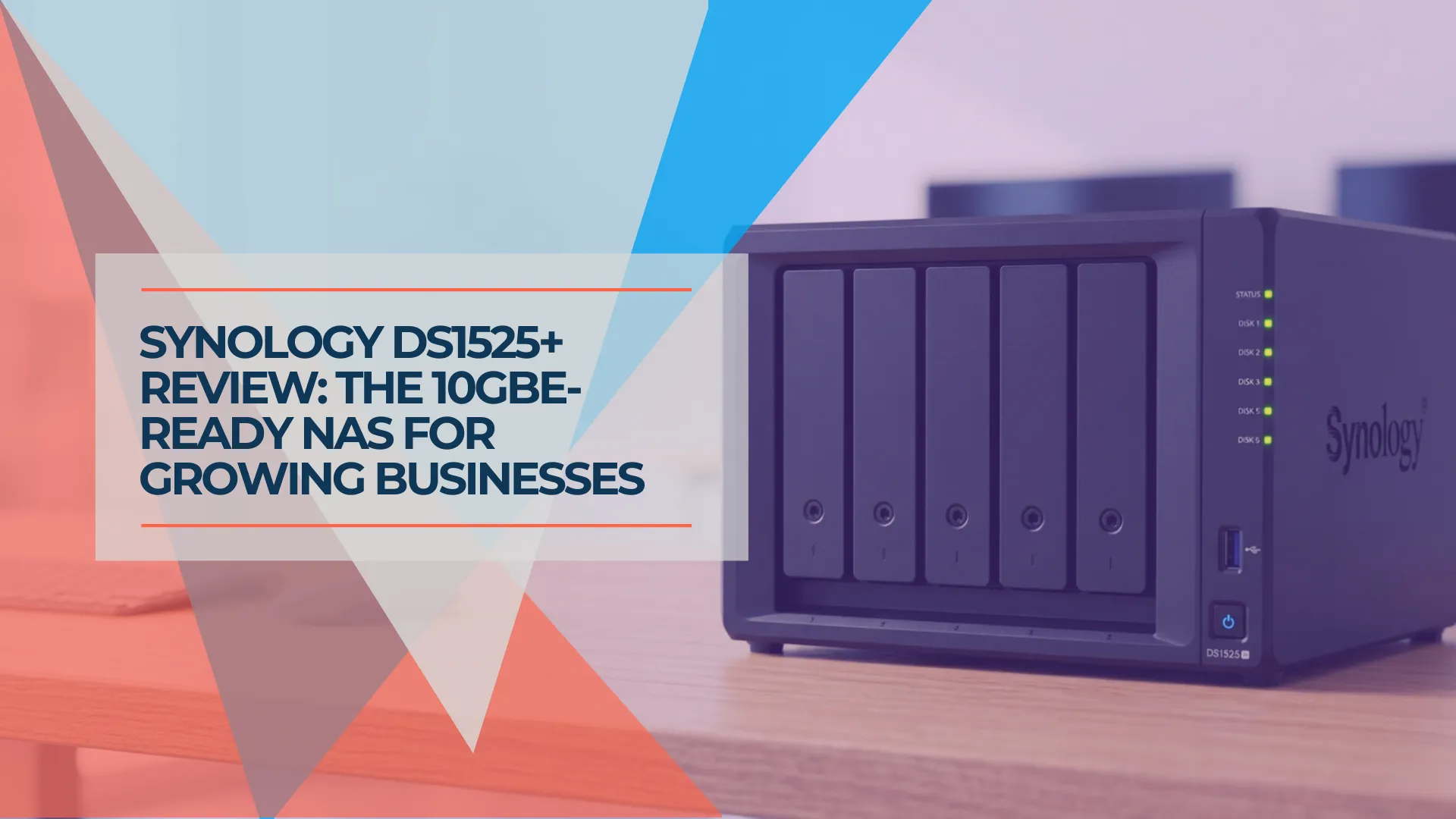
Synology DS1525+ Review: The 5-Bay NAS for Growing Small Businesses
Synology DS1525+ review for small business: 5-bay RAID 5/6, 10GbE upgrade path via E10G22-T1-Mini, and DSM 7.4. Compared to DS925+, DS1825+, and UGREEN DXP4800 Plus with current July 2026 pricing.
19 min read
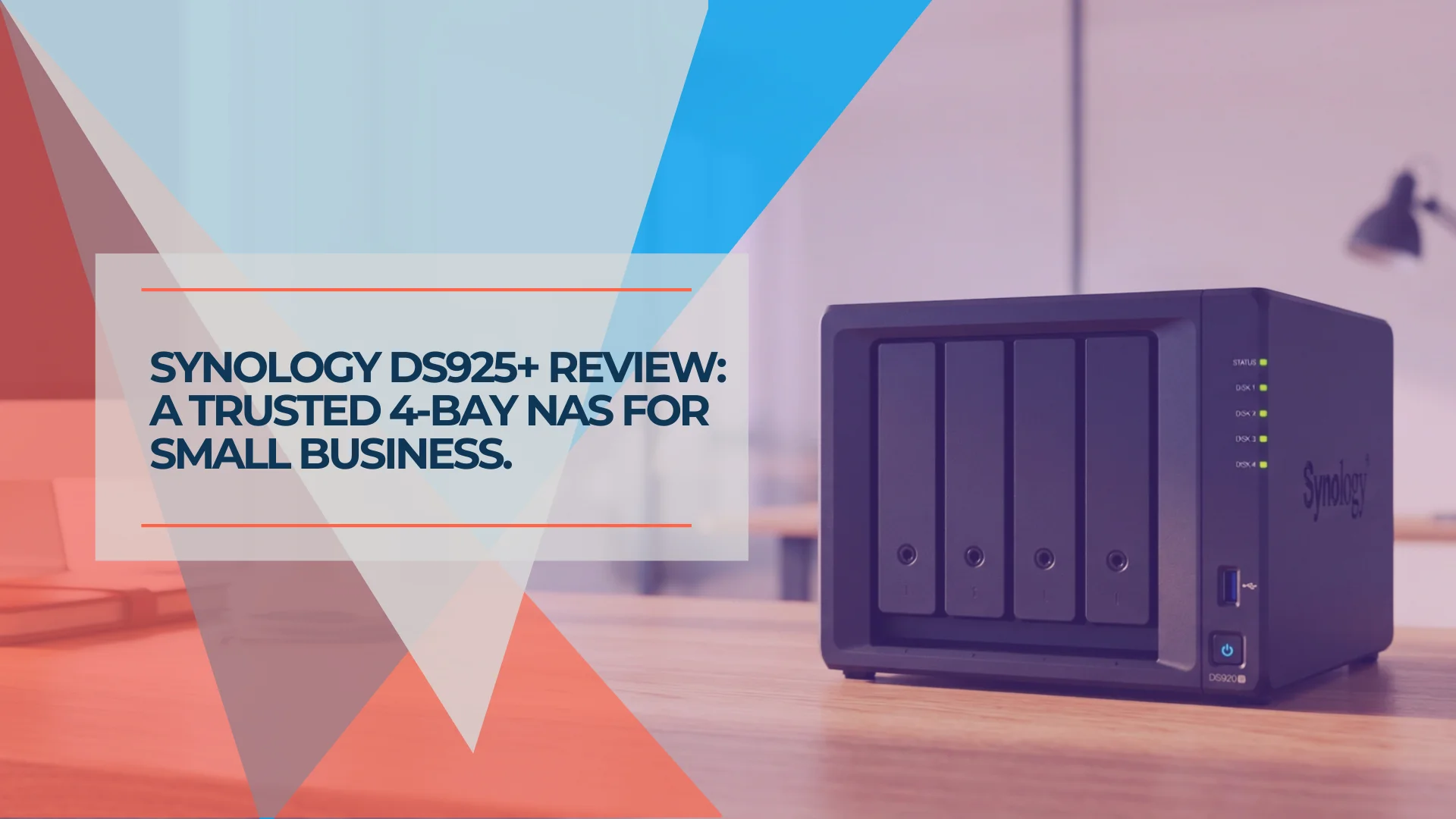
Synology DS925+ Review: Is This 4-Bay NAS Still Worth It in 2026?
Synology DS925+ review for small business. Full specs, real-world performance, RAID 5/6 analysis, honest UGREEN DXP4800 comparison, and whether the aging hardware is still worth $639.99 in 2026.
20 min read
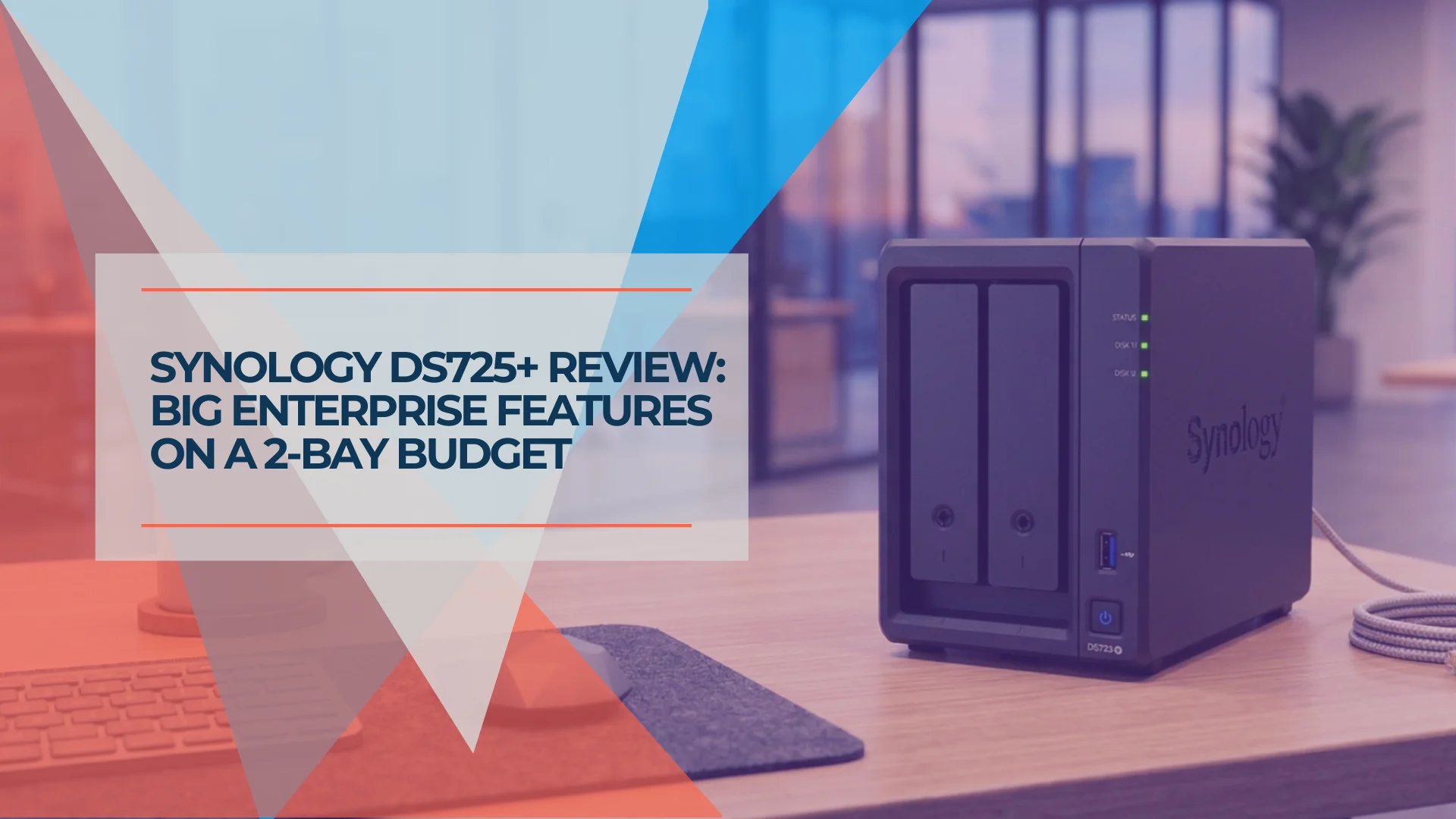
Synology DS725+ Review: Is the 2-Bay NAS Right for Your Small Business?
Synology DS725+ review. Compare specs, pricing, and real-world performance against DS925+ and 2-bay competitors. Best for startups and small teams.
17 min read