

UniFi UNAS Pro 4 Review: A $499 1U NAS for UniFi-Based SMBs
The UNAS Pro 4 delivers dual 10G SFP+ and NVMe caching in a 1U rack for $499 — here's what that means for a real SMB deployment, including Active Directory integration, UniFi ecosystem fit, and who should buy it.

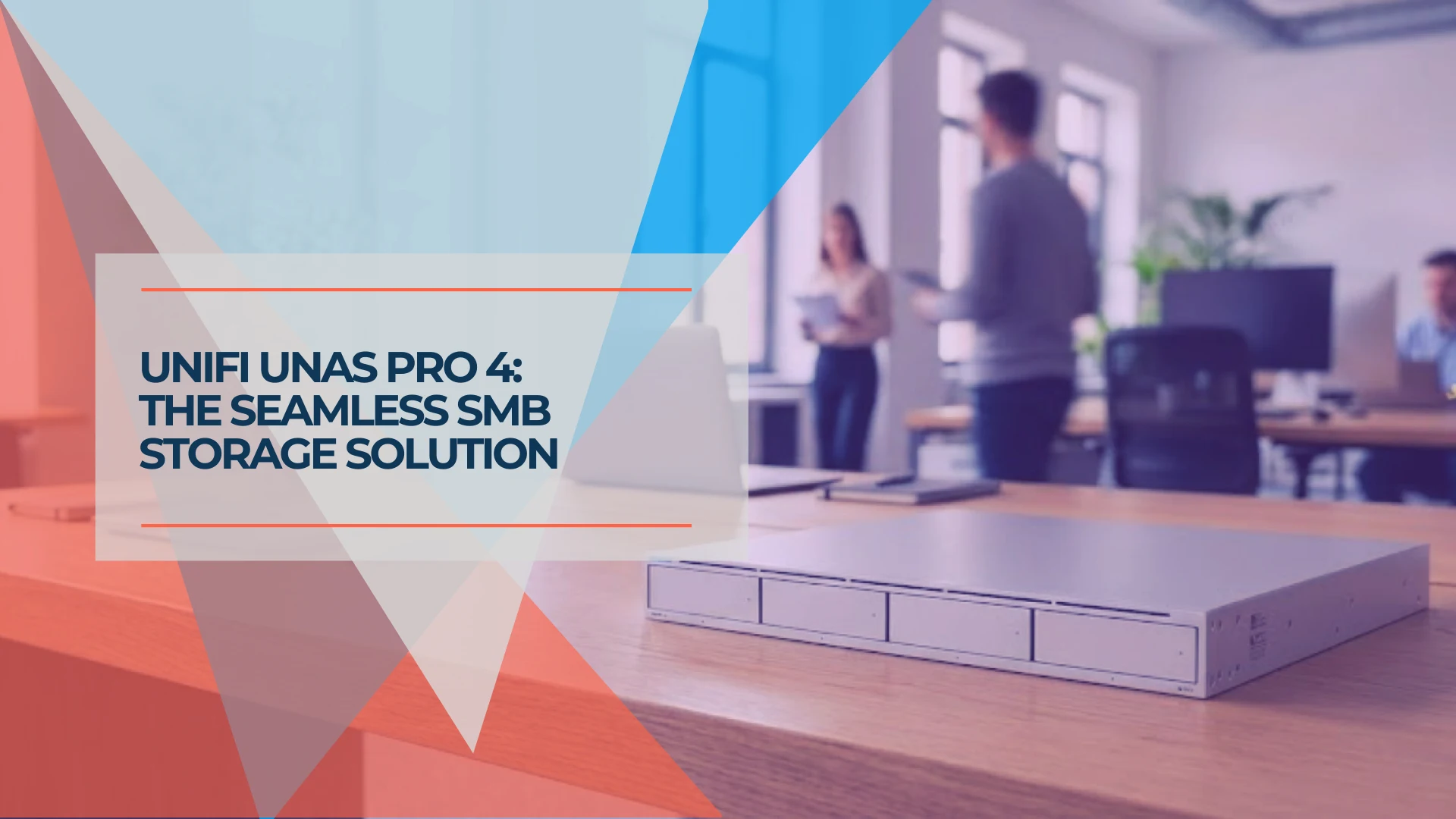
The UNAS Pro 4 is a 1U rackmount NAS with dual 10G SFP+, NVMe caching, four hot-swap bays, and no per-seat licensing — at $499. The hardware value is clear, but its performance in a real business environment is what matters.
This review covers what the UNAS Pro 4 looks like in a managed SMB deployment: Active Directory integration in practice, UniFi Drive capabilities and limits, physical constraints that matter at purchase time, and who this product is suited for.
iFeelTech runs UNAS hardware in production across client sites. This review reflects that experience.
Pricing and specifications verified against the U.S. Ubiquiti Store and current UniFi Drive release notes on July 17, 2026.
Affiliate Disclosure: This article contains affiliate links. If you make a purchase through these links, we may earn a small commission at no extra cost to you. As an Amazon Associate, iFeelTech earns from qualifying purchases.
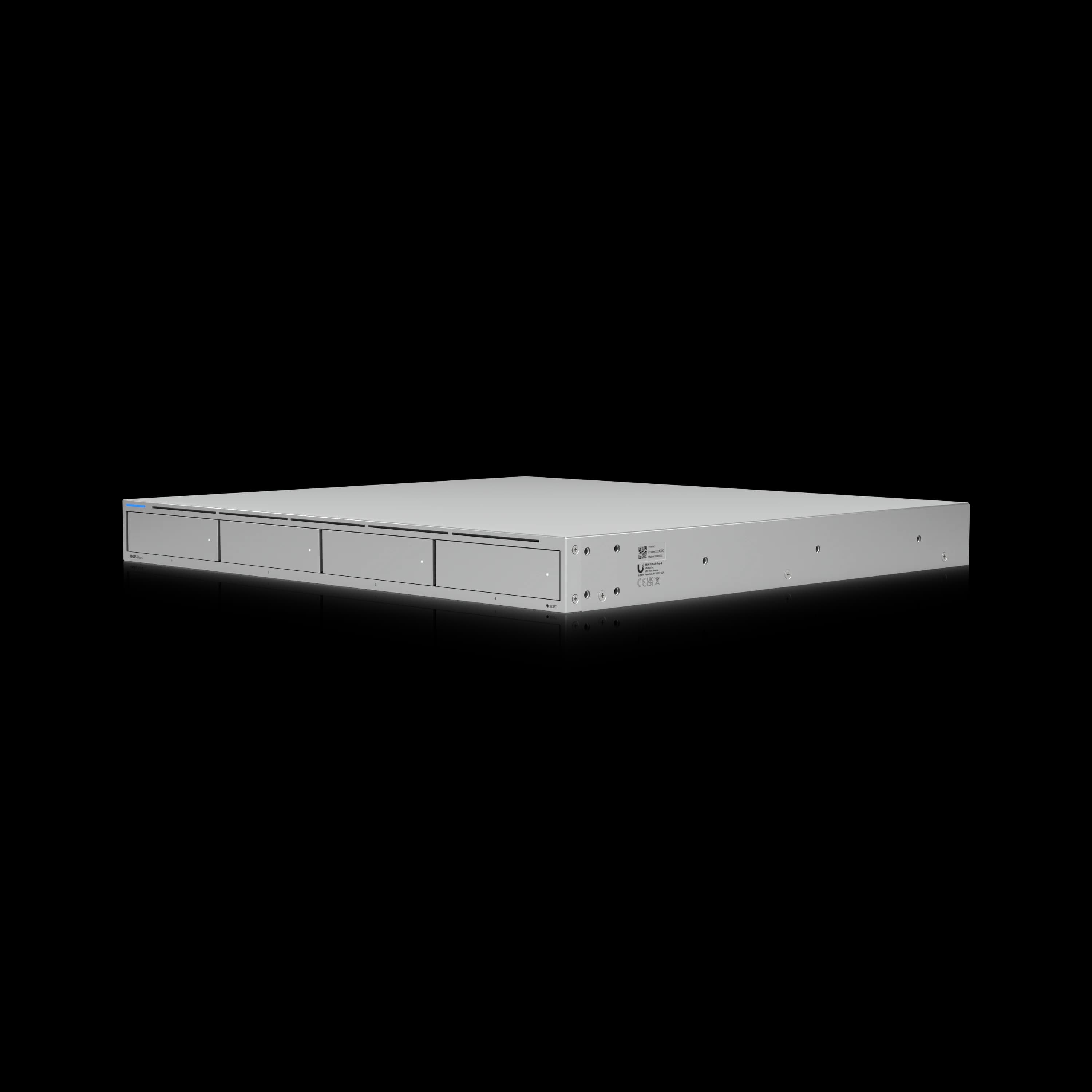
UniFi UNAS Pro 4
1U rackmount NAS with dual 10G SFP+, NVMe caching, and license-free UniFi Drive for UniFi-ecosystem SMBs.
- 2× Built-in 10G SFP+ Ports
- 2× M.2 NVMe Cache Slots
- 4× Hot-Swap Drive Bays
- License-Free UniFi Drive
*Price at time of publishing
What the UNAS Pro 4 Is (and What It Is Not)
Unlike traditional NAS platforms, the UNAS Pro 4 operates strictly as a file and backup appliance running Ubiquiti's license-free UniFi Drive. It does not run Docker containers, virtual machines, or iSCSI targets. Understanding that boundary upfront clarifies the product's value for the right buyer and its limitations for the wrong one.
| Spec | Detail |
|---|---|
| Form Factor | 1U Rack Mount |
| Drive Bays | 4× 2.5"/3.5" HDD/SSD (hot swap) |
| Cache Slots | 2× M.2 NVMe SSD (up to 4 TiB each) |
| Networking | 2× 10G SFP+ (10G only) · 1× 1GbE RJ45 |
| Processor | Quad-Core ARM Cortex-A57 @ 2.0 GHz |
| Memory | 8 GB RAM (fixed — not user-upgradable) |
| Power | Internal 150W AC/DC (USP-RPS DC input available) |
| Max Drive Power Budget | 125W |
| RAID | RAID 5, RAID 6, RAID 10 |
| File Protocols | SMB, NFS |
| Snapshots | Scheduled snapshots supported |
| Cloud Backup | Google Drive, OneDrive, Dropbox, AWS S3, Backblaze B2, Wasabi |
| Active Directory | Yes (direct AD integration in UniFi Drive) |
| Time Machine | Yes |
| iSCSI | No |
| Containers / VMs | No |
| Platform | UniFi Drive (license-free) |
| Price | $499 |
The UNAS Pro 4 is part of the next-gen UNAS lineup announced at UniFi World Conference 2025, alongside the UNAS 2 and UNAS 4 (desktop models) and the UNAS Pro 8. It ships with UniFi Drive, now on version 4.3.x as of July 2026 — up from the 4.0 release at launch, which added Microsoft 365 OneDrive backup, encrypted volumes, and Identity Endpoint for remote access. Subsequent 4.x updates have added Storage Shield, an additional layer of drive protection, along with ongoing stability and dashboard refinements.
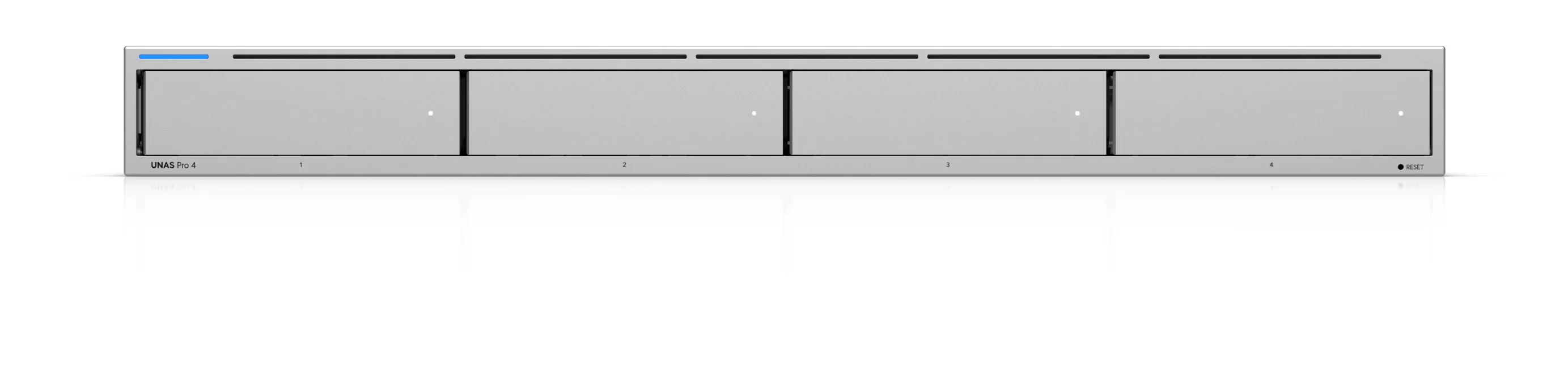
How Does the UNAS Pro 4 Compare to the UNAS Pro 8 and Synology RS422+?
At $499, the UNAS Pro 4 includes dual 10G SFP+ networking and dual NVMe cache slots natively, with no licensing fees and no add-in cards required.
Among the mainstream four-bay 1U NAS products currently available in the U.S., the UNAS Pro 4 is one of the least expensive options with built-in 10GbE and NVMe cache support. The Synology RS422+, the closest 1U four-bay competitor, is priced around $780–$830 depending on the seller and requires a proprietary expansion card for 10GbE, with no built-in NVMe cache slots. Within Ubiquiti's own lineup, the UNAS Pro 8 at $799 uses a 2U chassis with eight drive bays, dual 10G SFP+, one 10GBASE-T RJ45, and 16 GB RAM. The trade-off is straightforward: the Pro 4 suits buyers with tight rack space and 10G SFP+ infrastructure already in place; the Pro 8 suits buyers who need more raw storage capacity and have 2U available.
| Specs | ||
|---|---|---|
| Form Factor | 1U Rackmount | 2U Rackmount |
| Drive Bays | 4 (hot-swap) | 8 (hot-swap) |
| 10G Networking | 2× SFP+ (10G only, built-in) | 2× SFP+ + 1× RJ45 |
| NVMe Cache | Yes — 2 slots | Yes — 2 slots |
| Licensing | None | None |
| Price | $499 | $799 |
For UniFi ecosystem buyers with 10G SFP+ switches already in place — USW-Pro, USW-Enterprise, or UCG Fiber — the 10G uplinks on the UNAS Pro 4 are built in at $499, with no add-in network card or software license required. DAC cables or transceivers are sold separately.
Deploying the UNAS Pro 4 in an SMB Environment
Here is our deployment experience — from initial setup to Active Directory integration, backup configuration, and cloud integration — across production deployments in managed UniFi environments.
Initial Setup and UniFi Console Integration
The UNAS Pro 4 is a standalone UniFi Console running UniFi Drive. Initial setup is completed through the UniFi interface, after which the system appears in Site Manager alongside other UniFi consoles. It can be grouped with a gateway, NVR, and other consoles for centralized access, but it is not adopted into the Network application the way a switch or access point is — the UNAS runs its own instance of UniFi OS.
UniFi Drive is accessible directly from the UNAS console. Storage pool creation, RAID configuration, and share management all happen inside the Drive interface. Storage alerts and hardware events surface in Site Manager alongside events from other consoles — giving you a single timeline across your UniFi infrastructure without requiring a separate monitoring dashboard.
Storage pool setup is guided and clear. We have configured both RAID 5 and RAID 6 setups during deployments. RAID 6 is our usual recommendation when two-drive fault tolerance is more important than maximizing usable capacity; it tolerates two simultaneous drive failures and buys time for replacement without data loss.
Throughput in practice: In our deployments, four-drive HDD arrays have generally delivered approximately 200–400 MB/s during large sequential transfers, depending on the drives, RAID level, encryption, and client hardware. UniFi Drive normally bypasses the SSD cache for large sequential transfers to reduce unnecessary SSD wear. The NVMe cache is primarily beneficial for frequently accessed files and random I/O — the workloads most common in shared-folder SMB environments.
Cache modes: Two matched NVMe SSDs enable redundant read-write cache (RAID 1). A single NVMe SSD can be configured as read-only cache. For most SMB file-sharing workloads — where users repeatedly open the same project files, documents, and databases — the cache provides a meaningful responsiveness improvement even though large sequential transfers bypass it. Maximum cache capacity per slot is 4 TiB.
NVMe slots are cache only: The dual M.2 slots cannot be provisioned as a primary storage volume. This differs from some Synology and QNAP models that allow NVMe drives as standalone storage pools.
Dual 10G SFP+ note: The two 10G SFP+ ports do not automatically provide a single client with a 20 Gbps connection. Their primary value for SMB environments is LACP link aggregation, link redundancy, and aggregate bandwidth across multiple concurrent clients.
SFP+ transceiver note: The UNAS Pro 4's 10GbE connectivity is SFP+ only; its separate RJ45 port is limited to 1GbE. If your switch infrastructure uses standard 10G RJ45 ports rather than SFP+, you will need SFP+ to RJ45 transceivers at approximately $30–$65 per port. DAC cables and transceivers are sold separately. These also generate additional heat and should be factored into rack thermal planning. See our UniFi fiber and SFP+ selection guide for compatible options.
RAM is fixed: The UNAS Pro 4 includes 8 GB of RAM, and Ubiquiti does not provide a documented user-upgrade path. IT managers cross-shopping with Synology models — where RAM is often expandable — should note this ceiling. For most SMB file server workloads, 8 GB is sufficient, but it is a hardware boundary to plan around.
Noise profile: The UNAS Pro 4 uses small, high-RPM fans typical of a 1U chassis. Under load, it is louder than a desktop NAS or 2U unit with larger fan blades. It is appropriate for a dedicated server room, network closet, or rack enclosure — not for placement near workstations or in open office environments.
Creating SMB Shares and Managing Users
Creating file shares, setting folder-level permissions, and enabling SMB access all happen inside UniFi Drive. The interface is functional and direct — not DSM-level polished, but not confusing either.
Windows clients map drives via standard UNC path once shares are configured (e.g., \\nas-hostname\ShareName). macOS clients connect over SMB cleanly using the Finder Connect to Server dialog. Time Machine is natively supported for Mac endpoint backups, which covers the most common Mac-in-office workflow without additional configuration.
User management benefits from UniFi's ecosystem integration. Through UniFi Identity, user accounts created in the Identity portal are available to UniFi Drive for share access — you are not maintaining a parallel local user list on the NAS. For offices with five-to-twenty-five users, this centralized identity management reduces the administrative overhead that typically accompanies a standalone NAS deployment.
Does the UNAS Pro 4 Support Active Directory Integration?
Yes. The UNAS Pro 4 supports direct Active Directory integration for SMB authentication. Administrators configure the AD directory server inside UniFi Drive (Settings > Identity > Directory Integration), enable AD credentials for SMB access, and users connect with their domain credentials. Delegated authentication can also be enabled for the Drive Portal. The current implementation requires UniFi OS 4.4.11 or later and Drive 3.3.10 or later.
This is not a replacement for the full Windows file-server permission and Group Policy model. Share creation and folder-level permissions remain managed through UniFi Drive, not through AD Group Policy or OU inheritance. Organizations relying on granular OU-level access controls, folder redirection via GPO, or complex NTFS permission inheritance trees will find this integration less capable than a dedicated Windows file server or Synology DSM with full domain membership.
What MSPs should know before rollout:
- AD integration provides SMB authentication with domain credentials — it simplifies user management but does not replicate the full Windows file server permission stack.
- Drive accepts AD credentials in the
DOMAIN\usernameformat. If the full domain name does not work, Ubiquiti recommends trying the NetBIOS domain prefix (e.g.,CORP\username). - Test AD integration in a staging environment before production deployment, particularly if your domain controller is running a recent functional level.
Backup: NAS-to-NAS, Cloud, and Microsoft 365
UniFi Drive supports scheduled remote backup to a second UNAS, cloud storage targets, and Microsoft 365 OneDrive for Business — all configurable from a single interface without third-party agents.
UNAS-to-UNAS backup: A second unit at the same location or a remote site serves as a scheduled backup target. You create a backup job in UniFi Drive, specify the source share, point it at the remote UNAS, and configure the schedule. Jobs run on a timer and report completion status. On failure, alerts appear in Site Manager. Remote UNAS backup requires VPN or Site Magic connectivity between locations.
This is scheduled backup, not real-time replication or automatic failover. If the primary UNAS fails, the backup unit holds a copy of the data, but it does not automatically take over file service. Restore testing and recovery time should be part of your backup planning.
iFeelTech runs this configuration at client sites: a primary UNAS at the main office and a second UNAS at a secondary location, with scheduled backup running nightly. The backup jobs have been reliable across the deployments we manage.
Cloud backup targets include Google Drive, OneDrive, Dropbox, AWS S3, Backblaze B2, and Wasabi. For many SMBs, Backblaze B2 is a popular choice due to its S3 compatibility and lower cost per TB. Be aware of documented limitations including filename conflict handling, encryption-related path-length restrictions, and the VPN/Site Magic requirement for remote UNAS targets.
Microsoft 365 OneDrive backup, introduced in Drive 4.0, covers OneDrive data from Microsoft Entra ID-managed work accounts with active Microsoft 365 Business or Enterprise licensing. For businesses on Microsoft 365, this provides local backup copies of OneDrive content on hardware you physically control. Personal Microsoft 365 accounts (consumer outlook.com plans) are not supported.
Exchange, SharePoint, and Teams backup are not currently available. Ubiquiti has previously presented additional Microsoft 365 services as forthcoming, but no confirmed delivery date has been announced.
Google Workspace: UniFi Drive supports backing up UNAS data to Google Drive as a cloud target. Backing up an organization's Google Workspace data into the UNAS is not the same feature and is not currently supported.
The 3-2-1 model is achievable entirely within UniFi Drive:
- Copy 1: Primary UNAS at the main office
- Copy 2: Scheduled backup to a second UNAS at a secondary site
- Copy 3 (offsite): Cloud backup to Backblaze B2, AWS S3, or a similar target
Ubiquiti itself describes this combination as suitable for implementing a 3-2-1 backup strategy. For a 10-to-30 person office, this consolidation into a single management interface is a meaningful operational simplification.
Drive Compatibility: Can You Use Third-Party HDDs?
Yes. The UNAS Pro 4 accepts standard SATA HDDs and SSDs. Ubiquiti publishes drive requirements and a qualified-device list in the UniFi Drive documentation. For production deployments, select drives that meet Ubiquiti's requirements and preferably appear on its qualified list. Unlisted models may operate normally but can produce compatibility advisories in the UI and should be tested before rollout.
Ubiquiti also sells their own UniFi-branded enterprise hard drives — available in 8TB, 16TB, and 24TB capacities — but these are not required. NAS-rated drives from WD, Seagate, and Toshiba are commonly used in deployments.
What Features Are Missing in UniFi Drive?
UniFi Drive is a file and backup platform. It does not run Docker containers, virtual machines, or iSCSI targets, and that scope is intentional.
| Area | Current Status (Drive 4.3.x, July 2026) |
|---|---|
| Storage timeline alerts | ✅ Integrated into Site Manager |
| Snapshots | ✅ Scheduled snapshots supported |
| Volume encryption | ✅ Supported |
| Storage Shield | ✅ Added in a 4.2.x update — additional drive-protection layer |
| M365 OneDrive backup | ✅ Work/school accounts via Entra ID |
| Remote file access | ✅ Endpoint, web access, or SMB over VPN |
| Drive health monitoring | ✅ S.M.A.R.T. data in console |
| iSCSI block storage | ❌ Not supported |
| Docker / containers | ❌ Not supported |
| Virtual machines | ❌ Not supported |
| Dropbox-style desktop sync | ❌ No continuous file-sync client; access is via mounted SMB/NFS or Endpoint |
| Permission granularity | ⚠️ Limited vs. Synology DSM or QNAP QTS |
| SharePoint / Exchange backup | ⚠️ Not currently available |
For businesses evaluating the UNAS Pro 4 as a file sharing and backup appliance — the intended use case — the absent features above do not affect the purchasing decision. Docker, VMs, and iSCSI are not file server capabilities. If those workloads are required on the same device, see our best NAS for small business guide for Synology, QNAP, and UGREEN alternatives — or our head-to-head on the UNAS Pro 4 versus the UGREEN DXP4800 Plus, which is the same question framed as a buying decision.
UniFi Drive vs Synology DSM
For a detailed capability comparison between UniFi Drive and Synology DSM — including M365 backup scope, file system integrity, and Docker support — see our UniFi Drive vs Synology analysis.
What Are the Physical and Technical Constraints of the UNAS Pro 4?
The following constraints deserve particular attention during deployment planning.
| Constraint | Detail |
|---|---|
| Rack depth and rails | The chassis itself is 400 mm deep, but the optional sliding rails require a four-post rack with 600–1,066 mm between the posts. Verify both usable cabinet depth and mounting method before ordering, particularly for wall-mounted telecom cabinets and shallow racks. |
| Drive sizing | UniFi Drive can accept larger replacement drives, but usable array capacity is based on the smallest drive. Surplus capacity on larger drives is unused until all drives have been upgraded. A smaller drive cannot be added to an existing array of larger disks. There is no equivalent to Synology SHR. |
| Power protection | The UNAS Pro 4 does not have a USB port for connecting a third-party UPS. Ubiquiti now sells the UPS 2U ($279) and UPS Tower, both of which support automatic graceful shutdown for UNAS devices (requires UniFi OS 4.4.3 or later). The USP-RPS provides redundant DC power but is not a battery backup UPS. See our best UPS for UniFi racks guide for detailed options. |
| NVMe cache scope | NVMe cache primarily accelerates random I/O and frequently accessed files. Large sequential transfers bypass the cache. Two NVMe SSDs are required for redundant read-write cache; one SSD provides read-only cache. |
Planning Your Purchase
The rack rail requirements and power protection are the two most common planning oversights. Verify your rack accommodates the rail depth range (600–1,066 mm post spacing), and budget for a UniFi UPS if graceful shutdown on power loss is required.
UI Care: Extended Warranty for SMB Deployments
Ubiquiti offers UI Care for the UNAS Pro 4 — currently $129 for 5-year extended coverage, including prioritized RMA handling, prepaid return shipping, and replacement shipped before inspection of the returned unit. For MSPs and businesses where NAS downtime directly impacts operations, UI Care provides a faster path to replacement than standard warranty processing. Factor this into your total cost of ownership calculation alongside drives and NVMe cache.
Total Deployment Cost
The $499 chassis price is attractive, but it is not the installed cost. The table below estimates a realistic deployment budget.
| Component | Approximate Cost |
|---|---|
| UNAS Pro 4 chassis | $499 |
| 4× NAS-rated HDDs (e.g. 8 TB) | $600–$900 |
| 1–2× NVMe SSDs (cache) | $50–$200 |
| 1–2× M.2 SSD trays (required) | $19–$38 |
| DAC cable or SFP+ transceiver (per port) | $15–$65 |
| UI Care (5-year extended warranty) | $129 |
| UniFi UPS 2U (graceful shutdown) | $279 |
| UniFi sliding rack rails (optional) | $0 or $79 |
| Estimated total | $1,591–$2,189 |
Exact costs depend on drive capacity, SSD selection, and whether you already have SFP+ infrastructure. This range assumes a single UNAS without a second backup unit.
Usable Capacity Examples
Drive manufacturers use decimal TB (1 TB = 1,000,000,000,000 bytes), while operating systems commonly display binary TiB. Actual usable capacity will be slightly lower than the values shown below.
| Configuration | RAID 5 | RAID 6 | RAID 10 |
|---|---|---|---|
| 4 × 8 TB | ~24 TB | ~16 TB | ~16 TB |
| 4 × 16 TB | ~48 TB | ~32 TB | ~32 TB |
RAID 5 tolerates one drive failure; RAID 6 tolerates two. RAID 10 provides mirrored pairs with the best random I/O performance but half the raw capacity. In a four-bay system where a single drive failure leaves no rebuild spare, RAID 6 provides an extra margin of safety, though RAID 5 and RAID 10 remain reasonable choices depending on your capacity and performance priorities.
Data-Protection Boundaries
Understanding what each protection layer does — and does not do — is critical for an SMB backup strategy:
- RAID is not backup. It protects against drive failure, not against accidental deletion, ransomware, or site-level disasters.
- Snapshots are not off-device backup. They provide point-in-time recovery from the same storage pool, but if the array itself is lost, snapshots are lost with it.
- Storage Shield provides scheduled storage scrubbing and consistency checks. It is not a backup or ransomware-protection layer on its own.
- Remote backup credentials should be separated where possible to limit the blast radius of a compromised primary UNAS.
- Restore tests should be scheduled. A backup that has never been tested is an assumption, not a guarantee.
Who Should Buy the UNAS Pro 4?
| Buy this if… | Consider alternatives if… |
|---|---|
| You already run UniFi switches, gateway, and APs | You need Docker, VMs, or a broader application ecosystem — consider the Synology DS925+ or QNAP alternatives |
| File sharing and backup is the primary use case | You need iSCSI for block storage in a virtualization environment |
| You have a 1U slot and need to stay compact | Your AD environment requires deep OU-level permission inheritance |
| You have 10G SFP+ switches in place (USW-Pro, USW-Enterprise, UCG Fiber) | You need more than 4 bays — see UNAS Pro 8 at $799 |
| You want scheduled NAS-to-NAS backup between locations | You are not in the UniFi ecosystem — management integration is the core value |
| You want 10GbE without per-seat licensing | You need a Dropbox-style desktop sync client |
| You want centralized backup management in the UniFi ecosystem | You need SharePoint or Exchange backup today |
The UNAS Pro 4 is purpose-built for IT managers and MSPs already running UniFi infrastructure who need a compact, license-free file server with 10G uplinks and a unified management console.
If your storage requirements will outgrow four bays within two years, the UNAS Pro 8 is the more cost-effective choice than buying two UNAS Pro 4 units.
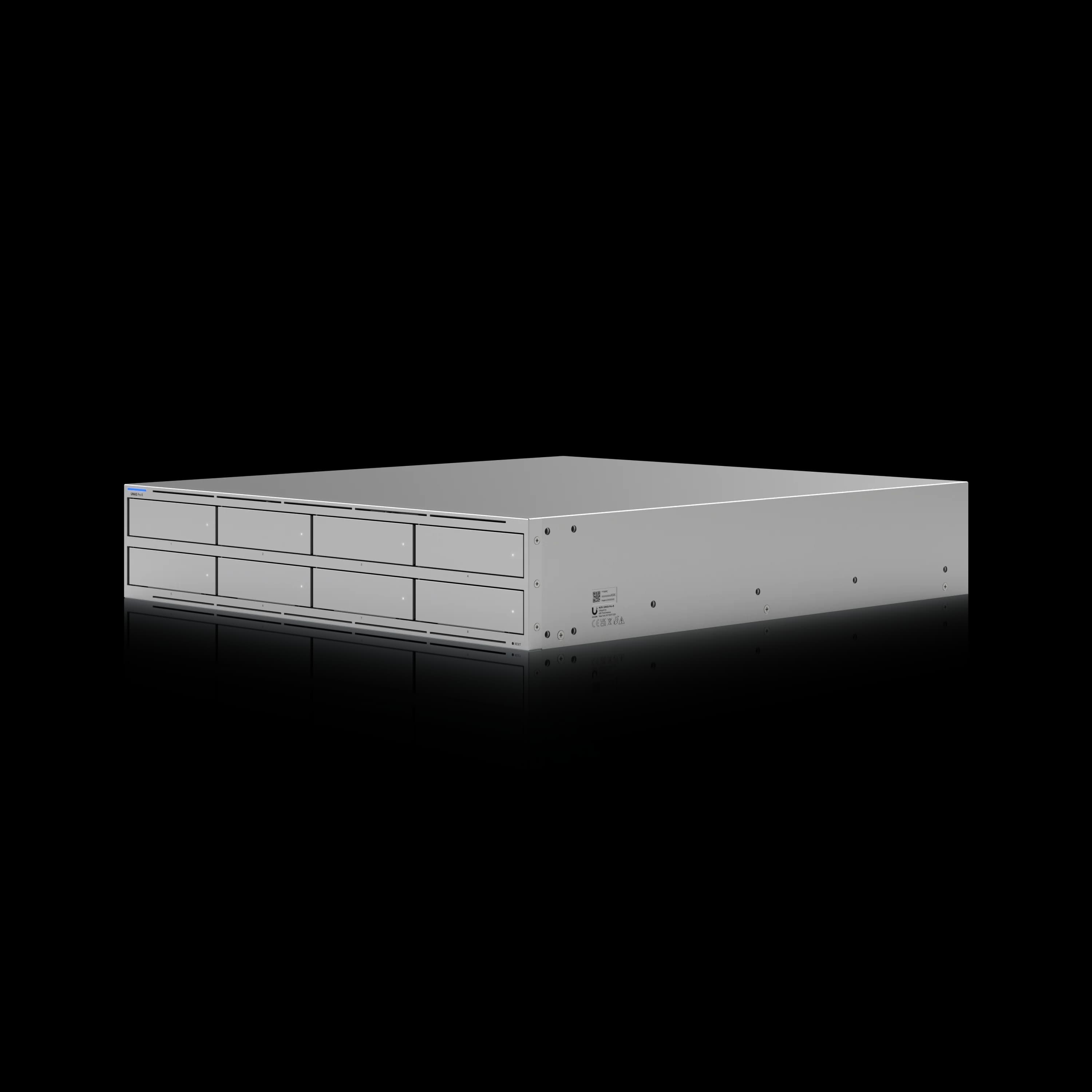
UniFi UNAS Pro 8
$799Eight hot-swap bays in 2U with dual 10G SFP+, NVMe caching, and the same license-free UniFi Drive platform. The natural upgrade when four bays won’t cover your storage roadmap.
Final Assessment
The UNAS Pro 4 is a well-priced file and backup appliance for businesses already running UniFi infrastructure. At $499, it is one of the least expensive 1U rackmount NAS options with built-in dual 10G SFP+ and NVMe cache support. The Active Directory integration provides SMB authentication with domain credentials but does not replicate the full Windows file-server permission model — organizations with complex OU-level access requirements should evaluate whether Drive's permission granularity meets their needs.
After deploying UNAS hardware at client sites from the Drive 3.x generation through the current 4.3.x releases, the UNAS Pro 4 is the product we recommend to an IT manager with a 1U slot, a UniFi network already in place, and a need for centrally managed file storage and backup.
iFeelTech Verdict
Recommended for: UniFi-ecosystem SMBs and MSPs evaluating a 1U file and backup appliance. Not recommended for: Environments that require application hosting, iSCSI, deep AD integration, or more than four drive bays. Need more storage? The UNAS Pro 8 at $799 extends the same platform to eight bays with dual 10GbE.
Frequently Asked Questions
Can the UNAS Pro 4 run Docker or Plex?
No. UniFi Drive is a file and backup platform — it does not support Docker containers, virtual machines, or application hosting. Plex Media Server cannot be installed. If you need a NAS that doubles as an application server or media transcoder, Synology or QNAP are the appropriate platforms.
Can I mix drive sizes in the UNAS Pro 4?
Technically, yes — larger drives can be installed — but usable array capacity is based on the smallest drive in the array. Surplus capacity on larger drives goes unused until all drives have been upgraded. A smaller drive cannot be added to an existing array of larger disks. There is no equivalent to Synology's SHR (Synology Hybrid RAID). For the most cost-effective setup, use identical-capacity drives.
Do I need Ubiquiti-branded hard drives?
No. The UNAS Pro 4 accepts standard SATA HDDs and SSDs. Ubiquiti publishes drive requirements and a qualified-device list. For production deployments, select drives that meet those requirements and preferably appear on the qualified list. Unlisted models may operate normally but can produce compatibility advisories and should be tested before rollout.
What is UI Care and is it worth it?
UI Care is Ubiquiti's extended warranty program. For the UNAS Pro 4, it costs $129 for 5-year coverage and includes prioritized RMA handling, prepaid return shipping, and replacement shipped before inspection of the returned unit. For MSPs managing client infrastructure, UI Care provides a meaningfully faster path to replacement than standard warranty processing.
Does the UNAS Pro 4 support Personal Microsoft 365 OneDrive backup?
No. The OneDrive for Business backup feature, introduced in Drive 4.0 and still current, requires a work or school Microsoft Entra ID account. Personal Microsoft 365 subscriptions (personal outlook.com or consumer plans) are not supported. This feature is designed for businesses with a Microsoft 365 Business or Enterprise subscription managed through Entra ID.
Does the UNAS Pro 4 work with a UPS for graceful shutdown?
Yes, with Ubiquiti's own UPS products. The UniFi UPS 2U ($279) and UPS Tower both support automatic graceful shutdown for UNAS devices (requires UniFi OS 4.4.3 or later). The UNAS Pro 4 does not have a USB port for connecting a conventional third-party UPS (such as APC or CyberPower) for direct graceful shutdown communication. The USP-RPS provides redundant DC power but is not a battery backup UPS.
For a complete view of the current UniFi NAS lineup, see our UniFi NAS Buyer's Guide 2026. If you're deciding between the Pro 4, UNAS 4, and Pro 8 specifically, our UNAS Pro 4 vs Pro 8 vs UNAS 4 comparison breaks down each model by use case. If you're also evaluating whether a UNAS can replace a UNVR for camera recording, see Can UniFi Protect Use a NAS? UNAS vs UNVR Explained.
Have questions about deploying the UNAS Pro 4 in your environment? Contact iFeelTech — we deploy UniFi storage across South Florida and can advise on the right configuration for your office size and infrastructure.
Affiliate Disclosure: This article contains affiliate links. If you make a purchase through these links, we may earn a small commission at no extra cost to you. As an Amazon Associate, iFeelTech earns from qualifying purchases.
Related Articles
More from Business Hardware
UniFi UNAS 2 vs UNAS 4 Review: Desktop NAS for Offices Without a Rack
UNAS 2 ($199) and UNAS 4 ($379) compared for real SMB deployment — specs, RAID options, caching limits, backup, file-server replacement, and practitioner guidance on desktop vs rackmount.
11 min read
UNAS Pro 4 vs UGREEN DXP4800 Plus: Which 4-Bay NAS Should You Buy in 2026?
Two good 4-bay NAS units built on opposite philosophies. Verified specs, complete system costs, and where each one fits in a small business.
12 min read

Local AI Server Hardware Guide for Small Business (2026)
Size a private AI server by model, VRAM, context, and users. Researched August 2026 configurations with specifications and prices checked August 10, 2026.
22 min read