Synology DS1525+ Review: The 5-Bay NAS for Growing Small Businesses
Synology DS1525+ review for small business: 5-bay RAID 5/6, 10GbE upgrade path via E10G22-T1-Mini, and DSM 7.4. Compared to DS925+, DS1825+, and UGREEN DXP4800 Plus with current July 2026 pricing.

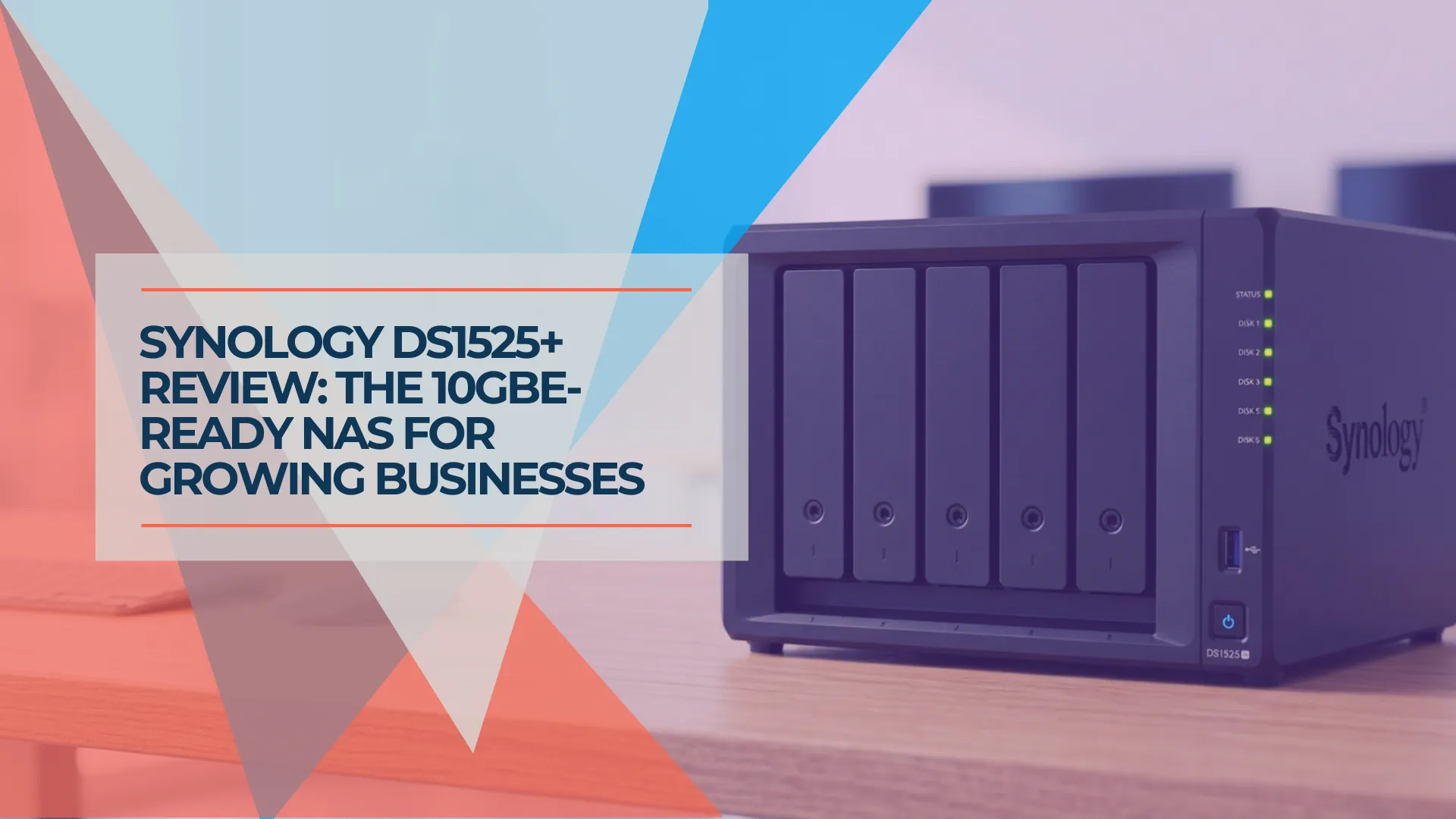
The Synology DS925+ review on this site ends with a straightforward limitation: no 10GbE upgrade path. Unlike the DS925+, the DS1525+ provides an official upgrade path to 10GbE — five bays, a network upgrade slot that accepts Synology's E10G22-T1-Mini module, and the same core DSM 7.4 platform, subject to model-specific package and performance limits.
What it doesn't fix: the AMD Ryzen V1500B is a 2018-era processor that Synology previously reserved for its 6-bay and 8-bay models. It's now standard in the 4-bay DS925+ and this 5-bay DS1525+ — a CPU upgrade over the DS1522+'s dual-core R1600, but still an older architecture. That distinction is relevant if your workload includes Plex transcoding (no iGPU means no hardware transcoding) or CPU-intensive containers. It's less of a factor if your primary use is file sharing, Active Backup for Business, and Synology Drive — which covers most SMB deployments.
Affiliate Disclosure: This article contains affiliate links. If you make a purchase through these links, we may earn a small commission at no extra cost to you. As an Amazon Associate, iFeelTech earns from qualifying purchases.
Prefer to watch? Our seven-minute review explains the DS1525+'s storage, backup, and networking options, and when it fits a growing office. The full written review follows below.
Synology DS1525+ Review: A NAS for a Growing Office
Review Methodology
This article combines Synology's official specifications, independently published benchmark data (cited inline), and our direct experience deploying and managing Synology NAS systems for small and mid-size businesses across South Florida. Performance figures are attributed to their source — either Synology's internal testing or independent reviewers — rather than our own laboratory measurements of this specific unit. Where we reference deployment experience, it reflects real client environments using Active Backup for Business, Synology Drive, and snapshot-based data protection.
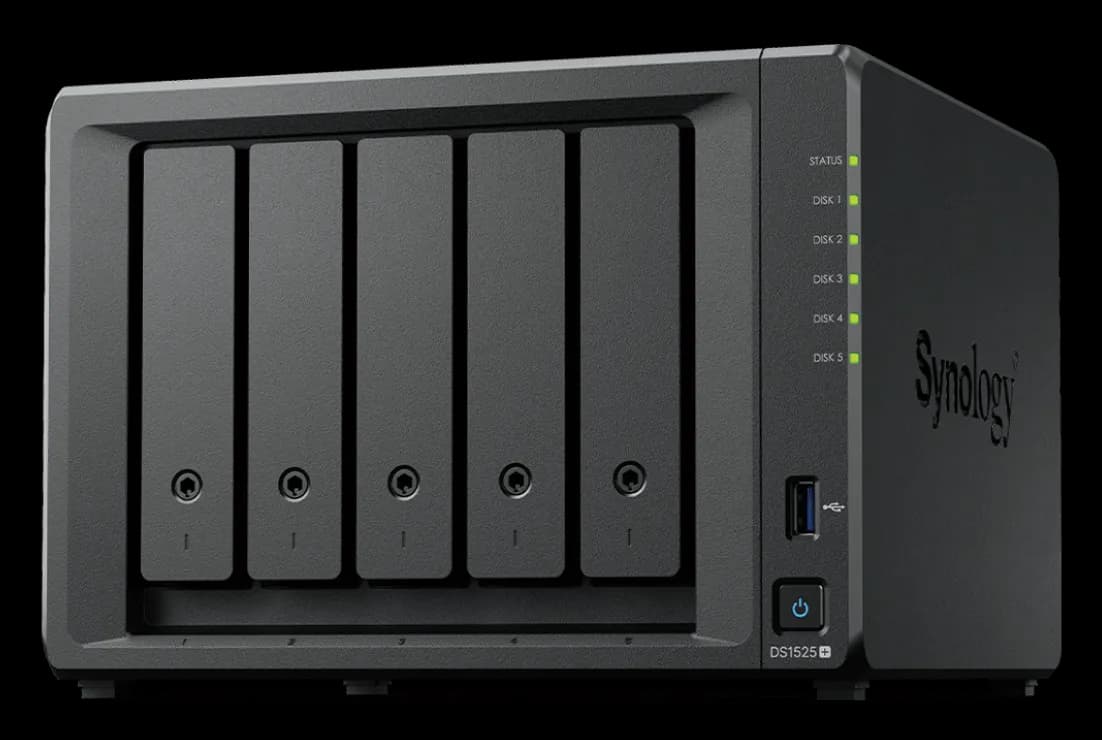
Synology DS1525+
5-bay NAS with 10GbE upgrade slot, 8GB DDR4 ECC, RAID 5/6, and DSM 7.4
- 10GbE network upgrade slot
- 5-bay RAID 5/6 support
- 8GB DDR4 ECC (max 32GB)
- Expandable to 15 bays
- DSM 7.4 with Active Backup
*Price at time of publishing
Quick Verdict
The DS1525+ is a strong five-bay DSM platform when purchased near its $799.99 launch MSRP. At that price, it delivers five RAID-capable bays, an official 10GbE upgrade path, 8GB ECC RAM, and the full DSM 7.4 ecosystem including Active Backup for Business. However, current street prices vary widely — some retailers list the DS1525+ above $1,000. At elevated prices, the value equation shifts significantly: the eight-bay DS1825+ costs only modestly more ($1,249.99 at B&H as of July 2026), while the UGREEN DXP4800 Plus provides newer hardware and built-in 10GbE for substantially less ($620–$660). Check current prices before purchasing.
Rating: 4.0/5 stars — price-dependent; stronger value near MSRP
✓ Pros
- +10GbE network upgrade slot — add E10G22-T1-Mini (approx. $110) without replacing the unit
- +5-bay RAID 5/6 with expansion to 15 bays via two DX525 units — up to 360TB raw
- +8GB DDR4 ECC RAM out of the box, upgradeable to 32GB
- +Same core DSM 7.4 platform and major SMB packages as higher-tier models, subject to model-specific limits
- +Dual M.2 NVMe slots for SSD caching or Synology-approved storage pools
- +3-year warranty extendable to 5 years with Extended Warranty Plus
✗ Cons
- −AMD Ryzen V1500B (2018-era chip) — an upgrade from the DS1522+'s R1600, but still aging silicon
- −2x 2.5GbE standard — 10GbE costs an additional $110 for the upgrade module
- −UGREEN DXP4800 Plus ships 10GbE built-in and a 12th-gen Intel chip for substantially less ($620–$660 vs. $800–$1,070)
- −No Intel Quick Sync — hardware-accelerated Plex transcoding not supported
Hardware Differences: Synology DS1525+ vs. DS925+
The DS1525+ adds a fifth drive bay, 8GB of base ECC memory, and a network upgrade slot for 10GbE connectivity that the DS925+ lacks.
The DS1522+ (2022) offered 5 bays and a PCIe slot but used the weaker 2-core AMD Ryzen R1600. The DS925+ (2025) moved to the 4-core V1500B and dual 2.5GbE but dropped to 4 bays and removed the 10GbE upgrade path entirely. The DS1525+ merges the best of both: 5 bays, the V1500B processor, dual 2.5GbE, and a 10GbE network upgrade slot.
What the DS1525+ fixes
The 10GbE upgrade path. The DS925+ has no network-upgrade or PCIe slot — if your network moves to 10GbE, you replace the entire NAS. (It does support a DX525 expansion unit for additional storage bays, but offers no path to faster networking.) The DS1525+ includes a network upgrade slot that accepts Synology's E10G22-T1-Mini module, adding a 10GbE RJ-45 port for approximately $110. For a team that might need 10GbE in 18–24 months but doesn't need it today, this slot may justify the price premium over the DS925+.
More RAM out of the box. The DS1525+ ships with 8GB DDR4 ECC, double the DS925+'s 4GB. Both max out at 32GB, but starting at 8GB means fewer teams will need to upgrade immediately — Active Backup for Business, Synology Drive, and moderate Docker workloads all run comfortably at 8GB. If you do need 32GB, budget accordingly: Synology's official D4ES03-16G modules carry a significant premium and fluctuate in price — check current retailer availability at time of purchase (2× required for 32GB). Third-party ECC SODIMM alternatives from OWC or Crucial cost considerably less and work operationally, but Synology states that "complete product warranty or technical support" may not be provided when non-Synology memory modules are used. This means non-Synology RAM triggers a persistent notification in DSM and could complicate a warranty claim — weigh the cost savings against potential support limitations.
The fifth bay. Five bays changes the RAID math. A 5-drive RAID 5 array gives you 4 drives of usable capacity with one parity drive — 80% storage efficiency versus 75% on a 4-drive RAID 5. More importantly, 5 bays enable RAID 6 with meaningful usable space (3 drives of capacity after 2 parity drives), which is the recommended configuration for businesses requiring stronger fault tolerance.
Expansion to 15 bays. The DS1525+ supports two DX525 expansion units (~$520 each), adding 10 more bays for a total of 15. With 24TB drives, that's 360TB of raw capacity. The DS925+ supports one DX525 for a maximum of 9 bays.
108TB Volume Size Limit
Synology Plus series models have a 108TB maximum volume size (expandable to 200TB with 32GB RAM installed). While the DS1525+ supports 360TB of raw storage across 15 bays, you cannot create a single 312TB volume. Plan for multiple storage pools or volumes when deploying expansion units. This is a DSM platform limitation, not specific to the DS1525+.
Drive compatibility — the restriction reversal. Synology's 2025 Plus series initially launched with drive validation requirements that blocked third-party HDDs from storage pool creation. With DSM 7.3 (October 2025), Synology reversed this policy. Standard third-party 3.5" SATA HDDs (WD Red Plus, Seagate IronWolf, Toshiba N300) and 2.5" SATA SSDs are now permitted for installation and storage-pool creation on Plus, Value, and J series models. However, Synology still reserves its strongest compatibility, reliability, and support guarantees for drives on the official compatibility list — using validated drives means fewer variables if you need Synology technical support. For M.2 NVMe slots, the restriction remains fully in place on 2025-series models: both SSD caching and M.2 storage pools require drives from Synology's compatibility list (SNV3400 and SNV5400 series). Third-party M.2 NVMe drives cannot be used for either purpose on the DS1525+. DSM 7.4, released June 16, 2026, carries this policy forward unchanged.
What didn't change
The processor architecture. The AMD Ryzen V1500B is a 2018-era chip based on Zen 1 architecture. It was previously reserved for Synology's 6-bay and 8-bay models (DS1621+, DS1821+) and is now standard in the 4-bay DS925+ and this 5-bay DS1525+ — replacing the dual-core R1600 used in the DS1522+ and DS923+. It's an upgrade in core count (4 cores/8 threads vs. 2 cores/4 threads) but not in architecture generation. The V1500B handles file sharing, backup, and lightweight Docker containers without issue. It lacks an integrated GPU (no Intel Quick Sync equivalent), which means it is not a suitable choice for hardware-accelerated Plex transcoding. Direct Play of 4K content to capable clients is unaffected, but software transcoding will heavily tax the CPU depending on codec, bitrate, and subtitle requirements.
Side-by-Side Comparison
The DS1525+ is the least expensive current-generation (2025-series) five-bay-or-larger DiskStation with an official 10GbE upgrade path. (Older models such as the DS723+, DS923+, and DS1522+ also accept the E10G22-T1-Mini module but use a previous-generation processor.)
| Model | Bays | 10GbE Upgrade | Max RAM | Base RAM | US Launch Price | Price Checked Jul 27, 2026 |
|---|---|---|---|---|---|---|
| DS725+ | 2 | None | 32GB | 4GB | $499 | $499 |
| DS925+ | 4 | None | 32GB | 4GB | $639.99 | $640–$720 |
| DS1525+ | 5 | E10G22-T1-Mini (~$110) | 32GB | 8GB | $799.99 | $800–$1,070 |
| DS1825+ | 8 | PCIe slot (10/25GbE cards) | 32GB | 8GB | $1,149.99 | $1,250–$1,420 |
| DS1823xs+ | 8 | Built-in 10GbE | 32GB | 8GB | $1,899.99 | $2,050 |
Price context (July 2026): Street prices fluctuate significantly. The DS1525+ launched at $799.99 and is available near that price at some retailers (Best Buy), while others (Newegg, B&H) list it around $1,069.99. Always compare current prices across retailers before purchasing.
The 10GbE cost comparison at MSRP: DS1525+ ($800) + E10G22-T1-Mini ($110) = $910 for 5 bays with 10GbE. At current elevated prices: $1,070 + $110 = $1,180. The UGREEN DXP4800 Plus ships 4 bays with built-in 10GbE for approximately $620–$660. At MSRP, you're paying ~$260 more for the fifth bay and Synology's DSM ecosystem. At elevated street prices, the gap widens to $520–$560, which substantially weakens the value argument. Whether the Synology premium is justified depends on how much you value Active Backup for Business, DSM's long-term update track record, and Synology's immutable snapshot and site-to-site replication features.
Important alternative: The DS1825+ ($1,249.99 at B&H as of July 2026) provides eight bays and a full PCIe slot supporting 10GbE and 25GbE cards — not just Synology's compact Mini module. If the DS1525+ is priced above $1,000 at your retailer, the DS1825+ offers substantially more capacity and upgrade flexibility for only $180–$250 more.
Specs at a Glance
The DS1525+ is a 5-bay NAS with dual 2.5GbE, a 10GbE upgrade slot, 8GB ECC RAM, and expansion to 15 bays.
| Component | Specification |
|---|---|
| Processor | AMD Ryzen V1500B (4-core/8-thread, 2.2 GHz) |
| Memory | 8GB DDR4 ECC SODIMM (expandable to 32GB) |
| Drive Bays | 5× 3.5"/2.5" SATA (hot-swappable) |
| M.2 Slots | 2× M.2 2280 NVMe (caching or storage pools; compatibility-list drives required) |
| Networking | 2× 2.5GbE RJ-45 (link aggregation supported) |
| 10GbE Upgrade | 1× network upgrade slot (PCIe Gen 3 x2) for E10G22-T1-Mini |
| Expansion | 2× DX525 supported (adds 10 bays, total 15 bays, 360TB max raw) |
| Performance | Up to 1,181/1,180 MB/s read/write (Synology lab, SSD, 10GbE); 696/862 MB/s (Synology lab, HDD) |
| Noise Level | 22.60 dB(A) (Synology spec, idle with Synology HDDs, 1m distance, 16.5–17.5 dB(A) background) |
| Dimensions | 166 × 230 × 223 mm |
| Warranty | 3-year limited hardware (extendable to 5 years) |
10GbE Upgrade Option
The DS1525+ includes a dedicated network upgrade slot that accepts Synology's E10G22-T1-Mini 10GbE module (currently $110–$135 depending on retailer). This is a compact PCIe Gen 3 x2 module — not a full-size PCIe card like the E10G18-T1 used in rackmount models. The module uses a straightforward single-screw installation through the dedicated upgrade slot. Combined with the dual 2.5GbE ports, this gives the DS1525+ networking flexibility that the DS925+ does not offer.
Software Capabilities: DiskStation Manager 7.4
The Synology DS1525+ runs DSM 7.4, delivering backup, file sync, and ransomware protection with no per-device license fees for the core packages.
The DS1525+ runs the same core DSM platform and major SMB packages as the higher-priced DS1823xs+. Application limits, maximum user counts, and certain hardware-gated features (such as Storage Efficiency and AI-powered packages requiring GPU acceleration) do vary by model, but the fundamental backup, sync, and snapshot tools are consistent across the lineup. This software consistency is Synology's primary competitive advantage.
DSM 7.4 was released on June 16, 2026, replacing DSM 7.3 as the current version. The update introduces Storage Efficiency (HDD-based post-processing deduplication and compression) as a released feature. However, several headline capabilities announced alongside 7.4 are not yet available: DSM Agent (an AI-assisted management layer) is scheduled for Q3 2026, while AI Search, ChatPlus, and Meet are planned for Q4 2026. Synology's Storage Efficiency feature requires volumes built entirely from Synology-branded drives — a third-party drive in the pool disables the feature. None of this affects the core backup, sync, and snapshot tools most SMB deployments rely on day to day.
Active Backup for Business is the standout for endpoint protection. It backs up Windows PCs, Macs, Linux servers, and VMware/Hyper-V environments — all with no per-device license fees. For Microsoft 365 protection (Exchange, SharePoint, OneDrive, Teams), Synology provides a separate package: Active Backup for Microsoft 365 — also license-free, but a distinct installation from the endpoint backup package. Commercial backup alternatives (Veeam, Acronis, Datto) typically add per-workload subscription costs that vary by product tier and deployment size — compare your actual licensing requirements before deciding. The avoided recurring licensing is a compelling argument for Synology, though the exact savings depend on which alternatives you'd otherwise deploy. We've deployed Active Backup for dozens of South Florida businesses and it has consistently performed well as a zero-cost endpoint backup platform. For a deep dive, see our Active Backup for Business guide.
Synology Drive provides self-hosted file synchronization and sharing across Windows, Mac, and mobile — comparable to Dropbox or OneDrive's sync features, with no recurring subscription. It is not a complete replacement for Microsoft 365's collaboration suite, cloud availability guarantees, or off-site protection — but for teams whose primary need is file sync and versioning on their own infrastructure, it reduces reliance on a cloud subscription.
Snapshot Replication protects shared folders and LUNs with point-in-time recovery. Immutable snapshots — locked against modification or deletion — provide a layer of protection against ransomware that has encrypted or deleted files. The DS1525+ supports up to 4,096 snapshots per system and 32 replication tasks. Important: snapshots on the same NAS protect against file-level issues but not against hardware failure or physical disasters — they are not a substitute for offsite backups. For details on snapshot strategy, see our Synology snapshots guide.
Docker (Container Manager) runs containerized applications directly on the NAS. The 4-core V1500B comfortably handles lightweight containers — Pi-hole, Uptime Kuma, Vaultwarden, and similar self-hosted tools. The actual number of containers you can run depends entirely on what each container does (a Pi-hole instance uses negligible resources; a database or media indexer uses substantially more). CPU-intensive containers will push the V1500B harder than newer Intel-based competitors, but for standard SMB self-hosted services, it performs adequately.
Hyper Backup handles offsite backup to cloud destinations (Synology C2, Backblaze B2, AWS S3) or to a remote Synology NAS. To achieve a proper 3-2-1 backup strategy (three copies of data, on two different media types, with one offsite), you need more than just the DS1525+ itself: production data on the NAS plus same-system snapshots count as only one copy on one medium. A complete 3-2-1 implementation requires a separate local backup target (a second NAS, external drive, or dedicated backup server) plus offsite Hyper Backup. RAID and snapshots on the same system are not backups — they protect against drive failure and accidental deletion, but not against chassis failure, fire, or ransomware that compromises the entire unit.
DSM Remains the Primary Reason to Choose Synology
For most SMB teams, Active Backup for Business is the strongest differentiator. No license fees, comprehensive endpoint and VM backup coverage, and a long track record of reliable updates. Synology has historically delivered security patches and DSM updates for 7+ years per model, though this is observed practice rather than a fixed per-model guarantee — see the Synology Software Lifecycle Policy for current commitments. Few competing NAS platforms match this depth of backup, sync, and snapshot features without per-device licensing.
For the full Synology lineup and how the DS1525+ fits the range, see our Synology NAS business guide.
Real-World Performance: What to Expect
Synology's internal laboratory testing rates the DS1525+ at up to 1,181/1,180 MB/s (read/write) with SSDs over 10GbE, and 696/862 MB/s with HDDs. These are Synology's own figures under controlled conditions — not typical dual-2.5GbE results.
Sequential Throughput
Synology laboratory figures (for reference — actual performance depends on your drives, RAID level, network configuration, and client hardware):
- 10GbE (E10G22-T1-Mini, SSD array): Up to 1,181 MB/s read / 1,180 MB/s write per Synology's internal testing.
- HDD configuration (Synology lab): Up to 696 MB/s read / 862 MB/s write. Synology's performance methodology uses fully populated drives in RAID 5, all available network ports (including the 10GbE module), multiple client endpoints, and manually distributed traffic. These are multi-client laboratory aggregates — not single-client or dual-2.5GbE results.
- Single 2.5GbE connection (real-world ceiling): ~280–300 MB/s after SMB overhead. Still 2.5× faster than legacy 1GbE models.
- Dual 2.5GbE with link aggregation: Link aggregation does not double the speed of a single file transfer for a single client. It balances multiple concurrent connections across both ports. SMB Multichannel can use multiple network paths for one client when the NAS, client interfaces, and network paths are configured correctly — actual throughput depends on the client hardware, drives, protocol overhead, and network topology.
- 1GbE ceiling (without 2.5GbE-capable switch): ~112 MB/s. If your network infrastructure is still 1GbE, the DS1525+'s 2.5GbE ports won't help until you upgrade the switch.
Independent testing by NAS Compares using five Synology HAT5300 drives in SHR with an E10G22-T1-Mini installed found approximately 550–580 MB/s combined throughput over the onboard 2.5GbE ports and 900–950 MB/s read / 800–850 MB/s write over 10GbE.
RAID Performance
RAID 5 and SHR write speeds are lower than reads due to parity calculation overhead — transparent in daily file operations but measurable in large sequential writes. Actual throughput depends on your drive model, RAID/SHR level, number of drives, and network configuration. NAS Compares' independent testing with five HAT5300 drives in SHR measured approximately 550–580 MB/s over the onboard dual 2.5GbE ports, scaling to 900+ MB/s read with the 10GbE module installed.
NVMe Caching: Where It Helps and Where It Doesn't
The dual M.2 NVMe slots enable SSD read/write caching that accelerates random I/O — database queries, small-file multi-user document edits, and application metadata lookups. For these workloads, NVMe caching provides a noticeable improvement regardless of network speed. For large sequential file transfers, NVMe caching generally provides minimal benefit — sequential reads and writes are already well-served by spinning drives in a RAID array. The caching investment pays off most in mixed workloads with many concurrent users performing random small-file operations.
Multi-User Workloads
With 8GB RAM and the 4-core V1500B, the DS1525+ is positioned for small-to-medium office file sharing alongside backup duties. Synology's own testing specifications list a maximum of 80 concurrent Synology Drive users for this model. In practice, a mix of file operations, Active Backup jobs, and Synology Drive syncing will be comfortable for a typical SMB office — CPU utilization during Active Backup incremental runs will vary based on the number of endpoints, change rate, and concurrent tasks. The DS1525+'s 8GB base RAM gives it more headroom than the DS925+'s 4GB for concurrent workload scenarios.
Power and Noise
Synology specifies 22.60 dB(A) at idle — measured with Synology SATA HDDs installed, at 1m distance, with 16.5–17.5 dB(A) background noise at 24–26°C. Real-world noise with NAS-rated HDDs (IronWolf, WD Red Plus) is higher: independent testing by NAS Compares found approximately 36–39 dBA idle and up to 52–55 dBA under sustained load with high-RPM drives. DSM's fan speed controls offer Full-Speed, Cool, and Quiet modes — Quiet mode keeps noise manageable in an office closet but may raise drive temperatures slightly.
Power consumption: Synology specifies 44.56W during access and 13.63W during HDD hibernation. Running continuously at 44.56W equates to approximately 390 kWh annually — the actual cost depends on your local electricity rate ($0.12/kWh would be roughly $47/year; $0.30/kWh would be roughly $117/year).
Which Synology NAS Should Your Business Buy?
Choose the DS1525+ for future 10GbE scalability, the DS925+ for cost-effective 4-bay storage, the DS1825+ for more bays at current prices, or the DS1823xs+ for higher CPU throughput and built-in 10GbE.
Scenario 1: Your Team Needs 4 Drives and 10GbE Isn't on the Roadmap
Buy the DS925+ ($640–$720 depending on retailer). Four bays handle RAID 5 with 3–4 drives, and dual 2.5GbE is sufficient for light-to-moderate concurrent file access. You give up the fifth bay, 4GB of base RAM, and the 10GbE upgrade path. The DS925+ is the right choice for teams that prioritize value and don't foresee a 10GbE network upgrade within the NAS's lifespan. Read our full DS925+ review.
Scenario 2: You Want Room to Grow and Might Add 10GbE Later
Buy the DS1525+ ($800–$1,070 depending on retailer). The fifth bay gives you more RAID flexibility (RAID 6 with usable space, or RAID 5 with room to expand). The network upgrade slot means you can add 10GbE for ~$110 when your infrastructure supports it — less costly than replacing the entire NAS. The 8GB base RAM handles heavier concurrent workloads out of the box. However, at prices above $1,000, compare carefully against the DS1825+ ($1,249.99 at B&H), which offers eight bays and a full PCIe slot for only modestly more.
Scenario 3: You Need 8 Bays or a Better Value at Current Prices
Buy the DS1825+ ($1,249.99 at B&H as of July 2026). Eight bays, the same AMD Ryzen V1500B as the DS1525+, dual 2.5GbE, and a full PCIe slot that accepts standard 10GbE or 25GbE network cards (not limited to Synology's compact Mini module). At current prices where the DS1525+ often exceeds $1,000, the DS1825+ is only $180–$250 more and provides three additional bays plus significantly more expansion flexibility. This is the most relevant 2026 comparison for buyers who've outgrown four bays.
Scenario 4: You Need Built-in 10GbE Now or Heavy Compute
Buy the DS1823xs+ (~$2,050). Built-in 10GbE (no module needed), 8 bays, the faster AMD Ryzen V1780B processor, and a full PCIe x8 slot for additional expansion. This model suits workloads requiring higher CPU throughput, day-one 10GbE, or heavier concurrent access — video production, VM hosting, or environments where the V1500B would be a constraint. For teams still deciding between a NAS and a full server, the DS1823xs+ sits at the boundary.
The DS725+ remains the entry point for small teams or individuals who need basic file sharing and backup with 2 bays and minimal storage growth.
For a broader comparison across all Synology tiers and non-Synology alternatives, see our best NAS for small business roundup.
UGREEN DXP4800 Plus: The Hardware Alternative
The UGREEN DXP4800 Plus offers stronger hardware at a substantially lower price than the DS1525+, but lacks Synology's mature software ecosystem.
At approximately $620–$660 (varying by retailer and promotion), the DXP4800 Plus ships a 12th-gen Intel Pentium Gold 8505 (5-core, up to 4.4 GHz), 8GB DDR5 RAM, built-in 10GbE, built-in 2.5GbE, two M.2 NVMe slots, and 4 bays. On hardware specs alone, the UGREEN leads significantly. The Intel 8505 supports Intel Quick Sync for hardware video transcoding — it can handle Plex hardware transcoding (exact stream count depends on codec, bitrate, subtitle type, and whether you have Plex Pass), while the DS1525+'s V1500B lacks an iGPU entirely. Built-in 10GbE eliminates the ~$110 upgrade module cost, and DDR5 is a generational improvement over DDR4.
The price gap has widened considerably. At the DS1525+'s $799.99 MSRP, the UGREEN was ~$150 cheaper. At current street prices where the DS1525+ often sells for $1,070, the UGREEN is $410–$450 cheaper for the bare chassis, or $520–$560 cheaper when comparing the DS1525+ with 10GbE module against the UGREEN's built-in 10GbE. This materially changes the value calculation.
The Synology case is primarily about software:
- Active Backup for Business — UGOS does not currently advertise a directly comparable first-party endpoint and hypervisor backup suite. You'd likely need third-party backup software (Veeam, Acronis) with per-endpoint licensing.
- DSM 7.4 (current release, June 2026) continues a 15+ year track record of stable updates, extensive documentation, and a mature package ecosystem. UGOS is improving rapidly but is a considerably younger platform with a shorter support history.
- Synology's support lifespan — with Extended Warranty Plus, you get 5 years of hardware coverage and ongoing DSM updates. Synology has historically delivered security patches for 7+ years per model, though this is observed practice rather than a fixed guarantee (see the Software Lifecycle Policy).
- Snapshot Replication supports immutable snapshots and offsite replication for ransomware protection — capabilities UGOS does not currently offer at equivalent depth.
The buyer who values Active Backup for Business, reliable long-term updates, immutable snapshots, and site-to-site replication pays the Synology premium for those reasons. The buyer who prioritizes raw hardware performance, built-in 10GbE, and lower upfront cost goes with UGREEN.
For the complete hardware-vs-software analysis, read our UGREEN vs Synology NAS comparison.
Who Should Buy the DS1525+
The right buyer needs RAID 5/6 redundancy across five bays, wants an official 10GbE upgrade path without replacing the NAS, and values Synology's backup and sync ecosystem. This also describes teams running Active Backup for Business across multiple endpoints. Teams already invested in DSM — particularly its backup, snapshot, and replication tools — will find the DS1525+ fits naturally. It's the smallest Synology NAS that offers both 5-bay capacity and a 10GbE upgrade path.
Consider alternatives if: you're a 2–4 person team that doesn't need 5 bays — the DS925+ delivers the same core DSM experience at a lower price. Or you're prioritizing Plex transcoding, video editing performance, or maximum hardware value per dollar — the UGREEN DXP4800 Plus delivers better compute performance with built-in 10GbE for substantially less. Or you need 8 bays with a full PCIe slot — the DS1825+ offers significantly more for only modestly more money at current prices. Or you need built-in 10GbE today — the DS1823xs+ is the XS+-tier option.
Related Resources
- Synology DS925+ Review — The 4-bay alternative if you don't need 5 bays or 10GbE upgrade capability.
- UGREEN vs Synology NAS Comparison — The complete hardware-vs-software analysis for teams weighing both ecosystems.
- Active Backup for Business Guide — How to deploy Synology's zero-cost backup platform for PCs, servers, and VMs.
- Synology Snapshots Explained — Protect against ransomware and accidental deletion with immutable snapshots.
- Best NAS for Small Business — Full roundup comparing Synology, UGREEN, and QNAP across multiple tiers.
- Synology NAS Business Guide — The full Synology lineup from DS225+ to DS1823xs+, compared tier by tier.
Frequently Asked Questions
Related Articles
More from Business Hardware
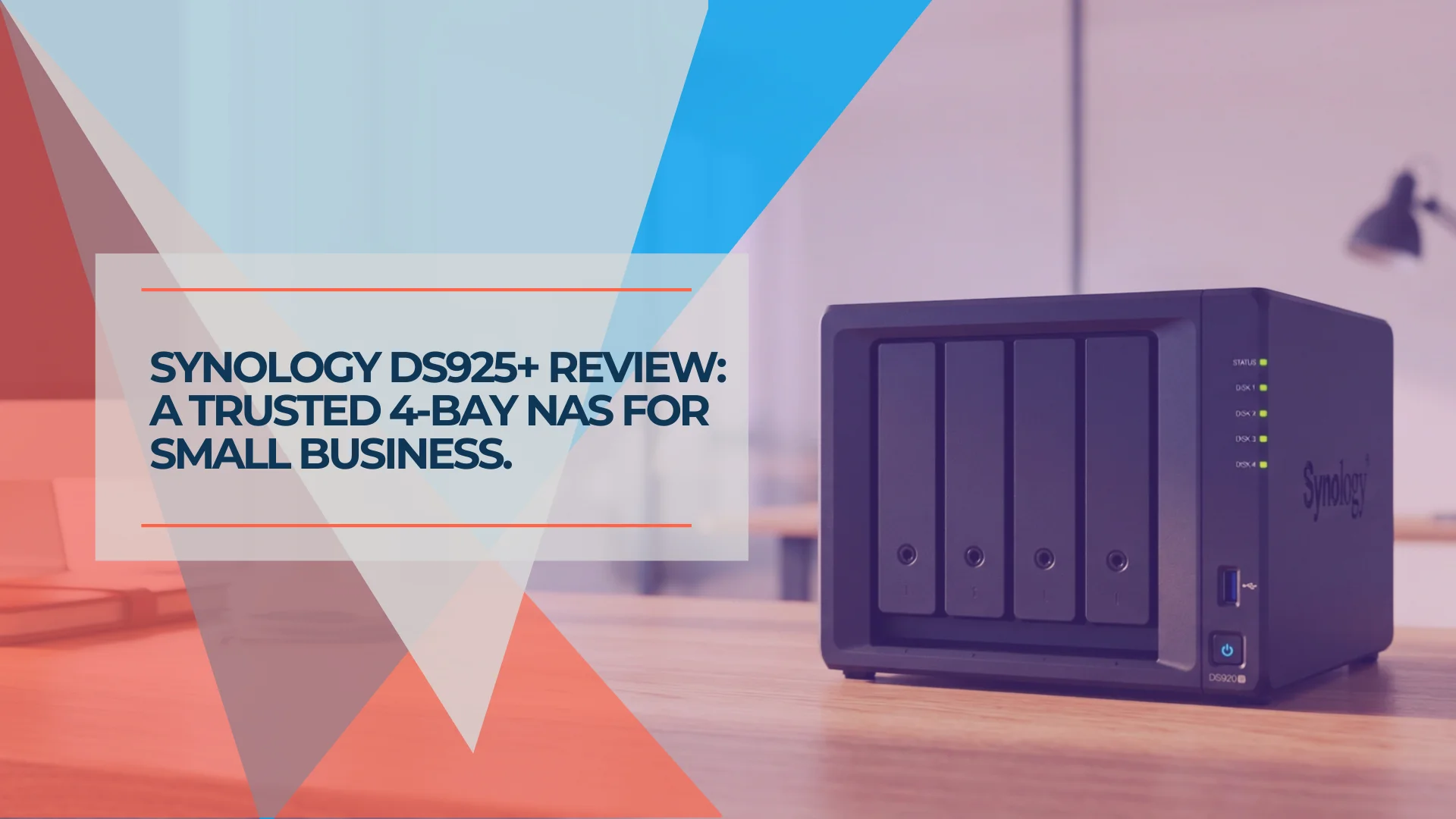
Synology DS925+ Review: Is This 4-Bay NAS Still Worth It in 2026?
Synology DS925+ review for small business. Full specs, real-world performance, RAID 5/6 analysis, honest UGREEN DXP4800 comparison, and whether the aging hardware is still worth $639.99 in 2026.
20 min read
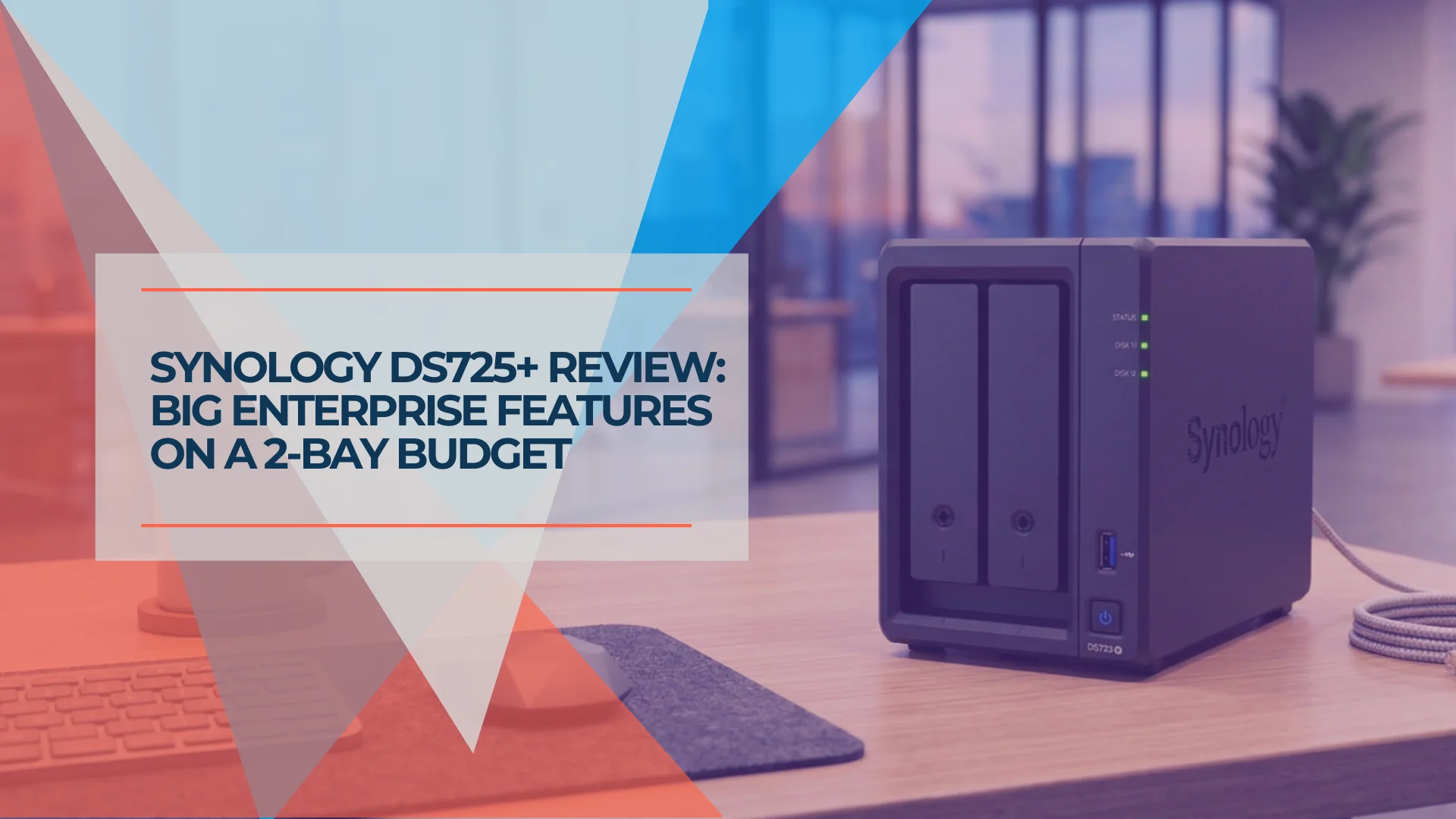
Synology DS725+ Review: Is the 2-Bay NAS Right for Your Small Business?
Synology DS725+ review. Compare specs, pricing, and real-world performance against DS925+ and 2-bay competitors. Best for startups and small teams.
17 min read
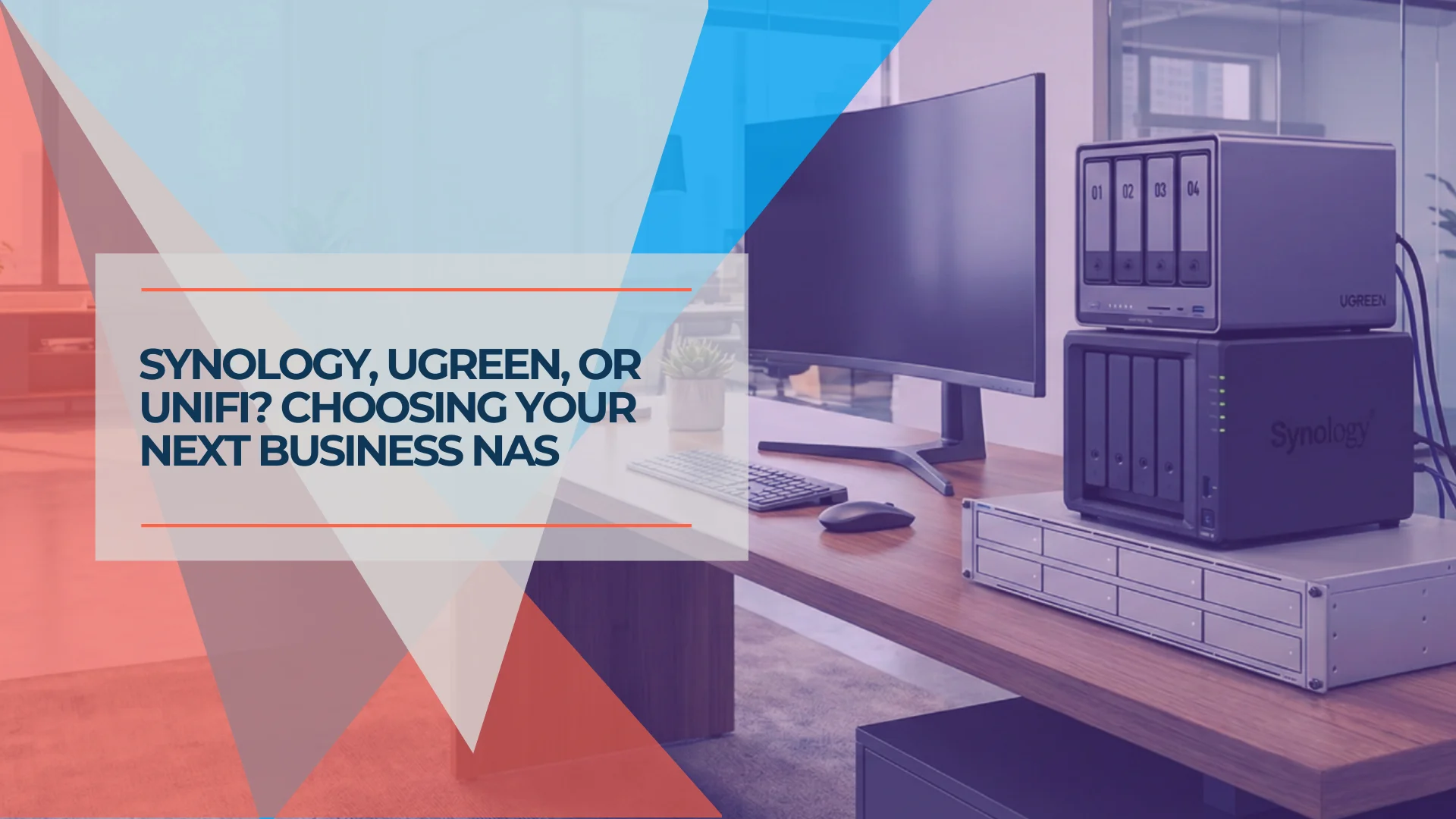
Best NAS for Small Business 2026: Synology, UGREEN & UniFi Compared
Compare the top NAS systems for small business in 2026. Synology DS925+, UGREEN NASync DXP4800 Plus, and UniFi UNAS Pro reviewed with specs, pricing, and practical trade-offs.
20 min read