

UGREEN vs Synology NAS: Hardware Value or Better Business Software?
UGREEN gives you faster hardware for the money; Synology gives you the deeper business software stack. Compare backup, permissions, 10GbE, apps and total cost.

UGREEN and Synology can cost similar money while selling almost opposite value. UGREEN's current NASync systems put more emphasis on included networking, processor performance, memory headroom and creator-friendly I/O. Synology's advantage appears after power-on: DSM provides the deeper business backup, permissions, monitoring and recovery ecosystem.
That makes the spec-sheet winner surprisingly easy to regret. This guide starts with the job your NAS must recover from, then compares the closest current models and the full cost of making each one useful. Most businesses without dedicated IT should begin with Synology. Technical teams with a measured 10GbE, container or creator workload should give UGREEN a serious look.
Affiliate Disclosure: This article contains affiliate links. If you make a purchase through these links, we may earn a small commission at no extra cost to you. As an Amazon Associate, iFeelTech earns from qualifying purchases.
How We Compared These Platforms
This is a sourced platform comparison, not a claim that we benchmarked every model side by side. Product specifications, documented software capabilities and US prices were rechecked against manufacturer pages and authorized retailers on September 22, 2026. Prices can change immediately; performance depends on drives, RAID, network, clients and workload.
Fast Verdict: Choose the Operating Model First
| Your situation | Better starting point | Why | What could reverse the answer |
|---|---|---|---|
| Small business without dedicated IT | Synology | Deeper first-party backup, restore, permissions and monitoring workflows | A managed provider validates UGREEN and the workload genuinely needs its included hardware |
| Technical or creator team | UGREEN shortlist | More multi-gig networking, compute and I/O included at comparable enclosure prices | A required backup, SaaS protection or audit workflow exists only in DSM |
| Local-AI or specialist lab | Evaluate UGREEN iDX separately | Purpose-built compute and expansion are outside normal NAS requirements | The workload does not justify workstation-class pricing or lacks a tested software path |
The Short Answer
Choose Synology when the NAS is primarily a business appliance: protect endpoints and Microsoft 365, manage shared access, keep versioned off-site backups, and recover data without building the workflow yourself.
Shortlist UGREEN when a technically capable owner has a verified reason for 10GbE, stronger compute, containers, virtual machines or creator connectivity—and can prove the backup and restore process before production data moves.
Choose neither yet if you cannot name the independent backup destination and perform a restore test. RAID protects availability during a drive failure; it is not a backup.
Hardware-First vs Software-First: What That Means in Practice
Imagine that an employee deletes a project folder, a workstation fails, or a Microsoft 365 account is compromised. The important question is not which enclosure has the faster processor. It is whether the administrator can find the right recovery point, restore the right data, and document what happened without assembling several third-party tools under pressure.
Now change the workload: a video team moves hundreds of gigabytes between workstations and shared storage every day. In that case, a built-in 10GbE port, stronger CPU and direct-connect options can save real time. Synology's better restore interface does not make a 2.5GbE link faster.
That is the comparison: UGREEN sells more hardware headroom; Synology sells a more complete operating model. Neither advantage matters unless it solves the reader's workload.
Compare the Right Current Models
Do not compare products merely because both brands call them premium. Match bay count and job first.
| Decision tier | UGREEN candidate | Synology candidate | What the pairing answers |
|---|---|---|---|
| Mainstream 4-bay | DXP4800 Plus — $656.99 sale price | DS925+ — $749.99 at B&H | Included 10GbE hardware versus deeper DSM workflows |
| Growing 5/6-bay | DXP6800 Pro — $1,099.99 | DS1525+ — about $800 | High-speed creator hardware versus expansion and business administration |
| 8-bay | DXP8800 Plus — $1,369.99 | DS1825+ — about $1,300 | Capacity, 10GbE cost and long-term platform choice |
| Specialist AI | iDX6011 Pro 64GB — $5,999.99 | No forced direct match | Local-AI workstation/NAS evaluation, not normal office storage |
Prices above were checked September 22, 2026. UGREEN prices came from its US store; Synology pricing came from B&H, an authorized dealer. Promotions and inventory change. The newer DXP6800 Ultra and DXP8800 Ultra add faster processors and higher memory ceilings, but most file-sharing and backup buyers should not pay for them without proving the workload is compute-bound.
The iDX6011 Pro deserves special caution. At the September 22 check, UGREEN's live US store listed the iDX6011 32GB at $2,349.99 and the iDX6011 Pro 64GB at $5,999.99. The iDX6011 64GB (non-Pro) was listed as a preorder deposit only, with no confirmed US retail price yet. Older comparisons—including the previous version of this article—sometimes treated $2,599 as the Pro price. It is not the current listed US configuration. Read our AI NAS guide before treating AI hardware as a storage requirement.
For a complete UGREEN/Synology/UniFi capacity and cost comparison at eight bays, use our best 8-bay NAS for small business guide.
Where UGREEN's Hardware Advantage Changes the Result
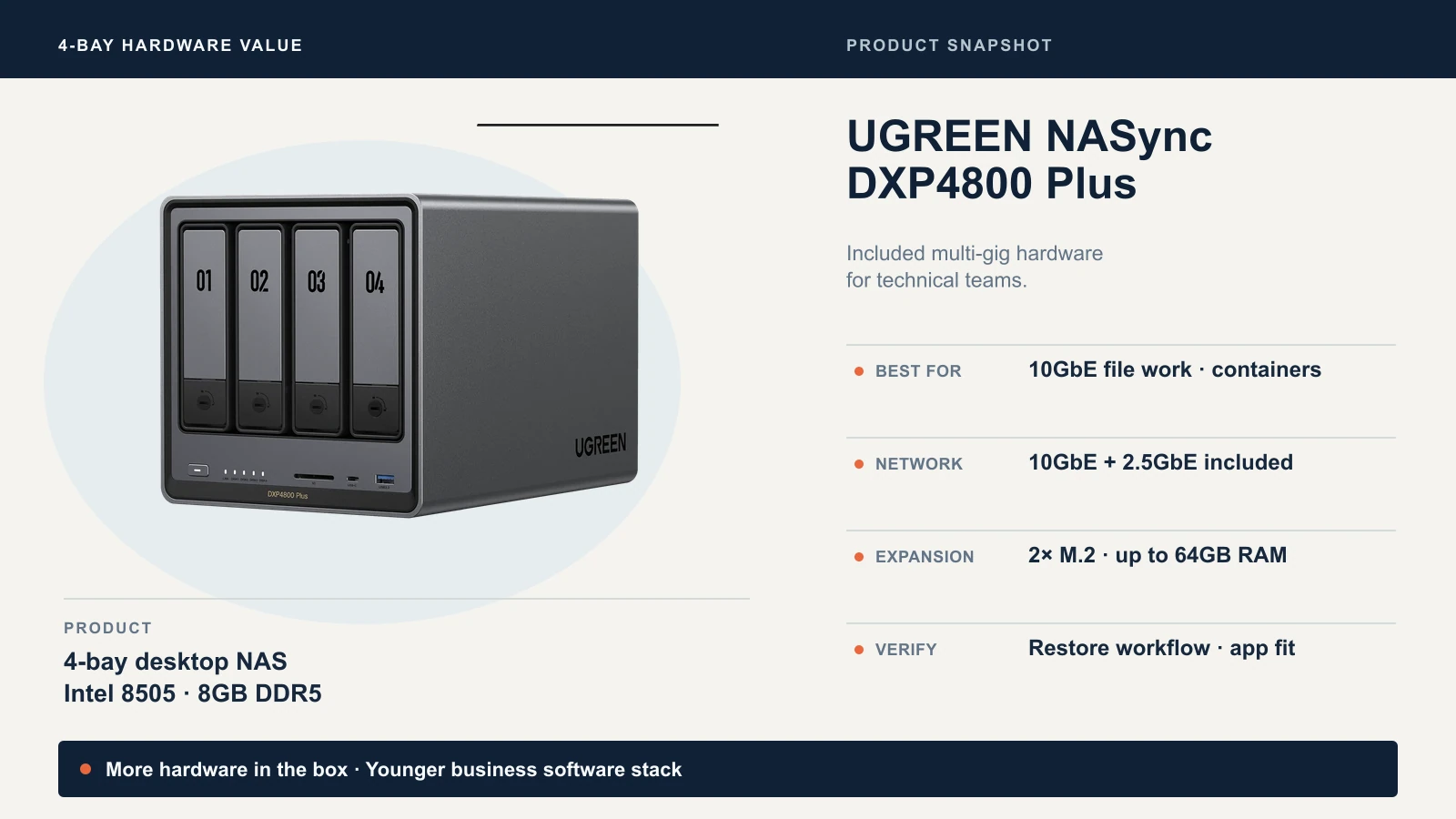
The DXP4800 Plus is the cleanest mainstream example. UGREEN documents a five-core Intel Pentium Gold 8505, 8GB of DDR5 memory expandable to 64GB, four SATA bays, two M.2 slots, one 10GbE port and one 2.5GbE port. The current DS925+ uses an AMD Ryzen V1500B, 4GB of ECC DDR4 expandable to 32GB, four SATA bays, two M.2 slots and two 2.5GbE ports.
UGREEN's included hardware matters when:
- workstations already have 10GbE and move large media, CAD or project files;
- containers or virtual machines need more processor and memory headroom;
- the team wants two different wired network speeds without adding hardware;
- higher-tier DXP models' Thunderbolt 4 ports fit a validated direct-connect workflow.
It does not matter when the office switch is 1GbE, clients are Wi-Fi-only, or the workload is ordinary documents and cloud applications. A 10GbE NAS port does not produce 10Gbps file transfers by itself. The switch, cabling, client adapter, RAID layout, drives, protocol and file pattern all affect the result. Our 10 Gigabit Ethernet guide covers the rest of that path.
UGREEN also publishes a broad compatibility list for third-party SATA drives, M.2 SSDs, memory and UPS models. Check the complete part number rather than assuming that brand and capacity are enough. UGREEN explicitly warns that an unlisted part is not automatically incompatible, but its stability and performance are not guaranteed.
Where Synology's Business Software Earns Its Premium
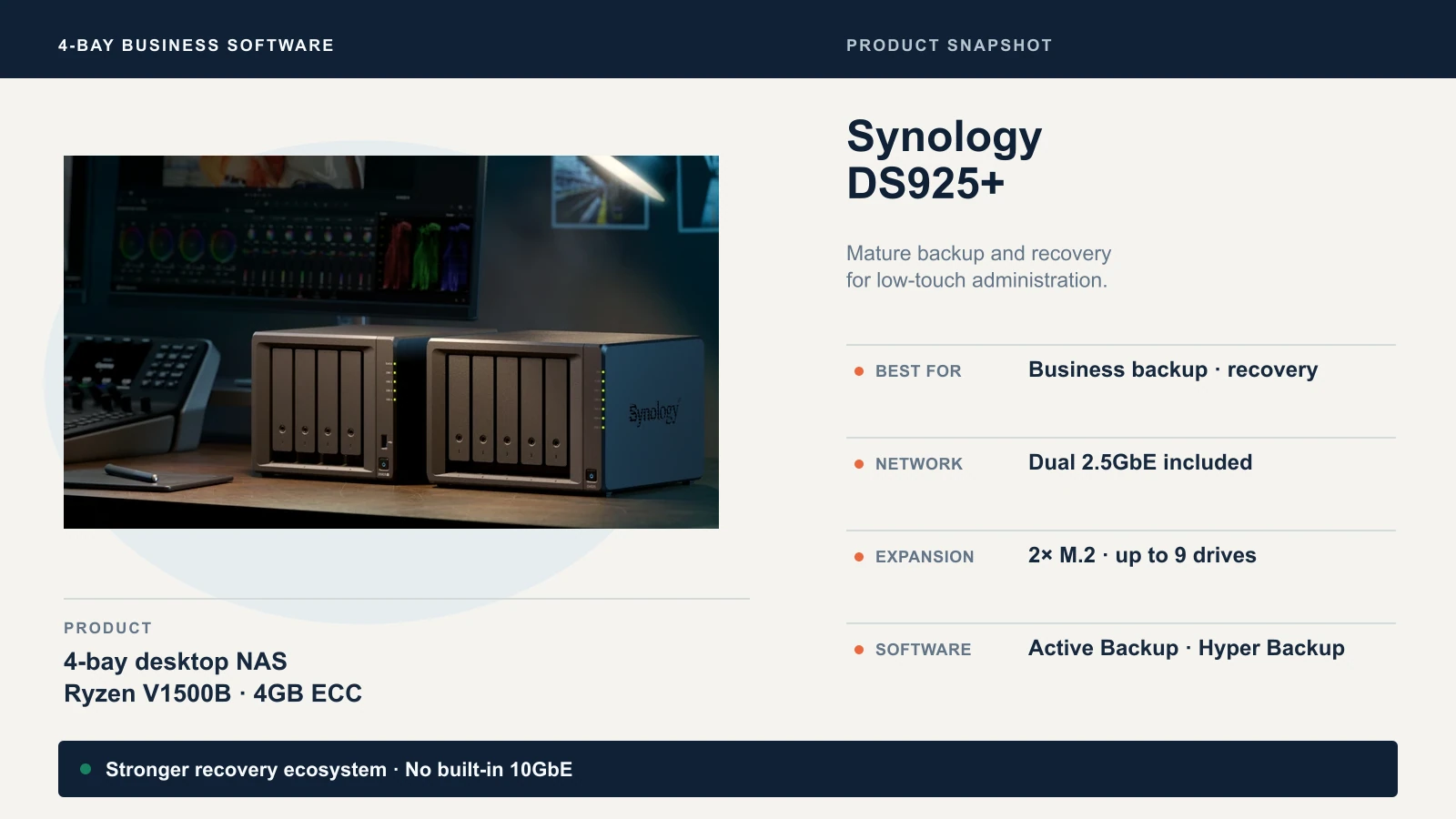
Synology's advantage is not one dashboard or one package. It is the way several recovery jobs fit together:
- Active Backup for Business centralizes compatible PC, server and virtual-machine backups.
- Active Backup for Microsoft 365 protects supported Exchange Online, OneDrive, SharePoint and Teams data and can provide self-service restore access.
- Hyper Backup creates versioned backups to local, remote and supported cloud destinations; some destinations or services carry separate charges.
- Snapshot Replication creates point-in-time recovery copies and supports immutable snapshots on compatible systems and configurations.
- Synology Drive, permissions, logs and monitoring provide a more established administration path for shared business data.
Exact support, limits and licensing vary by model, package and destination. For example, Surveillance Station includes only two device licenses on the DS925+; extra cameras require licenses. Synology C2 and some monitoring services require subscriptions. “Included software” does not mean every connected service is free.
For a deeper implementation view, see our Synology NAS business guide and Active Backup for Business guide.
Business NAS Fit Matrix
| What the business needs | UGREEN evidence | Synology evidence | Verify before purchase | Conditional winner |
|---|---|---|---|---|
| Shared files and permissions | UGOS Pro Files, Control Panel, remote access and team permissions | DSM File Station, SMB, groups, ACL integration and Synology Drive | Identity source, permission inheritance and remote-access policy | Tie after testing |
| Windows/Mac endpoint backup | Sync & Backup and current UGOS tools; exact bare-metal workflow must be confirmed | Active Backup for Business plus Time Machine support | Supported OS versions, bare-metal restore and recovery media | Synology for centralized business backup |
| Microsoft 365 backup | No documented first-party equivalent to Synology's full suite | Active Backup for Microsoft 365 supports eligible business workloads | Tenant type, API permissions, retention and restore scope | Synology |
| Snapshots and ransomware recovery | UGOS Pro documents Snapshot and File Version Explorer | Snapshot Replication, immutable options and replication workflows | Filesystem, retention lock, admin separation and actual restore | Synology for mature controls |
| Versioned off-site backup | Cloud Drives and external-storage backup are documented | Hyper Backup supports multiple local, remote and cloud targets | Destination, encryption, API/egress fees and recovery time | Synology |
| Media and creator work | Strong included networking, CPU and creator I/O on selected models | Good file services; model-specific media limits and no included 10GbE on DS925+ | Codec, editing method, client NIC and sustained array speed | UGREEN when speed is verified |
| Containers and virtual machines | Docker and Virtual Machine Manager are documented in UGOS Pro | Container Manager and Virtual Machine Manager on compatible models | Memory, storage latency, backup and support responsibility | UGREEN hardware; Synology tooling |
| 10GbE workflow | Included on DXP4800 Plus and many higher DXP systems | DS925+ stops at dual 2.5GbE; DS1525+/DS1825+ have upgrade paths | Switch, cabling, clients and multi-user traffic | UGREEN |
| Third-party drive choice | Broad list; exact part number should be checked | Non-validated SATA drives permitted on affected 2025 Plus models under DSM 7.3+ policy, with support caveats | Exact HDD/SSD model and current compatibility status | UGREEN for flexibility |
| Low-touch administration | Improving tools, but fewer years of business deployment and documentation | Broader documentation, package ecosystem, monitoring and partner familiarity | Who owns alerts, updates and restores | Synology |
| Exit and portability | Standard protocols help copy files; apps/configs remain platform-specific | Standard protocols help copy files; apps/configs remain platform-specific | Migration window, permissions, checksums and rollback | Neither; plan a copy migration |
The matrix intentionally distinguishes a documented feature from a proven recovery workflow. Seeing “Snapshot” in an app catalog is not the same as confirming immutability, retention enforcement, replication and restore behavior for your configuration.
What UGOS Pro Can Do—and What You Still Need to Test
UGOS Pro is no longer just a file browser. UGREEN's current operating-system page documents storage pools and RAID management, Sync & Backup, File Version Explorer, cloud-drive synchronization, snapshots, permissions, logs, remote access, Docker, virtual machines, SAN Manager and media applications.
That is enough to build a useful storage platform. It does not make UGOS Pro interchangeable with DSM. A business evaluation should still test:
- restoring one deleted file and one complete folder from the expected recovery point;
- recovering after a failed endpoint or NAS configuration change;
- off-site copy versioning, encryption and retention;
- alert quality when a drive, backup job or update fails;
- audit logs, delegated administration and support escalation;
- exporting data and configuration when the platform changes.
Docker can fill application gaps, but it also transfers patching, credentials, backup and recovery ownership to the administrator. Treat a container workaround as a small server deployment, not a free checkbox.
Synology's Updated Drive Policy
Third-Party SATA Drives Are Allowed, but the Policy Has Limits
Synology's current policy for 2025 desktop Plus models says systems running DSM 7.3 or later can create storage pools with non-validated third-party SATA HDDs and 2.5-inch SATA SSDs. Those drives may show a compatibility status that affects diagnostic detail or the scope of drive-related support.
The change is not universal permission for every component. Synology's DS925+ documentation states that creating M.2 storage pools requires Synology-verified SSDs, and model-specific compatibility lists still matter. Check the exact drive and current policy before ordering an array.
UGREEN is more permissive in positioning, but it also advises buyers to choose tested models. For either platform, use NAS-rated CMR drives where possible, verify the full SKU, and maintain an independent backup. Compatibility is not data protection.
Five Workload Decisions
1. Small Office With No Dedicated IT
Choose Synology if the NAS will hold important shared data and the owner needs guided backup, permissions, alerts and restore workflows. Do not choose it blindly if the selected model's networking or capacity is insufficient.
Do not choose UGREEN solely for better specifications unless a provider or internal owner will validate updates, backups and recovery.
2. Video or Photo Team With 10GbE Clients
Shortlist UGREEN when the workstations, switch and cabling already support 10GbE and the team works directly with large files. The DXP4800 Plus includes the NAS-side port; higher DXP models add more bays and, on selected models, Thunderbolt 4.
Do not choose it for a theoretical speed number. Test the real file types, simultaneous editors, RAID layout and restore path. Synology remains viable if a DS1525+ or DS1825+ with a supported 10GbE upgrade satisfies the workflow.
3. Microsoft 365 Backup Appliance
Choose Synology when Exchange Online, OneDrive, SharePoint and Teams recovery are explicit requirements and the current Active Backup package supports the tenant. Confirm API permissions, retention, storage sizing and restore procedure before production.
Do not choose UGREEN expecting Docker alone to reproduce a first-party SaaS backup suite. A third-party product may work, but it needs a separate vendor, support and recovery evaluation.
4. Containers or VMs Beside Business Data
UGREEN provides more compute value in many comparable enclosures. Synology provides the more established administration and backup ecosystem. Either can be reasonable if experimental workloads are isolated from protected data and resource use is monitored.
Do not run an untested container stack on the only copy of business data. Back up application state as well as shared files.
5. Local AI and Transcription
Evaluate the iDX family only when a named local workload requires its CPU, GPU/NPU path or expansion. At the September 22 check, the iDX6011 Pro 64GB was listed at $5,999.99, far beyond mainstream NAS pricing.
Local processing may reduce cloud exposure, but it does not create HIPAA, GDPR or contractual compliance by itself. Data flows, access controls, retention, logging, updates and vendor terms still matter. Our private-cloud hardware guide covers that planning.
Complete Cost: The Enclosure Is Only the First Line
This same-basket example compares the mainstream four-bay models at a 2.5GbE baseline. It uses four identical 8TB Seagate IronWolf CMR drives and the same UPS. Prices were checked September 22, 2026 from UGREEN and B&H; tax and shipping are excluded.
| Line item | UGREEN DXP4800 Plus | Synology DS925+ |
|---|---|---|
| Diskless enclosure | $656.99 | $749.99 |
| 4× Seagate IronWolf 8TB at $389 | $1,556.00 | $1,556.00 |
| CyberPower CP1500PFCLCD UPS | $239.95 | $239.95 |
| NAS-side 2.5GbE | Included | Included |
| NAS-side 10GbE | Included | Not available on DS925+ |
| Baseline total before network and backup target | $2,452.94 | $2,545.94 |
| Multi-gig switch/client adapters | Site-dependent | Site-dependent |
| Independent backup destination | Required; size separately | Required; size separately |
The example drive price is not a recommendation to buy that listing; it is a controlled same-day input from one authorized retailer. Drive prices vary sharply. Reprice the exact compatible SKU before checkout.
The independent backup destination is deliberately visible but not forced into a fake universal price. A second NAS, rotated external drives and cloud object storage have different capacity, retention and restore costs. Size it from protected data and recovery requirements. A 32TB raw array does not automatically require a second 32TB appliance, but backing up only a convenient subset must be a conscious policy.
If 10GbE is required, UGREEN already has the NAS port, but both builds still need a compatible switch path and client adapters. The DS925+ cannot be upgraded to 10GbE; move to a DS1525+ or DS1825+ and include the supported adapter in the budget. Compare equivalent outcomes, not enclosure prices with different networks.
A Five-Step Buying Decision
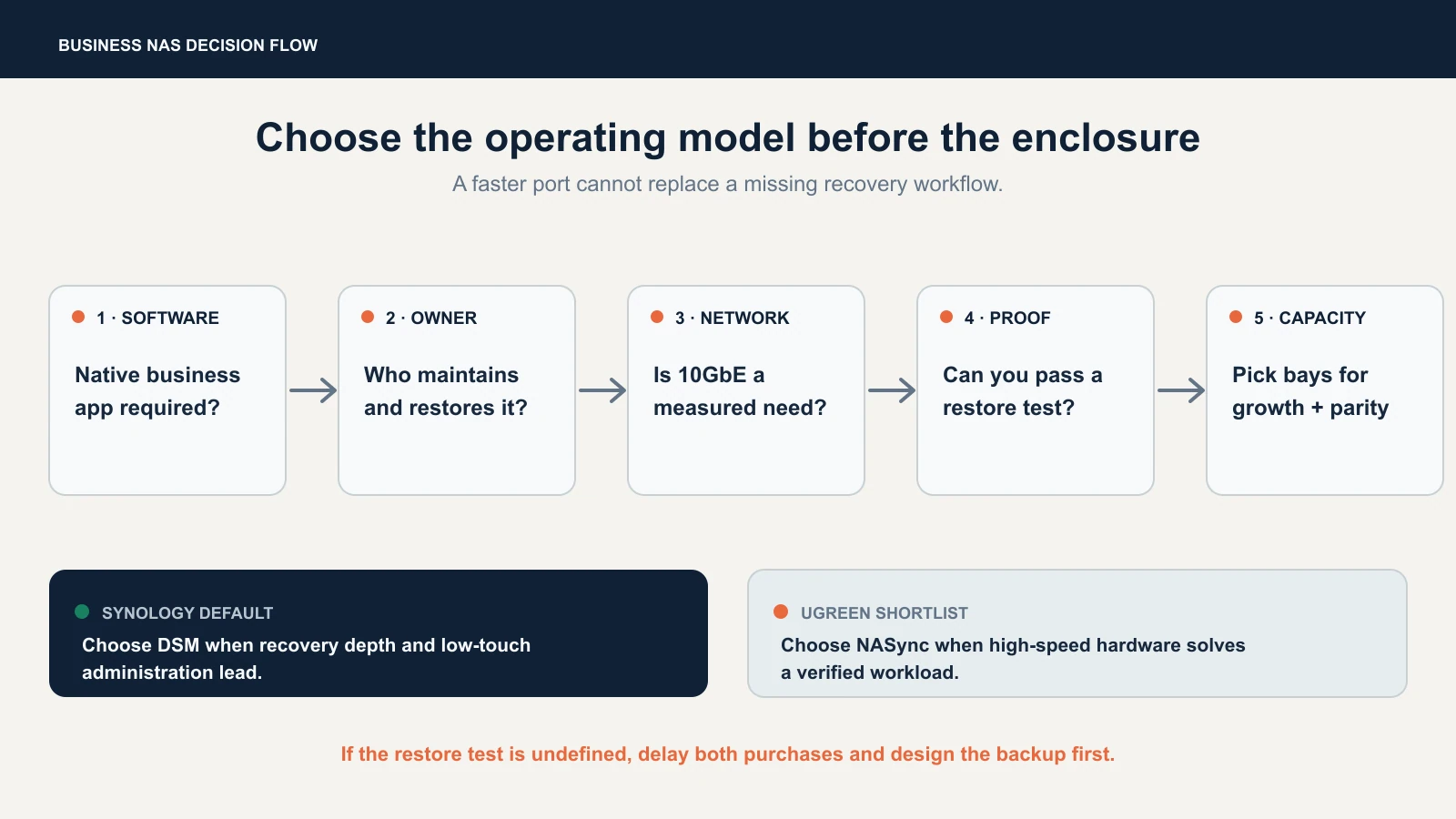
- Name the required software job. Endpoint backup, Microsoft 365 recovery, snapshots and ordinary file shares are different requirements.
- Name the owner. Decide who handles alerts, updates, permissions and failed restores.
- Prove the network need. If 2.5GbE is enough, do not let 10GbE dominate the decision. If 10GbE is required, price the whole path.
- Run a restore test. Recover a file, folder and complete protected system that represents the real workload.
- Choose bay count last. Size for growth, parity and headroom after the operating model is sound.
Final Recommendation
For most small businesses, Synology is still the safer default. DSM's advantage is not that it looks polished; it is that backup, permissions, snapshots, monitoring and recovery form a more complete business system. The DS925+ suits smaller deployments, the DS1525+ adds a fifth bay and optional 10GbE, and the DS1825+ serves larger capacity plans.
Choose UGREEN when its hardware advantage solves a workload you can demonstrate. The DXP4800 Plus is the best starting point for a four-bay technical or creator deployment; the DXP6800 Pro and DXP8800 Plus add bays, dual 10GbE and Thunderbolt 4. Validate UGOS Pro against the actual recovery plan instead of assuming extra compute compensates for a missing business application.
If neither platform has a tested independent backup and restore process, the correct purchase decision is not yet.
Sources and Related Guides
Product and policy claims were checked against UGREEN's NAS comparison, DXP4800 Plus page, UGOS Pro overview, UGREEN compatibility list, Synology DS925+ specifications, Synology's drive compatibility policy and the Active Backup for Microsoft 365 documentation. Recheck them for changes before a purchase.
- Best NAS for Small Business — broader multi-brand shortlist.
- Best 8-Bay NAS for Small Business — capacity, parity and complete-system comparison.
- Synology DS925+ Review — detailed four-bay Synology evaluation.
- Synology DS1525+ Review — five-bay expansion and optional 10GbE.
- UNAS Pro 4 vs UGREEN DXP4800 Plus — the separate UniFi/UGREEN decision.
Frequently Asked Questions
Related Articles
More from Business Hardware
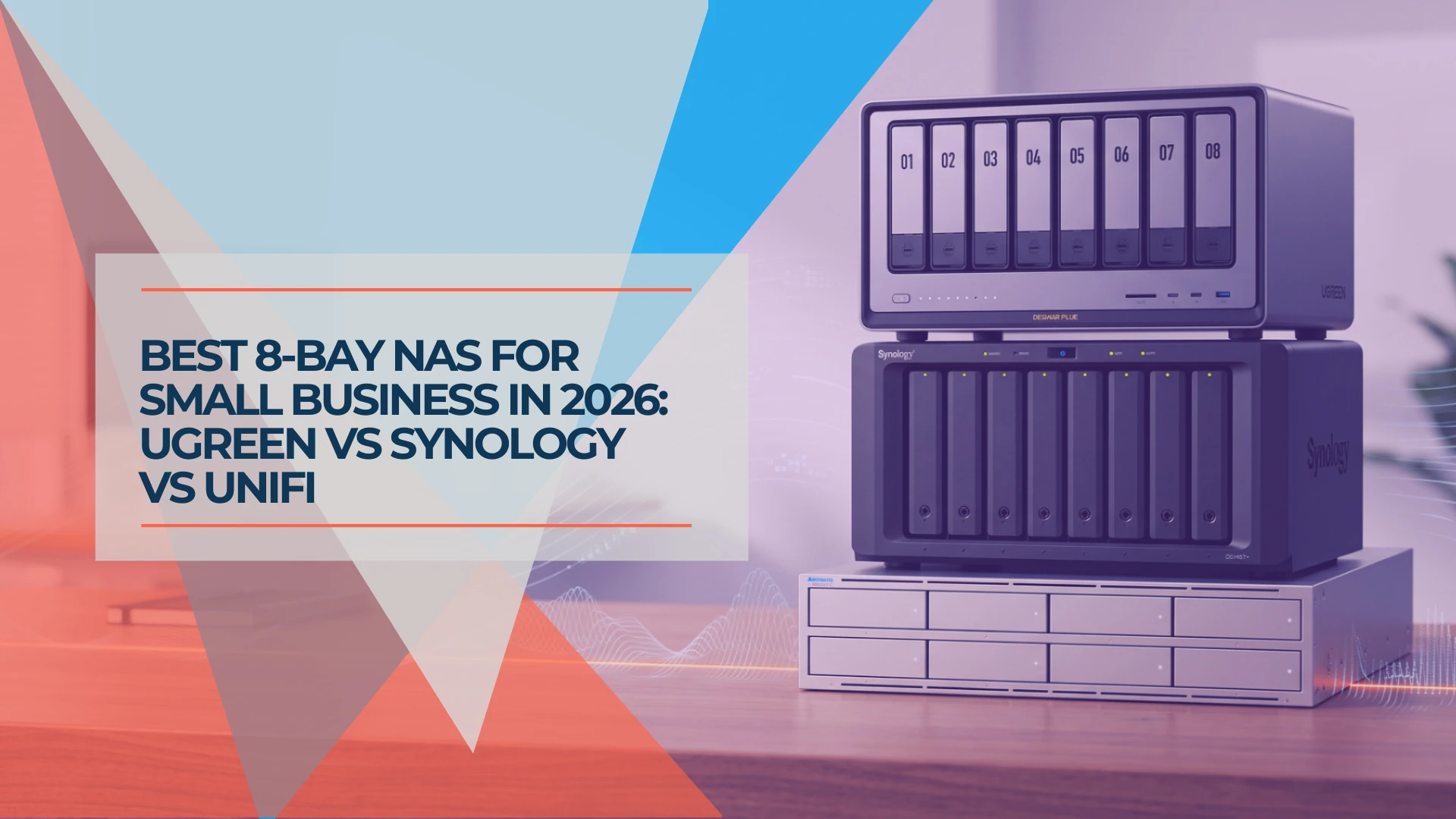
Best 8-Bay NAS for Small Business in 2026: UGREEN vs Synology vs UniFi
Compare UGREEN DXP8800 Plus, Synology DS1825+ and UniFi UNAS Pro 8 by usable capacity, 10GbE, backup software, expansion and complete cost.
19 min read
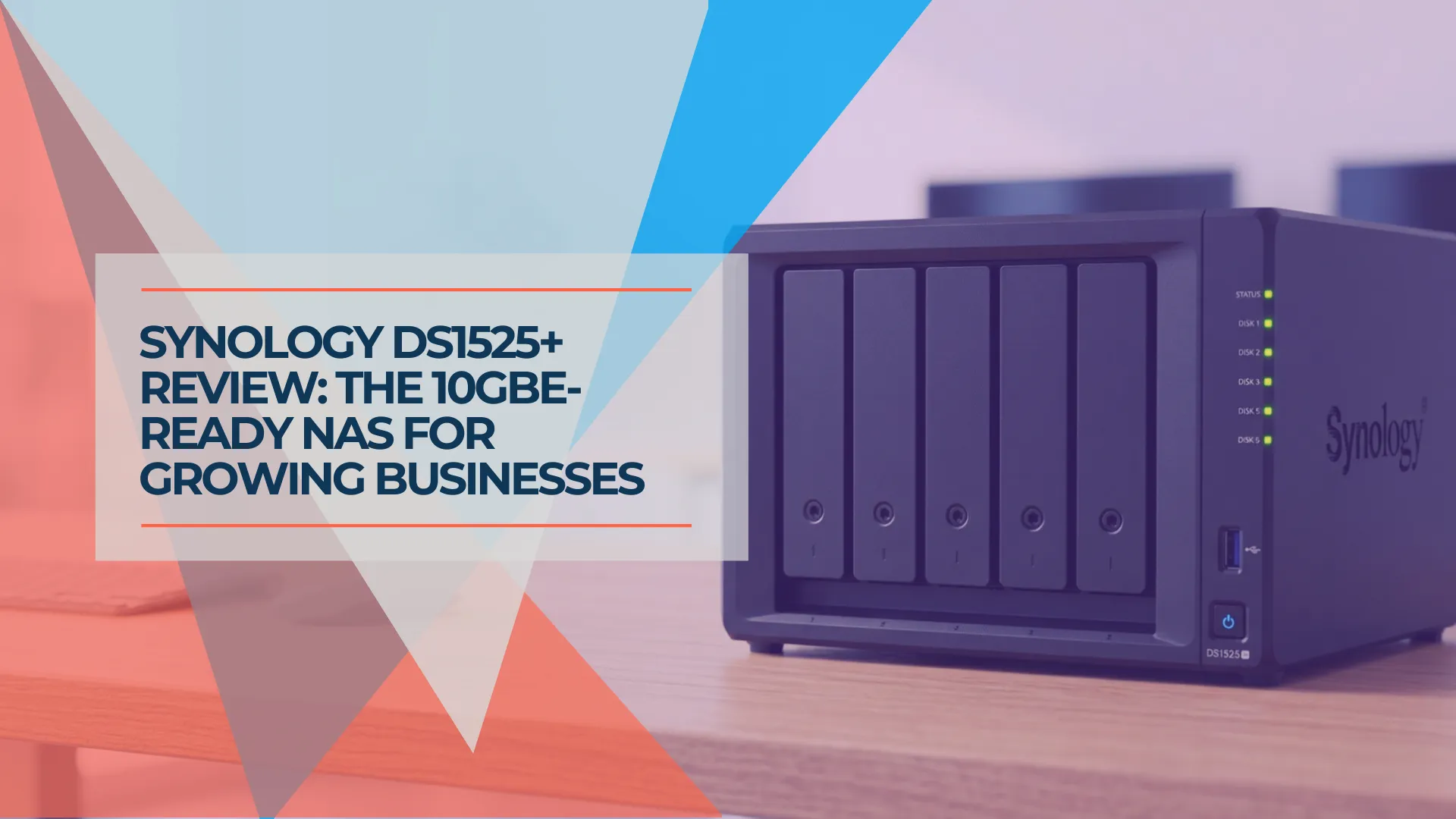
Synology DS1525+ Review: The 5-Bay NAS for Growing Small Businesses
Synology DS1525+ review for small business: 5-bay RAID 5/6, 10GbE upgrade path via E10G22-T1-Mini, and DSM 7.4. Compared to DS925+, DS1825+, and UGREEN DXP4800 Plus with current July 2026 pricing.
19 min read
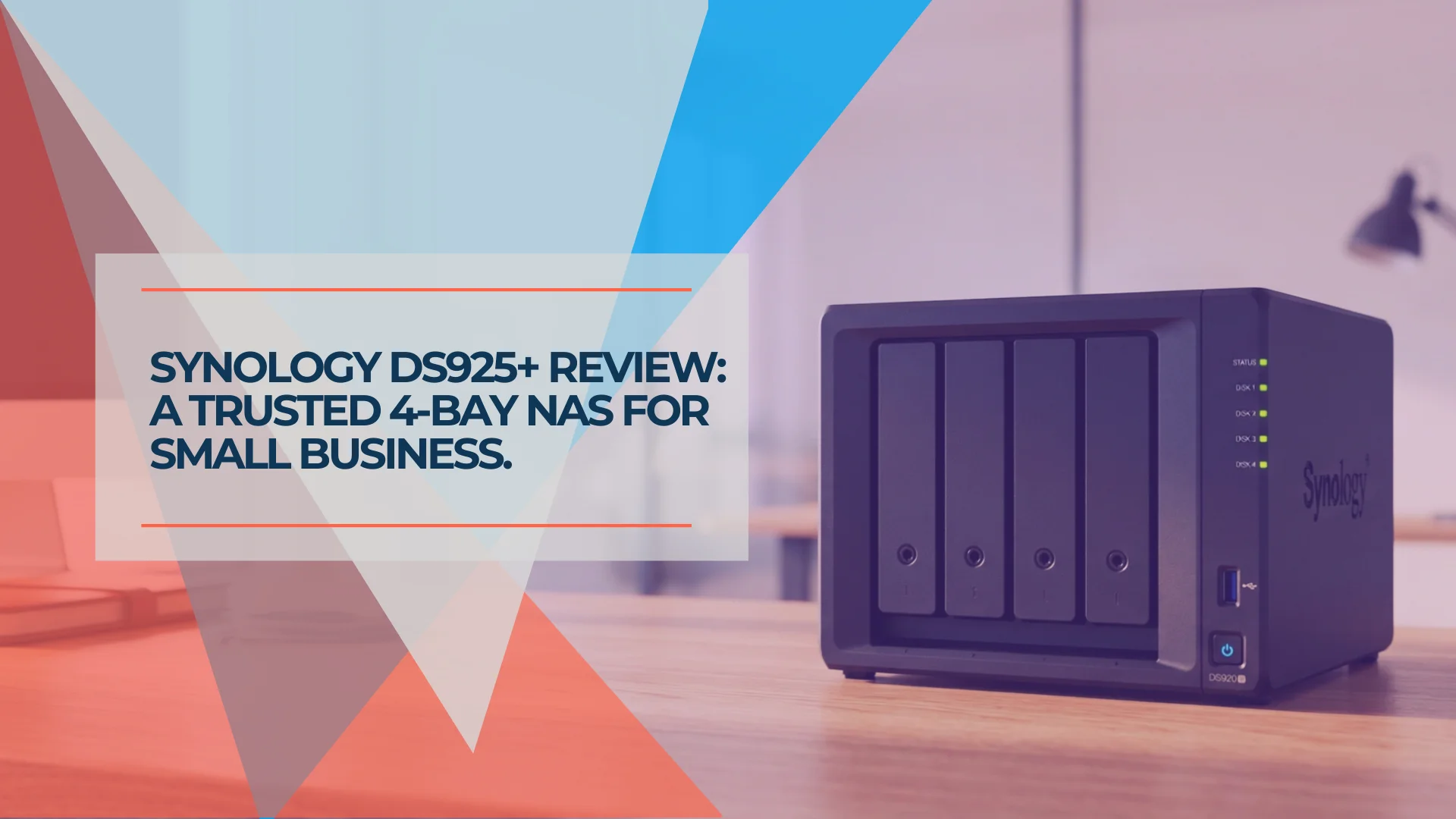
Synology DS925+ Review: Is This 4-Bay NAS Still Worth It in 2026?
Synology DS925+ review for small business. Full specs, real-world performance, RAID 5/6 analysis, honest UGREEN DXP4800 comparison, and whether the aging hardware is still worth $639.99 in 2026.
20 min read