

Security by Design for Small Business: Building Defense Into Your Technology Foundation (2026)
Security by design guide for small businesses. Build protection into technology choices from day one with modern device features, network security, and strategic procurement.

Affiliate Disclosure: This article contains affiliate links. If you make a purchase through these links, we may earn a small commission at no extra cost to you. As an Amazon Associate, iFeelTech earns from qualifying purchases.
Key Takeaway
Security by design means building protection into your technology choices from day one, rather than adding security measures after deployment. Modern devices offer built-in security features that reduce software licensing costs while providing stronger protection than bolt-on approaches. This strategy eliminates costly retrofits and creates a foundation that scales with business growth.
Last year, one of our clients — a Miami architecture firm — discovered during a planned Windows 11 migration that its five-year-old workstations lacked TPM 2.0 chips. With Windows 10 reaching End of Life on October 14, 2025, the routine upgrade suddenly required replacing twelve computers six months ahead of schedule. The cost extended beyond hardware: productivity losses from an unplanned technology refresh added to the total cost.
This experience reflects a broader shift in business technology. Security features belong in the initial purchasing decision, not bolted on afterward. Organizations that recognize this during planning avoid costly retrofits while building stronger protection from the start.
Security by design is the approach where protection capabilities influence purchasing decisions, deployment procedures, and long-term technology planning. Rather than retrofitting security onto existing systems, this methodology integrates defense mechanisms into the foundation of your technology infrastructure.
What Is Security by Design for Small Businesses?
Security by design is the practice of evaluating and purchasing technology based on built-in protection capabilities rather than adding security software later.
Traditional purchasing models focus solely on processor speed or software price, leaving businesses to retrofit hardware with third-party encryption or firewalls. A security-by-design approach evaluates laptops for built-in TPM 2.0 chips and biometric sensors before purchase. This methodology eliminates conflicting software requirements, reduces ongoing licensing fees, and ensures protection scales naturally with your infrastructure.
Consider network infrastructure decisions. A traditional approach installs consumer wireless equipment and adds separate security appliances for threat detection. Security by design evaluates business-grade systems like UniFi Dream Machine Pro Max, which include built-in threat management, network segmentation capabilities, and centralized security monitoring.
Cost Comparison: Reactive vs. Security-by-Design (5-Person Office)
Traditional Reactive Approach:
- Basic laptops: $4,500
- Third-party encryption software: $900/year
- Separate firewall appliance: $1,200
- Additional VPN licenses: $360/year
- First year total: $6,960
Security-by-Design Approach:
- Business laptops with TPM/BitLocker: $5,500
- UniFi network with threat detection: $1,400
- Integrated remote access (no additional VPN): $0
- First year total: $6,900
ROI timeline: A 5-person office achieves ROI in month one and saves $1,260 annually from reduced licensing costs thereafter.
What Built-In Security Features Should Small Businesses Prioritize?
Modern business devices include hardware-level protections that were enterprise-exclusive just a few years ago. Prioritizing these during procurement eliminates add-on licensing costs. For model-by-model recommendations, see our best business laptops roundup.
How Do TPM 2.0 Chips Protect Business Devices?
Trusted Platform Module (TPM) 2.0 chips are hardware security processors that isolate and protect cryptographic keys and user credentials.
Rather than relying on software-based encryption, which malware can bypass, business laptops with TPM 2.0 handle secure boot processes and BitLocker encryption at the hardware level. This ensures that even if a device is stolen or its operating system is compromised, the encryption keys remain physically locked, protecting sensitive company data without degrading system performance.
Secure Boot and Firmware Protection
Secure Boot prevents malware from loading during system startup by verifying digital signatures on boot components. This stops rootkits and firmware attacks that traditional antivirus software cannot detect.
Modern business devices extend this through firmware attack prevention and automatic recovery capabilities. HP's Sure Start technology, for example, automatically restores compromised BIOS firmware without user intervention.
Hardware-Backed Authentication
Biometric systems like Windows Hello and Touch ID use dedicated security processors to store and verify credentials. This provides stronger protection than passwords while improving user experience through faster access.
The business benefit extends beyond convenience. Hardware-backed authentication reduces password-related support requests while eliminating risks from written passwords or weak credential choices.
Business Device Security Comparison
| Device | Key Security Features | Pricing | Best For |
|---|---|---|---|
| Dell Latitude 5540 | TPM 2.0, Secure Boot, BIOS protection | $1,100–$1,300 · Check pricing | Windows-centric offices needing enterprise manageability |
| Lenovo ThinkPad E14 | ThinkShield, discrete TPM, fingerprint reader | $900–$1,200 · Check pricing | Budget-conscious teams requiring proven durability |
| Apple MacBook Air M4 | Apple Silicon security, Touch ID, FileVault | $999–$1,499 · Check pricing | Creative teams in Apple-ecosystem businesses |
| HP EliteBook 1040 | Sure Start, Sure Sense, Wolf Security | $1,200–$1,600 · Check pricing | High-security industries (finance, healthcare) |
Business-Grade vs. Consumer Security Features
The distinction between business and consumer device security extends beyond marketing labels. Business devices include centralized management capabilities, longer support lifecycles, and security features designed for organizational use.
Consumer devices often disable security features by default to favor performance or user experience. Business devices typically ship with these protections enabled while giving IT administrators centralized control and monitoring.
Why Network Security Is the Foundation of Business Infrastructure
Network security stops threats at the perimeter before they reach individual devices, making it the most critical initial investment for small businesses.
A compromised network undermines even the most secure laptops. Modern threat actors target network infrastructure to gain broad lateral movement across an organization. Deploying business-grade routers with integrated intrusion prevention systems (IPS) and automated network segmentation ensures that employee data, guest Wi-Fi, and vulnerable IoT devices remain strictly isolated from one another.
Consumer Routers vs. Business-Grade Network Security
Most small businesses default to ISP-provided modems or consumer mesh systems like Eero or Netgear Orbi. These devices lack the segmentation capabilities that prevent a compromised smart thermostat or security camera from accessing your file server.
| Feature | ISP Router / Consumer Mesh | UniFi Business Network |
|---|---|---|
| VLAN Support | None — all devices share one network | Full VLAN and subnet segmentation |
| Intrusion Prevention (IPS) | Not available | Built-in, up to 3.5 Gbps throughput |
| Guest Network Isolation | Basic SSID separation only | True network-level isolation with bandwidth controls |
| IoT Device Quarantine | Not available | Dedicated VLAN prevents lateral movement |
| Centralized Logging | Minimal or none | Full traffic analytics and security event logging |
| Firmware Update Control | Automatic, no rollback | Scheduled updates with rollback capability |
This single architectural difference — network segmentation — is why business-grade equipment is essential for any company handling client data. Our VLAN guide for small businesses covers which segments most offices need and what belongs in each one.
UniFi Security Architecture
UniFi networking equipment demonstrates security-by-design principles through integrated threat management, network segmentation, and centralized monitoring. Rather than requiring separate security appliances, these systems include protection features within the core networking infrastructure.
The UniFi Dream Machine Pro Max ($599) and Cloud Gateway Max ($199 without storage / $279 with 512GB NVMe) include intrusion detection systems (IDS), intrusion prevention systems (IPS), and advanced threat detection that would typically require separate security devices costing thousands of additional dollars.
Network segmentation capabilities allow traffic separation between employees, guests, and IoT devices without complex configuration or additional hardware.
UniFi Network Security Features
Built-in Threat Management:
- Real-time intrusion detection and prevention
- Automated malware domain blocking
- Geographic IP filtering and threat intelligence
- Bandwidth monitoring and anomaly detection
Network Segmentation:
- Automatic guest network isolation
- IoT device quarantine capabilities
- Department-based traffic separation
- Remote access controls with device trust levels
Centralized Management:
- Single dashboard for all security policies
- Automated security updates and configuration backup
- Remote monitoring and incident response
- Integration with access control and camera systems
For businesses planning network infrastructure from scratch, our complete UniFi business network guide provides detailed implementation steps that incorporate security-by-design principles throughout the deployment process.
Access Control Integration
Physical and network access control integration provides layered security without separate management systems. UniFi Access systems work seamlessly with network infrastructure to provide context-aware security policies.
When an employee badges into the building, their network access can automatically adjust to provide appropriate system permissions. After-hours access can trigger additional monitoring or restrict network segments based on business policies.
How to Build a Security-First Software Stack
Software selection decisions directly impact your security posture and long-term technology costs. Security-by-design principles guide choices toward solutions with integrated protection rather than bolt-on security products.
Productivity Suite Security Integration
Microsoft 365 Business Premium ($22/user/month) and Google Workspace Enterprise include security features previously available only through separate enterprise products.
Why M365 Business Premium Is the Best Value in 2026
Microsoft is raising prices on lower tiers effective July 1, 2026 — Business Basic increases from $6 to $7/user/month and Business Standard from $12.50 to $14/user/month. Business Premium stays at $22/user/month. The narrowing price gap makes Premium's bundled security features (Intune MDM, Defender for Business, Conditional Access, and Advanced Threat Protection) mathematically harder to justify skipping. Buying Intune and Defender separately would cost $11+ per user. Premium bundles both for only $8 more than Standard.
Microsoft 365's Advanced Threat Protection includes email security, safe attachments scanning, and phishing protection that integrates seamlessly with familiar applications. Users don't need to learn separate security tools or change their workflow.
Google Workspace Enterprise provides security center capabilities, advanced mobile device management, and data loss prevention that operates transparently within standard business applications.
Managing Employee-Owned Devices (BYOD) with MDM
Most small businesses allow employees to use personal phones and tablets for work email and apps. Without Mobile Device Management (MDM), company data on these devices remains unprotected if a phone is lost, stolen, or compromised.
Microsoft 365 Business Premium includes Microsoft Intune, which containerizes company data on personal devices without touching personal photos or apps. Employees install the Company Portal app, and Intune enforces policies like requiring a PIN, encrypting company data, and enabling remote wipe of business content only.
Google Workspace provides similar capabilities through its built-in endpoint management, enforcing screen locks, encrypting data, and allowing selective account wipes.
This applies security-by-design to BYOD: rather than banning personal devices (which employees routinely work around) or leaving them unmanaged (which creates risk), you build protection directly into how those devices access company resources.
Password Management and Identity Protection
Business password managers represent one of the highest-impact security investments for small businesses. Modern solutions provide password storage and identity management capabilities.
1Password Business ($8/user/month) and Proton Pass Business integrate with single sign-on (SSO) capabilities, hardware token support, and breach monitoring that extends protection beyond simple password generation.
When evaluating password managers, consider reviewing our password manager comparison to understand which solution best fits your security architecture.
Software Stack Integration Strategy
Phase 1: Core Productivity with Built-in Security
- Microsoft 365 Business Premium ($22/user/month): Email security, threat protection, device management via Intune
- Google Workspace Enterprise: Advanced security controls and monitoring
- Business password manager ($8/user/month): Centralized credential management and monitoring
Phase 2: Enhanced Endpoint Protection
- Microsoft Defender for Business: Integrates with M365 environments
- Malwarebytes for Teams ($4/user/month): Anti-malware with centralized management
- Backup solutions: Automated protection with ransomware recovery
Phase 3: Advanced Monitoring and Response
- Security information and event management (SIEM)
- Extended detection and response (XDR)
- Compliance monitoring and reporting tools
How to Build a Layered Endpoint Protection Strategy
A layered endpoint strategy combines built-in OS protections with targeted supplements that address gaps without creating conflicts.
Modern Windows devices include Windows Defender capabilities that provide baseline protection, making additional endpoint solutions supplements rather than replacements. Malwarebytes for Teams provides anti-malware capabilities that work alongside Windows Defender to address threats that signature-based detection might miss. This layered approach delivers strong protection without the performance impact or compatibility issues common with competing endpoint solutions. For a full breakdown of available tools, see our cybersecurity software guide.
How to Create a Security-First Procurement Process
A consistent evaluation framework ensures security influences every technology purchase rather than becoming an afterthought.
Technology Evaluation Framework
Every technology purchase should address four questions:
- How does this product contribute to our overall security posture?
- What built-in security features reduce our ongoing licensing costs?
- How will this integrate with our existing security tools?
- What is the total cost of ownership including security requirements?
A device that costs more upfront but includes built-in security features often provides better total value than cheaper alternatives requiring additional security software.
Security-First Purchasing Checklist
Hardware Requirements:
- TPM 2.0 or equivalent hardware security module
- Secure Boot capabilities enabled by default
- Hardware-backed biometric authentication options
- Business-grade warranty and support lifecycle (minimum 3 years)
- Centralized management compatible with existing systems
Software Evaluation:
- Integration capabilities with current security stack
- Built-in security features vs. add-on requirements
- Compliance certifications relevant to your industry
- Vendor security update commitment and track record
- Single sign-on and identity management support
Network Equipment:
- Enterprise-grade security features included
- Network segmentation and VLAN capabilities
- Intrusion detection and prevention systems
- Centralized security policy management
- Regular security updates and patch management
Vendor Security Assessment
Vendor security practices often matter more than individual product features. Suppliers with strong security development practices, regular update procedures, and support policies provide better long-term protection than those with superior features but poor maintenance.
Evaluate vendor security commitments through their update history, security advisory transparency, and incident response procedures. Companies that provide regular security updates and clear communication about vulnerabilities demonstrate the ongoing commitment necessary for effective security partnerships.
Budget Allocation Strategy
Security by design requires upfront investment in higher-quality equipment and software, but this investment typically provides better long-term value through reduced operational costs and improved reliability.
Allocate technology budgets to prioritize security-enabled infrastructure first, then add specialized security tools as needed. This approach ensures your foundation provides strong protection while avoiding the complexity and cost of overlapping security solutions. Our hardware refresh planning guide provides detailed frameworks for budgeting technology investments over multi-year cycles.
What Does a 90-Day Security Implementation Roadmap Look Like?
Successful implementation requires phased deployment that addresses immediate vulnerabilities while building toward full coverage.
30-Day Quick Wins
Immediate Actions That Provide Measurable Security Improvements:
- Device Security Audit: Inventory existing equipment for modern security features (TPM, Secure Boot, biometrics)
- Enable Built-in Protections: Activate BitLocker, Windows Defender, and automatic updates on all devices
- Network Segmentation: Implement basic guest network separation and IoT device isolation
- Password Manager Deployment: Organization-wide implementation with mandatory use policies
- Multi-Factor Authentication: Enable MFA on all business accounts and cloud services
Expected Results: Addresses the majority of common attack vectors — MFA and password management alone mitigate most credential-based threats — with minimal workflow disruption
60-Day Foundation Building
Systematic Infrastructure Improvements:
- Priority Device Upgrades: Replace equipment lacking essential security features, starting with devices handling sensitive data
- Centralized Endpoint Management: Implement Microsoft Intune, Google Workspace device management, or equivalent systems
- Network Threat Detection: Configure UniFi threat management or equivalent network security monitoring
- Automated Update Management: Establish policies for automatic security updates with appropriate testing procedures
- Backup System Implementation: Deploy automated backup with ransomware protection and regular recovery testing
Expected Results: Full protection against common threats with monitoring capabilities
90-Day Advanced Implementation
Enterprise-Grade Security Capabilities:
- Zero-Trust Network Architecture: Implement device verification and conditional access policies where feasible
- Security Monitoring Dashboard: Establish centralized security event monitoring with automated alerting
- Incident Response Procedures: Document and test security incident response plans with staff training
- Compliance Framework: Implement relevant industry compliance requirements (HIPAA, PCI-DSS, etc.)
- Security Awareness Training: Ongoing staff education on security-first technology practices
Expected Results: Enterprise-level security capabilities with mature incident response and compliance management
Staff Training and Change Management
Technology implementation succeeds only when staff understand and embrace security-first practices. Training should focus on business benefits rather than technical details.
Biometric authentication provides faster access than password typing. Automatic updates prevent security incidents that disrupt business operations. Network security reduces malware infections that slow down computers and corrupt files. Frame security as a productivity improvement, not a burden.
Measuring Implementation Success
Track progress through measurable security improvements rather than deployment milestones alone. Monitor reduced security incidents, decreased time spent on security-related support issues, and improved compliance audit results.
Document cost savings from integrated security features versus separate security product licensing. These metrics demonstrate the business value of security-by-design investments while providing data for future technology planning decisions.
Security by Design for Miami Businesses
Miami's business environment presents specific security challenges that benefit from proactive planning. Hurricane season requires business continuity considerations that influence technology choices, while the city's international business connections create additional compliance requirements.
Hurricane Preparedness and Technology Resilience
Weather-resilient technology planning is a critical aspect of security by design for South Florida businesses. Equipment selection should consider power protection, environmental resilience, and rapid recovery capabilities.
UniFi networking equipment includes power monitoring and UPS integration, providing better storm recovery capabilities than consumer networking gear. Business-grade devices with backup and remote management capabilities enable faster business resumption after weather events.
Cloud-first security strategies prove particularly valuable for Miami businesses, providing access to business systems and data even when physical offices are inaccessible due to weather conditions or evacuation requirements.
Compliance Considerations for Professional Services
Miami's concentration in healthcare, legal, and financial services creates widespread requirements for industry-specific compliance standards. Security-by-design principles align naturally with compliance requirements, making implementation more straightforward and cost-effective.
HIPAA-compliant technology choices, for example, require device encryption, access controls, and audit logging — all standard features in modern business equipment. Our small business compliance guide provides frameworks for implementing security-enabled compliance strategies.
Multi-Location Security Management
Many Miami businesses operate multiple locations or have staff working from various sites throughout South Florida. Security by design enables centralized security management across distributed operations without complex or expensive infrastructure.
Cloud-based security management through Microsoft 365 or Google Workspace provides consistent security policies across all business locations. UniFi network management enables centralized monitoring and configuration of security policies across multiple sites from a single administrative interface.
For businesses with two or more physical offices, UniFi's Site Magic feature establishes site-to-site VPN tunnels automatically between gateways. The topology follows a hub-and-spoke model: each branch gateway maintains an encrypted IPsec tunnel back to the headquarters gateway, so a device at the Coral Gables office can reach the file server at the Brickell headquarters as if it were on the same local network. Branch-to-branch traffic routes through the hub, which means the headquarters gateway handles routing decisions and security policy enforcement for all inter-site communication. This architecture keeps firewall rules and IDS/IPS inspection centralized at one point rather than requiring manual VPN configuration at every location. For a deeper walkthrough of multi-site networking, see our multi-location business networking guide.
How to Measure Security by Design ROI
Effective measurement focuses on business outcomes rather than technical metrics.
Key Performance Indicators
Track security incident frequency and severity to measure protection effectiveness. Well-implemented security by design should show consistent reduction in malware infections, phishing success rates, and security-related system downtime.
Monitor technology support time allocation to security-related issues. Effective security by design reduces staff time spent on security management, password resets, and incident response, freeing resources for productive business activities.
Document compliance audit results and preparation time. Security-enabled technology should streamline compliance processes and reduce the time required for audit preparation and remediation.
Cost-Benefit Analysis
Calculate total cost of ownership for security-enabled technology compared to basic equipment plus separate security solutions. Include software licensing, support time, incident response costs, and business interruption expenses.
Quantify productivity improvements from security features like single sign-on, biometric authentication, and automated security management. These time savings often justify security investments through improved operational efficiency alone.
Long-Term Security Investment Planning
Security by design enables predictable technology refresh cycles based on business growth rather than emergency replacement due to security failures. This planning capability provides better budget predictability and ensures consistent protection during business expansion.
Establish technology refresh schedules that maintain current security capabilities while providing growth capacity. Regular replacement prevents security gaps that develop when equipment cannot support current security requirements.
How to Make Security by Design Work for Your Business
Security by design shifts technology management from reactive to proactive. The approach requires planning during procurement and slightly higher initial investments, but delivers better long-term protection and lower operational costs.
Implementation follows three principles:
- Evaluate security features during every technology purchase
- Choose solutions with integrated rather than add-on security
- Build systems where protection mechanisms work together rather than creating management overhead
For most small businesses, this means prioritizing network security infrastructure first, selecting devices with built-in protection features, and choosing software with security capabilities rather than requiring separate security products. The result is protection that scales with business growth without creating complexity or excessive cost.
Frequently Asked Questions
Is security by design more expensive than adding security later?
Initial hardware costs are typically 10-15% higher for security-enabled devices, but ongoing operational costs are significantly lower. Integrated security features eliminate software licensing fees often exceeding $150-250 per device annually. Based on current pricing, the total cost of ownership favors security-by-design approaches within 12-18 months.
How do we migrate from our current setup to a security-first approach?
Migration works best through planned replacement cycles rather than wholesale technology replacement. Start with devices that handle sensitive data or require immediate replacement, then gradually upgrade remaining equipment during normal refresh cycles. This approach spreads costs over 2-3 years while providing immediate security improvements where they matter most.
Which security features should we prioritize with a limited budget?
Prioritize network security first, as compromised networks affect all connected devices. Next, focus on devices that store or access sensitive business data. Password management provides the highest immediate impact for the lowest cost ($8/user/month), typically showing measurable improvement within 30 days of implementation.
How do we balance security with employee productivity?
Modern security features typically improve rather than hinder productivity. Biometric authentication is faster than password entry. Single sign-on reduces login friction. Automated security updates prevent the downtime caused by malware infections. Focus on security solutions that enhance workflow rather than adding steps to existing processes.
What happens to our existing security investments?
Existing security tools often integrate with modern security-enabled devices to provide enhanced protection. For example, current antivirus solutions can complement hardware security features. Evaluate existing tools for integration capabilities rather than assuming complete replacement is necessary.
How long does it take to see results from security by design implementation?
Basic improvements appear within 30 days of implementing foundational elements like password managers and MFA. Full security posture improvements typically manifest within 90 days. Cost savings from reduced licensing and support become evident in the second year of implementation.
For Miami businesses navigating unique challenges like hurricane preparedness and multi-location operations, security by design provides the foundation for resilient, scalable technology infrastructure that supports business objectives while maintaining protection against current and emerging threats.
Related Resources
- UniFi Business Network Guide – Network infrastructure
- Best Business Password Managers – Credential security
- Business Hardware Refresh Planning Guide – Technology budgeting
- Small Business Security Compliance Guide – HIPAA, PCI DSS
- Best Cybersecurity Software for Small Business – Tool recommendations
- MacBook Air M4 Review – Apple device security
- Best Business Laptops – Device comparisons
- Cybersecurity Services – Professional support
- IT Consulting – Strategic planning
Related Articles
More from Cybersecurity
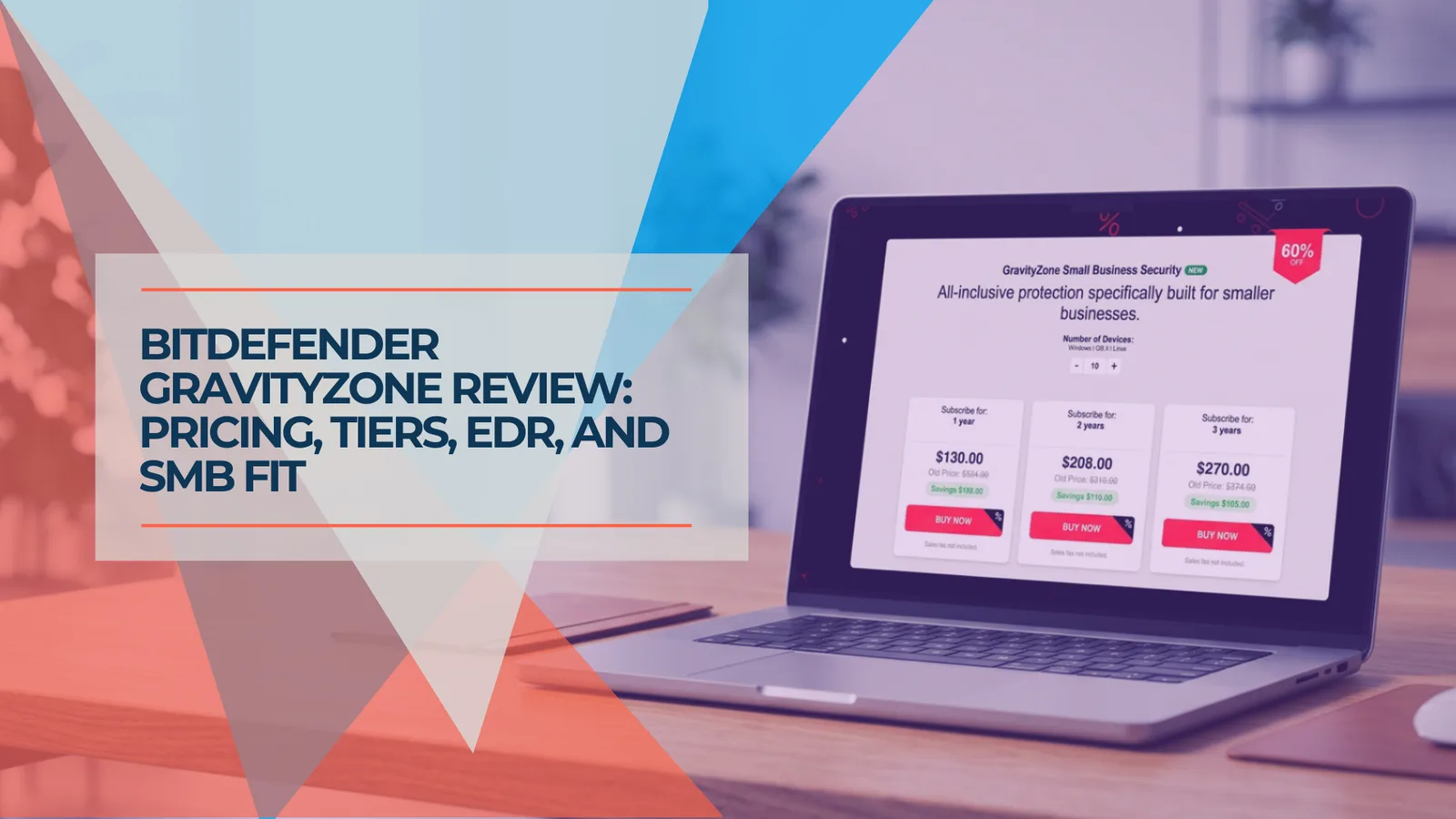
Bitdefender GravityZone Review (2026): An IT Provider's Take for Small Business
We deploy GravityZone for clients — this review covers the real console experience, tier selection, pricing traps, and whether it fits a business without a security team.
15 min read
Norton Antivirus for Small Business: An IT Provider's Review (2026)
An IT provider's take on Norton antivirus for small business: what it does well, where it falls short, and whether it's the right fit for your setup.
15 min read
AI-Written Malware Is Here: What the Slopoly Ransomware Attack Means for Your Business
IBM X-Force confirmed the first production AI-generated malware in a live ransomware attack in early 2026. Here's what changed, why it matters, and what to do about it.
17 min read