

Firewalla Orange vs Gold Plus vs Gold Pro: Which Firewalla Fits Your Office?
Compare Firewalla Orange, Gold Plus and Gold Pro prices, ports, VPN speeds and limits. Choose the right small-office firewall and deployment mode.

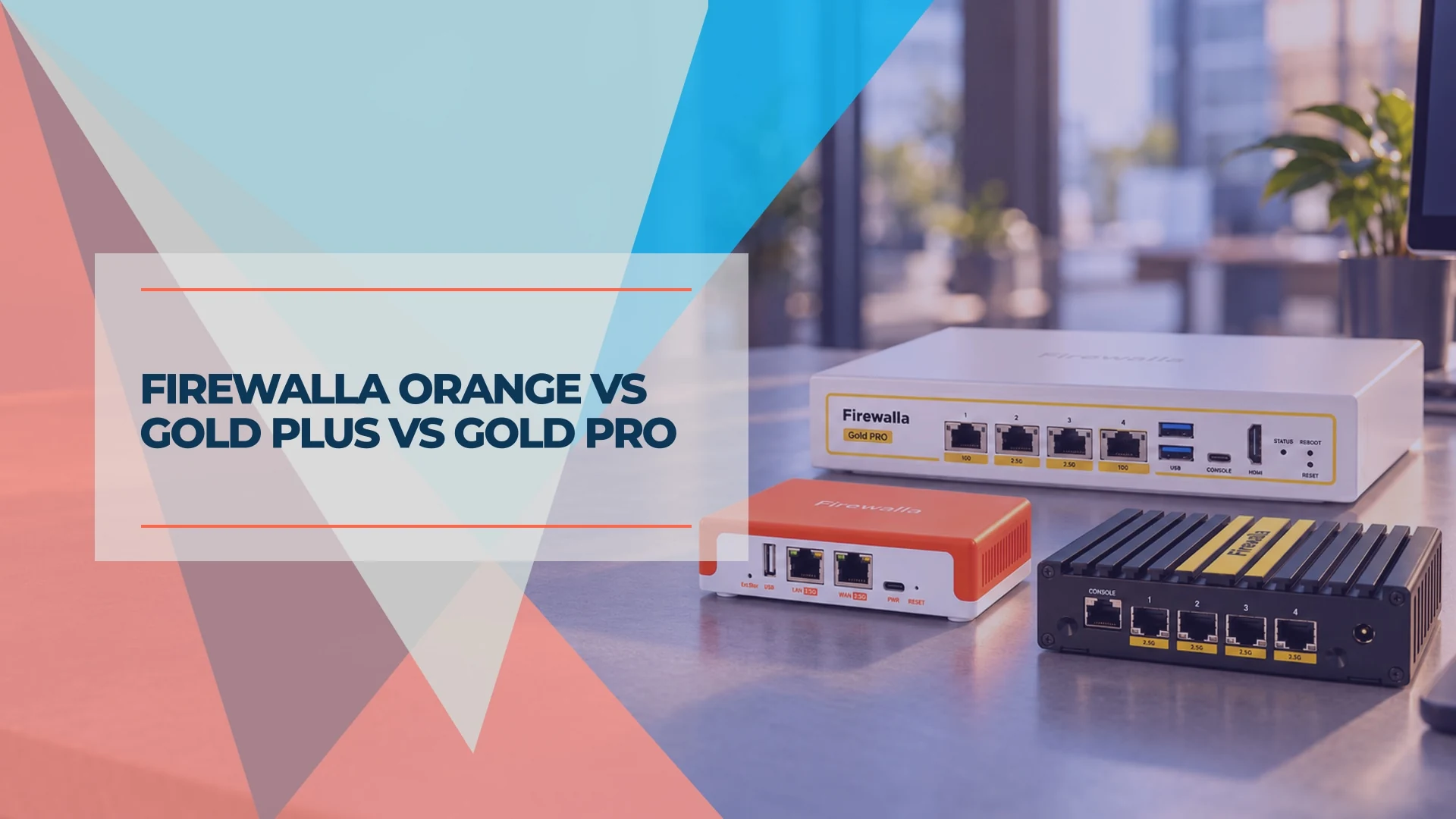
Choose Firewalla Orange for a small office that needs built-in Wi-Fi, Gold Plus for four 2.5G ports and wired dual WAN, or Gold Pro when traffic through the firewall needs 10G interfaces or substantially faster VPN. For many gigabit offices with existing access points, the less expensive Gold SE is enough.
We run a Firewalla in our own lab network, alongside the UniFi gear we deploy for clients. It is the firewall we point to when an office cannot or should not rebuild its network: a mixed set of equipment, or an internet provider's gateway that has to stay in place.
Performance figures below are manufacturer ratings. We checked specifications and US dollar prices on October 25, 2026; the advice focuses on small offices choosing a gateway or adding an inline firewall.
Affiliate Disclosure: This article contains affiliate links. If you make a purchase through these links, we may earn a small commission at no extra cost to you. As an Amazon Associate, iFeelTech earns from qualifying purchases.
Quick Verdict
Under about 10 people, internet up to 2 Gbps, and you want Wi-Fi in the same box: the Firewalla Orange ($399).
A small business with dual internet connections, a multi-gig plan and 50 to 200 devices: the Firewalla Gold Plus ($649), or the Gold SE ($529) if 2 Gbps is enough.
10G connectivity through the firewall, faster VPN, or a larger network: the Firewalla Gold Pro ($949).
What You Get With Firewalla
Firewalla makes firewall boxes with intrusion prevention, network segmentation and VPN, managed mostly from a phone app, with no subscription for standard features. That last point is the main reason it appears in our small business firewall guide: a one-time purchase with no annual license to renew.
Each box can run in one of two main ways. In Router Mode it replaces your router and becomes the gateway. In Transparent Bridge Mode it sits in the middle of an existing network, between your router and your switch, without changing any IP addresses. Firewalla recommends Router Mode for the Gold, Purple and Orange series; Bridge Mode is an alternative when you cannot replace your router.
Gold gateways have no built-in Wi-Fi: budget for access points and, where needed, switches. Firewalla now offers its own AP7 access points and switches too, but third-party equipment remains an option. A Gold gateway does not act as a UniFi controller; UniFi access points and switches still need their own management arrangement.
A smartphone is required for activation and app management. Firewalla also offers a free MSP Lite web interface; paid MSP plans add management capabilities. Allow time to review alarms, maintain rules and document changes. The absence of an annual license does not remove the need for a network administrator.
Firewalla Comparison: Prices, Ports and Performance
Start with internet speed, connected devices and required features. Count laptops, phones, printers, cameras and other equipment, not just employees. Treat Firewalla's device ranges as sizing guidance rather than hard limits, and leave headroom for busy periods and growth.
| Model | US price | Ports | Rated speed, IDS/IPS on | VPN (OpenVPN / WireGuard) | Suggested network |
|---|---|---|---|---|---|
| Purple SE | $289 | 2 × 1G | Up to 500 Mbps | 60 / 220 Mbps | Very small, under about 30–50 devices |
| Orange | $399 | 2 × 2.5G, Wi-Fi 7 | Up to 2 Gbps | 100 / 350 Mbps | Under about 30–50 devices; offices under about 10 people |
| Gold SE | $529 | 2 × 2.5G, 2 × 1G | Up to 2 Gbps | 100 / 350 Mbps | About 50–200 devices |
| Gold Plus | $649 | 4 × 2.5G | 2.5 Gbps per port; up to 5 Gbps with link aggregation | 120 / 500 Mbps | About 50–200 devices |
| Gold Plus SFP | $779 | 2 × 10G, 2 × 2.5G, 1 × SFP+ | 5 Gbps | 200 Mbps / 1 Gbps | About 50–200 devices |
| Gold Pro | $949 | 2 × 10G, 2 × 2.5G | 10 Gbps | 500 Mbps / 2 Gbps | About 150–1,000 devices |
From Firewalla's buying guide (updated October 22, 2026) and product pages, checked October 25, 2026. Firewalla measures its "packet processing speed" with full intrusion prevention on, three regions blocked and a 1,000-entry target list. The guide listed Gold Plus at $679 and Gold SE at $549, while their direct product pages showed $649 and $529; we use the direct product prices. Prices exclude shipping and any applicable tax/import charges and can change. Device counts are estimates, not guaranteed capacities.
A note on comparing numbers: Firewalla's throughput figures come from its own test conditions, and other vendors test differently. Use them to choose within Firewalla's range, not to compare directly against another brand's IDS/IPS rating. They are not Wi-Fi speeds or a promise of identical performance with every optional inspection engine, VPN and traffic-management feature enabled.
Firewalla Orange: The All-in-One for a Small Office
The Orange fits a small office that wants a firewall and Wi-Fi in one compact box. It is the only current Firewalla gateway with built-in Wi-Fi: dual-band Wi-Fi 7 that Firewalla says supports about 50 clients. Its Wi-Fi uses 2.4 and 5 GHz, not 6 GHz; the Wi-Fi 7 label alone does not promise multi-gig wireless throughput or coverage throughout an office. You can use separate access points. With Firewalla AP7 installed, Orange's built-in Wi-Fi LAN is disabled, so it does not become an extra AP7 mesh node.
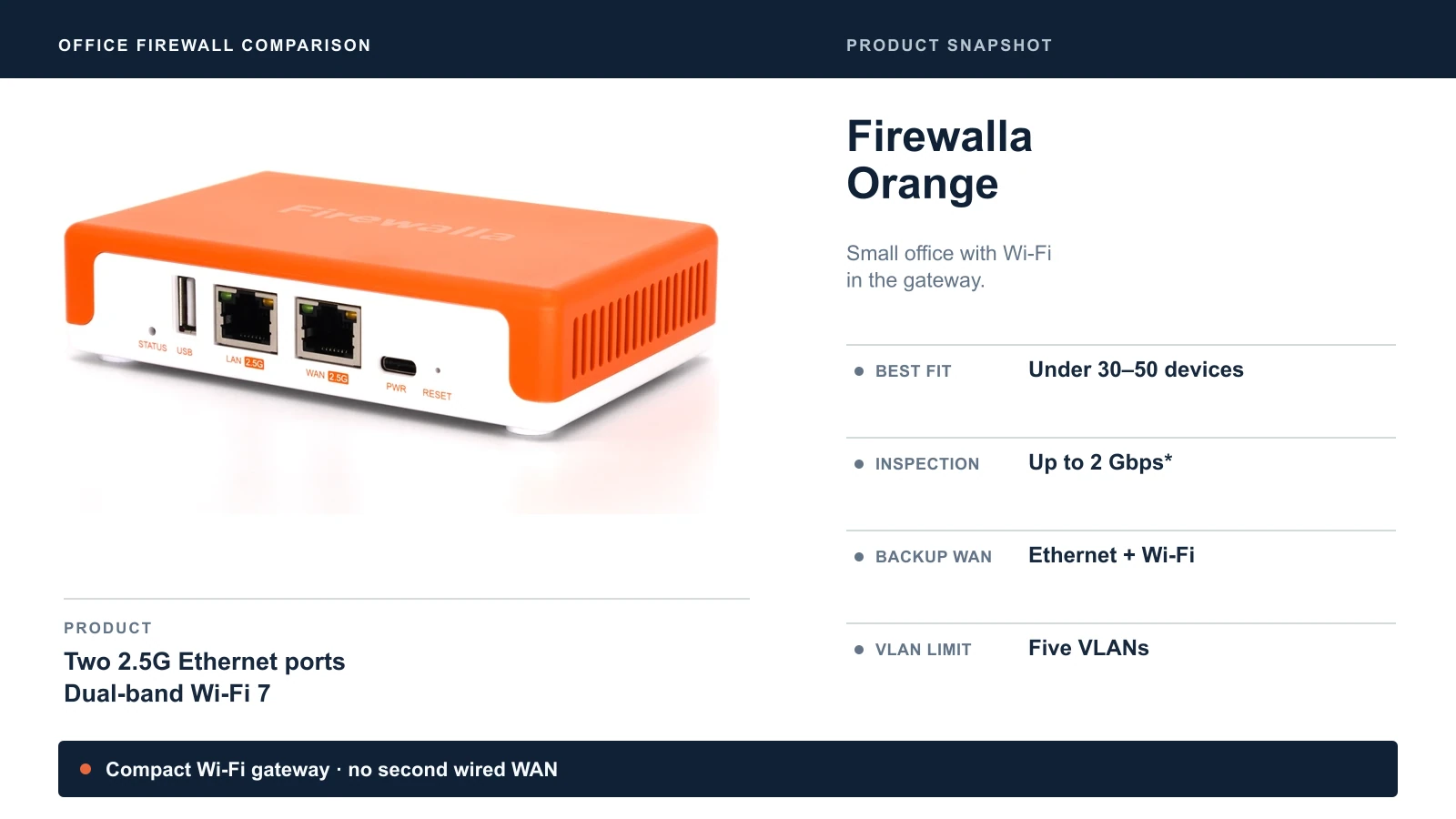
In these snapshots, starred figures are manufacturer ratings or sizing estimates; test conditions are described in the comparison table.
It has two 2.5G Ethernet ports, a quad-core ARM processor, 2 GB of RAM and 32 GB of storage, and it runs on USB-C power at about 5 to 16 W. Firewalla rates it for up to 2 Gbps with intrusion prevention on, which covers gigabit and plans up to its 2 Gbps rating. Its VPN figures are 350 Mbps with WireGuard and 100 Mbps with OpenVPN, and it supports one site-to-site VPN connection.
Orange's main limits are expansion and segmentation. It supports five VLANs (up to six networks), versus the Gold series' port-based segmentation and no license-imposed VLAN limit. Gold also includes Device Active Protect, which the comparison guide does not list for Orange. One Ethernet WAN normally leaves one Ethernet LAN port, so multiple wired devices require a switch.
Orange does support backup internet: in Router Mode, it can combine one Ethernet WAN with one Wi-Fi WAN, including a phone hotspot, with failover or load balancing. It does not offer two wired WANs like Gold. Initial setup needs Ethernet. See Firewalla's Orange Wi-Fi guide.
Orange (USA) is sold for US use; an "Orange World" version ships to the UK, EU, Australia and several other regions. Check the regional version before ordering. Firewalla also markets it for hotel and travel use, so it can double as a secure travel router. Our travel router comparison covers the dedicated options.
Firewalla Gold Plus: Four 2.5G Ports and Wired Dual WAN
The Gold Plus fits growing small businesses with two internet connections or a multi-gig plan. It has four 2.5G ports, an Intel quad-core processor, 4 GB of RAM and 32 GB of storage, with support for wired dual WAN and port- or VLAN-based network segmentation. Assigning two ports to WAN leaves two for LAN connections; plan the switch uplink before buying.
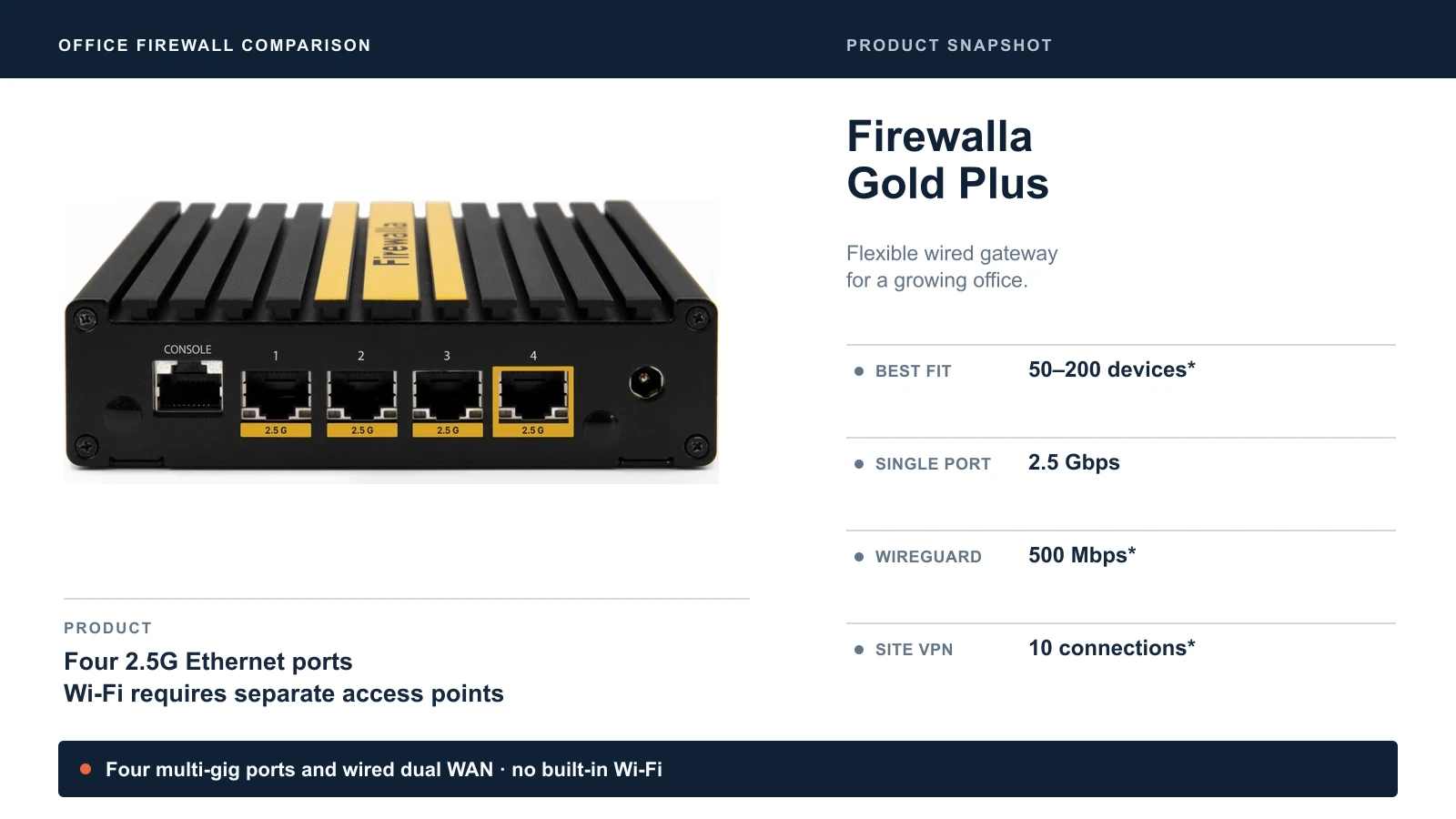
Firewalla rates it for 2.5 Gbps on a single port and up to 5 Gbps with link aggregation, which is why its product page title says 2.5 Gbps while its table says 5 Gbps. For a typical office the 2.5 Gbps figure is the one that matters. Link aggregation requires a compatible configuration and does not turn one Ethernet port or one ordinary connection into a 5 Gbps link. VPN performance rises to 500 Mbps with WireGuard, and it supports 10 site-to-site connections. Our dual WAN guide explains how a second connection keeps the office online.
Two neighbors are worth knowing. The Gold SE ($529) costs less and is rated to 2 Gbps, enough for a gigabit plan. The Gold Plus SFP ($779) adds two 10G RJ45 ports and an SFP+ slot, but its processing rating is 5 Gbps. It is an important middle option for a 5 Gbps service or SFP+ uplink; its product page currently limits sales to US shipping. An SFP+ slot is not a guarantee of compatibility with an ISP's optical service: check the handoff, module and ISP requirements first.
Firewalla Gold Pro: 10 Gigabit and Larger Networks
The Gold Pro is the highest-capacity model in this comparison, for 10-gigabit internet plans and larger networks. It has two 10G and two 2.5G ports (all NBASE-T), a 12th-generation Intel quad-core processor and 8 GB of RAM, and Firewalla rates it for 10 Gbps of packet processing.
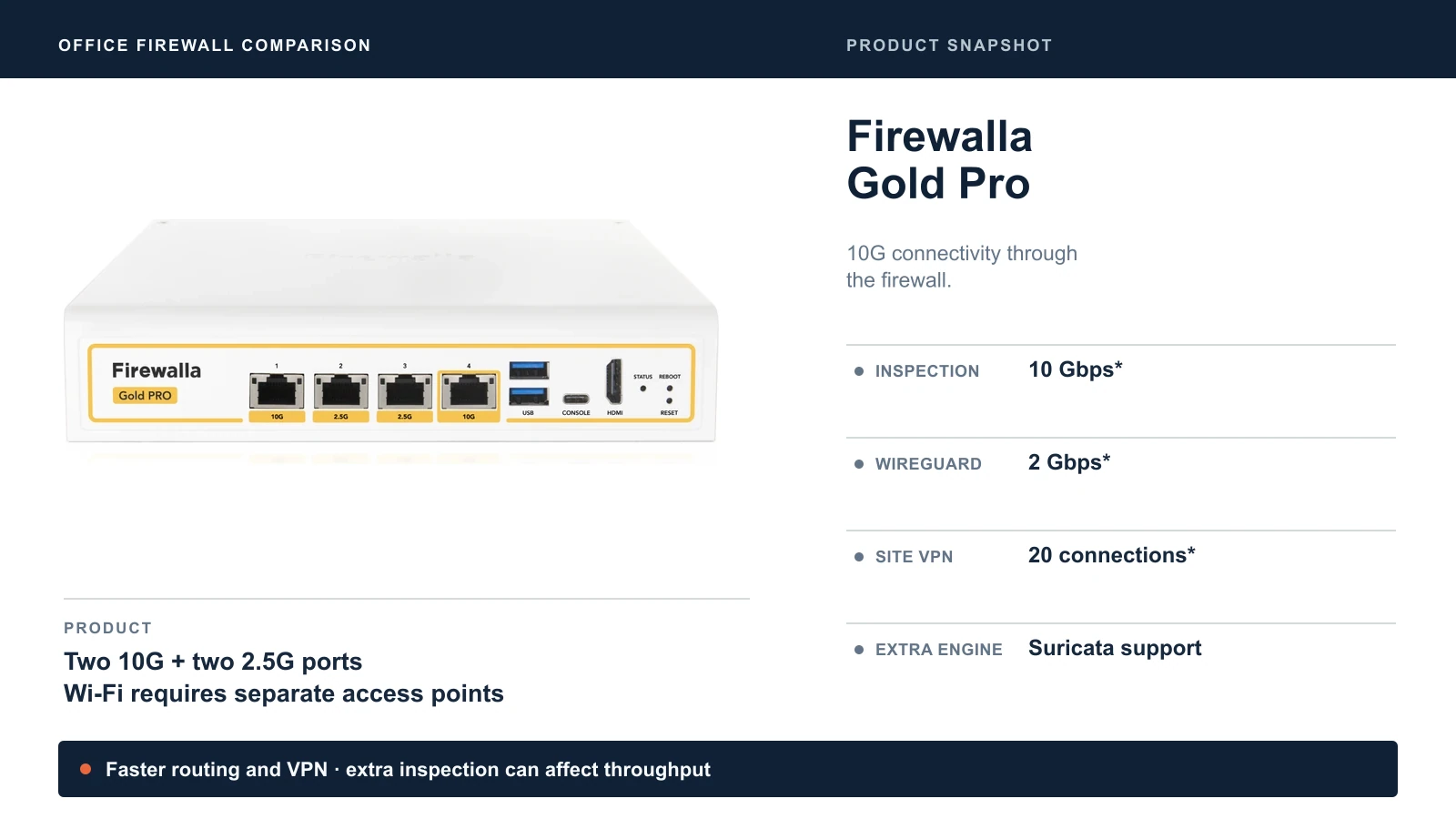
It also has the highest listed VPN performance of the models compared here: 2 Gbps with WireGuard, 500 Mbps with OpenVPN and 20 site-to-site connections, which suits an office that links several locations. It comes with a one-year warranty, with an extension sold separately.
Gold Pro also has a feature distinction beyond speed: Firewalla currently supports its additional Suricata inspection engine only on Gold Pro, requiring App 1.66 and Box 1.981 or later. Firewalla warns that running it alongside the default engine can affect performance. Do not read the 10 Gbps rating as a verified result for that combined workload. See Firewalla's protection guide.
A fast NAS alone is not a reason to buy it. Transfers between devices on the same VLAN and switch normally stay on that switch. Faster firewall interfaces matter when traffic crosses the gateway, such as internet access or routing between VLANs. For a 5 Gbps connection, compare the Gold Plus SFP before paying for Pro.
Firewalla lists power use at about 17–33 W for Pro versus 10–15 W for Plus. Our 10 Gigabit Ethernet guide helps decide whether your network is heading there.
Router Mode or Bridge Mode?
The choice of mode matters as much as the choice of model. It decides how the Firewalla fits into the network you already have.
Router Mode replaces your router. The Firewalla becomes the gateway, provides DHCP and routes the networks you configure on it. Firewalla recommends this mode for Gold, Purple and Orange units, and it is the cleanest design for a new network or an office replacing an old router.
Transparent Bridge Mode places the Firewalla between your existing router and your switch. It inspects and controls traffic without changing IP addresses, so clients can keep their existing addressing. You still need the correct cabling and bridge/VLAN configuration. Firewalla documents Bridge Mode for its Gold, Purple and Orange series. It fits an office that has to keep an internet provider's gateway, for example one that runs the phone service, or a network inherited from a previous provider that works and should not be rebuilt.
Only traffic that passes through the bridge is inspected. Devices using the existing router's own Wi-Fi or connected directly to that router can bypass Firewalla. Put the access points and switches you want protected downstream of the box.
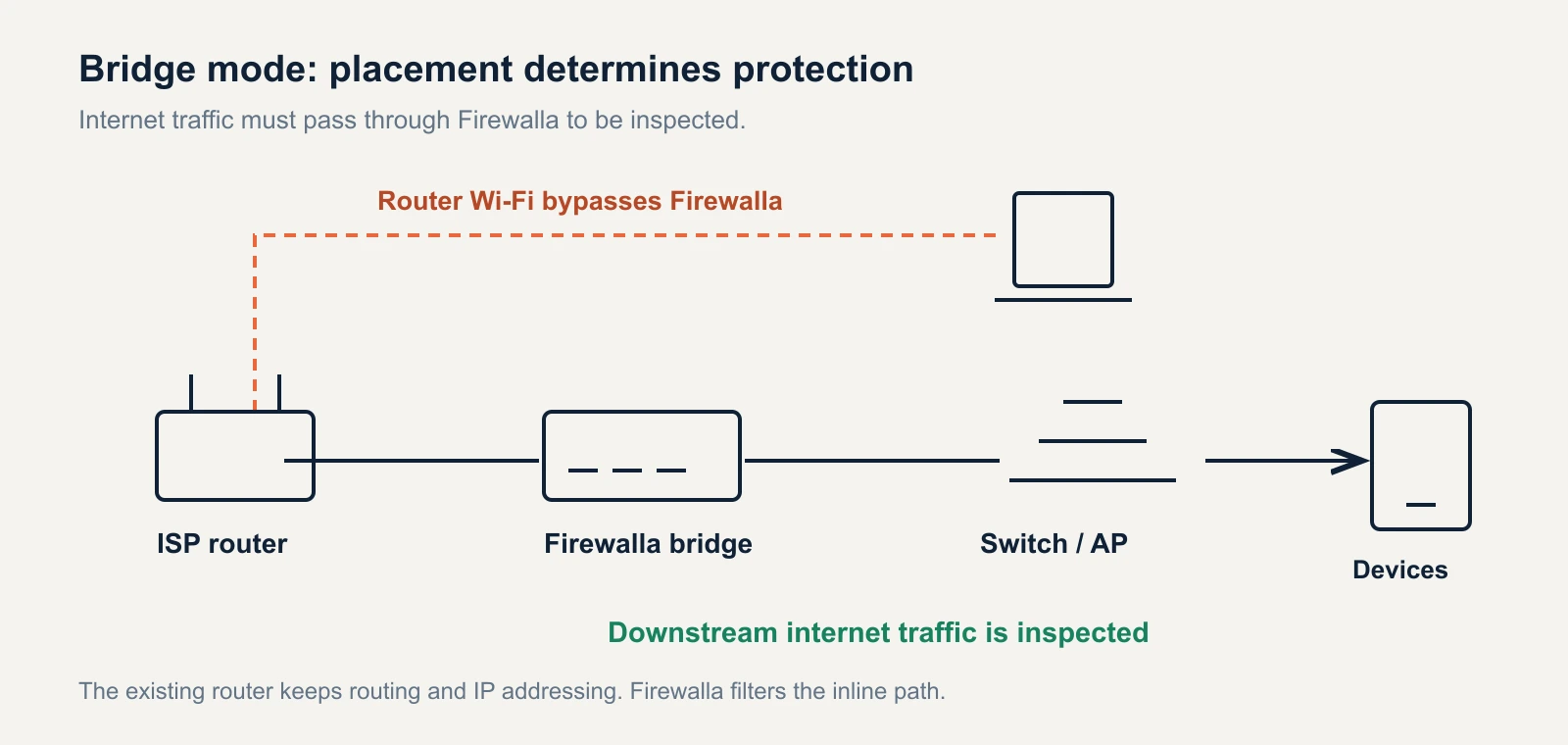
Bridge Mode also disables VPN Client, policy-based routing and Smart Queue. Site-to-site VPN has restrictions and may need a static route on the existing gateway. Choose Router Mode if these functions are part of your reason for buying. The bridge-mode documentation explains the topology and limitations.
Avoid Accidental Double NAT
Putting a Firewalla in Router Mode behind an ISP gateway that is still routing creates double NAT: two routers translating addresses in series. It can complicate inbound connections, some VPN setups and port forwarding; it does not automatically break ordinary browsing or video calls. Either put the ISP gateway in bridge or passthrough mode, or use Firewalla's Bridge Mode. Our double NAT guide shows how to check.
What Happened to the Purple?
Firewalla's buying guide lists the original Purple as end of life due to a chip shortage. If you were shopping for one, the Purple SE ($289) is a lower-speed alternative, rated to 500 Mbps with intrusion prevention on. If your internet plan is faster than that, or you want Wi-Fi in the box, the Orange ($399) is the alternative to consider. Firewalla still lists Purple in its current software version table, so the hardware EOL label should not be read as a confirmed end-of-security-updates date.
Three Checks Before You Order
Check VPN needs separately from internet speed. A 2 Gbps firewall rating does not mean a 2 Gbps VPN: Orange's listed WireGuard rate is 350 Mbps and Plus's is 500 Mbps. Remote access also depends on office upload speed, the remote connection and the other VPN endpoint. For occasional admin access this may be enough; moving large backups between sites needs a separate bandwidth budget.
Check the ISP handoff and surrounding equipment. If your provider uses PPPoE, check Firewalla's separate PPPoE figures instead of assuming the DHCP rating applies. Make sure the modem/ONT, switch uplink and cables support the speed you are buying. Gold models also need separate Wi-Fi equipment. The listed one-year manufacturer warranty does not guarantee a recovery time; plan how the office reconnects if the box fails.
Understand the inspection boundary. Firewalla says it cannot see inside HTTPS connections. It is not a substitute for endpoint protection, patching, backups or account security. Its value is visibility and control over traffic it can observe, with rules that someone maintains. That matters more than choosing the highest number in a table.
Firewalla or a UniFi Gateway?
Both are sensible choices; our starting question is how you want to manage the network. UniFi suits an office building its network from scratch: gateway, switches and access points in UniFi Network, with cameras in UniFi Protect on supported hardware. Firewalla suits an office adding protection to equipment it already has, or one that wants the firewall separate from the rest of the network.
If you are weighing the two, our UniFi gateway comparison covers the UniFi side, and our guide to UniFi gateway alternatives covers pairing UniFi switches and access points with a third-party firewall.
Which Firewalla Should You Buy?
Choose by internet speed, device count and whether you need Wi-Fi.
- Choose the Firewalla Orange if you are a small office of up to about 10 people on a plan of up to 2 Gbps and want firewall and Wi-Fi in one box.
- Choose the Firewalla Gold SE if you have 50 to 200 devices on a gigabit plan and want dual WAN.
- Choose the Firewalla Gold Plus if you have 50 to 200 devices, dual WAN and a 2.5 Gbps plan.
- Choose the Firewalla Gold Pro if you need 10G links through the firewall, faster VPN or the additional Suricata engine. Compare Gold Plus SFP for a 5 Gbps or SFP+ requirement.
- Choose the Purple SE if your internet plan is 500 Mbps or less and the network is very small.
Sources
Specifications and prices checked October 25, 2026, using the Firewalla product and help pages linked throughout this article. The comparison table draws on Firewalla's guide to choosing between its products, which also lists the Purple's end-of-life status. The cover is an AI-assisted editorial illustration based on official product photos; product snapshots use manufacturer images.
Related Resources
- Best Firewall for Small Business: no-subscription firewalls compared, including total cost of ownership.
- UniFi Gateway Alternatives: pairing UniFi switches and access points with a third-party firewall.
- UniFi Gateway Comparison Guide: every UniFi gateway, ranked.
- How to Detect and Fix Double NAT: what happens when two routers sit in series.
- Dual WAN for Business: why a second internet connection matters.
- VLANs Without the Jargon: what to segment and why.
Frequently Asked Questions
Related Articles
More from Network Infrastructure

Professional WiFi 7 Network Implementation: Complete Business Guide
Complete guide to professional WiFi 7 network implementation for businesses. Covers infrastructure planning, UniFi equipment selection, cost analysis, and implementation best practices.
17 min read

Small Business Network Setup Guide 2026: The Complete Blueprint
Build a secure, scalable business network in 2026. Complete guide to WiFi 7, cabling costs, UniFi gear, and Zero Trust security for 5-50 users. Updated for Miami businesses.
12 min read

Essential Network Cabling Checklist for 2026 (Free PDF)
Complete network cabling checklist for business owners. Learn why Cat6A is the usual choice for new installs, installation best practices, PoE budgets, and future-proofing for Wi-Fi 7. Download our free PDF checklist.
15 min read