

GL.iNet vs UniFi Travel Router: Beryl AX, Beryl 7 or Slate 7?
GL.iNet Beryl AX, Beryl 7 and Slate 7 vs the UniFi Travel Router for business travel: VPN speeds, hotel logins, power and which fits your office network.

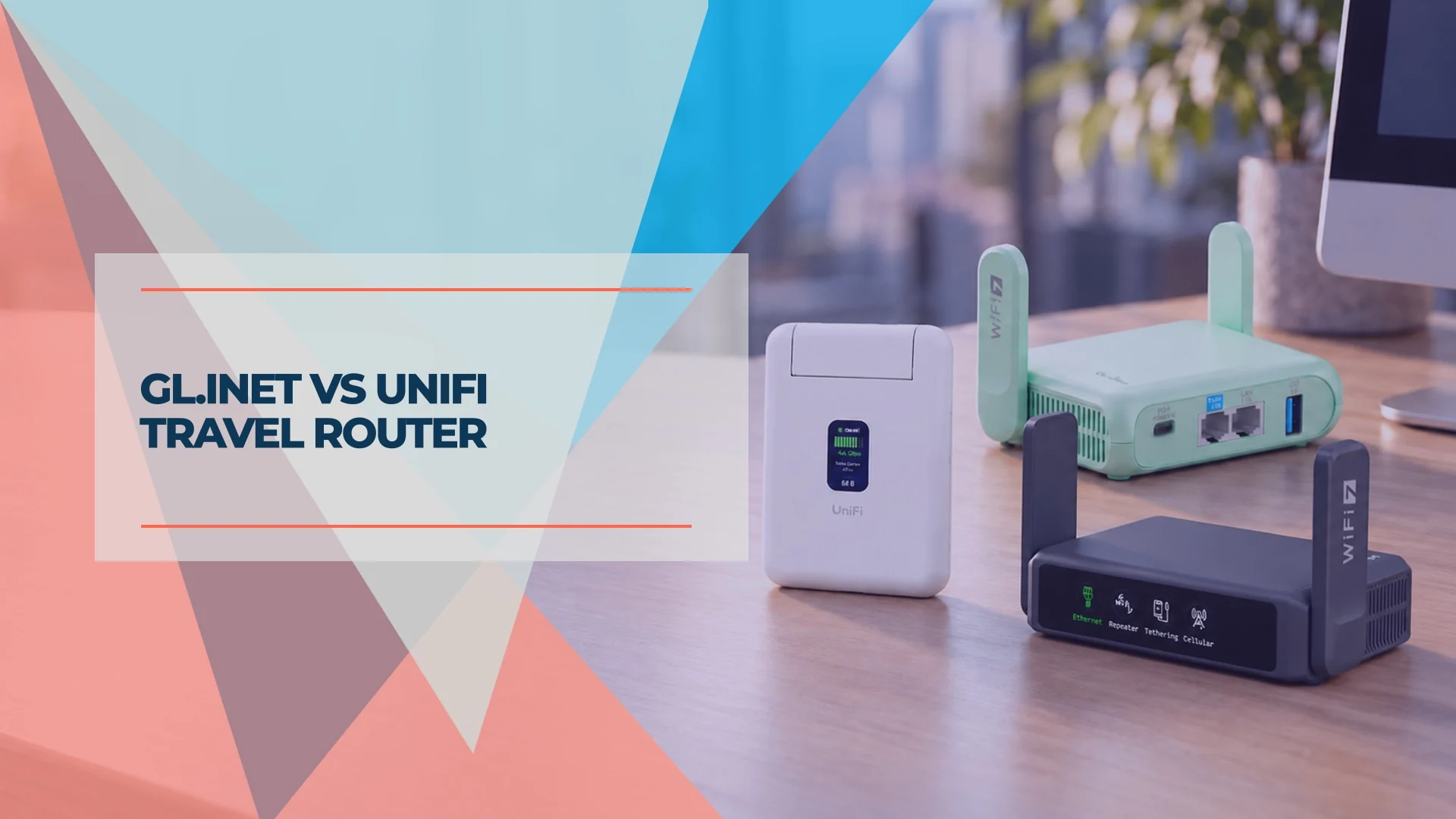
Choosing a travel router for work starts with what your office already runs. When a client's office runs UniFi, we usually recommend the UniFi Travel Router: Teleport connects it back to the office, and it is light and low-power. In a mixed environment, a GL.iNet travel router is where we start, because its routers offer useful features and a full local web interface for configuration. A UniFi office does not rule out GL.iNet, and the UTR also works without a UniFi office.
Within GL.iNet's lineup, the Beryl AX is the lower-cost option, the Beryl 7 offers more VPN headroom, and the Slate 7 adds a touchscreen. The useful distinction is how you will connect and manage the router, followed by how much throughput your trips actually require.
Affiliate Disclosure: This article contains affiliate links. If you make a purchase through these links, we may earn a small commission at no extra cost to you. As an Amazon Associate, iFeelTech earns from qualifying purchases.
Quick Verdict
- UniFi office integration or the lightest kit: UniFi Travel Router, $79. Teleport and site binding are its main advantages; management is through the mobile app.
- Local controls and faster VPN hardware: GL.iNet Beryl 7, $129.99. Our default GL.iNet recommendation at these prices, including for UniFi users who prefer manual configuration.
- On-device VPN controls: GL.iNet Slate 7, $159.99. Buy it for the touchscreen; its listed VPN throughput is lower than the Beryl 7's.
- Lower-cost GL.iNet deployment: GL.iNet Beryl AX, $98.99. Sensible for slower uplinks or several travelers; the Beryl 7 costs $31 more per unit.
US prices checked October 25, 2026 at the Ubiquiti Store and GL.iNet US store, before tax and delivery. Linked retailer offers may differ.
Our GL.iNet experience includes Beryl AX units we set up for two consulting clients who travel two to three weeks per month. Performance figures below are manufacturer ratings unless stated otherwise; our UniFi Travel Router review collects independent test results and firmware changes for the UTR.
Do You Need a Travel Router for Work?
A travel router connects to hotel Wi-Fi, Ethernet or a compatible tethered phone, then shares that connection with your devices through your own Wi-Fi network. Usually, one captive-portal login can serve the devices behind it, although hotel policies, session limits and renewed authentication can interfere.
It is useful when you carry several devices, want a repeatable network setup, or need a router-level VPN for equipment that cannot run a VPN app. If you only carry a laptop with an employer-managed VPN, the extra hardware may add little value.
In router mode, the firewall separates your local devices from unsolicited connections on the upstream network. That is different from encrypting internet traffic: the VPN handles traffic routed through its tunnel. Neither replaces HTTPS, device updates or your employer's security controls.
None of these four routers includes a battery or cellular modem. A phone tether supplies mobile internet, not free data; check your plan's tethering allowance. You still need an external USB-C power source.
GL.iNet vs UniFi: Specifications That Matter
| Specs | ||||
|---|---|---|---|---|
| Wi-Fi | Wi-Fi 5, dual-band | Wi-Fi 6: 574 + 2,402 Mbps | Dual-band Wi-Fi 7: 688 + 2,882 Mbps; MLO | Dual-band Wi-Fi 7: 688 + 2,882 Mbps; MLO |
| Ethernet | 1 × 1G WAN + 1 × 1G LAN | 1 × 2.5G WAN + 1 × 1G LAN | 1 × 2.5G WAN + 1 × 2.5G LAN | 1 × 2.5G WAN + 1 × 2.5G LAN |
| VPN client | Teleport, WireGuard, OpenVPN | WireGuard: up to 300 Mbps; OpenVPN: up to 150 Mbps* | WireGuard: up to 1,100 Mbps; OpenVPN-DCO: up to 1,000 Mbps | WireGuard: up to 490 Mbps; OpenVPN-DCO: up to 385 Mbps |
| Management | UniFi mobile app | Local web interface and app | Local web interface and app | Touchscreen, local web interface and app |
| Power | USB-C 5V/2A; 5 W maximum | USB-C 5V/3A; under 8 W | USB-C PD; under 12 W excluding USB load | USB-C PD; under 18 W excluding USB load |
| Weight | 89 g | 196 g | 205 g | 295 g |
| Screen | 1.14-inch status display; no touch | None | None | Touchscreen |
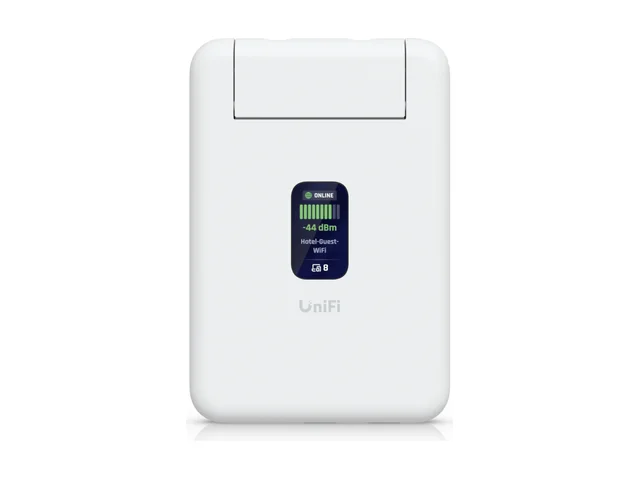
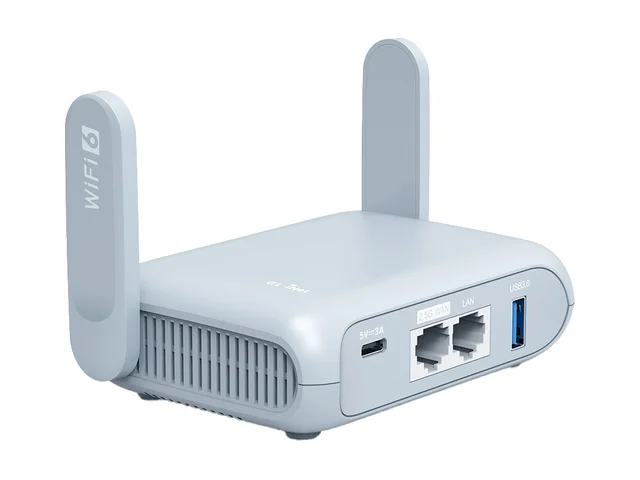
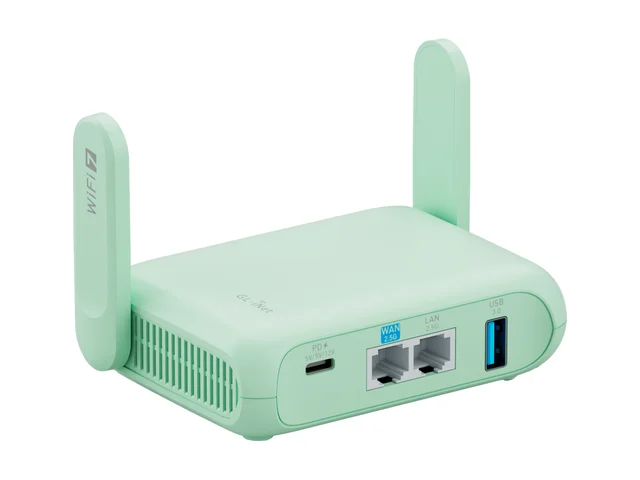
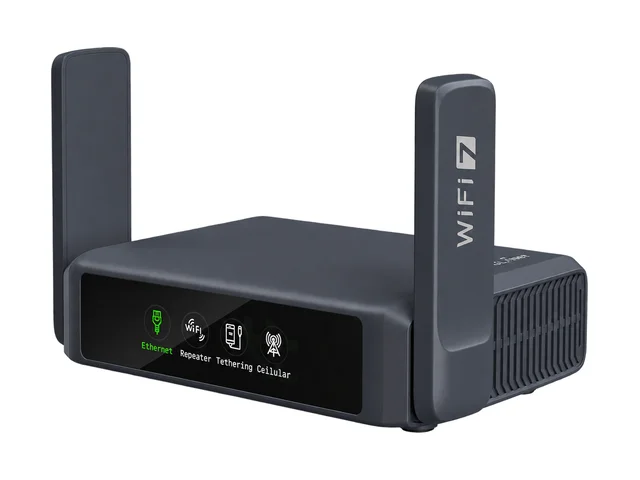
Sources: UTR technical specifications, Beryl AX, Beryl 7 and Slate 7. GL.iNet VPN figures are manufacturer client-mode results from local network tests. Ubiquiti does not publish a comparable VPN throughput figure for the UTR, so the four cannot be ranked on a single VPN scale.
*Beryl AX's own page lists 150 Mbps for OpenVPN; the newer Beryl 7 comparison lists up to 300 Mbps with OpenVPN-DCO for Beryl AX. These describe different configurations. We retain the conservative product-page figure; DCO acceleration depends on firmware and a compatible VPN configuration.
Wi-Fi figures are theoretical radio link rates, not internet speeds; adding the two bands does not predict one laptop's throughput. Both Wi-Fi 7 models here use 2.4 and 5 GHz, with no 6 GHz band. Multi-Link Operation (MLO) needs compatible client hardware and configuration. It does not upgrade the hotel's access point.
UniFi Travel Router: Integration, Low Weight and Low Power
The UTR's strongest reason to buy is its integration with a compatible UniFi gateway. Site binding can copy Wi-Fi settings and configure Teleport access back to that site. Hotel captive portals are handled in the UniFi mobile app, as described in Ubiquiti's launch overview.
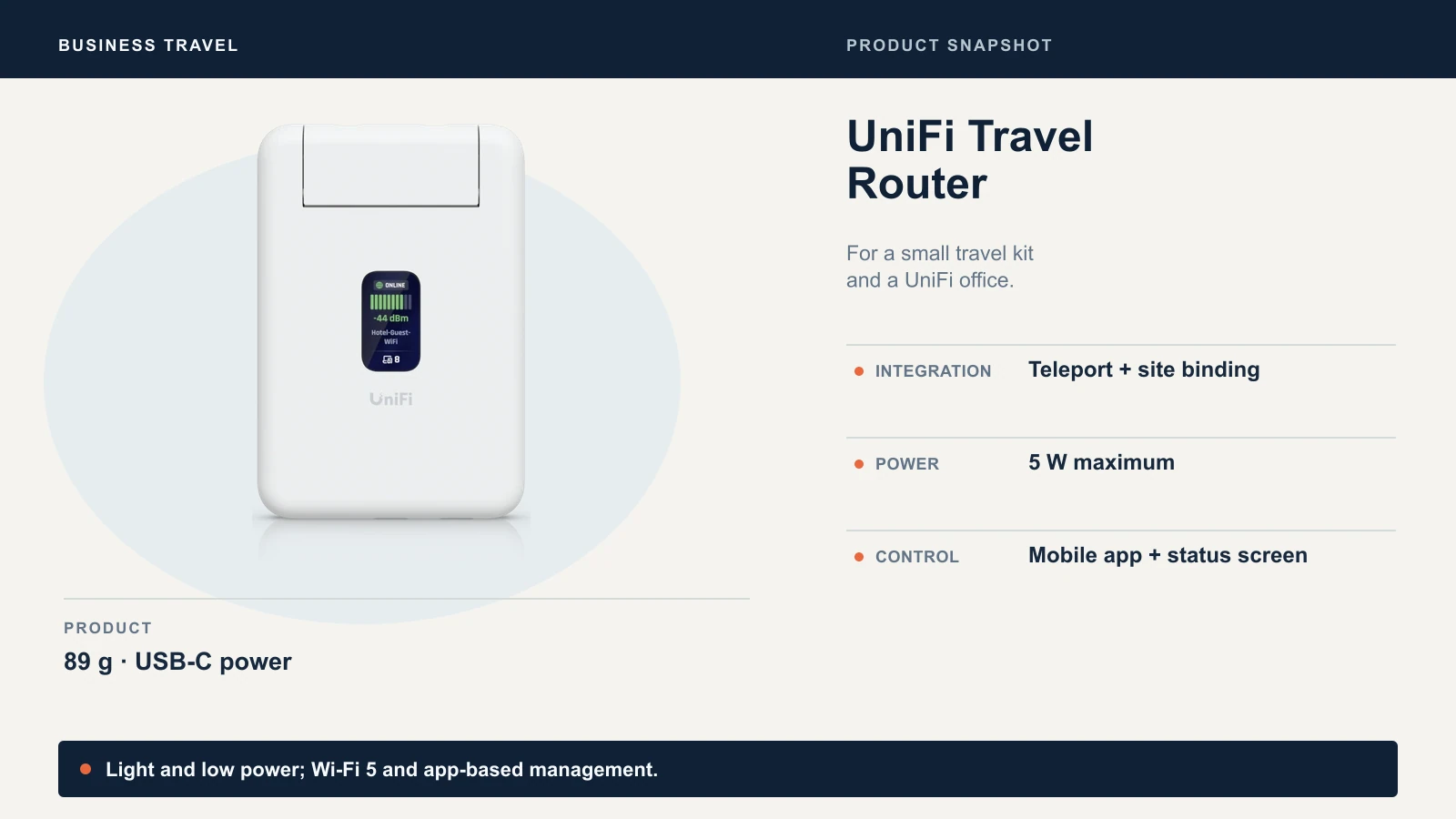
A UniFi gateway is optional for basic travel use. The store listing explicitly supports standalone operation without a UniFi account, and the technical sheet lists both WireGuard and OpenVPN clients. A non-UniFi office therefore does not rule it out. GL.iNet is more attractive if you want a local browser interface, faster radios or 2.5GbE.
At 89 g and a maximum 5 W draw, the UTR is the lightest and lowest-power model here. Its 1.14-inch screen shows status but does not accept touch input. A USB-C power adapter is not included. Wi-Fi 5 and Gigabit ports suit modest uplinks, but offer less headroom for fast wired internet and local transfers.
Teleport requires a supported remote gateway and permissions to reach office resources. Having UniFi access points alone is insufficient. Files and internal websites still depend on routing, DNS and access policy; printer discovery is not guaranteed to work as if you were on the same LAN. Ubiquiti's Teleport guide also notes that gateway WAN IPv6 is required in some circumstances.
Choose it for: UniFi site integration, low weight and low power use. Choose GL.iNet if browser-based administration matters more to you. See our UTR assessment for attributed performance results and firmware history.
GL.iNet Beryl AX: The Lower-Cost Choice We Have Deployed
The Beryl AX is the least expensive GL.iNet in this comparison. It uses GL.iNet's OpenWrt-based firmware, with a local web interface for VPN profiles, repeater setup and routing controls. It supports Wi-Fi repeating and USB phone tethering, alongside its wired ports.
I have set up Beryl AX units for two consulting clients who travel two to three weeks per month, using NordVPN's OpenVPN configuration. The initial configuration took about 20 minutes. The practical lesson carries over to any model: prepare and test the router before departure, so the traveler only has to connect it at the hotel.
The provider advice has changed since those deployments. NordVPN now documents downloadable WireGuard configuration files, and GL.iNet's WireGuard guide includes a NordVPN token-based setup flow. Follow the instructions for your firmware rather than assuming routers are restricted to OpenVPN.
Its published 300 Mbps WireGuard ceiling is adequate when the upstream connection is slower. At $98.99, it saves $31 per traveler compared with the Beryl 7. If buying one unit for several years of use, the Beryl 7's faster VPN hardware and second 2.5G port make that upgrade worth considering. Existing Beryl AX owners on slower hotel uplinks have less reason to replace it.
GL.iNet Beryl 7: More VPN Headroom Without a Screen
The Beryl 7 is our default GL.iNet pick at the checked prices. It pairs dual-band Wi-Fi 7 with two 2.5G ports, a quad-core 2.0 GHz MediaTek processor and 512 MB RAM. GL.iNet lists WireGuard client throughput up to 1,100 Mbps and OpenVPN-DCO up to 1,000 Mbps.
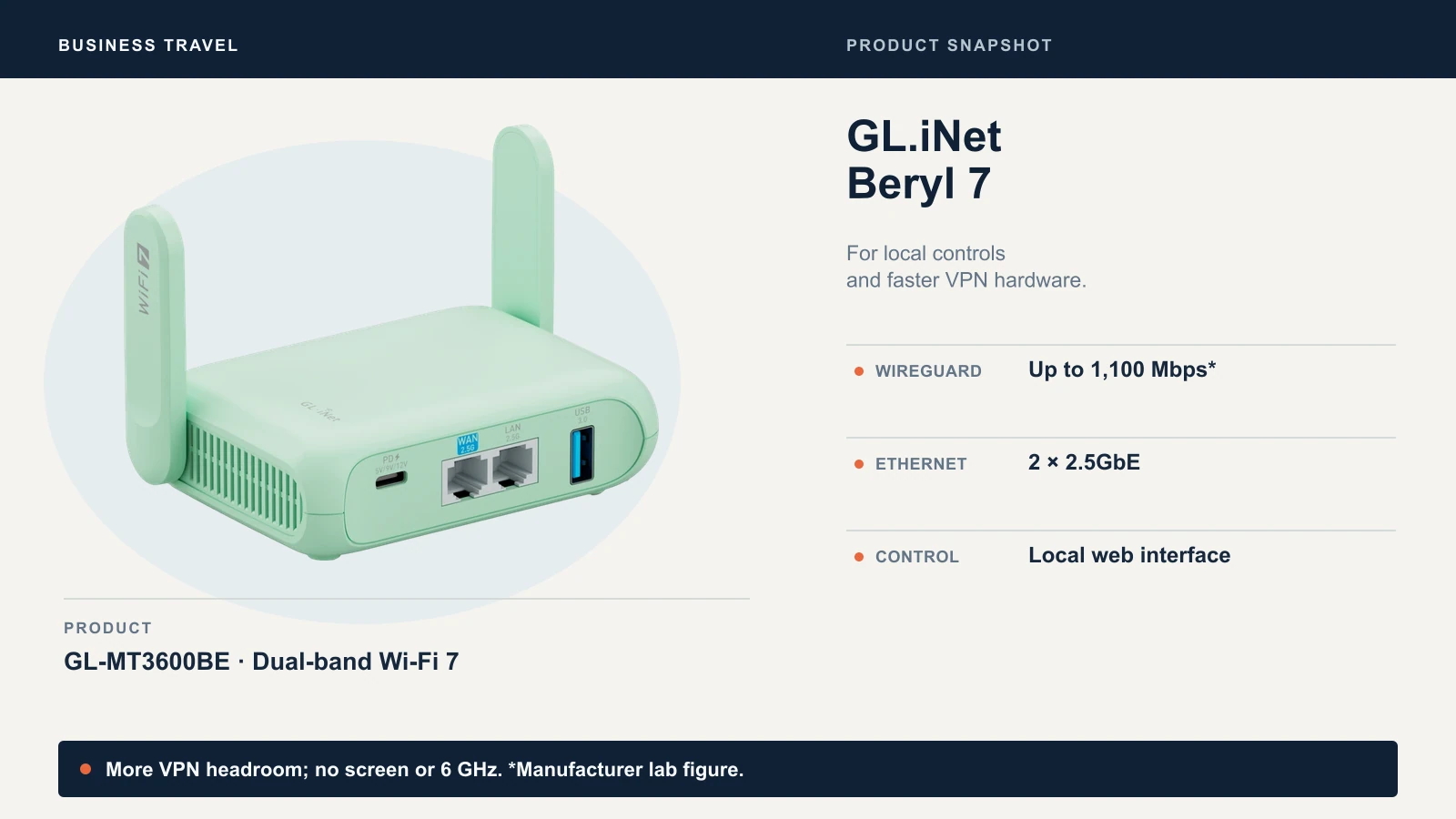
That headroom matters on a sufficiently fast uplink with a capable VPN endpoint. On a 50 Mbps hotel connection, it cannot make the internet faster than 50 Mbps. Office upload speed, VPN server load, latency and Wi-Fi repeating can all lower the result. DCO means OpenVPN Data Channel Offload; its accelerated figure requires compatible settings and should not be treated as the speed of every OpenVPN profile.
At 205 g, it weighs only 9 g more than the Beryl AX. Multi-WAN failover can switch to a configured phone tether if the main connection fails, but it does not guarantee that an active call survives the change of internet path.
Choose it for: local administration, fast wired connections and VPN capacity. You can use it with a UniFi office's standard WireGuard server too, with manual configuration instead of Teleport site binding.
GL.iNet Slate 7: Pay for the Touchscreen
The Slate 7's touchscreen provides connection status, Wi-Fi sharing by QR code and quick VPN controls. Its user guide makes an important distinction: initial VPN setup still requires the web admin panel. The screen makes an already configured router easier to operate; it does not remove provisioning work.
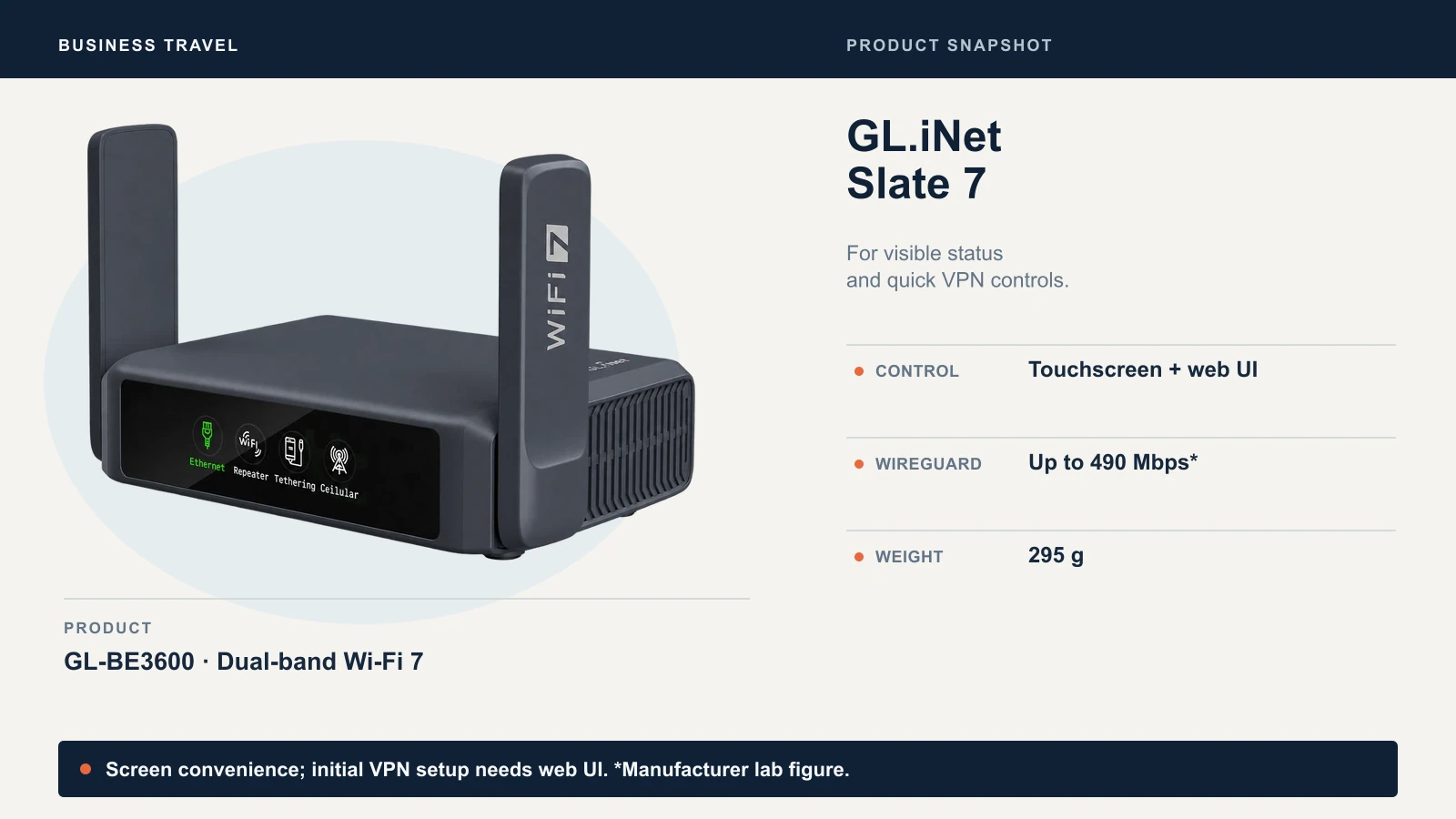
It has 1 GB RAM, twice the Beryl 7's, but its listed VPN figures are lower: up to 490 Mbps WireGuard and 385 Mbps OpenVPN-DCO. More memory does not by itself mean higher VPN throughput. It weighs 295 g, 90 g more than the Beryl 7, and its published consumption is under 18 W excluding attached USB devices.
Choose it for: travelers who value visible status and quick controls after IT has prepared the router. The $30 premium over the Beryl 7 buys that convenience, rather than a faster VPN. If the router will stay tucked behind a laptop, the screen is harder to justify.
Office Access and a Commercial VPN Solve Different Problems
For office files, internal applications or an office exit IP, connect to a VPN endpoint at the office: Teleport on a compatible UniFi gateway, or a standard WireGuard/OpenVPN server that your travel router supports. The remote gateway, account permissions and office internet connection must be prepared before departure.
For an encrypted connection to a commercial VPN provider, import that provider's supported profile or use the router's integration. A commercial subscription does not automatically grant access to your office network. Conversely, Teleport does not require a separate commercial VPN subscription. Budget for a paid provider only if that is the service you need.
A router VPN covers traffic routed through it. Policy exceptions, DNS configuration and what happens when the tunnel drops still matter. GL.iNet's VPN Dashboard documentation describes tunnel kill switches and controls for other traffic. Test the intended policy by interrupting the tunnel and checking whether work devices lose internet access or fall back to the hotel connection.
For employer-managed devices, use the employer-approved VPN and access method. Putting a second VPN underneath it can complicate troubleshooting and does not replace device-based identity or security checks.
Hotel Setup: What to Test Before the Trip
- Update and provision at home. Set admin and Wi-Fi passwords, load the VPN profile, and test access to the actual work resources you need. For UTR users, update both router firmware and the UniFi app.
- Connect the uplink at the venue. Use a working Ethernet jack when available; otherwise join the hotel Wi-Fi or use compatible phone tethering. Ethernet avoids using wireless airtime for the upstream hop, though the hotel can still limit its speed.
- Complete the captive portal before starting the VPN. GL.iNet's public-hotspot login mode can temporarily suspend services and use automatic DNS to allow the page to load. UTR handles authentication in its app. Check the venue's router policy; a portal or device restriction can still prevent access.
- Enable the VPN and verify it. Check tunnel status, an expected exit IP and one office resource if applicable. Restore your intended DNS and traffic-blocking policy after portal login. Recheck after reconnecting or switching to cellular.
If an office resource fails while general browsing works, check for overlapping hotel, travel-router and office subnets, plus DNS and firewall rules. A copied Wi-Fi name does not resolve a routing conflict. Keep a known-working phone hotspot or laptop VPN as a fallback.
Ubiquiti's UTR 6.6.115 release notes include fixes for captive-portal detection and Teleport recovery after Wi-Fi reconnection. That supports updating before departure; it does not establish that every hotel network will work.
Power and the Small Kit Worth Carrying
Match the source's voltage/current output, not just its advertised wattage or mAh capacity. Beryl AX specifies 5V/3A; UTR specifies 5V/2A. Beryl 7 and Slate 7 list USB-C input profiles of 5V/3A, 9V/3A and 12V/2.5A. A suitable PD source gives the newer GL.iNet models more headroom, particularly with USB accessories; their published consumption figures exclude USB load.
For Slate 7 USB tethering or an external modem, GL.iNet's power FAQ specifies a 9V/3A or higher suitable PD supply for normal USB operation. A basic 5V source should not be assumed to power the router and its USB device reliably.
Pack the correct charger or power bank, its cable, a short Ethernet cable and a data-capable phone-tethering cable. Runtime depends on usable watt-hours, conversion losses and load; a “10,000 mAh” label alone is not a runtime guarantee.
US Availability and Firmware Updates
GL.iNet's regulatory statement, updated September 22, 2026, lists the Slate 7 Pro as unavailable in the US until further notice. It is a separate model from the Slate 7 compared here. Regional availability differs.
The FCC's restrictions on new authorizations for covered foreign-produced consumer routers do not mean existing approved units must be discarded. Its May 8 waiver, DA 26-454, cited in the FCC's later published rulemaking record, permits specified software and firmware changes through at least January 1, 2029. This is regulatory permission, not a promise that a vendor will support every model until that date. See our FCC router rule explainer for the wider context.
Which Travel Router Should You Buy?
Start with the connection you need, then the way you want to manage it. UTR is the straightforward choice for UniFi site binding and a minimal travel kit. Beryl 7 is the stronger fit for local controls and VPN headroom. Choose Slate 7 when the screen will be used, or Beryl AX when the $31 saving matters more than extra capacity.
If you already own a Beryl AX and your trips use slow uplinks, Wi-Fi 7 alone is a weak reason to upgrade. If a laptop VPN or phone hotspot already meets your needs, keeping that setup is also a reasonable decision. For a field team needing a full wired gateway, see our UniFi Express 7 travel guide. If you want a small firewall with built-in Wi-Fi that can also travel, the Firewalla Orange is covered in our Firewalla comparison.
Sources
Specifications, documentation and US store prices were checked October 25, 2026, using the manufacturer pages linked throughout this article. Manufacturer test results are labeled where they appear. The cover is an AI-assisted editorial illustration; product snapshots use manufacturer imagery.
Related Resources
- UniFi Travel Router Review: long-term ownership notes, Teleport setup and independent speed results.
- UniFi Express 7 as a Travel Router: when a full gateway suits a field team better than a pocket router.
- Best VPN for Small Business Remote Teams: choosing the VPN service your travel router connects to.
- Mullvad vs NordVPN vs Proton VPN: provider differences, including router support.
- Setting Up 5G Failover for Business Internet: how cellular backup works for the office itself.
- Firewalla Orange vs Gold Plus vs Gold Pro: a compact firewall with built-in Wi-Fi for small offices.
Frequently Asked Questions
Related Articles
More from Network Infrastructure
Do You Need a VPN Service With a UniFi Gateway?
Use UniFi Teleport for office access, Site Magic to link sites, or the VPN client to route chosen traffic. See when a separate VPN service is worth paying for.
7 min read

Best Network Racks for Small Business in 2026
Compare wall-mount cabinets, swing-out racks, and open-frame racks for a small office. Check rack height, switch and UPS depth, and mounting load before you buy.
10 min read
Router vs Switch vs Access Point: How an Office Network Fits Together
What a router (gateway), switch and access point each do, how data travels from a laptop to the internet, when traffic stays local, and an install order.
10 min read