
Best VPN for Small Business Remote Teams 2026: IT Setup Guide
IT decision-maker's guide to choosing and deploying a VPN for small business remote teams in 2026. Compare NordVPN, Proton VPN, Surfshark, and ExpressVPN with deployment guidance, policy templates, and a decision framework.


Affiliate Disclosure: This article contains affiliate links. If you make a purchase through these links, we may earn a small commission at no extra cost to you. As an Amazon Associate, iFeelTech earns from qualifying purchases.
Key Takeaway
A VPN can be useful for remote work when you need to protect data on untrusted networks, maintain consistent access to corporate systems, or satisfy employer security policies. NordVPN Plus ($3.89/month on a 2-year introductory term) leads our recommendations with NordLynx protocol for speed, integrated threat protection, and optional dedicated IP addresses to avoid access issues with corporate systems and banking portals.
Remote workers need VPNs that keep video calls stable and corporate systems accessible. This guide compares NordVPN, Proton VPN, Surfshark, and ExpressVPN on the features that matter for daily professional use: dedicated IP availability, split tunneling, protocol speed, and deployment simplicity.
Prices checked August 6, 2026; US pricing shown. Introductory rates apply to the first billing term — renewal rates are higher. Taxes and regional promotions may vary. Confirm the current figure at checkout.
Which Problem Are You Solving?
Before comparing providers, identify which category your team falls into — it determines whether you need a consumer VPN, a managed business platform, or something else entirely.
| Use Case | Solution | Where to Look |
|---|---|---|
| Protect data on public Wi-Fi and untrusted networks | Consumer VPN (individual plans) | Reviews below |
| Fixed egress IP for corporate allowlisting | Consumer VPN with dedicated IP add-on | NordVPN, Surfshark, or ExpressVPN Pro |
| Controlled access to private company resources with audit trails | Managed business VPN or ZTNA | NordLayer review or VPN vs ZTNA guide |
Five-Question Decision Framework
If you are unsure which category applies, answer these questions:
1. Do you need audit trails showing who accessed what and when? This includes compliance audits and regulatory requirements (healthcare, finance, legal). If YES → Managed access platform required (business VPN or ZTNA)
2. Do you have contractors or temporary workers? Centralized access and revocation are strongly advisable when contractors use company systems. If YES → Business VPN strongly recommended
3. Do different team members need different access levels? Role-based access control goes beyond what consumer VPN accounts provide. If YES → Managed access platform required
4. Does your industry have specific compliance requirements? HIPAA requires risk analysis and reasonable safeguards (not a specific VPN brand). PCI DSS requires strong cryptography over public networks. SOC 2 is an attestation examination. These frameworks generally call for managed identity, device, and logging controls that consumer VPNs do not provide. If YES → Business VPN or ZTNA strongly recommended
5. Will you hire employees or contractors in the next 12 months? Evaluate managed access before onboarding. Proton VPN for Business starts at 2 users ($9.99/user/mo for Professional) — verify additional costs for dedicated servers at checkout. If YES → Evaluate managed access now
Quick Interpretation
- YES to questions 1, 3 or 4: These requirements call for managed identity, device, application, and logging controls. A business VPN or ZTNA platform is typically part of that system — see our NordLayer review or VPN vs Zero Trust guide
- YES to question 2: Centralized access and revocation are strongly advisable — a business VPN makes offboarding straightforward
- YES only to question 5: Evaluate managed access platforms before onboarding to avoid future migration
- NO to all five: The consumer VPN plans reviewed below are the right fit
For most solo entrepreneurs, freelancers, and small teams (2–5 people) who answered NO to all five questions, the personal VPN plans reviewed below provide encrypted internet access and supplemental privacy features. When your team grows or compliance requirements change, platforms like NordLayer ($8 Lite / $11 Core / $14 Premium per user/month, 5-user minimum) provide centralized management, audit logs, SSO, and dedicated infrastructure.
Top Picks at a Glance
NordVPN is the best overall VPN for remote work, Proton VPN the strongest for privacy transparency, Surfshark the best value, and ExpressVPN the simplest to run.
| VPN Provider | Best For | Price (2-Year Plan) | Dedicated IP | Devices |
|---|---|---|---|---|
| NordVPN | Overall Performance | $3.89/mo (Plus) | Yes (add-on) | 10 |
| Proton VPN | Privacy Transparency | $2.99/mo (Plus) | Business only | 10 |
| Surfshark | Value & Multiple Devices | $2.49/mo (Starter) | Yes (add-on) | Unlimited |
| ExpressVPN | All-in-One (Pro) | $7.49/mo (Pro) | Included in Pro | Up to 14 |
Prices reflect two-year introductory terms checked August 6, 2026 (US). Upfront totals: NordVPN Plus $93/27 mo; Proton VPN Plus $72/24 mo; Surfshark Starter $67/27 mo; ExpressVPN Pro $210/28 mo. Renewal rates are higher — confirm at checkout.
1. NordVPN: Best Feature Set for Remote Teams
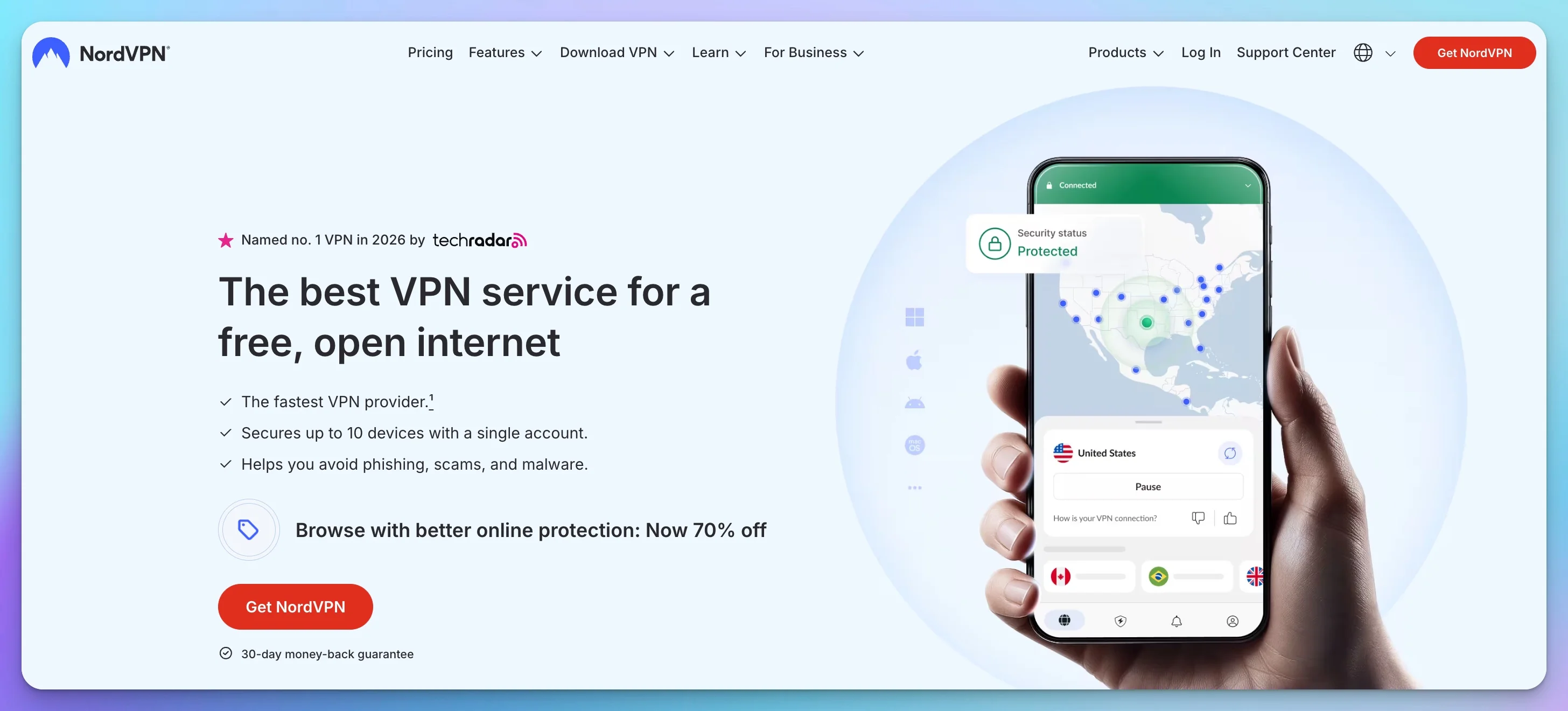
NordVPN combines the NordLynx protocol with integrated threat protection and Meshnet to address common remote work security needs — from daily browsing to corporate system access.
Performance and Protocol
NordVPN's NordLynx protocol, built on WireGuard technology, delivers minimal speed impact during regular work activities. In our March 2026 Miami test, NordLynx retained 92% of baseline download speed — more than enough bandwidth for HD video calls on Zoom and Microsoft Teams.
NordVPN currently advertises approximately 7,000–9,000+ servers across 149 countries (as of August 2026). The exact figure fluctuates as servers are added and rotated, so treat it as a rough indicator; what matters for remote work is whether a server exists close to where you sit.
Security Features for Business Use
Threat Protection Pro (included in Plus, Complete, and Prime plans — recently repositioned as NordVPN's "next-generation antivirus") provides antivirus scanning, scam and phishing protection, and malware blocking. On desktop, the full protection engine can operate even without an active VPN connection. DNS-based filtering (blocking malicious domains and trackers) requires the VPN tunnel to be active.
Note: NordVPN's plan names and what each tier includes can vary by region and promotional period. As of August 2026, NordVPN's own documentation lists Basic, Plus, Complete, and Prime as the four tiers. Verify at checkout which tier is available in your region.
Important: The Basic plan ($3.49/month on a 2-year term) only includes DNS-level filtering. For the full malware engine and antivirus functionality, you need the Plus plan or higher.
The kill switch implementation automatically disconnects internet access if the VPN connection drops, preventing accidental exposure of your actual IP address or unencrypted data. This is particularly important for remote workers who need to maintain consistent security compliance.
Meshnet for Remote Teams
NordVPN's Meshnet feature provides peer-to-peer functionality for remote workers, allowing you to securely route traffic through a colleague's device or access your home PC from the road. This creates encrypted connections between your devices without routing through VPN servers, useful for accessing files on your home computer while traveling or collaborating with remote team members.
Dedicated IP Availability
NordVPN offers dedicated IP addresses as an add-on (starting at $3.69/month on a two-year plan). A dedicated IP can solve several common remote work challenges:
- Access to corporate systems that whitelist specific IP addresses
- Reduced CAPTCHA prompts from Google, banking sites, and other services that flag shared VPN IPs
- Consistent identification when accessing sensitive client systems or financial platforms
From the Field
In my IT consulting practice, the most common remote-work support ticket I see is a user locked out of a corporate CRM or banking portal because their shared VPN IP was flagged as suspicious. Across five client deployments in 2025–26, switching them to a NordVPN dedicated IP (currently $3.69/mo add-on; pricing is checkout-dependent) resolved it in every case I handled — no IT escalation needed, and the user was back online within minutes. Note that the dedicated IP is linked to your NordVPN account and NordLynx permits only one simultaneous connection to that IP at a time.
Practical Considerations
Recommended Plan for Remote Work: The Plus tier ($3.89/mo on a 2-year term, $93 upfront for 27 months) is the minimum recommended tier for remote workers, as it includes:
- Full threat protection engine (next-gen antivirus, formerly Threat Protection Pro)
- NordPass password manager
- Cross-platform sync for credentials
The Basic plan ($3.49/mo on a 2-year term) includes core VPN features and DNS-level filtering only. The Complete plan adds 1TB encrypted cloud storage via NordLocker.
System Resources: In our observation, NordVPN's desktop client used approximately 50–80 MB RAM at idle on Windows 11 (measured via Task Manager on a single test machine, March 2026). This is among the lightest of the four services we observed, though your figures will vary with app version, OS, and background activity.
Limitations: Renewal prices increase after the initial term. Threat Protection Pro's full malware engine requires Plus plan or higher.
Best For: Full-time remote employees and contractors who need reliable daily performance, advanced threat protection, and the option for dedicated IP access to corporate or client systems.
Support: 24/7 live chat available for immediate troubleshooting—critical when you can't access work systems.
Team Option: For businesses with multiple remote workers, NordLayer offers centralized management and dedicated infrastructure. Annual pricing is $8/user (Lite), $11/user (Core), or $14/user (Premium) per month, with a five-user minimum. Core and Premium tiers require a dedicated server at an additional $40/month.
Check Current NordVPN Pricing2. Proton VPN: Best Privacy Transparency for Sensitive Data
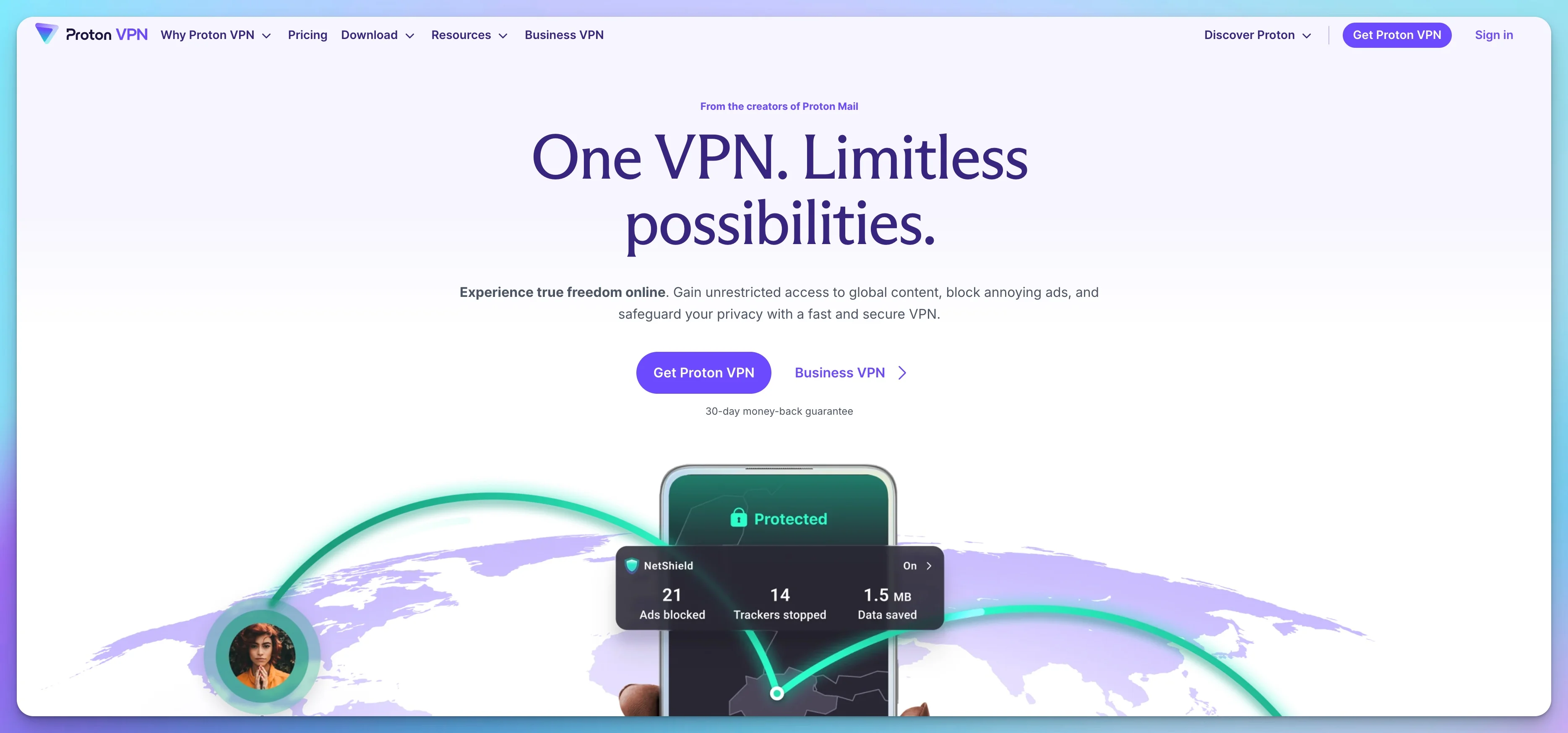
Proton VPN is the privacy-first choice for remote workers handling legally sensitive data, operating under Swiss jurisdiction with fully open-source apps.
Proton VPN pairs Swiss legal privacy protections with independently audited no-logs policies and Secure Core multi-hop routing — making it the strongest option for privacy transparency among the four services reviewed. Secure Core addresses specific network-level and exit-server threats; it does not provide endpoint security, phishing protection, or data-storage controls.
Privacy-First Architecture
Swiss legal jurisdiction provides strong privacy protections, including requirements for court orders before any data requests can be processed. Proton VPN's independently audited no-logs policy means your connection data isn't stored or available for potential disclosure.
All Proton VPN applications are open source and available for public review, allowing security researchers to verify the implementation of encryption and privacy features. This transparency is valuable for professionals in fields requiring documented security practices.
Proton VPN now advertises more than 20,000 servers across 140+ countries, one of the largest networks among the services reviewed here.
Secure Core Technology
Secure Core routes your traffic through hardened servers in privacy-friendly countries (Switzerland, Iceland, Sweden) before connecting to your selected exit server. This multi-hop approach adds a layer of protection against network-level monitoring, even if an exit server were compromised.
For remote workers handling confidential information—such as financial data, legal documents, or proprietary research—this additional security layer provides meaningful protection against advanced threats.
Remote Work Features
The Stealth protocol helps bypass network restrictions, useful for digital nomads working from locations with internet filtering or remote workers accessing the internet through restrictive corporate networks.
Proton VPN supports up to 10 simultaneous connections. The 2026 spring/summer roadmap describes a ground-up WireGuard rewrite (currently in beta on Android and Windows) that "lays the groundwork for post-quantum encryption" — but post-quantum protection is not yet generally available as of mid-2026.
Business Options
Dedicated servers and IP addresses are available through Proton VPN for Business plans. The VPN Professional tier starts at $9.99/user/month, with a two-user minimum. Proton's business documentation indicates that dedicated servers carry an additional cost ($40/month) — verify the actual minimum deployment cost at checkout or with Proton sales, as the marketing page is not entirely clear on bundling. Business plans include centralized management, SSO integration, and dedicated support—features primarily valuable for teams rather than individual remote workers.
Practical Considerations
Pricing: The free tier provides unlimited bandwidth with access to a small set of countries and a single device connection — usable as a stopgap, but not as a primary work tool. Proton has changed the free tier's country list more than once, so check the current list before relying on a specific location. VPN Plus costs $2.99/month on a two-year plan ($72 upfront for 24 months), with full server access, highest speeds, and streaming support. Monthly billing is $9.99/month. Renewal rates are higher than the introductory price.
System Resources: The Proton VPN desktop client uses approximately 80–120 MB RAM at idle — slightly heavier than NordVPN but well within acceptable range for most business laptops.
Best For: Remote workers in fields like journalism, legal services, financial consulting, or software development who handle sensitive client information and need documented, transparent privacy protections.
Support: Email and contact form support; live chat available but may have queue times during peak hours.
Team Option: Proton VPN for Business provides dedicated servers, centralized management, and team access controls for organizations beyond individual remote workers.
3. Surfshark: Best for Devices & Budget
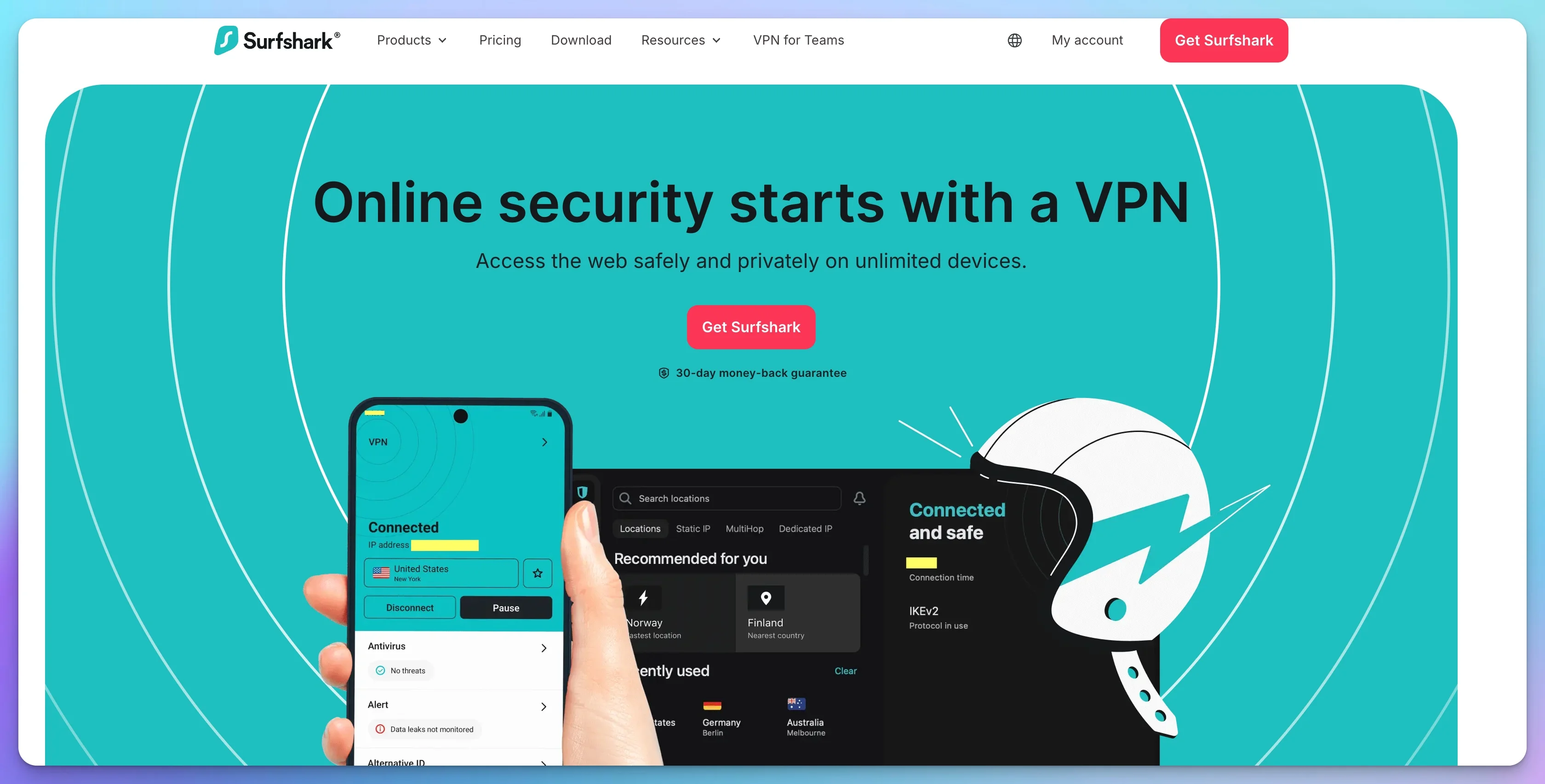
Surfshark is the best-value VPN for remote workers with many devices: it places no cap on simultaneous connections and starts near $2.50 per month.
That single policy is what separates it from the field: Surfshark covers an entire home office setup — laptops, phones, tablets, travel routers, and family devices — under one subscription, where competitors stop at 10 to 14 connections.
Unlimited Device Coverage
Unlike most VPN services that limit simultaneous connections to 5-10 devices, Surfshark allows unlimited connections under a single subscription. For remote workers, this means covering:
- Work laptop and personal laptop
- Smartphone and tablet
- Travel router for complete network coverage
- Partner's or family member's devices
This flexibility is particularly valuable for freelancers and contractors who manage multiple client devices or remote workers who maintain separate work and personal computing environments.
Performance and Features
Surfshark operates roughly 4,500 servers across 100 countries, which is adequate coverage for anyone working in North America or Europe. The service supports WireGuard for speed and implements Dynamic MultiHop (double VPN routing) for users requiring additional encryption layers.
CleanWeb blocks ads, trackers, and malicious sites—helpful for maintaining focus and security during work sessions. Surfshark's Bypasser (split tunneling) is available on Windows, macOS, Android, and iOS — but not on Linux, which is a notable omission for developers and IT professionals who run Linux workstations.
Value Proposition
Pricing: Two-year Starter plans sit around $2.49/month, making Surfshark the cheapest option here. The One tier adds antivirus and data breach monitoring, and One+ adds Incogni for data removal from broker databases. Surfshark runs frequent promotions and its advertised entry price has moved between roughly $1.78 and $2.49 over the past year, so check the figure at checkout rather than relying on any published number.
Considerations: Our single Miami test showed lower retained throughput than NordVPN and ExpressVPN (85% vs 91–92%), though performance remained adequate for standard remote work. A 30-day money-back guarantee provides risk-free testing.
Team Billing Warning: Surfshark's unlimited device policy covers one account — not one account per employee. If you buy a single Surfshark subscription and share the login credentials with five team members, you've broken basic security hygiene: everyone shares the same password, there's no per-user audit trail, and revoking access for one person means changing the password for everyone. For teams, use Proton VPN for Business or NordLayer instead.
Mobile Experience: In my own use, Surfshark's iOS and Android apps have been reliable about auto-reconnecting on network changes — a practical advantage for remote workers who switch between home WiFi, mobile hotspots, and client networks throughout the day.
Best For: Solo freelancers with multiple personal devices, digital nomad individuals sharing a subscription across their own devices, or budget-conscious remote workers who need reliable security without premium pricing.
Support: 24/7 live chat available for all paid tiers.
Check Current Surfshark Pricing4. ExpressVPN: Reliable & Simple
ExpressVPN's Lightway protocol was fastest to reconnect after a network switch in our March 2026 test, making it a strong fit for workers moving between WiFi and cellular throughout the day.
ExpressVPN pairs that reconnection speed with a clean, configuration-free interface — the right fit for non-technical users who need protection that works without setup.

Lightway Protocol
ExpressVPN's proprietary Lightway protocol provides stable connections with fast reconnection after network switches—particularly useful when moving between WiFi and cellular connections or transitioning between locations during mobile work.
The protocol's efficiency helps maintain connection stability during video calls.
Network and Compatibility
ExpressVPN operates servers in 105 countries, but its router story changed in 2026 and this is the detail most guides have not updated.
Router Support Changed in Early 2026
ExpressVPN phased out support for its legacy router firmware on most third-party models beginning in early 2026. March 31, 2026 was the cutoff for legacy app versions (all apps required updating to stay connected), but this was primarily a legacy-app/certificate deadline — not a universal shutdown of every third-party router method. Routers running open-source firmware (AsusWRT-Merlin, OpenWRT) can still connect via manual OpenVPN configurations. However, ExpressVPN's own router app is now limited to its Aircove hardware (committed to updates into 2027; Aircove Go into 2028). If you previously relied on ExpressVPN's proprietary firmware for Asus, Linksys, or Netgear routers, plan for per-device clients, Aircove hardware, or a GL.iNet router running a different provider's config.
ExpressVPN offers applications for all major platforms including smart TVs. For gaming consoles (PS5, Xbox, Nintendo Switch), ExpressVPN provides MediaStreamer — a DNS-based service that changes your virtual location but does not encrypt traffic or provide VPN protection. True VPN coverage for consoles requires routing through a VPN-enabled router or sharing a connection from a protected device. Simultaneous connections depend on the plan tier: 10 on Basic, 12 on Advanced, and 14 on Pro.
Practical Considerations
Pricing: ExpressVPN now offers three tiered plans on 2-year billing:
- Basic ($3.49/mo, $98 for 28 months): Core VPN protection, 10 devices
- Advanced ($4.49/mo, $126 for 28 months): VPN plus identity protection features, 12 devices
- Pro ($7.49/mo, $210 for 28 months): VPN, identity protection, dedicated IP included, 14 devices
Month-to-month pricing varies by tier: Basic is currently $12.99/month, Advanced $13.99, and Pro $19.99 in the US. Published two-year rates vary by promotion and region (some checkout pages show lower introductory figures), so verify at checkout. Renewal for Pro is approximately $200/year.
Dedicated IP Availability: ExpressVPN offers dedicated IP addresses in 20+ major business hubs (London, New York, Frankfurt, etc.). The Pro plan includes a dedicated IP at no additional cost, making it the best value for remote workers who need static IPs for banking or corporate access.
Limitations: The feature set is less extensive than NordVPN (no integrated malware blocking as comprehensive as Threat Protection Pro), and ExpressVPN's proprietary router firmware is now limited to Aircove hardware (legacy third-party router support was phased out in early 2026, though manual OpenVPN via open-source firmware remains possible).
Best For: Non-technical users who prioritize stability and simplicity over feature depth, and remote workers who want an all-in-one Pro plan with a dedicated IP included rather than billed separately.
Support: 24/7 live chat with fast response times.
Check Current ExpressVPN PricingSpeed and Latency: Hands-On Test Results
In our March 2026 Miami test, all four VPNs retained enough bandwidth for HD video conferencing. NordVPN and ExpressVPN stayed within 10% of the baseline; Proton and Surfshark showed slightly larger drops (12% and 15% respectively).
The table below shows results from hands-on testing conducted from Miami, FL on a 1 Gbps fiber connection, connecting to the nearest US server for each provider.
| VPN | Protocol | Local Latency | Speed Retained | Reconnect Time |
|---|---|---|---|---|
| NordVPN (Plus) | NordLynx | 8 ms | 92% | < 2 sec |
| ExpressVPN (Advanced) | Lightway | 9 ms | 91% | < 1 sec |
| Proton VPN (Plus) | WireGuard | 11 ms | 88% | < 3 sec |
| Surfshark (Starter) | WireGuard | 14 ms | 85% | < 3 sec |
Tests conducted March 2026 on 1 Gbps fiber; not re-run for the August 2026 update. Speed retained = download speed as % of unprotected baseline. Local latency = ping to nearest US server. Figures come from our own testing on a single connection and will vary with your ISP, hardware, and distance to the server.
Video Call Threshold
Zoom's current 1080p group-call recommendation is approximately 3.8 Mbps upload and 3.0 Mbps download. All four VPNs tested comfortably exceed this threshold even on connections as slow as 25 Mbps. In our test, bandwidth remained ample, although latency, jitter, Wi-Fi quality, and server load can still affect call quality independently of raw throughput. If you experience issues with a VPN active, connect to the nearest server or use split tunneling to route video conferencing directly.
ExpressVPN's sub-1-second reconnect was the standout result in our March 2026 test — particularly valuable for workers who frequently switch between hotel WiFi, mobile hotspots, and office networks throughout the day. Reconnection speed can vary with server load and network conditions.
Can Your Employer Tell You Are Using a VPN?
Yes, in most cases. A VPN encrypts the contents of your traffic, but it does not hide the fact that an encrypted tunnel exists.
This is the single most common misunderstanding I encounter when advising remote workers, so it is worth stating plainly. Three separate signals give a VPN away:
- Known server ranges. Commercial VPN exit IPs are catalogued and widely available. A network or security team checking connection logs can see that your session originated from a VPN provider's address block.
- Managed device visibility. If your laptop is enrolled in Intune, Jamf, or a comparable MDM platform, IT can enumerate installed applications and active network adapters regardless of whether the tunnel is running.
- Behavioural mismatches. Time zone, login times, and language settings that do not match the IP location may be visible in identity platform logs (depending on your employer's monitoring configuration).
The practical takeaway is that a VPN is a tool for protecting data on untrusted networks — hotel WiFi, airport lounges, client offices — not a tool for concealing activity from your own employer. Used the first way, it is often appropriate when employer policy permits. Used the second way, it tends to fail and creates a trust problem when it does. A personal VPN does not conceal activity from monitoring software installed on an employer-controlled device.
Working From Another State or Country
A VPN changes the IP address your employer sees. It does not change your tax residency, your payroll withholding, or your work authorization.
This comes up often enough to address directly. If you relocate temporarily and route traffic through a VPN server in your home state, the underlying obligations still follow your physical location. Depending on where you go, that can create state income tax withholding changes, corporate tax nexus for your employer, or — for international moves — visa and permanent establishment questions the company may not be permitted to absorb quietly.
Employers also tend to find out. Device management may report location, conferencing platforms log network paths, and expense or shipping addresses rarely match the story. The reasonable approach is to ask for written approval before relocating. Many companies will say yes to a defined period. The consequences of undisclosed relocation depend on jurisdiction, duration, and employer structure — but the risk is real.
VPN Deployment Guide for Small Business IT
Deploy per-device clients for most teams, document a written VPN policy, and reserve router-level tunnels for specific network segments.
Per-Device vs Router-Level Deployment
Per-Device Clients (Recommended for most teams): Install the VPN app on each laptop, phone, and tablet. This approach provides the most flexibility — employees stay protected whether they're at home, at a coffee shop, or traveling. Split tunneling works normally, and each user controls their own connection.
Router-Level VPN (Niche use cases): Useful for routing traffic from specific devices or network segments through the VPN. If you're running UniFi infrastructure, newer UniFi OS gateways (UDM Pro, SE, Pro Max) support configuring a third-party VPN client directly on the gateway. Policy-based routing allows targeting selected devices, VLANs, or destinations rather than forcing all traffic through the tunnel — though configuration complexity increases and latency-sensitive apps may still be affected.
Note that provider support for router deployments has narrowed. ExpressVPN phased out its legacy third-party router firmware beginning in early 2026, so router-level setups now generally mean a manual OpenVPN or WireGuard configuration. Proton VPN and Surfshark publish standard WireGuard config files suitable for GL.iNet and other third-party routers. NordVPN's official router instructions use OpenVPN only — it does not publish WireGuard .conf files. Check that your chosen provider supports your preferred protocol on routers before committing to this approach — see our travel router review for the hardware side of the same problem.
For most small teams, per-device installation is simpler, more flexible, and avoids the "whole office is slow" problem.
Travel Router Option for Digital Nomads
For remote workers who travel frequently, a GL.iNet travel router — such as the GL-MT3000 "Beryl AX" ($90–99) — pre-configured with a VPN profile provides whole-device coverage at hotels and co-working spaces without installing software on every device. Connect the travel router to the hotel WiFi, and all your devices route through the encrypted tunnel automatically — including smart TVs, tablets, and work laptops.
Why this matters: Some hotel, airport, and restrictive networks block or interfere with particular VPN protocols. GL.iNet routers support both OpenVPN and WireGuard and can be configured to reconnect automatically if the tunnel drops. NordVPN's official GL.iNet instructions use OpenVPN — NordVPN does not publish standard WireGuard .conf files, so WireGuard-based router setups require either Proton VPN or Surfshark (which do publish WireGuard configs), or an unsupported key-extraction workaround for NordVPN that we do not recommend for non-technical users. ExpressVPN is no longer a good fit for this approach: the company phased out legacy router firmware support beginning in early 2026, leaving its own Aircove as the primary supported router path.
This approach is particularly useful for executives and consultants who need consistent IP addresses (via dedicated IP) across all their devices at a client site — without configuring each device individually.
From the Field
I've set up GL-MT3000 travel routers for two consulting clients who travel 2–3 weeks per month — using NordVPN's OpenVPN configuration (the officially supported method for GL.iNet routers). The setup takes about 20 minutes once, and after that they plug into any hotel Ethernet port and every device — laptop, phone, iPad — is routed through the tunnel automatically. No app installs, no per-device configuration, no forgetting to turn the VPN on. For clients who need WireGuard specifically on GL.iNet hardware, I use Proton VPN or Surfshark, which publish standard WireGuard config files.
VPN Policy Essentials
A clear VPN policy removes ambiguity and sets expectations for your remote team. At minimum, document:
- When VPN must be active: Always on untrusted/public networks; recommended at all times for roles handling sensitive data
- Split tunneling rules: Route business apps (CRM, email, file shares) through VPN; allow direct connections for video conferencing and personal browsing
- Device requirements: VPN must be installed on all devices used to access company resources; keep the app updated
- Incident reporting: What to do if the VPN fails to connect or an employee suspects their connection is compromised
- Acceptable use: VPN is provided for business security, not for bypassing content restrictions
Compliance Checklist for Remote VPN Access
| Requirement | Consumer VPN | Business VPN |
|---|---|---|
| Encrypted connections (AES-256 via OpenVPN; ChaCha20-Poly1305 via WireGuard) | ✓ | ✓ |
| Audit logs (who connected, when, from where) | ✗ | ✓ |
| Centralized access revocation | ✗ | ✓ |
| SSO / identity provider integration | ✗ | ✓ |
| HIPAA BAA available | ✗ | ✓ (NordLayer, Proton Business) |
| Dedicated IP for allowlisting | Add-on | Add-on or included |
| Device posture checks | ✗ | ✓ (NordLayer Premium) |
If your business must meet HIPAA, SOC 2, PCI-DSS, or similar frameworks, the managed identity, logging, and access-control capabilities of a business platform are generally necessary — though a VPN alone does not establish compliance. See our VPN vs Zero Trust guide for architecture options that address these requirements.
What to Look for in a Remote Work VPN
Four features matter for remote work: a dedicated IP option, split tunneling, a system-level kill switch, and a modern protocol.
Dedicated IP Addresses
Shared VPN IPs are used by many subscribers simultaneously, which triggers CAPTCHAs, banking challenges, and corporate-system lockouts. A dedicated IP (available as an add-on from NordVPN, Surfshark, or included in ExpressVPN Pro) provides a static IP exclusively for your use, reducing these friction points while maintaining encryption.
Split Tunneling
Split tunneling allows selective routing—some applications use the VPN tunnel while others connect directly to the internet. This flexibility helps optimize performance for different work needs:
Performance Optimization: Route bandwidth-intensive applications (video streaming, large file uploads, video rendering) through direct connections while encrypting sensitive work traffic (email, Slack, client systems) through the VPN.
Local Network Access: Maintain access to local network resources (network printers, local file servers, smart home devices) while securing internet traffic through the VPN.
Service Access: Some services (certain streaming platforms, local banking apps) may work better with direct connections, while business applications benefit from VPN encryption.
All four offer split tunneling, but platform support and app-versus-website controls differ substantially:
- NordVPN: Windows and Android (app-based); browser extensions for URL exclusions. Not available on macOS or iOS.
- Proton VPN: Windows, macOS (added mid-2026), and Linux. Not available on iOS.
- Surfshark: Windows, macOS, Android, and iOS (iOS is website-based). Not available on Linux.
- ExpressVPN: Windows, macOS, Android, iOS, and Linux.
Check the provider's documentation for each employee device before relying on this feature.
Installation Note: Desktop VPN installation commonly requires administrator or system-extension approval on Windows, macOS, and Linux. This can be a consideration for remote workers using company-issued laptops with restricted permissions—you may need IT department approval to install VPN software.
Kill Switch Reliability
A VPN kill switch automatically blocks internet traffic if the VPN connection drops, preventing accidental data exposure. This feature is important for remote workers who:
- Handle confidential client information requiring consistent encryption
- Work under compliance requirements specifying continuous security measures
- Need to prevent IP address leakage that could compromise security or access
Modern VPN services implement kill switches at the system level (blocking all internet traffic) or application level (blocking specific applications), with most remote workers benefiting from system-level protection.
Protocol Selection and Speed
VPN protocols determine how your data is encrypted and transmitted. For remote work, protocol selection affects:
Video Conferencing Quality: Modern protocols like WireGuard (NordLynx) and Lightway introduce minimal latency and speed reduction (typically 8–15% in our testing), maintaining video call quality. Both protocols handle UDP traffic efficiently, making them well-optimized for Zoom, Microsoft Teams, and Google Meet—applications that rely on UDP for low-latency voice and video transmission.
Battery Life: Modern protocols like WireGuard and Lightway are designed to reduce cryptographic overhead compared to older protocols like OpenVPN, which should translate to lower battery consumption — though we have not independently measured this with controlled battery tests.
Connection Stability: Newer protocols reconnect faster after network interruptions, minimizing disruption when switching between networks.
All services reviewed implement modern, efficient protocols suitable for business applications. WireGuard-based implementations (NordLynx, Surfshark) and Lightway (ExpressVPN) provide the best balance of speed and security for remote work.
Jurisdiction and Logging Policies
While all reviewed services maintain no-logs policies, operating jurisdiction affects potential data requests:
Swiss Jurisdiction (Proton VPN): Requires court orders for any data requests and has strong legal privacy protections.
Panama (NordVPN): Operates outside 5/9/14 Eyes intelligence-sharing agreements with limited data retention requirements.
Netherlands (Surfshark): Within EU privacy framework with GDPR protections.
All four services have undergone independent audits verifying their no-logs policies: NordVPN by Deloitte (2024–2025), Proton VPN by Securitum (ongoing cadence), Surfshark by Deloitte (2025), and ExpressVPN by KPMG (2025). An audit is point-in-time assurance — it verifies that no user-identifying logs were found during the examination period, not a perpetual guarantee. The practical result: none of these providers store connection logs, browsing history, or traffic data that could identify your activities under normal operation.
Comparison: Features That Matter for Remote Work
All four services cover the security basics. They differ on dedicated IP cost, device limits, and how much non-VPN software is bundled in.
| Feature | NordVPN | Proton VPN | Surfshark | ExpressVPN |
|---|---|---|---|---|
| Speed (WireGuard/Modern Protocol) | ✓ NordLynx | ✓ WireGuard | ✓ WireGuard | ✓ Lightway |
| Dedicated IP Option | ✓ $3.69/mo add-on | Business plans only | ✓ Add-on available | ✓ Included in Pro plan |
| Split Tunneling | ✓ Win/Android only | ✓ Win/macOS/Linux (not iOS) | ✓ Not Linux | ✓ Win/macOS/Android/iOS |
| Malware/Ad Blocking | ✓ Threat Protection Pro* | ✓ NetShield | ✓ CleanWeb | ✓ Threat Manager |
| Kill Switch | ✓ System-level | ✓ System-level | ✓ System-level | ✓ System-level |
| Device Limit | 10 | 10 | Unlimited | 10 / 12 / 14 (by tier) |
| Countries Covered | 149 | 140+ | 100 | 105 |
| Router-Level Option | OpenVPN (official) | Manual WireGuard | Manual WireGuard | Aircove (native app); manual OpenVPN on compatible firmware |
| 2-Year Price | $3.89/mo (Plus) | $2.99/mo (Plus) | $2.49/mo (Starter) | $7.49/mo (Pro) |
| RAM Usage (idle)† | ~50–80 MB | ~80–120 MB | ~60–90 MB | ~70–100 MB |
| Support | 24/7 Live Chat | Email/Form (Live Chat queues) | 24/7 Live Chat | 24/7 Live Chat |
| Best For | Overall features | Privacy transparency | Multiple devices | Simplicity |
NordVPN: Full threat protection (formerly Threat Protection Pro, now branded as next-gen antivirus) requires Plus plan ($3.89/mo) or higher. Basic plan ($3.49/mo) only includes DNS-level filtering. Prices checked August 6, 2026 (US); VPN promotional rates change frequently and renewal prices are higher. †RAM observed via Windows 11 Task Manager on a single test machine (March 2026); your figures will vary.
Making the Right Choice
For most remote workers, NordVPN provides the best balance of performance, features, and value — and its dedicated IP add-on addresses the corporate access problems that generate the most support tickets. Proton VPN is the better answer when the work itself is privacy-sensitive. Surfshark is the pragmatic choice when device count matters more than peak speed. ExpressVPN remains solid for simplicity, though its 2026 withdrawal of its proprietary app from most third-party routers narrows its appeal for router-level deployments without Aircove hardware.
Looking for screen-sharing and remote support rather than network-level access? See our comparison of TeamViewer alternatives — remote desktop tools solve a different problem than a VPN.
For additional reading on remote work security, see our guides on NordVPN for small business teams, business VPN for mobile teams, VPN vs Zero Trust for small business, our VPN privacy comparison evaluating no-log audits and jurisdiction for business use, and our Mullvad vs NordVPN vs Proton VPN comparison for a privacy-focused breakdown of consumer VPN options.
Frequently Asked Questions
Related Articles
More from Cybersecurity

Best VPN for Small Business Privacy in 2026: What Actually Keeps Your Data Safe
A practical guide for small business owners and IT managers on choosing a VPN that genuinely protects business data. Covers no-log audits, jurisdiction, 5/9/14 Eyes, and real business privacy requirements.
20 min read
Mullvad vs NordVPN vs Proton VPN: Which Protects Your Privacy Best in 2026?
A three-way comparison of Mullvad, NordVPN, and Proton VPN from someone mid-migration. Secure Core speed data, independent audit breakdowns, and a clear decision framework.
17 min read
NordVPN for Business Review (2026): NordVPN vs. NordLayer
Hands-on NordVPN review for business use in 2026. Speed benchmarks, security analysis, and honest assessment of when NordVPN suits a solo operator vs. when NordLayer is the right choice.
19 min read