

UniFi Pro Max Switch Review 2026: Etherlighting™ Worth the Premium?
Updated for 2026: Real-world review of the UniFi Pro Max series. We test the 16, 24, and 48-port models with WiFi 7 APs to see if Etherlighting is worth the premium over Standard switches.

Affiliate Disclosure: This article contains affiliate links. If you make a purchase through these links, we may earn a small commission at no extra cost to you. As an Amazon Associate, iFeelTech earns from qualifying purchases.
The UniFi Pro Max series bridges the gap between Ubiquiti's Standard and Enterprise switch lines, offering selective 2.5GbE ports where you need them and Etherlighting™ for visual network management. After several years in the market, we can now evaluate whether this mid-tier option justifies its premium over the Standard line—and whether Etherlighting is a practical tool or an expensive gimmick.
With the rise of WiFi 7 access points like the U7 Pro and U7 Pro Max, the demand for 2.5GbE PoE++ switches has surged. The Pro Max series targets this exact use case, but it's important to understand what you're actually getting: not all ports are 2.5GbE, and the RGB lighting is designed to be shown off with UniFi Etherlighting patch cables, which have translucent connectors.
Overview of UniFi Pro Max Switches
Model Lineup and Specifications
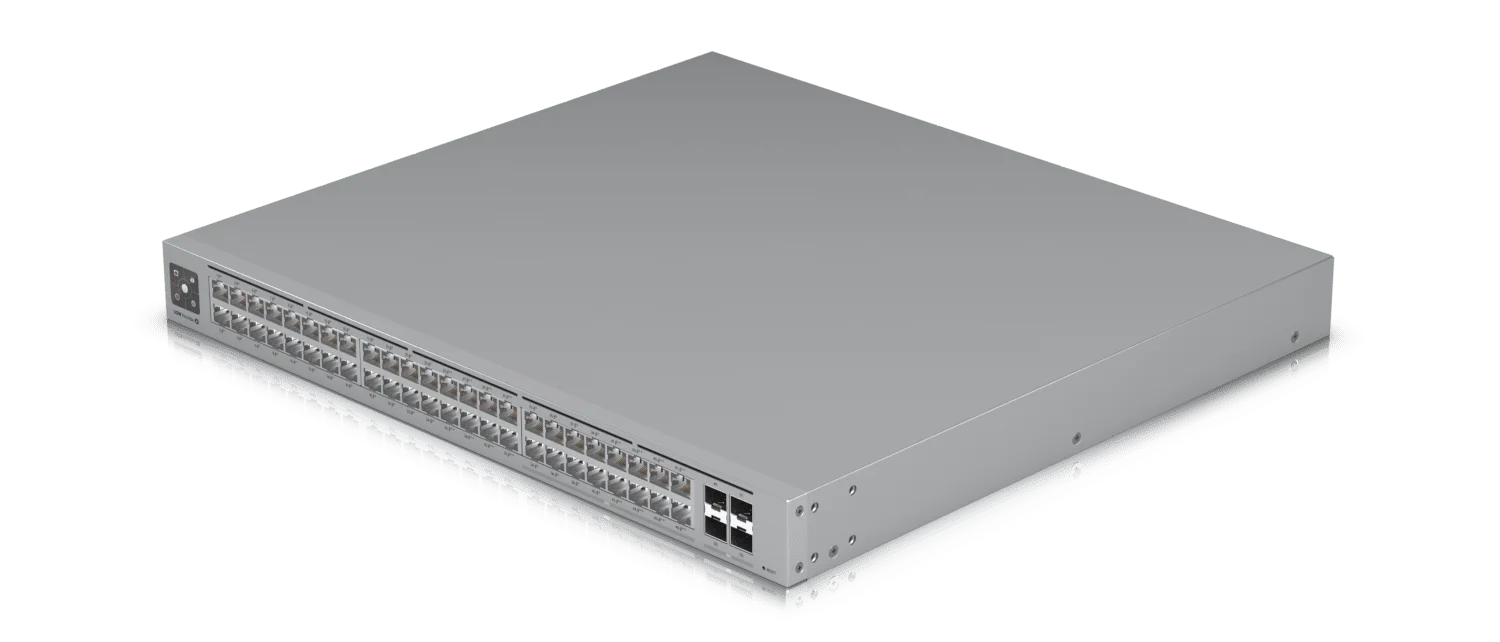
The Pro Max series is available in three models, each with a different port configuration. Critical detail: Only a portion of ports on each model support 2.5GbE speeds.
| Model | Total Ports | 2.5GbE Ports | 1GbE Ports | PoE Budget | SFP+ Uplinks | US Store Price (Oct 21, 2026) |
|---|---|---|---|---|---|---|
| Pro Max 16 PoE | 16 | 4x 2.5GbE PoE++ | 12x 1GbE PoE+ | 180W | 2x 10G SFP+ | $399 ($439 with surcharge) |
| Pro Max 24 PoE | 24 | 8x 2.5GbE PoE++ | 16x 1GbE (8 PoE++, 8 PoE+) | 400W | 2x 10G SFP+ | $799 ($880 with surcharge) |
| Pro Max 48 PoE | 48 | 16x 2.5GbE (8 PoE++, 8 PoE+) | 32x 1GbE (8 PoE++, 24 PoE+) | 720W | 4x 10G SFP+ | $1,299 ($1,431 with surcharge) |
Port Speed Clarification
Not all ports are 2.5GbE. The Pro Max 24, for example, has only 8 ports capable of 2.5GbE speeds, while the remaining 16 ports are 1GbE. Plan your high-bandwidth devices (WiFi 7 APs, NAS connections) accordingly.
Key Differentiators
- Selective 2.5GbE: High-speed ports where you need them without the cost of full 2.5GbE switches
- PoE+ and PoE++ Support: WiFi 7 access points such as the U7 Pro Max (up to 25W) run on PoE+; PoE++ (up to 60W per port on the Pro Max 16, 64W on the 24 and 48) is for higher-power devices such as PTZ cameras
- Etherlighting™: RGB port illumination for visual management (requires UniFi Etherlighting cables)
- Cooling: Ubiquiti's spec pages do not state the cooling method. Owners report that the Pro Max 16 PoE is fanless, while the 24 and 48 PoE models use fans
Etherlighting™ Explained
What is Etherlighting™?
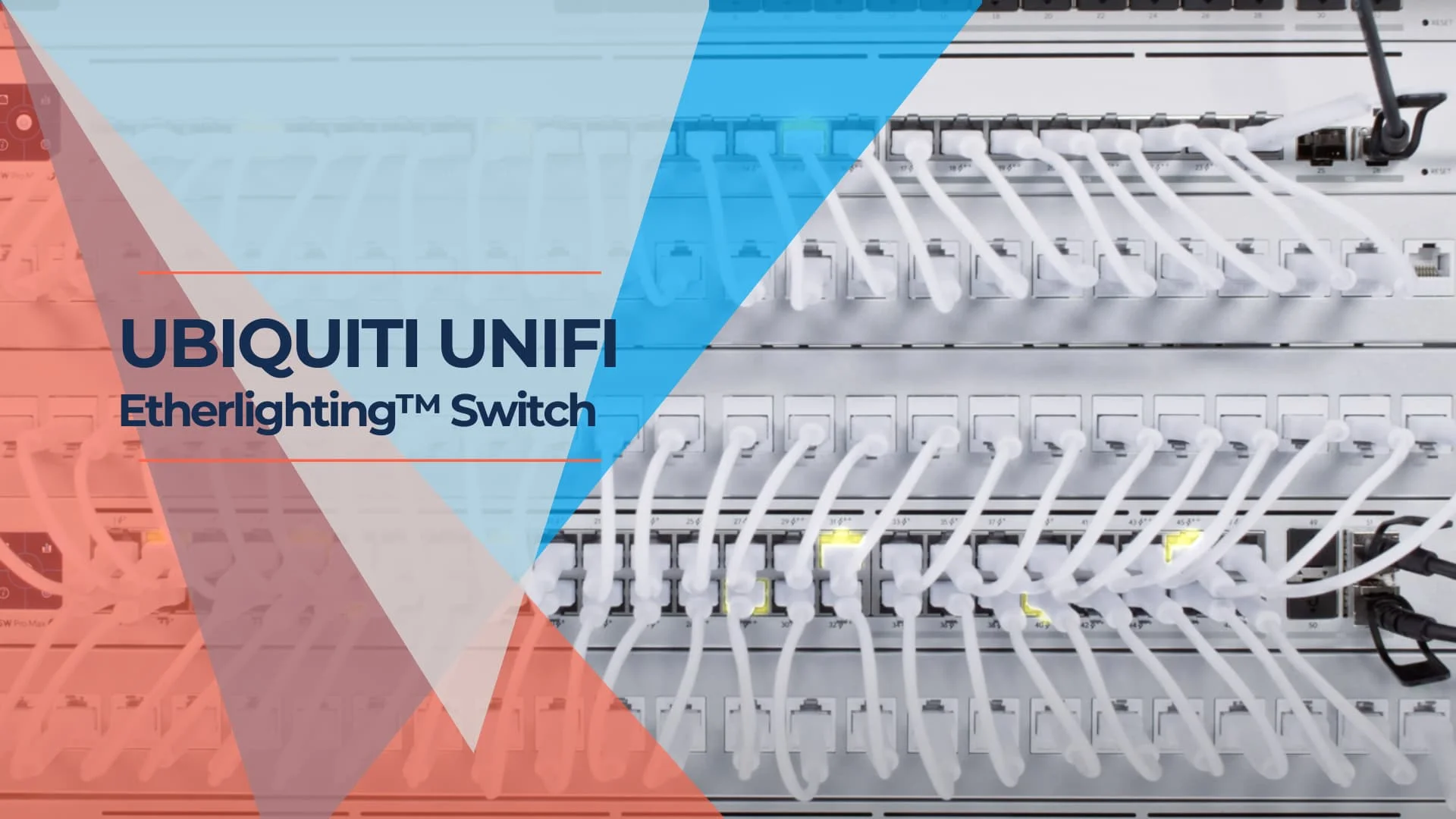
Etherlighting™ uses RGB LEDs to illuminate individual network ports with customizable colors. Each port can display different colors based on device type, VLAN assignment, link state, or manual configuration through the UniFi Controller.
Important Requirement: To see the full lighting effect, Ubiquiti sells UniFi Etherlighting patch cables with translucent connectors designed to showcase the effect. Ubiquiti does not state that they are required, but opaque connectors will show less of the light.
Is It a Gimmick or Actually Useful?
After extended real-world use, the verdict is nuanced:
Where It Excels:
- Remote Troubleshooting: Particularly valuable when guiding non-technical users ("unplug the blue glowing cable")
- High-Density Racks: Quick visual identification in server rooms with dozens of connections
- VLAN Segmentation: Color-code guest, corporate, and IoT networks for instant recognition
Where It Falls Short:
- Cable Cost: Etherlighting patch cables start at $4 each (0.15 m) on Ubiquiti's US store; longer lengths cost more
- Set-and-Forget Environments: Less useful in racks that rarely change
- Aesthetic Over Function: If you're not actively managing the network, standard link LEDs suffice
Features
- Customizable RGB Ports: Assign colors via UniFi Controller for visual network mapping
- Link State Indication: Automatically show connection status through color changes
Meet UniFi - Introducing Etherlighting™
Technical Specifications
WiFi 7 and High-Bandwidth Use Cases
The primary driver for Pro Max adoption in 2026 is WiFi 7 access point deployment. The U7 series pairs a 1/2.5GbE port with PoE+ power (maximum draw per Ubiquiti's spec pages):
| WiFi 7 Access Point | Speed Requirement | Power Draw | Recommended Switch |
|---|---|---|---|
| U7 Pro | 2.5GbE | up to 21W (PoE+) | Pro Max 16/24/48 |
| U7 Pro Max | 2.5GbE | up to 25W (PoE+) | Pro Max (2.5GbE ports) |
| U7 Pro Wall | 2.5GbE | up to 22W (PoE+) | Pro Max (2.5GbE ports) |
Other High-Bandwidth Applications:
- NAS Connections: 2.5GbE ports provide 2.5x faster file transfers than gigabit
- Desktop Workstations: Video editing and CAD workstations benefit from multi-gig speeds
- IP Cameras (4K+): High-resolution surveillance with PoE++ power delivery
Performance Specifications
Switching Capacity:
- Pro Max 16: 84 Gbps
- Pro Max 24: 112 Gbps
- Pro Max 48: 224 Gbps
PoE Power Budgets:
- Pro Max 16: 180W total (about 7x U7 Pro Max APs at 25W each)
- Pro Max 24: 400W total (about 16x U7 Pro Max APs at 25W each)
- Pro Max 48: 720W total (about 28x U7 Pro Max APs at 25W each)
Uplink Options:
- 16/24-Port Models: 2x 10G SFP+ ports
- 48-Port Model: 4x 10G SFP+ ports
- Supports DAC, fiber, and RJ45 SFP+ modules
Installation and Setup
Setup Process
Pro Max switches integrate seamlessly into existing UniFi networks:
- Physical Installation: Rack-mount or desktop placement (check your model's listing: the rack-mount kit was a separate $49 purchase on the Pro Max 16 PoE at the time of StorageReview's review)
- Network Connection: Connect to existing UniFi network or adopt via UniFi Controller
- Auto-Adoption: Switch automatically appears in UniFi Network application for configuration
- Port Configuration: Assign port profiles, VLANs, and Etherlighting colors through the controller
Acoustic Performance
An important consideration for office environments:
- Pro Max 16: Reported by owners to be fanless
- Pro Max 24: Uses temperature-controlled fans; owners report it is quiet in a ventilated space and noticeable in a small cupboard
- Pro Max 48: Uses temperature-controlled fans (owner reports on noise vary)
For noise-sensitive environments like offices or home labs, the 16-port model is the safest choice. The 24 and 48-port models are better suited for server rooms or network closets. Ubiquiti does not publish noise ratings for these switches.
Setup Tips
- Port Planning: Place WiFi 7 APs and high-bandwidth devices on the 2.5GbE ports (the 2.5GbE ports; eight on the 24-port model)
- Etherlighting Cables: Consider translucent Etherlighting patch cables if you plan to use the RGB features
- PoE Budget Management: Monitor total PoE consumption in UniFi Controller to avoid exceeding switch capacity
User Experience and Reviews
Long-Term Reliability (2023-2026)
Based on our experience in real-world deployments:
What's Held Up Well:
- Firmware Stability: Regular UniFi OS updates have improved features without major regressions
- PoE Delivery: Consistent power delivery to WiFi 7 APs without thermal throttling
Common User Complaints:
- Etherlighting Cable Ecosystem: Designed around Ubiquiti's own patch cables
- Port Speed Confusion: Many users purchased expecting all ports to be 2.5GbE
- Price Premium: Pro Max 24 PoE is $799 against $699 for the Pro 24 PoE (US store list prices, Oct 21, 2026)
Advanced Features and Customization
UniFi Controller Integration
Pro Max switches leverage the full UniFi ecosystem:
- Port Profiles: Create reusable configurations for VLANs, PoE settings, and bandwidth limits
- Traffic Analytics: Deep packet inspection and per-port bandwidth monitoring
- Network Topology: Visual network maps showing all connected devices
- Remote Management: Cloud-based access via UniFi Cloud or self-hosted controller
Etherlighting Customization Examples
Practical Color-Coding Strategies
- By Network Segment: Blue for corporate, green for guest, red for IoT/isolated devices
- By Device Type: Purple for WiFi APs, orange for cameras, yellow for VoIP phones
- By Status: Flashing red for disconnected devices, solid green for healthy connections
- By Priority: Bright colors for critical infrastructure, dim for standard endpoints
Pro Max vs Standard vs Enterprise: Which Should You Buy?
Direct Comparison (24-Port Models)
A key consideration: Is the Pro Max worth the premium over the Pro 24 PoE?
| Feature | Pro 24 PoE | Pro Max 24 PoE | Enterprise 24 PoE |
|---|---|---|---|
| US Store Price (Oct 21, 2026) | $699 ($770 with surcharge) | $799 ($880 with surcharge) | $799 (listed as "Vintage") |
| 2.5GbE Ports | 0 (all 1GbE) | 8 ports | 12 ports |
| 1GbE Ports | 24 | 16 | 12 |
| PoE Budget | 400W | 400W | 400W |
| PoE Standards | 16 PoE+, 8 PoE++ | 8 PoE+, 16 PoE++ | PoE+ only (not compatible with PoE++ APs, per the store) |
| Etherlighting | Not listed | ✅ Yes | Not listed |
| SFP+ Uplinks | 2x 10G | 2x 10G | 2x 10G |
| Best For | All 1GbE networks | Mixed 1GbE/2.5GbE | More 2.5GbE ports on PoE+ |
Value Analysis
When Pro Max Makes Sense:
- You have 4-8 WiFi 7 access points requiring 2.5GbE
- You need PoE++ for high-power devices such as PTZ cameras (the U7 Pro Max runs on PoE+)
- You manage racks remotely and value visual troubleshooting
- You want Etherlighting and 2.5GbE in the same switch
When to Choose the Pro 24 PoE Instead:
- Your network is primarily 1GbE devices
- You have fewer than 4 devices needing 2.5GbE speeds
- Budget is a primary constraint ($100 less at list: $699 vs $799)
- You don't need Etherlighting features
When to Look Beyond the Pro Max:
- You need more 2.5GbE ports than the Pro Max 24's eight (the Enterprise 24 PoE has 12, on PoE+ only, and is listed as "Vintage" on the Ubiquiti store)
- You're building a high-performance network from scratch and want to compare the full UniFi switch lineup first
Purchasing Guide
Choosing the Right Model
Select based on your specific 2.5GbE device count:
Pro Max 16 PoE ($399):
- Ideal for: Home labs, small offices, advanced home networks
- Supports: Up to 4 WiFi 7 APs or other devices at 2.5GbE, plus 12 GbE PoE+ ports
- Best value: Most affordable entry into 2.5GbE + Etherlighting
Pro Max 24 PoE ($799):
- Ideal for: Medium businesses, multi-floor deployments
- Supports: Up to 8 WiFi 7 APs + 16 standard devices
- Sweet spot: Balances port count with 2.5GbE availability
Pro Max 48 PoE ($1,299):
- Ideal for: Large offices, high-density environments
- Supports: Up to 16 WiFi 7 APs + 32 standard devices
- Note: Uses fans; owners report noise varies, so check placement for quiet environments
What to Budget For
- Switch Cost: $399-$1,299 depending on model (US store list prices, Oct 21, 2026; higher with the surcharge shown at checkout)
- Etherlighting Cables: from $4 each for 0.15 m (if using RGB features)
- SFP+ Modules: optional, for fiber/DAC uplinks
- Rack Mount Kit: check each listing; it was a separate $49 purchase on the Pro Max 16 PoE
Where to Buy
- Official Ubiquiti Store: Pro Max 16 PoE | Pro Max 24 PoE | Pro Max 48 PoE
- Authorized Resellers: Check ui.com/distributors for regional dealers
- Avoid: Gray market imports (no warranty support)
2026 Verdict: Is Pro Max Worth It?
Final Recommendation
Our Rating: 4.0/5
After several years in the market, the UniFi Pro Max series occupies a specific niche: networks that need selective 2.5GbE ports for WiFi 7 APs and high-bandwidth devices, but don't justify the cost of full 2.5GbE Enterprise switches. The value proposition depends entirely on your device mix.
Buy the Pro Max If:
✅ You're deploying WiFi 7 access points (U7 Pro, U7 Pro Max) that use a 1/2.5GbE port and PoE+
✅ You have 4-8 high-bandwidth devices mixed with standard 1GbE equipment
✅ You manage racks remotely and value Etherlighting for visual troubleshooting
✅ Silent operation matters (the 16-port model is reported to be fanless)
✅ You're already in the UniFi ecosystem and want seamless integration
Skip the Pro Max If:
❌ Your network is primarily 1GbE - Save about $100 and buy the Pro 24 PoE ($699 vs $799 list)
❌ You need 2.5GbE on most ports - The Pro Max 24 has 8 of 24; compare the full UniFi lineup
❌ You have fewer than 4 devices needing 2.5GbE - Not cost-effective
❌ You won't use Etherlighting - You're paying for a feature you won't leverage
❌ Budget is tight - Switches without Etherlighting and 2.5GbE cost less
The Etherlighting Question
Is it worth the premium? Depends on your use case:
- MSPs and remote IT: Absolutely. Visual troubleshooting saves hours.
- High-density racks: Very useful for quick device identification.
- Set-and-forget home labs: Probably not worth the extra cost.
Important Caveat: Ubiquiti sells Etherlighting patch cables with translucent connectors, designed to show the effect (from $4 each for 0.15 m; longer lengths cost more). Opaque connectors show less of the light, so plan cable cost per illuminated port.
Best Value Pick: Pro Max 16 PoE
For most users upgrading to WiFi 7, the Pro Max 16 PoE at $399 offers the best value:
- 4x 2.5GbE PoE++ ports (matches up to 4 WiFi 7 APs at full 2.5GbE) plus 12 GbE PoE+ ports
- Reported by owners to be fanless
- Roughly half the price of the 24-port model
- Sufficient for small-to-medium deployments
Bottom Line
The Pro Max series is a well-executed mid-tier option that fills a real gap in the UniFi lineup. It's reliable, well-supported, and well-suited for WiFi 7 deployments that don't need full 2.5GbE across all ports. Understanding exactly which ports are 2.5GbE before purchasing will help you plan your network layout effectively. For a comparison of Pro Max against the full UniFi switch lineup — including the newer Pro XG and Pro HD lines — see our complete UniFi switch buying guide.
Professional UniFi Installation Services
Why Choose Professional Installation?
When setting up your UniFi network, getting it right the first time saves time and reduces troubleshooting. Expert assistance can help ensure your network is optimized for peak performance from day one.
Benefits of Professional Installation
- Expert Setup and Configuration: Our technicians have extensive experience with UniFi products, ensuring efficient setup and configuration
- Customized Network Solutions: Every business has unique needs. Our services are tailored to meet your specific networking requirements
- Time and Cost Efficiency: Professional installation saves time and reduces potential future costs from configuration errors
- Ongoing Support and Maintenance: Our ongoing support services help keep your network running smoothly
What We Offer
- Site Assessment: We start with a thorough site assessment to understand your space and network needs
- Installation and Configuration: Our team handles the complete installation and configuration of your UniFi equipment
- Network Optimization: We optimize your network for speed, security, and reliability
- Training and Support: Our team provides insights and training to help you get the most from your UniFi network
Related Articles
More from UniFi Networks
Best UniFi Switches 2026: Which Switch Is Right for Your Setup?
Field-informed guide to UniFi PoE switches — Lite, Pro Max, Pro HD, Pro XG, and Enterprise Campus lines compared with real deployment data. Find the right switch for your home lab, small office, or enterprise edge.
23 min read
UniFi Network Solutions: 2026 Tech Overview
A comprehensive technical analysis of Ubiquiti's UniFi ecosystem for business networking and security. Covers gateways, WiFi 7 access points, CyberSecure, and real-world deployment experience.
13 min read

UniFi Protect vs. Reolink vs. TP-Link: Which Camera System Is Best for Your Business?
UniFi Protect, Reolink, and TP-Link (Tapo vs. VIGI) compared for small business use — current 2026 lineups, real 8-camera pricing, and iFeelTech's multi-year UniFi fleet reliability data.
20 min read