

UniFi Dream Machine Pro Max Capacity Planning: When to Add a Standalone NVR
Learn when to separate your UniFi Protect cameras to a standalone NVR. Covers compute resource allocation, CyberSecure impact, AI camera requirements, and NVR options from UNVR Instant to Enterprise.

Affiliate Disclosure: This article contains affiliate links. If you make a purchase through these links, we may earn a small commission at no extra cost to you.
Key Takeaway
The UniFi Dream Machine Pro Max is a capable all-in-one device, but running CyberSecure security features alongside multiple AI cameras with 4K recording can push compute resources to 70-80% utilization. For camera-heavy deployments with 10 or more AI-enabled cameras, a dedicated Network Video Recorder provides better resource allocation and improved long-term scalability.
The UniFi Dream Machine Pro Max is Ubiquiti's most capable all-in-one gateway, combining routing, security, UniFi Protect camera management, and UniFi Talk in a single 1U rackmount device at a $599 price point.
As deployments scale, combining CyberSecure security features with extensive camera systems requires careful compute resource planning. This guide covers the specific utilization thresholds, NVR hardware options, and architecture decisions that determine when separation makes sense.
Understanding Compute Resource Allocation
The Dream Machine Pro Max supports up to 200 UniFi devices, 2,000 client connections, and 5 Gbps IPS routing throughput with 8GB of DDR4 RAM and dual 3.5-inch drive bays. Different UniFi applications consume these resources at different rates, and understanding the breakdown determines when separation becomes necessary.
Network routing and basic firewall operations maintain a relatively low baseline load. The CyberSecure security platform, launched in mid-2025, adds moderate resource requirements when running its 55,000+ threat signature library with weekly updates. UniFi Protect with AI-enabled cameras is the most compute-intensive application, combining real-time motion analysis, object recognition, and 4K video recording into sustained CPU and storage I/O demands.
Resource Consumption Breakdown
| Application | Typical Resource Impact | Scaling Considerations |
|---|---|---|
| Network Routing & Firewall | Low to Moderate | Increases with client count and firewall complexity |
| CyberSecure IDS/IPS | Moderate | Maintains 5 Gbps throughput with full signature library |
| UniFi Protect (Standard Cameras) | Moderate | Scales with camera resolution and recording settings |
| UniFi Protect (AI Cameras, 4K) | High | Significant impact with 10+ cameras |
| UniFi Talk | Low | Minimal impact for typical business use |
What Is UniFi CyberSecure?
UniFi CyberSecure is a $99/year subscription providing local intrusion prevention and content filtering powered by Proofpoint. The standard tier includes over 55,000 threat signatures across 53 categories, wire-speed deep packet inspection, Cloudflare-powered DNS filtering, and 30-50 new signatures added weekly from Proofpoint's global network and the Microsoft Active Protections Program (MAPP).
Introducing: Network 9.3
How CyberSecure Affects Compute Resources
All CyberSecure processing occurs locally on the gateway -- no data leaves the premises. Running the full signature library at 5 Gbps IPS throughput requires consistent CPU and memory allocation. The Dream Machine Pro Max handles this load well on its own, maintaining advertised performance under normal conditions.
The resource impact matters in the context of this guide because CyberSecure and UniFi Protect share the same compute pool. When both run simultaneously with a large camera deployment, their combined demands determine whether the system has sufficient headroom. For businesses prioritizing comprehensive network security, the $99 annual cost is modest -- but the compute budget it consumes is an important factor in capacity planning.
UniFi Protect with AI Cameras: The Resource Challenge
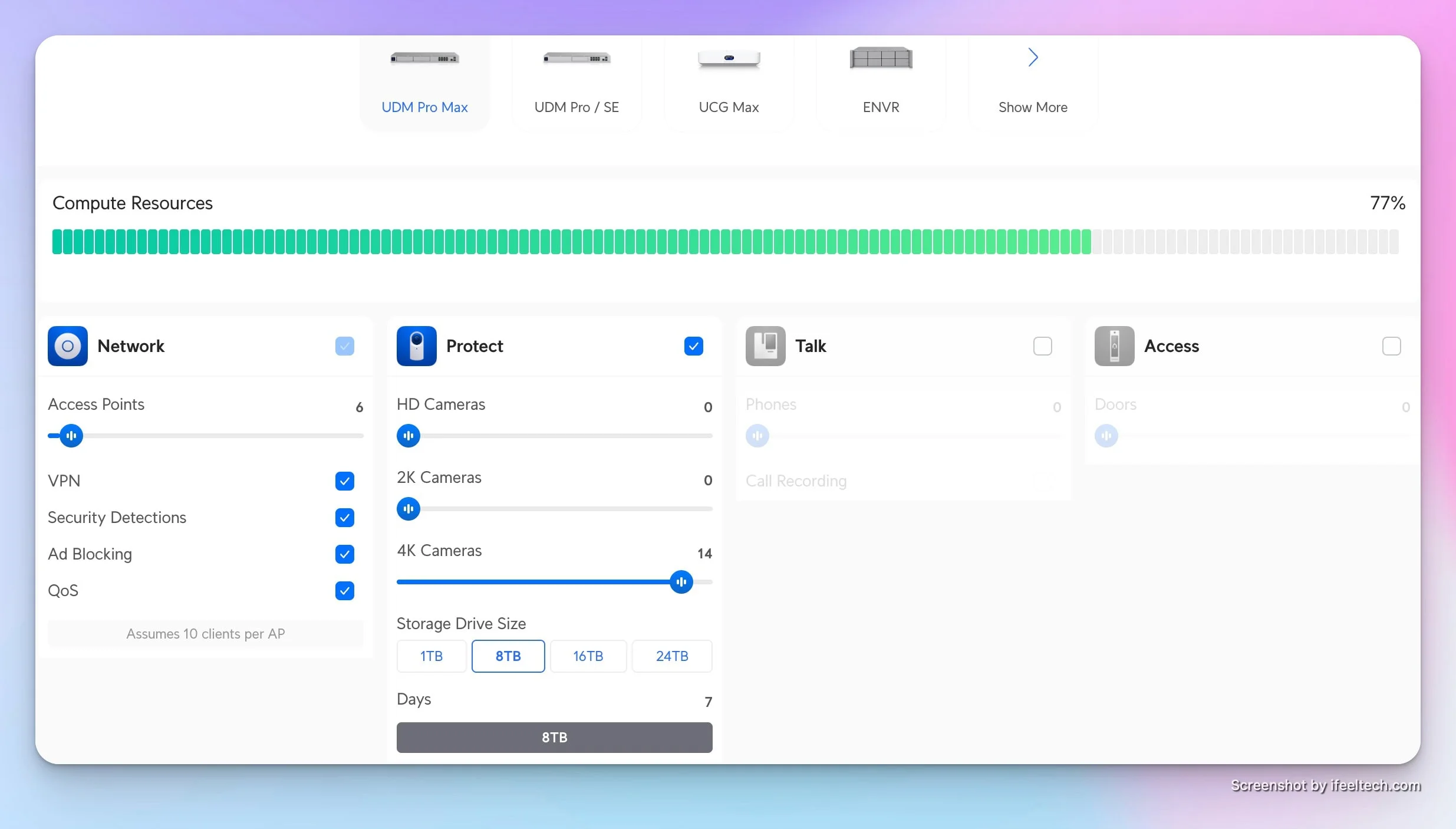
Each AI-enabled 4K camera adds approximately 5-7% compute utilization to the Dream Machine Pro Max. These cameras analyze video streams in real-time for person detection, vehicle recognition, and package monitoring, and the gateway coordinates recordings, remote access, and notifications for all connected cameras.
AI Detection Processing
AI cameras perform initial object detection locally, but the Dream Machine Pro Max handles the heavier coordination tasks: managing recording schedules, processing smart detection events, serving remote playback, and delivering push notifications.
Recording in 4K resolution compounds these demands. Each 4K stream requires roughly 8-16 Mbps of sustained write bandwidth depending on scene complexity. The Dream Machine Pro Max's dual drive bays support RAID 1 for data protection, but the mirroring overhead reduces effective write capacity.
Real-World Resource Impact
In practice, deployments with 12 to 15 AI cameras recording in 4K can push the Dream Machine Pro Max to 70-80% compute utilization when CyberSecure is also running. This utilization level remains within operational parameters, but leaves limited headroom for traffic spikes, firmware updates, or system expansion.
The performance implications become noticeable during peak usage periods. Camera event processing may experience slight delays, the web interface might respond more slowly, and remote access through the UniFi mobile app could feel less responsive during high-activity periods.
Storage Write Speed as a Scaling Limit
CPU utilization is the most visible constraint, but storage IOPS often become the actual bottleneck first. Continuous 4K recording is write-intensive: each camera stream generates sustained sequential writes to the RAID array. The Dream Machine Pro Max's RAID 1 configuration mirrors all writes across both drives, meaning write throughput depends on a single drive's sustained performance.
A typical 7200 RPM surveillance-rated drive (such as the WD Purple or Seagate SkyHawk) sustains approximately 150-180 MB/s sequential write throughput. With 12-15 cameras recording 4K streams simultaneously, the aggregate write demand approaches this ceiling. At that point, the drive becomes the limiting factor before the CPU reaches 100% utilization.
This storage constraint explains why Ubiquiti's official camera limit for the Dream Machine Pro Max is 15 4K cameras, even when CPU headroom appears to remain. Standalone NVRs with four or more drive bays distribute write operations across multiple spindles in RAID 5 or RAID 6 configurations, substantially increasing aggregate write throughput.
Standard consumer SSDs are not a practical alternative here. While SSDs offer higher IOPS, continuous 4K recording generates sustained sequential writes that degrade consumer SSD cells rapidly. Surveillance-rated HDDs (WD Purple, Seagate SkyHawk) are specifically designed for 24/7 write-heavy workloads with firmware optimized for streaming video data, making them the appropriate choice for NVR storage.
When Should You Add a Standalone NVR?
Sustained compute utilization above 70% during normal business hours indicates the need for a dedicated Network Video Recorder. The Dream Machine Pro Max handles both CyberSecure and Protect simultaneously, but certain deployment sizes benefit from a separated architecture.
Technical Symptoms
Watch for these specific indicators of capacity limits:
- Sustained compute utilization above 70% during regular business hours
- Sluggish web interface when reviewing camera footage or playback
- Delayed camera event notifications
- Longer recording search times
- IOPS bottlenecks during simultaneous 4K RAID array writes
If you plan to add more cameras within the next 12 to 18 months, evaluating alternative architectures now avoids future migration complexity. Migrations become more involved as your camera count increases and your historical footage library grows.
Business Impact Considerations
For businesses where security camera footage serves critical functions—loss prevention, incident investigation, liability protection—system performance and reliability become paramount. Separating camera recording from network security functions provides redundancy and ensures each system can perform optimally.
Gateway Failure and Recording Continuity
UniFi Gateway Shadow Mode provides automatic routing failover if your primary gateway goes offline, but it does not protect camera recordings. When a Dream Machine Pro Max running UniFi Protect fails, both network routing and video recording stop simultaneously. Every camera loses its recording console until the gateway is restored.
A standalone NVR eliminates this single point of failure for surveillance. If the gateway goes down, the NVR continues recording locally on its own hardware. Cameras remain connected to the NVR through the PoE switch infrastructure, and footage accumulates on the NVR's drives until the gateway returns and remote access resumes.
For businesses treating camera footage as legally or operationally critical, this physical redundancy is a primary justification for separation, independent of any compute utilization concerns.
Deployment Scenarios and Decision Framework
Three deployment scales determine whether an all-in-one or separated architecture is appropriate. Match your current environment to the scenario below.
Scenario 1: All-in-One Configuration (Well-Suited)
Ideal for Small to Medium Deployments
- Small to medium office supporting 50 users or fewer
- 8 or fewer cameras, mix of AI and standard models
- Basic CyberSecure security features are utilized
- Budget optimization prioritized
- Simplified management preferred over maximum scalability
For these environments, the Dream Machine Pro Max handles all functions adequately. The all-in-one approach simplifies management and reduces equipment count. Total compute utilization typically remains between 40% and 60% under normal conditions, leaving headroom for moderate growth.
For even smaller deployments (5 or fewer cameras), consider whether the Cloud Gateway Max ($279, up to 5 4K cameras, NVMe SSD storage) or Cloud Gateway Fiber ($279, up to 5 4K cameras, 10G SFP+ ports) might be a better fit. These compact gateways include built-in NVR storage via NVMe SSD and handle small camera counts without the rack infrastructure the Dream Machine Pro Max requires.
Scenario 2: Separated Architecture (Better Long-Term)
Better for Growing Deployments
- Medium business supporting 50 to 150 users
- 10 or more AI cameras, primarily 4K recording
- Full CyberSecure features required for compliance or security policy
- Growth planned within the next 24 months
- Camera system considered business-critical
Separating the camera system to a dedicated UniFi Network Video Recorder provides several advantages. The Dream Machine Pro Max dedicates complete resources to network routing, firewall operations, and threat prevention. The standalone NVR optimizes specifically for video recording and camera management. Each system operates at lower utilization levels with greater headroom for expansion.
Need Help Planning a Separated Architecture?
Our South Florida team audits and designs high-capacity UniFi deployments for businesses across the region. Schedule a consultation to review your current utilization and plan the right NVR architecture.
Scenario 3: Enterprise-Scale Deployment
Enterprise Requirements
- Large deployment supporting 150+ users
- 20+ cameras across multiple buildings or floors
- Enterprise-grade security requirements with maximum CyberSecure protection
- Regulatory compliance needs (HIPAA, PCI-DSS, etc.)
- Maximum flexibility and redundancy required
Consider the UniFi Enterprise Fortress Gateway paired with appropriate NVR capacity at this scale. The Enterprise Fortress Gateway provides 12.5 Gbps routing performance, supports CyberSecure Enterprise with 95,000+ threat signatures, and includes redundant power supply options. Pair this with the UNVR Pro or UNVR Enterprise, depending on camera count and retention requirements.
Standalone NVR Model Specifications
Ubiquiti offers four dedicated NVR options scaling from 6 to 70 4K cameras. Each model targets a different deployment scale, from desktop units for small offices to 3U rackmount systems for enterprise campuses.
| Specs | ||||
|---|---|---|---|---|
| 4K Cameras | 6 | 18 | 24 | 70 |
| HD Cameras | 15 | 60 | 70 | 210 |
| Drive Bays | 1x 3.5" | 4x 3.5" | 7x 3.5" | 16x (2.5"/3.5") |
| RAID Options | None | RAID 1, 5 | RAID 1, 5, 6 | RAID 1, 5, 6, 10 |
| Network | 1 GbE + 6-port PoE | 1 GbE | 1 GbE | 2x 10G SFP+ + 10 GbE |
| Form Factor | Desktop | 1U rackmount | 2U rackmount | 3U rackmount |
| Redundant PSU | No | No | No | Yes |
UNVR Instant: Entry-Level All-in-One
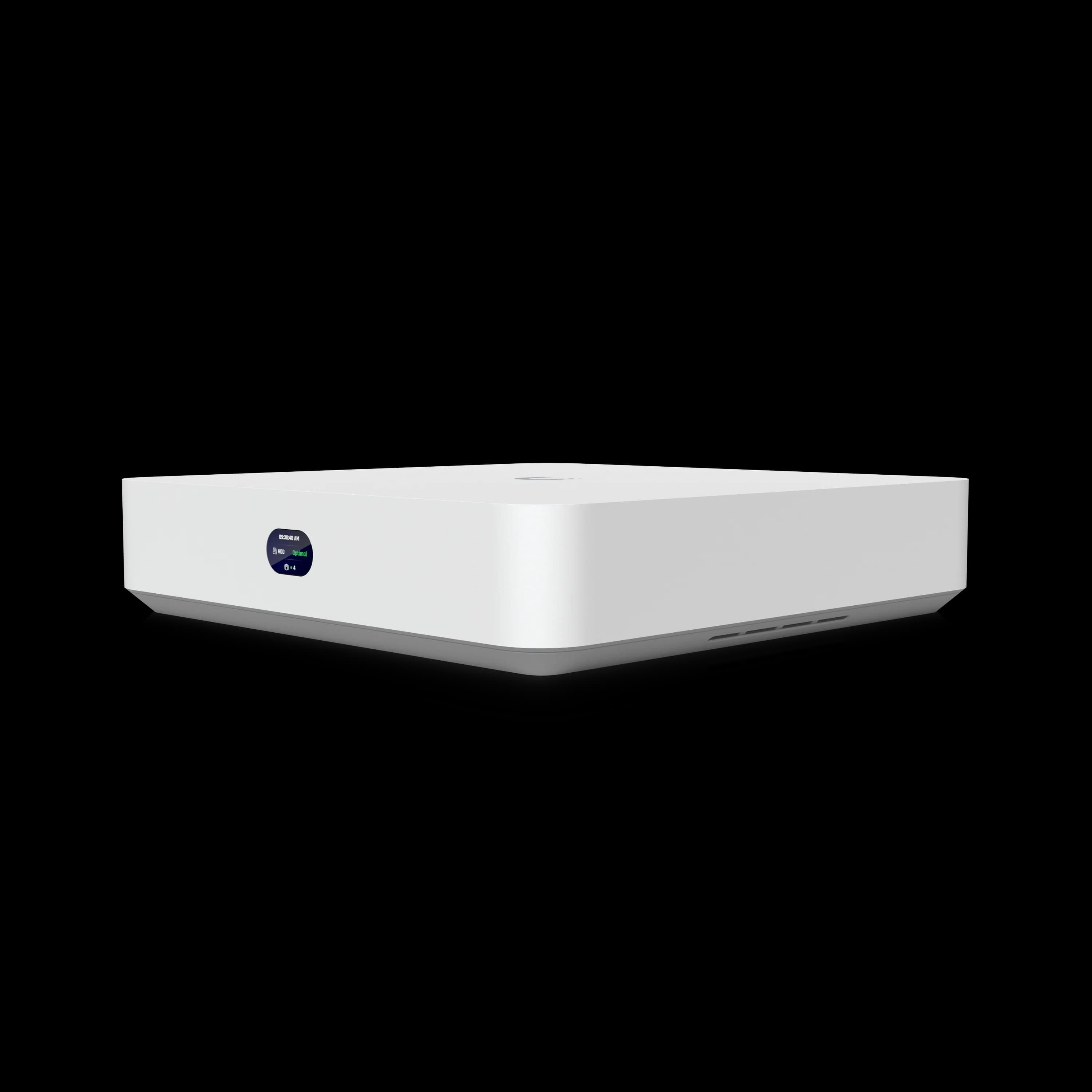
UNVR Instant
$199Addresses small to medium camera deployments at an accessible price point. It provides a complete camera management solution for focused installations.
The integrated PoE switch distinguishes the UNVR Instant from rackmount models. Small deployments no longer require separate switching infrastructure for camera power, reducing equipment count and simplifying installation. The compact desktop form factor works well for offices without rack infrastructure. This consolidation removes significant complexity for businesses installing their first professional camera system.
The single drive bay limits long-term retention compared to multi-bay models, but proves sufficient for most small office scenarios with 30-day retention requirements. The UNVR Instant supports UniFi Protect and UniFi Access applications, making it suitable for combined surveillance and door access control deployments.
UNVR: Standard Rackmount Solution
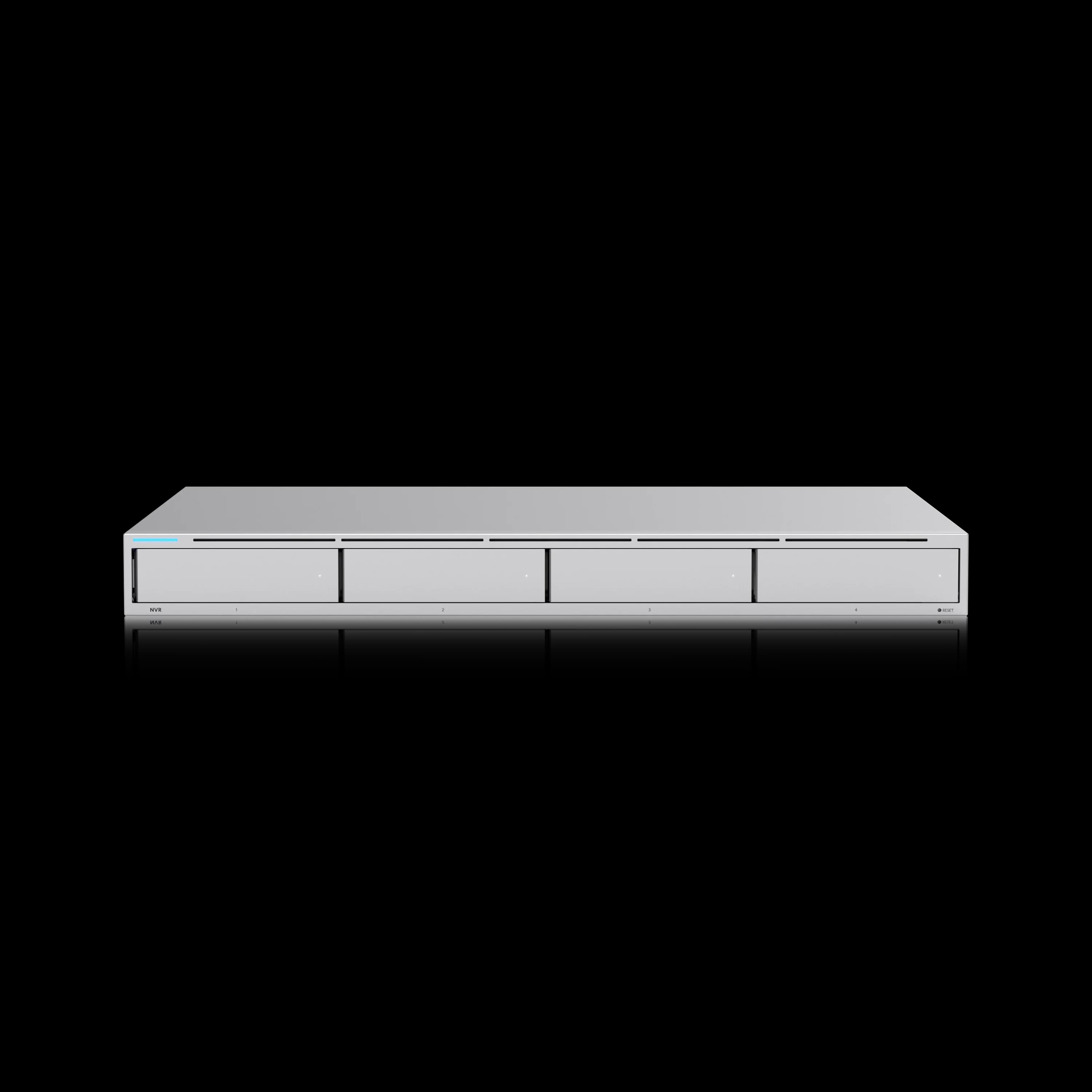
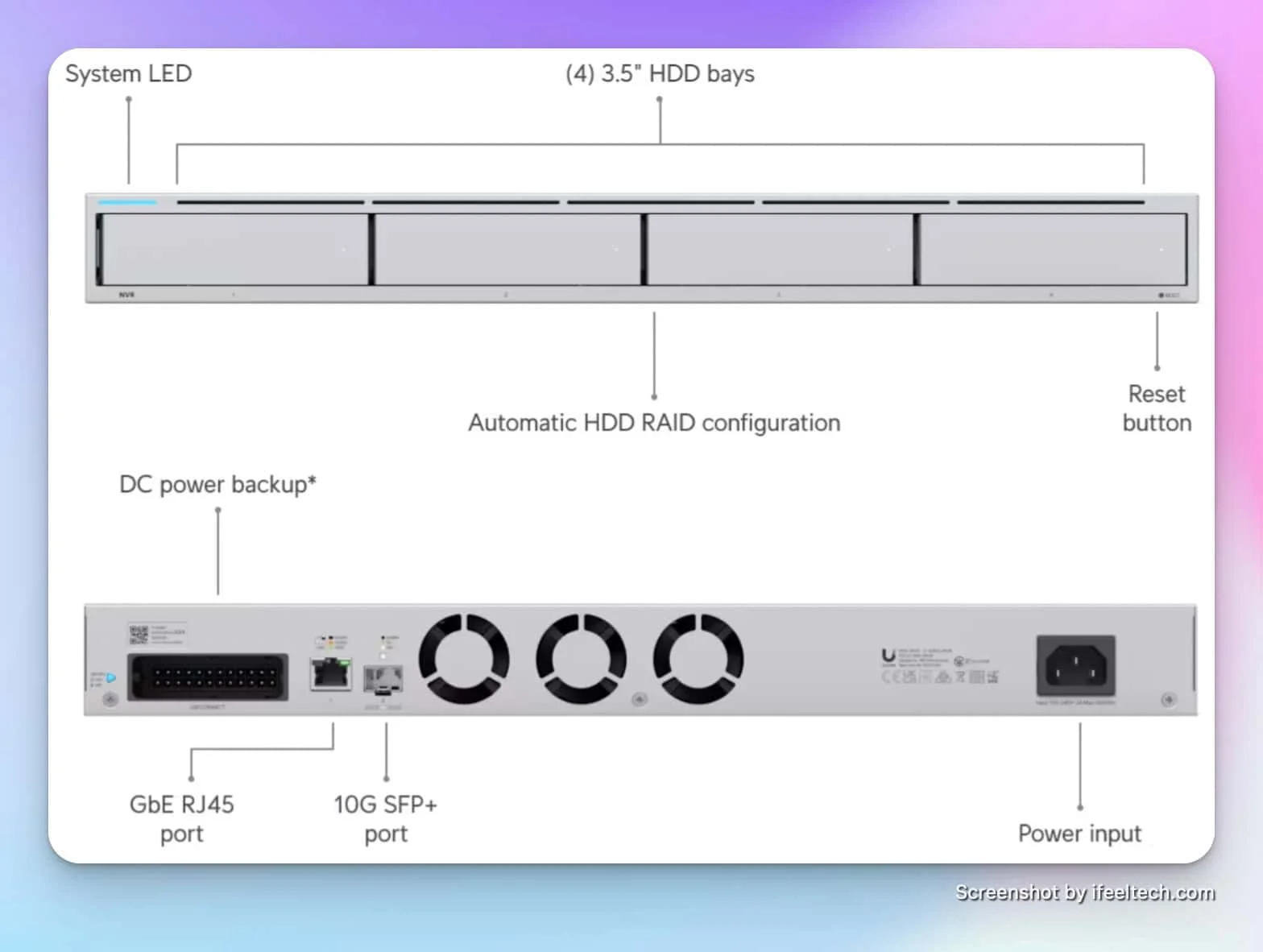
UNVR
Suits medium deployments requiring greater storage capacity and camera count. Its 1U rackmount design fits standard network racks alongside other infrastructure.
- 18 4K or 60 HD cameras
- 4 drive bays (RAID 1, 5)
- 1 Gigabit Ethernet port
- 1U rackmount
*Price at time of publishing
The four-bay configuration provides flexibility for balancing storage capacity against data protection. RAID 1 mirroring protects against single drive failure, while RAID 5 offers similar protection with greater usable capacity. The 1U form factor maximizes rack space efficiency for businesses with limited rack real estate.
For many medium business deployments, this model balances camera capacity against cost effectively. It covers most single-location installations without the premium pricing of larger models.
UNVR Pro: Professional Multi-Building Deployments
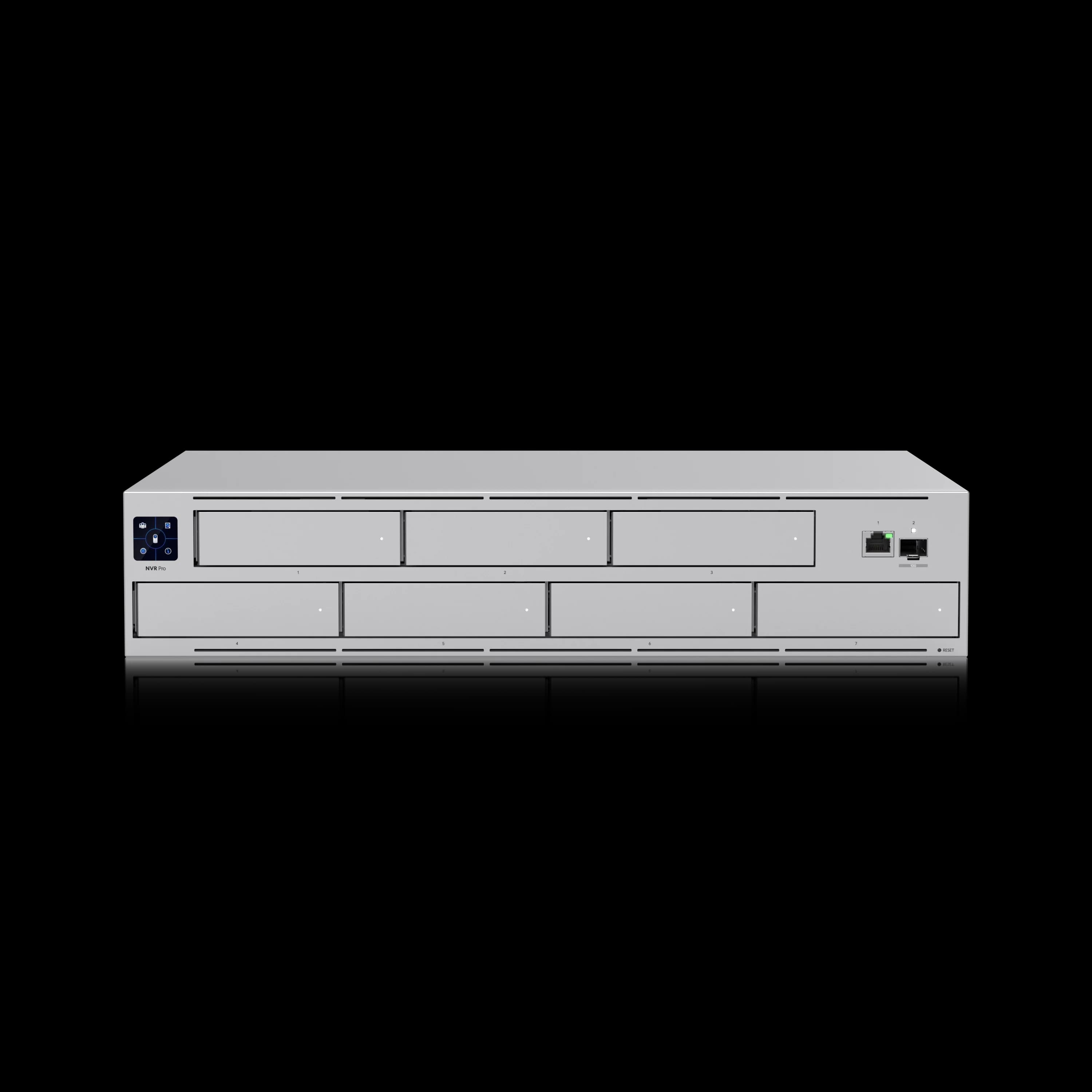
UNVR Pro
$499Targets larger installations requiring extended retention periods or supporting numerous cameras across multiple buildings or floors.
The seven-bay design enables RAID 6 configuration, which protects against simultaneous failure of two drives—important for deployments where recorded footage holds significant business or legal value. Extended retention capabilities make this model suitable for businesses with compliance requirements specifying 60 to 90-day retention periods.
Organizations managing 15 to 25 cameras typically find the UNVR Pro provides comfortable headroom for expansion. The 2U form factor accommodates the additional drive bays while remaining manageable in standard rack configurations. This model works well for retail locations, industrial facilities, or professional offices requiring comprehensive coverage.
UNVR Enterprise: Maximum Scale and Redundancy
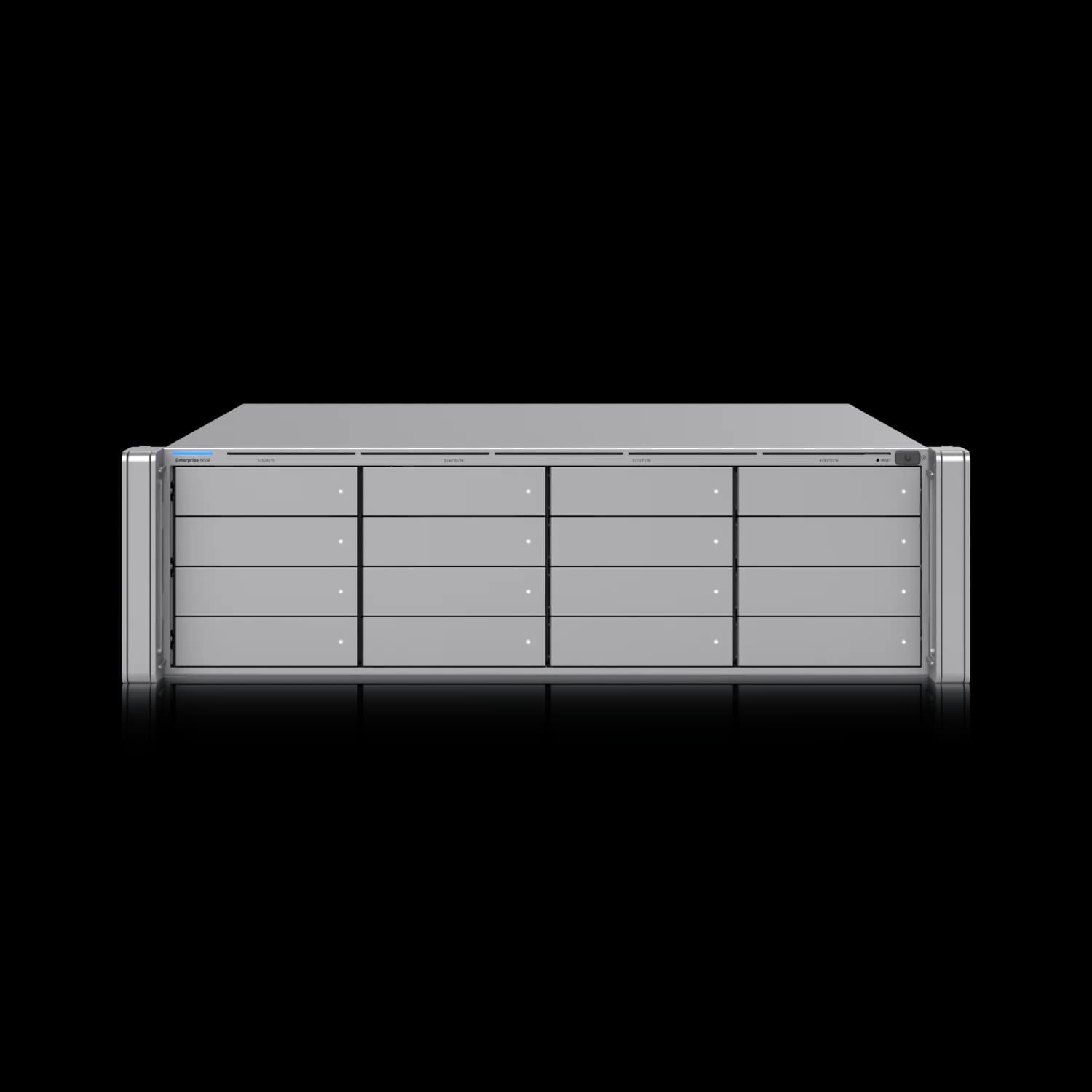
UNVR Enterprise
$1,999Serves large-scale deployments requiring maximum camera capacity, extended retention, and enterprise-grade reliability features.
The sixteen-bay architecture supports large storage configurations that retain months or even years of footage from extensive camera deployments. Advanced RAID configurations, including RAID 10, provide both performance optimization and robust data protection for mission-critical surveillance systems.
Dual 10 Gigabit networking interfaces support high-bandwidth scenarios, including real-time monitoring of dozens of 4K streams simultaneously or integration with network infrastructure requiring high-speed connectivity. The redundant power supply system eliminates single points of failure, ensuring continuous operation even during power supply maintenance or failure.
This model suits enterprise environments: corporate campuses, large retail operations, industrial facilities, and educational institutions. The 70-camera 4K limit accommodates multi-building deployments and facilities requiring dense coverage areas.
NVR Selection Guidance
Choosing the appropriate NVR model requires evaluating several factors beyond immediate camera count. Consider your retention requirements, growth trajectory, and surveillance system's business criticality.
| Model | Best For | Key Advantage | Price |
|---|---|---|---|
| UNVR Instant | Small offices, 4-6 cameras, no rack infrastructure | Integrated PoE switch, desktop form factor | $199 |
| UNVR | Medium offices, 10-18 cameras, rack-mounted infrastructure | RAID support, compact 1U design | $299 |
| UNVR Pro | Larger facilities, 15-25 cameras, extended retention needs | Seven drive bays, RAID 6 support, 60+ day retention | $499 |
| UNVR Enterprise | Enterprise deployments, 30+ cameras, mission-critical systems | 16 drive bays, redundant power, 10G networking | $1,999 |
Plan for approximately 25-30% more capacity than your immediate requirements to accommodate future growth without requiring hardware replacement. For deployments where recorded footage serves legal, compliance, or liability protection functions, prioritize models offering RAID protection and consider the Enterprise model's redundant power supplies for maximum uptime.
What Is the Cost Difference Between All-in-One and Separated NVRs?
Separating your UniFi camera system adds between $119 and $439 to your initial hardware cost for small to medium deployments.
Initial Investment Comparison
| Configuration | Equipment | Total Cost |
|---|---|---|
| All-in-One (10 cameras) | UDM Pro Max + 2x 4TB drives | $739 |
| Separated (10 cameras) | UDM Pro Max + UNVR Instant + 4TB drive | $858 |
| Separated (20 cameras) | UDM Pro Max + UNVR + 4x 4TB drives | $1,178 |
| Separated (25 cameras) | UDM Pro Max + UNVR Pro + 7x 6TB drives | $1,588 |
| Enterprise (50 cameras) | UDM Pro Max + UNVR Enterprise + 12x 8TB drives | $3,838 |
Enterprise-scale configurations represent a larger investment but provide capabilities unavailable in smaller models, including redundant power supplies, 10 Gigabit networking, and extended retention capacity for dozens of cameras.
Check current UNVR Instant pricing on the Ubiquiti Store.
Long-Term Value Considerations
The value of separation extends beyond initial hardware costs. System performance remains consistent as your deployment grows. The Dream Machine Pro Max operates at 30-40% utilization instead of 70-80%, extending hardware lifespan and maintaining responsive management. If a hardware failure occurs, only one system is affected, rather than losing both network and camera functionality simultaneously.
Future expansion becomes straightforward. Adding cameras only impacts the NVR, not your entire network infrastructure. If you eventually need to upgrade routing capacity, you can replace the gateway without migrating your camera system. This modularity reduces upgrade complexity and associated costs.
Architecture Implementation Best Practices
Whether deploying new infrastructure or migrating from an all-in-one configuration, a few design principles ensure clean separation and long-term manageability.
Network Design Considerations
Place the standalone NVR on a dedicated VLAN separate from user traffic and general business systems. This isolation limits camera system exposure, prevents high-bandwidth video streams from competing with business traffic, and simplifies firewall rules. Use switch infrastructure with sufficient PoE budget for your camera count -- PoE switches with high wattage capacity ensure reliable camera operation.
Consider future cable infrastructure needs during initial deployment. Running structured cabling to potential camera locations during construction or renovation costs significantly less than adding cables later. Plan for 25-30% more camera positions than your immediate needs require.
Migrating Existing Deployments
For businesses already running cameras on their Dream Machine Pro Max, migration to a standalone NVR requires planning but proceeds straightforwardly. The UniFi Protect application allows camera adoption from one console to another. Plan the migration during off-hours to minimize business impact.
Back up your current camera settings and configurations before beginning migration. Adopt cameras to the new NVR one at a time, verifying functionality before proceeding to the next. Historical footage remains accessible on the Dream Machine Pro Max until you're confident in the new system's operation.
For deployments of 10 to 15 cameras, the entire migration process typically completes within a few hours. Our UniFi installation experience throughout South Florida shows that proper planning minimizes downtime to less than 30 minutes per camera.
Case Study: Medium-Sized Office Deployment
A 75-employee professional services firm reduced Dream Machine Pro Max utilization from 80% to 35% by migrating 15 AI cameras to a standalone UNVR. After expanding from 8 to 15 AI cameras recording in 4K, compute utilization had climbed to sustained 75-80% during business hours.
Initial Configuration
The deployment included CyberSecure with full threat signatures, 15 AI cameras distributed across two floors, RAID 1 configuration with two 4TB drives, and UniFi Talk supporting their VoIP system. During business hours, particularly during peak activity periods, users noticed slower network response times and occasional delays in camera event notifications.
Architecture Revision
We implemented a separate architecture by adding a UNVR with four 6TB drives. The migration occurred over the weekend, transferring all cameras to the new NVR. We maintained the Dream Machine Pro Max for routing, security, and UniFi Talk functions. The entire process, including testing and verification, was completed in approximately six hours.
Results
Post-migration monitoring showed immediate improvements. The Dream Machine Pro Max compute utilization dropped to 35-40% under normal load. Camera event processing became noticeably faster, with notification delays eliminated. The web interface's responsiveness improved significantly during high-traffic periods. The firm gained capacity for an additional 10 cameras as they plan to build an expansion in 2026.
Case Study Results
- Before: 75-80% compute utilization, slow interface, delayed notifications
- After: 35-40% compute utilization, responsive management, instant notifications
- Investment: UNVR + 4x 6TB drives (~$700 total)
- Outcome: Capacity for 10 additional cameras for future expansion
The firm reported noticeably better system reliability across both network and camera functions, and the separated architecture gave them a clear expansion path for their planned 2026 office addition.
Planning Your Infrastructure Investment
Use the checklist below to assess whether your deployment warrants a separated architecture now or can defer to a future migration.
Assessment Checklist
Evaluate Before Deciding
- Current camera count and planned additions within 18 months
- Camera types (standard vs. AI) and recording resolution requirements
- CyberSecure features needed for security policy or compliance
- User count and network traffic patterns
- Budget allocation for initial deployment and future expansion
- Business criticality of camera system availability
- IT support resources available for system management
Making the Decision
If your assessment shows fewer than 8 cameras with no significant growth planned, the all-in-one approach makes sense. The Dream Machine Pro Max handles this load comfortably with simplified management.
The separated architecture provides better long-term value for deployments approaching or exceeding 10 AI cameras, particularly when recording in 4K. The additional upfront investment purchases performance headroom, operational flexibility, and straightforward expansion capability.
Organizations with compliance requirements or those treating their camera system as business-critical infrastructure benefit from separation from the start. The operational gains and reduced single-point-of-failure risk justify the incremental cost.
Frequently Asked Questions
Can I upgrade the compute resources on the Dream Machine Pro Max?
No, the Dream Machine Pro Max's CPU and memory are not user-upgradeable. The device's specifications are fixed at manufacture. Planning for appropriate capacity from the beginning avoids future migration needs.
What happens if my system exceeds 100% compute utilization?
Systems approaching 100% utilization experience performance degradation rather than complete failure. Symptoms include slower interface response, delayed camera event processing, longer search times for recorded footage, and potential dropped frames during recording. The system remains functional but operates suboptimally.
Can I migrate cameras to a standalone NVR without downtime?
Yes, with proper planning. Cameras can be moved individually or in groups, maintaining operation on the original system until successfully adopted by the new NVR. Most businesses complete migration during off-hours to minimize any potential impact, but the process doesn't require complete downtime.
Is the cost of a separate NVR worth the investment?
For deployments with 10 or more AI cameras, the return on investment typically manifests within the first year through improved system performance, reduced troubleshooting time, and greater expansion flexibility. The separated architecture often extends the gateway and NVR's useful lifespan by reducing sustained high utilization.
Does UniFi Talk significantly impact system resources?
UniFi Talk consumes minimal resources for typical business VoIP usage. Even organizations with 20-30 phones see negligible impact on overall system utilization. Talk should not be a primary factor in the separation decision unless running an unusually large call center operation.
Should I consider the Enterprise Fortress Gateway instead?
The Enterprise Fortress Gateway makes sense for organizations requiring maximum routing performance (12.5 Gbps), supporting 300+ devices, needing CyberSecure Enterprise features, or requiring redundant power supplies. For most small to medium businesses, the Dream Machine Pro Max provides sufficient capacity at a better value. The Enterprise Fortress Gateway typically makes sense at the 150+ user scale or when specific compliance requirements mandate its additional capabilities.
Can I use the Dream Machine Pro Max for cameras and add the NVR later?
Yes. Many deployments start with the all-in-one approach and migrate to a separated architecture as they grow. The UniFi platform supports this transition natively. Planning for eventual separation from the beginning -- proper VLAN design, adequate switch infrastructure -- simplifies future migration when the time comes.
How do I monitor compute resource utilization on my system?
Access the UniFi OS console through your web browser and navigate to the System section. The dashboard displays real-time compute resource utilization, memory usage, and storage statistics. Monitor these metrics over several days to understand typical utilization patterns rather than making decisions based on momentary peaks.
When should I consider the Enterprise NVR instead of standard models?
The UNVR Enterprise makes sense for deployments exceeding 30 cameras, facilities requiring months of retention, multi-building campuses, or situations where surveillance system uptime represents a critical business requirement. The redundant power supplies, 10 Gigabit networking, and sixteen drive bays justify the $1,999 investment for large-scale professional deployments. Most small to medium businesses find the UNVR or UNVR Pro sufficient for their needs.
Next Steps for Your Deployment
Compute resource allocation is a core factor in UniFi infrastructure planning. The Dream Machine Pro Max handles consolidated deployments up to roughly 10 AI cameras with CyberSecure; beyond that threshold, a separated architecture provides measurable performance and reliability gains.
Our team provides network design and implementation services for businesses in South Florida planning new UniFi deployments or evaluating existing infrastructure. We assess your specific requirements, recommend the appropriate architecture, and handle professional installation with ongoing support.
If you're approaching the decision point described in this guide, reach out for a consultation. The right architecture choice now saves significant time and cost as your deployment grows.
Related Resources
- Professional UniFi Network Design Guide – Complete infrastructure planning framework
- UniFi Business Network Guide – Fundamental networking concepts and implementation
- UniFi 2025 Updates – Latest platform features and capabilities
- Dream Machine Pro Max Review – Detailed hardware analysis
- UNVR vs UNVR Pro Comparison – NVR selection guidance
- UniFi Protect Storage Planning Guide – Camera storage calculations
- UniFi Security Camera Services – Professional installation
Related Articles
More from UniFi Networks
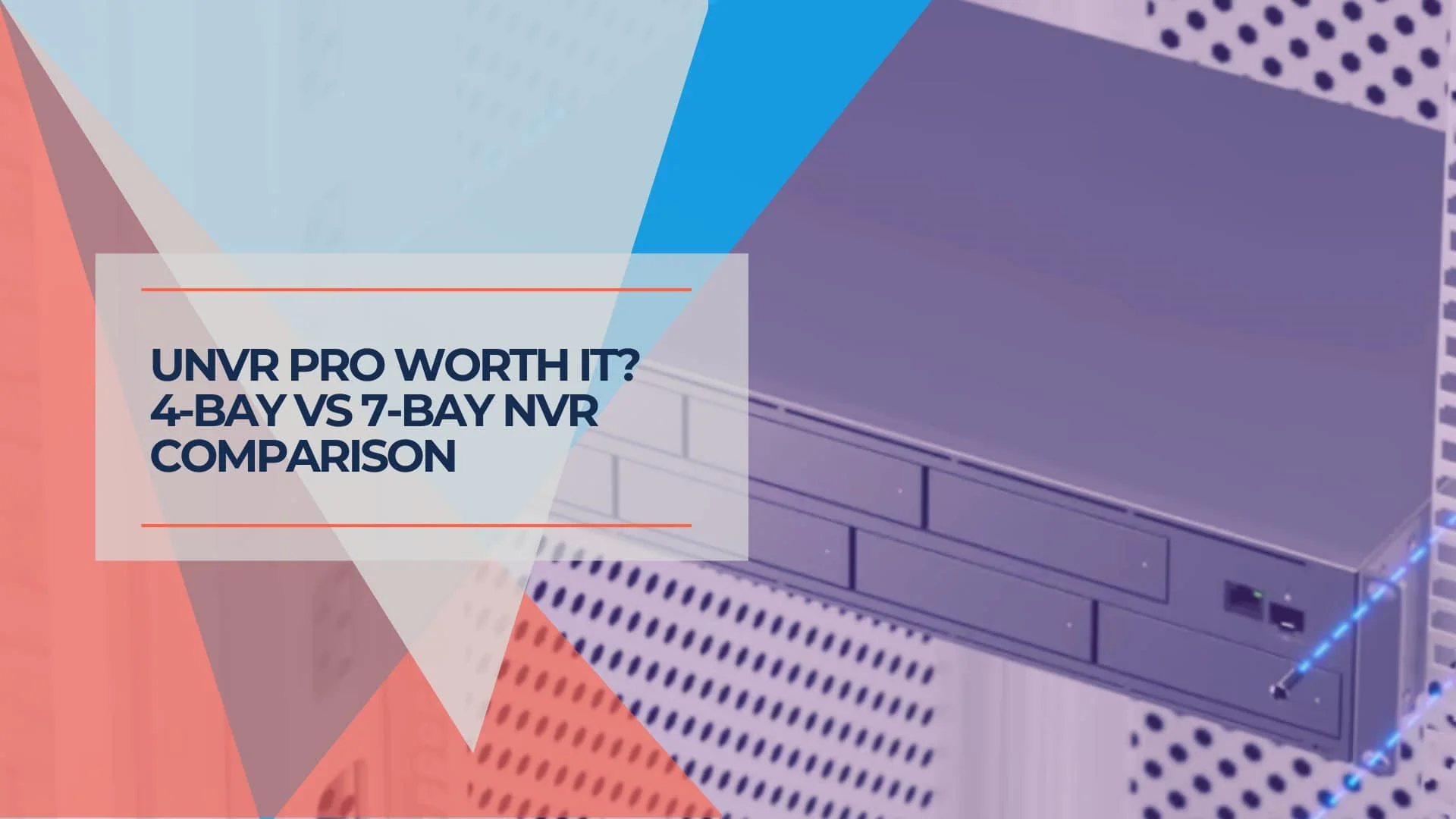
UNVR vs UNVR Pro: Which UniFi NVR Should You Choose?
Complete comparison of UniFi UNVR vs UNVR Pro network video recorders. Compare specifications, storage capacity, RAID options, stacking, and total cost of ownership to choose the right NVR for your surveillance system.
13 min read
UniFi Dream Machine Pro Max Review (2026): The Standard for Rackmount Security?
Updated 2026 UDM Pro Max review using 5 Gbps IDS/IPS benchmarks, Shadow Mode failover testing, and a new comparison vs the Cloud Gateway Max.
19 min read
Best UniFi Protect Cameras 2026: Complete G6 Lineup Buying Guide
Compare every UniFi G6 camera from the $179 Instant to the $499 Pro Dome. Real-world testing, pricing, specs, and recommendations for home and business security.
20 min read