
Small Business VoIP Guide (2026): Costs, Options & Setup
Compare small-business VoIP options, real 2026 pricing, contracts, SMS limits, E911, porting, and setup costs for solo owners and growing teams.


If you're a small business owner using your personal phone for work calls, you've probably noticed the friction: business voicemails mixed with personal ones, no way to route calls to a team member, and clients texting at 10 PM because they only have your cell number.
A dedicated business phone system solves these problems. This guide helps you figure out which type of solution fits your situation, what it actually costs, and how to set it up—including porting, compliance, and the gotchas that pricing pages don't mention.
The Bottom Line
A dedicated business phone number costs less than most owners expect. Prices range from about $10 per number for virtual-number services to $15–$30+ per user for full unified-communications platforms, with setup typically taking under an hour for a new number. The harder part—porting, SMS registration, and compliance—can take days or weeks, so plan ahead.
How We Verified This Guide
Last fact-checked August 10, 2026. Prices are in USD and exclude taxes and regulatory fees. We verified plan details against current provider documentation, pricing pages, and FCC/state regulatory sources. This guide is based on documentation research informed by our experience deploying phone systems for small-business IT consulting clients in South Florida. Unitel Voice, Nextiva, and CloudTalk are affiliate partners; this does not affect our assessments.
Affiliate Disclosure: This article contains affiliate links. If you make a purchase through these links, we may earn a small commission at no extra cost to you. As an Amazon Associate, iFeelTech earns from qualifying purchases.
Who This Guide Is For
This guide covers VoIP phone systems for small businesses with one to roughly 25 employees—solopreneurs, consultants, small teams, and growing companies. If you're unsure whether you need a business phone system at all, the next section compares the realistic alternatives.
Second SIM vs. Virtual Number vs. Full Phone System
Before jumping into provider comparisons, it's worth understanding what kind of solution you actually need. These are different product categories with different trade-offs.
| Solution | How It Works | Starting Cost | Best For | Limitations |
|---|---|---|---|---|
| Second SIM / eSIM | A separate mobile line on your phone | ~$15–25/mo | Solo field workers with simple calling needs | No call routing, shared numbers, or business-hours control |
| Virtual number / call-forwarding | A business number that forwards to your devices | ~$10–25/mo | Solopreneurs who want a professional number without complexity | Limited team features; usually no video, messaging platform, or CRM integration |
| Cloud UCaaS platform | Full phone system with apps, routing, messaging, video | ~$15–35/user/mo | Teams of 2+ who need routing, recording, integrations | Per-user pricing adds up; requires reliable internet |
| On-premises PBX (e.g., UniFi Talk) | Self-hosted system on your own hardware | ~$10–25/line/mo + hardware | Businesses wanting local control over call data | Requires hardware investment and technical setup |
A second SIM or eSIM can be the better choice if you work solo in the field, have unreliable internet, need stronger emergency calling (cellular E911 is more reliable than VoIP E911 in many situations), and only need basic calling without routing or team features.
A virtual number service makes sense if you want a professional greeting, business hours, and voicemail separate from your personal line, but don't need team routing, video, or CRM integrations.
A full UCaaS platform is worth the per-user cost when you need to share a number among team members, route calls, record conversations, integrate with a CRM, or scale beyond a few people.
What to Figure Out Before You Choose
Before comparing providers, answer these questions—they'll narrow your options quickly:
- How many people need phone access? Solo users have different needs than a team of ten.
- Do you need shared numbers or individual extensions? A single receptionist number that rings multiple people requires routing features.
- Will you send business text messages? US business SMS generally requires A2P 10DLC registration, which adds setup time and fees.
- Do you need local, toll-free, or international numbers? Not every provider offers all three.
- Will you use desk phones, or just mobile and desktop apps? Hardware-based setups cost more upfront.
- Do you need CRM integration? Basic VoIP services don't connect to Salesforce or HubSpot; UCaaS platforms usually do.
- Are you subject to recording, retention, or compliance rules? HIPAA, FINRA, and PCI requirements limit your provider options and affect which features you can use.
- How important is uptime? If your internet goes down, do you have cellular failover configured?
- Are you willing to sign an annual contract? Some advertised prices assume annual billing. Compare the month-to-month rate before choosing.
Small Business VoIP Options Compared
| Provider | Starting Price | Plan Tiers | Best For | Key Strength |
|---|---|---|---|---|
| Unitel Voice | $9.99/mo | Start-Up / Unlimited | Solopreneurs | Budget-friendly simplicity |
| Google Voice | $10/mo (standalone) | Starter / Standard / Premier | Google users, solo operators | No Workspace required for single user |
| Nextiva | $15/user/mo | Core / Engage / Scale | Growing teams | All-in-one unified communications |
| CloudTalk | $19/user/mo | Lite / Starter / Essential / Expert | Sales teams | International calling + dialers |
| RingCentral | $20/user/mo | Core / Advanced / Ultra | Larger teams | 500+ integrations, 99.999% uptime SLA |
| UniFi Talk | $9.99/line/mo | Plus / Pro | UniFi network users | On-premises control + ecosystem integration |
Pricing context: Prices are in USD and exclude taxes and regulatory fees. Annual-billing rates are shown where providers offer an annual discount (Nextiva, CloudTalk, RingCentral); Google Voice, Unitel Voice, UniFi Talk, and Ooma prices shown here are published monthly rates. For providers offering both options, month-to-month billing typically costs roughly 30–50% more. Entry costs noted are the lowest published rate—your actual per-user cost may differ based on team size and billing period.
Unitel Voice: Best Budget Option for Solopreneurs
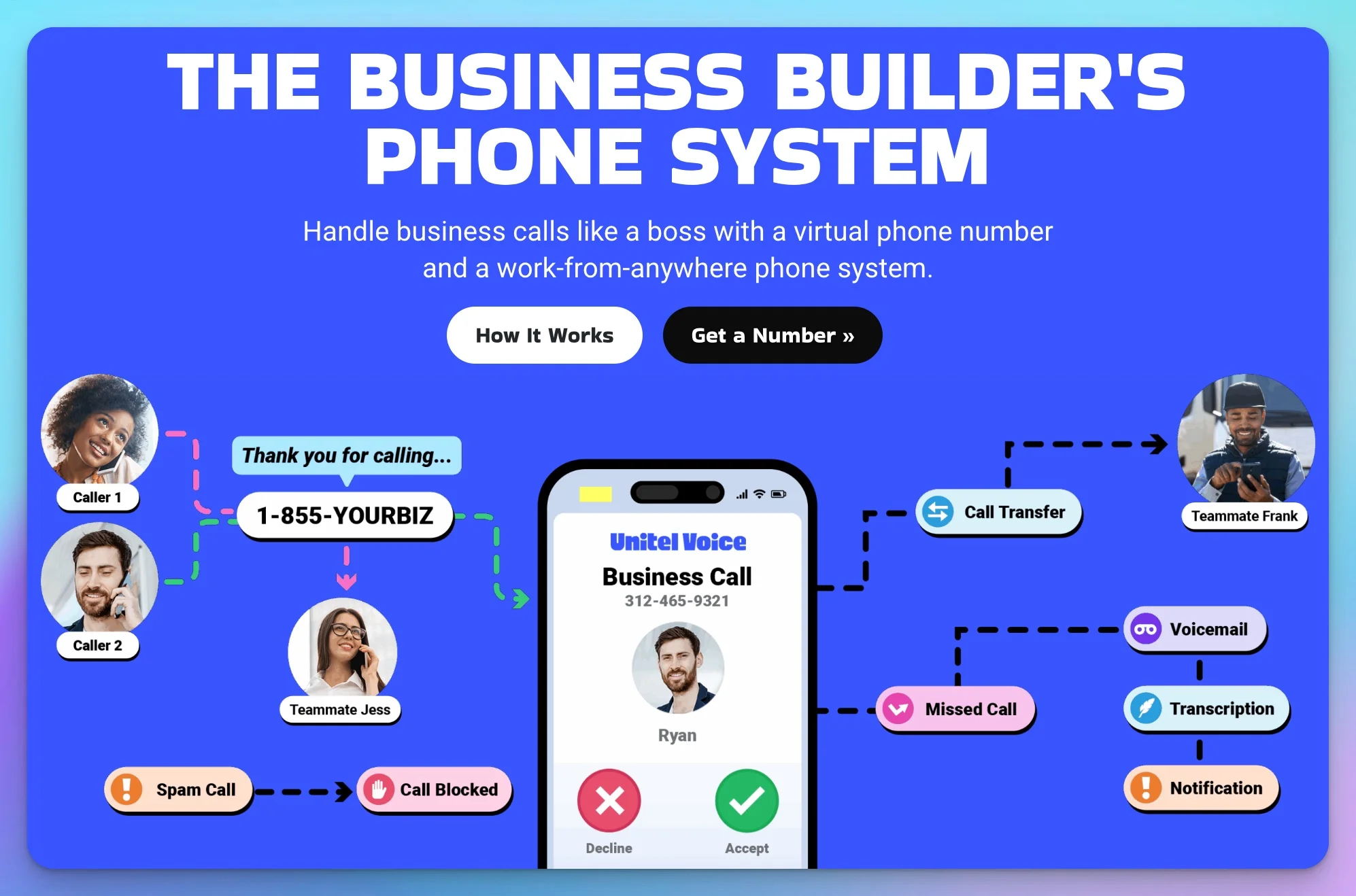
Unitel Voice is purpose-built for entrepreneurs and very small businesses who need a professional phone presence without complexity or high costs.
Pricing:
- Start-Up Plan: $9.99/month (500 minutes, 3 users, 1 number)
- Unlimited Plan: $24.99/month (unlimited minutes, unlimited users)
What makes it stand out: Unitel Voice includes a free voice-talent studio that will professionally record your greetings at no extra charge. For a small business trying to sound established, this is a meaningful differentiator. The service is contract-free with a 30-day risk-free guarantee—you pay upfront but can cancel for a full refund within 30 days.
Best for: Solopreneurs, freelancers, consultants, and very small businesses (1–5 people) who need a simple, affordable way to separate business and personal calls.
Limitations: Fewer integrations than enterprise-focused platforms. Limited advanced features like AI transcription or power dialers. Not ideal if you need extensive CRM connectivity.
Google Voice: Best for Solo Users and Google Fans
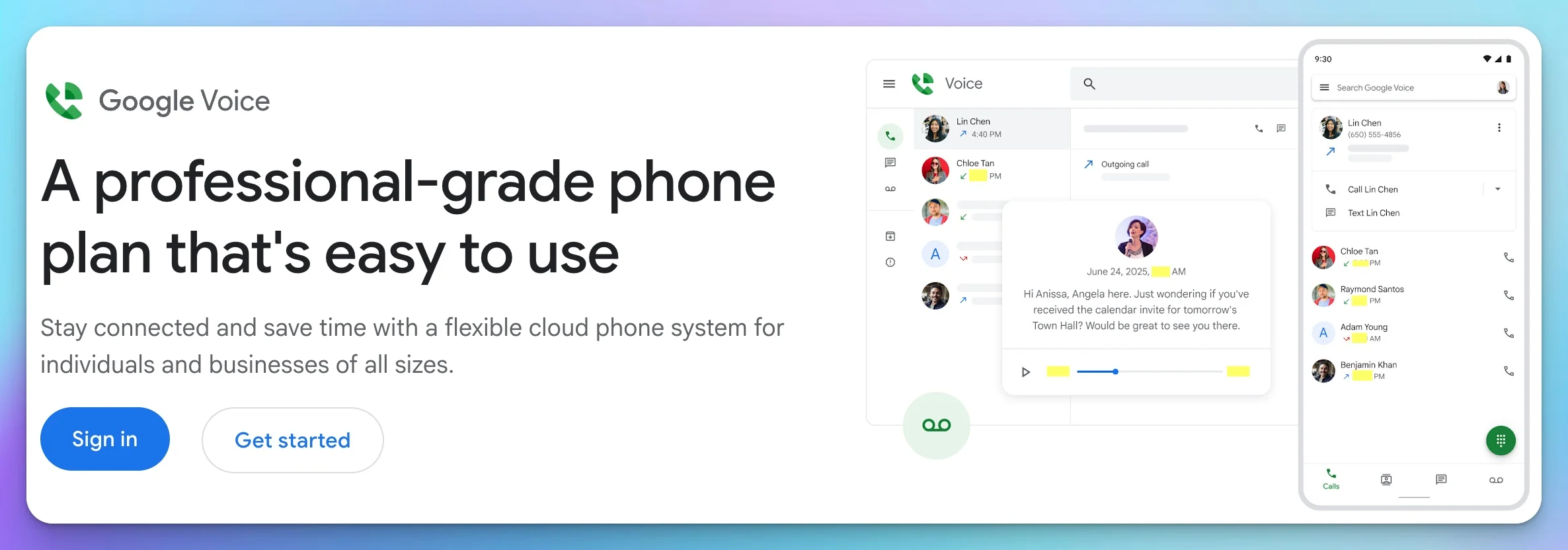
Google Voice recently expanded its options. Solo users can now get a paid plan without a Google Workspace subscription—a significant change from the previous Workspace-only model.
Pricing (standalone single-user plans—no Workspace required):
- Starter: $10/month (one US user, domestic calling, voicemail transcription)
- Standard: $20/month (one US user, multi-level auto attendant, AI note-taking, desk phone support, call recording)
Pricing (Workspace add-on plans—requires Google Workspace at $7+/user/month):
- Starter: $10/user/month (up to 10 users)
- Standard: $20/user/month (unlimited users, ring groups)
- Premier: $30/user/month (international locations, automatic call recording)
What makes it stand out: Native integration with Google's ecosystem. Voicemail transcription is included on all paid plans. The standalone plans make Google Voice accessible to solo operators without a Workspace subscription for the first time.
Best for: Solo users with a personal Gmail account who want a simple business number, or teams already committed to Google Workspace.
Limitations: Standalone plans are US-only, limited to a single user. The Workspace Starter add-on caps at 10 users. No toll-free numbers available (you can call toll-free numbers, but can't obtain one). International calls are available at metered rates, not included. Limited features compared to dedicated VoIP providers at similar price points.
Nextiva: Best All-in-One for Growing Teams
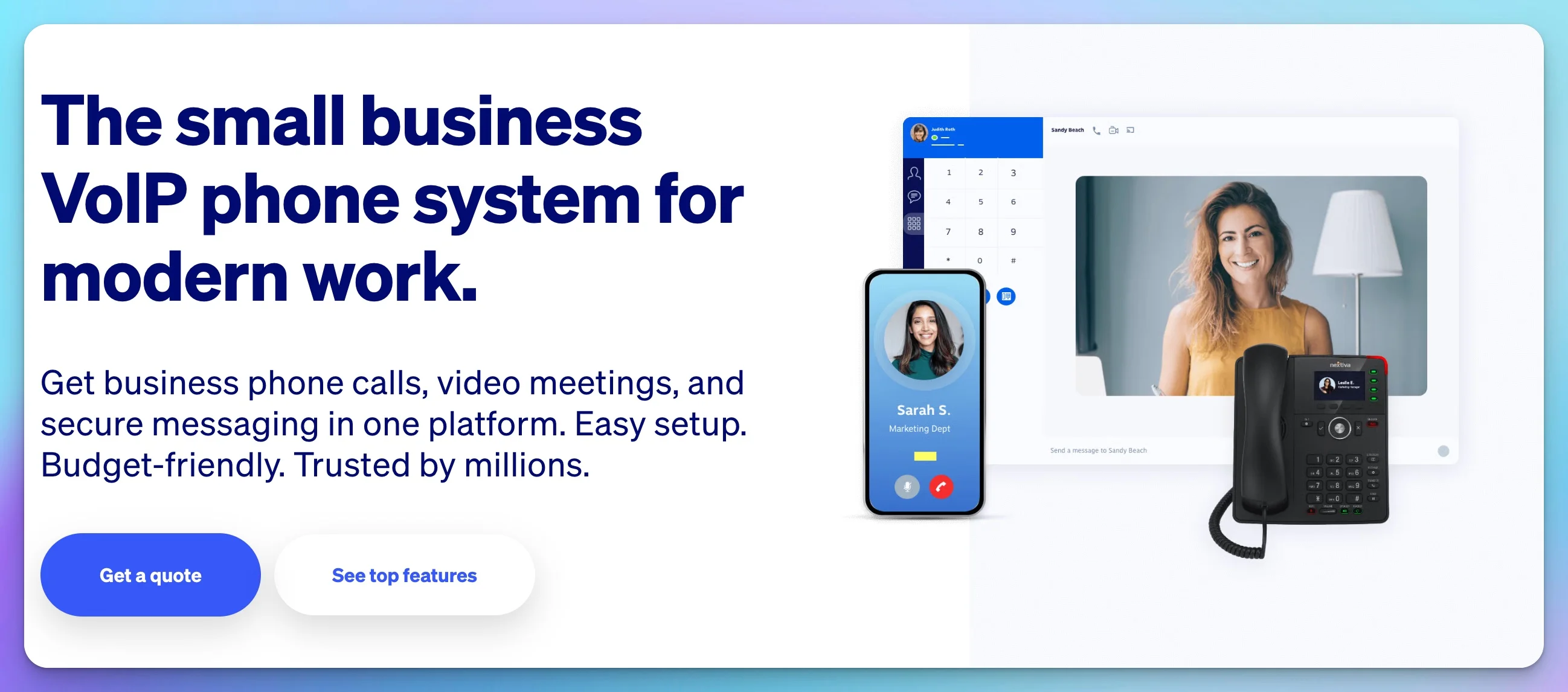
Nextiva goes beyond basic VoIP to offer unified communications—voice, video, messaging, and customer experience tools in a single platform.
Pricing (annual billing):
- Core: $15/user/month (unlimited domestic calling, voicemail transcription, team messaging)
- Engage: $25/user/month (toll-free number, call recording, live chat, advanced analytics)
- Scale: $75/user/month (advanced IVR, intelligent routing, AI call transcription and summaries)
Important: Nextiva does not offer a free trial. They provide a personalized demo instead. Basic voicemail transcription is included on Core; full AI call transcription and real-time summaries are Scale-tier features or available as add-ons.
What makes it stand out: Nextiva treats communication as a complete system rather than just phone calls. You get team messaging, video conferencing, CRM-style contact management, and voice all in one interface.
Best for: Small businesses planning to grow, teams that need video conferencing alongside voice, and companies wanting a single platform for all communication.
Limitations: More expensive than basic VoIP-only options, especially at the Scale tier. The breadth of features means a steeper learning curve. Smaller teams may not need all the unified communications capabilities.
CloudTalk: Best for Sales-Focused Teams
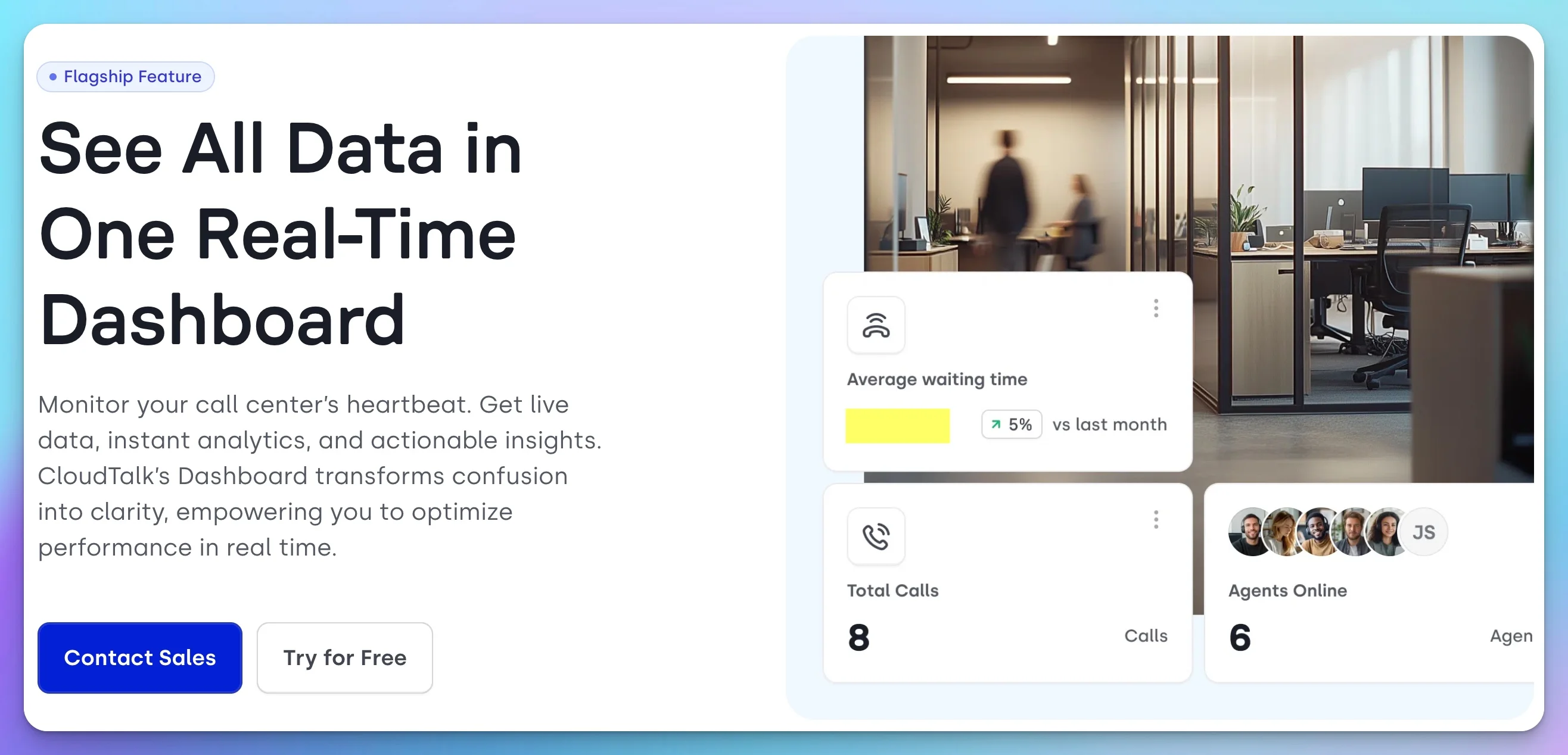
CloudTalk is designed specifically for teams that make a lot of outbound calls—sales teams, appointment setters, and customer service departments.
Pricing (annual billing):
- Lite: $19/user/month (Americas only, basic features)
- Starter: $25/user/month (click-to-call, voicemail, call flow designer)
- Essential: $29/user/month (IVR, skill-based routing, integrations)
- Expert: $49/user/month (power dialer, smart dialer, Salesforce integration; three-seat minimum, making the real entry cost $147/month billed annually)
What makes it stand out: International phone numbers in 160+ countries (availability and documentation requirements vary by country; numbers typically cost extra). Smart Dialer is included with Expert. Power Dialer is included with Expert or available as a $15/user/month add-on on lower tiers. Strong CRM integrations with Salesforce, HubSpot, and Pipedrive.
Best for: Sales teams, outbound call centers, businesses with international customers, and companies that need detailed call analytics.
Limitations: Overkill for businesses that primarily receive inbound calls. The Lite plan has geographic restrictions. Higher price point than simpler alternatives.
RingCentral: Broadest Integration Ecosystem for Larger Teams
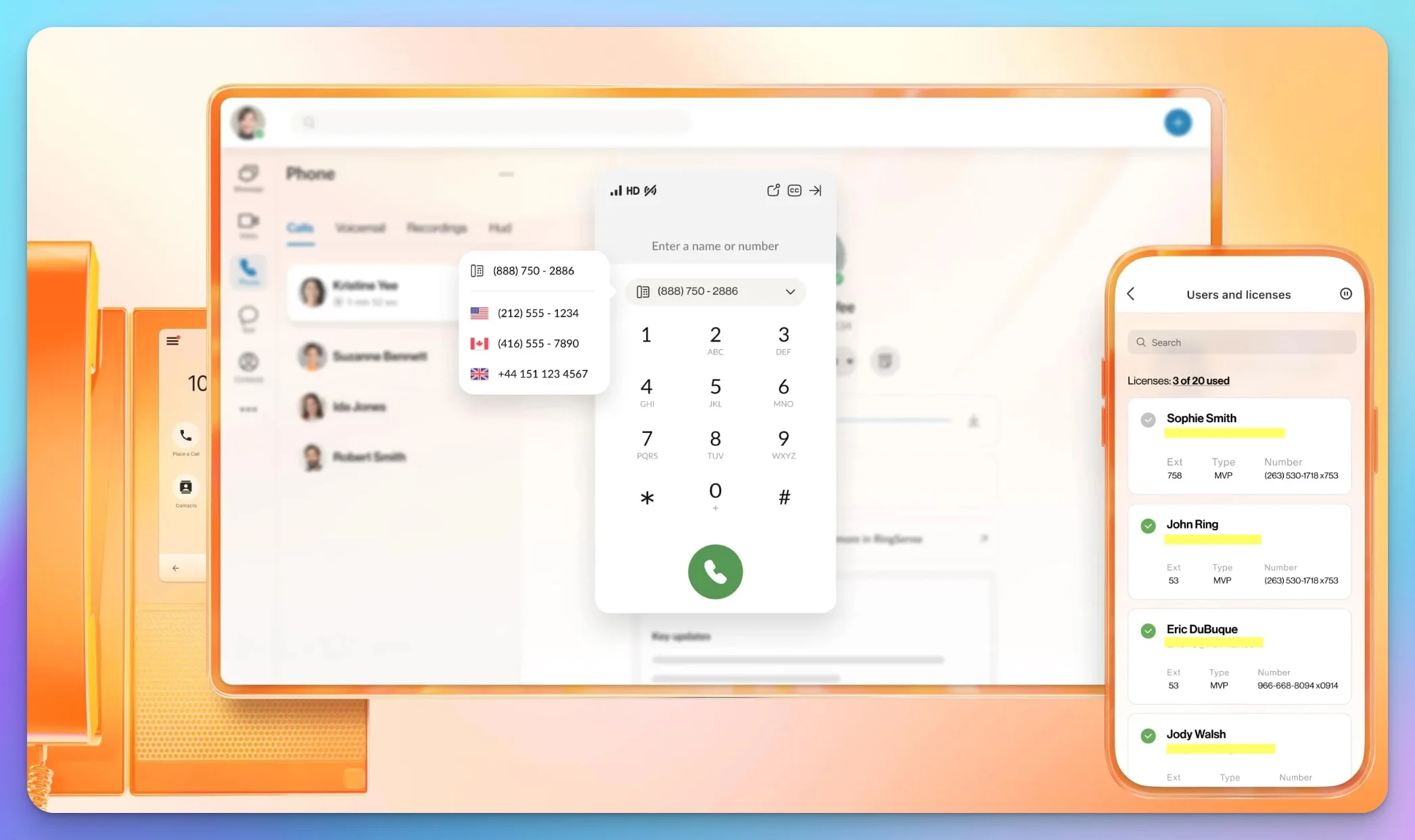
RingCentral is one of the largest business VoIP providers—a publicly traded company with enterprise-grade features and an extensive integration ecosystem.
Pricing (annual billing):
- Core: $20/user/month ($30/month if paid monthly)
- Advanced: $25/user/month (automatic call recording, CRM integrations)
- Ultra: $35/user/month (10,000 toll-free minutes, expanded storage for recordings and files)
What makes it stand out: Over 500 app integrations. A 99.999% availability SLA. Microsoft Teams integration for companies in that ecosystem. AI features including live transcription and meeting summaries.
Best for: Larger small businesses (10+ employees), companies needing extensive integrations, and organizations that prioritize enterprise-grade uptime guarantees.
Limitations: More expensive than newer competitors. The breadth of features can be overwhelming for very small teams. SMS packaging and registration requirements change frequently—verify current messaging limits before purchasing. Check whether "unlimited storage" on Ultra applies to the specific category you need (recordings, team files, etc.), as retention policies may apply.
UniFi Talk: Best for Existing UniFi Network Users
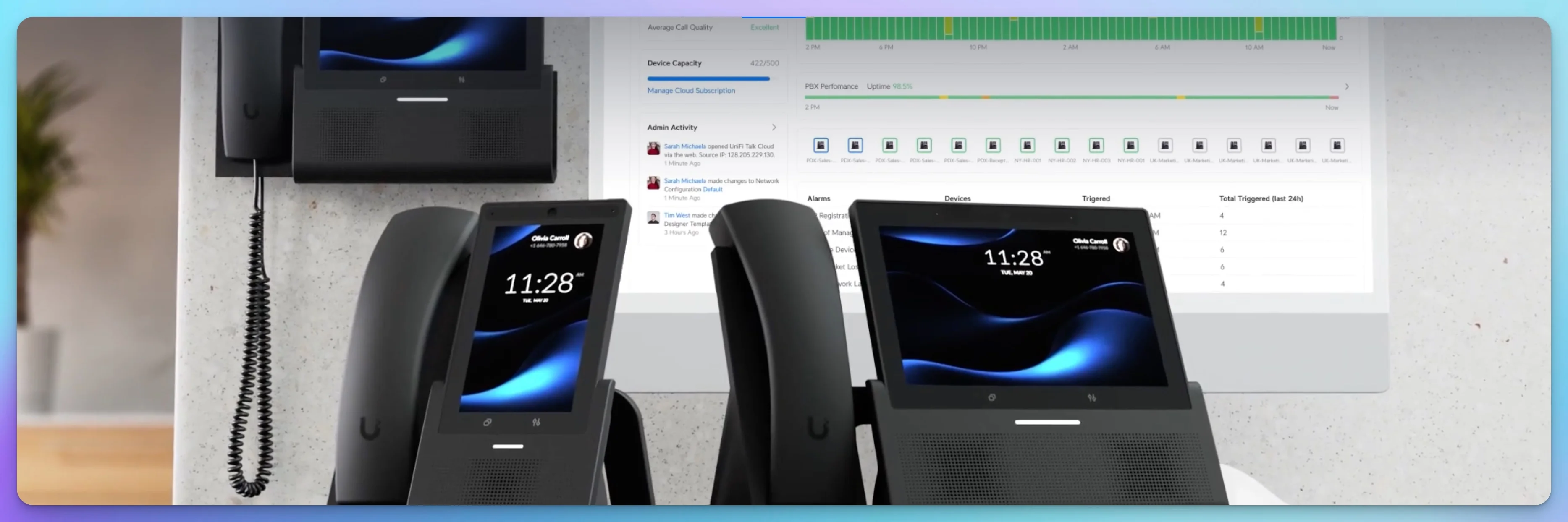
If your business already uses Ubiquiti's UniFi networking equipment (routers, switches, access points), UniFi Talk integrates your phone system into the same management console.
Pricing:
- Plus: $9.99/line/month (3,000 pooled minutes, 60 transcription minutes, voicemail transcription)
- Pro: $24.99/line/month (unlimited minutes, 600 transcription minutes, CNAM caller ID, softphone access via UniFi Identity app)
- Requires a UniFi console (UDM Pro, UDM SE, or similar)
Important: The softphone (for making calls from a laptop or smartphone) and expanded call-transcription allowances require the Pro plan. The Plus plan at $9.99 should not be compared directly to cloud app-based systems that include mobile/desktop softphones in their base tier. Minutes are pooled across your lines, with overage at $0.02/minute.
What makes it stand out: On-premises management means your PBX configuration, call logs, and recordings are stored on your own hardware. Unified management with your network infrastructure. Integration with UniFi door access systems.
Best for: Businesses already invested in UniFi equipment who want to consolidate management and keep call data locally managed.
Limitations: Requires UniFi hardware investment. Currently available in the US, UK, and Canada only. PSTN traffic still routes through external carriers, and AI transcription processing may involve external services. Fewer software integrations than cloud-native VoIP providers. Less mature than dedicated VoIP platforms.
For a deeper dive on this option, see our complete UniFi Talk VoIP guide.
Also Consider
These providers are not affiliate partners and are not reviewed in depth here, but they're worth evaluating depending on your needs. For a side-by-side comparison of Microsoft Teams, Zoom, and RingCentral specifically, see our business phone systems comparison.
| Provider | Starting Price | Why Consider It |
|---|---|---|
| Zoom Phone | ~$10.50/user/mo (metered) | Tight Zoom Meetings integration; unlimited US/Canada plan at ~$16/user/mo |
| Microsoft Teams Phone | $10/user/mo (license only) | Best for businesses already on Microsoft 365; domestic calling bundle is $17/user/mo |
| Ooma Office | $19.95/user/mo | No-contract; mobile app included, optional desk phone hardware |
| Dialpad | ~$15/user/mo | AI-forward with real-time transcription on all plans |
| Quo (formerly OpenPhone) | ~$15/user/mo | Simple shared-number and team-inbox model |
How to Choose the Right System
Consider your user count. For a single user, standalone Google Voice ($10/month) or Unitel Voice ($9.99/month) provide the best value. For 2–10 users, Nextiva's Core plan hits a strong balance of features and price. Beyond 10, enterprise features from RingCentral or Nextiva's higher tiers become more relevant.
Evaluate your primary use case. Mostly receiving inbound calls? Basic VoIP features are sufficient. Heavy outbound calling for sales? CloudTalk's dialers and analytics justify the higher price. Need video conferencing too? Nextiva or RingCentral bundle it in.
Check your existing ecosystem. Already deep in Google Workspace? Google Voice integrates most seamlessly. Using Salesforce or HubSpot heavily? Ensure your VoIP choice has strong CRM integration. Running UniFi network equipment? UniFi Talk keeps everything in one console.
Think about growth. If you're confident you'll stay small, optimize for simplicity and cost. If growth is the plan, choose a platform that scales without requiring migration to a new system. If you're hiring your first employee, that's a natural time to move from a virtual number to a team-capable platform.
Quick Recommendations by Business Type
Solopreneur or freelancer: Unitel Voice ($9.99/mo) or Google Voice standalone ($10/mo, no Workspace needed)
Small team (2–10 people): Nextiva Core ($15/user/mo) for the best feature balance
Sales-focused business: CloudTalk Essential ($29/user/mo) for IVR, routing, and CRM integrations; Expert ($49/user/mo, three-seat minimum) if you need the Power Dialer and Smart Dialer
Already using UniFi: UniFi Talk Plus ($9.99/line) or Pro ($24.99/line) for ecosystem integration
10+ employees with enterprise needs: RingCentral Advanced ($25/user/mo)
Total Cost of Ownership
VoIP pricing pages show the per-user subscription rate. Your actual bill includes more. A realistic first-year estimate looks like this:
First-year cost = (subscription × users × 12) + additional numbers + taxes and regulatory fees + SMS registration + hardware + add-ons + implementation time
Base subscription cost is the per-user monthly fee times your number of users. Annual billing typically saves 15–30% over monthly.
Additional phone numbers may cost extra. Some plans include one number; additional local or toll-free numbers are typically $4–10/month each.
Toll-free minutes often have limits. If customers call your 800 number frequently, check whether your plan includes sufficient toll-free minutes or if overages apply.
International calling is usually not included. If you call or receive calls from outside the US/Canada, verify international rates with your chosen provider.
Hardware costs are optional. You can use VoIP entirely through mobile and desktop apps at no hardware cost. If you prefer physical desk phones, current models range from about $60 for basic phones to $400+ for conference and premium devices.
SMS registration fees. If you plan to text customers, budget for A2P 10DLC registration costs, which may include one-time brand vetting fees and per-campaign monthly charges.
For help fitting communication costs into your broader technology budget, see our complete business software stack guide and IT budget planning guide.
Base subscription examples by business size (before taxes, regulatory fees, add-ons, and hardware):
| Business Size | Recommended Option | Monthly Cost |
|---|---|---|
| Solo (1 user) | Unitel Voice Start-Up | ~$10 |
| Small team (3 users) | Nextiva Core | ~$45 |
| Growing team (5 users) | Nextiva Core | ~$75 |
| Larger team (10 users) | RingCentral Advanced | ~$250 |
Network, E911, Recording, and Security
Internet requirements
VoIP requires modest bandwidth—planning estimates range from roughly 50 to 134 Kbps per concurrent call depending on the codec and overhead. But bandwidth alone doesn't determine call quality. Congested Wi-Fi, bufferbloat, packet loss, latency above 150ms, VPNs, and weak failover can all degrade calls on a connection with plenty of advertised speed. Configure QoS (Quality of Service) on your router to prioritize voice traffic if you share the connection with other devices.
For a reliable business connection, see our Miami business internet guide.
E911 and emergency calling
VoIP services support E911, which transmits a registered address to emergency services. You must maintain an accurate, dispatchable location in your account settings—if you move offices or travel, update it. Unlike cellular 911, VoIP E911 depends on power, broadband, and correct configuration to function. The FCC requires interconnected VoIP providers to inform subscribers about these limitations. If reliable emergency calling is critical (field work, remote locations), a cellular line may be a better primary option.
Call recording and consent
Many VoIP plans include call recording, and it's genuinely useful for training, quality assurance, and dispute resolution. However, recording laws vary by state. Florida requires all-party consent when a communication carries a reasonable expectation of privacy (Florida Statute §934.03). If your business is based in Florida or calls Florida residents, enable the recording announcement feature in your VoIP system and obtain consent before recording. Other states have their own rules—consult your attorney if you operate across state lines.
Business text messaging and 10DLC registration
If your VoIP service includes SMS/MMS to customers, US business texting from application-based ten-digit numbers generally requires A2P 10DLC registration. This involves:
- Brand registration (verifying your business identity) and campaign registration (defining message types, opt-in/opt-out flows, and sample messages)
- Approval timeline: typically 1–4 weeks
- Fees: one-time brand vetting ($15–50+), per-campaign registration ($2–15), and ongoing carrier surcharges per message
- Documented consent: you need opt-in and opt-out mechanisms before sending
Your VoIP provider typically handles the registration process, but you'll need to provide business documentation and message samples. Factor this into your setup timeline and budget. See Nextiva's 10DLC guide for a detailed walkthrough.
Encryption and security
Most reputable VoIP providers encrypt signaling and media between your device and their platform using TLS and SRTP. However, calls that cross to the public telephone network (PSTN) are not generally end-to-end encrypted—the encryption terminates at the provider's gateway. For most business use, transport-level encryption is adequate. If you handle highly sensitive communications, ask your provider about their specific encryption scope.
HIPAA compliance
Nextiva and RingCentral offer HIPAA-eligible plans, but compliance depends on more than choosing the right plan. You need a signed Business Associate Agreement (BAA), must configure the covered services correctly, and must enforce access controls and user practices. Nextiva disables certain features (including voicemail transcription) on HIPAA accounts. See Nextiva's HIPAA details and RingCentral's BAA scope.
Internet outages
If your internet fails, calls can be forwarded to a backup number or sent to hosted voicemail—but only if your provider supports this and you've configured it in advance. This is not automatic on all services. Set up failover routing before you need it. For businesses where downtime is not acceptable, a 5G failover connection keeps both internet and VoIP running during outages. For broader continuity planning, see our disaster recovery guide.
Getting Started: Your First Business Phone Number
Setting up a VoIP system is simpler than traditional phone service, but the timeline depends on what you're doing.
A new number with basic routing can be ready within an hour. A production migration involving number ports, E911 locations, SMS registration, call flows, multiple extensions, devices, and testing can take days or weeks.
Step 1: Choose your provider and plan. Based on the comparison above, select the service that fits your needs. Unitel Voice offers a 30-day risk-free guarantee (you can cancel for a full refund). Nextiva offers a personalized demo rather than a self-service trial. RingCentral and CloudTalk offer trial periods. Google Voice has a free personal tier with limited features.
Step 2: Select your phone number. Choose between a local number (with an area code matching your business location) or a toll-free number (800, 888, etc.). Local numbers build trust with local customers; toll-free numbers project a national presence. Many businesses use both.
Step 3: Configure your greeting and business hours. Record or upload a professional greeting. Set your business hours so calls go to voicemail or a different greeting after hours.
Step 4: Install the apps. Download the mobile app to your phone and the desktop app to your computer. Your business number now works from any device with internet access.
Step 5: Set up voicemail and notifications. Configure voicemail notifications (email, app notification, or both). Enable transcription if available.
Step 6: Register for SMS (if needed). If you plan to text customers, work with your provider on A2P 10DLC registration. Allow 1–4 weeks for approval.
Step 7: Test everything. Call your new number from another phone. Test the greeting, voicemail, call forwarding, and device routing.
Porting Your Existing Number
If customers already have your current number saved, you may want to port (transfer) it to your new VoIP service rather than starting fresh.
When porting makes sense:
- Customers have your current number saved
- It's printed on marketing materials or signage
- You'd lose business if people couldn't reach the old number
When a fresh start is better:
- It's your personal number and you want to keep it personal
- You're rebranding or want a cleaner separation
- The current number has a different area code than your business location
How porting works: Provide your new VoIP provider with your current account information and a recent bill. They'll submit a port request to your current carrier. FCC rules require simple ports (generally a single line without complex switching changes) to be completed in one business day. Complex business ports involving multiple lines or switching changes may take up to four business days. In practice, VoIP and multi-line business ports often take longer.
Before you port:
- Keep your current service active. Don't cancel your existing account—let the port complete first, or the number may be lost.
- Ensure your account details match. The name, address, and account number you provide must match your current carrier's records.
- Outstanding balances: Your carrier may collect any charges owed, but FCC rules prohibit them from holding a valid port request solely to settle a bill.
- Ask about service disruptions. Check whether 911 service or other features will be affected during the transition.
Integrating with Your Existing Tools
Modern VoIP systems connect with the other software your business uses, creating workflow efficiencies beyond just making calls.
CRM integration is the most valuable connection for many businesses. When a customer calls, their contact record pops up automatically. Calls are logged without manual data entry. You can click-to-call directly from your CRM. Nextiva, RingCentral, and CloudTalk all offer integrations with Salesforce, HubSpot, Zoho, and other popular CRMs.
Calendar integration helps manage your availability. When you're in a meeting, calls can automatically route to voicemail or a colleague.
Email integration delivers voicemail transcriptions directly to your inbox.
Team chat integration with platforms like Slack or Microsoft Teams lets you receive call notifications where you're already working.
If your business uses specific tools heavily, verify integration availability before choosing a VoIP provider. For guidance on choosing between major productivity platforms, see our Google Workspace vs Microsoft 365 comparison.
Frequently Asked Questions
Can I use my existing cell phone number for VoIP?
Yes, through number porting. You'll transfer your current number from your cell carrier to your VoIP provider. FCC rules target one business day for simple ports, though complex ports can take longer. Don't cancel your current service until porting completes.
Do I need special equipment?
No. Modern VoIP services work through mobile apps (iOS/Android) and desktop apps (Windows/Mac). You can make and receive business calls using devices you already own. Physical desk phones ($60–$400+) are optional for those who prefer them.
What internet speed do I need?
VoIP requires roughly 50–134 Kbps per concurrent call, so bandwidth is rarely the issue. Call quality depends more on connection stability—see internet requirements for details on QoS, latency, and common problems.
Can I keep personal and business calls on the same phone?
Yes—this is a primary benefit of VoIP. Your business number works through an app on your personal phone, completely separate from your personal number. When someone calls your business line, a distinct notification identifies it.
What happens if my internet goes down?
Most VoIP services can forward calls to a backup number or hosted voicemail, but you need to configure this in advance. This is not always automatic—check your provider's failover options during setup.
Are VoIP calls encrypted?
Most providers encrypt signaling and media between your device and their platform using TLS/SRTP. Calls crossing to the public telephone network are not end-to-end encrypted. See encryption and security for more detail.
Can I text from my VoIP number?
Most business VoIP services include SMS capability, but US business texting generally requires A2P 10DLC registration (1–4 weeks, with fees). Messaging limits vary by provider and plan. Verify limits and registration requirements before choosing if texting is important to your business.
How does emergency calling (911) work with VoIP?
VoIP services support E911 using a registered address, but it has limitations compared to cellular 911. Keep your address current and understand the dependencies—see E911 and emergency calling.
Is VoIP HIPAA-compliant for healthcare businesses?
Some providers, including Nextiva and RingCentral, offer HIPAA-eligible plans with Business Associate Agreements. Compliance depends on the signed BAA, proper configuration, access controls, and user behavior—not just the plan tier. Some features may be disabled on HIPAA accounts.
Can multiple people share the same business number?
Yes. A single business number can ring multiple team members simultaneously (ring groups), sequentially, or route to different people based on time of day or menu selections.
Need help choosing or setting up a business phone system? Our team provides IT consulting for businesses throughout South Florida, including communication system setup and integration. Contact us for a personalized recommendation.
Related Resources
- Best Business Phone Systems: Teams vs Zoom vs RingCentral - Side-by-side comparison of the major UCaaS platforms
- UniFi Talk VoIP Guide - Deep dive on Ubiquiti's on-premises VoIP solution
- Complete Business Software Stack Under $250/Month - Where VoIP fits into a full small-business tech budget
- HubSpot CRM Review 2026 - CRM review covering VoIP integration options
- Google Workspace vs Microsoft 365 - Choosing your productivity platform affects VoIP integration
- Setting Up 5G Failover - Keeping VoIP running when your primary internet drops
- Small Business IT Budget Planning - Planning for communication costs
- Miami Business Internet Guide - Ensuring your connection supports VoIP quality
Related Articles
More from Business Software
Monday vs Asana vs ClickUp vs Basecamp: Best Project Management Software for Small Business
Monday vs Asana vs ClickUp vs Basecamp compared with real annual costs for 5- and 15-person teams. An honest guide for small businesses that need a clear answer, not a feature list.
26 min read

Best Business Phone Systems: Microsoft Teams vs. Zoom vs. RingCentral
Deep technical comparison of Microsoft Teams Phone, Zoom Phone, and RingCentral for South Florida businesses. Infrastructure analysis, pricing, and ecosystem integration.
17 min read

Monday.com Review 2026: Is It Worth It for Your Small Business?
Monday.com review for small business teams with real pricing for 3-25 users, AI credit costs, feature breakdown, and side-by-side comparison with Asana and ClickUp.
17 min read