

What Happens When Your Business Gets Hacked: A Real-World Timeline
A practical, phase-by-phase timeline of what happens when a small business gets hacked — from discovery through recovery — with verified 2025 data and actionable guidance at each stage.

Key Takeaways
- A business breach unfolds across five phases: Discovery (hours 0–4), Containment (hours 4–24), Fallout (days 1–3), Recovery (weeks 1–2), and Long Tail (months 1–3).
- The average attacker spends 241 days inside a network before detection (IBM, 2025).
- Total breach cost for a small business (10–50 employees) ranges from $120,000 to $750,000 over 12 months.
- The three factors that determine survival: cyber insurance, tested backups, and an incident response plan.
It's 2:47 PM on a Tuesday. Your office manager can't log into Microsoft 365. Your accountant spots an unauthorized wire transfer — $14,800 to an unknown account. Three clients forward you the same suspicious email, sent from your domain.
This composite scenario reflects verified 2025 breach data from businesses with 10 to 50 employees:
- $4.44 million — global average cost of a data breach in 2025 (IBM Cost of a Data Breach Report)
- $10.22 million — average breach cost for US companies specifically
- 241 days — average attacker dwell time before detection
- 88% — of significant SMB breaches feature a ransomware component (Verizon DBIR, 2025)
This article maps the real timeline of a breach — hour by hour, day by day, month by month — so you know exactly what to expect and how to prepare.
Hacked Right Now? Emergency Checklist
If you're reading this during an active incident, take these steps immediately:
- Disconnect affected systems from the network — unplug Ethernet, disable Wi-Fi. Do NOT power off.
- Switch to out-of-band communication — use personal cell phones or Signal. Assume your business email and VoIP are compromised. If your network is down, you'll need a printed list of emergency contacts (legal counsel, insurance carrier, IR provider) — you can't look up numbers on systems you've disconnected.
- Call your incident response provider or cyber insurance carrier — they will guide forensic preservation.
- Do NOT reboot, wipe, or pay ransom. This is critical: rebooting destroys volatile forensic evidence that investigators need, and paying a ransom without legal guidance may violate OFAC sanctions.
What Happens in the First 4 Hours After a Business Hack?
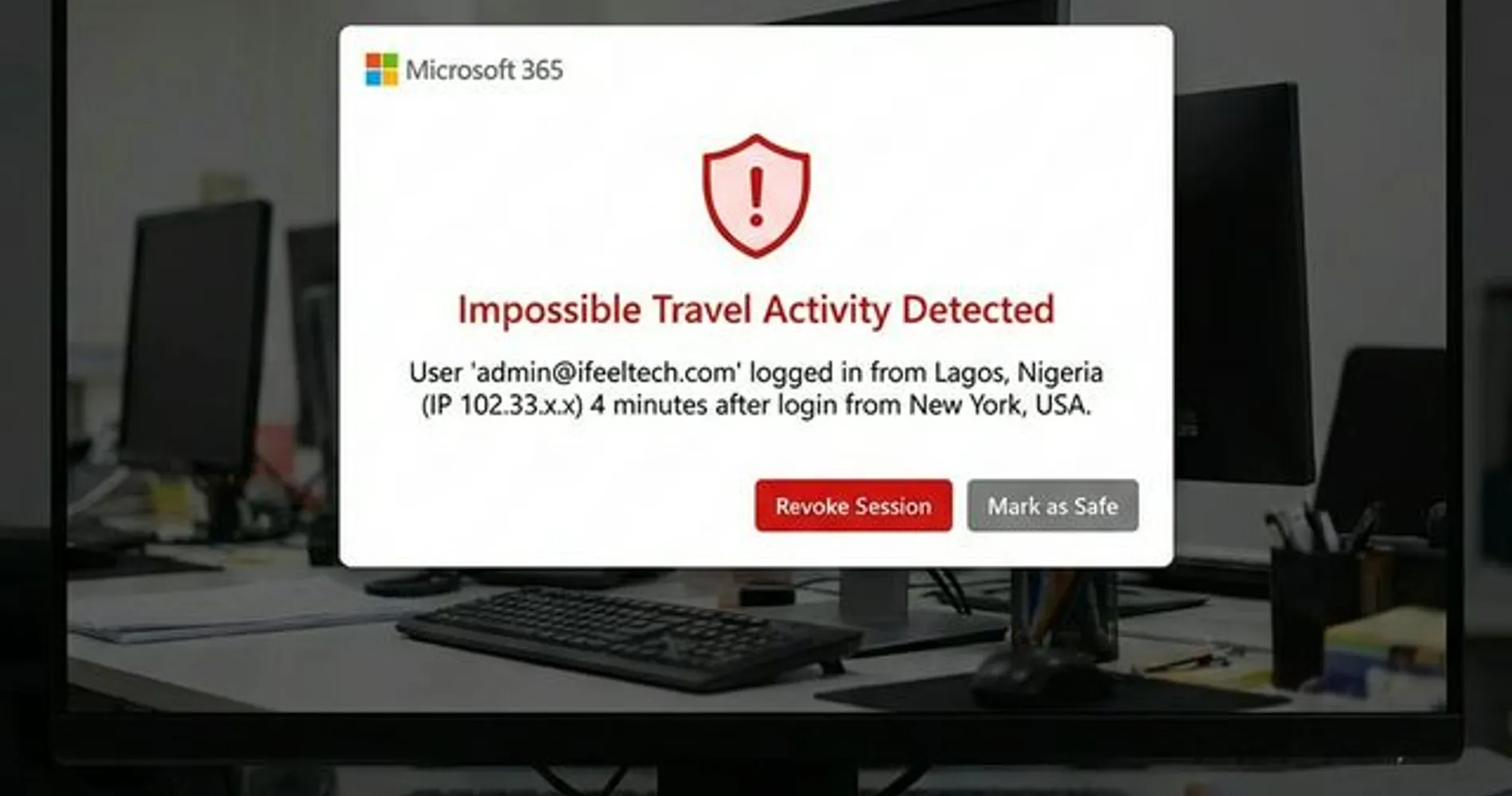
The first four hours are the Discovery phase, where symptoms like account lockouts, network anomalies, and ransom notes confirm an active intrusion. Most businesses fail to recognize a breach immediately because the early signs mimic common IT issues like slow computers or bad updates.
It's worth noting that in 2026, the breach often doesn't start on a server in your office. It may originate from a remote employee's laptop, a personal mobile device used for work email, or a stolen session token that bypasses MFA entirely. The entry point is increasingly an endpoint, not your network perimeter.
Key indicators that separate a breach from routine IT problems:
- Mass account lockouts — multiple employees unable to access Microsoft 365 simultaneously, not just one forgotten password
- Asymmetric network latency — slowness inconsistent with normal traffic patterns, often caused by data exfiltration
- Ransomware notes — the most visible indicator, typically appearing as text files or wallpaper changes on desktops
- Clients reporting phishing emails from your domain — a sign your email system has been compromised
- Unauthorized transactions — wire transfers or charges you didn't authorize
What happens operationally: Most day-to-day work grinds to a halt. Employees can't access email, files, or line-of-business applications. The phone keeps ringing, but nobody can look up client information to respond. Sales proposals, invoices, and customer communications all stall. In many cases, the person responsible for IT begins troubleshooting without realizing the underlying cause is a security incident rather than a technical failure.
The most common misstep: Attempting to fix the problem in-house before understanding the scope. Rebooting servers or resetting passwords without a containment plan can inadvertently help the attacker — for example, a reboot may trigger additional ransomware payloads, and password resets on a still-compromised system give the attacker the new credentials too.
Decision Point: Incident Response Plan
With a plan: You activate it. The plan tells you who to call, what to isolate, and how to communicate internally. Containment typically begins within minutes.
Without a plan: The first 2–4 hours are usually spent figuring out whom to call and what to do, which delays containment. Having even a basic one-page plan makes a measurable difference in response speed.
Running cost at Hour 4: $5,000–$15,000 (emergency IT response, lost productivity, initial forensic consultation)
A Note on Silent Hacks: Business Email Compromise and Deepfake Impersonation
Not every breach looks like ransomware. Business Email Compromise (BEC) attacks are "silent hacks" where the attacker compromises an executive's email account, monitors communication for weeks, and then redirects a wire transfer or invoice payment. No systems lock up. No ransom note appears. The only sign is a missing payment — sometimes weeks after the initial compromise.
In 2026, BEC has evolved beyond email. Attackers now use AI-generated voice cloning and deepfake video to impersonate executives on phone calls and video conferences — a tactic known as "vishing" (voice phishing). An employee receives a call that sounds exactly like the CEO, instructing them to process an urgent wire transfer. The voice is synthetic, but the urgency and familiarity are convincing enough to bypass normal verification. This is no longer a theoretical risk: multiple documented cases in 2025 involved deepfake audio that successfully redirected six-figure payments.
BEC attacks accounted for over $2.9 billion in reported losses in 2023 (FBI IC3), and that figure is expected to rise as AI tools make impersonation cheaper and more convincing. The timeline is different from ransomware: discovery typically happens days or weeks after the financial transfer, which makes fund recovery more difficult. The containment steps are the same — isolate, preserve evidence, call professionals — but the priority shifts to contacting your bank and initiating wire recall procedures as quickly as possible.
The Containment Phase: What Happens Between Hour 4 and 24
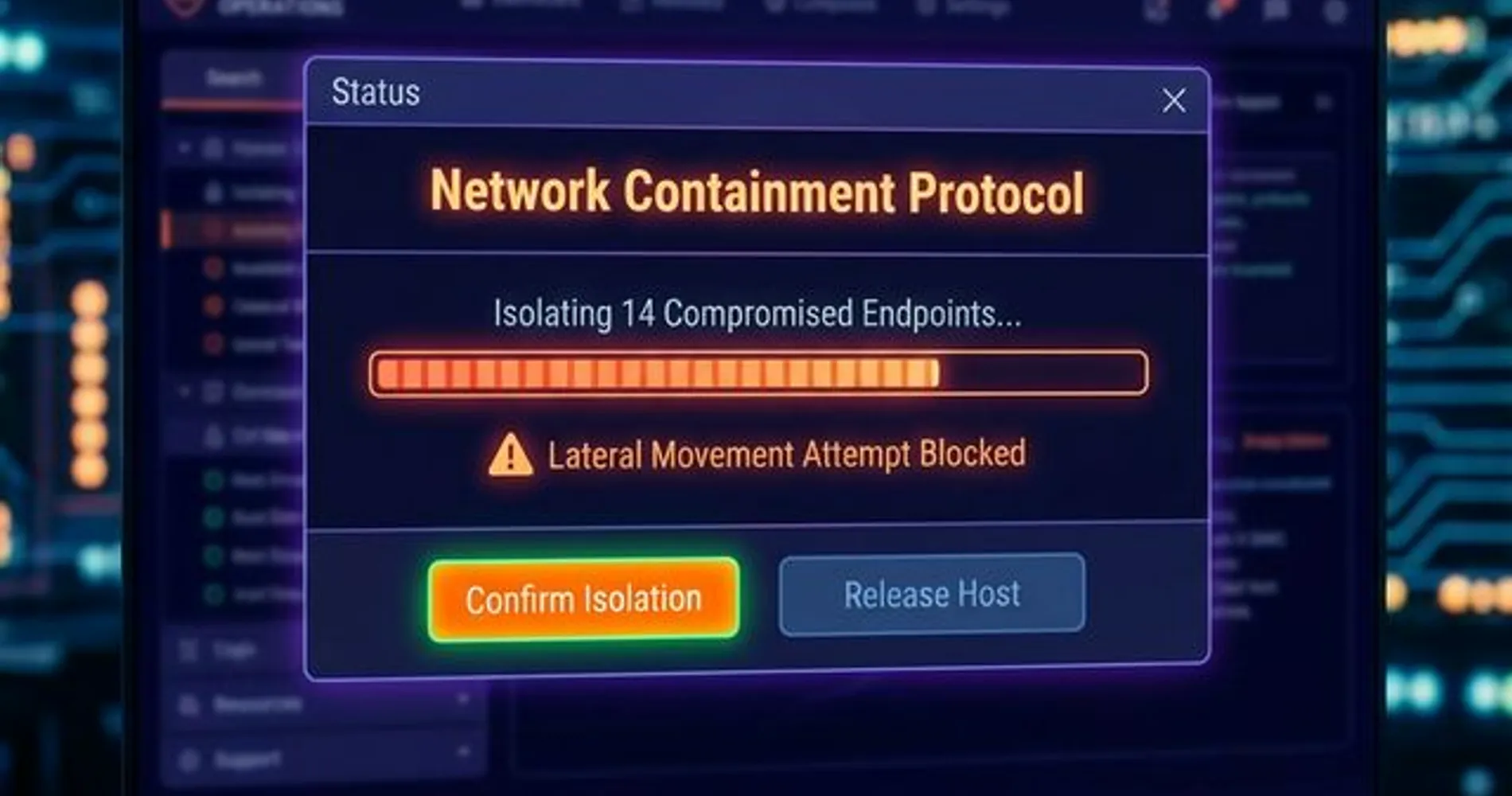
The priority during hours 4–24 is Containment — isolating compromised systems to prevent lateral movement without destroying forensic evidence. Speed during this phase has a direct relationship with cost: IBM's 2025 report found that organizations using AI-driven security tools saved an average of $1.9 million per breach by accelerating containment. It's worth noting that modern attacks are increasingly AI-powered and automated, which means a structured response matters more than ever.
What a professional incident response looks like
A trained incident response team follows a specific protocol:
- Disconnect, don't power down — unplug network cables but keep machines running to preserve volatile RAM containing forensic artifacts
- Preserve evidence — create forensic images of affected drives before any remediation begins
- Identify the attack vector — phishing email, compromised remote desktop, exploited vulnerability, or vendor breach
- Assess scope — what data was accessed, what systems are compromised, and is the attacker still active
- Secure communications — switch to out-of-band channels (Signal, personal phones) since the attacker likely monitors internal email
What most small businesses actually do
The reality for a company with 15 employees and no dedicated security team looks very different:
- Call the "IT guy" — but managing Office 365 licenses is a different skill set than incident response
- Prioritize restoring email — the wrong order, because restoring services before containment can reinfect clean systems
- Reboot servers — accidentally destroying volatile memory that forensic investigators need
- Assume the threat is over — without verifying the attacker has been fully expelled
| Response Approach | Professional IR | Typical SMB Response |
|---|---|---|
| First action | Isolate and preserve | Reboot and restore |
| Evidence handling | Forensic imaging | Accidentally destroyed |
| Communication | Secure out-of-band channels | Business email (potentially monitored) |
| Attacker awareness | Assume still active | Assume threat is over |
| Timeline to containment | 4–8 hours | 24–72 hours |
Why Your IT Provider Choice Matters for Insurance
This is worth knowing ahead of time: insurance carriers require a documented chain of custody for forensic evidence — hard drive images, memory dumps, log files — handled by qualified incident responders. If a well-meaning but non-specialist IT provider reboots servers or reinstalls operating systems before forensic imaging, the insurer may question or deny the claim. When engaging a response provider, it's a good practice to confirm they hold forensic credentials (GCFE, EnCE, or equivalent) before they access affected systems.
Running cost at Hour 24: $15,000–$50,000 (incident response retainer, lost revenue, business interruption)
Legal and Operational Fallout: Days 1 Through 3
By day three, operational disruption is at its peak and statutory notification clocks have started. This is the Cascading Fallout phase where legal obligations overlap with operational recovery, and the financial picture becomes clearer.
Operational impact
- Email offline. Sales conversations, customer support, proposals, and invoices all depend on systems that may be inaccessible during containment and investigation.
- Files encrypted or stolen. Project files, financial records, client data, and proprietary documents may be locked by ransomware or copied to external servers.
- VoIP phones affected. Most modern office phone systems share the same network infrastructure. If the network is compromised, phone service may be disrupted as well.
- Payment processing paused. Merchant account providers may freeze transactions after learning of a breach, which means revenue collection stops until the investigation clears your systems.
Regulatory notification requirements
| Requirement | Timeline | What's Involved |
|---|---|---|
| Florida state notification (§501.171) | Within 30 days of determination | Written notice to affected individuals: breach description, data exposed, recommended protective actions |
| HIPAA (healthcare data) | Within 60 days | Notification to individuals + HHS; media notification if 500+ affected |
| PCI-DSS (payment card data) | Immediate | Card brand notification, forensic investigation by PCI-approved assessor |
| Cyber insurance claim | Per policy (usually 24–72 hours) | Formal notification to carrier with incident details and forensic preservation confirmation |
The people side
Beyond the technical and financial dimensions, there's a significant human element. Employees are understandably concerned about their personal data — Social Security numbers, direct deposit details, health records — which may have been stored on compromised systems. Customer-facing staff are fielding questions they don't yet have answers to. Clients may notice disruptions and reach out on social media.
For the business owner, this phase involves managing multiple workstreams simultaneously — technical response, legal requirements, customer communication, and employee concerns — often without the usual tools and systems available to coordinate.
A practical note: As difficult as this phase is, it's typically when the situation begins to stabilize. Once a qualified forensic team is engaged, they bring a structured process — containment is verified, the scope of exposure becomes clearer, and the business starts operating from a playbook rather than improvising. The uncertainty is the hardest part, and it starts to resolve here.
Breach cost by business size (Days 1–3)
| Business Size | Typical Day 1–3 Cost | What's Included |
|---|---|---|
| 1–10 employees | $25,000–$50,000 | Emergency IT response, lost revenue, initial legal consultation |
| 11–25 employees | $45,000–$150,000 | Above plus forensic investigation, notification costs, extended downtime |
| 26–50 employees | $85,000–$300,000 | Above plus regulatory compliance, PR management, customer communication |
These figures come from aggregated 2025 industry data (Total Assure, IBM). They do not include ransom payments — only the cost of responding to and recovering from the attack.
How Long Does Breach Recovery Take? The Week 1–2 Investigation Phase
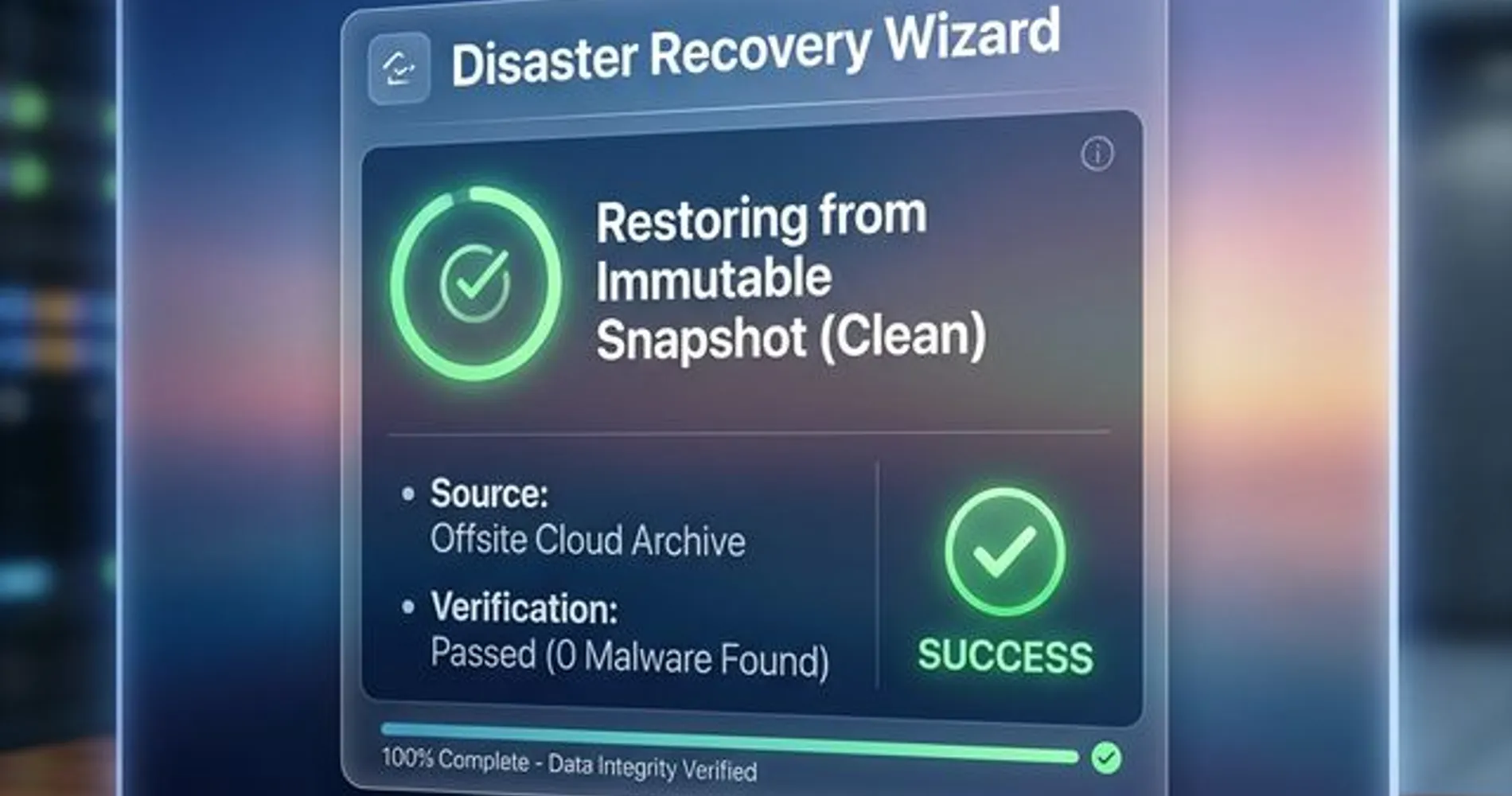
Full breach recovery for a small business typically takes 1–4 weeks for basic operations and 2–6 months for full normalization. Weeks one and two focus on the Forensic Investigation and Recovery phase — determining what happened, expelling the attacker, and rebuilding from clean foundations.
The four questions forensic investigators answer
- What data was accessed? Customer PII, financial records, intellectual property, employee health data — the answer determines legal obligations and potential liability exposure.
- How did the attacker get in? Phishing email, weak RDP password, unpatched vulnerability, or vendor compromise — the answer shapes the entire security rebuild.
- Is the attacker still inside? More sophisticated threat actors install backdoors and persistent access mechanisms. A thorough investigation confirms the attacker has been fully removed before systems are brought back online — skipping this step is a common cause of repeat breaches.
- Was data exfiltrated or only encrypted? Ransomware (encryption only) is painful but recoverable with backups. Data exfiltration creates ongoing legal exposure and potential extortion leverage.
The recovery process
Rebuilding means restoring from known-clean foundations, not just "turning everything back on":
- Restore from clean backups — this is where your disaster recovery plan makes the biggest difference. Businesses with verified backups can rebuild quickly; those without face a much longer road. Solutions like Acronis Cyber Protect combine backup with security scanning to verify restore points are clean.
- Reset every credential — not just the ones you think were compromised. Every password, API key, and service account across the organization.
- Implement emergency security controls — multi-factor authentication on all systems, network segmentation, enhanced monitoring.
- Restore operations in priority order — email and communication first, then financial systems, then everything else.
The Backup Question That Determines Recovery Speed
The single biggest factor in recovery speed is whether you have clean, tested backups that the attacker didn't also compromise.
Businesses with a proper 3-2-1-1-0 backup strategy — three copies, two media types, one offsite, one immutable, zero errors on recovery testing — typically recover in days. Businesses without tested backups often face weeks of rebuilding, and in some cases, permanent data loss.
If you haven't verified a restore recently, your backups are assumptions, not safeguards. Our guides on Synology Active Backup and Google Workspace backup cover how to build backup systems that actually work when you need them.
Running cost at Week 2: $50,000–$250,000+ depending on business size and breach scope. The forensic investigation alone typically runs $15,000–$75,000 for a small business.
Long-Term Cost of a Small Business Data Breach: Months 1–3
Once systems are restored and operations resume, the immediate technical crisis is resolved. However, the Long Tail phase (months 1–3) brings a set of indirect costs — legal fees, customer attrition, insurance adjustments — that often match or exceed the direct incident response expenses.
Ongoing costs most businesses don't anticipate
- Credit monitoring for affected individuals — $10–30 per person for 12–24 months, often legally required
- Legal fees — breach coach, regulatory response, potential class action defense. A single breach can generate $50,000–$200,000 in legal costs for an SMB.
- Cyber insurance deductible plus premium increase — expect premiums to rise 25–100% at renewal. Some carriers will drop coverage entirely.
- Lost customers who don't return — industry data suggests 25–30% customer churn after a publicized breach. For a business with $2 million in annual revenue, that's $500,000–$600,000 in recurring revenue lost.
- Employee turnover — IT staff who feel blamed leave. Employees who lose trust in the company's ability to protect their data leave. Replacements cost time and money.
- Mandatory security improvements — your insurance carrier will require enhanced controls going forward, and the attacker may attempt re-entry.
Rebuilding trust
The breach notification letter is the starting point, not the finish line:
- A clear communication strategy explaining what happened and what changed
- Demonstrable security improvements that customers can verify
- Insurance renewal with stricter security requirements
- Ongoing compliance documentation and monitoring
The survival question
Industry reports frequently cite that a large percentage of small businesses — some estimates say nearly half, others as high as 60% — face severe financial strain or close within six months of a significant breach. The exact figures vary by study and are debated among researchers, but the consistent finding is clear: a major breach places serious financial pressure on any small business, and the outcome depends heavily on what preparation was in place before the incident.
The businesses that recover share three common traits: cyber insurance to fund the response, tested backup systems for faster restoration, and an incident response plan that provides structure during the first critical hours. Businesses that lack all three face a significantly harder path.
Total 12-Month Breach Cost for a Small Business
For a company with 10–50 employees, the total cost of a significant breach — including incident response, forensic investigation, legal fees, lost revenue, customer churn, and security improvements — typically ranges from $120,000 to $750,000 over 12 months.
For most small businesses, that range represents a significant portion of annual revenue. Understanding these numbers ahead of time is the strongest argument for investing in preparation.
How to Prevent a Business Hack: The Three Pillars
The timeline above reflects what happens when a business has no preparation in place. With the right investments, each phase becomes shorter, less costly, and more manageable. The framework comes down to three areas. You don't need all three to be perfect — but you need all three to exist.
Pillar 1: Prevention — Reduce the Attack Surface
Prevention means making your business a harder target than the next one. It doesn't mean unhackable — it means not worth the attacker's effort.
- Endpoint detection and response (EDR) replaces traditional antivirus with active threat monitoring — the difference between a smoke detector and a security guard. Our EDR vs. antivirus comparison breaks down what you actually need.
- Multi-factor authentication (MFA) on every system. Not just email — every application, VPN, and admin panel. Passkeys are the strongest form of MFA available today.
- Email security training — social engineering remains a top SMB attack vector. Train your team with real-world examples using our phishing identification guide.
- Patch management — most exploited vulnerabilities have patches available. The problem is applying them before attackers scan for them.
For the full prevention toolkit, see our cybersecurity software guide.
Pillar 2: Preparation — Plan for When Prevention Fails
Prevention reduces probability. Preparation reduces impact.
- An incident response plan — even a one-page document ("call this number, isolate these systems, notify these people") transforms your first four hours from chaos to coordinated response. See our breach prevention guide for building one.
- Tested backups — the word "tested" is critical. Backups you haven't verified are assumptions, not safeguards. Build a real strategy with our disaster recovery guide.
- Cyber insurance — it won't prevent the breach, but it funds the response: forensic investigators, legal counsel, notification costs, business interruption. Without it, every dollar comes from your operating budget.
Pillar 3: Professional Support — Close the Gap with the Right Partners
A 20-person company won't have the same security resources as a Fortune 500 firm. But the right partners can close most of that gap.
- Quarterly security audits identify vulnerabilities before attackers do. Our network security audit guide covers what a review should include.
- Managed security monitoring provides 24/7 network visibility without a full-time security hire.
- An established relationship with a security provider means you have someone to call immediately when an incident occurs, rather than searching for help under time pressure. If you're evaluating providers, here are the questions to ask.
Don't Wait for the Timeline to Start
A professional security assessment identifies vulnerabilities and provides a clear remediation roadmap — and costs a fraction of what a breach response costs.
Get a Free Security Assessment — We'll evaluate your current defenses and provide specific, prioritized recommendations.
Frequently Asked Questions
How long does it take to recover from a cyber attack?
Recovery time depends on business size and preparation. Micro-businesses (1–10 employees) typically experience 24–72 hours of downtime; businesses with 11–50 employees average 12–48 hours for basic operations. Full normalization — including security improvements, legal processes, and trust rebuilding — takes 2–6 months. Businesses with tested backup systems and incident response plans recover significantly faster.
What is the average cost of a cyber attack on a small business?
IBM's 2025 Cost of a Data Breach Report places the global average at $4.44 million, with the US average at $10.22 million. For small businesses specifically, total costs (incident response, legal fees, lost revenue, customer churn) range from $120,000 to $750,000 depending on attack type, business size, and industry.
Do I have to report a data breach?
Yes, in most cases. All 50 US states have breach notification laws with varying timelines. Florida requires notification within 30 days of determining a breach occurred (§501.171). HIPAA-covered entities must notify within 60 days. PCI-DSS requires immediate notification for payment card data breaches. Consult legal counsel — penalties for non-compliance are significant.
Can a small business survive a cyber attack?
Yes — but survival correlates strongly with preparation. Businesses with cyber insurance, tested backups, and even a basic incident response plan have significantly better recovery outcomes. While commonly cited estimates suggest that a large share of breached small businesses close within six months, these figures primarily reflect businesses with no preparation in place. Investing in prevention, preparation, and professional support substantially improves the odds of recovery.
What should I do first if my business gets hacked?
Isolate affected systems by disconnecting them from the network — but do not turn them off. Powering down destroys volatile memory that forensic investigators need. Next, call your IT security provider or incident response team. Preserve evidence and switch to out-of-band communication (personal phones, Signal). Do not pay a ransom before consulting with professionals and law enforcement.
Does cyber insurance cover a hack?
Most cyber insurance policies cover forensic investigation, legal fees, notification expenses, credit monitoring, and business interruption. However, policies often require specific security controls (MFA, current patches, endpoint protection) that, if absent, can void coverage. Review your policy before an incident — during a crisis is the worst time to discover a coverage gap.
How do hackers get into small businesses?
The Verizon 2025 DBIR reports that system intrusion (including ransomware and vulnerability exploitation) accounts for 53% of SMB incidents. Social engineering (including phishing) represents 17%, followed by basic web application attacks at 12%. Most attacks are opportunistic — attackers scan for known vulnerabilities and weak credentials at scale. Your business gets hit because a door was left open, not because someone targeted you specifically.
How long do hackers stay in your network before being detected?
IBM's 2025 data shows the average attacker dwell time is 241 days — nearly eight months of undetected access. During that period, attackers typically map the network, identify valuable data, and establish persistent access before taking any visible action like deploying ransomware. Continuous security monitoring is the most effective way to reduce dwell time and limit the scope of a breach.
Related Articles
More from Cybersecurity
Double Extortion Ransomware: Why Backups Alone Aren't Enough
Data exfiltration appears in 96% of BlackFog-tracked Q1 2026 ransomware incidents. Backups restore access but don't resolve data exposure. Here's what actually protects your business.
13 min read
Your Employee Just Clicked a Phishing Link. What Do You Do in the Next Hour?
Your employee clicked a phishing link. Follow these 6 steps in the next 60 minutes to contain the threat, protect your data, and prevent the incident from escalating into a full breach.
20 min read
Cybersecurity for SMBs: Understanding Risk & NIST CSF 2.0
Small businesses are primary targets for AI-driven cyber threats. Learn how NIST CSF 2.0's six functions help protect against phishing, ransomware, and data breaches in 2026.
9 min read