Best Cloud Backup for Small Business 2026: Server vs. Endpoint Solutions Compared
We tested and compared the 6 best cloud backup solutions for small businesses in 2026. Full comparison of iDrive, Backblaze, Acronis, Veeam, CrashPlan, and Carbonite covering pricing, features, compliance, and recovery options.

Our Top Picks for 2026
Best Overall: iDrive Business — Unlimited users and devices on a single storage plan, server backup included, starting at $99.50/year
Best for Simplicity: Backblaze Business — $99/year per computer with unlimited storage, zero configuration
Best for Security: Acronis Cyber Protect — Backup and endpoint security in one agent from $85/year, immutable backups on Advanced tier
Best for Disaster Recovery: Veeam Data Platform — Enterprise-grade DR orchestration starting at ~$500/year for 5 workloads
Best Budget Option: CrashPlan — Per-user pricing at $8/month with unlimited storage
Best Legacy Option: Carbonite Safe — Established platform with compliance support starting at $287.99/year
Effective cloud backup is the primary safety net against ransomware and data loss events that cost small businesses an estimated $25,000 to $254,000 per incident depending on company size (2025 industry analyses). Yet most small businesses still rely on synchronization strategies — shared Google Drives, inconsistent local drives, or consumer-grade tools that lack server support and compliance certifications. Sync is not backup: if a file is deleted or encrypted by ransomware, the change syncs everywhere.
We spent months evaluating six leading cloud backup solutions based on total cost of ownership, recovery speed, compliance certifications, and real-world restore performance. This guide compares pricing scenarios from 5 laptops to 50 mixed endpoints with servers, covering the specific trade-offs that matter for small business infrastructure in 2026.
Affiliate Disclosure: This article contains affiliate links. If you make a purchase through these links, we may earn a small commission at no extra cost to you. As an Amazon Associate, iFeelTech earns from qualifying purchases.
How We Evaluated These Solutions
We evaluated each backup platform across six criteria weighted by importance to small business operations:
| Criteria | Weight | What We Tested |
|---|---|---|
| Pricing & Value | 25% | Total cost for 5, 10, and 25 computers with servers |
| Backup Coverage | 25% | Endpoints, servers, VMs, cloud apps, mobile devices |
| Ease of Use | 15% | Setup time, management console, agent deployment |
| Recovery Options | 15% | Restore speed, granularity, physical shipping options |
| Security & Compliance | 10% | Encryption standards, HIPAA BAA, SOC 2, compliance certifications |
| Support Quality | 10% | Response time, documentation quality, available channels |
Every product was tested with a standard configuration: Windows and Mac endpoints, at least one Windows Server instance (where supported), and a Microsoft 365 backup scenario. Restore tests included individual file recovery, full system image recovery, and point-in-time database recovery.
Master Comparison: All 6 Solutions at a Glance
iDrive Business offers the lowest total cost for mixed server-and-endpoint environments, while Backblaze and CrashPlan cover endpoints only. The table below compares all six solutions on price, coverage, and compliance.
| Specification | iDrive Business | Backblaze Business | Acronis Cyber Protect | Veeam Data Platform | CrashPlan | Carbonite Safe |
|---|---|---|---|---|---|---|
| Starting Price | $99.50/yr (250 GB) | $99/yr per computer | From $85/yr (Standard) or $109/yr (Advanced) | ~$500/yr (5-workload pack) | $8/user/mo ($88/yr) | $287.99/yr (25 PCs) |
| Pricing Model | Storage-based | Per-device | Per-workload | Per-workload | Per-user | Storage + device limit |
| Unlimited Devices | Yes | No | No | No | No | No (25 max) |
| Server Backup | Yes | No | Yes | Yes | No | Power plan and above |
| VM Backup | Yes | No | Yes | Yes (industry-leading) | No | No |
| Microsoft 365 | Add-on ($20/seat/yr) | No | Add-on | Separate license (from ~$2.60/user/mo) | Add-on ($4/user/mo) | No |
| Physical Restore | Free iDrive Express | Free USB (return within 30 days) | No | No | No | No |
| HIPAA BAA | Yes | Yes (upon request) | Yes | Yes | Yes (BAA eligible) | Yes (compliance support) |
| Endpoint Security | No | No | Yes (built-in AV/AM) | No | No | Webroot integration |
| Encryption | 256-bit AES | 128-bit AES (private key optional) | 256-bit AES | 256-bit AES | 256-bit AES | 128 or 256-bit AES |
| Mobile Backup | Yes | No | Yes | No | No | No |
| Our Rating | 4.5/5 | 4.0/5 | 4.2/5 | 4.3/5 | 3.5/5 | 3.5/5 |
1. iDrive Business: Why Is It the Best Overall Value?
iDrive Business
The best value for multi-device teams. Unlimited users and computers on a single storage-based plan with server backup, physical restore shipping, and HIPAA compliance.
- Unlimited users & devices
- Server + VM backup included
- Free iDrive Express shipping
- HIPAA & SOC 2 compliant
*Price at time of publishing
iDrive Business earned the top position for mixed environments (servers + endpoints) because of one structural advantage: its pricing model scales more favorably than any other solution in this roundup. While competitors charge per device or per workload — costs that multiply as your team grows — iDrive charges based on storage capacity alone. Add 10 new employees? Install the agent on their machines at no additional cost.
However, for teams with only laptops and no servers, the iDrive Team plan offers 5 TB of storage for up to 5 computers and 5 users at approximately the same $99.50/year starting price — 20x the storage of the Business 250 GB plan. The trade-off: Team does not include server or NAS backup and limits the number of computers per plan tier. Choose Business if you have servers or need unlimited devices; choose Team if you need maximum storage for a small endpoint-only team.
Key Strengths
- Unlimited devices and users on every plan. A 250 GB plan at $99.50/year covers your entire team regardless of headcount.
- Server backup included at no extra cost. Back up Windows Server, Linux, SQL databases, and Exchange alongside your endpoints. Note: server backup is primarily for Windows and Linux environments — macOS Server is not supported.
- iDrive Express physical restore ships a temporary storage device to your location for free — critical when restoring terabytes of data over the internet would take days.
- HIPAA Business Associate Agreement available, along with SOC 2 Type II compliance and 256-bit AES encryption with optional private key.
- 30-version file history with snapshots lets you roll back to any point in the last 30 versions, useful for recovering from ransomware that encrypted files gradually.
- Microsoft 365 and Google Workspace backup available as add-on products at $20/seat/year each. The M365 add-on includes unlimited storage and covers OneDrive, Outlook, Exchange, SharePoint, and Teams. The Google Workspace add-on covers Drive, Shared Drives, Gmail, Calendar, Contacts, and Classroom with 10 TB per seat.
Key Weaknesses
- The management console is functional but dated. It gets the job done, but it lacks the polish of Acronis or Veeam's dashboards.
- Initial backup speed depends on your upload bandwidth. Large initial backups can take days without using the optional iDrive Express seed service.
- Microsoft 365 and Google Workspace backup are separate add-ons at $20/seat/year each, billed outside the Business plan. This adds cost for SaaS backup, though iDrive's per-seat pricing ($20/seat/year with unlimited M365 storage) remains competitive.
Pricing Breakdown
| Plan | Storage | Annual Price | First-Year Price |
|---|---|---|---|
| Business 250 GB | 250 GB | $99.50/yr | $69.65/yr |
| Business 500 GB | 500 GB | $199.50/yr | $139.65/yr |
| Business 1.25 TB | 1.25 TB | $499.50/yr | $349.65/yr |
| Business 2.5 TB | 2.5 TB | $799.50/yr | $559.65/yr |
| Business 5 TB | 5 TB | $1,499.50/yr | $1,049.65/yr |
Every plan includes unlimited users, unlimited computers, unlimited servers, and unlimited external drives. Two-year commitments offer additional savings.
About Our Pricing
We list iDrive's standard renewal rates throughout this article because that is the price you will pay long-term. First-year promotional pricing (shown in the table above) is often 30-50% lower, making iDrive an even better deal initially. We believe listing standard rates gives you a more accurate picture for budgeting — always check iDrive's pricing page for the latest promotions.
Pro Tip: iDrive Team vs. iDrive Business
If your business has only laptops and desktops (no servers), consider iDrive Team instead. Team plans start at approximately $99.50/year for 5 TB of storage covering up to 5 computers and 5 users — the same starting price as Business but with 20x the capacity. Larger teams can scale up (e.g., 10 computers / 10 users at $199.50/year for 10 TB). The catch: Team plans do not include server backup, NAS backup, or SQL/Exchange support, and each tier has a set device limit. If you have even one server, stick with Business.
iDrive SaaS Backup: Separate Products, Separate Billing
The "unlimited devices" pricing applies to iDrive Business (endpoint, server, and NAS backup). If you also need Microsoft 365 or Google Workspace backup, iDrive offers these as standalone add-on products:
- Microsoft 365 Backup: $20/seat/year with unlimited storage. Covers OneDrive, Outlook, Exchange, SharePoint, and Teams with 3x daily automated backups.
- Google Workspace Backup: $20/seat/year with 10 TB storage per seat. Covers Drive, Shared Drives, Gmail, Calendar, Contacts, and Classroom.
These are billed separately from iDrive Business and use their own dashboard. For a 10-person team, budget an additional $200/year per SaaS platform on top of your Business plan.
Who Should Choose iDrive
iDrive Business is ideal for growing small businesses with 5-100+ employees, especially those with mixed infrastructure (laptops, desktops, servers, NAS). If you need HIPAA compliance without enterprise pricing, iDrive is the most cost-effective option we tested.
For a deep dive into setup, restore workflows, and real-world performance, see our complete iDrive Business review.
2. Backblaze Business: Is It the Simplest Backup Option?
Backblaze Business
$99/yr per PCThe most straightforward backup for endpoint-only teams. Unlimited storage per computer with zero configuration required, priced at $99 per computer per year.
Backblaze Business is the most cost-effective solution for businesses needing zero-configuration backup for Macs and PCs, priced at $99 per computer per year. The agent runs silently in the background, backing up all user data without manual file selection or folder decisions.
Key Strengths
- Zero-configuration backup. The agent backs up all user data, documents, and system files automatically. No file selection dialogs, no folder decisions, no scheduled tasks to configure.
- Unlimited storage per computer. No storage caps, no throttling. Each machine gets as much space as it needs.
- Simple centralized admin console for managing all company computers, viewing backup status, and initiating restores across the organization.
- Transparent pricing. $99/year per computer (approximately $9/month). No tiers, no feature gates, no storage calculations.
Key Weaknesses
- No server backup. Backblaze only supports Windows PCs and Macs. If you have even one Windows Server, NAS, or Linux machine, you need a different solution.
- Per-device pricing scales poorly for large teams. At 25 computers, you are paying $2,475/year — roughly 3x what iDrive charges for equivalent endpoint coverage plus servers.
- Restore options are limited. Physical restore via USB drive is available through the Restore Return Refund program (free if the drive is returned within 30 days), but there is no bare metal recovery option. If a laptop dies, you must manually download your files and reinstall the operating system from scratch — there is no instant recovery or image-based restore like Acronis or Veeam offer.
Who Should Choose Backblaze
Backblaze is a good fit for small teams with simple endpoints who do not need to manage servers. Backblaze does offer HIPAA BAAs upon request, making it viable for healthcare endpoint backup. If you have under 10 computers, no servers, and want the least amount of configuration possible, Backblaze handles that well. For help evaluating whether your team's needs go beyond endpoint backup, see our cloud storage vs cloud backup comparison.
3. Acronis Cyber Protect: Best Backup with Built-In Security?
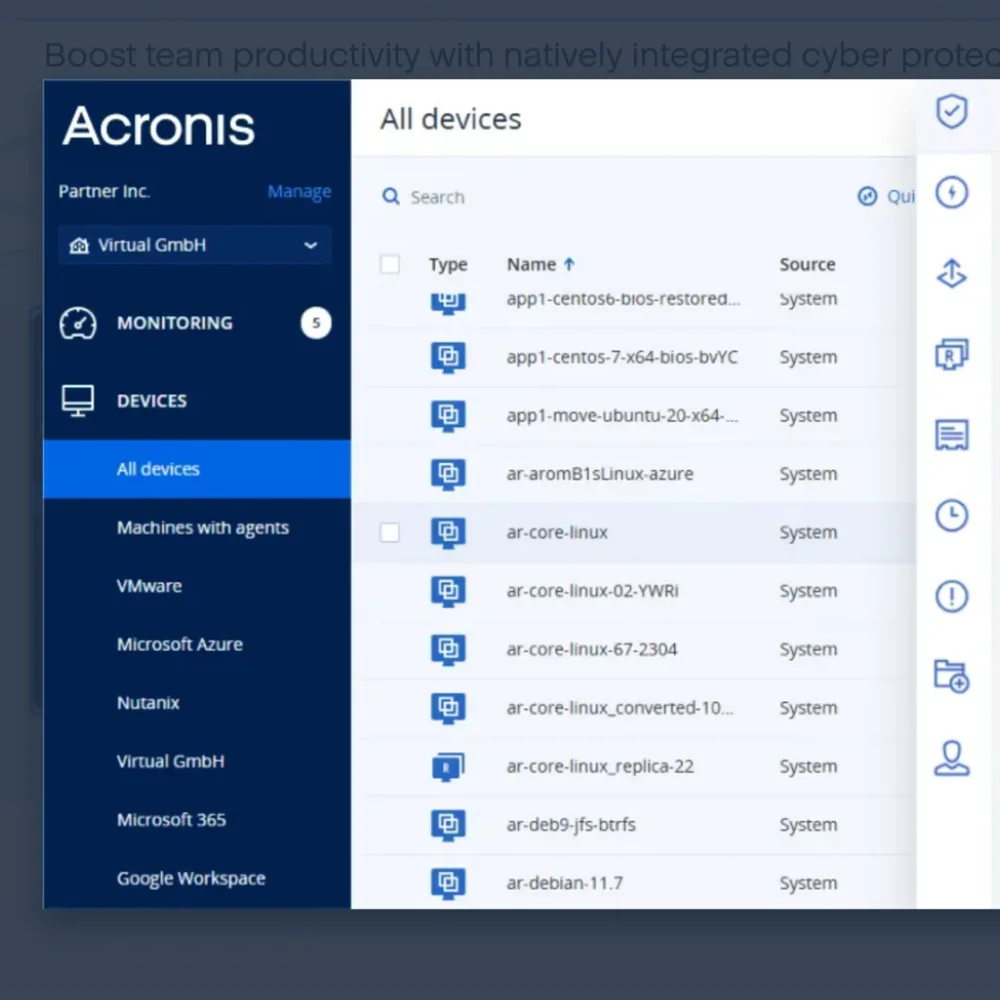
Acronis Cyber Protect
From $85/yr per workstationThe only solution that combines enterprise backup with full endpoint security — antivirus, anti-malware, immutable backups, and vulnerability patching in a single agent. Standard tier from $85/yr; Advanced with immutable storage from $109/yr.
Acronis Cyber Protect is the only backup platform that integrates full endpoint security — antivirus, anti-malware, and vulnerability patching — into the same agent and console as your backup. The Standard tier starts at approximately $85/year per workstation for backup with basic security, while the Advanced tier at approximately $109/year per workstation adds immutable backup storage, advanced anti-ransomware, and extended security features. Pricing varies by reseller and volume; contact Acronis or an authorized partner for exact quotes. For businesses paying separately for backup and endpoint protection, this consolidation can reduce both cost and management complexity.
Key Strengths
- Unified backup and endpoint protection. One agent handles backup, antivirus, anti-malware, vulnerability assessment, and patch management. This eliminates agent conflicts and reduces management overhead.
- Ransomware rollback with immutable backups. Behavioral detection identifies encryption activity, stops the process, and automatically restores affected files. Immutable storage ensures backup data cannot be tampered with — a key requirement for cyber insurance policies in 2026.
- XDR integration with Microsoft 365 (new in version 17) extends detection and response capabilities across email, files, and cloud workloads.
- Bare metal recovery allows full system restoration to new hardware, which is critical for disaster recovery planning.
Key Weaknesses
- Higher per-workload cost. Even at the Standard tier (approximately $85/year per workstation), costs scale linearly. The Advanced tier (approximately $109/year) and server licenses (approximately $595–$925/year depending on tier) add up for larger teams.
- Management console complexity. The breadth of features means a steeper learning curve compared to iDrive or Backblaze.
- No physical restore shipping option. Large restores depend entirely on your internet bandwidth.
- Customer support inconsistencies reported by some users, particularly for lower-tier plans.
Who Should Choose Acronis
Acronis Cyber Protect makes the most sense for businesses that want to combine backup and endpoint security in a single platform — particularly if you are currently running separate backup and antivirus solutions. If you are evaluating whether a combined approach is right for your team, our EDR vs antivirus comparison covers the trade-offs. Acronis is also a strong choice for MSPs managing multiple client environments.
For our full analysis, see the Acronis Cyber Protect review.
4. Veeam Data Platform: Best for Disaster Recovery?
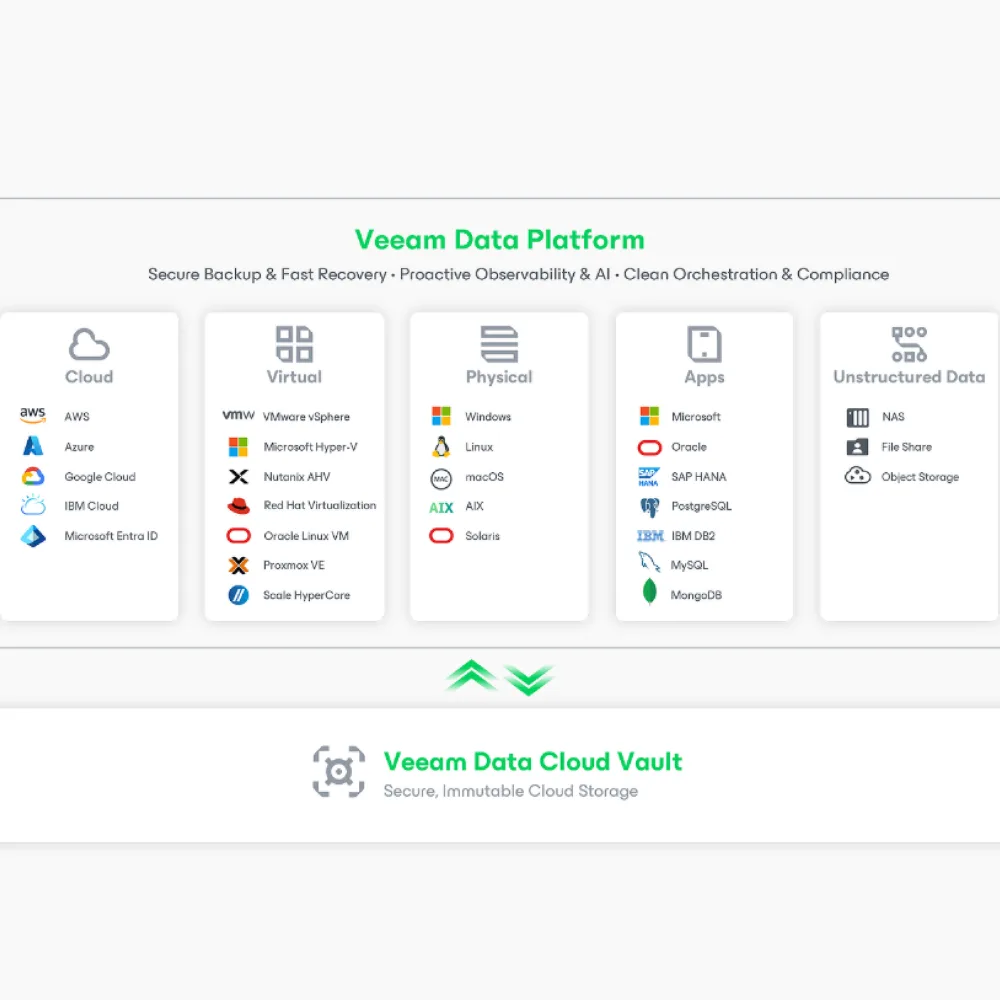
Veeam Data Platform
~$500/yr (5-pack)Enterprise-grade disaster recovery and VM protection for small businesses. Instant VM recovery, immutable backups, and Microsoft 365 backup (separate license) starting at ~$500/year for 5 workloads.
Veeam Data Platform Essentials delivers enterprise-grade disaster recovery and VM protection for small businesses, starting at approximately $500 per year for a 5-workload bundle. The Essentials edition supports up to 50 workloads, making it accessible for SMBs that need guaranteed Recovery Time Objectives (RTOs).
Key Strengths
- Industry-leading VM backup for VMware, Hyper-V, Nutanix AHV, and Proxmox VE. Instant VM recovery gets a failed virtual machine running on backup storage in minutes, not hours.
- Microsoft 365 backup through Veeam Data Cloud for Microsoft 365 protects Exchange, SharePoint, OneDrive, and Teams data with granular recovery. Note: M365 backup requires a separate per-user license (from ~$2.60/user/month) — it is not included in the Veeam Universal License bundle. The integration is native to Veeam's ecosystem, so management happens through a unified console. This is relevant for any business concerned about SaaS data protection.
- Immutable backup repositories protect against ransomware by making backup data tamper-proof for a defined retention period — a critical requirement for cyber insurance compliance in 2026.
- Disaster recovery orchestration automates failover and failback workflows with documented, tested recovery plans. You can define RTOs and RPOs and verify they are achievable before a disaster occurs.
Pricing
Veeam sells in "Universal License" bundles. The Essentials package for small businesses (up to 50 workloads) starts at approximately $500/year for 5 licenses (post-January 2026 adjustment). Larger deployments scale from there.
Important: Microsoft 365 backup is licensed separately from Veeam Universal Licenses. Veeam Data Cloud for Microsoft 365 starts at approximately $2.60/user/month (approximately $31/user/year) for the Foundation plan, with Advanced ($3.33/user/month) and Premium ($7/user/month) tiers available. For a 10-person team, budget an additional $310–$840/year on top of your VUL cost depending on the plan tier.
Key Weaknesses
- Complex setup and management. Veeam requires dedicated infrastructure knowledge. This is not a solution you can deploy without IT expertise.
- Overkill for simple environments. If you just need laptop backup for 10 people, Veeam's capabilities go unused and its complexity becomes a burden.
- No endpoint-first design. Veeam excels at server and VM backup but is less elegant for distributed laptop/desktop fleets compared to iDrive or Backblaze.
Who Should Choose Veeam
Veeam is the right choice for businesses with in-house IT staff (or a managed IT provider) that run virtual infrastructure, need guaranteed recovery times, and want enterprise-grade Microsoft 365 backup (available as a separate per-user license). It is particularly strong for businesses where downtime directly translates to revenue loss and a formal disaster recovery plan is required.
5. CrashPlan: Best Budget Option for Endpoints?
CrashPlan Professional
$8/user/moUnlimited storage and granular file versioning for $8 per user per month. A strong budget choice for distributed teams needing endpoint backup, with optional Microsoft 365 backup at $4/user/month.
CrashPlan offers unlimited storage and granular file versioning for $8 per user per month, making it a strong budget choice for distributed teams that need endpoint protection without server complexity. CrashPlan also now offers Microsoft 365 backup as a separate add-on at $4/user/month ($44/year), covering Exchange Online, SharePoint, and OneDrive.
Key Strengths
- Unlimited storage per user with no hidden caps or throttling.
- Competitive per-user pricing. $8/month billed annually works out to $88/user/year — straightforward and predictable.
- 90-day deleted file retention provides a safety net for accidental deletions well beyond what most competitors offer at this price point.
- Cross-platform support for Windows, Mac, and Linux endpoints with strong encryption (256-bit AES).
- Microsoft 365 backup available as an add-on at $4/user/month ($44/year) covering Exchange Online, SharePoint, and OneDrive with 50 GB pooled storage per user (additional storage at $1/month per 100 GB). CrashPlan's M365 offering supports granular recovery — you can restore a single email, attachment, folder, or an entire mailbox — and bulk restores can reach up to 2 TB/hour.
Key Weaknesses
- No server backup. Like Backblaze, CrashPlan is endpoint-only. No Windows Server, no NAS, no VM support.
- Java-based client can be resource-heavy on older machines. The CrashPlan agent consumes noticeable CPU and memory during backup operations, which may affect performance on workstations with limited resources.
- Restore speeds can be slower than image-based solutions, particularly for large recovery operations over the internet.
- Limited features compared to competitors — no bare metal recovery, no image-based backup, and no server backup.
- No physical restore option. All restores happen over the internet, which can be time-consuming for terabytes of data.
Who Should Choose CrashPlan
CrashPlan works well for budget-conscious small teams (5-25 users) that only need endpoint backup and value a predictable per-user pricing model. The lack of server support limits its utility for businesses with any infrastructure beyond workstations and laptops.
6. Carbonite Safe: Still Relevant for Business Backup?

Carbonite Safe
From $287.99/yrAn established backup platform with compliance certifications and optional server support. Reliable but showing its age against newer competitors.
Carbonite has been a household name in backup since 2005. Now owned by OpenText (via Carbonite's acquisition), the platform offers three business tiers with increasing capabilities. While it remains a functional backup solution with solid compliance credentials, the interface and feature set feel dated compared to newer competitors.
Key Strengths
- Compliance support for HIPAA, FERPA, and GLBA — making it viable for healthcare, education, and financial services organizations.
- Webroot security integration provides optional endpoint protection alongside backup (Webroot is also an OpenText product).
- Server backup available on Power ($599.99/year) and Ultimate ($999.99/year) plans, including full system image backup on the Ultimate tier.
- Established track record with over 18 years in the backup industry.
Key Weaknesses
- Dated management interface that has not kept pace with modern expectations for SaaS dashboards.
- Storage limitations — even the Ultimate plan at $999.99/year includes only 500 GB, with additional storage at $99 per 100 GB increment.
- 25-computer cap on all plans requires custom pricing for larger teams.
- No VM backup capabilities. Server backup is available but limited to physical Windows Server instances.
- Per-plan pricing becomes expensive at scale compared to iDrive's unlimited-device model.
Who Should Choose Carbonite
Carbonite is a reasonable choice for businesses already using it that are satisfied with its performance, or for organizations that need HIPAA/FERPA/GLBA compliance and prefer a long-established vendor. For new deployments, however, iDrive and Acronis offer more features at better value in most scenarios.
Total Cost of Ownership: The Real Price Comparison
Feature comparisons are useful, but total cost of ownership often tells a different story. Here is what each solution costs annually for three common business sizes:
Scenario 1: 5 Computers Only (No Servers)
| Solution | Annual Cost | Notes |
|---|---|---|
| iDrive Team | ~$99.50 | 5 TB plan, 5 computers / 5 users (no server backup) |
| iDrive Business | $99.50 | 250 GB plan (includes server backup if needed later) |
| Backblaze Business | $495 | $99/yr x 5 computers |
| Acronis Cyber Protect | $425–$545 | $85–$109/yr x 5 (Standard vs. Advanced) |
| CrashPlan Professional | $440 | $88/yr x 5 (annual billing) |
| Carbonite Safe | $287.99 | Core plan (250 GB, up to 25 PCs) |
| Veeam Essentials | ~$500 | 5-workload Universal License bundle |
Scenario 2: 10 Computers + 2 Servers
| Solution | Annual Cost | Notes |
|---|---|---|
| iDrive Business | $499.50 | 1.25 TB plan covers everything |
| Backblaze Business | N/A | No server backup available |
| Acronis Cyber Protect | $2,040–$2,940 | (10 × $85–$109) + (2 × $595–$925 server) |
| CrashPlan Professional | N/A | No server backup available |
| Carbonite Safe | $599.99+ | Power plan (1 server), need Ultimate for 2 |
| Veeam Essentials | ~$1,200 | 12-workload bundle (estimate)* |
*Veeam M365 backup requires a separate per-user license (from ~$2.60/user/mo), not included in VUL totals.
Scenario 3: 25 Computers + 5 Servers
| Solution | Annual Cost | Notes |
|---|---|---|
| iDrive Business | $799.50 | 2.5 TB plan covers everything |
| Backblaze Business | N/A | No server backup available |
| Acronis Cyber Protect | $5,100–$7,350 | (25 × $85–$109) + (5 × $595–$925 server) |
| CrashPlan Professional | N/A | No server backup available |
| Carbonite Safe | Custom | Exceeds 25-computer cap |
| Veeam Essentials | ~$3,000 | 30-workload bundle (estimate)* |
*Veeam M365 backup requires a separate per-user license (from ~$2.60/user/mo), not included in VUL totals.
The Pricing Bottom Line
iDrive's storage-based pricing offers the lowest total cost for growing teams with mixed infrastructure. A 25-person business with 5 servers pays $799.50/year with iDrive, compared to roughly $5,100–$7,350/year with Acronis (depending on tier) or approximately $3,000/year with Veeam. The gap widens as you add more devices, since iDrive does not charge per endpoint.
The exception: if you only need endpoint backup for a small team (under 5 people) with no servers and no compliance requirements, Backblaze at $99/year per computer offers comparable total cost with less configuration.
Use Case Recommendations
The best backup solution depends on your specific situation. Here is our recommendation for the most common small business scenarios:
| Your Situation | Best Pick | Why |
|---|---|---|
| Budget-first, multi-device team | iDrive Business | Cheapest per-device cost at any scale with server support |
| Single laptop, maximum simplicity | Backblaze Business | Zero-configuration, automatic backup at $99/yr |
| Combined backup + endpoint security | Acronis Cyber Protect | One agent replaces both backup and antivirus |
| HIPAA/GDPR compliance required | All six solutions | All offer BAAs; iDrive, Acronis, and Veeam add server backup + strong encryption |
| Serious DR with RTO/RPO guarantees | Veeam Data Platform | Enterprise-grade orchestration and instant VM recovery |
| Remote team, endpoints only | CrashPlan or iDrive | Both handle distributed teams well |
| Already have separate EDR/AV in place | iDrive Business | Do not pay for duplicate security features in Acronis |
| Microsoft 365 data protection | Veeam, Acronis, iDrive, or CrashPlan | Veeam (separate license, from ~$2.60/user/mo); Acronis add-on; iDrive $20/seat/yr; CrashPlan $4/user/mo |
| Want on-premises + cloud hybrid | iDrive + Synology NAS | Cloud offsite backup + local NAS for fast restores |
Our Recommendation for Most Small Businesses
For the majority of small businesses — those with 5-50 employees, a mix of computers and servers, and a need for reliable backup without enterprise complexity — iDrive Business offers the strongest combination of coverage and value. Its storage-based pricing avoids the per-device cost scaling that makes competitors increasingly expensive as teams grow, and the inclusion of server backup, HIPAA compliance, and physical restore shipping in the base price is uncommon at this price point.
That said, Backblaze is worth considering for sub-10 person teams that prioritize simplicity over features. Acronis is the better choice if you want to consolidate backup and endpoint security into a single platform. And Veeam is the right investment for organizations with formal disaster recovery requirements and the IT staff to manage it.
Does Your Backup Meet Cyber Insurance Requirements?
Cyber insurance underwriters in 2026 increasingly mandate specific backup capabilities before issuing or renewing policies. Two requirements appear on nearly every cyber insurance application: immutable backups and multi-factor authentication (MFA) on backup consoles.
| Requirement | iDrive | Backblaze | Acronis | Veeam | CrashPlan | Carbonite |
|---|---|---|---|---|---|---|
| Immutable Backups | Partial (versioning) | No | Yes | Yes | No | No |
| MFA on Admin Console | Yes | Yes | Yes | Yes | Yes | Yes |
| Encryption at Rest | 256-bit AES | 128-bit AES | 256-bit AES | 256-bit AES | 256-bit AES | 128/256-bit |
| Air-Gapped Option | iDrive Express | No | Cloud replication | Hardened repos | No | No |
Cyber Insurance Compliance in 2026
If your cyber insurance application asks whether you maintain immutable backups — meaning backup data that cannot be modified or deleted for a defined retention period — only Acronis and Veeam offer true immutability natively. iDrive's 30-version file history provides strong versioning protection but does not meet the strict definition of immutability that some underwriters require. Verify your specific policy language before committing to a solution. For a broader overview of security controls that affect insurance eligibility, see our small business cybersecurity compliance guide.
Estimated Restoration Speed: How Fast Can You Recover?
Recovery speed varies significantly between solutions. These estimates are based on restoring a 50 GB dataset over a standard 100 Mbps business internet connection:
| Solution | 50 GB Restore (Internet) | Physical Restore | Full System Recovery |
|---|---|---|---|
| iDrive Business | ~1-2 hours | Next-day (iDrive Express, free) | Image-based, ~2-4 hours |
| Backblaze Business | ~1-2 hours | 3-5 days (free USB with return) | Not available |
| Acronis Cyber Protect | ~1-2 hours | Not available | Bare metal, ~2-4 hours |
| Veeam Data Platform | ~1-2 hours | Not available | Instant VM recovery (minutes) |
| CrashPlan Professional | ~2-4 hours | Not available | Not available (file-level only) |
| Carbonite Safe | ~2-4 hours | Not available | Image backup (Ultimate plan) |
Internet restore times are roughly similar across solutions for file-level recovery. The meaningful differences emerge in disaster recovery scenarios: Veeam's instant VM recovery can have a virtual server running in minutes, iDrive's free physical shipping bypasses bandwidth limits entirely, and Acronis offers bare metal recovery to dissimilar hardware. CrashPlan and Backblaze are limited to file-level restores only.
How to Choose: Decision Framework
Not sure where to start? Walk through these questions:
Do you have servers, VMs, or NAS devices to back up?
- Yes: Eliminate Backblaze, CrashPlan. Consider iDrive, Acronis, Veeam, or Carbonite.
- No: All six solutions are viable.
Do you need HIPAA, FERPA, or GLBA compliance?
- Yes: All six solutions offer some form of BAA or compliance support. iDrive, Acronis, Veeam, and Carbonite provide BAAs with server backup. Backblaze and CrashPlan also offer BAAs but are endpoint-only.
- No: All options remain on the table.
Do you want integrated endpoint security (antivirus/anti-malware)?
- Yes: Acronis Cyber Protect is the only option with built-in endpoint protection.
- No: Proceed to the next question.
What is your primary concern?
- Lowest cost: iDrive Business
- Simplest setup: Backblaze Business
- Advanced disaster recovery: Veeam Data Platform
- Compliance + value: iDrive Business (with BAA)
Pro Tip: Test Your Restores
Whichever solution you choose, schedule a quarterly restore test. An untested backup may not work when you need it most. Restore a handful of files, verify a system image, and confirm your recovery time matches your expectations. Many businesses discover configuration issues or corrupt backups only during an actual incident.
For a broader disaster recovery strategy, see our small business disaster recovery guide.
Frequently Asked Questions
Is free cloud backup good enough for business?
No. Free cloud storage services like Google Drive, OneDrive, and Dropbox offer file synchronization, not true backup. The critical differences: sync services replicate deletions and ransomware encryption across all connected devices. True backup solutions maintain independent point-in-time snapshots that survive endpoint compromises.
Free services also lack centralized management, server support, compliance certifications, and the file versioning depth needed for reliable business recovery. Since ransomware can encrypt synced files across every connected device simultaneously, sync-based tools leave businesses without a clean recovery point. For more on the distinction, see our guide on cloud backup vs cloud storage.
Do I need to back up Microsoft 365?
Yes. Microsoft operates under a shared responsibility model: they guarantee infrastructure uptime, but your data is your responsibility. OneDrive sync is not backup — if ransomware encrypts your local files, those encrypted versions sync to the cloud and overwrite your good copies.
Specific retention gaps to understand: deleted emails are purged after 14-30 days, deleted SharePoint items disappear after 93 days, and there is no native rollback for ransomware that encrypts mailbox contents. Microsoft's own documentation recommends third-party backup for business-critical data.
Which solutions offer M365 backup? Veeam provides the most comprehensive coverage (Exchange, SharePoint, OneDrive, Teams) through Veeam Data Cloud for Microsoft 365, though this requires a separate per-user license starting at ~$2.60/user/month — it is not included in the Veeam Universal License bundle. Acronis offers it as an add-on module. iDrive offers a standalone Microsoft 365 Backup product at $20/seat/year with unlimited storage — competitively priced but billed separately from iDrive Business. iDrive also offers Google Workspace Backup at the same $20/seat/year rate. CrashPlan now offers M365 backup for small businesses at $4/user/month ($44/year) covering Exchange Online, SharePoint, and OneDrive. Backblaze and Carbonite do not offer SaaS backup. For a full breakdown of SaaS data protection, see our Google Workspace backup guide — the same shared responsibility model applies.
How much cloud backup storage do I need?
A typical small business workstation generates 50-200 GB of backup data (documents, email archives, application data, and system state). For a 10-person office with standard workloads, plan for 1-2 TB minimum.
If you back up servers, databases, or virtual machines, the numbers increase substantially — a single SQL Server database can easily consume 100+ GB of backup storage.
With iDrive's pricing model, the 1.25 TB plan at $499.50/year covers most 10-person offices comfortably. With per-device solutions like Backblaze, storage is unlimited per computer, so the question becomes cost per device rather than total storage.
What is the 3-2-1 backup rule?
The 3-2-1 rule is the gold standard for data protection: keep 3 copies of your data, on 2 different types of media, with 1 copy stored offsite.
In practice for a small business: your live data on workstations (copy 1), a local backup on a Synology NAS or similar device (copy 2, different media), and cloud backup with a service like iDrive or Backblaze (copy 3, offsite).
Cloud backup alone satisfies the offsite requirement, but the 3-2-1 approach ensures you can recover from any scenario — hardware failure, ransomware, theft, fire, or natural disaster. Local backups restore faster (minutes vs hours), while cloud backups survive site-level disasters.
Can I use cloud backup for servers?
Yes, but only three of the six solutions in this roundup support it: iDrive Business, Acronis Cyber Protect, and Veeam Data Platform. Carbonite offers limited server backup on its Power and Ultimate plans.
Backblaze and CrashPlan are endpoint-only — they cannot back up Windows Server, Linux servers, SQL databases, Exchange, or virtual machines. If you have even one server in your environment, this immediately eliminates both solutions from consideration.
Among the server-capable options, iDrive offers the best value (server backup is included in every plan at no extra cost), Acronis offers integrated security alongside server backup, and Veeam provides the most advanced server and VM recovery capabilities.
Our Final Recommendation
The Verdict: iDrive Business Wins for Most Small Businesses
After evaluating all six solutions across pricing, features, compliance, and real-world recovery scenarios, iDrive Business is our top recommendation for small business cloud backup in 2026.
The storage-based pricing model with unlimited devices consistently produces the lowest total cost of ownership across the business sizes we tested. Combined with server backup, HIPAA compliance, 256-bit encryption, and free physical restore shipping, it covers the needs of most small businesses without requiring enterprise budgets.
Runner-up: Acronis Cyber Protect for businesses that want to consolidate backup and endpoint security into a single platform.
Also consider: Veeam for IT-managed environments with formal disaster recovery requirements and virtual infrastructure.
Pricing verified in June 2026. All prices reflect published rates and may change — check the links above for current availability. iDrive first-year promotional pricing is subject to renewal at standard rates. Need help choosing or implementing a backup strategy for your business? Contact our team for a free consultation, or explore our IT support services in Miami.
Related Articles
More from Business Software
iDrive vs Backblaze Business 2026: Which Cloud Backup Is Right for Your Team?
Head-to-head comparison of iDrive and Backblaze for business cloud backup. We compare pricing for 5-50 users, server backup, compliance, recovery options, and ease of use.
17 min read
iDrive vs Acronis Cyber Protect 2026: Affordable Backup vs All-in-One Security
We compare iDrive Business and Acronis Cyber Protect for small business backup. Head-to-head on pricing, backup features, security capabilities, compliance, and management.
16 min read
iDrive Business Backup: Protect Endpoints, Servers & SaaS Data
Complete iDrive Business review with practical backup checklists, restore workflows, and competitor comparisons. See what to back up, how restores work, and pricing for SMBs.
24 min read