

Best Network Racks for Small Business in 2026
Compare wall-mount cabinets, swing-out racks, and open-frame racks for a small office. Check rack height, switch and UPS depth, and mounting load before you buy.

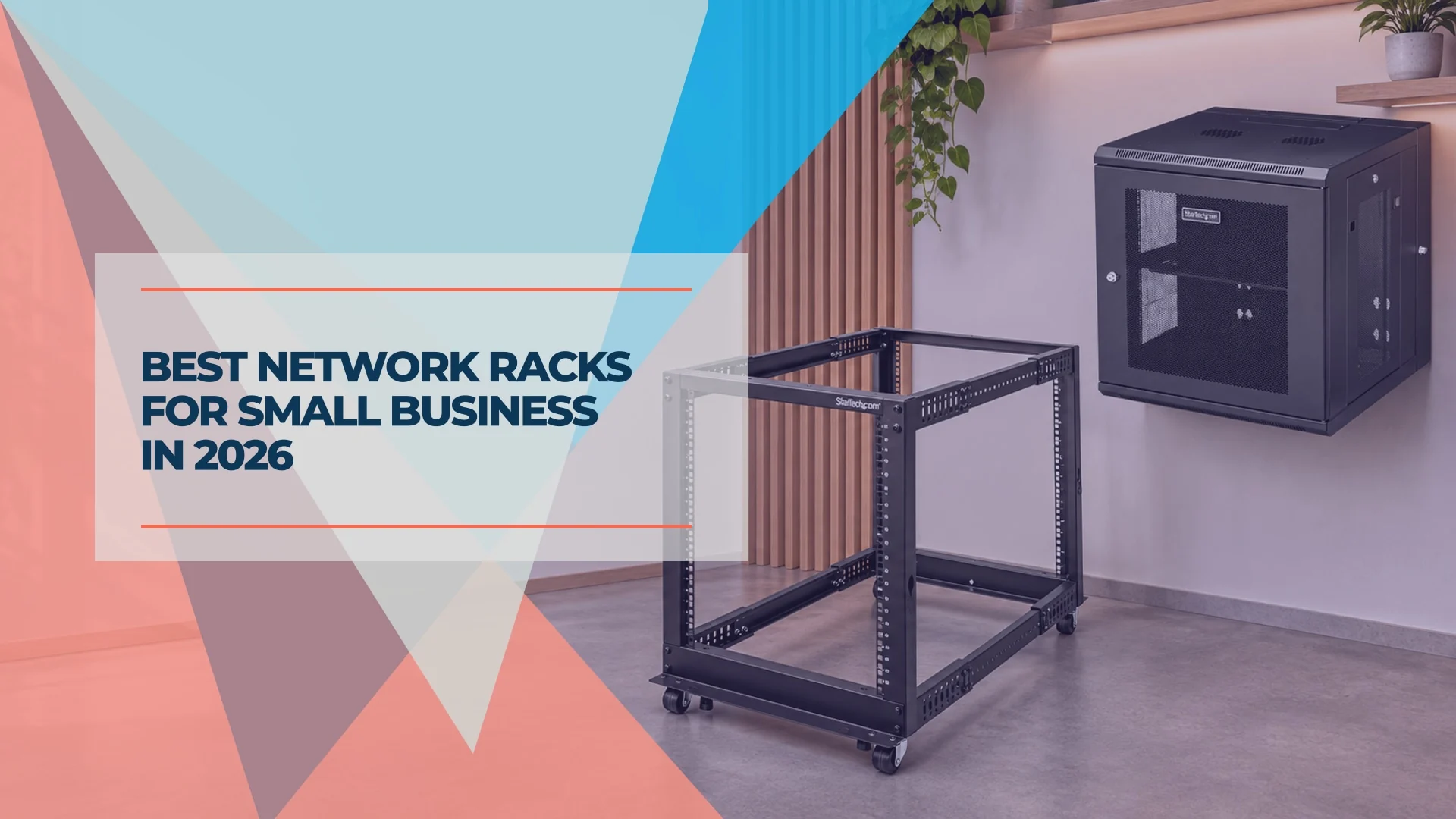
A small office with a gateway, switch, and patch panel can start with a 6U rack. Once you add a shelf, battery backup, or a second switch, 9U or 12U usually gives you more room to work. The decision that matters most is where the rack goes. Use a lockable cabinet in a shared area, or put a four-post floor rack in a secure IT room if you have deep gear or a heavy UPS.
Affiliate Disclosure: This article contains affiliate links. If you make a purchase through these links, we may earn a small commission at no extra cost to you. As an Amazon Associate, iFeelTech earns from qualifying purchases.
Quick picks
- Best lockable wall cabinet for a typical office network: StarTech RK1224WALHM. The rear hinge makes cabling accessible. Its rails adjust to 20 inches, so check your equipment and plugs before ordering.
- Best four-post rack for a UPS in a locked closet: StarTech 4POSTRACK12U. Its 22–40-inch rail range gives you room to match the UPS rail kit and leave space for wiring.
- Best deep lockable wall cabinet: Eaton Tripp Lite SRW12USDP. Eaton lists up to 24.5 inches of device depth. Confirm rail spacing, cable clearance, and the loaded wall weight before committing.
- Best compact lockable wall cabinet: Eaton Tripp Lite SRW6U. Consider it for a small, shallow network stack where wall space is limited.
- Best compact rack for a small UniFi stack: UniFi Toolless Mini Rack. It offers 6U in a freestanding frame. Check your exact model numbers against Ubiquiti’s compatibility information.
Small-business network racks compared
We compared manufacturer specs and drawings for depth, equipment support, access, and ventilation. The installation advice draws on iFeelTech’s small-office cabling work. The rack comparisons use published specifications and U.S. listings reviewed November 13, 2026. Use the seller links for current prices and availability.
| Rack | Best fit | Published depth | Load |
|---|---|---|---|
| StarTech RK1224WALHM | 12U hinged, lockable wall cabinet | 2.4–20 in between posts, 25.6 in overall | 198.5 lb equipment |
| StarTech 4POSTRACK12U | 12U open four-post floor rack for deeper equipment | 22–40 in between posts | About 1,200 lb stationary |
| Eaton Tripp Lite SRW12USDP | 12U hinged, lockable wall cabinet for deeper equipment | Up to 24.5 in device depth, 25.5 in overall | 200 lb combined per Eaton’s submittal drawing |
| Eaton Tripp Lite SRW6U | 6U compact, lockable wall cabinet | Up to 16.5 in device depth, 17.5 in overall | 200 lb stationary per Eaton |
| NavePoint 400402981 | 12U open swing gate for a secured wall location | 24 in overall, ask for usable depth | 110 lb per NavePoint’s listing |
| UniFi Toolless Mini Rack | 6U freestanding rack for compatible UniFi gear | 13.8 in bare frame, 19.1 in with handle and casters | 176 lb static, 99 lb rolling |
| StarTech RK12WALHM | 12U hinged wall cabinet where projection matters | Up to 16 in between posts, 21.7 in overall | 198.5 lb equipment |
| UniFi 12U Cabinet, 600 mm, perforated door | 12U lockable wall cabinet with built-in fans | Up to 20 in between posts, 23.6 in overall | 176 lb equipment |
How much rack space and depth do you need?
Size the rack in U
One rack unit (1U) is 1.75 inches of mounting height. A standard 19-inch rack specifies the equipment mounting width. Check the cabinet’s actual exterior width, height, and depth against the space you have.
| Example office | What goes in it | Rack size to consider |
|---|---|---|
| Small office with power backup outside the rack | 1U patch panel + 1U switch + 1U gateway + 1U shelf | 6U leaves 2U spare |
| Office with rack-mounted battery backup | The same 4U stack + 2U UPS + 1U cable manager | 9U leaves 2U spare, 12U leaves 5U |
| Office with a second switch and camera recorder | The 7U layout + 1U switch + 2U recorder | 12U leaves 2U spare. Consider 15U or 18U if you expect more gear. |
These are planning examples. Count your actual devices, shelves, cable managers, and any clearance specified in their manuals. Check whether each device mounts from the front alone or requires rear support. A shallow patch panel and a heavy UPS have different mounting needs even when both are 19 inches wide.
Measure from the front rail in both directions
In our rack planning, we start with about 4 inches of extra clearance for a wired switch: roughly 1.5 inches in front for patch leads or a direct-attach cable (DAC) and 2.5 inches behind for the power plug and cord bend. Then we check the actual connectors with the doors closed. A right-angle cord can help if it clears the other ports and meets the device’s electrical rating. Leave more space if the cables, ventilation, or rear backup-power connection require it.
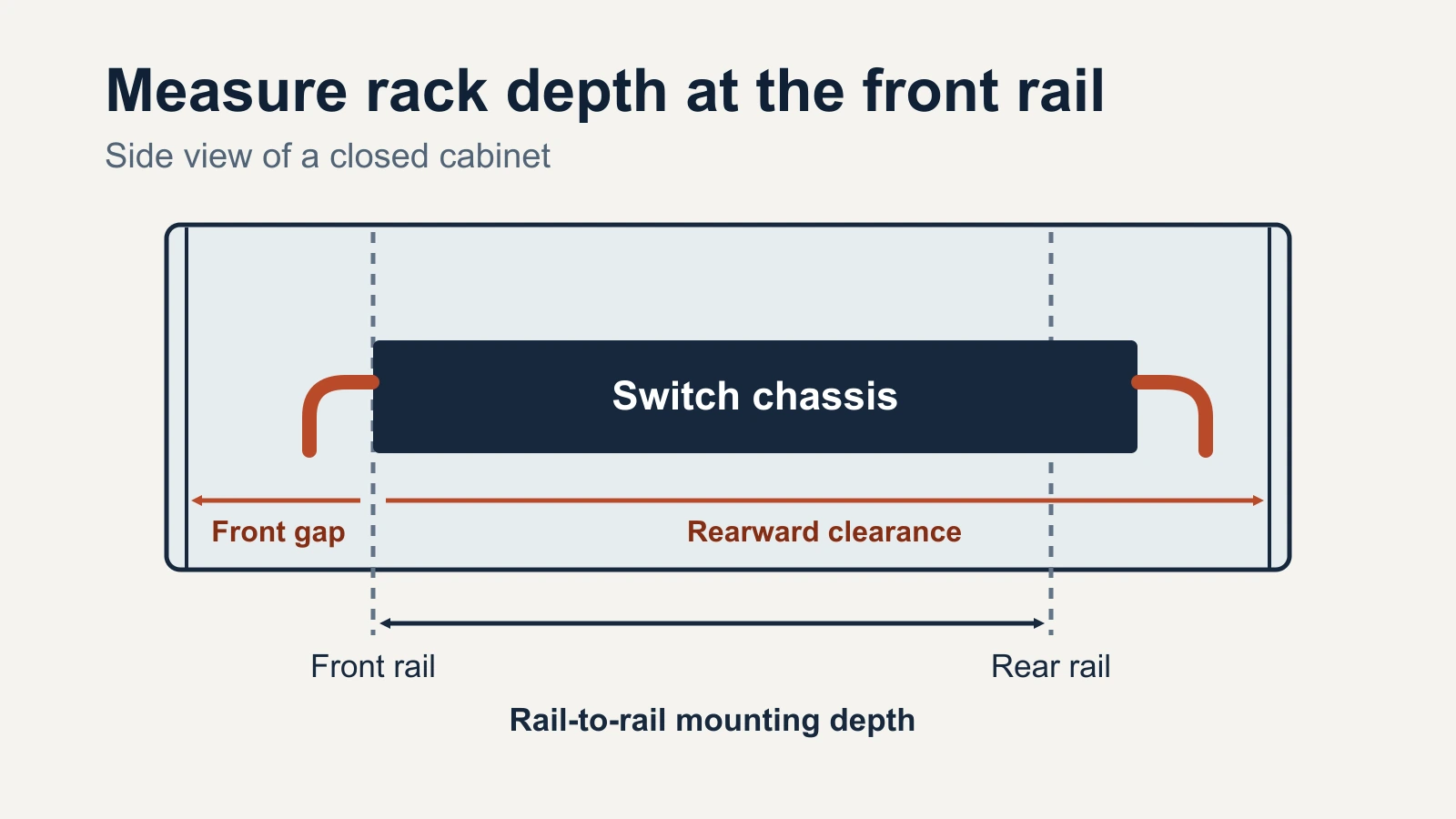
Exterior depth tells you how far the cabinet projects into the room. Mounting depth on these four-post racks is the distance between the front and rear posts. Device depth is the equipment depth the cabinet maker specifies. Measure from the front mounting plane forward to the closed door, and rearward to the first obstruction. For gear with rear support, separately check the distance its rails or brackets require between posts.
| Equipment | Chassis depth | Rack depth listed by Ubiquiti | Starting clearance estimate for the switch and plugs |
|---|---|---|---|
| UniFi Pro Max 24 PoE | 12.8 in | 15.7–47.2 in | About 16.8 in |
| UniFi Pro HD 24 PoE | 15.7 in | 23.6–47.2 in | About 19.7 in |
| UniFi Pro XG 24 PoE | 18.9 in | Four posts spaced 23.6–42 in apart | About 22.9 in |
| APC Smart-UPS SMT1500RM2UC | 18.78 in | See the APC rail kit and install instructions | Measure the rear plugs and space to remove the battery from the front |
For the Pro HD, use the published rack-depth range and confirm how it applies to the cabinet you’re considering. For the Pro XG, set the front-to-rear posts within Ubiquiti’s range and verify that its rear support hardware fits. A cabinet’s 24.5-inch device rating alone gives you no assurance that its posts can be set 23.6 inches apart.
Check the wall and the service space
Add the weight of the cabinet, rails, shelves, and everything you plan to install. The deeper StarTech cabinet weighs 82.5 lb empty, so loading it to its 198.5 lb equipment rating would put 281 lb on the mounting structure. The example APC UPS alone weighs about 58 lb. Use the cabinet’s installation instructions and have the wall, backing, and fasteners sized for the full installed load. StarTech provides 16-inch mounting-hole spacing for studs. Your installer should confirm the right anchoring method for the site.
For a hinged cabinet, trace the swing before mounting. Check door trim, shelves, and adjacent walls. Leave space to stand behind the opened cabinet and enough cable slack for it to move without pulling on terminations. For a floor rack, allow space to reach the rear and remove the UPS battery or slide equipment out of the front. Put heavy equipment low and use the stabilization method specified in the rack manual.
Enclosed wall-mount cabinets
StarTech RK1224WALHM for general office networking
The RK1224WALHM is our first wall-cabinet pick for a shared office area with gear you’ve measured. It has a mesh front door, lockable removable side panels, a hinged rear section, and an included 1U shelf. StarTech’s datasheet lists space for up to four optional 120 mm fans.
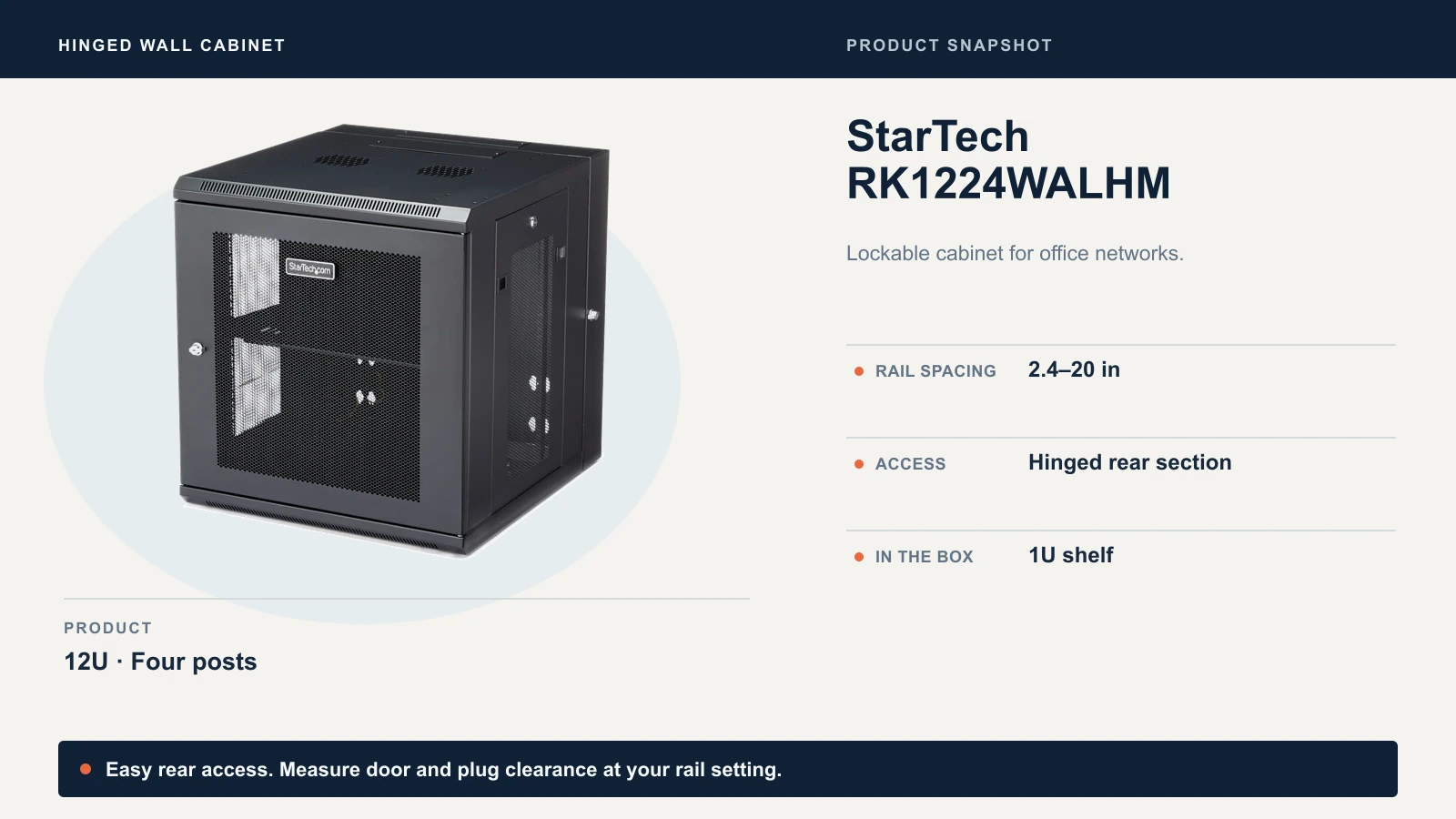
The RK12WALHM uses a similar design and projects about four inches less from the wall. Choose it for shallower gear when projection matters. Before buying either cabinet, check the closed-door clearances at the rail setting you’ll use.
Eaton Tripp Lite SRW12USDP for a deeper enclosed install
The SRW12USDP has four posts, a vented and lockable cabinet, a hinged back, and a five-year limited warranty. Consider it if a deeper switch or UPS needs to be behind a lock and a floor rack is impractical. Ask the distributor for the rail range and check the equipment’s support brackets before ordering.
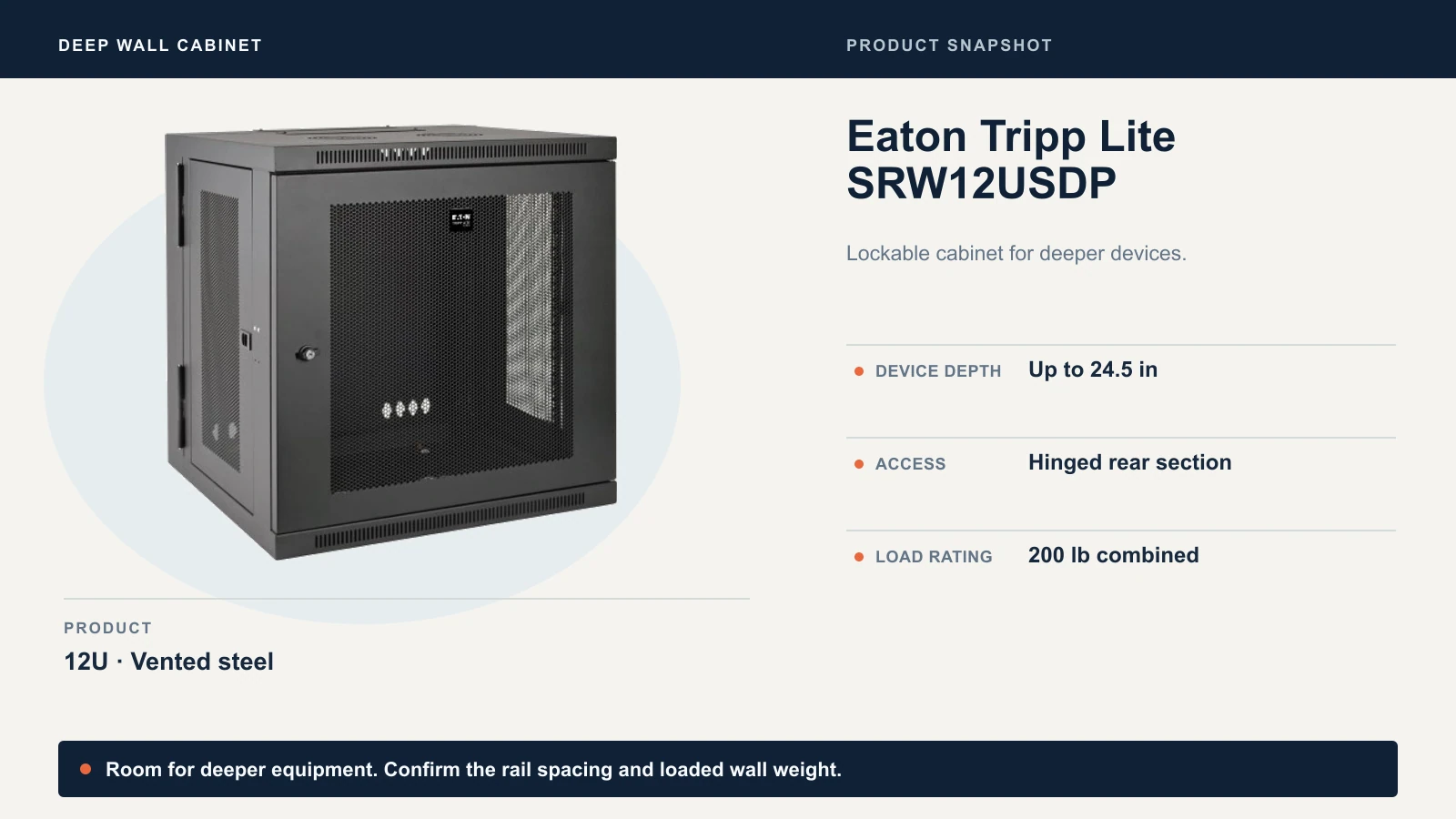
Eaton’s submittal drawing counts the 63.5 lb cabinet itself toward the 200 lb load rating. That leaves about 136 lb for equipment under the drawing’s definition, subject to the wall and mounting hardware. Use that combined limit for planning and confirm the rating with Eaton if the install is close to it.
If you need a lockable rack for heavy gear and the wall can’t take it, consider an enclosed floor rack such as the Eaton SR12UB. It has 12U, a listed 32.5-inch maximum device depth, and a 33.5-inch exterior depth. Check the installed rail spacing and service clearance.
Eaton Tripp Lite SRW6U for a small lockable stack
The SRW6U is the compact option for a patch panel, a shallow switch, and a gateway. Eaton lists a 16.5-inch maximum device depth and a 17.5-inch exterior depth. Check clearance with your plugs connected, and use a separate location for any UPS that needs more depth or rear support.
UniFi 12U Cabinet for a build with integrated fans
The 600 mm perforated-door cabinet has two preinstalled fans, a reversible door, and lockable side panels. Ubiquiti lists $399 in its U.S. store, with the perforated model marked for restock notification when checked. The fans are rated up to 50 dB(A) sound pressure, so consider where people will sit. A Pro Max 24 PoE and a shallow UPS such as the 11.8-inch-deep UniFi UPS 2U are candidates to measure against its layout.
Ubiquiti also lists a 450 mm perforated cabinet at $279 in its U.S. store. It allows Ubiquiti equipment up to 325 mm deep with the posts set to their 305 mm maximum. Ubiquiti excludes rear DC backup in that configuration because space is limited. Check the front connectors too.
Open racks for a secure IT room
StarTech 4POSTRACK12U for a UPS and deeper switches
The 4POSTRACK12U is our floor-rack pick when you have a secure room and need adjustable posts for a UPS or deep switch. Its 22–40-inch mounting range overlaps the Pro XG’s published 23.6–42-inch post range. If a switch and UPS share the rack, pick a setting that works for both sets of rails or brackets.
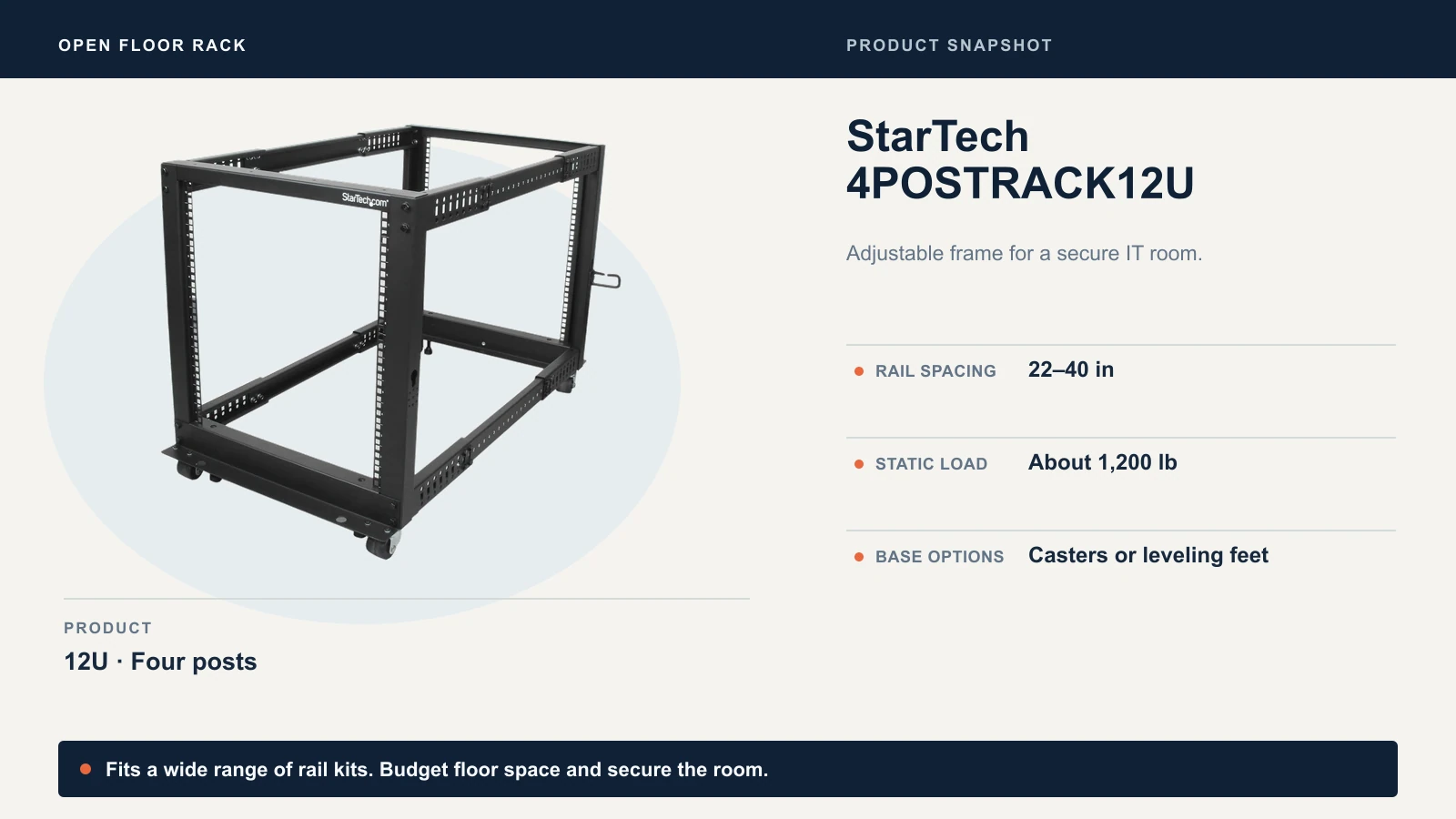
StarTech’s datasheet lists a roughly 1,200 lb stationary rating and includes casters and leveling feet. The frame is 23.6 inches wide and about 44 inches deep at full extension, before cables and working space. Verify the permitted load and installation method before moving a populated rack.
NavePoint 12U swing gate for wall-mounted patching
The NavePoint 400402981 is a 12U open wall rack with a swing-out gate. It makes sense for patch panels and front-mounted switches in a locked closet where you need to reach the back of the cabling. The seller lists a 110 lb rating and 24-inch overall depth. Ask NavePoint for a mounting drawing before planning around a specific deep switch or UPS.
UniFi Toolless Mini Rack for a compact stack
The UniFi Toolless Mini Rack is a 6U floor stand with locking casters that works well beside a desk in a restricted area. It’s designed for compatible UniFi rackmount devices. Ubiquiti lists a $299 regular U.S. price and a 99 lb rolling limit for a single rack. Check the compatibility list before ordering, especially if reusing an older UniFi switch or a separate rackmount adapter.
Cooling, noise, and the cost of the complete rack
Ventilate the room as well as the cabinet. Start with the switch’s power draw excluding PoE, then account for the gateway, modem, UPS losses, and any powered devices in the room. Most power sent to remote cameras or access points is dissipated at those devices. For example, Ubiquiti lists up to 60 W excluding PoE for the Pro HD 24 PoE and 150 W for the Pro XG 24 PoE. Include the PoE load when sizing the UPS.
If the cabinet has an intake path and the room can carry the heat away, a thermostatic exhaust fan can help. The AC Infinity CLOUDPLATE T7 takes 2U and is rated at 50–220 CFM. That’s the fan’s published airflow range. Actual airflow depends on the cabinet, vents, and obstructions. Check intake temperature after installation under typical load. Schneider Electric gives 68–77°F as the optimal operating range for lead-acid UPS batteries.
In an occupied office, first consider a ventilated equipment closet or quieter hardware. If the equipment has to stay in the room, compare acoustic cabinets using measured sound levels under similar loads and confirm the cabinet can handle the heat. For clinics, a cabinet lock can help limit access as part of the facility’s physical safeguards.
Budget for the installed rack. Check what ships with the rack, then price any shelves or rail kits, cage nuts, patch panel, power distribution, ventilation, and mounting labor. Short patch cords and a cable manager can keep the switch face clear. A blank keystone panel makes individual jacks replaceable. A fixed punch-down panel is a practical choice when the runs share the same cable category and you don’t need mixed inserts.
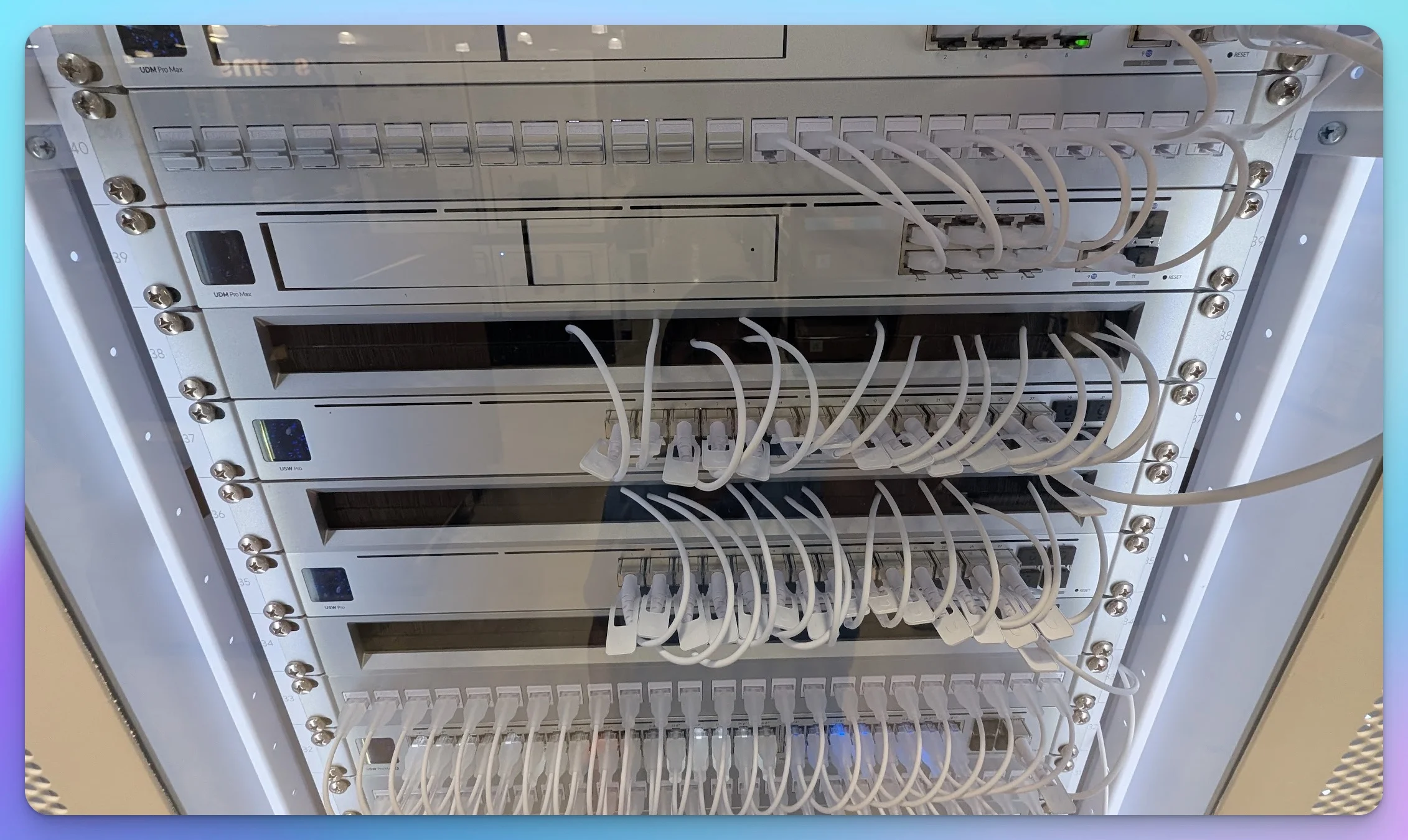
Our rack cable management guide shows the patch panel, cable manager, and switch arrangement we use to keep short patch leads accessible.
Before you order
- Choose the location. Decide who can reach the rack and whether you have floor space, wall support, room ventilation, and access to power.
- List your exact models. Count U for equipment and accessories, then leave room for the next planned addition.
- Check fit at the intended rail setting. Verify front and rear clearance with plugs, the equipment maker’s rack requirements, the weight limits, and the space to service it.
- Compare the total installed cost and lead time. Include any required rails, power hardware, and installation labor.
If you’re still choosing the gear, start with the Network Blueprint tool or the UniFi Network Configurator. If the UPS is driving the rack choice, use our rack UPS guide to compare form factors and runtime.
Related resources
Related Articles
More from Network Infrastructure
Do You Need a VPN Service With a UniFi Gateway?
Use UniFi Teleport for office access, Site Magic to link sites, or the VPN client to route chosen traffic. See when a separate VPN service is worth paying for.
7 min read
Managed vs Unmanaged Switch: What a Small Office Needs
Managed or unmanaged switch? Match the choice to what your office runs: Wi-Fi, cameras, phones and guest networks, with a scenario table and PoE costs.
15 min read

Dual WAN for Business: Why One Internet Connection Isn't Enough
Why a single ISP is a single point of failure, how to verify real route diversity, and which dual-WAN gateway and backup connection fit a rack network or a simple branch office.
19 min read