

Do You Need a VPN Service With a UniFi Gateway?
Use UniFi Teleport for office access, Site Magic to link sites, or the VPN client to route chosen traffic. See when a separate VPN service is worth paying for.

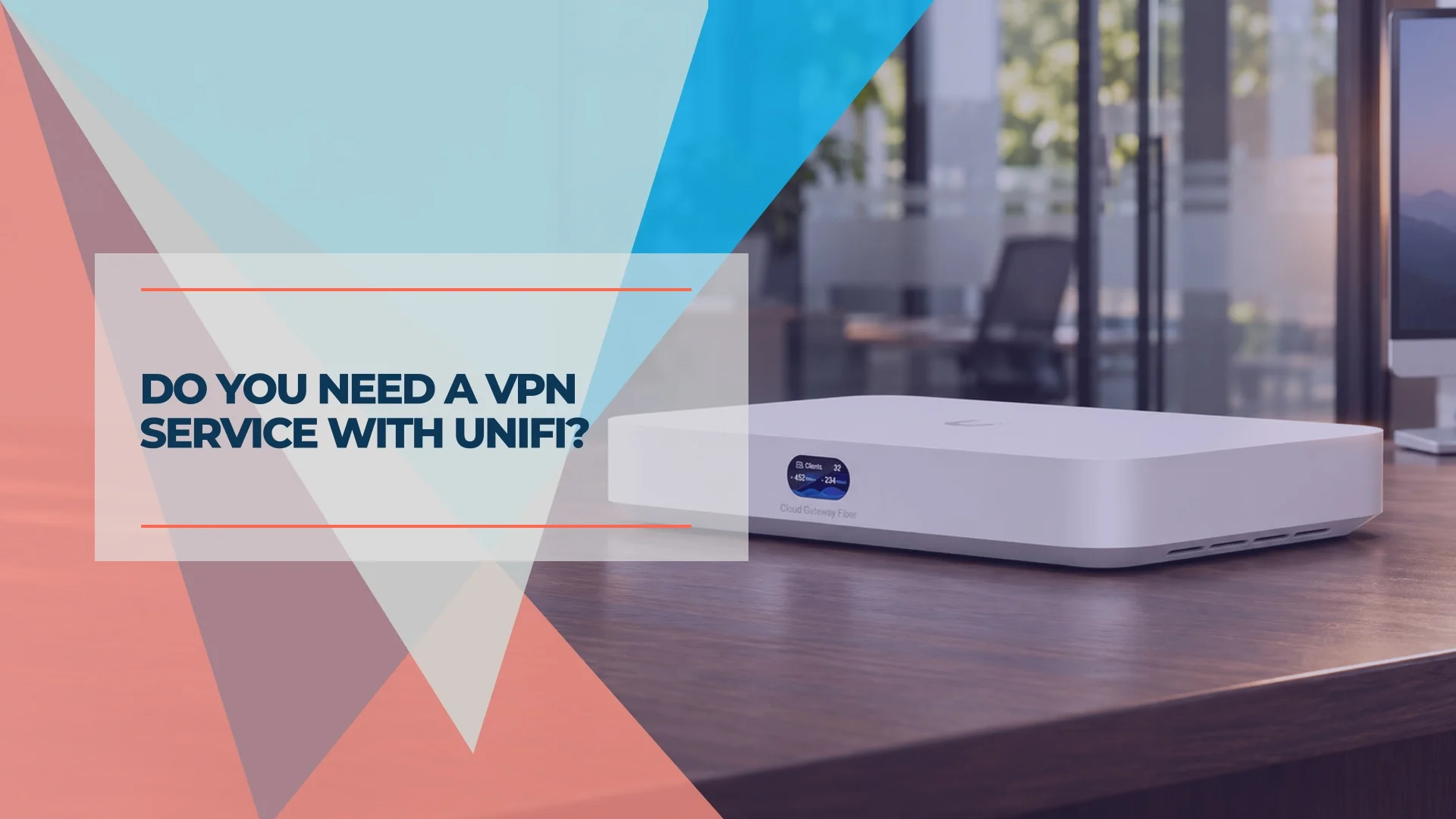
You can use a supported UniFi gateway to reach office files remotely or link two offices without buying a VPN subscription. Consider a separate VPN service if you need traffic to exit through a provider, a dedicated IP for an allowlist, or access controls your existing setup lacks. Working from a hotel or airport alone is rarely a reason to buy one.
Affiliate Disclosure: This article contains affiliate links. If you make a purchase through these links, we may earn a small commission at no extra cost to you. As an Amazon Associate, iFeelTech earns from qualifying purchases.
Which UniFi VPN do you need?
| What you need | Where to start | Where the tunnel ends |
|---|---|---|
| Reach the office NAS or an internal app from home | Teleport or the UniFi WireGuard server | Your office gateway |
| Let a branch office reach headquarters | Site Magic between supported UniFi gateways, or a compatible site-to-site VPN | The other site's gateway |
| Send one office device or VLAN through Proton VPN | UniFi VPN Client and a policy-based route | The provider's server |
| Use a provider's exit IP from a laptop on the road | The provider's app on the laptop | The provider's server |
The UniFi VPN overview covers the first three roles. Check VPN & SD-WAN in the specs for your exact model before following setup instructions. For example, Ubiquiti lists OpenVPN and WireGuard client support on the Cloud Gateway Ultra and Cloud Gateway Max. If you are still choosing hardware, our UniFi gateway comparison sets out what each model suits.
UniFi Teleport vs. WireGuard for remote access
Teleport is a simple starting point for a few staff who need access to office resources. Enable it in UniFi Network → Settings → VPN on a supported gateway and send each device its own invitation. The invitation expires after 24 hours and can be used by one device at a time. Staff accept it in WiFiman on mobile or desktop. Revoke pending invitations in Invitation History and revoke accepted access from the Teleport client entry in Client Devices. Teleport can work when both ends are behind NAT. Ubiquiti says some setups need IPv6 on the gateway's internet connection. See the Teleport setup and revocation instructions.
Use the manual WireGuard server when you want to issue and manage a separate profile per device. Ubiquiti recommends a reachable public IP. If your UniFi gateway sits behind a router you control, forward its WireGuard port to the gateway's WAN address. The default is UDP 51820. If the ISP uses carrier-grade NAT, forwarding a port on your own router alone cannot make the server reachable. Check your WAN setup before issuing profiles: Ubiquiti's WireGuard server documentation covers the server settings, and our guide to detecting double NAT shows how to confirm what sits in front of the gateway.
Our Cloud Gateway Max review documents our iPerf3 measurements of the built-in WireGuard and OpenVPN servers on UniFi OS 4.x and Network 9.x. Those measurements used a wired LAN test target. For a deployment, connect from a phone hotspot and open the actual file share or app staff need. Check what else the account can reach and limit access to the required resources. The remote network and the office's upload speed can affect the experience.
For a team that needs identity-based onboarding and offboarding, check UniFi Endpoint One-Click VPN before buying another platform. Ubiquiti describes Endpoint as license-free and documents role-based permissions and optional identity-provider integration with UniFi Fabrics. Teleport uses its own WiFiman invitation workflow.
Site Magic for connecting offices
Use Site Magic when you manage supported UniFi gateways at both locations and want devices on selected networks to reach resources across sites. Check the hub model, public IP requirements and subnets before rollout. Overlapping subnets can rule out mesh mode, while hub-and-spoke has a NAT option with connection-direction limits. For mixed hardware, check whether both gateways support compatible IPsec or OpenVPN site-to-site settings. Start with Ubiquiti's SD-WAN requirements and our Site Magic setup guide.
Does a VPN help when staff travel?
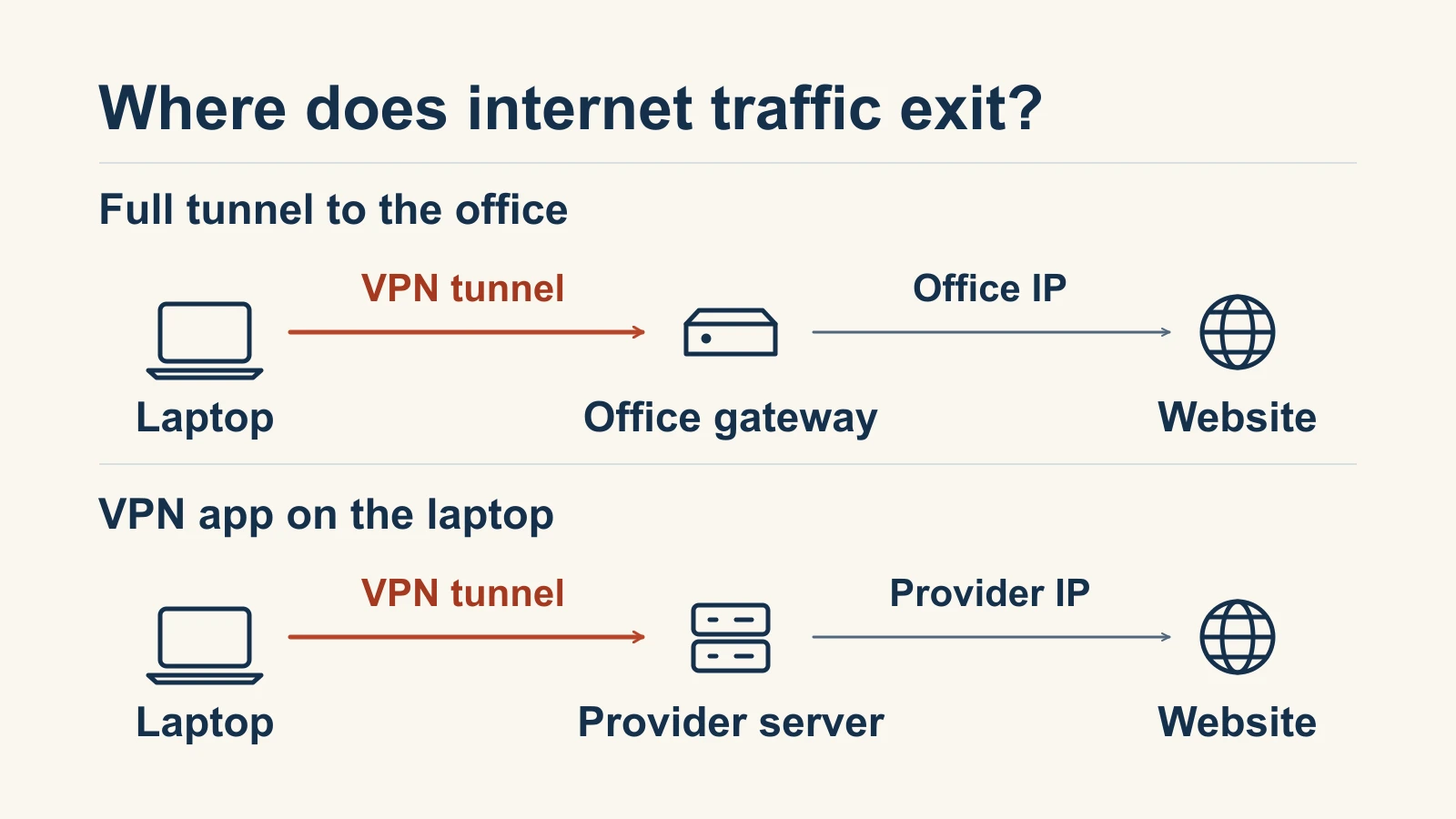
A VPN app on the laptop can encrypt the traffic it carries between the laptop and the provider. The Wi-Fi operator can still observe the connection to the VPN and traffic patterns. Sites reached through the tunnel see the provider's exit IP. This shifts some visibility from the local network to the VPN provider, so its privacy terms still matter.
A VPN back to the office can also encrypt internet traffic over hotel Wi-Fi if the client sends that traffic through the tunnel. With a full tunnel, public sites see the office's IP. With a split tunnel limited to office subnets, ordinary browsing continues over the laptop's local connection. If you intend to use Teleport for internet traffic, check the public IPv4 and IPv6 addresses and DNS behavior with WiFiman connected on the actual device. A VPN Client route on your office gateway, by itself, only applies to traffic that reaches that gateway and matches the rule.
For staff using HTTPS web apps, the FTC's public Wi-Fi guidance says public networks are generally safe because most sites encrypt traffic. For a team that works in Microsoft 365 or Google Workspace and has no private office apps or fixed-IP requirement, start with multifactor authentication and managed, updated devices. Consider a provider when you can name an extra requirement, such as reducing what local networks can observe or using a fixed exit IP from several locations. Our VPN guide for remote teams covers the device side, and our Mullvad, NordVPN and Proton VPN comparison sets out how three providers handle privacy and logging.
How to set up Proton VPN on a UniFi gateway
VPN Client mode is useful when a device cannot run the provider's app, or when you want one test machine or VLAN to use a provider's exit IP. Start with one device so you can verify routing and keep the rest of the office on its usual connection.
- Download a WireGuard configuration. In your Proton account, go to Downloads → WireGuard configuration, choose a server and download the configuration file. Treat it as a credential because it contains a private key. Proton configuration instructions.
- Import it in UniFi Network. Under Settings → VPN → VPN Client, create a WireGuard client and upload the file. Once the tunnel connects, create a route to send device traffic through it. UniFi WireGuard client instructions.
- Create a policy-based route. Select the VPN tunnel as the interface and choose one device or VLAN as the source. Menu labels vary by UniFi Network version. If you match destinations by domain, Ubiquiti says clients must use the gateway for DNS. UniFi policy-based routing instructions.
- Choose what happens if the tunnel drops. Enable the route's kill switch if matching traffic must stop when the tunnel interface goes down. With it disabled, matching traffic can fall back to the normal connection or another matching route. Test with a device on the rule and a device outside it. Check public IPv4, IPv6 where available, DNS, and any app that depends on the route. A payroll or client portal may react to the change in source IP. Then disconnect the tunnel and verify the failure behavior.
Ubiquiti's VPN overview lists up to eight VPN client connections. That figure refers to the gateway's outbound VPN client feature. Several devices can share a route through one tunnel. For a specific deployment, confirm support on the installed gateway and software version. A provider account is only needed when you choose a provider. Proton documents manual WireGuard configurations on its Free plan, with fewer options than paid plans, and lists its supported setups on its router support page.
What a VPN service costs for a small business
A supported gateway's built-in VPN features carry no separate VPN service fee. Budget for a service if the team needs a provider's exit IP, centralized account management or plan-specific access controls. Check dedicated-IP and logging requirements separately. An IP allowlist limits where a connection comes from. A named-user log helps you establish who connected and when.
Public U.S. annual-billing rates checked November 11, 2026. Totals exclude tax and use one dedicated server where required.
| Plan | Annual-billing rate | Minimum annual cost |
|---|---|---|
| Proton VPN Essentials | $6.99 per user/month, 2 users minimum | $167.76 |
| Proton VPN Professional | $9.99 per user/month, 2 users minimum, plus a required $39.99/month dedicated server | $719.64 |
| NordLayer Lite | $8 per user/month, 5 users minimum | $480 |
| NordLayer Core | $11 per user/month, 5 users minimum, plus a required $40/month dedicated-IP server | $1,140 |
| NordLayer Premium | $14 per user/month, 5 users minimum, plus a required $40/month dedicated-IP server | $1,320 |
Sources for rates, minimums and plan differences are the Proton business VPN pricing page, Proton's plan documentation and the NordLayer pricing page.
Two travelers who need shared VPN exits and an admin console can use Proton VPN Essentials for $167.76 per year at those rates. For eight people who all need a dedicated exit IP, budget $1,438.92/year for Proton VPN Professional or $1,536/year for NordLayer Core, each with one server. Our NordLayer review covers what its admin console and dedicated gateways look like in daily use.
If you also need a connection record, match the plan's event types, retention and export options to the requirement before paying. For example, Proton Gateway Monitor documents per-user connection events and CSV export when monitoring is enabled. For access to private apps across mixed hardware, compare identity-based options in our VPN vs. zero trust guide.
Which option fits your office
Start with the tunnel endpoint you actually need. For office resources, test UniFi remote access. For a branch, test site-to-site connectivity. For a provider's public IP, pilot a gateway route or device app and check that it exits where you expect before expanding it.
Related Resources
- UniFi Site Magic Setup Guide: hub models, address planning and alternatives for mixed hardware.
- UniFi Gateway Comparison Guide: which gateway fits which office, including VPN features.
- Best VPN for Small Business Remote Teams: setting up and supporting VPN apps on staff devices.
- VPN vs Zero Trust for Small Business: when identity-based access is worth moving to.
Frequently Asked Questions
Related Articles
More from Network Infrastructure

Dual WAN for Business: Why One Internet Connection Isn't Enough
Why a single ISP is a single point of failure, how to verify real route diversity, and which dual-WAN gateway and backup connection fit a rack network or a simple branch office.
19 min read
How Often Should You Replace Your Router? The Security Signs We Look For on Every Job
Forget the 'every 3–5 years' rule. Here's the field checklist we run on a client's router before replacing it — plus what 4 years of fleet data says about how long networking gear actually lasts.
12 min read

VLANs Without the Jargon: What They Are, What to Separate, and Why It Matters
A plain-language guide to VLANs for small business owners. Understand what network segments you already need — guest WiFi, IoT cameras, VoIP phones — and what belongs in each one.
12 min read