

Windows 365 Cloud PC vs. Traditional PCs: Is It Worth It for a 20-Person Office?
Microsoft cut Windows 365 prices 20% in May 2026. We compare the real 3-year cost of Cloud PCs vs. traditional laptops for a 20-person office under three endpoint scenarios.

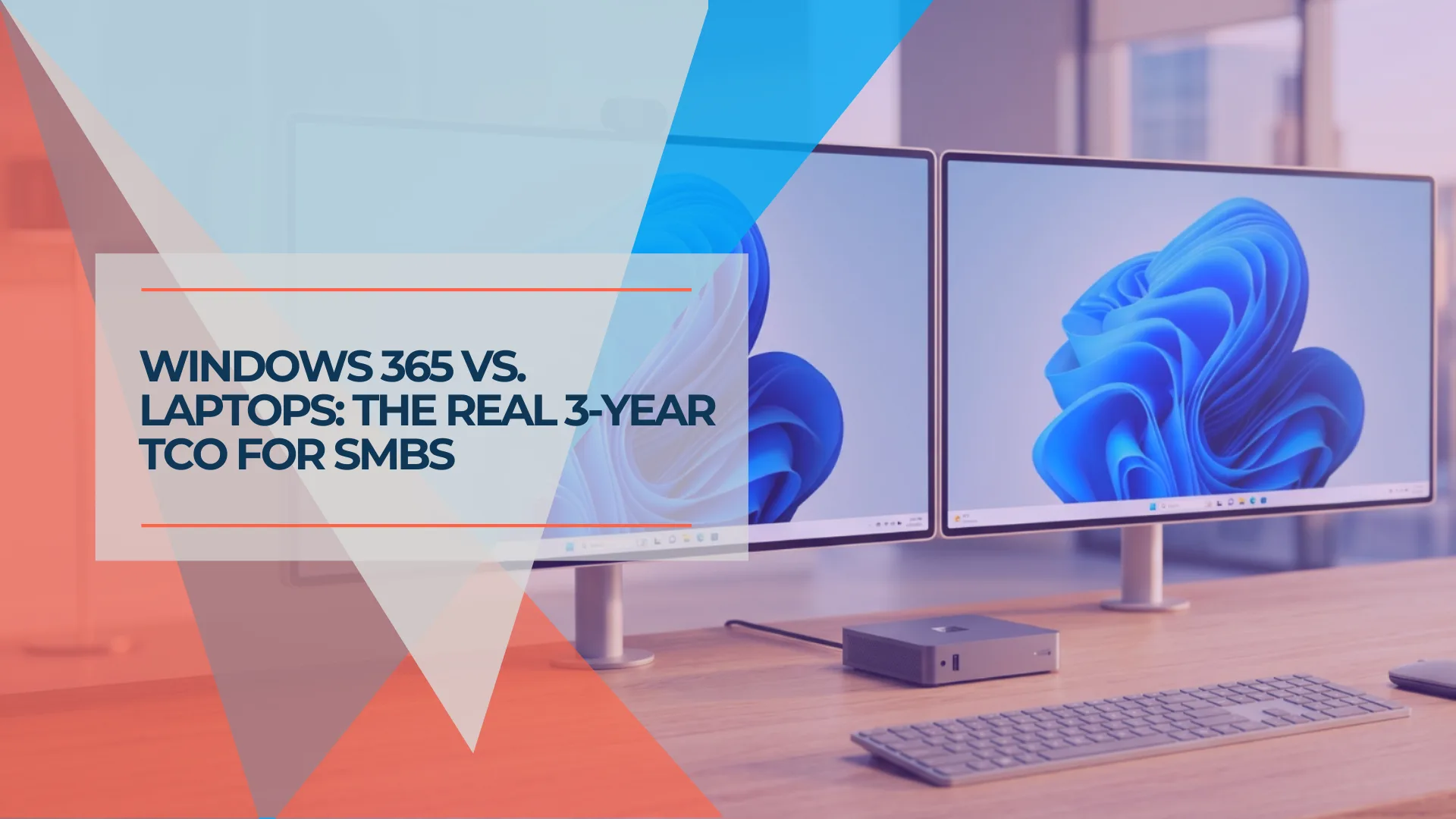
Microsoft cut the price of Windows 365 Cloud PCs by 20% on May 1st. The new rates — $28 to $56 per user per month, down from $35 to $70 — represent real savings for organizations already evaluating Cloud PCs.
The lower price changes the math, but not the answer for every office. Below is the full cost breakdown for a 20-person office: the Cloud PC subscription, the Microsoft 365 licensing that sits underneath it, how both compare to a 3-year laptop refresh cycle, and the specific scenarios where Cloud PCs win or lose.
Affiliate Disclosure: This article contains affiliate links. If you make a purchase through these links, we may earn a small commission at no extra cost to you. As an Amazon Associate, iFeelTech earns from qualifying purchases.
What Is a Windows 365 Cloud PC?
A Windows 365 Cloud PC is a full Windows 11 desktop running in Microsoft data centers instead of on local hardware.
You connect to it through a browser or the Windows App — available on Windows, macOS, iOS, Android, and ChromeOS. The compute power, storage, and operating system are managed by Microsoft, while your physical endpoint acts as the access device. This means a Mac user, a Chromebook user, and a Windows user all get the same managed Windows 11 Enterprise desktop experience.
Unlike Azure Virtual Desktop (AVD) — which supports both dedicated and pooled desktops and provides more architectural control over infrastructure, scaling, and networking — Windows 365 Business assigns each user a persistent, dedicated desktop managed through a simple web portal. No server setup. No VDI architecture. Provisioning takes minutes, though provisioning time may vary based on demand.
Cloud PC in One Sentence
A Cloud PC is your Windows desktop running on Microsoft's hardware instead of yours — same apps, same files, accessible from any device with a browser.
Windows 365 Business Plans and Pricing for 2026
Microsoft offers Basic, Standard, and Premium configurations for Windows 365 Business ranging from $28 to $56 per user per month.
These rates reflect the permanent 20% reduction effective May 1, 2026. All base plans include 128 GB of storage, with the primary differences in computing power and memory:
| Plan | vCPU | RAM | Price (per user/month) |
|---|---|---|---|
| Basic | 2 | 4 GB | $28 |
| Standard | 2 | 8 GB | $36 |
| Premium | 4 | 16 GB | $56 |
Pricing note: Figures are U.S. list prices per user per month with an annual subscription or commitment, before tax. Monthly-term pricing may be higher, and existing subscriptions may receive updated pricing at renewal.
New customers can start with a free one-month trial of the Standard configuration (2 vCPU / 8 GB / 128 GB) — credit card required, cancel anytime.
The subscription price does not include productivity apps. Windows 365 provides the operating system, but offices that need Outlook, Word, Excel, and Teams must maintain separate Microsoft 365 licensing. You don't technically need M365 to purchase or use a Cloud PC — Microsoft removed that prerequisite — but a Cloud PC without productivity software is a Windows desktop with a browser.
For most offices, the realistic all-in cost looks like this:
| Configuration | Cloud PC | M365 License | All-In Monthly |
|---|---|---|---|
| Basic + M365 Business Basic | $28 | $7 | $35/user |
| Standard + M365 Business Standard | $36 | $14 | $50/user |
| Standard + M365 Business Premium | $36 | $22 | $58/user |
| Premium + M365 Business Premium | $56 | $22 | $78/user |
If your office already pays for Microsoft 365, it is a common baseline cost in both scenarios, so the incremental comparison narrows to the Cloud PC subscription versus hardware ownership. That changes the calculus significantly — we'll get to the numbers in the next section.
Outbound Data Allowances
Windows 365 Business includes monthly outbound-data allowances based on Cloud PC RAM: 20 GB for 4 GB or 8 GB RAM configurations, and 40 GB for 16 GB RAM. Microsoft may restrict bandwidth after those levels are exceeded. This is separate from the remote desktop display stream and normal internet browsing — it primarily affects saving large files from the Cloud PC to external internet services. Typical Office document work, email, and SaaS usage stays well within these limits, but offices that regularly transfer large files should factor this into plan selection.
The On-Demand Start Trade-Off
The lower pricing introduced an on-demand start model. A Windows 365 Business Cloud PC remains powered on for one hour after the user disconnects or signs out, then enters hibernation. Reconnecting after that may take slightly longer while the Cloud PC resumes. In our testing, the post-hibernation resume was noticeable compared with waking a local laptop. For offices where people frequently close their session and expect instant resumption, this is a usability trade-off to be aware of.
One more cost note: Windows 365 Business can be provisioned and administered without Intune — administrators can assign licenses, provision Cloud PCs, reset passwords, and perform remote actions through the Microsoft 365 admin center. Intune is needed when the organization wants centralized app deployment, configuration profiles, compliance policies, and unified management alongside physical Windows devices. Intune P1 is included with Microsoft 365 Business Premium ($22/user/month) but not with Business Basic or Business Standard. Note that the Windows 365 Link thin client does require Intune for deployment and management, even when connecting to Windows 365 Business Cloud PCs.
3-Year Cost Comparison: Cloud PCs vs. Traditional Laptops
A 20-person office will spend $41,760 over three years for Cloud PC Standard (reusing existing endpoints) compared to $35,840–$43,840 for new physical business laptops. When purchasing Windows 365 Link thin clients for every desk, the Cloud PC scenario rises to approximately $48,760.
The comparison below uses Windows 365 Standard ($36/seat) as the middle-ground Cloud PC option, paired with M365 Business Premium ($22/seat) for full productivity and Intune management. The Cloud PC columns assume employees will use existing devices (laptops, Macs, Chromebooks, or tablets) as display endpoints. If existing endpoints aren't available, see the Windows 365 Link scenario below.
| Buy Laptops | Cloud PC Standard | Cloud PC Basic | |
|---|---|---|---|
| Hardware | $1,000–$1,400 × 20 = $20,000–$28,000 | $0 (existing endpoints) | $0 (existing endpoints) |
| Cloud PC subscription | $0 | $36 × 20 × 36 = $25,920 | $28 × 20 × 36 = $20,160 |
| M365 Business Premium | $22 × 20 × 36 = $15,840 | $22 × 20 × 36 = $15,840 | $22 × 20 × 36 = $15,840 |
| 3-Year Total | $35,840–$43,840 | $41,760 | $36,000 |
| Monthly equivalent | ~$995–$1,218/mo | $1,160/mo | $1,000/mo |
3-year total cost
Cloud PCs now sit inside laptop territory
20 users with Microsoft 365 Business Premium included in every scenario.
Buy laptops
Hardware refresh plus Microsoft 365
$35.8K-$43.8K
Cloud PC Basic
Lowest Windows 365 tier
$36.0K
Cloud PC Standard
Most realistic SMB tier
$41.8K
If Microsoft 365 is already paid for, compare the Cloud PC subscription against the hardware refresh.
Several patterns emerge from those numbers:
Cloud PC costs depend heavily on endpoint assumptions. The table above assumes your team already has suitable devices to connect from — existing laptops, desktops, Macs, Chromebooks, or tablets. If you need to purchase new endpoints specifically for Cloud PC access, consider these scenarios:
| Endpoint Scenario | 20 Endpoints | 3-Year Cloud PC Standard + M365 Premium | Combined 3-Year Total |
|---|---|---|---|
| Reuse existing devices | $0 | $41,760 | $41,760 |
| Purchase Windows 365 Links | $349.99 × 20 = $7,000 | $41,760 | $48,760 |
| Purchase new business laptops | $20,000–$28,000 | N/A (use laptops directly) | $35,840–$43,840 |
The Windows 365 Link ($349.99) is a dedicated thin client that supports dual 4K monitors and requires Microsoft Intune for management. Adding twenty Windows 365 Link devices increases the Cloud PC total by approximately $7,000, placing it about $4,920 to $12,920 above the new-laptop scenarios in this comparison. Cloud PCs become financially competitive primarily when the office can reuse existing hardware as display endpoints.
Cloud PC Basic matches laptop costs. At $36,000 over three years, a Basic Cloud PC deployment with full M365 licensing costs roughly the same as buying mid-range business laptops — while avoiding a new laptop purchase when suitable access devices already exist.
Cloud PC Standard sits within the laptop cost range. At $41,760, it costs approximately $5,920 more than the $1,000-per-laptop scenario but $2,080 less than the $1,400-per-laptop scenario. That positioning reduces local compute provisioning and adds streamlined Cloud PC management, although the access devices still require maintenance and eventual replacement.
Existing M365 subscribers should strip that row out. The comparison becomes $25,920 (Cloud PC Standard) vs. $20,000–$28,000 (laptops). Cloud PCs land right in the middle of the laptop cost range — before factoring in IT labor for hardware setup, ongoing maintenance, and the eventual refresh cycle.
Refurbished business-class laptops still win on raw cost. A refurbished Dell Latitude or Lenovo ThinkPad runs $500–$700. At $10,000–$14,000 for 20 machines plus M365 Business Basic at $7/user/month ($5,040 over three years), the total comes to $15,040–$19,040 for 20 users over three years. Cloud PC Basic plus M365 Business Basic runs $35/user/month — $25,200 total over three years (before endpoint hardware). If budget is the primary constraint and your team works from the same desk every day, refurbished laptops remain substantially cheaper. For teams buying new, our best business laptops for 2026 guide covers the current top picks at every budget tier.
A note on Microsoft 365 Copilot. Microsoft 365 Copilot is primarily a cloud service — it does not require a Copilot+ PC or local NPU hardware. Copilot runs on any supported platform with the correct licensing and network access, so it should not materially change this hardware comparison. Organizations interested in local Copilot+ PC features (which require a 40+ TOPS NPU) or Microsoft's separate preview of AI-enabled Cloud PCs (which requires Windows 365 Enterprise with at least 8 vCPU and 32 GB RAM) should evaluate those requirements independently.
M365 Business Pricing (Effective July 1, 2026)
Microsoft raised M365 Business Basic from $6 to $7/user/month and Business Standard from $12.50 to $14/user/month on July 1, 2026. Business Premium remains at $22. These increases affect both scenarios equally (laptops and Cloud PCs), so they don't change the relative comparison — but they do push all-in costs slightly higher across the board. The cost tables in this article reflect the current pricing.
Best Use Cases for Windows 365 in Small Offices
Cloud PCs are strongest for organizations with BYOD policies, high employee turnover, remote teams, or strict data compliance requirements.
The price cut didn't create new use cases — it made the existing ones financially easier to justify.
Small office fit
Choose the model that matches the work
Windows 365 wins on control and flexibility. Laptops still win on local speed and offline resilience.
Windows 365 fits when...
BYOD is part of the plan
Macs, Chromebooks, and older PCs can use one managed Windows desktop.
Access changes often
Provision, revoke, and secure desktops without touching the hardware.
Traditional PCs fit when...
Local performance matters
CAD, large files, video work, and heavy spreadsheets still favor local machines.
Internet is the weak point
Without failover, one connection outage can stop the whole office.
BYOD and mixed-device offices. If employees use personal Macs, Chromebooks, or aging home PCs, a Cloud PC gives everyone a consistent, managed Windows 11 environment without buying company hardware. macOS and ChromeOS users connect through the Windows App (available on macOS, iOS, and Android) or any HTML5 browser — no Remote Desktop client configuration required. Pair it with a $349.99 Windows 365 Link on each desk and you've standardized the endpoint experience while keeping company data centralized.
Regulated and compliance-sensitive environments. Healthcare practices, law firms, financial advisors — any office where data on a stolen laptop is a reportable incident. Centralizing applications and data in a Cloud PC can significantly reduce the amount of company data stored on the endpoint. The actual protection depends on file-transfer restrictions, clipboard and drive redirection settings, identity controls, and the security configuration of the device used to connect. Microsoft provides policies to restrict local device redirection, but centralized hosting alone does not guarantee zero local data exposure. The audit trail and access controls are built into the platform.
High-turnover teams. Provisioning a Cloud PC is significantly faster than imaging and shipping a laptop. IT can block account access and manage the offboarding process centrally without retrieving the employee's endpoint. When the Windows 365 license is removed, the Cloud PC enters a seven-day grace period unless an administrator chooses immediate deprovisioning. For offices that cycle through seasonal staff, contractors, or temp workers, the operational savings on onboarding and offboarding add up faster than the subscription cost.
Remote and distributed teams. Any internet connection runs the full Windows environment. An employee relocating, a team member working from home during a hurricane, a freelancer in another state — they all get the same desktop experience without VPN complexity or device shipping.
Offices running primarily browser-based tools. If the daily workflow is Google Workspace or Microsoft 365 web apps, Salesforce, and a handful of SaaS platforms, the Basic tier at $28/user may be sufficient. Microsoft positions it for light productivity and browser use, but 4 GB RAM should still be tested with representative browser tabs and SaaS applications during a pilot.
When Traditional PCs Are the Better Choice
Traditional laptops outperform Cloud PCs for latency-sensitive work, offline environments, and offices prioritizing raw cost savings. If you land here, our best business laptops guide covers current picks by budget and use case.
Latency-sensitive work. Video editing, CAD software, heavy spreadsheet models — any application that depends on fast local compute will perform noticeably worse over the round-trip to Microsoft's data center. Even on the Premium tier (4 vCPU / 16 GB), a Cloud PC won't match a modern laptop's responsiveness for compute-intensive tasks.
Offices that already own recent hardware. If you bought laptops in the last 18 months and they're running fine, adding a Cloud PC subscription is paying twice for the same capability. Cloud PCs make the most financial sense at the hardware refresh point — not mid-cycle.
Budget-constrained shops buying refurbished. A refurbished ThinkPad at $600 plus M365 Business Basic at $7/user/month costs $852/user over three years ($17,040 for 20 users). Cloud PC Basic plus M365 Business Basic runs $35/user/month — $1,260/user over three years ($25,200 for 20 users, endpoint hardware not included). Refurbished business laptops are substantially cheaper on raw three-year cost, particularly when the office does not need the centralized access and provisioning benefits of Cloud PCs.
Offices with unreliable or limited internet. Windows 365 needs a stable connection with meaningful bandwidth. Microsoft's published examples show that bandwidth use varies significantly — from well under 1 Mbps for Office document work to roughly 6–10 Mbps for graphics-heavy browsing and video playback. For a 20-person office using Teams, SaaS applications, and Cloud PCs simultaneously, we would normally recommend a properly sized business connection (at least 200–300 Mbps based on our field experience) with low latency, minimal jitter, and ISP failover. Latency, jitter, packet loss, and Wi-Fi quality matter as much as headline bandwidth. Without local machines to fall back on, an ISP outage can stop all Cloud PC work until connectivity is restored.
Internet Dependency Is the Biggest Risk
Cloud PCs introduce a single point of failure that physical laptops don't have. If the connection drops, employees lose access to their desktops until it recovers. Before committing, ensure you have redundant internet — a dual-WAN gateway with automatic failover to a secondary ISP or 5G cellular backup is the minimum for a cloud-dependent office. If you don't have a business-grade connection with an SLA, Cloud PCs carry meaningful business continuity risk.
Operational readiness
Cloud PC readiness is a stack
The subscription is only one layer. The office experience depends on everything around it.
Endpoint
Screen and input
Internet
The risk layer
Identity
Entra ID and MFA
Cloud PC
Plan and apps
Data
Backup policy
Solve internet failover before every desktop depends on the cloud.
Does the Windows 365 Link Thin Client Change the Math?
The Windows 365 Link is a $349.99 dedicated thin client that reduces long-term endpoint costs for offices fully committed to Cloud PCs.
Windows 365 Link Overview
Available since April 2025, the Link offers dual 4K display output, four USB ports, Ethernet, Wi-Fi 6E, Bluetooth 5.3, and near-instant wake. It requires Microsoft Intune for deployment and management. Over a 3-year lifespan, it amortizes to roughly $9.72/month compared to $27.80–$38.90/month for a $1,000–$1,400 business laptop.
But the Link does exactly one thing: connect to Windows 365. It doesn't run local applications. It doesn't connect to other virtual desktop platforms. It doesn't work as a general-purpose computer if you ever decide to move away from Cloud PCs. For an office going all-in on Windows 365, the Link is a sensible, cost-effective endpoint. For an office that might change direction in two years, the device has limited resale value or alternative use.
The Link makes the most sense for: dedicated desk setups in offices fully committed to Cloud PCs — reception desks, call centers, shared workstations in healthcare or retail back offices.
Skip it if: you need flexibility, your team works from multiple locations (they'll need laptops or tablets anyway), or you're piloting Cloud PCs and haven't committed to a full rollout.
Windows 365 Business vs. Enterprise: Which Edition Do You Need?
Windows 365 Business is the appropriate product for most SMBs, but understanding its limitations helps avoid mid-deployment surprises.
Edition comparison
Business is simpler. Enterprise offers more control.
Windows 365 Business is capped at 300 users and uses simplified automatic provisioning. Enterprise provides deeper networking, security, and administration capabilities.
Choose Windows 365 Business when...
Fewer than 300 users
Business edition is capped at 300 seats per tenant.
Simplified provisioning
Direct purchasing through Microsoft, automatic Cloud PC setup without custom images.
Cloud-only identity
Entra ID join is acceptable — no hybrid domain join or on-premises AD dependency.
Standard networking
No requirement for custom Azure VNet connectivity or private network access.
Evaluate Enterprise or AVD when...
Hybrid identity required
On-premises Active Directory integration, hybrid Entra join, or Kerberos authentication.
Private network access
Cloud PCs need VNet connectivity to on-premises resources, private apps, or internal databases.
Custom provisioning
Custom images, provisioning policies, or device configuration profiles beyond Business capabilities.
Advanced reporting
Deeper endpoint analytics, connection quality monitoring, and enterprise administration tools.
Windows 365 Enterprise also supports Windows 365 Flex — a consumption-based model where multiple users can use a licensed Cloud PC at different times. This may be more appropriate than permanent Business licenses for contractors, part-time staff, or occasional-access scenarios.
Peripheral and Application Compatibility
Cloud PC pilots should test hardware peripherals and line-of-business applications before a full rollout — this is where many real deployments succeed or fail.
Windows 365 supports device redirection for most peripherals, but behavior varies based on the connecting device, the Windows App version, and administrator redirection policies. Test these with representative users:
- Printers and label printers — network printers typically work; USB-connected printers require redirection
- Document and barcode scanners — USB redirection support varies by device
- USB security keys and smart-card readers — supported but require redirection configuration
- VoIP headsets and webcams — generally work well; Teams audio/video is optimized locally
- Multiple monitors — supported (up to two 4K displays with Windows 365 Link, varies by endpoint)
- Local file transfers — dependent on drive redirection policies
- Accounting and line-of-business applications — test installation, licensing, performance, and any hardware dongles
- Browser extensions — typically work as on any Windows machine
- Existing VPN-dependent tools — may require Enterprise edition with VNet integration instead
A five-user pilot covering these scenarios over two to four weeks provides much better deployment confidence than spec-sheet comparisons alone.
Five-User Pilot Checklist
Before committing to a full rollout, run a structured pilot with five representative users across different roles and connection types.
Pilot Testing Framework
Test each area below and document results before expanding the deployment:
- Morning sign-in and post-hibernation resume — measure actual wait times
- Teams calls and screen sharing — test audio quality, video, and screen-share performance
- Printing and scanning — verify all office printers and scanners work through the Cloud PC
- Dual-monitor use — confirm resolution, arrangement, and refresh rate are acceptable
- Large spreadsheet and database performance — compare responsiveness to local machines
- File transfers — test moving files between Cloud PC, OneDrive, and local device
- Line-of-business applications — verify installation, licensing, performance, and any integrations
- ISP failover — simulate a primary connection failure and verify automatic switchover
- Home and mobile connections — have users test from home Wi-Fi and mobile hotspot
- Help-desk management actions — test remote restart, password reset, and reprovisioning
- User experience during internet interruption — document what happens and recovery time
This turns the decision from a pricing comparison into an evidence-based deployment plan. Two to four weeks of pilot data covering different workloads and connection types will surface any deal-breakers before they affect the full team.
Should Your Office Switch to Windows 365?
Windows 365 is a viable replacement for aging hardware, but traditional laptops remain the most cost-effective option for fixed-location offices that need to purchase new endpoints.
The Bottom Line
Windows 365 is financially competitive when an office can reuse existing endpoints and values centralized access, simplified provisioning, or BYOD support. It is usually more expensive when new thin clients or endpoints are required, and traditional laptops remain the better choice for offline-dependent or compute-intensive work. For many SMBs, the most practical approach is a mixed deployment rather than an office-wide switch.
Switch if: You're due for a hardware refresh, your team runs primarily browser-based and Microsoft 365 workloads, and you're already paying for M365 Business Premium. The Cloud PC subscription replaces your hardware budget at roughly the same 3-year cost when existing endpoints are reused, and you gain streamlined provisioning, built-in security, and location-independent access.
Consider a mixed deployment: Traditional laptops for executives, field workers, power users, and anyone needing offline access. Cloud PCs for contractors, temporary staff, remote workers, BYOD users, and highly standardized roles. Windows 365 Link for fixed shared desks where the office is fully committed to Cloud PCs. This hybrid approach captures Cloud PC benefits where they matter most without forcing a full migration.
Consider it if: You have specific compliance requirements that benefit from centralized data (healthcare, legal, finance), high employee turnover that makes provisioning and deprovisioning a recurring time sink, or a BYOD policy where standardizing the desktop environment matters more than standardizing the hardware.
Don't switch if: Your team does compute-intensive work that needs local processing power, you're cost-conscious and comfortable buying refurbished business-class laptops, or your internet reliability isn't rock-solid — a Cloud PC deployment without redundant connectivity is a business continuity risk.
Migration Note: Active Directory to Entra ID
Windows 365 Business uses cloud-only identities through Microsoft Entra ID (formerly Azure AD) and does not support hybrid domain join or customer Azure VNet connectivity. Offices that rely on on-premises Active Directory, local file servers, or domain-dependent line-of-business applications should validate those dependencies before choosing Windows 365 Business. If your organization requires hybrid identity, Kerberos-dependent resources, existing Group Policy settings, or direct private-network access, Windows 365 Enterprise or Azure Virtual Desktop may be a better fit. For cloud-only deployments, the identity setup is straightforward; for established AD environments, the scope of the migration varies significantly based on application and resource dependencies.
For a 20-person office in the sweet spot — M365 already in place, hardware nearing end of life, mostly SaaS workflows — the post-cut pricing makes Windows 365 Standard at $36/user/month a legitimate alternative to the next laptop refresh. If yours matches, see current pricing at Microsoft and run the numbers against your actual hardware costs.
If you haven't committed to the Microsoft ecosystem yet, evaluate Google Workspace vs Microsoft 365 before adding a Cloud PC subscription that assumes M365 underneath it.
Related Resources
- Windows 11 Pro for Business in 2026: An IT Professional's Assessment — Field report on the Windows 11 Pro experience, including ESU pricing for holdout devices and Cloud PC as an alternative migration path.
- Windows 11 Pro vs Enterprise for Business — Covers Windows 11 licensing tiers, including the Enterprise edition that Cloud PCs run.
- Business Computer Specs Guide — How to choose the right hardware specifications, including the local hardware vs. Cloud PC decision framework.
- Google Workspace vs Microsoft 365 — If you're not yet on M365, read this before committing to a Cloud PC subscription that assumes M365 underneath it.
- Does Microsoft 365 Need Backup? — Cloud PC data stored outside OneDrive/SharePoint is not automatically backed up. This guide covers the M365 backup question.
- Best Cloud Backup for Small Business — Relevant if you're evaluating data protection alongside a Cloud PC deployment.
- Small Business Cybersecurity Upgrade Guide — For offices where the compliance and security benefits of Cloud PCs are the primary motivator.
- Best Small Business Servers — If you're weighing cloud endpoints against on-premises infrastructure, this comparison provides the other side of the equation.
Frequently Asked Questions
Related Articles
More from Business Software
Microsoft 365 or Google Workspace: Fix the Setup or Switch?
Before leaving Microsoft 365 or Google Workspace, find out whether you have a setup problem or a platform problem, what to fix first, and when to switch.
21 min read
Microsoft 365 to Proton Workspace Migration: A Small-Office Walkthrough (2026)
How to move a small office from Microsoft 365 to Proton Workspace: Easy Switch for Business, OneDrive files, DNS cutover and Microsoft 365 cleanup.
18 min read
What You Actually Get on a New Windows 11 Laptop: A 30-Workday Test
A 30-workday test of a new Windows 11 Pro laptop, plus what to install, what to skip, and the setup changes that matter for business use.
14 min read