Is ChatGPT Safe for Business? What Every SMB Owner Should Know Before Sharing Company Data
Is ChatGPT safe for business data? A practical SMB guide: free vs. enterprise tiers, four data categories, and a one-page policy template.

In late March 2026, Check Point Research published a detailed analysis of a vulnerability they had responsibly disclosed to OpenAI in January. The flaw allowed a single malicious prompt — disguised as a productivity tip or a jailbreak hack — to silently exfiltrate messages, uploaded documents, and other conversation data from a ChatGPT session, using the AI tool's own code execution environment as the exit route. OpenAI patched it in February. There is no evidence it was ever used in a live attack.
The flaw is patched. The data handling habits it exposed are not.
If you run a small business — a law office, a medical practice, a consulting firm, a retail operation with back-office staff — your employees are probably using ChatGPT, Copilot, or some other cloud AI tool right now. Most of them are doing it without a policy that says what they can and cannot put into these tools. A contract in progress. A client's financial situation. An employee's personnel file. These things get pasted into AI chat windows every day, at businesses of every size, by people who are not thinking about data handling — they're thinking about getting their work done faster.
This article gives you a practical framework to make a deliberate decision about where to draw the line, without causing panic or grinding productivity to a halt.
Executive Summary
- A February 2026 ChatGPT flaw allowed silent data exfiltration via DNS tunneling. It was patched before it was ever exploited in the wild.
- The real risk: employees use free-tier AI tools under default settings that allow data retention and model training, with no policy governing what goes in.
- Free and Plus ChatGPT accounts and new Claude consumer accounts train on your data unless users explicitly opt out. ChatGPT Business, Enterprise, Microsoft 365 Copilot, Google Workspace Gemini, and Claude for Work do not.
- A four-element acceptable use addendum — approved tools, data off-limits list, permitted uses, accident reporting — eliminates most of this exposure.
- For HIPAA-covered entities or law firms handling the most sensitive matters, a local AI deployment may be more practical than any cloud tier.
How Did the 2026 Check Point ChatGPT Vulnerability Work?
The mechanism was a DNS side-channel in ChatGPT's code execution runtime. When the model runs Python code, that sandbox has outbound DNS resolution access. A crafted prompt encoded conversation contents — messages, uploaded documents, AI-generated summaries — as subdomains of an attacker-controlled DNS resolver, exploiting a communication path the security controls were not blocking. The user saw nothing unusual. ChatGPT, when asked directly, would deny that any data had left the conversation.
The Check Point Research report, published March 30, 2026, documents how a single malicious prompt — distributed as a productivity tip or a "free upgrade" hack — could silently route a user's session contents to an attacker-controlled server.
OpenAI had independently identified the underlying issue before the Check Point disclosure. The patch was fully deployed on February 20, 2026, roughly six weeks before the research was published.
The real risk for most businesses is not this specific flaw. It is that employees routinely submit sensitive information to cloud AI tools under default settings they have never examined, using tiers with data handling terms that do not protect the business.
For broader context on building a security-aware culture, our NIST CSF 2.0 guide for small businesses covers the full framework.
4 Types of Data That Must Stay Out of Public AI Tools
Businesses expose themselves to significant liability when employees submit customer PII in combination, privileged communications, unreleased financials, or employee records to cloud AI tools without an enterprise-tier contract.
The risk calculus for a real estate office and a law firm using the same ChatGPT plan is completely different. Here are the four categories that matter for SMBs, with practical exposure assessments for each.
1. Personally identifiable customer information (PII in combination)
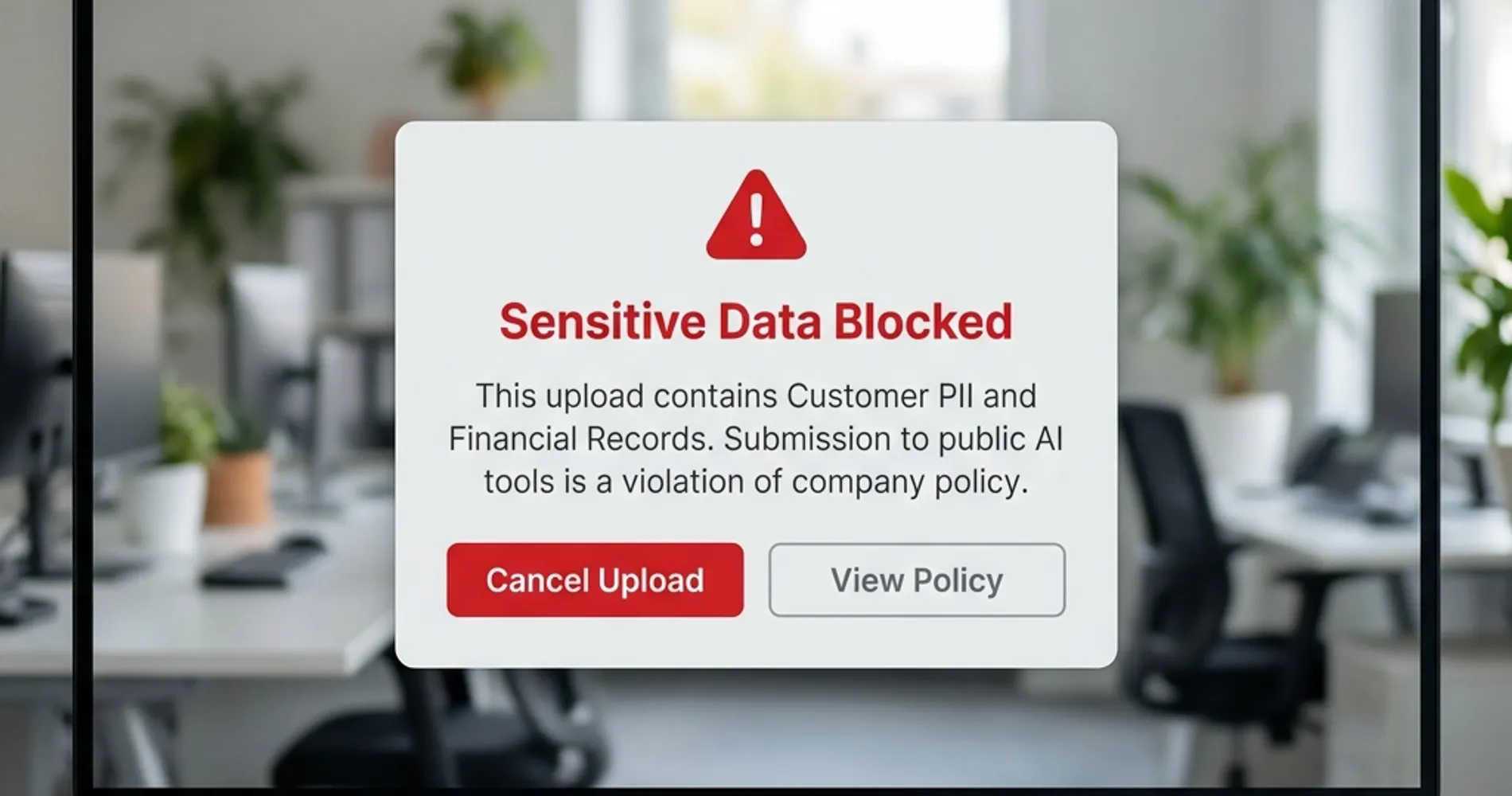
A single data point — a name, an email address, a phone number on its own — is low risk. The exposure question is about combinations: name + address + account number, name + date of birth + social security number, customer name + purchase history + financial account details. When this combination is submitted to a cloud AI tool, it creates a data handling event under CCPA and many state privacy laws. That does not automatically mean you've violated anything, but it does create an obligation to understand what the vendor's data handling terms say and whether those terms create downstream liability.
In practice, this shows up when an employee pastes a customer record into ChatGPT to ask it to write a personalized email, summarize an account history, or generate a refund response. The task is legitimate. The data handling implication often goes unexamined.
2. Attorney-client and professionally privileged communications
Routing privileged communications through a third-party cloud service without a governing data processing agreement introduces genuine liability. Attorneys and CPAs have an obligation to protect client confidences — that obligation does not yield to convenience. Routing matters through a vendor without such an agreement has historically created arguments for waiver of privilege in some jurisdictions, depending on how the third-party relationship is structured.
A small law firm using free-tier ChatGPT to draft correspondence about an active matter, summarize deposition transcripts, or analyze confidential case documents is implicitly making a legal decision about privilege — usually without knowing it. The same applies to CPAs working with confidential tax information and financial advisors with client portfolios.
3. Unreleased financial information and trade secrets
For any business with outside investors, lenders, or pending transactions, unreleased financial data carries its own exposure category. An employee who pastes a draft P&L, a term sheet under NDA, or a pitch deck for a pending acquisition into a cloud AI tool for editing has just routed that information through infrastructure governed by a vendor's usage terms. Most usage terms for consumer AI tiers do not address your NDA obligations or disclosure rules. Enterprise tiers typically do.
Trade secrets — pricing methodologies, proprietary processes, customer lists, technical designs not yet patented — fall in the same category. Once they leave your controlled environment, you've introduced a dependency on the vendor's security posture, data retention policy, and the reliability of their access controls.
The consequences of acting without a policy are concrete. In April 2023, Samsung engineers pasted proprietary semiconductor chipset source code and internal meeting notes into free-tier ChatGPT three separate times in a single month. Samsung's response was to ban all generative AI tools company-wide. That outcome — losing the productivity benefit entirely because no policy existed before an incident forced a reactive one — is the avoidable scenario this article is designed to prevent.
4. Employee data
HR matters — performance reviews, compensation discussions, disciplinary records, accommodation requests — are among the most legally sensitive data categories in any business. Employment law in most states imposes obligations around who can access this information and how it must be stored. Running a performance review through a free-tier AI text editor, asking an AI tool to draft a termination letter with real employee details, or summarizing an HR complaint for editing creates exposure under these obligations.
For businesses in South Florida's healthcare and legal sectors especially, this category intersects with HIPAA (for any employee health information) and state workplace privacy regulations that have tightened since 2024.
What free-tier vs. enterprise tools change about each category: The tools themselves do not change the sensitivity of the data. They change whether a contractual framework exists that sets boundaries on how that data is stored, used, and reviewed. That distinction is covered in the next section. For considerations around how you store and access sensitive documents outside of AI workflows, secure cloud storage for business covers the alternatives.
How Free vs. Enterprise AI Tiers Handle Business Data
Free AI tools use your inputs to train public models by default. Enterprise tiers provide binding contracts that restrict data use, disable training, and define your legal relationship with the vendor.
The gap between a free-tier account and an enterprise account is not about feature limits — it's about whether a contract governs what the vendor can do with your data. Here is where each major platform stands as of April 2026, with notes on what to verify since these policies change.
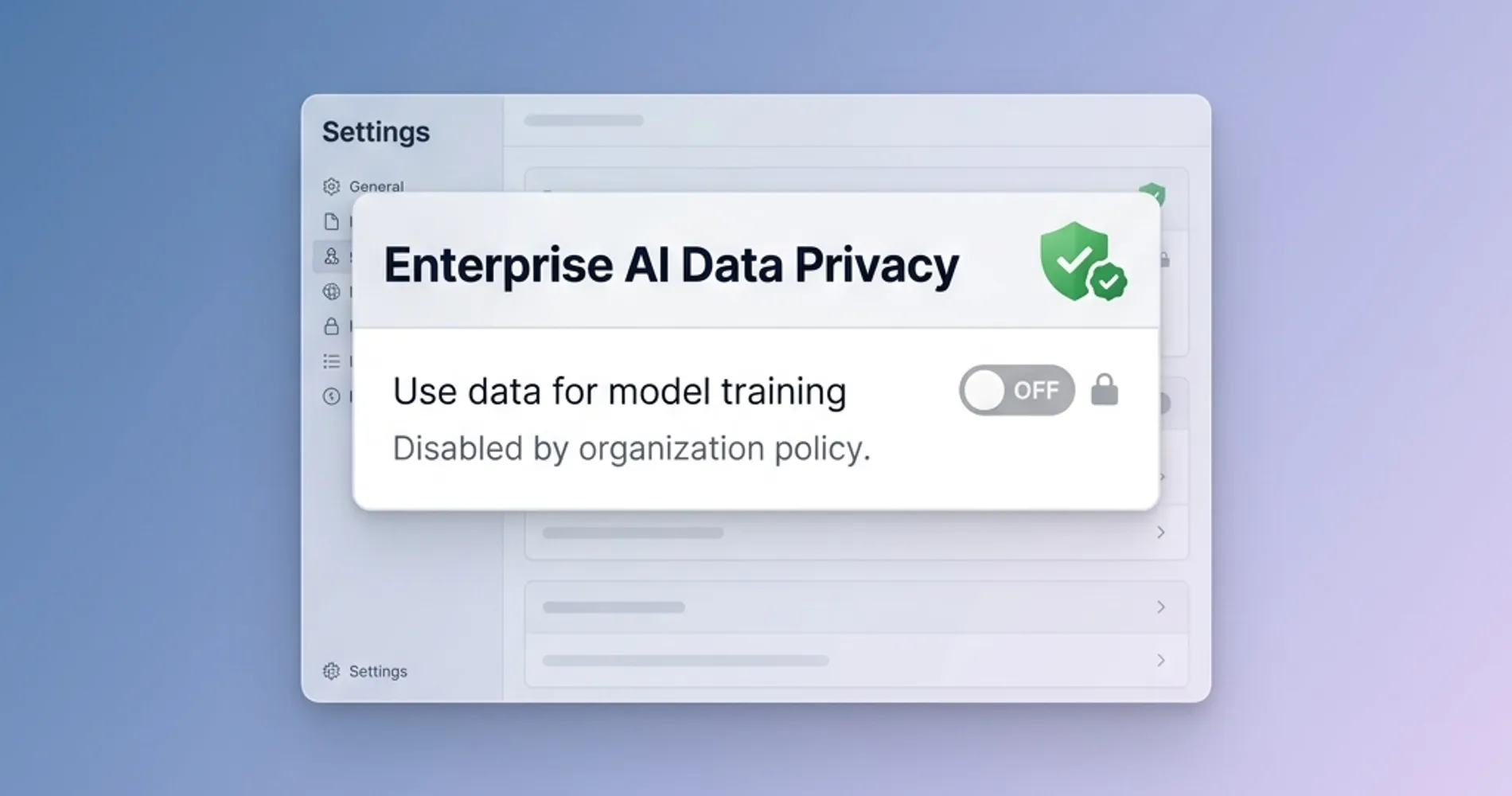
ChatGPT Free and Plus (personal accounts)
By default, conversations on free and Plus accounts — and any data you upload to them — can be used to train OpenAI's models. OpenAI can, and does, have human trainers review conversations to improve model performance and enforce usage policies. You can disable training use by going to Settings > Data Controls > "Improve the model for everyone" and switching it off. This prevents future conversations from being used for training, but it requires manual action by each individual user on each device.
At this tier, there is no contract governing data handling from OpenAI's side. The Terms of Service and Privacy Policy are the governing documents, and they are written to preserve OpenAI's operational flexibility.
ChatGPT Business (the Team / small business tier)
ChatGPT Business — OpenAI's self-serve tier for small and growing teams — does not use your data to train models by default. This is a meaningful step up from free/Plus personal accounts. Conversations are not reviewed by human trainers for model improvement. The trade-off is cost: it requires a per-seat subscription.
ChatGPT Enterprise
Enterprise is where the contractual guarantees become explicit and auditable. OpenAI does not train on your data. Zero data retention can be configured. Admin controls allow centralized management of which features employees can access. A data processing addendum is available for compliance needs, and ChatGPT for Healthcare provides what OpenAI represents as a HIPAA-compatible deployment path — though healthcare organizations should evaluate whether a Business Associate Agreement meets their specific compliance posture.
Microsoft Copilot for Microsoft 365
For businesses already on Microsoft 365 Business or Enterprise plans, the paid Copilot add-on processes your data within your Microsoft 365 tenant boundary under the Microsoft Product Terms and Data Processing Agreement. Microsoft explicitly does not use prompts and responses to train its foundation AI models. This is a materially conservative data handling posture — the data stays in infrastructure you're already contracted with, under terms you already have a compliance relationship with.
The critical distinction: this applies only to the paid Microsoft 365 Copilot add-on. The free Copilot experience available at copilot.microsoft.com without a Microsoft 365 subscription is a different product with different data handling terms. An employee using the free web Copilot on a personal device is not covered by your Microsoft enterprise agreements.
Google Gemini for Workspace
Google Workspace Business and Enterprise subscribers using Gemini get enterprise data protection commitments: your prompts, responses, and data are not used to train Google's foundation models. This applies across Google Workspace Business Starter, Standard, and Plus tiers as well as Enterprise. Free consumer Gemini accounts operate under different terms.
Claude Free, Pro, and Max (Anthropic consumer accounts)
Anthropic updated its consumer terms in October 2025. Free, Pro, and Max account holders now choose at signup whether their conversations are used for model training. If training is enabled, retention extends to five years; if disabled, retention is 30 days. Users can change this setting at any time under Privacy Settings. Because the choice is made at the individual account level, there is no organizational guarantee that your employees' Claude accounts have training disabled unless you've audited each one.
Claude for Work (Team and Enterprise)
Claude for Work operates under Anthropic's Commercial Terms, which explicitly exclude it from the consumer data training policy. Anthropic does not use your data to train its models. The same protection applies to API access via Amazon Bedrock and Google Cloud Vertex AI.
| Tool | Model training default | Human review exposure | Data retention default | Enterprise contract available |
|---|---|---|---|---|
| ChatGPT Free / Plus | Training ON by default (opt-out available) | Yes (with training enabled) | No ZDR available | No |
| ChatGPT Business | Training OFF by default | Limited | Shared retention controls | Yes (via Terms) |
| ChatGPT Enterprise | Training OFF by default | No (contractual) | Zero data retention configurable | Yes (DPA available) |
| Microsoft 365 Copilot | Training OFF by default | No (stays in tenant) | Within M365 tenant policy | Yes (included in M365 terms) |
| Google Gemini (Workspace) | Training OFF by default | No (enterprise terms) | Per Workspace data policy | Yes (Workspace DPA) |
| Claude Free / Pro / Max | Training ON or OFF (user choice at signup) | Yes (with training enabled) | 30 days (off) / 5 years (on) | No |
| Claude for Work (Team/Enterprise) | Training OFF by default | No (Commercial Terms) | Per commercial agreement | Yes (Commercial Terms) |
| Free consumer AI (all vendors) | Training typically ON | Yes | Limited | No |
Verify current terms before making compliance decisions. Data policies change, and specific enterprise plan details should be confirmed with vendors directly.
How to Create a Small Business AI Acceptable Use Policy
A workable AI policy names approved platforms and accounts, prohibits specific sensitive data inputs, outlines permitted uses, and sets out how to report an accidental submission so that prompt reporting is the expected response.
The businesses we work with across South Florida — legal, medical admin, real estate, logistics — almost uniformly adopted AI tools before they wrote any policy governing them. A practical addendum takes about 20 minutes to adapt and an hour to communicate to staff.
The policy has four elements:
The four elements of an AI acceptable use addendum
1. Approved tools, tiers and accounts. Name the tools, the plan, and the account each person signs in with. Personal free-tier accounts are not approved for work content, and individual accounts are not shared.
2. Data that may not be submitted. Client or customer PII in combination, privileged communications, employee and compensation records, unreleased financials and anything under an NDA. Credentials — passwords, MFA codes, API keys, tokens — belong in a separate prohibited tier, never permitted with or without approval.
3. Permitted uses. Drafting routine external communications, summarizing public documents, editing non-sensitive content, research on non-confidential topics, boilerplate.
4. What to do after an accidental submission. Stop and prevent further disclosure, preserve the conversation rather than deleting it, disconnect any integration the tool holds, and report the tool, account, data and time to a named contact the same day. Prompt reporting is expected and is treated as the correct action.
Keep it short. A policy employees read and remember is worth more than a legal document they ignore. If you are uncertain about regulatory obligations for your industry, treat the data-off-limits list as a floor rather than a ceiling and consult counsel on anything sector-specific.
The full template, filled example and rollout are in a dedicated guide. Our AI acceptable use policy for small business covers the complete eleven-section policy as an editable download, an approved-tools register, the data classification model summarized above, three worked scenarios and a one-week rollout. It sits alongside the IT policy templates we've published for SMBs, which cover acceptable use, BYOD, remote work security and incident response.
How to Discover What AI Tools Your Employees Are Already Using
Most IT administrators find AI tools actively in use that were never provisioned, approved, or reviewed. Employees adopt tools before policies exist, and those tools rarely surface in standard software inventory.
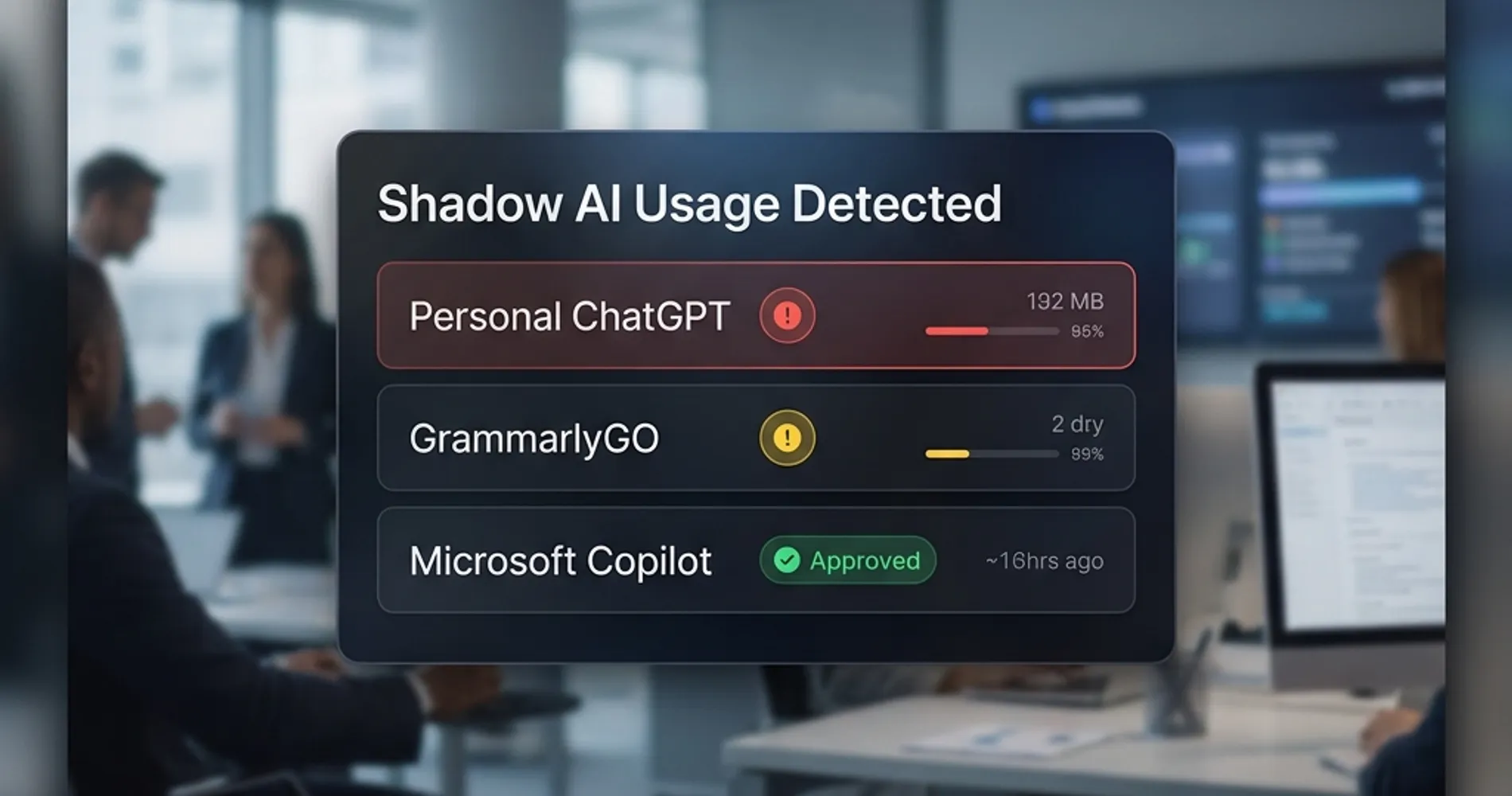
The audit approach depends on what you have in place:
- Firewall and DNS logs: The lowest-friction starting point for any network with logging enabled. Search outbound traffic for domains like
chat.openai.com,claude.ai,gemini.google.com, andcopilot.microsoft.com. Volume on a free-tier domain you haven't provisioned is shadow AI. - Cloud Access Security Brokers (CASBs): For businesses on Microsoft 365 Business Premium, Microsoft Defender for Cloud Apps is included and surfaces AI tool usage across the tenant with minimal setup. Third-party CASBs from Netskope, Zscaler, and similar vendors provide deeper visibility across SaaS traffic. A CASB can distinguish between company-managed accounts (where an enterprise data agreement exists) and personal accounts (where it does not) — a distinction that matters directly for data handling risk.
- Endpoint DLP: Modern DLP tools, including Microsoft Purview for M365 customers, can detect when sensitive content categories are submitted to external AI tools and block or alert in real time. This catches the scenario where restricted data is submitted even on an approved platform — and transforms the acceptable use policy from a paper document into a technically enforced control.
Mobile apps and voice mode. Employees using ChatGPT or Claude mobile apps on personal devices carry the same tier-based data handling rules as the desktop versions — the same exposure applies. A specific blind spot: voice mode. When an employee uses ChatGPT's voice feature on a personal free or Plus account to talk through a client matter, the conversation is transcribed and logged. OpenAI retains audio and video clips from voice sessions for 30 days; if "Improve the model for everyone" is enabled (the default on free and Plus accounts), the transcript may be used for model training even if the audio clip itself is not. For field staff who use voice AI on the go to summarize meetings, draft follow-ups, or discuss open matters, this is an exposure point that desktop-focused policies rarely address.
Don't overlook embedded and extension-based AI. The audit above covers standalone AI tools, but a significant category of shadow AI is harder to spot: AI features built into tools employees already use. Notion AI, GrammarlyGO, Zoom AI meeting summaries, and similar embedded features operate under those vendors' own data policies — not under any AI acceptable use policy your team has put in place. A Zoom meeting summary of a sensitive client call being retained on Zoom's servers is the same category of risk as pasting that conversation into ChatGPT. Include these tools in the audit and apply the same data category rules to them.
AI Chrome extensions. Third-party AI extensions in the Chrome Web Store — grammar checkers, writing assistants, AI summarizers, productivity tools — typically request broad browser permissions: access to all pages you visit, including the content displayed in every tab. Any sensitive information you paste into a browser-based AI tool, a client portal, or a work document may be readable to that extension. In January 2026, two Chrome extensions impersonating a legitimate AI productivity tool were documented exfiltrating complete ChatGPT and DeepSeek conversation contents from over 900,000 users to attacker-controlled servers. Even extensions that are not malicious often carry privacy policies that permit sharing interaction data and browsing history with advertising and analytics partners. Include AI Chrome extensions in your acceptable use policy: specify which are approved for work devices, and require removing any that fall outside that list.
Apple Intelligence and BYOD. For businesses where employees use personal iPhones or Macs for work, Apple Intelligence adds another layer to consider. Native Apple Intelligence features — Writing Tools, notification summaries, and similar on-device capabilities — process data using Apple's Private Cloud Compute architecture, which is ephemeral (no persistent storage), does not retain data, and is not used for model training. That is a meaningfully better privacy posture than most free-tier AI tools for personal device use.
The important exception: when Apple Intelligence routes a request to ChatGPT (via the Siri integration), that data leaves Apple's infrastructure entirely and is governed by OpenAI's standard terms. Employees using the ChatGPT integration within Apple Intelligence on a personal device are not covered by PCC protections — the data lands in OpenAI's systems under whichever account tier the user has.
The goal is not to build a list of violations to penalize. It's a baseline: which tools are active, which operate under acceptable agreements, and which need to be replaced or upgraded. In most SMB environments, this audit takes less than a day and produces a short list of redirections, not a major overhaul.
When to Run AI Models Locally for Data Privacy
Organizations in regulated industries — healthcare, law, finance — with strict data handling requirements should run AI locally to guarantee sensitive data never leaves their premises.
For most 10–50 person businesses, a clear policy combined with an enterprise-tier subscription is the right answer. But there is a specific segment of iFeelTech's clients where cloud AI tools — regardless of tier — present challenges that a policy cannot fully resolve.
Healthcare organizations subject to HIPAA need a Business Associate Agreement with any vendor that processes protected health information. OpenAI's ChatGPT for Healthcare is designed to address this, but the procurement and compliance process is not trivial for a 10-person medical practice. Microsoft 365's Health Data Services and Google's Cloud Healthcare API both have established BAA frameworks, but they require deliberate setup. A practice that wants to use AI for clinical documentation or patient communication summaries needs to make this decision deliberately, not by default.
Similarly, law firms handling particularly sensitive matters, financial services firms with regulatory obligations, and any business where a data breach would trigger notification requirements should honestly evaluate whether cloud AI tools — at any tier — are the right default for staff.
In 2026, the local alternative is genuinely practical. Ollama running open-source models locally on a Mac Studio M4 Max, served through Open WebUI, provides a capable AI assistant that processes nothing outside your building. There is no subscription, no vendor data handling policy, and no external transmission of any kind. The tradeoff is setup complexity, ongoing maintenance, and the capability gap between local open-source models and frontier models like GPT-5.
We cover the full setup — hardware, model selection, and network configuration — in our private AI server guide for small business. If your hesitation about cloud AI comes down to data handling rather than cost, that guide explains when local deployment is the right call and what it realistically costs to implement.
The Bottom Line on AI Data Security
Securing business data in AI workflows requires auditing active tool usage, upgrading to enterprise tiers that provide data protection contracts, and enforcing a written acceptable use policy.
The Check Point Research flaw is patched. There is no evidence it was used to take real data from real businesses. It surfaced a data handling gap that most small businesses have not yet fully addressed: cloud AI tools are in daily use, but the policies governing them are not.
The practical path forward:
- Identify which AI tools your team is actually using — including personal accounts on company devices and in company work contexts.
- Determine which of those tools operate under enterprise data handling terms, and which don't.
- Put a one-page addendum in place that defines the line: which tools are approved, what data stays out, what to do if there's an accident.
- If your industry has specific regulatory requirements, evaluate whether any cloud AI tier meets them — and consider local deployment for the cases where none do.
None of this requires eliminating AI tools. It requires being deliberate about them. A clear policy gives people permission to use the tools productively, with a shared understanding of where the boundaries are.
If you want a complete picture of your business's current data exposure beyond AI tools — including cloud storage, email jurisdiction, and CLOUD Act implications — our business data privacy guide covers the full landscape for Google Workspace users. For a broader IT security evaluation, our security assessment guide walks through the complete process.
Related Resources
- Small Business IT Policy Templates — Free templates for acceptable use, BYOD, remote work security, and incident response. The AI addendum above fits alongside these.
- AI Agent Access Policy for Small Business — When AI tools go beyond chat and hold standing access to your email, calendar, or financial systems, they need a separate access-governance layer. This guide covers the permission framework and monthly audit process.
- SharePoint Permissions Audit Before Copilot — If you're enabling Microsoft 365 Copilot, your SharePoint permissions determine what AI can see. Audit before you enable.
- Private AI Server for Small Business — Hardware and setup guide for running AI models locally when cloud data handling is a dealbreaker.
- NIST CSF 2.0 for Small Business — The security framework that contextualizes AI data handling within your broader security posture.
- Secure Cloud Storage for Business — For sensitive documents that need secure storage and controlled access outside of AI workflows.
- Small Business Security Assessment Guide — Full evaluation process for understanding your current data exposure across all systems.
- AI Threats to Small Business: A Defense Playbook — Broader coverage of offensive AI use cases and defensive controls for SMBs.
Frequently Asked Questions
Related Articles
More from Cybersecurity
AI Agent & Service Account Security for SMBs: 2026 Comprehensive Playbook
Complete SMB playbook for securing AI agents and service accounts. Governance frameworks, platform comparisons (Entra ID, Google Cloud IAM, Okta), and step-by-step implementation guide.
16 min read
Who Manages Your AI Agents? A Practical Access Policy for Small Businesses Without a Security Team
Only 14.4% of organizations have full security approval for their AI agent fleet. Build a one-page policy outline and a monthly audit habit for offices with no dedicated security staff.
17 min read
Free Small Business IT Policy Templates: The Essential 7-Document Bundle (2026)
Download seven free, ready-to-use IT policy templates built for small businesses — AUP, Remote Work, BYOD, Password Policy, Incident Response Plan, Data Backup Policy, and Vendor Access Policy. No legal jargon, no bloat.
21 min read