

WAN vs LAN: The Business Owner's Plain-English Guide (2026)
Understand the difference between LAN and WAN. Learn what you own vs. what you rent, when speed matters, and where to invest for the best performance.

A Local Area Network (LAN) connects devices within a single location, while a Wide Area Network (WAN) connects multiple geographically separated locations or the internet.
Business owners often confuse these terms, leading to misallocated budgets. When your IT person says "We have a WAN issue" versus "The LAN is overloaded," knowing the difference determines where you invest.
The critical distinction: LAN is infrastructure you own (cables, switches, WiFi inside your building). WAN is a service you rent (fiber internet, SD-WAN, cellular) to connect your office to the outside world.
This matters because when Zoom calls lag, upgrading your WiFi (LAN) won't help if your internet connection (WAN) is the bottleneck. Conversely, paying for faster internet (WAN) won't speed up file transfers between computers in the same room (LAN).
In this guide, we'll clarify what you own versus what you rent, where speed bottlenecks occur, and how to invest in the right network layer for 2026.
Affiliate Disclosure: This article contains affiliate links. If you make a purchase through these links, we may earn a small commission at no extra cost to you. As an Amazon Associate, iFeelTech earns from qualifying purchases.
What is the Difference Between LAN and WAN?
A Local Area Network (LAN) connects devices within a single location, while a Wide Area Network (WAN) connects multiple geographically separated locations or provides internet access.
Business owners often confuse these terms, leading to misallocated budgets.
LAN (Local Area Network): The infrastructure you own—cables, switches, and WiFi access points inside your building. It handles internal traffic like printing and local file transfers.
WAN (Wide Area Network): The service you rent—fiber internet, SD-WAN software, or cellular connections—to connect your office to the outside world.
Practical example:
If your Zoom calls lag, it's likely a WAN issue (slow internet). If files transfer slowly between desks, it's a LAN issue (overloaded switch or poor cabling).
LAN: The Network You Own
Your LAN is the private infrastructure within your building:
- Ethernet cables running through walls (Cat6 or Cat6A)
- Network switches in your server closet
- WiFi access points on ceilings (like the UniFi U7 Pro with WiFi 7)
- Computers, printers, and phones connecting locally
You buy this equipment once. You control it. The data never leaves your property.
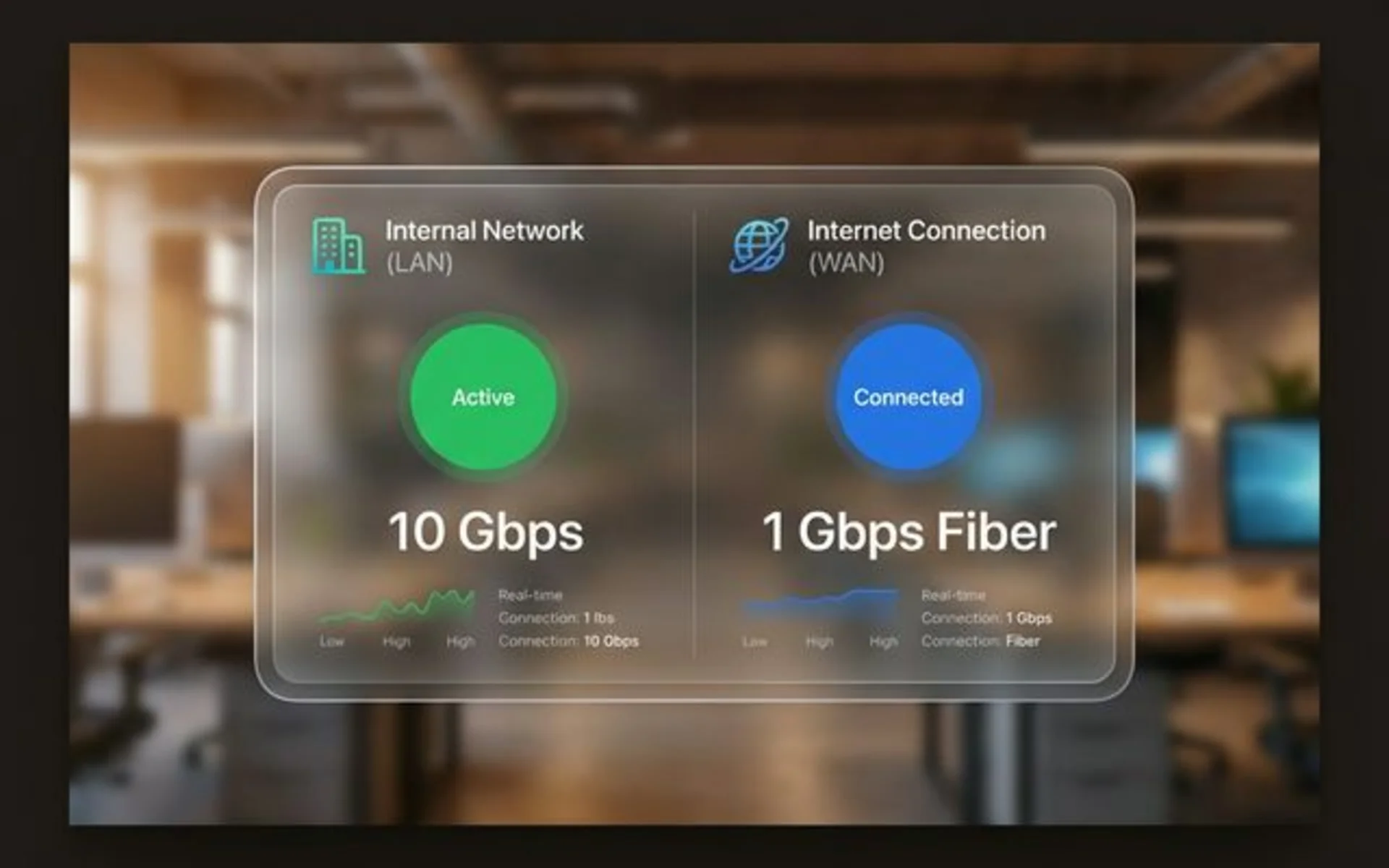
Speed: Because everything is physically close, LANs are incredibly fast—typically 1 Gbps, 2.5 Gbps, or 10 Gbps. Latency (the delay before data starts moving) is less than 1 millisecond.
Cost: One-time capital expense. A solid UniFi-based Multi-Gig LAN for a 20-person office costs $2,800-5,000 upfront (depending on cabling complexity), with no monthly fees for the switches and cables.
WiFi 7 Context for 2026
The UniFi U7 Pro uses WiFi 7, which reduces local latency for heavy internal traffic like 4K video editing. For the first time, wireless is effectively as fast as wired ethernet for business applications.
Important: To see these benefits, you need WiFi 7-compatible devices (iPhone 16/17, Samsung S25/S26, recent laptops with WiFi 7 adapters). Older devices will still work but won't experience the full speed improvements.
The Multi-Gig Reality
To get LAN speeds over 1 Gbps, your entire infrastructure must support it—not just the WiFi access point. The UniFi U7 Pro requires a 2.5 Gbps switch port to deliver its full speed. If you connect it to a standard 1 Gbps switch, you'll bottleneck at 1 Gbps, wasting the WiFi 7 investment.
This is why we recommend the UniFi Pro Max 24 PoE (with 2.5 GbE ports) instead of the standard Pro 24 PoE.
WAN: The Network You Rent
Your WAN connects your LAN to the outside world—other offices, the cloud, remote workers. For most small businesses, the WAN is the internet connection leased from an ISP, plus VPN or SASE (Secure Access Service Edge) platforms securing it.
You don't own the fiber lines under the street. You don't control the routing. You pay monthly for:
- Bandwidth: 300 Mbps, 1 Gbps, or 5 Gbps from your ISP
- Connectivity: Fiber, cable, 5G, or Low Earth Orbit (LEO) satellite like Starlink Business
- Security: SASE platforms (which include SD-WAN and zero-trust VPN) to encrypt data in transit
Speed: Limited by your ISP plan and the distance to the destination. Even with gigabit fiber, cross-country connections have 20-50ms latency. International connections typically see 100ms+ with traditional fiber, though LEO satellite (Starlink) has brought this down in some cases.
Cost: Monthly recurring. Business fiber connections typically cost $100-500/month, depending on speed and service level.
Starlink Business as a WAN Option:
For rural locations or WAN backup, Low Earth Orbit satellite internet like Starlink Business is now a viable 2026 option. While it can't match fiber's consistency, it provides 50-150 Mbps with 20-40ms latency in areas where fiber isn't available.
Is LAN Faster Than WAN?
Yes, a LAN is significantly faster, typically operating at 1–10 Gbps with less than 1 millisecond of latency, whereas WAN speeds are limited by your ISP subscription.
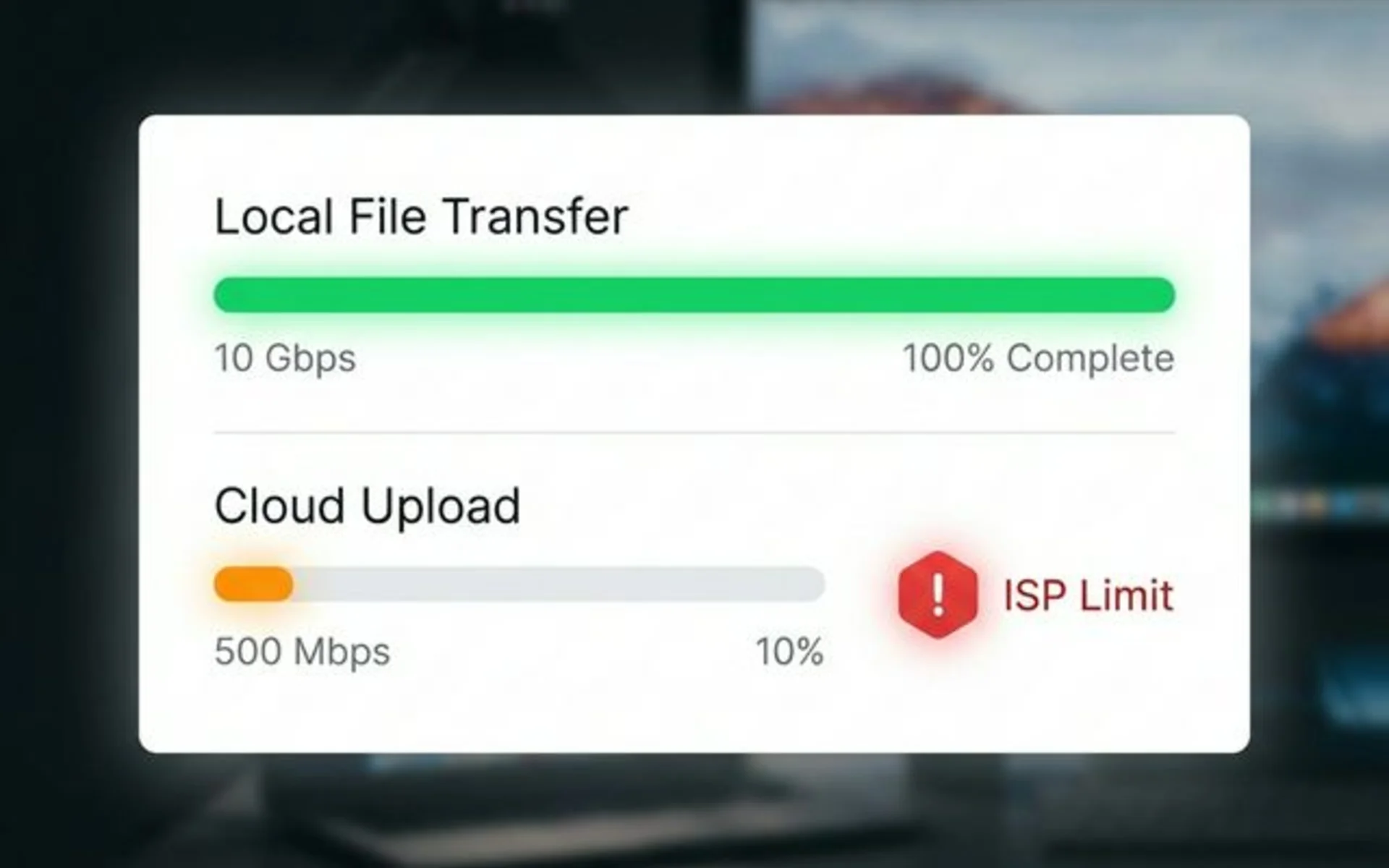
Internal data moves at the speed of your hardware. A 10 GB file transfer between two computers on a 10 Gbps LAN takes roughly 10 seconds.
In contrast, uploading that same file to the cloud over a 500 Mbps WAN connection takes roughly 3 minutes.
Real-world LAN performance:
- Transferring a 10 GB file between two computers on the same network? 10 seconds at 10 Gbps.
- Printing a 50-page document to a local network printer? Instant.
- Loading a shared Excel file from your internal file server? Milliseconds.
Real-world WAN performance:
- Uploading that same 10 GB file to Google Drive with 500 Mbps upload? 3 minutes.
- Downloading a large CAD file from a client in Europe? Depends on their upload speed and routing.
- Video conferencing with a remote office? Smooth, but capped at your WAN bandwidth.
| Metric | LAN (Internal Network) | WAN (Internet Connection) |
|---|---|---|
| Typical Speed | 1-10 Gbps | 100 Mbps - 5 Gbps |
| Latency | Less than 1 ms | 10-50 ms (domestic), 100+ ms (international) |
| Ownership | You buy it | You rent it monthly |
| Scalability | Add switches/APs | Call your ISP, pay more |
Key Takeaway: Buying faster WiFi access points (LAN) will not improve your internet download speeds (WAN). If you're frustrated by slow cloud uploads or laggy remote desktop sessions, you need to upgrade your WAN (internet plan). Conversely, if local file shares are slow but internet browsing is fine, your LAN needs attention.
When You Only Need a LAN (The Single-Office Setup)
If your entire business operates from one physical location with no remote workers or branch offices, your LAN does 90% of the heavy lifting.
What Lives on Your LAN:
- File servers (or NAS like Synology DS925+)
- Network printers
- IP cameras (if using UniFi Protect)
- Desktop computers plugged into ethernet
- WiFi laptops and phones connecting locally
Your WAN (internet) is just for:
- Email and web browsing
- Cloud backups
- Occasional remote access (VPN into the office)
For this setup, invest heavily in your LAN quality:
- Run proper Cat6 or Cat6A cabling
- Use business-grade WiFi like the UniFi U7 Pro (WiFi 7, 6 GHz support)
- Deploy a Multi-Gig switch like the UniFi Pro Max 24 PoE with 2.5 Gbps ports to support WiFi 7
Then, keep your WAN simple: a business fiber connection from AT&T or your local ISP, terminated into a UniFi Cloud Gateway Max.
Do I Need SD-WAN for My Business?
Businesses with multiple locations or remote workforces need SD-WAN (or SASE) to securely route traffic and optimize internet reliability.
The moment you have a second office location or remote employees, your WAN architecture becomes mission-critical.
Scenarios Where SD-WAN/SASE Matters:
- Branch offices: You have locations in different cities and need to share resources (files, phone systems, databases).
- Hybrid workforce: Employees work from home and need secure access to office servers.
- Cloud-heavy operations: Your CRM, accounting, and file storage live in AWS, Google Cloud, or Microsoft 365.
The Old Way: MPLS (Expensive Private Lines)
Historically, businesses paid ISPs for MPLS circuits—dedicated, private network connections between offices. Expensive ($1,000+ per site/month), inflexible, and slow to provision.
The Modern Way: SD-WAN and SASE
In 2026, the majority of multi-site businesses have replaced MPLS with SD-WAN or SASE (Secure Access Service Edge). These technologies use cheap public internet connections (cable, fiber, 5G) but add intelligent software that:
- Routes traffic dynamically (if one link fails, switch to backup)
- Prioritizes critical apps (Zoom calls get priority over file downloads)
- Encrypts everything (VPN tunnels between sites)
SASE vs. Legacy VPN:
By 2026, traditional VPNs are converging into SASE, which combines SD-WAN with zero-trust network access (ZTNA). Legacy VPNs grant broad network access once authenticated. Modern SASE platforms (like NordLayer or Perimeter 81) verify every connection request and restrict access to specific applications.
Cost Comparison:
- Old MPLS setup: ~$3,000/month for 100 Mbps private line between two offices.
- Modern SD-WAN setup: ~$200/month for 1 Gbps fiber at each site + $150-200/month for SASE software like NordLayer or Perimeter 81.
Simple SD-WAN for SMBs
For small businesses with 2-3 locations, you don't need enterprise SD-WAN complexity. A UniFi Cloud Gateway Max at each site + NordLayer VPN gives you secure site-to-site connectivity for under $400/month total.
If you're evaluating redundancy at a single site rather than connecting multiple locations, our dual WAN business network guide covers how to verify real ISP route diversity and choose between failover, load balancing, and bonding.
LAN vs. WAN: The Head-to-Head Comparison
| Aspect | LAN (Local Network) | WAN (Internet/Wide Network) |
|---|---|---|
| Geographic Scope | Single building or campus | City, country, or global |
| Ownership | You own the equipment | You lease connectivity from ISP |
| Speed | 1-10 Gbps typical | 100 Mbps - 5 Gbps typical |
| Latency | Less than 1 ms | 10-50 ms (can be 100+ ms internationally) |
| Cost | Upfront capex ($2,000-10,000) | Monthly opex ($100-1,000+/month) |
| Security | Behind your firewall | Requires VPN/SD-WAN encryption |
| Reliability | You fix it (or call your IT vendor) | You wait for the ISP to fix it |
| Scalability | Add switches/APs as needed | Request upgrade from ISP (may take weeks) |
The Hybrid Reality: How Small Businesses Actually Use Both
Here's how a modern 15-person professional services firm might architect their network:
The LAN (In-Office Backbone):
- UniFi Cloud Gateway Max: Router + firewall ($199)
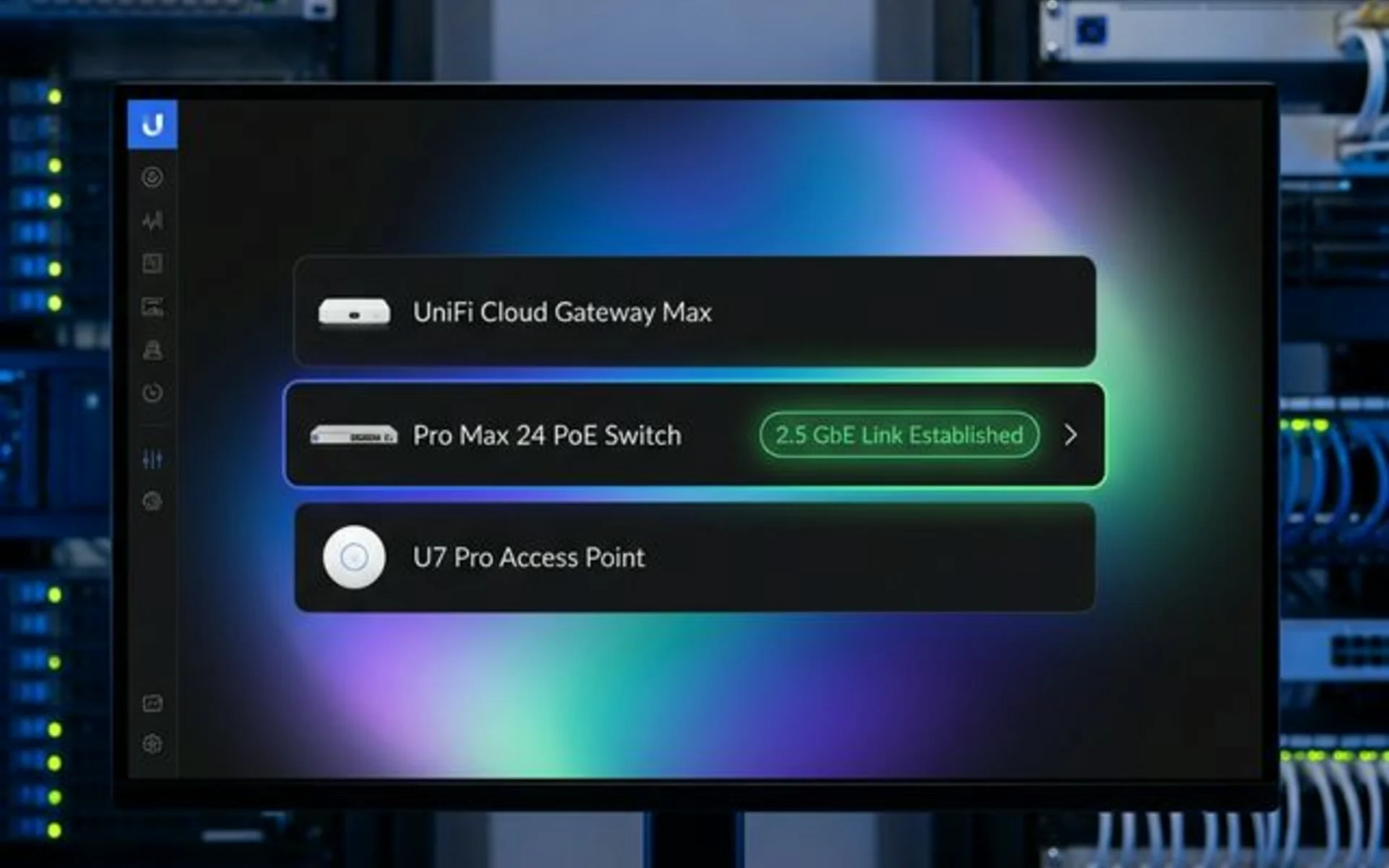
- UniFi Pro Max 24 PoE switch: 24 Multi-Gig ports (2.5 GbE) for desktops/printers/cameras ($799)
- 2x UniFi U7 Pro APs: WiFi 7 coverage for laptops/phones ($358)
- Synology DS925+ NAS: Local file server with real-time backup ($640)
- UniFi LTE Backup Pro: 5G failover if fiber goes down ($279)
Total LAN investment: ~$2,300 + cabling (~$500-1,000) = $2,800-3,300 (one time)
The WAN (Internet + Remote Access):
- Business fiber: 1 Gbps download / 500 Mbps upload from local ISP ($250/month)
- NordLayer VPN: Secure remote access for 15 employees ($180/month)
- 5G failover: $50/month for unlimited data
Total WAN cost: ~$480/month
The Workflow:
- In-office employees connect to the LAN (wired or WiFi) → blazing-fast access to the Synology NAS and printers → use the WAN for email/web/cloud apps.
- Remote employees VPN into the office via NordLayer → securely access the NAS over the WAN → slower (limited by their home internet upload), but encrypted and safe.
- If fiber fails → UniFi gateway automatically switches to 5G LTE → critical operations continue (though at reduced speed).
2026 Network Cost Comparison
| Item | Est. Cost | Frequency | Category |
|---|---|---|---|
| UniFi Cloud Gateway Max | $199 | One-time | LAN |
| UniFi Pro Max 24 PoE Switch (Multi-Gig) | $799 | One-time | LAN |
| UniFi U7 Pro WiFi 7 AP (x2) | $358 | One-time | LAN |
| Synology DS925+ NAS | $640 | One-time | LAN |
| UniFi LTE Backup Pro | $279 | One-time | LAN |
| Cat6A Ethernet Cabling | $500-1,000 | One-time | LAN |
| Total LAN Investment | ~$2,800-3,300 | One-time | LAN |
| Business Fiber (1 Gbps) | $250 | Monthly | WAN |
| NordLayer SASE (15 users) | $180 | Monthly | WAN |
| 5G Failover Data | $50 | Monthly | WAN |
| Total WAN Cost | ~$480 | Monthly | WAN |
Drive Compatibility Note
The Synology DS925+ introduced drive compatibility requirements in 2025. When purchasing, ensure you're getting compatible drives or consider a bundle to avoid compatibility issues.
Common Mistakes (And How to Avoid Them)
Mistake #1: Upgrading WiFi When the Internet is the Bottleneck
Symptom: "I bought a new $400 WiFi router, but my cloud uploads are still slow." Problem: Your LAN (WiFi) might now support 1 Gbps, but if your WAN (ISP plan) is only 100 Mbps upload, that's your ceiling. Fix: Check your WAN speed first. Run a speed test. If it's maxed out, call your ISP before buying new hardware.
Mistake #2: Skimping on the LAN Because "Everything's in the Cloud"
Symptom: "We don't need a fast local network; we use Google Workspace for everything." Problem: Your video calls, screen sharing, and file previews still traverse your LAN before hitting the WAN. A cheap consumer router creates a bottleneck. Fix: Even cloud-first companies benefit from quality LAN equipment. A UniFi setup ensures smooth handoffs between LAN and WAN.
Mistake #3: Paying for MPLS in 2026
Symptom: Your ISP is charging $2,000/month for a "private WAN" between two offices. Problem: MPLS made sense when public internet was unreliable. In 2026, fiber + SD-WAN is cheaper, faster, and more flexible. Fix: Switch to dual fiber connections + SD-WAN software. You'll cut costs by 60-80% and get better performance.
Quick Decision Guide: Do You Need to Worry About Your WAN?
Answer these three questions:
-
Do you have multiple office locations?
- Yes → You need WAN design (SD-WAN, site-to-site VPN).
- No → Your WAN is just "the internet." Keep it simple.
-
Do you have remote employees accessing office resources?
- Yes → You need secure WAN access (VPN like NordLayer or Perimeter 81).
- No → No special WAN needs beyond basic internet.
-
Are your critical apps cloud-hosted (Microsoft 365, Salesforce, etc.)?
- Yes → Your WAN (internet speed/reliability) is more important than your LAN.
- No → Invest in a robust LAN; your WAN can be basic business fiber.
Pro Tip
If 80% of your work happens locally (file shares, printing, internal apps), spend 80% of your network budget on the LAN (switches, cabling, WiFi). If 80% of your work is cloud-based, spend 80% on the WAN (faster internet, redundant connections, SD-WAN).
Related Reading
- Small Business Network Setup Guide — Step-by-step implementation for LAN + WAN
- UniFi Business Network Guide — Why we recommend UniFi for SMB LANs
- Business VPN vs Consumer VPN — WAN security demystified
- Best Ethernet Cable Guide — LAN infrastructure foundation
- VPN vs Zero Trust Security — Modern WAN security architecture
- How to Find Your Router IP Address — Access your gateway's admin panel to check WAN and LAN settings
Related Articles
More from Network Infrastructure
Modem vs Router: What's the Difference? (Business Owner's Guide)
A modem connects you to the internet. A router creates your office network. Learn which one actually matters for your business and which upgrades are worth it.
12 min read
How to Find Your Router IP Address on Windows, Mac, iPhone, Android & Linux
Find your router IP address on Windows, Mac, iPhone, Android, or Linux. Includes default IPs and login notes for common router brands and app-managed systems.
12 min read
WiFi Keeps Disconnecting? A Technician's Troubleshooting Guide
A systematic guide to isolating exactly why your WiFi drops — covering driver fixes, router configuration, interference, and when it's time for new hardware.
19 min read