

UPS vs Portable Power Station for an Office Network
Can a power station replace a UPS for your office network? Switchover, NAS shutdown and runtime for EcoFlow DELTA 3 Plus, Anker C1000 Gen 2 and Jackery 1000 v2.

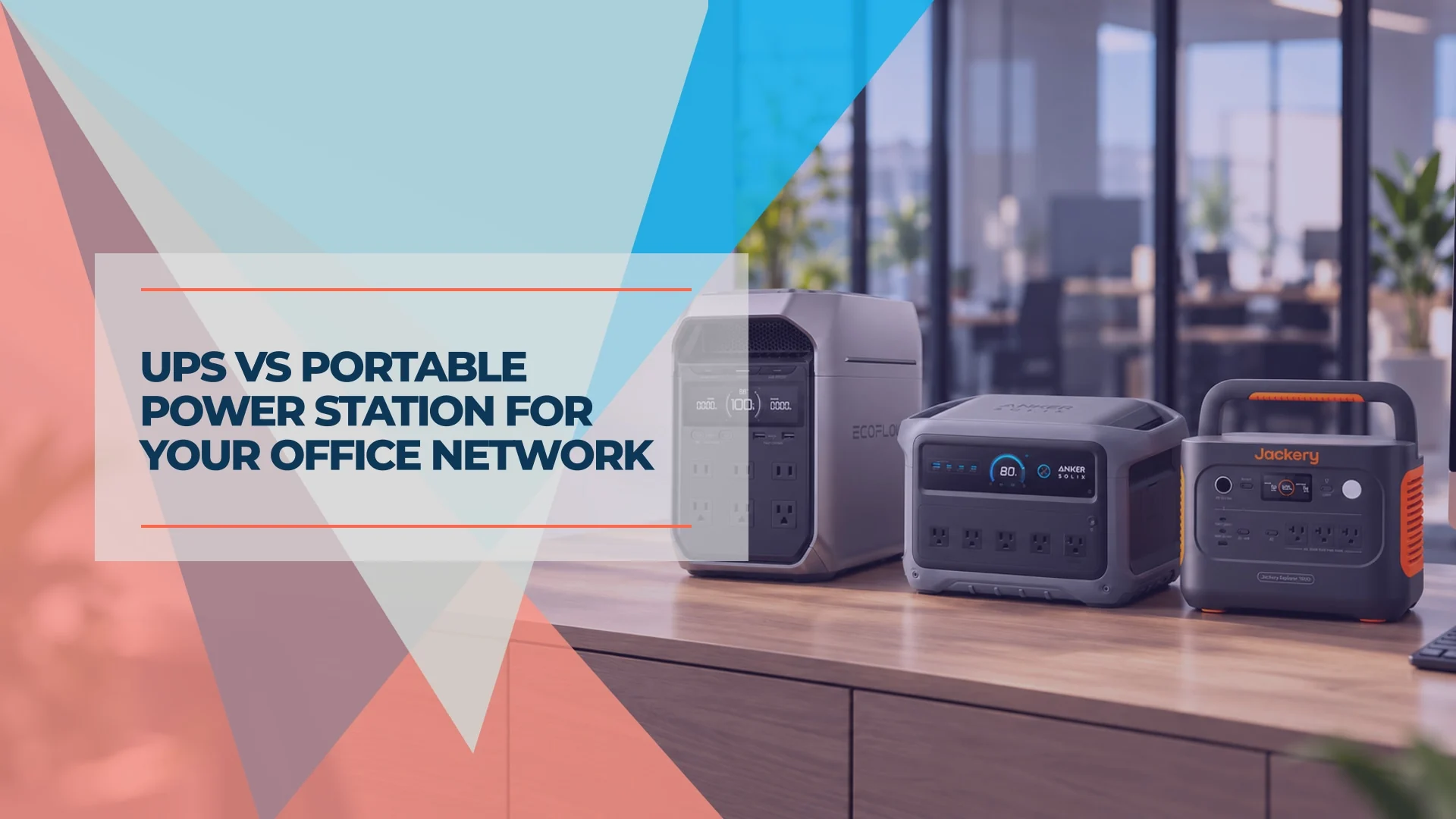
Use a UPS for reliable transfer and automatic NAS shutdown. Add a portable power station when your modem, router and Wi-Fi need several hours of backup. A power station can replace a UPS for some network loads, but only after you check its transfer behavior, output settings and compatibility with your equipment.
Several of our South Florida clients already keep a power station in the office for longer outages. Their outages include short blips and occasional multi-hour interruptions, usually during storm season. That experience is why we separate two needs: keeping the network reachable and shutting storage down safely.
This guide compares the US 120 V versions of the EcoFlow DELTA 3 Plus, Anker SOLIX C1000 Gen 2 and Jackery Explorer 1000 v2. The specifications are manufacturer ratings; the runtime figures below are calculations using stated assumptions.
Affiliate Disclosure: This article contains affiliate links. If you make a purchase through these links, we may earn a small commission at no extra cost to you. As an Amazon Associate, iFeelTech earns from qualifying purchases.
Quick Verdict
- Short interruptions or a NAS/server: choose a compatible communicating UPS and configure shutdown.
- Hours of internet, Wi-Fi and VoIP: a roughly 1 kWh power station can be useful once tested with the actual load.
- Both needs in one office: put the network on the power station and storage on a separate UPS. You do not automatically need two devices for a modem and router alone.
- Among these three: the EcoFlow DELTA 3 Plus offers battery expansion; the Anker SOLIX C1000 Gen 2 offers a 10 ms transfer and fast recharge; the Jackery Explorer 1000 v2 offers slightly more rated energy at the lowest verified price in this comparison.
UPS vs Power Station: What Actually Changes?
Watts (W) describe the load a unit can supply. Watt-hours (Wh) describe stored energy. VA is a separate UPS sizing limit, not a measure of runtime. For an 80 W network, a 2,000 W inverter does not imply longer runtime than a 1,500 W inverter with a similar battery.
| Office requirement | Communicating UPS | Power station with UPS/EPS mode |
|---|---|---|
| Transfer during an outage | Depends on topology; the CyberPower example lists 4 ms typical | These models advertise 10 ms or less to under 20 ms |
| Automatic NAS shutdown | Via supported USB or network communication, after configuration | Do not assume support; EcoFlow's documentation needs clarification |
| Multi-hour runtime | Possible with suitable sizing or supported external batteries | Larger built-in battery than a typical desktop UPS |
| Voltage regulation | Model-dependent; the CyberPower example includes AVR | Bypass operation is not proof of UPS-equivalent regulation |
| Maintenance | Check battery condition, replacement options and runtime | Check charge limits, firmware, timeout settings and recovery behavior |
A line-interactive UPS still has a transfer interval. An online double-conversion UPS has no transfer time when utility input fails during normal online operation, as Schneider Electric explains. Neither a fast transfer specification nor a pure sine wave label proves compatibility with every power supply.
The CyberPower CP1500PFCLCD provides a useful desktop reference: 1,500 VA/1,000 W, sine wave output, automatic voltage regulation and HID-compliant USB. Its listed two 12 V, 9 Ah batteries total 216 Wh nominal (2 × 12 × 9), before discharge and conversion losses. CyberPower lists 10 minutes at its 500 W half load. That figure does not describe an 80 W network; use its runtime chart at your load and check your hardware revision. When those batteries wear out, the replacement cartridge depends on the serial number; our UPS battery replacement guide shows how to look it up.
The power stations below hold about five times that nominal energy. This is a comparison with that desktop UPS, not a limit on UPS technology: a UPS with supported external battery modules can also provide extended runtime. Our UPS guide for UniFi racks covers the UPS options in more detail.
How Long Will a Power Station Run Your Network?
Start with everything that must stay powered: ONT or modem, gateway, switch, access points and phones. Include PoE devices in the switch's measured wall load; do not count them twice.
The 80 W scenario below uses an 8 W ONT, a 12 W gateway and a 60 W switch including its PoE devices, following our modem and router backup guide. The 150 W scenario represents a larger network load.
| Unit | Rated energy | Calculated runtime at 80 W | Calculated runtime at 150 W |
|---|---|---|---|
| EcoFlow DELTA 3 Plus | 1,024 Wh | 9.0–10.9 hours | 4.8–5.8 hours |
| Anker SOLIX C1000 Gen 2 | 1,024 Wh | 9.0–10.9 hours | 4.8–5.8 hours |
| Jackery Explorer 1000 v2 | 1,070 Wh | 9.4–11.4 hours | 5.0–6.1 hours |
Illustrative calculations: rated Wh × 0.70 or 0.85 ÷ measured load in W. These two usable-energy assumptions show sensitivity to losses; they are not tested efficiency figures, manufacturer guarantees, or a predicted minimum/maximum. They assume a full starting charge and no reserved capacity. Actual runtime can fall outside the ranges.
At small loads, the inverter's own consumption matters more. Jackery's technical FAQ lists 18 W standby consumption, without a full test procedure. That is a reason to test a modem-only setup rather than extrapolating the table down to 10 or 20 W. A smaller UPS or appropriately matched DC backup may be sufficient for that use; see the modem/router guide before buying a 1 kWh unit.
Sizing example: an 80 W network for eight hours needs 640 Wh delivered to the equipment. At the illustrative 70% assumption, that requires about 914 Wh rated. A 150 W network for eight hours needs about 1,714 Wh rated under the same assumption. Leave additional room for battery aging, charge limits and load growth, and verify with a timed run.
EcoFlow vs Anker vs Jackery: Office-Relevant Specifications
These are the named models, not the original Anker C1000, C1000X Gen 2, Jackery 1000 Plus or HomePower 1000 v2. Similar names can hide different batteries, outlets and expansion options.
| Specs | |||
|---|---|---|---|
| Capacity | 1,024 Wh LFP | 1,024 Wh LiFePO4 | 1,070 Wh LiFePO4 |
| AC output | 1,800 W (3,600 W surge) | 2,000 W (3,000 W peak) | 1,500 W (3,000 W surge) |
| UPS switchover | Under 10 ms | 10 ms | Under 20 ms advertised |
| NAS shutdown | Verify software/firmware compatibility | No supported signaling identified | No supported signaling identified |
| US AC outlets | 6 | 5 | 3 |
| Expansion | Up to about 5 kWh; extra battery/cable required | None | None |
| Cycle rating | 4,000 to 80%+ | 4,000 to 80% | 4,000 to 70%+ |
| Weight | 27.6 lb | 24.9 lb | 23.8 lb |
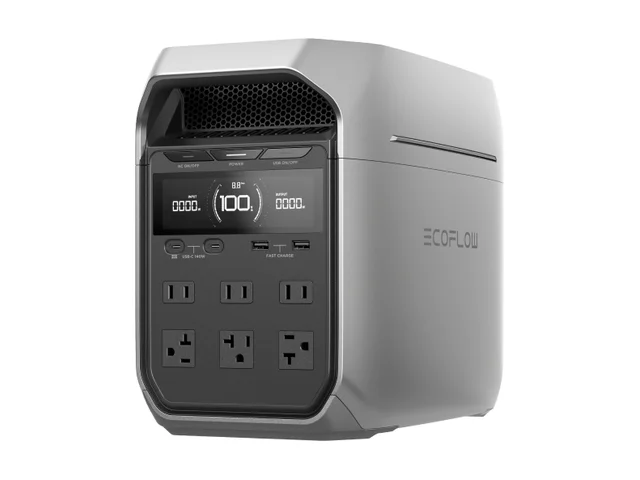
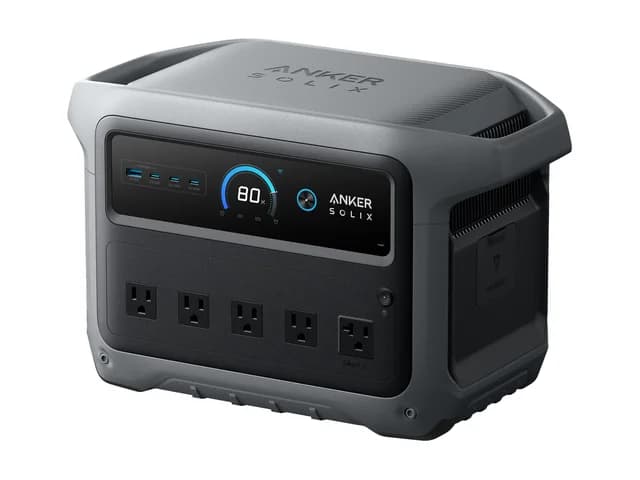
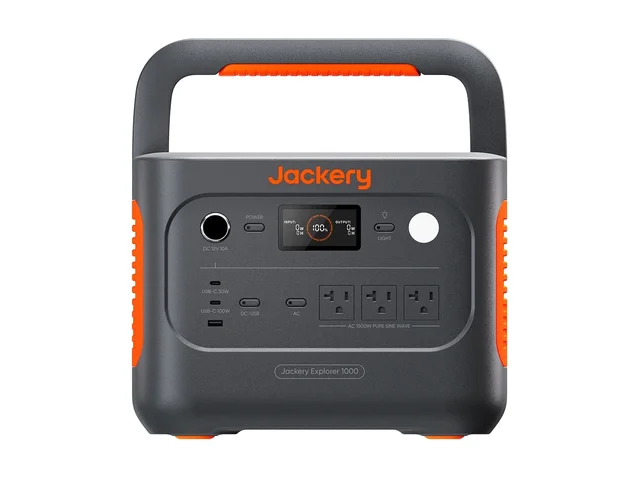
US prices checked October 25, 2026, before tax: EcoFlow's store displayed $719 against $799 and marked the base unit sold out with a mid-November shipping message; Amazon's Anker listing displayed $699.99, sold by AnkerDirect; Jackery's store displayed $499 for the black base unit. The Jackery purchase link above goes to Amazon, where the price may differ. Prices, stock and bundle selections can change.
EcoFlow DELTA 3 Plus: For Longer Runtime Through Expansion
EcoFlow is the choice here when one battery may not cover the outage. Its US specification table lists six AC outlets and expansion to about 5 kWh with compatible extra batteries. Confirm the battery model and required connection cable before ordering; the base price does not include expansion.
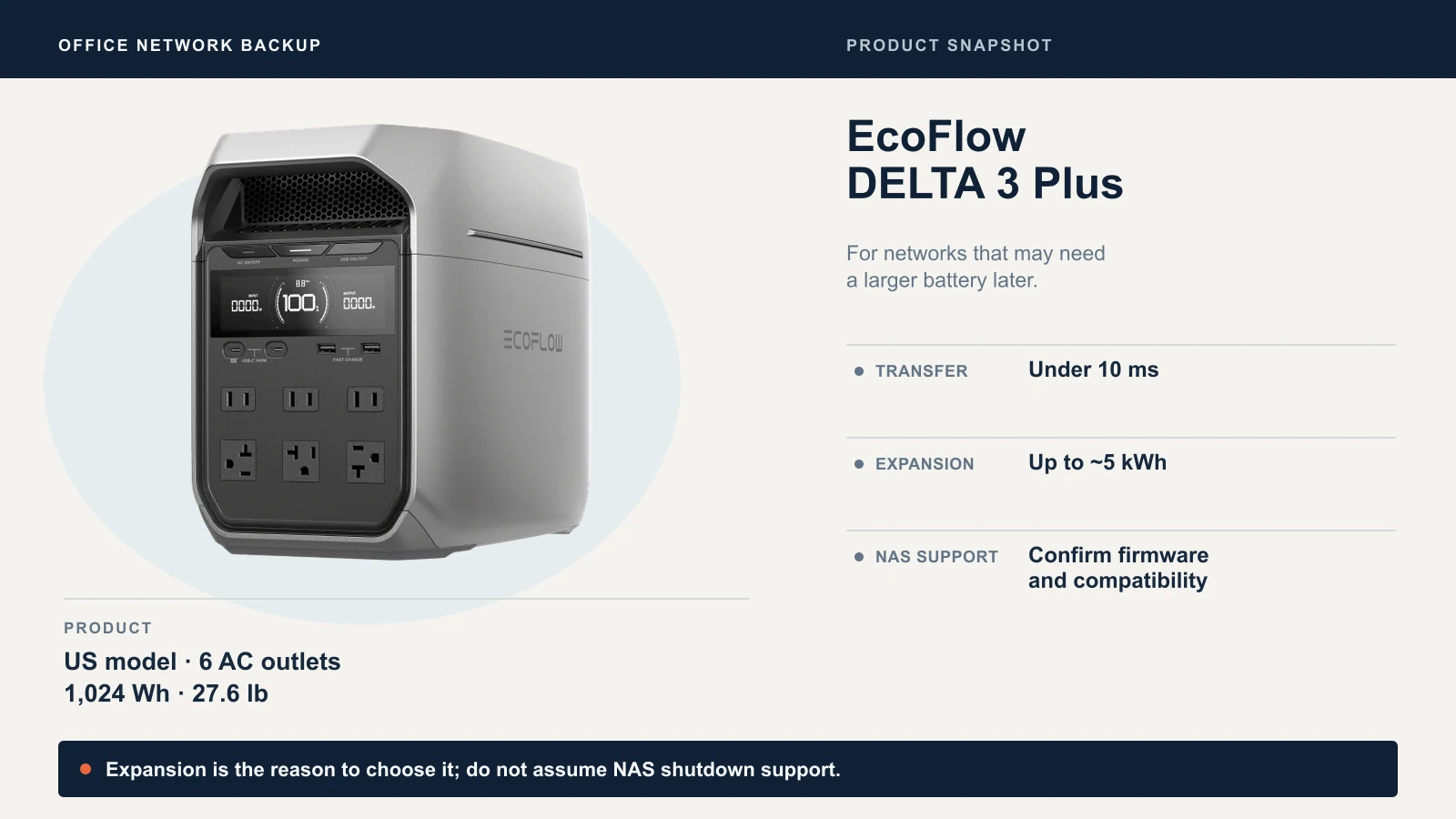
Do not buy it solely for NAS shutdown on the strength of its sales page. That page describes PowerManager, NUT and HID support but retains an undated December launch note. EcoFlow's indexed Power Manager manual also contains a planned DELTA 3 Plus support date rather than an unambiguous current firmware requirement. Its device manual describes USB-C communication, but that does not establish working shutdown support for every NAS. Obtain confirmation for your firmware, software and NAS combination, then test the shutdown sequence. Until then, use a compatible communicating UPS for storage.
Anker SOLIX C1000 Gen 2: For Fast Recharge Between Outages
Anker combines a 10 ms listed transfer with a claimed 49-minute full recharge using its app-enabled UltraFast mode. That can help when utility power returns between interruptions. Its 2,000 W continuous rating is ample for the example networks, but it does not add runtime over EcoFlow's equal-capacity battery.
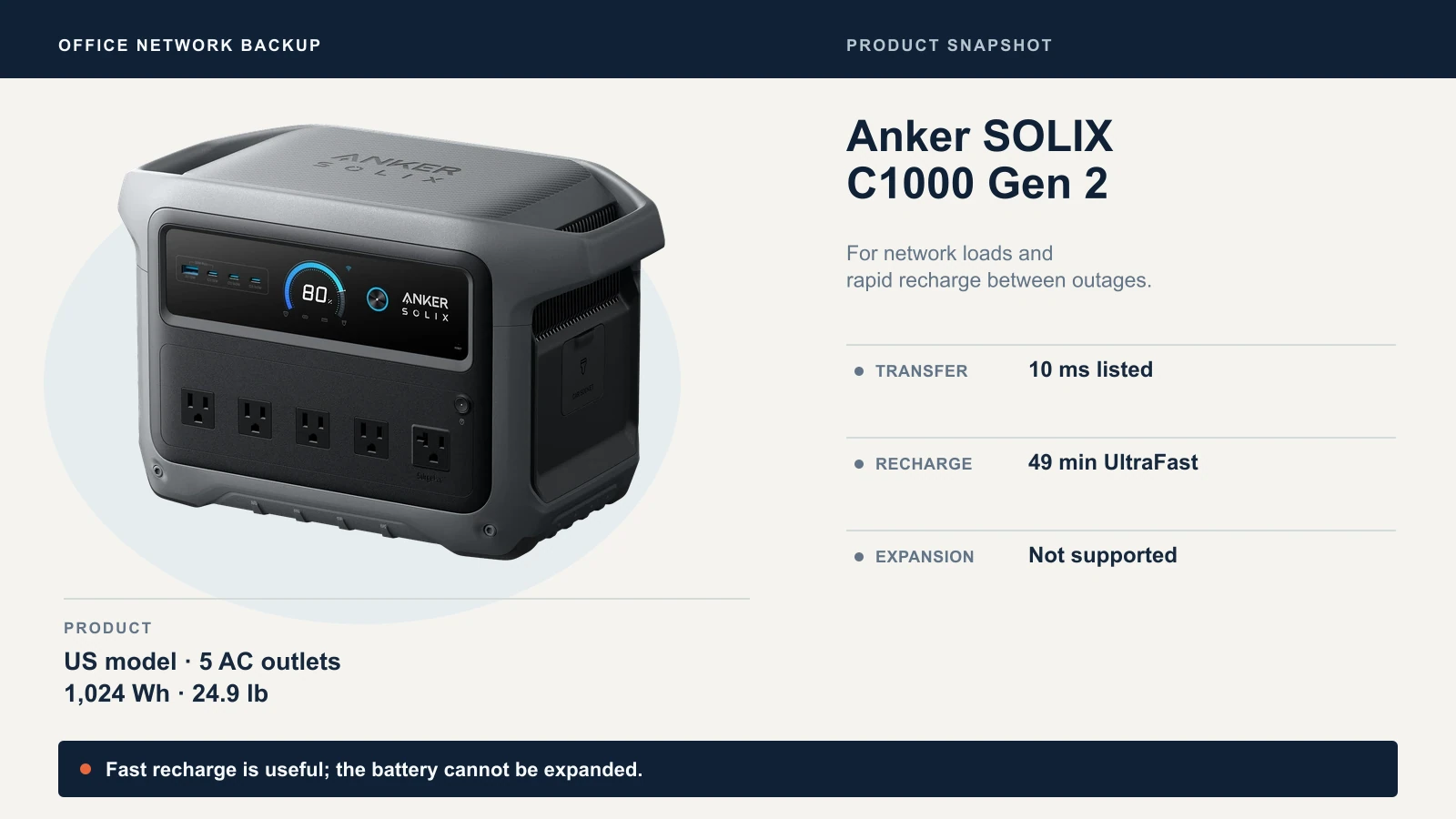
The Anker user guide lists 1,800 W maximum AC bypass power, versus 2,000 W battery output, and up to 1,600 W UltraFast charging. The bypass limit matters if you add larger loads. Consider charging demand on the office circuit too. Anker recommends normal-speed charging when fast charging is unnecessary.
There is no expansion feature, and we did not identify documented NAS shutdown signaling. The five US AC receptacles are visible in Anker's official product photograph; do not confuse them with the ten total output ports.
Jackery Explorer 1000 v2: For a Lower Initial Cost
The black Explorer 1000 v2 had the lowest verified price here, with 46 Wh more rated capacity than the others—about 4.5%, not a large runtime advantage. It is also the lightest of the three. Its technical FAQ confirms three AC outlets and pure sine wave output.
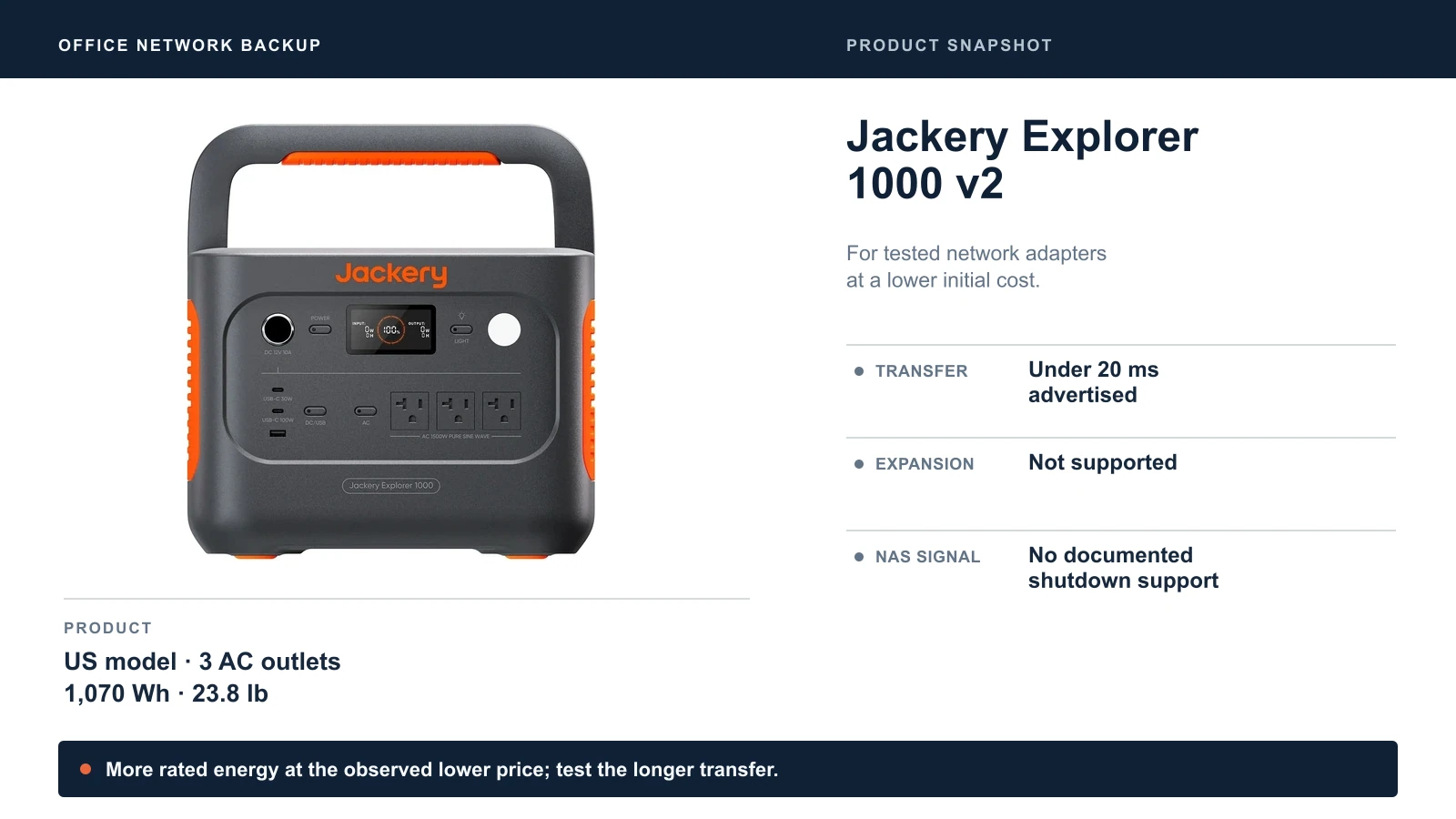
Jackery advertises transfer under 20 ms; its support FAQ says within 20 ms and warns against use with data servers or workstations requiring uninterrupted power. Treat it as a candidate for network adapters you have tested, not an automatic substitute for a server UPS. Its support comparison confirms the 1000 v2 does not accept expansion batteries.
The one-hour recharge claim requires Emergency Super Charge; the product table lists about 1.58 hours for ordinary AC charging. Likewise, the 4,000-cycle rating ends at 70%+ capacity, compared with 80% or more for the other two. Those ratings do not establish standby lifetime in a warm office closet.
How to Use a UPS and Power Station Together
For an office that needs both extended network runtime and controlled storage shutdown, split the loads:
- Power station: ONT/modem, gateway and PoE switch, including the access points and phones it powers. Include the failover modem if internet continuity depends on it.
- Communicating UPS: NAS and any server that needs an orderly shutdown. Use battery-backed outlets, connect the supported data cable or network management path, and configure the storage system's response.
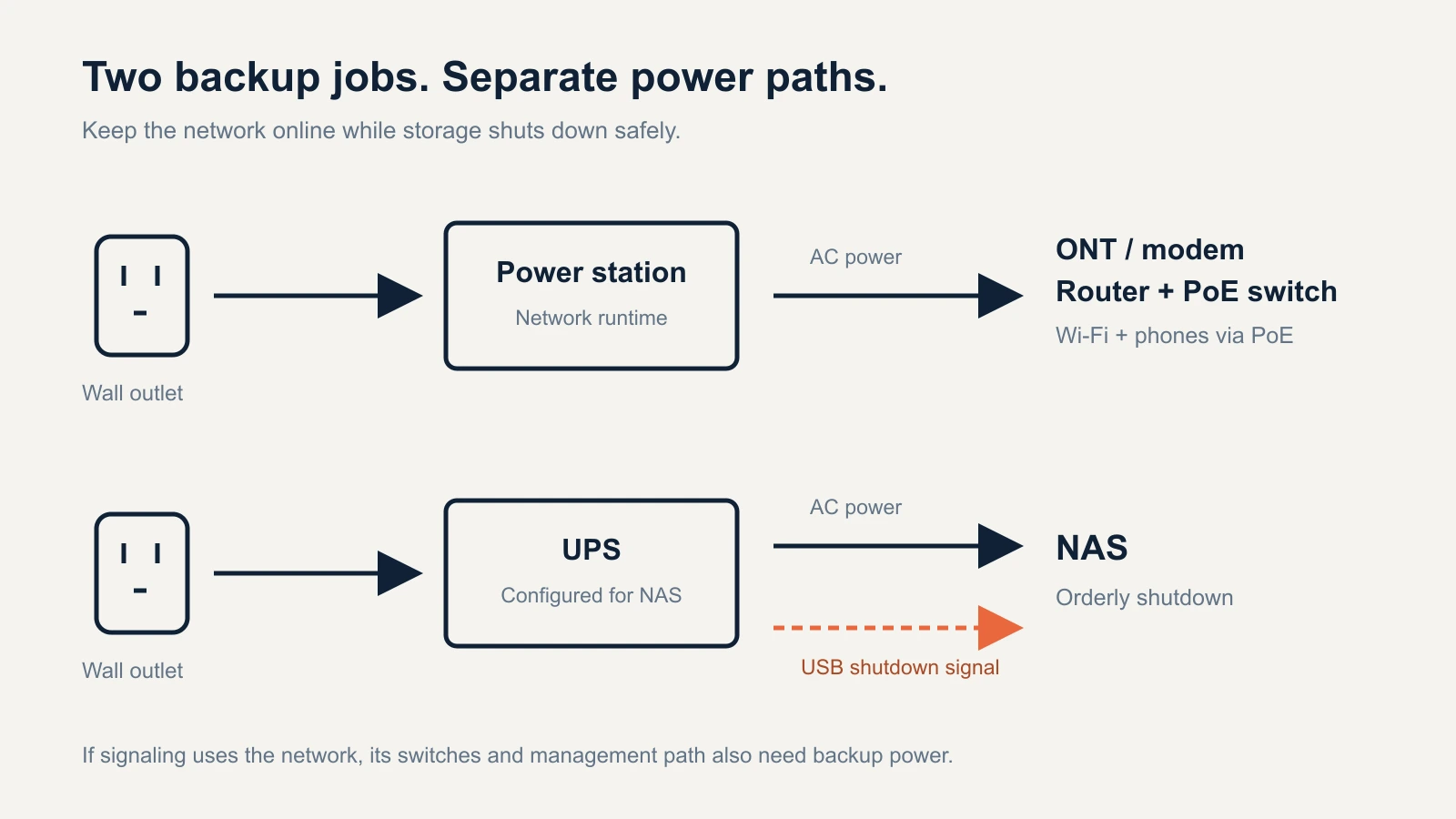
This topology lets the NAS shut down while the network continues running. If shutdown signaling travels over the network rather than USB, every switch and management device in that communication path also needs backup power. Synology's UPS guidance explains the dependency; check your NAS's current compatibility list and settings.
Can you plug a UPS into a power station? Do not make that the default design. Confirm that both manufacturers support the combination, including grounding, inverter output, UPS input requirements and charging load. Published wattage and a sine wave label alone do not establish compatibility. Separate loads avoid making the NAS depend on an unverified pairing.
Settings and Tests Before You Rely on It
A successful transfer test is only the first check. For an unattended office, verify the full outage-and-recovery sequence.
- Measure the real load. Use a plug-in meter that reports watts and VA. Include busy periods and camera infrared lighting if those cameras share the PoE switch. See our APC vs CyberPower guide.
- Configure continuous output. Review AC timeout, energy-saving and standby settings. EcoFlow's manual advises setting AC timeout to “never” for continuous loads. Jackery's manual describes a default energy-saving shutoff after 12 hours at AC loads of 25 W or less. Anker's guide describes a configurable 12-hour standby duration. Check the exact model's current manual rather than assuming factory settings suit a router.
- Choose backup settings deliberately. A lower charge ceiling or reserved capacity reduces available runtime. LiFePO4 cycle ratings do not remove temperature and calendar aging. Keep the unit dry and ventilated, with vents unobstructed, and follow its maintenance instructions.
- Test loss and restoration of wall power. During a maintenance window, with current backups, simulate an outage according to the manuals. Confirm the ONT, gateway, switch, Wi-Fi and phones stay operational; then confirm restoration does not restart them. On the separate UPS, confirm the NAS receives the outage status and completes its configured shutdown or safe-mode sequence.
- Test runtime and unattended recovery. Run the intended load for your target duration with margin. Separately establish what happens after low-battery cutoff: does AC output resume when charging returns, and does the equipment restart? EcoFlow documents an output-port memory setting; verify the behavior on your unit. Do not drain a working NAS to test battery exhaustion.
A power station does not keep a failed ISP online. Test calls and internet access as well as local Wi-Fi. Our business internet outage checklist and Starlink failover guide cover the connection side.
South Florida Office Planning
The Atlantic hurricane season runs June 1 through November 30. Our client experience includes both brief interruptions and longer outages, so choose the backup duration around the office's actual needs. A unit that covers a working afternoon is not a multi-day continuity plan. See our Miami office network planning guide for the broader design.
Which Should You Buy?
For brief interruptions and storage protection, start with a compatible UPS. For a modem and router alone, measure the load before spending on 1 kWh of storage. For an office network that needs hours of operation, choose EcoFlow if expansion matters, Anker if rapid recharge matters, or Jackery if the lower observed price fits your budget and the transfer passes your tests.
For a NAS, buy on confirmed communication compatibility and tested shutdown behavior. Extra watt-hours cannot replace that signal.
Sources
Checked October 25, 2026. Manufacturer specifications describe the named US models and are linked where they are used; runtime calculations use the method stated above. The settings guidance also draws on the EcoFlow DELTA 3 Plus manual and the Jackery Explorer 1000 v2 manual (an AU edition; confirm settings in the manual supplied with your US unit). The cover is an AI-assisted editorial illustration; product snapshots use manufacturer photographs.
Related Resources
- Best UPS for a UniFi Rack: waveform, active PFC and UniFi UPS shutdown support.
- APC vs CyberPower UPS for a Small Office: measuring load and comparing runtime.
- Battery Backup for a Modem and Router: small-load UPS runtime for internet equipment.
- What to Do When Your Business Internet Goes Down: the connection side of an outage plan.
- Best NAS for Small Business: storage options and their UPS support.
- Small Business Disaster Recovery: planning for outages beyond a single afternoon.
Frequently Asked Questions
Related Articles
More from Business Hardware
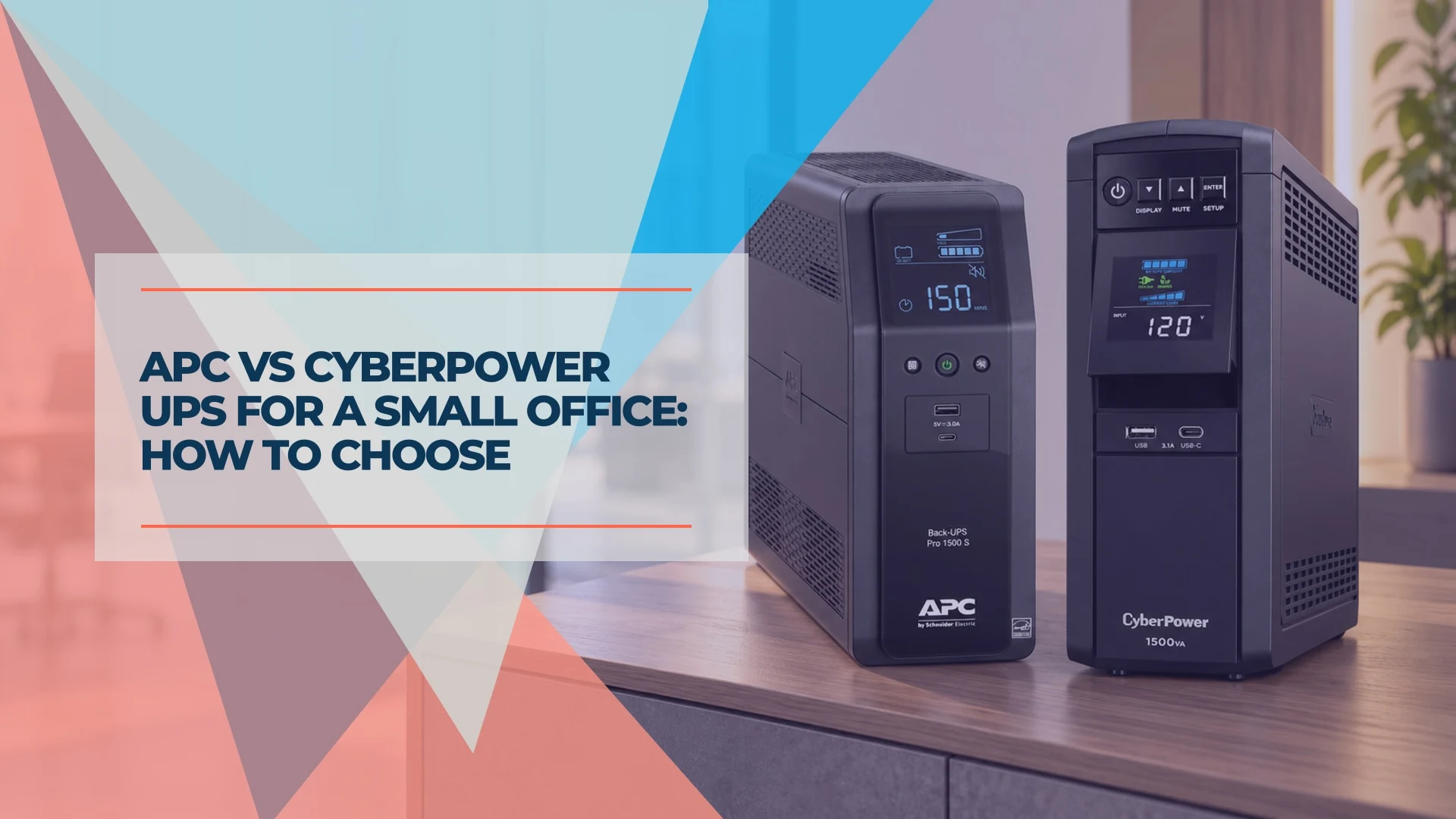
APC vs CyberPower UPS for a Small Office: How to Choose
APC or CyberPower for your office? Compare suitable UPS models by load, battery-backed outlets, runtime, replacement batteries and monitoring.
9 min read
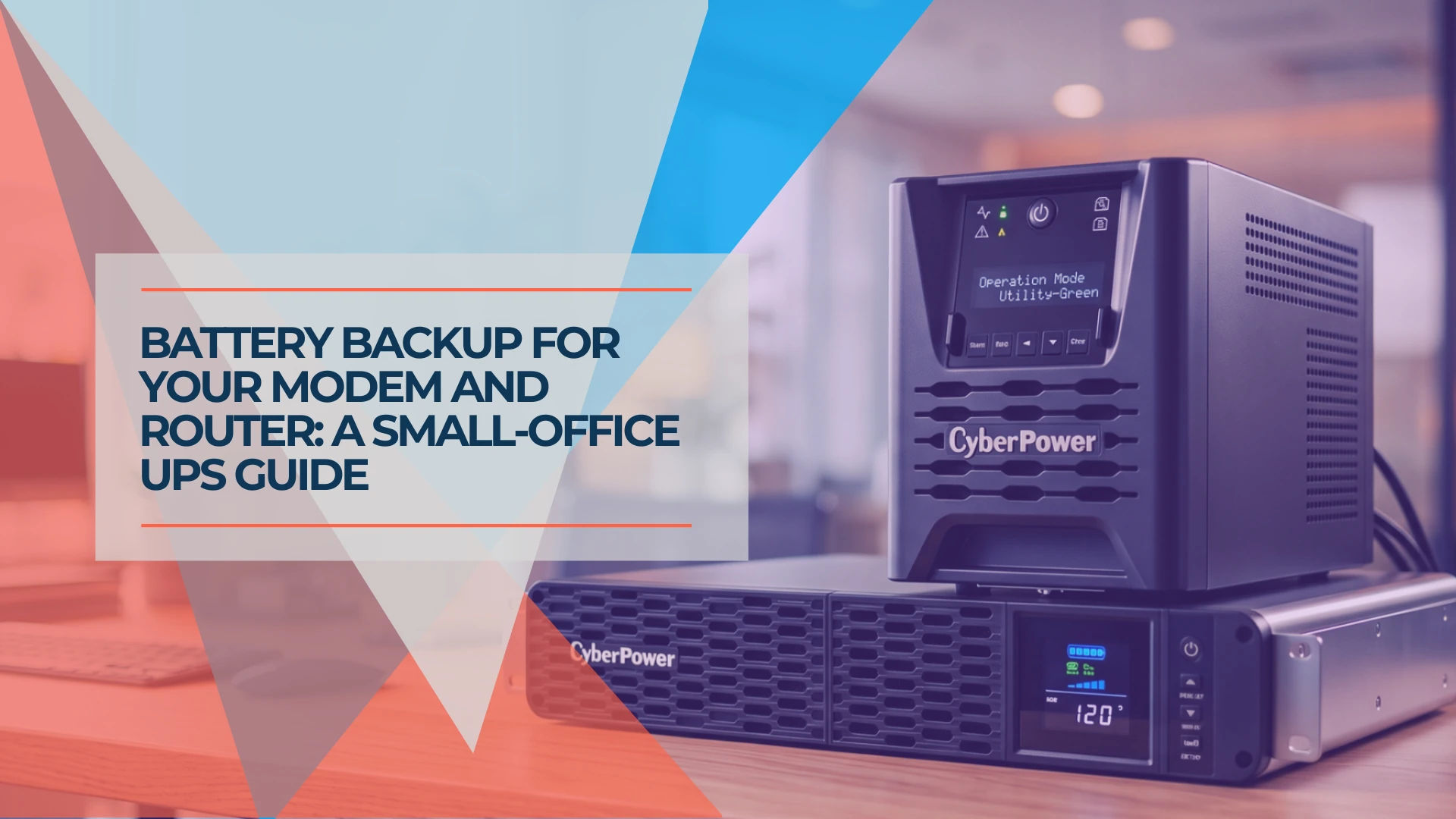
Battery Backup for a Modem and Router: Business UPS Guide
Choose a battery backup for your modem and router. Compare six business UPS models by runtime at small loads, rack fit, circuit needs and monitoring.
19 min read
Best UPS for UniFi Rack (2026): Protecting UDM Pro & Active PFC Gear
Compare UPS options for UniFi using verified battery capacity, manufacturer runtime figures, form factor, and shutdown support. Size protection to your measured load.
7 min read