The Best Privacy-First Productivity Apps in 2026: Notes, Tasks, Email, and Calendar
Privacy-first productivity apps for 2026 — encrypted and local-first notes, tasks, email, and calendar, sorted by what's genuinely team-viable vs. solo-only.

Most "privacy-first productivity" roundups are written for a person who will happily run a sync server in their spare time. We work with the other kind of reader: a business owner who wants their notes and tasks out of an advertising company's data model, but who has a team to support, no interest in maintaining infrastructure, and one non-negotiable — when an employee leaves, the data has to still be there.
That distinction matters more than any feature list. Some of the most-recommended private apps are excellent for a technical solo operator and difficult for a non-technical team to maintain past the first month. We've evaluated tools from both camps through the lens of small business support, recovery, and offboarding.
This guide sorts the privacy-first productivity landscape — notes, tasks, email, and calendar — into what's genuinely team-viable and what's best left to individual power users.
Affiliate Disclosure: This article contains affiliate links. If you make a purchase through these links, we may earn a small commission at no extra cost to you. As an Amazon Associate, iFeelTech earns from qualifying purchases.
How we evaluated these apps — June 2026
We reviewed each tool based on encryption model, default privacy settings, export options, recovery process, team usability, admin overhead, pricing, and migration risk. Pricing and security claims were checked against official product pages in June 2026. Prices are shown in the vendor's billing currency when publicly listed — US readers should check the checkout page for local pricing, taxes, and currency-conversion fees. Field notes reflect iFeeltech's experience supporting small business IT environments, evaluating privacy-first software, and helping clients think through migration, recovery, and offboarding risks.
What is the difference between privacy-first, local-first, and end-to-end encrypted?
These terms describe different privacy architectures, and the difference determines whether a tool works for your team.
Local-first means your data lives on your device. The app works offline, sync is optional, and you own the files directly. The upside is full control. The downside is that recovery, team access, and cross-device sync become your responsibility.
End-to-end encrypted (E2EE) means your data syncs through the cloud, but the provider cannot read it. The data is encrypted on your device before upload, and only you hold the decryption keys. The upside is managed sync, device recovery, and team sharing without exposing content. The downside is that you depend on the provider's infrastructure.
Minimal-permission / no-telemetry is the weakest claim — it means the app doesn't phone home or collect usage data. This is a baseline, not a privacy architecture.
Local-first vs. end-to-end encrypted — they're not the same thing
Local-first example: Obsidian stores Markdown files on your device. Nothing leaves your machine unless you pay for Obsidian Sync or set up your own sync target. You have full control — and full responsibility.
E2EE example: Notesnook encrypts your notes on your device before syncing them to their servers. The provider handles sync and recovery, but cryptographically cannot read your data.
The practical split that runs through this entire article: local-first favors control, managed E2EE favors recoverability. Teams usually need recoverability — because when an employee leaves or a laptop dies, someone has to get the data back. If you need a broader picture of your business's full data footprint, we've covered that separately.
What privacy-first productivity stack makes sense for a small team?
Most small teams should start with managed encrypted sync, not self-managed local files.
This is not a default productivity stack for every business. Most small companies still need the collaboration and admin maturity of Google Workspace or Microsoft 365. But when privacy is the primary goal — whether because of regulatory pressure, client sensitivity, or principle — these are the tools we would shortlist based on encryption, recoverability, ease of use, and offboarding.
Practical Privacy-First Options by Use Case
| Need | Best starting point |
|---|---|
| Encrypted notes (low maintenance) | Notesnook or Standard Notes |
| Audited encrypted notes | Standard Notes (XChaCha20-Poly1305, multiple independent audits) |
| Private Notion-style workspace | Anytype (local-first; evaluate Business tier separately for teams) |
| Private task + time tracking | Super Productivity (local) or Lunatask (encrypted cloud) |
| Encrypted email + calendar | Proton or Tuta |
| Local knowledge base (technical users) | Obsidian, Logseq, or Joplin |
The practical recommendation for most small teams: start with Notesnook or Standard Notes. They're encrypted by default, there's nothing to host, the data is recoverable if credentials and recovery methods are available, and a non-technical employee can use them without training. We do not recommend local-first tools for a non-technical team unless someone owns sync, backup, and recovery.
For the full picture of the Proton business suite and how these tools fit into a broader privacy stack, see our dedicated review.
Which encrypted note app is best for a business team?
Notesnook and Standard Notes are the easiest encrypted note apps to shortlist for small teams.
The first decision isn't which app — it's which architecture: do you need managed sync and recovery (someone else handles the infrastructure, you hold the keys), or local control (files live on your machine, sync is your problem)?
Managed End-to-End Encrypted (Team-Viable)
Notesnook is the easiest starting point for most small teams. It's open source, end-to-end encrypted by default, and has a polished, modern interface that competes well with mainstream note apps. The free tier includes 50MB/month storage with encryption on every note — no toggle, no setup, no "premium encryption" upsell. Paid plans scale by storage: Essential (1GB/month), Pro (10GB/month, unlimited notebooks), and Believer (25GB/month) — pricing varies by region, so check the Notesnook pricing page for current rates. The editor is polished enough that non-technical employees won't feel like they've downgraded from Evernote or Google Keep.
The honest limitation: no real-time collaboration yet (it's on their roadmap) and no plugin ecosystem. If your team needs to co-edit documents simultaneously, Notesnook isn't there yet.
Standard Notes is the best fit when independent audits and long-term security posture matter most. It's open source, E2EE by default using XChaCha20-Poly1305, and has been independently audited multiple times. Proton acquired Standard Notes in April 2024 — it remains a standalone open-source product with its own free tier (unlimited sync, E2EE, plain text notes) and paid plans: Productivity at $90/year (rich text, Super notes, spreadsheets, 1-year version history) and Professional at $120/year (100GB encrypted file storage, subscription sharing with up to 5 accounts, unlimited version history).
The honest limitation: the editor is more minimal than Notesnook's for the same price tier, and the rich-text Super notes format requires a paid plan.
Cryptee is a niche fit for readers who want encrypted notes and encrypted photo/video storage together. Based in Estonia (EU jurisdiction), end-to-end encrypted with AES-256, open source, and anonymous sign-up — no email address required. Pricing is straightforward: free (100MB), €3/month (10GB), €9/month (400GB), €27/month (2TB). It's a progressive web app that runs in your browser.
The honest limitation: it's a solo document and photo tool — no team features, no collaboration, no sharing workflows.
When should you choose local-first notes instead?
Choose local-first notes when control matters more than centralized administration.
Obsidian is the most widely used local-first knowledge base for technical users. Notes are plain Markdown files stored on your device — no proprietary format, no lock-in. The plugin ecosystem is large and active, and the graph view for linked notes is useful for building a personal knowledge system. Obsidian is not encrypted by default. If you want E2EE sync, you need Obsidian Sync: Standard at $4/user/month billed annually ($5/month billed monthly) for 1 vault and 1GB storage, or Plus at $8/user/month annually ($10/monthly) for 10 vaults, 10GB storage, and shared vault collaboration. Both tiers use AES-256 end-to-end encryption. Obsidian also published Sync security audit results in 2026 from Cure53 and Trail of Bits.
What we've seen when evaluating Obsidian for teams: the Markdown syntax, the plugin management, and the manual sync configuration tend to overwhelm non-technical users. The common pattern is that less technical team members drift back to simpler tools like Google Keep or Apple Notes. Obsidian is excellent for a technical owner who manages their own knowledge system. It is not a team deployment unless everyone on the team is comfortable with file-based workflows.
Logseq is Obsidian's outliner cousin — local Markdown/Org files with a block-based structure well-suited to linked notes and embedded task management. Same privacy profile as Obsidian: files are local, encryption is your responsibility.
Joplin is the most-recommended open source note taking app in privacy circles, and it deserves careful accuracy. It's offline-first, open source, and supports E2EE — but encryption is opt-in and must be enabled manually. It is not on by default. Joplin also has no native app-level or per-note PIN lock, so a device with Joplin open is a device with your notes readable. Sync targets include WebDAV, Nextcloud, Dropbox, OneDrive, and Joplin's own cloud service (based in France, starting at €2.99/month). The Teams plan runs €7.99/user/month (€6.69/month billed yearly) with 50GB storage, consolidated billing, and share permissions.
The honest limitation: local-first tools are excellent when the owner is technical; they become a liability when nobody owns backup, sync, and offboarding.
Is Anytype the best private alternative to Notion?
Anytype is the closest private Notion-style workspace, but team use needs careful setup.
Anytype handles notes, databases, linked pages, and object types much like Notion does — but your data stays on your device first. It's local-first, end-to-end encrypted, and uses peer-to-peer sync (the Any-Sync protocol). The free tier includes 100MB of remote storage and all core features. Paid personal plans add more storage: Plus at $4/month, Pro at $8/month (10GB), and Ultra at $16/month (100GB), with 20% off when billed annually.
Anytype for Business adds SSO, central admin, and self-hosting options for teams that need organizational control. The cloud-hosted Business tier includes an admin panel and central member management, but Anytype operates the auth node and holds encrypted key material in that configuration — it is not fully zero-knowledge in the same way as personal Anytype. The self-hosted option lets your organization operate the full infrastructure on your own servers, which is the cleanest path to full data sovereignty. Swiss-based, GDPR compliant.
The honest limitation: Anytype's collaboration is still more workspace than real-time team editor. If you need Notion's collaboration — comments, @mentions, simultaneous editing — Anytype isn't there yet.
| Specs | |||||
|---|---|---|---|---|---|
| Encryption | E2EE by default (XChaCha20) | E2EE by default (XChaCha20-Poly1305) | E2EE + local-first (AES) | Only via paid Sync add-on (AES-256) | E2EE opt-in (must enable manually) |
| Open source | Yes | Yes | Protocols MIT open source; apps source-available | No (free, not open source) | Yes |
| Free tier | Yes (50MB/mo, limited notebooks) | Yes (unlimited sync, plain text) | Yes (100MB remote storage, all core features) | Yes (full app, no sync) | Yes (app free, sync is BYO) |
| Sync | Managed cloud sync included | Managed cloud sync included | Peer-to-peer (Any-Sync) | Obsidian Sync ($4–$8/user/mo) or self-managed | WebDAV, Nextcloud, Dropbox, Joplin Cloud |
| Team viability | High — no setup required | High — managed sync, strong security posture, and paid subscription sharing | Medium — needs technical comfort | Low — solo or technical teams only | Low — requires technical ownership |
| Collaboration | Note sharing (no real-time co-editing yet) | Subscription sharing (Professional plan) | Shared spaces (not real-time co-editing) | Shared vaults (Sync Plus, $8/mo) | Shared notebooks (Joplin Cloud Teams) |


Team viability at a glance
| App | Team viability | Why |
|---|---|---|
| Notesnook | High | Managed sync, E2EE by default, easy UI, no setup |
| Standard Notes | High | Strong security posture, managed sync, paid subscription sharing |
| Anytype | Medium | Powerful structure, but collaboration and admin model need care |
| Obsidian | Low-to-medium | Excellent local files, but support burden rises quickly with team size |
| Joplin | Low-to-medium | Powerful and free, but E2EE and sync require technical ownership |
| Super Productivity | High for solo / Low for teams | Excellent local task tool, limited multi-user workflow |
| Lunatask | Medium | Easier app experience with E2EE, but not full project management |
When to avoid each tool
| App | Avoid if... |
|---|---|
| Notesnook | You need live collaborative document editing today |
| Standard Notes | You need the richest editor on the free plan |
| Anytype | You need Notion-level real-time collaboration |
| Obsidian | Your team dislikes Markdown or file-based workflows |
| Joplin | No one will manage encryption setup, sync, and backups |
| Super Productivity | You need shared boards and assignment workflows for a team |
| Proton Calendar | You rely heavily on third-party calendar clients or CalDAV |
| Tuta Calendar | You need CalDAV-based calendar workflows or broad client compatibility |
What is the best private task app for small teams?
Private task apps work best for individuals and very small teams (2–5 people).
The task management category is where the privacy-first trade-off is most noticeable. Todoist, Asana, and Monday.com are excellent at team collaboration because collaboration is their entire architecture — shared boards, real-time updates, assignment workflows. Privacy-first task tools, by design, keep your data local or encrypted in ways that make real-time multi-user features harder to build.
If you need complex multi-user project management with dependencies, Gantt charts, and workflow automation for a team of 15, none of these tools replace Monday or Asana today. They replace Todoist for individuals and small teams who want their task data off someone else's server.
Super Productivity is the strongest option for a private solo or small-team task setup. Open source, local-first, no account required, no telemetry — your tasks never leave your device unless you set up sync via WebDAV or Dropbox. It includes built-in time tracking (one-click start/stop), Pomodoro timers, Kanban boards, and GitHub/Jira/GitLab integration for development teams. The cross-platform sync is encrypted when you configure it. It's currently free and open source, with no paid tier listed.
Taskwarrior is for the developer or sysadmin who wants CLI-based task management with maximum control. It's powerful, scriptable, and syncs through TaskChampion backends where the server cannot see unencrypted task content. It is not something you deploy to a non-technical team — think of it as developer tooling, not a productivity app.
Lunatask is the better fit for users who want an encrypted app experience with tasks, habits, journaling, and notes in one place. End-to-end encrypted with no analytics or tracking. Free tier covers basic use; Premium at $6/month (annual) or $8/month adds unlimited areas of life, calendar integrations, and advanced workflows. Available on all platforms. It's polished enough for a non-technical user but should not be positioned as a full Asana/Monday replacement.
For readers who want notes and tasks in one local tool, Logseq and Obsidian both handle embedded task management through their block/page structure and plugins. The tradeoff is that these are knowledge-base tools with task features bolted on — not purpose-built task managers.
The collaboration gap is real
Privacy-first task tools are strong for individuals and small teams who need private task tracking. They are thin on multi-user workflow: no real-time board updates across a team, no automated assignment routing, no dependency chains. If collaborative project management is the primary need, these aren't the answer — they're the answer when privacy of task data is the primary need and you're willing to accept simpler collaboration.
Which encrypted calendar should a private business use?
Use the encrypted calendar that matches your email provider.
If you've already moved your business email to an encrypted provider — and many of the readers in this cluster have, from our Google Workspace vs Proton comparison — the calendar decision is mostly made for you.
Proton Mail + Proton Calendar is the natural fit for any team already on or moving to the Proton ecosystem. Proton Calendar is end-to-end encrypted: event titles, descriptions, locations, and invitees are all encrypted before leaving your device. Events received from external (non-Proton) calendars are secured with zero-knowledge encryption. Proton-to-Proton calendar sharing preserves the full E2EE model; external workflows (invites to non-Proton users) fall back to standard email handling where encryption isn't preserved end-to-end. It's included with every Proton account, from the free tier up through the Business plans. Swiss jurisdiction.
Tuta (formerly Tutanota) is the main Proton alternative — encrypted mail and calendar that Tuta describes as quantum-resistant. The calendar is E2EE and zero-knowledge, includes multi-user sharing within the organization, and has apps for every platform including open-source desktop clients. Tuta does not support standard IMAP or CalDAV protocols because of its encryption model, though a Thunderbird add-on now provides a workaround for desktop users who need Tuta within a multi-client setup.
Proton (Mail + Calendar + Drive)
End-to-end encrypted email, calendar, cloud storage, VPN, and password manager in one Swiss-based ecosystem. A practical choice for businesses building a privacy-first infrastructure.
- E2EE calendar included with all plans
- Swiss jurisdiction
- Business plans with custom domains
- Standard Notes now under Proton ownership
The practical limitation to be aware of: encrypted calendars don't interoperate the way Google or Microsoft calendars do. Neither Tuta nor Proton Calendar offers the broad third-party client compatibility that Google Calendar has. If your scheduling workflow involves heavy external coordination with non-encrypted calendar users, this is the friction point. The trade-off is real — but for internal team scheduling with encrypted storage, both work well.
The decision framework is simple: if you've already moved email to Proton, use Proton Calendar — it's included, it's encrypted, and it requires zero additional setup. If you haven't moved email yet, this is the natural starting point. For the full ecosystem breakdown, see the Proton business suite review.
How should a team migrate to private productivity apps?
Run the old and new systems in parallel before switching daily work.
This is where most roundups stop — they list the tools and leave the transition to you. The migration is the part that requires the most planning, because the practical concern isn't "which app is best" — it's "how do I switch without losing data."
Migration checklist
- Inventory current notes, tasks, attachments, and shared workspaces.
- Export and test — export from the old system and test the import on one account first.
- Configure before importing — set up encryption, sync, recovery, and backups in the new tool before moving everything.
- Run in parallel — keep both systems active for two weeks minimum.
- Test before cutting over — verify search, sharing, mobile access, and recovery all work.
What exports cleanly
From Notion: Export as Markdown + CSV. The Markdown comes out reasonably clean for text-heavy pages. Database views, linked databases, and Notion-specific blocks (toggles, synced blocks, embeds) don't survive the export. Attachments export as files alongside the Markdown. Import into Obsidian or Joplin is straightforward for text content; Standard Notes and Notesnook both accept Markdown import.
From Evernote: Export as ENEX format. Joplin has the best ENEX importer — tags, notebooks, and basic formatting come through. Standard Notes and Notesnook also import ENEX, though complex formatting (tables, embedded files) may need cleanup. Obsidian handles ENEX via a community plugin.
From Google Keep: This is the most labor-intensive migration. Google Keep export (via Google Takeout) produces HTML or JSON — not clean Markdown. Notes with images, lists, and labels require manual cleanup or a conversion script. No privacy-first tool imports Keep natively with high fidelity.
What doesn't transfer cleanly
- Nested page/database structure from Notion (flattens to folders)
- Rich embeds and widget blocks
- Shared/collaborative state (permissions, comments, @mentions)
- Internal links (break on export unless you remap them)
- Attachments with Notion-specific rendering (embedded PDFs, bookmarks)
Migration best practices
Run both tools in parallel for two weeks before cutting over. Import your archive into the new tool, but keep the old one active for daily use. This catches the things that didn't import cleanly before you've committed. The one step people skip: set up sync and recovery in the new tool before you move the data — not after. If the new tool's sync isn't working or you haven't enabled encryption, you're about to import everything into an unprotected, unrecoverable state.
The realistic timeline for a team of 5–10 people moving from Notion or Evernote to a private alternative: 2–3 weeks of parallel running, plus a half-day per person to clean up their workspace after import.
The migration is not complete until offboarding is tested. A manager must be able to recover or transfer business notes after an employee leaves. If the tool uses personal accounts with no admin override, that's a problem you need to solve before — not after — the team is fully migrated.
We use the same parallel-run approach for encrypted storage migrations — the methodology works regardless of the tool category. For where your files and attachments should live after the switch, see our guide to secure cloud storage for business.
How do private productivity apps handle employee offboarding?
A business tool is only safe if company data remains accessible after an employee leaves.
This is the question most privacy-app roundups never ask, and it's the one that matters most for a team. Before committing to any tool, verify:
- Account ownership: Does the company control the account, or does the employee? Personal accounts with no admin override are a data-loss risk.
- Note transfer: Can notes be exported or transferred to another team member?
- Shared space revocation: Can access be revoked without deleting the shared data?
- Admin console: Is there an admin panel for managing users and recovering data?
- Export availability: Can the company export all data if needed?
- Recovery documentation: Is the process documented, or will you discover it during a crisis?
The tools with the strongest offboarding story: Joplin Cloud Teams (consolidated billing, user management, share permissions), and Anytype for Business (central admin panel, SSO, member management). Standard Notes Professional supports subscription sharing with up to 5 accounts — useful for small teams, but not the same as full enterprise admin control or company-owned note recovery. Notesnook currently lacks a formal team admin layer — it's excellent for individual or small-group use but doesn't yet have enterprise account management.
For local-first tools (Obsidian, Super Productivity), the offboarding question becomes: who owns the device, and is the data backed up somewhere the company controls? If it's only on an employee's personal laptop, it leaves when they do.
Which privacy-first productivity app should you choose?
Choose based on recovery needs, collaboration requirements, technical capacity, and who will support the tool.
Choose managed E2EE if you have a team, need recovery, and don't want to maintain anything. Notesnook or Standard Notes for notes, Lunatask for tasks, Proton Calendar for scheduling. Data is encrypted, sync is handled, devices are recoverable, and no one on the team needs to understand the infrastructure.
Choose local-first if you're a technical solo operator or have in-house IT and want maximum control. Obsidian, Logseq, Joplin, Anytype for notes; Super Productivity or Taskwarrior for tasks. Your data never leaves your device unless you explicitly configure sync. The trade-off is that recovery, team access, and cross-device sync are now your engineering problems.
Want one private app that does what Notion does? Anytype is the closest. Local-first, encrypted, handles notes and databases and objects in one workspace. If you need team admin features (SSO, central member management), evaluate Anytype for Business separately — the cloud and self-hosted tiers have different sovereignty characteristics.
If you're already on Proton, the path of least resistance is to stay in that ecosystem for calendar and pair it with Notesnook or Standard Notes for notes. Standard Notes is now under Proton ownership — it remains open source and independent, and using both gives you an encrypted productivity stack from a single provider with Swiss jurisdiction.
| Situation | Best choice |
|---|---|
| Small team, low maintenance | Notesnook or Standard Notes |
| Audit-focused encrypted notes | Standard Notes |
| Private Notion-style workspace | Anytype (self-hosted Business for full sovereignty) |
| Technical solo knowledge base | Obsidian or Logseq |
| Open-source notes with self-managed sync | Joplin |
| Local private tasks and time tracking | Super Productivity |
| Encrypted calendar with business email | Proton Calendar or Tuta Calendar |
Our default recommendation remains simple: start with managed encrypted tools first. Add local-first complexity only when someone is responsible for sync, backup, and recovery.
The simplest version of this advice: "Start with Notesnook for notes and Proton for email/calendar. You can always add complexity later — but start where the data is safe and the team can use it on day one."
Notable tools we didn't make primary picks
These are worth knowing about but didn't make the primary recommendations for specific reasons:
| Tool | Why it's notable | Why it's not a primary pick |
|---|---|---|
| CryptPad | Encrypted real-time collaboration (docs, sheets, presentations) | Stronger on collaboration than notes/knowledge management; different use case |
| Nextcloud Notes / Deck / Tasks | Relevant for businesses already self-hosting Nextcloud | Requires self-hosting infrastructure; not a standalone recommendation |
| AppFlowy / AFFiNE | Open-source Notion-style tools in active development | Still maturing; worth watching but not yet stable enough for a team deployment recommendation |
| Apple Notes (with Advanced Data Protection) | E2EE when ADP is enabled; good for Apple-only solo users | Not cross-platform; not ideal for a business with mixed devices |
| Proton Drive / Proton Docs | Proton's ecosystem is expanding into document storage and editing | Still early; worth revisiting as it matures alongside Standard Notes integration |
| Tuta Drive | Quantum-resistant cloud storage entered beta in 2026 | Too early to recommend for production business use; watch for GA release |
Related Resources
- Google Workspace vs Proton for Business — The full provider-level comparison for teams deciding between Google's ecosystem and Proton's encrypted alternative.
- Proton Business Suite Review — Deep dive into Proton Mail, Calendar, Drive, VPN, and Pass for business teams.
- Business Data Privacy Guide — Understanding your company's full data footprint and the quick wins that reduce exposure.
- How Google Tracks Your Business Activity — What the Google ecosystem collects from business accounts and why it matters.
- Best Private Search Engines for Business — The companion "switch your search" guide in the same privacy cluster.
- Encrypted Cloud Storage Migration Guide — The parallel-run methodology we use for moving files to encrypted storage.
- Secure Cloud Storage for Business — Where your files and attachments should live after you've moved notes and tasks.
Frequently Asked Questions
Related Articles
More from Business Software
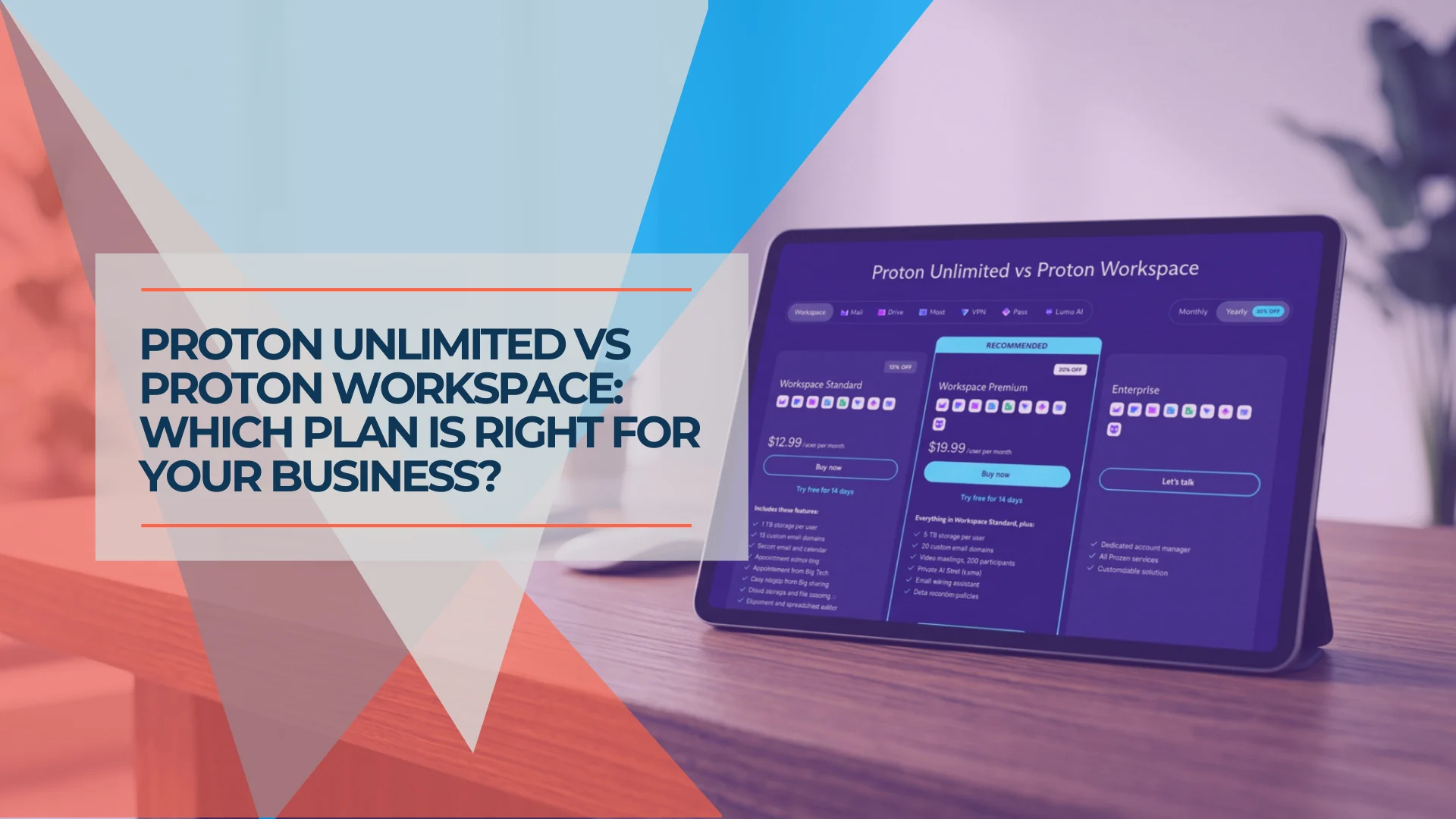
Proton Unlimited vs Proton Business: Which Plan Is Right in 2026?
Compare Proton Unlimited, Duo, Family and Proton Workspace pricing, storage, domains, admin controls and retention to choose the right plan in 2026.
9 min read

Proton Pass Business Review 2026: Password Management & Secure Documentation for Small Business
Proton Pass Business review after 2+ years of implementation. Recurity Labs 2026 audit, CLI access, encrypted notes, pricing from $1.99/user/month, and full implementation guide.
32 min read
Microsoft 365 or Google Workspace: Fix the Setup or Switch?
Before leaving Microsoft 365 or Google Workspace, find out whether you have a setup problem or a platform problem, what to fix first, and when to switch.
21 min read