

Gusto vs Rippling vs ADP RUN vs Deel (2026): Small-Business Payroll and HR Compared
We compare Gusto, Rippling, ADP RUN, and Deel for small-business payroll, HR, IT provisioning, and global hiring — with pricing verified July 2026.


Affiliate Disclosure: This article contains affiliate links. If you make a purchase through these links, we may earn a small commission at no extra cost to you. As an Amazon Associate, iFeelTech earns from qualifying purchases.
The right payroll and HR platform for a small business depends on the problem you need it to solve. Gusto is our default recommendation for most US-based teams under 50; Rippling is the strongest option when HR must also automate devices and app access; ADP Run fits compliance-heavy US payroll; and Deel is the clear choice for international hiring.
We've configured and supported these platforms for small businesses across South Florida, with different industries, team sizes, and levels of HR complexity. This comparison focuses on the decision that matters: which platform fits your workforce, administration burden, and growth plans without paying for complexity you do not need.
Use the selection matrix below for the fast answer, then use the detailed sections to validate pricing, payroll scope, global hiring, compliance, and IT administration.
Quick Picks by Use Case
The right platform depends on workforce complexity, not brand recognition. Start here:
| Choose | Best when | Main reason to choose it | Watch out for |
|---|---|---|---|
| Gusto | You are a US-only team under 50 | Straightforward payroll, published pricing, and fast setup | It is not a full IT-management or global-workforce platform |
| Rippling | HR events should automate devices and app access | The deepest HR-to-IT workflow of the four | Module costs and implementation effort can grow quickly |
| ADP Run | Payroll compliance depth matters more than interface simplicity | Mature US payroll administration for multi-state or regulated teams | Quote-based pricing and a more sales-led buying process |
| Deel | International contractors, global payroll, or EOR hiring are core requirements | The strongest global employment infrastructure here | It is usually excessive for a simple US-only team |
How we evaluated these
We compared each platform on six evaluation criteria, drawing on hands-on configurations for South Florida small-business clients. Pricing and product documentation were verified against vendor sources on July 19, 2026. Workflow and implementation observations reflect platforms we have configured or supported — not demos alone. Gusto and Deel publish starting prices; Rippling and ADP require quotes for final configurations.
| Criterion | Weight | What we assessed |
|---|---|---|
| Payroll and tax administration | 25% | Filing scope, automation, accuracy, frequency options |
| Ease of implementation and use | 15% | Setup time, admin effort, self-service quality |
| Transparent total cost | 15% | Published pricing, add-on visibility, quote predictability |
| Core HR and benefits | 15% | Onboarding, PTO, benefits admin, documents |
| IT/IAM lifecycle automation | 15% | Provisioning, MDM, SCIM, deprovisioning controls |
| Global workforce support | 10% | Contractor payments, EOR, country coverage |
| Support and contract terms | 5% | Channels, hours, contract flexibility |
Category assessments are based on the configurations we have supported. Software does not itself make an employer legally compliant — we evaluate the tools and automation each platform provides to support compliance workflows.
At a Glance: How the Four Compare
Gusto is the most straightforward, Rippling offers the deepest HR-to-IT integration, and Deel has the broadest global coverage. Our assessment: ADP is our preferred option when mature US payroll and compliance-support features are the priority.
| Specs | ||||
|---|---|---|---|---|
| Starting price | $49/mo + $6/employee (Simple) | Custom quote required; core platform + modules priced separately | Quote required | $49/contractor/mo • $599/employee EOR |
| Payroll scope | US payroll in 50 states; global contractors and EOR via partners | US + global (modular) | US (deep multi-state) | Global, US payroll, contractors, EOR |
| IT integration depth | Good (app provisioning, onboarding sync) | Strongest of four (native MDM/SCIM) | Weakest for HR-triggered IT | Growing (native Deel IT add-on) |
| Pricing transparency | Published starting prices | Low (mostly quote-based) | Low (no list pricing) | Published starting prices |
| HR features depth | Good for SMBs | Deep | Deep (compliance-first) | Good (global-first) |
| Compliance tooling | Standard | Strong | Deepest of four (compliance-first) | Strong (international) |
Pricing checked July 19, 2026. Sources: Gusto pricing (published). Rippling pricing (custom quote required). ADP RUN packages (custom quote required). Deel pricing (published starting prices). Add-ons, benefits, country-specific fees, implementation costs, and bundles may require quotes from any vendor.
The Four Profiles: Who Ends Up on Which Platform
Before the feature tour, find yourself in one of these. Across our payroll and employee-onboarding projects for small-business clients, most businesses map to one of four patterns.
The small US-only shop (10–25 employees, all W-2, simple benefits) → Gusto. You have one or two states, a handful of salaried people, maybe some hourly staff, and you want payroll to run itself. You don't need a platform; you need payroll that files your taxes correctly and requires relatively little ongoing administration.
The company that wants IT and HR in one place → Rippling. You're tired of provisioning a new hire's laptop, email, Slack, and app access across six admin panels. You want the act of "hiring someone" to trigger everything downstream automatically. You'll pay more, and someone has to own the platform — but the consolidation is the point.
The compliance-heavy or regulated business → ADP. You're in healthcare-adjacent work, financial services, or construction. You operate in several states, you care about wage-and-hour rules and EEO reporting, and you'd rather have depth and a paper trail than a pretty interface. ADP's multi-state compliance and benefits administration capabilities support that priority.
The team with international contractors or a distributed workforce → Deel. You have designers in Latin America, a developer in Europe, and W-2 employees in the US. Deel handles that mix more directly than the other three. If "global" describes your team, the alternatives may require separate systems or a less direct workflow.
If you already know which profile you are, skip to Our Recommendation. If you want the reasoning, keep going.
Gusto — Still the Simplest Path for US-Only Teams
Gusto is best for US-based small businesses that want transparent payroll pricing and fast setup.

Gusto
Automated US payroll with AutoPilot, automatic tax filing, and clean onboarding integration. The default choice for domestic teams under 50.
- Published, predictable pricing
- Automatic federal/state/local tax filing
- Google Workspace + Microsoft 365 sync
- Fastest setup in our implementations
*Price at time of publishing
Gusto is the platform we recommend most often for US-only teams, because most small businesses are exactly who it's built for: a team that wants payroll handled without a project.
Pricing (gusto.com/product/pricing, checked July 19, 2026). Gusto publishes its rates, which is half the reason to like it:
| Plan | Base fee | Per employee | Unlocks |
|---|---|---|---|
| Simple | $49/mo | $6/mo | Single-state payroll, benefits admin, self-service |
| Plus | $80/mo | $12/mo | Multi-state payroll, time tracking, PTO policies |
| Premium | $180/mo | $22/mo | Dedicated advisor, certified HR access, priority support |
| Contractor Only | $35/mo | $6/contractor | 1099 payments, no W-2 employees (promotional $0-base pricing may be available on qualifying accounts) |
For international employees, Gusto partners with Remote for EOR services, starting from $599/month per employee. Since May 1, 2026, new EOR customers onboard directly through Remote rather than through Gusto's integrated flow — confirm country availability, pricing, and support responsibilities with Remote before signup.
What it does well. AutoPilot runs payroll on schedule without you touching a button. Federal, state, and local taxes are calculated, debited, and filed automatically — including common quarterly and annual payroll forms (940, 941, W-2, 1099) (Gusto payroll features). The employee self-service portal means staff pull their own pay stubs and W-2s instead of emailing you.
Where it sends buyers to a competitor. Gusto Simple supports single-state payroll; an employee working in another state generally requires the Plus plan. Gusto now supports global contractor payments in 120+ countries, but full-scale international payroll and EOR are thinner than Deel or Rippling. We have experienced slower support response times during peak payroll and tax periods, although performance varies by account and plan. Gusto includes basic project and workforce costing, but construction firms needing certified payroll, union rules, detailed cost codes, or contractor-level project accounting may still need a specialist platform.
For the full plan-by-plan breakdown and the features we lean on most, see our Gusto review. If you're setting up payroll alongside your first hire, our first-employee payroll and IT setup guide covers the whole sequence.
Gusto Verdict
If you're a US-only team under 50 people and you don't have a defined need for deeper IT automation, compliance support, or global hiring, Gusto is our default recommendation for this scenario. Move to Plus when you have employees in more than one state or need its additional features (time tracking, PTO policies) — Simple supports single-state payroll only.
Not a fit if: you need deep HRIS customization, native device management, or a global-first hiring platform.
Rippling — When Consolidation Logic Wins
Rippling is best when HR events should also trigger IT workflows like app access and device setup.

Rippling
Custom quote requiredA unified HR-IT-payroll platform built on one employee record. Onboarding triggers payroll, app access, and device setup at once.
Rippling is the platform where the IT admin's opinion matters most, because Rippling's central differentiator is IT-HR convergence. It's built on the "Unity" platform — one employee record that drives payroll, benefits, app provisioning, and device management together.
Pricing reality. Rippling requires a custom quote; its pricing page does not publish specific figures. A core platform subscription is required, with payroll, device management, app management, and benefits administration priced as separate modules. In our experience, some deployments have also included a one-time implementation fee — ask for that line item in writing. Don't compare Rippling to Gusto on a headline figure alone — get an itemized written quote that includes every module you'll actually turn on.
Where it earns its price. In our experience, Rippling's onboarding automation is the strongest of the four. When you hire someone, a single workflow can create their accounts, assign SaaS licenses via SCIM, enroll their laptop, and start payroll — work that otherwise spans six panels and a couple of hours per hire. Its device management module is a true MDM, which is why we cover it separately in the (forthcoming) Rippling IT review.
The main limitation. Total cost rises as modules are added, and the platform is complex enough that someone has to own it. For a 12-person company that just needs payroll, that's overhead you're paying for and not using.
Module Math
Because payroll requires the Unity base platform, a buyer who "just wants Rippling payroll" pays a core platform fee before the payroll module is even added. Gusto starts at $49/month + $6/user with payroll included and no separate platform fee. Rippling's model is generally less cost-effective for payroll-only buyers — which is why you should always price it as a full quote, not a headline figure. For a detailed look at the payroll workflow, migration checklist, and controls, see our Rippling Payroll review.
Rippling Verdict
Rippling is right when consolidating HR and IT on one data model saves enough admin time to justify the module stack. In our implementations, we begin to see stronger value around 20 employees when the company is hiring regularly and will use multiple HR and IT modules. If you're already on Rippling for HR, adding the IT module often makes sense.
Not a fit if: you only need payroll — the base platform fee and module pricing make it expensive for a small team that won't use the IT side.
For a deeper look at whether Rippling's HR system fits your business size and complexity, see our Rippling HRIS Review.
ADP Run — The Compliance-First Choice
ADP Run is best for businesses that need payroll depth, compliance support, and mature HR options.
ADP Run
Quote requiredAn established payroll platform suited to businesses prioritizing mature US payroll and HR capabilities. Deep compliance and benefits administration.
ADP Run (RUN Powered by ADP) is the incumbent for businesses with 1–49 employees, and it's still the right call for a specific kind of company: one where compliance depth matters more than interface polish.
Pricing reality. ADP does not publish list pricing for RUN — its package comparison page lists four packages (Essential Payroll, Enhanced Payroll, Complete Payroll & HR Plus, and HR Pro Payroll & HR) but directs buyers to request a custom quote. Time tracking, benefits administration, workers' comp, and retirement are all paid add-ons. Always confirm the all-in monthly cost by quote.
Where ADP earns its price. Multi-state compliance, regulated industries (healthcare-adjacent, financial services, construction), and businesses that prioritize a defensible paper trail over UX. ADP's compliance tooling and benefits administration are deeper than Gusto's on the higher-tier packages, and ADP offers Workforce Now for organizations with 50 or more employees — although moving from RUN should be treated as a separate platform decision and implementation.
The friction. In the ADP implementations we have supported, the interface and workflow felt less streamlined than Gusto's. Our ADP implementations involving benefits or more complex payroll configurations have commonly taken two to four weeks — simpler accounts may be faster. Support quality varies, and there's no self-serve trial — you'll talk to a rep.
ADP Pricing Is Quote-Based
ADP quotes can vary by package, add-ons, promotions, contract terms, and negotiated pricing, so always ask for the full monthly cost in writing. Get a competing quote (Gusto's published pricing is a useful benchmark), and read the contract for per-run and year-end fees before signing.
ADP Verdict
Choose ADP Run if you're in a regulated or compliance-heavy industry and operate across multiple states. ADP positions RUN for 1–49 employees; compare ADP Workforce Now as you approach 50 employees.
Not a fit if: transparent pricing and fast self-service setup are priorities — ADP is quote-based and slower to onboard than Gusto.
Deel — For Distributed Teams and International Contractors
Deel is best when international contractors, global payroll, or EOR hiring are part of normal operations.
Deel
$49/contractor • $599/employee EORGlobal payroll and Employer of Record for paying contractors and employees across 150+ countries — with published, transparent pricing.
Deel solves a different problem than the other three. Its core use case is paying international contractors and employees, and hiring abroad without standing up a local legal entity.
Pricing (deel.com/pricing, checked July 19, 2026).
| Product | Price | Use case |
|---|---|---|
| Contractor Management | $49/contractor/mo | Compliant contracts + payments, 150+ countries |
| Contractor of Record | $325/contractor/mo | Misclassification protection for contractors |
| Global Payroll | from $29/employee/mo | You own the legal entity; Deel runs payroll |
| US Payroll (managed) | from $24/employee/mo | Domestic US payroll — newer than Gusto's |
| US PEO | from $125/employee/mo | US co-employment with pooled benefits |
| Employer of Record (EOR) | $599/employee/mo (standard) | Hire employees abroad with no local entity |
Deel markets support across 150+ countries overall, with full legal EOR employment in 130+ countries (Deel pricing page, verified July 2026). It has also expanded into US managed payroll and a US PEO, so it's no longer only a global-contractor tool — though for a straightforward US-only team, Gusto is still simpler.
Where Deel wins clearly. A 15-person South Florida company with three designers in Colombia, two developers in Europe, and W-2 staff in the US — Deel handles that mix in one place more directly than the other three. For Miami businesses that work with contractors in Colombia, Argentina, or Mexico, Deel's LATAM coverage and currency support are a genuine, practical advantage.
The main constraint. Deel is overkill for a fully US-based team, and its US payroll product is newer, with a shorter domestic-payroll operating history than Gusto's. Don't adopt Deel for domestic payroll alone.
Deel Verdict
Reach for Deel when international workforce management is a core operational requirement — not when you occasionally pay one foreign contractor (Gusto can do that). As a rule of thumb, we find Deel starts to justify its cost when you have more than a couple of international workers, or any plan to hire employees (not contractors) abroad.
Not a fit if: your team is fully US-based and simple — you'd be paying for global infrastructure you don't use.
How Each Platform Fits Your IT Stack
This is where an IT-admin perspective adds value: payroll and HR tools also affect onboarding, app access, devices, and offboarding. Many comparisons evaluate these platforms on HR features alone; we compare them on whether they integrate cleanly with the systems you already run.
| Capability | Gusto | Rippling | ADP Run | Deel |
|---|---|---|---|---|
| Google Workspace / M365 | Native email provisioning on all plans | Yes (native) | Limited | Yes |
| Entra ID / SSO | Limited (not a full IAM/SSO provider) | Yes (native) | Limited / add-on | Yes |
| SCIM provisioning | Limited / not the core use case | Yes (strongest) | No | Yes (SCIM 2.0 with Deel IT/IAM) |
| MDM / device management | No | Yes (native module) | No | Yes (Deel IT; powered by JumpCloud) |
| App access provisioning | Selected apps (Slack, Zoom, GitHub, etc.); Plus/Premium | Yes (automated) | No | Automated with Deel IT/IAM |
| Offboarding deprovision | Suspend or remove supported accounts during dismissal | Automated across apps | Manual | Automated across integrated apps with Deel IT/IAM |
| API for automation | Partner platform only (no direct customer API) | Yes | Limited | Yes (strong) |
In our experience, Rippling is the strongest of the four for HR-driven IT workflows, because that integration is its central differentiator. Gusto provides useful SMB-level provisioning — native email provisioning for Google Workspace and Microsoft 365 on all plans, plus app-level provisioning (Slack, Zoom, GitHub, Okta, and others) on Plus and Premium, including account suspension or removal during dismissals. It is not a full IAM, SSO, or MDM platform, but it covers common small-team needs. ADP is the weakest for HR-triggered IT provisioning among these four, though ADP Marketplace and API Central do offer integrations. Deel has become a credible IT platform: it offers SCIM 2.0 provisioning, lifecycle-driven app access and deprovisioning through Deel IT/IAM, plus MDM powered by JumpCloud and managed endpoint security powered by CrowdStrike Falcon. Rippling still leads on unified HR-to-IT automation, but Deel should no longer be characterized as limited in this area — buyers should ask about bundle pricing when evaluating multiple IT components.
IT Admin Note
The highest-leverage thing to evaluate isn't the feature list — it's the provisioning and deprovisioning workflow. When someone is hired, how many systems light up automatically? When they leave, can the platform cut access across connected apps the same day? That single workflow is where Rippling justifies its cost, and where a manual ADP setup can add significant manual work to each hire and departure. It's also a security control: stale access from incomplete offboarding is a real risk we cover in our former-employee access security guide.
The deprovisioning point connects directly to how we structure IT onboarding for new employees — the same automation that speeds up day one is what protects you on someone's last day.
Estimated Monthly Cost by Team Size
This table is useful for budgeting conversations. Figures are for a US-based W-2 team, checked July 19, 2026. Gusto uses the Plus plan (the realistic choice once you have multi-state employees or need time tracking and PTO). Rippling and ADP both require custom quotes — no reliable per-size figure exists without a rep conversation.
| Team size | Gusto (Plus) | Rippling | ADP Run | Deel |
|---|---|---|---|---|
| 10 employees | $200/mo | Custom quote | Custom quote | Usually not a US-only payroll fit |
| 25 employees | $380/mo | Custom quote | Custom quote | Usually not a US-only payroll fit |
| 50 employees | $680/mo | Custom quote | Custom quote | Usually not a US-only payroll fit |
Gusto is the only platform here with fully published per-seat pricing. Rippling and ADP both require custom quotes — Rippling's core platform fee applies before payroll or IT modules are added, and final cost depends on which modules you select. Deel is priced per contractor or per EOR employee, not as a domestic per-seat platform; for reference, paying three international contractors through Deel is 3 × $49 = $147/month, independent of your domestic headcount.
The Real-Cost Caveat
Gusto's published payroll-subscription price includes payroll processing; add-ons like time tracking, priority support, HR resources, state registration, and benefits can increase the total. Rippling and ADP both require custom quotes. Rippling adds module fees and may include a one-time implementation charge on top of the core platform; ADP adds time tracking, benefits admin, and workers' comp as separate line items and negotiates per customer. When you compare quotes, insist on the all-in monthly figure including every add-on you'll actually use — not the headline base fee.
For where payroll fits inside a complete operating budget, see our business software stack under $200/month. If you're evaluating ADP specifically for regulatory reasons, our small business security and compliance guide covers the controls auditors and insurers actually ask about.
What to ask for in a Rippling or ADP quote
Because neither publishes a full all-in price, get every one of these in writing before you compare them to Gusto:
- Base platform fee and per-user fee
- Payroll module fee (and any separate payroll base fee)
- One-time implementation or setup fee
- Year-end W-2 / 1099 processing fees
- Per-payroll-run charges, if any
- State tax registration fees
- Benefits administration and time-tracking add-ons
- Contract term and renewal price increase
A note on switching payroll providers
The cleanest time to switch is the start of a calendar quarter, and ideally January 1, so year-to-date wages and tax filings begin fresh on the new platform. Mid-year migrations are doable but require importing accurate YTD payroll data, re-verifying state tax registrations, re-running benefits deductions, and confirming the old provider has filed its final quarter before you cut access.
Before removing access to your outgoing provider: export all payroll reports, tax filings, employee records, and W-2/1099 data. Establish in writing which provider is responsible for quarterly and year-end filings during the transition period — especially if you switch mid-year. Retain access to the outgoing platform's records for at least four years — the IRS recommends keeping employment-tax records for at least four years after the date the tax becomes due or is paid, whichever is later. Only deprovision the outgoing provider's admin logins once the final filing clears and you have confirmed your records are complete.
Our Recommendation
Here is the practical decision tree we'd give a client:
- US-only team under 50, straightforward payroll → Gusto. Start on Plus if you have employees in more than one state.
- HR, payroll, devices, and app access on one platform → Rippling. Worth the module cost when you'll actively use multiple HR and IT modules.
- Regulated industry, multi-state, compliance-first → ADP Run (1–49 employees; compare Workforce Now as you approach 50).
- International contractors or employees abroad → Deel. The strongest global employment infrastructure of the four.
For the common case of a straightforward US-only payroll, our default recommendation is Gusto. Reassess when a specific need actually shows up — migration requires planning, but don't buy a platform for a problem you don't have yet.
Alternatives We Considered
This comparison focuses on four platforms because they represent the most common decision paths we see in practice: domestic simplicity (Gusto), HR-IT convergence (Rippling), compliance depth (ADP), and global hiring (Deel). Other platforms may be a better fit depending on your specific requirements:
- Paychex Flex — Sits between Gusto and ADP in positioning. More sales-driven and add-on heavy than Gusto, but often more SMB-focused than ADP's enterprise tooling. Paychex directs buyers to request a custom quote. Worth evaluating if you want a mid-market option with local payroll support.
- Justworks — A PEO model that bundles payroll, benefits, HR, and compliance into one per-employee fee. Strong for small teams (under 50) that want pooled enterprise-grade benefits without sourcing their own broker. Less flexible than Gusto if you want to control your own benefits plan.
- OnPay — A straightforward, lower-cost payroll option with published pricing. Good for very small teams that want simple payroll without the broader platform features of Gusto or Rippling.
- BambooHR — An HRIS-first platform focused on employee records, onboarding, PTO, and performance management rather than payroll. Consider it if your primary need is HR management and you plan to use a separate payroll provider.
- Homebase — Strongest for hourly teams needing shift scheduling and time tracking as a core workflow, not just a payroll add-on. Less relevant for salaried-only teams.
We did not include these in the main comparison because each serves a narrower use case or would have expanded the scope beyond the four-vendor payroll and HR decision most of our clients face.
Legal and Tax Disclaimer
This article provides general information about payroll and HR platforms based on our experience and publicly available vendor material. It is not legal, tax, or compliance advice. Consult a qualified accountant, employment attorney, or HR professional for decisions about tax filings, employment law, benefits administration, or regulatory compliance specific to your business.
Related Resources
- Gusto Review: Pricing, Features, and IT Admin Perspective — The full single-product deep dive on the platform we recommend most.
- First Employee: Payroll and IT Setup Guide — How to choose and configure payroll alongside your first hire.
- New Employee IT Onboarding & Security Checklist — The provisioning workflow your payroll platform should plug into.
- Former Employee Access Security — Why clean deprovisioning is both an HR and a security control.
- Complete Business Software Stack Under $200/Month — Where payroll fits in a lean operating budget.
- Small Business Security & Compliance Guide — The controls that matter if you're evaluating ADP for regulatory reasons.
Frequently Asked Questions
Related Articles
More from Business Software
Gusto Review 2026: Pricing, Pros, Cons, and IT Admin Notes
Gusto starts at $49/mo + $6/person. We review payroll, tax filing, time tracking, support, integrations, security, and IT offboarding limits.
23 min read
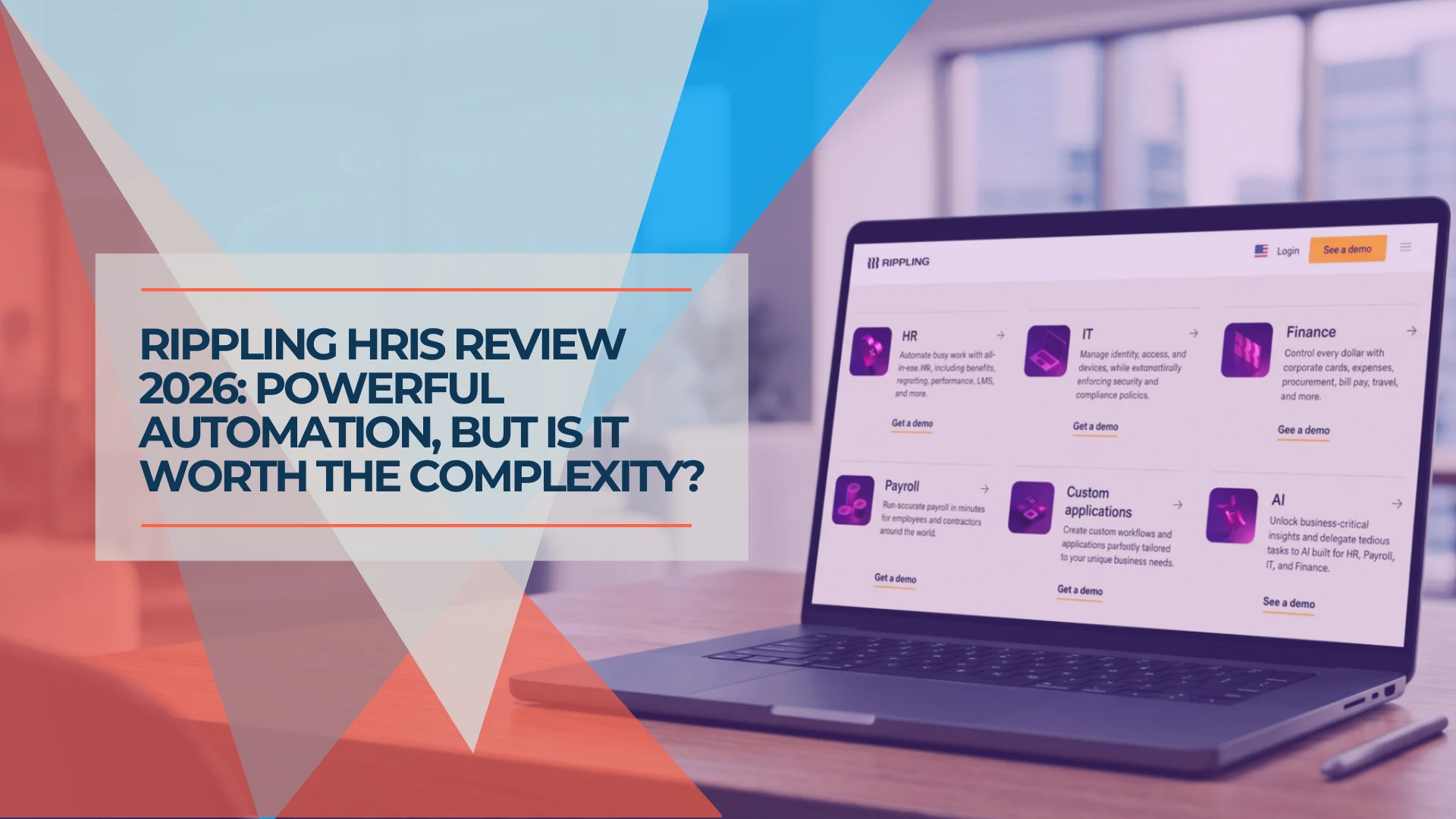
Rippling HRIS Review 2026: Powerful Workforce OS—or Too Much for a Small Business?
An evidence-led Rippling HRIS review for growing small businesses: ideal fit, workflows, implementation, pricing questions, limitations and demo checklist.
14 min read
Rippling Payroll Review 2026: Costs, Strengths, and Small-Business Fit
An evidence-led Rippling Payroll review for small businesses: payroll workflow, HR sync, migration, controls, pricing questions and who should choose it.
12 min read