

Network Visibility: The Definitive Guide to Managed Infrastructure (2026)
Managed network infrastructure reduces troubleshooting time by up to 75% and cuts support costs by 50-70%. Complete 2026 comparison of managed vs unmanaged switches, UniFi switch selection, WiFi 7 backhaul requirements, and VLAN security.

Affiliate Disclosure: This article contains affiliate links. If you make a purchase through these links, we may earn a small commission at no extra cost to you. As an Amazon Associate, iFeelTech earns from qualifying purchases.
Bottom Line
Managed network infrastructure reduces troubleshooting time by up to 75% and cuts on-site support costs by 50-70% compared to unmanaged hardware. For most offices in 2026, the Pro Max 24 PoE ($799) offers the strongest balance of WiFi 7 readiness (8 x 2.5GbE ports), PoE capacity (400W), and management features including Etherlighting and Layer 3 routing. The typical payback period is 18-36 months through reduced service calls and fewer disruptions.
Managed switches give IT teams real-time visibility into every connected device, enabling remote diagnosis instead of repeated on-site visits. This guide compares managed and unmanaged infrastructure, recommends specific UniFi switches for different office sizes, and covers WiFi 7 backhaul and VLAN requirements.
Managed vs. Unmanaged Infrastructure: 2026 Comparison
Managed switches offer automated device discovery and security monitoring, while unmanaged switches require manual physical inspection for all troubleshooting. The following table compares the two approaches across the capabilities that matter most for day-to-day operations.
Feature Comparison
| Capability | Unmanaged | Managed | Cloud/AI Features |
|---|---|---|---|
| Device Identification | Manual documentation only | Automatic discovery with device details | AI-based traffic identification and device fingerprinting |
| Status Monitoring | Physical inspection required | Real-time dashboard with alerts | Remote cloud dashboard with push notifications |
| Problem Resolution | On-site troubleshooting | Remote diagnosis and resolution | Remote access with historical event logs |
| Security Monitoring | No visibility into threats | Traffic analysis and intrusion detection | IDS/IPS with signature-based threat blocking |
| Performance Analytics | No historical data | Usage patterns and trends over time | WiFi AI for automatic channel and power optimization |
| VLAN / Segmentation | Not supported | Full VLAN and network segmentation | Firewall rules and traffic policies per VLAN |
| Initial Investment | $200-800 typical | $800-2,500 typical | Included with managed gear |
| Support Requirements | Higher on-site service needs | 50-70% reduction in service calls | Further reduced with remote management |
Operational Impact
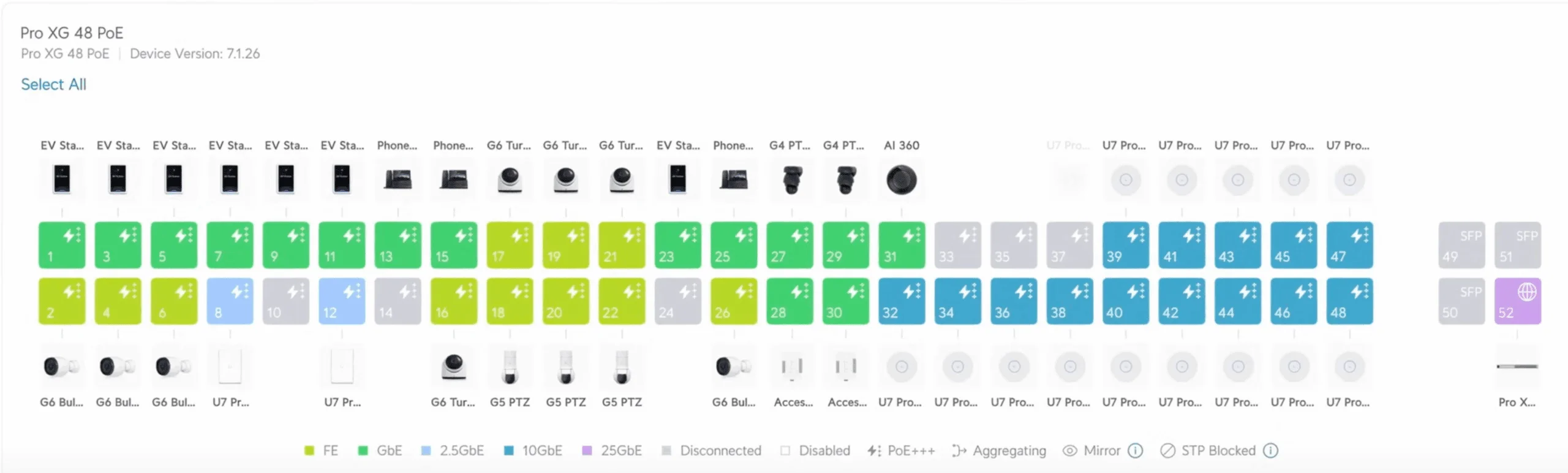
In practice, managed networks let administrators identify failed ports, device connectivity issues, and performance bottlenecks from a dashboard rather than a wiring closet. For common issues like a downed access point or a misconfigured VLAN, this typically reduces resolution time from hours to minutes.
What Service Providers Report
IT service providers who support both types of infrastructure report 60-75% faster response times on managed networks. The difference comes from remote diagnostic access and proactive alerts that surface problems before users notice them.
Network Visibility Reduces Problem Resolution Time
Managed infrastructure provides real-time visibility and remote management, reducing technical troubleshooting time by up to 75% compared to unmanaged hardware. Without managed tools, IT teams rely on physical cable inspection, manual port testing, and repeated site visits to isolate intermittent problems that a managed dashboard can surface in seconds.
This efficiency gap is why most professional IT service providers now require managed infrastructure for support contracts. Troubleshooting on unmanaged networks takes 3-5x longer because every diagnosis starts from scratch -- there is no historical data, no remote access, and no way to see what changed before the problem started.
For businesses planning a new network from the ground up, our small business network setup guide covers deployment strategies that pair well with managed infrastructure.
Which UniFi Switch Fits Your Office?
Select the UniFi Standard 24 PoE for basic office needs or the Pro Max 24 PoE for WiFi 7 deployments that need 2.5GbE backhaul on access point ports. The table below covers the current lineup with verified February 2026 pricing.
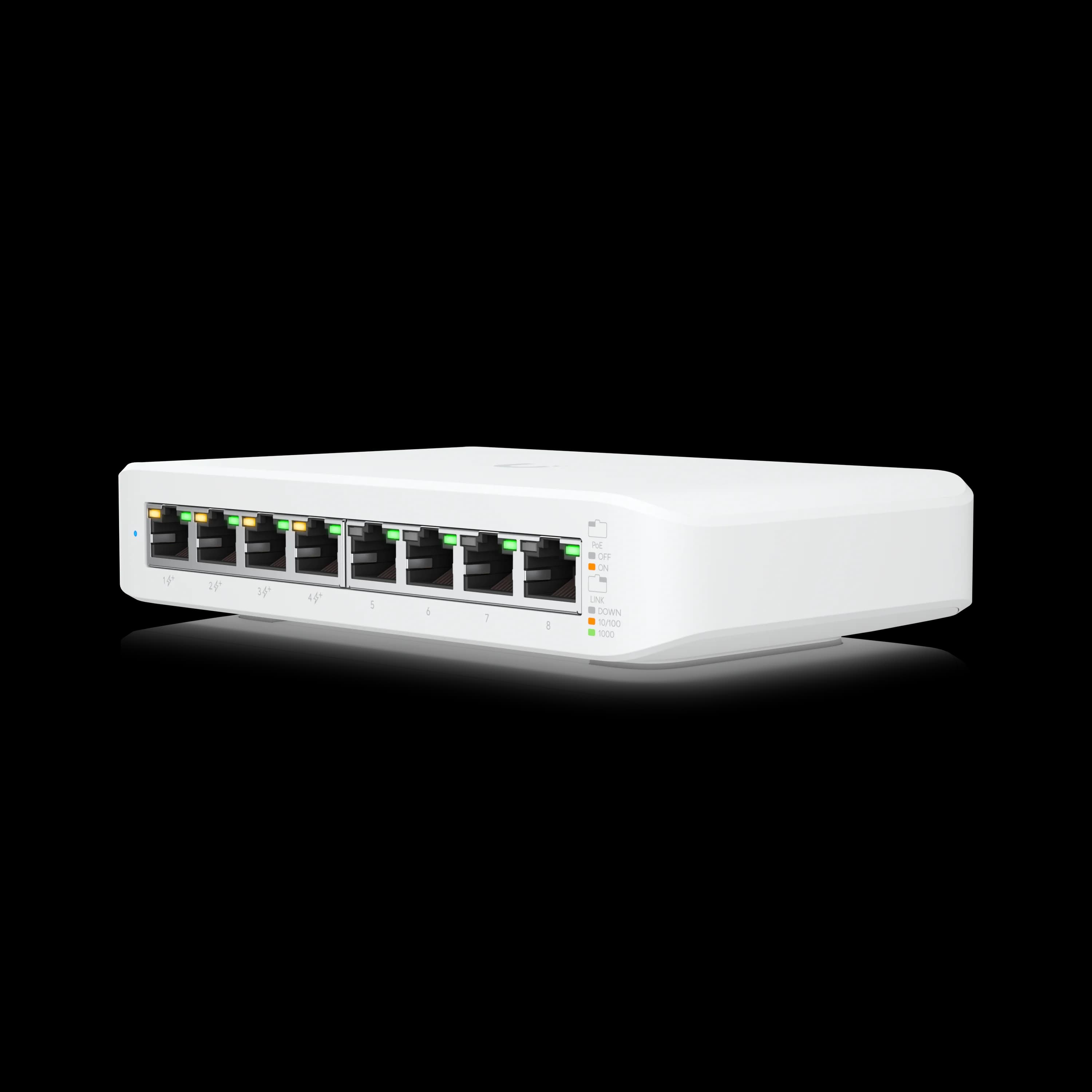
UniFi Switch Comparison
| Specs | ||||
|---|---|---|---|---|
| Ports | 8 GbE PoE | 24 GbE PoE + 2 SFP+ | 8x 2.5GbE, 16x 1GbE, 2x SFP+ | 16x 10GbE, 8x 2.5GbE, 2x 25G |
| PoE Budget | 52W | 95W | 400W | 720W |
| Key Feature | Basic management | Fanless operation | Etherlighting™ | PoE++ 90W/port |
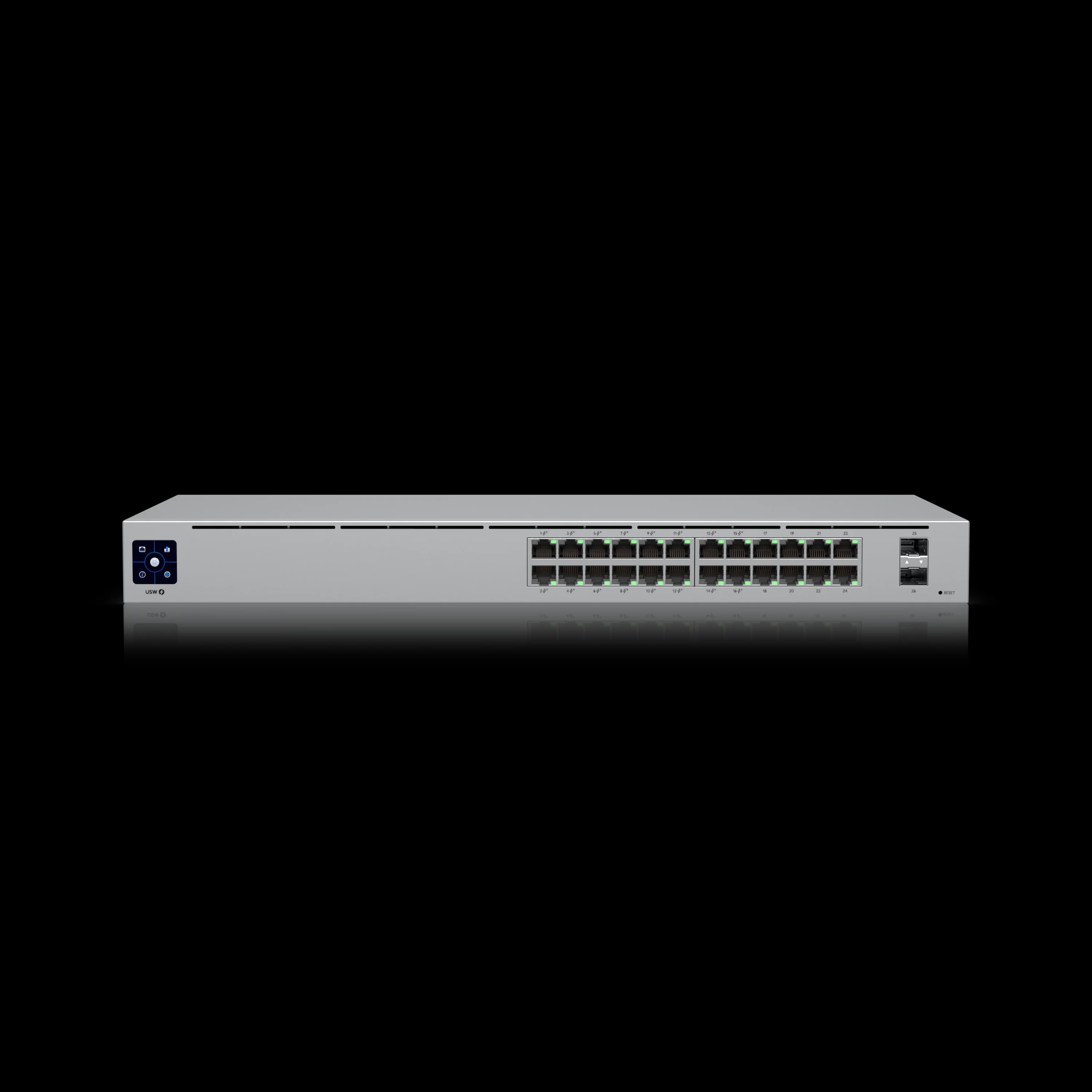
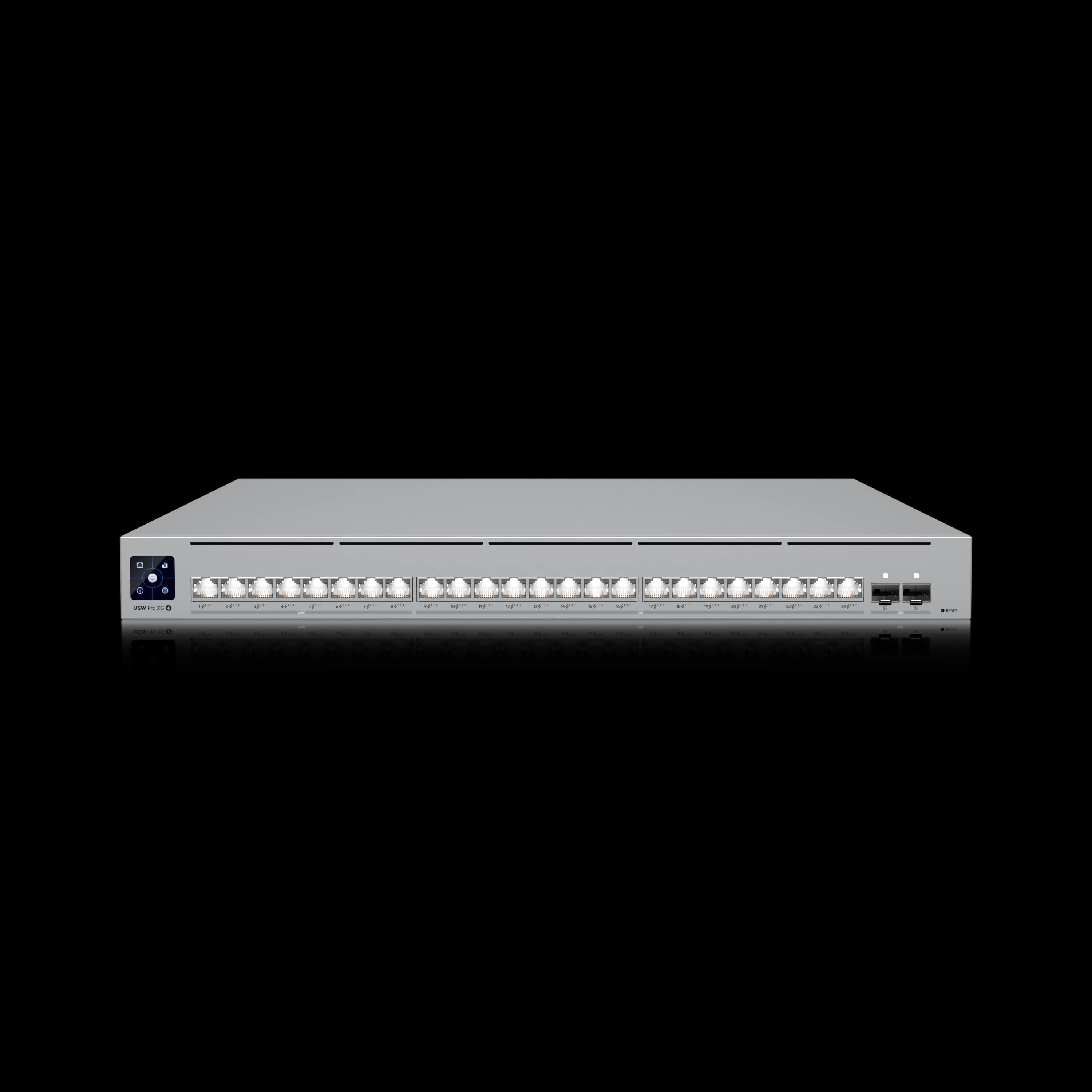
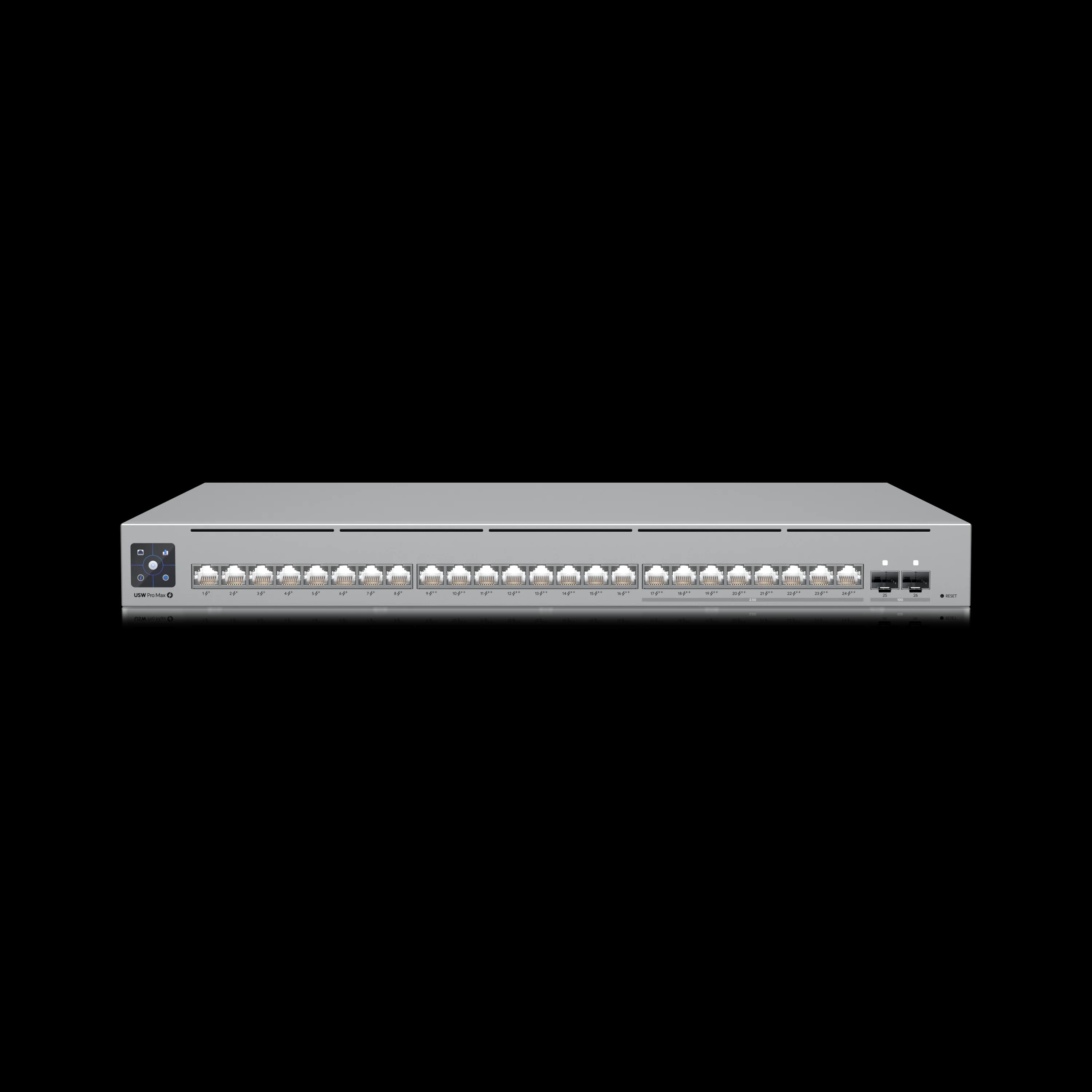
Pro Max 24 PoE
The recommended switch for WiFi 7 deployments with perfect multi-gig backhaul balance.
- 8 x 2.5GbE PoE++ Ports
- 16 x 1GbE PoE+ Ports
- 400W Total PoE Budget
- Layer 3 Routing & Etherlighting™
*Price at time of publishing
Etherlighting Requires Specific Cables
Etherlighting™ Technology
The Pro Max and XG series include Etherlighting™, which uses colored LED indicators on each port for visual device identification and troubleshooting. For full brightness and color clarity, you need UniFi Etherlighting Patch Cables (UACC-Cable-Patch-EL) with translucent booted RJ45 connectors that let the LED light pass through. Standard patch cables do not display the Etherlighting effect -- this is an easy detail to miss when ordering supplies.
The Pro XG series provides PoE++ capability at up to 90W per port, supporting the latest WiFi 7 access points and high-power devices. For businesses considering a full UniFi deployment, our UniFi business network guide covers best practices.
WiFi 7 Backhaul: Why 1GbE Switches Are Now a Bottleneck
Standard 1GbE switches cap WiFi 7 access point throughput at a fraction of their rated capacity. A WiFi 7 AP can deliver aggregate speeds well above 1 Gbps to connected clients, but if the wired uplink to the switch is only 1 GbE, that single port becomes the ceiling for every device on that AP. For any new WiFi 7 deployment, multi-gigabit switching is a practical requirement.
For most offices, the Pro Max 24 PoE provides adequate backhaul with its 8 x 2.5GbE ports -- enough to connect WiFi 7 APs at multi-gig speeds while using the 16 x 1GbE ports for standard devices. Its PoE++ ports deliver up to 64W each, which provides headroom for current APs (the U7 Pro Max draws 25W) and future higher-power devices. High-density environments with many APs or heavy internal file transfers benefit from the Pro XG series with 10GbE ports and 25G SFP28 uplinks.
Cabling is part of the equation. 2.5GbE runs reliably over existing Cat5e, but 10GbE requires Cat6A. Our Cat6A wiring guide covers the infrastructure requirements, and the multi-gig network upgrade guide provides a broader planning framework.
Check Your Uplinks Before Deploying WiFi 7
Before installing WiFi 7 access points like the UniFi U7 Pro, confirm that your switch has 2.5GbE or 10GbE ports available. A WiFi 7 AP connected to a 1GbE port will be limited to gigabit speeds regardless of its wireless capability.
The Hidden Cost of Managed Gear: You Need a Controller
One detail that catches new buyers off guard: UniFi managed switches require a controller to access their full management features, including device adoption, firmware updates, VLAN configuration, and traffic statistics. Without a controller, a managed switch still functions as a switch, but operates in standalone mode without the dashboard, alerts, or remote access that make managed gear worthwhile.
There are three ways to run the controller:
- Cloud Gateway (recommended) -- Devices like the Cloud Gateway Max ($279) or Dream Machine Pro Max ($599) include the controller built in, plus routing, firewall, and IDS/IPS. This is the simplest path for most businesses.
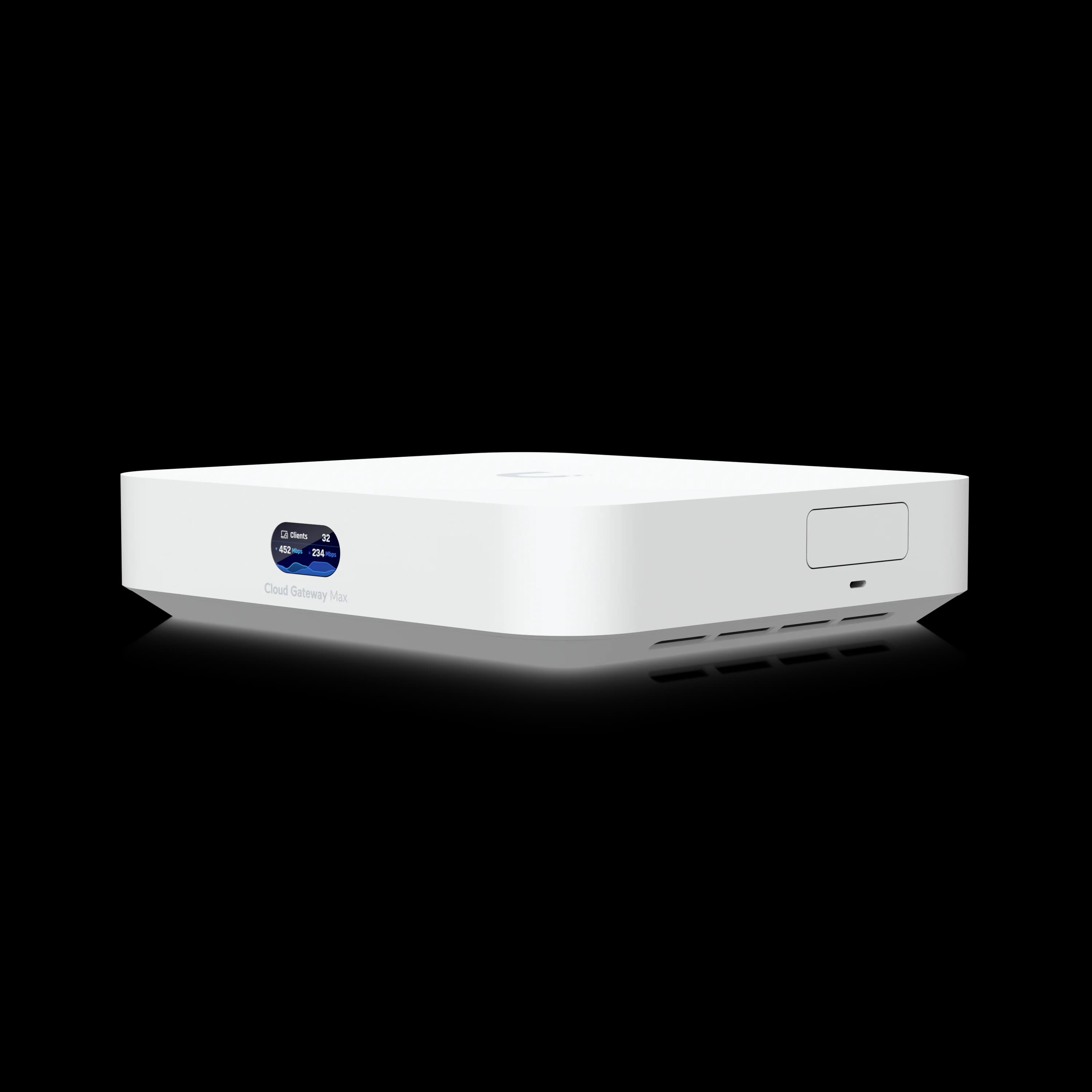
Cloud Gateway Max
$279Built-in 512GB NVR, 2.5GbE routing, and full network management.
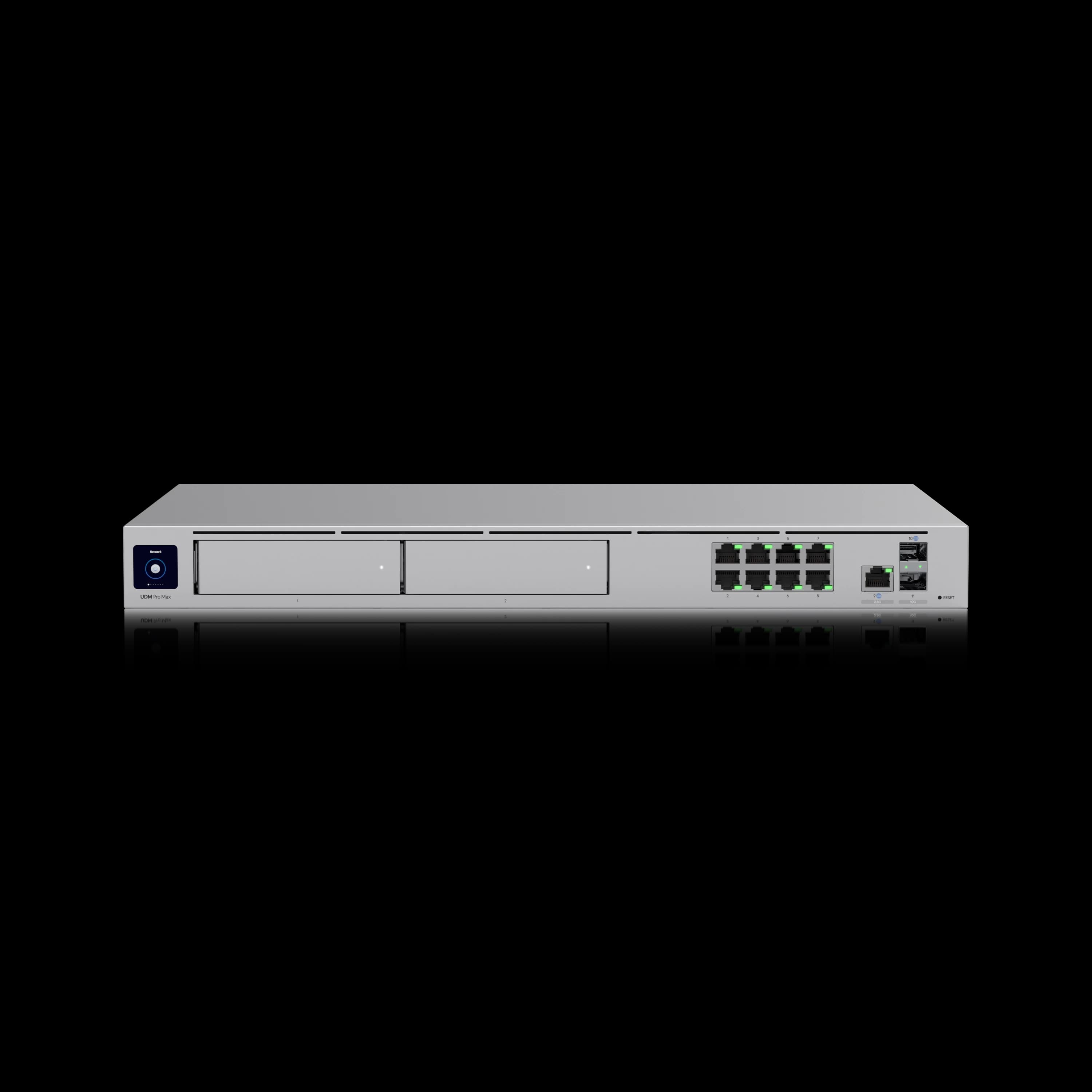
Dream Machine Pro Max
$599Enterprise routing with dual HDD bays and Shadow Mode high availability.
- Self-hosted controller -- Run the free UniFi Network Application on an existing server, Raspberry Pi, or VM. No additional hardware cost, but requires ongoing maintenance and updates.
- UniFi Site Manager -- Ubiquiti's cloud-hosted management layer for coordinating multiple sites from a single dashboard. Particularly useful for businesses with branch offices or managed service providers overseeing multiple client networks.
As of February 2026, the UniFi Network Application 10.1 release added several features that reinforce the visibility advantage of managed infrastructure, including WiFi Doctor (one-click wireless diagnostics), Shadow Mode for gateway high availability, and device tagging for faster filtering. These run on any of the three controller options above.
For a detailed comparison of gateway hardware, see our UniFi gateway comparison guide.
Budget Planning
When budgeting for managed infrastructure, include the controller cost. A Cloud Gateway Max at $279 is often the most practical choice -- it serves as your router, firewall, and switch controller in one device with 2.5GbE ports ready for WiFi 7.
VLAN Isolation for IoT Security
Once a controller is in place, one of the most valuable features it enables is VLAN segmentation. VLANs (Virtual Local Area Networks) let you isolate IoT devices like security cameras, printers, and smart building systems onto their own network segments. On an unmanaged switch, every device shares a single flat network -- meaning a compromised camera could potentially access file servers and workstations on the same subnet.
With VLAN segmentation on a managed switch, you create separate broadcast domains:
- Corporate VLAN -- Workstations and servers with full internal access
- IoT VLAN -- Cameras, printers, and sensors restricted to internet-only access
- Guest VLAN -- Visitor WiFi isolated from all internal resources
This segmentation is a baseline expectation for compliance frameworks like HIPAA and PCI DSS. It also limits the impact of any single compromised device by preventing lateral movement across the network.
For step-by-step VLAN configuration on UniFi, see our guest WiFi and VLAN setup guide. For broader network security strategies, see our cybersecurity services.
Cost-Benefit Analysis
Managed infrastructure carries a higher upfront cost, but the total cost of ownership is typically lower over a 5-7 year horizon. The savings come from fewer service calls, less downtime, and a longer equipment lifecycle.
Investment Comparison
| Factor | Unmanaged | Managed |
|---|---|---|
| Initial Cost | $200-800 | $800-2,500 |
| Equipment Lifecycle | 3-4 years | 7-10 years |
| Support Cost Reduction | Baseline | 50-70% fewer service calls |
| Downtime Reduction | Baseline | 40-60% fewer disruptions |
| ROI Timeline | N/A | 18-36 months typical |
Quantified Benefits
- Support Cost Reduction: 50-70% fewer on-site service calls through remote troubleshooting
- Faster Problem Resolution: Minutes instead of hours for common network issues
- Proactive Monitoring: Issues identified before they impact users
- Enhanced Security: Real-time threat detection and VLAN-based access control
- Automatic Documentation: Network mapping and device tracking without manual effort
Implementation Strategy
A phased rollout keeps the existing network running while progressively adding managed capabilities.
Assessment and Planning
Professional assessments document existing equipment, performance requirements, and security gaps. Site surveys evaluate cable plant condition, power requirements, and rack space. For businesses planning cable upgrades, our Cat6A wiring guide covers the infrastructure side.
Phased Rollout
Implementation Phases
Phase 1: Core Infrastructure -- Replace central switches and deploy the controller (Cloud Gateway or self-hosted). This provides immediate dashboard visibility into all connected devices.
Phase 2: Edge Equipment -- Expand managed switches to secondary closets and floors for complete network coverage.
Phase 3: Optimization -- Configure VLANs, enable IDS/IPS security monitoring, run WiFi Doctor for automatic radio tuning, set up device tags for filtering, and enable Shadow Mode if a backup gateway is available.
Professional Installation
Professional installation ensures proper configuration, security hardening, and integration with existing systems. Installers provide documentation, staff training, and ongoing support.
Security and Compliance Advantages
Beyond VLAN segmentation, managed infrastructure supports compliance requirements through centralized logging and audit trails. Every device connection, configuration change, and security event is recorded automatically -- the kind of documentation that HIPAA, PCI DSS, and SOC 2 auditors expect to see.
Managed switches paired with a UniFi gateway also enable IDS/IPS (intrusion detection and prevention), which monitors traffic for known threat signatures and can block suspicious activity. This provides a layer of network-level protection that complements endpoint security tools like antivirus and EDR.
For a broader security strategy that integrates network infrastructure with endpoint and cloud protection, see our cybersecurity services.
Explore UniFi Network 10.1: New Features and Routing Enhancements
2026 Network Visibility Checklist
Use this checklist to confirm your managed infrastructure covers the capabilities that matter most in 2026.
Visibility Readiness Checklist
- Managed switches deployed at core and edge with dashboard visibility into all ports
- Controller running (Cloud Gateway, self-hosted, or Site Manager) with remote access enabled
- VLANs configured to isolate corporate, IoT, and guest traffic
- Multi-gig uplinks (2.5GbE or 10GbE) connected to all WiFi 7 access points
- IDS/IPS enabled on the gateway with current threat signatures
- WiFi Doctor run to auto-diagnose and resolve common wireless issues (Network Application 10.1+)
- Shadow Mode configured for gateway high availability, if a backup unit is available
- Device tags applied for faster filtering and organization in large deployments
- Etherlighting Patch Cables installed on switches that support Etherlighting
- Compliance logging verified for any applicable frameworks (HIPAA, PCI DSS, SOC 2)
Conclusion
Managed infrastructure gives businesses the visibility to resolve network problems remotely, the security features to segment and protect sensitive systems, and the data to make informed capacity decisions. The 50-70% reduction in support costs and 18-36 month payback period make it a practical choice for offices of most sizes. And with WiFi 7 now widely deployed, multi-gig managed switches have become the wired foundation that determines wireless performance.
If you are evaluating a network upgrade, contact our team for an assessment or explore our professional UniFi installation services.
Frequently Asked Questions
How long does managed infrastructure implementation typically take?
Most small business implementations require 2-4 days for equipment installation and configuration, with an additional week for optimization and staff training. The timeline depends on network complexity and existing cable plant condition.
Can businesses upgrade existing networks gradually?
Yes. Phased implementation lets you upgrade core infrastructure first while keeping existing edge equipment. This approach provides immediate visibility benefits with minimal disruption.
What level of technical expertise is required?
UniFi provides user-friendly interfaces for basic management without deep networking knowledge. However, professional installation ensures optimal VLAN configuration, security settings, and performance tuning.
Are there ongoing subscription costs?
UniFi operates without ongoing subscription fees for core features. Cloud management, remote access, and firmware updates are included. Some advanced threat management features may require optional subscriptions.
Which UniFi switch should I choose for my business?
For offices under 10 users, the Lite 8 PoE ($109) covers the basics. For 15-25 users, the Standard 24 PoE ($379) works well. The Pro Max 24 PoE ($799) is the 2026 sweet spot for WiFi 7 readiness. High-performance environments should consider the Pro XG 24 PoE ($1,799) for 10GbE connectivity.
Do I need a controller to use managed switches?
Yes. UniFi managed switches require a controller for full functionality. The simplest option is a Cloud Gateway like the Cloud Gateway Max ($279), which includes routing, firewall, and switch management in one device. You can also self-host the free UniFi Network Application.
How does managed infrastructure affect my internet service?
Managed infrastructure works with any business internet service and typically improves reliability through monitoring, traffic shaping, and failover capabilities. It does not replace your ISP connection.
Related Resources
- UniFi Business Network Guide -- Complete setup guide
- UniFi WiFi 7 Access Points Guide -- Wireless deployment
- UniFi Gateway Comparison -- Gateway selection
- Cat6A Wiring Guide -- Cable infrastructure
- Multi-Gig Network Upgrade Guide -- 2.5GbE and 10GbE planning
- Guest WiFi and VLAN Setup -- VLAN configuration
- UniFi Protect Security Camera Guide -- Integrated security
- Cloud Managed Networks Guide -- Platform comparison
- Cybersecurity Services -- Security implementation
- UniFi Network Services -- Professional installation
Related Articles
More from Network Infrastructure

VLANs Without the Jargon: What They Are, What to Separate, and Why It Matters
A plain-language guide to VLANs for small business owners. Understand what network segments you already need — guest WiFi, IoT cameras, VoIP phones — and what belongs in each one.
10 min read
WiFi 8 Release Date for Business: Buy WiFi 7 Now, or Wait?
WiFi 8 ratifies around 2028 — and no managed SMB APs exist yet. Here's why WiFi 7 is the right buy today, and what infrastructure to fix before the AP matters.
12 min read
WiFi 7 Multi-Link Operation (MLO) Explained: What It Does, What It Doesn't, and Whether Your Office Can Use It
MLO is WiFi 7's most important — and most misunderstood — feature. This guide explains how it actually works, the difference between eMLSR and STR, which devices support it, and how to deploy it in UniFi.
17 min read