

TP-Link Omada Controller Guide: Software vs. Hardware vs. Cloud (2026)
The four ways to run an Omada Controller explained with verified 2026 pricing. Software, hardware (OC200/OC220/OC300/OC400), Cloud Essentials, and Cloud Standard compared.

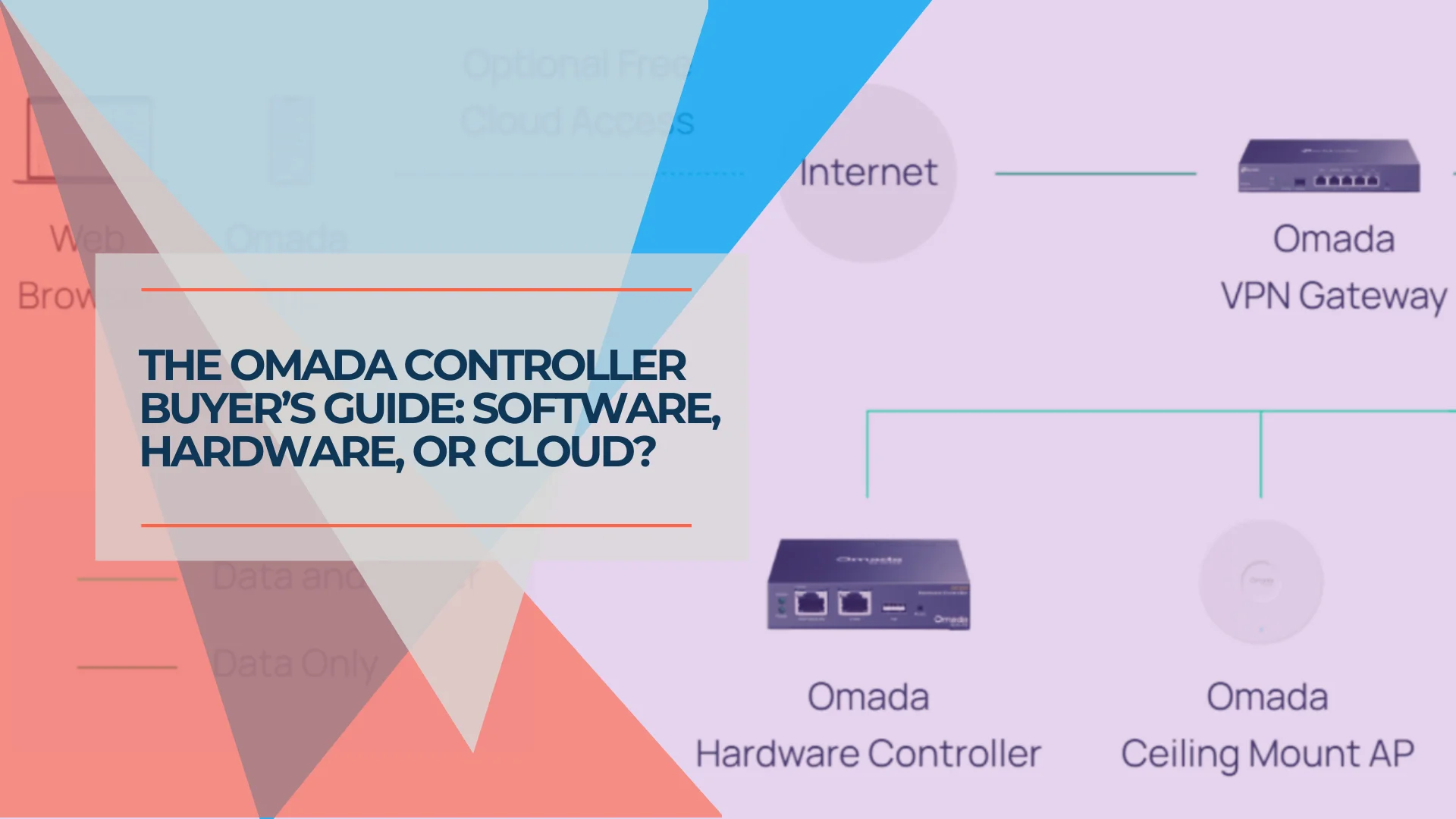
TP-Link offers four distinct ways to run the Omada Controller. The right choice depends on your budget, technical comfort, and network scale. While the Omada mobile app allows basic monitoring, the full web interface is required for advanced VLAN and VPN configuration.
Affiliate Disclosure: This article contains affiliate links. If you make a purchase through these links, we may earn a small commission at no extra cost to you. As an Amazon Associate, iFeelTech earns from qualifying purchases.
This guide explains every option — the free software, the dedicated hardware appliances, the free cloud tier, and the paid cloud subscription — with current pricing and practical guidance for each.
What Does an Omada Controller Do?
An Omada Controller centralizes the management of every TP-Link Omada access point, switch, and router on your network. Rather than configuring each device individually, you manage them all from a single dashboard. VLAN changes, firmware updates, WiFi password rotations, and client monitoring propagate to every adopted device at once.
The controller also enables features that standalone devices cannot provide:
- Seamless roaming (802.11r/k/v): Coordinates handoffs between access points so clients move between APs without dropping connections.
- Captive portals: Guest WiFi splash pages with terms of service or voucher-based access require a running controller.
- Centralized logging: Network event logs, client statistics, and traffic analytics are stored and displayed through the controller dashboard.
- Multi-site management: Multiple locations managed from one interface.
- VIGI surveillance integration: Both hardware and cloud controllers can manage TP-Link VIGI cameras and NVRs alongside network gear from a single dashboard.
Without a controller, Omada devices still function independently. For a single access point, standalone mode works well. For anything larger, a controller reduces management overhead and enables coordinated features like seamless roaming and captive portals.
How Does the Omada Software Controller Work?
The Omada Software Controller is a free, self-hosted application for Windows, Linux, or Docker. It provides the same management capabilities as the hardware controllers — including VLANs, captive portals, and seamless roaming — without any additional hardware cost.
Well-suited for: Prosumers, tech enthusiasts, and home lab users who already have a server, NAS, or always-on PC.
Capabilities
- Full feature parity with hardware controllers — VLANs, firewall rules, captive portals, guest networks, seamless roaming, and multi-site management.
- Free cloud access — Remote management through TP-Link's cloud can be enabled at no cost for Omada app access while away.
- Flexible scaling — Management capacity depends on your host machine's resources. TP-Link recommends an i3-8100+ with 6 GB+ RAM for deployments exceeding 1,500 devices.
Operational Requirements
The host machine must remain powered on continuously for the controller to collect logs, manage roaming, and serve captive portals. If the machine sleeps or reboots, those functions pause. The network itself stays operational — devices continue passing traffic — but centralized management features stop until the controller is running again.
Backup responsibility also falls on the administrator. If the host storage fails, the controller configuration is lost unless a backup has been exported. Hardware controllers and cloud options handle this automatically.
Recommended Deployment
Running the Omada Controller in a Docker container (e.g., mbentley/omada-controller) on a NAS or dedicated mini PC provides always-on stability without the cost of a dedicated controller appliance. This approach is widely used in home lab and small business environments.
System Requirements
| Requirement | Minimum | Recommended |
|---|---|---|
| OS | Windows 10/11, 64-bit Linux | Ubuntu 22.04 LTS or Debian 12 |
| CPU | Dual-core | i3-8100+ for 500+ devices |
| RAM | 2 GB | 6 GB+ for large deployments |
| Storage | 10 GB free | SSD recommended for log performance |
| Cost | Free | Free |
How Do the OC200, OC220, OC300, and OC400 Compare?
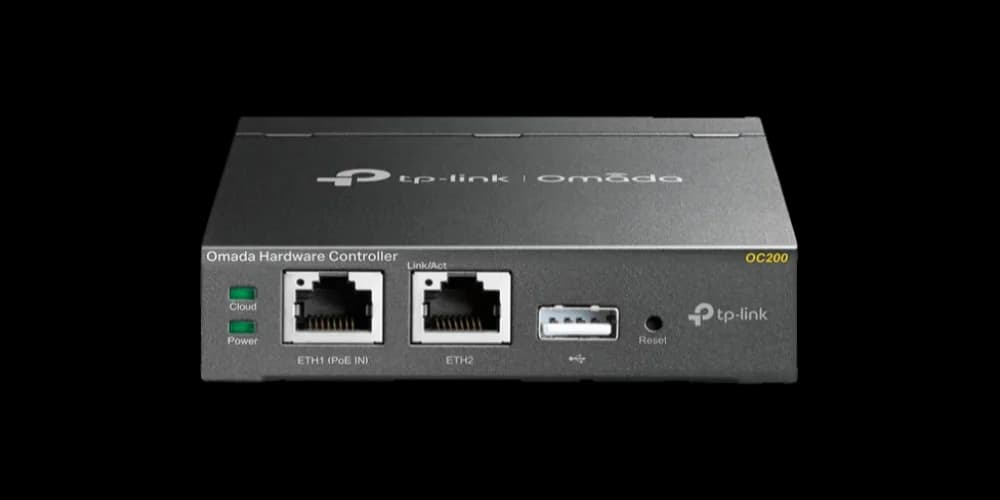
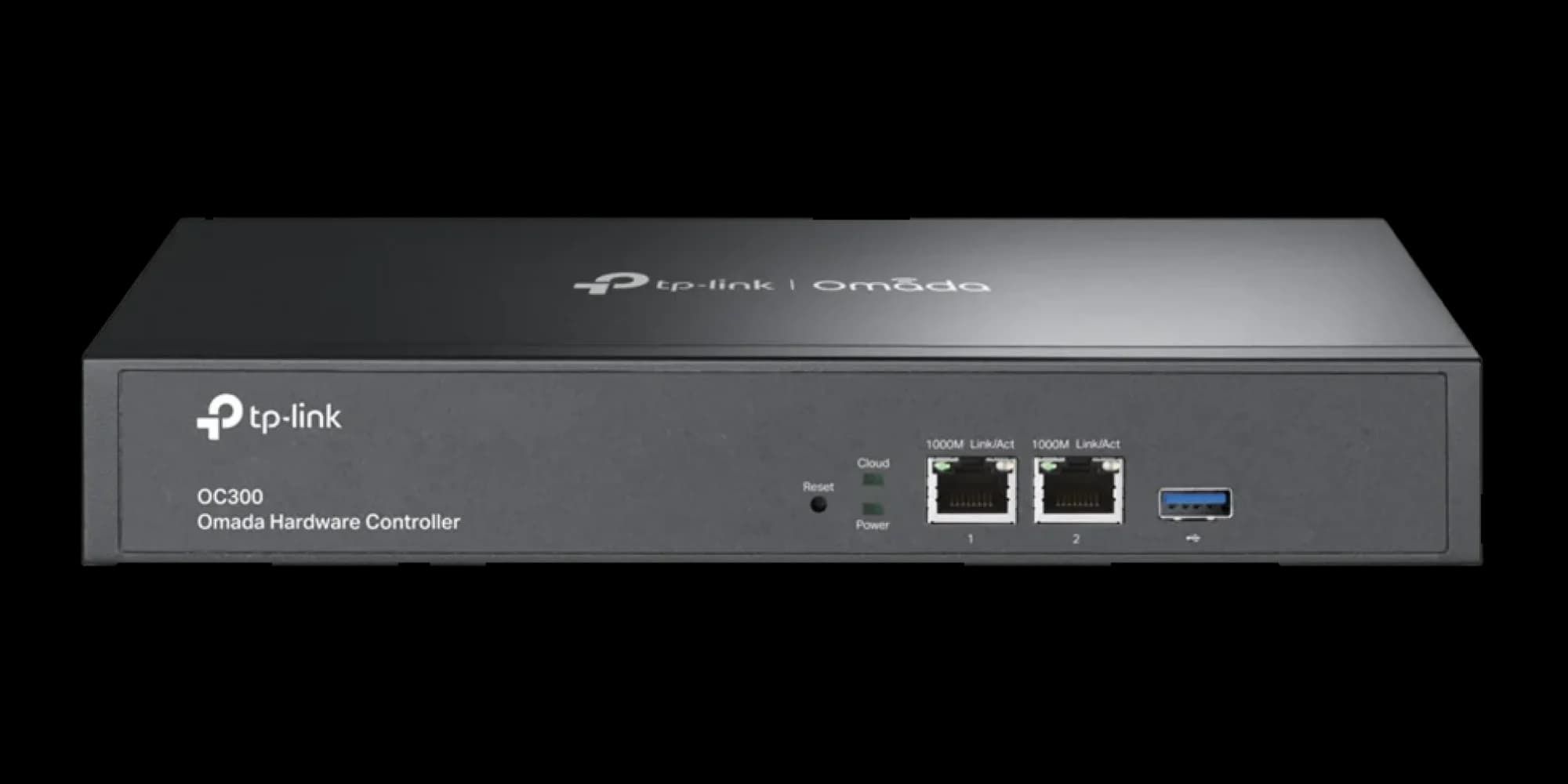
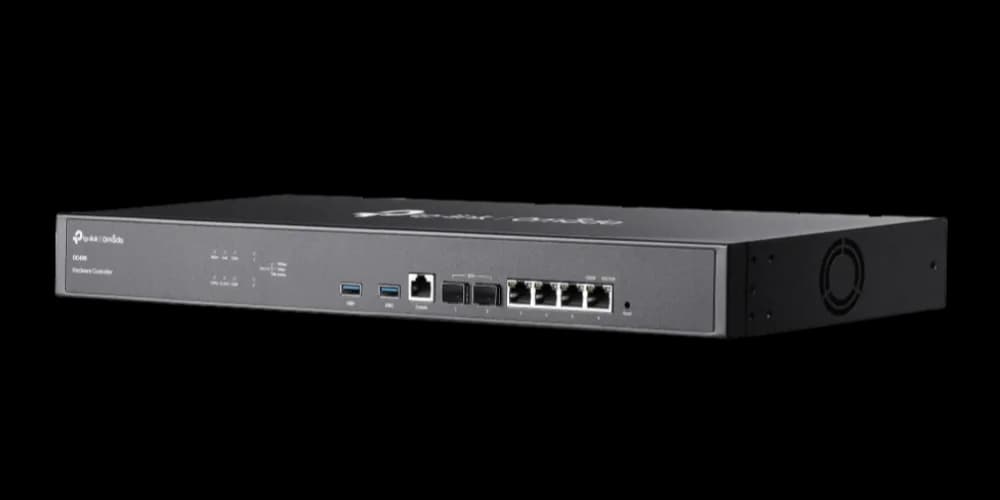
The OC220 is the modern standard for networks under 100 devices, while the OC400 serves large enterprises. The OC200 and OC300 occupy niche legacy and rack-mount roles respectively.
Each is a purpose-built appliance that runs the Omada controller software locally, providing 24/7 management without requiring a separate PC or server.
Hardware Controller Comparison
| Specs | ||||
|---|---|---|---|---|
| Max APs | 100 | 100 | 500 | 1,000 |
| Max Clients | — | — | 15,000 | 30,000 |
| Interface Speed | 100 Mbps | Gigabit (1000 Mbps) | Gigabit | 10 Gbps SFP+ |
| Processor | Dual-Core | Quad-Core 2 GHz | Dual-Core 1.2 GHz | Quad-Core 2.2 GHz |
| Power | PoE / Micro USB | PoE / USB-C | AC Power | Redundant AC |
| Ideal For | Home / Small Office | Small Business (2026) | Medium Business | Large Campus / MSP |
Why Choose Hardware Over Software?
- Minimal maintenance: No operating system updates or container management. The hardware controller runs purpose-built firmware.
- PoE-powered (OC200/OC220): Draws power directly from a PoE switch — one Ethernet cable handles both power and data.
- Automatic backups: Configuration is backed up to USB automatically, reducing the risk of data loss.
- Local data retention: All management data stays on your local network. Cloud access for remote management is opt-in.
- VIGI camera management: Hardware controllers can also manage TP-Link VIGI surveillance cameras and NVRs from the same interface — useful for small businesses wanting a single management dashboard for both networking and security.
Choosing the Right Model
OC220 (~$90) — The recommended choice for new purchases. The OC220 features a quad-core 2 GHz processor and Gigabit Ethernet ports, delivering 2.6× faster boot times and noticeably faster interface navigation than both the OC200 and the OC300. It remains PoE-powered with a compact, fanless design. The OC220 manages up to 100 access points (plus 20 switches and 10 gateways) — ideal for small to medium business networks.
OC200 (~$80) — Legacy option. Recommended only for existing deployments. The 100 Mbps ports and aging dual-core processor make the interface sluggish with modern firmware (v5.14+). For new purchases in 2026, the OC220 is worth the $10 difference.
OC300 (~$160) — Rack-mount mid-range for larger deployments. Supports up to 500 devices with rack-mount installation and USB 3.0 for faster backups. Note that its older dual-core Cortex-A72 architecture makes the web interface slower than the OC220, despite the higher device limit. The OC300's value is its capacity ceiling (500 devices) and rack-mount form factor — not raw performance.
OC400 (~$460) — Enterprise flagship. Supports up to 1,000 APs and 30,000 clients with 2× 10G SFP+ uplink ports, 8 GB DDR4, and redundant power supplies. Designed for MSPs managing multiple client networks or large campus deployments.
The OC220 vs. OC300 Performance Paradox
Buyers often assume the more expensive OC300 ($160) is faster than the OC220 ($110). In practice, the opposite is true for interface responsiveness. The OC220's newer quad-core processor navigates the Omada dashboard significantly faster than the OC300's older dual-core chip. The OC300's advantage is purely its higher device capacity (500 vs. 100) and rack-mount form factor. If your network has fewer than 100 devices, the OC220 provides a better day-to-day management experience at a lower price.
Cloud Access and Cloud Controllers Are Different Things
Cloud Access is a free feature on hardware controllers that lets you manage the controller remotely through the Omada app. The controller still runs locally, and your data stays on your network.
A Cloud Controller (Essentials or Standard) replaces the local box entirely — the controller runs on TP-Link's servers, and your configuration and logs are stored in the cloud.
Both provide remote management. The difference is where the controller runs and where your data resides.
What Is the Difference Between Omada Cloud Essentials and Cloud Standard?
Cloud Essentials is a free cloud controller with basic management and 7-day snapshot retention. Cloud Standard is a paid subscription that adds advanced security features and 30+ day logging.
Both are fully cloud-hosted — no hardware or software installation required.
Cloud Essentials (Free)
Cloud Essentials is a practical entry point for home users, straightforward business networks, and surveillance deployments. VIGI camera networks often need simple configuration but 24/7 uptime — the free cloud tier is specifically targeted at these use cases. Create an account at omada.tplinkcloud.com, scan a device's serial number with the Omada app, and the network is manageable from anywhere.
Included features:
- Zero-touch provisioning: Ship an access point to a remote location, have someone connect it, and it registers with the cloud controller automatically.
- Unlimited device management: No caps on managed APs, switches, or routers.
- Multi-site management: Multiple locations managed from a single dashboard.
- VIGI surveillance integration: TP-Link VIGI cameras and NVRs managed from the same interface — ideal for small surveillance networks that need 24/7 uptime without complex networking features.
- WireGuard VPN support.
Limitations: No Deep Packet Inspection (DPI), no Intrusion Detection/Prevention (IDS/IPS), no advanced ACLs, and no WLAN optimization. Event messages are retained for approximately 180 days, but detailed snapshots and rich analytics data are kept for roughly 7 days. PPTP, L2TP, and SSL VPN are not available.
Cloud Standard (~$10/device/year)
Cloud Standard is built for MSPs and organizations that need the full feature set from the cloud:
- IDS/IPS and DPI: Intrusion detection, prevention, and application-level traffic inspection.
- Advanced ACLs and WLAN optimization: Granular traffic control and WiFi performance tuning.
- 30+ days of detailed log retention for compliance and troubleshooting.
- Wi-Fi heatmap simulator: AP placement planning before installation.
- Automated network reports for client meetings or compliance reviews.
- 99.9% SLA availability with geographically isolated backup infrastructure.
- All VPN protocols: PPTP, L2TP, SSL, and WireGuard.
- API access for custom integrations and automation.
Cloud Standard uses a per-device annual license model. Every managed Omada device requires its own license, starting at approximately $10 per device per year:
| Network Size | Estimated Annual Cost |
|---|---|
| 5 devices (small office) | ~$50/year |
| 15 devices (medium office) | ~$150/year |
| 50 devices (multi-site MSP) | ~$500/year |
| 200 devices (enterprise campus) | ~$2,000/year |
Upgrading from Essentials to Standard
Cloud Essentials can be upgraded to Cloud Standard at any time without changing hardware or reconfiguring devices. The upgrade is a license activation — the existing network configuration carries over.
Internet Dependency
Both cloud options run on TP-Link's infrastructure (hosted on AWS), requiring an active internet connection for configuration changes. If the connection goes down:
- ✅ The network continues operating — WiFi stays up, VLANs function, firewall rules hold
- ❌ Configuration changes, live statistics, and new device adoption are unavailable until connectivity is restored
Quick-Reference Comparison Table
| Feature | Software Controller | Hardware Controller | Cloud Essentials | Cloud Standard |
|---|---|---|---|---|
| Cost | Free | $80–$460 one-time | Free | Starting ~$10/device/year |
| Where It Runs | Your PC/server | Dedicated OC appliance | TP-Link cloud (AWS) | TP-Link cloud (AWS) |
| Setup Complexity | Medium–High | Low–Medium | Low | Low–Medium |
| 24/7 Availability | Depends on host | Yes (purpose-built) | Yes (99.9% SLA) | Yes (99.9% SLA) |
| Internet Required | No (local) | No (local) | Yes | Yes |
| Remote Management | Via cloud access (free) | Via cloud access (free) | Built-in | Built-in |
| IDS/IPS & DPI | Yes | Yes | No | Yes |
| Log Retention | Unlimited (local storage) | Appliance storage | 7 days (snapshots) / 180 days (events) | 30+ days (full) |
| Max Scale | Hardware-dependent | 100–1,000 devices | Unlimited | Unlimited |
| Backup | Manual export | Automatic to USB | Cloud-managed | Cloud-managed |
| VIGI Cameras | Yes | Yes | Yes | Yes |
| Best Match | Homelab / tech enthusiast | SMB / premium home | Simple home / basic SMB | MSP / enterprise |
Which Omada Controller Should You Choose?
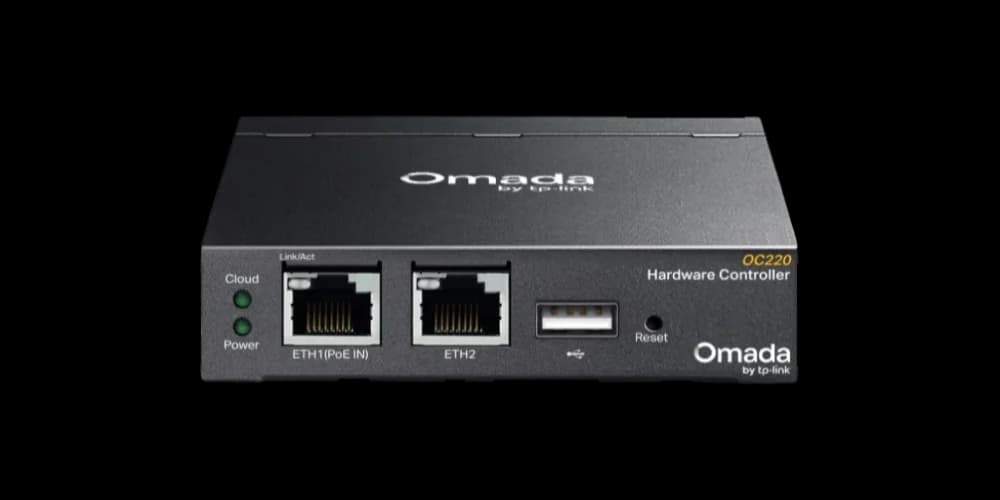
TP-Link Omada OC220
The new standard for small business networks. Faster interface, Gigabit ports, and compact PoE design make it the clear winner over the aging OC200.
- Quad-core 2 GHz processor for instant interface loading
- Gigabit Ethernet ports (vs 100 Mbps on OC200)
- Manages up to 100 access points + 20 switches + 10 gateways
- Compact, fanless, PoE-powered design
*Price at time of publishing
The Software Controller is a good fit if you already operate a home server, NAS, or Docker environment around the clock. You get the full feature set at no cost, with the trade-off of managing uptime and backups yourself.
A Hardware Controller makes sense when you want local management without maintaining a server. The OC220 at ~$110 is the recommended choice for new installations. No subscriptions, no cloud dependency, and automatic backups. For networks that need fewer than 100 devices, the OC220 provides a better experience than the more expensive OC300 due to its newer processor. The OC300 is worth considering only when you expect to exceed 100 managed devices or need a rack-mount form factor.
Cloud Essentials is the simplest path to centralized management when the network is straightforward. No hardware cost, no installation, no maintenance. The trade-off is a reduced feature set and reliance on internet connectivity for administrative tasks.
Cloud Standard serves MSPs managing client networks, multi-site deployments, and organizations needing compliance-grade logging. For context, a 5-device network costs approximately $50/year — the break-even point versus a one-time OC220 purchase (~$110) is roughly two years. For larger deployments, the recurring cost is typically offset by reduced on-site visits and centralized provisioning.
Our Recommendation
For most small businesses and prosumers, the OC220 hardware controller (~$110) provides the best balance of features, reliability, and long-term value. It includes the full Omada feature set with local control, no recurring fees, and the option to add free cloud access for remote management.
If the initial investment isn't practical, Cloud Essentials is a reasonable starting point — the upgrade path to Cloud Standard or a hardware controller remains available.
Frequently Asked Questions
Is the OC220 Better Than the OC300?
For networks under 100 devices, yes. The OC220's quad-core 2 GHz processor delivers faster interface navigation and boot times than the OC300's older dual-core 1.2 GHz chip. The OC300's advantage is its higher device capacity (500 devices vs. 100) and rack-mount form factor. If your network won't exceed 100 managed devices, the OC220 provides a better management experience at a lower price ($110 vs. $160).
Can I Switch Between Controller Types?
Yes, though the process varies:
- Software → Hardware: Export a backup file from the software controller and import it on the hardware controller. This is the most straightforward path.
- Hardware → Cloud Standard: TP-Link provides a migration process, though some settings may require manual reconfiguration.
- Cloud Essentials → Cloud Standard: Seamless — activate the license and all settings carry over.
- Cloud Essentials → Hardware: This is the most difficult migration. Cloud Essentials does not export configuration in a format compatible with hardware controllers, so devices typically need to be factory reset and re-adopted. If a hardware controller is a possibility, it may be worth starting with one.
Always export a backup before migrating.
Do I Need a Controller to Use Omada Devices?
No. Every Omada AP, switch, and router has a standalone mode with a local web interface for individual configuration. The controller is optional but recommended for deployments with more than one or two devices. Without it, centralized management, seamless roaming, captive portals, and unified logging are not available.
Does the Omada Network Continue Working if the Controller Goes Offline?
Yes. WiFi networks remain active, VLANs and firewall rules continue to function, and devices pass traffic normally. What pauses: configuration changes, live statistics, new device adoption, and captive portal authentication. When the controller comes back online, managed devices reconnect automatically.
Can I Run the Software Controller on a Raspberry Pi?
TP-Link does not officially support ARM-based devices. Some users have reported success on Raspberry Pi 4/5 with 4 GB+ RAM for small networks (under 20 devices), though performance may be limited with larger deployments. A Docker container on a more capable mini PC generally provides a more reliable experience.
Is Cloud Essentials Permanently Free?
TP-Link positions Cloud Essentials as "lifetime free," designed to drive hardware adoption while Cloud Standard serves as the premium revenue product. This freemium model is standard in the networking industry and unlikely to change without advance notice.
Related Reading
- Omada Wi-Fi 7 Business Setup: Three Scalable Builds — Complete equipment builds with matched APs, switches, gateways, and controller choices.
- UniFi vs TP-Link Omada WiFi 7: Which Platform Is Better for Business?
- How to Migrate from Consumer Mesh WiFi to Omada
- Cloud-Managed Networks: A Small Business Guide
Related Articles
More from Network Infrastructure
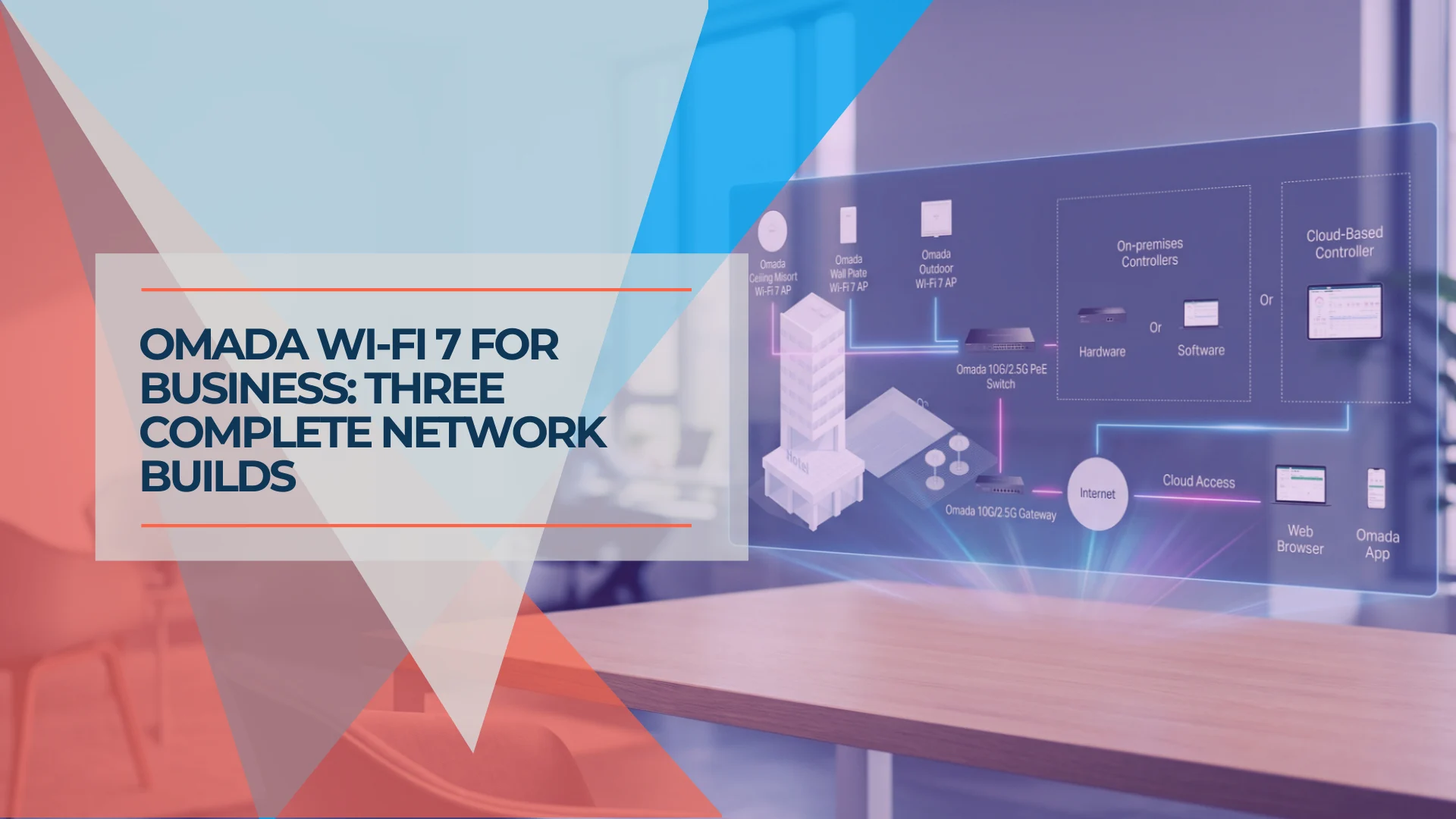
Omada Wi-Fi 7 Business Setup: Three Scalable Builds
Three Omada Wi-Fi 7 builds with matched APs, PoE switches, gateways, and controllers — sized for 5 to 75 users with verified pricing.
17 min read
Mesh Wi-Fi vs Access Points: Keep, Wire, or Upgrade?
Already have eero or Deco? Compare keeping it, adding Ethernet, using bridge/AP mode, or moving to UniFi or Omada—with practical small-business scenarios.
18 min read
Dual WAN for Business: Why One Internet Connection Isn't Enough
Why a single ISP is a single point of failure, how to verify real route diversity, and which dual-WAN gateway and backup connection fit a rack network or a simple branch office.
19 min read