NordPass vs Proton Pass 2026: Complete Business Password Manager Comparison
NordPass vs Proton Pass compared for business. XChaCha20 vs AES-256-GCM encryption, pricing from $1.99/user, admin features, ecosystem value, and which European password manager fits your team.

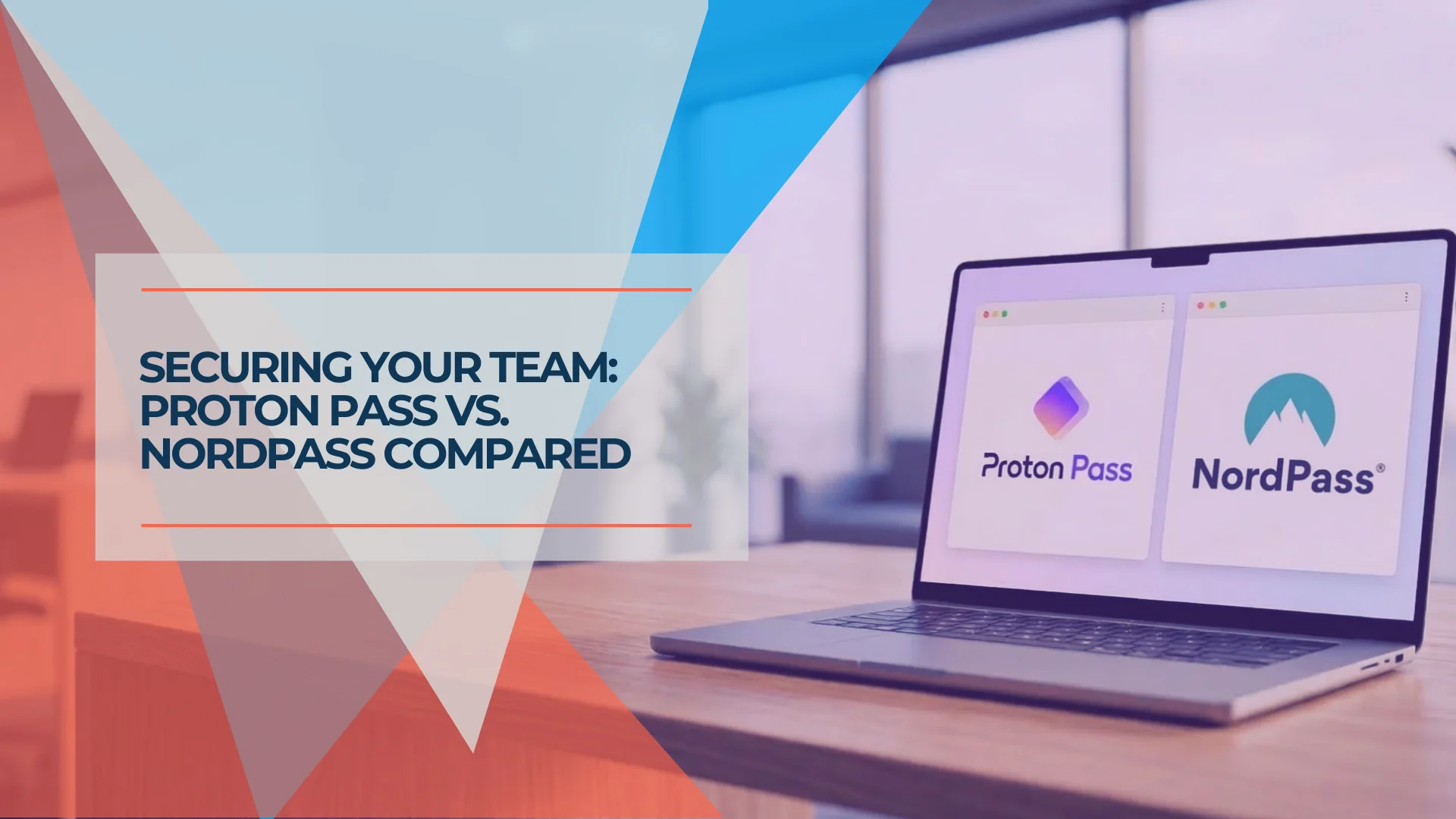
NordPass and Proton Pass are both European-built, privacy-focused password managers serving the same business market — but they make different architectural and operational choices. NordPass (Lithuania, Nord Security) focuses on polished UX and round-the-clock support. Proton Pass (Switzerland, Proton AG) focuses on open-source transparency, metadata encryption, and a broader privacy ecosystem. After deploying Proton Pass across dozens of small business clients over two years and evaluating NordPass alongside it, here is how they compare for business teams in 2026.
Affiliate Disclosure: This article contains affiliate links. If you make a purchase through these links, we may earn a small commission at no extra cost to you. As an Amazon Associate, iFeelTech earns from qualifying purchases.
Quick Verdict
Choose Proton Pass if open-source transparency, Swiss privacy jurisdiction, metadata encryption, and ecosystem integration are priorities. The free plan is the most generous available, and the Proton Business Suite consolidates email, storage, VPN, and password management under one admin panel.
Choose NordPass if you need 24/7 live chat support, prefer a highly polished interface, and want Google Workspace SSO at the Business tier ($3.59/user). NordPass is strongest for teams of exactly 10 users where the fixed-seat Teams pack is fully utilized.
NordPass vs Proton Pass: At a Glance
| Specs |  NordPass BusinessTry NordPass | |
|---|---|---|
| Business pricing | $1.99–$4.49/user/month | $1.99–$3.59/user/month |
| Encryption | AES-256-GCM | XChaCha20 |
| Metadata encryption | Yes (URLs, usernames, all fields) | No |
| Open source | Yes (full codebase) | No (independent audits) |
| Built-in 2FA | Yes (with autofill, all plans) | Yes |
| SSO/SCIM | Professional plan ($4.49) | Google Workspace (Teams/Business); Entra ID/Okta/ADFS + SCIM (Enterprise only) |
| CLI access | Yes (Professional plan) | No |
| Email aliases | Unlimited hide-my-email | No built-in |
| Jurisdiction | Switzerland (DPA/GDPR) | Lithuania (EU/GDPR) |
| Ecosystem | Mail, VPN, Drive, Calendar, Sheets, Docs | NordVPN, NordLocker, NordLayer |
| Security audits | Cure53, SOC 2 Type II, ISO 27001 | Cure53, SOC 2 Type II, ISO 27001:2022 |
| Free plan | Yes (unlimited devices, 10 aliases) | Limited (1 device at a time) |
| Support | Email-based | 24/7 live chat |
| Passkey support | Yes | Yes |
| Data breach scanner | Yes (dark web monitoring) | Yes |
Which Encryption Is Better: NordPass or Proton Pass?
Proton Pass uses AES-256-GCM and encrypts all vault metadata. NordPass uses XChaCha20 but leaves your metadata unencrypted on its servers.
Both platforms use zero-knowledge architecture, so neither company can view your stored passwords. Where they differ is in scope: Proton Pass encrypts item names, URLs, and usernames in addition to passwords. In a server breach, an attacker cannot determine which services your organization uses. NordPass leaves those metadata fields unencrypted.
NordPass: XChaCha20
NordPass uses XChaCha20 encryption, chosen for its performance on mobile hardware without AES acceleration (AES-NI instruction sets). On older and budget Android devices, XChaCha20 can be roughly three times faster than AES-256. On current flagship hardware — Apple A-series, Snapdragon 8xx from 2022 onward — both algorithms are hardware-accelerated and perform indistinguishably in practice.
NordPass has been independently audited by Cure53 and holds SOC 2 Type II and ISO 27001:2022 certifications. Cure53 audit technical reports are not publicly published.
Proton Pass: AES-256-GCM with Metadata Encryption
Proton Pass uses AES-256-GCM and extends encryption to all vault metadata. URLs, usernames, notes, and item names are encrypted on the server alongside passwords. In a server-side breach, an attacker who accessed Proton's infrastructure could not identify which services your team uses — those fields are ciphertext. NordPass leaves equivalent fields unencrypted.
Proton Pass is fully open-source, with publicly available Cure53 audit results (2023), SOC 2 Type II certification (July 2025, auditor: Schellman), and ISO 27001 certification (May 2024). The open-source codebase allows independent verification that the encryption implementation matches the published specification — a guarantee NordPass's closed-source architecture cannot provide.
Is NordPass Cheaper Than Proton Pass for Business?
NordPass offers lower introductory rates, but Proton Pass is more cost-effective long-term because its pricing does not increase at renewal.
Comparing the two requires looking past the first billing cycle. Both advertise a $1.99/user/month entry tier, but NordPass Teams operates as a fixed 10-user pack — a business with 4 employees still pays for all 10 seats. Proton Pass Essentials uses per-seat pricing with a 3-user minimum. Additionally, NordPass's official discount terms state that introductory rates apply only to the first term: "Upon any subscription renewal, the default pricing of that plan to that day will start to apply." Proton Pass pricing is flat at renewal.
NordPass Business Plans
- Teams ($1.79–$1.99/user/month introductory; $1.79 on 2-year, $1.99 on 1-year): Fixed 10-user pack — you pay for 10 seats regardless of actual headcount. Includes SSO with Google Workspace, organization management, password policy enforcement, and activity logs. Each member also receives a free NordPass Premium personal account.
- Business ($3.59/user/month introductory, 2-year plan): 5–250 users. Everything in Teams plus shared folders, security dashboard, groups, data breach scanner, and Vanta compliance integration. Google Workspace SSO included.
- Enterprise (from $5.39/user/month, 2-year plan): 5+ users, custom pricing for 250+. SSO with Entra ID, MS ADFS, and Okta; SCIM provisioning; dedicated account manager; face-to-face onboarding.
Renewal note: NordPass does not publish renewal rates. The undiscounted standard rate reverts to the then-current pricing for your plan — which is significantly higher than promotional rates (Teams: up to $2.49/user; Business: up to $5.99/user at monthly billing rates). Year 2+ budgets should reflect this when evaluating total cost.
Micro-business note: Teams of 3–5 sometimes use the NordPass Family Plan ($2.79–$3.69/month total for up to 6 users) to avoid the 10-seat Teams pack. The Family plan has no business admin controls — no policy enforcement, security dashboard, or shared folders — but covers basic credential management for very small teams at a fraction of the Teams pack cost.
Proton Pass Business Plans
- Essentials ($1.99/user/month): Minimum 3 users, per-seat pricing. Unlimited passwords, devices, and hide-my-email aliases. Built-in 2FA with autofill, dark web monitoring, passkey support. Vault and item sharing.
- Professional ($4.49/user/month): Minimum 3 users. Everything in Essentials plus SSO/SCIM, activity logs, enterprise policies, Proton Sentinel, file attachments, SIEM integration, and CLI access.
- Proton Business Suite ($12.99/user/month): Pass Professional plus encrypted Mail (1 TB), Calendar, Drive (1 TB), VPN (10 devices), Sheets, and Docs.
Year 1 Cost: 10-Person Team
| Plan tier | NordPass | Proton Pass | Difference |
|---|---|---|---|
| Entry-level (1yr intro) | $238.80/year (Teams, 10-seat pack) | $238.80/year (Essentials, per seat) | Even for 10 users |
| Mid-tier | $430.80/year (Business, 2yr rate) | $538.80/year (Professional) | NordPass saves $108/year |
| Ecosystem suite | From $646.80/year (Enterprise, 2yr plan) | $1,558.80/year (Business Suite) | Suite consolidates 6+ tools |
36-Month Total Cost of Ownership: Fixed Seats and Renewal Risk
The Year 1 comparison understates the true cost gap because NordPass Teams is a fixed 10-user pack and NordPass renewal rates increase when the introductory term expires.
Fixed seat impact: A 5-person team on NordPass Teams pays $238.80/year (10 seats × $1.99, 1-year rate). The same team on Proton Pass Essentials pays $119.40/year (5 seats × $1.99).
Renewal rate impact: NordPass officially states introductory discounts expire at term end. Renewal reverts to "the default pricing of that plan to that day." NordPass does not disclose this rate numerically; the undiscounted standard rate is the monthly billing rate (Teams: $2.49/user, Business: $5.99/user). Actual renewal rates may fall between the 1-year rate and the monthly rate. Proton Pass renewal is flat.
| Scenario | Year 1 | Year 2 (at renewal) | 36-Month Total |
|---|---|---|---|
| 5-person team — NordPass Teams (fixed 10 seats) | $238.80 | $238.80–$298.80* | $716.40–$836.40 |
| 5-person team — Proton Essentials (5 seats, flat) | $119.40 | $119.40 | $358.20 |
| 10-person team — NordPass Teams | $238.80 | $238.80–$298.80* | $716.40–$836.40 |
| 10-person team — Proton Essentials (flat) | $238.80 | $238.80 | $716.40 |
| 10-person team — NordPass Business (2yr intro) | $430.80 | $478.80–$718.80* | $1,340.40–$1,580.40 |
| 10-person team — Proton Professional (flat) | $538.80 | $538.80 | $1,616.40 |
*NordPass renewal range: 1-year rate (lower bound) to monthly billing rate (upper bound). Actual rate not published by NordPass. Verify current renewal pricing before committing.
Summary: For teams of exactly 10, entry-level pricing is equal in Year 1 and Proton is predictably cheaper over 3 years. For teams under 10, Proton is cheaper immediately due to per-seat pricing. At mid-tier for 10 users, NordPass saves ~$108/year in Year 1 but this advantage narrows or reverses at renewal depending on the actual renewal rate.
Is NordPass Open Source Like Proton Pass?
Proton Pass is fully open-source with published code and public audit results. NordPass is closed-source with third-party certifications but does not publish complete audit technical findings.
Open-source password managers allow independent security researchers to inspect the codebase directly for vulnerabilities without relying on vendor disclosures. Proton Pass publishes its entire codebase publicly. Cure53 audit results are available for review, and SOC 2 Type II (July 2025, Schellman) and ISO 27001 (May 2024) certifications provide additional independent validation.
NordPass is closed-source. It holds SOC 2 Type II, ISO 27001:2022 (renewed December 2025), and HIPAA compliance, and commissions Cure53 for independent audits. However, Nord Security does not publish the complete Cure53 technical findings. The certifications confirm that NordPass's processes meet the standard — they do not allow independent inspection of the encryption implementation itself.
For organizations in regulated industries — healthcare, legal, finance — open-source code provides a concrete, auditable answer that satisfies stricter compliance documentation requirements. Closed-source certifications are legitimate but require trust in the vendor and auditor rather than direct code verification.
Neither NordPass nor Proton Pass offers on-premise self-hosting. Organizations with a hard requirement for self-hosted infrastructure should evaluate Bitwarden, which supports self-hosting on its Teams and Enterprise tiers.
NordPass Business Advantages: Support, UX, and Emergency Access
NordPass Intro
NordPass Business
Polished business password manager featuring XChaCha20 encryption, 24/7 live chat support, and intuitive apps.
- 24/7 live chat support
- Polished, daily-use interface
- Emergency account access
- XChaCha20 encryption
*Price at time of publishing
NordPass offers 24/7 live chat support, a highly intuitive interface optimized for non-technical employees, and emergency account access.
24/7 Live Chat Support
NordPass provides 24/7 live chat support on all business plans. When a team member is locked out outside business hours or an admin needs help during a migration, live chat provides immediate assistance. This is a practical advantage for smaller teams without dedicated IT staff.
Proton Pass provides email-based support, with priority and phone support available for teams of 20 or more users. For teams that need real-time help, the response time difference is worth factoring into the evaluation.
Emergency Access
Both NordPass and Proton Pass offer emergency access for incapacitated users, and both require a paid plan — the feature is unavailable on free tiers. Proton Pass launched emergency access on August 28, 2025 for all paid users — up to five trusted contacts can be designated, with a configurable waiting period before access is granted. NordPass offers emergency access on paid business and personal plans.
One implementation difference: Proton's emergency access requires the trusted contact to have their own Proton account (free or paid). NordPass emergency access can be granted to any NordPass user, including free accounts — a lower barrier for designating contacts outside your organization.
Polished Daily-Use Experience
NordPass has a clean, well-organized interface. Autofill works reliably across web and mobile, the onboarding flow is straightforward, and the learning curve is low. For teams where user adoption is the primary rollout challenge, NordPass's interface consistency tends to reduce friction during deployment.
What Proton Pass Offers That NordPass Does Not
Proton Pass Intro
Proton Pass Business
Swiss-based privacy-first password manager with metadata encryption, unlimited email aliases, and built-in 2FA.
- AES-256-GCM with metadata encryption
- Unlimited hide-my-email aliases
- Open-source, Cure53 audited
- Swiss data jurisdiction
*Price at time of publishing
Proton Pass provides metadata encryption, an open-source codebase, unlimited email aliases, CLI automation, and a full privacy-focused productivity ecosystem — features that NordPass does not currently match.
Metadata Encryption
Proton Pass encrypts all vault metadata \u2014 URLs, usernames, item names, and notes \u2014 alongside passwords. NordPass leaves these fields unencrypted on the server. See the encryption comparison above for the full technical breakdown.
Unlimited Hide-My-Email Aliases
Every Proton Pass plan includes unlimited email aliases for creating a unique address per service. This reduces phishing exposure, keeps primary inboxes clean, and makes it straightforward to identify which service was involved if spam arrives at a specific alias. NordPass does not offer built-in email aliasing. Check current Proton Pass Essentials pricing
CLI and Automation
The Proton Pass CLI (Professional plan) provides programmatic credential access for deployment scripts, CI/CD pipelines, and infrastructure provisioning. The URI-based syntax (pass://vault/item/field) and SSH agent integration cover the core automation needs for IT teams. NordPass does not offer a CLI tool.
Proton Ecosystem Integration
Proton Pass connects to a full privacy-focused productivity stack: encrypted Mail, Calendar, Drive, VPN, Sheets, and Docs. The Proton Business Suite ($12.99/user/month) consolidates six vendor relationships into one admin panel.
The addition of Proton Sheets (xlsx-compatible, end-to-end encrypted) and Proton Docs (real-time collaborative editing) makes the Business Suite a direct alternative to Google Workspace and Microsoft 365 — not just a password manager with bundled VPN. For organizations looking to move sensitive work off Google or Microsoft infrastructure, the Suite addresses the full productivity stack with Swiss privacy protections applied to every tool. Explore Proton Business Suite
NordPass integrates with the Nord Security ecosystem — NordVPN, NordLocker, and NordLayer — which covers VPN and cloud storage but does not extend to email, calendar, or productivity tools.
Free Plan for Evaluation
Proton Pass's free plan includes unlimited passwords on unlimited devices, built-in 2FA, and 10 email aliases. NordPass's free plan is limited to one active device at a time, which makes it difficult to evaluate the product in a real workflow. Teams that want to test before committing will find Proton Pass's free tier more practical.
Swiss Privacy Jurisdiction
Proton operates under the Swiss Federal Data Protection Act and GDPR. Swiss jurisdiction places Proton's infrastructure outside the reach of the US CLOUD Act and Five Eyes intelligence-sharing agreements. Lithuania, where NordPass is based, is an EU member state with full GDPR compliance, but does not carry the additional legal protections that Swiss privacy law provides.
Admin Features Side by Side
| Feature | NordPass Teams ($1.99) | NordPass Business ($3.59) | Proton Pass Essentials ($1.99) | Proton Pass Professional ($4.49) |
|---|---|---|---|---|
| Unlimited passwords | Yes | Yes | Yes | Yes |
| Vault/folder sharing | Yes | Yes (shared folders) | Yes (vault sharing) | Yes |
| 2FA authenticator | Yes | Yes | Yes (with autofill) | Yes (with autofill) |
| Data breach scanner | Limited | Yes | Yes (dark web monitoring) | Yes |
| Security dashboard | Basic | Yes | Password health check | Pass Monitor dashboard |
| Groups | No | Yes | No | No |
| SSO integration | Yes (Google Workspace) | Yes (Google Workspace) | No | Yes (SAML/OIDC) |
| SCIM provisioning | No | No | No | Yes |
| Activity logs | Yes | Yes | No | Yes (detailed) |
| Enterprise policies | No | No | No | Yes |
| Email aliases | No | No | Unlimited | Unlimited |
| CLI access | No | No | No | Yes |
| SIEM integration | No | No | No | Yes |
| Emergency access | Yes | Yes | Yes (paid) | Yes (paid) |
NordPass distributes core features across fewer, simpler tiers. Proton Pass gates advanced admin controls — SSO, SCIM, activity logs, CLI — behind the Professional tier, but includes security-focused features like email aliases and 2FA autofill on every plan from the entry level.
Account Recovery and Admin Offboarding
NordPass allows admins to recover locked employee accounts; Proton Pass does not — users hold their own recovery keys, creating different risk profiles for day-to-day IT operations.
Password manager deployments involve two distinct recovery scenarios: emergency access (a trusted contact accesses a vault if the account holder becomes incapacitated) and admin account recovery (what happens when an employee forgets their master password or leaves the company).
Admin-Initiated Account Recovery
NordPass Business allows administrators to recover locked user accounts directly from the admin panel. If a team member forgets their master password, an admin can initiate recovery without requiring the employee to locate a personal recovery code. This covers the most common helpdesk scenario in SMB deployments.
Proton Pass does not offer admin-initiated account recovery. Each user receives a recovery kit (a recovery phrase) at setup. If the recovery phrase is lost and the master password is forgotten, access cannot be restored. For business rollouts, this means IT must ensure every employee securely stores their recovery kit at onboarding — or accept the risk of permanent credential loss.
Offboarding and Vault Transfer
Both platforms allow admins to revoke user access immediately from the admin panel. NordPass supports item transfer from departing employees; Proton Pass allows vault ownership reassignment before removing a user.
| Recovery feature | NordPass Business | Proton Pass Professional |
|---|---|---|
| Admin can recover locked user account | Yes (admin panel) | No (user holds recovery key) |
| Recovery kit required | Optional (recovery code available) | Yes (mandatory; risk if lost) |
| Emergency access (paid plans only) | Yes | Yes |
| Vault/item transfer on offboarding | Yes | Yes |
| Access revocation | Immediate (admin panel) | Immediate (admin panel) |
For regulated industries where credential continuity is audited, NordPass's admin-recovery capability reduces operational risk. For organizations that prioritize zero-knowledge architecture over operational recovery, Proton's approach — where admins cannot access user vaults — provides stronger privacy guarantees but requires disciplined recovery kit management at onboarding.
Passkey Support
Both NordPass and Proton Pass support passkeys on all plans, including creation, storage, and autofill across desktop and mobile.
One gap: Proton Pass does not yet support sharing a passkey into a shared team vault (for shared service accounts). NordPass handles this scenario. For individual employee passkeys — the standard use case — both platforms are equivalent.
Offline Access
Both platforms cache an encrypted vault copy locally. NordPass offline access is on by default; Proton Pass requires it to be enabled in Settings before going offline.
For teams that work in low-connectivity environments — field technicians, travel-heavy roles — NordPass's always-on offline access requires no pre-configuration. Proton Pass offline mode works well once enabled but must be set up in advance.
Mobile App Performance: Android and iOS
Both platforms provide native iOS and Android apps with biometric unlock and system-level autofill. The practical gap is narrow on current hardware but worth noting for teams with older devices.
NordPass mobile autofill is reliable across Android 9+ and iOS 15+. The interface mirrors the desktop layout closely, which reduces the learning curve when employees switch devices. Autofill in third-party apps (banking apps, password-gated tools) works consistently on both platforms.
Proton Pass mobile autofill performs well on iOS and Android 12+. On older Android hardware (pre-Android 11), autofill reliability has been inconsistent in real-world deployment — particularly in third-party apps rather than browsers. On current devices, both platforms perform equivalently. The Proton Pass Android app has improved significantly since its 2023 release, and day-to-day autofill on supported devices is comparable to NordPass.
For teams standardized on current iOS or Android hardware, mobile performance is not a differentiating factor. For teams with a mixed device fleet that includes older Android handsets, NordPass has a broader compatibility track record.
Switching Between NordPass and Proton Pass: Migration Guide
NordPass exports credentials as a CSV file. Proton Pass imports NordPass CSV directly, making the technical side of migration straightforward.
Export from NordPass: Open the NordPass desktop app → Settings → Export Data. The export includes passwords, secure notes, and credit card entries in CSV format.
Import into Proton Pass: Open the Proton Pass browser extension → Settings → Import → select NordPass from the provider list → upload the CSV file.
| Migration element | What to expect |
|---|---|
| Passwords and notes | Import directly, no manual work required |
| Custom fields | Map correctly to Proton Pass custom fields |
| Shared folders | Vault share permissions must be recreated manually — Proton Pass Vaults do not inherit NordPass folder access rules |
| Credit cards | Import correctly |
| Attachments | NordPass does not support file attachments; no migration step needed |
Recommended approach: Run both platforms in parallel for two weeks after import. Verify credentials transferred correctly, reconfigure browser extensions on all team devices, and confirm shared vault access before decommissioning NordPass. Teams using NordPass Business with shared folders should budget additional time to restructure vault sharing permissions in Proton Pass.
SSO Setup: Google Workspace and Azure AD
Both platforms support Google Workspace and Microsoft Entra ID for SSO, but NordPass splits availability across tiers: Google Workspace SSO is included on Teams and Business; Entra ID, ADFS, and Okta require the Enterprise plan.
| NordPass | Proton Pass | |
|---|---|---|
| SSO protocol | OIDC | SAML 2.0 |
| Google Workspace | Yes (Teams & Business, $1.99–$3.59) | Yes (Professional, $4.49) |
| Microsoft Entra ID | Yes (Enterprise, from $5.39) | Yes (Professional, $4.49) |
| Okta | Yes (Enterprise, from $5.39) | Yes (Professional, $4.49) |
| SCIM provisioning | Enterprise only | Professional ($4.49) |
| Setup documentation | Official guides available | Official guides for Google, Entra ID, Okta |
NordPass SSO uses OIDC. Google Workspace SSO is available on Teams and Business plans at published rates. Entra ID, ADFS, and Okta integration requires the Enterprise plan at custom pricing. NordPass provides official setup guides for all supported identity providers.
Proton Pass SSO uses SAML 2.0. Setup is handled through the admin panel under Single sign-on → SAML authentication → Configure SAML. All major identity providers (Google Workspace, Microsoft Entra ID, Okta) are supported on the Professional plan at the published $4.49/user/month rate. Proton provides official step-by-step guides for each provider.
For IT admins comparing SSO options: if Google Workspace SSO is the only requirement, NordPass Business ($3.59/user) is cheaper than Proton Professional ($4.49/user) in Year 1. If Entra ID or Okta integration is required, Proton Professional's published $4.49 rate is significantly lower than NordPass Enterprise's custom-quoted rate.
SSO Plan Requirements
NordPass Google Workspace SSO is included on Teams ($1.99) and Business ($3.59) plans. Entra ID, ADFS, and Okta SSO require the Enterprise plan (custom pricing, quote required). Proton Pass supports all major identity providers on the Professional plan at the published $4.49/user/month rate with SCIM provisioning included.
Which Should You Choose?
Choose Proton Pass if:
- Open-source transparency and metadata encryption are security requirements
- Swiss privacy jurisdiction matters for your compliance posture
- You want unlimited email aliases to reduce phishing exposure
- CLI automation is part of your IT workflow
- You are building or evaluating a Proton ecosystem stack (Mail, VPN, Drive, Sheets)
- Your team can work effectively with email-based support
Choose NordPass if:
- 24/7 live chat support is important for your team's operations
- You want a highly polished, low-friction interface for non-technical users
- You have exactly 10 users and the fixed-seat Teams pack doesn't waste budget
- Your SSO requirement is Google Workspace only (covered on Business at $3.59)
- Your team already uses NordVPN or NordLayer and wants ecosystem alignment
For most privacy-conscious small businesses, Proton Pass offers more security depth at comparable or lower total cost — particularly through metadata encryption, open-source transparency, per-seat pricing with no fixed-seat minimums, flat renewal rates, and the ecosystem consolidation option. NordPass is the stronger choice when 24/7 live support, admin-initiated account recovery, and interface polish are the primary operational requirements.
NordPass vs Proton Pass: Final Verdict
NordPass and Proton Pass are both credible, well-maintained password managers built by European companies with genuine privacy commitments. They serve the same market but make different trade-offs.
NordPass prioritizes operational simplicity: a polished interface, live support, admin account recovery, and a straightforward feature set that works well for teams where ease of adoption matters most. Proton Pass prioritizes verifiable security: open-source code, metadata encryption, Swiss legal protection, per-seat pricing with flat renewals, and a growing ecosystem of encrypted productivity tools.
Pricing looks equal at the entry level but diverges once the fixed 10-user pack and renewal rate mechanics are factored in. For teams under 10, Proton is immediately cheaper. For teams of 10+, the Year 1 mid-tier advantage for NordPass Business ($3.59 vs $4.49) narrows at renewal. The choice ultimately comes down to which trade-offs fit your organization: operational convenience and support access, or encryption depth, privacy jurisdiction, and predictable long-term costs.
For a broader comparison including 1Password and Bitwarden, see our best password manager for small business guide. For a detailed look at Proton Pass's implementation workflow and admin features, read our full Proton Pass Business review.
Related Resources
- Best Password Manager for Small Business 2026 — Four password managers compared for admin controls, pricing, and rollout.
- Proton Pass Business Review — In-depth review with implementation guide and encrypted notes workflow.
- Proton Pass vs Bitwarden — Head-to-head comparison of the two open-source options.
- Proton Pass vs 1Password — Privacy vs polish: the two philosophies compared.
- Tresorit vs Proton Drive for Business — Encrypted cloud storage compared for HIPAA, compliance, and pricing.
- Best Business Password Managers — IT admin-focused comparison with rollout checklist.
Frequently Asked Questions
Related Articles
More from Cybersecurity
Proton Pass vs 1Password for Business: July 2026 Pricing, Security, and Admin Comparison
Proton Pass and 1Password compared for SMB teams: pricing, admin controls, SSO/SCIM, Travel Mode, device trust, support, migration, and business use cases.
18 min read
Proton Pass vs Bitwarden 2026: Security, Pricing, and Features Compared for Business
Proton Pass vs Bitwarden compared for business deployment. Security architecture, business pricing ($1.99 vs $4/user), admin controls, self-hosting, CLI automation, and compliance analysis.
20 min read
Best Password Manager for Business 2026: 1Password vs Bitwarden vs NordPass vs Proton Pass
Tested across real team deployments: 1Password, Bitwarden, NordPass, and Proton Pass compared on admin controls, SSO, pricing, offboarding, and everything IT admins need to know.
39 min read