Best Password Manager for Business 2026: 1Password vs Bitwarden vs NordPass vs Proton Pass
Tested across real team deployments: 1Password, Bitwarden, NordPass, and Proton Pass compared on admin controls, SSO, pricing, offboarding, and everything IT admins need to know.

Affiliate Disclosure: This article contains affiliate links. If you make a purchase through these links, we may earn a small commission at no extra cost to you.
Quick Picks by Team Size
- Solo or freelancer: Bitwarden (free, unlimited) or Proton Pass (free, privacy-first with email aliases)
- Under 10 people: 1Password Teams Starter ($19.95/mo flat) or NordPass Teams ($1.79/user/mo)
- 10–50 people: 1Password Business ($7.99/user) for best adoption, Bitwarden Teams ($4/user) for best value
- 50+ or compliance-heavy: 1Password Business or Bitwarden Enterprise ($6/user) with SSO and SCIM
- Privacy-first or European operations: Proton Pass Professional ($4.49/user) — Swiss jurisdiction, ISO 27001, HIPAA
- MSPs managing multiple clients: 1Password Business or Bitwarden Teams — see the MSP section below
Relying on decentralized credential storage creates immediate security and operational bottlenecks during employee offboarding. Passwords shared over Slack, credentials reused across multiple systems, and no centralized record of who has access to what — the average small business uses over 100 software applications, and without centralized management, that complexity compounds with every new hire.
This guide covers 1Password, Bitwarden, NordPass, and Proton Pass — tested across real team deployments — on admin controls, SSO integration, shared vaults, audit logs, offboarding workflows, hardware security key support, compliance certifications, and MSP considerations.
Business Password Manager Comparison
The table below compares the business and team tiers of each product — the features IT admins and business owners evaluate first.
| Feature | 1Password Business | Bitwarden Teams | NordPass Business | Proton Pass Pro |
|---|---|---|---|---|
| Price/User/Month | $7.99 | $4.00 | $3.59 | $4.49 |
| Min Users | 1 | 1 | 5 | 3 |
| Privacy Jurisdiction | Canada/USA | USA | Panama | Switzerland |
| Admin Console | ✓ Full | ✓ Full | ✓ Full | ✓ Full |
| Shared Vaults | ✓ Unlimited | ✓ Collections | ✓ Groups | ✓ Team vaults |
| SSO (SAML/OIDC) | ✓ Okta, Entra, OneLogin, Google | ✓ SAML 2.0/OIDC | ✓ Google Workspace only† | ✓ Okta, Entra, OneLogin |
| SCIM Provisioning | ✓ Included | ✓ Included | ✗ Enterprise only | ✓ Included |
| Audit Logs | ✓ Activity + reports | ✓ Event logs | ✓ Activity reports | ✓ Activity logs + SIEM |
| MFA Enforcement | ✓ Policy-based | ✓ Enterprise policy | ✓ Admin enforcement | ✓ Required |
| Hardware Keys (FIDO2) | ✓ YubiKey, Titan | ✓ Full FIDO2/WebAuthn | ✓ Login only | ✓ FIDO2 |
| User Offboarding | ✓ Vault transfer | ✓ Account recovery | ✓ Credential transfer | ✓ User management |
| Break-Glass Recovery | ✓ Emergency access | ✓ Admin recovery | ✓ Recovery codes | ✓ Admin recovery |
| Free Employee Families | ✓ Yes ($71.88/yr value) | ✗ Teams / ✓ Enterprise‡ | ✗ | ✗ |
| Offline Access | ✓ Yes | ✓ Yes | ✓ Yes | ✓ Limited |
| CLI / Secrets Mgmt | ✓ Full | ✓ Full | Limited | Limited |
| Compliance Certs | SOC2, GDPR, HIPAA | SOC2, GDPR, HIPAA, CCPA | GDPR, SOC2, HIPAA, ISO 27001 | GDPR, HIPAA, ISO 27001 |
| Open Source | No | Yes | No | Yes |
NordPass Teams SSO limitation: The Teams plan supports Google Workspace SSO only. The Business plan also supports Google Workspace only; Okta and Microsoft Entra ID require upgrading to Enterprise ($5.39/user).
‡ Bitwarden Families: The Teams plan ($4/user) does not include family accounts. Bitwarden's Enterprise plan ($6/user) includes a free Families plan for all users — closing this gap with 1Password at a higher price point.
Prices are annual billing equivalents, verified April 2026.
Real-World Cost: 15-Person Team (Annual)
The per-user difference adds up quickly at team scale:
- 1Password Business: $1,438/year ($7.99 × 15 × 12)
- Proton Pass Professional: $808/year ($4.49 × 15 × 12)
- Bitwarden Teams: $720/year ($4.00 × 15 × 12)
- NordPass Business: $646/year ($3.59 × 15 × 12) — introductory rate; renewal estimated ~$1,078/year at $5.99/user
The gap between NordPass and 1Password is $792/year for a 15-person team. That's real money for a small business — but 1Password's higher adoption rates and 24/7 live support often recover that cost in reduced training time and support burden.
Individual & Personal Tier Comparison
For solo professionals, freelancers, or employees evaluating personal options alongside a business plan:
| Feature | 1Password | NordPass | Proton Pass | Bitwarden |
|---|---|---|---|---|
| Free Tier | No (14-day trial) | Yes (1 device) | Yes (unlimited devices) | Yes (unlimited devices) |
| Individual (Annual) | $3.99/mo ($47.88/yr) | ~$1.69/mo | $1.99/mo | $1.65/mo ($19.80/yr) |
| Family (Annual) | $5.99/mo (5 users) | ~$3.69/mo (6 users) | $4.99/mo (6 users) | $3.99/mo (6 users) |
| Encryption | AES-256 + Secret Key | XChaCha20 | AES-256 | AES-256 |
| Open Source | No | No | Yes | Yes |
| Self-Hosting | No | No | No | Yes |
| Email Aliases | No | Yes (paid) | Yes (free: 10) | Via integrations |
| Passkey Support | Excellent | Good | Good | Good |
Choosing by Situation
Evaluating for your team
Under 10 people — 1Password Teams Starter or NordPass Teams. 1Password's flat $19.95/month covers up to 10 users and includes the full admin console and shared vaults — that's $1.99/user equivalent at full capacity. NordPass Teams is a fixed 10-user pack at $1.79/user with a clean admin experience and Google Workspace SSO included. Both avoid per-user pricing complexity at small scale.
10–50 people with IT admin needs — 1Password Business or Bitwarden Teams. 1Password Business ($7.99/user) delivers the highest adoption rate because users genuinely enjoy using it — and includes a complimentary 1Password Families account for every employee, worth $71.88/year per person, which reduces the "I'm already using a different manager at home" objection. Bitwarden Teams ($4/user) provides comparable security at roughly half the cost with full open-source auditability and SCIM included.
50+ employees or compliance requirements — 1Password Business or Bitwarden Enterprise. At scale, SSO and SCIM become essential for reliable offboarding. Both have mature implementations. Bitwarden Enterprise ($6/user) adds advanced policies and enterprise SSO. 1Password Business includes SSO at $7.99/user without a tier upgrade.
Privacy-focused or European operations — Proton Pass Professional. Swiss jurisdiction, open-source code, zero-knowledge encryption, ISO 27001 and HIPAA certified, SSO and SCIM at $4.49/user. The strongest privacy posture of the group, and the only one with SIEM integration for centralized security monitoring.
Best free option
Bitwarden — unlimited passwords, unlimited devices, zero-knowledge encryption, and open-source code. The free tier is genuinely complete for solo use.
Setting up a family
1Password Families ($5.99/mo, 5 users) has the most mature family management, including account recovery if someone forgets their master password. NordPass Family covers 6 users at ~$3.69/mo. Proton Pass Family and Bitwarden Families both cover 6 users at $4.99/mo and $3.99/mo respectively.
Technical teams wanting full control
Bitwarden with self-hosting. You can run your own Bitwarden server, ensuring your vault never touches third-party infrastructure. No other option on this list offers self-hosting. Note that self-hosting introduces infrastructure, maintenance, and backup costs beyond the license.
Are Built-In Browser Password Managers Safe for Business?
Built-in browser password managers lack centralized admin controls, audit logs, and secure team sharing — making them inadequate for any business managing shared credentials.
Google Workspace's built-in password manager and Microsoft Edge's password storage are convenient for personal use. For business deployments, they have critical gaps:
No centralized revocation. When an employee leaves, you cannot revoke their access to credentials saved in their browser. There is no admin console, no vault transfer, and no audit trail showing what they accessed.
No secure team sharing. Credentials are tied to individual accounts. Sharing a login means sharing credentials over email or Slack — exactly the insecure pattern a password manager is supposed to eliminate.
Zero auditability. You cannot see who accessed which credential or when. For HIPAA, SOC 2, or cyber insurance compliance, this absence is a disqualifying gap.
No cross-platform consistency. Google Password Manager works best in Chrome on Android. Microsoft's works best in Edge on Windows. Teams using mixed environments end up with credentials scattered across multiple browser-native stores with no unified view.
No offboarding workflow. A business password manager allows an admin to revoke access, transfer vaults, and identify credentials that need rotation within minutes of an employee's departure. Built-in managers have none of this.
For any business with more than one employee handling shared credentials, a dedicated password manager with admin controls is the correct tool.
Security Architecture
All four managers use zero-knowledge encryption — the company cannot access your unencrypted vault data. There are meaningful differences in implementation worth understanding.
Encryption Standards
| Manager | Cipher | Third-Party Audit |
|---|---|---|
| 1Password | AES-256 + Secret Key | Multiple (Cure53, Bugcrowd bug bounty) |
| Bitwarden | AES-256 | Multiple (Cure53, NCC Group) — open source |
| NordPass | XChaCha20 | Cure53 — stream cipher, equally secure to AES-256 |
| Proton Pass | AES-256 | Multiple independent audits — open source |
1Password's Secret Key
1Password uses a two-factor approach to vault encryption: your master password plus a 34-character Secret Key generated when you create your account. Both are required to decrypt your vault on a new device. An attacker who learns your master password still cannot access your vault without the Secret Key.
The tradeoff: you must store the Secret Key safely. 1Password generates an "Emergency Kit" PDF containing this key when you create your account. Store it somewhere physically secure. If you lose both your master password and Secret Key, your vault is unrecoverable.
Open Source vs. Proprietary
Bitwarden and Proton Pass publish their source code publicly, allowing security researchers to audit the implementation directly. Both have completed multiple independent security audits.
1Password and NordPass are proprietary but have completed third-party security audits. 1Password maintains an active bug bounty program through Bugcrowd.
The 2022 LastPass Breach — What It Means for You
LastPass suffered a significant breach in 2022 in which attackers accessed encrypted vault backups. Users with strong master passwords remained protected because zero-knowledge encryption kept the stolen data unreadable. The breach did not affect 1Password, Bitwarden, NordPass, or Proton Pass — but it established that even well-funded companies can have infrastructure compromised. Your ultimate protection is a long, unique master password — and choosing a manager with a strong security track record.
Passkeys: An Important Differentiator
Passkeys are passwordless credentials that can't be phished or reused. As more business services adopt the standard, how your password manager handles passkeys across devices matters.
| Manager | Passkey Storage | Cross-Platform Sync | Notes |
|---|---|---|---|
| 1Password | Excellent | Yes (all platforms) | Best UI for managing passkeys alongside passwords; admin monitoring available |
| NordPass | Good | Yes (all platforms) | Clean implementation, reliable sync |
| Proton Pass | Good | Yes (all platforms) | Rapidly improving; solid for most workflows |
| Bitwarden | Functional | Yes (all platforms) | Works well; mobile requires more taps |
Passkey Portability and Vendor Lock-In
Moving passkeys between password managers is currently difficult or impossible for most workflows. Unlike passwords — which can be exported as a CSV — passkeys are cryptographically bound to the platform that created them, and no standardized export format yet exists in production.
The FIDO Alliance published the Credential Exchange Protocol (CXP) spec in 2024 — a proposed standard for encrypted passkey migration between providers. As of 2026, real-world implementation is limited: Bitwarden and 1Password are both participating in the CXP working group, but cross-platform passkey transfer between competing password managers is not yet a supported workflow for most users.
Bottom line: If you adopt passkeys broadly across your organization, you are making a long-term commitment to your password manager of choice. Choose deliberately. See our Passkeys for Small Business guide for a full implementation walkthrough.
Hardware Security Keys
For administrative accounts and privileged users, hardware security keys (YubiKey 5C, Google Titan) provide the strongest protection against phishing and account takeover. All four managers support FIDO2/WebAuthn, but with meaningful differences:
- 1Password supports YubiKey, Titan, and other FIDO2 keys as a second factor for vault unlock on both desktop and mobile
- Bitwarden offers full FIDO2/WebAuthn support for premium and business accounts — the most complete implementation
- Proton Pass supports hardware keys via FIDO2 for account authentication
- NordPass supports hardware keys for account login but not vault unlock — a meaningful gap for high-security deployments
For small businesses with privileged access to financial systems, customer data, or healthcare records, requiring hardware keys for admin accounts adds a security layer that no software-based MFA can match. Require hardware keys for IT admin accounts at minimum; extend to all users where budget allows.
Compliance by Industry
Small businesses increasingly face compliance requirements that extend to credential management. Here's how each manager maps to common compliance frameworks:
HIPAA (healthcare practices): Requires audit logs showing who accessed patient system credentials, evidence of access revocation when employees leave, and documentation of password complexity enforcement. Proton Pass Professional, 1Password Business, and Bitwarden Teams all carry HIPAA certification. NordPass also carries HIPAA certification — confirmed in their Trust Center (last updated March 2026) — correcting earlier reviews that listed them as non-compliant.
SOC 2 (SaaS vendors, tech companies): All four managers carry SOC 2 Type II certification. NordPass integrates directly with Vanta, which significantly streamlines the evidence collection process for SOC 2 audits — a meaningful advantage for startups going through their first certification.
Cyber insurance requirements: Most policies now require MFA enforcement across the organization, regular password rotation for privileged accounts, and documented offboarding procedures. Any business-tier plan here satisfies these requirements, provided you actually configure and document the policies.
GDPR (companies with EU customers): All four managers carry GDPR compliance. Proton Pass under Swiss jurisdiction provides an additional layer — Switzerland's data protection laws are considered equivalent to GDPR but Switzerland is not an EU member state, which provides different data processing guarantees.
ISO 27001 (information security management): Both Proton Pass Professional and NordPass Business carry ISO 27001 certification — NordPass renewed their certification in December 2025. Proton Pass markets this more prominently as part of a broader Swiss-jurisdiction compliance posture, making it the stronger choice where Swiss data processing guarantees are a requirement.
For a complete overview of compliance frameworks relevant to small businesses, see our small business security compliance guide.
What About Keeper Security?
Keeper Security comes up frequently in enterprise and government procurement conversations alongside 1Password and Bitwarden. Its key differentiators:
- FedRAMP Authorized — the only manager here cleared for U.S. federal government use; critical for government contractors and agencies
- FIPS 140-2 validated encryption — required for Department of Defense and certain regulated federal contracts
- BreachWatch — real-time dark web monitoring included at the business tier
- Pricing: Keeper Business starts at $4.00/user/month; Enterprise pricing is custom
For most private-sector SMBs, Keeper's compliance certifications are overkill, and the four managers reviewed here offer better value. If your organization works with U.S. federal contracts or DoD systems, Keeper is worth a direct evaluation.
Detailed Reviews
1Password Business Review: Best Overall Password Manager for Teams
1Password Business delivers the highest user adoption rates and most mature admin controls for $7.99/user/month — the best overall pick for business teams of 10 or more.
Rating: 4.8/5
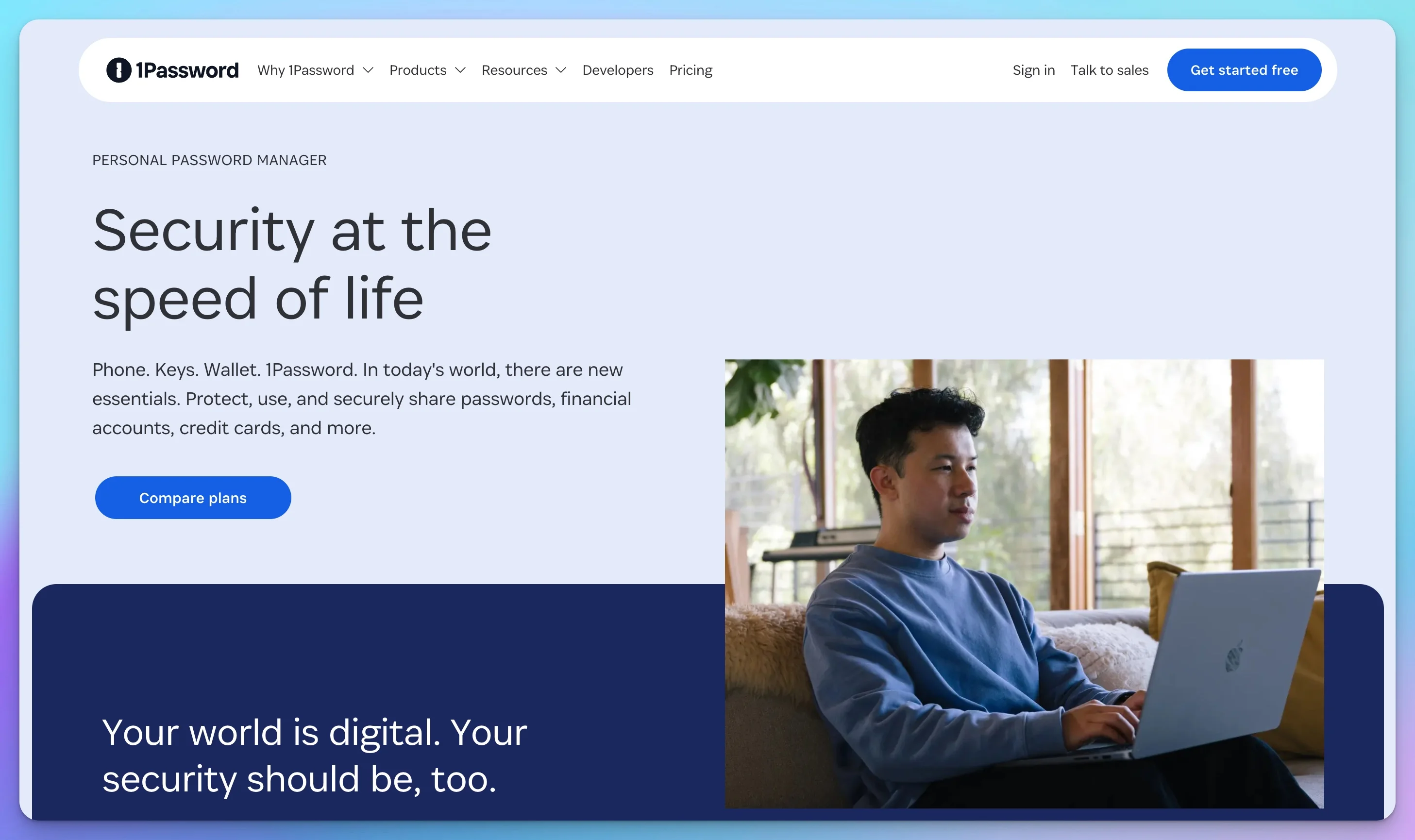
1Password has been in operation since 2006 and has developed the most mature set of business features of any password manager in this comparison. The admin console is comprehensive without being overwhelming, and the apps work consistently across Windows, macOS, iOS, and Android — which matters for adoption in mixed-device environments.
For teams and businesses:
The Business plan ($7.99/user/month) includes SSO via OIDC (Okta, Microsoft Entra ID, OneLogin, Google Workspace), SCIM provisioning via the SCIM Bridge for automated user lifecycle management, detailed audit logs, and a full admin console with 13 vault permission levels for granular access control. Every employee on the Business plan also receives a complimentary 1Password Families account — a $71.88/year value per person that directly reduces the "I'm already using a different manager at home" friction.
Watchtower monitors the entire organization's vault for weak passwords, reused credentials, compromised accounts, and sites lacking 2FA — with actionable reports available to IT admins rather than individual users. This organization-level visibility is what separates business password management from consumer use.
Travel Mode is a distinctive feature: you can temporarily remove sensitive vaults from your devices when crossing international borders, then restore them with one click. For businesses with frequent international travel, this addresses a real security concern around border device inspections.
Desktop application autofill is the most reliable in this comparison for native applications — QuickBooks Desktop, legacy line-of-business apps, database tools. This matters for businesses that haven't fully moved to SaaS.
Developer tools are well-developed. The 1Password CLI integrates with Kubernetes, Terraform, and Ansible. The Secrets Automation feature and Connect Server allow developers to inject secrets into deployments without hardcoding credentials — a production-grade solution for teams managing infrastructure.
Deployment support is included for Business accounts — 1Password assigns a Customer Success Manager and provides onboarding resources as part of the plan. Teams evaluating a 50+ seat migration can request a dedicated implementation consultation through 1Password sales before committing — this is worth doing to map out SSO configuration and vault structure before your first user is invited.
Introduction to 1Password Business
For individuals:
1Password Individual ($2.99/mo, annual) provides the same polished experience without team features. The 14-day trial is the only free access — if you need a long-term free solution, look at Bitwarden or Proton Pass instead.
Strengths:
- Best-in-class user experience and interface design — highest adoption rate in this comparison
- Most mature admin features: 13 vault permission levels, Watchtower organization reporting
- Travel Mode for international business
- Complimentary Families plan for every Business user
- Excellent 24/7 live support with under 2-hour response for urgent issues
- Mature DevOps tooling: Secrets Automation, Connect Server
Limitations:
- No free tier
- Most expensive business option at $7.99/user
- Not open source
- Secret Key architecture requires documentation and careful storage
- Desktop apps use Electron — acceptable performance but not fully native
Pricing (April 2026, verified):
| Plan | Price | Details |
|---|---|---|
| Individual | $3.99/mo (annual) | $47.88/year |
| Families | $5.99/mo (annual) | 5 users, $71.88/year |
| Teams Starter | $19.95/mo flat | Up to 10 users |
| Business | $7.99/user/mo | SSO, SCIM, Watchtower, free Families per employee |
Bitwarden — Best Value, Best for Technical Teams
Rating: 4.5/5
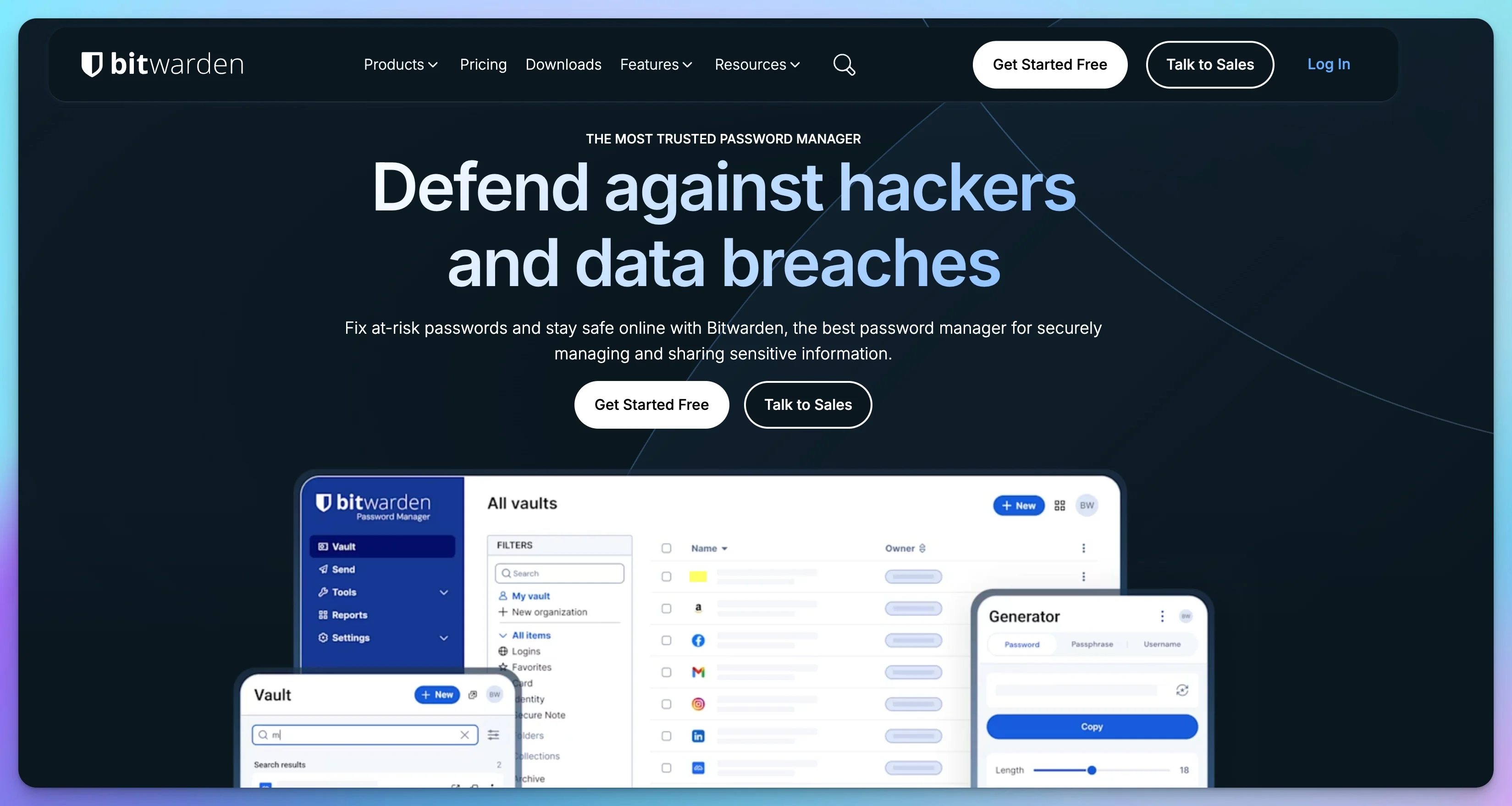
Bitwarden launched in 2016 and built its reputation on open-source transparency and stable, honest pricing. The code is publicly auditable on GitHub, multiple third-party security audits have been completed, and SCIM provisioning is included on the Teams plan — something competitors charge enterprise prices for.
For teams and businesses:
Bitwarden Teams ($4/user/month) provides admin console, Collections-based vault sharing, SSO via SAML 2.0 and OIDC (Okta, Entra ID, OneLogin), SCIM provisioning, event logs, and MFA enforcement policies. The Directory Connector syncs users and groups from Active Directory, LDAP, Okta, and OneLogin, automating user provisioning from your existing directory.
Collections are Bitwarden's approach to organizing shared credentials. You create collections for different teams or projects (Accounting, IT, Sales), then assign users to collections with specific permissions. It's flexible and powerful — though the initial setup requires more thought than competitors' simpler group-based approaches.
Self-hosting is Bitwarden's most distinctive capability. You can run your own Bitwarden server on-premises or in your cloud infrastructure, ensuring vault data never touches third-party servers. For organizations with strict data residency requirements, this provides control that no other manager on this list can match. Note: self-hosting introduces infrastructure, maintenance, and backup costs beyond the software license.
Bitwarden Self-Hosting: Real Total Cost of Ownership
The $6/user/month Enterprise license is only the starting point. Self-hosting adds infrastructure costs that depend on your deployment size and internal expertise:
- Infrastructure: A production-ready setup typically requires at least two servers (application + database) for reliability — expect $30–$80/month in cloud compute depending on provider and specs.
- Maintenance time: Patches, certificate renewals, backup verification, and upgrade testing typically run 3–6 hours/month. At even modest internal IT rates, that’s $75–$300/month in loaded labor cost.
- Total realistic TCO: For most small businesses, self-hosting adds $100–$350/month beyond the license fee. Weigh this against the compliance and data-residency benefit it provides — for many SMBs, the cloud-hosted Enterprise plan at $6/user is the better value.
Bitwarden Secrets Manager is a separate add-on designed for developer secrets and CI/CD pipelines — a genuine enterprise-grade solution for managing API keys, database credentials, and deployment secrets at scale.
Enterprise professional services are available for large-scale migrations. Bitwarden offers assisted onboarding packages for Enterprise customers covering deployment planning, SCIM configuration, Directory Connector setup, and migration from legacy managers. Pricing is quoted per project — if you're moving 50+ seats from LastPass, Dashlane, or Keeper, request this during your Enterprise trial to avoid a purely DIY migration.
For individuals:
The free tier is the strongest of any manager here — unlimited passwords, unlimited devices, no restrictions on core functionality. The $10/year premium adds TOTP storage, vault health reports, and emergency access. Bitwarden Send enables secure encrypted file sharing with anyone, including non-users.
Strengths:
- Fully open source — complete code transparency and multiple independent audits
- Self-hosting for data residency and compliance requirements
- SCIM provisioning included on Teams plan (not enterprise-gated)
- Excellent value at $4/user for a feature set that rivals $8/user competitors
- Strong CLI tools and Secrets Manager for DevOps workflows
- No minimum user requirements; Bitwarden Enterprise no minimum either
Limitations:
- Admin interface is utilitarian — higher learning curve for non-technical teams
- Mobile autofill requires more taps than 1Password on iOS
- Email-only support on Teams plan — typical response 24–48 hours (phone and priority support require Enterprise)
- Collections require more initial setup thinking than group-based approaches
- No family accounts included with business plans
Pricing (April 2026, verified):
| Plan | Price | Details |
|---|---|---|
| Free | $0 | Unlimited passwords, unlimited devices |
| Premium | $19.80/year ($1.65/mo) | TOTP, health reports, emergency access |
| Families | $47.88/year ($3.99/mo) | 6 users |
| Teams | $4/user/mo | Admin console, SSO, SCIM, Directory Connector |
| Enterprise | $6/user/mo | Advanced policies, enterprise SSO, priority support |
NordPass — Best Budget Entry for Small Teams
Rating: 4.3/5
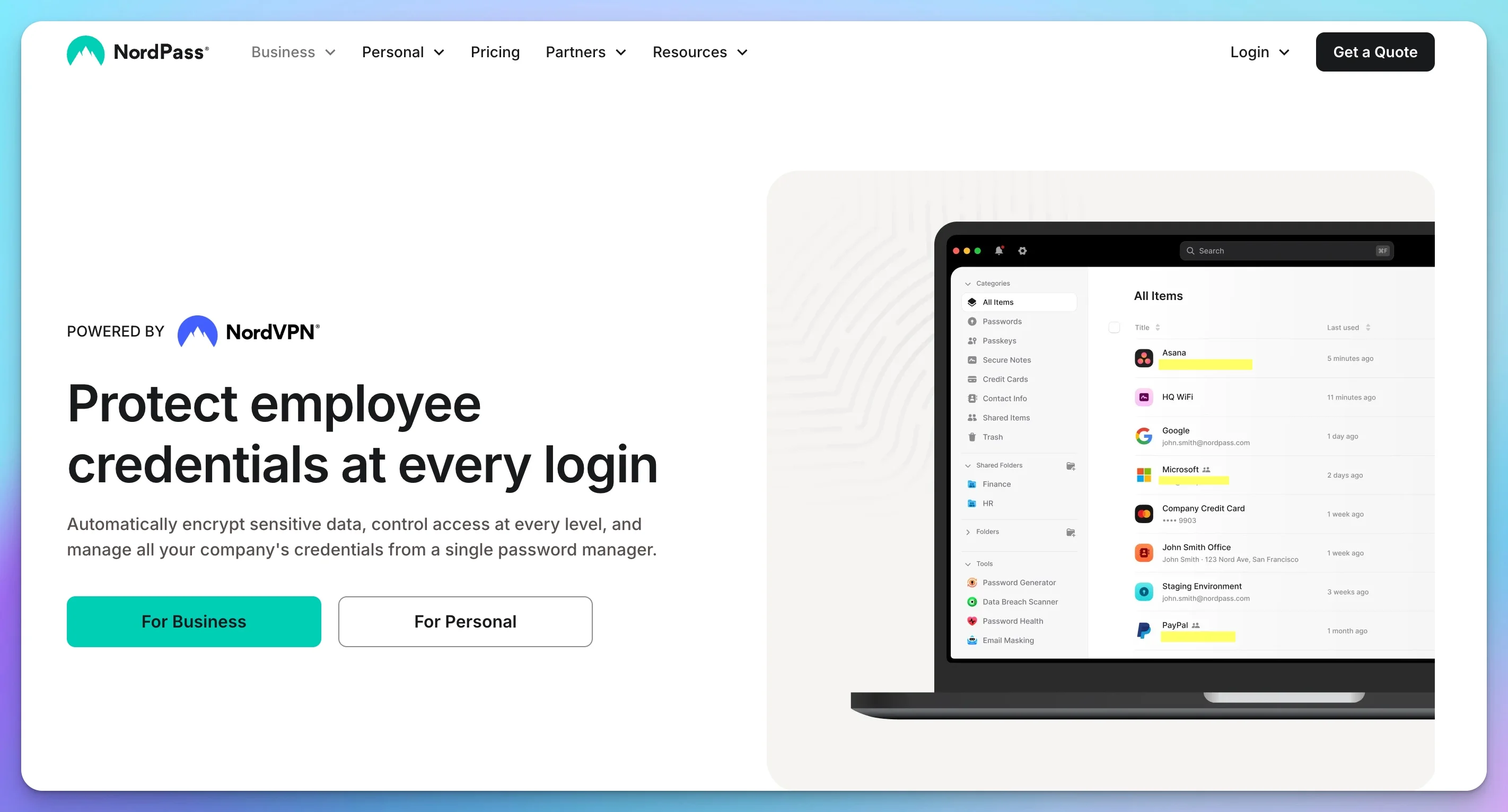
NordPass launched in 2019 from Nord Security, the company behind NordVPN. The entry pricing is the lowest in the category, the core experience is clean and reliable, and XChaCha20 encryption has been independently verified by Cure53. For small teams with straightforward needs and budget constraints, NordPass delivers solid value.
For teams and businesses:
NordPass Teams ($1.79/user/month, fixed 10-user pack only) covers shared vaults, activity reports, MFA enforcement, and Google Workspace SSO. The Teams plan cannot be scaled up or down — you purchase a fixed 10-seat block.
NordPass Business ($3.59/user/month, minimum 5 users) adds SSO and a more complete admin console. However, the SSO integration on the Business plan supports Google Workspace only. If you need Okta or Microsoft Entra ID integration, you need the Enterprise plan at $5.39/user/month. This is a meaningful distinction — many NordPass comparisons omit it.
NordPass Enterprise ($5.39/user/month) adds Okta and Entra ID SSO, SCIM provisioning, and dedicated account management. If your identity provider is not Google Workspace, budget for Enterprise pricing when evaluating NordPass.
Vanta integration is a genuine differentiator for startups pursuing SOC 2 certification — NordPass connects directly to Vanta's compliance platform, saving significant time during evidence collection.
Offline access ensures users can retrieve credentials without internet connectivity — useful for field teams or during connectivity issues. This is more reliably implemented in NordPass than in Proton Pass.
Each business account includes personal NordPass Premium accounts for employees, which supports adoption since employees can use the same tool for personal passwords.
For individuals:
NordPass Premium runs ~$1.69/mo on annual plans and frequently offers promotional 2-year pricing. The free tier is limited to one active device at a time — functional for evaluation, not practical for daily use.
Getting Started with NordPass Business
Strengths:
- Lowest entry price at $1.79/user (Teams) and $3.59/user (Business)
- XChaCha20 encryption independently audited by Cure53
- Vanta integration for SOC 2 compliance streamlining
- Reliable offline access
- Clean, simple interface — lowest learning curve in this comparison
- NordVPN brand recognition helps with non-technical user adoption
- Built-in data breach monitoring
Limitations:
- SSO limited to Google Workspace on Teams and Business plans — Okta/Entra ID require Enterprise ($5.39/user)
- SCIM provisioning requires Enterprise tier
- Admin console less sophisticated than 1Password or Bitwarden
- Activity logs less detailed — may not satisfy HIPAA or SOC 2 audit requirements without upgrade
- CLI and Secrets Management limited — not suitable for DevOps workflows
Pricing (April 2026, verified):
| Plan | Price | Details |
|---|---|---|
| Free | $0 | 1 active device |
| Premium | ~$1.69/mo (annual) | Unlimited devices; promos vary |
| Family | ~$3.69/mo (annual) | 6 users |
| Teams | $1.79/user/mo | Fixed 10-user pack; Google Workspace SSO |
| Business | $3.59/user/mo | 5+ users; SSO (Google Workspace only) |
| Enterprise | $5.39/user/mo | Okta/Entra SSO, SCIM, dedicated support |
NordPass Renewal Pricing: Budget Accordingly
NordPass's $3.59/user/month Business rate is an introductory promotional price. Their published discount terms explicitly state: "Upon any subscription renewal, the default pricing of that plan to that day will start to apply." Based on available pricing data, the Business plan monthly-equivalent renewal rate is approximately $5.99/user — a potential increase of up to 67% at the end of your first term. Confirm your organization's specific renewal rate with NordPass sales before committing to a multi-year contract. Budget at the monthly rate for year-two projections to avoid surprises.
Proton Pass — Best for Privacy-First Organizations
Rating: 4.6/5
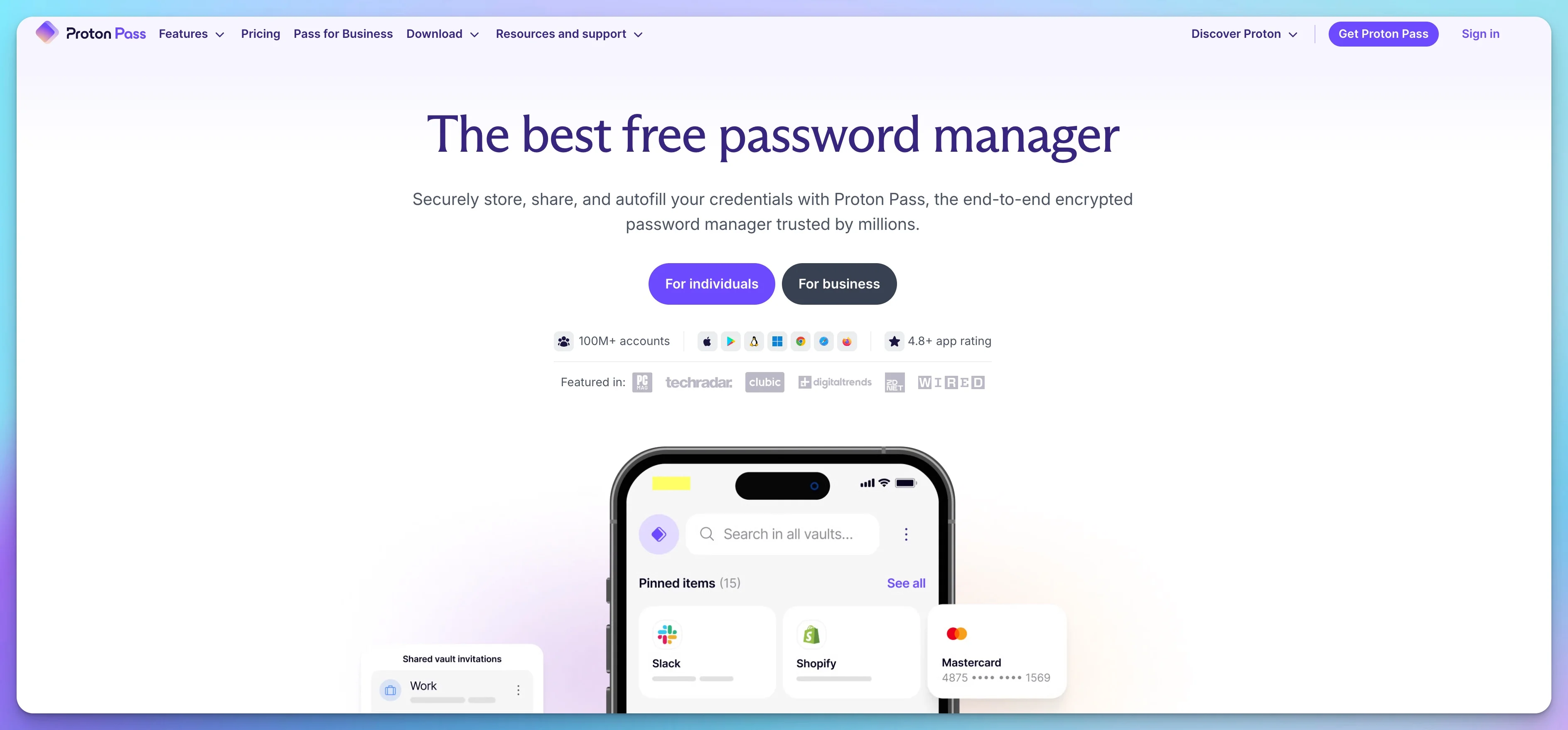
Proton Pass launched in 2023 from Proton AG, the Swiss company behind Proton Mail and Proton VPN. It's the newest of the four products and carries Proton's established credibility in privacy-focused infrastructure. Swiss jurisdiction, zero-knowledge architecture, ISO 27001 certification, and SIEM integration make it the strongest compliance and privacy choice in this comparison.
For teams and businesses:
Proton Pass Essentials ($1.99/user/month) covers shared vaults, admin console, and basic team management — the entry point for small teams with simple needs. It does not include SSO.
Proton Pass Professional ($4.49/user/month, minimum 3 users) is the target plan for businesses. It includes SSO via SAML 2.0 (Okta, Microsoft Entra ID, OneLogin), SCIM provisioning for automated user lifecycle management, detailed activity logs, enterprise policy controls, and SIEM integration — allowing security teams to pipe activity logs into tools like Splunk or Microsoft Sentinel for centralized monitoring. No other manager in this comparison offers SIEM integration at this price point.
Introduction to Proton Pass
Proton Sentinel is an advanced account protection system that monitors for suspicious login patterns and enforces additional verification when anomalies are detected — a layer of protection that goes beyond standard MFA.
File attachments up to 100 MB per item allow you to store SSL certificates, API documentation, recovery codes, compliance documents, and other sensitive files directly alongside credentials.
Email aliases via SimpleLogin integration allow each team member to create unique email addresses for service signups — protecting primary email addresses from spam and identifying data breaches by source.
Swiss jurisdiction is meaningful for organizations with European operations or GDPR compliance requirements that benefit from data processing outside EU member states. Switzerland's data protection laws are considered equivalent to GDPR in rigor.
For individuals:
Proton Pass Free is genuinely useful — unlimited passwords, unlimited devices, and 10 email aliases. Pass Plus ($1.99/mo, annual) unlocks unlimited aliases and dark web monitoring. The Proton Unlimited plan ($9.99/mo) bundles all Proton products — Mail, Drive, VPN, and Pass — for users already in the Proton ecosystem.
Strengths:
- Swiss jurisdiction — strongest privacy posture in this comparison
- ISO 27001 certified — alongside NordPass; strongest overall privacy and compliance posture in this comparison
- SIEM integration for centralized security monitoring
- Open-source codebase for complete transparency
- HIPAA and GDPR certified
- Proton Sentinel advanced threat monitoring
- 100 MB file attachments — most generous in this comparison
- Built-in email aliases (10 free; unlimited on paid)
- Proton ecosystem integration (Mail, Drive, VPN)
Limitations:
- Newest product — some organizational features (tagging, nested folders) are less mature
- Desktop autofill for native applications (QuickBooks Desktop, etc.) still developing
- CLI and Secrets Management less mature than 1Password and Bitwarden for DevOps
- Support is priority email and live chat during business hours — not 24/7 live
- Ecosystem benefits are strongest for existing Proton users
Pricing (April 2026, verified):
| Plan | Price | Details |
|---|---|---|
| Free | $0 | Unlimited passwords, 10 email aliases |
| Pass Plus | $1.99/mo (annual) | Unlimited aliases, dark web monitoring |
| Proton Unlimited | $9.99/mo (annual) | All Proton products (Mail, Drive, VPN, Pass) |
| Proton Family | $4.99/mo (annual) | 6 users, all Proton products |
| Pass Essentials | $1.99/user/mo | Business; shared vaults, no SSO |
| Pass Professional | $4.49/user/mo | Business; SSO, SCIM, SIEM, Sentinel |
| Proton Business Suite | $12.99/user/mo | Full Proton ecosystem for business |
For teams evaluating the complete Proton ecosystem, see our Proton Business Suite review.
What to Look for in the Admin Console
The admin console is where most of the real work happens — user provisioning, access review, offboarding, and compliance reporting. Before committing to a plan, run this quick test during your trial:
The 60-second offboarding test: Create a test user account. Then time how long it takes to fully revoke their access, transfer their vaults to another user, and identify which shared credentials they had access to. If this takes more than 5 minutes without SSO, or more than 60 seconds with SSO configured, your offboarding process has gaps.
Group-based permissions: You should be able to grant access by role (Accounting, Management, IT) rather than managing individual users. Individual-level access management becomes unmanageable at 10+ employees.
Audit log depth: For compliance purposes, logs need to show who accessed which credential, at what time, from which device. Exportable logs in a searchable format. Confirm your chosen manager's logs meet your specific compliance framework's requirements before purchasing.
Vault transfer capability: When someone leaves, can you transfer their private vault contents to their replacement? Can you do this without knowing their master password? All four managers support this, but the workflow varies in friction.
Policy enforcement: Can you require MFA for all users — not just recommend it? Can you enforce master password complexity? Can you set session timeouts? These should be organization-level policies set in the admin console, not left to individual users.
Support Comparison
When a client or employee can't access a critical system at an inconvenient time, support responsiveness matters.
| Provider | Support Type | Typical Response | Availability |
|---|---|---|---|
| 1Password Business | Live chat, email, phone | Under 2 hours (urgent) | 24/7 |
| Proton Pass Professional | Priority email, live chat | 2–4 hours | Business hours + email |
| NordPass Business | Live chat, email | 2–6 hours | 24/7 |
| Bitwarden Teams | Email only | 24–48 hours | Business hours |
1Password's 24/7 live support with sub-2-hour urgent response is the strongest here. Bitwarden's email-only support on Teams is the weakest — if you need faster support, you need Bitwarden Enterprise. For MSPs managing multiple clients, support SLA quality should factor into plan selection.
IT Admin Playbook
Rollout: A Phased Approach
The most common password manager rollout failure is inviting all users before the admin configuration is complete, which produces inconsistent adoption and a wave of help desk tickets.
Weeks 1–2: Pilot program
Start with 3–5 tech-savvy employees from different departments. Configure admin settings, set up SSO if applicable, and establish your initial vault structure. Collect feedback daily during the first week. Fix what's broken before expanding.
Before inviting anyone:
- Disable browser-built-in password managers via Group Policy (Windows) or MDM (Mac/mobile). If Chrome and the password manager both prompt to save a password on the same form, users get confused — this is the single biggest source of rollout help desk tickets.
- Audit current credential storage — find where passwords live today: spreadsheets, shared email drafts, Slack channels, browser autofill. You need to know what you're replacing.
- Define password policies — complexity requirements, rotation schedules for privileged accounts, rules for shared vault access.
- Configure SSO integration before inviting users. This ensures offboarding works from day one.
- Set up SCIM provisioning if your plan supports it.
Weeks 3–5: Department-by-department rollout
Roll out to one department at a time, starting with the most technically comfortable teams. Schedule 30-minute training sessions (maximum 10 people per session), provide written quick-start guides, and offer hands-on setup assistance. Migrate critical system credentials first, updating weak passwords during migration. Deploy browser extensions via MDM to managed devices. For a complete IT setup framework that includes password manager deployment, see our new employee IT onboarding security checklist.
Week 6+: Enforcement
Without a mandatory adoption deadline, some users will never migrate. Set a clear cutoff date, communicate it repeatedly, and disable legacy credential-sharing methods (shared spreadsheets, Slack credential posts) after the cutoff.
5 Deployment Pitfalls to Avoid
- Skipping the pilot phase — rolling out to everyone at once creates chaos when issues arise; you have no control group to learn from
- Inadequate training — assuming people will figure it out produces poor adoption and insecure workarounds
- Overly complex vault structure — start simple (one vault per department) and refine based on actual usage patterns
- No enforcement deadline — without a hard cutoff, some users will continue using the spreadsheet indefinitely
- Forgetting mobile — desktop-only deployment fails for employees who need credentials on phones; configure mobile from the start
Employee Offboarding
Access revocation should be treated as a same-day task. Complete the following steps on the same business day as departure:
- Revoke SSO access — if SSO is configured, this automatically locks them out of the password manager
- Disable their account in the admin console — removes all vault access
- Transfer shared vault ownership — reassign any vaults they managed to their replacement
- Rotate shared credentials — change all passwords they had access to; this step is most commonly skipped and is the real risk
- Review access logs — audit what credentials they accessed in the 30 days before departure
Document and Test Your Offboarding Process
If you can't complete all five steps within 24 hours of an employee's last day, you have a process gap. The password manager provides the tools — but the process must be documented and tested before you need it. Test quarterly. Update after any personnel changes that affect who holds recovery credentials.
"During an unplanned termination at a 30-person law firm, the departing employee had sole admin access to three client billing systems. We used 1Password's activity logs to identify every credential they'd accessed in the preceding 30 days — 17 items across seven systems — and rotated all of them within 45 minutes. Without that audit trail, we'd have been guessing at what to rotate for days." — Nandor Katai, IT Consultant
Break-Glass Emergency Access
Plan for scenarios where normal admin access fails — admin locked out, MFA device lost, key person unavailable:
- Dedicated emergency admin account — separate from normal admin accounts, with strong credentials stored offline
- Split-knowledge recovery — store recovery credentials in a physical safe; ideally split across two people who each hold half
- Document the procedure clearly — who can authorize emergency access, what steps to follow
- Test quarterly — verify the recovery process works before you need it in a real incident
- Update after personnel changes — if a key person who holds recovery credentials leaves, update immediately
How to Enforce MFA in Business Password Managers
IT admins must configure mandatory organization-wide MFA exclusively through the password manager's admin console — never left to individual employees to opt into.
Leaving MFA configuration optional guarantees gaps. Configure this in the admin console:
- Require MFA for all users — no exceptions. Set this as an enforced org policy, not a recommendation.
- Ban SMS-based MFA. SIM-swapping attacks make SMS the weakest MFA method. Restrict to authenticator apps (TOTP) or hardware security keys.
- Require hardware keys for privileged accounts. IT admin and financial accounts should require FIDO2/WebAuthn physical keys (YubiKey or Google Titan) for vault unlock where the platform supports it.
- Document the MFA reset process. Users will lose their authenticator device — have a recovery procedure in place before you need it.
DevOps and Service Accounts
Modern businesses have servers, scripts, and CI/CD pipelines that also need credential management.
| Feature | 1Password | Bitwarden | NordPass | Proton Pass |
|---|---|---|---|---|
| CLI Tool | ✓ Full | ✓ Full | Limited | Limited |
| API Access | ✓ Secrets Automation | ✓ Vault API | Limited | Limited |
| Service Accounts | ✓ Dedicated | ✓ Machine accounts | ✗ | ✗ |
| Secrets Injection | ✓ Connect Server | ✓ Secrets Manager | ✗ | ✗ |
If your developers inject secrets into deployments — AWS credentials, API keys, database passwords — 1Password and Bitwarden are the only production-ready options. 1Password's Connect Server integrates with Kubernetes, Terraform, and Ansible. NordPass and Proton Pass are designed for human users; they are not built for automated workflows.
MSP Deployment Considerations
When deploying password managers across multiple client organizations, several factors that don't appear in consumer-focused reviews become critical.
Client Isolation vs. Multi-Tenant Management
The fundamental tension in MSP deployment is between centralized management (easier for you) and client data isolation (better for security and liability).
Separate accounts per client (standard approach for Proton Pass, NordPass, Bitwarden):
- Complete data isolation — one client's breach doesn't affect others
- Clearer liability boundaries
- Easier to transfer ownership if the client leaves your management
- Multiple logins to manage; more complex billing reconciliation
Multi-tenant setup (1Password with enterprise configuration, Bitwarden self-hosted):
- Single dashboard view across clients
- Centralized billing
- Consistent admin experience
- Requires careful permission management; higher stakes if your master account is compromised
Most MSPs choose separate accounts per client for liability protection, despite the administrative overhead. The isolation benefit outweighs the convenience loss.
Audit Trails by Compliance Type
Your clients increasingly face compliance requirements that demand demonstrable password security:
HIPAA healthcare practices need audit logs showing who accessed patient system credentials, evidence of access revocation when employees leave, and documentation of password complexity enforcement. All four managers in this comparison now carry HIPAA certification. For audit-level log detail and SIEM integration, 1Password and Proton Pass provide the most granular reporting; NordPass Enterprise adds the Activity Log API required for automated SIEM export.
Professional services firms (legal, accounting) need proof of secure credential storage for client systems, audit trails for privileged access, and incident response documentation.
Cyber insurance requirements typically mandate MFA enforcement across the organization, regular password rotation for privileged accounts, and documented offboarding procedures — all achievable with any business-tier plan.
Emergency Access and Break-Glass Scenarios
You need documented procedures for emergency access when a client's key employee leaves unexpectedly, someone forgets their master password during a critical deadline, or a security incident requires immediate credential rotation.
1Password's emergency access feature is the most mature, with configurable waiting periods and clear approval workflows. Bitwarden supports account recovery through designated administrators. NordPass offers recovery codes but the process is less streamlined. Proton Pass provides admin recovery capabilities with clear documentation.
MSP Best Practices
For MSPs managing multiple clients:
- Use separate organization accounts per client for liability protection
- Document emergency access procedures before you need them — every client
- Implement SSO where possible to streamline offboarding
- Export audit logs quarterly for compliance documentation
- Test account recovery during initial deployment, not during an emergency
The vendor matters less than your deployment discipline and documentation.
Migrating from Your Current Manager
Step 1: Export your existing passwords
- Chrome / Edge: Settings → Passwords → Download file (icon next to Saved Passwords)
- Safari: System Settings → Passwords → Export
- LastPass: Account Options → Advanced → Export
- Dashlane: My Account → Export Data
- Keeper: Settings → Export
Step 2: Import to your new manager
- 1Password: File → Import → Select format
- Bitwarden: Tools → Import Data
- NordPass: Settings → Import Items
- Proton Pass: Settings → Import Passwords
Step 3: Verify and clean up
- Test a sample of important logins before deleting anything from the old manager
- Delete the exported CSV file immediately after successful import
- Empty your Recycle Bin or Trash — deleting the file alone leaves it recoverable
- Disable browser password saving via Group Policy or MDM if deploying organization-wide
The Export File Is a Security Risk
Your exported CSV contains all passwords in plain text. Delete it immediately after a successful import and verify your Trash is emptied. This file is equivalent to handing over every key your organization owns. Treat it accordingly.
Summary
| Priority | Recommendation |
|---|---|
| Best for most teams (10–50 people) | 1Password Business |
| Best value for teams | Bitwarden Teams |
| Best budget entry (under 10 people) | NordPass Teams or 1Password Teams Starter |
| Best for privacy / Swiss jurisdiction | Proton Pass Professional |
| Best ISO 27001 compliance | Proton Pass Professional or NordPass Business |
| Best for SOC 2 with Vanta | NordPass Business |
| Best free individual option | Bitwarden (unlimited) or Proton Pass (with aliases) |
| Best for self-hosting | Bitwarden |
| Best passkey support | 1Password |
| Best DevOps / Secrets Management | 1Password or Bitwarden |
| Best for non-technical adoption | 1Password |
| Best for MSPs | 1Password (ease) or Bitwarden (value + self-host) |
Any of these four will meaningfully reduce your organization's credential risk. The most important step is choosing one, configuring it properly with SSO and SCIM where available, and getting your team off shared spreadsheets and Slack messages.
Pricing and features verified April 2026. All four managers use zero-knowledge encryption and have completed third-party security audits. Verify current pricing directly with each vendor before purchasing — promotional rates in particular change frequently.
Frequently Asked Questions
What is the best password manager for a small business in 2026?
For most small businesses, 1Password Business ($7.99/user/month) delivers the best combination of admin controls, SSO integration, and user adoption. For teams under 10 employees, 1Password Teams Starter at $19.95/month flat offers strong value. Budget-conscious teams should consider Bitwarden Teams ($4/user/month) for open-source transparency, or NordPass Business ($3.59/user/month) for the most affordable full-featured plan. Privacy-first teams should look at Proton Pass Professional ($4.49/user/month).
Is it safe to store passwords in the cloud?
Yes, when using a reputable password manager with zero-knowledge encryption. Your master password never leaves your device, and the encrypted vault is unreadable without it. All managers in this guide use this architecture — even the company itself cannot access your passwords. The 2022 LastPass breach confirmed this: users with strong master passwords remained protected even after encrypted vault backups were stolen.
Do I need SSO for my small business password manager?
For teams under 20, SSO is helpful but not essential. Shared vaults and admin controls are the priority. Teams above 50 employees — or anyone using Okta, Microsoft Entra ID, or Google Workspace for identity management — should prioritize SSO to enable automatic offboarding. NordPass Teams and Business plans both support Google Workspace SSO only. Okta and Entra ID require the Enterprise plan at $5.39/user.
What happens to passwords when an employee leaves?
In a properly configured business password manager: revoke their account access immediately (SSO makes this automatic), transfer ownership of any shared vaults they managed, then rotate all shared credentials they had access to. With SCIM provisioning, disabling the user in your identity provider (Okta, Entra) automatically removes password manager access. Without SCIM, this is a manual step that's easy to overlook during a busy offboarding.
What are passkeys and why do they matter?
Passkeys are passwordless credentials using cryptographic keys tied to your device. They can't be phished or reused, making them fundamentally more secure than passwords. All four managers in this guide support storing and syncing passkeys across devices. Note that moving passkeys between password managers is currently difficult — choose your passkey manager deliberately.
What happens if a password manager company gets hacked?
With zero-knowledge encryption, attackers only obtain encrypted vault data that requires your master password to decrypt. The 2022 LastPass breach demonstrated this: users with strong master passwords remained protected even after encrypted vault backups were accessed. None of the four managers in this guide were affected by the LastPass breach.
1Password vs Bitwarden for business — which should I choose?
1Password Business ($7.99/user) delivers superior user experience, better adoption rates, and a free Families account for each employee. Bitwarden Teams ($4/user) is open-source, more affordable, includes SCIM on the Teams plan, and offers self-hosting. Choose 1Password for usability, adoption, and 24/7 live support. Choose Bitwarden for value, transparency, DevOps capabilities, and self-hosting.
Can MSPs manage multiple clients with one password manager?
Yes, but implementation varies. 1Password and Bitwarden support multi-tenant management through enterprise configurations. Proton Pass and NordPass require separate organization accounts per client, which adds admin overhead but provides cleaner data isolation. Most MSPs use separate accounts per client regardless of platform for liability protection.
Are built-in browser password managers good enough for business?
No. Google Workspace and Microsoft 365 built-in password managers lack centralized admin controls, audit logs, secure team credential sharing, and proper offboarding workflows. They work for personal use but create meaningful security and compliance gaps in business environments.
What is NordPass Enterprise and when do I need it?
NordPass Enterprise ($5.39/user/month) is required if you need SSO with Okta or Microsoft Entra ID — the Business plan ($3.59/user) only supports Google Workspace for SSO. Enterprise also adds SCIM provisioning and dedicated support. If your identity provider is not Google Workspace, factor Enterprise pricing into your NordPass evaluation.
Does Bitwarden offer self-hosting?
Yes. Bitwarden is the only password manager in this comparison that allows you to run your own server, giving complete control over where vault data lives. This is ideal for organizations with strict data residency requirements. Self-hosting introduces infrastructure, maintenance, backup, and monitoring costs beyond the software license — it's not a cost-reduction strategy.
What is 1Password's Secret Key?
1Password uses a two-factor encryption approach: your master password plus a 34-character Secret Key generated when you create your account. Both are required to decrypt your vault on a new device. This means an attacker who learns your master password still cannot access your vault without the Secret Key. Store the Secret Key in your 1Password Emergency Kit — if you lose both your master password and Secret Key, your vault is unrecoverable.
Can I try these password managers before buying?
Yes. 1Password offers a 14-day trial, Bitwarden 7 days, NordPass 14 days, and Proton Pass 14 days. Testing with your actual team during the trial is the most valuable evaluation — admin friction, adoption challenges, and SSO configuration issues only become visible when you're setting up real users.
Related Resources
- 1Password Business Review — Full breakdown of admin console, SSO setup, and real cost at team scale
- Proton Pass Business Review — In-depth look at the Swiss privacy advantage and enterprise features
- Proton Pass vs 1Password — Swiss privacy vs. polished UX for business teams
- NordPass vs Proton Pass — Two privacy-focused managers compared on business features and compliance
- Proton Pass vs Bitwarden — Two open-source managers compared on encryption, self-hosting, and pricing
- Passkeys for Small Business — Implementation guide for passwordless authentication
- Employee Offboarding Security — Full guide on revoking access when someone leaves
- 1Password vs Built-in Password Managers — When browser-native managers fall short for business use
- New Employee IT Onboarding Security Checklist — IT setup steps for new hires, including password manager deployment
- Small Business Security Compliance Guide — HIPAA, SOC 2, and cyber insurance requirements mapped to small business needs
- How to Get Your Small Business Online — Complete setup guide covering domain, email, and foundational software stack including password manager deployment
Affiliate Disclosure: This article contains affiliate links. If you make a purchase through these links, we may earn a small commission at no extra cost to you.
Related Articles
More from Cybersecurity
1Password Business Review 2026: Enterprise Password Management That Teams Actually Use
1Password Business reviewed for IT admins: admin console, SSO, Watchtower, real cost at 10-100 users, and why the $7.99/user/month premium might be worth it.
21 min read
Best Password Managers for AI Threat Protection in 2026
Compare the best password managers for AI threat protection: Proton Pass, NordPass, 1Password, Bitwarden, Google Password Manager, and Apple Passwords. Zero-knowledge encryption, passkey support, and pricing.
22 min read
NordPass vs Proton Pass 2026: Complete Business Password Manager Comparison
NordPass vs Proton Pass compared for business. XChaCha20 vs AES-256-GCM encryption, pricing from $1.99/user, admin features, ecosystem value, and which European password manager fits your team.
18 min read