Proton Pass vs Bitwarden 2026: Security, Pricing, and Features Compared for Business
Proton Pass vs Bitwarden compared for business deployment. Security architecture, business pricing ($1.99 vs $4/user), admin controls, self-hosting, CLI automation, and compliance analysis.

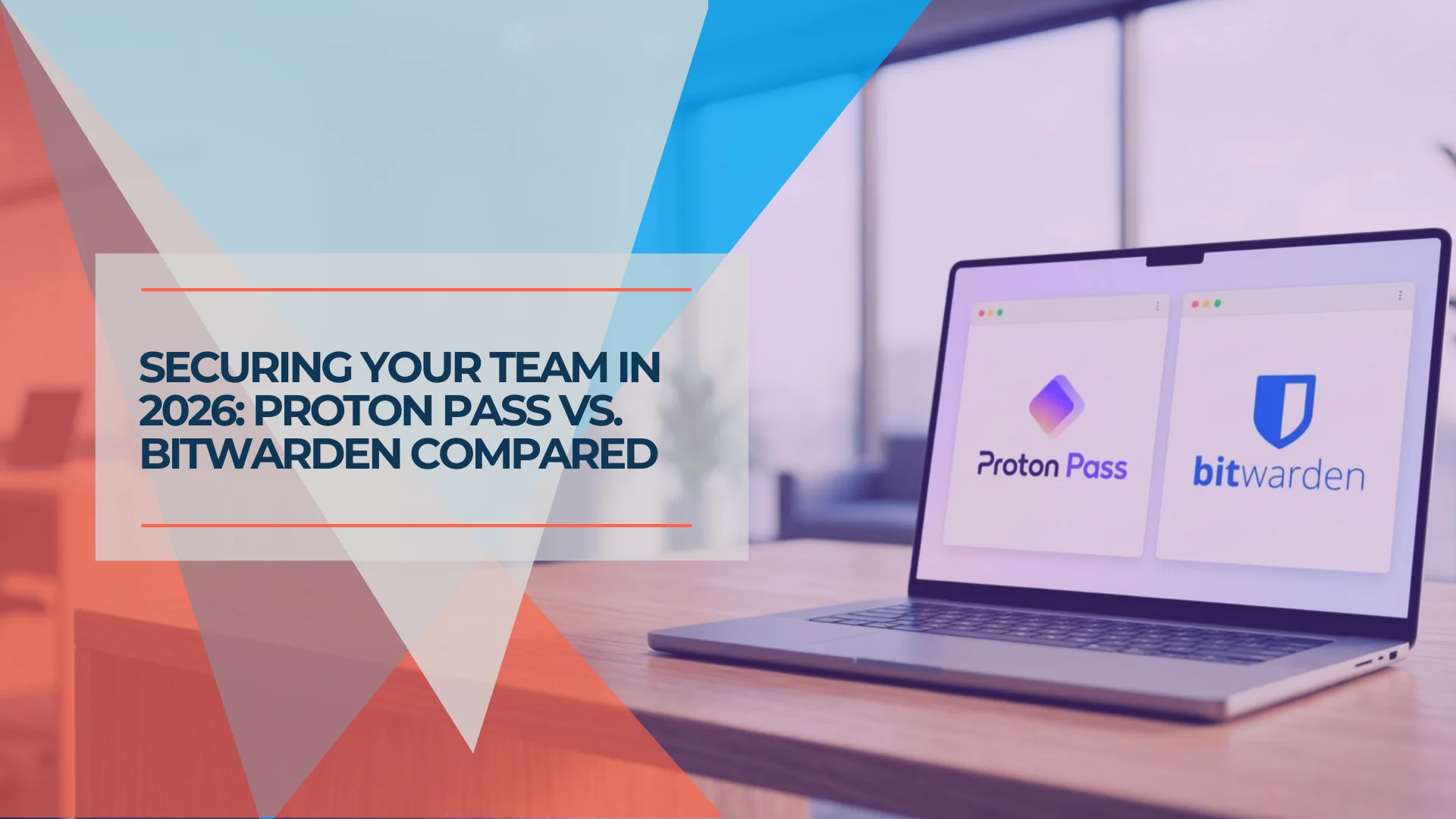
Both Proton Pass and Bitwarden are open-source, independently audited, and genuinely secure — but they make different architectural choices that matter for business teams. Proton Pass encrypts all stored metadata (URLs, usernames, item names) at the server level and operates under Swiss privacy law. Bitwarden prioritizes deployment flexibility, offering full self-hosting on its Enterprise plan and broader third-party integrations. Here is how they compare in 2026.
Affiliate Disclosure: This article contains affiliate links. If you make a purchase through these links, we may earn a small commission at no extra cost to you. As an Amazon Associate, iFeelTech earns from qualifying purchases.
Quick Verdict
Choose Proton Pass if your organization prioritizes privacy jurisdiction, metadata encryption, and ecosystem integration — especially if you're already using (or considering) Proton Mail, Drive, or VPN. Starting at $1.99/user/month, it's the more affordable option for teams that don't need self-hosting.
Choose Bitwarden if you require on-premises hosting, need maximum third-party integrations, or want the longest-established open-source track record. Enterprise plans at $6/user/month include self-hosting and a free Families plan for every employee.
Proton Pass Business
Swiss-based zero-knowledge encrypted password manager.
- AES-256-GCM encryption
- Metadata encryption
- Built-in 2FA
- Swiss jurisdiction
*Price at time of publishing
TL;DR:
- Proton Pass Business: Swiss privacy, AES-256-GCM with metadata encryption, built-in 2FA authenticator, CLI automation, Proton ecosystem integration. From $1.99/user/month.
- Bitwarden Business: Self-hosting option, Secrets Manager, longer audit history, enterprise Access Intelligence. From $4/user/month.
Proton Pass vs Bitwarden: At a Glance
| Specs | Proton Pass BusinessTry Proton Pass | |
|---|---|---|
| Business pricing | $1.99–$4.49/user/month | $4–$6/user/month |
| Encryption | AES-256-GCM | AES-256-CBC |
| Metadata encryption | Yes (URLs, usernames, all fields) | No (URLs stored unencrypted) |
| Open source | Yes (full codebase) | Yes (full codebase) |
| Self-hosting | No | Yes (Enterprise plan) |
| Built-in 2FA | Yes (with autofill) | Yes (Premium/Business) |
| CLI access | Yes | Yes + Secrets Manager CLI |
| SSO/SCIM | Professional plan ($4.49) | Teams ($4) / Enterprise ($6) |
| Security audits | Cure53 (2023), SOC 2 Type II, ISO 27001 | Cure53 (2018), SOC 2 Type II, ISO 27001, SOC 3 |
| Jurisdiction | Switzerland (DPA/GDPR) | United States (California) |
| Email aliases | Unlimited hide-my-email | Via third-party integration |
| Ecosystem | Mail, VPN, Drive, Calendar, Sheets, Docs, Meet | Standalone + Secrets Manager |
| Emergency access | Yes (paid plans) | Yes (Enterprise) |
| Passkey support | Yes (all plans) | Yes (all plans) |
| Mobile apps | iOS, Android | iOS, Android |
| Desktop apps | Windows, macOS, Linux | Windows, macOS, Linux |
| Free plan | Unlimited passwords, unlimited devices | Unlimited passwords, unlimited devices |
How Do Proton Pass and Bitwarden Security Architectures Compare?
Proton Pass uses AES-256-GCM with full metadata encryption. Bitwarden uses AES-256-CBC but leaves metadata fields like URLs and item names unencrypted on the server.
Both platforms are fully open-source and independently audited, but their encryption implementations differ in ways that directly affect breach exposure for business teams.
Proton Pass: Metadata Encryption and Swiss Privacy
Proton Pass uses AES-256-GCM encryption and extends that protection to all stored metadata — URLs, usernames, and notes are encrypted at rest on the server, not just passwords. Most password managers, including Bitwarden, store metadata fields unencrypted server-side; if the server is compromised, those fields are readable even though passwords are not.
The authentication layer uses the Secure Remote Password (SRP) protocol, which prevents the server from ever receiving the master password in any form. Password hashing uses bcrypt, which is computationally heavier than the PBKDF2 implementation Bitwarden uses and therefore slower to brute-force.
Proton Pass was audited by Cure53 in 2023, covering all mobile apps, browser extensions, and APIs — with no critical vulnerabilities identified. Proton holds SOC 2 Type II certification (July 2025) and ISO 27001 certification (May 2024).
Proton operates under Swiss law (Federal Data Protection Act) and GDPR. Swiss jurisdiction means US CLOUD Act requests do not apply to Proton's servers — a relevant consideration for organizations with clients or data subject to non-US privacy frameworks.
Bitwarden: Proven Track Record with Self-Hosting Option
Bitwarden uses AES-256-CBC encryption in a zero-knowledge architecture. While the encryption standard is strong, Bitwarden does not encrypt metadata fields like URLs on the server side. The authentication layer uses PBKDF2 with configurable iterations (default 600,000 for the master password). Argon2id is available as an opt-in alternative — users can change their KDF in account settings — but PBKDF2 remains the platform default as of April 2026.
Bitwarden has a longer public audit history, starting with a Cure53 audit in 2018. A peer-reviewed study from the ETH Zurich Applied Cryptography Group (USENIX Security '26), published February 2026, identified 12 attacks against Bitwarden under a fully malicious server threat model, including cut-and-paste attacks exploiting field-level encryption. Bitwarden addressed all 12 findings: 7 were resolved or placed in active remediation, and 3 were accepted as intentional design decisions required for product functionality.
Bitwarden holds SOC 2 Type II, ISO 27001, SOC 3 certifications, plus HIPAA, GDPR, CCPA, and Data Privacy Framework (DPF) compliance documentation. The compliance portfolio is more extensive than Proton's, partly reflecting Bitwarden's longer enterprise market presence. For HIPAA specifically, both platforms support compliance requirements and require a Business Associate Agreement — but Bitwarden's self-hosting option gives organizations direct control over where PHI is stored, which some compliance officers prefer over managed cloud hosting.
Bitwarden's Enterprise plan ($6/user/month) supports self-hosting via Docker or Kubernetes, including air-gapped environments. This gives organizations direct control over where encrypted vault data is stored — a requirement for some government, defense, and regulated-industry deployments.
Server-Side Metadata Encryption: Field-by-Field Comparison
| Vault Field | Proton Pass (server-side) | Bitwarden (server-side) |
|---|---|---|
| Password | Encrypted | Encrypted |
| Username | Encrypted | Encrypted |
| URL | Encrypted | Not encrypted |
| Notes | Encrypted | Encrypted |
| Custom Fields | Encrypted | Encrypted |
| Item Name | Encrypted | Not encrypted |
If Bitwarden's server database were accessed without authorization, URL and item name fields would be readable in plaintext. Proton Pass stores all fields encrypted, so a database-level access event does not expose which services an organization uses.
Security Summary
Both platforms are genuinely secure and transparent. Proton Pass wins on encryption depth (metadata protection) and privacy jurisdiction (Switzerland). Bitwarden wins on audit history breadth and the self-hosting option for organizations requiring on-premises data sovereignty.
What Is the Pricing Difference Between Proton Pass and Bitwarden Business?
Proton Pass Business starts at $1.99 per user monthly. Bitwarden Teams starts at $4.00 per user monthly. Both require annual billing for these rates.
The gap narrows at enterprise tiers, but Proton Pass is less expensive at every comparable plan level.
Proton Pass Business Plans
- Pass Essentials ($1.99/user/month, annual billing): Unlimited passwords, devices, and hide-my-email aliases. Built-in 2FA authenticator, dark web monitoring, password health check, passkey support. Vault and item sharing. Minimum 3 users.
- Pass Professional ($4.49/user/month, annual billing): Everything in Essentials plus SSO/SCIM, detailed activity logs, enterprise policies, Proton Sentinel advanced protection, file attachments, SIEM integration, and CLI access. Minimum 3 users.
- Proton Workspace Standard ($12.99/user/month, annual billing): Pass Professional plus encrypted Mail (1 TB), Calendar, Drive (1 TB), VPN (10 devices), Sheets, Docs, and Meet — a bundled alternative to Google Workspace for privacy-focused organizations.
Bitwarden Business Plans
- Teams ($4/user/month, annual billing): All Premium features, SCIM provisioning, directory sync, event logs, secure sharing with unlimited collections, API access, Duo MFA integration.
- Enterprise ($6/user/month, annual billing): Everything in Teams plus self-hosting, passwordless SSO, enterprise policies, Access Intelligence, custom roles, account recovery, and a free Families plan for every employee.
Cost Comparison for a 10-Person Team
| Plan tier | Proton Pass | Bitwarden | Difference |
|---|---|---|---|
| Entry-level business | $238.80/year (Essentials) | $480/year (Teams) | Proton saves $241/year (50%) |
| Full enterprise features | $538.80/year (Professional) | $720/year (Enterprise) | Proton saves $181/year (25%) |
| With ecosystem tools | $1,558.80/year (Workspace Standard) | $720/year + separate vendors | Workspace Standard consolidates 6+ tools |
Ready to Test?
Start a free trial of Proton Pass Business or review Bitwarden's self-hosting deployment guide before committing to a plan.
Hidden Cost Consideration
Bitwarden's self-hosting option (Enterprise only) carries infrastructure costs not reflected in the per-user price. You'll need server resources, Docker/Kubernetes expertise, backup infrastructure, and ongoing maintenance. For small teams without dedicated DevOps, managed hosting (either Proton's Swiss servers or Bitwarden's cloud) is the practical choice.
Proton's minimum 3-user requirement means your actual entry cost is $5.97/month (Essentials) or $13.47/month (Professional), not the per-user rate alone.
Self-Hosting Total Cost of Ownership for a 50-Person Team
For organizations evaluating Bitwarden Enterprise self-hosting, the $6/user/month license is only part of the cost. Estimate the following monthly overhead:
| Cost Component | Estimated Monthly Cost | Notes |
|---|---|---|
| Server resources (VPS/cloud VM) | $40–$80 | 2–4 vCPU, 4–8 GB RAM minimum for Docker deployment |
| Backup infrastructure | $10–$20 | Encrypted offsite backup for vault data |
| DevOps maintenance (2–4 hrs/month at $75/hr) | $150–$300 | Updates, monitoring, incident response |
| Total infrastructure overhead | $200–$400/month | On top of $300/month in Enterprise licenses |
For context: Proton Pass Professional for 50 users costs $224.50/month with no infrastructure overhead. For teams without a dedicated DevOps resource, the per-user license savings from self-hosting are typically offset by infrastructure and maintenance costs.
Evaluating Workspace Standard?
For teams consolidating privacy tools, Proton Workspace Standard bundles Pass Professional with encrypted Mail, Drive (1 TB), VPN, Calendar, and Meet for $12.99/user/month.
What Admin Controls and Team Features Do They Offer?
Proton Pass gates SSO and SCIM behind the $4.49 Professional plan. Bitwarden includes SCIM on Teams ($4) and passwordless SSO on Enterprise ($6).
Both platforms provide SSO, SCIM, and audit logging for business teams, but they gate these features at different price points.
Feature Availability by Plan Tier
| Feature | Proton Pass Essentials ($1.99) | Proton Pass Professional ($4.49) | Bitwarden Teams ($4) | Bitwarden Enterprise ($6) |
|---|---|---|---|---|
| Unlimited passwords | Yes | Yes | Yes | Yes |
| Vault sharing | Yes | Yes | Yes | Yes |
| 2FA authenticator | Built-in with autofill | Built-in with autofill | Built-in (TOTP) | Built-in (TOTP) |
| Dark web monitoring | Yes | Yes | Vault health reports | Vault health reports |
| SSO integration | No | Yes (SAML/OIDC) | No | Yes (Passwordless SSO) |
| SCIM provisioning | No | Yes | Yes | Yes |
| Activity/audit logs | No | Yes (detailed) | Yes (50+ event types) | Yes (50+ event types) |
| Enterprise policies | No | Yes | No | Yes |
| CLI access | No | Yes | Via Bitwarden CLI | Via Bitwarden CLI |
| Self-hosting | No | No | No | Yes |
| Account recovery | Admin recovery | Admin recovery | No | Yes |
| Custom roles | No | No | No | Yes |
| SIEM integration | No | Yes | No | No |
| Free Families plan | No | No | No | Yes |
Where Proton Pass leads for admin teams
Built-in 2FA with autofill is available on every business tier, including the $1.99 Essentials plan. This removes the need for a separate authenticator app for most team members, which simplifies rollout for non-technical staff.
Unlimited hide-my-email aliases on all plans let teams create unique email addresses per service, reducing phishing surface area and spam across the organization.
Proton Sentinel (Professional plan) combines automated threat detection with human-reviewed login analysis to identify and respond to account takeover attempts — a feature not currently offered by Bitwarden at any tier.
Where Bitwarden leads for admin teams
Self-hosting is available exclusively on Bitwarden's Enterprise plan. Organizations with strict data residency requirements — government contractors, defense, certain financial institutions — can run Bitwarden entirely on their own infrastructure.
Access Intelligence (Enterprise plan) identifies shadow IT and risky credential patterns across the organization, going beyond simple vault health reports.
Free Families plan for every user (Enterprise) lets employees extend password security to their personal accounts — a benefit that also reduces the risk of credential reuse between personal and work vaults.
Emergency access allows designated users to request vault access in crisis scenarios. Proton Pass launched this feature on August 28, 2025 for all paid users — up to five trusted contacts can be designated, with a configurable waiting period before access is granted. Bitwarden's emergency access is available on Enterprise plans.
Browser Extension and End-User Experience
For IT admins, the admin console matters. For employees, the browser extension is what they interact with every day — and adoption depends on it working reliably without friction.
Proton Pass has a newer browser extension (Chrome, Firefox, Safari, Edge, Brave) with an aggressive autofill UI that surfaces a prompt on most form fields. Some users find it more intrusive than Bitwarden's approach; others appreciate that it requires fewer manual steps. The extension has improved significantly since launch and is generally reliable, though it is less mature than Bitwarden's.
Bitwarden's extension has a longer track record and is available across the same major browsers. It is occasionally noted for requiring manual vault syncs after adding new credentials on another device, and its autofill can miss non-standard login forms. These are minor friction points for most users, but worth factoring into rollout planning for non-technical teams.
Both extensions support passkeys, TOTP autofill, and password generation. Neither requires a native desktop app to function.
Business Support Tiers
For IT directors evaluating either platform for company-wide deployment, vendor support response times are a practical consideration — particularly if a vault outage blocks employee access during business hours.
| Support tier | Proton Pass | Bitwarden |
|---|---|---|
| Standard (email) | All business plans | All business plans |
| Priority support | Pass Professional + | Enterprise only |
| Dedicated account manager | 20+ users (Professional) | Enterprise (customized) |
| Phone support | Available up to 20 users | Via sales/enterprise agreement |
| SLA / uptime guarantee | 99.95% uptime commitment | 99.9% uptime (cloud-hosted) |
| On-call incident response | Via Proton Business Support | Via Bitwarden Support |
Both platforms publish system status pages and handle security incidents through coordinated disclosure. Neither offers 24/7 live chat at the self-serve business tier. For teams with strict incident response time requirements, verify current SLA terms directly with each vendor before purchasing.
Master Password Recovery Workflows
Bitwarden Enterprise provides a formal Admin Password Reset policy. Proton Pass Business includes account recovery at the admin level on all business tiers.
This is one of the most common IT support tickets for organizations deploying password managers — and the workflows differ significantly between the two platforms.
Bitwarden: Admin Password Reset
Bitwarden Enterprise includes an Admin Password Reset policy that allows organization admins to reset a user's master password through the admin console. When enabled, all organization members are automatically enrolled (or enrollment can be made mandatory via policy). The reset flow:
- Admin navigates to the organization's People tab and selects the user
- Admin initiates a password reset, which generates a new temporary password
- The user logs in with the temporary password and is forced to set a new one
- The user's encrypted vault key is re-wrapped using the new master password
Important caveat: Admin Password Reset is only available on Bitwarden Enterprise ($6/user/month). Bitwarden Teams does not include this feature.
Proton Pass: Admin Account Recovery
Proton Pass Business includes Account Recovery on all business tiers, including Essentials ($1.99/user). The mechanism uses a recovery file generated during account setup — organizations should enforce that recovery files are stored securely during onboarding.
When a user is locked out:
- The user contacts the organization admin
- The admin initiates a recovery request via the admin panel
- The user receives an email with a time-limited recovery link
- The user sets a new master password; the vault is re-encrypted with the new credentials
The recovery process requires the user to have access to their registered email address. For users who have also lost email access, recovery requires contacting Proton Business Support directly.
IT Admin Checklist
Before rolling out either platform, verify that every user account has a registered recovery email address (Proton Pass) or that Admin Password Reset enrollment is enforced via policy (Bitwarden Enterprise). Accounts without recovery options are effectively locked out permanently if the master password is lost.
To test either recovery path with a disposable account before you move real records, follow the pilot in our password manager rollout guide.
Which Password Manager Offers Self-Hosting?
Bitwarden provides full self-hosting on its Enterprise plan ($6/user/month). Proton Pass does not offer self-hosting and stores all data on Swiss-based servers.
Bitwarden supports full self-hosting on Enterprise plans. Deployments run via Docker or Kubernetes on Linux, macOS, or Windows, including air-gapped environments with no outbound internet connectivity. For organizations subject to FedRAMP, ITAR, or strict data residency regulations, on-premises hosting may be a hard requirement that only Bitwarden can satisfy.
Proton Pass does not offer self-hosting. All data is stored on Proton's infrastructure in Switzerland under zero-knowledge encryption. Proton has no technical ability to access vault contents, and Swiss data protection law (Federal Data Protection Act) applies to all stored data. For most compliance scenarios — GDPR, HIPAA, SOC 2 — Proton's managed Swiss hosting satisfies requirements without requiring organizations to maintain their own infrastructure.
From field experience: most small and mid-sized businesses do not have the DevOps capacity to run a self-hosted password manager reliably. For those organizations, managed hosting — whether Proton's Swiss servers or Bitwarden's cloud — is the more practical choice. Self-hosting is worth evaluating when a regulatory mandate specifically requires on-premises data storage and dedicated infrastructure resources are available.
A Note on Vaultwarden
Vaultwarden is a community-maintained, lightweight reimplementation of the Bitwarden server API — not suitable for regulated business deployments due to the absence of vendor support, compliance documentation, or an SLA.
Evaluating Self-Hosting?
Review the Bitwarden Enterprise self-hosting documentation to assess infrastructure requirements before committing to on-premises deployment.
Proton Pass vs Bitwarden CLI and Automation
Proton Pass CLI (launched November 2025) supports vault CRUD, SSH agent integration, and CI/CD secret injection. Bitwarden offers both a password manager CLI and a separate Secrets Manager CLI with SDK support.
Both platforms offer command-line tools for programmatic credential access, covering deployment scripts, CI/CD pipelines, and infrastructure provisioning.
Proton Pass CLI
Launched November 2025, the Proton Pass CLI provides:
- CRUD operations on vaults and items (passwords, notes, SSH keys, WiFi credentials)
- URI-based secret access via
pass://vault/item/fieldsyntax - CI/CD pipeline integration for headless environments
- SSH agent integration for loading keys directly from encrypted vaults
- Multiple key storage backends (system keyring, filesystem, environment variables)
Available on Pass Professional, Pass Family, and all Proton bundles.
Bitwarden CLI + Secrets Manager
Bitwarden offers two command-line tools:
- Bitwarden CLI: Standard vault access, CRUD operations, export/import
- Secrets Manager CLI: Purpose-built for infrastructure secrets with SDK support, machine accounts, and pre-built integrations including GitHub Actions
The Secrets Manager is a separate product with its own pricing. It has been available longer than Proton's CLI and includes Docker container support, SDK wrappers for multiple programming languages, and pre-built integrations for common DevOps toolchains.
For most small business IT teams, both CLIs cover the core use cases: pulling credentials into scripts, SSH agent integration, and CI/CD secret injection. Bitwarden's Secrets Manager has a broader feature set for large-scale DevOps workflows. We use the Proton Pass CLI in our own deployment workflows for programmatic credential access across client projects.
Proton Pass vs Bitwarden Ecosystem and Integrations
Proton Pass integrates with Proton Mail, Drive, VPN, Calendar, and Docs under one admin panel. Bitwarden operates as a standalone tool with directory sync for Azure AD, Okta, and Google Workspace.
Proton Pass: Part of a Full Privacy Stack
Proton Pass integrates with Proton's broader business ecosystem:
- Proton Mail — encrypted email with custom domains
- Proton Calendar — encrypted scheduling
- Proton Drive — 1 TB encrypted cloud storage
- Proton VPN — business VPN with dedicated servers
- Proton Sheets — encrypted spreadsheets (xlsx-compatible)
- Proton Docs — real-time collaborative documents
Proton Workspace Standard ($12.99/user/month) bundles all Proton products under a single admin panel. For organizations considering it as a Google Workspace alternative, see our Proton Business Suite review for a detailed breakdown.
Bitwarden: Standalone with API Flexibility
Bitwarden operates as a standalone tool with broad third-party integration:
- Directory sync with Azure AD, Okta, OneLogin, Google Workspace, and LDAP
- SSO via any SAML 2.0 or OpenID Connect provider
- Secrets Manager as a separate product for infrastructure automation
- Public API for custom integrations
- MDM deployment via Intune, GPO, and other management tools
Bitwarden doesn't attempt to replace your email, calendar, or cloud storage. It focuses on doing one thing — password and secrets management — and integrating with whatever else you already use.
Proton Pass suits organizations looking to consolidate tools under one privacy-focused vendor. Bitwarden suits organizations that need a password manager to integrate cleanly into an existing Microsoft 365, Google Workspace, or mixed-vendor environment.
How Do You Migrate Between Proton Pass and Bitwarden?
Both platforms support JSON and CSV formats. Bitwarden JSON imports directly into Proton Pass, but file attachments and active sharing links require manual transfer.
Importing from Legacy Password Managers
Both Proton Pass and Bitwarden accept CSV exports from most major password managers, making either platform a viable destination for teams migrating off legacy tools.
- LastPass: Export via Account Settings → Advanced → Export. Both Proton Pass and Bitwarden import LastPass CSV directly. Shared folders require manual recreation.
- 1Password: Export as 1PUX (1Password Unencrypted Export) or CSV. Bitwarden's importer handles 1PUX natively; Proton Pass accepts the standard CSV export.
- Dashlane, Keeper, NordPass: All support CSV export. Both platforms ingest these through their generic CSV import flow.
For any source tool, run a credential count comparison before and after import to confirm all items transferred. Custom field types and TOTP seeds may not carry over in all CSV formats — verify TOTP entries manually after migration.
Export and Import Format
Both Proton Pass and Bitwarden support export to JSON and CSV. Bitwarden's JSON format is the most portable: it preserves collection structure, custom fields, and item types. Proton Pass imports Bitwarden JSON directly, making it the lower-friction direction for teams switching from Bitwarden.
Vault Structure Mapping
| Bitwarden Concept | Proton Pass Equivalent | Migration Notes |
|---|---|---|
| Organization | Account | 1:1 mapping |
| Collection | Vault | Collections map to Vaults; shared Collections require recreating share permissions |
| Folder | Vault or tag | Proton uses Vaults for access control; folders become organizational tags |
| Custom Fields | Custom Fields | Preserved in JSON import |
| Attachments | File Attachments | Must be migrated manually; not included in standard JSON export |
The most common friction point: Bitwarden shared Collections with granular member permissions don't map 1:1 to Proton Pass Vaults. If your organization uses nested collections or per-user collection access, plan additional time to restructure vault sharing during migration.
Attachments require a manual workflow. Bitwarden's encrypted file attachments are not included in JSON or CSV exports — they must be downloaded individually from the web vault and re-uploaded to Proton Pass item by item. For organizations that store certificates, SSH keys, or sensitive documents as vault attachments, this is the most time-consuming part of a migration. Audit your attachment usage before committing to a timeline.
Directory Sync and SSO
- Bitwarden includes a native Directory Connector that syncs users and groups from Azure AD, Okta, OneLogin, Google Workspace, and LDAP/AD. Available on Teams and Enterprise.
- Proton Pass uses SCIM provisioning for automated user management, available on the Professional plan ($4.49/user). SAML/OIDC SSO is also included at the Professional tier.
If your organization relies on LDAP/AD sync specifically, Bitwarden's Directory Connector has a broader compatibility list. SCIM-based provisioning via Okta or Azure AD works cleanly with Proton Pass Professional.
Realistic Migration Timeline
For a team of 10–50 users, plan for 2–3 weeks of parallel usage — both platforms active simultaneously while users verify their credentials transferred correctly. Key milestones:
- Week 1: Export from existing platform, import to new platform, verify credential counts match
- Week 2: Reconfigure browser extensions and mobile apps; update shared vault permissions
- Week 3: Decommission old platform after confirming no active sessions remain
Shared Links Break at Migration
Both platforms offer a one-time or time-limited secure sharing feature for distributing credentials to people outside your organization: Bitwarden Send and Proton Pass Secure Link Sharing. These are platform-specific links — a Bitwarden Send URL will not function on Proton Pass, and vice versa.
Any active sharing links distributed to vendors, clients, or contractors before the migration will stop working the moment the originating vault is decommissioned. This is a critical operational detail that most migration checklists miss:
- Audit all active Bitwarden Sends (visible in the Bitwarden Send tab) before beginning migration
- Notify external recipients that shared links will expire
- Re-issue new secure links on the destination platform after migration completes
For organizations that regularly share time-sensitive credentials with external parties (contractors, auditors, vendors), plan a communication step into your migration timeline to cover active share links.
Should You Choose Proton Pass or Bitwarden for Business?
Choose Proton Pass for Swiss privacy jurisdiction, metadata encryption, and cost savings. Choose Bitwarden for self-hosting, maximum third-party integrations, or air-gapped deployment requirements.
Choose Proton Pass Business if:
- Privacy jurisdiction matters — Swiss law and GDPR govern Proton's servers, and US CLOUD Act requests do not apply
- You want metadata encryption covering URLs, usernames, and all vault fields
- You're building (or already using) a Proton ecosystem stack
- Budget is a factor — Essentials at $1.99/user/month is half the cost of Bitwarden Teams
- Your team benefits from built-in 2FA with autofill on every plan
- You serve clients in regulated industries where Swiss data protection is a selling point
Choose Bitwarden Business if:
- You need self-hosting for data sovereignty or air-gapped environments
- Your organization requires maximum third-party integrations (Azure AD, Okta, Google Workspace directory sync)
- Mature secrets management with SDK support is critical for your DevOps workflows
- Emergency access without requiring contacts to have a Proton account
- You want the free Families plan perk for employee retention
- You want a standalone password manager without bundled ecosystem products
For teams currently on Bitwarden and evaluating a switch, the migration section above covers the specific steps, vault structure mapping, and a realistic timeline. Both platforms support CSV and JSON import/export, so the technical side is manageable.
For most small businesses, Proton Pass offers a strong combination of privacy protections, built-in features, and competitive pricing. Bitwarden is the right fit when self-hosting is a firm requirement or when deep integration with existing identity providers is the priority.
The Bottom Line
Proton Pass and Bitwarden represent two distinct approaches within open-source password management. Proton Pass prioritizes encryption depth, Swiss privacy jurisdiction, and ecosystem consolidation. Bitwarden prioritizes deployment flexibility, self-hosting, and integration breadth.
Both are transparently built, independently audited, and well-suited to business use. The decision comes down to whether your organization values where and how data is protected — Proton's Swiss zero-knowledge model — or who controls the infrastructure — Bitwarden's self-hosting option.
For a broader comparison including 1Password and NordPass, see our best password manager for small business guide. If you're also evaluating Proton Pass vs 1Password or NordPass vs Proton Pass, we've published dedicated head-to-head comparisons for each. For a deep dive into Proton Pass's secure documentation workflow and implementation details, read our full Proton Pass Business review.
Related Resources
- Proton Pass vs 1Password — Swiss privacy vs polished UX, pricing ($1.99 vs $7.99/user), and enterprise features compared.
- NordPass vs Proton Pass — Two European password managers compared on encryption, support, and ecosystem value.
- Best Password Manager for Small Business 2026 — Four password managers compared for admin controls, pricing, and rollout.
- Proton Pass Business Review — In-depth review with implementation guide and encrypted notes workflow.
- Tresorit vs Proton Drive for Business — Encrypted cloud storage compared for HIPAA, compliance, and pricing.
- Best Business Password Managers — IT admin-focused comparison with rollout checklist.
- Secrets Hygiene Checklist for SMB DevOps — CLI-based credential management and secret rotation workflows.
Frequently Asked Questions
Related Articles
More from Cybersecurity
NordPass vs Proton Pass 2026: Complete Business Password Manager Comparison
NordPass vs Proton Pass compared for business. XChaCha20 vs AES-256-GCM encryption, pricing from $1.99/user, admin features, ecosystem value, and which European password manager fits your team.
18 min read
Proton Pass vs 1Password for Business: July 2026 Pricing, Security, and Admin Comparison
Proton Pass and 1Password compared for SMB teams: pricing, admin controls, SSO/SCIM, Travel Mode, device trust, support, migration, and business use cases.
18 min read
Best Password Manager for Business 2026: 1Password vs Bitwarden vs NordPass vs Proton Pass
Tested across real team deployments: 1Password, Bitwarden, NordPass, and Proton Pass compared on admin controls, SSO, pricing, offboarding, and everything IT admins need to know.
39 min read