

UniFi NAS Buyer's Guide 2026: The Best UNAS for Small Business
Compare every UniFi NAS model — UNAS 2, UNAS 4, UNAS Pro 4, UNAS Pro, and UNAS Pro 8 — with specs, bays, networking, and real-world performance data for SMB and MSP buyers. Check the Ubiquiti Store for current pricing.

Affiliate Disclosure: This article contains affiliate links. If you make a purchase through these links, we may earn a small commission at no extra cost to you. As an Amazon Associate, iFeelTech earns from qualifying purchases.
Quick Reference — July 2026
| Use Case | Recommended Model | Price |
|---|---|---|
| Camera archiving destination (not a Protect console) | UNAS 2 | $199 |
| Compact 1U rackmount, 10G SFP+ | UNAS Pro 4 | $499 |
| Most bays at $499 | UNAS Pro (7 bays, no NVMe) | $499 |
| 8 bays + copper 10GbE + redundant PSU | UNAS Pro 8 | $799 |
| Desktop with NVMe, no rack | UNAS 4 | $379 |
UniFi's storage line uses the same UI account and UniFi Site Manager ecosystem as your switches, access points, and gateways — though storage administration happens in the UniFi Drive application rather than inside UniFi Network. This guide covers all five UNAS models under $1,000 with verified pricing and specs, software capabilities and limitations, infrastructure requirements, and buying guidance for SMB and MSP environments.
Enterprise NAS — Not Covered Here
Ubiquiti launched the Enterprise NAS (ENAS) on June 18, 2026 at $3,999. It adds 16 SATA bays, dual 25G SFP28, 10GbE RJ45, 64 GB ECC RAM, ZFS with RAID-Z, and iSCSI — targeting a materially different buyer than the five SMB models below. We plan to cover the ENAS in a separate article.
Prices and specifications verified against the U.S. Ubiquiti Store and official technical documentation on July 13, 2026. Availability and drive pricing may change.
New to UniFi? Start with our Complete UniFi Buyer's Guide for gateway, switch, and access point recommendations before adding NAS to your ecosystem. Comparing just the UNAS 4, Pro 4, and Pro 8? Our three-way UNAS comparison maps each model to a use case.
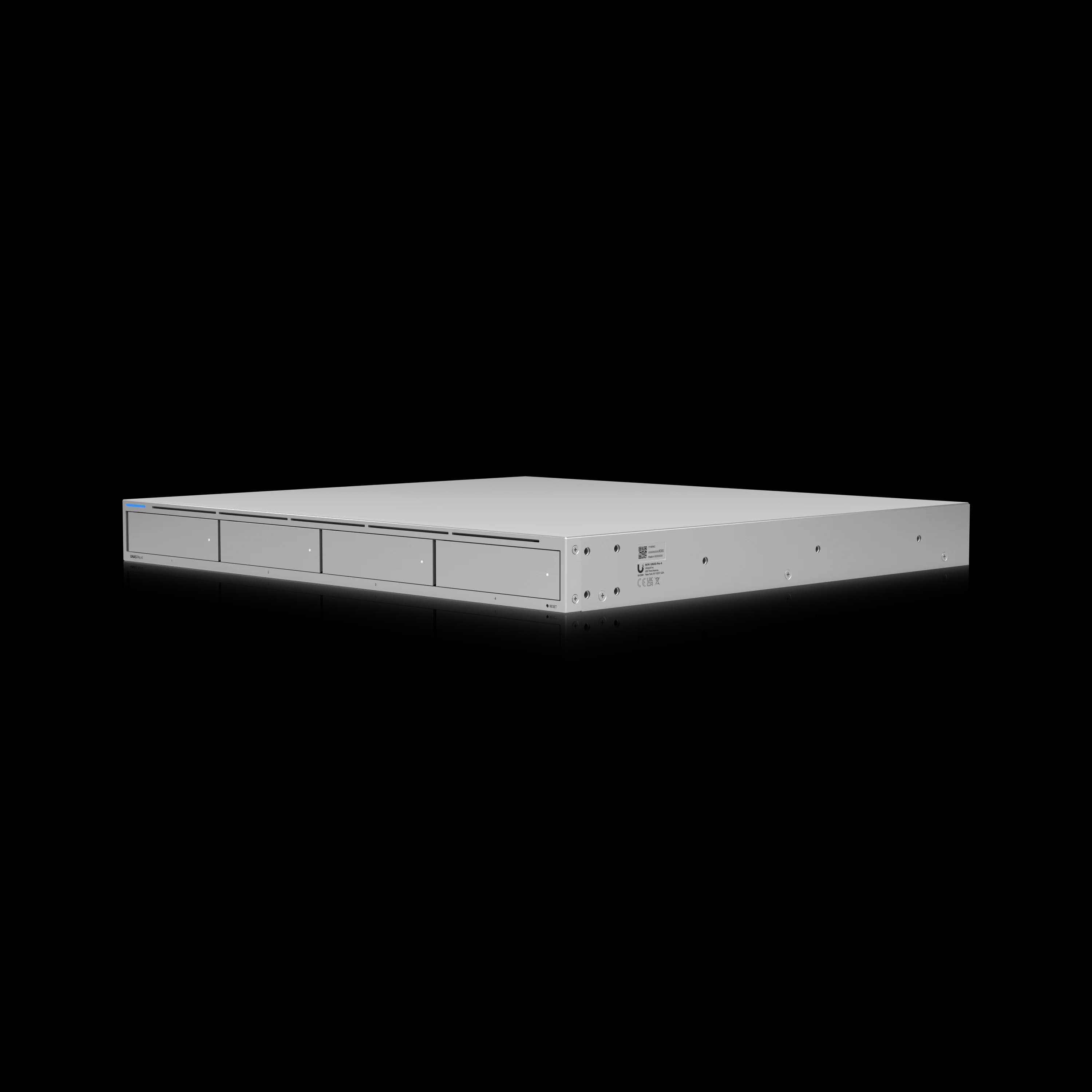
UniFi UNAS Pro 4
Compact 1U rackmount NAS with dual 10G SFP+, NVMe caching, and license-free UniFi Drive.
- 4 bays + 2× NVMe cache
- Dual 10G SFP+
- 8 GB RAM
- 1U rackmount
- License-free
*Price at time of publishing
UniFi NAS Product Lineup
Complete Product Lineup Comparison
| Model | Storage | Network | Price |
|---|---|---|---|
| UNAS 2 | 2× 3.5" HDD | 2.5 GbE + USB-C | $199 |
| UNAS 4 | 4× 2.5/3.5" + 2× M.2 NVMe | 2.5 GbE + USB-C | $379 |
| UNAS Pro | 7× 2.5/3.5" HDD/SSD | 10G SFP+ + 1 GbE | $499 |
| UNAS Pro 4 | 4× 2.5/3.5" + 2× M.2 NVMe | 2× 10G SFP+ + 1 GbE | $499 |
| UNAS Pro 8 | 8× 2.5/3.5" + 2× M.2 NVMe | 2× 10G SFP+ + 10 GbE RJ45 | $799 |
| Enterprise NAS | 16× 3.5/2.5" + M.2 NVMe | 2× 25G SFP28 + 10 GbE RJ45 | $3,999 |
Model Specifications and Analysis
UNAS 2: Entry-Level Desktop Storage ($199)
The UNAS 2 is UniFi's entry-level desktop NAS at $199. PoE++ powering means it can be installed near camera clusters or in remote locations without a separate power run — a practical advantage for distributed archiving destinations and edge file-storage deployments.
Technical Specifications
- Price: $199
- Storage: 2 x 3.5" HDD support
- Processor: Quad-Core ARM Cortex-A55 at 1.7 GHz
- Memory: 4 GB RAM
- Network: 2.5 GbE RJ45 + 5 Gbps USB-C
- Power: PoE++ (60W PoE++ injector included)
- Form Factor: Compact Desktop (135 x 129 x 223.7 mm)
Performance context: The ARM Cortex-A55 processor handles file storage and camera archiving adequately. It does not support virtual machines, Docker containers, or compute-intensive workloads. The UNAS 2 is a backup and file sharing appliance — not a general-purpose server.
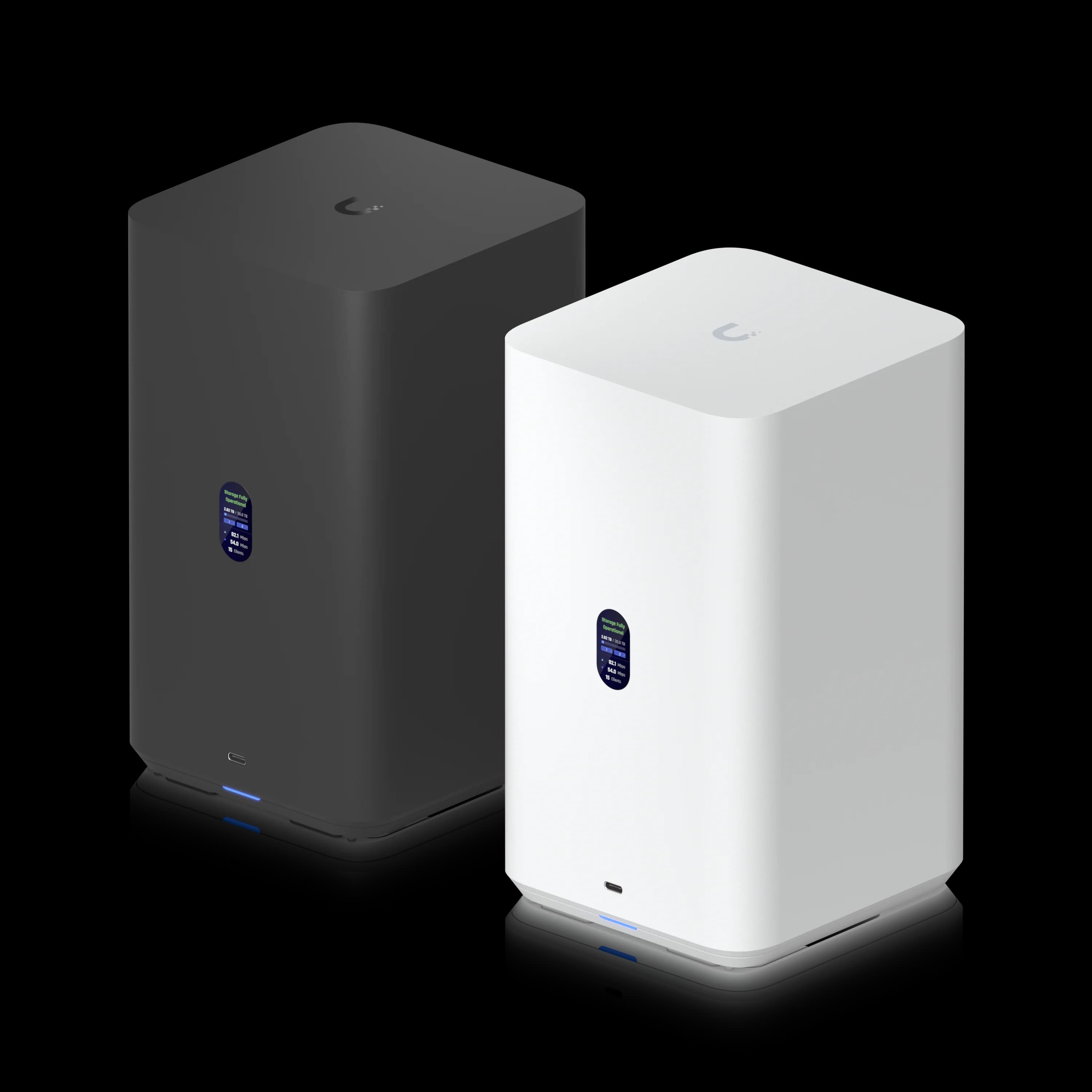
UniFi UNAS 2
$199PoE++-powered desktop NAS for camera archiving destinations and basic backup.
UNAS Pro: Professional Rackmount Solution ($499)
The UNAS Pro is Ubiquiti's 2U, 7-bay rackmount NAS at $499. It offers 10G SFP+ connectivity and covers standard business file sharing and backup workloads reliably. No NVMe caching is available on this model — that distinguishes it from the newer Pro 4 at the same price.
Technical Specifications
- Price: $499
- Storage: 7 x 2.5/3.5" HDD/SSD support
- Dimensions: 442 x 325 x 87 mm (17.4 x 12.8 x 3.4")
- Processor: Quad-Core ARM Cortex-A57 at 1.7 GHz
- Memory: 8 GB RAM
- Network: 10G SFP+ + 1 GbE RJ45 (Note: No 10GbE RJ45)
- Features: 1.3" touchscreen, hot-swappable drives
- Power: Universal AC input with USP-RPS DC backup support
Connectivity note: The UNAS Pro uses 10G SFP+ only — there is no 10GBASE-T copper port. Budget for SFP+ DAC cables or transceivers. The UNAS Pro 8 adds a native 10GbE RJ45 port for copper-switch environments.
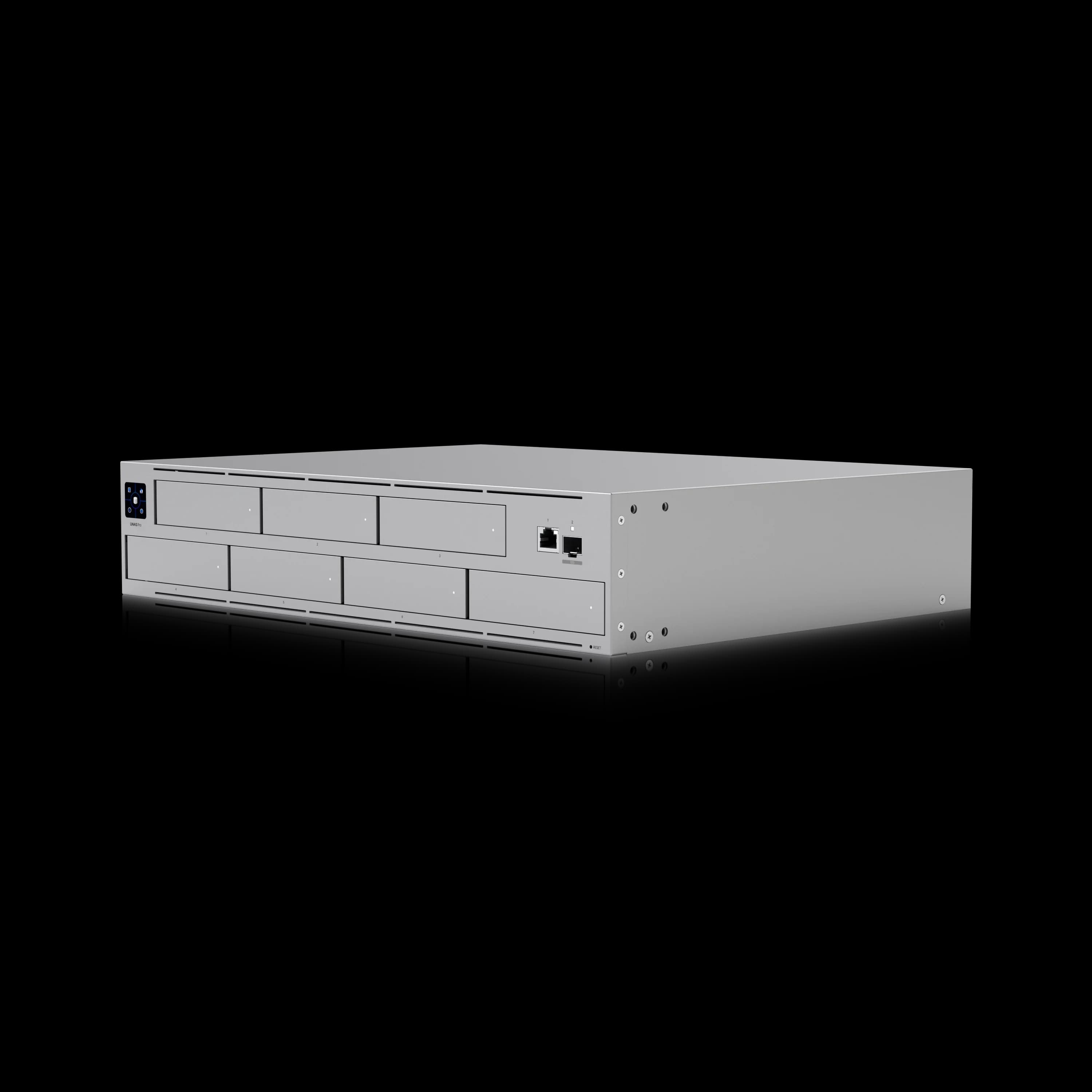
UniFi UNAS Pro
$4992U rackmount NAS with 7 bays and 10G SFP+ — the capacity-first alternative at $499.
UNAS Pro 8: High-Capacity Rackmount with Redundant Power ($799)
The UNAS Pro 8 is a 2U rackmount NAS with eight drive bays, dual 10G SFP+, one 10GbE RJ45 port, NVMe caching, and dual redundant hot-swap power supplies — at $799.
Confirmed Specifications
- Price: $799
- Storage: 8× 2.5/3.5" HDD/SSD (hot-swap) + 2× M.2 NVMe cache slots
- Network: 2× 10G SFP+ + 1× 10GbE RJ45 (10G/5G/2.5G/1G/100M)
- Processor: Quad-Core ARM Cortex-A57 @ 2.0 GHz
- Memory: 16 GB RAM
- Power: 2× hot-swappable 550W AC/DC modules (fully redundant); max 250W system draw (25W base + up to 225W drive budget)
- Form Factor: 2U Rackmount (442.4 × 480 × 87.4 mm, 25.35 lb)
- UI Care: $199 for 5-year coverage, advanced RMA, prepaid return shipping
Why the Pro 8 over the Pro 4? Three reasons: (1) 8 bays vs 4 — double the raw storage capacity; (2) the native 10GbE RJ45 port eliminates transceiver costs for copper-switch environments; (3) dual hot-swap redundant PSUs — a business-continuity feature absent from the other SMB models. The 16 GB RAM (vs 8 GB on Pro 4) also provides more headroom for multi-user concurrent workloads.
Key limitations: 2U depth (480mm) requires a full-depth rack. At ~25 lb, installation requires two people. Acoustically, dual 1U-style fans at load are audible — rack enclosure or server room placement is expected.
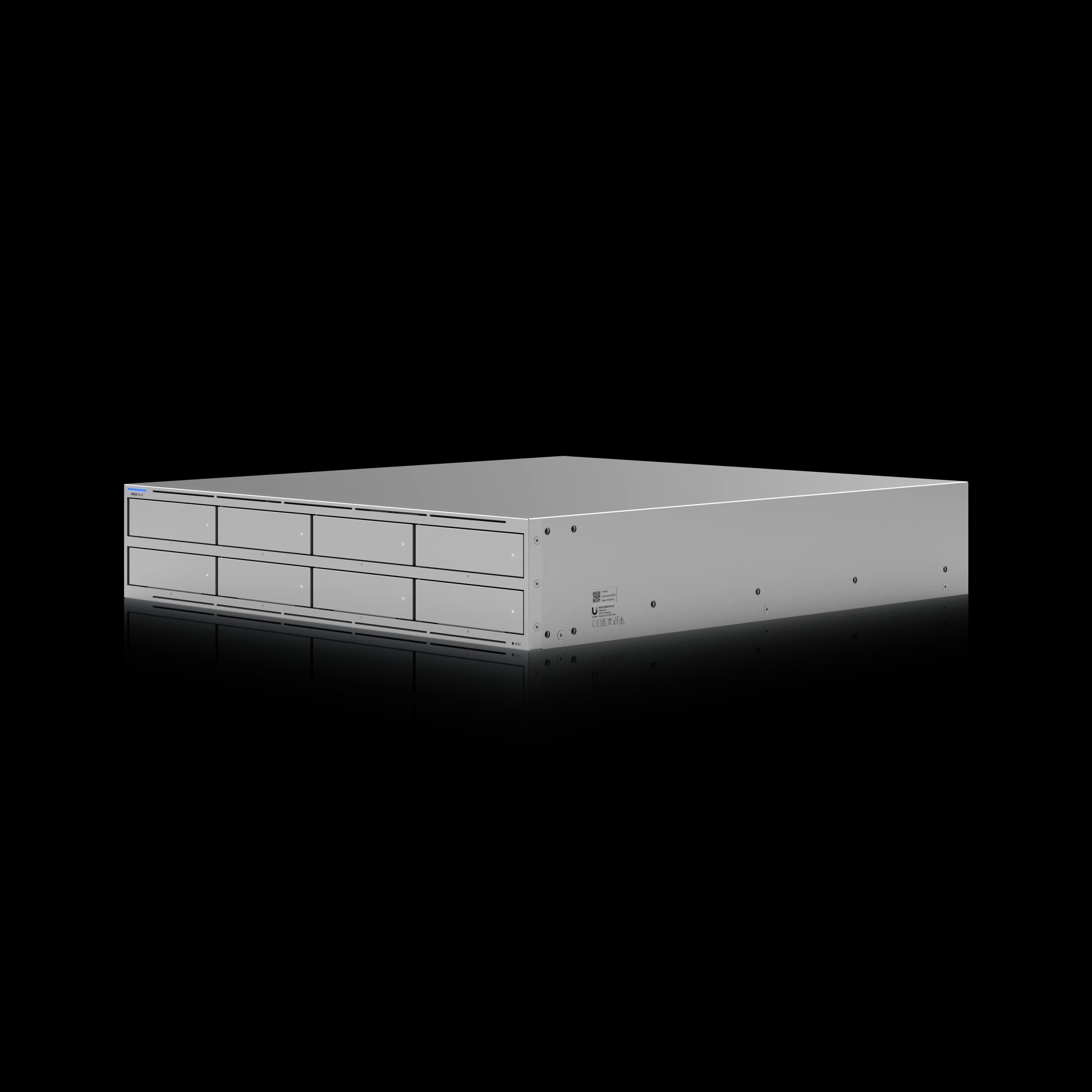
UniFi UNAS Pro 8
$7992U rackmount with 8 bays, dual redundant PSUs, 10GbE RJ45, and NVMe caching.
Introducing: Next-Gen UniFi Storage
UNAS 4: Desktop NAS with NVMe Caching ($379)
The UNAS 4 is Ubiquiti's desktop NAS with 4 bays, NVMe caching, and PoE+++ power — at $379. It launched in Q1 2026, sold out shortly after, and is back in stock as of July 2026.
Key Features
- Price: $379
- Storage: 4 x 2.5/3.5" HDD support + 2 x M.2 NVMe SSD slots
- Network: 2.5 GbE RJ45 + 5 Gbps USB-C
- Power: PoE+++ (90W PoE+++ injector)
- Dimensions: 246 x 129 x 224.5 mm (9.7 x 5.1 x 8.8")
Who should buy: The UNAS 4 is the right pick for a small office that needs 4 bays and NVMe caching in a desktop, PoE-powered form — without rack infrastructure. At 4 GB RAM and 2.5 GbE, it is not a high-throughput device; plan accordingly.
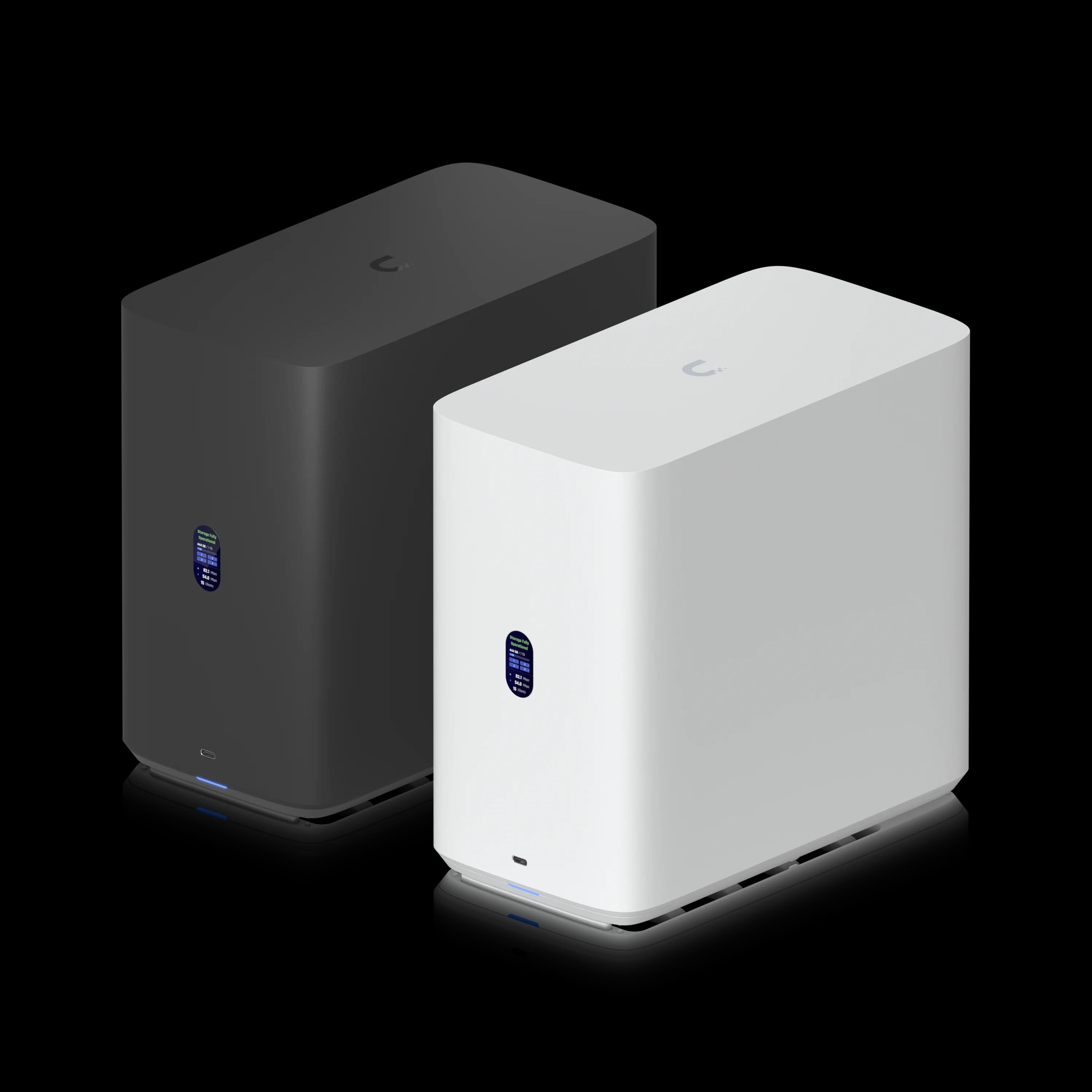
UniFi UNAS 4
$379Desktop 4-bay NAS with NVMe caching and PoE+++ power — no rack required.
iFeelTech Field Notes: Why Local NAS Storage, and Where the Desktop Models Fit
Many SMBs running UniFi networks can benefit from adding local storage — it's a natural extension of infrastructure already in place, and it earns its keep in a few concrete ways:
- Backup and disaster recovery: A local NAS gives you a fast, on-site target for backing up laptops, workstations, and other network shares. When you're troubleshooting a failed machine or restoring data, pulling from a local copy beats waiting on a cloud restore — and it's the first thing that makes a real disaster recovery plan practical rather than theoretical.
- File server replacement: An aging file server humming in a closet can be replaced by a UNAS 2 or UNAS 4 at a fraction of the cost, with no Windows Server licensing to maintain.
- General file storage: For teams that don't need a full file server, local NAS storage is a straightforward way to reduce reliance on cloud storage tiers, working directly off the NAS instead.
Where the UNAS 2 and UNAS 4 fit for us specifically: as an MSP, most of our installs are rack-based, so this desktop form factor doesn't always match how we build out a client's infrastructure. But for a network closet or shelf without a dedicated rack, they're the right tool — compact, PoE-powered, no rack hardware required. We've placed them on a workstation or floor when nothing else was available, though our preference is to keep any NAS holding business data locked away with limited physical access, not sitting out in the open. See our full UNAS 2 vs UNAS 4 review for a deeper look at these two desktop models specifically.
UNAS Pro 4: Compact 1U Rackmount ($499)
The UNAS Pro 4 launched in early 2026 at $499 — the same price as the original UNAS Pro, but in a 1U form factor with NVMe caching and dual 10G SFP+. It is a strong option if you have a 1U rack slot and an existing 10G SFP+ switch.
Confirmed Specifications
- Price: $499 (confirmed)
- Storage: 4× 2.5"/3.5" HDD/SSD (hot-swap) + 2× M.2 NVMe cache slots (up to 4 TiB each, cache only, PCIe Gen3 x2)
- Processor: Quad-Core ARM Cortex-A57 @ 2.0 GHz
- Memory: 8 GB RAM (no documented user-upgrade procedure)
- Network: 2× 10G SFP+ + 1× 1 GbE RJ45 (management) — no 10GBASE-T copper
- Form Factor: 1U Rackmount (442.4 × 400 × 43.7 mm)
- Power: Internal 150W AC/DC + USP-RPS DC input
- RAID: RAID 5, 6, 10
- Platform: UniFi Drive (license-free)
Key strengths: 1U, dual 10G SFP+, NVMe caching, and no licensing, all at $499. In our production deployments, cached sequential reads have consistently reached 700–900 MB/s over SFP+ DAC connections. It is a strong pick for UniFi-ecosystem SMBs with tight rack space and 10G SFP+ switches already in place.
Key limitations: NVMe slots are cache-only (not primary storage). No 10GBASE-T port — copper-switch users need SFP+→RJ45 transceivers (~$30–$65/port). The Pro 4 has 8 GB RAM and no documented user-upgrade procedure. No Docker, VMs, or iSCSI.
vs. UNAS Pro ($499): Pro 4 wins on NVMe caching and 1U form factor; UNAS Pro wins on raw bay count (7 bays vs 4) if you need more storage in 2U.
UniFi UNAS Pro 4
$4991U rackmount NAS with dual 10G SFP+, NVMe caching, and license-free UniFi Drive at $499.
Read the full UNAS Pro 4 review →
With hardware covered, the next factor in the buying decision is the software platform all five SMB models run: UniFi Drive.
How Does UniFi Drive Compare to Synology DSM?
UniFi Drive offers simple, license-free file storage and backup within the UniFi ecosystem, while Synology DSM provides advanced features like Docker containers, virtual machines, and over 100 native applications.
UniFi NAS devices run UniFi Drive, a storage platform focused strictly on file sharing, camera archiving, and backup. Synology's DiskStation Manager (DSM) is a mature, application-layer operating system.
Synology advantages:
- Full virtual machine hosting (Virtual Machine Manager)
- Docker container support (Container Manager)
- iSCSI block storage for virtualization environments (UniFi's Enterprise NAS also supports iSCSI, but the five SMB models do not)
- Library of 100+ native applications (Plex, Surveillance Station, Photo Station, etc.)
- Active Backup for Business: Full PC image backups for Windows workstations — native bare-metal restore capability. UniFi Drive has no equivalent; Windows endpoints can only use SMB drive mapping or manual backup agents.
- Flexible RAID with Synology Hybrid RAID (SHR), which supports mixed drive sizes. The five SMB UNAS models use standard RAID 5/6/10 with matching-capacity drive requirements; the Enterprise NAS uses ZFS with Mirror and RAID-Z.
- Btrfs with active data scrubbing: Synology uses the Btrfs file system with scheduled data scrubbing and self-healing for silent data corruption (bit rot). This is a meaningful advantage for long-term data integrity on large arrays.
- Expandable RAM on most models
UniFi advantages:
- Shared UI account and UniFi Site Manager — storage is managed in the UniFi Drive application alongside Network, Protect, and Access
- Zero licensing fees for core platform functionality
- Native UniFi Protect camera archiving integration
- Simpler onboarding for existing UniFi ecosystem customers
Verdict: Choose Synology for application hosting, virtualization, or Windows PC imaging. Choose UniFi NAS for streamlined, license-free file storage and backup within an existing UniFi ecosystem.
UniFi Drive Software Platform
All five SMB UNAS models run UniFi Drive, a license-free storage platform. Drive 4.0, released in February 2026, introduced Microsoft 365 OneDrive backup and mobile photo sync. Subsequent 4.x releases added refinements including SMB Trash support and Microsoft 365 backup fixes. As of July 13, 2026, the current official release is UniFi Drive 4.3.6.
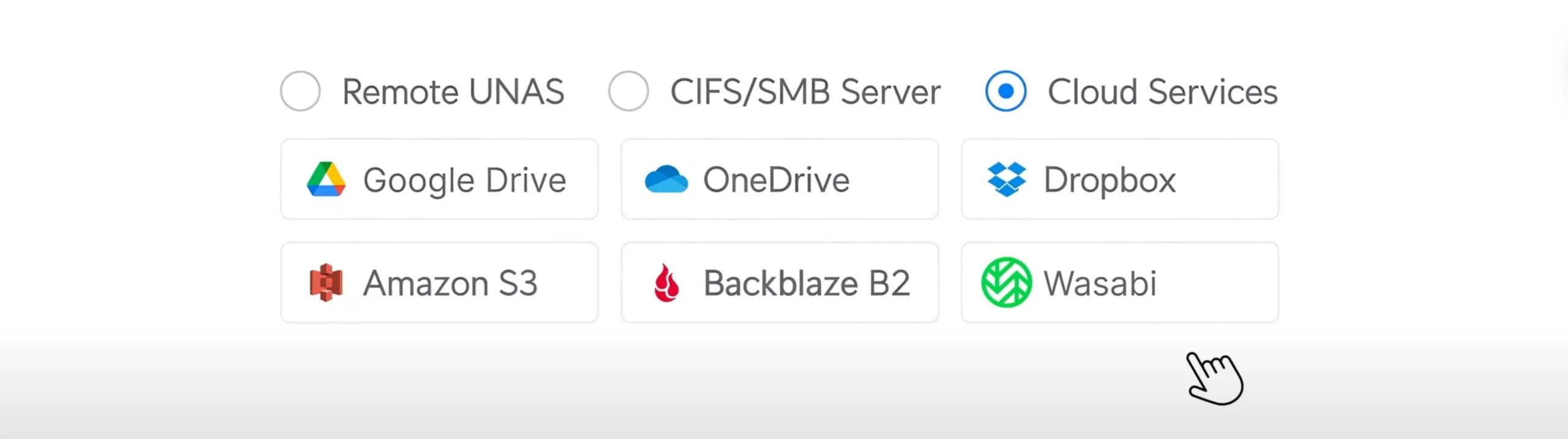
UniFi Drive 4.3.6 — Current Feature Set
Storage & Protection
- Snapshot management and volume encryption
- S.M.A.R.T. health monitoring surfaced in the UniFi Drive application
- File access logging for audit trails
- SMB Trash support (added in 4.3.x)
Backup Targets
- Cloud backup to Google Drive, OneDrive for Business, Dropbox, AWS S3, Backblaze B2, and Wasabi
- Microsoft 365 OneDrive backup (introduced in Drive 4.0): Archives OneDrive data from Entra ID work/school accounts to local UNAS storage — providing an offline, versioned copy protected from ransomware and accidental deletion. Requires an internal user with an active Microsoft 365 Business or Enterprise licence and an initialized OneDrive account; guest and unlicensed accounts are not backed up.
- NAS-to-NAS replication for multi-site 3-2-1 backup configurations
Important backup caveats
- UniFi Drive requires rsync daemon mode, not rsync over SSH.
- USB backups to exFAT or FAT32 can fail when filenames differ only by capitalization.
- USB backup does not preserve extended attributes.
- Encrypted destinations can reduce supported filename length to approximately 140–143 characters.
- Large quantities of small files can produce substantial API activity and cloud storage transaction costs (relevant for Backblaze B2).
Access & Integration
- SMB, CIFS, and NFS protocol support
- Active Directory integration for SMB access and delegated Drive Portal authentication (configured directly in Drive settings)
- Time Machine support for macOS endpoint backup
- Identity Endpoint for remote SMB drive mapping without VPN (requires UniFi Gateway)
Mobile — introduced in Drive 4.0
- Automatic iOS and Android photo backup via the UniFi Endpoint app — operates similarly to iCloud or Google Photos, backing up camera rolls to your UNAS automatically in the background
- Remote file access without VPN configuration
- Share link generation and file transfers from mobile
What UniFi Drive does not include (on SMB models): Docker containers, virtual machines, iSCSI block storage, or desktop sync client. The Enterprise NAS adds iSCSI and ZFS. For Docker, VMs, or a mature application ecosystem, evaluate Synology DSM or QNAP QTS.
Total Cost of Ownership
The hardware purchase is one component of the total cost. A practical TCO estimate for a UniFi NAS deployment should include drives, NVMe cache, cabling, and optional UI Care coverage.
| Cost Item | UNAS Pro 4 Example | UNAS Pro 8 Example |
|---|---|---|
| NAS unit | $499 | $799 |
| 4× Seagate IronWolf Pro 8TB | ~$640 | — |
| 8× Seagate IronWolf Pro 8TB | — | ~$1,280 |
| 2× NVMe cache SSD (1TB each) | ~$120 | ~$120 |
| SFP+ DAC cables (2×) | ~$30 | — (RJ45 native) |
| UI Care (5-year) | $129 (optional) | $199 (optional) |
Comparing outside the UniFi range? Our UNAS Pro 4 versus UGREEN DXP4800 Plus comparison prices both complete systems and covers what you give up, or gain, by leaving the ecosystem for storage. | Estimated total (no UI Care) | ~$1,289 | ~$2,199 |
For businesses already running UniFi switches and gateways, management overhead is reduced compared to operating a separate NAS platform — no additional monitoring console, no separate vendor support contracts, no parallel update schedule.
Network Switch Requirements
One configuration step that has resolved throughput issues in our 10GbE deployments is Flow Control.
Field Guidance: Flow Control on 10GbE Switch Ports
In our deployments, enabling Flow Control has resolved unexpectedly low throughput on some 10GbE UNAS connections. If performance is below expectations, navigate to each switch port connected to a UNAS Pro, Pro 4, or Pro 8 in UniFi Network and enable Flow Control on all data and uplink ports carrying NAS traffic. Test it as a troubleshooting measure rather than assuming it is required in every design.
Link aggregation and MC-LAG: The dual 10G interfaces on the Pro 4 and Pro 8 may be used in aggregated and redundant designs. Ubiquiti documents MC-LAG for supported switch pairs, but verify current UniFi Network, switch, and UNAS firmware support before designing a Pro 4 or Pro 8 as an MC-LAG target. Note that link aggregation improves aggregate throughput across multiple clients — it does not give a single client a 20 Gbps transfer.
Connectivity requirements by model:
- UNAS 2 / UNAS 4: Covered in the model spec sections above. PoE-powered; connect to any 2.5 GbE or faster switch port with adequate wattage.
- UNAS Pro 4: SFP+ only — no 10GBASE-T. SFP+→RJ45 transceivers (~$30–$65/port) are required for copper-switch environments. Use Cat6A for any RJ45 runs.
- UNAS Pro 8: SFP+ or native 10GbE RJ45 (Cat6A minimum). No transceiver required for copper connections.
Implementation Best Practices
Security Implementation
UniFi NAS security relies on network-level controls and directory integration:
- Active Directory: Configure AD credentials for SMB access and Drive Portal authentication directly in UniFi Drive settings
- VLAN Segmentation: Isolate storage traffic from guest/IoT networks
- Firewall Rules: Restrict NAS access to authorized VLANs only
- Snapshots: Configure automated snapshots as ransomware protection
- Cloud Backup: Enable offsite backup to S3/Backblaze for disaster recovery
MFA for UniFi storage access depends on the authentication surface: UI account login, Drive Portal access, directory-based authentication, and SMB file-service credentials each have different security models. Evaluate your threat model and implement network-level controls using UniFi Gateway policies where needed.
Business Implementation Strategies
Small Office Implementation (5–25 Employees)
The UNAS 4 or UNAS Pro 4 are the right starting points, depending on whether you need rack form factor.
UNAS 4 (desktop, PoE+++): 4 bays, NVMe caching, 2.5 GbE, no rack required. Best suited for small offices without rack infrastructure.
UNAS Pro 4 ($499, 1U): 4 bays, NVMe caching, dual 10G SFP+. Best suited if you have a rack and 10G SFP+ switching.
Setup checklist:
- Verify PoE++ capacity on your switch (60W for UNAS 2, 90W for UNAS 4)
- Use SSDs, not HDDs if you need responsive file sharing (adds ~$200-300 to total cost)
- Configure automated snapshots immediately after setup
- Enable cloud backup to S3/Backblaze for offsite protection
Medium Business Implementation (15–50 Employees)
The UNAS Pro 8 ($799) is the recommended choice. Eight bays, 16 GB RAM, native 10GbE RJ45, NVMe caching, and redundant PSUs cover the core requirements for this segment. If you are also considering the Synology DS1825+ or UGREEN DXP8800 Plus, our 8-bay NAS comparison covers capacity math, total cost and software differences.
At $499: The UNAS Pro 4 is the alternative for tighter budgets — 4 bays, dual 10G SFP+, NVMe caching. Requires SFP+→RJ45 transceivers if your switch has copper-only 10G ports.
Deployment checklist:
- Test Flow Control on switch ports if throughput is below expectations (see network section above)
- 10GbE infrastructure is recommended for good performance at this scale
- RAID 6 or RAID 10 for data protection with adequate capacity
- Active Directory integration for centralized user management
- Offsite backup to cloud storage (S3, Backblaze, etc.)
Integration with existing backup strategies ensures comprehensive data protection beyond local snapshots.
Competitive Analysis: UniFi vs Synology vs QNAP
| Feature | UniFi UNAS Pro 4 | Synology RS422+ | QNAP TS-h886 |
|---|---|---|---|
| Price (4-bay 1U rack) | $499 | $700–$800 | N/A (desktop; no direct 1U equivalent at this price) |
| Management | UniFi Drive app (shared UI account) | Separate DSM interface | Separate QTS interface |
| Docker Support | ❌ None | ✅ On supported models | ✅ On supported models |
| Virtual Machines | ❌ None | ✅ Virtual Machine Manager (on supported models) | ✅ Virtualization Station (on supported models) |
| Mobile App | ✅ UniFi Drive app | ✅ DS File, DS Photo, etc. | ✅ Qfile, Qphoto, etc. |
| Active Directory | ✅ Yes (direct integration in Drive settings) | ✅ Yes | ✅ Yes |
| License Costs | ✅ Free | ⚠️ Some apps require licenses | ⚠️ Some apps require licenses |
| 10G Built-in | ✅ Dual SFP+ | ❌ Add-in card required (RS422+) | Varies by model |
| NVMe Cache | ✅ 2 slots | ❌ RS422+ lacks NVMe | Varies by model |
| iSCSI | ❌ SMB models; ✅ Enterprise NAS | ✅ On supported models | ✅ On supported models |
| High Availability | ⚠️ Dual PSUs on Pro 8 only (no dual-controller HA) | ✅ Active-Passive HA (Synology SHA, on supported models) | ⚠️ Limited HA options |
| Best For | UniFi ecosystem file storage and backup | Feature-rich deployments | Power users, home labs |
Note: Synology and QNAP software capabilities (Docker, VMs, iSCSI, Active Backup) vary by model — not every NAS in their lineups supports every feature. Compare specific models rather than brand-level feature lists.
Real-World Implementation Insights
Deployment observations from South Florida SMB and MSP environments:
UNAS 2: Well-suited for camera archiving in distributed locations. PoE++ powering has been particularly practical in deployments without a local rack. For active shared file access, install SSDs or set expectations accordingly — concurrent HDD users will notice response times.
UNAS Pro: Most deployments at this model moved to the Pro 4 once it launched. The 7-bay capacity remains the reason to choose it — businesses already near capacity on 4 bays should consider the Pro or Pro 8 instead.
UNAS Pro 4: The 1U form factor has been a practical win in cramped network closets where earlier UNAS Pro installations required a second rack unit. Cached sequential reads consistently hit 700–900 MB/s over SFP+ DAC cables in production. One practical note: do not install this within earshot of a workspace — the 1U fans are audible under sustained load. Budget for SFP+ DAC cables or transceivers at deployment time. Full review →
UNAS Pro 8: The native 10GbE RJ45 port has simplified copper-switch deployments — no transceiver budget required. The Pro 8's redundant PSUs protect against a module or feed failure. For meaningful power resilience, connect them to separate PDUs or circuits backed by appropriate UPS capacity.
Frequently Asked Questions
Is the UNAS 4 back in stock in 2026?
Yes. The UNAS 4 ($379) launched in Q1 2026, sold out shortly after, and returned to stock at the Ubiquiti Store as of July 2026.
Can I upgrade the RAM in a UniFi NAS?
The UNAS Pro 4 has 8 GB RAM with no documented user-upgrade procedure. The UNAS Pro 8 ships with 16 GB. If RAM expandability matters for your workload, Synology models like the DS923+ or RS1221+ support field-upgradable memory.
Can I use non-Ubiquiti hard drives in a UniFi NAS?
Yes. UniFi NAS devices accept standard 3.5" SATA drives from any manufacturer. Ubiquiti publishes a qualified drive list and recommends 1 TB-or-larger CMR drives with 7,200 RPM performance for rackmount RAID deployments. Drives outside the qualified list may work but have not been validated by Ubiquiti and may display a compatibility advisory. Ubiquiti also sells their own UACC-HDD-E enterprise drives in 8TB, 16TB, and 24TB, but these are optional, not required.
Does UniFi Drive support Microsoft 365 backup?
Yes, since Drive 4.0 (February 2026). The M365 OneDrive backup feature archives OneDrive data from Entra ID work/school accounts locally to your UNAS. It requires an internal user with an active Microsoft 365 Business or Enterprise licence and an initialized OneDrive account. Guest, unlicensed, and personal Microsoft 365 accounts are not backed up.
Can UniFi NAS run Docker, Plex, or virtual machines?
No. UniFi Drive is a file and backup platform. It does not support Docker containers, VMs, or application hosting. Plex Media Server cannot be installed. For those workloads, Synology or QNAP are the appropriate platforms.
Does UniFi Drive require license fees?
No. The core UniFi Drive platform is license-free across all UNAS models. There are no per-seat, per-share, or annual subscription fees for file sharing, backup, or replication features.
What is UI Care and do I need it?
UI Care is Ubiquiti's optional extended warranty. For the UNAS Pro 4, it costs $129 for 5-year coverage including advanced RMA and prepaid return shipping. For the UNAS Pro 8, it is $199 for the same 5-year term. UI Care means Ubiquiti ships a replacement before inspecting the returned unit, tickets receive priority, and return shipping is prepaid. Standard warranty is two years when purchased directly from Ubiquiti, or one year through authorized resellers.
What Drives and NVMe SSDs Work with UniFi NAS?
UniFi NAS devices accept standard 3.5" and 2.5" SATA drives — there is no proprietary drive requirement. Ubiquiti publishes a qualified HDD/SSD compatibility list; drives outside that list may work but have not been validated or guaranteed by Ubiquiti, and may display a compatibility advisory in the UI. Ubiquiti recommends 1 TB-or-larger CMR drives with 7,200 RPM performance for rackmount RAID deployments.
Recommended HDD options (NAS-rated):
- Seagate IronWolf Pro — 4TB–24TB, 7200 RPM, CMR, 5-year warranty (check workload rating by specific SKU — it varies by capacity and generation)
- WD Red Pro — 2TB–24TB, 7200 RPM, CMR, 5-year warranty (check workload rating by specific SKU)
- Ubiquiti UACC-HDD-E — Available in 8TB, 16TB, and 24TB; enterprise-rated, verified for UniFi NAS compatibility
For the NVMe cache slots: The M.2 slots are cache only — they cannot be provisioned as primary storage volumes. NVMe performance is limited to PCIe Gen3 x2 lanes. Use compatible M.2 NVMe SSDs; high-endurance models (e.g., WD Red SN700, Samsung PM9A3) are recommended for sustained cache writes.
- UNAS 4: Maximum 2 TiB per NVMe slot
- UNAS Pro 4 / Pro 8: Maximum 4 TiB per NVMe slot
- Cache modes: A single SSD provides read-only cache (RAID 0). Two SSDs in RAID 1 enable read-write cache with redundancy.
Drive type warning: Only use CMR (Conventional Magnetic Recording) drives in a UniFi NAS RAID array. SMR (Shingled Magnetic Recording) drives — including some WD Red (non-Plus/Pro) and Seagate Barracuda models — have write performance characteristics that cause severe degradation and potential rebuild failures in RAID environments. When in doubt, buy drives explicitly labeled as CMR, NAS, or Pro.
Drive matching: Drives in a RAID group should have matching capacity. A larger drive's additional space goes unused, while a smaller drive may be rejected. Unlike Synology's SHR (Synology Hybrid RAID), UniFi Drive does not support flexible mixed-drive arrays. Plan your initial drive purchase with expansion in mind.
Power Consumption and Acoustics
| Model | Base Draw (no drives) | Max System Draw | Drive Budget | PSU Configuration |
|---|---|---|---|---|
| UNAS 2 | ~10W | 60W | 52W | PoE++ (60W external) |
| UNAS 4 | ~10W | 90W | 80W | PoE+++ (90W external) |
| UNAS Pro | ~25W | 160W | 135W | Internal AC/DC, 200W PSU |
| UNAS Pro 4 | ~25W | 150W | 125W | Internal 150W AC/DC |
| UNAS Pro 8 | ~25W | 250W | 225W | 2× hot-swap 550W (redundant) |
Acoustics: Desktop models (UNAS 2, UNAS 4) are suitable for office placement. Rackmount Pro models use small, high-RPM fans common to 1U/2U server hardware — audible under load. The UNAS Pro 4 and Pro 8 are appropriate for a dedicated server room, network closet, or sound-isolated rack enclosure; they are not suitable for placement near workstations or in open office areas.
Warranty and UI Care Support
Ubiquiti's standard hardware warranty covers manufacturing defects, but the duration depends on where you buy:
- Two years when purchased directly from an official Ubiquiti webstore.
- One year when purchased through an authorized distributor or reseller (measured from Ubiquiti's shipment to that distributor).
- Purchases from unauthorized sellers do not carry Ubiquiti's warranty.
For SMB and MSP deployments where downtime is a business impact, Ubiquiti offers UI Care extended coverage:
| Model | UI Care (5-Year) | Coverage |
|---|---|---|
| UNAS 2 | $49 | Advanced RMA, prepaid return shipping, priority support |
| UNAS 4 | $99 | Advanced RMA, prepaid return shipping, priority support |
| UNAS Pro | $99 | Advanced RMA, prepaid return shipping, priority support |
| UNAS Pro 4 | $129 | Advanced RMA, prepaid return shipping, priority support |
| UNAS Pro 8 | $199 | Advanced RMA, prepaid return shipping, priority support |
UI Care means Ubiquiti ships a replacement before inspecting the returned unit, tickets receive priority, and return shipping is prepaid. For MSPs managing client infrastructure, this meaningfully reduces the downtime window of a hardware failure.
Professional Implementation Services
iFeelTech provides UniFi NAS implementation services throughout South Florida, including:
- Network infrastructure assessment (PoE capacity, 10GbE readiness)
- 10GbE performance optimization and troubleshooting
- Active Directory integration and security hardening
- RAID configuration and capacity planning
- Cloud backup setup (S3, Backblaze, etc.)
Conclusion: Should You Buy UniFi NAS?
Buy UniFi NAS if:
- You already run UniFi networking gear and want unified management
- You need simple file sharing and backup without complex applications
- You're deploying UniFi Protect and want integrated camera archiving
- You value license-free software and operational simplicity
Buy Synology/QNAP instead if:
- You need Docker, virtual machines, or extensive application support
- You want the most mature NAS software ecosystem
- You're not invested in the UniFi ecosystem
- You need advanced automation or application hosting beyond file storage and backup
Current Buying Recommendations (July 2026):
- Buy now: UNAS Pro 4 ($499) for compact 1U rackmount with NVMe caching — full review
- Buy now: UNAS Pro 8 ($799) for 8-bay rackmount deployments needing copper 10GbE
- Buy now: UNAS 2 ($199) for mirrored backup and basic file sharing
- Buy now: UNAS 4 ($379) for desktop small-office deployments with NVMe caching — full review
- Capacity-first alternative: UNAS Pro ($499) — 7 bays without NVMe caching. Choose it over the Pro 4 only if you need more than 4 bays at $499
UniFi NAS is appropriate for its intended use case: file storage and backup within an existing UniFi ecosystem. For application hosting, Docker, VMs, or a mature software ecosystem, Synology and QNAP remain the better-fit platforms. The Enterprise NAS ($3,999) adds iSCSI and ZFS for larger deployments.
For guidance on how UNAS fits alongside UniFi Protect and UNVR in a camera deployment — including the common mistake of treating UNAS as a Protect recorder — see Can UniFi Protect Use a NAS? UNAS vs UNVR Explained. If you need help choosing between dedicated NVR models, our UNVR vs UNVR Pro vs UNVR G2 comparison covers the full lineup.
For professional UniFi NAS implementation services in Miami and South Florida, contact iFeelTech at (305) 741-4601 or visit our UniFi networking services page.
Affiliate Disclosure: This article contains affiliate links. If you make a purchase through these links, we may earn a small commission at no extra cost to you. As an Amazon Associate, iFeelTech earns from qualifying purchases.
Related Articles
More from UniFi Networks
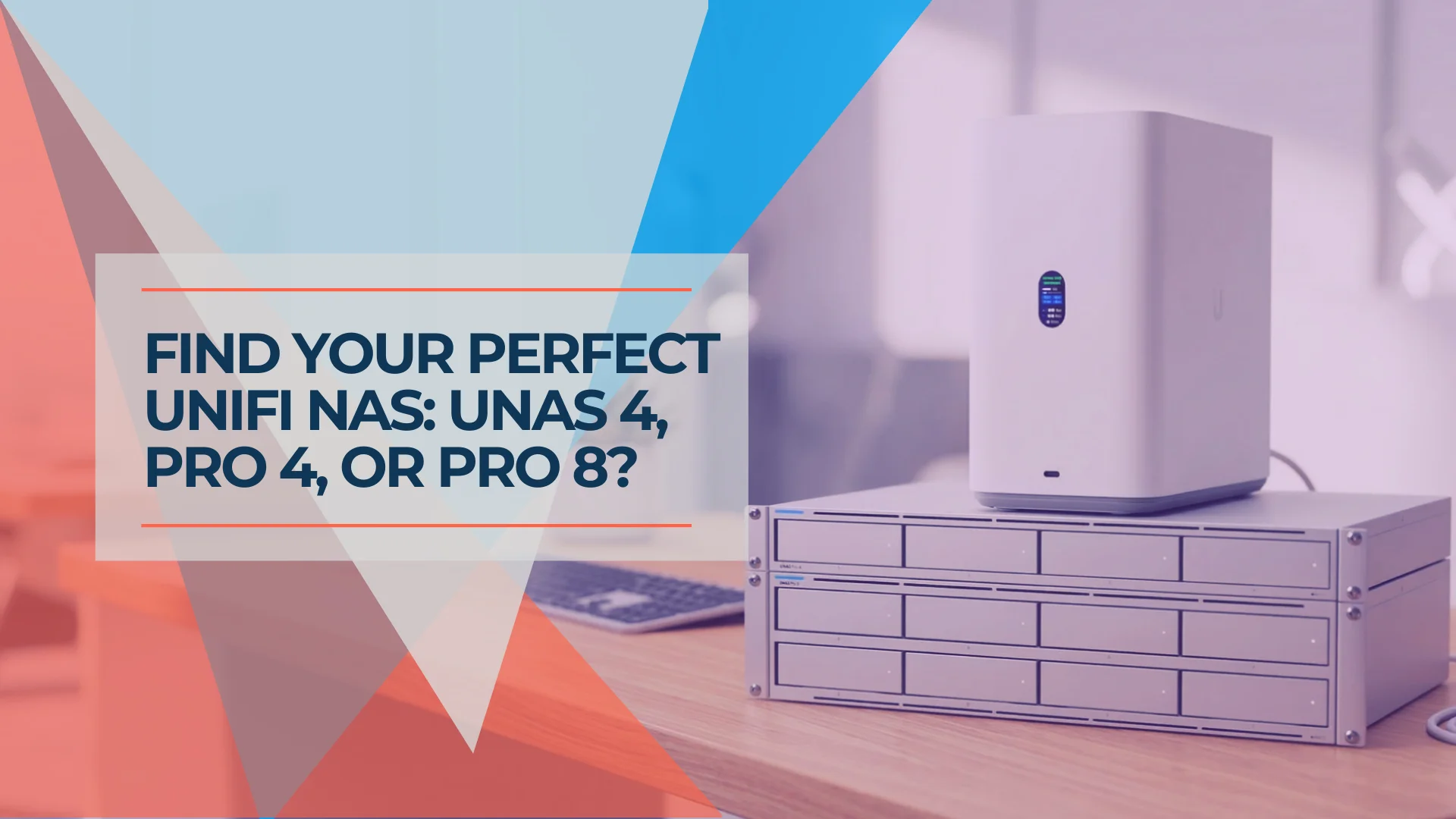
UNAS Pro 4 vs Pro 8 vs UNAS 4: Which UniFi NAS Should You Buy?
UNAS Pro 4 vs Pro 8 vs UNAS 4 compared by use case — home lab, small business, Protect archival, and content creation. Verified specs and real pricing.
25 min read
UniFi NAS vs Synology in 2026: Features, Pricing, Backup, and Which to Buy
UniFi NAS vs Synology in 2026: Microsoft 365 backup, snapshots, remote access, applications, and hardware costs compared using vendor documentation. Updated for UniFi Drive 4.4 and Synology DSM 7.4.1.
13 min read

UniFi Buyer's Guide 2026: What to Buy for a Business Network
A plain-English guide to choosing UniFi gateways, PoE switches, WiFi 7 access points and cameras for a small or growing office, with two worked builds and prices rechecked October 16, 2026.
48 min read