

UniFi G6 Bullet vs Pro Bullet vs G6 PTZ: Which Should You Buy?
Compare the UniFi G6 Bullet, G6 Pro Bullet and G6 PTZ by image quality, zoom, night vision, PoE needs and 2026 business deployment cost.

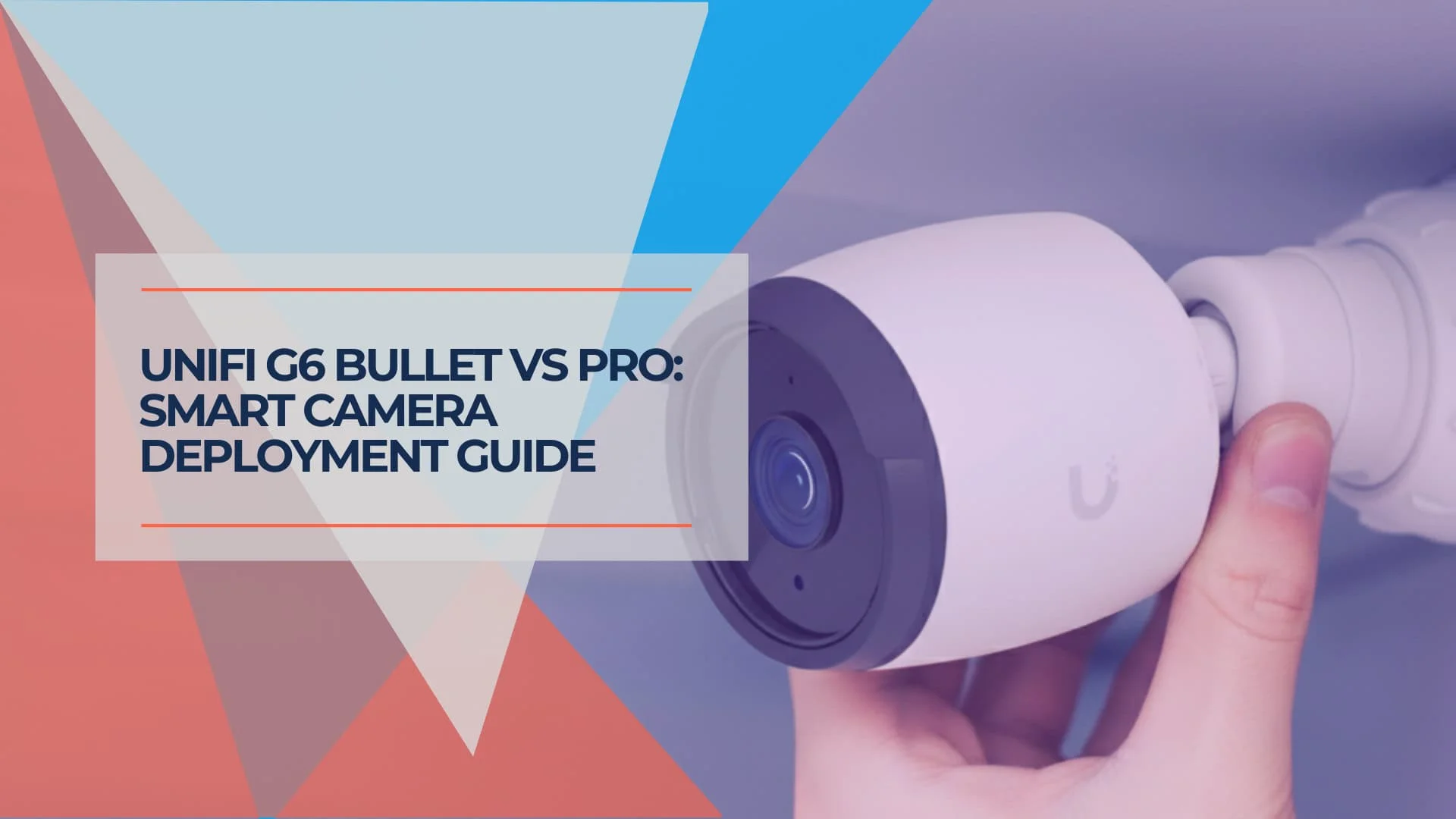
A client faced a choice: outfit their 15,000 sq. ft. Miami warehouse with all G6 Pro Bullets at $4,480 more than all-standard G6 Bullets, or mix models by zone and save $3,080 versus all-Pro. This is the strategy we used, updated for the current lineup — which now includes the G6 Pro Turret, the G6 Pro Dome, and a G6 Edge Series announced for Q3 2026.
The choice between UniFi's G6 Bullet, G6 Pro Bullet, and G6 PTZ is less about individual camera features than about which locations actually benefit from premium capabilities.
Key Takeaway
The G6 Pro Bullet costs 2.4x more than the standard G6 Bullet ($479 vs $199), making strategic camera placement important for multi-camera deployments. For a 16-camera business installation, a mixed 70/30 deployment saves $3,080 versus an all-Pro build (camera-only US MSRP before tax, shipping, NVR, drives, switches, cabling, mounts, and labor). Businesses with functioning G5 or G4 camera systems should focus on expansion rather than replacement.
Affiliate Disclosure: This article contains affiliate links. If you make a purchase through these links, we may earn a small commission at no extra cost to you. As an Amazon Associate, iFeelTech earns from qualifying purchases.
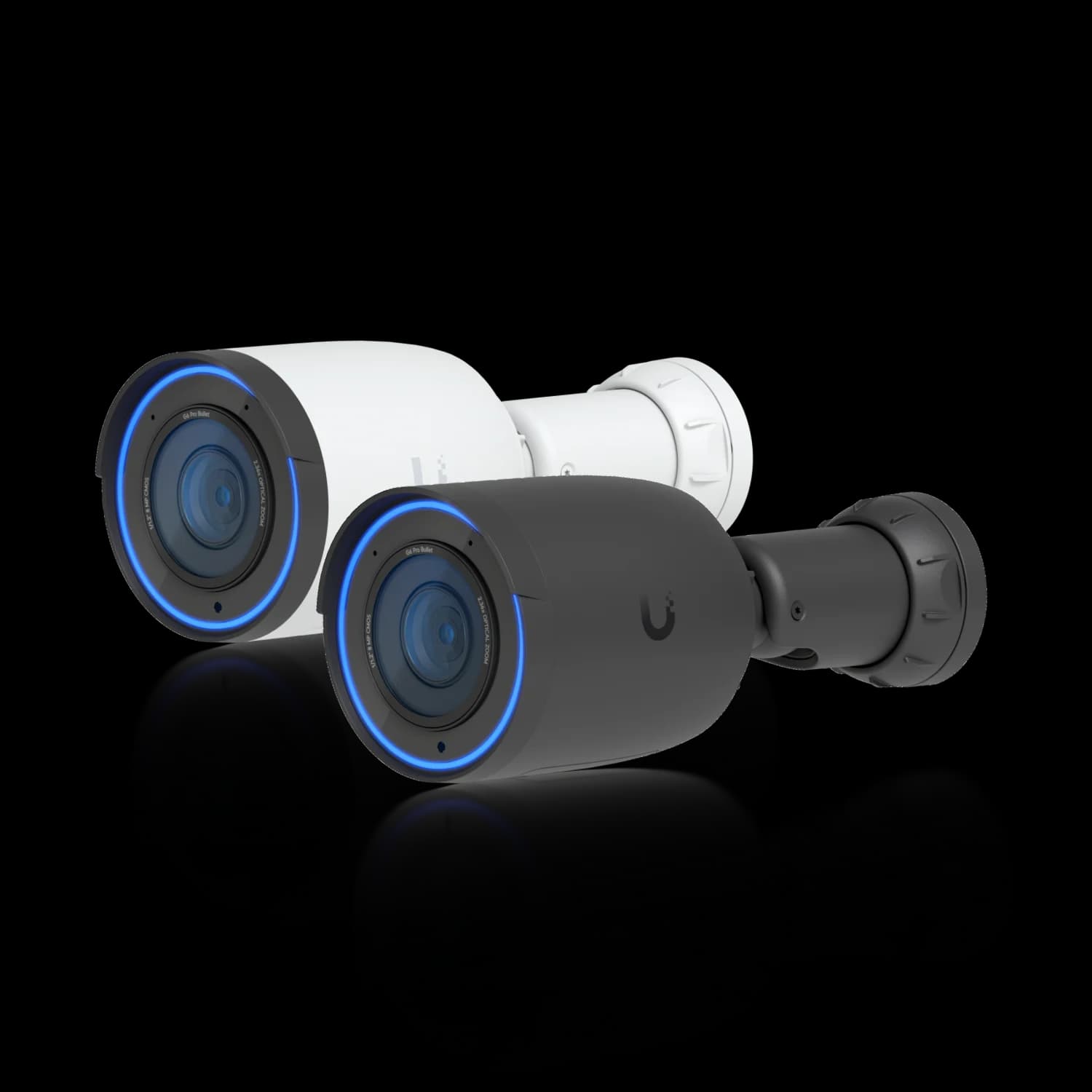
UniFi G6 Pro Bullet
The premium choice for critical monitoring zones. Larger 1/1.2-inch sensor, 2.36x optical zoom, and two-way audio suit entrances, cash handling, and low-light areas.
- 1/1.2-inch 8MP Sensor
- 2.36x Optical Zoom
- Two-Way Audio
- 40 m Night Vision
- PoE+ (802.3at)
*Price at time of publishing
G6 Bullet vs G6 Pro Bullet vs G6 PTZ: Full Spec Comparison
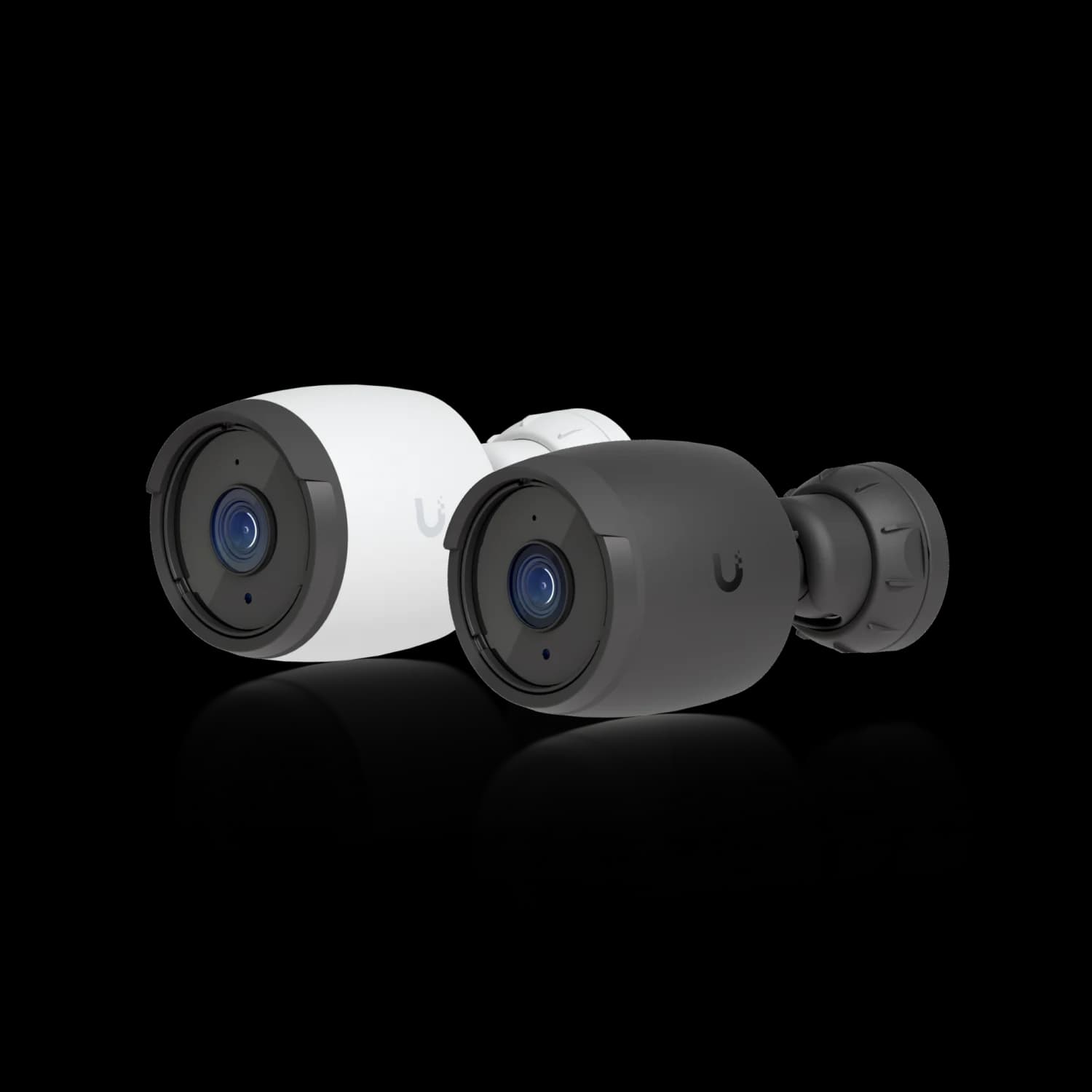
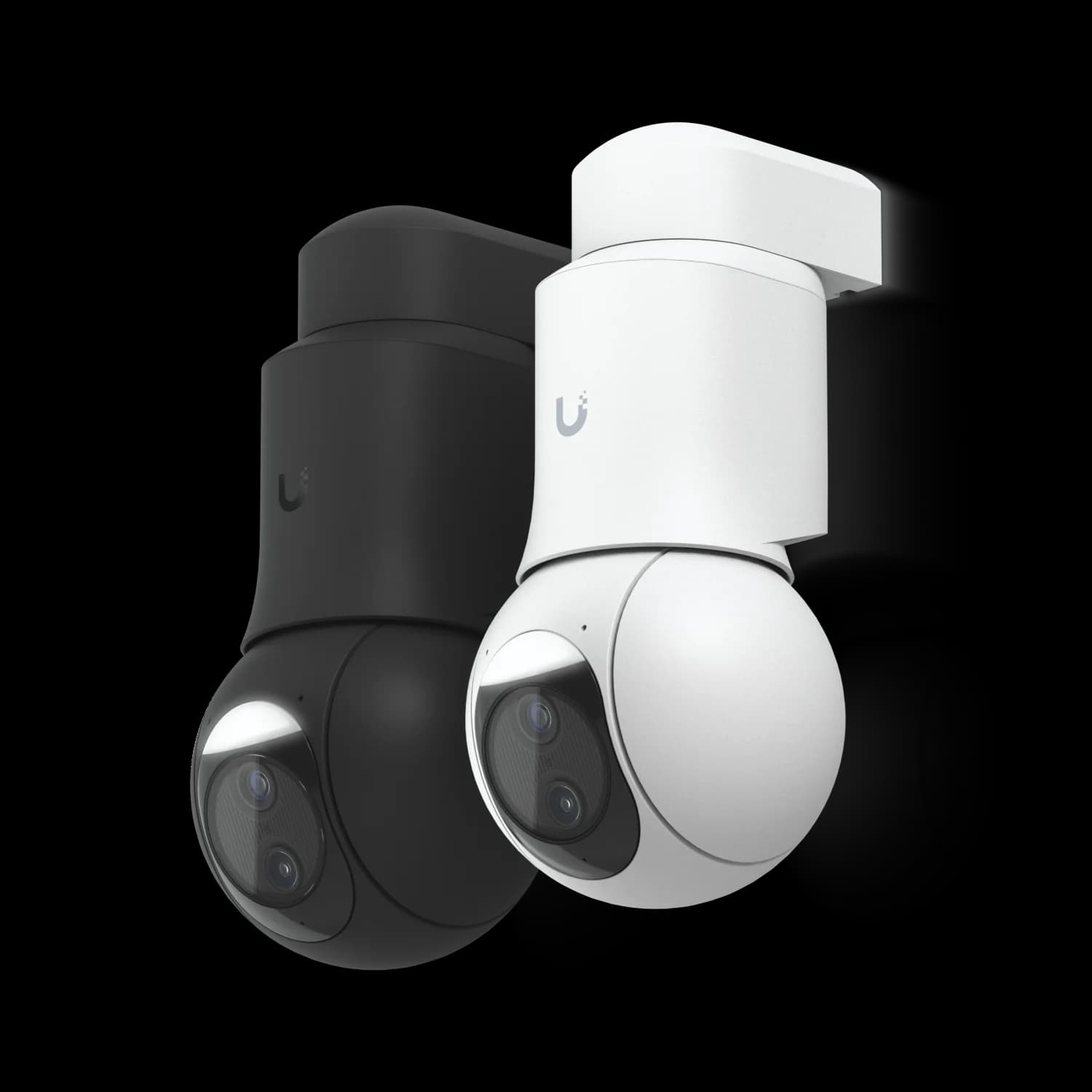
The G6 Pro Bullet has a larger 1/1.2-inch sensor, 2.36x optical zoom, and 40 m IR. The G6 PTZ adds pan/tilt/zoom and 10x hybrid zoom for $80 less. The standard G6 Bullet covers general areas at less than half the Pro's price. All three record 4K and carry the Multi-TOPS AI engine.
| Specs | |||
|---|---|---|---|
| Image Sensor | 1/1.8-inch 8MP | 1/1.2-inch 8MP | Dual 1/1.8-inch 8MP |
| Optical Zoom | Fixed lens | 2.36x optical | - |
| Night Vision | 30 m (98 ft) | 40 m (131 ft) | 30 m (98 ft) |
| Audio | Mic only | Two-way audio | Two-way audio |
| PoE Power | PoE (802.3af) | PoE+ (802.3at) | PoE+ (802.3at) |
| Field of View | 109.9° H | 113.8° H | - |
| Pan/Tilt/Zoom | Fixed | Fixed | Full PTZ |
| Zoom | - | - | 10x hybrid (dual-lens, not continuous optical) |
| Wide Lens FOV | - | - | 109.9° H |
| Tele Lens FOV | - | - | 26.6° H |
| Pan / Tilt Range | - | - | 350° / 100° |
Specifications and US MSRP verified August 3, 2026 against Ubiquiti Tech Specs and the Ubiquiti Store.
The Pro Bullet's wider 113.8° field of view translates to roughly 3 extra feet of wall coverage on each side at a 30-foot standoff, compared with the G6 Bullet's 109.9°. That margin matters when covering warehouse aisles or retail floor sections where a single camera has to span a fixed run.
Image Quality Differences
The G6 Pro Bullet's larger 1/1.2" sensor captures more light than the standard G6's 1/1.8" sensor, resulting in cleaner images during evening hours and better performance in challenging lighting conditions. For businesses monitoring parking areas or outdoor spaces with limited artificial lighting, this improvement provides more usable footage during security incidents.
Both cameras deliver full 4K resolution during daylight hours; differences are primarily visible in low-light scenarios or when digital zoom is applied to footage.
Optical Zoom and AI Detection
The G6 Pro Bullet's 2.36x optical zoom proves valuable for specific business applications:
- Entrance monitoring: Detailed facial identification for access control
- License plate reading: Vehicle identification in parking areas
- Cash register oversight: Transaction detail monitoring in retail environments
- Loading dock security: Package and vehicle activity documentation
Both the G6 Bullet and G6 Pro Bullet include Ubiquiti's Multi-TOPS AI Engine, which supports license plate recognition (LPR) and face detection natively in UniFi Protect. The Pro Bullet's optical zoom gives it a practical advantage for LPR at greater distances than the fixed-lens G6 Bullet.
That said, plate capture is the one area where expectations should stay measured. Ubiquiti community threads through 2026 report mixed LPR results from the Pro Bullet depending on approach angle, vehicle speed, and headlight glare. If reading plates is a stated requirement rather than a bonus, specify the AI LPR and set the camera at a shallow angle to the traffic lane. Treat the Pro Bullet's LPR as opportunistic.
For general area monitoring — hallways, open office spaces, or broad parking lot coverage — the standard G6 Bullet's fixed lens provides sufficient detail while maintaining wider situational awareness.
PoE Power Requirements
The G6 Bullet runs on standard 802.3af PoE, while the G6 Pro Bullet, G6 Pro Turret, G6 Pro Dome, and G6 PTZ all require 802.3at PoE+. For mixed deployments this drives switch selection: you need enough PoE+ ports to cover every Pro and PTZ position, plus headroom in the total PoE budget. The UniFi Switch Pro series handles mixed-wattage requirements cleanly. Our UniFi switch buying guide covers PoE budget planning in more detail.
G6 PTZ Zoom: Understanding the Dual-Lens System
The G6 PTZ is marketed as 10x hybrid zoom, but it is not a continuous optical zoom like the G6 Pro Bullet. It has two fixed lenses — a wide lens (109.9° H) and a telephoto lens (26.6° H). Zoom between the two physical lens views involves hybrid/digital processing rather than a motorized zoom element. If your use case requires true continuous optical zoom, the G6 Pro Bullet's 2.36x optical zoom is the better fit.
G6 PTZ vs. G6 Pro Bullet: The Sensor Trade-off
The G6 PTZ uses a 1/1.8" sensor (same as G6 Bullet), while the G6 Pro Bullet has the larger 1/1.2" sensor. For dark areas with limited lighting, the Pro Bullet's sensor captures more light and produces cleaner night footage. For large open spaces with adequate lighting, the PTZ's person auto-tracking and 10x hybrid zoom cover more ground from a single mount.
Alternatives: AI Series, Pro Bullet Enhancer, and G6 Edge
The AI Pro ($499) has more zoom but shorter IR reach than the G6 Pro Bullet: 3x optical and 25 m IR, against 2.36x and 40 m. For dedicated plate capture, the purpose-built AI LPR ($499) is the better tool — it uses 3x optical zoom and AI tuned for vehicles moving up to 90 km/h. Reserve the AI LPR for gates and entry lanes where reading plates is the actual requirement rather than a secondary benefit.
The Pro Bullet Enhancer ($179) adds long-range IR, a floodlight, and radar detection to the G6 Pro Bullet or AI Pro. At $479 + $179 = $658, an enhanced Pro Bullet position costs more than the G6 PTZ ($399 with mount included), so the Enhancer makes sense only when you specifically need the Pro Bullet's 1/1.2" sensor and fixed coverage at a dark perimeter.
Ubiquiti has listed a G6 Edge Series — Edge Bullet, Edge Turret, and Edge Dome — as available Q3 2026. These use the same 1/1.2" sensor and 2.36x optical zoom as the Pro models but run standalone without an NVR. The Edge Bullet is rated for 60 m IR. Pricing has not been published, so plan current projects around shipping hardware.
Introducing: Protect Generation 6 Cameras - G6 Bullet, G6 Turret, G6 Instant
The Full G6 Lineup at a Glance
The G6 range currently spans eleven shipping models from $179 to $499, best understood by form factor and use case rather than a strict Standard/Pro sensor split. For a side-by-side look at every model, see our complete G6 camera buying guide.
Fixed and compact 1/1.8" sensor models: G6 Bullet ($199), G6 Turret ($199), G6 Dome ($279, IK10), G6 Mini Dome ($299, two-way audio, IK08), and G6 Instant ($179, WiFi, IPX5).
Pro fixed cameras with 1/1.2" sensor and 2.36x optical zoom (PoE+): G6 Pro Bullet ($479, two-way audio), G6 Pro Turret ($479, two-way audio, white light), and G6 Pro Dome ($499, IK10, mic only).
Wide-area and specialty: G6 PTZ ($399, dual 1/1.8" sensors, 10x hybrid zoom), G6 Pro 360 ($499, 1/1.6" 12MP fisheye), and G6 180 ($299, 16MP dual-sensor).
Should You Replace a Working G5 or G4 Camera System?
For most businesses, no. G5 cameras still deliver reliable 2K–4K resolution and solid night vision; I regularly service G5 installations deployed three years ago that perform well. G4 cameras continue providing adequate footage after five-plus years of continuous operation.
When to Upgrade vs Expand
New projects: Specify the G6 lineup and plan for a 5–7 year service horizon. Review standard warranty and optional UI Care terms when budgeting.
Expansions: Add G6 cameras to cover new zones. UniFi Protect supports multiple camera generations simultaneously.
Failures: Replace individual failed units with G6 models, gradually modernizing the system over time.
Exception: Upgrade specific positions where the G6's larger sensor or AI detection solves a problem you have actually experienced — a dark loading dock or a lane where you need plate capture.
How to Deploy a Multi-Camera UniFi System (Our 70/30 Starting Point)
Our starting-point heuristic for this example: roughly 70% standard G6 Bullets for general coverage and 30% G6 Pro Bullets for critical zones requiring optical zoom and enhanced low-light performance. This is not a recognized security-design standard — the actual ratio depends on your facility's mounting heights, lens settings, identification distances, lighting, obstructions, overlap requirements, and risk profile.
A different facility might call for 60/40, 80/20, or an entirely different mix that includes PTZs. The point is to avoid uniform all-Pro or all-standard deployments when zone requirements clearly differ.
Zone-Based Camera Selection
Standard Coverage Zones (~70% G6 Bullet):
- General parking areas
- Hallways and corridors
- Loading areas and storage spaces
- Perimeter fence lines
Critical Monitoring Zones (~30% G6 Pro Bullet):
- Main entrances and exits
- Cash handling areas
- Server rooms and secure storage
- Customer service counters
Audio Recording and Privacy Compliance
Several G6 models include microphones or two-way audio. Under Florida Statute §934.03, recording an oral communication generally requires consent from all parties when participants reasonably expect privacy. Video surveillance does not automatically make audio recording lawful, and posted notice may not resolve every situation. Obtain legal advice before enabling camera microphones in employee or customer areas.
Pro Bullet vs Pro Turret vs Pro Dome: Not Just Form Factor
All three Pro models share the 1/1.2" sensor, 2.36x optical zoom, and 40 m IR, but features differ:
- Pro Bullet ($479): Two-way audio; supports the Pro Bullet Enhancer accessory for extended IR and radar. Best on exterior walls and poles where a visible deterrent helps.
- Pro Turret ($479): Two-way audio plus white-light illumination. Best for ceiling, soffit, and interior mounts — reception areas, retail floors, and customer-facing counters.
- Pro Dome ($499): Microphone-only audio; IK10 vandal resistance. Best where tampering risk is the primary concern.
The cost math below is unchanged regardless of which Pro form factor you select.
Cost Analysis: 16-Camera Deployment
Budget Breakdown (Camera-Only US MSRP)
All G6 Bullet: 16 × $199 = $3,184
All G6 Pro Bullet: 16 × $479 = $7,664 (all-Pro premium over all-standard: $4,480)
Mixed Deployment (70/30): (11 × $199) + (5 × $479) = $4,584 (saves $3,080 vs all-Pro)
These totals are camera-only US MSRP before tax, shipping, NVR, drives, switches, cabling, mounts, labor, and support.
Need help calculating the optimal 70/30 mix for your floorplan? Request a site survey →
Business Scenario Recommendations
Different business environments benefit from tailored camera selection strategies based on facility layout, security priorities, and operational requirements.
Small Professional Office (8–12 cameras)
Example Configuration:
- 6–8 G6 Bullet cameras for general coverage ($1,194–$1,592)
- 2 G6 Pro Bullet cameras for main entrance and secure areas ($958)
- 1–2 G6 Turret cameras for reception and conference rooms ($199–$398)
Camera-only total: Approximately $2,351–$2,948 (before tax, NVR, drives, switches, cabling, mounts, and labor)
Medium Business Facility (16-24 cameras)
Recommended Configuration:
- 12-16 G6 Bullet cameras (70%) for standard coverage
- 4-6 G6 Pro Bullet or Pro Turret cameras (25%) for critical zones
- 1-2 specialized cameras (5%) such as the AI LPR for gate or entry-lane plate capture
Camera-only total: Approximately $4,800–$7,000 (before tax, NVR, drives, switches, cabling, mounts, and labor)
Warehouse or Industrial Environment (20+ cameras)
Special Considerations:
- Emphasize G6 Bullet cameras for broad area coverage
- Deploy G6 Pro Bullet cameras at dimly lit shipping and receiving areas, where the 1/1.2" sensor earns its cost
- Use the G6 PTZ ($399) for large open floors — at $80 less than the Pro Bullet it offers 10x hybrid zoom and active tracking across a 350° pan range
- Consider the Pro Bullet Enhancer ($179) at unlit yard perimeters instead of adding a lighting circuit
- Factor in extended cable runs and industrial-grade network infrastructure
G6 PTZ vs. Pro Bullet for Warehouses
The PTZ's pan/tilt/zoom makes it the practical choice for large, well-lit open floors. The Pro Bullet's 1/1.2" sensor handles dark corners and receiving docks better. In most warehouse deployments, both cameras earn their place.
One consideration for yards and truck courts: Protect 7.1 added vehicle auto-tracking for the AI PTZ, not the G6 PTZ. The G6 PTZ supports person auto-tracking only. If vehicle tracking at a loading area or gate is a stated requirement, the AI PTZ is the camera to specify.
Retail Environments (8-16 cameras)
Recommended Configuration:
- G6 Bullet cameras for general floor coverage and entrances
- G6 Dome cameras for aesthetic ceiling mounts in customer areas
- G6 Pro Bullet cameras for cash registers and high-shrink zones
Camera-only planning range: $2,800–$4,500 depending on mix (before tax, NVR, drives, switches, cabling, mounts, and labor)
Protect's Shopify POS Link for Loss Prevention
Since UniFi Protect 6.2, G6 cameras can integrate with Shopify POS systems, linking video footage to specific transactions. When a chargeback or theft claim arises, you can pull the clip tied to that exact transaction.
However, the Ubiquiti community contains repeated reports of connection and documentation issues with this integration. Validate it in your environment before promising it in a production loss-prevention design. Point a Pro Bullet or Pro Turret at each register to make it useful — the integration only helps if the footage is detailed enough to identify what happened.
Infrastructure Planning and Implementation
Successful multi-camera deployments require careful consideration of network infrastructure, power delivery, and storage requirements beyond just camera selection.
Network Switch Requirements
For mixed G6 deployments, plan for managed switches with adequate uplink bandwidth for 4K video streams. Calculate the number of PoE+ ports and total wattage from your actual camera bill of materials — a 70/30 mix already places roughly 31% of cameras on PoE+ before adding any PTZs, so fixed percentages like "25%" can undercount.
Recommended Switches:
- UniFi Switch Pro 24 PoE for medium deployments
- UniFi Switch Pro 48 PoE for larger installations
Storage and Recording Considerations
Storage varies with bitrate, encoding, recording mode, and scene activity — Ubiquiti does not publish a single universal per-camera figure. Use the Protect storage calculator for initial sizing, then validate actual incoming bitrate after 7–14 days of recording. A quick estimation method: approximate GB/day per camera ≈ average Mbps × 10.8.
Four NVR options are currently sold. The UNVR ($299) supports up to 18 4K cameras across four bays and is a natural fit for a 16-camera site that will not grow much. The UNVR G2 ($699) handles up to 30 4K cameras with built-in AI event analytics and HDMI output. The UNVR G2 Pro ($999) handles up to 50 across eight bays. The UNVR Pro ($499) supports up to 24 4K cameras and remains a mid-range option.
For sizing drives against a specific retention target, see our UniFi Protect storage and retention planning guide and our UNVR vs UNVR Pro vs UNVR G2 comparison.
Installation Phases
A phased approach makes troubleshooting easier: infrastructure and cabling first, then standard-coverage cameras, then Pro and PTZ cameras in critical zones. Allow time between phases to verify recording, motion alerts, and coverage overlap before adding complexity.
ROI Analysis and Budget Planning
Camera selection per zone is about matching features to requirements, not defaulting to the most expensive option.
When the G6 Pro Bullet Earns Its Price
The Pro Bullet's premium is easier to justify in specific situations:
- Entrance monitoring: Optical zoom may reduce camera count after a coverage design confirms no blind spot — zoom narrows the field of view, so critical entrances often still need both an overview and an identification camera
- Two-way audio: Provides voice communication at entry points, though it does not reproduce door release, call routing, accessibility, or access-control functionality that a dedicated intercom system provides
- Low-light zones: The 1/1.2" sensor delivers cleaner footage in areas where adding more lighting isn't practical
- High-value areas: Server rooms, cash handling, and executive spaces where image detail matters most
When the Standard G6 Bullet Is the Right Call
For the majority of coverage zones — parking areas, hallways, storage, and general common areas approved under the organization's surveillance policy — the G6 Bullet's fixed lens and standard PoE requirement make it the more practical choice. Forcing premium cameras into general coverage areas adds cost without adding meaningful security value.
Working with a UniFi Installer
Self-installation is realistic for technically confident buyers. The value of an installer is in placement planning, PoE budgeting, and NVR sizing — getting those decisions right at the start avoids costly repositioning later.
iFeeltech provides security camera consultation and installation services throughout South Florida, from site survey and camera placement planning through installation, staff training, and ongoing support.
Frequently Asked Questions
Should I upgrade my existing G5 camera system to G6?
For most businesses, no. G5 cameras continue providing reliable performance. Focus your budget on expanding coverage to unmonitored areas rather than replacing functional cameras. Consider G6 upgrades only when individual G5 cameras fail or when a specific G6 feature (like the larger sensor or AI detection) solves a documented problem at a particular position.
How many G6 Pro Bullet cameras do I actually need?
A useful starting point is roughly 70/30: 70% standard G6 Bullet cameras for general coverage and 30% G6 Pro Bullet cameras for critical zones. On a 16-camera site that typically means 3–5 Pro cameras, focused on entrances, cash handling areas, and high-security zones. The actual ratio depends on your facility's mounting heights, lighting, identification distances, and risk profile.
What network equipment do I need for mixed G6 deployments?
You need switches supporting both standard 802.3af PoE (for the G6 Bullet) and 802.3at PoE+ (for the Pro models and the PTZ). The UniFi Switch Pro series handles this mixed requirement. Calculate the PoE+ port count and total wattage from your actual camera list rather than using a fixed percentage — a 70/30 mix already puts roughly 31% of cameras on PoE+ before adding any PTZs.
Can I mix G6 cameras with my existing G5 system?
Yes. UniFi Protect supports multiple camera generations simultaneously, allowing gradual modernization while preserving existing camera investments. New G6 cameras integrate with existing G5 installations without special configuration.
Is the optical zoom on the G6 Pro Bullet worth the extra cost?
The 2.36x optical zoom is valuable for entrance monitoring and detailed identification. For general area coverage, the standard G6 Bullet's fixed lens is sufficient. Evaluate your specific monitoring needs to determine whether zoom justifies the 2.4x price premium — in most deployments only a handful of positions genuinely need it.
Should I choose the G6 Pro Turret instead of the G6 Pro Bullet?
Both are $479 and share the same 1/1.2-inch sensor, 2.36x optical zoom, 40 m IR, and two-way audio, but they are not identical. The Pro Turret adds white-light illumination; the Pro Bullet supports the Pro Bullet Enhancer accessory for extended IR and radar. The Pro Dome ($499) trades two-way audio for microphone-only but adds IK10 vandal resistance. Choose by mounting position and feature need.
What is the Pro Bullet Enhancer and do I need one?
The Pro Bullet Enhancer ($179) is an accessory for the G6 Pro Bullet and AI Pro that adds long-range IR, a floodlight, and radar detection. It is worth adding at unlit perimeters and loading docks where the camera's built-in 40 m IR is the limiting factor. It is unnecessary in areas that already have lighting.
Should I wait for the G6 Edge Series?
The G6 Edge Bullet, Edge Turret, and Edge Dome are listed as available Q3 2026 and run standalone without an NVR, using the same 1/1.2-inch sensor and 2.36x optical zoom as the Pro models. The Edge Bullet is rated for 60 m IR. Pricing has not been published, so plan current projects around shipping hardware and evaluate Edge for single-site deployments once it lists.
How does storage capacity scale with 4K cameras?
Storage varies with bitrate, encoding, recording mode, and scene activity. Use the Protect storage calculator for initial sizing and validate actual incoming bitrate after 7–14 days of recording. The UNVR ($299, up to 18 4K cameras), UNVR G2 ($699, up to 30), and UNVR G2 Pro ($999, up to 50) are the current recorders; the UNVR Pro ($499, up to 24) is also still sold.
Conclusion
Which Camera for Which Situation
G6 Bullet ($199): General coverage — parking, hallways, storage, perimeter. Standard PoE, fixed lens, 30 m IR.
G6 Pro Bullet ($479): Entrances, cash handling, low-light zones. Larger sensor, 2.36x optical zoom, 40 m IR. Choose the Pro Turret or Pro Dome variant by mounting position and feature need — they are not purely interchangeable form factors.
G6 PTZ ($399): Large open spaces with adequate lighting. 10x hybrid zoom (dual-lens, not continuous optical), 350° pan, person auto-tracking. Supplements rather than replaces fixed coverage.
A zone-based approach — roughly 70/30 as a starting point — saves $3,080 on a 16-camera site versus all-Pro (camera-only MSRP). Adjust the ratio based on your facility's mounting heights, lighting, identification distances, and risk profile.
For WiFi-only positions: The G6 Instant ($179) has IPX5 weather protection but only 6 m IR — best suited to well-lit or protected locations.
For end-to-end system guidance, see our complete UniFi Protect setup guide. If you are still choosing a recorder, start with the UNVR comparison; if you are sizing drives, use the storage planning guide.
Related Articles
More from UniFi Networks
UniFi Protect vs. Reolink vs. TP-Link: Which Camera System Is Best for Your Business?
UniFi Protect, Reolink, and TP-Link (Tapo vs. VIGI) compared for small business use — current 2026 lineups, real 8-camera pricing, and iFeelTech's multi-year UniFi fleet reliability data.
20 min read
UniFi vs. Ring for Business: Which Doorbell Camera Wins in 2026?
UniFi G4 Doorbell Pro vs Ring Battery Doorbell Pro 2nd Gen for business use. Pricing, subscription costs, infrastructure requirements, and a clear recommendation for each scenario.
18 min read
Best UniFi Protect Cameras 2026: Complete G6 Lineup Buying Guide
Compare every UniFi G6 camera from the $179 Instant to the $499 Pro Dome. Real-world testing, pricing, specs, and recommendations for home and business security.
21 min read