IT Room & Server Room Setup: Your 2026 Guide
Complete guide to setting up a modern server room with WiFi 7, Cat6a cabling, fiber internet, and UniFi networking equipment. Learn best practices for small business IT infrastructure.

Key Takeaway
A well-designed server room foundation combining the latest networking technologies—including WiFi 7 access points, Cat6a cabling, and fiber internet connectivity—enables small businesses to build scalable, secure, and future-ready IT infrastructure that supports growth through 2030 and beyond.
Affiliate Disclosure: This article contains affiliate links. If you make a purchase through these links, we may earn a small commission at no extra cost to you.
Quick Specs: 2026 Standard Deployment
| Component | Recommended Spec | Price |
|---|---|---|
| Cabling | Cat6a (10Gbps @ 100m) | ~$0.50-0.75/ft |
| Router | UniFi Dream Machine Pro | $379 |
| Router (High-Speed) | UniFi Dream Machine Pro Max | $599 |
| WiFi Access Point | UniFi U7 Pro (WiFi 7) | $189 |
| Internet | AT&T Business Fiber 2-5Gbps | $40-70/mo |
| Rack Depth | 18" minimum (avoid 12" shallow racks) | Varies |
This guide covers the critical steps for setting up a modern small business server room in 2026, incorporating WiFi 7, multi-gigabit networking, and industry best practices. Whether you're updating an existing space or starting from scratch, this roadmap will help you build efficient, scalable IT infrastructure.
Starting with the Right Wiring
Reliable network performance relies entirely on the physical cabling layer.
The Foundation of Networking: Choosing the Right Ethernet Cabling
Current Office Spaces – Cat5e Ethernet Cabling:
- Widespread Usage: Most existing office spaces are equipped with Cat5e Ethernet cabling, a testament to its reliability and sufficiency for standard business operations supporting gigabit networks
- Gigabit Network Support: This cabling supports Gigabit networks, catering to the current requirements of most businesses, though it lacks the bandwidth for future multi-gigabit applications
Upgrades and New Installations – Opting for Cat6a:
- When New Cabling is Needed: In scenarios where new data drops are required, or completely new cabling is to be run, Cat6a is the standard choice for 2026 installations
- Superior Performance: Cat6a can handle 10Gbps networks consistently across the full 100-meter distance, making it the most future-proof solution for business environments
- Future-Proofing: With a projected lifespan of 7-10 years in relevancy and performance, Cat6a is a sound investment for any business looking to stay technologically ahead, especially as WiFi 7 access points require 2.5Gbps or higher uplinks
2026 Standard: Cat6a for All New Installations
With WiFi 7 and multi-gigabit networking now mainstream in business environments, Cat6a is the required standard for new installations. It provides consistent 10Gbps performance over the full 100-meter distance and supports PoE++ for high-power devices.
Ethernet Cable Comparison
| Specification | CAT5e | CAT6 | CAT6a |
|---|---|---|---|
| Frequency | Up to 100 MHz | Up to 250 MHz | Up to 500 MHz |
| Max Speed | 1 Gbps | 10 Gbps (up to 55m) | 10 Gbps (up to 100m) |
| Max Distance (10Gbps) | Not supported | 55 meters | 100 meters |
| Shielding | Unshielded | Shielded or Unshielded | Typically Shielded |
| Alien Crosstalk (ANEXT) | Not specified | Limited protection | Superior protection |
| WiFi 7 Ready | No | Limited | Yes |
| PoE++ Support | Limited | Good | Excellent |
| Length | Up to 100 meters | Up to 100 meters | Up to 100 meters |
2026 Rack Management: Use Slim Run Patch Cables
Standard thick Cat6 patch cables are outdated for modern rack management. Slim run patch cables improve airflow, reduce cable bulk by 50%, and create cleaner, more professional installations. They're essential for high-density 2026 deployments.
Internet Connectivity: Fiber vs. Cable in 2026
Business Fiber – The Clear Winner for 2026:
- AT&T Business Fiber in Miami: AT&T Business Fiber now offers competitive pricing starting at $40/month with a business wireless bundle, or $70/month standalone – providing excellent value for gigabit fiber connectivity
- Symmetrical Speeds: Unlike cable providers, AT&T Business Fiber provides identical upload and download speeds, crucial for cloud applications, video conferencing, and remote work scenarios
- Business-Grade Reliability: Fiber connections offer 99.95% uptime guarantees and priority support, essential for business continuity
Other Notable Providers:
- Comcast Business: Cable internet up to 1.25 Gbps download speeds, but upload speeds are limited to 35 Mbps. Starting around $70-100/month for business plans
- Xfinity Business: Offers cable speeds up to 2 Gbps in some areas, with competitive pricing for small businesses starting at $40-60/month for lower-tier plans
Cable Line – Still Viable but Limited:
- For Non-Fiber Areas: A high-speed cable line above 500Mbps+ remains suitable in locations where fiber isn't available, though upload speeds remain a significant limitation
- Asymmetrical Speeds: Cable providers typically offer much slower upload speeds, which can impact business applications requiring real-time collaboration and cloud synchronization
Static IPs – Essential for Business:
- Professional Network Setup: Static IPs allow for creating a customized network environment, which is essential for deploying your router/firewall systems and remote access solutions
- Business Applications: Required for hosting services, VPN access, and security camera systems accessible from outside the network
UniFi Design Center Feature: WiFi Coverage
The Design Process: Utilizing UniFi Designer
Before diving into the physical setup of your server room, it's essential to emphasize the critical importance of a well-thought-out design process. A meticulous design lays the groundwork for a successful and efficient server room installation.
Leveraging UniFi Designer for Optimal Planning
Starting with a Floor Plan:
- Initial Step: Create a detailed floor plan of your intended server room space, including accurate measurements and structural elements
- Upload to UniFi Designer: Utilize UniFi Designer, a user-friendly tool that seamlessly integrates your floor plan and provides professional network design capabilities
Planning Ethernet Cabling Routes:
- Visual Layout: With your floor plan uploaded, you can easily plan the most efficient routes for your Ethernet cabling, ensuring optimal connectivity and minimal interference
- Strategic Placement: Determine the best locations for cable runs to ensure comprehensive network coverage, easy accessibility, and future expansion capabilities
Designing Your Network Rack
Equipment Specification:
- Customized Rack Design: Utilize UniFi Designer to specify and visualize the network rack setup, including the placement and arrangement of routers, switches, and other networking equipment
- Power and Cooling Planning: The tool helps calculate power requirements and cooling needs, ensuring your equipment operates within optimal parameters
WiFi 7 Access Point Placement
Ensuring Comprehensive Coverage:
- Access Point Placement: Overlay the positions of WiFi 7 access points on your floor plan to assess coverage areas and signal strength with the latest WiFi 7 technology
- Optimizing Wireless Network: This step is crucial to ensure that your wireless network provides comprehensive and uninterrupted coverage throughout the server room and adjacent areas, taking advantage of WiFi 7's improved range and capacity
Importance of Preparation
Streamlining the Installation Process:
- Pre-Installation Clarity: A well-designed plan significantly streamlines the subsequent installation process, providing clear guidelines and reducing the likelihood of unexpected challenges
- Efficiency and Precision: Preparation through UniFi Designer leads to a more efficient setup process, with less time spent on trial and error and better integration of new technologies
Cost and Time Estimation:
- Accurate Budgeting: Using UniFi Designer allows for an accurate estimation of costs, ensuring that the project stays within budget while incorporating the latest networking standards
- Project Timeline: It also helps create a realistic timeline for the project, setting clear expectations for completion and minimizing business disruption
Networking Hardware Selection
The heart of your server room is the networking hardware. This section covers routers and switches that can handle current and future networking demands in 2026.
Choosing the Right Router: UDM Pro vs. UDM Pro Max
UniFi Dream Machine Pro ($379) – Standard Deployments:
- Best For: Businesses with 1-2Gbps fiber internet connections
- IPS/IDS Throughput: ~3.5Gbps with security features enabled
- All-in-One Device: Combines router, firewall, network controller, and 8-port switch
- 10Gbps Ports: Dual 10Gbps SFP+ WAN/LAN ports for fiber connectivity
- AI-Enhanced Security: Built-in threat detection and prevention with real-time updates
UniFi Dream Machine Pro Max ($599) – High-Speed Deployments:
- Best For: Businesses with 3-5Gbps fiber internet (AT&T 5Gbps Fiber, etc.)
- IPS/IDS Throughput: ~5Gbps with security features enabled (critical difference)
- Enhanced Processing: More powerful CPU handles higher throughput without bottlenecks
- Same Features: All UDM Pro features plus higher performance capacity
- Future-Proofing: Essential for businesses planning to upgrade to multi-gigabit fiber
Critical: UPS Compatibility for UniFi Equipment
UniFi networking equipment uses Active PFC (Power Factor Correction) power supplies. Your UPS must produce a Pure Sine Wave output, or the equipment will not function properly. Standard "simulated sine wave" UPS units are incompatible and will cause boot failures. Consider models like the APC Smart-UPS 2200VA or CyberPower CP1500 which provide Pure Sine Wave output.
Which Router Should You Choose?
- UDM Pro: Perfect for 1-2Gbps fiber connections. The standard Pro will bottleneck at ~3.5Gbps with IPS/IDS enabled
- UDM Pro Max: Required for 3Gbps+ fiber. With AT&T offering 5Gbps fiber in Miami, the Max is becoming the new standard for future-ready deployments
Switching Solutions: Multi-Gigabit Infrastructure
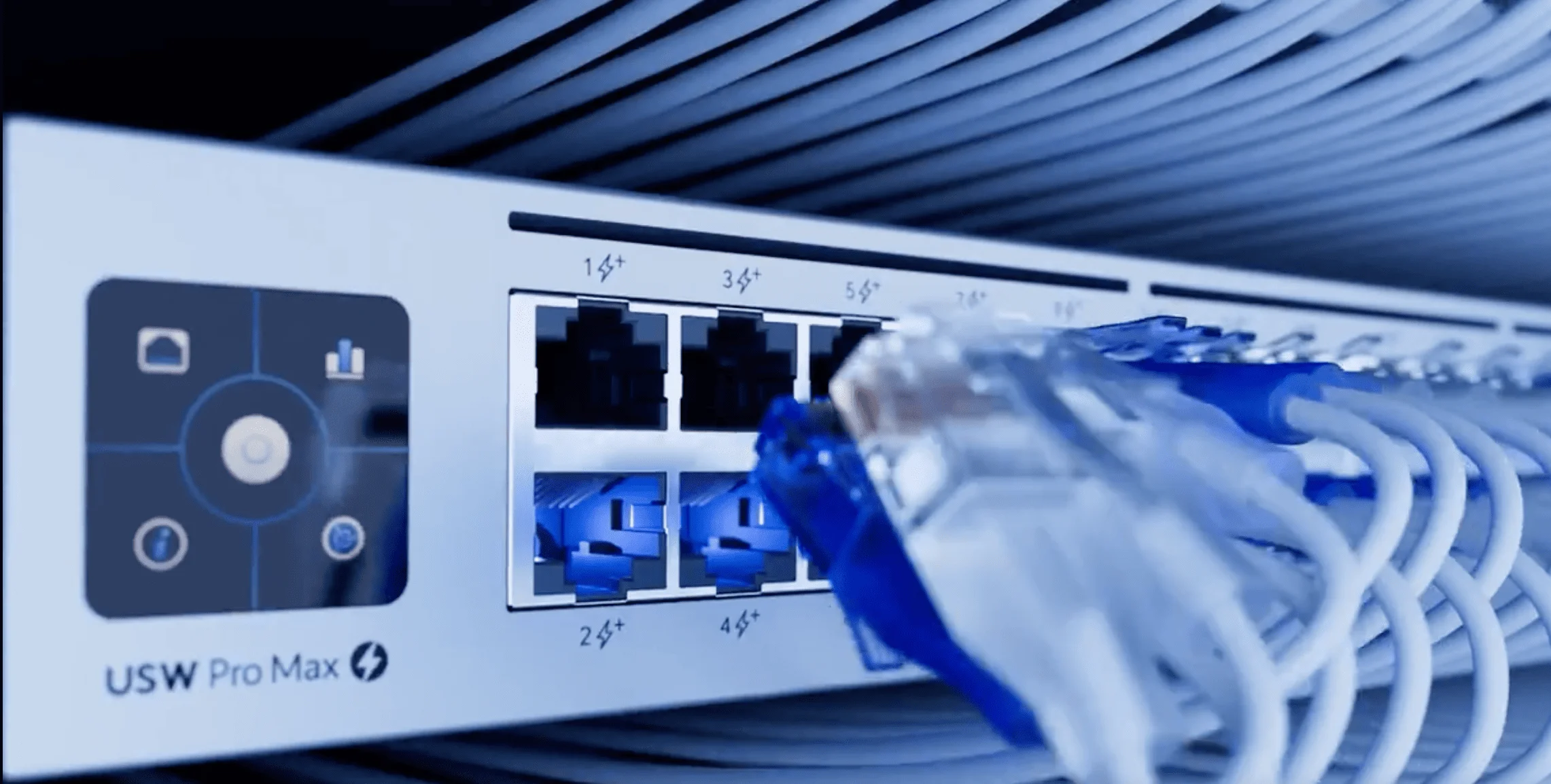
UniFi's 2026 Switching Portfolio:
- Multi-Gigabit Focus: With WiFi 7 access points requiring 2.5Gbps uplinks, UniFi's switch portfolio now emphasizes multi-gigabit capability across all tiers, from basic managed switches to enterprise-grade models
- PoE++ Support: Modern switches include PoE++ (802.3bt, 90W) capability to power high-performance WiFi 7 access points and security cameras without separate power supplies
Critical: PoE Power Requirements for WiFi 7
WiFi 7 access points like the U7 Pro require PoE+ (802.3at, 30W) or PoE++ (802.3bt, 60W+) to function. Older switches with standard PoE (802.3af, 15.4W) will not provide enough power, and the access points will fail to boot. Verify your switch PoE specifications before purchasing WiFi 7 APs.
Considerations for 2026 Switch Selection:
- Multi-Gigabit Ports: Assess current and future network load to choose switches with 2.5Gbps and 10Gbps capabilities for WiFi 7 access points and high-performance devices
- Future Expansion: Opt for switches that offer higher port counts and advanced features like VLAN management and traffic prioritization for business applications
Advanced Wireless Networking: WiFi 7 Integration
WiFi 7 is the new standard for 2026 server room deployments. This section covers the latest wireless technology delivering the speed, reliability, and capacity that modern businesses demand.
WiFi 7 Network Setup in 2026
The Present and Future of Wireless – UniFi U7 Pro Access Points:
- Leading the Charge with WiFi 7: WiFi 7 adoption has crossed 15% in early 2026, with the U7 Pro priced at $189, representing the current standard for wireless technology designed to handle the increasing demands of modern businesses
- 2026 Adoption Reality: WiFi 7 adoption in small businesses reached 13% by end of 2025 and continues accelerating in 2026, with the technology providing reduced latency, higher data rates, and improved network efficiency
Maximizing Network Performance with WiFi 7:
- 2.5Gbps Uplink Requirement: Essential for WiFi 7. Ensures your wireless network can fully leverage high-speed internet connections and handle the increased throughput of WiFi 7 clients
- Multi-Link Operation (MLO): The U7 Pro supports MLO capabilities, allowing devices to connect simultaneously across multiple frequency bands for improved performance and reliability
- 6 GHz Band Support: Access to the clean 6 GHz spectrum provides interference-free connectivity for demanding business applications
6GHz Client Compatibility Requirements
While WiFi 7 access points support 6GHz connectivity, most existing client devices cannot use this band. The 6GHz band requires:
- Windows 11 (Windows 10 does not support 6GHz)
- WiFi 6E or WiFi 7 network adapters (most laptops from 2021 and earlier lack this)
- Updated drivers specifically for 6GHz support
Plan for a phased client device upgrade cycle when deploying WiFi 7. Your 2.4GHz and 5GHz bands will continue to serve legacy devices.
Why Choose UniFi U7 Pro in 2026:
- Future-Ready: By choosing the U7 Pro, you're meeting today's needs and future-proofing your network for emerging technologies and increased bandwidth demands through 2030
- Business-Grade Features: As part of the UniFi ecosystem, the U7 Pro integrates seamlessly with other UniFi products, providing enterprise-level management and monitoring capabilities at SMB-friendly pricing
- AI-Enhanced Performance: Built-in AI optimization automatically adjusts network parameters for optimal performance across different usage patterns and device types
2026 WiFi 7 Business Impact
WiFi 7 adoption is accelerating rapidly in business environments, with enterprise-grade access points like the U7 Pro delivering up to 9Gbps total throughput and supporting 300+ concurrent clients. This represents a significant upgrade path for businesses planning their networking infrastructure for the next 5-7 years.
Planning and Designing Your Server Room
Efficiently planning and designing your server room or IT closet is pivotal in setting up a functional and manageable IT infrastructure. This section emphasizes the practicalities of selecting the right location and ensuring an orderly setup for easy maintenance and troubleshooting.
Selecting the Right Location
Key Considerations for 2026:
- Enhanced Ventilation: Modern networking equipment, especially WiFi 7 access points and multi-gigabit switches, generates more heat and requires improved ventilation systems to prevent overheating
- Power Requirements: Plan for increased power consumption with PoE++ devices and ensure adequate electrical infrastructure with UPS backup systems
- Future Expansion Space: Ensure enough space for network rack growth and future equipment additions, including space for cable management and service access
Efficient Layout and Organization
Network Rack Installation:
- Professional Installation: Install a sturdy network rack that can support the weight and quantity of your equipment, with proper grounding and cable management systems
- Accessibility and Safety: Position the rack for easy access while ensuring it does not obstruct pathways or exits, with clear labeling for all connections
Important: Rack Depth Requirements
The UniFi Dream Machine Pro is 11.3 inches deep. With power cables and network connections, you need at least 18 inches of rack depth. Standard 12-inch shallow wall-mount racks will not accommodate the UDM Pro properly, forcing cables to bend sharply and complicating installation. Always specify 18-inch or deeper racks for professional installations.
Organized and Labeled Setup:
- Advanced Cable Management: Organize cables neatly using professional cable management solutions, color-coding for different network segments and services
- Digital Documentation: Implement digital labeling systems and maintain network documentation with QR codes linking to configuration details and troubleshooting guides
Environmental Controls:
- Smart Cooling Solutions: Consider installing intelligent cooling solutions with temperature monitoring and automatic fan control for optimal equipment operation
- Environmental Monitoring: Implement IoT-based monitoring tools to track temperature, humidity, and air quality, with alerts for any conditions outside safe operational limits
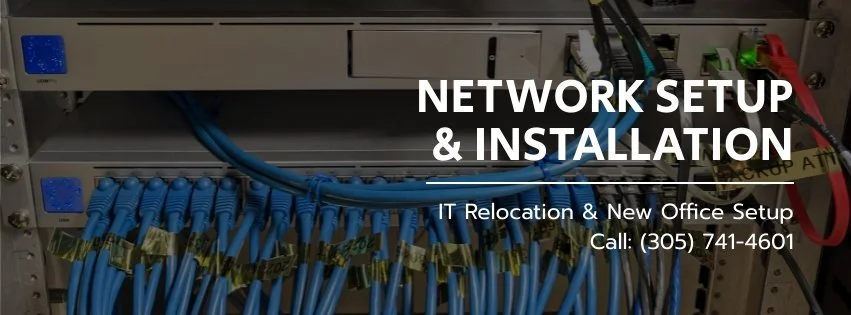
Installation and Setup
Efficient installation and setup of your server room are crucial for creating a reliable and well-functioning IT infrastructure. This section incorporates best practices for 2026, focusing on the importance of preparation and methodical setup of your networking equipment.
Preparing for Equipment Installation
Finalizing Cat6a Cabling:
- Completion and Testing: Ensure all Cat6a ethernet cabling is finalized, professionally tested with certification reports, and clearly labeled before installing any networking equipment. This step is key to a streamlined network setup that supports multi-gigabit speeds
- Cable Certification: Perform cable certification testing to verify that all connections meet Cat6a specifications and can support 10Gbps speeds over the full 100-meter distance
Professional Documentation:
- Comprehensive Labeling: Label each cable and port with standardized naming conventions that include location, purpose, and VLAN information for simplified future maintenance
- Digital Documentation: Create digital documentation including network diagrams, cable run records, and equipment configuration details accessible through QR codes or cloud-based systems
Sequential Network Setup
Starting with the Router – UniFi UDM Pro:
- Initial Connection: Begin by connecting the UniFi UDM Pro to your high-speed internet connection (preferably fiber) and establishing the core network infrastructure
2026 Configuration Steps:
- Configure ISP settings for fiber connectivity with static IP addresses
- Set up multiple VLANs for network segmentation (Guest, IoT, Business Critical)
- Enable advanced security features, including IPS/IDS and threat detection
- Configure WiFi 7 networks with proper band optimization and client steering
- Set up network monitoring and alert systems for proactive management
Professional Documentation Throughout:
- Configuration Backup: Maintain automated backups of all network configurations and settings, with version control for easy rollback if needed
- Change Management: Document all changes with timestamps, reasons, and impact assessments for professional network management and compliance requirements
How to Install: Ubiquiti UniFi UDM-Pro
Maintenance and Management
Maintaining and managing your server room effectively is crucial for ensuring its long-term efficiency and reliability. This section highlights the key practices and strategies for keeping your server room in optimal condition throughout 2026 and beyond.
Regular Maintenance Practices
Scheduled Checkups:
- Proactive Hardware Monitoring: Implement automated monitoring systems that continuously track hardware health, with predictive analytics to identify potential issues before they cause downtime
- Security and Firmware Updates: Maintain a regular schedule for security patches and firmware updates, with testing procedures to ensure updates don't disrupt business operations
Environmental Monitoring:
- Smart Environmental Controls: Deploy IoT sensors for real-time monitoring of temperature, humidity, and air quality with automated alerts and historical trend analysis
- Preventive Cleaning: Implement a professional cleaning schedule that addresses the increased dust sensitivity of modern high-density networking equipment
Intelligent Management Strategies
AI-Enhanced Monitoring:
- Predictive Analytics: Utilize AI-powered monitoring tools that can predict potential failures and performance issues before they impact business operations
- Automated Response: Set up intelligent alert systems that can automatically implement corrective actions for common issues while notifying administrators of more complex problems
Professional Documentation and Training:
- Living Documentation: Maintain comprehensive, up-to-date records of all configurations, changes, and maintenance activities in searchable digital formats
- Staff Competency: Ensure IT staff receive training on the latest networking technologies, security protocols, and emergency response procedures specific to your infrastructure
Future-Proofing Your Server Room
As technology continues to evolve rapidly, future-proofing your server room is more important than ever. This section provides insights on how to keep your server room updated and prepared for technological advancements through 2030 and beyond.
Adapting to Emerging Technologies
Stay Informed: Keep abreast of the latest technological trends, including WiFi 8 development, AI integration in networking, and emerging security threats that could impact your infrastructure.
Scalable Infrastructure: Design your server room with modularity in mind, allowing for easy integration of new technologies like 25Gbps switching, advanced AI networking features, and emerging wireless standards.
Strategic Technology Roadmap
Investment Planning: Develop a technology roadmap that balances current needs with future requirements, considering the typical 5-7 year refresh cycle for networking infrastructure.
Emerging Standards: Monitor development of WiFi 8 (expected around 2028), next-generation ethernet standards, and AI-driven network management tools that will shape the next decade of business networking.
Conclusion
Building Your Modern Server Room
By following the guidelines in this guide, you will establish an efficient and reliable IT infrastructure that remains resilient and adaptable to the rapidly changing technological landscape. The integration of WiFi 7 technology, Cat6a cabling infrastructure, and fiber internet connectivity provides a solid foundation for business growth through 2030 and beyond.
In this guide, we've outlined the essential steps for setting up, maintaining, and future-proofing your server room for 2026. With proper planning using tools like UniFi Designer, professional installation practices, and ongoing maintenance strategies, your server room will serve as a robust platform for your business's digital transformation journey.
Frequently Asked Questions
What are the key components of a modern server room in 2026?
A modern server room includes UniFi networking equipment (UDM Pro router at $379 or UDM Pro Max at $599 for high-speed fiber), WiFi 7 access points like the U7 Pro ($189), Cat6a cabling infrastructure, fiber internet connectivity, intelligent cooling systems, UPS power backup solutions (APC Smart-UPS or CyberPower - Pure Sine Wave required), professional cable management systems with slim run patch cables, and AI-enhanced monitoring tools for predictive maintenance.
How do I choose the right location for my server room?
Select a location that is easily accessible for maintenance but secure from unauthorized access. It should have excellent ventilation for modern high-performance equipment, adequate power infrastructure with UPS backup capability, protection from environmental hazards, and sufficient space for future expansion with proper cable management. Consider the increased power and cooling requirements of WiFi 7 access points and multi-gigabit switches.
Why is Cat6a cabling the standard for 2026 installations?
Cat6a cabling supports 10Gbps speeds over the full 100-meter distance, provides superior alien crosstalk protection essential for high-density installations, supports PoE++ (90W) for high-power devices like WiFi 7 access points, and offers excellent future-proofing for emerging networking technologies through 2030. It's now the required standard for all new business installations in 2026.
What are the benefits of WiFi 7 for business networks?
WiFi 7 provides up to 4x the throughput of WiFi 6 with speeds up to 9Gbps, significantly reduced latency for real-time applications, improved performance in high-density environments supporting 300+ clients, Multi-Link Operation (MLO) for enhanced reliability, and access to the clean 6 GHz spectrum for interference-free connectivity. Adoption reached 13% in small businesses by end of 2025 and continues accelerating in 2026. Note: 6GHz requires Windows 11 and WiFi 6E/7 adapters.
How can I ensure my server room is energy-efficient?
Use ENERGY STAR certified equipment, implement intelligent cooling systems with variable fan controls and IoT sensors, utilize advanced power management features on networking equipment, leverage PoE++ to reduce individual power adapters, and implement AI-enhanced monitoring systems to optimize power usage patterns and predict maintenance needs before equipment failures occur.
What are the best practices for server room security in 2026?
Implement multi-factor access control systems, deploy IP cameras with AI-powered monitoring, use comprehensive network segmentation (VLANs) for different device types, enable advanced firewall features with IPS/IDS, maintain automated security updates, implement Zero Trust network principles, and establish comprehensive logging and monitoring with real-time threat detection.
How often should I perform maintenance checks in my server room?
Implement continuous automated monitoring for critical systems with AI-powered predictive analytics, perform monthly visual inspections and environmental checks, conduct quarterly comprehensive health assessments and performance benchmarking, schedule bi-annual professional cleaning for high-density equipment, and maintain annual infrastructure assessments with technology roadmap reviews.
How can I future-proof my server room for emerging technologies?
Invest in modular, scalable equipment like the UniFi ecosystem that supports software updates, install Cat6a cabling infrastructure with capacity for 25Gbps switching, plan for WiFi 8 compatibility (expected around 2028), implement AI-ready monitoring systems, maintain flexibility for new wireless standards and IoT integration, and develop a strategic technology refresh roadmap with 5-7 year planning cycles.
Can I set up a professional server room in a small space?
Yes, with careful planning and modern compact equipment like the UDM Pro and wall-mounted racks, you can create an effective server room in limited space. Focus on vertical rack mounting solutions, efficient cable management systems, proper ventilation design with smart cooling, and consider cloud-hybrid approaches to reduce on-premises hardware requirements while maintaining professional capabilities.
What role does AI play in modern server room management?
AI enhances server room management through predictive maintenance analytics that prevent downtime, automated threat detection and response systems, intelligent network optimization and traffic management, proactive environmental monitoring with automated adjustments, configuration management with change tracking, and advanced troubleshooting assistance that significantly reduces resolution time and improves overall network efficiency.
Related Articles
More from Business Hardware
Best Laptops for Business Deployment in 2026: An IT Company's Perspective
We configure and deploy laptops for small business clients every day. These are the models we trust — evaluated on manageability, support quality, and what actually happens after the setup is done.
25 min read
Synology Snapshots Explained: Complete 2026 Guide with Immutable Protection
Master Synology Snapshots for enterprise-grade NAS protection. Learn how to enable Immutable Snapshots (WORM), configure DSM 7.2+ features, and implement immutable defense strategies with Btrfs file systems.
14 min read
ThinkPad vs Dell Latitude vs HP EliteBook: The 2026 Fleet Laptop Decision Guide
ThinkPad, Dell Pro (formerly Latitude), and HP EliteBook 8 compared for IT managers buying in 2026. Fleet management, security stacks, repairability, and who should buy which.
24 min read