

Tax Software for Small Business: TurboTax vs H&R Block vs FreeTaxUSA
TurboTax vs H&R Block vs FreeTaxUSA for small business taxes. Pricing, S-corp support, and a decision framework for freelancers, LLCs, and small business owners.

Affiliate Disclosure: This article contains affiliate links. If you make a purchase through these links, we may earn a small commission at no extra cost to you. As an Amazon Associate, iFeelTech earns from qualifying purchases.
About This Guide
We are IT professionals, not tax professionals. This guide evaluates tax software from a technology perspective based on our experience implementing accounting and business software systems for small businesses. For specific tax advice, deduction eligibility, or filing strategies, consult a licensed CPA, Enrolled Agent, or tax attorney. This article provides software comparisons and technical guidance, not tax or legal advice.
We implement accounting and business software systems for small businesses across South Florida. Tax software comes up every year, and the questions are always the same: Is TurboTax worth the price? Can I actually file an S-corp return myself? What does FreeTaxUSA miss? Below, we answer those questions directly.
This guide covers TurboTax Premium and Business, H&R Block Business, and FreeTaxUSA for Schedule C, S-corp (1120-S), partnership (1065), and C-corp (1120) returns, plus when to hire a CPA instead of using software. Unlike most roundups targeting W-2 employees with standard deductions, this guide focuses on business tax complexity: entity-level returns, business deductions, and the decision framework for software versus professional preparation.
Quick Answer: Which Software for Your Business?
Schedule C (sole proprietor/freelancer): FreeTaxUSA — free federal filing, $15.99/state, handles all Schedule C deductions.
S-corp or partnership DIY: TurboTax Business ($190 desktop, Windows only) or H&R Block Premium & Business ($115 desktop) — both file entity-level returns.
First-year entity or multi-state: Hire a CPA — entity setup, reasonable compensation, and nexus issues exceed DIY software capabilities.
Methodology and Pricing Note
We reviewed official pricing pages, supported-form lists, IRS/FinCEN guidance, and security documentation. Prices were last verified on June 22, 2026 and may change without notice — tax software companies typically raise prices as the April filing deadline approaches. We evaluate software from an IT implementation perspective and do not provide tax advice.
What is the Difference Between Accounting Software and Tax Software?
Accounting software tracks business activity year-round. Tax software prepares the return from those records.
Accounting software (QuickBooks, Xero, Wave) helps you record income, categorize expenses, reconcile bank accounts, and produce financial reports. Tax software (TurboTax, H&R Block, FreeTaxUSA) uses that information to prepare federal and state tax forms.
For most small businesses, the workflow is:
- Track income and expenses during the year
- Reconcile accounts before tax season
- Export a profit and loss statement and balance sheet
- Enter or import those totals into tax software
- File the return or send the records to a tax professional
Tax software works best when the bookkeeping is already clean. If the books are incomplete, the software can prepare forms, but it cannot fix missing records or poor categorization. If you're running a business with more than a handful of transactions per month, set up accounting software first. We recommend QuickBooks vs Xero for full-featured accounting or Wave for free software.
When Do Small Business Owners Actually Need to Choose Tax Software?
Small business owners shop for tax software at four distinct moments, each with different priorities.
Starting a business for the first time. A new sole proprietor or LLC filing Schedule C for the first time usually wants guardrails and a clear walkthrough — not necessarily the cheapest option. TurboTax's interview-style Q&A provides that structure. FreeTaxUSA works well once you understand the forms, but the first year benefits from more guided support.
After a bad filing experience. If your prior software missed a deduction your accountant caught later, or the upgrade prompts felt excessive, you're looking for either a cheaper option (FreeTaxUSA) or a more supported one (H&R Block Online with included expert help).
When your entity structure changes. Moving from sole proprietor to S-corp is the most common trigger. FreeTaxUSA can handle Schedule C and K-1 entry on a personal Form 1040, but it does not file the entity-level return (Form 1120-S or 1065). If you've just elected S-corp status, you need TurboTax Business or H&R Block Premium & Business for the entity return.
After your accountant raises prices. CPA preparation for an S-corp return in South Florida runs $1,500–$3,000+. At that cost, plenty of business owners consider whether software can handle their return. TurboTax Business and H&R Block Business can manage straightforward S-corp returns, but not complex ones — see the CPA section below.
TurboTax Business: Best for Entity Returns and QuickBooks Desktop Users

TurboTax Business
Desktop tax software for S-corps, partnerships, C-corps, and sole proprietors with QuickBooks Desktop integration. Windows only.
- Premium: Schedule C ($129) / Desktop Business: 1120-S, 1065, 1120 ($190)
- Desktop Business is Windows only — 5 federal e-filings included
- QuickBooks Desktop integration (seamless import)
- Expert-assisted online: separate products starting at $229+
- AI-powered expense categorization and deduction finder
*Price at time of publishing
TurboTax Business is the most complete DIY option for entity returns. TurboTax Premium ($129 federal) supports sole proprietors filing Schedule C, while TurboTax Desktop Business ($190) files entity returns for S-corps, partnerships, and C-corps. Both use an interview-style Q&A format.
What It Covers
TurboTax's product family covers Schedule C and entity returns, but not in one product:
TurboTax Premium (online, $129 federal):
- Schedule C (sole proprietors, single-member LLCs, freelancers)
- Files alongside your personal Form 1040
TurboTax Desktop Business (Windows only, $190):
- Form 1120-S (S-corporations)
- Form 1065 (partnerships, multi-member LLCs)
- Form 1120 (C-corporations)
- Trusts and estates
- Multi-state filing (if you have nexus in multiple states)
Both handle complex deductions like home office depreciation, Section 179 equipment expensing, mileage tracking, and qualified business income (QBI) deductions under Section 199A.
Pricing Breakdown (2026 Rates)
TurboTax Premium (for Schedule C filers—sole proprietors, freelancers, single-member LLCs):
- Federal: $129 + $64/state
- Covers Schedule C business income and expenses alongside your personal 1040
- Includes home office, mileage, equipment depreciation, and QBI deductions
TurboTax Desktop Business (for all entities: S-corps, partnerships, C-corps):
- Desktop software: $190 (includes 5 federal e-filings, state download sold separately)
- Supports Form 1120-S (S-corps), Form 1065 (partnerships), Form 1120 (C-corps)
- Windows only — Mac users need a virtual machine or Boot Camp workaround
- Includes five federal filings in one purchase
Expert-Assisted Business (online, separate from desktop):
- Expert Assist Business (sole proprietors): Starting at $229
- Expert Assist Business (S-corps/partnerships): Starting at $639
- Full Service Business (S-corps/partnerships): Starting at $1,549
- These are online products with professional preparation — not the same as the $190 desktop software
Pricing Tip
Tax software prices increase in March and April as the deadline approaches. Purchase in January or February to lock in lower rates—TurboTax Premium often drops to $99 during early-season promotions.
QuickBooks Integration
If you use QuickBooks Desktop, TurboTax Desktop Business imports your profit and loss statement, balance sheet, and transaction details directly without manual entry. QuickBooks Online users get a discount on TurboTax (usually 10–20% off), though the integration is less automatic — you export reports and upload them.
AI-Assisted Features (2026 Filing Season)
TurboTax includes AI-assisted workflows for the 2026 filing season:
- Data import: Pulls information from linked financial institutions and QuickBooks
- Categorization suggestions: Suggests expense categories based on transaction descriptions
- Deduction prompts: Identifies commonly missed deductions based on your entries
These features reduce manual entry time, but they require review. Verify every categorization against your records before filing.
Best For
- First-time business filers who need hand-holding through the process
- QuickBooks users who want seamless integration
- S-corps and partnerships that need entity-level returns (1120-S, 1065)
- Businesses with complex deductions (home office, vehicles, equipment depreciation)
Downsides
- Most expensive desktop option: $190 for Business federal filing vs $115 for H&R Block or $0 for FreeTaxUSA (Schedule C only)
- Windows only: TurboTax Desktop Business requires Windows — Mac users need a workaround
- Expert-assisted pricing is separate and much higher: $229–$639+ for online expert-assisted business products
- State filing costs: State downloads sold separately; $64 per state adds up for multi-state businesses
TurboTax Verdict
TurboTax Desktop Business is the strongest fit for entity returns when you use QuickBooks Desktop and are comfortable with Windows-only software. The interview-style walkthrough is helpful for first-time filers, and the QuickBooks integration reduces manual data entry. The tradeoff is cost ($190 federal, state downloads extra) and platform restriction. For Schedule C-only filers, TurboTax Premium at $129 competes with H&R Block Online at $120–$130 or FreeTaxUSA at $0.
H&R Block: Best When You Want Lower-Cost Software Plus Access to Human Help

H&R Block Business
$120–$130 online / $115 desktopOnline expert support for Schedule C filers, plus separate desktop software for S-corps, partnerships, and C-corps. Optional in-person assistance at 10,000+ locations.
H&R Block is well-suited for users who want guided filing and human support without moving straight to a CPA. It offers two distinct paths — online and desktop — with different support models.
What It Covers
H&R Block Business supports the same entities as TurboTax:
- Schedule C (sole proprietors, freelancers)
- Form 1120-S (S-corporations)
- Form 1120 (C-corporations)
- Form 1065 (partnerships)
The software handles standard business deductions, depreciation schedules, and multi-state filing. The interface is clean and straightforward, though not as polished as TurboTax's interview-style flow.
Pricing Options (2026 Rates)
H&R Block offers two paths with different pricing and support models. Separate these carefully when comparing:
Online Self-Employed (Schedule C filers wanting included expert help):
- $120–$130 federal + $37/state
- Includes unlimited expert help and AI Tax Assist
- Best for Schedule C filers who want human support while preparing a personal return
Premium & Business Desktop (all entities, lower cost):
- $115 one-time purchase
- Includes 1 state program (additional state software: $39.95)
- $19.95 state e-file fee per state (except NY) — note: the state program is included but e-filing costs extra
- Windows only (no Mac version)
- Does not include the same expert support as the online product
In-Person Tax Pro Service (if you want human preparation):
- Sole proprietors: Starting at $240 + $75/state
- Corporations/partnerships: Starting at $280
- Includes year-round support and 100% accuracy guarantee
The desktop version at $115 is the lowest upfront cost if you're filing for an S-corp or partnership. However, it does not include the same expert support available in the online product, and state e-filing adds $19.95 per state.
The Human Support Advantage (Online Plans)
H&R Block Online Deluxe, Premium, and Self-Employed plans include unlimited expert help and AI Tax Assist while you prepare your return. This is an advantage over TurboTax, which charges $229+ for expert assistance on business returns.
You can ask questions like:
- "Should I take the home office deduction or will it trigger an audit?"
- "Is this expense deductible as a business meal or entertainment?"
- "Should I elect S-corp status for next year?"
A tax expert can see your screen and walk you through specific sections. However, this support does not include a final review of your completed return. If you want a tax pro to review and sign off on your return before filing, that's an additional upgrade (Tax Pro Review, pricing varies).
Important distinction: The desktop product (Premium & Business) does not include the same unlimited expert help as the online plans. Desktop users get standard software support, not on-demand tax professional access.
If you want more than online support, H&R Block has 10,000+ physical locations nationwide. You can start your return online, then schedule an in-person appointment to finish it with a tax pro. This hybrid approach costs more ($240+ for sole proprietors) but gives you the confidence of professional preparation.
AI Tax Assist
All H&R Block paid plans include AI Tax Assist, which answers basic tax questions and guides you through the software. It's similar to TurboTax's Intuit Assist but less sophisticated—expect it to handle simple questions like "Where do I enter 1099-NEC income?" but not complex strategy questions.
Best For
- Schedule C filers who want online expert help included while preparing a personal return
- S-corp or partnership filers who want lower-cost desktop software for entity returns
- First-time S-corp filers who need guidance on shareholder basis and distributions
- Users who may want to move from DIY to in-person preparation at one of 10,000+ offices
Downsides
- Desktop software is Windows only (no Mac version available)
- Complex pricing structure: The H&R Block website has multiple pricing tiers that can be difficult to compare
- No final review included: Unlimited chat support is helpful, but you don't get a tax pro to review your completed return unless you pay extra
H&R Block Verdict
H&R Block is the best middle-ground option: more affordable than TurboTax, with included expert help on online plans. The $115 desktop version is the lowest upfront cost for S-corp and partnership filers, though state e-filing adds $19.95/state. The option to escalate to in-person preparation at 10,000+ locations provides flexibility.
FreeTaxUSA: Best for Low-Cost Schedule C Filing

FreeTaxUSA
$0 federal / $15.99 stateFree federal tax filing for self-employed and Schedule C filers with optional state filing for $15.99.
FreeTaxUSA is the best low-cost option for sole proprietors, freelancers, and single-member LLCs with straightforward records. It provides free federal filing for Schedule C filers, with state returns costing $15.99.
Important distinction: FreeTaxUSA can report Schedule C and K-1 income on a personal return (Form 1040). It does not file entity-level S-corp (1120-S), partnership (1065), or C-corp (1120) returns. If your business requires an entity return, you need TurboTax Business, H&R Block Premium & Business, or a CPA.
What It Covers (and Doesn't)
FreeTaxUSA supports Schedule C (sole proprietors, single-member LLCs, freelancers) with full business deduction support:
- Home office deduction (simplified or actual expense method)
- Mileage and vehicle expenses
- Equipment depreciation and Section 179 expensing
- Business meals, travel, and supplies
- Qualified business income (QBI) deduction under Section 199A
What FreeTaxUSA does NOT support:
- ❌ S-corporation returns (Form 1120-S)
- ❌ Partnership returns (Form 1065)
- ❌ C-corporation returns (Form 1120)
- ❌ Multi-state business operations (you can file one state return for $15.99, but complex multi-state nexus isn't supported)
If you're a sole proprietor or single-member LLC filing Schedule C with your personal 1040, FreeTaxUSA handles everything you need. If you've elected S-corp status or have partners, you need TurboTax or H&R Block.
Pricing (2026 Rates)
- Federal filing: $0 (includes Schedule C and all business deductions)
- State filing: $15.99 per state
- Deluxe Support: $7.99 (adds live chat and unlimited amended returns)
- Pro Support: $64.99 (adds phone support and screen-sharing with a tax professional)
- Audit Defense: $19.99
For a sole proprietor filing in one state, the total cost is $15.99. Compare that to TurboTax Premium at $129+ or H&R Block at $120–$130+. You're saving over $100.
IRS Free File Partnership
FreeTaxUSA is an IRS Free File partner, but eligibility limits are FreeTaxUSA-specific. Through the IRS Free File program, FreeTaxUSA offers completely free federal and state filing for filers with AGI of $51,000 or less (or active-duty military with AGI under $89,000). The overall IRS Free File program covers AGI up to $89,000 across all partners, but each partner sets its own threshold.
If your AGI is above $51,000, you can still use FreeTaxUSA's regular service: free federal filing plus $15.99 per state — just not through the IRS Free File portal.
The Catch: Manual Entry
FreeTaxUSA does not import 1099 forms automatically. You'll manually enter:
- 1099-NEC (nonemployee compensation)
- 1099-K (payment card and third-party network transactions)
- 1099-MISC (miscellaneous income)
This adds 10–15 minutes of data entry, but it's a reasonable trade-off for free filing. You can export a profit and loss statement from QuickBooks, Xero, or Wave and use it to fill in your income and expense totals.
When to Graduate from FreeTaxUSA
FreeTaxUSA works well for simpler business returns, but you'll outgrow it when:
- You elect S-corp status (requires Form 1120-S, not supported)
- You add a business partner (requires Form 1065, not supported)
- You have employees and need to file complex payroll tax forms
- You operate in multiple states with nexus and state-specific deductions
- Your revenue exceeds $200,000 and you want more sophisticated tax planning
At that point, the $129–$190 cost of TurboTax or the $240+ cost of a CPA becomes worth it for the complexity they handle.
Best For
- Solo freelancers and consultants with straightforward Schedule C income
- New LLCs in their first year with simple expenses
- Bootstrapped businesses that need to minimize costs
- Side hustlers with W-2 income plus freelance income under $50,000
Downsides
- No entity support: S-corps, partnerships, and C-corps must use TurboTax or H&R Block
- Manual 1099 entry: No automatic import from financial institutions
- Limited support: Free version has email support only; phone/screen-share support costs $64.99
FreeTaxUSA Verdict
FreeTaxUSA is the best value for sole proprietors and single-member LLCs with straightforward returns. Free federal filing plus $15.99 for state provides strong value. But if you have an S-corp, partnership, or complex multi-state situation, you need TurboTax or H&R Block.
Quick Comparison: Which Software for Your Business?
| Specs | |||
|---|---|---|---|
| Federal filing cost | $129–$190 (Premium to Business) | $120–$130 online / $115 desktop | $0 (free) |
| State filing cost | $64 per state | $37 online / $19.95 e-file desktop | $15.99 per state |
| Business entities | Schedule C, 1120-S, 1065, 1120 | Schedule C, 1120-S, 1065, 1120 | Schedule C only (no S-corps/partnerships) |
| QuickBooks integration | Yes (seamless with Desktop) | Manual export/import | Manual export/import |
| Tax pro support | Extra cost ($229+ sole prop / $639+ S-corp) | Included in online plans (not desktop) | Extra cost ($64.99 for Pro Support) |
| Best for | QuickBooks users, S-corps, first-time filers | Businesses wanting human review option | Solo freelancers, simple Schedule C returns |
Can It File My Business Return?
This table shows which return types each platform supports. The most important distinction is personal return (Schedule C on Form 1040) versus entity-level return (Form 1120-S, 1065, or 1120):
| Capability | TurboTax Premium | TurboTax Desktop Business | H&R Block Online SE | H&R Block P&B Desktop | FreeTaxUSA | TaxAct Business |
|---|---|---|---|---|---|---|
| Schedule C (sole prop) | Yes | No (use Premium) | Yes | Yes | Yes | Yes |
| K-1 on personal return | Yes | N/A | Yes | Yes | Yes | Yes |
| Form 1120-S (S-corp) | No | Yes | No | Yes | No | Yes |
| Form 1065 (partnership) | No | Yes | No | Yes | No | Yes |
| Form 1120 (C-corp) | No | Yes | No | Yes | No | Yes |
| State filing | $64/state | Extra (state download) | $37/state | $19.95 e-file/state | $15.99/state (personal) | $64.99/state |
| Windows required | No (online) | Yes | No (online) | Yes | No (online) | No |
| Mac support | Yes | No | Yes | No | Yes | Yes |
| Expert help included | No (add-on) | No | Yes | No | No ($64.99 add-on) | No (add-on) |
Which Software Should You Use? Decision Matrix
Use this decision matrix to identify the best option for your specific situation:
| Your Situation | Recommended Software | Why |
|---|---|---|
| Freelancer or sole proprietor | FreeTaxUSA | Lowest cost for Schedule C filing (free federal, $15.99/state) |
| Single-member LLC / AGI < $51k | FreeTaxUSA (IRS Free File) | Free federal + state through IRS Free File portal |
| Single-member LLC with simple records | FreeTaxUSA or TurboTax Premium | FreeTaxUSA saves money; TurboTax gives more guidance |
| S-Corp / Uses QuickBooks Desktop | TurboTax Business | Seamless QuickBooks integration, handles 1120-S (Windows only) |
| S-Corp / Wants human guidance | CPA or H&R Block tax pro service | Entity returns need professional preparation or desktop business software; H&R Block Online Self-Employed is for Schedule C |
| Partnership / Multi-member LLC | TurboTax Business or H&R Block Business | Both support Form 1065; requires entity-level return |
| Multi-state nexus / Revenue > $200k | Hire a CPA | Nexus and state allocation issues exceed DIY software |
| First year S-corp election | Hire a CPA | Entity setup and reasonable compensation need professional judgment |
| Cryptocurrency / International income | Hire a CPA | Audit risk factors require professional representation |
Key takeaway: If your revenue is under $200,000 and your records are straightforward, software may be enough. Complexity matters more than revenue alone — multi-state operations, entity changes, or audit risk factors warrant a CPA regardless of revenue.
Honorable Mentions: TaxAct, TaxSlayer, and Cash App Taxes
If the three main options don't fit your needs, three other platforms are worth considering:
Cash App Taxes (Free)
Best for: Solo freelancers who want completely free federal and state filing with a mobile-first experience.
Cash App Taxes (formerly Credit Karma Tax) offers free federal and state filing for Schedule C filers, matching FreeTaxUSA's value proposition. The interface is cleaner and more modern than FreeTaxUSA, with a mobile app for on-the-go filing. However, it has fewer forms than FreeTaxUSA and no entity support (S-corps, partnerships).
Pricing: $0 federal + $0 state (completely free)
Pros: Completely free (no state filing fee), modern mobile app, clean interface
Cons: Schedule C only, fewer forms than FreeTaxUSA, limited support options
TaxAct Business ($109.99–$169.99)
Best for: Businesses that want clear pricing and straightforward navigation without TurboTax's upselling.
TaxAct covers all business entities (Schedule C, 1120-S, 1065, 1120) with a clean, direct shopping experience. The software is less polished than TurboTax but more transparent about pricing.
Pricing: TaxAct Business ranges from $109.99 for Schedule C/F to $159.99 for partnerships and $169.99 for S-corp and C-corp returns, with state filing at $64.99 per state.
Pros: Clear product comparison, no aggressive upselling, covers all entities, credentialed tax expert support available
Cons: Less hand-holding than TurboTax, limited customer support hours (no 24/7 support)
TaxSlayer Self-Employed ($74.99 federal)
Best for: Budget-conscious sole proprietors who want priority support.
TaxSlayer offers a clean interface with priority email and phone support for self-employed filers. It's more affordable than TurboTax Premium ($129) but doesn't support S-corps or partnerships.
Pricing: $74.99 federal + $47.99/state (verify current pricing at taxslayer.com — prices change during filing season)
Pros: Affordable, clean design, priority support included
Cons: Schedule C only (no entity support), fewer forms than competitors
Tax Software vs Accountant: When to Hire a CPA
Tax software works well for straightforward returns, but there are situations where hiring a CPA pays for itself. Here's how to decide.
Professional Guidance Recommended
The scenarios below represent situations where professional tax advice is typically warranted. As IT consultants, we help businesses select and implement software systems, but we recommend consulting a licensed CPA, Enrolled Agent, or tax attorney for tax strategy decisions.
When to Hire a CPA Instead of Using Software
Consider hiring a CPA if you're dealing with:
Multi-state complexity: Operating in multiple states triggers nexus rules, state-specific deductions, and apportionment calculations that software handles poorly. A CPA who understands state tax law can identify apportionment strategies and state-specific deductions that DIY software does not prompt for.
Entity structure decisions: First year of S-corp election, converting from sole proprietor to LLC, or evaluating QSBS (Qualified Small Business Stock) eligibility. These decisions have multi-year tax implications that software can't model.
Major business events: Selling your business, merging with another company, significant asset purchases (real estate, equipment), or raising venture capital. These transactions require tax planning, not just tax filing.
Complex deductions: R&D tax credits, cost segregation studies for real estate, Section 179 vs bonus depreciation strategies, or international transactions. Software prompts for common deductions but won't identify sophisticated strategies.
Revenue threshold: Once you're consistently over $200,000 in annual revenue or experiencing 20%+ year-over-year growth, the complexity of tax planning justifies a CPA's cost.
Audit risk factors: Previous IRS notices, cryptocurrency transactions, large cash transactions, or international income. A CPA provides audit representation that software can't.
Audit Support vs. Audit Defense
Audit Support (usually included free): The software company answers questions about how to use their software if you receive an IRS notice. They explain what forms were filed and how calculations were made.
Audit Defense (paid add-on, $50–$100): A tax professional represents you before the IRS, responds to notices on your behalf, and negotiates with the IRS. TurboTax and H&R Block offer this as an optional upgrade.
Neither replaces a CPA's audit representation. If you're facing a serious audit (not just a simple notice), hire a CPA or Enrolled Agent who specializes in IRS representation.
Cost-Benefit Analysis: Software vs CPA
Tax software cost: $0–$190/year (FreeTaxUSA to TurboTax Desktop Business)
CPA cost: $500–$1,500/year for a basic Schedule C return; $1,500–$3,000+ for S-corp and partnership returns, especially in markets like South Florida, New York, or California
Where CPAs add value: A CPA can identify planning opportunities that software does not prompt for. Common areas where professional judgment matters:
- Home office depreciation (actual expense method vs simplified deduction)
- Vehicle depreciation strategy (actual expense vs standard mileage)
- Section 199A qualified business income deduction optimization
- Retirement plan contributions (SEP-IRA, Solo 401(k)) timed for maximum benefit
- State-specific credits and incentives
- Entity selection (sole proprietor vs S-corp vs C-corp)
A CPA also provides proactive tax planning, not just reactive filing. They can model scenarios like:
- Should you elect S-corp status for next year?
- When should you purchase equipment to maximize Section 179 deductions?
- How should you structure a business sale to minimize capital gains?
Software prepares a return from known facts. A CPA helps you make decisions before the facts are set.
How to Find a Qualified CPA
If you've decided to hire a CPA, here's how to find one:
1. Check state CPA societies: Most states have CPA societies with referral services and searchable directories. For example, the Florida Institute of CPAs has a "Find a CPA" tool for Florida businesses. Search "[your state] CPA society find a CPA" to locate your state's directory.
2. Use the IRS Directory of Federal Tax Return Preparers: The IRS maintains a searchable directory of credentialed tax preparers at irs.gov/tax-professionals/choosing-a-tax-professional. This includes CPAs, Enrolled Agents, and tax attorneys.
3. Verify credentials: Every tax preparer must have a PTIN (Preparer Tax Identification Number). Verify credentials using the IRS Return Preparer Office directory at irs.treasury.gov/rpo/rpo.jsf.
4. Ask these questions during your consultation:
- Do you have experience with my industry? (e.g., professional services, e-commerce, construction)
- What's your fee structure? (flat fee, hourly, or percentage of refund)
- Do you provide year-round support, or just tax season?
- Will you represent me in an IRS audit?
- How do you handle multi-state tax issues?
5. Industry specialization: Look for a CPA with experience in your specific industry (e.g., professional services, e-commerce, construction, healthcare). Industry-specific CPAs understand unique deductions and compliance requirements that general practitioners may miss.
When to Make the Switch
Use software if: You're a sole proprietor or single-member LLC with straightforward income and expenses, revenue under $200,000, and no multi-state complexity.
Hire a CPA if: You're an S-corp or partnership, have employees, operate in multiple states, or have revenue over $200,000. The cost is justified by strategic planning, entity-selection advice, and compliance assurance that software cannot provide.
What Compliance Tasks Does Tax Software Not Handle?
Tax software files income tax returns. It does not replace state annual reports, franchise taxes, payroll compliance, or BOI review. Business owners often assume that filing a federal return completes all compliance work, but state and entity obligations are separate.
BOI Reporting Update (March 2026)
Update for 2026: The Beneficial Ownership Information (BOI) reporting requirement has changed significantly. After litigation in 2024–2025, FinCEN issued an interim final rule on March 26, 2025, exempting domestic entities (U.S.-formed LLCs, S-corps, and corporations) from BOI reporting.
Current status:
- Domestic entities: No longer required to file BOI reports (as of March 2025)
- Foreign entities: Still required to file if registered to do business in the U.S.
- Tax software: Does not handle BOI filing regardless of requirement status
This was a major compliance concern in 2024/early 2025, but domestic small business owners are now exempt. If you operate a foreign entity registered to do business in the U.S., consult a licensed attorney or CPA for BOI filing requirements. See FinCEN's BOI page for current guidance.
State Franchise Taxes and Annual Reports
Tax software does NOT file your state franchise taxes or annual reports. Many states require LLCs and corporations to file annual reports and pay franchise taxes separately from your federal income tax return.
Examples:
- California: $800 minimum franchise tax (due April 15) + annual Statement of Information ($25)
- Delaware: $300 annual franchise tax for LLCs
- Texas: Franchise tax based on revenue (no income tax, but franchise tax still applies)
- New York: $25 biennial statement filing fee
These are separate filings from your federal tax return. TurboTax and H&R Block file your federal income tax (Form 1040, 1120-S, 1065) but do not handle state franchise taxes or annual reports. Check your state's Secretary of State website for requirements.
IRS Direct File: Not Available for Filing Season 2026
The IRS Direct File program — a free, government-run filing option that ran in 2024 and 2025 — is not available for Filing Season 2026. Direct File never supported Schedule C, S-corp, or partnership returns, so this has minimal impact on business filers.
The IRS Free File program (a separate program run through partner software companies, including FreeTaxUSA) continues to operate for eligible filers. FreeTaxUSA, TurboTax, and H&R Block remain the practical options for self-employed and business filers.
Mobile Tax Filing: TurboTax vs H&R Block Apps
Many freelancers and small business owners track expenses and mileage on their phones throughout the year. Here's how the mobile experience compares across platforms.
TurboTax Mobile App
Available on: iOS and Android
The TurboTax mobile app supports full tax filing, including Schedule C business returns. You can:
- Snap photos of W-2s, 1099s, and receipts for automatic data entry
- Track mileage throughout the year and import it directly into your return
- File your complete return from your phone (no desktop required)
- Access year-round expert help via in-app chat
The app syncs with the desktop version, so you can start on your phone and finish on your computer. The mobile interface is polished and intuitive, though entering complex business deductions (depreciation schedules, multi-state forms) is easier on desktop.
H&R Block Mobile App
Available on: iOS and Android
H&R Block's mobile app works well for online personal and Schedule C filing workflows:
- Photo capture for W-2s and 1099s
- Schedule C and personal return filing
- Access to expert help directly from the app
- Sync between mobile and desktop versions
The interface is clean and straightforward. Entity-level business returns (1120-S, 1065) should be reviewed on desktop or with a tax professional rather than filed entirely from a mobile device.
FreeTaxUSA Mobile Experience
Available on: Mobile web browser only (no native app)
FreeTaxUSA does not offer a native mobile app. You can access the service through your phone's web browser, but the experience is not optimized for mobile. The interface is functional but requires zooming and scrolling on smaller screens.
For simple Schedule C returns, the mobile web experience is usable. For anything complex, use a desktop or tablet.
Cash App Taxes Mobile App
Available on: iOS and Android
Cash App Taxes is designed mobile-first with a simple swipe-based interface that works well on smaller screens. However, it only supports Schedule C (no S-corps or partnerships) and has fewer forms than TurboTax or H&R Block.
Best for: Solo freelancers who want to file entirely from their phone and have straightforward returns.
Mobile Filing Recommendation
If you need to file a business return from your phone, TurboTax and H&R Block offer full-featured mobile apps that sync with desktop. FreeTaxUSA is usable on mobile but works better on desktop. Cash App Taxes has the smoothest mobile interface but only supports Schedule C.
For S-corps and partnerships, start on mobile to capture documents but complete the return on desktop where you can review complex forms more easily.
How Secure Are TurboTax, H&R Block, and FreeTaxUSA?
All three platforms publish baseline security controls, but the account-protection details differ. As IT consultants who implement business software systems, we evaluate these with the same rigor we apply to any system handling sensitive financial data.
Security Features Comparison
All three platforms publish baseline security controls. From an IT perspective, focus on practical account-protection details rather than marketing language like "bank-level security."
TurboTax (Intuit)
- Multi-factor authentication (MFA): Available via SMS, authenticator app (TOTP), or security key
- Encryption: 256-bit SSL/TLS encryption for data in transit, AES-256 for data at rest
- Data retention: Stores your return for 7 years
- Third-party integrations: Extensive integrations with banks and QuickBooks increase attack surface
- Security track record: Intuit has experienced credential stuffing attacks (users reusing passwords from breached sites), but no major data breaches of their core systems
H&R Block
- Multi-factor authentication: Available via SMS or email verification; multi-layer authentication
- Encryption: 256-bit SSL/TLS encryption
- Data retention: Stores returns for 6 years
- Physical locations: 10,000+ offices create additional security considerations (in-person data transfer)
- Security track record: No major breaches reported; hybrid online/offline model adds complexity
FreeTaxUSA
- Multi-factor authentication: Available — supports SMS, voice call, email PIN, and authenticator app (TOTP)
- Encryption: SSL/TLS encryption for data in transit, encryption at rest
- Data retention: Stores returns for 7 years
- Third-party integrations: Minimal integrations reduce attack surface
- Security track record: No reported breaches; smaller user base and simpler architecture reduce risk profile
IT Recommendations
From a cybersecurity perspective:
- Enable MFA on all tax software accounts immediately. All three platforms support multi-factor authentication. Use an authenticator app (Google Authenticator, Authy, 1Password) rather than SMS when available.
- Use a unique, strong password for your tax software account. Do not reuse passwords from other services. Store credentials in a password manager like 1Password or Bitwarden.
- Avoid public Wi-Fi when filing taxes. If you must use public networks, use a VPN.
- Download and securely store your returns locally after filing. Keep a copy in an encrypted document vault — don't rely solely on the software provider's cloud storage.
- Review privacy and marketing-data settings after account creation, especially for TurboTax and H&R Block which allow data sharing with third-party marketing partners (opt-out available).
Privacy Policies
TurboTax: Intuit's privacy policy allows data sharing with third-party marketing partners (opt-out available). Review settings to disable marketing communications and data sharing.
H&R Block: Similar to Intuit—marketing opt-outs available but not default. Review privacy settings after account creation.
FreeTaxUSA: Minimal data sharing; primarily uses data for tax filing only. Simpler privacy policy with fewer third-party integrations.
Bottom line: All three platforms support multi-factor authentication and encryption for data in transit. TurboTax offers the widest range of MFA options (including hardware security keys). Use a unique password, enable MFA, avoid public Wi-Fi, download a copy of the filed return, and store it in a secure password manager or encrypted document vault. For more on business security best practices, see our small business cybersecurity software guide.
Does Your Accounting Software Affect Your Choice?
Your accounting software doesn't dictate which tax software you must use, but some combinations work better than others.
QuickBooks Users
If you use QuickBooks Desktop, TurboTax Desktop Business imports your profit and loss statement, balance sheet, and transaction details directly. This reduces manual entry time and data-entry errors.
If you use QuickBooks Online, you get a discount on TurboTax (usually 10–20% off), but the integration is less automatic. You'll export reports from QuickBooks and upload them to TurboTax. It's easier than manual entry but not as seamless as the Desktop integration.
Recommendation: If you're already paying for QuickBooks, the TurboTax integration and discount make it the logical choice. Learn more about QuickBooks in our QuickBooks vs Xero comparison.
Xero Users
Xero doesn't have direct integration with any tax software, but it exports clean profit and loss statements and balance sheets that all tax software accepts. You'll download your year-end reports from Xero and manually enter the totals into TurboTax, H&R Block, or FreeTaxUSA.
This adds 15–20 minutes of manual entry, but it's straightforward. Xero's reports are well-organized and match the categories tax software expects.
Recommendation: Use H&R Block or FreeTaxUSA to save money, since you're not getting a TurboTax integration benefit. Read our QuickBooks vs Xero comparison to see if Xero is right for your business.
Wave Users
Wave is free accounting software that's popular with bootstrapped businesses and freelancers. Like Xero, Wave doesn't integrate directly with tax software, but it exports profit and loss statements that you can use to fill in your tax return.
If you're using Wave (free) and FreeTaxUSA (free federal filing), your total accounting and tax software cost is $15.99/year (just the state filing fee). This is strong value for a solo freelancer or new LLC.
Recommendation: Pair Wave with FreeTaxUSA for the lowest-cost solution. Read our Wave accounting review to see if it fits your needs.
No Accounting Software Yet?
If you're tracking income and expenses in a spreadsheet, tax software will require manual entry of all transactions. For organized financial records year-round, consider QuickBooks vs Xero or Wave (free).
Frequently Asked Questions
These answers address common software and technical questions. For tax-specific advice, consult a licensed tax professional.
Can FreeTaxUSA file an S-corp or partnership return?
No. FreeTaxUSA can report Schedule C and K-1 income on a personal return (Form 1040), but it does not file entity-level S-corp (Form 1120-S) or partnership (Form 1065) returns. A sole proprietor or single-member LLC reports business income on Schedule C — FreeTaxUSA handles that. But if your business requires a separate entity return, you need TurboTax Business, H&R Block Premium & Business, or a CPA. You can still use FreeTaxUSA to enter a K-1 on your personal return after the entity return is filed elsewhere.
Is TurboTax Business online or desktop?
TurboTax Business ($190) is a desktop-only product for Windows. It is not available online or for Mac. It supports S-corps, partnerships, C-corps, and multi-member LLCs. TurboTax also offers online expert-assisted business products (starting at $229 for sole proprietors, $639 for S-corps/partnerships), but these are separate purchases with professional preparation — not the same as the desktop software.
Does H&R Block Business work on Mac?
No. H&R Block Premium & Business desktop is Windows only. Mac users who need entity-return support should use H&R Block Online Self-Employed (for Schedule C), TurboTax Online expert-assisted products, or work with a CPA.
Can I still use tax software if I have employees?
Yes, but you need payroll software first (like Gusto or QuickBooks Payroll) to handle payroll taxes throughout the year. Tax software like TurboTax and H&R Block files your annual business return, not your quarterly payroll taxes.
The two systems work together: payroll software tracks wages and withholds taxes (federal income tax, Social Security, Medicare, state taxes), then tax software uses that data to complete your year-end return. If you're hiring your first employee, read our complete guide to hiring your first employee for the full IT and payroll setup checklist.
What's the deadline for filing a tax extension?
File Form 4868 by April 15 for an automatic 6-month extension to October 15. Important: an extension to file is not an extension to pay. If you owe taxes, you must pay by April 15 to avoid penalties and interest, even if you file later.
Most tax software (TurboTax, H&R Block, FreeTaxUSA) can help you file an extension and estimate your payment. The extension is automatic — the IRS doesn't approve or deny it. You just file the form by April 15.
Will tax software catch deductions I'd miss?
Tax software prompts for common small business deductions like home office expenses, mileage, equipment purchases, software subscriptions, and business meals. It's good at asking interview-style questions to uncover standard deductions.
However, software won't proactively identify industry-specific or strategic deductions like:
- R&D tax credits (if you're developing new products or processes)
- Cost segregation studies (for real estate depreciation)
- Section 199A qualified business income deduction optimization
- State-specific credits and incentives
CPAs add value here because they understand your industry and business model, and can identify planning opportunities — such as depreciation strategy, retirement plan timing, and entity selection — that software does not prompt for.
Do I need different software for my business and personal taxes?
No. TurboTax and H&R Block bundle personal and business filing in their business packages. You file one combined return that includes both your personal income (W-2, investment income) and your business income (Schedule C, K-1 from S-corp).
FreeTaxUSA includes Schedule C (sole proprietor income) in its free federal filing, so you can file personal and business taxes together at no cost.
The only exception: if you have a separate corporate entity (S-corp or C-corp), the corporation files its own return (Form 1120-S or 1120), and you file a personal return that includes your salary and distributions from the corporation.
Can I switch tax software from year to year?
Yes. Most tax software can import your prior-year return as a PDF, or you can manually enter carryover items like:
- Net operating losses (NOLs)
- Depreciation schedules for equipment and vehicles
- Estimated tax payments made during the year
- Basis in S-corp stock or partnership interest
Switching is easiest for sole proprietors (just import your prior-year 1040 and Schedule C). It gets more complex for S-corps and partnerships with multi-year depreciation schedules and basis calculations.
If you're switching from a CPA to software, ask your CPA for a copy of your depreciation schedule and any carryover items. You'll need those to file accurately.
Is it too late to switch tax software mid-year?
No — you switch tax software at filing time, not throughout the year. You can use a different product every year if you want. The only carryover complication is multi-year depreciation schedules and net operating loss carryforwards for S-corps and partnerships; most software can import a prior-year return as a PDF to pull that data.
For sole proprietors with a Schedule C, switching is seamless. If you had a bad experience with TurboTax last year and want to try H&R Block or FreeTaxUSA this year, nothing stops you from making that change when the next filing season opens.
Related Resources
-
QuickBooks vs Xero Comparison — If you haven't organized your books yet, start here. Compare the two leading accounting platforms to find the right fit for your business.
-
Wave Accounting Review for Small Business and Freelancers — Free accounting software for bootstrapped businesses. Pair it with FreeTaxUSA for a total cost of $15.99/year.
-
Gusto Review: Payroll Software for Small Business — If you have employees, you need payroll software before tax software. Gusto handles payroll taxes, benefits, and compliance.
-
Hiring Your First Employee: Complete Payroll and IT Setup Guide — Step-by-step checklist for hiring your first employee, including payroll setup, tax registrations, and IT onboarding.
-
Tax Season Tech Audit: What to Check Before April 15 — Pre-tax-season checklist to ensure your accounting software, backups, and financial records are ready for filing.
-
Essential Business Software Stack — Complete guide to the core software tools every small business needs, including accounting, payroll, and tax software integration.
-
Best Cloud Backup for Small Business — Protect your financial records and tax documents with automated cloud backup solutions.
Final Recommendation
Choosing the right tax software depends on your business structure, revenue, and comfort level with tax complexity:
For sole proprietors and freelancers: FreeTaxUSA offers strong value with free federal filing and $15.99 state returns. If your AGI is under $51,000, you may qualify for free federal and state filing through FreeTaxUSA's IRS Free File portal.
For S-corps and partnerships: TurboTax Desktop Business provides the most comprehensive entity-return support with QuickBooks Desktop integration (Windows only). H&R Block Premium & Business Desktop is a lower-cost entity-return option, while H&R Block Online is better for Schedule C filers who want included expert help.
For complex situations: If you're dealing with multi-state operations, entity structure changes, or revenue over $200,000, hiring a CPA provides strategic tax planning that software cannot match.
The key is matching the software's capabilities to your business complexity. Start with the decision matrix above, consider your accounting software ecosystem, and consult a licensed tax professional for situations that require professional judgment.
Reminder: This guide evaluates tax software from a technology and implementation perspective. For tax strategy, deduction eligibility, or entity structure decisions, consult a licensed CPA or Enrolled Agent.
Related Articles
More from Business Software
Gusto Review 2026: Pricing, Pros, Cons, and IT Admin Notes
Gusto starts at $49/mo + $6/person. We review payroll, tax filing, time tracking, support, integrations, security, and IT offboarding limits.
23 min read
QuickBooks StackSocial "Lifetime" Deal vs QuickBooks Online: Which Makes Sense for Your Business?
Complete analysis of StackSocial's QuickBooks Desktop Pro Plus 2024 deal ($199.97) versus QuickBooks Online subscription. Compare costs, features, limitations, and find the best option for your business.
11 min read
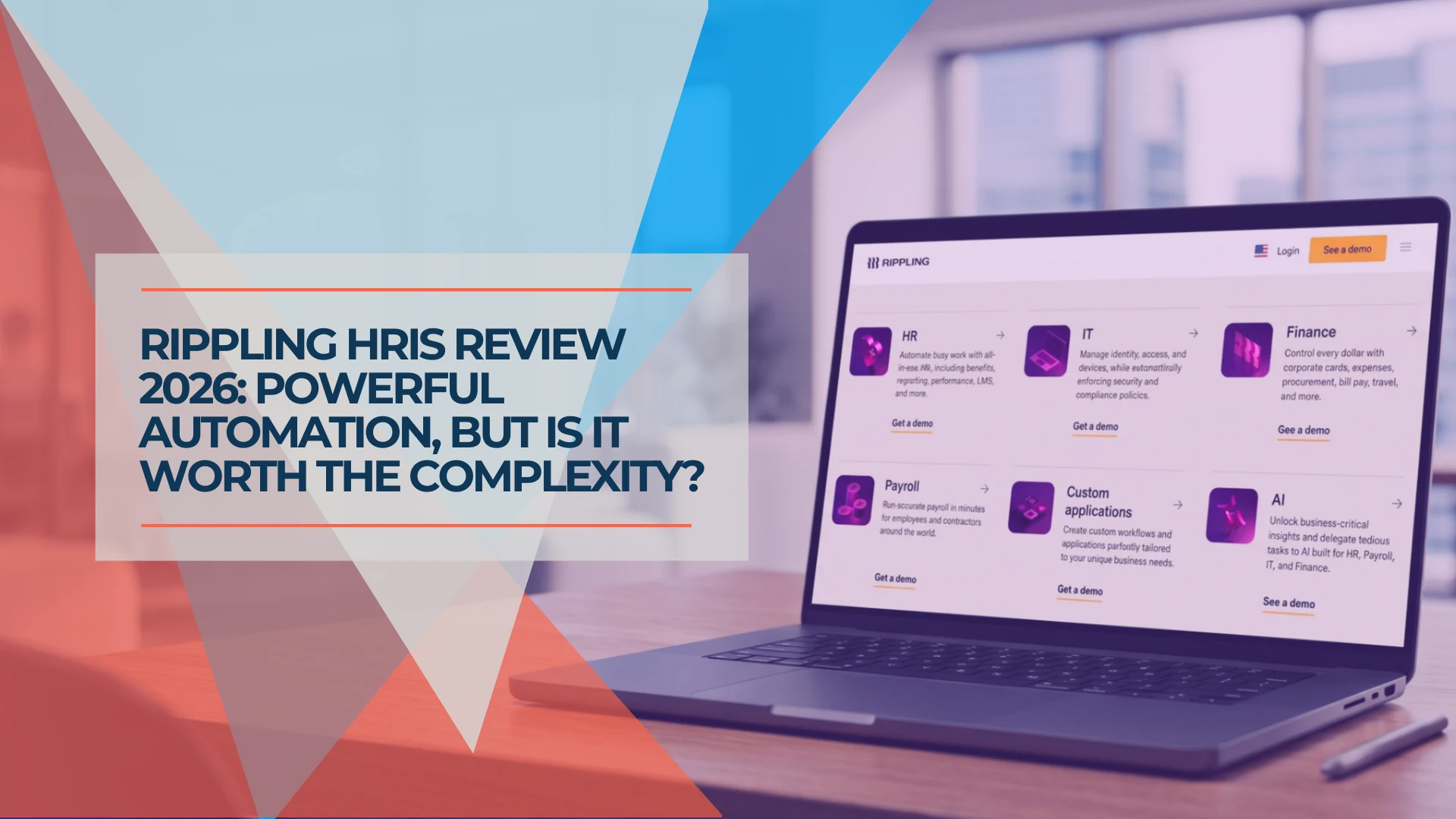
Rippling HRIS Review 2026: Powerful Workforce OS—or Too Much for a Small Business?
An evidence-led Rippling HRIS review for growing small businesses: ideal fit, workflows, implementation, pricing questions, limitations and demo checklist.
14 min read