
HubSpot CRM Review 2026: Is It Worth It for Small Business?
HubSpot CRM review for small businesses: verified 2026 pricing, free tier limitations, Breeze AI credits, and when upgrading to Starter or Professional actually pays off.

Quick Verdict: HubSpot CRM — 4.3/5
HubSpot is a strong starting CRM for most small businesses — the free tier is genuinely useful, and the platform scales with you as your team grows. The free plan gives 2 users up to 1,000 contacts, email tracking, and a working pipeline. Starter (from $9/seat/month annual promo) adds marketing email and more automation. The main consideration: the pricing gap between Starter and Professional ($90/seat/month + $1,500 onboarding) is significant enough to plan for in advance.
- Best for: Service businesses, agencies, consultancies, and B2B operations with a multi-touch sales cycle
- Starting price: Free (no time limit) → from $9/seat/month (Starter, annual promotional rate — regular $15/seat/month)
- Consider alternatives if: You run high-volume e-commerce, need maximum pipeline simplicity, or prefer a lower-cost entry point
Affiliate Disclosure: This article contains affiliate links. If you make a purchase through these links, we may earn a small commission at no extra cost to you. As an Amazon Associate, iFeelTech earns from qualifying purchases.
You're here to find out if HubSpot's free version is enough — or whether the upgrade actually pays off.
We have implemented HubSpot for dozens of South Florida service businesses over the past several years. This review covers what the platform does well, where it quietly falls short, what the upgrade actually costs, and who should be looking at alternatives.
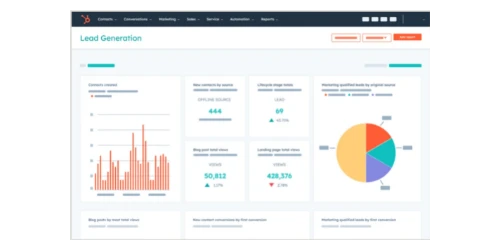
HubSpot CRM
All-in-one CRM with a genuinely useful free tier, native email tracking, and a platform that scales from solo founder to 50-person sales team.
- Free forever (up to 2 users, core seats)
- Up to 1,000 contacts free; 15M on paid plans
- Native Gmail + Outlook sync
- Breeze AI on all tiers
- 1,500+ marketplace integrations
*Price at time of publishing
Who HubSpot Is (and Isn't) Built For
HubSpot is built for businesses where closing a deal requires multiple conversations, follow-ups, and relationship building. It is not built for high-volume transactional sales.
HubSpot works well for:
- Service businesses — IT consulting (us), marketing agencies, accounting firms, law firms, home services. Anywhere you manage ongoing client relationships.
- B2B companies — SaaS, distributors, wholesalers, professional services. Multi-stakeholder deals with long sales cycles.
- Marketing-led teams — Businesses that use email campaigns and content to generate leads. HubSpot treats marketing and sales as one system, not two tools that talk to each other.
- Bootstrapped founders — The free tier is legitimately functional for a solo founder or 2-3 person team getting organized.
HubSpot is probably overkill or the wrong fit for:
- Shopify stores selling under $200 products to thousands of customers. Use Klaviyo for email marketing and your Shopify dashboard for sales tracking.
- Pure outbound sales teams that just need a pipeline with no marketing integration. Pipedrive is simpler and faster.
- Teams already using Monday.com for project management who need CRM functionality. Monday CRM shares the same interface, which reduces training overhead.
If you're in the first category, keep reading. If you're in the second, see our CRM comparison to find a better match.
The Free Tier: What You Actually Get
HubSpot's free CRM is the most generous free tier in this category — and that's not marketing copy, it's what makes HubSpot the right starting point for most small businesses.
What you get on the free plan:
- Up to 1,000 contacts on the free plan — HubSpot capped free accounts at 1,000 in late 2024 (previously 1 million). Paid plans (Starter and above) allow up to 15 million total contacts. Most third-party reviews still incorrectly state "unlimited."
- Up to 2 users (core seats) with full read and edit access; additional users can be added in view-only capacity
- Sales pipeline — customizable deal stages, drag-and-drop interface
- Email tracking — know when someone opens your email, with no time limit
- Meeting scheduler — shareable booking link that syncs with your calendar
- Basic live chat — a chat widget for your website
- Gmail and Outlook integration — emails log automatically to contact records
- 10 dashboards with up to 50 reports each
- HubSpot Academy access — free training courses and certifications
Where the free plan draws the line:
- HubSpot branding on all customer-facing tools — forms, emails, chat — shows "Powered by HubSpot"
- Only 10 custom contact properties — you can't add more fields without upgrading
- No bulk email — you can't send marketing emails to your contact list
- No workflow automation — no triggered sequences, no automated deal stage actions
- No calling included — calling is not available on the free plan; Starter includes 500 minutes/month
The Free Tier Sweet Spot
For a solo founder or 2-3 person team managing under 500 active contacts with no bulk email needs, the free tier is a serious, working CRM — not a stripped-down trial. The 10 custom property limit is the constraint most teams hit first. Once you need more than 10 custom fields (industry, company size, lead source, referral partner, etc.), it's time to upgrade.
One important note about a recent change: HubSpot's free plan previously allowed sending emails through connected inboxes without limits. As of 2025-2026, email templates and tracked sending through HubSpot's interface are increasingly limited on the free tier, nudging users to upgrade to Starter. The Gmail/Outlook integration still logs emails automatically — you just can't send from within HubSpot with templates on free.
HubSpot Pricing (2026)
Pricing verified April 2, 2026.
The Plan Tiers
| Plan | Price (Annual) | Price (Monthly) | Key Additions Over Previous Tier |
|---|---|---|---|
| Free | $0 forever | $0 forever | 2 users (core seats), up to 1,000 contacts, basic pipeline |
| Starter Customer Platform | $9/seat/month† | $15/seat/month† | All Starter Hubs bundled, remove branding, bulk email, 10 automated actions |
| Professional (Sales Hub) | $90/seat/month | $100/seat/month | Full automation, custom reporting, sequences w/ triggers, forecasting |
| Professional (Marketing Hub) | $800+/month | $890+/month | Advanced marketing automation, A/B testing, campaigns |
| Enterprise | $3,600+/month | Contact sales | Multi-team, custom objects, advanced SSO, sandbox |
The most important number to understand: the pricing gap between Starter and Professional is substantial. At $9/seat (current annual promotional rate — regular price $15/seat), Starter is a very reasonable investment. At $90/seat for Sales Hub Professional — or $800+/month for Marketing Hub Professional — the cost profile changes significantly.
† Starter price reflects a current promotional rate for new customers (regular annual rate: $15/seat/month; regular monthly rate: $20/seat/month). HubSpot states this promotion has no set end date. Verify current pricing at HubSpot.com before purchasing.
What the Starter Customer Platform Actually Includes
The Starter Customer Platform (currently $9/seat/month annual promo, regular $15/seat/month) bundles all five hubs at the Starter tier:
- Marketing Hub Starter — bulk email (5x your marketing contact count, e.g., 5,000 sends for 1,000 contacts), forms without HubSpot branding, 3 landing pages
- Sales Hub Starter — email sequences, 2 sales pipelines, meeting scheduler with team scheduling
- Service Hub Starter — shared inbox for customer support tickets, basic live chat
- Content Hub Starter — basic website and blog hosting tools
- Operations Hub Starter — basic data sync with third-party tools
For service businesses, Service Hub Starter deserves closer attention. The shared inbox consolidates email, chat, and form submissions into a single queue your team can triage and assign as tickets. For a business currently juggling customer inquiries across individual inboxes or paying for Zendesk or Help Scout, this alone can justify the Starter price. You get ticket pipelines, basic SLA tracking, and a knowledge base — not at the depth of a dedicated help desk platform, but sufficient for most small service teams managing under 50 tickets per week.
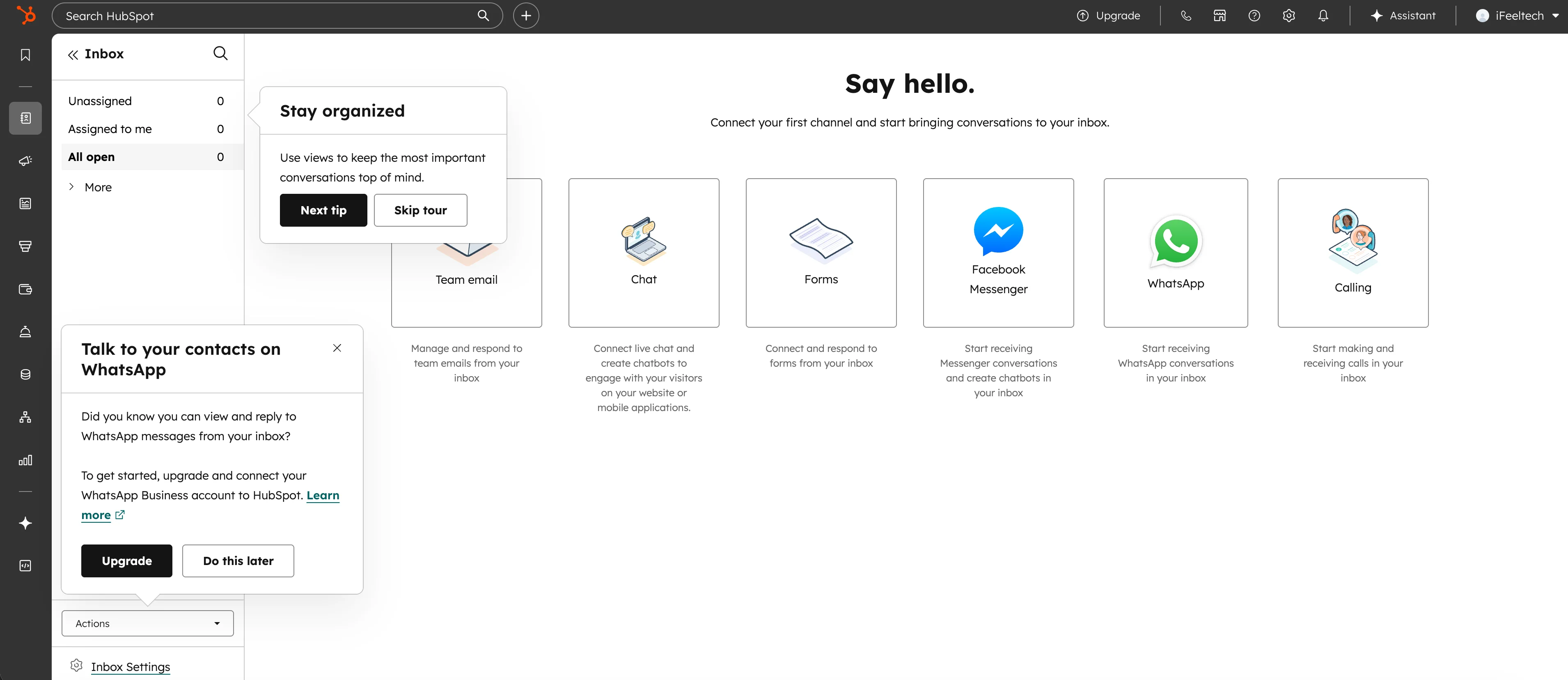
For a small business that previously needed separate tools for marketing email, sales pipeline, and customer support, this bundle is genuinely compelling.
Support access by tier: Free plan users are limited to HubSpot's community forums and documentation — there is no 1:1 email, chat, or phone support channel. Starter unlocks email and in-app chat support. Professional and Enterprise add phone callback support. If timely support access matters to your team, that's a meaningful practical difference between free and paid.
Real-World Team Costs
| Team Size | Free | Starter (Annual) | Starter (Monthly) | Professional Sales (Annual) |
|---|---|---|---|---|
| 1 user | $0 | $108/year ($9/mo)† | $180/year ($15/mo)† | $1,080/year ($90/mo) |
| 3 users | $0 | $324/year ($27/mo)† | $540/year ($45/mo)† | $3,240/year ($270/mo) |
| 5 users | $0 | $540/year ($45/mo)† | $900/year ($75/mo)† | $5,400/year ($450/mo) |
| 10 users | $0 | $1,080/year ($90/mo)† | $1,800/year ($150/mo)† | $10,800/year ($900/mo) |
Plan for the Professional Tier Before You Need It
A common situation: a business outgrows Starter's automation limits and looks at upgrading, only to find Professional is $90/seat/month — six times the Starter price. Add the mandatory onboarding fees, and the first-year cost is higher than most teams expected.
One more nuance worth understanding: upgrading to Sales Hub Professional alone ($90/seat/month) keeps your Marketing and Service hubs at Starter level. If you want the full Professional Customer Platform — all hubs upgraded — the cost jumps to roughly $1,300+/month for a small team. That's a meaningfully different budget conversation than the per-seat number suggests.
Mandatory onboarding fees for new Professional and Enterprise customers:
- Sales Hub Professional: $1,500 one-time
- Marketing Hub Professional: $3,000 one-time
- Enterprise: $7,000 one-time
A 5-person team upgrading to Sales Hub Professional pays $450/month + $1,500 upfront — a $6,900 first-year commitment.
Our recommendation: If you anticipate needing advanced automation within 12 months, build that cost into your budget from the start rather than treating it as a future decision.
Marketing Contact Tiers
One more cost to understand: HubSpot charges separately for marketing contacts — the contacts you actively email. The Starter plan includes 1,000 marketing contacts. Additional marketing contacts are purchased in tiers:
- 1,000 marketing contacts: included with Starter
- 1,001–3,000: $37.50/month per 1,000 additional contacts
- 4,000–5,000: $33.75/month per 1,000 (reaching 5,000 total = approximately $143/month extra above the included 1,000)
- 6,000+: $30/month per 1,000 (reaching 15,000 total = approximately $443/month extra)
Note: HubSpot uses a blended tiered rate, not a single flat rate. HubSpot's own example: 4,000 contacts = $37.50 × 2 + $33.75 × 1 = $108.75/month extra.
You can mark contacts as "non-marketing" (they won't receive bulk emails and won't count toward your limit), which helps manage costs. But if you're building an email list as part of your marketing strategy, factor this into your budget planning.
Core Features: What You Actually Use Day-to-Day
Contact Management and Pipeline
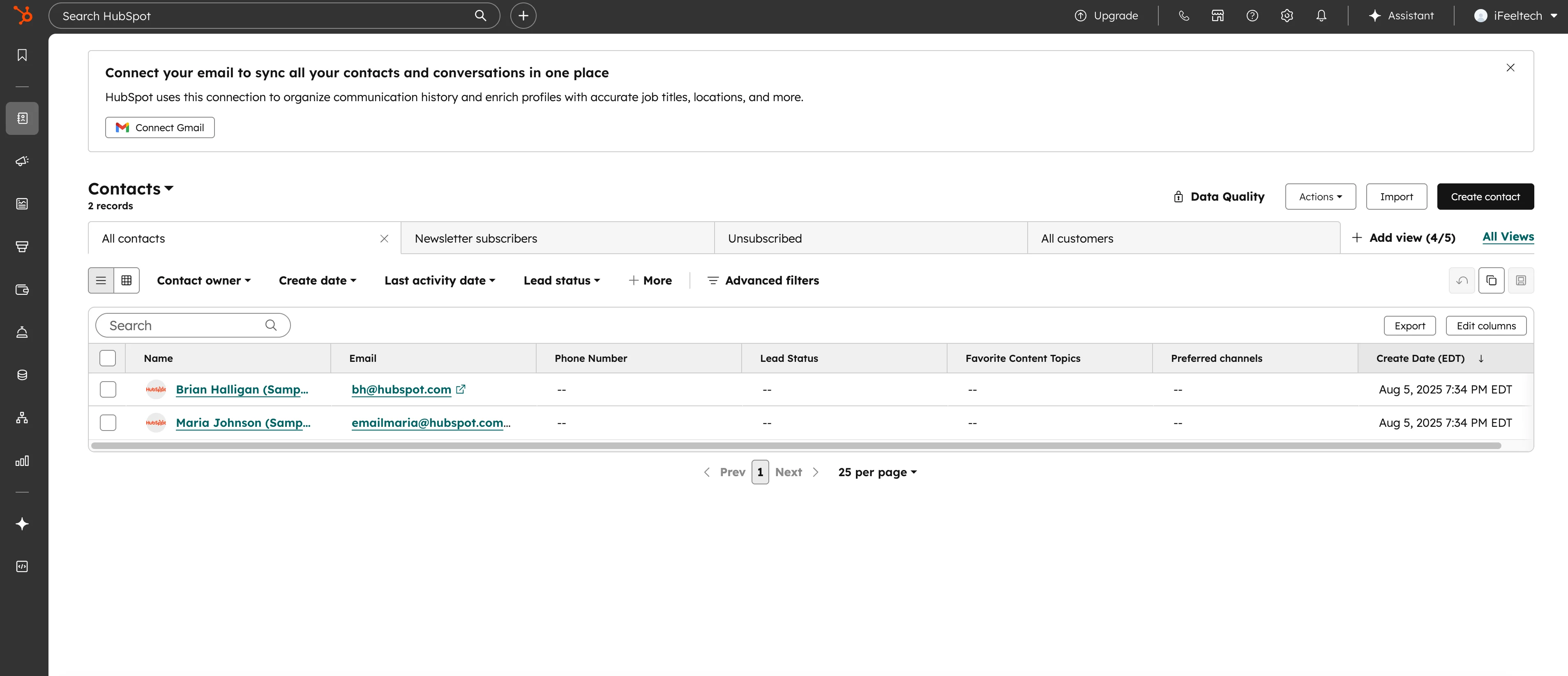
HubSpot's contact records are the platform's foundation — and they're genuinely excellent. Every contact gets a timeline showing every email sent, received, or opened, every call logged, every meeting booked, every form submitted, and every page of your website they've visited. That last part — the website activity tracking — is available on all plans and is one of the most practically useful features in the platform.
The pipeline view is clean, drag-and-drop, and fully customizable. You can name your deal stages to match your actual sales process (not generic defaults), set deal rotation for multiple reps, and get a revenue forecast from a single dashboard view.
What separates HubSpot from most CRMs is the unified contact record. When a prospect clicks an email you sent, visits your pricing page three times, then books a call — all of that lives in one place. Before the call, you can see exactly what they've looked at, how many times, and when. That context changes how you sell.
HubSpot CRM Tutorial for Beginners
Email Integration and Tracking
HubSpot's email integration covers the practical needs most small business teams have. Connect Gmail or Outlook once, and every email you send from your inbox logs automatically to the relevant contact and deal — no BCC workarounds or manual copying.
What's included on the free plan:
- Email open and click notifications (real-time, in-browser)
- Automatic email logging to contact timeline
- Gmail/Outlook sidebar widget showing the full HubSpot contact record while you're in your inbox
What requires Starter:
- Sending tracked emails from within HubSpot using templates
- Email sequences (automated follow-up emails triggered by no reply)
- Bulk email marketing without HubSpot branding
For teams that struggle with follow-up consistency, email sequences are often the feature that justifies the Starter upgrade. You can build a sequence that sends a follow-up on day 3, day 7, and day 14 after initial contact, stopping automatically when someone replies. For a deeper look at how HubSpot's email integrations pair with business phone systems, see our VoIP guide for small business.
Marketing Hub: What Starter Actually Delivers
The bundled Starter plan includes Marketing Hub Starter, which gives you:
- Bulk email campaigns — send up to 5x your marketing contact count per month (5,000 sends at the 1,000-contact tier)
- Landing pages — up to 3 at Starter, with customizable templates
- Forms — remove HubSpot branding, add custom fields, trigger notifications on submission
- Ad management — connect Facebook, Google, and LinkedIn ad accounts to track ROI against contacts
- Basic automation — up to 10 actions (primarily form follow-ups)
It is not a replacement for a full-service email marketing platform. If you're sending weekly newsletters to 10,000 subscribers with complex segmentation, you'll feel the ceiling. For a service business sending monthly updates to 500-2,000 clients and prospects, it covers the ground well.
Breeze AI (2026)
HubSpot's AI layer — called Breeze — is more useful than most CRM AI implementations because it has access to your actual CRM data, not just generic training.
What you get on free and Starter:
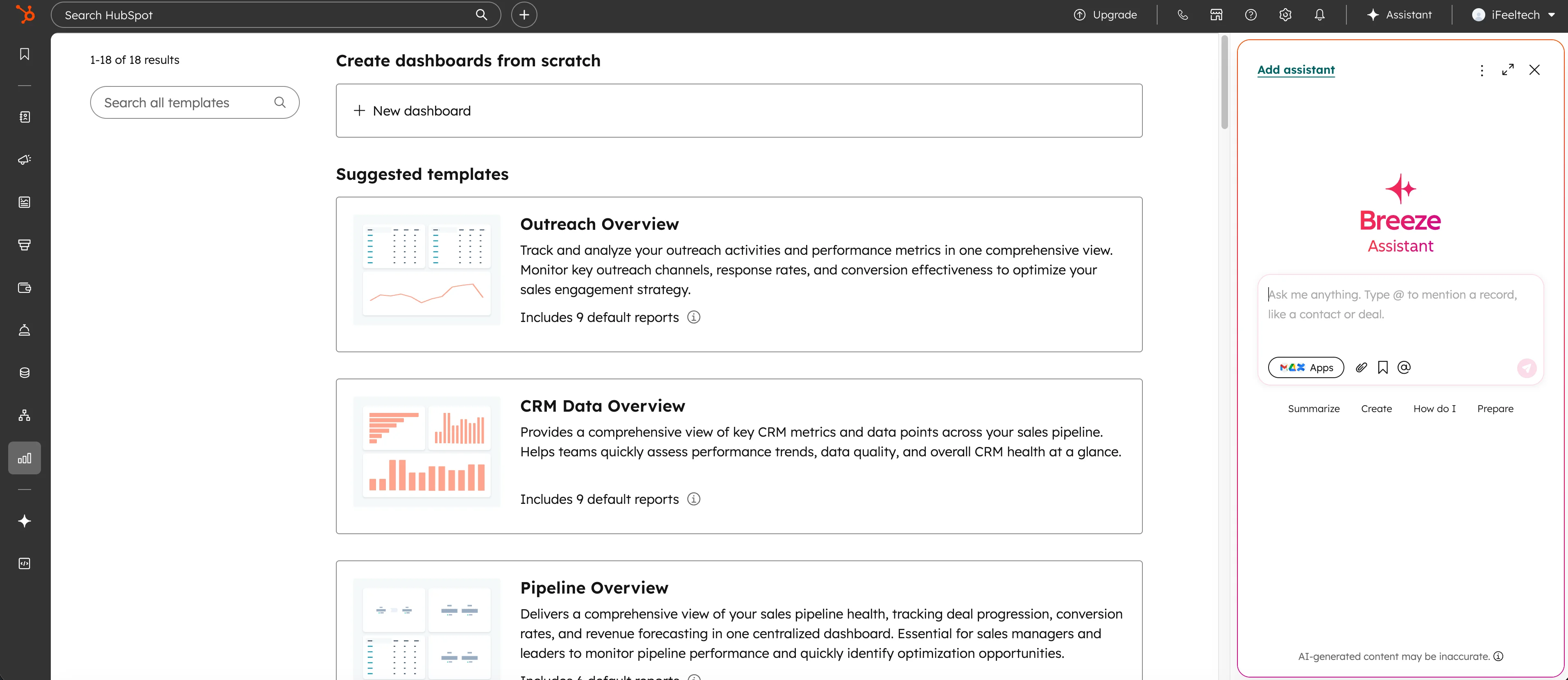
- Breeze Assistant (Copilot) — a conversational AI in HubSpot that can draft emails, summarize contact records, create tasks, and answer questions about your deals using your actual CRM data
- Breeze Intelligence data enrichment — auto-populates company and contact fields (industry, company size, LinkedIn profile, tech stack) for contacts in your CRM; included with Core Seats on Starter+
What requires Professional or Enterprise:
- Breeze Agents — autonomous AI that handles customer service interactions, content creation workflows, and prospect research without human triggers. These consume HubSpot Credits — the platform's unified AI billing currency as of late 2025, replacing the older Breeze-specific credit system. Add-on credit packs start at $10 per 1,000 credits; a single Customer Agent conversation costs 100 credits ($1.00 at standard rate). Note: data enrichment actions (Breeze Intelligence) consume credits at a significantly higher rate than general AI actions — clarify which capability you need before purchasing.
- Predictive lead scoring — AI-ranked contact priority based on engagement and firmographics
In practice, the Breeze Assistant is the most immediately useful piece for small businesses. It meaningfully reduces time spent drafting follow-up emails, summarizing long contact timelines, and building out contact records for new prospects. It's not transformative, but it saves 20-30 minutes a day for active users.
Mobile App
HubSpot's mobile app is one of the stronger options in the CRM category. You can access your full pipeline, log calls, check deal status, view contact timelines, and update properties — all from your phone. The app works well offline for reading, though syncing requires connectivity.
For field service businesses (where the Pipedrive comparison often comes up), HubSpot's mobile app is capable but not the fastest. Pipedrive's mobile experience is still the most polished in this category. That said, HubSpot's app covers the use cases most small business teams need on the go without meaningful friction.
Reporting and Dashboards
On the free plan, you get 10 dashboards with up to 50 reports each — more than most small businesses need. Standard reports cover deal velocity, pipeline value, activity counts (calls, emails, meetings), and win/loss rates.
Starter increases this to 30 dashboards and adds some additional report types.
The value inflection point is Professional, which adds custom report builders, attribution reporting (which marketing activity actually generates revenue), and forecasting tools. For a small business still developing its reporting cadence, Starter-level dashboards are sufficient. For a business where marketing attribution is a genuine business question, Professional's reporting might justify the cost.
What HubSpot Does Well — and Where It Falls Short
- Unified customer view: every visit, deal, and support ticket appears on a single contact record — unmatched at this price range
- Free tier with no time limit, up to 1,000 contacts (15M on paid plans), and full CRM access for up to 2 core seats — no credit card required
- 1,500+ native marketplace integrations (Google Workspace, QuickBooks, Slack, PandaDoc) without custom development
- HubSpot Academy provides free certifications in CRM fundamentals, inbound marketing, and sales methodology
- Starter automation capped at 10 actions — a 6-step follow-up sequence uses most of the allowance
- Pricing jumps directly from Starter ($9/seat promo, $15/seat regular) to Professional ($90/seat) with no intermediate tier
- Marketing contact costs compound as your email list grows — calculate combined seat plus contact tier cost before committing
- Email templates require Starter; free plan users are limited to automatic logging via Gmail/Outlook sync
HubSpot vs the Alternatives
We have detailed comparison articles for each of these — this section is a quick orientation, not a substitute.
| HubSpot | Pipedrive | Monday CRM | |
|---|---|---|---|
| Free tier | Yes (2 users, up to 1,000 contacts) | No (14-day trial only) | No (14-day trial only) |
| Starting price (paid) | $9/seat/mo (annual promo) | $14/seat/mo (annual) | $12/seat/mo (3-seat min) |
| True starting cost (paid) | $9/month (1 user, promo) | $14/month (1 user) | $36/month (3-seat min) |
| Best for | Marketing + sales integration | Pure sales pipeline | Custom workflows |
| Email marketing | Included in Starter | Add-on (~$13/mo) | Standard plan+ |
| Mobile app | Strong | Best in category | Functional |
| Automation at entry tier | 10 actions (Starter) | None (Lite) | 250/mo (Standard) |
Choose Pipedrive if your only CRM job is tracking a high-volume sales pipeline and you want the fastest setup and best mobile experience. Full comparison →
Choose Monday CRM if your team already works inside Monday.com and you need sales and operations in the same platform. Monday CRM vs HubSpot CRM →
Choose HubSpot if you want a single platform for marketing and sales, need a robust free starting point, or you run a service business where client relationship context matters.
Setup: What to Expect
HubSpot's onboarding wizard is one of the more polished in the CRM category — it walks through account setup, email connection, and pipeline configuration without assuming technical knowledge. For most non-technical business owners, the core setup (email connected, contacts imported, pipeline stages renamed to match your process) takes under two hours.
The one step worth flagging: clean your contact data before importing. HubSpot provides a CSV template with field mapping, but messy or duplicate records are the most common source of onboarding friction. Deduplicate and format your data first, and the import itself takes under 20 minutes.
The practical advice for new accounts: configure only what your team will use in the first 30 days. HubSpot's sidebar navigation surfaces far more features than most businesses need immediately. Over-configuration is the enemy of CRM adoption — a simple pipeline your team logs into daily beats a sophisticated one nobody opens.
Security and Compliance
For service businesses handling client data, HubSpot's security posture by tier:
Free and Starter:
- Two-factor authentication (2FA) on all accounts
- SSL/TLS encryption in transit and at rest
- User and team management with basic role permissions
- GDPR tools (consent tracking, data deletion requests)
Professional:
- Role-based access control (RBAC) with granular permissions
- Field-level permissions — restrict which team members can see or edit specific contact properties
- Login-protected pages
Enterprise:
- Single Sign-On (SSO) with your identity provider
- Advanced audit logging
- Custom behavioral event tracking
- IP allowlisting
For healthcare businesses (HIPAA) or financial services, HubSpot offers a Business Associate Agreement (BAA) — required for HIPAA compliance — but only on Professional and Enterprise tiers. If you're in a regulated industry, that requirement effectively sets your minimum plan.
For most South Florida service businesses (IT, accounting, consulting, marketing), the free and Starter-tier security is adequate. The 2FA and basic user permissions cover the baseline requirements without paying for Enterprise features.
The Bottom Line
HubSpot is a well-rounded CRM for small businesses — the free tier covers the basics reliably, and the Starter bundle at $9/seat/month (current annual promotional rate, regular $15/seat) delivers strong value for teams that need marketing email alongside sales tracking. For a 5-person service team, $45/month (at the current promotional annual rate) covers CRM, marketing email, basic customer support, and a meeting scheduler in one platform.
Three things worth understanding before you commit:
- Starter's automation limit (10 actions) is adequate for simple workflows but becomes a constraint as sequences grow — most active teams outgrow it within 12-18 months
- The Starter-to-Professional step is significant: $90/seat/month plus a mandatory onboarding fee means a 5-person team is looking at roughly $6,900 in year-one costs at that tier
- Marketing contact pricing scales separately from seats — if your list grows, model both costs together
- Data portability is straightforward — contacts, companies, deals, tickets, and pipeline data can all be exported as CSV at any time from any plan tier; there's no technical lock-in beyond your subscription commitment term
For most small businesses, the practical path is to start on the free plan, move to Starter when you need bulk email or more automation, and plan the Professional upgrade in advance if you expect to reach it within the next year.
Pricing and features verified April 2, 2026. Always confirm current plan details on HubSpot's pricing page before purchasing.
Affiliate Disclosure: This article contains affiliate links. If you make a purchase through these links, we may earn a small commission at no extra cost to you. As an Amazon Associate, iFeelTech earns from qualifying purchases.
Related Resources
- HubSpot vs Pipedrive vs Monday CRM — Full three-way comparison with pricing tables and feature breakdowns for teams of 5–50.
- HubSpot Starter vs Pipedrive: The Real Cost Comparison — Deep dive on the two most popular service-business CRMs, including phone and proposal integrations.
- Monday.com Review 2026 — If you're evaluating Monday for project management alongside CRM, this covers the full platform.
- Best Business Phone Systems — VoIP systems that integrate with HubSpot to auto-log every call and message.
- Complete Business Software Stack Under $200/Month — How HubSpot fits into a full small business tech stack alongside accounting, productivity, and security tools.
- How to Get Your Small Business Online — Complete setup guide for new businesses, covering domain, email, and software stack including CRM deployment from day one.
Frequently Asked Questions
Related Articles
More from Business Software
Best CRM for Small Business 2026: HubSpot vs Pipedrive vs Monday
The best CRM for small business in 2026 — comparing HubSpot, Pipedrive, and Monday on real pricing, setup time, pipeline tools, and free options for teams of 5–50.
20 min read
HubSpot Starter vs. Pipedrive (2026): The Real Cost Comparison for Service Businesses
Comparing HubSpot Starter and Pipedrive for service businesses. See true costs including hidden fees, feature limitations, and integration options for 2026.
11 min read
Monday CRM vs HubSpot CRM (2026): Which Fits the Way Your Team Sells?
Monday CRM and HubSpot CRM are both strong platforms — but they're built differently. Here's how to pick the one that fits your team's actual workflow.
18 min read