Small Business Software Stack: 4 Essentials for 2026
Build a practical small-business software stack for accounting, work, communication, and account security. See verified October 2026 U.S. prices and sample costs.


Who This Guide Is For
This guide is for U.S.-based service businesses with roughly 1–10 people setting up their first software stack. All prices are public U.S. list prices checked October 2026. If you run retail, ecommerce, or an appointment-based business, your first priorities may differ — see the business-type selector below.
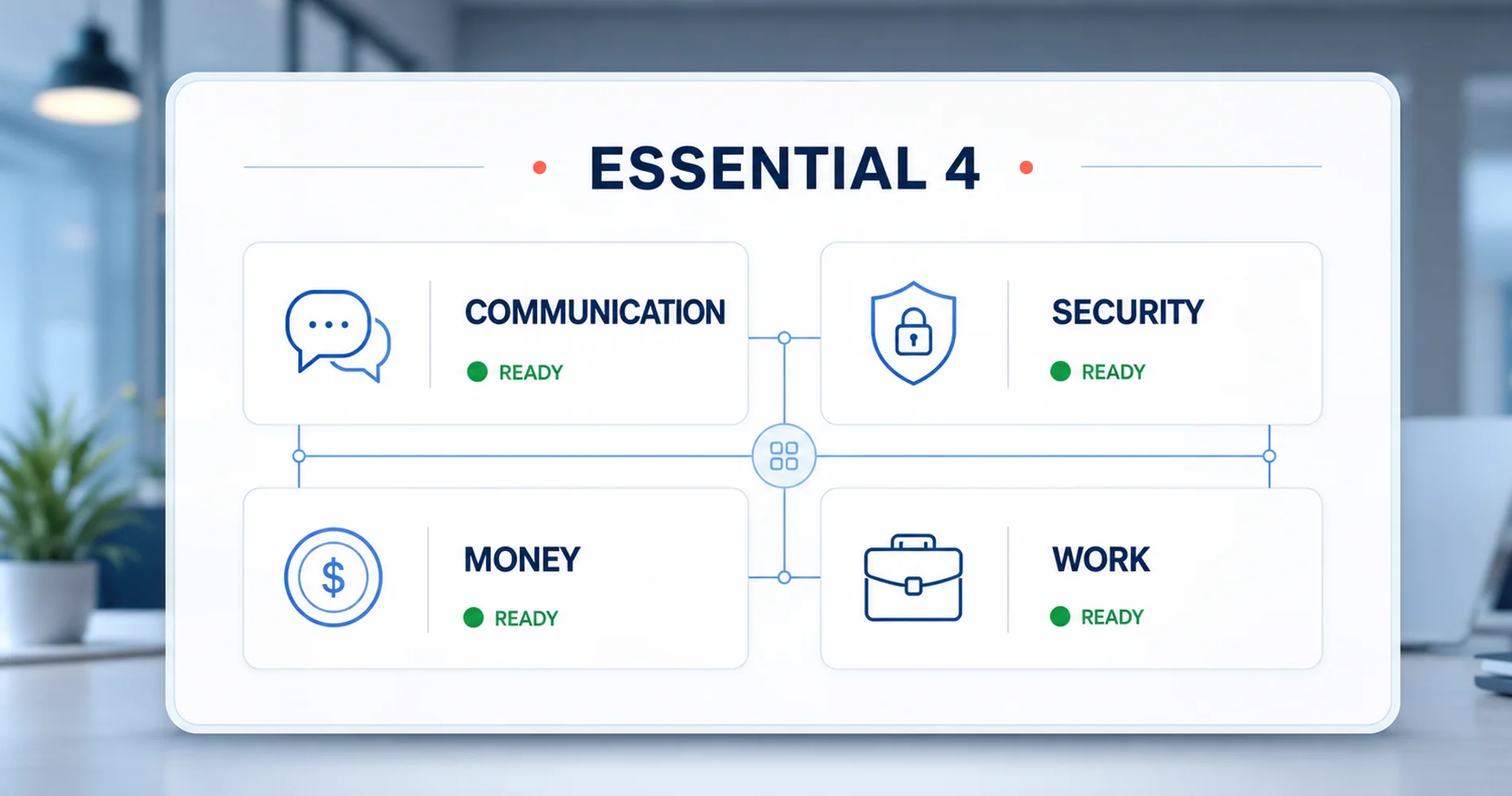
Most small service businesses benefit from getting four software categories right before adding anything else: Money (accounting), Work (project management), Communication (email + chat), and Account Security (credentials and access). This guide covers those four categories with verified 2026 pricing, setup time estimates, and guidance on connecting them into a functional stack.
Which Stack Fits Your Business?
Your business type determines which categories to prioritize:
- Solo professional — Email, accounting, and credential security first. Project management is often optional at this stage.
- Service team (2–10 people) — Add project or work management to coordinate tasks and deadlines.
- Sales-led business — Consider CRM earlier; see our HubSpot vs Pipedrive vs Monday CRM comparison.
- Retail or ecommerce — Prioritize POS, inventory, and a commerce platform before project management.
- Appointment-based business — Prioritize scheduling and client reminders.
- Regulated business — Add device management, data retention, backup, and compliance review to the stack.
The rest of this guide follows the service-team path. Adapt the order and tool choices to match your situation.
The Essential 4 Framework
| Category | What It Handles | Setup Time | Why It Comes First |
|---|---|---|---|
| Communication | Email, chat, video | 1-2 hours | Establishes your admin identity and professional email |
| Account Security | Passwords, access, MFA | 1 hour | Protects credentials before you create more accounts |
| Money | Invoicing, expenses, taxes | 2-4 hours | Tracks revenue, expenses, and tax obligations |
| Work | Projects, tasks, deadlines | 1-2 days | Creates shared visibility into who's doing what |
These four categories form the operational core of most service businesses. The order above reflects a safe implementation sequence: set up your primary admin identity and MFA first, then accounting, then work management. But before any of that, you need a domain.
Quick Decision Table
| Category | Start Here | Choose the Alternative When | Public List Price Used |
|---|---|---|---|
| Communication | Google Workspace Starter | Upgrade to Standard for 2 TB storage, Meet recording, and broader Gemini; choose Microsoft 365 when desktop Office and Excel compatibility are central | $7/user/month (Starter), $14 (Standard); M365 Business Standard $14/user/month, paid yearly |
| Account Security | 1Password Teams Starter Pack | Choose Bitwarden Teams for per-seat pricing and open-source tooling; Bitwarden is cheaper for 1–6 users, but the 1Password flat pack is cheaper at 7–10 | $24.95/month for up to 10 vs. $4/user/month, billed annually |
| Money | QuickBooks Simple Start | Choose Wave for solo/manual books (U.S. and Canada only); Xero for multicurrency or project accounting (both require the $97/month Established plan) | $38/month |
| Work | monday.com Standard | Choose Trello for simple Kanban; ClickUp when built-in time tracking matters | $12/seat/month, billed annually |
Pricing basis: public U.S. list prices checked October 5, 2026. Per-user prices use annual commitments where stated. Temporary promotions, taxes, payment-processing fees, add-ons, and implementation costs are excluded. This guide is written for U.S.-based service businesses with roughly 1–10 people. Always confirm the checkout total, required seat count, and renewal terms before purchasing.
Step 0: Your Domain Name
You need a domain before you can set up yourname@yourdomain.com. This should be your first purchase.
Where to buy:
- Cloudflare Registrar — At-cost pricing with no registrar markup; check the current wholesale price for your TLD. Note that Cloudflare Registrar requires you to use Cloudflare's authoritative DNS — you cannot keep your existing nameservers without transferring DNS to Cloudflare.
- Namecheap — Competitive pricing and a straightforward interface; compare the renewal price (currently ~$18.48/year for
.com), not only the first-year offer - Squarespace Domains (which acquired Google Domains) — Simple, but slightly pricier
Budget: Plan on roughly $10–20/year for a non-premium .com registration, then verify the live registration and renewal price — they often differ.
Pro Tip
Keeping domain registration separate from hosting and email reduces provider coupling and generally makes future migrations easier.
1. Communication: Email + Chat
Your communication stack establishes your primary admin identity and professional email. Your Google or Microsoft account typically becomes the authoritative identity provider for the rest of your tools, so set this up first.
What You Need
A complete communication solution includes:
- Professional email — yourname@yourdomain.com (requires domain from Step 0)
- Calendar — Schedule meetings, share availability
- Video conferencing — Face-to-face when needed
- Real-time chat — Quick questions without email overhead
- File sharing — Collaborate on documents
Our Recommendations
| Option | Monthly Cost | Best For | Setup Time |
|---|---|---|---|
| Google Workspace | $7–22/user, annual | Most service businesses | 1-2 hours |
| Microsoft 365 | $7–22/user, annual | Excel-heavy industries | 1-2 hours |
Our pick: Google Workspace Starter ($7/user/month) for most small service businesses. It is simpler to administer, the collaboration features are more intuitive, and setup with your domain takes about an hour. Upgrade to Standard ($14/user/month) when you need 2 TB storage per user, Google Meet recording, or broader Gemini functionality.
Consider Microsoft 365 if: Your industry runs on Excel (finance, accounting, data-heavy operations), you need advanced desktop apps, or key clients and partners are in the Microsoft ecosystem.
The AI Question: Gemini vs. Copilot
Google includes Gemini features across its commercial Workspace plans, though Gemini capabilities are more limited on the $7 Starter plan than on $14 Standard or $22 Business Plus. The annual-commitment prices already reflect that packaging.
Microsoft includes Copilot Chat with eligible Microsoft 365 subscriptions. Copilot Chat is primarily web-grounded — it can use uploaded or open content and has limited organizational-content scenarios (particularly in Outlook), but it does not provide the full Microsoft Graph grounding of the paid Copilot product that indexes your company files, email, and chats.
For reference, Microsoft 365 Business Standard lists at $14/user/month paid yearly (it rose from $12.50 on July 1, 2026), and Business Basic is $7. Adding the standalone Copilot Business add-on at $21/user/month would bring the total to $35/user/month, but Microsoft now also sells Business Standard with Copilot as a single plan at $23.50/user/month paid yearly, which costs less than buying the two pieces separately. Our advice for small teams: start with the AI included in the base plan. Move to the Copilot bundle only after a defined workflow and measurable usage justify the additional license, and decide per role rather than for every seat.
Sources: Google Workspace pricing, Microsoft 365 pricing, Copilot pricing, Microsoft 365 price changes effective July 1, 2026
What About Slack?
Slack adds a real-time chat layer on top of email. For very small teams, it may be optional. As the team grows, dedicated chat becomes valuable for quick coordination. If you choose Microsoft 365, Teams is already included.
2. Account and Credential Security
With your admin identity established, protect it before creating more accounts. Reused passwords remain a preventable source of account compromise, but they are only one part of small-business security. Current guidance from NIST and CISA also prioritizes software updates, phishing-resistant MFA, secure administration, and recovery planning.
A password manager handles credential storage, secure sharing, and access revocation. It is not a complete identity and access management layer — your Google Workspace or Microsoft 365 account is normally the authoritative identity provider for your other tools.
What You Need
Credential security for a small team includes:
- Password vault — Unique, strong passwords for every service
- Secure sharing — Share credentials without revealing the actual password
- Passkey support — Where available, passkeys replace passwords with phishing-resistant authentication
- Multi-factor authentication — Prefer passkeys or hardware security keys where supported; use authenticator-app TOTP when phishing-resistant options are unavailable
- Access management — Revoke access when someone leaves
Our Recommendations
| Option | Monthly Cost | Best For | Setup Time |
|---|---|---|---|
| 1Password Teams Starter | $24.95 flat for up to 10 users | Small teams | 30-60 min |
| 1Password Business | $8.99/user | Teams needing IdP integration and granular policies | 30-60 min |
| Bitwarden Teams | $4/user, annual | Open-source preference, 1–6 users | 1-2 hours |
Our pick for teams of 10 or fewer: 1Password Teams Starter Pack because its $24.95 monthly price includes up to 10 members. Move to 1Password Business at $8.99/user/month when you need more granular policies or advanced reporting. 1Password Business supports using an existing identity provider (Google, Okta, etc.) to unlock 1Password — that is not the same as 1Password automatically providing SSO into your other business applications.
Budget alternative: Bitwarden Teams lists at $4/user/month billed annually and includes centralized business sharing and event logs. Break-even note: Bitwarden is cheaper for 1–6 users ($4–$24/month), but at 7–10 users ($28–$40/month) the 1Password flat pack at $24.95 is the better value. Choose based on team size and the administrative controls you need.
Sources: 1Password pricing, Bitwarden pricing
3. Money: Your Accounting Software
Accounting software can save time, improve reporting, and make tax preparation easier.
What You Need
At minimum, your accounting software should handle:
- Invoicing — Send professional invoices and track payment status
- Expense tracking — Categorize and record business expenses
- Bank connections — Automatically import transactions
- Tax preparation — Generate reports your accountant or tax software can use
- Financial reports — Profit/loss statements and cash flow visibility
Our Recommendations
| Option | Best For | Monthly Cost | Setup Time |
|---|---|---|---|
| Wave | Solo, manual entry (U.S./Canada only) | Free (Pro: $19/mo or $190/year) | 1-2 hours |
| QuickBooks Online | Growing businesses | $38–140 | 2-4 hours |
| Xero | Multicurrency or project accounting | $27–97 | 2-3 hours |
Our pick: QuickBooks Online for most U.S. service businesses. It is widely supported by accountants, has a broad integration ecosystem, and offers strong mobile expense workflows. Simple Start lists at $38/month and supports one billable business user plus two accountant-firm users; Essentials lists at $85/month for up to three billable users, and Plus lists at $140/month for up to five billable users; both include two accountant-firm users.
Budget alternative: Wave is free for manual entry, but automated bank imports and unlimited receipt capture require the Pro plan ($19/month or $190/year prepaid). Wave only accepts new businesses based in the U.S. or Canada. If you are willing to enter transactions manually and your business qualifies, the Starter plan is usable.
International or project-based: Xero's Early plan starts at $27/month (Growing is $59), but multicurrency support and project tracking both require the $97/month Established plan. Factor that into your comparison if those features are important.
Sources: QuickBooks pricing, Wave pricing, Xero pricing
4. Work: Your Project Management System
When multiple people need to coordinate work, shared visibility into who is doing what becomes important. A solo professional may not need this category yet — a shared document or simple checklist can suffice until the coordination overhead justifies a dedicated tool.
What You Need
Your project management tool should provide:
- Shared task lists — Everyone sees what needs doing
- Assignments and deadlines — Clear ownership and timelines
- Status tracking — Know what's done, in progress, or blocked
- File attachments — Keep relevant documents with their tasks
- Automations — Reduce manual status updates
Our Recommendations
| Option | Best For | Monthly Cost | Setup Time |
|---|---|---|---|
| Monday.com | Visual teams | $9–19/seat, annual | 1-2 days |
| Asana | Task-focused teams | $10.99–24.99/user, annual | 1-2 days |
| ClickUp | Teams that want built-in time tracking | $7–12/user | 2-3 days |
| Trello | Simple workflows | Free–$10/user | 2-4 hours |
Our pick: monday.com for its balance of power and usability. Standard lists at $12 per seat/month when billed annually and includes limited automations. Pro lists at $19 per seat/month when billed annually and adds time tracking plus much higher automation limits. Paid plans require a minimum of three seats and sell in buckets (3, 5, 10, then multiples of five), so price the required bucket — not just your exact headcount.
Budget alternative: Trello's free tier handles basic Kanban workflows for up to 10 collaborators per Workspace. Standard is $5/user/month and Premium is $10/user/month when billed annually. Setup takes hours instead of days.
Sources: monday.com pricing, Asana pricing, ClickUp pricing, Trello pricing
Building a Connected Stack
Choosing good tools matters, but the real value comes when they work together.
The Glue: Zapier or Make
Your tools may need to exchange data. In 2026, the standard way to connect them is through automation platforms:
- Zapier — Professional starts at $19.99/month (750 tasks); Team starts at $69/month (2,000 tasks) on annual billing. Starting prices define task volume, not just features — monitor usage to avoid overages.
- Make (formerly Integromat) — Core, Pro, and Teams start at $9/$16/$29 per month when billed annually for 10,000 credits; month-to-month billing costs more. Most actions consume one credit; certain AI and advanced actions consume more.
Example automations:
- New invoice paid in QuickBooks → Update project status in monday.com
- New client added in your CRM → Create folder in Google Drive
- Task completed in monday.com → Send notification to team
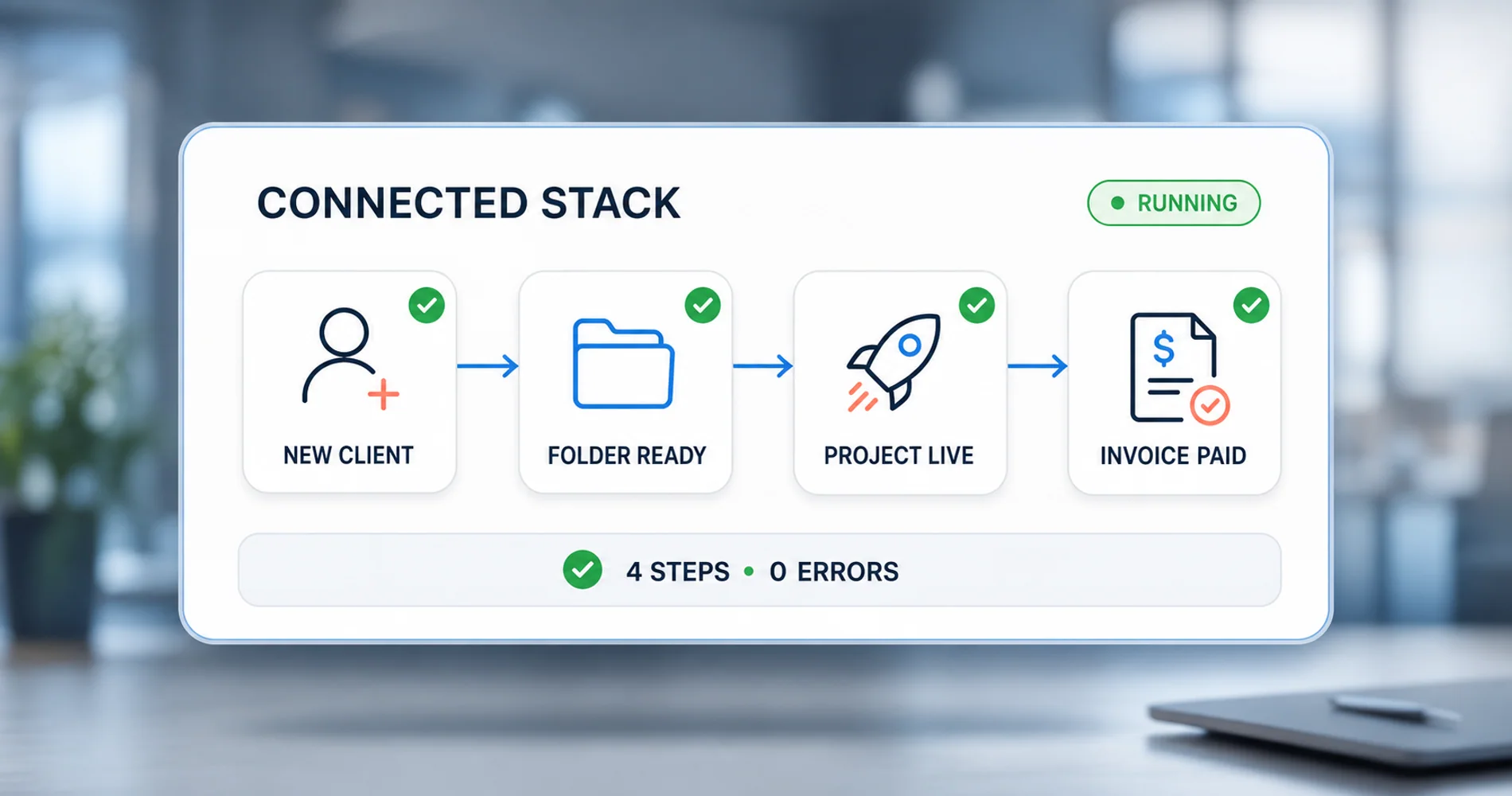
Add automation when a recurring manual handoff costs more time than the subscription and maintenance it requires.
Sources: Zapier pricing, Make pricing
Key Integrations to Configure
Communication Hub → Everything Else:
- Google Calendar syncs with monday.com (task due dates appear on your calendar)
- 1Password autofills credentials across your tools; your Google Workspace or Microsoft 365 account is the authoritative identity provider
Project Management ↔ Accounting:
- Time-to-invoice workflows may require Zapier, Make, or a custom integration. The native monday.com QuickBooks integration centers on customers, products, quotes, and invoices — not a documented time-entry-to-billing sync. Test field mapping and duplicate handling before using any time-to-billing workflow for live billing.
- Use Zapier to sync client records between systems
Security Layer → All Tools:
- 1Password stores credentials for every service
- Configure MFA on all critical accounts — use your identity provider's MFA settings and 1Password's authenticator for services that support TOTP
Hidden Costs of Free Tiers
Free tools can cost more in less visible ways:
- Manual labor — Wave's free tier means you enter transactions by hand
- Fewer integrations — Free plans may limit automation volume, integrations, API access, or history
- Data portability — Free tools sometimes make exporting difficult
- Upgrade pressure — You may need to migrate when you scale
Use free tiers strategically (Bitwarden, Trello), but budget for paid tools where automation saves time.
Sample Stacks by Budget (Checked October 2026)
These examples show what the Essential 4 stack costs for a U.S. service business. Payroll and automation are listed separately as common additions.
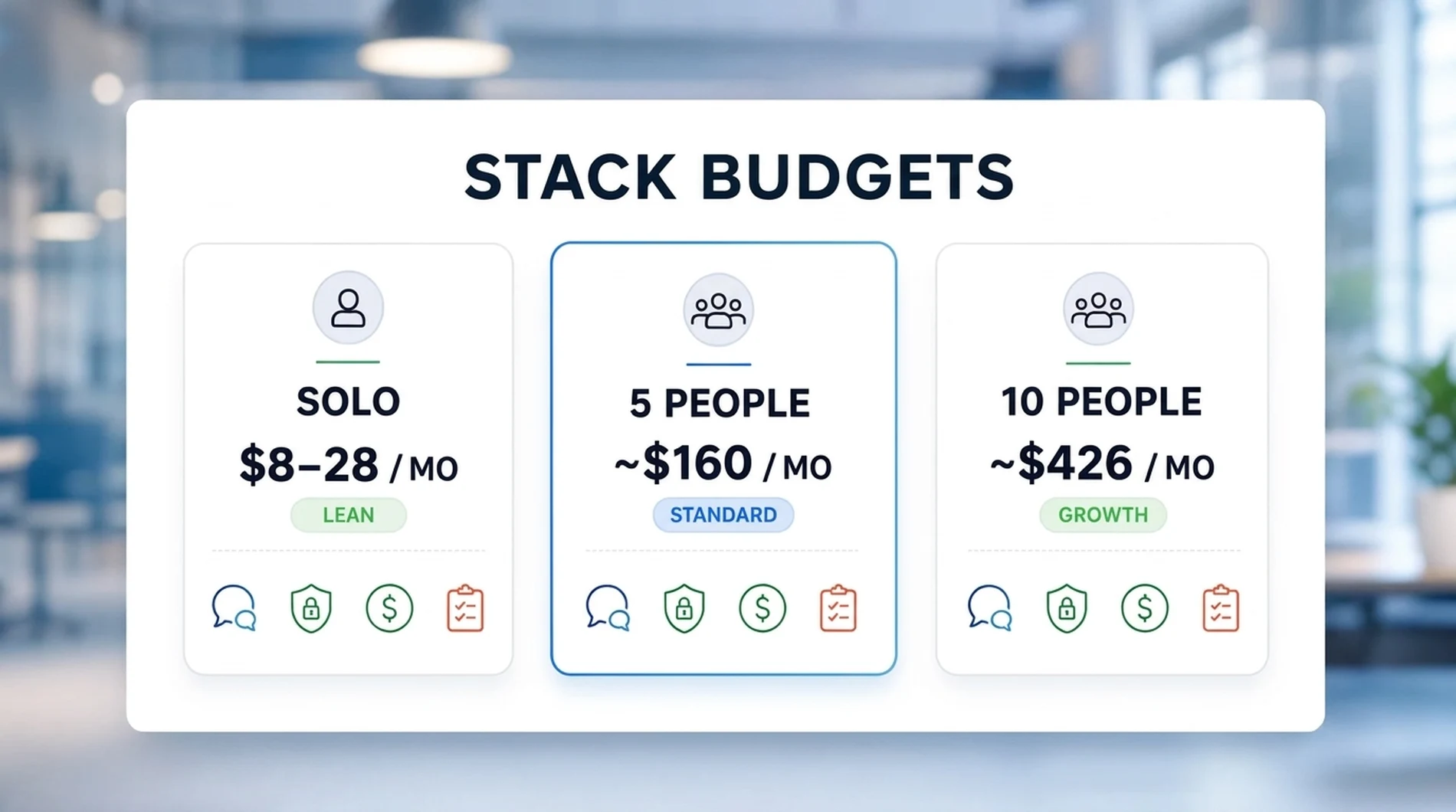
Bootstrapped Solo (~$8–28/month)
| Category | Tool | Cost |
|---|---|---|
| Domain | Registrar of choice | ~$1–2/month when annualized |
| Communication | Google Workspace Starter | $7/user |
| Account Security | Bitwarden individual (free tier) | Free |
| Money | Wave (manual entry; U.S./Canada only) | Free |
| Work | Trello (free tier) or none | Free |
| Essential 4 Total (solo) | ~$8–9/month | |
| With Wave Pro | ~$27–28/month |
This stack works for solo professionals willing to do manual data entry. A solo founder may not need a separate project management tool.
Standard Team (5 Users) — Essential 4: ~$160/month
| Category | Tool | Cost | Notes |
|---|---|---|---|
| Domain | Registrar of choice | ~$1–2/month | |
| Communication | Google Workspace Starter | $35/month (5 × $7) | Annual commitment; upgrade to Standard at $14/user for 2 TB storage and Meet recording |
| Account Security | 1Password Teams Starter | $24.95/month | Flat rate, up to 10 members |
| Money | QuickBooks Simple Start | $38/month | 1 billable user + 2 accountant-firm users |
| Work | monday.com Standard | $60/month (5 × $12) | Annual; uses the 5-seat bucket |
| Essential 4 Subtotal | ~$160/month | ||
| Optional: Payroll | Gusto Simple | $79/month ($49 + $6×5) | |
| Optional: Automation | Zapier Professional | $19.99/month | 750 tasks/month, annual |
| With payroll + automation | ~$259/month |
Seat access note: QuickBooks Simple Start supports one billable business user plus two accountant-firm users. If multiple team members need QuickBooks access, you would need Essentials at $85/month (up to three billable users) or Plus at $140/month (up to five billable users), each with two accountant-firm users, which changes the total significantly.
Growth Team (10 Users) — Essential 4: ~$426/month
| Category | Tool | Cost | Notes |
|---|---|---|---|
| Domain | Registrar of choice | ~$1–2/month | |
| Communication | Google Workspace Standard | $140/month (10 × $14) | Annual commitment |
| Account Security | 1Password Teams Starter | $24.95/month | Flat rate, up to 10 members |
| Money | QuickBooks Plus | $140/month | Up to 5 billable users + 2 accountant-firm; not all 10 may need access |
| Work | monday.com Standard | $120/month (10 × $12) | Annual; uses the 10-seat bucket |
| Essential 4 Subtotal | ~$426–427/month | ||
| Optional: Payroll | Gusto Simple | $109/month ($49 + $6×10) | |
| Optional: Automation | Zapier Team | $69/month | 2,000 tasks/month, annual |
| With payroll + automation | ~$604–605/month |
Higher-control alternative: If you need IdP integration or granular access policies, upgrade to 1Password Business at $89.90/month (10 × $8.99). If you need time tracking and higher automation limits, upgrade to monday.com Pro at $190/month (10 × $19). With both upgrades, the Essential 4 subtotal rises to ~$561–562/month. If only up to three people need QuickBooks, Essentials at $85/month would lower the standard subtotal to about $371–372/month.
At this scale, CRM (if you have a sales function) and time tracking (if you bill hourly) often become important additions. monday.com Pro includes native time tracking, which may eliminate the need for a standalone tool.
When to Add More Tools
The Essential 4 covers most early operational needs for service businesses. Expand when a specific workflow justifies another system — not based on an arbitrary headcount or lead count.
Add a CRM When:
- Leads or customer conversations are falling through the cracks in email and spreadsheets
- You have a repeatable sales process that benefits from pipeline visibility
- Multiple people need to see the same customer history
- Options: HubSpot (free to start), Salesforce, Pipedrive
- Not sure which CRM fits your team? See our HubSpot vs Pipedrive vs Monday CRM comparison.
Add Time Tracking When:
- You bill clients by the hour and currently track time manually or inconsistently
- You need project profitability reports to assess which work is worth taking
- Team capacity planning becomes important for scheduling
- Options: monday.com Pro includes native time tracking; ClickUp Unlimited ($7/user/month) includes it as well. Evaluate whether a built-in feature meets your needs before adding a standalone time-tracking tool.
Add HR/Payroll When You Hire Employees:
- Payroll tax obligations, withholding, and filing requirements generally make manual payroll impractical
- You need benefits administration
- Options: Gusto (see our full review), Rippling, ADP
For a complete roadmap of what technology you may need at each growth stage, see our Small Business IT Roadmap: From Solo to 20 Employees. And if you have accumulated more tools than you need, the Tech Stack Teardown offers a framework for deciding what to cut.
FAQ
What software does a small business need?
For most U.S. service businesses: communication and admin identity (email, calendar, file sharing), account and credential security (password manager, MFA), accounting (invoicing, expenses, taxes), and — once you have a team — project management. These form the Essential 4. Add payroll software when you hire employees and confirm the tax and reporting obligations that apply to your business.
How much should a small business spend on software?
Using the configurations above, our two sample stacks come to roughly $32/person/month (five-person Essential 4) and $43/person/month (ten-person Essential 4) before optional payroll and automation. With those additions, the five-person example is about $259/month and the ten-person example about $604–605/month. Your actual cost depends on which tools you need, seat counts, and plan tiers.
Should I use free or paid software?
Use free tiers where the trade-off is acceptable: Bitwarden for credentials (solid), Trello for simple projects (good), Wave for accounting (requires manual entry, U.S./Canada only). Upgrade when manual work exceeds the cost of automation.
What if I outgrow my software?
Choose tools that offer upgrade paths within the same platform. QuickBooks, monday.com, Google Workspace, and 1Password all let you start small and move to higher tiers. Check data export options before committing to any tool.
Do I need AI features like Gemini or Copilot?
Start with the AI included in your base productivity plan. Google includes Gemini features in commercial Workspace plans (with more capability on Standard and Business Plus than Starter). Microsoft includes Copilot Chat with eligible Microsoft 365 subscriptions. Pay for deeper, work-grounded Copilot integration only after you have a specific workflow, appropriate data permissions, and enough usage to justify the additional license.
Pricing Methodology
All prices in this guide are public U.S. list prices checked October 5, 2026. Per-user prices use annual commitments where stated. We excluded temporary promotions, taxes, payment-processing fees, add-ons, and implementation costs. Setup time estimates are based on our experience configuring these tools for service businesses with 1–10 people. We tested Google Workspace, QuickBooks Online, monday.com, and 1Password directly; other tools were researched from official documentation and pricing pages. Always confirm the checkout total, required seat count, and renewal terms before purchasing.
The goal is not to have the most software — it is to have the right software, connected properly. Start with communication and security, add accounting, then add project management when coordination overhead justifies it. Use automation (Zapier or Make) to reduce manual work between systems as the stack grows.
Affiliate Disclosure: This article contains affiliate links. If you make a purchase through these links, we may earn a small commission at no extra cost to you. As an Amazon Associate, iFeelTech earns from qualifying purchases.
Related Articles
More from Business Software

Complete Business Software Stack Under $250/Month: 2026 Guide for Small Business
Build a complete business software stack for under $250/month. Professional tools for accounting, CRM, project management & more. 2026 guide with updated pricing.
24 min read
Proton Unlimited vs Proton Business: Which Plan Is Right in 2026?
Compare Proton Unlimited, Duo, Family and Proton Workspace pricing, storage, domains, admin controls and retention to choose the right plan in 2026.
9 min read

Google Workspace Business Starter vs Standard: When Is the Upgrade Worth It?
Business Starter or Standard? We break down the real differences — Meet recording, storage math, and the 5 signals that tell you it's time to upgrade.
11 min read