

Scale IT Operations With Freelancers: 2026 Guide
A field-tested guide to hiring IT freelancers: 2026 rates, project selection, vetting, contracts, secure access, offboarding, and when to hire full time.


Key Takeaway
Small and mid-sized businesses can access specialized IT talent without the overhead of a full-time hire. This guide covers the process we have refined over 50+ freelancer contracts since 2013—from choosing the right engagement model through secure offboarding and scaling to a repeatable contractor bench.
Most growing businesses eventually face the same challenge: a project requiring specialized IT expertise—PowerShell automation, a security audit, a complex cloud migration—that does not justify a permanent role. The work might take three weeks, maybe six. Paying premium agency rates or relying on whatever internal skills happen to be available both carry real trade-offs.
This guide walks through that decision systematically: when freelancers make sense versus other models, what projects to start with, how to find and vet candidates, how to handle contracts and compliance, and how to scale from one successful engagement into a repeatable contractor program.
Freelancer, Full-Time Employee, MSP, or Agency?
Before sourcing a freelancer, determine whether freelance talent is actually the right model for the work.
| Factor | Freelancer | Full-Time Employee | MSP / Managed Services | Agency |
|---|---|---|---|---|
| Best for | Finite projects with specialized skill needs | Ongoing operations, institutional knowledge, relationship-intensive roles | Continuous IT operations, 24/7 monitoring, predictable coverage | Large, multi-discipline projects with tight deadlines |
| Cost model | Hourly or per-project; pay for contracted hours or milestones without an ongoing payroll obligation | Salary + payroll tax + benefits + overhead | Monthly retainer, typically per-user or per-device | Project-based; premium rates reflect coordination overhead |
| Ramp-up time (typical; varies by scope and vendor) | Days to a week | Weeks to months (recruiting + onboarding) | Weeks (scoping + transition) | Days to weeks |
| Flexibility | Engage and disengage per project | Difficult and costly to adjust headcount | Contract term with SLA-bound scope changes | Project-scoped; scope changes carry change-order costs |
| Institutional knowledge | Limited to documented handoffs | Deep; grows over time | Moderate; depends on team continuity | Low to moderate; depends on team continuity and documented handoffs |
| IP and data control | Requires explicit contractual assignment | Default employer ownership | Governed by master service agreement | Governed by SOW and MSA |
| Compliance burden | Classification risk; must document independence | Standard employment obligations | B2B contract; lower classification risk | B2B contract |
When freelancers are the strongest choice: The work is finite, requires a specialized skill your team does not carry, and has clear deliverables. Examples include one-time migrations, penetration tests, automation scripts, and compliance assessments. If you are building security into your infrastructure from the start, bringing in a specialist for the initial design is a practical approach.
When another model is better: Daily help desk support, employee onboarding, client-facing communication, and roles requiring deep institutional knowledge belong with full-time employees or an ongoing MSP relationship. If you are evaluating whether to build internal capacity or partner with an MSP, the decision often comes down to how much of your workload is project-based versus continuous. Businesses unsure where that line falls may benefit from our guide on when to stop doing IT yourself.
Total Cost: Freelancers vs. Full-Time Employees in 2026
Understanding the real numbers helps you decide when freelance talent saves money and when it does not.
The loaded cost of a full-time IT employee
The 2024 BLS-backed Miami wage data puts the median annual wage for a computer user support specialist at $61,070. The true employer cost goes well beyond the salary:
| Cost component | Single-coverage scenario | Family-coverage scenario |
|---|---|---|
| Base salary | $61,070 | $61,070 |
| Employer FICA (7.65%): IRS Pub. 15 | $4,672 | $4,672 |
| Employer share of health premium: KFF 2025 survey | $7,885 (avg. single: $9,325 minus $1,440 worker share) | $20,143 (avg. family: $26,993 minus $6,850 worker share) |
| Subtotal before other overhead | $73,627 | $85,885 |
| Paid leave, retirement match, equipment, recruiting, training | Illustrative allowance of $5,000–$15,000; replace with your actual costs | Illustrative allowance of $5,000–$15,000; replace with your actual costs |
| Estimated loaded range | ~$79,000–$89,000 | ~$91,000–$101,000 |
The KFF figures are national averages for employer-sponsored coverage in 2025; actual premiums vary by plan, region, and employer size. The point is not a single definitive number—it is that the gap between salary and true cost is substantial and predictable.
Freelancer rates by specialization
Upwork's published historical contract ranges list roughly $15–$26/hr for help desk work, $49–$67/hr for network engineering, and $60–$120/hr for penetration testing. These are platform-wide worldwide ranges, not guaranteed quotes—your actual rate will depend on the freelancer's location, experience, and the project's complexity.
Mini Case Study: Microsoft Entra ID Migration
Project: Microsoft Entra ID (formerly Azure AD) configuration for a client migration requiring specialization our in-house team did not carry. Cost: $2,800 for three weeks of part-time work (~37 hours at $75/hr). How we found them: Upwork, filtered for freelancers with dozens of completed identity migrations. Outcome: Migration completed on schedule with zero configuration rollbacks. Hiring someone with that level of identity-platform specialization full-time would have been impractical for a project of this scope.
Break-even planning example
At a $75 hourly rate plus a 7.99% client marketplace fee, the effective platform cost is about $81/hour. Against the illustrative loaded employee range above, the arithmetic break-even falls between roughly 975 and 1,250 contractor hours per year—approximately 19 to 24 hours per week. This excludes differences in management time, productivity, availability, recruiting, and continuity.
This is a planning estimate, not a universal threshold. We use 15–20 hours per week as an early review trigger — deliberately below the arithmetic break-even point — because continuity, classification risk, and management overhead often matter before contractor cost exceeds employee cost.
Watch our walkthrough on hiring freelance IT talent through Upwork:
How to Hire Freelance Talent on Upwork
Understanding where your business tech stack needs ongoing attention versus project-based expertise helps clarify this decision.
Choose a Suitable First Project
Start with a well-scoped project that has clear deliverables, moderate complexity, and limited access requirements.
Good First Freelancer Projects
- One-time migrations and implementations: email platform migrations, server consolidations, new infrastructure deployments
- Specialized security work: penetration testing, security audits, compliance assessments
- Development and automation projects: PowerShell scripts, Python tools, reporting automation
- Documentation: network diagrams, runbooks, configuration baselines
Avoid starting with your most critical system or your most complex challenge—build experience with lower-stakes work first. A documentation project, a specific automation task, or a defined configuration change lets you evaluate the freelancer relationship with limited risk.
Keep In-House or With Your MSP
- Ongoing support relationships: help desk, regular maintenance, day-to-day troubleshooting
- Client-facing roles: customer relationship management, direct company representation
- Work involving broad sensitive access: enterprise-wide administrative privileges, unmonitored access to client environments
If you are unsure whether your current tech stack requires full-time oversight or project-based help, schedule a free IT assessment.
Write the Scope and Acceptance Criteria
A clear scope document prevents many avoidable freelancer problems. In our experience, a short scoping session often prevents later rework.
What to Include in a Freelancer Scope Document
- Deliverables: What exactly needs to be accomplished, in specific and measurable terms
- Acceptance criteria: What "done" looks like—test results, documentation standards, configuration states
- Systems and access: What the freelancer will be given access to, and what they will not
- Timeline and milestones: Expected dates for deliverables and payment checkpoints
- Communication cadence: Daily updates, weekly check-ins, or async-only, agreed in advance
- IP ownership: An explicit assignment of all deliverables, code, and documentation to your business (see the contract section for details)
- Change control: How to handle scope changes—new requests require a written amendment with revised cost and timeline before work begins
- QA and review: Who reviews the work, how defects are reported, and the process for corrections before final acceptance
Choose a Sourcing Channel
Affiliate Disclosure: This article contains affiliate links. If you make a purchase through these links, we may earn a small commission at no extra cost to you. As an Amazon Associate, iFeelTech earns from qualifying purchases.
Upwork, Toptal, and Fiverr each serve different IT freelancing needs based on project complexity, budget, and the level of vetting you need.
| Platform | Cost Structure | Vetting Rigor | Best Use Case |
|---|---|---|---|
| Upwork | Talent rate plus a client marketplace fee of up to 7.99%; qualifying U.S. bank payments may receive a 3% fee | Self-reported profiles with verified reviews and job success scores | General IT freelancing, ongoing relationships, diverse skill sets |
| Toptal | Talent rate varies; $79 monthly platform subscription after proceeding with matching | Multi-stage screening; Toptal claims fewer than 3% of applicants are accepted | Senior-level expertise, complex architecture, budget-flexible projects |
| Fiverr | Gig price plus a 5.5% client service fee; a small-order surcharge may also apply at checkout | Self-reported; seller levels based on volume and reviews | Well-defined discrete tasks, documentation, integrations |
Source links: Upwork client fees (verified July 2026), Toptal FAQ, Fiverr payment guidance. Rates and fees are subject to change; verify current pricing at checkout.
Upwork is our primary platform for most IT freelance work. The talent pool spans a wide range of specializations—we have found contractors with expertise in Cisco networking, legacy database systems, and niche cloud configurations. The platform's job success scoring and verified feedback system helps filter candidates effectively. Over more than 50 contracts, we have encountered approximately five genuine disputes, all resolved through the platform's resolution process.
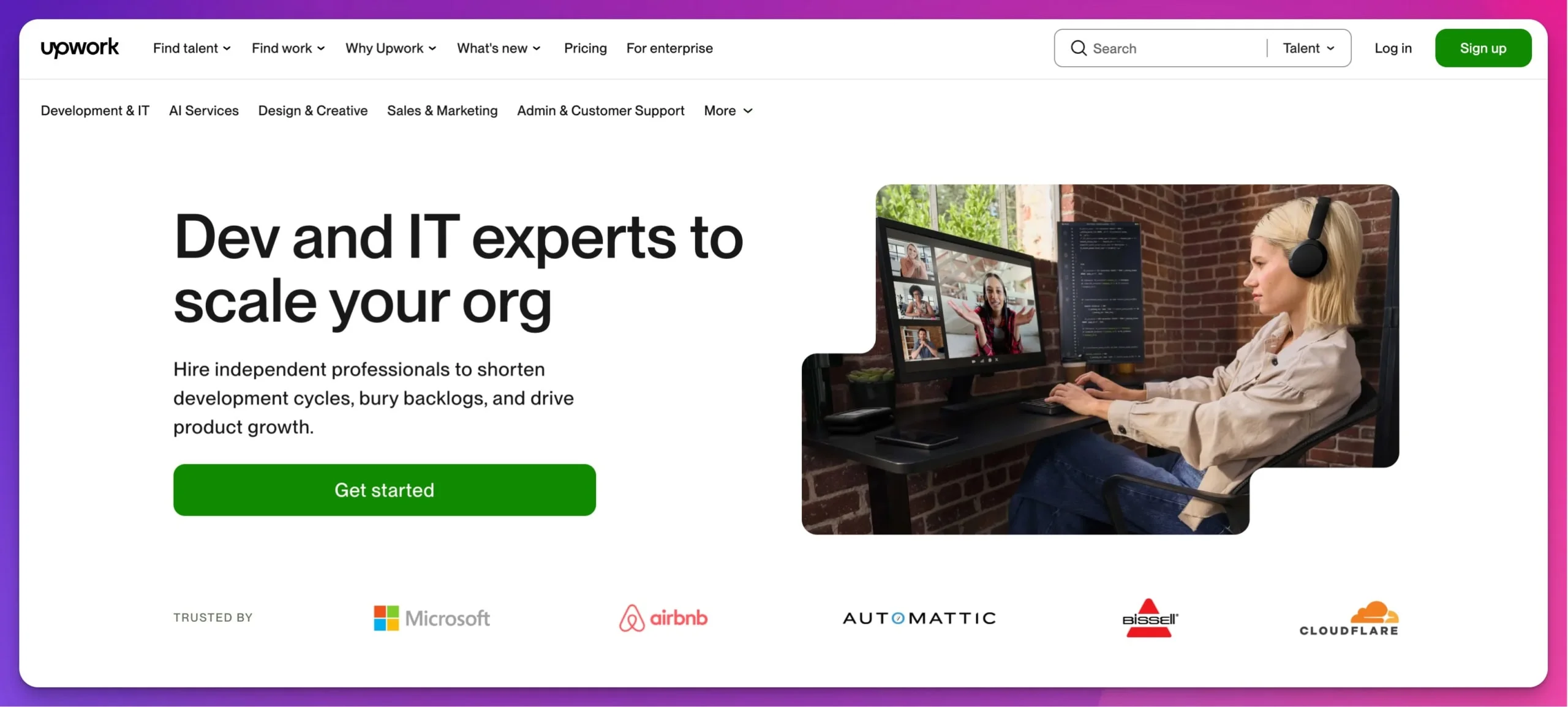
Upwork's escrow system and milestone payments reduce payment risk for both sides: you fund a fixed-price milestone before work begins, the money is held by Upwork, and you release it after reviewing the submitted work (or it releases automatically after the review period). As of July 2026, the client marketplace fee is up to 7.99% on the Basic plan, or 3% for qualifying U.S. clients paying through a bank account. That client charge is separate from the 0–15% freelancer service fee, which is shown before an offer and fixed once the contract begins.
Toptal serves a different niche. Its screening documentation says fewer than 3% of applicants are accepted—a claim made by Toptal itself, not independently audited. Its current client FAQ lists a $79 monthly platform subscription once you proceed with talent matching. Talent members set their own rates, so request a role-specific quote rather than relying on a generic estimate. We use this type of curated network when a project requires senior-level expertise and the budget supports it.
Fiverr works well for specific, well-defined tasks—configuring a particular integration, creating a monitoring dashboard, or writing technical documentation. Its current payment guidance lists a 5.5% client service fee. A small-order surcharge may also apply, but Fiverr's own documentation shows inconsistent thresholds—verify the exact charge at checkout. Fiverr is less suited to complex projects requiring ongoing collaboration.
Our Platform Recommendation
For most small and mid-sized businesses: start with Upwork for general IT freelancing. The combination of talent availability, platform protections, and pricing flexibility covers most use cases. Consider Toptal for premium engagements where budget is not the primary constraint.
Vet Candidates and Run a Paid Trial
Vet IT freelancers by requiring a live technical conversation, verifying past project deliverables, and conducting paid trial projects before committing to large contracts.
1. Screen profiles for evidence, not credentials. Prioritize a 90%+ job success rate and reviews that specifically mention technical competence and deadline adherence over vague praise. Certifications matter less than evidence of similar completed work—if you need someone for a Microsoft 365 tenant migration, look for proof they have done it, not just that they passed an exam.
2. Conduct a live technical conversation. A synchronous conversation—video, voice, or screen-share—reveals whether the candidate can explain their approach clearly, ask thoughtful questions about your project, and communicate professionally. We have passed on technically qualified candidates who could not communicate effectively and hired people with slightly less experience who demonstrated clear thinking and good judgment.
3. Run a paid trial project. For critical infrastructure projects, initiate a small, paid pilot task—such as a $500 configuration review—to evaluate the freelancer's technical accuracy and working style before authorizing a multi-thousand-dollar implementation. This has helped us identify poor fit before authorizing larger engagements.
4. Interview at least three candidates. Even if the first person looks strong, talking to multiple candidates provides useful comparison points and helps you develop better instincts for evaluation over time.
5. Ask about AI tool usage. The 2025 Stack Overflow Developer Survey found that 84% of developers use or plan to use AI tools, while 46% do not trust the accuracy of AI output. Among respondents to the survey's AI-agent question, 87% expressed concerns about accuracy. Ask how the freelancer uses AI tools in their workflow and how they validate generated output. Look for a documented validation process and compliance with your AI-use policy—a contractor who chooses not to use generative AI should not be treated as deficient if their delivery, security, and quality meet the requirements.
Red Flags to Watch For
- Unwillingness to have a live technical conversation — require a synchronous call with reasonable accommodations for scheduling and accessibility
- Vague answers about past projects — a qualified freelancer should describe specific challenges and solutions
- Rates far below market average without explanation — may reflect inexperience, but can also reflect geographic cost differences or different business models; ask questions rather than assuming
- Reluctance to work within platform payment systems — protections exist for a reason
Execute the Contract and Classification Review
Intellectual property: use explicit assignment, not just "work for hire"
When a freelancer writes custom scripts, builds automation, or configures infrastructure, who owns that work? Under U.S. copyright law (17 U.S.C. § 101), work created by an independent contractor qualifies as "work made for hire" only if it falls into one of nine statutory categories—and software, scripts, and infrastructure configurations are generally not among them.
Use an explicit present assignment of copyright and all other IP rights, with work-for-hire language as a secondary fallback. Your contract should state that the freelancer assigns all rights in the deliverables to your business upon payment, and that if any work qualifies as work made for hire, it shall be considered as such. Most freelancer platforms include baseline IP transfer language, but for custom development or proprietary configurations, a project-specific IP assignment clause drafted or reviewed by legal counsel provides stronger protection.
Contractor classification
Calling someone a freelancer, issuing a 1099, or hiring through a platform does not by itself make that worker an independent contractor. Misclassification can result in back taxes, wage liability, and penalties.
Federal agencies do not use one interchangeable test. The IRS common-law analysis considers behavioral control, financial control, and the type of relationship. The Department of Labor analyzes economic dependence under the Fair Labor Standards Act. As of July 2026, that federal labor standard is in transition: the DOL issued a 2026 proposal to rescind its 2024 rule and replace it with a streamlined economic-reality test, while its current enforcement bulletin directs investigators to longstanding economic-reality guidance during reconsideration. State law can apply a different or stricter test—California's ABC test, for example, starts from the presumption that a worker is an employee.
For the IRS analysis, document these three areas:
- Behavioral control: Do you dictate when, where, and how the freelancer works? Contractors set their own schedules and methods. Requiring fixed office hours or mandating specific tools beyond project requirements suggests an employment relationship.
- Financial arrangement: Does the freelancer invoice per project or milestone, use their own equipment, and bear their own business expenses? These indicate contractor status. Regular salary payments and company-provided tools suggest employment.
- Relationship type: Is the engagement project-based with a defined end date, or ongoing and indefinite? Freelancers engaged through platforms with milestone-based contracts naturally document the project-based nature of the relationship.
Platform contracts, milestone records, and invoices are useful documentation, but they are not a classification safe harbor. The actual working relationship matters more than the label in the agreement.
Practical Steps to Stay Compliant
- Define project scope and deliverables rather than daily schedules
- Avoid requiring set working hours or mandating where the work is performed
- Use platform invoicing and milestone payments rather than regular salary-style payments
- Never list a freelancer on your company's organizational chart or include them in employee benefits
- Keep contracts project-based with defined end dates
- Ask employment counsel or a qualified tax professional to review long-running or employee-like arrangements
Important
This section provides general information about contractor classification and IP assignment. It is not legal or tax advice. Consult a qualified attorney and tax professional for guidance on your specific situation, especially for long-term engagements, regulated industries, or cross-border work.
Contract provisions checklist
Beyond IP and classification, your contractor agreement should address:
- Confidentiality and NDA — for general business information
- Business associate agreement (BAA) — may be required when a freelancer creates, receives, maintains, or transmits protected health information (PHI) on behalf of a covered entity or business associate; confirm whether the individual is treated as workforce or as a business associate before granting access, since an NDA does not satisfy HIPAA's BAA requirement (HHS BAA guidance)
- Regulatory compliance — for customer financial information, assess GLBA and the FTC Safeguards Rule where applicable; for cardholder data, address PCI DSS third-party requirements; public companies should separately assess whether the work affects SOX-controlled financial systems
- Subcontractors — whether the freelancer may delegate work, and if so, under what conditions
- Incident notification — a timeframe for reporting security incidents, breaches, or service disruptions
- Data return and deletion — the freelancer must return or certify destruction of all company data upon project completion
- Insurance — professional liability or E&O coverage requirements for high-stakes work
- Termination — conditions under which either party may end the engagement, and what happens to in-progress work
- AI-use policy — whether AI tools may be used, which tools are approved, restrictions on inputting client data, testing requirements for AI-generated output, and ownership of AI-assisted deliverables
If you are hiring your first employee while also using freelancers, understanding the distinction between these classifications is essential.
Provision Secure Access and Plan for Offboarding
Treat every contractor engagement as a complete access lifecycle: provision, monitor, and revoke. Fragmenting these steps across multiple processes creates gaps.
Before the engagement starts
Freelancers are more likely to deliver on schedule when your infrastructure supports remote collaboration. Before engaging a contractor for significant work, confirm:
- Secure remote access is configured and tested (VPN, ZTNA, or cloud-based access)
- Critical systems are documented well enough for an outside expert to navigate
- A backup strategy is in place for any cloud platforms the freelancer will access
- Named, expiring accounts with MFA can be provisioned and revoked on a per-project basis
Provisioning access
Create a named, temporary account for each freelancer rather than sharing an employee or administrator login. The account should:
- Require phishing-resistant MFA, such as FIDO2 security keys or WebAuthn/passkey platform authenticators; SMS and TOTP codes are not phishing-resistant
- Receive only the permissions the project requires (least-privilege)
- Have an expiration date aligned with the contract end date
- Be elevated for specific tasks only, then stepped back down
For projects requiring access to internal systems, the choice between business VPN options and zero-trust access matters: consumer VPN plans generally do not provide the centralized identity controls, audit logging, and per-resource authorization needed for contractor access.
Keep passwords, recovery codes, and API secrets in a company-managed vault—not in chat or email. These controls follow CISA's MFA guidance and zero-trust security principles.
Communication and collaboration tools
Decide early whether a freelancer receives a guest account or a full licensed seat:
- Microsoft Teams: Guest access generally requires no extra M365 license, making it suitable for short contractor engagements.
- Slack: Single-channel guests are available on paid plans (up to five per paid member) at no extra charge. Multi-channel guests are billed as regular members—choose based on how many channels the project requires, not the engagement duration.
Whichever platform you use, avoid personal email or consumer messaging apps for project communication—keep everything within auditable, company-managed channels.
Production safeguards
For any work touching production systems:
- Require a test or staging environment for initial work before production deployment
- Ensure backups and a rollback plan are verified before the freelancer makes changes
- Use a company-owned code repository; the freelancer contributes via pull requests, not direct pushes
- Enable peer review or change approval for critical changes
- Run secret scanning on any code the freelancer submits
Offboarding checklist
Execute this at the end of every freelancer engagement—immediately upon project completion, not when the freelancer confirms they no longer need access:
- Revoke VPN tokens, active sessions, and remote access across all entry points
- Disable temporary accounts in all systems the freelancer accessed, including cloud platforms, ticketing systems, and communication tools
- Revoke OAuth grants, personal access tokens, and API keys issued for the project; rotate any shared secret the freelancer could have viewed
- Collect and archive project documentation including configuration notes, deployment procedures, and any scripts or tools the freelancer created—this institutional knowledge must remain with your organization
- Review audit logs for the systems the freelancer accessed; flag any unexpected access patterns
- Update access control lists and remove the freelancer from any groups, distribution lists, or shared resources
This process mirrors the access-granting rigor described in our IT onboarding security checklist.
Manage Delivery, QA, and Change Requests
Communication rhythm
Establish check-in frequency at the project start—daily updates for intensive work, weekly for longer engagements. Platform messaging handles most communication effectively. For complex technical discussions, a brief call is more efficient than lengthy written exchanges.
Quality gates
Do not treat milestone acceptance as a formality:
- Review each deliverable against the acceptance criteria defined in the scope document before releasing payment
- Run independent verification where possible—test scripts in a staging environment, review configurations against documentation, validate security controls
- Document defects specifically and allow the freelancer to correct them within an agreed timeframe before escalating
Change control
Scope changes during a project are normal, but they should be handled formally:
- Any new requirement gets a written amendment with revised cost, timeline, and acceptance criteria
- Both parties agree before new work begins
- The original scope remains the baseline for evaluating the initial deliverables
Building long-term relationships
When you find someone who does good work, maintain that relationship. We have freelancers we have worked with for years—they know our standards, our clients' environments, and our communication style. That continuity is valuable. Treat good freelancers well, pay promptly, and they are more likely to prioritize your work. As your team grows, freelancer relationships become a key part of your overall IT roadmap.
For more on securing AI-driven workflows that freelancers may use, see our AI agent security playbook.
Scale From One Freelancer to a Repeatable Contractor Bench
Hiring one freelancer solves a project. Building a contractor program scales your IT operations. Here is how to make the transition.
Designate an internal technical owner
Every contractor engagement needs someone on your team who owns the relationship—reviewing deliverables, managing access requests, making scope decisions, and ensuring knowledge transfer. Without this, freelancers operate in a vacuum and institutional knowledge may be lost when the engagement ends.
Build standard onboarding and offboarding runbooks
Document your contractor provisioning process so it is repeatable regardless of who runs it:
- Account creation, MFA enrollment, access-level assignment
- Scope document template and communication-channel setup
- Offboarding checklist execution and audit-log review
- Documentation archival and knowledge-transfer handoff
Define responsibility boundaries
For each engagement, clarify who is responsible, accountable, consulted, and informed (RACI) for key decisions:
| Activity | Internal Owner | Freelancer | IT Team / MSP |
|---|---|---|---|
| Scope and acceptance criteria | Accountable | Consulted | Consulted |
| Technical execution | Accountable | Responsible | Consulted |
| Security and access decisions | Accountable | Informed | Responsible |
| QA and final acceptance | Accountable | Responsible | Consulted |
| Documentation and handoff | Accountable | Responsible | Consulted |
If your MSP performs independent QA or participates in acceptance testing, adjust the QA row accordingly — the key principle is that the internal owner remains accountable for every activity.
Maintain bench depth for critical skills
If a particular specialization (identity management, network security, cloud migration) recurs, maintain relationships with at least two qualified freelancers for that skill. This avoids single points of failure and gives you options when timelines are tight.
Track utilization and plan capacity
Monitor how many contractor hours you are consuming per month, per skill area. If a single specialization consistently approaches 20 hours per week, that recurring need may justify converting to a full-time employee or MSP relationship — with better continuity, institutional knowledge, and potentially lower cost.
Enforce knowledge-transfer requirements
Every contractor engagement should produce documentation that survives the engagement:
- Configuration records and deployment procedures
- Architecture decisions and the reasoning behind them
- Credentials and secrets stored in company-managed vaults
- Runbooks for ongoing maintenance of what was built
Know when to convert
The freelancer model works best for variable, specialized, project-based work. When you see any of these patterns, evaluate whether a different model is more appropriate:
- The same freelancer is working 20+ hours per week for months at a time
- You are managing three or more active freelancers simultaneously without a dedicated coordinator
- The work requires deep institutional knowledge that is difficult to document
- Classification risk is increasing due to the ongoing, integrated nature of the relationship
Frequently Asked Questions
How do I handle sensitive or regulated data with freelancers?
For general confidential information, use an NDA. When a freelancer will create, receive, maintain, or transmit protected health information (PHI) on behalf of a covered entity or business associate, a business associate agreement (BAA) is likely required—an NDA does not satisfy HIPAA's mandate for specific safeguards, breach notification, and subcontractor flow-down obligations (HHS BAA guidance). Confirm the freelancer's HIPAA status before granting access. For customer financial information, assess obligations under GLBA and the FTC Safeguards Rule. For cardholder data, address PCI DSS third-party requirements. Public companies should separately assess whether the work affects SOX-controlled financial systems.
In all cases: create temporary credentials with limited permissions, consider having freelancers work through monitored remote access tools, and ensure the freelancer agrees to relevant compliance requirements in writing before accessing any regulated data.
What if a freelancer does not deliver quality work?
Platform dispute processes can help with qualifying disputes, although protections depend on the contract type and platform rules. Using milestone-based payments limits your exposure — you review and approve work before releasing payment. If work is substandard, document specifically what fell short against the acceptance criteria and allow the freelancer to correct it within an agreed timeframe before escalating.
How do I know if freelance rates are fair?
Use recent rates and proposals for the specific specialty, location, and project. The worldwide historical category ranges in the cost section above are useful starting points, but actual quotes may differ substantially based on the freelancer's location, experience, and the project's complexity. Rates that differ significantly from comparable proposals in either direction are worth investigating—low rates may reflect geography and exchange rates rather than inexperience, and high rates may be justified by specialized expertise or proven track records.
Can freelancers work alongside my existing IT provider?
Yes, and this is often the best approach. Freelancers can augment your existing IT support for specialized projects. Establish clear communication channels and access permissions so everyone understands their role and the RACI boundaries are documented.
What about time zone differences?
For asynchronous work (development, documentation, analysis), time zones matter less. For work requiring real-time collaboration, look for freelancers in compatible time zones or establish overlapping working hours upfront.
How much can I save by using freelancers?
There is no reliable universal savings percentage. Compare the freelancer's complete project cost—including platform fees, internal management time, and possible rework—with the portion of salary, payroll taxes, benefits, recruiting, and equipment that the work would consume in-house. Use the break-even example above as a starting point. Freelancers usually create the clearest savings when the work is finite, specialized, and too infrequent to keep a full-time employee utilized.
Next Steps
The freelancer model is not right for every situation, but for project-based IT work requiring specialized skills, it is often the most practical approach. The key to scaling is not just finding good freelancers—it is building the systems, documentation, and internal ownership that let you engage contractors repeatably and securely.
If you are unsure whether freelance IT talent makes sense for your business, or you would like help identifying which projects are good candidates, we are happy to discuss your situation. Our IT assessments include recommendations for when to hire, when to outsource, and when freelancers make the most sense.
Schedule a Free IT AssessmentAffiliate Disclosure: This article contains affiliate links. If you make a purchase through these links, we may earn a small commission at no extra cost to you. As an Amazon Associate, iFeelTech earns from qualifying purchases.
Related Articles
More from IT Guides

When to Stop Managing IT Yourself: A Small-Business Decision Guide
When should a small business outsource IT? Compare five support models, nine warning signs, current costs, and the minimum safe DIY baseline.
11 min read

CES 2026 for Small Business: What Actually Shipped—and What's Worth Buying
Updated August 2026: a fact-checked look at AI NAS, repairable business laptops, and Wi-Fi 7, including current specs, costs, limitations, and buying advice.
15 min read

Windows 11 Pro for Business in 2026: An IT Professional's Honest Assessment
Windows 11 Pro assessment for 2026: commercial ESU costs, deployment checks, Copilot+ considerations, Cloud PC eligibility, and Linux workflow testing for SMBs.
7 min read