
Best CRM for Small Business 2026: HubSpot vs Pipedrive vs Monday
The best CRM for small business in 2026 — comparing HubSpot, Pipedrive, and Monday on real pricing, setup time, pipeline tools, and free options for teams of 5–50.


The best CRM for small business in 2026 depends on whether you prioritize all-in-one marketing integration (HubSpot), sales pipeline focus (Pipedrive), or workflow customization (Monday CRM).
TL;DR:
- HubSpot: Best for marketing + sales integration. Free tier available. Start at $0-15/seat/month.
- Pipedrive: Best for pure sales pipeline management. Fastest setup. Start at $14/seat/month.
- Monday CRM: Best for custom workflows and teams already using Monday.com. Start at $12/seat/month (3-seat minimum).
Why Only These Three?
There are over 500 CRMs on the market in 2026. If you are a B2B or service-based small business (5–50 employees), your choice almost always comes down to three platforms: HubSpot, Pipedrive, or Monday CRM. This guide focuses on real costs, practical usability, and the limitations each vendor does not put in their marketing materials — so you can make a confident, informed decision.
HubSpot, Pipedrive, and Monday CRM are the three most widely adopted CRMs for businesses with 5 to 50 employees. Each is built for a different type of sales operation: HubSpot combines marketing and sales tracking, Pipedrive focuses exclusively on pipeline velocity, and Monday CRM offers workflow customization for non-standard processes.
Free Options Available
HubSpot offers a genuinely useful free tier with unlimited contacts. We cover free CRM options below.
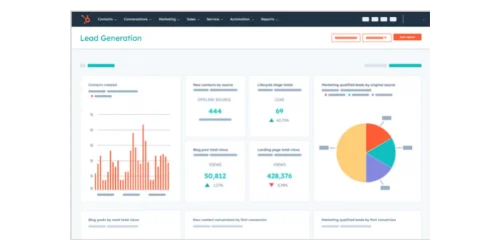
HubSpot CRM
All-in-one CRM with marketing automation. Generous free tier with unlimited contacts.
- Free tier available
- Marketing + sales integration
- Unlimited contacts
- Email tracking & sequences
*Price at time of publishing
Who These CRMs Are (and Aren't) Built For
HubSpot, Pipedrive, and Monday CRM are designed for B2B sales and high-ticket B2C services, not high-volume e-commerce or low-touch consumer sales.
These platforms excel at managing relationships where deals require multiple touchpoints, proposals, and follow-ups. If you run a Shopify store selling $50 products to thousands of customers, you need e-commerce-specific tools like Klaviyo or Omnisend, not these CRMs.
The sweet spot for all three: service businesses, agencies, consultancies, B2B software companies, distributors, and any operation where closing a deal involves conversations, not just checkout buttons.
Which CRM is Best for Small Businesses in 2026?
Need a project management tool, not a CRM? If you're evaluating Monday.com for task and project tracking rather than sales pipelines, see our Monday vs Asana vs ClickUp vs Basecamp comparison for real annual costs and a small business verdict.
| Specs | |||
|---|---|---|---|
| Starting price | Free / $15/seat/mo (Starter) | $14/seat/mo (Lite) | $12/seat/mo (Basic) |
| True starting cost | $0 (free tier) or $15/mo (1 user) | $14/mo (1 user, annual billing) | $36/mo (3-seat minimum) |
| Best for | Growing teams who want marketing + sales together | Sales-focused teams who live in their pipeline | Teams already using Monday.com for project work |
| Setup time | 1–3 hours | Under 1 hour | 30–60 minutes |
| Email integration | Native (Gmail + Outlook) | Native (Gmail + Outlook) | Standard plan+ only |
| Mobile app | Strong | Excellent | Decent |
| Free tier | Yes (generous) | No (14-day trial only) | No (14-day trial only) |
HubSpot CRM: Core Features and Limitations
HubSpot combines sales pipelines with marketing automation, tracking the entire customer journey natively without requiring third-party plugins.
HubSpot CRM
Free / $15/seatAll-in-one CRM combining sales and marketing automation.
What HubSpot Does Well
For small businesses that want their marketing and sales data in one place, HubSpot has a clear practical advantage over the other two. When a prospect clicks your email, visits your pricing page, and then books a call — HubSpot tracks the entire journey automatically. Your sales rep walks into that call already knowing what the prospect cares about.
The contact management is thorough. Every interaction — email opens, website visits, form submissions, meeting notes — logs automatically against a contact record. You do not have to manually update anything.
The pipeline view is clean and drag-and-drop. You can customize deal stages to match your actual sales process, set up automated tasks when a deal moves to a new stage, and get a clear view of forecast revenue at any time.
HubSpot CRM Demo: Complete Walkthrough
HubSpot Pricing (2026)
- Free CRM: Unlimited contacts, basic pipeline, email integration with tracking, meeting scheduler. Genuinely useful for very early-stage businesses. No credit card required.
- Starter ($15/seat/month, or $9/seat/month billed annually): Removes HubSpot branding, adds email sequences, more automation, reporting dashboards, and phone support. Annual billing saves 40%.
- Professional ($90/seat/month billed annually, or $100/seat/month billed monthly for Sales Seats): Advanced automation, custom reporting, a/b testing, sequences with enrollment triggers. Requires a $1,500 onboarding fee. HubSpot also offers Core Seats at $45–50/month for team members needing basic CRM access only (view and edit contacts, but limited sales features).
For most small businesses, the free tier or Starter plan is the right entry point. The jump to Professional is worth it only if you have a dedicated marketing function. Note that a 5-person team on Professional (all Sales Seats, billed annually) costs $450/month plus the $1,500 onboarding fee.
HubSpot Setup: What to Expect
HubSpot's onboarding is one of the more polished experiences in the CRM space. The setup wizard walks you through connecting your email, importing contacts, and building your first pipeline. Most non-technical business owners are up and running in two to three hours.
The main learning curve is deciding how much of HubSpot to use. Because the platform does so much — CRM, email marketing, landing pages, live chat, ads — it is easy to get distracted trying to set everything up at once. The practical advice: start with contacts and pipeline only, then add features as you need them.
HubSpot provides extensive documentation, video tutorials, and HubSpot Academy courses (free) that walk through every feature. For paid plans, onboarding support is included.
HubSpot Email Integration
HubSpot connects with Gmail and Outlook natively. Once connected, every email you send from your inbox logs automatically to the relevant contact and deal. You can also send emails directly from within HubSpot, use tracked templates, and schedule follow-up sequences.
The email tracking (knowing when someone opened your email) is available even on the free plan, which is a genuine differentiator at that price point. Email sequences and automation require the Starter plan or higher. The free tier allows 2,000 marketing email sends per month with HubSpot branding.
If automating your follow-up emails is a priority, try HubSpot Starter — it unlocks sequences, removes HubSpot branding, and costs $9/seat/month on an annual plan.
HubSpot Mobile App
The HubSpot mobile app is one of the stronger options in this comparison. You can access your pipeline, log calls, send emails, check notifications, and update deal stages from your phone. It is not as fast or fluid as the desktop version, but it covers the basics reliably.
HubSpot Reporting
The free tier includes 10 dashboards with up to 50 reports each — sufficient for basic sales tracking. Starter increases this to 30 dashboards. You can track deal velocity, win rates, and sales activity out of the box. Professional tier adds custom report builders, attribution reporting, and forecasting tools. For most small businesses, Starter-level reporting is adequate.
HubSpot is best for
Service businesses, marketing-led companies, and teams that want a single platform for both marketing and sales. Also the top pick for bootstrapped businesses who want to start free and grow into paid features. For a deeper look at HubSpot on its own, see our full HubSpot CRM review.
Pipedrive: Core Features and Limitations
Pipedrive is a sales-focused CRM built around pipeline management and activity-based selling, designed for teams that prioritize deal velocity over marketing integration.
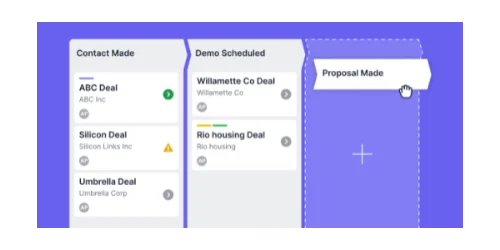
Pipedrive
$14/seatSales-focused CRM built around pipeline management.
What Pipedrive Does Well
The pipeline view in Pipedrive is the best in this comparison — clean, fast, and genuinely intuitive. Drag a deal from one stage to the next, and Pipedrive immediately logs the change, updates your forecast, and can trigger an automated next action.
Pipedrive's activity-based selling approach nudges you to log activities (calls, emails, meetings) rather than just tracking deal values. Your team stays focused on the behaviors that lead to closed deals, not just the dollar amounts.
The automation builder (available from the Growth plan upward) is well-designed for non-technical users. You can set up sequences like "when a deal is moved to Proposal Sent, create a task to follow up in 3 days" without writing any code.
Pipedrive Demo: Pipeline Management Walkthrough
Pipedrive Pricing (2026)
- Lite ($14/seat/month): Core pipeline, contact management, email integration, basic reporting, AI-powered report creation.
- Growth ($39/seat/month): Full email sync with tracking, workflow automation, email sequences, meeting scheduler, revenue forecasting.
- Premium ($59/seat/month annual billing, $79/month monthly billing): Lead generation and routing, custom scoring, AI-powered email tools, e-signatures, enhanced customization.
- Ultimate ($79/seat/month): Fortified security, phone and email data enrichment, sandbox testing, extended phone support.
Important: Add-on Costs
Pipedrive's advertised pricing excludes essential add-ons. Most small businesses need LeadBooster ($32.50/mo) for web forms or Campaigns ($13.33/mo) for email marketing, increasing true cost by 30-50%. Budget accordingly.
Pipedrive does not offer a free plan. There is a 14-day trial, and after that you are paying. For pure pipeline management, though, the Lite plan at $14/seat is among the best value options available.
For a deeper side-by-side comparison, see our HubSpot Starter vs Pipedrive CRM comparison.
Pipedrive Setup: What to Expect
Pipedrive requires the least setup time among top CRMs, averaging under 45 minutes for a complete pipeline configuration. Most users have a working pipeline with imported contacts within that window. The interface is minimal and deliberately simple — you will not feel overwhelmed by features you do not need yet.
The import process handles CSVs cleanly, and the field mapping is straightforward. If you are migrating from spreadsheets, Pipedrive's import wizard is notably forgiving of messy data.
Pipedrive Email Integration
Pipedrive connects with Gmail and Outlook. Full email sync with tracking requires the Growth plan or higher. Once synced, emails are automatically linked to the relevant deal and contact. You can send tracked emails directly from a deal record, see when prospects open your messages, and use email templates with merge fields.
Email sequences and nurturing automation are available on Growth tier and above. The Lite plan includes basic email integration but not full sync or automation.
One limitation: Pipedrive does not have native email marketing capabilities. If you want to run email campaigns to a list, you will need to integrate with a tool like Mailchimp or ActiveCampaign, or use Pipedrive's Campaigns add-on (starting at $13.33/month). HubSpot handles this natively.
Pipedrive Mobile App
Pipedrive's mobile app is the best of the three. It is fast, reliable, and gives you full access to your pipeline on the go. You can add deals, log activities, make calls, and even scan business cards to create contacts automatically. Field sales teams consistently rate it highly.
If your team relies heavily on mobile field sales, start a free Pipedrive trial to test their top-rated mobile app firsthand — no credit card required.
Pipedrive Reporting
Pipedrive includes AI-powered report creation starting on the Lite plan. You can generate pipeline reports, activity reports, and deal forecasts using text prompts. The Growth plan adds subscription tracking and forecast reports. Premium tier includes custom reporting with advanced data fields and team performance dashboards. For sales-focused teams, Pipedrive's reporting is more pipeline-centric than HubSpot's broader analytics.
Pipedrive is best for
Sales-driven businesses with an active outbound or field sales operation. B2B services companies, agencies, distributors, and anyone whose primary challenge is managing a high volume of deals through a structured sales process.
Monday CRM: Core Features and Limitations
Monday CRM is a customizable sales pipeline tool built on Monday.com's visual workflow platform, offering high flexibility for teams with non-standard sales processes or those already using Monday for project management. For a dedicated head-to-head with HubSpot, see our Monday CRM vs HubSpot CRM comparison.
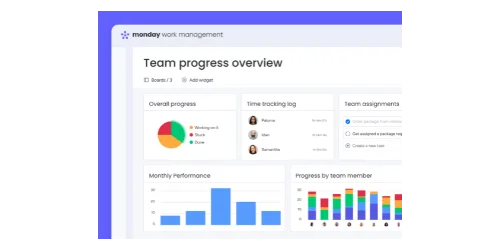
Monday CRM
$12/seatCustomizable sales pipeline on Monday.com's visual platform.
For a full review of the platform, see our Monday.com review.
What Monday CRM Does Well
Monday CRM's strongest suit is customization. You can build your pipeline to look and behave almost exactly how you want it to, using Monday's column-based system. If your sales process does not fit a standard CRM mold — say, you have a complex approval workflow or you need to track project delivery alongside the sale — Monday gives you that flexibility.
The visual interface is also genuinely pleasant to use. Color-coded deal boards, timeline views, and dashboards are easy to build without technical help. Non-technical users consistently find Monday's interface approachable.
If your team already uses Monday for project work, the CRM integration is a significant practical benefit. You can manage the sale and the delivery in the same platform, hand off from sales to operations seamlessly, and avoid duplicate data entry.
Monday CRM Demo: Visual Workflow Overview
Monday CRM Pricing (2026)
- Basic ($12/seat/month): Contact and deal management, activity log, iOS and Android apps. Minimum 3 seats.
- Standard ($17/seat/month): Email integration, custom pipeline stages, advanced search, 250 automations/month.
- Pro ($28/seat/month): Full email sync, mass email, time tracking, advanced reporting, 25,000 automations/month.
- Enterprise (custom pricing): Advanced analytics, enterprise security, custom onboarding.
Note that Monday requires a minimum of three seats, which means the actual entry cost is $36/month on the Basic plan — a consideration for very small teams. If you are a solo founder or a two-person team, Pipedrive Lite at $14/seat or HubSpot's free CRM will cost you significantly less.
Monday CRM Setup: What to Expect
Setup is fast — typically 30 to 60 minutes for a basic pipeline. Monday's templates give you a starting point you can customize without starting from scratch. The interface uses familiar spreadsheet-like logic, which makes it easy to learn quickly.
The tradeoff for flexibility is complexity at higher configuration levels. If you want sophisticated automation, Monday's automation builder has a steeper learning curve than Pipedrive's. For standard setups, though, it is straightforward.
Monday CRM Email Integration
Email integration is available from the Standard plan upward. You can sync Gmail and Outlook, send tracked emails from contact and deal records, and use templates. The Standard plan limits you to 250 automations per month, which can become a bottleneck for active sales teams. Full email sync and mass email require the Pro plan.
The Basic plan does not include email integration — you will need to upgrade to Standard at minimum to connect your inbox.
Monday CRM Mobile App
Monday CRM's mobile app is functional but less polished than HubSpot or Pipedrive. You can view and update deals, check notifications, and log activities. For teams primarily working from desktops, this is fine. For field sales teams who rely heavily on mobile, Pipedrive is a stronger choice.
Monday CRM Reporting
Monday CRM's reporting capabilities scale with plan tier. Basic plan includes standard views and activity logs. Pro tier adds advanced reporting with custom dashboards, time tracking, and workload visibility. The visual dashboard builder uses Monday's familiar board interface, making it approachable for non-technical users. Reporting is more flexible than Pipedrive but requires more manual configuration than HubSpot's pre-built reports.
Monday CRM is best for
Teams already invested in the Monday.com ecosystem, businesses with non-standard sales processes that need high customization, and operations where sales and project delivery overlap.
Feature-by-Feature Comparison
How Much Do These CRMs Cost Per User?
Entry-level annual pricing is $12 for Monday, $14 for Pipedrive, and $15 for HubSpot. Monday requires a three-seat minimum, setting a $36 floor.
While base prices appear similar, mid-tier scaling diverges sharply. A five-person team needing advanced automation will pay approximately $140/month on Monday Pro, $295/month on Pipedrive Premium (annual billing), but $450/month on HubSpot Professional (5 sales seats, annual billing).
| Team Size | HubSpot Starter | Pipedrive Lite | Monday Basic |
|---|---|---|---|
| 1 user | $15/mo | $14/mo | $36/mo (3-seat min) |
| 5 users | $75/mo | $70/mo | $60/mo |
| 10 users | $150/mo | $140/mo | $120/mo |
HubSpot vs Pipedrive vs Monday: Feature Comparison
Best Pipeline Management: Pipedrive. Activity-based selling, drag-and-drop simplicity, and deal forecasting are the most refined of the three.
Best Email Integration: HubSpot. Email tracking, templates, and basic sequences are available even on the free plan. Pipedrive and Monday require paid tiers for full email capabilities.
Best Mobile App: Pipedrive. Fast, reliable, full pipeline access on the go. Field sales teams consistently rate it highest. HubSpot is close behind. Monday CRM is functional but not a strength.
Best Integrations: HubSpot. Native QuickBooks Online integration and 1,500+ marketplace apps. Pipedrive offers 500+ integrations through Zapier. Monday CRM integrates seamlessly with existing Monday.com boards.
Best Reporting: HubSpot for pre-built dashboards and marketing attribution. Pipedrive for sales-specific metrics with AI-powered generation. Monday CRM for customizable visual dashboards (requires more manual setup).
Best Customer Support: Monday CRM offers 24/7 support on all paid plans. HubSpot's ticket resolution is thorough but can be slow for non-urgent issues. Pipedrive's live chat (Growth plan+) is fast for quick fixes but limited to business hours.
Contact Limits: HubSpot offers unlimited contacts on all tiers, including free. Pipedrive and Monday CRM do not publish hard limits — most small businesses never hit constraints.
IT Admin Perspective: Security & Compliance
For businesses handling sensitive customer data, security features vary significantly across pricing tiers.
HubSpot includes two-factor authentication (2FA) and user permissions on all plans, including free. Role-based access control (RBAC) with granular permissions requires Professional tier. SOC 2 Type II compliance and advanced security features (SSO, audit logs) are Enterprise-only.
Pipedrive offers 2FA and basic user permissions starting on Growth plan. Audit logs and advanced security controls require Ultimate tier ($79/seat). For healthcare or finance businesses needing compliance documentation, this creates a significant cost barrier.
Monday CRM provides 2FA and user permissions on Standard plan and above. Enterprise tier adds SSO, advanced audit logs, and IP restrictions. Monday's security documentation is comprehensive, though implementation requires Pro tier minimum for most compliance scenarios.
For small businesses in regulated industries (healthcare, finance, legal), HubSpot's inclusion of basic security on the free tier provides the lowest entry point. Pipedrive's security paywall at $79/seat makes it less accessible for compliance-focused buyers.
AI Features (2026)
Pipedrive offers AI-powered report generation on all tiers, HubSpot provides Breeze AI for data entry and email drafting on paid plans, and Monday CRM includes AI-powered automation builders.
HubSpot Breeze AI (Starter tier+): Reduces manual data entry by approximately 30-40% for active users. The AI email drafting generates useful follow-up emails based on conversation history, though report summaries require human review for tone. Data enrichment auto-populates contact fields with reasonable accuracy but occasionally misses niche industries.
Pipedrive AI (all tiers): Natural language report generation works well for standard queries like "show me deals closing this quarter." Best use case: generating quick pipeline reports without building custom dashboards. AI email tools (Premium tier) are competent but lack HubSpot's contextual depth.
Monday AI (Pro tier): Automation builder suggestions help non-technical users create workflows without manual configuration. Predictive analytics for deal forecasting are less mature than Pipedrive's but improving. Best for teams already comfortable with Monday's visual workflow system.
What Are the Hidden Costs of These CRMs?
HubSpot Professional requires a $1,500 onboarding fee, Pipedrive's essential features require $32-$41/month in add-ons, and Monday CRM's 3-seat minimum creates a $36/month floor.
HubSpot Hidden Costs
- Professional onboarding fee: $1,500 one-time (required for Professional and Enterprise tiers)
- Core Seats vs Sales Seats: Sales Seats at Professional tier are $90/month (annual billing). Core Seats at the same tier run $45–50/month and provide basic CRM access only — not full sales features like sequences or forecasting
- Marketing contact tiers: If you exceed included limits, you automatically upgrade to higher pricing tiers
- Additional hubs: Marketing Hub, Service Hub, and Content Hub are priced separately and can significantly increase total cost
Pipedrive Add-on Costs
Pipedrive's advertised pricing excludes features most small businesses need:
- LeadBooster (web forms and chatbot): $32.50/month
- Campaigns (email marketing): $13.33/month
- Web Visitors (website tracking): $41/month
- Smart Docs (document management): $32.50/month
- Projects (project management): $6.67/month
A solo Pipedrive Lite user ($14/month) who adds LeadBooster and Campaigns pays $59.83/month total — more than four times the headline price. For a five-person team, those same add-ons are a flat $45.83 on top of $70 in seats, bringing the monthly bill to $115.83.
Monday CRM Hidden Costs
- 3-seat minimum: Even solo users pay for three seats ($36/month minimum on Basic)
- Automation limits: Standard plan caps at 250 automations/month, which active teams can hit quickly
- Email integration paywall: Basic plan has no email sync — you must upgrade to Standard ($17/seat minimum)
- Storage limits: Higher-tier plans required for increased file storage and advanced features
Free CRM Options for Bootstrapped Businesses
If you are not ready to pay for a CRM yet, there are two legitimate free options worth knowing about.
HubSpot Free CRM
HubSpot's free tier is the most generous free CRM available in 2026. You get unlimited contact storage, a working sales pipeline, email integration with tracking, a meeting scheduling link, basic live chat, and a deals dashboard — all at no cost, with no time limit.
The main constraints: HubSpot branding on customer-facing tools, limits on automation and reporting, and restrictions on bulk contact editing. While you can store unlimited contacts, advanced contact management features (bulk property updates, list segmentation beyond basic filters) require paid plans. For solo founders managing under 500 contacts, the free tier is genuinely useful. Larger teams will hit functional limitations quickly.
For a solo founder or small team just getting organized, HubSpot free is a serious tool, not a stripped-down trial. Start free →
When to upgrade from free: You will know it is time to move to a paid plan when you need email sequences (automated follow-up emails), want to remove HubSpot branding from customer-facing tools, or need more than one sales pipeline. Most businesses with 3+ sales reps find the Starter plan worth the investment.
Zoho CRM Free
Zoho offers a free plan for up to three users that includes contact and lead management, a basic pipeline, and some automation. It is less polished than HubSpot's free tier and the interface feels dated, but it works. If you have specific needs Zoho's paid tiers address — and you want to keep costs low while testing — it is worth a look.
Switching CRMs: What to Know About Data Portability
All three platforms support CSV export of your contacts, deals, and activity history. If you decide to switch CRMs later, your data is not locked in.
Migrating from Spreadsheets
Pipedrive's CSV importer is the most forgiving of messy data, HubSpot requires clean column headers, and Monday CRM needs strict column mapping.
Pipedrive handles inconsistent data gracefully. If your spreadsheet has mixed formats, missing fields, or non-standard column names, Pipedrive's import wizard lets you map fields flexibly and skip problematic rows. Most users successfully import messy Excel files on the first attempt.
HubSpot requires cleaner data structure. Column headers should match HubSpot's expected field names (First Name, Last Name, Email, Company). The import wizard provides field mapping, but validation is stricter. You may need to clean your spreadsheet before importing.
Monday CRM requires the most structured data. Because Monday uses a board-based system, you need to define column types (text, date, dropdown) before import. The mapping process is more manual but gives you precise control over how data lands in your boards.
Switching Between CRMs
HubSpot allows full data export through its settings panel. You can export contacts, companies, deals, and custom objects to CSV files. The process is straightforward and well-documented.
Pipedrive provides export functionality for all data types. You can export your entire pipeline, contacts, and activity logs. The export includes custom fields and maintains data relationships.
Monday CRM supports board-level exports to Excel or CSV. Because Monday uses a board-based structure, exporting your CRM data means exporting the relevant boards with all columns and relationships intact.
In practice, migrating between these platforms takes planning but is not technically difficult. Most businesses run a parallel trial — keeping their old system active while testing the new one — before fully committing. All three offer 14-day trials, which gives you enough time to import sample data and test your actual workflow.
Which CRM Should You Choose?
Choose HubSpot if you want a single platform that handles both marketing and sales, you value the ability to start free and scale into paid features, or you run a service business where understanding the full customer journey matters. It is also the right pick if you plan to run email campaigns to your customer list — HubSpot handles this natively in a way the others do not. For a complete breakdown of features, pricing tiers, and the free-to-paid upgrade path, see our HubSpot CRM review. Try HubSpot →
Choose Pipedrive if your main challenge is managing an active sales pipeline, your team is on the road or on the phone regularly, you want the fastest setup, or you just want a clean, focused tool that does one thing extremely well. The mobile app alone makes it the top choice for field sales teams. Try Pipedrive →
Choose Monday CRM if your team already uses Monday.com for project management, your sales process is non-standard and needs significant customization, or you need sales and delivery to live in the same system. Try Monday CRM →
If none of the three fits your specific stack, our guide to building a complete business software stack under $200/month shows how the right CRM fits alongside your other tools.
The Bottom Line
For most small businesses with 5 to 50 employees, you cannot go wrong with any of these three tools — the difference between a good CRM and a great one is usually adoption, not features. The best CRM for your small business in 2026 is the one your team will actually use.
When to switch from spreadsheets: If you are losing track of follow-ups, have more than 50 active leads, or find yourself manually copying data between your email and your tracking sheet, it is time for a CRM. The organizational overhead of a spreadsheet becomes a bottleneck once your sales process requires multiple touchpoints per deal.
If you are choosing between them today: start with HubSpot free to get a feel for what a CRM can do, with zero commitment. If you outgrow it or find you need more pipeline focus, Pipedrive is a natural next step. If your business runs on Monday.com already, Monday CRM removes the need to run parallel systems.
All three offer 14-day free trials (HubSpot also has a permanent free tier). Pick the one that matches your workflow, run it for two weeks, and trust what you observe.
Related Resources
- HubSpot CRM Review — Full review of HubSpot's free and paid tiers for small business use.
- HubSpot Starter vs Pipedrive — Side-by-side comparison for service businesses with an active sales pipeline.
- Monday.com Review — Detailed look at Monday.com's full platform, including project management and CRM capabilities.
- Best Project Management Software for Small Business — If you need task and project tracking rather than a sales pipeline.
- Complete Business Software Stack Under $200/Month — How a CRM fits into a full small business tech stack.
- Essential Business Software Stack — The core tools a growing business needs, with real pricing for each stage.
Affiliate Disclosure: This article contains affiliate links. If you make a purchase through these links, we may earn a small commission at no extra cost to you. As an Amazon Associate, iFeelTech earns from qualifying purchases.
Frequently Asked Questions
Related Articles
More from Business Software
HubSpot Starter vs. Pipedrive (2026): The Real Cost Comparison for Service Businesses
Comparing HubSpot Starter and Pipedrive for service businesses. See true costs including hidden fees, feature limitations, and integration options for 2026.
11 min read

HubSpot CRM Review 2026: Is It Worth It for Small Business?
HubSpot CRM review for small businesses: verified 2026 pricing, free tier limitations, Breeze AI credits, and when upgrading to Starter or Professional actually pays off.
16 min read
Monday CRM vs HubSpot CRM (2026): Which Fits the Way Your Team Sells?
Monday CRM and HubSpot CRM are both strong platforms — but they're built differently. Here's how to pick the one that fits your team's actual workflow.
18 min read