

Best E-Commerce Platform for Small Business 2026: Shopify vs WooCommerce vs BigCommerce vs Squarespace
Comparing the 4 best e-commerce platforms for small business in 2026. Real pricing, transaction fee math at every revenue level, and which platform fits which business type.


The Bottom Line
Shopify is the right choice for most small businesses launching or growing an online store in 2026. WooCommerce provides full control if you have technical resources. BigCommerce eliminates platform transaction fees entirely, which benefits high-volume sellers. Squarespace produces the most polished storefronts, but its e-commerce feature set is more limited than the other three.
Affiliate Disclosure: This article contains affiliate links. If you make a purchase through these links, we may earn a small commission at no extra cost to you. As an Amazon Associate, iFeelTech earns from qualifying purchases.
The best e-commerce platform for most small businesses in 2026 is Shopify, but the right choice depends on your technical resources, sales volume, and whether you sell in-person. We deploy and manage e-commerce platforms for businesses throughout South Florida, and the decision consistently narrows to four options: Shopify, WooCommerce, BigCommerce, and Squarespace.
This guide compares all four with verified March 2026 pricing and includes the actual math on what transaction fees cost at $10K, $25K, and $50K per month in sales. Transaction and processing fees — not the monthly subscription — are the largest cost variable between platforms.
The best e-commerce platform for most small businesses in 2026 is Shopify due to its ease of use, 6,000-app ecosystem, and integrated POS. WooCommerce is best for businesses needing full code ownership and customization. BigCommerce is best for high-volume sellers who want zero platform transaction fees. Squarespace is best for design-led brands selling fewer than 200 SKUs.
- Shopify: $39/mo ($29/mo annual). Built-in POS, multi-channel selling, 24/7 support.
- WooCommerce: Free plugin + $30–$80/mo hosting. Full data ownership, zero platform fees.
- BigCommerce: $39/mo ($29/mo annual). Zero transaction fees on all plans, native B2B.
- Squarespace: $23/mo Core ($16/mo Basic with 2% fee). Strongest templates, unified content + commerce.
Who This Guide Is (and Isn't) For
This guide is for small business owners doing under $500K/year in online sales who need to choose their first platform — or are outgrowing their current one. Product-based businesses, service providers adding an online store, and creative professionals selling directly to customers.
This guide is not for enterprise brands processing millions annually (you need Shopify Plus or Salesforce Commerce Cloud), marketplace sellers focused on Amazon or Etsy (those are sales channels, not platforms), or developers building custom headless commerce architectures.
Already selling online? Skip to the cost comparison to see whether switching platforms saves real money.
Shopify vs WooCommerce vs BigCommerce vs Squarespace: At a Glance
| Specs | ||||
|---|---|---|---|---|
| Starting price | $39/mo ($29/mo annual) | Free plugin + $7–$50/mo hosting | $39/mo ($29/mo annual) | $23/mo Core ($16/mo Basic, but 2% fee) |
| Transaction fees | 0% with Shopify Payments; 0.6%–2% with third-party gateways | 0% platform fees; payment gateway only (2.9% + $0.30 typical) | 0% on ALL plans | 0% physical on Core+; 5% digital on Core; 2% on Basic |
| Best for | Product-based businesses wanting fast launch | Businesses needing full customization | Multi-channel and B2B sellers | Creative professionals and visual brands |
| Setup time | 1–2 hours | 1–3 days | 2–4 hours | 1–2 hours |
| Accounting integration | Native QuickBooks & Xero | Plugin-based (QuickBooks, Xero, FreshBooks) | Native QuickBooks, Xero, NetSuite | Limited (Zapier or manual export) |
| Mobile app | Excellent | Basic (WooCommerce Mobile) | Decent | Good for content, limited for commerce |
| Free tier/trial | 3-day free trial, then $1/mo for 3 months | Plugin is free forever | 15-day free trial | 14-day free trial |
Shopify Features, Pricing, and Transaction Fees in 2026
Shopify costs $39 per month ($29 annual) and is the best overall e-commerce platform for most small businesses due to its managed infrastructure, 6,000-app ecosystem, and native POS.

Shopify
All-in-one e-commerce platform with a massive app ecosystem, built-in POS, and up to 87% shipping discounts.
- 6,000+ app marketplace
- Built-in POS for in-person selling
- Up to 87% shipping discounts (Grow+)
- Shopify Payments eliminates transaction fees
*Price at time of publishing
Shopify handles hosting, security, SSL certificates, and software updates natively. Store setups typically take under two hours. The platform's primary advantage is multi-channel integration — simultaneous inventory syncing across an online storefront, Instagram, TikTok, Google Shopping, and physical retail locations via the included Shopify POS Lite.
The app ecosystem is Shopify's structural advantage. With over 6,000 apps, you can add product reviews, subscriptions, loyalty programs, advanced shipping rules, and accounting integrations without writing code. Multi-channel selling operates from a single dashboard.

Shopify Pricing (2026)
Shopify renamed its mid-tier plan in 2025 — "Shopify" is now called Grow. Current plans:
- Basic ($39/mo, or $29/mo annual): Solo entrepreneurs. 2.9% + $0.30 online card rate. Zero staff accounts (owner only). Up to 77% shipping discounts. 10 inventory locations.
- Grow ($105/mo, or $79/mo annual): Small teams. 2.7% + $0.30 online. 5 staff accounts. Up to 87% shipping discounts with insurance.
- Advanced ($399/mo, or $299/mo annual): Scaling businesses. 2.5% + $0.30 online. 15 staff accounts. Up to 87% shipping discounts. Third-party calculated shipping rates.
- Plus (from $2,300/mo): Enterprise. Custom checkout, B2B features, 200 POS locations.
Shopify also offers a Starter plan at $5/month for selling through social media and messaging apps with a simple link — no full storefront.
The Shopify Payments Lock-In
Shopify charges a 0.6%–2% transaction surcharge on every sale processed through a third-party payment gateway (PayPal, Stripe, Authorize.Net, etc.). The only way to avoid it is to use Shopify Payments, their built-in processor. On the Basic plan, that surcharge is 2% — meaning a $100 sale costs you an extra $2 on top of the gateway's own fees. At $50,000/month in sales, that is $12,000/year in extra costs just for choosing your own payment processor.
Shopify Setup
A non-technical business owner can go from zero to a functioning store in 1–2 hours. Shopify's onboarding wizard walks you through adding products, configuring shipping, and connecting a payment method. Shopify Magic (AI-generated product descriptions and email subject lines) and Sidekick (AI store assistant) are built into the admin — covered in detail in the AI features section below.
Shopify Is Best For
Product-based small businesses that want to launch quickly with a proven ecosystem. Especially strong if you sell in-person and online, or plan to expand to multiple sales channels. Use Shopify Payments to avoid the transaction fee surcharge.
WooCommerce Hosting, Plugins, and Total Costs
WooCommerce is a free, open-source WordPress plugin that provides unlimited customization with zero platform transaction fees.

WooCommerce
Free + hostingFree, open-source WordPress plugin. You own everything — the code, the data, and the hosting.
Because WooCommerce is open-source, businesses maintain total ownership of their code, database, customer list, and hosting relationship. No platform can raise your rates, change your terms, or shut down your store. The customization ceiling is effectively unlimited — with 59,000+ WordPress plugins and full codebase access, WooCommerce supports subscription boxes, digital downloads, booking systems, and multi-vendor marketplaces.
WooCommerce charges zero platform transaction fees. You pay only your payment gateway's processing fee (typically 2.9% + $0.30 through WooPayments or Stripe) — the same rate as Shopify Basic but without any additional surcharge for choosing your preferred gateway.
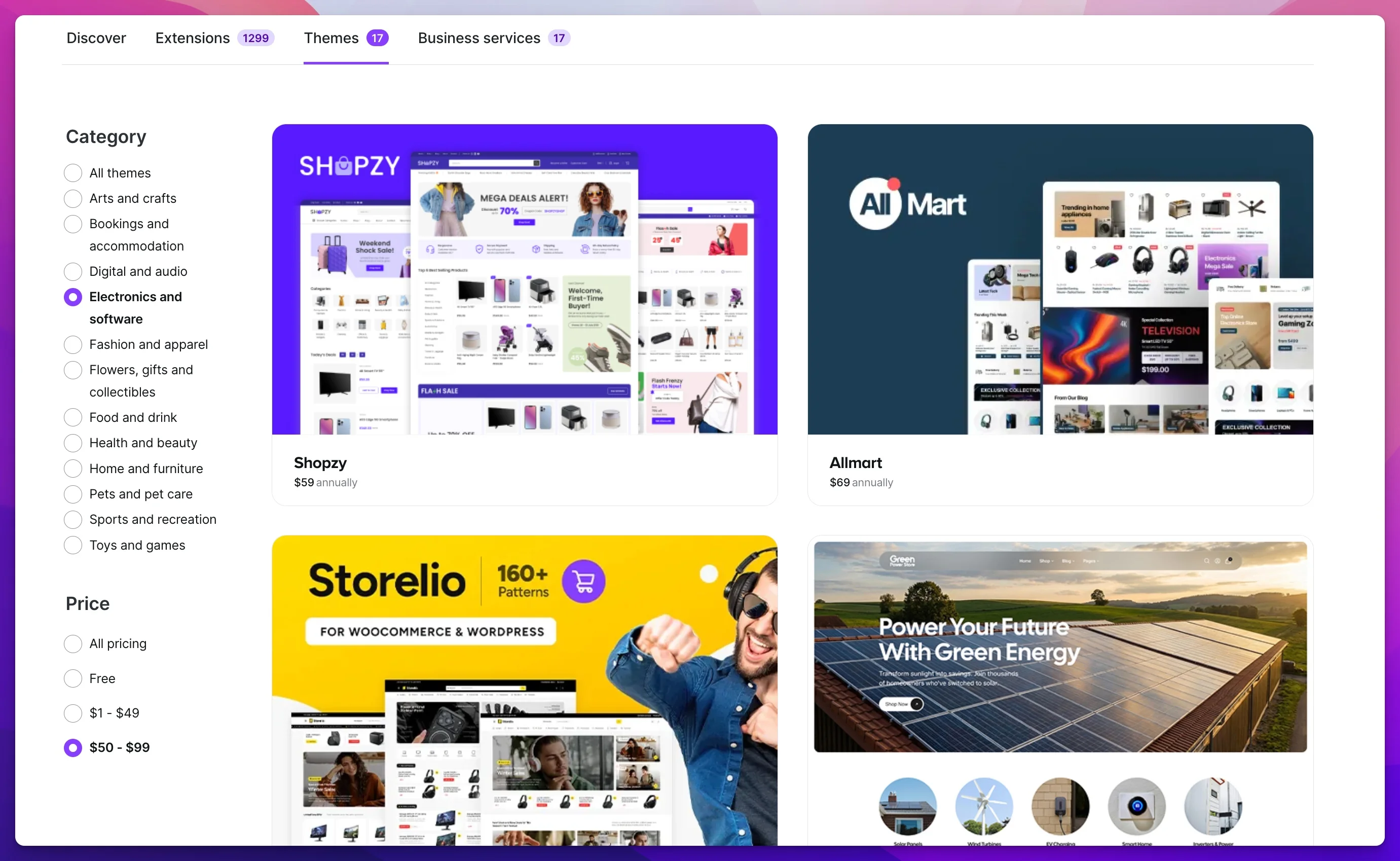
WooCommerce True Cost Breakdown (2026)
The plugin is free, but a functional WooCommerce store requires:
- Hosting: $7–$50/month. SiteGround managed WordPress hosting starts at $17.99/month with WooCommerce optimization. Cloudways offers scalable cloud hosting from $14/month.
- Domain: $12–$20/year (often included with hosting for the first year).
- SSL certificate: Typically included with hosting. If not, $8–$65/year.
- Premium theme: $0–$200 one-time. Free themes work, but premium themes like Astra or Kadence offer better performance and design flexibility.
- Essential plugins: $50–$300/year. Most stores need a shipping calculator, SEO plugin, security plugin, and backup solution.
- Payment processing: 2.9% + $0.30 per transaction through WooPayments (powered by Stripe). No platform markup.
Realistic total: $30–$80/month for a standard store, plus payment processing. That is competitive with Shopify Basic when you factor in the absence of platform transaction fees.
The Hidden Costs of 'Free'
WooCommerce requires ongoing maintenance: WordPress core updates, plugin compatibility checks, security patches, and hosting management. If a plugin update breaks your checkout at 2 AM on a Saturday, you are responsible for fixing it. For non-technical business owners, we recommend either managed WooCommerce hosting or budgeting $50–$100/month for a developer on retainer.
WooCommerce Setup: What to Expect
Plan for 1–3 days to get a WooCommerce store live — significantly longer than Shopify or Squarespace. You will need to choose a hosting provider, install WordPress, install and configure the WooCommerce plugin, select and customize a theme, configure shipping zones, and set up your payment gateway.
For businesses that already run a WordPress website, adding WooCommerce is simpler — typically a few hours. For businesses starting from scratch without technical comfort, we genuinely recommend hiring a developer for the initial setup. The $500–$2,000 you spend on professional setup will save you weeks of troubleshooting.
WooCommerce Is Best For
Businesses that already use WordPress, need deep customization, or have a developer on call. Also the best choice if you refuse to be locked into a proprietary platform's ecosystem and want complete data ownership.
BigCommerce Pricing, Revenue Caps, and B2B Features
BigCommerce charges zero platform transaction fees on every plan and includes native B2B features that competitors restrict to higher tiers or paid apps.
BigCommerce
$39/mo ($29 annual)Scalable e-commerce platform with zero platform transaction fees on every plan and native B2B selling tools.
Unlike Shopify (which charges 0.6%–2% on non-Shopify-Payments transactions) and Squarespace (which charges 2% on its Basic plan), BigCommerce never adds a platform surcharge. You pay only your payment gateway's processing fees.
BigCommerce includes product reviews, customer group pricing, real-time shipping quotes, multi-currency, and B2B wholesale pricing in its base plans — features that require paid apps on Shopify. Multi-channel selling (Amazon, eBay, Facebook, Instagram, Google Shopping, Walmart Marketplace) is built in without third-party apps or per-channel fees.
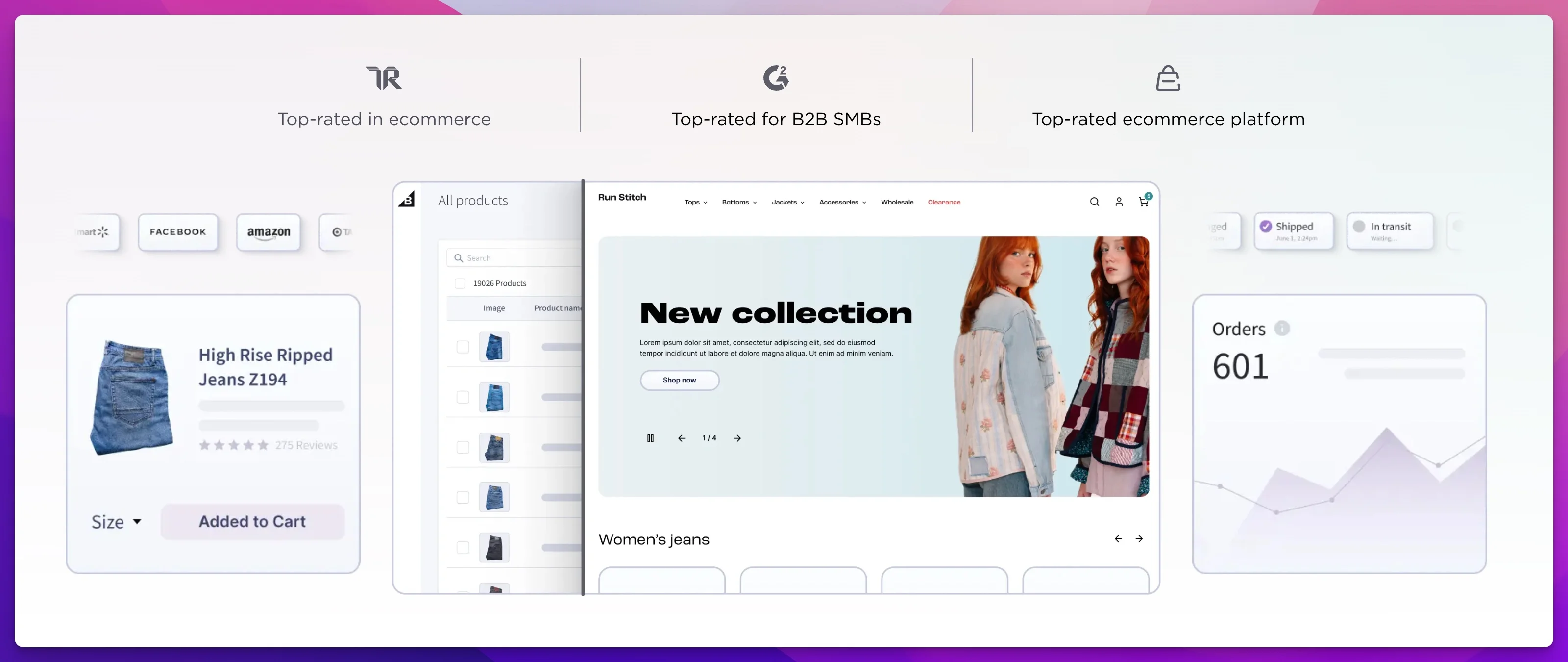
BigCommerce Pricing (2026)
- Standard ($39/mo, or $29/mo annual): Up to $50K in annual online sales. Unlimited products, staff accounts, and storage.
- Plus ($105/mo, or $79/mo annual): Up to $180K in annual online sales. Adds customer groups, abandoned cart recovery, and stored credit cards.
- Pro ($399/mo, or $299/mo annual): Up to $400K in annual online sales. Adds Google customer reviews and custom SSL.
- Enterprise (custom pricing, ~$2,000+/mo): Unlimited sales volume. Priority support, custom facets, and price lists.
Payment processing fees depend on your chosen gateway. Through PayPal (included by default): 2.59% + $0.49 on Standard, improving to 2.05% + $0.49 on Enterprise. Through Stripe or Braintree: standard 2.9% + $0.30.
Revenue Caps Force Automatic Upgrades
BigCommerce automatically upgrades your plan when you exceed annual sales thresholds: $50K (Standard to Plus), $180K (Plus to Pro), $400K (Pro to Enterprise). This is not optional. A store doing $51,000/year in sales gets bumped from $29/month to $79/month with no warning period. Plan for this when forecasting costs.
BigCommerce Setup: What to Expect
Setup takes 2–4 hours for a standard store. The admin interface is more complex than Shopify's — BigCommerce exposes more settings and configuration options by default. That is a strength for experienced operators and a learning curve for first-time sellers.
Theme selection is smaller than Shopify's but the free themes are higher quality. You will not need to buy a premium theme to get a professional-looking store, which saves $150–$350 compared to Shopify's premium theme marketplace.
BigCommerce Is Best For
Multi-channel sellers doing $50K–$400K/year who need B2B features, want zero platform transaction fees, and prefer built-in functionality over an app marketplace. Also strong for businesses selling across Amazon, eBay, and their own storefront simultaneously.
Squarespace Templates, Pricing, and Commerce Limitations
Squarespace offers the strongest design templates of any e-commerce platform and unifies website content with commerce in a way competitors do not match.

Squarespace
$23/mo (Core)Award-winning templates with integrated e-commerce. The most visually polished stores on any platform.
If your business relies on visual storytelling — photography, fashion, artisanal food, creative services — Squarespace produces a more polished storefront than Shopify, BigCommerce, or WooCommerce without custom design work. In 2026, the platform includes member areas, subscription selling, and appointment scheduling alongside its commerce tools.
Squarespace is the only platform where content and commerce are equal citizens. With Shopify or BigCommerce, your blog, about page, and portfolio are secondary to the store. With Squarespace, they are part of the same design system.

Squarespace Pricing (2026)
Squarespace restructured its plans in late 2025. Current pricing:
- Basic ($16/mo annual, $25/mo monthly): Unlimited products, but a 2% transaction fee and 7% on digital products make it impractical for serious commerce. 2.9% + $0.30 processing. 2 contributors. No sales analytics or integrations.
- Core ($23/mo annual, $36/mo monthly): 0% transaction fee on physical products, but 5% on digital products and memberships. 2.9% + $0.30 processing. Unlimited contributors. Sales analytics, shipping labels, and third-party integrations.
- Plus ($39/mo annual, $56/mo monthly): 0% transaction fee. 2.7% + $0.30 processing. 50 hours of video storage.
- Advanced ($99/mo annual, $139/mo monthly): 0% transaction fee. 2.5% + $0.30 processing. Unlimited video storage. Priority support.
The Core plan at $23/month is the sweet spot — it removes the 2% transaction fee, adds sales analytics, and unlocks integrations. The Plus and Advanced plans only reduce processing fees, which only pays off at high volume.
E-Commerce Limitations to Know
Squarespace supports Stripe, PayPal, Square, and Afterpay — but not Authorize.Net, Braintree, or most other gateways. Inventory management is basic compared to Shopify or BigCommerce: no multi-warehouse support, limited variant options, and no native wholesale/B2B features. If you sell more than ~200 SKUs with complex variants, Squarespace will start to feel constraining.
Squarespace Setup: What to Expect
Setup takes 1–2 hours for a functional store. The template system is drag-and-drop, and most setup time goes to choosing a template and uploading product photos rather than configuring settings.
The trade-off for that simplicity is less flexibility. Custom code is possible but limited, and you cannot install third-party plugins the way you can with WooCommerce or the Shopify App Store. What you see in the template library is largely what you get.
Squarespace Is Best For
Creative professionals, photographers, artists, and boutique brands selling fewer than 200 SKUs and under $50K/year. Strongest option when visual brand presentation is central to the buying decision and you want a polished store without hiring a designer.
How Much Do E-Commerce Platforms Really Cost?
True e-commerce costs combine monthly subscriptions, credit card processing rates, and platform-imposed transaction fees. Comparing base subscription prices hides the actual operational cost of an online store — a business processing $50,000 per month will pay significantly different totals depending on mandatory platform upgrades and processing rates.
Here is what you actually pay at three revenue levels, assuming an average order value of $75 and standard credit card processing:
Monthly Revenue: $10,000 ($120K/year)
| Cost Component | Shopify Basic | WooCommerce | BigCommerce Standard | Squarespace Core |
|---|---|---|---|---|
| Monthly subscription | $29 (annual) | ~$45 (hosting + plugins) | $29 (annual) | $23 (annual) |
| Processing fees (2.9% + $0.30) | $330 | $330 | $330 | $330 |
| Platform transaction fee | $0* | $0 | $0 | $0 |
| Monthly total | $359 | $375 | $359 | $353 |
| Annual total | $4,308 | $4,500 | $4,308 | $4,236 |
*With Shopify Payments. Without it, add $200/mo (2% of $10K).
Monthly Revenue: $25,000 ($300K/year)
| Cost Component | Shopify Basic | WooCommerce | BigCommerce Pro | Squarespace Core |
|---|---|---|---|---|
| Monthly subscription | $29 | ~$60 (better hosting needed) | $299** | $23 |
| Processing fees | $825 | $825 | $825 | $825 |
| Platform transaction fee | $0* | $0 | $0 | $0 |
| Monthly total | $854 | $885 | $1,124 | $848 |
| Annual total | $10,248 | $10,620 | $13,488 | $10,176 |
**BigCommerce auto-upgrades to Pro at $180K annual sales — you hit this at ~$15K/month.
Monthly Revenue: $50,000 ($600K/year)
| Cost Component | Shopify Grow | WooCommerce | BigCommerce Enterprise | Squarespace Core |
|---|---|---|---|---|
| Monthly subscription | $79 | ~$100 (managed hosting) | ~$2,000 (custom) | $23 |
| Processing fees (varies by tier) | $1,500 (2.7% + $0.30) | $1,650 (2.9% + $0.30) | $1,300 (negotiated) | $1,650 (2.9% + $0.30) |
| Platform transaction fee | $0* | $0 | $0 | $0 |
| Monthly total | $1,579 | $1,750 | $3,300 | $1,673 |
| Annual total | $18,948 | $21,000 | $39,600 | $20,076 |
How We Calculated These Numbers
Processing fees assume standard US credit card rates with each platform's built-in or default processor. WooCommerce uses WooPayments (2.9% + $0.30). Shopify rates improve with higher plans. BigCommerce negotiates rates at Enterprise tier. Real costs will vary based on card mix (debit vs credit, domestic vs international) and your average order value. Higher AOV reduces the impact of per-transaction flat fees.
The takeaway: at $10K/month, platform choice barely matters — you are within $50/month across all four. At $50K/month, the difference between Shopify Grow ($18,948/year) and BigCommerce Enterprise ($39,600/year) is over $20,000 annually. BigCommerce's zero-transaction-fee advantage gets swallowed by its forced Enterprise upgrade at $400K in annual sales.
For most small businesses growing from $10K to $50K per month, Shopify with Shopify Payments offers the best cost curve — low starting subscription with processing rates that improve as you upgrade plans.
Which E-Commerce Platform Has the Best Integrations?
An e-commerce platform connects to your accounting software, shipping provider, and CRM. The quality of these integrations determines how much manual data entry your team handles daily.
Accounting: QuickBooks, Xero, and FreshBooks
| Platform | QuickBooks Integration | Xero Integration | Setup Difficulty |
|---|---|---|---|
| Shopify | Native (free app) | Native (free app) | Simple — 10 minutes |
| WooCommerce | Plugin (WooCommerce for QuickBooks, $79–$199/yr) | Plugin (multiple options, $49–$149/yr) | Moderate — requires configuration |
| BigCommerce | Native (free) | Native (free) | Simple — 15 minutes |
| Squarespace | Via Zapier or manual CSV export | Via Zapier or manual CSV export | Manual or requires Zapier ($20+/mo) |
If you use QuickBooks or Xero, Shopify and BigCommerce both offer native, free integrations that sync orders, refunds, and tax data automatically. WooCommerce does the same through paid plugins. Squarespace is the outlier — there is no native accounting integration, and you will need Zapier or manual data entry to keep your books current.
Shipping: USPS, UPS, FedEx, and ShipStation
Shopify has the strongest built-in shipping toolkit. Every plan includes discounted USPS, UPS, and DHL rates (up to 77% on Basic, 87% on Grow and Advanced), in-admin label printing, and calculated shipping rates at checkout. ShipStation, ShipBob, and other third-party fulfillment services integrate through free apps.
BigCommerce includes real-time carrier-calculated shipping on all plans — a feature Shopify reserves for the Advanced plan ($299/month) or charges $20/month extra. ShipStation integration is native and free.
WooCommerce handles shipping through plugins. The free WooCommerce Shipping extension provides USPS label printing and discounts. For multi-carrier support, ShipStation or Shippo plugins ($10–$50/month) are standard.
Squarespace offers built-in USPS label printing and calculated shipping on the Core plan and above, but lacks native integration with FedEx, UPS, or third-party fulfillment services. For businesses shipping more than 50 orders/month, this becomes a meaningful limitation.
CRM and Marketing
All four platforms integrate with HubSpot, Mailchimp, and Klaviyo. Shopify and BigCommerce offer the deepest CRM integrations natively. WooCommerce connects to any CRM through plugins. Squarespace has native Mailchimp integration and built-in email campaigns, but limited CRM connectivity beyond that.
POS and In-Person Selling
For in-person selling at retail locations, markets, or pop-ups, Shopify POS leads the category for unified online/offline commerce. Inventory syncs in real time, you can accept tap-to-pay on your phone, and the system handles returns across channels. POS Lite is included free on all plans; POS Pro is $89/month per location.
BigCommerce does not have a proprietary POS but integrates with Square POS, Clover, and Vend. Squarespace partners with Square for in-person selling. WooCommerce requires separate POS solutions entirely.
Express Checkout: Apple Pay, Google Pay, and Shop Pay
Express checkout options (Apple Pay, Google Pay, Shop Pay) reduce cart abandonment by letting customers skip manual form entry. Shopify Payments enables Apple Pay and Google Pay automatically with no additional setup — Shop Pay (Shopify's accelerated checkout) is also included and converts at 1.72x the rate of standard checkout according to Shopify's own data. BigCommerce supports Apple Pay and Google Pay through its PayPal and Stripe integrations. Squarespace enables Apple Pay and Google Pay through Squarespace Payments (powered by Stripe). WooCommerce supports express checkout through the WooPayments plugin or Stripe plugin, though setup requires configuration rather than a one-click toggle.
Customer Support
| Platform | Support Channels | Availability | Self-Service Resources |
|---|---|---|---|
| Shopify | Live chat (AI + human), email | 24/7 | Extensive Help Center, community forum, video tutorials |
| BigCommerce | Phone, live chat, email | 24/7 (phone on all plans) | Knowledge base, community forum |
| Squarespace | Live chat, email | Live chat: weekday hours (not 24/7); email: 24/7 | Help Center, webinars |
| WooCommerce | Community forums, host-provided support | Depends on hosting provider | WordPress.org documentation, developer community |
Shopify provides 24/7 live chat on all plans, though initial responses route through an AI chatbot before connecting to human agents. BigCommerce is the only platform offering phone support on all plans, which is relevant for business owners who prefer speaking to a person when checkout issues arise. Squarespace offers live chat during business hours and email support around the clock. WooCommerce has no centralized support — you rely on your hosting provider for server issues and community forums for plugin-related questions.
Sales Tax and Compliance
Sales tax compliance is a significant operational burden for e-commerce businesses selling across US states or internationally.
Shopify handles this most comprehensively. Shopify Tax automatically calculates, collects, and reports US sales tax based on your nexus registrations. It supports product-specific tax categories and destination-based rates. Basic tax calculation is included free; Shopify Tax filing services are available on higher plans.
BigCommerce includes automatic tax calculation through Avalara (limited transactions included free, then usage-based pricing). Setup is straightforward and supports multi-state nexus.
WooCommerce requires third-party plugins for automated tax compliance. TaxJar (from $19/month), TaxCloud (free for basic use), and Avalara integrate through plugins. Manual configuration is possible but impractical for businesses with nexus in multiple states.
Squarespace calculates basic sales tax automatically for US sellers using Stripe Tax integration, but advanced features like multi-state filing and exemption certificates require external tools.
International Selling
| Feature | Shopify | WooCommerce | BigCommerce | Squarespace |
|---|---|---|---|---|
| Multi-currency checkout | Shopify Markets (all plans) | Plugin-based (WPML, WooCommerce Multi-Currency) | Native (all plans) | Limited (Stripe-handled only) |
| Duties and import taxes at checkout | Shopify Markets Pro / Advanced plan | Plugin-based | Not native | Not available |
| Localized domains and content | Shopify Markets | Plugin-based (WPML) | Not native | Limited |
| International shipping labels | DHL Express (DDP option) | Via shipping plugins | Via shipping integrations | USPS only |
For businesses selling outside their home country, Shopify Markets provides the most integrated solution: multi-currency pricing, localized checkout experiences, and (on Advanced and above) duties and import taxes calculated at checkout so customers see their full cost before purchasing. BigCommerce includes native multi-currency support on all plans but lacks the localization depth of Shopify Markets. WooCommerce can handle international selling through plugins but requires more setup. Squarespace has limited international capabilities — currency conversion happens at the payment processor level rather than through localized pricing.
How Do E-Commerce Platforms Compare on Site Speed?
Site speed directly affects conversion rates and search rankings. Google's Core Web Vitals — Largest Contentful Paint (LCP), Interaction to Next Paint (INP), and Cumulative Layout Shift (CLS) — measure real-user experience and factor into product page rankings in 2026.
Based on 2026 Chrome UX Report (CrUX) field data across thousands of stores per platform:
| Platform | Median Mobile LCP | CWV Pass Rate | Key Factor |
|---|---|---|---|
| Shopify | 2.6s | 54% | Managed CDN, server-rendered Liquid templates |
| BigCommerce | 2.9s | 48% | Native features reduce app/JS bloat |
| Squarespace | 3.2s | 42% | Decent defaults, but limited optimization control |
| WooCommerce | 3.5s (range: 1.8–6s+) | 34% | Widest variance — hosting and plugin discipline are decisive |
Shopify delivers the best out-of-box speed because infrastructure decisions are made for you: global CDN with edge caching, automatic WebP image conversion, and HTTP/2 for critical resources. The trade-off is a lower optimization ceiling than self-hosted platforms.
WooCommerce has the widest performance range. A well-optimized WooCommerce store on managed hosting with a lightweight theme (Astra, Kadence, GeneratePress) achieves sub-2-second LCP. A poorly hosted store with 20+ plugins regularly exceeds 5 seconds. Your hosting provider and plugin discipline determine performance more than the platform itself.
BigCommerce's structural speed advantage comes from including features natively (faceted search, multi-currency, B2B pricing) that Shopify stores typically add through JavaScript-injecting apps. Fewer apps means less JS bloat.
Squarespace offers decent default speed with limited optimization control. You cannot change hosting providers, caching layers, or the rendering pipeline — what Squarespace gives you is what you get.
How to Migrate Between E-Commerce Platforms
Many businesses researching platforms are already on one and considering a switch. Migration difficulty varies significantly.
| Migration Path | Difficulty | Timeline | Key Consideration |
|---|---|---|---|
| Squarespace → Shopify | Low | 1–2 weeks | CSV export of products; manual recreation of pages |
| WooCommerce → Shopify | Medium | 2–3 weeks | Cart2Cart or LitExtension automate product/customer transfer; URL redirects require careful SEO mapping |
| Shopify → WooCommerce | Medium | 2–4 weeks | Product data exports cleanly; theme rebuild is the main effort |
| BigCommerce → Shopify | Low–Medium | 1–2 weeks | Native migration tools available; similar data structures |
| Any platform → BigCommerce | Medium | 2–3 weeks | BigCommerce import tools handle most product data; custom fields may need manual mapping |
All four platforms support full CSV export of products, customers, and order history. Third-party services like Cart2Cart ($29–$299 depending on store size) and LitExtension automate the bulk of data migration, including product images, categories, and customer accounts.
The real migration cost is not data transfer — it is SEO preservation. URL structures differ between platforms, so every migrated page needs a 301 redirect from its old URL to its new one. Failing to set up redirects means losing accumulated search rankings and inbound links. Budget 1–3 weeks for a clean migration including redirect mapping and post-launch verification.
B2B and Wholesale Capabilities
For businesses selling wholesale alongside direct-to-consumer, platform choice determines whether you need one storefront or two.
| Feature | Shopify | WooCommerce | BigCommerce | Squarespace |
|---|---|---|---|---|
| Native B2B/wholesale | Plus only ($2,300+/mo) | Via plugins (WooCommerce Wholesale Suite, $49–$199/yr) | All plans (customer groups, price lists) | Not available |
| Customer group pricing | Plus only | Plugin-based | Standard plan and above | Not available |
| Net payment terms | Plus only | Plugin-based | Enterprise plan | Not available |
| Separate B2B storefront | Plus only (B2B channel) | Plugin-based | Built-in (customer groups with restricted catalog views) | Not available |
BigCommerce is the strongest platform for B2B at standard pricing tiers. Customer group pricing, quantity breaks, and restricted catalog views are available on the Standard plan. Shopify's native B2B features (custom price lists, company accounts, net payment terms, draft orders) require Shopify Plus at $2,300+/month — though lower-tier Shopify stores can approximate B2B functionality through third-party apps like Wholesale Gorilla or Bold Custom Pricing ($20–$60/month).
WooCommerce handles B2B through plugins. The WooCommerce Wholesale Suite is the most popular option, offering tiered pricing, minimum order quantities, and gated wholesale registration. Setup requires more configuration than BigCommerce's native approach, but the flexibility is broader.
Squarespace has no B2B or wholesale features.
AI Features: What Actually Works in 2026
All four platforms now include AI-powered tools. Here is what each delivers in practice.
Shopify Magic generates product descriptions, email subject lines, and automated chat responses directly within the admin. Sidekick, Shopify's AI assistant, answers questions about store performance and suggests operational improvements. In practice, Shopify Magic produces serviceable first-draft product descriptions — better than a blank page, but generic enough that editing is still required for brand-differentiated copy.
BigCommerce BigAI focuses on product descriptions and SEO-optimized content. The BigAI Copywriter generates product descriptions tuned for search visibility. BigCommerce is also investing in predictive analytics (customer lifetime value forecasting) and AI-powered product recommendations, though these are primarily available on higher-tier plans.
Squarespace Blueprint AI generates site structures and page layouts from text prompts during onboarding. Reviewers consistently rate Blueprint AI's design output as high-quality — the generated layouts look professionally designed rather than generically templated. However, Blueprint AI is primarily a layout tool, not a content generator. It structures pages effectively but does not produce product descriptions, marketing copy, or ongoing content.
WooCommerce does not have native AI features. WordPress-based AI tools (Jetpack AI Assistant, AI-powered SEO plugins) fill the gap, but require separate installation and often separate subscriptions.
None of these AI tools replace professional product photography or brand-specific copywriting. They are most useful for generating first drafts and reducing time-to-publish for large product catalogs.
What Is the Best E-Commerce Platform for Small Businesses?
The best platform depends on your technical expertise, sales volume, and whether you need physical retail or B2B capabilities.
Choose Shopify if you sell physical products, want to launch this week, and will use Shopify Payments. Best for businesses prioritizing speed to market, multi-channel selling, and unified in-person POS.
Choose WooCommerce if you already run a WordPress website, need unlimited customization, or have a developer available. The best option for businesses that refuse proprietary platform lock-in and want full ownership of their store's code and data. SiteGround and Cloudways both offer optimized WooCommerce hosting.
Choose BigCommerce if you sell B2B and B2C from one storefront, operate across multiple marketplaces, or process high volume and want to eliminate platform transaction fees entirely. The strongest out-of-box feature set for growing businesses.
Choose Squarespace if your brand's visual identity is a core selling point and you sell fewer than 200 SKUs. Photographers, artists, fashion designers, and service-based businesses that need a unified website and store will find Squarespace delivers the most polished result without hiring a designer.
Free and Low-Cost Options for Bootstrapped Businesses
If you are testing a product idea before committing to monthly subscription fees, here are your cheapest entry points:
- Shopify Starter ($5/month): Sell through social media, messaging apps, or a simple link page. No full storefront, but it is the lowest barrier to accepting payments through a major platform.
- WooCommerce + budget hosting ($7–$10/month): The cheapest path to a fully functional store, but you are trading money for time. Expect to invest 5–10 hours in setup and ongoing maintenance.
- Squarespace Basic ($16/month): The cheapest way to get a beautiful, professional-looking store, but the 2% transaction fee adds up once sales grow. Upgrade to Core ($23/month) as soon as you are doing consistent sales.
- Square Online (free tier): Not covered in this guide, but worth mentioning — Square offers a free online store if you process payments through Square. Limited customization, but zero monthly cost for very small sellers.
Which Platform Is Best for Dropshipping and Print-on-Demand?
Shopify is the strongest platform for dropshipping and print-on-demand (POD) due to its app ecosystem. DSers (AliExpress automation), Spocket (US/EU suppliers with 2-8 day shipping), and Printful (custom branded merchandise) all integrate directly through one-click app installs. Zendrop and CJdropshipping also offer free Shopify plans for new sellers.
WooCommerce is a close second, with plugins available for all major dropshipping and POD services. AliDropship and Spocket both offer WooCommerce integrations, and the open-source flexibility allows custom fulfillment workflows. Setup requires more configuration than Shopify.
BigCommerce supports Printful and Spocket integrations but has a smaller selection of dropshipping apps than Shopify. Squarespace has limited dropshipping support — Printful integration is available, but broader dropshipping automation tools are not.
Digital Products: Courses, Downloads, and Memberships
For businesses selling digital products (courses, ebooks, templates, music, memberships), the transaction fee structure matters more than the subscription price.
- WooCommerce handles digital products natively with zero platform fees. Virtual and downloadable products are built into the core plugin with no file size limits.
- Shopify supports digital products through its free Digital Downloads app or third-party apps like SendOwl and Sky Pilot. No additional platform fees beyond standard processing.
- BigCommerce includes native digital product support with automatic download delivery on all plans. Zero platform transaction fees apply.
- Squarespace charges a 7% fee on digital products (Basic plan), 5% on Core, and 1% on Plus. Only the Advanced plan ($99/month) has 0% digital product fees. This makes Squarespace the most expensive option for digital-first businesses.
The Bottom Line
For most small businesses launching an online store in 2026, Shopify is the right choice. It offers the fastest setup, strongest ecosystem, and most predictable cost structure — as long as you use Shopify Payments to avoid the transaction fee surcharge. The majority of businesses we work with at iFeeltech start on the Basic plan ($29/month annual) and upgrade to Grow only when they need additional staff accounts or lower processing rates.
If you value control over convenience, WooCommerce delivers the flexibility of a fully open platform at a comparable total cost — but it demands ongoing technical maintenance that Shopify handles for you. For high-volume sellers tired of platform surcharges, BigCommerce eliminates transaction fees entirely, though its automatic plan upgrades at revenue thresholds need to be factored into your growth projections.
And if visual presentation is central to how your business competes, Squarespace produces the most polished storefronts with the least design effort. Start with the Core plan at $23/month for a professional result that requires no custom design work.
Start a free trial on any of these platforms, add your actual products, and test the checkout experience before committing. The right platform is the one that fits your business today and scales with your growth.
Related Resources
- Complete Business Software Stack Under $200/Month — How to build your full business tech stack on a budget, including e-commerce, accounting, CRM, and communication tools.
- Best CRM for Small Business 2026: HubSpot vs Pipedrive vs Monday — Your e-commerce platform needs a CRM. Here is which one fits.
- QuickBooks vs Xero: Small Business Accounting Comparison — Whichever platform you choose, it needs to sync with your accounting software.
- HubSpot Starter vs Pipedrive — Detailed comparison of the two most popular CRMs for businesses adding e-commerce to their operations.
Frequently Asked Questions
Related Articles
More from Business Software

Gusto vs Rippling vs ADP RUN vs Deel (2026): Small-Business Payroll and HR Compared
We compare Gusto, Rippling, ADP RUN, and Deel for small-business payroll, HR, IT provisioning, and global hiring — with pricing verified July 2026.
20 min read

Best CRM for Small Business 2026: HubSpot vs Pipedrive vs Monday
The best CRM for small business in 2026 — comparing HubSpot, Pipedrive, and Monday on real pricing, setup time, pipeline tools, and free options for teams of 5–50.
20 min read

Gusto Review 2026: Pricing, Pros, Cons, and IT Admin Notes
Gusto starts at $49/mo + $6/person. We review payroll, tax filing, time tracking, support, integrations, security, and IT offboarding limits.
23 min read