Free Cybersecurity Assessment: Complete Guide for Small Business Security Evaluation
Comprehensive guide to free cybersecurity assessment tools for small businesses. Covers NIST CSF 2.0 framework, privacy-first evaluation options, and actionable security improvement strategies.

Affiliate Disclosure: This article contains affiliate links. If you make a purchase through these links, we may earn a small commission at no extra cost to you. As an Amazon Associate, iFeelTech earns from qualifying purchases.
Why is a Cybersecurity Assessment Critical in 2026?
Regular assessments are now the primary requirement for obtaining cyber insurance and meeting vendor compliance standards. Beyond basic protection, the 2026 threat landscape is defined by AI-enhanced targeting. Data indicates that 64% of breaches specifically target businesses with fewer than 1,000 employees, often leveraging automated tools to bypass traditional filters. An assessment does not just find holes in your firewall; it documents your "duty of care," which is essential for liability protection and lowering insurance premiums.
What is a Comprehensive Cybersecurity Assessment?
A comprehensive assessment evaluates an organization's security posture against the six core functions of the NIST Cybersecurity Framework 2.0. Unlike a simple antivirus scan, a true assessment analyzes governance, asset management, and recovery protocols. It answers two fundamental questions: "Can we detect a breach?" and "How fast can we recover?" Effective evaluations align with NIST CSF 2.0—Governance, Identify, Protect, Detect, Respond, and Recover—to ensure no business function is left exposed.
The NIST Cybersecurity Framework 2.0
Cybersecurity assessments evaluate six core areas aligned with the NIST Cybersecurity Framework 2.0, released in February 2024. Our NIST CSF 2.0 cybersecurity tools guide provides detailed implementation guidance for businesses implementing these standards.
NIST CSF 2.0: The Six Core Functions Simplified
| Function | What It Means | Key Question |
|---|---|---|
| Govern | Leadership sets security priorities and allocates resources | Who is responsible for cybersecurity decisions? |
| Identify | Know what assets you have and what needs protection | What data and systems are critical to your business? |
| Protect | Implement safeguards to prevent breaches | Are passwords strong? Is MFA enabled? |
| Detect | Monitor systems to spot threats early | Can you tell if someone unauthorized is in your network? |
| Respond | Have a plan to contain and mitigate incidents | What happens if you discover a breach tomorrow? |
| Recover | Restore operations and learn from incidents | How fast can you get back to normal after an attack? |
This framework ensures assessments cover both technical controls (firewalls, backups) and business processes (policies, training) that together create comprehensive security.
Governance and Risk Management
Leadership oversight, security policies, and risk tolerance alignment with business objectives. This includes evaluating whether security decisions integrate with business planning and whether organizations maintain appropriate oversight of security investments and outcomes.
Asset Identification and Management
Comprehensive inventory of hardware, software, data, and personnel assets. During this evaluation, organizations often discover unknown or unmanaged assets, with research indicating that businesses commonly underestimate their technology footprint by approximately one-third.
Protective Controls
Technical and administrative safeguards, including access controls, data protection measures, employee training programs, and protective technology deployment. This encompasses both preventive measures and the procedures that support their effective operation.
Detection Capabilities
Systems and processes for identifying security events, monitoring network activity, and maintaining situational awareness of potential threats. Detection capabilities span from automated monitoring tools to human-driven threat hunting activities.
Response Planning
Documented procedures for handling security incidents, including escalation protocols, communication strategies, and coordination mechanisms. Effective response planning reduces incident impact and recovery time significantly.
Recovery and Resilience
Business continuity capabilities, backup systems, and organizational learning processes that enable rapid restoration of normal operations following security incidents.
Current Threat Landscape and Assessment Drivers
Recent research highlights several trends that demonstrate the value of regular security assessment for small businesses:
2026 Threat Statistics
- AI-Enhanced Social Engineering: Social engineering is involved in over 80% of breaches, with AI tools now automating these attacks at scale. Deepfake voice cloning and AI-powered phishing campaigns have made CEO fraud and business email compromise significantly more convincing
- AI Voice Cloning (Vishing): Deepfake audio attacks targeting executives and finance teams have emerged as a dominant 2026 threat, with criminals using AI to clone voices for wire transfer fraud
- Ransomware-as-a-Service Expansion: Ransomware incidents grew by 45% in 2025, making it easier for less technical criminals to launch attacks against small businesses
- Financial Impact: The average cost of a cyberattack on small businesses now exceeds $200,000, with direct costs, regulatory fines, and business disruption creating significant financial strain. Recovery costs can reach into the millions for larger SMBs
- Supply Chain Vulnerabilities: Supply chain attacks continue to escalate, with 15% of small business breaches in 2025 originating from compromised vendors
Regular cybersecurity assessment serves as a foundational risk management practice. Research indicates that organizations with formal assessment processes demonstrate 12.7% higher likelihood of security success and 10.5% average improvement in security outcomes compared to those without systematic evaluation.
The 2026 Cyber Insurance Checklist
Cyber insurance providers now require specific security controls before issuing policies. Use this checklist to prepare for insurance applications:
What Insurers Ask For in 2026
- Multi-Factor Authentication (MFA): Is MFA enabled on all remote access points and administrative accounts?
- Offline Backups: Do you maintain offline or immutable backups that cannot be encrypted by ransomware?
- Endpoint Protection: Is antivirus/EDR software deployed and actively monitored on all devices?
- Patch Management: Do you have a documented process for applying security updates within 30 days?
- Incident Response Plan: Have you documented and tested procedures for responding to a breach?
- Employee Training: Do employees receive annual cybersecurity awareness training?
- Privileged Access Management: Are administrative credentials separated from daily-use accounts?
- Email Security: Do you use email filtering to block phishing attempts and malicious attachments?
Completing a comprehensive assessment helps you identify gaps in these insurance requirements before applying for coverage, potentially saving thousands in premium costs. Our Valydex assessment tool provides privacy-first evaluation that processes all data locally in your browser.
Should You Use Free Tools or Hire a Consultant?
Free tools are best for initial baselining and internal awareness, while professional consultants are necessary for regulatory compliance and complex audits.
| Assessment Type | Best For | Cost | Limitations |
|---|---|---|---|
| Self-Assessment Tools | Businesses with under 20 employees; initial baselining | Free | Self-reported data; no technical validation |
| Automated Scanning | Technical vulnerability checks | $0-$500/month | Fails to assess human risk or policy gaps |
| Professional Consultation | HIPAA, PCI-DSS, SOC 2 compliance | $5,000-$15,000 | Higher cost; requires external scheduling |
| Continuous Monitoring | Ongoing security posture visibility | $1,000+/month | Requires dedicated security expertise |
Self-Assessment Tools: Ideal for businesses with under 20 employees. Government resources like CISA's Cyber Hygiene Services and CSET (Cyber Security Evaluation Tool) provide free, comprehensive assessments. For privacy-focused evaluations that process data locally in your browser, Valydex offers immediate scoring to identify risks like weak password policies or unpatched software.
Automated Scanning: Useful for technical vulnerability checks but fails to assess human risk or policy gaps. Open-source tools like OpenVAS provide network vulnerability scanning for technically proficient teams, while commercial platforms like Tenable Nessus add audit-ready reporting for compliance-driven environments.
Professional Consultation: Required if you must comply with HIPAA, PCI-DSS, or SOC 2. Expect to pay $5,000–$15,000 for a guided audit that satisfies external auditors. For organizations considering professional support, our managed IT services include ongoing security assessment and monitoring.
How to Perform a Manual Security Assessment
If you prefer to conduct an initial assessment without specialized tools, use this checklist to evaluate your current security posture. For a more structured seven-step audit with evidence requirements and a scoring worksheet, see our small business security audit checklist.
Manual Assessment Checklist
Access Controls:
- List all user accounts with administrative privileges
- Verify Multi-Factor Authentication (MFA) is enabled on all critical accounts
- Check for shared passwords or generic accounts (e.g., "admin@company.com")
- Review who has access to sensitive data and financial systems
Network Security:
- Confirm firewalls are enabled on all devices and network perimeters
- Document all devices connected to your network (computers, phones, IoT devices)
- Verify your Wi-Fi uses WPA3 encryption with a strong password
- Check if remote access requires VPN or Zero Trust authentication
Data Protection:
- Verify backups run automatically and are stored offline or in immutable storage
- Test backup restoration within the last 90 days
- Identify where sensitive customer data is stored (local drives, cloud, paper)
- Confirm encryption is enabled for laptops and mobile devices
Software & Patching:
- List all software applications and their current versions
- Check if automatic updates are enabled for operating systems and critical applications
- Verify antivirus/endpoint protection is installed and actively scanning
- Document any unsupported or end-of-life software still in use
Incident Response:
- Document who to contact if you discover a security incident
- Verify you have contact information for your IT provider, insurance carrier, and legal counsel
- Check if employees know how to report suspicious emails or security concerns
For a more comprehensive evaluation with automated scoring, consider using CISA's CSET tool or Valydex for privacy-first browser-based assessment.
Key Features of Quality Assessment Tools
Framework Alignment: Effective cybersecurity assessments align with established security frameworks rather than vendor-specific checklists. The NIST Cybersecurity Framework 2.0 provides the most comprehensive foundation for small business assessment because it addresses both technical controls and business governance requirements across all six core functions.
Privacy and Data Protection: Assessment tools should minimize data collection and clearly explain how collected information is used. The most trustworthy options perform evaluations without requiring personal business information or storing assessment results on external servers.
Actionable Recommendations: Quality assessments translate technical findings into specific business actions with clear implementation guidance. Rather than generic advice like "improve password security," practical tools provide step-by-step instructions for implementing specific security controls. Our business password manager guide offers detailed implementation guidance for this critical security control.
Common Limitations of Free Assessment Tools
Many free assessments rely entirely on self-reported information without technical verification of security controls. Assessment tools provided by security vendors often emphasize weaknesses that their products address while minimizing areas where their solutions provide limited value. Free tools frequently provide standardized advice that doesn't account for specific business contexts, industry requirements, or resource constraints.
How Can You Assess Security Without Exposing Data?
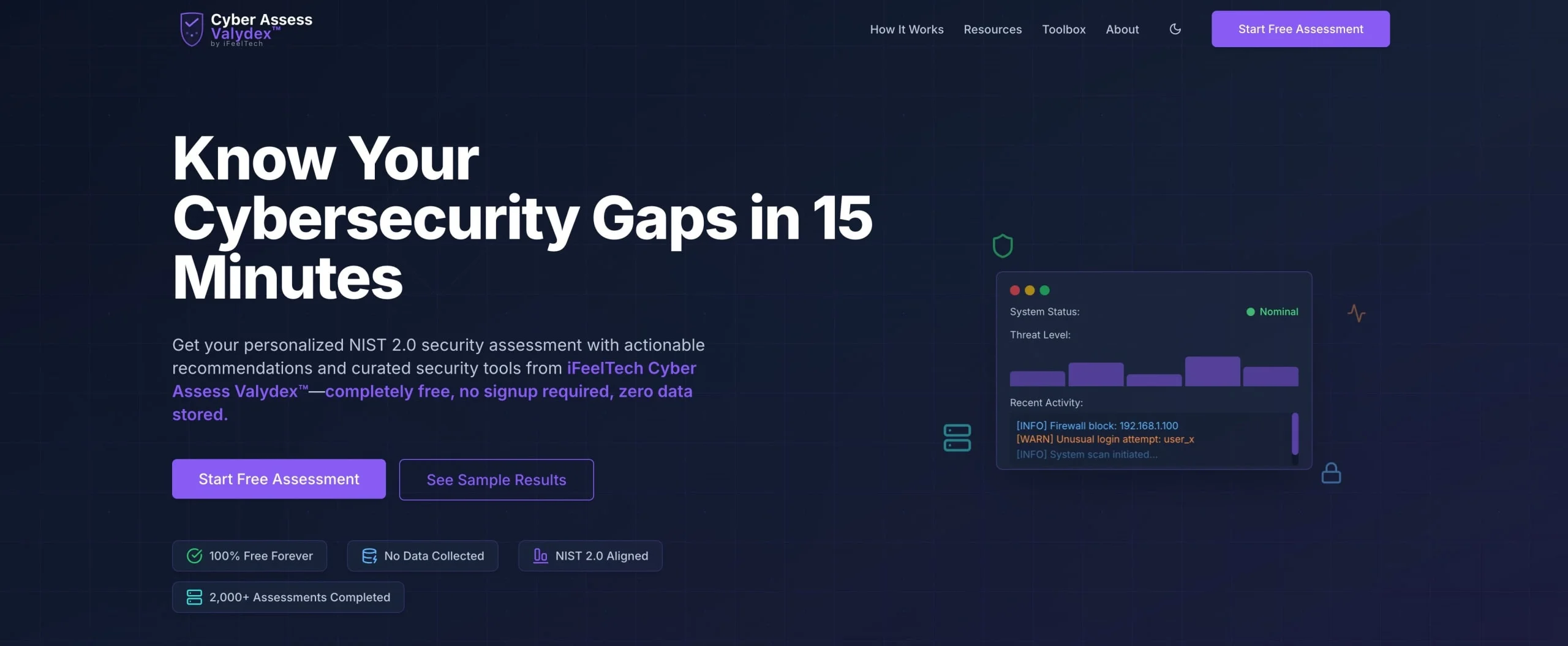
Privacy-first assessment tools process all inputs locally in your browser to ensure sensitive vulnerability data never leaves your control. Many "free" audit tools harvest your data to sell leads to security vendors, creating additional privacy risks during the assessment process.
Our Privacy-First Assessment Tool
iFeelTech's Valydex is our proprietary assessment tool designed specifically to address privacy concerns. Unlike traditional assessment tools that send your security data to external servers, Valydex performs all evaluations locally in your browser. This client-side processing ensures that sensitive business information never leaves your organization's control.
Valydex evaluates all six NIST CSF 2.0 functions through targeted questions that reveal security gaps and implementation opportunities. The framework-based approach ensures comprehensive coverage rather than focusing on specific vendor solutions or limited security areas.
| Assessment Area | Key Evaluation Points | Business Impact |
|---|---|---|
| Governance | Leadership engagement, policy development, and risk management integration | Security alignment with business objectives |
| Asset Management | Inventory processes, data classification, and personnel security awareness | Visibility into technology footprint |
| Protection Controls | Access management, data security, employee training, technical safeguards | Prevention of security incidents |
| Detection | Monitoring systems, threat awareness, and incident identification | Early warning of security issues |
| Response Planning | Incident response procedures, communication protocols, and recovery planning | Minimized incident impact |
| Recovery | Backup systems, business continuity, and improvement processes | Rapid operation restoration |
The NIST Cybersecurity Framework (CSF) 2.0
What Are the First Steps After an Assessment?
Prioritize remediation based on "effort vs. impact," starting with high-impact, low-cost controls like Multi-Factor Authentication (MFA).
Do not attempt to fix every red flag immediately.
- Immediate: Enforce MFA and update password management protocols. Consider solutions like 1Password Business, NordPass Business, or Proton Pass for centralized credential management. Our password manager comparison guide provides detailed evaluation criteria.
- Short-Term: Configure automated backup systems to insulate against ransomware. Solutions like Acronis Cyber Protect or iDrive Business offer comprehensive backup and recovery capabilities.
- Long-Term: Engage Managed IT Services to address complex structural vulnerabilities identified in your report.
Preparation for Effective Assessment
Before You Begin
Information Gathering: Before beginning any cybersecurity assessment, compile basic information about current technology usage, security tools, and business processes. This includes an inventory of devices, software applications, cloud services, and data handling procedures.
Stakeholder Involvement: Include relevant team members in assessment completion, particularly those responsible for IT management, administrative procedures, and customer data handling. Multiple perspectives often reveal security gaps that single-person assessments miss.
Time Allocation: Plan adequate time for thorough assessment completion rather than rushing through evaluation questions. Quality assessments typically require 30-60 minutes, depending on business complexity and current security maturity.
Understanding Assessment Results
Risk Scoring Interpretation: Assessment scores provide relative indicators of security maturity rather than absolute security guarantees. A high score indicates strong alignment with framework requirements, while lower scores identify improvement opportunities.
Priority Recommendations: Quality assessments prioritize recommendations based on risk reduction potential, implementation difficulty, and cost-effectiveness. To build security momentum before tackling complex projects, address high-priority, low-complexity improvements first.
Professional Consultation and Advanced Assessment
When to Seek a Professional Security Assessment
Compliance Requirements
Organizations subject to regulatory requirements like HIPAA, PCI DSS, or SOC 2 typically need professional security assessments to demonstrate compliance adequacy. Self-assessment tools provide preparation but rarely satisfy regulatory documentation requirements.
Complex Technology Environments
Businesses with multiple locations, cloud services, or integrated systems often require professional assessment to evaluate security across complex technology architectures. Professional consultants provide technical expertise for comprehensive security evaluation.
Growth Planning
Rapidly growing businesses often outgrow basic security approaches and require professional guidance for enterprise-grade security implementation. Professional assessment helps plan security evolution that supports business growth rather than constraining it.
3 Questions to Ask Before Hiring a Security Consultant
Vendor Vetting Questions
Before engaging a security consultant, ask these critical questions:
- Do you outsource your penetration testing? Ensure the firm performs testing in-house rather than subcontracting to unknown third parties.
- Will you provide a remediation roadmap, or just a list of problems? Quality consultants deliver actionable implementation plans, not just vulnerability lists.
- Does your report satisfy [Specific Regulation] requirements? Confirm the assessment format meets your compliance needs (HIPAA, PCI-DSS, SOC 2, etc.).
Professional Assessment Investment Planning
Based on 2026 market analysis, professional cybersecurity assessments typically follow these investment ranges:
| Business Size | Assessment Cost Range | Typical Scope |
|---|---|---|
| Under 50 Employees | $5,000-$15,000 | Comprehensive evaluation with basic testing |
| 50-250 Employees | $15,000-$35,000 | Advanced testing and compliance evaluation |
| 250+ Employees | $35,000-$50,000+ | Enterprise-level assessment with specialized testing |
Industry-Specific Assessment Considerations
Healthcare and Professional Services
Healthcare organizations and professional service firms face unique cybersecurity requirements due to client confidentiality obligations and regulatory compliance mandates. Standard cybersecurity assessments may not address industry-specific requirements like HIPAA compliance or attorney-client privilege protection. Our security compliance guide provides detailed guidance for meeting regulatory requirements.
Financial Services and E-commerce
Organizations handling financial data or processing payments require specialized security assessment that addresses payment card industry (PCI DSS) requirements and financial data protection standards. These assessments typically include additional evaluation of transaction security, data encryption, and fraud prevention measures.
Manufacturing and Technology Companies
Organizations with intellectual property concerns or industrial control systems require specialized assessments that address information security and operational technology protection. These assessments often include evaluation of network segmentation, access controls, and physical security measures.
Comprehensive Security Implementation
Free cybersecurity assessment tools provide an essential starting point for security improvement, but comprehensive protection requires systematic implementation of identified recommendations. Organizations looking to implement advanced security measures can benefit from our cybersecurity software guide, which covers enterprise-grade tools suitable for growing businesses.
Critical Security Controls Implementation
Password Management: Password security remains among small businesses' highest-impact, lowest-cost security improvements. Business-grade password managers like 1Password Business, NordPass Business, or Proton Pass provide centralized credential management, secure sharing, and compliance reporting. Our comprehensive password manager guide provides detailed implementation strategies.
Endpoint Protection: Deploy comprehensive endpoint security across all devices. Solutions like Bitdefender Business Security, ESET Small Business Security, or Malwarebytes for Teams provide advanced threat detection and response capabilities. Our small business network security audit guide covers essential network protection strategies.
Network Security: Secure remote access with modern solutions. NordLayer provides Zero Trust network access for distributed teams, while Proton VPN Business offers privacy-focused encrypted connections. Review our VPN vs Zero Trust comparison to determine the best approach for your organization, or see our VPN privacy comparison for small business to evaluate providers specifically on audited no-log policies and jurisdiction.
Backup and Recovery Systems: Regular, tested data backups provide essential protection against ransomware and system failures. Acronis Cyber Protect combines backup with anti-malware protection, while iDrive Business offers cost-effective cloud backup with unlimited devices.
Security Monitoring and Response: Small businesses often lack the resources for 24/7 security monitoring, but basic monitoring capabilities can significantly improve threat detection. Organizations requiring ongoing security support should consider our managed IT services, which include continuous security monitoring and incident response.
Building Long-term Security Culture
Effective cybersecurity extends beyond technical controls to encompass organizational culture and ongoing education. Assessment results provide the foundation for building security awareness throughout your organization, but sustained improvement requires a systematic approach to security culture development.
The FTC's Cybersecurity for Small Business guide provides practical resources for building security awareness, while CISA's free training programs offer employee education materials. Our 90-day breach prevention guide provides a structured framework for implementing security improvements across your organization.
Alternative Assessment Tools and Comparison
While Valydex provides comprehensive privacy-first assessment capabilities, businesses may benefit from understanding the broader assessment landscape.
Assessment Tool Selection Criteria
When evaluating cybersecurity assessment tools, consider these critical factors:
- Privacy Protection: How the tool handles your business data during and after assessment
- Framework Alignment: Whether recommendations align with established standards like NIST CSF 2.0
- Implementation Guidance: Quality and specificity of improvement recommendations
- Business Context: Whether the tool considers your specific industry and business size
- Ongoing Support: Educational resources and implementation guidance provided
Frequently Asked Questions
How often should small businesses conduct cybersecurity assessments?
We recommend annual assessments as a baseline, with additional evaluations following significant technology changes, security incidents, or business growth. In 2026, many cyber insurance policies require annual assessments as a condition of coverage renewal.
Can free assessment tools replace professional security consultation?
Free assessment tools provide excellent preparation and baseline evaluation, but complex environments or compliance requirements typically benefit from professional consultation. Use free tools to establish foundations, then seek professional guidance for advanced implementation.
What should I do if my assessment reveals significant security gaps?
First, prioritize high-impact, low-complexity improvements. Focus on basic security hygiene, such as password management and software updates, before pursuing advanced security measures. Consider professional consultation for complex technical implementations.
How do assessment results help with cyber insurance applications?
Assessment results directly map to insurance underwriting requirements. Completing an assessment before applying for cyber insurance helps you identify and remediate gaps that could result in coverage denial or higher premiums. Many insurers now require documented evidence of security controls like MFA, offline backups, and incident response plans.
How do assessment results help with cybersecurity budgeting?
Assessment results provide concrete justification for security investments by identifying specific risks and quantifying potential impact. Use results to prioritize spending and demonstrate ROI for security improvements to stakeholders.
Are privacy-first assessment tools as effective as traditional options?
Privacy-first tools like Valydex can be more effective because they eliminate data sharing concerns that often prevent honest assessment completion. Local processing ensures complete privacy while providing comprehensive evaluation capabilities.
How do cybersecurity assessments support compliance requirements?
While assessments based on frameworks like NIST CSF 2.0 provide excellent preparation for compliance audits, they typically don't replace formal compliance evaluation. Use assessment results to identify gaps before official compliance reviews.
What's the difference between security assessment and penetration testing?
Security assessments evaluate overall security posture through questionnaires and policy review, while penetration testing involves technical attacks against systems to identify vulnerabilities. Most small businesses benefit from assessment before considering penetration testing.
Conclusion
Free cybersecurity assessment tools provide a practical starting point for small businesses looking to improve their security posture without significant upfront investment. The most effective options combine framework alignment with privacy protection and clear guidance, making it easier to identify and address security gaps systematically.
Quality assessment tools like Valydex demonstrate that cybersecurity evaluation can respect business privacy while providing useful insights into security posture and improvement opportunities. By aligning with established frameworks like NIST CSF 2.0, these tools offer guidance based on industry best practices.
Successful cybersecurity assessment depends on selecting tools that provide honest evaluation, actionable recommendations, and helpful guidance. Regular assessments help businesses identify security gaps, meet insurance requirements, and build stronger security practices over time.
For small businesses starting their cybersecurity journey, free assessment tools help build security awareness and identify immediate improvement opportunities. As businesses grow and security requirements become more complex, professional consultation can build upon the foundation established through self-assessment.
Related Resources
- NIST CSF 2.0 Cybersecurity Tools – Framework implementation
- Best Cybersecurity Software for Small Business – Tool recommendations
- Best Business Password Managers – Authentication security
- Small Business Breach Prevention Guide – 90-day security plan
- Small Business Security Compliance Guide – Regulatory requirements
- VPN vs Zero Trust Guide – Access security
- Managed IT Services – Professional support
- Cybersecurity Services – Security implementation
Related Articles
More from Cybersecurity
Roll Out a Team Password Manager Without Lockouts
Roll out a small-business password manager safely. Choose the right plan, test recovery, migrate shared vaults and remove access when employees leave.
13 min read
Are Free VPN Extensions Safe for Small Businesses? A July 2026 Check
Recent VPN incidents showed how extensions can expose passwords, AI conversations, and browser traffic. Learn how to audit extensions, build an allowlist, and protect your company.
11 min read
Bitdefender GravityZone Review (2026): An IT Provider's Take for Small Business
We deploy GravityZone for clients — this review covers the real console experience, tier selection, pricing traps, and whether it fits a business without a security team.
15 min read