

Are Free VPN Extensions Safe for Small Businesses? A July 2026 Check
Recent VPN incidents showed how extensions can expose passwords, AI conversations, and browser traffic. Learn how to audit extensions, build an allowlist, and protect your company.


A free VPN extension may look like a harmless browser tool, but on a business computer it can access passwords, cloud applications, copied data, and AI conversations.
The larger issue is shadow IT: employees can install extensions without realizing they are granting software access to company systems. Three recent VPN extension cases show why small businesses need a simple approval and monitoring process — not just better employee awareness. This guide covers what happened in each case, why unapproved extensions are a business risk, and how to build a practical extension policy.
Affiliate Disclosure: This article contains affiliate links. If you make a purchase through these links, we may earn a small commission at no extra cost to you. As an Amazon Associate, iFeelTech earns from qualifying purchases.
The small business takeaway
Require approval for browser extensions, maintain an allowlist of approved tools, and review installed extensions regularly. The incidents below show what can happen when this step is skipped.
Three recent VPN extension incidents
Each of these cases illustrates a different way a browser extension can misuse the access it holds.
VPN Go: clipboard access put business credentials at risk
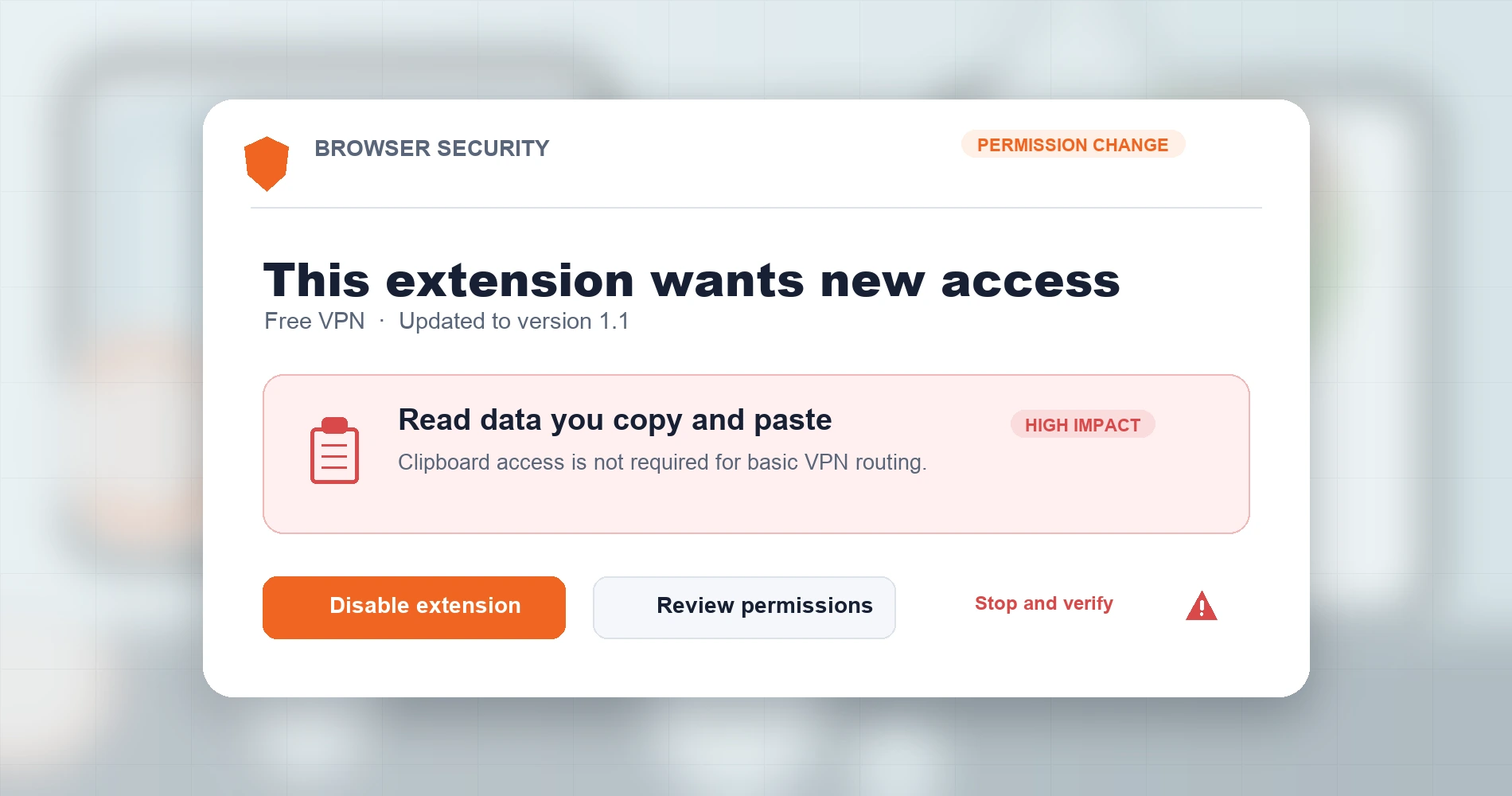
On June 29, 2026, Socket's Threat Research Team reported that two extensions — "VPN Go: Free VPN" on Chrome and "Free VPN by VPN GO" on Firefox — contained clipboard-theft code. Socket found no clipboard-stealing behavior in the initial Chrome version 1.0 (published December 22, 2025). Version 1.1 (published May 31, 2026) added the clipboardRead permission and code that polled the clipboard every 500 milliseconds, chunked copied text, and exfiltrated it via HTTP to attacker-controlled servers. The Firefox variant introduced the same behavior in version 1.3.3, polling every 1.5 seconds.
Chrome's extension platform disables an extension when an update adds a new warning-triggering permission — clipboardRead triggers "Read data you copy and paste." Users would have been prompted to accept the new permission, though many approve prompts without close reading. At the time of Socket's investigation, the Chrome extension had 146 installations and the Firefox version had 3,499.
Business lesson: Free tools can expose copied business credentials. Copying a password, API key, or client account number makes it available to an extension with clipboard-reading access.
Fake Proton VPN: store presence does not prove publisher identity
On February 19, 2026, Proton said on X that it had notified Google three times since the beginning of the year about fraudulent Chrome extensions impersonating Proton VPN. According to Proton, some listings remained available for weeks after being reported.
Separately, Palo Alto Networks identified a broader campaign of dozens of fake VPN extensions from a single threat actor impersonating AdGuard VPN, Proton VPN, BrowSec VPN, and HideMyName VPN. All routed browser traffic through 15 hardcoded SOCKS5 proxy servers, which can observe destination addresses and intercept credentials or data transmitted over unencrypted HTTP connections.
No public source has confirmed whether these two reports describe the same campaign.
Business lesson: A Chrome Web Store listing and a familiar brand name do not verify publisher identity. Always install from the vendor's official website.
Urban VPN: AI conversations potentially disclosed
In December 2025, Koi Security reported that Urban VPN Proxy (over 6 million Chrome installations, Google "Featured" badge) contained code that intercepted conversations with ChatGPT, Claude, Gemini, and seven other AI platforms. Koi stated that version 5.5.0 (released July 9, 2025) introduced scripts that overrode the browser's fetch() and XMLHttpRequest functions to capture prompts, responses, and session metadata, transmitting data to Urban VPN's servers. Koi identified eight million total installations across four related extensions.
Urban VPN published a rebuttal on December 18, 2025, stating that the "AI Protection" feature required explicit opt-in, included a toggle to disable it, and was not enabled by default. We have not independently tested either claim. As of July 21, 2026, Urban VPN Proxy is available in the Chrome Web Store as version 5.13.0 (last updated July 17, 2026) and remains on Microsoft Edge Add-ons.
Business lesson: Extensions with page-content access may see sensitive AI and SaaS activity. Employees using ChatGPT or Copilot for business tasks should not be running unvetted extensions in the same browser.
Why unapproved extensions are dangerous for small businesses
One unapproved extension can access data across multiple business applications in the same browser.
The VPN incidents above are specific cases. The broader risk is that any extension with the wrong permissions — not just a VPN — can expose business data. In small-business security assessments, I regularly find browser extensions that owners and managers did not know employees had installed. This is especially relevant to small businesses because:
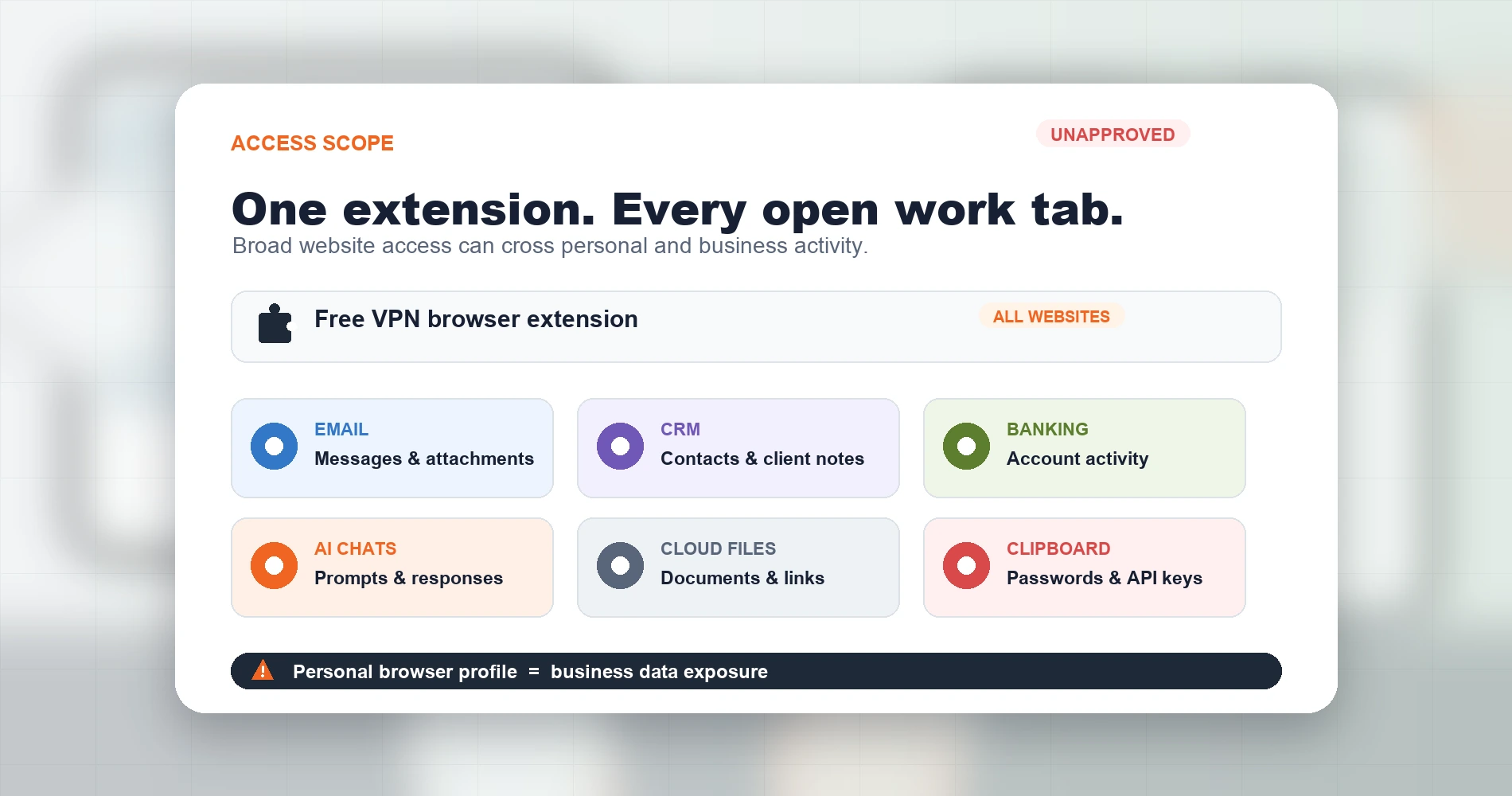
Employees use the same browser for everything. Microsoft 365, Google Workspace, banking portals, CRMs, vendor payment systems, and AI chatbots all run in the same browser session. An extension with broad host access can interact with content on all of these sites.
Clipboard access exposes credentials and customer data. Employees routinely copy passwords, MFA codes, API keys, account numbers, and client information. An extension with clipboardRead access sees all of it — exactly the mechanism Socket documented in VPN Go.
Browser sync distributes extensions to other company devices. If an employee signs into Chrome with their work Google account, extensions installed on one machine can sync to every other device linked to that profile. One installation can become a multi-device exposure when extensions are synchronized across devices signed into the same Chrome profile.
Extensions change behavior after updates. An extension that was safe when installed can gain new capabilities through an automatic update. Code changes that use existing permissions in new ways — as Koi alleges happened with Urban VPN — do not trigger a new consent prompt.
No administrator access required. On unmanaged browsers, users can often add extensions without administrator approval. This puts extensions outside the controls most small businesses rely on for managing their software environment.
Personal and business browsing often share a profile. On small-business devices, employees frequently use a single browser profile for both work and personal browsing. An extension installed for personal use — like a free VPN for streaming — gains access to the same session where the employee is logged into business applications.
This is shadow IT
Unapproved browser extensions are a form of shadow IT — software that employees adopt without IT knowledge or approval. The three VPN cases above are examples, but the same risk applies to any extension category: ad blockers, productivity tools, AI assistants, or screenshot utilities. The solution is the same: inventory, evaluate, and approve.
A practical browser-extension policy for small businesses
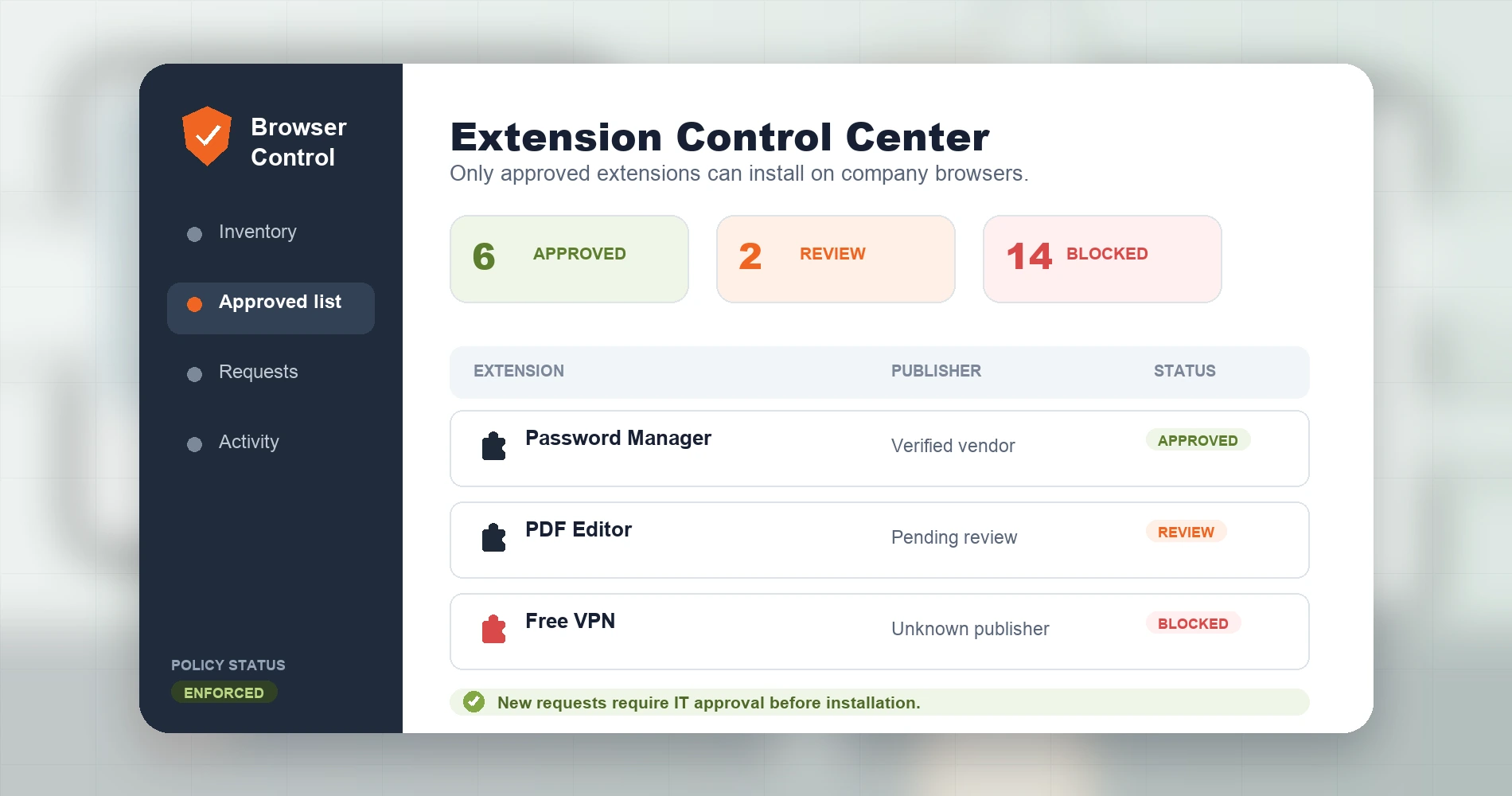
Small businesses can reduce extension risk with an inventory, an allowlist, and a clear approval process.
Very small teams can begin with a manual inventory and written allowlist. Enforcing the policy across multiple users requires managed-browser settings or equivalent device-management controls. Either way, start with these steps:
- Inventory extensions across company browsers. Open
chrome://extensions(or the equivalent) on every company device and document what is installed, including the extension name, developer, and permissions. - Remove extensions with unknown publishers or no business purpose. Disable unknown extensions pending review, record their IDs and versions, and remove them after confirming they are unnecessary.
- Create an approved-extension allowlist. Maintain a short list of extensions the business has evaluated and approved. Only extensions on this list should be installed on company devices.
- Require employees to request new extensions through IT. Before installing, verify the publisher, review permissions, and confirm the extension serves a legitimate business need.
- Prefer the vendor's direct store link. If you use store search, verify the publisher name and extension ID against the vendor's official website before installing. The fake Proton VPN listings demonstrate why a store search alone is not sufficient.
- Review permissions and updates quarterly. Check for new permissions, unfamiliar extensions, or changes in developer information.
- Preserve extension IDs when investigating. If you find a suspicious extension, record its extension ID and version before removing it. This information is needed for incident response.
- Use managed-browser policies where practical. For stronger control, block extensions by default and allow only approved extension IDs or permission sets. Chrome Enterprise and Edge for Business support extension allowlist and blocklist policies for this purpose.
For teams that want a written policy covering extensions alongside other IT standards, our small business IT policy templates include an extension-vetting section.
How to audit a specific extension
Check its publisher, installation source, permissions, and recent security warnings.
Chrome (and Chromium-based browsers like Edge and Brave)
- Type
chrome://extensionsin the address bar and press Enter - Find the extension and click Details
- Confirm the developer name matches the official company (e.g., "Proton AG" for Proton VPN)
- Scroll to Permissions and evaluate each one against the extension's stated function:
- "Read and change all your data on all websites" — a VPN that only needs proxy access shouldn't need full page-content access, though some extensions use host permissions for proxy authentication or additional features
- "Read data you copy and paste" —
clipboardReadis a high-impact permission that basic VPN/proxy functionality does not require
- Check the Source link to the store listing — verify the review count, last-updated date, and developer name
- Enable Developer mode (top right) to see the extension ID, which you can cross-reference against the vendor's official documentation
- Check Chrome's Safety Check (Settings → Privacy and Security → Safety Check) for flagged extensions
Firefox
- Type
about:addonsin the address bar and press Enter - Click Extensions in the left sidebar
- Click the extension, then click the Permissions tab
- Review the list — Firefox separates permissions by category. Watch for "Access your data for all websites." Firefox distinguishes clipboard reading from clipboard writing; clipboard-writing access alone ("Input data to the clipboard") does not let an extension read copied secrets. Look specifically for permission to read or obtain clipboard data.
- Cross-check the extension's author against the vendor's official website
Edge
- Type
edge://extensionsin the address bar and press Enter - Toggle Developer mode on (top right) for full details
- Click Details on the extension and review permissions — the same evaluation applies as Chrome
Verifying the real Proton VPN extension
If your business uses Proton VPN's browser extension, confirm it's genuine:
- Developer: must say "Proton AG"
- Extension ID (Chrome):
jplgfhpmjnbigmhklmmbgecoobifkmpa - Install source: always install from proton.me rather than searching the Chrome Web Store
If any of this doesn't match, remove the extension immediately. Change credentials entered into the extension or a login page it presented. Broader password rotation is warranted if the extension had confirmed page-content access. Reinstall the genuine extension from proton.me.
Respond to a suspicious extension
Remove the extension first, then protect the specific data it could access.
- Clipboard access: Rotate any passwords, API keys, OAuth tokens, MFA codes, or credentials copied while the extension was installed.
- Credential phishing (fake extension impersonating a real product): Change the affected account password, revoke all active sessions, and review MFA settings.
- Traffic interception (unknown proxy routing): Review accounts accessed over unencrypted HTTP connections. HTTPS-protected sessions are less exposed, but the proxy operator could observe which domains were visited.
- Page-content or AI-chat access: Treat any conversations, prompts, code, or sensitive text entered on monitored pages as potentially disclosed to third parties.
- Business device: Preserve the extension ID and version before removing, notify IT, check whether browser sync distributed the extension to other company profiles, and review managed-browser logs.
VPN browser extension vs. native VPN app
If your business does need a VPN, understand the difference between extension and app.
| Browser extension | Native VPN app | |
|---|---|---|
| Traffic protected | Browser traffic only | Most device traffic, except traffic excluded through split tunneling or OS rules |
| DNS handling | Provider- and configuration-dependent | Provider- and configuration-dependent |
| Other applications | Not protected (email clients, messaging apps, file sync) | Protected |
| OS privileges required | Browser-level only | System-level (virtual network adapter) |
| Install rights needed | User-level (no admin) | Requires OS authorization; may need administrator access |
| Encryption method | Provider-dependent proxy or browser tunnel; verify the protocol | Full VPN tunnel (WireGuard, OpenVPN, IKEv2) |
| Use case | Quick browser privacy, geo-restrictions | Full device protection, corporate security |
For business use, a native VPN app typically provides better coverage. Proton VPN's browser extension is a standalone product that protects browser traffic only — their native apps provide device-wide protection.
Choosing a legitimate VPN provider
Evaluate VPNs by publisher identity, audit history, protection scope, and total cost — not store ratings alone.
Proton VPN is one reference point. It has passed five consecutive annual no-logs infrastructure audits by Securitum (2022–2026), holds a SOC 2 Type II attestation and ISO 27001 certification covering organizational security practices, and publishes all apps as open source. The free tier supports one connection in 10 countries. VPN Plus costs $71.76 for the first two years ($2.99/month), then renews at $83.88 annually. The one-year plan costs $47.88 initially ($3.99/month) and renews at $83.88 annually. Prices exclude tax and may vary by region (checked July 21, 2026).
For a full provider comparison, see our Mullvad vs NordVPN vs Proton VPN breakdown, or Best VPN for Small Business Privacy for team-specific requirements like centralized management and dedicated IPs.
Do you know what your employees have installed?
Browser extensions are software. When employees install unapproved tools, they can expose company passwords, SaaS data, AI conversations, and client information — often without anyone realizing it.
We can help. iFeeltech's security assessments include a browser-extension inventory, removal of unauthorized tools, and a practical software allowlist tailored to your business. If you're managing a team in South Florida and want to know what's running on company browsers, get in touch.
How we verified this article
This article was researched and published on July 21, 2026. Sources include:
- VPN Go: Socket Threat Research Team report, published June 29, 2026. Technical findings attributed to Socket's analysis.
- Fake VPN extensions: Proton's February 19, 2026 disclosure on X; Palo Alto Networks' Browser Threat Brief on fake VPN extension farms (published June 2026). Treated as separate reports.
- Urban VPN: Koi Security's investigation published December 2025; Urban VPN's rebuttal published December 18, 2025. The dispute has not been independently resolved by this publication.
- Proton VPN: Pricing checked against proton.me on July 21, 2026. Securitum audit reports (2022–2026) verified against Proton's transparency page. SOC 2 Type II and ISO 27001 scope distinguished from no-logs claims.
- Chrome policies: Extension allowlist/blocklist policies verified against Chrome Enterprise documentation. Permission behavior verified against Chrome's developer documentation.
- Marketplace status: Chrome Web Store and Edge Add-ons store listings checked on July 21, 2026.
We did not independently test or reverse-engineer any extension discussed in this article. Technical claims about extension behavior are attributed to the security researchers who published the original analyses.
Related Resources
- Business Data Privacy Guide — broader context on what a compromised extension can expose about a business's data, and how to build a defensible privacy posture
- Small Business IT Policy Templates — includes an extension-vetting policy template for teams that want a written standard for what's allowed on company browsers
- Small Business Security Assessment Guide — the full walkthrough of what a security assessment covers, including the endpoint and browser hygiene checks that catch unauthorized extensions
- Small Business Network Security Audit Guide — related endpoint-hygiene guidance for businesses concerned about what's running on their network
Frequently Asked Questions
Related Articles
More from Cybersecurity

Best VPN for Small Business Privacy in 2026: What Actually Keeps Your Data Safe
A practical guide for small business owners and IT managers on choosing a VPN that genuinely protects business data. Covers no-log audits, jurisdiction, 5/9/14 Eyes, and real business privacy requirements.
20 min read
Mullvad vs NordVPN vs Proton VPN: Which Protects Your Privacy Best in 2026?
A three-way comparison of Mullvad, NordVPN, and Proton VPN from someone mid-migration. Secure Core speed data, independent audit breakdowns, and a clear decision framework.
17 min read
AI Vishing and Deepfake CEO Fraud: What Small Businesses Need to Know (and Do) in 2026
AI voice cloning now drives 40% of BEC attacks. Learn how they work, why standard training misses them, and three controls a small business can deploy this week.
14 min read