

Connecting Multiple Business Locations: A Plain-English Guide for Owners
Opening a second location? Learn what connecting your offices actually involves, what it costs, and what to ask your IT vendor before anyone starts configuring.


You signed the lease on your second location. The contractor is in. The furniture's ordered. And someone just asked you: "How do we connect the two offices?"
Most business owners reach this moment having no idea what connecting two locations actually involves — which is fine, because it's not your job to know. Your job: making sure the decision gets made correctly, doesn't cost more than it should, and doesn't result in prolonged disruptions.
This guide explains your options in plain language, what each one costs roughly, and what questions to ask before anyone runs a cable or configures a router.
Affiliate Disclosure: This article contains affiliate links. If you make a purchase through these links, we may earn a small commission at no extra cost to you. As an Amazon Associate, iFeelTech earns from qualifying purchases.
What Goes Wrong When Business Locations Aren't Properly Connected?
Unconnected business locations impair file sharing, phone transfers, security monitoring, and software synchronization across sites.
The accounting software at headquarters can't talk to the register at the second location. Staff at Location B can't access the server at Location A, so they rely on slow workarounds or simply go without. The phone system can't transfer calls between branches. Security cameras at the new location sit on an isolated system with no central security dashboard. Payroll uploads fail because the files live on a drive at the main office.
These issues rarely surface until opening day, leading to frustrating and costly patchwork fixes. A restaurant group that opened a second location last year spent eight weeks working around a file-sharing problem that a properly planned connection would have prevented entirely.
A properly designed inter-office connection solves all of this before it starts. Staff at both locations share the same resources. Calls transfer cleanly. The owner or IT team sees both sites on one screen. That's the practical case — not a technical achievement, but a business one.
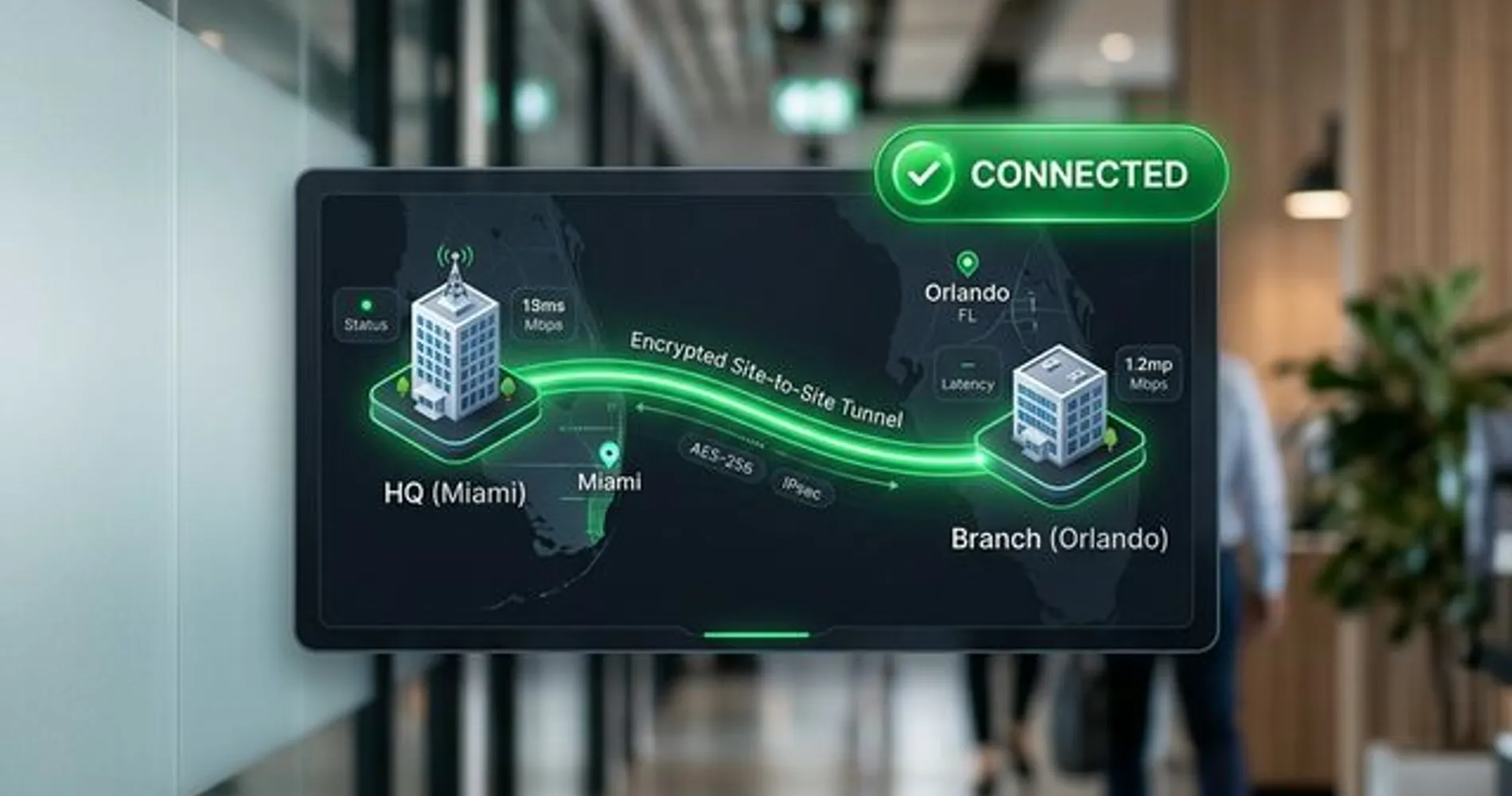 A high-fidelity conceptual view of two offices (HQ and Branch) connected via a secure, encrypted tunnel.
What Are the Methods to Connect Multiple Business Locations?
Businesses connect multiple locations using hardware-based Auto VPNs, manual WireGuard configurations, or cloud-managed overlay software.
Three primary approaches exist, each varying by hardware requirements, setup complexity, and long-term cost.
| Approach | Best For | Rough Cost | Who Sets It Up |
|---|---|---|---|
| UniFi Site Magic (Auto VPN) | Businesses already on UniFi gear at both sites | Hardware only (no software fee) | IT person or MSP — configuration is mostly point-and-click |
| WireGuard VPN | Mixed hardware, or tighter budget with experienced IT | Free software + setup labor | IT professional required — not beginner territory |
| Cloud-Managed Overlay (Tailscale, NordLayer) | Flexible setups, remote workers included, or no hardware upgrade budget | $6–14/user/month + setup labor | IT person or technically capable staff |
UniFi Site Magic (Auto VPN): If both locations use UniFi networking equipment, they can link automatically through Ubiquiti's management platform. This hardware-based tunnel establishes quickly, requires no ongoing software fees, and provides a unified management dashboard across all sites. Once both sites are under the same Ubiquiti account, the secure tunnel takes a few clicks to configure — no deep networking expertise required from day-to-day staff. For a complete technical walkthrough, see our UniFi Site Magic setup guide.
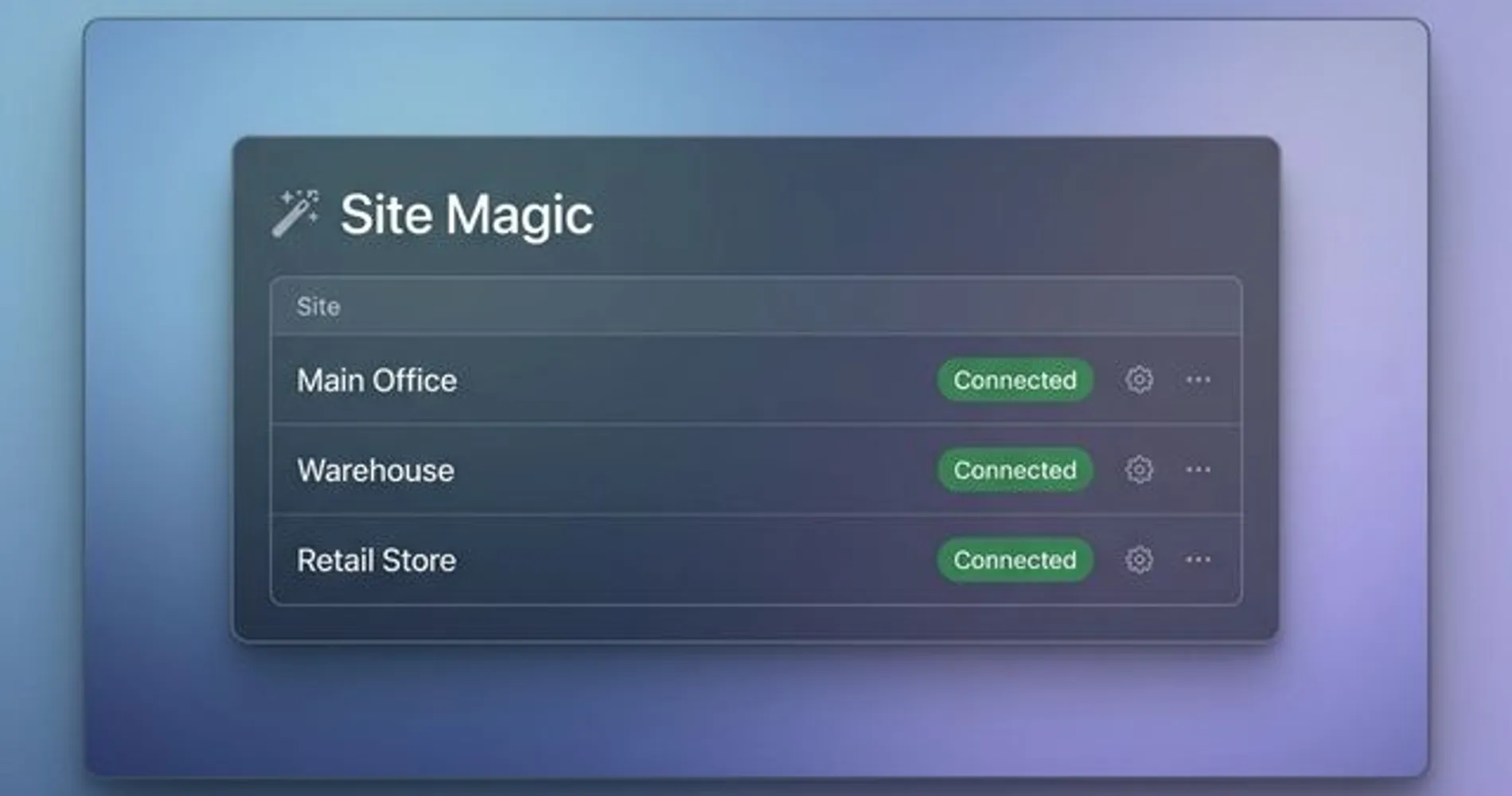 The UniFi Site Magic interface allows for point-and-click connectivity between multiple geographic locations.
WireGuard VPN: WireGuard is free, open-source software built into most business-grade routers. It supports mixed hardware environments, requires no monthly subscriptions, and is considerably more efficient than older VPN protocols. Once configured correctly, it runs reliably for years. It must be set up manually by an experienced network architect — this is not beginner territory.
One critical planning note: hardware VPNs like WireGuard work best when at least one location has a static IP address from its ISP. If both sites use consumer internet with dynamic (changing) IP addresses, the connection can break when an IP changes. The fix — Dynamic DNS — is straightforward, but it must be planned upfront, not discovered after go-live.
Cloud-Managed Overlay (Tailscale, NordLayer): Services like Tailscale and NordLayer install lightweight software on user devices rather than configuring routers directly. This approach supports remote workers alongside fixed office connections, requires no hardware upgrades in most cases, and sidesteps the static IP issue entirely. The trade-offs are a permanent per-user monthly subscription and dependence on the vendor's infrastructure: if Tailscale's or NordLayer's authentication servers experience an outage, new device connections may fail until the service recovers. Hardware-based tunnels (WireGuard, UniFi Site Magic) rely only on each location's ISP — no third-party authentication server is involved once the tunnel is established.
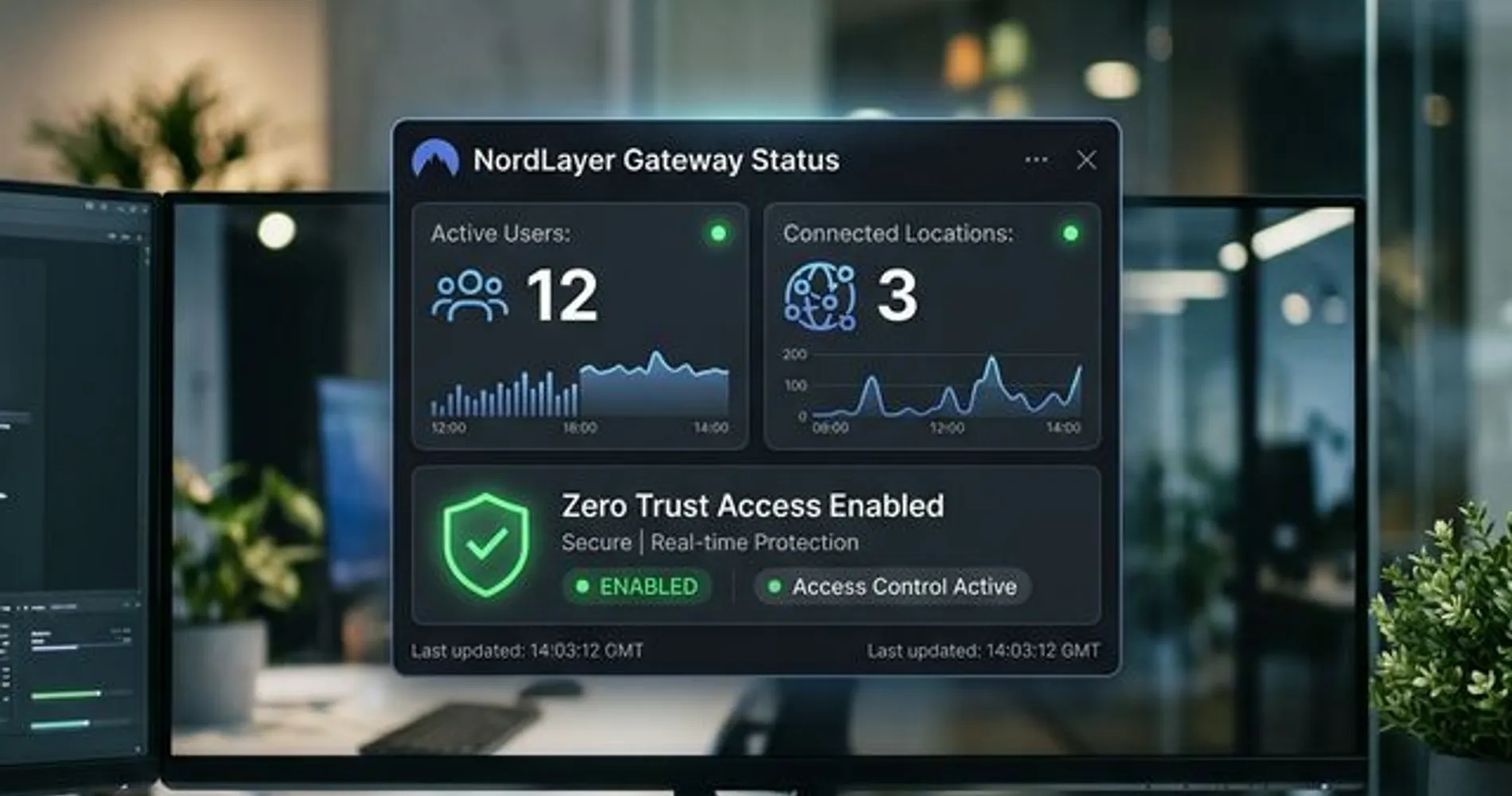 Cloud-managed dashboards like NordLayer provide centralized visibility into remote users and branch office connectivity.
Not Sure Which Option Applies to You?
The five questions further down will help you identify which approach fits your situation before you talk to any vendor. Answer them first — it saves everyone time.
How Much Does Connecting Two Business Locations Cost?
Connecting two business locations typically costs between $400 and $1,200 in initial setup labor, plus hardware or ongoing software subscription fees.
Hardware Costs
Consumer-grade routers cannot reliably support site-to-site connections. If upgrading, standard business gateways from the UniFi gateway lineup are the right starting point: the Cloud Gateway Max ($279, suitable for branch offices with up to 20–30 users) or the Dream Machine Pro ($379, rack-mountable and recommended for primary office locations). The Cloud Gateway Ultra is not the right tool for site-to-site deployments; it lacks the configuration depth a business inter-office connection requires. Cloud-managed software routes (Tailscale, NordLayer) bypass the need for hardware upgrades in most cases.
VPN Throughput and the Upload Speed Bottleneck
A site-to-site VPN will always be somewhat slower than each location's raw internet connection — encryption overhead is unavoidable. For reference, the UniFi Cloud Gateway Max handles approximately 800 Mbps of WireGuard VPN throughput. In practice, however, the real bottleneck is usually your ISP, not the hardware.
Most small businesses run asymmetric internet service: a cable plan might advertise 1,000 Mbps download but deliver only 35–50 Mbps upload. A VPN connection between two offices is bounded by the upload speed of the sending location. If staff at Location B are pulling large files from a server at Location A, it is Location A's upload speed — not its download speed, and not the router's spec sheet — that determines the effective transfer rate. Symmetric business fiber eliminates this constraint; standard cable does not. If file transfers between locations are a core workflow, confirm upload speeds at both sites before finalizing any hardware or software decision.
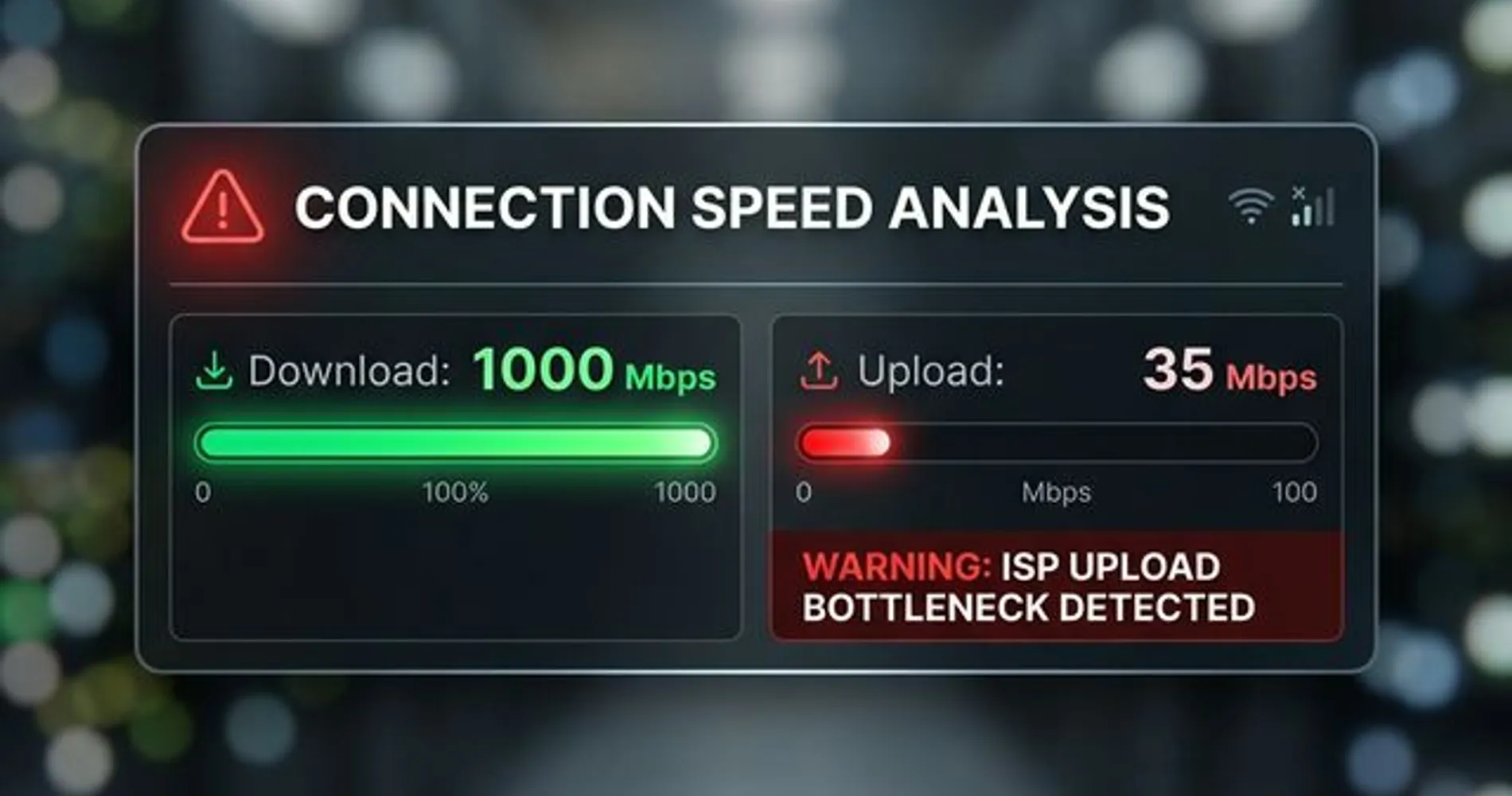 A visual comparison of download vs. upload speeds highlighting the common bottleneck in site-to-site VPN performance.
Labor Costs
A straightforward two-site configuration by a qualified IT professional requires 2–4 hours per site. At typical South Florida managed services rates of $100–$150/hour, expect $400–$1,200 in setup labor. Complex environments — a warehouse with a 5G failover connection, three or more locations, or legacy phone systems — will increase this cost proportionally.
Ongoing Software Subscriptions
Hardware-based VPNs carry zero ongoing software cost beyond your ISP bill at each location. Cloud-managed overlays charge per user: Tailscale Starter costs $6/user/month, while NordLayer Lite costs $8/user/month (annual billing required; 5-user minimum enforced). A 10-person business on Tailscale Starter pays roughly $60/month; the same team on NordLayer runs about $80/month.
Costs vary based on your existing hardware, ISP situation at each location, and what specifically needs to communicate between sites. Treat these as planning numbers, not vendor quotes. If you're unsure which option fits your existing hardware or ISP situation, contact iFeelTech for a free network assessment before starting vendor conversations.
Does Office Interconnection Affect HIPAA or PCI DSS Compliance?
For most businesses, connecting office locations is a productivity decision. For healthcare practices and businesses that process payment cards, it is also a compliance requirement.
HIPAA (Healthcare): Patient records traveling between office locations must be encrypted in transit. A hardware-based VPN (WireGuard or UniFi Site Magic) satisfies HIPAA's transmission security standard because it encrypts data between your own equipment and does not involve a third-party service handling your traffic. Cloud-managed overlays require more scrutiny: Tailscale's official position is that it acts as a "mere conduit" for end-to-end encrypted traffic and does not execute Business Associate Agreements (BAAs) — their security page explicitly states no BAA is required or offered. NordLayer markets HIPAA-compatible configurations but BAA availability and the tier at which it applies should be confirmed directly with their team before any PHI traverses the network. Healthcare practices should review their specific configuration with a HIPAA compliance attorney, not assume any product's marketing language satisfies the requirement.
PCI DSS (Payment Cards): Point-of-sale systems must be isolated from general business traffic. If your inter-office connection carries both POS data and regular staff traffic on the same tunnel without proper segmentation, it can fail a PCI audit. A correctly designed setup uses network segmentation to keep those traffic types separate — a planning decision that must be made before configuration begins, not retrofitted afterward.
Compliance Is a Planning Conversation, Not a Retrofit
If your business handles patient records or processes payment cards, flag it at the start of any IT vendor conversation. Designing compliance in takes minutes. Redesigning a live network around it does not.
What Should You Know Before Contacting an IT Vendor?
Arrive at any vendor conversation with answers to these five questions, and you will save at least an hour of back-and-forth while making it immediately clear if the vendor understands your specific needs.
-
What networking gear are you currently running at each location? Brand and model, if you know it. Check the back of your routers or ask whoever set them up. "I don't know" is fine — but it changes the options.
-
What specifically needs to communicate between locations? File server? Point-of-sale system? Security cameras? VoIP phones? The more specific your answer, the more accurate the proposal will be. "Everything" is not a useful answer here.
-
Do you have remote workers, or just fixed office-to-office? This changes the design significantly. Remote workers need a different layer of access beyond connecting the two offices — and it's much cheaper to plan for it upfront than to retrofit it later.
-
Do you have business-grade internet service at both locations? Consumer cable with a changing IP address makes site-to-site connections harder to maintain reliably. If one location is running residential-grade internet, that conversation needs to happen before the network conversation.
-
Is there an IT person or managed services provider already involved, or are you starting fresh? If someone already manages your network, they should be part of this conversation from the beginning — not called in to fix what someone else configured without them.
Do This Before Your First Vendor Call
Write down the answers to these five questions before you talk to anyone. It takes ten minutes. It will save you an hour of back-and-forth, help you evaluate whether the vendor has actually listened to your situation, and make it immediately obvious if a proposal is based on assumptions rather than your actual setup.
Common IT Vendor Upselling Risks for Small Networks
Avoid IT proposals that include oversized enterprise SD-WAN platforms, lack network planning documentation, or defer remote worker access to a later phase.
While most IT vendors are straightforward, inexperienced buyers face specific risks during network planning:
Enterprise SD-WAN for Small Deployments: Platforms like Cisco Meraki are built for organizations with 20+ locations and dedicated network staff. Licensing and hardware for these solutions starts at $300–$500/month even for small deployments — a scale that a two-office business will never justify.
The Most Common Oversell in Small Business Networking
If a vendor quotes per-device licensing fees and a centralized cloud dashboard you'll never use for a two-office setup, ask what a hardware-based VPN alternative looks like before signing anything. The products are legitimate — they're built for a different scale.
Undocumented Network Planning: A professional proposal must define IP address ranges and routing rules before configuration begins. "We'll work it out on site" leads to conflicting address ranges, expensive troubleshooting, and a network that becomes difficult to hand off to any future IT provider.
Cloud VPN as the Only Option: Tailscale and NordLayer are excellent choices for many businesses — and they are not the only choice. If a vendor presents a subscription-based overlay without explaining why a hardware-based VPN wouldn't serve your needs at lower long-term cost, ask the question directly.
Remote Access Deferred: Remote worker access and site-to-site VPN must be engineered together from the beginning. Anyone who suggests handling remote workers "later" is either inexperienced or setting up a retrofit project that will cost more than planning it correctly now.
When Should You DIY vs. Hire a Professional for This Setup?
Self-installation is viable for UniFi Site Magic and Tailscale; WireGuard configurations and multi-location environments with failover or legacy systems require professional setup.
UniFi Site Magic is within reach for a technically capable person who's comfortable reading documentation. Ubiquiti's setup guides are clear and current, the community forum is active, and the configuration is mostly point-and-click once both sites are on the same account. If someone on staff is already managing UniFi equipment at one location, adding a second site is a reasonable project.
Tailscale is even more accessible. It's software-based, the installation is straightforward, and there's no router-level configuration required. If your in-house IT person has handled server setup before, this is manageable territory.
WireGuard requires real networking knowledge: understanding address ranges that don't conflict, configuring routing between sites correctly, and diagnosing connectivity problems when they arise. If your IT contact handles helpdesk and software support but hasn't done network-level configuration, this isn't the right project to learn on.
Any setup involving three or more locations, 5G failover, legacy phone systems, or a mix of equipment brands warrants professional setup. The planning complexity alone justifies the labor cost, and a mistake in this environment is significantly harder and more expensive to untangle than it would have been to do correctly the first time.
If you're reading this and feeling uncertain about where your situation falls, that's useful information in itself. iFeelTech has deployed multi-location networks for businesses across Miami, Broward, and Palm Beach — restaurant groups, law firms, medical practices, logistics operations. South Florida brings its own complications: locations with different ISP options, older buildings with wiring that makes things interesting, and workforces that mix office and remote in ways that don't fit standard templates. If you'd like a clear picture of what your setup actually involves, contact us here — no commitment required.
What Does a Properly Connected Multi-Location Network Look Like?
A complete multi-location setup allows staff at any location to access shared resources transparently, reconnects automatically after outages, and is supported by current network documentation.
A properly connected setup should eventually feel like nothing — which is exactly how you know it's working.
Staff at Location B access the file server at Location A without thinking about it. Calls transfer between branches the way they would between desk phones in the same building. Security camera footage from both sites appears in one dashboard. If the internet goes down at one location, the inter-office connection goes with it — but it reconnects automatically once service is restored. Your IT team sees both networks from a single management screen and can tell you what's happening at either site without driving anywhere.
If your setup doesn't include monitoring and a basic topology document — a simple record of what connects to what and how — it's not finished. It's just working until something breaks and no one knows where to start looking. Ask for that documentation before you close out the project with any vendor. It's a standard deliverable for professional work, and a vendor who resists providing it is signaling something worth paying attention to.
The goal isn't a technically impressive configuration. It's a network both locations can rely on, that someone can maintain, and that won't require a fresh consultant to decipher when something inevitably needs attention six months from now.
Related Resources
- Multi-Location Business Networking Guide — For IT managers and network administrators looking for the deeper technical breakdown of SD-WAN, VPN protocols, and architectural decisions across multiple sites.
- VPN vs. Zero Trust for Small Business — If you're evaluating cloud-managed overlay options and want to understand where zero-trust network access fits into the picture.
- 5G Failover Setup Guide — How to add a backup internet connection at any location where an outage would create real business disruption.
- NordLayer Business VPN Review — An in-depth look at NordLayer's features, pricing tiers, and which business profiles it's actually suited for.
- UniFi Gateway Comparison Guide — Detailed comparison of Cloud Gateway Max, Dream Machine Pro, and every other UniFi gateway option, with verified current pricing.
Frequently Asked Questions
Related Articles
More from Network Infrastructure
What the FCC Router Ban Means for Your Business Network (And What to Do About It)
The FCC banned new equipment authorizations for foreign-made routers on March 23, 2026. Learn how this affects your business and what to do next.
12 min read
Why Consumer Mesh Limits Business Growth (And How to Migrate to Omada)
Replace Eero or Google Nest with TP-Link Omada for VLAN isolation and business stability. Complete migration guide with verified February 2026 pricing and guest network setup.
23 min read

WiFi Dead Zones Elimination Guide: Room-by-Room Solutions for Business Spaces
Professional guide to identifying and eliminating WiFi dead zones in business environments. Covers conference rooms, open offices, warehouse spaces, and outdoor areas with UniFi solutions.
11 min read