

Dell XPS 14 (2026) vs. MacBook Pro 14 M5 Pro: The $2,000 Laptop Verdict
XPS 14 vs MacBook Pro M5 Pro at the same price point. Battery life, performance, ports, and the OS decision that actually determines which one you should buy.

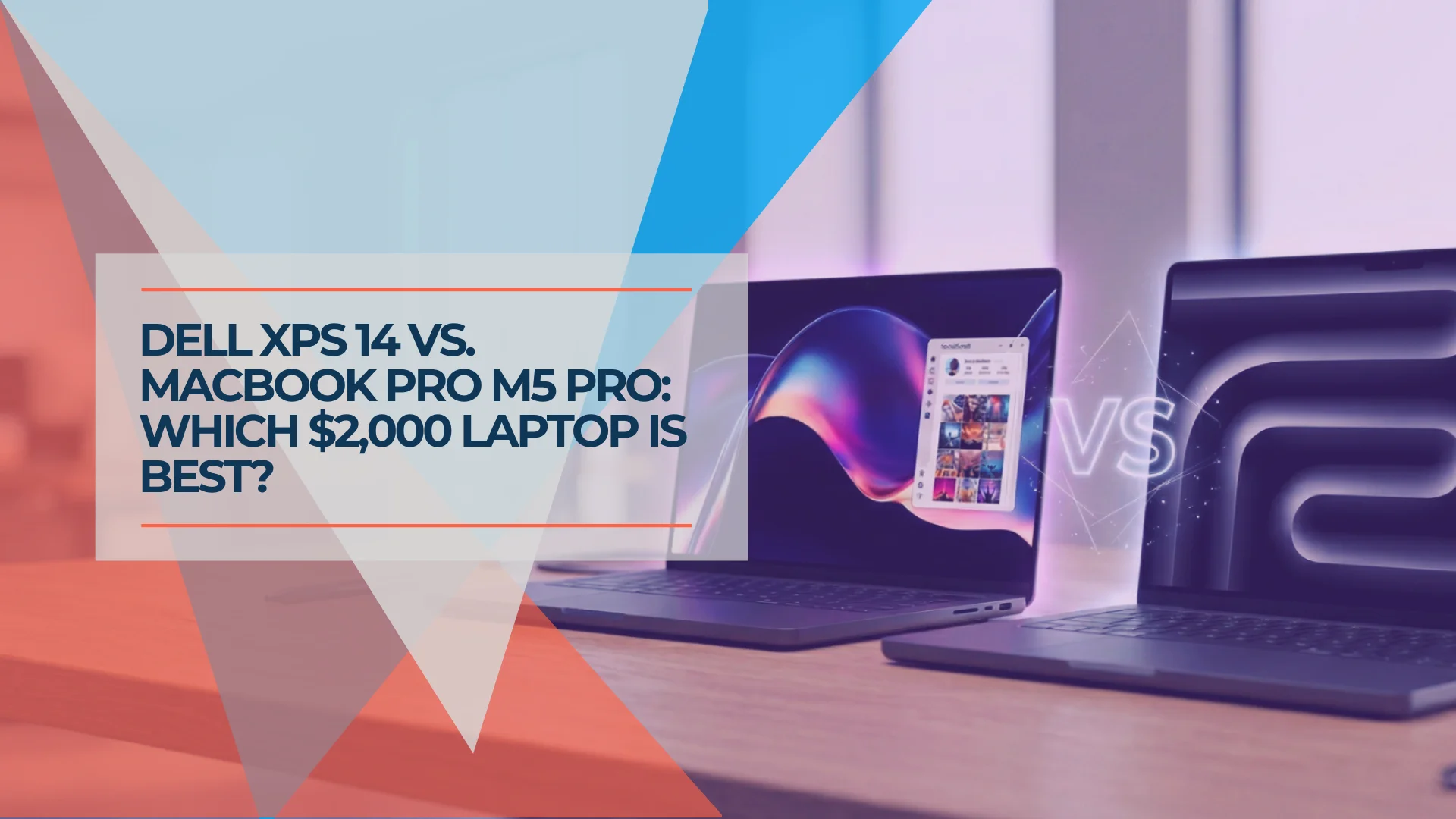
The Dell XPS 14 (2026) and MacBook Pro 14 with M5 Pro compete directly at the $2,000 professional laptop tier. The right choice depends entirely on your operating system requirements and specific workflow demands. The XPS 14 is the only option for Windows-native software environments, while the MacBook Pro M5 Pro offers advantages in sustained creative workloads and thermal efficiency. For our full standalone assessment of the Dell XPS 14, see our Dell XPS 14 (2026) review.
Affiliate Disclosure: This article contains affiliate links. If you make a purchase through these links, we may earn a small commission at no extra cost to you. As an Amazon Associate, iFeelTech earns from qualifying purchases.
Dell XPS 14 vs MacBook Pro M5 Pro: Which Should You Buy?
The Bottom Line
Buy the Dell XPS 14 if you're running Windows-required professional software (Active Directory, AutoCAD, .NET toolchains, enterprise ERP) or you need extended battery life with the LCD model — which delivers over 20 hours in standard use and up to 43 hours in specific low-power scenarios.
Buy the MacBook Pro M5 Pro if your workflow isn't Windows-locked and you need sustained creative performance (video editing, 3D rendering, audio production) without requiring additional adapters — the port selection, thermal management, and Apple Silicon's efficiency advantage compound over time.
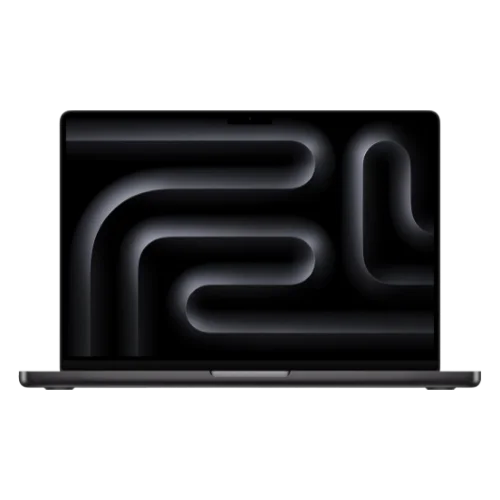
MacBook Pro 14 M5 Pro
Professional laptop with M5 Pro chip, 15-core CPU, 16-core GPU, sustained performance, and comprehensive port selection.
- 15-core or 18-core CPU options
- Thunderbolt 5 ports
- Up to 20 hours battery life
- Liquid Retina XDR display
*Price at time of publishing
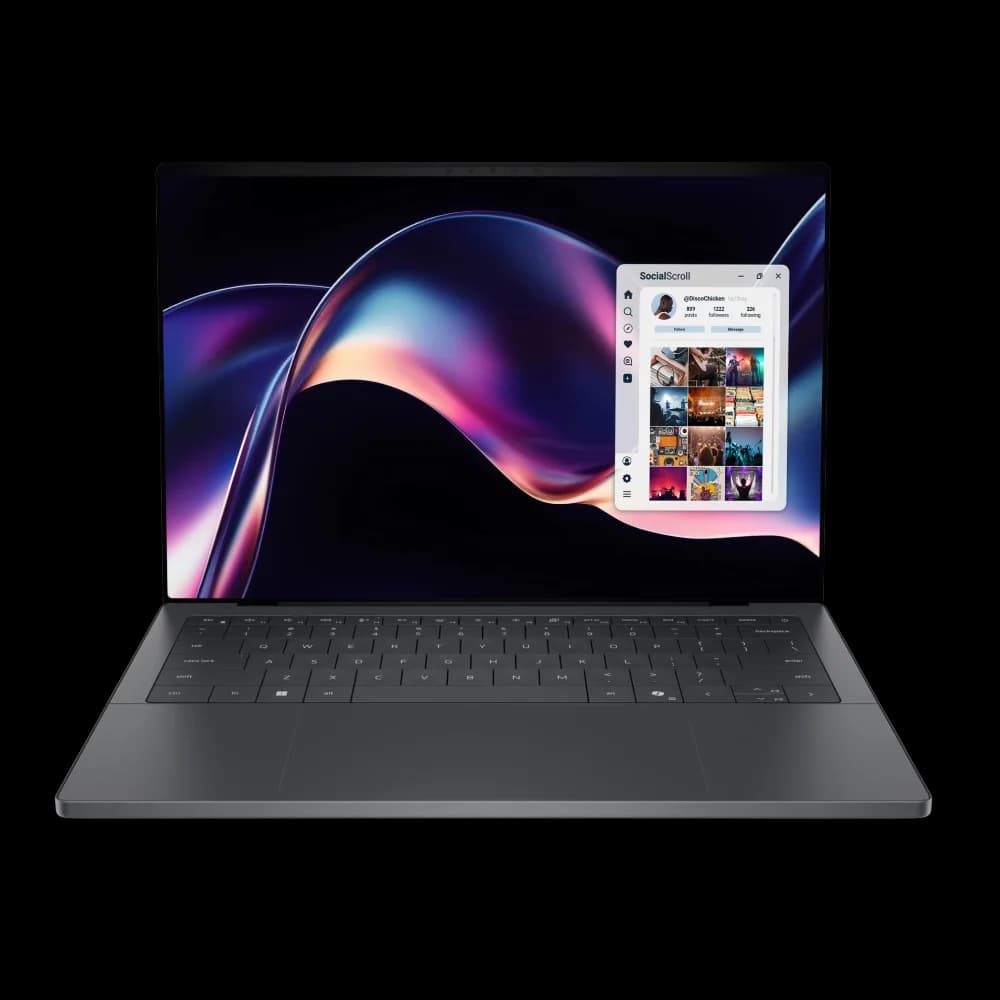
Dell XPS 14 (2026)
$1,599Premium Windows ultrabook with Intel Panther Lake, extended LCD battery life, and Intel Arc B390 graphics.
Target Users and Ideal Workflows
The Dell XPS 14 is the appropriate choice for Windows professionals in enterprise environments requiring Active Directory integration, Windows-native software (AutoCAD, SolidWorks, .NET development, enterprise ERP), or occasional integrated gaming. The MacBook Pro 14 M5 Pro suits creative professionals and developers working in sustained workloads: 4K video editing, 3D rendering, large-scale compilation, or audio production with extensive plugin chains. Both machines exceed $2,000 in comparable configurations — for general productivity (web browsing, documents, communication), the MacBook Air M5 or a mid-range Windows laptop provides better value. For more guidance on selecting professional laptops, see our best premium business laptops guide.
Design, Build Quality, and Physical Specifications
The Dell XPS 14 weighs 3.0 pounds with the OLED display and 3.05 pounds with the LCD display, measuring 14.6mm thin. The chassis uses CNC-machined aluminum with a platinum finish, chamfered edges, and a stiff hinge mechanism.
The MacBook Pro 14 weighs 3.5 pounds and uses Apple's space black aluminum unibody construction. The weight distribution is evenly balanced, the hinge operates smoothly with one-hand opening, and the magnetic lid closure provides secure sealing.
Keyboard: The XPS 14 uses scissor-switch keys with 1.3mm travel and etched legends. Early production units in January 2026 had a key registration issue that affected quick key presses; Dell confirmed this was resolved in current shipping hardware via firmware patch. The MacBook Pro 14 keyboard offers 1mm travel with consistent actuation force and backlit keys.
Trackpad: The XPS 14 features a glass trackpad with haptic feedback via Windows Precision drivers and etched borders for tactile location. The MacBook Pro 14 trackpad offers a larger surface area with force-touch haptic feedback and improved palm rejection.
Display: The XPS 14 offers two display options: a 2.8K (2880 x 1800) LCD panel with variable refresh rate (1Hz to 120Hz) or a Tandem OLED touchscreen with the same resolution, 400 nits sustained brightness, and 1,000 nits peak for HDR content. The LCD panel's variable refresh rate can drop to 1Hz during static content, significantly extending battery life. The OLED model's variable refresh rate has a floor of 20Hz (vs 1Hz on the LCD), which contributes to its reduced battery endurance.
The MacBook Pro 14 uses a Liquid Retina XDR display across all configurations: 3024 x 1964 resolution, mini-LED backlighting with 1,000 nits sustained brightness, 1,600 nits peak for HDR, and P3 wide color gamut with True Tone technology.
Repairability and Lifecycle: The Dell XPS 14 uses soldered LPDDR5x RAM that cannot be upgraded after purchase — choose your memory configuration carefully. The M.2 SSD is user-accessible and upgradeable, allowing storage expansion over the laptop's lifecycle. The MacBook Pro 14 M5 Pro has entirely non-upgradeable internals — both unified memory and SSD storage are soldered to the logic board. For IT departments managing fleet deployments, this means the XPS 14 offers partial serviceability (SSD replacement, battery service via authorized technicians) while the MacBook requires full device replacement for any component failure outside of warranty.
Webcam, Audio, and Conferencing: The Dell XPS 14 features an 8MP 4K webcam powered by Intel's IPU7 Image Processing Unit with Windows Studio Effects and IR support for Windows Hello. The MacBook Pro 14 M5 Pro includes a 12MP Center Stage camera with computational video improvements from Apple's advanced image signal processor. Both machines offer studio-quality microphone arrays (dual-array on the XPS 14, three-mic array on the MacBook Pro) and strong speaker systems (quad-speaker on XPS 14, six-speaker with Spatial Audio on MacBook Pro). For remote teams managing daily video calls, the MacBook Pro's Center Stage tracking and superior speaker separation provide a noticeable advantage in conference scenarios.
Wireless Connectivity: Both laptops feature Wi-Fi 7 (Intel BE211 network card in the XPS 14) and Bluetooth 5.4 (XPS 14) or Bluetooth 5.3 (MacBook Pro). Wi-Fi 7 support is critical for businesses investing in next-generation network infrastructure and offers significant advantages in high-density office environments with multiple simultaneous connections.
Dell XPS 14 (2026) Introduction and Overview
Performance Comparison: Intel Panther Lake vs Apple M5 Pro

The Dell XPS 14 delivers strong single-core performance and competitive integrated graphics, while the MacBook Pro M5 Pro excels in sustained multi-core workloads and thermal efficiency.
The Dell XPS 14 with Intel Core Ultra X7 358H (Panther Lake) delivers a Geekbench 6 multi-core score of 16,927. That's a significant generational leap from previous Intel mobile chips and puts the XPS 14 in genuine competition with Apple Silicon for productivity tasks. Cinebench 2024 multi-core scores land around 850 points. Single-core performance is strong — Intel's Panther Lake architecture brings real IPC improvements.
The MacBook Pro M5 Pro with a 15-core CPU (5 Super cores, 10 Performance cores) in the base configuration—or the 18-core CPU (6 Super cores, 12 Performance cores) in the upgraded configuration—delivers significantly faster multi-core performance in sustained workloads. NotebookCheck's testing of the M5 Pro in the 16-inch MacBook Pro showed it outperforming the mobile GeForce RTX 5090 in creator benchmarks (PugetBench for Photoshop, Premiere Pro, DaVinci Resolve). The M5 Pro's architectural advantage is thermal headroom: it sustains high performance without throttling because the power budget and cooling solution are matched. The XPS 14, by contrast, will throttle under extended all-core load — not dramatically, but noticeably in 10+ minute renders or compiles.
Where the XPS 14 wins: Integrated graphics performance. The Intel Arc B390 with 12 Xe3 cores delivers 57% faster gaming performance than the previous generation. Cyberpunk 2077 at 1080p with Intel XeSS upscaling runs close to 60fps. That's integrated graphics headroom the MacBook Pro M5 Pro cannot match — most Windows games don't run natively on macOS, and the M5 Pro's GPU, while excellent for creative workloads, is not optimized for DirectX game engines. For detailed benchmark analysis and deployment insights, see our full Dell XPS 14 (2026) review.
Where the MacBook Pro M5 Pro wins: Sustained creative workloads. Video encoding, 3D rendering, audio production with large plugin chains — anywhere thermal management and memory bandwidth compound over time. The M5 Pro's unified memory architecture (24GB base, configurable to 64GB) delivers up to 307 GB/s of memory bandwidth, creating a sustained performance advantage that grows with project complexity. For comparison, traditional LPDDR5x in the XPS 14 offers approximately 150 GB/s.
AI Performance: Neural Engine vs Intel AI Boost
Both machines meet Copilot+ PC standards for on-device AI acceleration. The Dell XPS 14's Intel AI Boost NPU delivers 50 TOPS (trillion operations per second), while the MacBook Pro M5 Pro's 16-core Neural Engine delivers approximately 38 TOPS but with significantly better software optimization.
For AI-accelerated tasks (on-device image processing, video noise reduction, real-time transcription), the MacBook Pro's Neural Engine delivers faster real-world performance despite lower raw TOPS because macOS and professional applications (DaVinci Resolve, Final Cut Pro, Adobe Creative Cloud) leverage Apple's CoreML frameworks more efficiently. For Windows-native AI workloads and Copilot+ features, the XPS 14's 50 TOPS NPU provides the advantage.
From our experience deploying laptops for professional teams: the MacBook Pro M5 Pro handles 4K multicam timelines without fan noise and exports finish faster, while the XPS 14 excels at launching Windows-native tools and handles occasional gaming workloads better than any Mac.
MacBook Pro M5 Pro (2026) Review and Performance Analysis
Battery Life Test Results and Real-World Performance

The Dell XPS 14 LCD model delivers over 21 hours of battery life in standard web browsing tests (PCMag, 150 nits brightness), while the MacBook Pro M5 Pro achieves 16-20 hours in real-world mixed use.
Dell XPS 14 LCD model: PCMag's standard battery test returned 21 hours of continuous web browsing at 150 nits. Dell's official specification is 31 hours for video streaming. Real-world mixed use consistently delivers 20+ hours. Hardware Canucks measured an extreme 43-hour result under specific conditions (variable refresh rate at 1Hz, static content, low brightness) — this represents idle-heavy use rather than typical professional workloads.
Dell XPS 14 OLED model: Tom's Guide measured 12 hours and 23 minutes. Tom's Hardware measured the same. ZDNET measured slightly over 13 hours. Real-world mixed use lands between 12–15 hours depending on workload. The OLED display's superior contrast and HDR performance comes at the cost of most of the battery advantage that distinguishes the LCD model.
MacBook Pro M5 Pro 14-inch: Apple's official rating is up to 22 hours of video streaming and broadly claims "up to 24 hours" battery life for the M5 Pro line. Real-world testing from multiple reviewers lands between 16–20 hours depending on workload intensity. The MacBook Pro's battery life is excellent and consistent — but it trails the XPS 14 LCD model significantly.
For maximum battery life, the Dell XPS 14 LCD model delivers over 21 hours in standard testing and up to 31 hours in Dell's official video streaming benchmark. For users prioritizing display quality alongside strong battery performance, the MacBook Pro M5 Pro offers a more balanced combination at 16-20 hours. The XPS 14 OLED model (12-15 hours) trades battery life for display quality.
Extended Travel and Remote Reliability: When working during long-haul international flights, in airport lounges, or across different power grids, the XPS 14 LCD model's 20+ hour battery life becomes a distinct logistical advantage. A single charge can cover an entire transcontinental flight plus airport time without requiring power access. The MacBook Pro's 16-20 hour endurance is similarly excellent but requires more deliberate power planning during extended transit. Both machines support USB-C Power Delivery for flexible charging with third-party adapters.
Port Selection and Connectivity Options
The MacBook Pro 14 offers more comprehensive connectivity with three Thunderbolt 5 ports, HDMI 2.1, SDXC card slot, MagSafe 3 charging, and a 3.5mm headphone jack. The Dell XPS 14 includes three Thunderbolt 4 ports and a 3.5mm headphone jack, requiring USB-C charging that occupies one port during use.
Thunderbolt 5 on the MacBook Pro delivers up to 120 Gbps bandwidth (3x faster than Thunderbolt 4) and supports dual 6K displays at 60Hz or a single 8K display. MagSafe charging keeps all three Thunderbolt ports available during power delivery.
Dongle Dependencies and Hardware TCO
If you buy the Dell XPS 14, budget $50–$150 for a Thunderbolt dock or USB-C hub. For most professional desk setups — dual monitors, wired keyboard and mouse, external drives, Ethernet — the XPS 14's three USB-C ports are insufficient. This isn't a Dell-specific problem (the MacBook Air has the same limitation), but the MacBook Pro M5 Pro solves it at the device level. The dock cost is a real addition to the XPS 14's effective price.

In our IT deployment experience, the MacBook Pro's comprehensive port selection reduces support calls, while XPS users typically request dock recommendations within the first week. This adds $50-$150 to the effective cost but isn't a dealbreaker — it's a friction point that Apple designed out at the hardware level.
Operating System Requirements and Software Compatibility
The operating system determines which laptop is viable for your workflow. Windows-native software requirements mandate the Dell XPS 14, while macOS-exclusive tools require the MacBook Pro M5 Pro.
Active Directory and Group Policy: If your organization uses Active Directory for user management and Group Policy for device configuration, the Dell XPS 14 is the only choice. Windows natively supports AD/GP; macOS can integrate via third-party tools (Jamf Connect, NoMAD), but it's not seamless. For IT administrators managing 50+ devices in a Windows-dominated environment, deploying Macs creates administrative overhead that compounds over time.
Windows-only software dependencies: AutoCAD, SolidWorks, most enterprise ERP systems (SAP, Oracle, Microsoft Dynamics), .NET development toolchains, and a significant portion of industry-specific vertical software (medical billing, legal practice management, construction estimating) are Windows-only. If your critical software falls into this category, the choice is made for you. Running Windows via Parallels or CrossOver on Apple Silicon is functional for light use but not seamless for demanding applications. We've deployed Macs with Parallels for clients who need occasional access to Windows software, and the experience is acceptable for QuickBooks or light Office use — it's not acceptable for AutoCAD or multi-user ERP.
MDM compatibility: Both platforms are manageable. Intune covers Windows and macOS. Jamf is best-in-class for Apple devices. If you're already invested in one ecosystem, stay there. For more on managing Apple devices in business environments, see our Apple Business Manager guide.
Apple-exclusive software: Final Cut Pro, Logic Pro, Xcode, and the entire Apple developer toolchain are macOS exclusives. If you're an iOS developer, a Logic Pro audio engineer, or a Final Cut editor, the MacBook Pro M5 Pro is the only option. The performance advantage of Apple Silicon in these applications is significant — Final Cut Pro in particular is optimized to a degree that has no Windows equivalent.
If your workflow includes Windows-native software, the Dell XPS 14 is required—virtualization on Apple Silicon introduces performance overhead and compatibility limitations that create daily friction. For cross-platform workflows (Adobe Creative Cloud, web development, general productivity) or macOS-dependent applications, the MacBook Pro M5 Pro offers longer software support cycles and more consistent optimization across OS updates due to Apple's integrated hardware and software development.
For a deeper look at the architectural differences between these platforms, see our guide on ARM vs. x86 for business laptops.
Pricing Comparison and Configuration Options
Pricing at comparable specifications:
| Specs | |||
|---|---|---|---|
| CPU | Intel Core Ultra 5 325 (8-core) | Intel Core Ultra X7 358H (16-core) | M5 Pro (15-core) |
| GPU | Intel Graphics (standard) | Arc B390 (12 Xe3 cores) | 16-core GPU |
| RAM | 16GB LPDDR5x (soldered) | 32GB LPDDR5x (soldered) | 24GB unified (non-upgradeable) |
| Storage | 512GB SSD (upgradeable) | 1TB SSD (upgradeable) | 1TB SSD (non-upgradeable) |
| Display | 2K LCD (1-120Hz VRR) | 2.8K OLED touchscreen | Liquid Retina XDR |
| Battery | 21+ hours standard use | 12-15 hours | 16-20 hours |
| Weight | 3.05 lbs | 3.0 lbs | 3.5 lbs |
Critical notes:
The Dell XPS 14 base configuration at $1,599 includes the Intel Core Ultra 5 325 (8-core), 16GB RAM, and 512GB SSD with the LCD display. The premium configuration at $2,199 upgrades to the Core Ultra X7 358H (16-core), 32GB RAM, 1TB SSD, and OLED display. Most reviews test the premium configuration — if you're comparing against the MacBook Pro M5 Pro on performance, the $2,199 XPS 14 is the equivalent comparison. For value, the $1,599 base model competes in a different tier entirely.
The memory architecture difference matters: the XPS 14's 32GB LPDDR5x is traditional system RAM (~150 GB/s bandwidth); the MacBook Pro's 24GB unified memory is shared between CPU and GPU with 307 GB/s bandwidth. For most workloads, 24GB unified memory on Apple Silicon behaves like 32GB+ traditional RAM due to the bandwidth advantage and lack of separate VRAM allocation. For VM-heavy workloads, compiling large codebases, or working with massive datasets, the XPS 14's headline 32GB capacity provides more headroom.
Note that Apple eliminated the 512GB storage option on M5 Pro models in March 2026—all M5 Pro configurations now start at 1TB, while M5 Max starts at 2TB.
Add the dock cost to the XPS 14's effective price: $50–$150 for a Thunderbolt dock brings the OLED XPS 14 to $2,099–$2,199 — at parity with the MacBook Pro M5 Pro base configuration, which needs no dock.
For more on choosing the right Mac configuration, see our MacBook Air M5 vs M4 guide to understand where the M5 Pro sits in Apple's laptop lineup.
Buying Recommendations by Workflow
Buy the Dell XPS 14 if:
- Your workflow requires Windows-native software (Active Directory, AutoCAD, .NET development, enterprise ERP, Windows-only vertical software)
- You game occasionally and want the best integrated graphics performance available in an ultrabook (premium configuration with Arc B390)
- Battery life exceeding 20 hours is a primary requirement (base LCD model delivers 21+ hours at $1,599)
- You need user-serviceable SSD storage for future expansion (RAM is soldered)
Buy the MacBook Pro M5 Pro if:
- Your workflow is cross-platform or macOS-dependent (Final Cut Pro, Logic Pro, Xcode, iOS development)
- You need sustained creative performance without thermal throttling (4K video editing, 3D rendering, large audio sessions)
- Port selection without a hub is important — you regularly connect to external displays, read SD cards, or run desk setups with multiple peripherals
- You value long-term software support and resale value (Macs receive 7+ years of OS updates; Windows laptops typically receive 3-4 years)
Wait if:
- You're primarily a MacBook Air user being upsold — the M5 Pro's power is overkill for document editing and web browsing
- You're considering the XPS 14 base configuration for creative work — the Core Ultra 5 325 lacks the Arc B390 GPU; step up to the $2,199 premium configuration for performance parity with the MacBook Pro
For more decision frameworks on professional laptop deployments, see our IT deployment laptop guide.
Summary
The Dell XPS 14 (2026) delivers professional-grade Windows performance with Intel Panther Lake architecture, extended battery life on the LCD model, and integrated Arc graphics that support light gaming workloads. The MacBook Pro 14 M5 Pro offers sustained creative performance, comprehensive port selection, unified memory architecture, and Apple's optimized software stack.
For Windows-required environments, the Dell XPS 14 is the appropriate choice. For sustained creative workloads and cross-platform professionals not locked to Windows, the MacBook Pro M5 Pro provides advantages in thermal management and long-term software support.
Related Resources
- Which MacBook Should You Buy in 2026? Neo vs. Air vs. Pro — If you haven't decided between Mac tiers yet, start here. Our three-way comparison covers the Neo, Air M5, and Pro 14 with honest guidance on who actually needs the Pro.
- Dell XPS 14 (2026) Review — Our full standalone review of the XPS 14, including detailed benchmark data and hands-on deployment experience.
- ARM vs. x86 for Business Laptops — A deeper look at the architectural differences between Apple Silicon and Intel x86, and what they mean for professional workflows.
- Best Laptops for Business Deployment — Our guide to selecting, deploying, and managing professional laptops for SMBs, based on deployments across South Florida.
- Apple Business Manager Guide — How to manage Apple devices in business environments, including MDM setup and device provisioning.
- Best Business Laptops 2026 — Our full ranked guide to business laptops at every budget tier, including both Windows and macOS options.
Frequently Asked Questions
Related Articles
More from Business Hardware
Dell XPS 14 (2026) Review: Finally the Windows MacBook Pro We Wanted?
Physical function keys return, an etched trackpad, and 13-15 hours of real-world battery life. Our complete XPS 14 review with Intel Core Ultra Series 3 vs MacBook Pro M5 comparison — updated with June 2026 pricing.
21 min read

Best Laptops for Business in 2026: 10 Picks for SMBs and Fleets
The best laptops for business in 2026, ranked using real SMB deployment experience, verified July 2026 specs and prices, and business-focused buying criteria. From the $949 ThinkPad E14 to the MacBook Air M5 ($1,299 after Apple's June 2026 price increase).
58 min read

Business Hardware Refresh Planning Guide for 2026
Updated March 2026: Business hardware refresh planning guide covering lifecycle assessment, budget forecasting, AI PC readiness, modular systems, and staged rollout strategies for small businesses.
16 min read