

UniFi Device Bridge Review: Wireless PoE for Cameras & IoT Devices (2026)
Complete guide to the UniFi Device Bridge family (Base, Pro, Switch, IoT) for wireless PoE connectivity. Technical specs, model comparison, and real-world use cases for cameras, VoIP phones, and IoT devices.

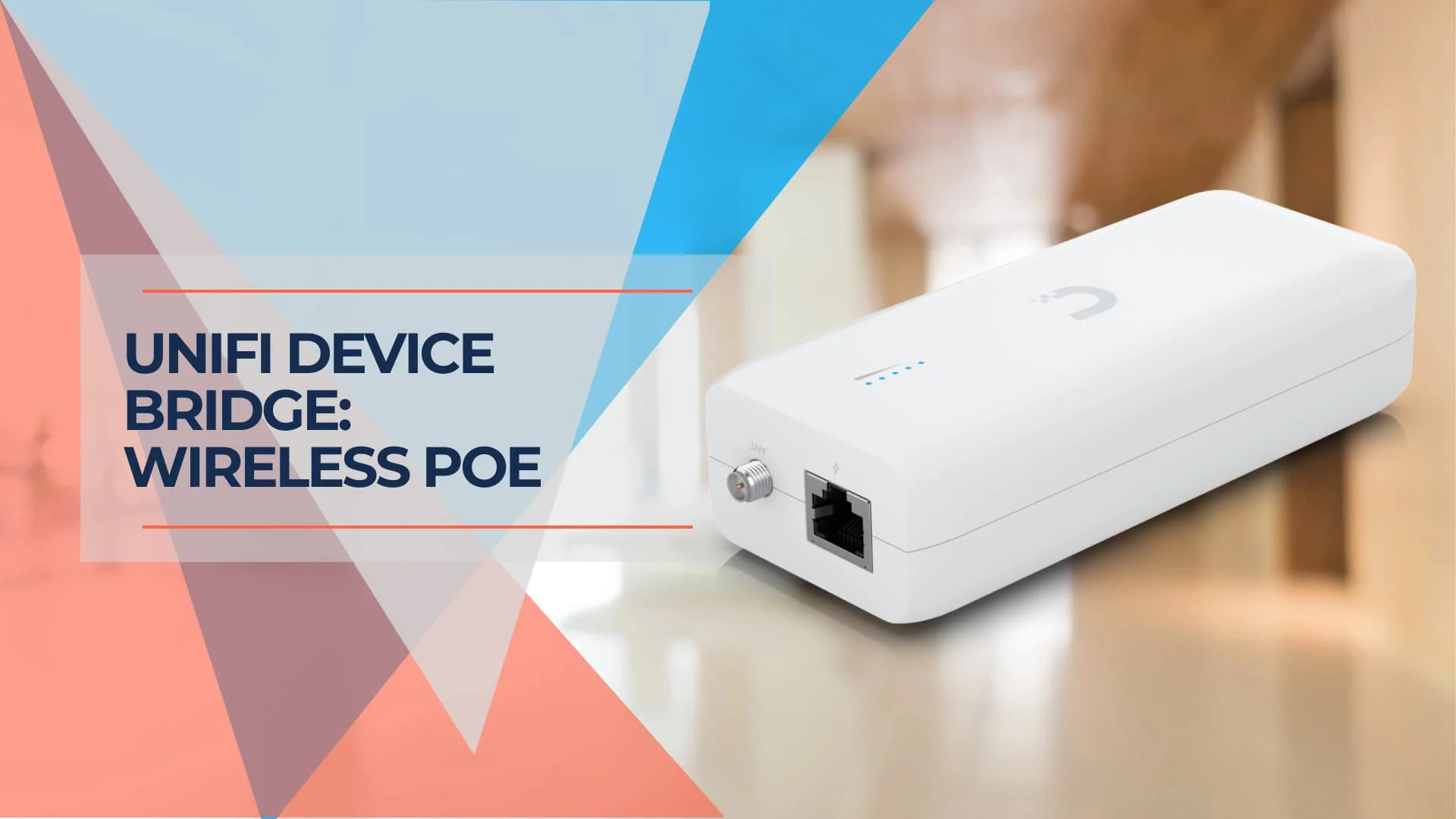
Power over Ethernet (PoE) technology simplifies device installations by delivering both power and data over a single cable. However, running Ethernet cables isn't always feasible. The UniFi Device Bridge (UDB) family offers a practical solution by providing wireless PoE connectivity. Starting at $99 for the base model, these devices allow you to connect UniFi cameras, phones, and IoT devices in locations where you have power but no ethernet—without the cost of running conduit.
Key Takeaways
| Feature | Benefit |
|---|---|
| Wireless PoE | Eliminate Ethernet cables and enjoy flexible device placement |
| Easy Setup | Quickly connect and power UniFi devices with minimal configuration |
| Cost-Effective | Reduce cabling costs and save on network infrastructure expenses |
| Versatile Applications | Ideal for security cameras, VoIP phones, IoT devices, and more |
| Reliable Performance | Enjoy stable wireless connectivity and consistent power delivery |
Affiliate Disclosure: This article contains affiliate links. If you make a purchase through these links, we may earn a small commission at no extra cost to you. As an Amazon Associate, iFeelTech earns from qualifying purchases.
What is the UniFi Device Bridge (UDB)?
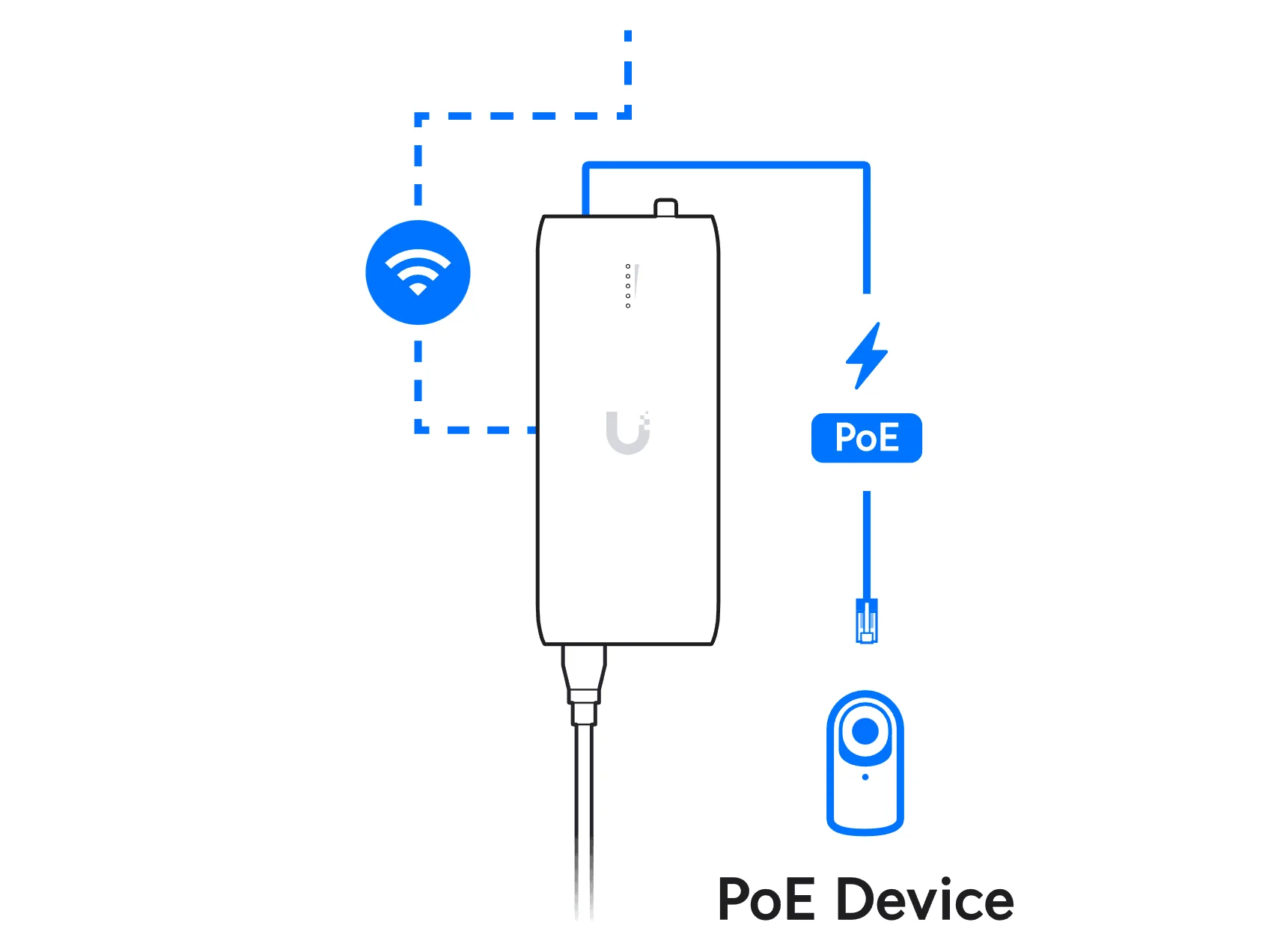
The UniFi Device Bridge is a wireless PoE injector that combines PoE adapter functionality with Wi-Fi connectivity. It functions as a wireless uplink, converting your WiFi signal back into a wired Ethernet connection while simultaneously providing PoE power. As of October 2026, Ubiquiti lists four models in the Device Bridge family, each designed for specific use cases.
2026 Update: The UDB Family
The UniFi Device Bridge is no longer a single product—it's now a complete family of wireless PoE solutions:
- UDB (Base): The original wall-plug model for single devices
- UDB-Pro: Outdoor pole-mount version with extended range, PoE-powered
- UDB-Switch: 8-port PoE+ model with WiFi 7 uplink for entertainment centers and offices
- UDB-IoT: Compact $49 USB-C or DC-powered 2.4 GHz (WiFi 4) bridge for low-power IoT devices; it does not supply PoE
This review focuses primarily on the base UDB model, with comparisons to help you choose the right Device Bridge for your needs.
Introducing: UniFi Device Bridging
Key Features of the Base UDB
-
Wireless Power Delivery: Provides up to 15W of PoE power through a single Gigabit Ethernet port. This is sufficient for 2K HD cameras like the G5 Bullet (4MP) or G5 Flex, which draw roughly 4 W or less each (Ubiquiti lists 4 W maximum for the G5 Bullet). Also powers UniFi Talk phones efficiently. Note: The 15W budget will not power the newer G6 Pro series, PTZ cameras, WiFi 7 access points, or other PoE+ devices requiring more than 15W.
-
WiFi 5 Connectivity: Operating on the 5 GHz band with 802.11ac Wave 2 (WiFi 5), the base UDB achieves speeds up to 867 Mbps. While this is a legacy standard in 2026 (two generations behind WiFi 7), it remains adequate for 2K HD camera streams from G5-series cameras and VoIP traffic. For 4K streams from G6 Pro cameras, consider the UDB-Switch with WiFi 7.
-
UniFi WiFi Auto-Link: The "magic" feature that makes setup effortless. The UDB automatically detects and links to nearby UniFi access points without manual configuration. Adoption is done through the UniFi Network App.
-
Internal Antenna: A built-in antenna provides compact installation without external components, and an RP-SMA connector is available for an optional external omni antenna.
-
Broad Compatibility: Works with UniFi PoE devices including UniFi Protect cameras, UniFi Talk phones, and 802.3af-compatible IoT devices.
The UDB integrates seamlessly with your existing UniFi network and is managed through the UniFi Network application like any other UniFi device.
Why Choose the UniFi Device Bridge?
The UniFi Device Bridge offers several compelling benefits that make it a valuable addition to both home and business networks.
Convenient Wireless PoE
The UDB's most significant advantage is its ability to deliver PoE wirelessly. This eliminates the need to run Ethernet cables to every PoE device, offering greater flexibility in device placement. You can install PoE devices anywhere with a standard AC power outlet—ceilings, walls, detached garages, or temporary locations.
Cost-Effective Solution
Running Ethernet cables can be expensive, especially for long distances or in challenging environments. At $99-$109 for the base model, the UDB is often more cost-effective than hiring an electrician to run conduit or paying for professional cable installation. The cost savings become even more significant when deploying multiple devices.
Simplified Installation
Installation is straightforward: plug the UDB into a standard AC outlet (100-240V), connect your PoE device via Ethernet, and adopt it into your UniFi network using the UniFi Network application. Thanks to UniFi WiFi Auto-Link, the device automatically discovers and connects to nearby access points without manual SSID configuration.
Enhanced Flexibility
The UDB allows you to place PoE devices exactly where you need them without being restricted by cable runs. This is particularly beneficial for security cameras in locations like detached garages, covered patios, or temporary construction sites where running ethernet is impractical.
Which UDB Model is Right for You?
Choosing the right Device Bridge depends on your specific use case:
| Model | Best For | Power Input | WiFi Standard | PoE Output | Price Range |
|---|---|---|---|---|---|
| UDB (Base) | Indoor, single device (camera/phone) | AC wall outlet (100-240V) | WiFi 5 (867 Mbps) | 15W | $99 ($109 with surcharge) |
| UDB-Pro | Outdoor, pole mount, long-range point-to-point | PoE input (PoE+ required for its PoE output) | WiFi 5 (up to 5 km coverage, IPX6) | Passive PoE output | $199 ($219 with surcharge) |
| UDB-Switch | Multi-device (entertainment center, office) | DC adapter | WiFi 7 | 8 PoE+ ports, 30W per port max; 35W total with the included 60W adapter, 185W with a 210W adapter | $299 ($329 with surcharge) |
| UDB-IoT | Low-power sensors, smart home devices | USB-C (5V) or 9-30V DC | WiFi 4 (2.4 GHz, 10/100 port) | None (not a PoE device) | $49 ($54 with surcharge) |
Quick Selection Guide:
- Installing a G5 camera in a garage with AC power? → UDB (Base)
- Need to bridge to an outdoor pole-mounted device? → UDB-Pro
- Connecting multiple devices in an office or media center? → UDB-Switch
- Powering low-power sensors or smart locks? → UDB-IoT
Technical Specifications (Base UDB)
Before making a decision, it's important to understand the technical specifications and limitations of the base UDB model.
Key Specifications
| Specification | Value |
|---|---|
| Wireless Standard | 802.11ac Wave 2 (WiFi 5) |
| PoE Output Power | 15W (802.3af) |
| Ethernet Port Speed | 1 Gigabit |
| Antenna Type | Internal, plus RP-SMA connector for an optional external omni antenna |
| Power Input | Universal AC Input (100-240V AC) |
| Maximum Wireless Speed | 867 Mbps (5 GHz band) |
| Dimensions | Compact wall-plug form factor |
Limitations
-
15W PoE power budget: Sufficient for most 1080p cameras (G5 Bullet, G5 Flex) and UniFi Talk phones, but will not power PTZ cameras, 4K cameras with IR illuminators at full power, WiFi 6 or WiFi 7 access points, or PoE+ devices. Always verify your device's power requirements before purchase.
-
WiFi 5 is legacy technology: WiFi 5 is two generations behind the current WiFi 7 standard. While 867 Mbps is adequate for 2K HD streams from G5-series cameras, consider the UDB-Switch if you need WiFi 7 speeds for 4K cameras (G6 Pro series) or high-bandwidth applications.
-
Single device limitation: The base UDB has only one Ethernet port. For multiple devices, consider the UDB-Switch (8 ports).
-
Wireless range dependency: Performance depends on signal strength from your nearest UniFi access point. Obstructions, interference, and distance will affect reliability. The UDB requires line-of-sight or near-line-of-sight to the AP for optimal performance.
-
AC power outlet required: Unlike the UDB-Pro (which is PoE-powered), the base UDB requires a standard wall outlet. This makes it unsuitable for pole mounts or locations without AC power.
Real-World Use Cases
The UniFi Device Bridge excels in specific scenarios where running ethernet is impractical:
Recommended Camera Pairings (2026)
Choosing the right camera for your UDB model ensures optimal performance:
| UDB Model | Best Camera Pairing (2026) | Why? |
|---|---|---|
| UDB (Base) | G5 Bullet / G5 Flex (2K HD) | Low power draw (the G5 Bullet is rated 4 W maximum) fits the 15W budget perfectly; WiFi 5 handles 2K streams easily. Cost-effective pairing. |
| UDB-Pro | G6 Bullet / G6 Turret | Weatherproof outdoor design; handles higher bandwidth of newer G6 sensors; PoE-powered for pole mounts. |
| UDB-Switch | G6 Pro / AI Series (4K) | WiFi 7 uplink handles 4K streams; multiple ports support camera arrays; PoE+ ports (30 W per port, 35 W total with the included adapter) can power a PoE+ camera such as the G6 Pro (15 W maximum). |
2026 Context: The G5 series is now the cost-effective option, while the G6 series represents current-generation performance. The base UDB is perfectly suited for extending the life of G4 and G5 cameras in hard-to-reach locations.
Specific Use Case Examples
-
Detached garage security: Perfect for deploying a cost-effective G5 Flex (2K HD) or G6 Turret in a detached garage where you have AC power but no ethernet. The Base UDB handles G5 cameras easily, but if you plan to install a G6 Pro with license plate recognition or AI features, note that the G6 Pro is a PoE+ camera (up to 15 W), so the base UDB's 802.3af-class output may not be sufficient; the UDB-Switch (PoE+ ports, WiFi 7) is the better fit.
-
Temporary desk phone: Ideal for a UniFi Talk phone at a temporary desk or conference room where running permanent cabling isn't justified.
-
Covered patio surveillance: Install a G5 Bullet (2K HD) or G6 Bullet under a covered patio or carport where AC power is available but pulling ethernet through finished ceilings would be destructive. The G5 is the budget-friendly choice that works perfectly with the base UDB's 15W limit.
-
Retail point-of-sale: Connect PoE-powered POS terminals or payment devices in retail environments without floor trenching.
-
Construction site monitoring: Deploy temporary cameras at construction sites where permanent infrastructure doesn't exist yet.
-
Historic building installations: Avoid damaging walls in historic or architecturally sensitive buildings where conduit installation would require permits or cause aesthetic damage.
What the UDB is NOT Ideal For
- High-power devices: PTZ cameras, PoE+ access points, or devices requiring more than 15W
- 4K camera arrays: Multiple 4K cameras are better served by the UDB-Switch with WiFi 7
- Locations without AC power: Use the PoE-powered UDB-Pro instead
- Mission-critical uplinks: Wired connections are always more reliable than wireless for critical infrastructure
Performance and Reliability
The UniFi Device Bridge offers excellent performance and reliability, ensuring seamless wireless PoE connectivity.
Wireless Performance
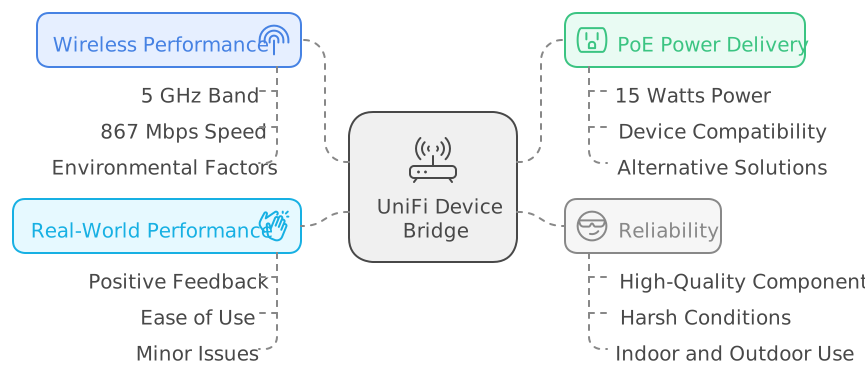
The UDB operates on the 5 GHz band with a maximum theoretical speed of 867 Mbps. Real-world throughput is lower than the 867 Mbps link rate and depends on signal strength, but is generally sufficient for:
- 2K HD camera streams from G5 series (bitrate depends on camera settings)
- 4K camera streams from G6 series (higher bitrate; a single camera per base UDB is recommended)
- VoIP phone calls (100 Kbps per call)
- IoT device telemetry (minimal bandwidth)
Actual throughput depends on distance from your access point, wall penetration, and RF interference. The base UDB is optimized for single G5-series cameras; for G6 Pro 4K streams or multiple cameras, the UDB-Switch with WiFi 7 is recommended.
PoE Power Delivery
The UDB delivers 15W of 802.3af PoE power, which is sufficient for:
- Compatible (15W or less): G5 Bullet (2K), G5 Flex (2K), G6 Bullet, G6 Turret, G4 Doorbell Pro, UniFi Talk phones, most 2K cameras
- Not Compatible (requires PoE+): G6 Pro series, G4 PTZ, AI Theta cameras at full power, PoE+ access points, high-power door controllers
Always verify your device's power consumption in the UniFi Protect or Network controller before deployment.
Reliability
The UDB is built with quality components and offers reliable performance in typical indoor environments. For outdoor installations, consider the weather-resistant UDB-Pro model designed specifically for pole-mount applications.
Real-World Performance
Typical strengths and weaknesses of the base UDB include:
- Positive: Simple adoption through WiFi Auto-Link, suitable for 2K camera streams, useful for temporary installations
- Negative: Wireless links can be affected by RF interference, and the base model is limited to WiFi 5 speeds
For mission-critical applications, a wired connection is always preferable. The UDB is best used for convenience deployments where occasional brief outages are acceptable.
Troubleshooting Tips
If you encounter any issues with the UDB, here are a few troubleshooting tips:
-
Check for power: Ensure the UDB is plugged into a working power outlet and the connected device is powered on.
-
Restart the UDB: If the UDB is not responding, try restarting it.
-
Verify the wireless connection: Make sure the UDB is within range of your Wi-Fi access point and that the connection is stable.
-
Update firmware: Keep your UDB firmware current to ensure optimal performance and stability.
Refer to the UniFi documentation or contact professional support for more detailed troubleshooting assistance.
Conclusion
Final Verdict
The base UniFi Device Bridge remains a practical solution for specific wireless PoE deployments in 2026, particularly for single 2K HD cameras (G5 series) or VoIP phones in locations with AC power but no ethernet. At $99-$109, it's more cost-effective than running conduit for temporary or hard-to-reach installations.
2026 Camera Context: The base UDB is the perfect lifeline for extending the deployment range of cost-effective G4 and G5 cameras. For newer G6 Pro hardware (4K, AI features, PoE+), upgrade to the UDB-Switch with WiFi 7 support.
However, the WiFi 5 standard is now legacy technology. If you're deploying in 2026, consider:
- UDB-Switch ($299 list, $329 with surcharge) for multiple devices or 4K cameras requiring WiFi 7 bandwidth
- UDB-Pro ($199 list, $219 with surcharge) for outdoor pole-mount applications where AC power isn't available
- UDB-IoT ($49) for low-power wired IoT devices (it does not supply PoE)
The base UDB excels at solving the specific problem: "I need to connect a camera/phone where I have power but no ethernet." For that use case, it offers simple adoption via UniFi WiFi Auto-Link.
For mission-critical applications or high-bandwidth devices, wired connections remain superior. View the UniFi Device Bridge family to choose the right model for your deployment.
Related Products:
- UniFi Switches - For wired PoE deployments
- UniFi Cameras - Compatible camera lineup
- UniFi WiFi Access Points - Improve wireless uplink performance
Need Help with Your UniFi Network?
Setting up and managing a UniFi network, especially with wireless bridging solutions like the UDB, may require professional assistance. If you're in Miami and need help with your UniFi network deployment, iFeelTech offers:
- Network design consultations: Expert guidance on UniFi architecture and device selection
- Professional installation: Certified technicians for UniFi camera, networking, and security deployments
- Ongoing support: Maintenance and troubleshooting for your UniFi infrastructure
Our team specializes in UniFi deployments for businesses and homes throughout South Florida.
Related Articles
Related Articles
More from UniFi Networks
We Ran 538 Ubiquiti Devices for 4 Years. Here's What Actually Failed.
Real fleet data: 538 UniFi devices tracked over 4 years. 0.74% replacement rate, 99.99% core uptime, and five incident post-mortems from commercial sites.
15 min read

UniFi Small Office Setup: Professional Office Case Study
How we designed and installed a complete UniFi network for a 7-person professional office — WiFi 7, cameras, and door access in one system. Includes floor plan, priced BOM, and VLAN config.
19 min read
UniFi Travel Router Review (July 2026): Six-Month Verdict, Speeds and Teleport
Six-month UniFi Travel Router review covering hotel Wi-Fi performance, Teleport VPN, standalone use, power-bank runtime and UTR alternatives.
20 min read