
Monday.com Review 2026: Is It Worth It for Your Small Business?
Monday.com review for small business teams with real pricing for 3-25 users, AI credit costs, feature breakdown, and side-by-side comparison with Asana and ClickUp.


Key Takeaway
Monday.com is a visual, customizable work platform that scales from simple task tracking to complex multi-team workflows. In May 2026 it became the monday AI Work Platform, making AI agents, Sidekick assistant, and a credit-based AI pricing layer central to the product alongside its existing seat-based plans.
- Best for: Visual/creative teams, growing businesses (5–50 people) wanting extensive customization
- Standout features: 200+ templates, no-code automations, 15+ views, 850+ integrations and apps, new AI layer
- Starting price: $9/seat/month (Basic annual), but 3-seat minimum means the true starting cost is $27/month equivalent
- Our verdict: Standard plan at $12/seat is the practical starting tier for most teams. Consider Pro when you need time tracking, formulas, or higher automation limits
Affiliate Disclosure: This article contains affiliate links. If you make a purchase through these links, we may earn a small commission at no extra cost to you. As an Amazon Associate, iFeelTech earns from qualifying purchases.
What is Monday.com?
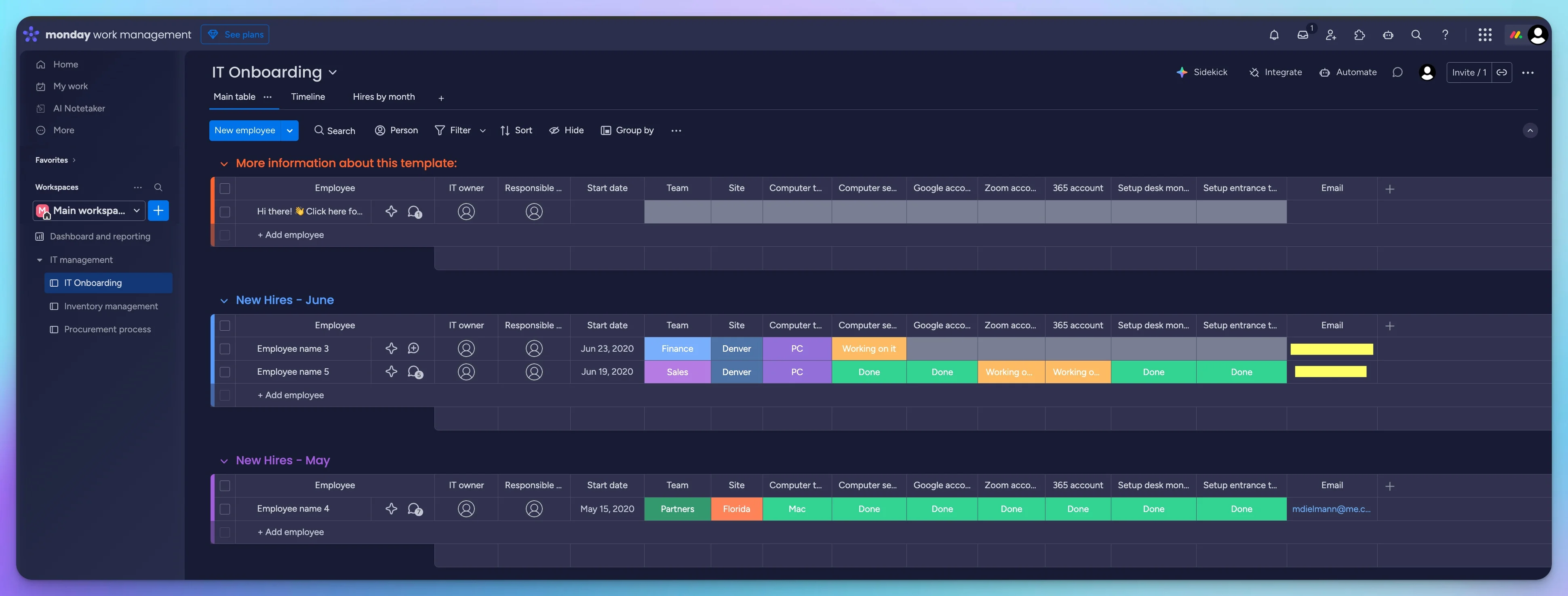
I didn't fully understand Monday.com's appeal at first. It kept appearing in "top project management tools" lists, but every time I looked at it, it seemed like a glorified task manager. That changed during a client engagement where I helped configure Monday.com for a multi-department onboarding workflow. Seeing how the same board data could drive a Kanban view for HR, a Gantt chart for IT, and a calendar for the hiring manager—that made the value concrete.
Monday.com started as a "Work OS"—a flexible platform that adapts to how your team works rather than forcing a rigid structure. In May 2026, the company rebranded to the monday AI Work Platform, embedding AI agents, a conversational Sidekick assistant, and a Vibe app builder directly into the product. The "Work OS" concept still describes the underlying architecture, but the current positioning reflects the AI layer now built on top of it.
Founded in 2012 (originally as DaPulse Labs, with the product launching in 2014) and publicly traded on the Nasdaq (ticker: MNDY), monday.com now serves over 250,000 customers worldwide, from two-person startups to enterprise organizations.
What distinguishes Monday.com from traditional project management tools is its building-block approach. Everything starts with "boards"—customizable tables where you define columns, views, and automations for your specific workflow. The same underlying platform powers project management, CRM, HR workflows, and development—each with its own product but sharing one interface.
This flexibility is both Monday.com's greatest strength and its primary source of complexity. The platform rewards teams willing to invest time in customization but can feel overwhelming for those wanting a plug-and-play setup.
What is monday.com? (Official Introduction)
How We Tested
This review is based on hands-on use of a monday.com Pro trial account. We created a test workspace modeled on a six-person client onboarding workflow, tested on desktop (macOS) and mobile (iOS) over two weeks in Q3 2026. The workspace included an IT onboarding board with task groups, dependencies, two automations (status-change Slack notifications and due-date reminders), and a single-board dashboard. We also tested the 2026 AI features—Sidekick, Vibe, and AI Blocks—during the trial period.
Pricing was verified against monday.com/pricing and monday.com support documentation in August 2026. Competitor data was verified against each vendor's pricing page on the same date.
Pricing: What You'll Actually Pay
Monday.com pricing is structured around per-seat plans billed monthly or annually. Annual plans are paid upfront for the full year. Here's the current pricing as of August 2026:
| Plan | Annual (per seat/mo) | Monthly (per seat/mo) | Key Features |
|---|---|---|---|
| Free | $0 forever | $0 forever | 2 users, 3 boards, 200 items, 500 MB storage |
| Basic | $9/seat/month | $12/seat/month | Unlimited items, 5 GB storage, dashboard (1 board) |
| Standard | $12/seat/month | $14/seat/month | Timeline/Gantt, Calendar, 250 automations/mo, 250 integrations/mo |
| Pro | $19/seat/month | $24/seat/month | Time tracking, formulas, 25K automations/mo, 25K integrations/mo, Chart view |
| Enterprise | Contact sales | Contact sales | Advanced security, 250K automations/mo, 250K integrations/mo |
Prices verified from monday.com/pricing in August 2026. Automation and integration actions are separate monthly allowances.
Seat Buckets and Real-World Costs
All paid plans require a 3-seat minimum. After the first 3, seats are sold in buckets of 5—so 4 users pay for 5 seats, 6 users pay for 10, and 11 users pay for 15. This table shows what teams actually pay when billed annually (paid upfront):
| Team Size | Seats Billed | Basic (Annual) | Standard (Annual) | Pro (Annual) |
|---|---|---|---|---|
| 3 users | 3 | $27/mo ($324/yr) | $36/mo ($432/yr) | $57/mo ($684/yr) |
| 4 users | 5 | $45/mo ($540/yr) | $60/mo ($720/yr) | $95/mo ($1,140/yr) |
| 5 users | 5 | $45/mo ($540/yr) | $60/mo ($720/yr) | $95/mo ($1,140/yr) |
| 6 users | 10 | $90/mo ($1,080/yr) | $120/mo ($1,440/yr) | $190/mo ($2,280/yr) |
| 10 users | 10 | $90/mo ($1,080/yr) | $120/mo ($1,440/yr) | $190/mo ($2,280/yr) |
| 11 users | 15 | $135/mo ($1,620/yr) | $180/mo ($2,160/yr) | $285/mo ($3,420/yr) |
| 25 users | 25 | $225/mo ($2,700/yr) | $300/mo ($3,600/yr) | $475/mo ($5,700/yr) |
Notice the jump at awkward team sizes: a 4-person team on Standard pays the same $720/year as a 5-person team. A 6-person team on Pro pays $2,280/year—double what a 5-person team pays. Factor this into your team-size planning.
AI Credits: The New Cost Layer
Accounts created on or after May 6, 2026 must purchase AI credits alongside their seat plan. Minimum allocations per plan:
| Plan | Minimum AI Credits |
|---|---|
| Basic | 1,000 credits |
| Standard | 2,000 credits |
| Pro | 3,000 credits |
AI credits are consumed by Sidekick conversations, AI Blocks, AI Workflows, monday Agents, Vibe app generation, and AI Notetaker. Each capability uses credits at different rates depending on complexity. As of August 2026, monday.com applies a promotional discount that offsets the credit cost for many new accounts—but verify your actual checkout total, because this offer may change.
Existing accounts created before May 6, 2026 received a one-time trial balance of credits and can purchase additional packages when needed. Full AI credit details →
Which Plan to Start With
Standard at $12/seat is the practical starting tier for most small business teams. It unlocks Timeline/Gantt views, Calendar, automations, and integrations—features that are absent from Basic and Free. Consider upgrading to Pro when you need time tracking, formula columns, private boards, or when 250 monthly automation actions aren't enough (Pro provides 25,000).
Key Features: What You Get
Boards and Views
The foundation of Monday.com is the "board"—a flexible workspace where you organize tasks, projects, clients, or any other data. Monday.com now offers 15+ views, though availability varies by plan. Key views include:
- Table View: The default spreadsheet-like layout with customizable columns (all plans)
- Kanban View: Drag-and-drop cards organized by status (all plans)
- Gantt View: Timeline visualization showing task dependencies (Standard+; milestones and critical path require Pro or Enterprise)
- Calendar View: Date-based view for scheduling (Standard+)
- Timeline View: See how work spans across time (Standard+)
- Chart View: Data visualization with graphs and charts (Pro+)
- Additional views include Workload, Files, Form, and more depending on plan tier
Each view displays the same underlying data differently, so teams can work in whatever format suits them best. Marketing might prefer Kanban while project managers use Gantt—both see the same information.
Automations
Monday.com's automation system uses "when/then" logic to eliminate repetitive tasks. For example:
- When status changes to "Done" → notify team in Slack
- When date arrives → move item to "Overdue" group
- When new item created → assign to specific team member
Automation and integration action limits by plan:
| Plan | Automation Actions/mo | Integration Actions/mo |
|---|---|---|
| Basic | None | None |
| Standard | 250 | 250 |
| Pro | 25,000 | 25,000 |
| Enterprise | 250,000 | 250,000 |
These are separate allowances—a Standard account gets 250 automation actions and 250 integration actions. monday.com warns that 250 actions can be exhausted quickly, especially with multi-step recipes that consume one action per trigger. Teams that rely on automations heavily should plan for Pro.
Integrations
Monday.com's marketplace lists 850+ integrations and apps, a mix of native integrations built by monday.com, third-party apps, and community contributions. Notable categories include:
- Communication: Slack, Microsoft Teams, Zoom
- Productivity: Gmail, Google Calendar, Google Drive, Microsoft 365, Dropbox
- CRM: Salesforce, HubSpot, Pipedrive
- Development: GitHub, GitLab, Jira
- Marketing: Mailchimp, Facebook Ads, Google Ads
Not all 850+ are native integrations—many are third-party apps installed through the marketplace. Integration actions share a separate monthly allowance from automations (250/month on Standard, 25K on Pro).
For help choosing between major productivity platforms that integrate with Monday.com, see our Google Workspace vs Microsoft 365 comparison.
Collaboration Features
Monday.com facilitates team communication directly within tasks:
- Updates: Comment threads attached to each item
- @Mentions: Tag team members for notifications
- File Attachments: Attach documents, images, and files directly to items
These features centralize communication around work items rather than scattering discussions across email, Slack, and other channels.
Reporting and Dashboards
Dashboards aggregate data from multiple boards into a single view. You can track project progress, team workload, budget status, and custom metrics with widgets including:
- Numbers (totals, averages, counts)
- Charts (pie, bar, line)
- Timeline overviews
- Workload distribution
Dashboard board limits by plan (how many boards can feed a single dashboard):
- Basic: A dashboard based on 1 board
- Standard: Up to 5 boards per dashboard
- Pro: Up to 20 boards per dashboard
- Enterprise: Up to 50 boards per dashboard
2026 AI Capabilities
The May 2026 AI platform shift made these capabilities central to monday.com's roadmap. Some existed before the rebrand, but they are now embedded more deeply across the product:
- Sidekick: A conversational AI assistant that can answer questions about your boards, generate summaries, and help build views and dashboards. Starting July 27, 2026, Sidekick interactions consume AI credits.
- monday Agents: AI agents that can execute configured multi-step workflows under existing permissions and human oversight—for example, triaging incoming requests and routing them to the correct board.
- monday Vibe: A no-code AI app builder where you describe the workflow you need and Vibe creates the board structure, views, and baseline logic. During the Pro trial we could build and preview a Vibe app, but trial accounts cannot publish Vibe apps for team use—publishing requires a paid account with an AI credits package.
- AI Blocks and AI Workflows: AI-powered automation components that can classify, summarize, extract, and generate content within existing automation recipes.
- AI Notetaker: Transcribes and summarizes meeting recordings.
Most of these AI tools draw from the account's credit allocation, although monday.com currently exempts certain built-in AI-assisted features from credit consumption. Credit use varied by feature and task complexity in our testing, so a short trial is not sufficient to estimate a reliable monthly credit cost. Teams should monitor usage closely once on a paid plan.
What Works Well
Visual Interface
Color-coded statuses and visual progress indicators make overdue and blocked tasks easy to identify without opening individual items. In testing, this reduced the back-and-forth of status check-ins compared to list-based tools where the same information requires clicking into each task.
Customization Depth
Over 30 column types (text, dates, people, formulas, dependencies, and more) let you structure data to match how your business operates. This flexibility is why Monday.com works across industries from marketing agencies to construction companies.
Template Library
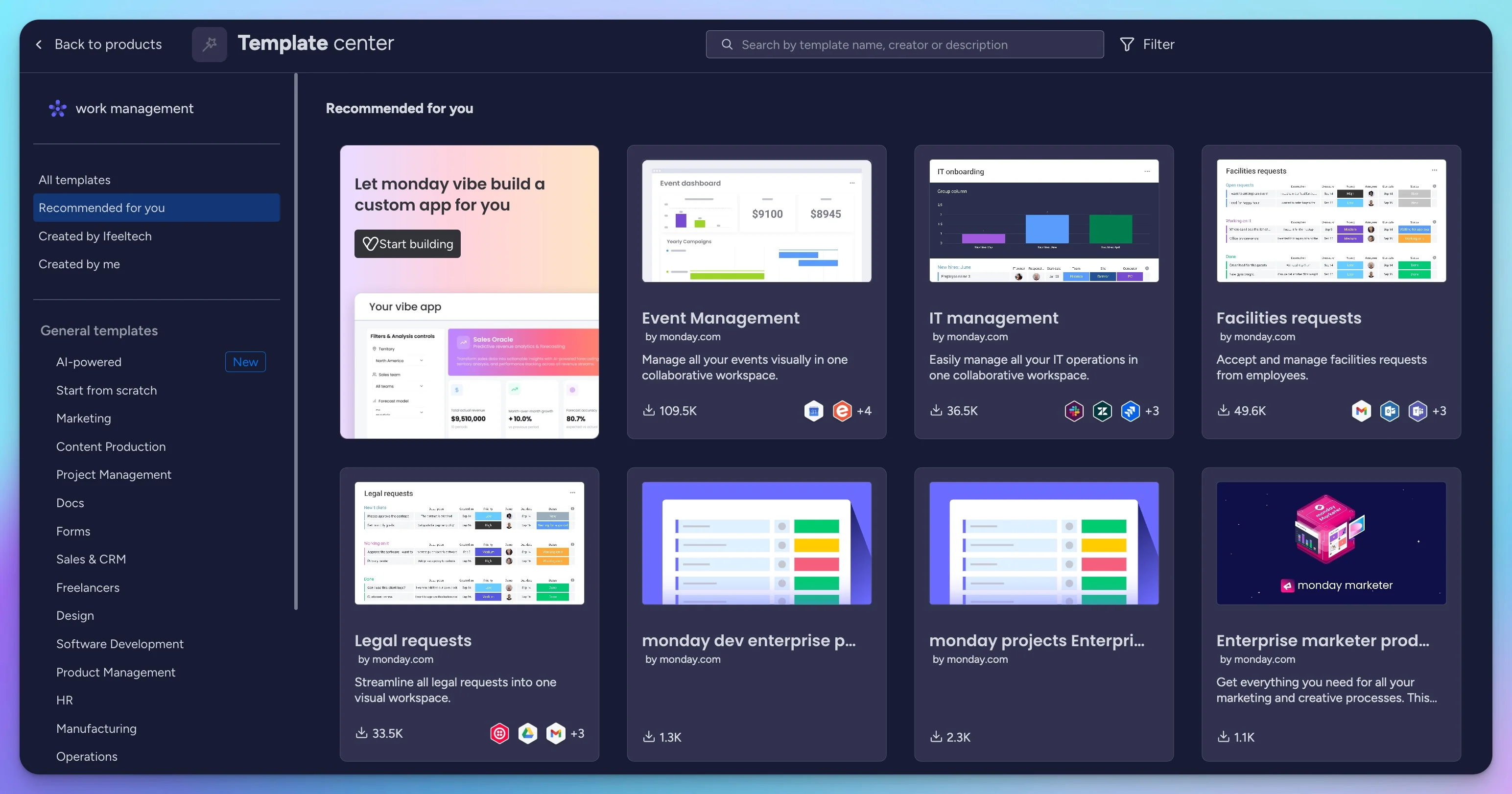
200+ pre-built templates cover project management, marketing, sales, HR, software development, and more. Templates provide a working starting point you can customize rather than building boards from scratch.
Automation System
The visual "when/then" builder requires no coding knowledge and supports multi-step recipes. On Standard you get 250 automation actions per month, which is tight for active teams—but Pro's 25,000 actions provide headroom for most small businesses.
What Needs Improvement
Time Tracking Locked to Pro
Time tracking requires the Pro plan at $19/seat/month—a $7/seat jump from Standard. For teams where time tracking is the main requirement, a dedicated tool like Harvest may be more cost-effective than upgrading the entire team's monday.com plan.
Seat Buckets Inflate Costs for Small Teams
As detailed in the pricing section above, bucket pricing means a 4-person team pays for 5 seats and a 6-person team pays for 10. Calculate your actual billed seats before comparing monday.com to per-user alternatives.
Free Plan Has Real Limits
The free plan supports 2 users, 3 boards, a 200-item starting limit, 500 MB of storage, 3 Docs, and 8 column types. There are no automations or integrations. It works for basic personal use or evaluating the interface, but most teams outgrow it quickly.
AI Credits Add a New Cost Variable
The post-May 2026 pricing model requires AI credit purchases alongside seats. While promotional discounts currently offset the cost for many accounts, this adds a variable expense that did not exist before and makes long-term cost forecasting less predictable. Teams watching their IT budget should track credit consumption closely.
Security and Administration
Monday.com publishes SOC 1 Type II and SOC 2 Type II reports, a SOC 3 report, and ISO 27001, 27017, 27018 and 27701 certifications. HIPAA support with a BAA, SAML SSO and audit logs are Enterprise-only. Pro adds Google authentication and more advanced board and column permissions. GDPR and CCPA frameworks are supported across all plans. Full details are published on monday.com's Trust Center.
Monday.com vs Competitors
This comparison uses the lowest paid plan for each platform so the feature sets are roughly equivalent. Comparing monday.com Standard ($12) against Asana Starter ($10.99) and ClickUp Unlimited ($7) gives a fair picture of what a small team gets for their money.
| Feature | Monday.com Standard | Asana Starter | ClickUp Unlimited |
|---|---|---|---|
| Price (annual billing) | $12/seat/month | $10.99/user/month | $7/user/month |
| Free Plan Users | 2 users | 2 users | Unlimited (with limits) |
| Free Plan Storage | 500 MB total | Unlimited (100 MB per file) | 60 MB total |
| Time Tracking | Pro only ($19) | Native on Advanced ($24.99); Timesheets add-on $5.99/user from Starter | All paid plans |
| Automations | 250 actions/month | Unlimited | 1,000 actions/month |
| Integrations | 250 integration actions/month | 300+ integrations; no global action quota stated | Unlimited integrations; automation integrations/webhooks require Business |
| Views | 15+ (plan-gated) | Multiple (plan-gated) | 15+ |
| Learning Curve | Our assessment: moderate | Our assessment: gentler | Our assessment: steeper |
vs Asana
Asana offers a cleaner, more minimalist interface and—notably—unlimited automations on Starter at $10.99/user/month. This is a meaningful advantage over monday.com Standard's 250-action cap. Asana's free plan is limited to 2 users (matching monday.com). Native time tracking is available on Asana Advanced ($24.99/user/month); teams that need timesheets on a lower tier can add the Timesheets and Budgets module for $5.99/user starting from Starter. Asana pricing →
Choose Asana if: Unlimited automations matter more than visual customization, or you prefer a simpler interface.
Choose Monday.com if: You want deeper board customization, a large integration and app ecosystem, or the new AI agent layer.
vs ClickUp
ClickUp's Unlimited plan at $7/user/month offers 1,000 automation actions, unlimited storage, and time tracking on all paid plans—a strong value proposition. Its free plan allows unlimited members and tasks but caps total storage at 60 MB, limits automations to 100 actions/month, and restricts Gantt and custom field usage to 60 uses each. Those constraints mean the free tier works for personal task management but gets tight for teams with attachments or active automations. ClickUp pricing →
Choose ClickUp if: Budget is your primary concern and you're comfortable with a denser interface.
Choose Monday.com if: You prefer a more visual, opinionated interface and are willing to pay a premium for it.
For a full annual cost breakdown across all four leading options, see our Monday vs Asana vs ClickUp vs Basecamp comparison.
Is Monday.com Worth It for Small Businesses?
Where It Fits
Marketing and creative teams (5–25 people): The visual board layout, color-coded statuses, and 15+ views map well to campaign tracking, content calendars, and cross-department handoffs.
Growing businesses that need one platform: A 5-person team can start on Standard and add automations, integrations, and custom views as needs evolve—without migrating to a new tool.
Teams with non-standard workflows: If your workflow doesn't fit a generic template, Monday.com's 30+ column types, formula columns (Pro), and dependency tracking let you build a custom structure without code.
Organizations consolidating tools: The 850+ integration marketplace and separate monday CRM, Dev, and Service products mean teams can centralize multiple functions on one interface.
Consider Alternatives When
- Budget is the priority: ClickUp Unlimited at $7/user includes time tracking and 1,000 automations
- Unlimited automations matter: Asana Starter at $10.99/user has no automation cap
- You're a solo user or 2-person team: The 3-seat minimum and bucket pricing make monday.com expensive at this size
- You need affordable native time tracking: ClickUp Unlimited includes it at $7/user/month. Asana offers a $5.99/user Timesheets and Budgets add-on from Starter, while native task time tracking is included in Advanced at $24.99
Getting Started with Monday.com
Step 1: Sign Up for the Pro Trial Create an account at monday.com. New users automatically start a 14-day Pro trial—no credit card required. The trial is Pro only; you cannot trial other plan levels. After 14 days, you can choose a paid plan or stay on Free.
Step 2: Choose a Template Browse the template library and select one matching your primary use case. Project management, marketing campaign tracking, CRM, and content calendar templates are popular starting points. Templates give you a working structure you can customize rather than building from scratch.
Step 3: Invite Your Team Add team members and assign them to your first board. Monday.com sends email invitations automatically. Expect some onboarding friction—while the basic board interface is approachable, features like automations, integrations, and the new AI tools take time to learn.
Step 4: Set Up Your First Automation Once you're comfortable with the basics, create your first automation. Start simple: "When status changes to Done, notify me in Slack." This introduces the automation system without overwhelming your team.
Step 5: Customize Your Views Experiment with different views—switch between Table, Kanban, and Timeline to see which works best for your team. Different team members can use different views on the same board.
Frequently Asked Questions
How much does Monday.com cost per user?
Monday.com costs $9–19 per seat per month when billed annually. Basic is $9/seat, Standard is $12/seat, and Pro is $19/seat. Monthly rates are $12/$14/$24 respectively. All paid plans require a minimum of 3 seats and annual plans are paid upfront, so the true starting cost is $324/year ($27/month equivalent). Accounts created after May 2026 must also purchase a minimum AI credit allocation.
Is there a free version of Monday.com?
Yes, Monday.com offers a free plan for up to 2 users with up to 3 boards, a 200-item starting limit, 500 MB of storage, 3 Docs, and 8 column types. It includes 200+ templates and mobile apps but lacks automations, integrations, and advanced views. It can support basic personal use indefinitely, but most growing teams will need a paid plan.
Does Monday.com have time tracking?
Yes, but time tracking is only available on the Pro plan ($19/seat/month) and higher. Lower-tier plans don't include this feature natively, though you can integrate third-party time tracking tools like Harvest.
Monday.com vs Asana: which is better?
It depends on your priorities. Monday.com offers more visual customization and a large integration and app ecosystem (850+ apps). Asana is simpler to learn and includes unlimited automations on its Starter plan at $10.99/user/month. Both have 2-user free plan limits.
Can I try Monday.com before paying?
Yes, Monday.com offers a 14-day free trial of the Pro plan with no credit card required. The trial does not let you choose a different plan level—it is Pro only. After the trial you can downgrade to Free or select any paid plan.
Does Monday.com integrate with Google Workspace?
Yes, Monday.com integrates with Gmail, Google Calendar, and Google Drive on Standard plan and above. Google Docs can be embedded via the Drive integration, but it is not a standalone native integration in the same way.
What's the minimum number of users for paid plans?
All paid Monday.com plans require a minimum of 3 seats. After the first 3, seats are generally sold in buckets of 5—so 4 users pay for 5 seats, and 6 users pay for 10.
Can I use Monday.com for CRM?
Yes, Monday.com offers a dedicated CRM product with sales pipeline management, contact tracking, and deal automation. It uses the same interface as the work management platform but includes CRM-specific features and has its own pricing structure.
Is Monday.com suitable for small teams?
Monday.com works well for teams of 5–50 people who value visual workflows and customization. For very small teams (1–3 people), the 3-seat minimum and bucket pricing make alternatives like Asana or ClickUp potentially more cost-effective.
What are Monday.com AI credits?
Accounts created after May 6, 2026 must purchase AI credits alongside seats. Minimums are 1,000 credits for Basic, 2,000 for Standard, and 3,000 for Pro. Credits are consumed by AI features like Sidekick, Agents, Vibe, AI Blocks, and AI Workflows. Usage varies by capability and complexity.
Final Verdict
Overall Rating: 4/5
| Category | Score |
|---|---|
| Usability and interface | 4.5/5 |
| Customization and flexibility | 4.5/5 |
| Value for money | 3.5/5 |
| Automation capabilities | 4/5 |
| Mobile experience | 3/5 |
Monday.com delivers a visual, customizable project management experience that rewards teams willing to invest in setup. The 2026 AI platform shift adds a meaningful new layer—Sidekick, Agents, and Vibe extend monday.com beyond conventional project management into workflow automation and lightweight app building—but they also introduce credit-based costs that make pricing less predictable than before.
What Worked
The board-based interface made project status visible without requiring team members to click into individual tasks. In testing, the color-coded statuses, 15+ views, and no-code automation builder worked well for a multi-department IT onboarding workflow. The 850+ integration and app ecosystem covers most common business tools, although the headline count includes native integrations, marketplace apps, and third-party connections.
What to Watch
Seat bucket pricing inflates costs at awkward team sizes (4 users pay for 5, 6 pay for 10). Time tracking requires the $19 Pro tier. The new AI credit model adds a variable cost layer that did not exist six months ago. Teams on tight budgets should run the math carefully before committing to an annual upfront payment.
Looking for Monday CRM specifically? See our Monday CRM vs HubSpot CRM comparison for a dedicated head-to-head, our complete CRM comparison for small businesses covering Monday CRM, HubSpot, and Pipedrive, or our dedicated HubSpot CRM review if you're evaluating HubSpot on its own.
Our Recommendation: For teams of 5–50 that value visual workflows and want a platform that adapts to their processes, Monday.com is a strong fit—start with Standard and upgrade to Pro when you need time tracking or higher automation limits. If budget is your primary concern, ClickUp offers comparable features at a lower price. If you want unlimited automations without worrying about action counts, Asana Starter is worth evaluating.
Related Resources
- HubSpot CRM Review 2026 – Full standalone review: free tier breakdown, Breeze AI, pricing math for teams of 1–10
- Best CRM for Small Business 2026 – Three-way comparison of HubSpot, Pipedrive, and Monday CRM with pricing tables
- Google Workspace vs Microsoft 365 – Compare productivity platforms that integrate with Monday.com
- Harvest Review: Time Tracking & Invoicing – Alternative if time tracking is your priority
- Small Business IT Budget Planning – Planning your overall software costs
Related Articles
More from Business Software
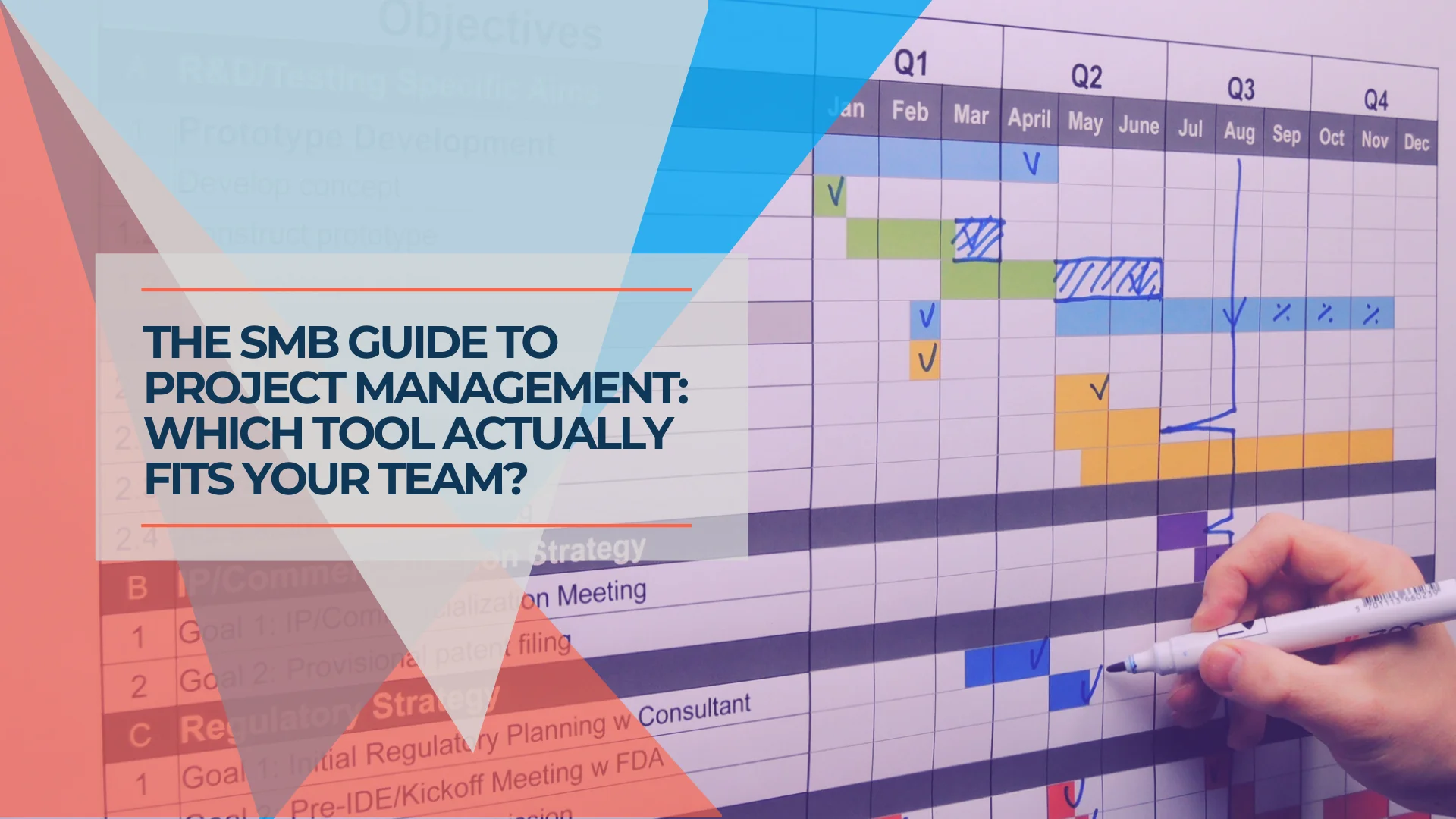
Monday vs Asana vs ClickUp vs Basecamp: Best Project Management Software for Small Business
Monday vs Asana vs ClickUp vs Basecamp compared with real annual costs for 5- and 15-person teams. An honest guide for small businesses that need a clear answer, not a feature list.
26 min read

Best CRM for Small Business 2026: HubSpot vs Pipedrive vs Monday
The best CRM for small business in 2026 — comparing HubSpot, Pipedrive, and Monday on real pricing, setup time, pipeline tools, and free options for teams of 5–50.
20 min read

Small Business Software Stack: 4 Essentials for 2026
Build a practical small-business software stack for accounting, work, communication, and account security. See verified October 2026 U.S. prices and sample costs.
16 min read