

Harvest Review 2026: Is It Still the Best Time Tracker? (14-Year Test)
Our 14-year review of Harvest time tracking and invoicing software. Learn how this tool simplifies time management, estimates, invoicing, and reporting for freelancers and businesses.


Time tracking and invoicing software can make or break your billing process. After using Harvest for 14 years at iFeeltech, we've learned exactly what works and what doesn't when it comes to tracking billable hours and getting paid on time.
In this review, we'll cover Harvest's time tracking features, invoicing capabilities, reporting tools, and pricing structure. We'll also share the limitations we've encountered and how Harvest compares to alternatives like Clockify and Toggl Track.
2026 Update: Our Experience with Pricing Changes
February 2026: After 14 years as Harvest customers, we recently canceled our subscription following a significant price increase. While Harvest offered us a discount, the experience raised concerns about long-term pricing stability and trust.
We've documented our full experience in When Trust Breaks: Our Experience Leaving Harvest and Building a Replacement, where we share how we built a custom time tracker using AI-assisted coding in just a few hours.
This review remains accurate regarding Harvest's features, functionality, and capabilities. However, our recommendation has evolved from "highly recommended" to "evaluate carefully, especially regarding long-term pricing."
The information below reflects our 14-year experience with the platform and remains factually accurate as of early 2026.
Our Verdict: 3.5/5 (Updated Feb 2026)
After 14 years of daily use, Harvest remains a capable time tracking and invoicing platform with solid features. Best for small teams with simple data needs. Caution advised for long-term scaling: We found that accounts with significant historical data (10+ years) may be migrated to a usage-based Enterprise model with substantially higher costs.
Setting Up Harvest: Quick and User-Friendly
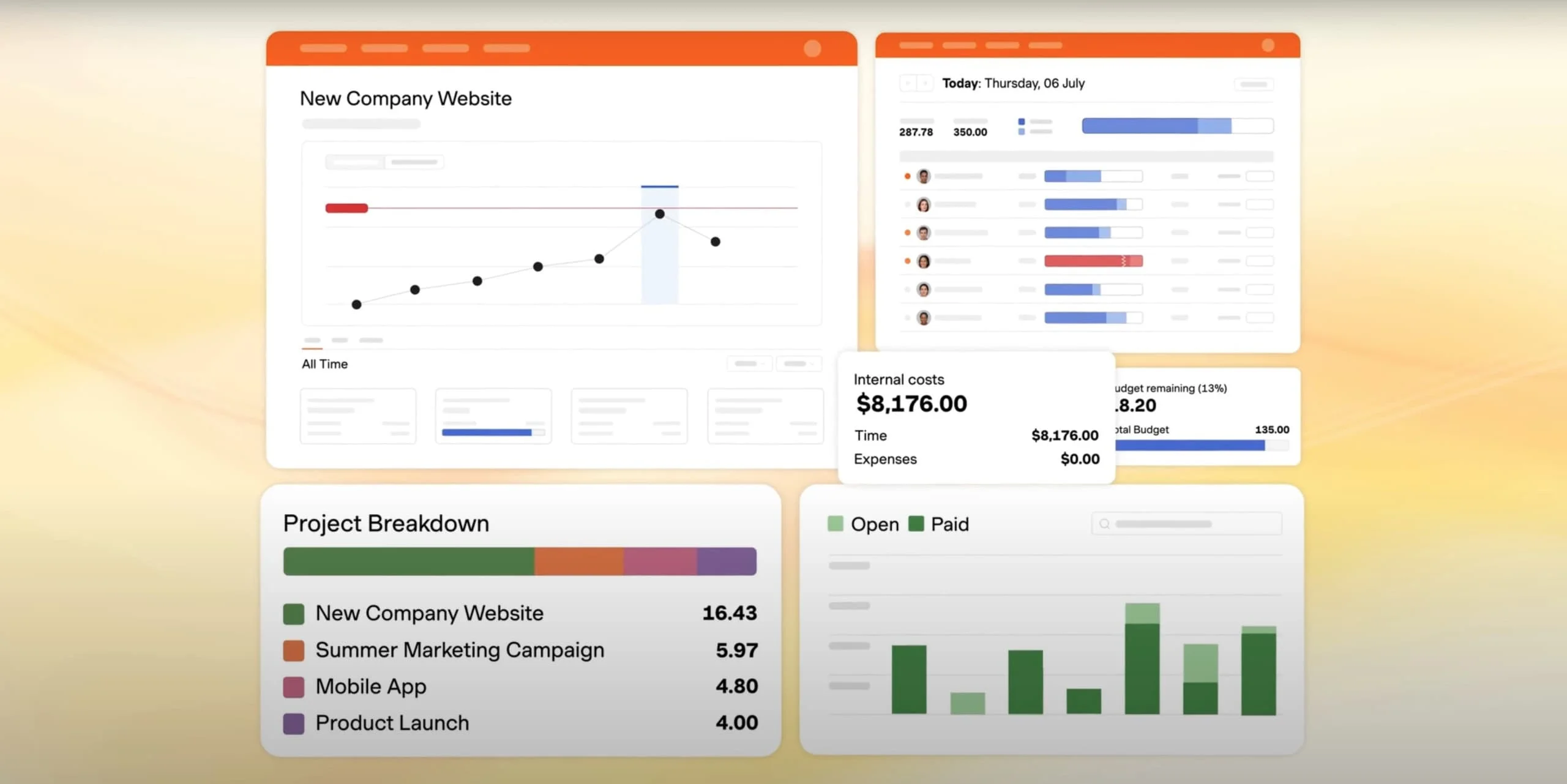
Harvest makes it easy to get started with time tracking and invoicing, even if you're new to these tools. The setup process is straightforward, allowing you to create an account, add clients, and set up projects without a steep learning curve. For a business like ours, where time and client transparency are key, having a tool that organizes everything from the start is essential.
Key Features of Harvest Setup
Getting Started
- Simple Onboarding: With an intuitive interface, setting up clients and projects takes only a few minutes. Harvest offers customization options to set hourly, flat, or per-project fees to match each client's needs.
- Clear Project Layout: Harvest's project layout provides an organized view of ongoing projects. It allows you to easily track time and billable hours, which is invaluable for managing multiple clients.
The straightforward setup means you can start tracking time and sending invoices within minutes, rather than spending days configuring complex software.
How Harvest Helps Your Business Thrive
Tracking Time Effectively
Time tracking is at the core of Harvest's functionality, offering real-time and manual options to fit your workflow. This flexibility is crucial for our IT consulting business in managing different projects and client needs efficiently. Harvest's time tracking helps us ensure accurate billing and gives clients a clear view of the time invested in their projects.
How Time Tracking Works in Harvest
- Real-Time Timer: The real-time timer is easy to use—start it when you begin a task and stop it when you're done. Each time entry is automatically organized by project and task, creating a clear, structured record of time spent.
- Manual Entry Option: Harvest allows for manual entries if you need to log time after the fact. This flexibility is especially helpful when working offsite or juggling multiple tasks at once.
- Mobile App & Widgets: Harvest's mobile apps (iOS and Android) include home screen widgets that let you start/stop timers without opening the app. This feature, updated in late 2024, makes it effortless to track time on the go.
Time Tracking Benefits
Using Harvest's time tracking ensures precise records without much effort, providing transparency and accuracy that clients appreciate.
Creating Client-Engaging Estimates
Estimates are often the first step in a project and set the tone for client relationships. Harvest simplifies this process by enabling us to create clear, professional estimates that clients can review and respond to directly. At iFeeltech, this feature has improved client interactions and streamlined the proposal process.
Benefits of Harvest's Estimate Feature
- Professional Online Estimates: With Harvest, each estimate is presented as a professional online document. Clients receive a link they can open to review project details, helping them understand costs upfront.
- Client Engagement: One standout feature is the client's ability to accept or reject an estimate through the same link. This interactive approach adds transparency and speeds up the approval process.
- Real-Time Notifications: Harvest notifies you when a client views the estimate, allowing you to follow up strategically and keep the project moving forward.
Streamlined Proposals
For iFeeltech, these features ensure that clients know exactly what to expect, and we can avoid back-and-forth emails to confirm project details.
Invoicing Made Simple
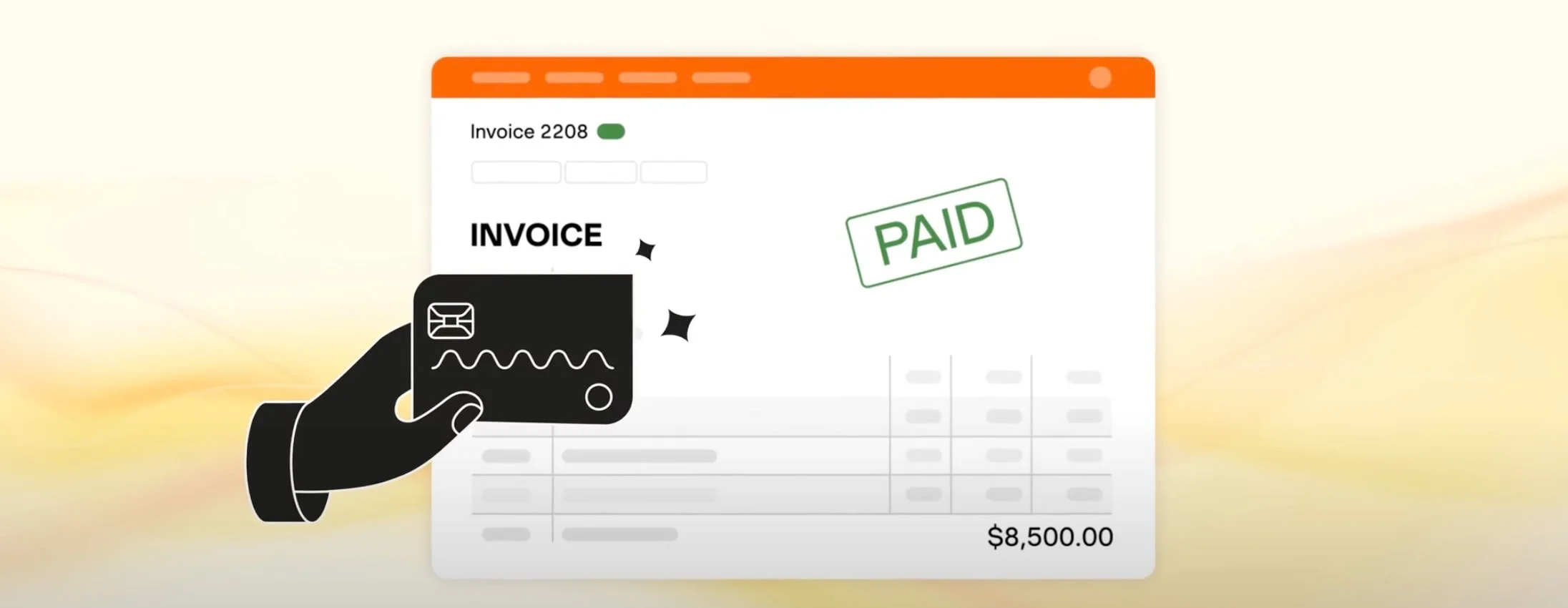
Invoicing can be tedious, especially when managing multiple clients and projects. Harvest simplifies invoicing by linking directly to your tracked time and project expenses, allowing you to create accurate, detailed invoices with minimal effort. This feature alone has saved us time and improved cash flow by making it easier for clients to pay.
Key Invoicing Features
Invoicing Highlights
- One-Click Invoicing: With Harvest, creating an invoice from tracked time and expenses takes just one click. This feature eliminates manual calculations, ensuring that each invoice accurately reflects completed work.
- Multiple Payment Options: Harvest's invoices have online payment options, including PayPal, ACH, and Stripe. These options make it convenient for clients to pay, which has helped us reduce payment delays.
- Automatic Follow-Ups: If an invoice goes unpaid, Harvest can send automatic reminders, gently prompting clients to settle outstanding balances. This automated feature is especially helpful in maintaining consistent cash flow without requiring manual follow-ups.
For iFeeltech, Harvest's invoicing features bring efficiency and professionalism to our billing process, making it easier to manage finances alongside our accounting software and focus on client work.
Reporting and Insights: Harvest's Data at Work
Understanding where time and resources are going is essential for any business's growth. Harvest's reporting tools provide actionable insights into time usage, project progress, and overall profitability. These reports help us evaluate our services, identify areas for improvement, and make data-informed decisions.
Key Reporting Features
- Time and Expense Breakdown: Harvest's reports break down time and expenses by project and client, giving you a detailed view of where efforts are concentrated. This level of detail is particularly useful for optimizing processes or redistributing resources as needed.
- Profitability Analysis: By comparing time tracked with revenue generated, Harvest lets you assess the profitability of each project. This insight allows you to prioritize higher-value projects or adjust pricing on less profitable ones.
- Client-Specific Reports: For transparency, Harvest allows you to share reports with clients. This feature provides clients with a clear view of the time invested in their projects, enhancing trust and communication.
Data-Driven Decisions
These reporting tools have become invaluable for project evaluation and financial planning, helping us refine our approach and maximize the value we deliver to clients.
Harvest Pricing 2026: Free vs Pro vs Premium (Subject to Change)
Harvest offers a pricing structure that suits both solo users and growing teams, with flexible options to meet different business needs.
Harvest's Pricing Plans
| Plan | Price | Best For | Key Features |
|---|---|---|---|
| Free | $0 forever | Individual freelancers | 1 seat, 2 projects, time tracking, basic reporting, invoicing |
| Pro | $10.80/seat/month (billed annually) or $13.75/month (monthly) | Teams needing tracking & invoicing | Unlimited seats & projects, team reporting, accounting integrations, phone support |
| Premium | $14/seat/month (billed annually) or $17.50/month (monthly) | Advanced reporting & admin needs | Everything in Pro plus profitability reporting, timesheet approvals, activity log, custom reports, SAML SSO |
Pricing Details
- Free Plan: Built for individual freelancers, this plan includes one user (seat) and allows up to two projects. It includes essential features like time tracking, basic reporting, and invoicing, all at no cost.
- Pro Plan: Designed for teams that need to track, analyze, and invoice their time. The annual billing rate ($10.80/seat/month) offers the best value. It includes unlimited seats and projects, team reporting, accounting and payment integrations (QuickBooks Online, Xero, Stripe, PayPal), and scheduled phone support.
- Premium Plan: Ideal for larger teams with advanced reporting and administrative needs. In addition to all Pro features, it includes profitability reporting (see cost vs. revenue per employee), timesheet approvals, an activity log, custom reports and exports, SAML-based single sign-on (SSO), and custom onboarding support for teams with 50+ seats.
Try Before You Buy
All plans come with a 30-day free trial (no credit card required), allowing new users to experience Harvest's full capabilities before committing.
⚠️ Important Note on Usage Limits & Enterprise Migration
Standard pricing (listed above) applies to typical active usage. However, based on our 2026 experience, Harvest may migrate accounts with large amounts of historical data (e.g., thousands of archived projects or invoices) to an Enterprise plan.
The Trigger: High volume of stored data (Projects, Invoices, Clients), even if archived.
The Cost: In our case, this migration shifted us from a per-seat pricing model to a "Usage Billing" model.
Real-World Example: For a single-seat account with 15 years of data, the proposed cost shifted from ~$168/year to over $19,000/year (before negotiating specific "Flex" options).
This means that successful long-term use of Harvest can become a financial liability rather than an asset. If you plan to keep historical data for compliance, auditing, or business continuity, factor in potential future migration to usage-based pricing.
For iFeeltech, Harvest's features and flexible payment options served us well for many years. However, pricing stability should not be assumed for long-term planning.
Pricing Update - February 2026
February 2026 Update: After 14 years, iFeeltech is migrating away from Harvest. The decision wasn't based on the software's quality, but on a fundamental shift in their pricing model for legacy users.
In early 2026, our account was flagged for migration to an Enterprise Tier due to our accumulated historical data (200+ projects and 15 years of records). This change introduced a "Usage Billing" fee that priced the accumulation of business data at a premium, making the tool unsustainable for a small consultancy with a long history.
Is Harvest Premium Worth the Extra Cost?
For agencies managing multiple team members, the Premium Plan offers a critical feature that justifies the additional $3.20/seat/month: Profitability Reporting.
This feature allows you to see the actual cost versus revenue for each employee and project. Instead of just tracking billable hours, you can identify which projects are truly profitable and which team members deliver the highest ROI. For agencies billing $500K+ annually, this visibility alone can uncover tens of thousands in lost revenue from underpriced projects or inefficient resource allocation.
The Premium plan also includes:
- Timesheet Approvals: Essential for agencies needing manager oversight before invoicing
- Activity Logs: Track who changed what and when for compliance and accountability
- SAML SSO: Enterprise-grade security for larger teams
Bottom line: If you're a solo freelancer or small team (under 5 people), the Pro plan offers excellent value. If you're an agency with 10+ employees managing complex projects, Premium pays for itself by identifying unprofitable work.
Integrations That Matter
One of Harvest's strongest advantages is its deep integration ecosystem. Unlike competitors that offer basic exports, Harvest connects directly with the tools agencies actually use:
Accounting & Payments:
- QuickBooks Online: Two-way sync for seamless accounting (essential for US businesses)
- Xero: Full integration for international accounting
- Stripe & PayPal: Direct payment processing on invoices
Project Management:
- Asana: Track time directly from Asana tasks
- Jira: Perfect for development teams billing by the hour
- Slack: Start/stop timers without leaving Slack
These integrations eliminate double-entry and ensure your time tracking data flows directly into your existing workflow. After 14 years, we've found these integrations to be rock-solid and consistently maintained.
What We Don't Like About Harvest
After 14 years of use, Harvest isn't perfect. Here are the genuine limitations we've encountered:
No GPS Tracking: If you manage field service teams or need location verification for time entries, Harvest doesn't offer GPS tracking. Competitors like Clockify include this feature, making them better suited for construction, HVAC, or mobile service businesses.
Separate Scheduling Tool: Harvest doesn't include resource planning or team scheduling. You'll need to pay extra for Harvest Forecast (their separate scheduling app) if you want to plan team capacity. This feels like a feature that should be included in Premium.
Higher Cost for Large Teams: At $10.80-$14/seat/month, Harvest is pricier than alternatives. If you're managing 50+ employees, the cost adds up quickly compared to tools like Clockify (which has a free tier for unlimited users).
Limited Customization: Invoice templates and reports have limited customization options. If you need heavily branded invoices or complex custom reports, you may find the options restrictive.
Penalties for Long-Term Loyalty: Most software rewards you for staying; Harvest's new model appears to penalize it. Because the new Enterprise pricing is based on "usage" (defined as total data stored, not just active use), 14 years of loyal usage actually became a liability, resulting in a price quote thousands of dollars higher than a new customer would pay for the exact same feature set.
These aren't dealbreakers for new users, but long-term customers should be aware of potential future costs based on data accumulation.
Harvest vs. Competitors: When to Choose What
Choose Harvest if: You're an agency or freelancer who needs professional invoicing tied to time tracking. The flow from timer → invoice → payment is exceptionally smooth.
Choose Clockify if: You need GPS tracking for field teams or want a free option for unlimited users. Clockify is better for large teams on a budget, but its invoicing is basic.
Choose Toggl Track if: You're a solo freelancer who forgets to track time. Toggl's idle detection and timeline features help capture unbilled hours, but it lacks Harvest's invoicing sophistication.
The Bottom Line: For agencies needing professional invoicing with time tracking, Harvest remains our preferred choice in 2026. We've tested the alternatives, and Harvest offers the most polished and reliable solution for client billing.
Conclusion
Our Updated Assessment (February 2026)
After 14 years of daily use, Harvest has proven itself as a capable tool for time tracking, invoicing, and reporting. Its features work well and client transparency is excellent. We've processed millions in client billing through Harvest reliably.
However, our experience with pricing changes in 2026 has shifted our perspective. While the platform remains functional, we can no longer recommend it without reservations about long-term cost stability.
Rating: 3.5/5 – Solid features, but evaluate pricing carefully and consider alternatives before committing long-term. Read about our decision to leave Harvest.
Feel free to reach out if you have any questions about time tracking solutions or need help evaluating which tool might be right for your business. We're here to offer honest insights based on our real-world experience.
Related Resources
- When Trust Breaks: Our Experience Leaving Harvest – Why we canceled after 14 years
- Wave Accounting Review – Free accounting software
- Xero Accounting Review – Cloud accounting platform
- Managed IT Services – Professional IT support
Related Articles
More from Business Software
Monday vs Asana vs ClickUp vs Basecamp: Best Project Management Software for Small Business
Monday vs Asana vs ClickUp vs Basecamp compared with real annual costs for 5- and 15-person teams. An honest guide for small businesses that need a clear answer, not a feature list.
26 min read

When Trust Breaks: Our Experience Leaving Harvest and Building a Replacement
How a price increase led us to cancel Harvest and build our own time tracker in hours using AI-assisted coding. A real story about vibecoding and the changing dynamics of subscription software.
4 min read

Small Business Software Stack: 4 Essentials for 2026
Build a practical small-business software stack for accounting, work, communication, and account security. See verified October 2026 U.S. prices and sample costs.
16 min read